@vitejs/plugin-vue 是 Vite 官方提供的 Vue 3 单文件组件(SFC)支持插件,它负责将 .vue 文件转换为浏览器可执行的 JavaScript 模块。
Vue3项目使用 @vitejs/plugin-vue插件
js
import { defineConfig } from 'vite'
import vue from '@vitejs/plugin-vue'

export default defineConfig({
  plugins: [
    vue({

    }),
    // vueJsx(),
    // vueDevTools(),
  ],
})
参数选项有哪些?
typescript
interface Options {
  // 指定哪些文件需要被插件转换
  include?: string | RegExp | (string | RegExp)[]
  // 指定哪些文件不需要被插件转换
  exclude?: string | RegExp | (string | RegExp)[]

  /**
   * In Vite, this option follows Vite's config.
   */
  isProduction?: boolean

  // options to pass on to vue/compiler-sfc
  // 传递给 @vue/compiler-sfc 中 compileScript 的选项
  script?: Partial<
    Omit<
      SFCScriptCompileOptions,
      | 'id'
      | 'isProd'
      | 'inlineTemplate'
      | 'templateOptions'
      | 'sourceMap'
      | 'genDefaultAs'
      | 'customElement'
      | 'defineModel'
      | 'propsDestructure'
    >
  > & {
    /**
     * @deprecated defineModel is now a stable feature and always enabled if
     * using Vue 3.4 or above.
     */
    defineModel?: boolean
    /**
     * @deprecated moved to `features.propsDestructure`.
     */
    propsDestructure?: boolean
  }

  // 传递给 @vue/compiler-sfc 中 compileTemplate 的选项
  template?: Partial<
    Omit<
      SFCTemplateCompileOptions,
      | 'id'
      | 'source'
      | 'ast'
      | 'filename'
      | 'scoped'
      | 'slotted'
      | 'isProd'
      | 'inMap'
      | 'ssr'
      | 'ssrCssVars'
      | 'preprocessLang'
    >
  >
  // 传递给 @vue/compiler-sfc 中 compileStyle 的选项
  style?: Partial<
    Omit<
      SFCStyleCompileOptions,
      | 'filename'
      | 'id'
      | 'isProd'
      | 'source'
      | 'scoped'
      | 'cssDevSourcemap'
      | 'postcssOptions'
      | 'map'
      | 'postcssPlugins'
      | 'preprocessCustomRequire'
      | 'preprocessLang'
      | 'preprocessOptions'
    >
  >

  /**
   * Use custom compiler-sfc instance. Can be used to force a specific version.
   */
  compiler?: typeof _compiler

  /**
   * Requires @vitejs/plugin-vue@^5.1.0
   */
  features?: {
    /**
     * Enable reactive destructure for `defineProps`.
     * - Available in Vue 3.4 and later.
     * - **default:** `false` in Vue 3.4 (**experimental**), `true` in Vue 3.5+
     * 启动后,`defineProps` 中的响应式解构将支持 Vue 3.4 中的语法。
     */
    propsDestructure?: boolean
    /**
     * Transform Vue SFCs into custom elements.
     * - `true`: all `*.vue` imports are converted into custom elements
     * - `string | RegExp`: matched files are converted into custom elements
     * - **default:** /\.ce\.vue$/
     * 启动后,所有匹配的文件都将被转换为自定义元素。
     */
    customElement?: boolean | string | RegExp | (string | RegExp)[]
    /**
     * Set to `false` to disable Options API support and allow related code in
     * Vue core to be dropped via dead-code elimination in production builds,
     * resulting in smaller bundles.
     * - **default:** `true`
     * 启动后,Vue 核心代码中的 Options API 将被移除,从而减小 bundle 大小。
     */
    optionsAPI?: boolean
    /**
     * Set to `true` to enable devtools support in production builds.
     * Results in slightly larger bundles.
     * - **default:** `false`
     * 启动后,生产环境下的 devtools 将被启用,从而增加 bundle 大小。
     */
    prodDevtools?: boolean
    /**
     * Set to `true` to enable detailed information for hydration mismatch
     * errors in production builds. Results in slightly larger bundles.
     * - **default:** `false`
     * 启动后,生产环境下的 hydration mismatch 错误将包含详细的调试信息,从而增加 bundle 大小。
     */
    prodHydrationMismatchDetails?: boolean
    /**
     * Customize the component ID generation strategy.
     * - `'filepath'`: hash the file path (relative to the project root)
     * - `'filepath-source'`: hash the file path and the source code
     * - `function`: custom function that takes the file path, source code,
     *   whether in production mode, and the default hash function as arguments
     * - **default:** `'filepath'` in development, `'filepath-source'` in production
     * 启动后,组件 ID 将根据文件路径和源代码进行哈希处理,从而增加 bundle 大小。
     */
    componentIdGenerator?:
      | 'filepath'
      | 'filepath-source'
      | ((
          filepath: string,
          source: string,
          isProduction: boolean | undefined,
          getHash: (text: string) => string,
        ) => string)
  }

  /**
   * @deprecated moved to `features.customElement`.
   * 已废弃,移至 feature中
   */
  customElement?: boolean | string | RegExp | (string | RegExp)[]
}
SFC 编译流程
当 Vite 遇到一个 .vue 文件时,插件会执行以下编译流程:
- 解析 SFC :使用
@vue/compiler-sfc将.vue文件解析为descriptor对象,其中包含template、script、style等部分的解析结果 - 脚本编译 :处理
<script>块,包括<script setup>语法糖和 TypeScript 支持 - 模板编译 :将
<template>块编译为render函数 - 样式处理 :处理
<style>块,包括 CSS 预处理器的支持
生命周期
@vitejs/plugin-vue 中钩子执行顺序遵循 Vite 插件生命周期,分为服务器启动/构建准备阶段 和模块请求处理阶段。
配置阶段(一次)
config:最早执行,用于修改 Vite 配置。configResolved:配置解析完成后调用,可获取最终配置。options:Rollup 选项钩子,在构建开始前修改输入选项(较少用)。
服务器启动 / 构建开始
- 开发模式 :
configureServer在开发服务器创建时调用,用于添加中间件。 - 生产构建 :
buildStart在构建开始时调用。
模块请求处理(每次请求/每个文件)
resolveId:解析模块 ID(将路径转换为绝对路径或虚拟 ID)。load:加载模块内容(读取文件或生成源码)。shouldTransformCachedModule(Rollup 钩子):决定是否使用缓存转换结果(在load后、transform前调用,仅构建时)。transform:转换模块内容(核心编译逻辑,例如将.vue文件转为 JS)。
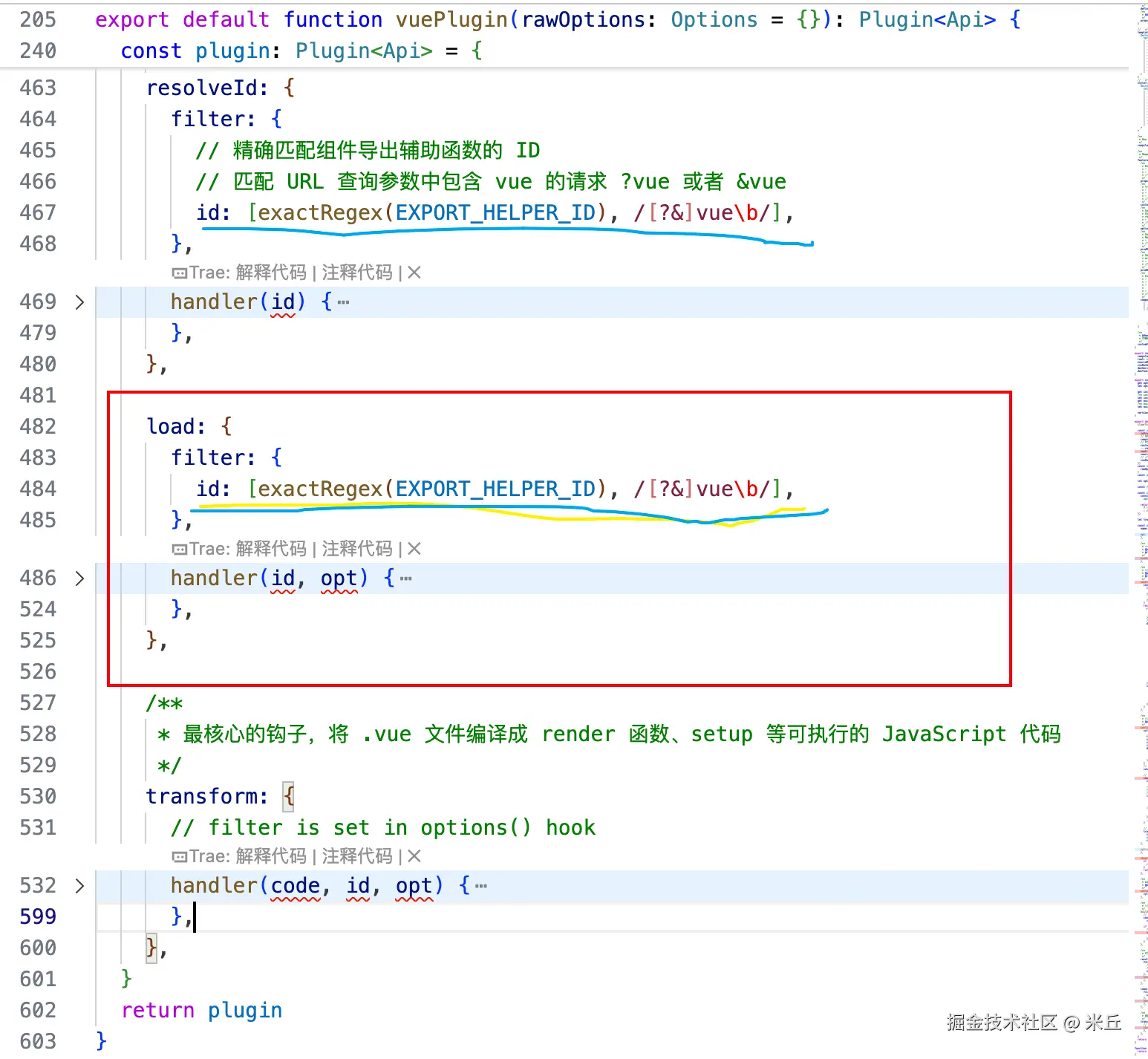
transform 钩子
transform 钩子是整个插件的核心编译入口 ,它的职责是拦截 .vue 文件或相关子模块的请求,根据请求参数的不同,调用相应的编译函数,将 SFC 转换为浏览器可执行的 JavaScript 代码。
handler 接收的参数
codevue 文件源码id文件在系统的绝对路径opt配置项
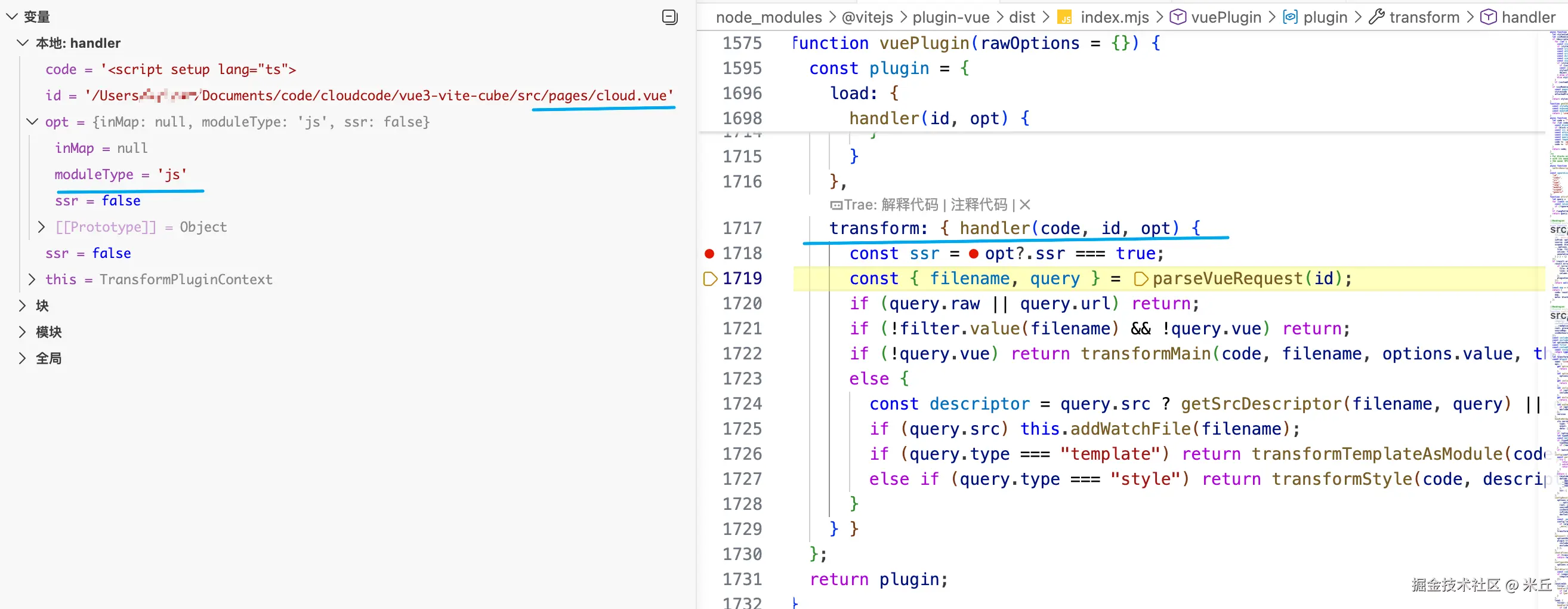
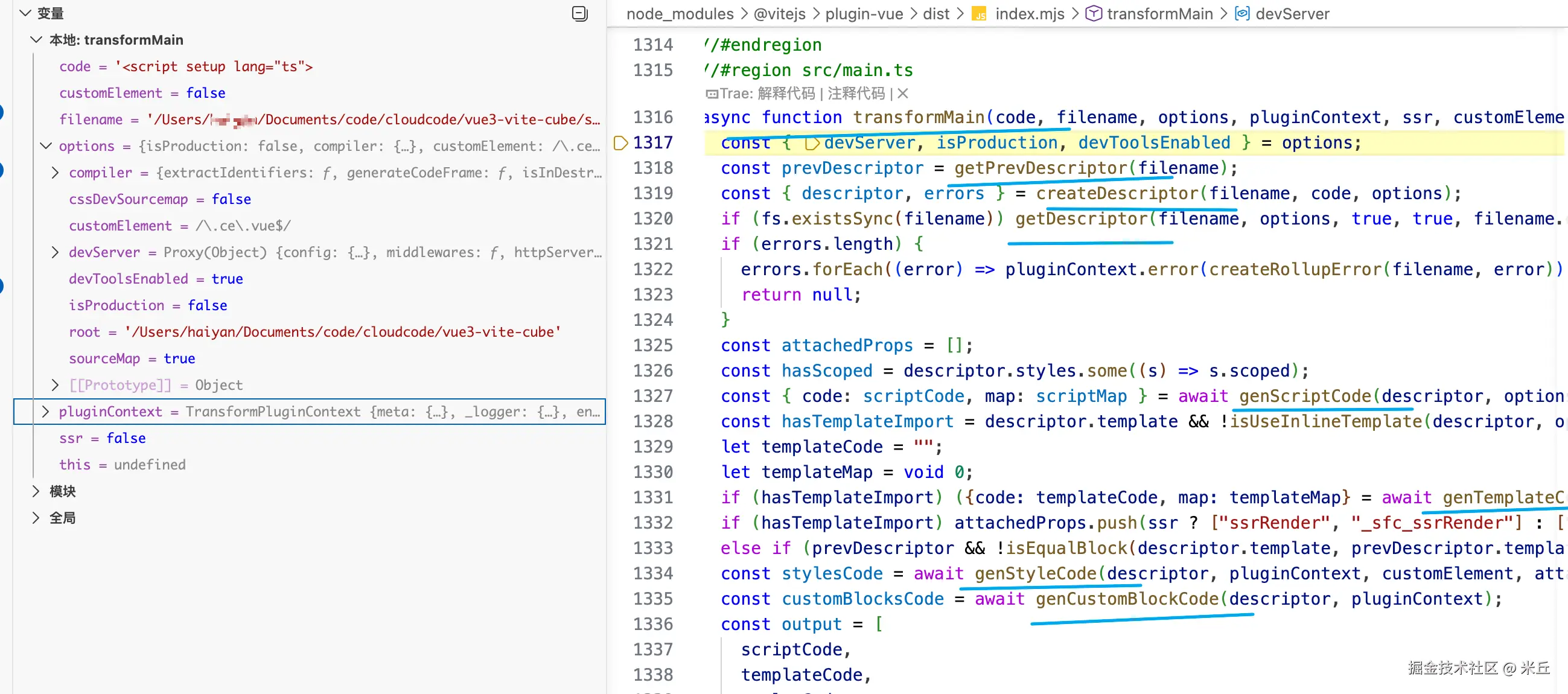
主请求(!query.vue)
这是浏览器或构建工具直接请求 .vue 文件(例如 import App from './App.vue')。
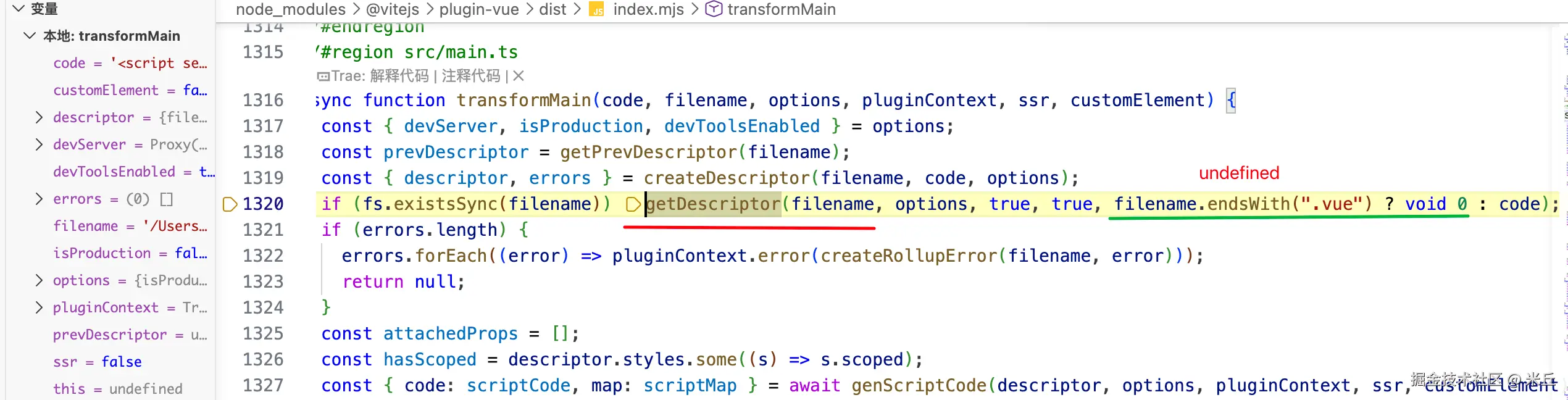
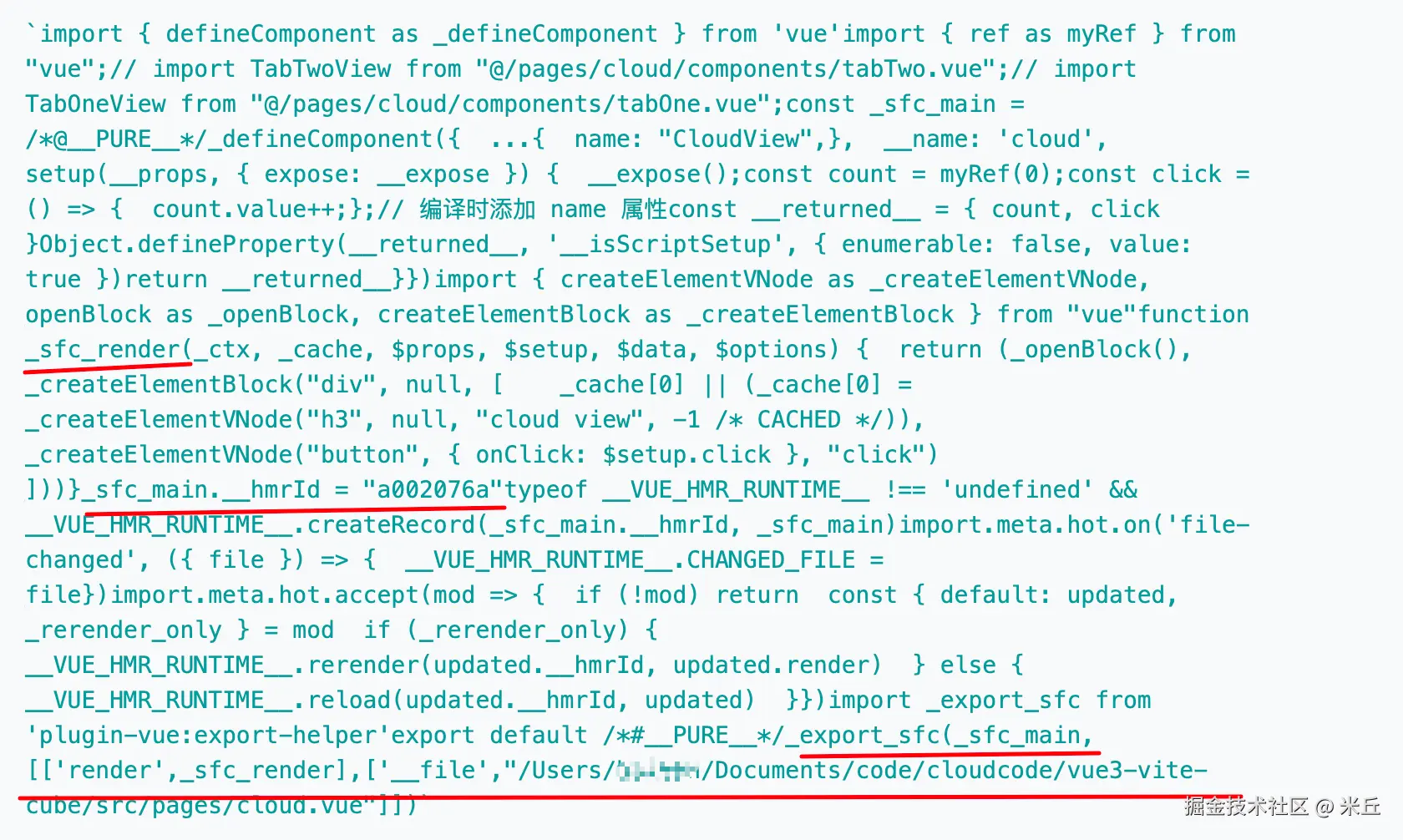
transformMain 是 @vitejs/plugin-vue 中处理 .vue 文件主请求的核心编译函数。它负责将整个单文件组件(SFC)转换为可在浏览器或服务端运行的 JavaScript 模块。
- 解析与校验:创建 SFC 描述符,检查编译错误。
- 分块编译:分别生成脚本、模板、样式、自定义块的代码。
- 组装导出:合并各部分代码,生成最终组件对象。
- HMR 与 SSR 增强:注入热更新逻辑或服务端模块注册。
- Source Map 合并:如果存在模板,将模板的 source map 偏移后合并到脚本 map。
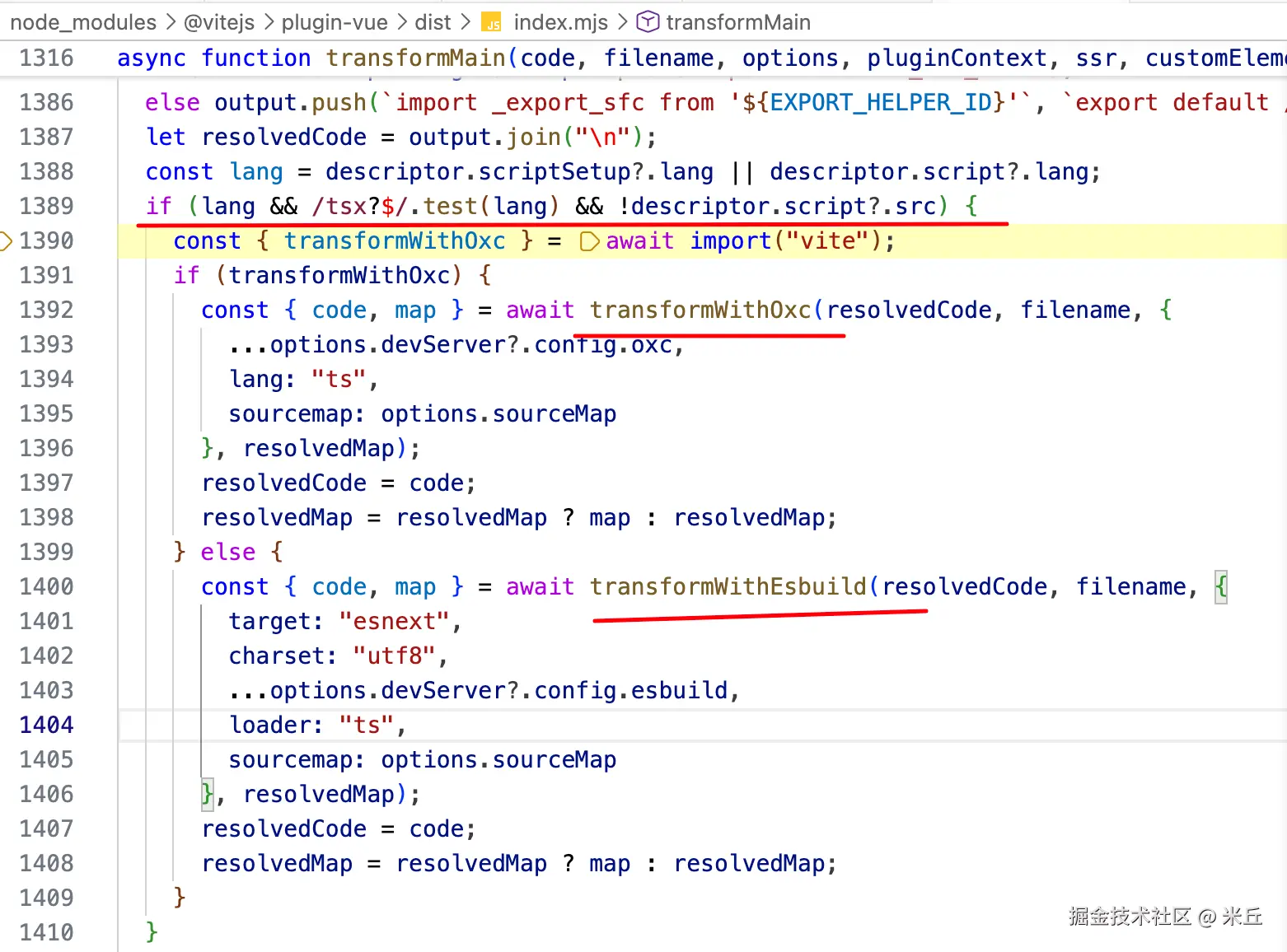
- TypeScript 转译:对最终代码进行 TS 转译(优先使用 Oxc,降级为 esbuild)。
创建描述符信息 compiler.parse
createDescriptor
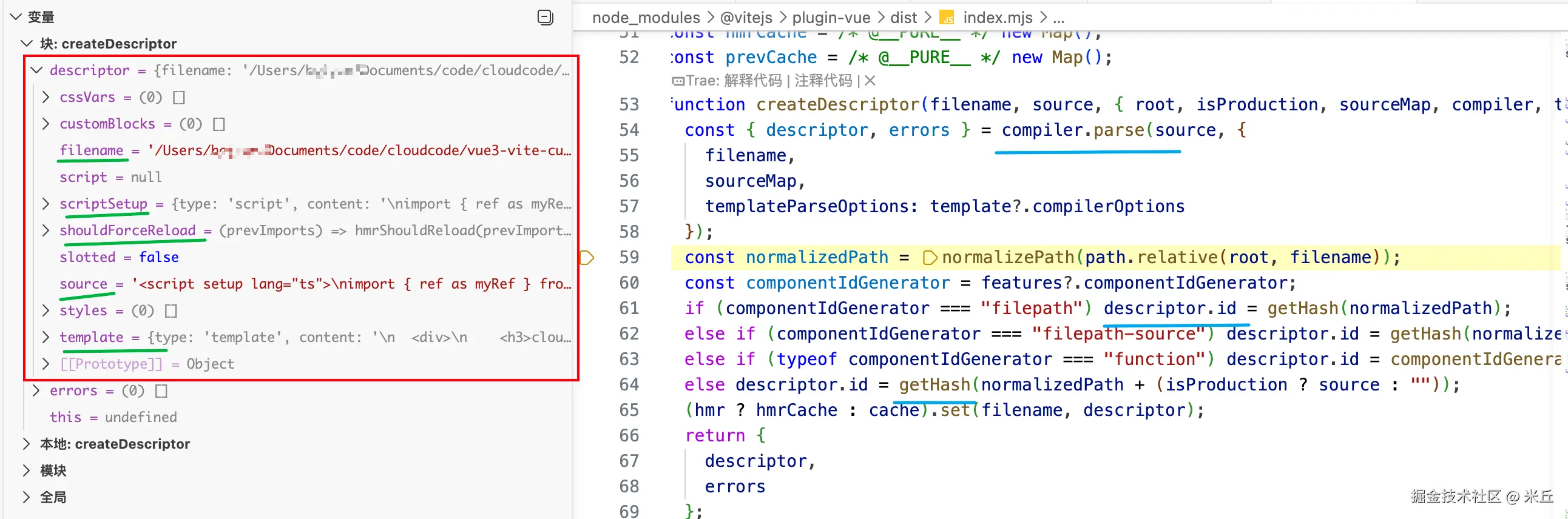
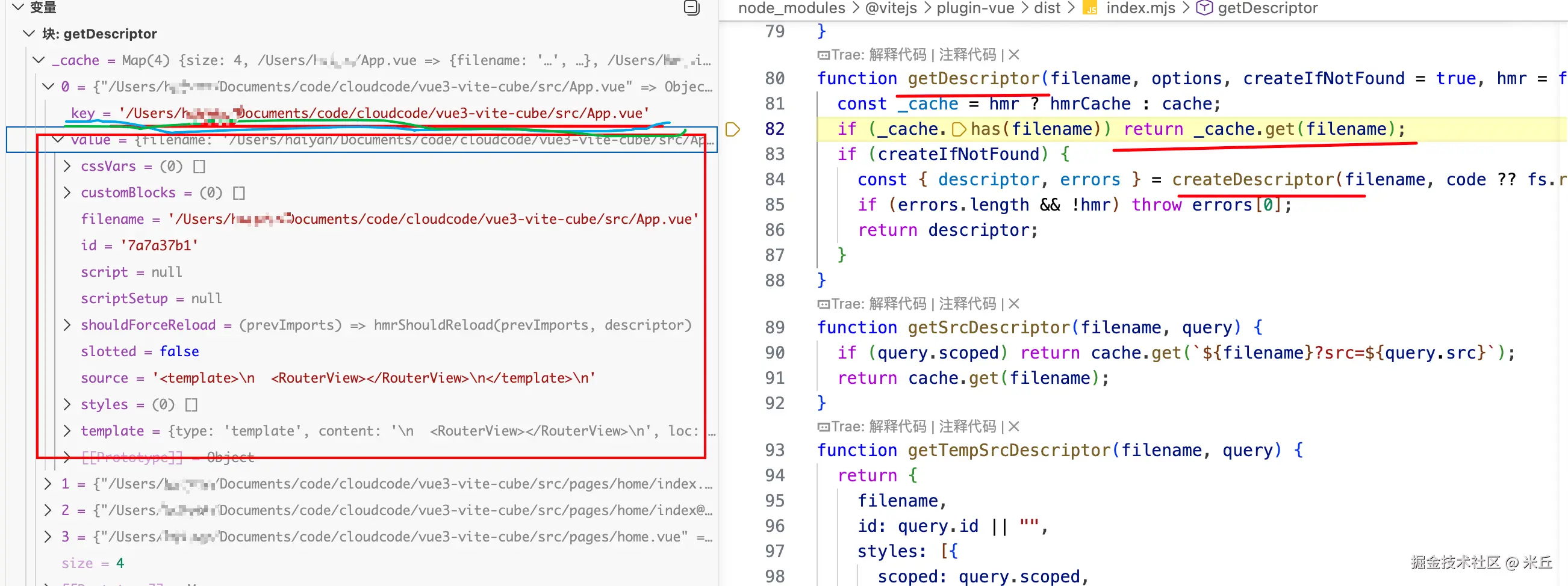
getDescriptor 获取描述符。有缓存则从缓存取,否则创建。
描述符id生成策略
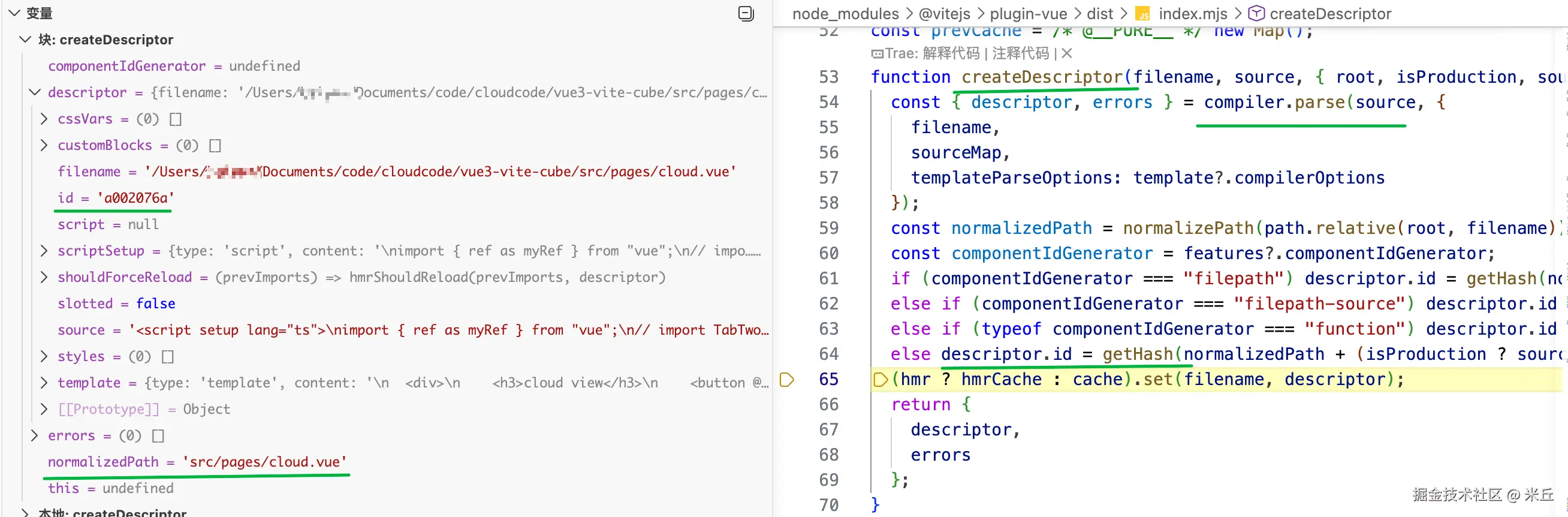
描述符id生成策略(依据 features?.componentIdGenerator 配置)
filepath文件路径filepath-source文件路径 +源码function自定义实现- 默认策略(生产环境:文件路径+源码;非生产环境:文件路径)
js
import crypto from 'node:crypto'

function getHash(text: string): string {
  // 计算哈希值,采用 sha256 哈希算法对输入文本进行计算
  // 将哈希结果转换为十六进制 (hex) 格式
  // 取前8位,用于组件ID的唯一性
  return crypto.hash('sha256', text, 'hex').substring(0, 8)
}
生成脚本代码
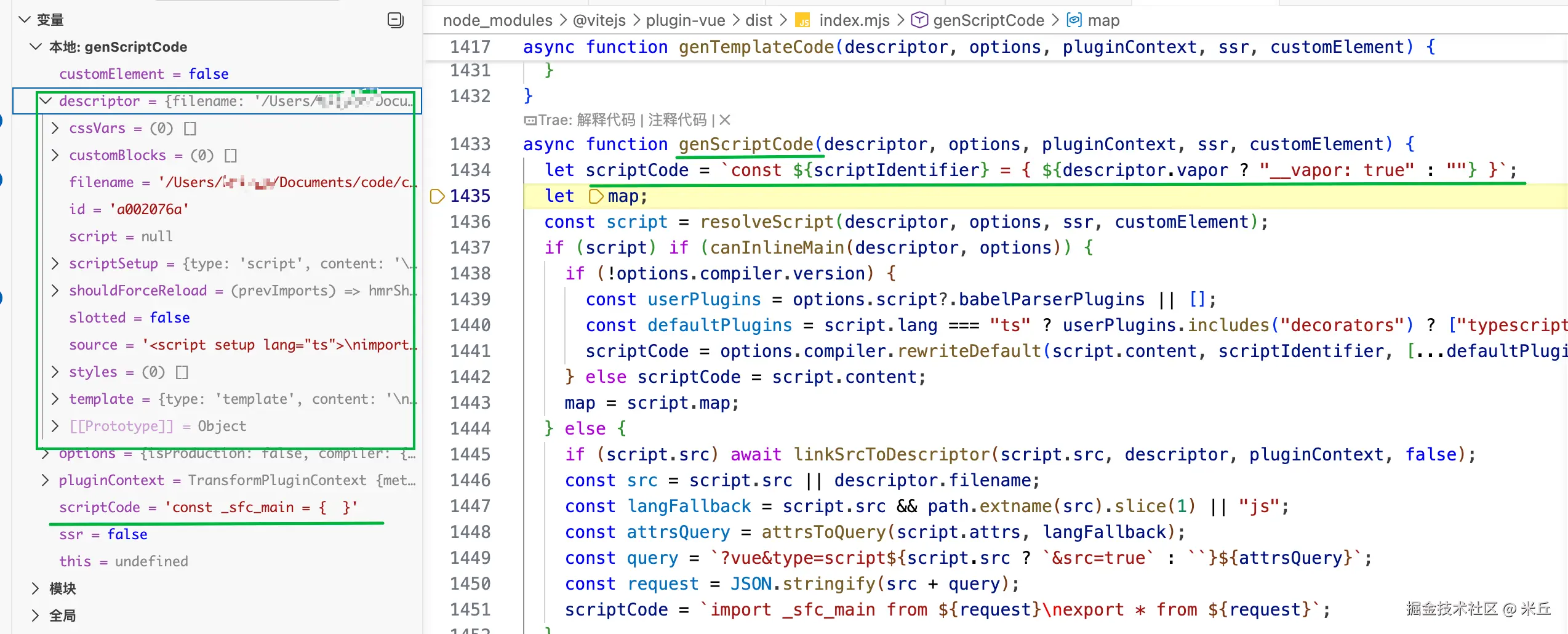
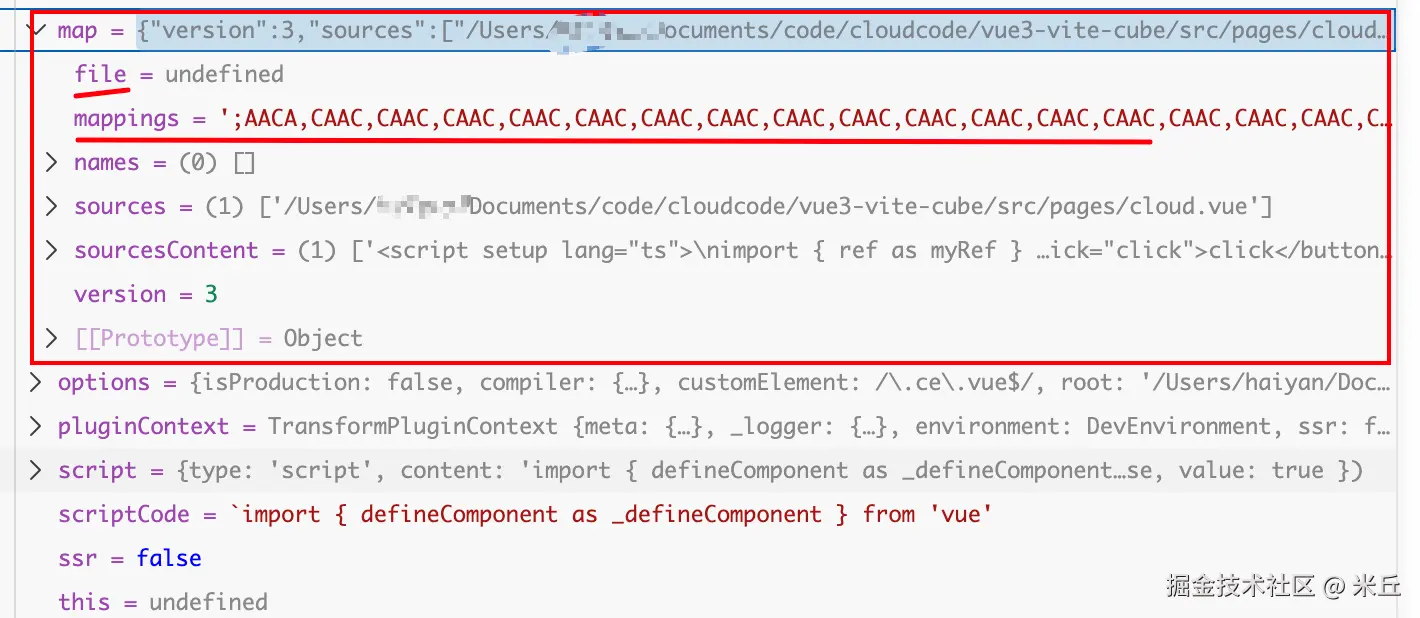
genScriptCode 通过 resolveScript(@vue/compiler-dom ) 获取脚本,然后根据 <script> 块的存在性、内容来源(内联或外部)以及 Vue 编译器版本,产出最终用于构建组件对象的脚本部分。
参数信息
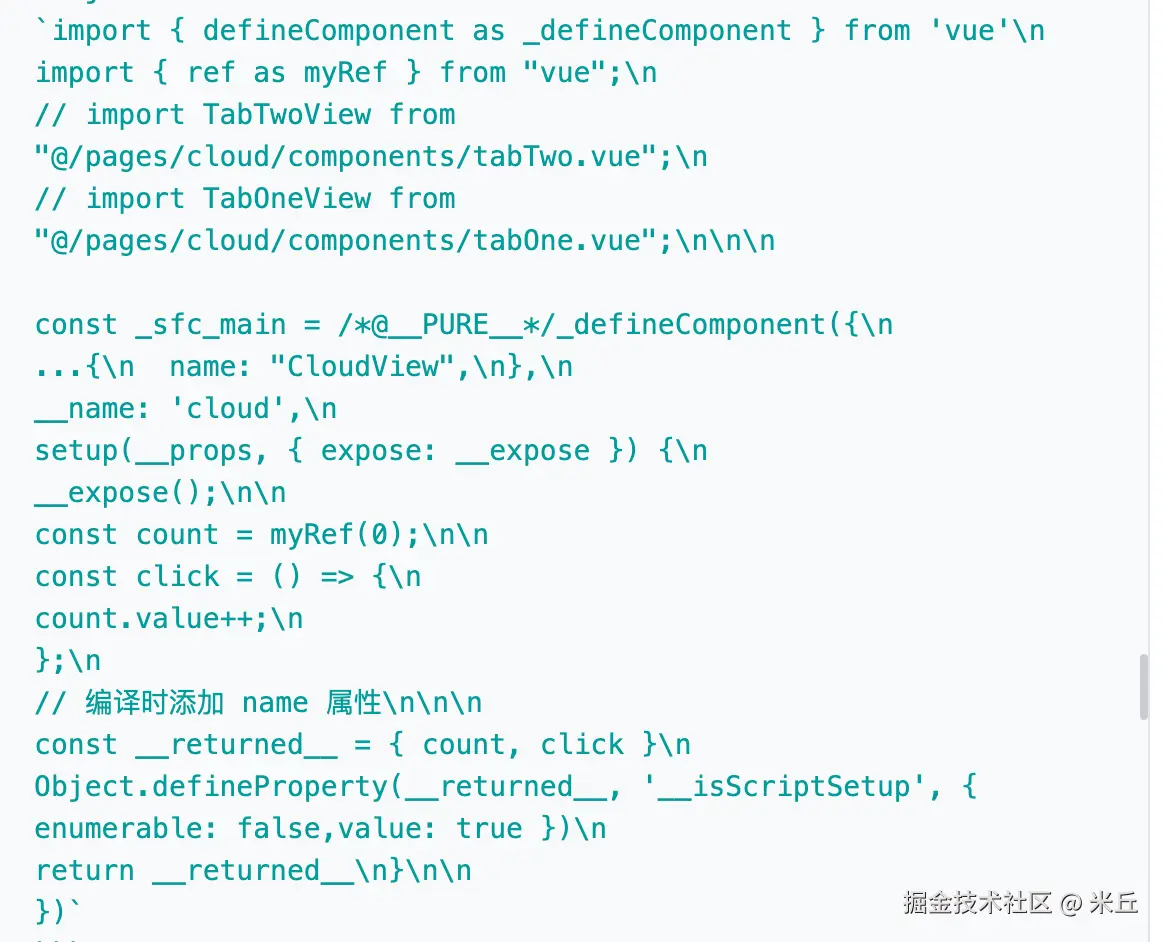
脚本代码 resolve
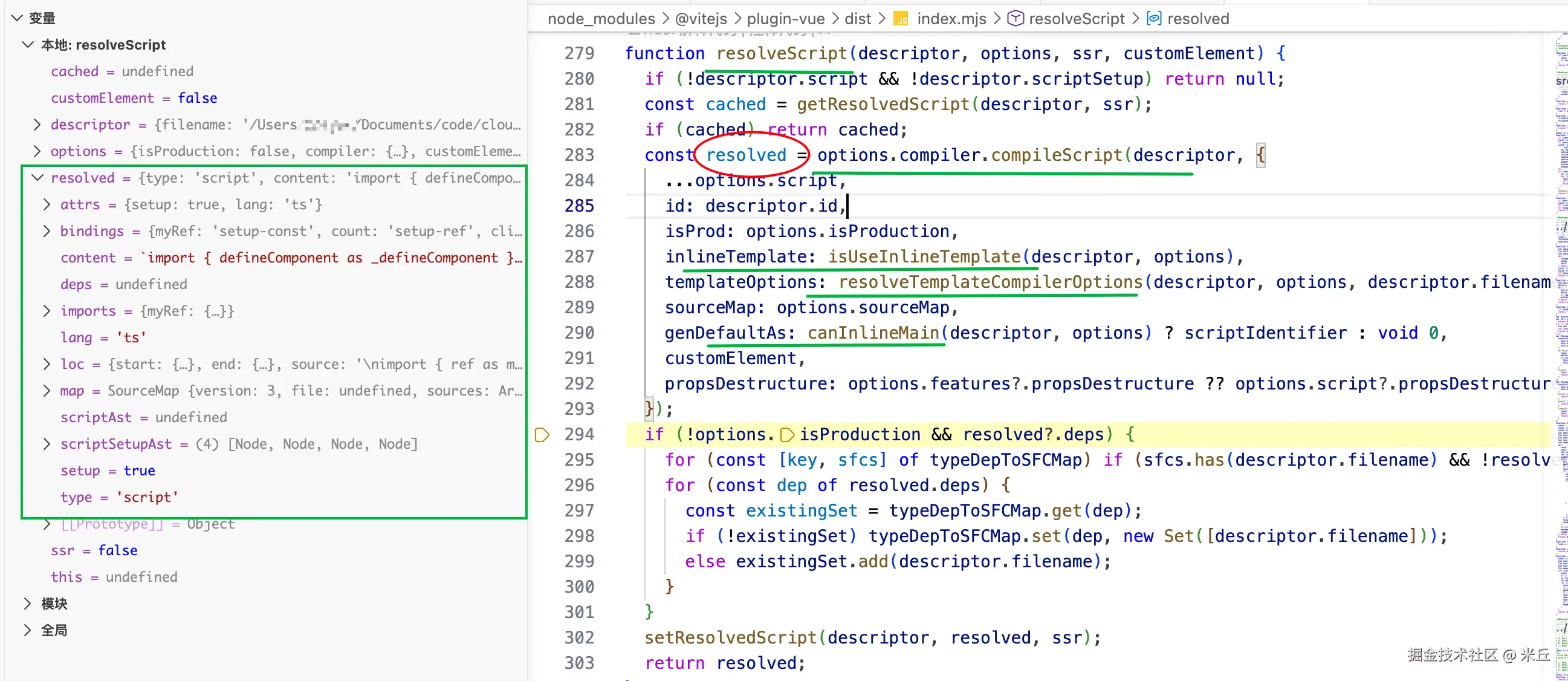
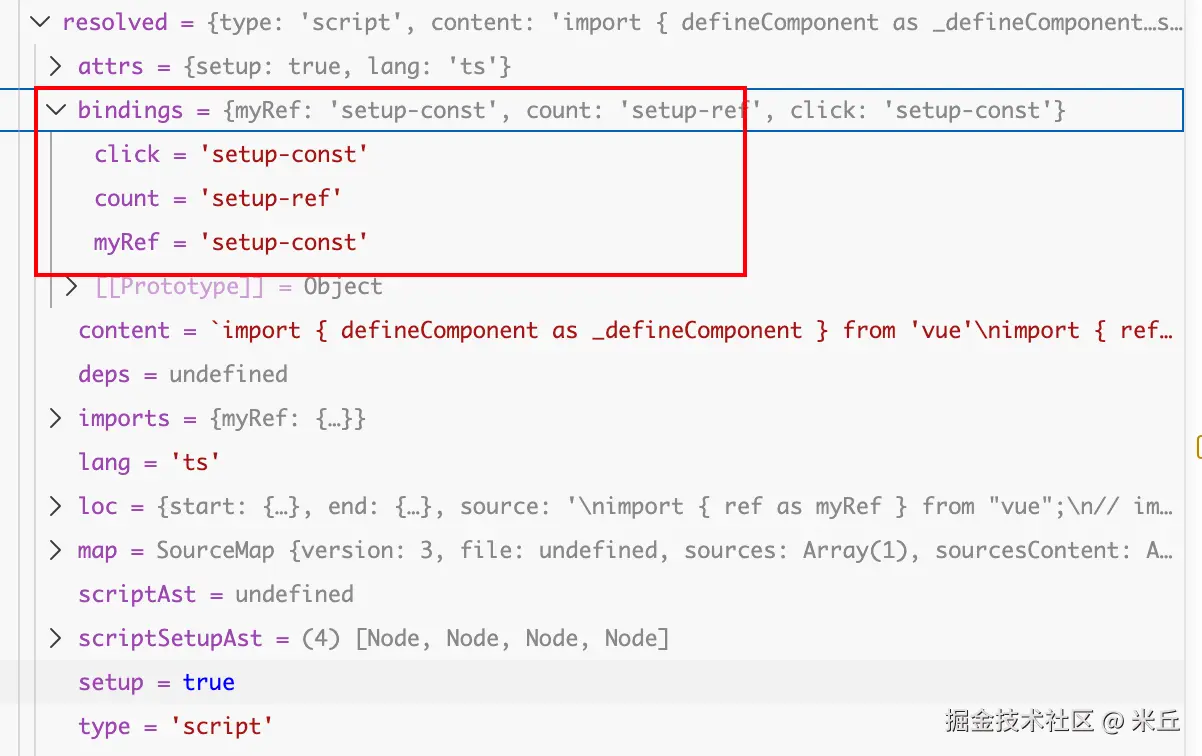
resolved.content
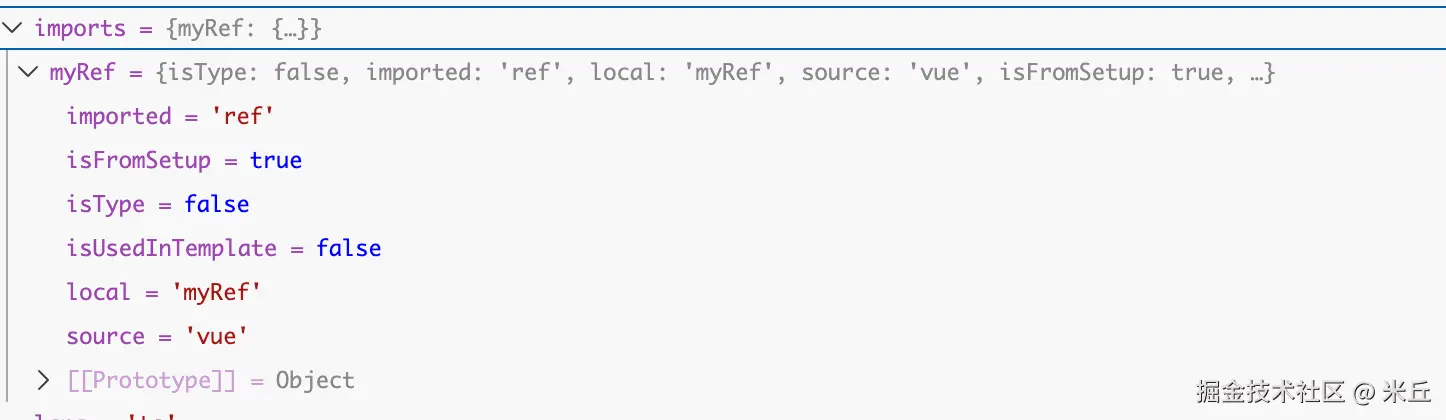
resolevd.map
生成 template 代码
针对 内联模板(无预处理器且无外部 src)
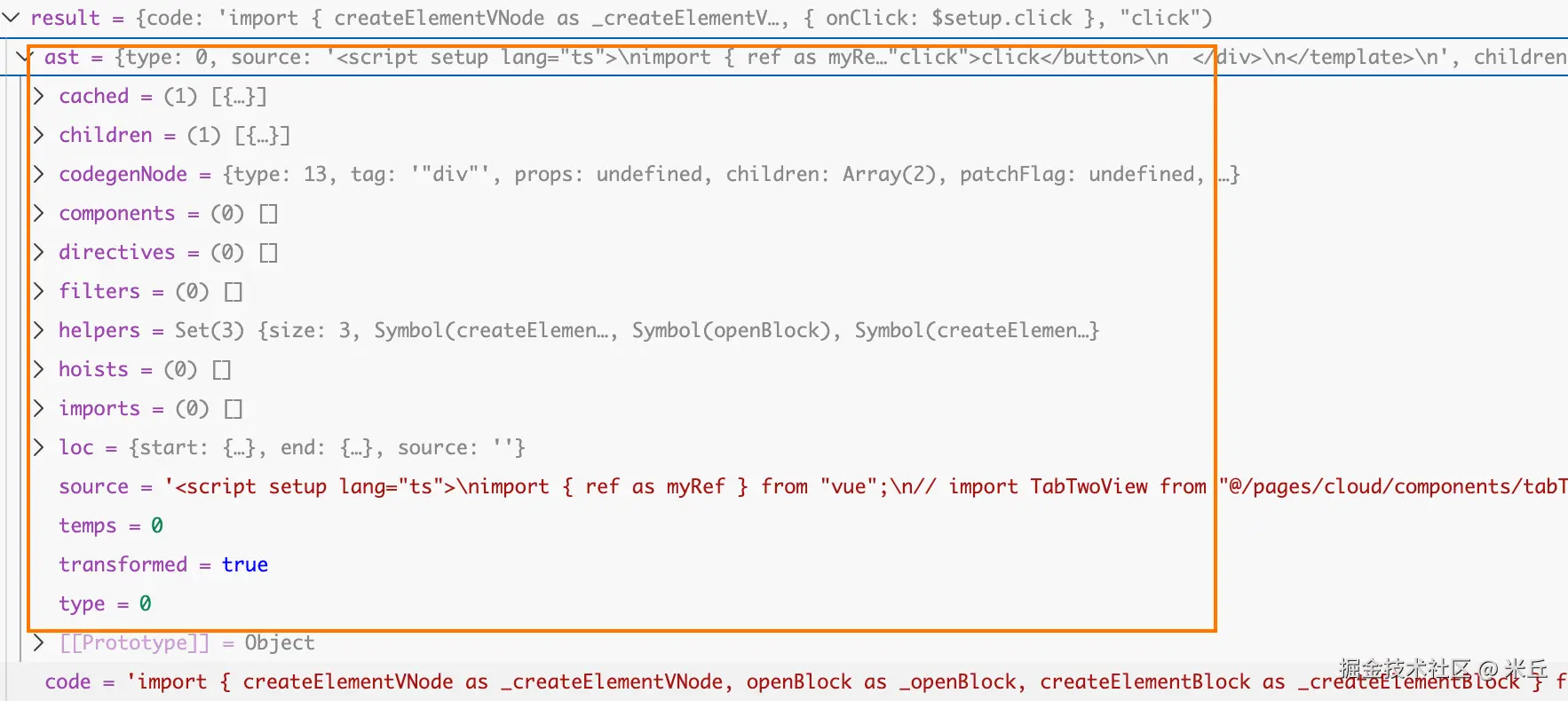
genTemplateCode 调用 transformTemplateInMain 函数,该函数会:
- 使用
@vue/compiler-dom将模板内容编译为render函数。 - 处理 scoped 样式、指令转换等。
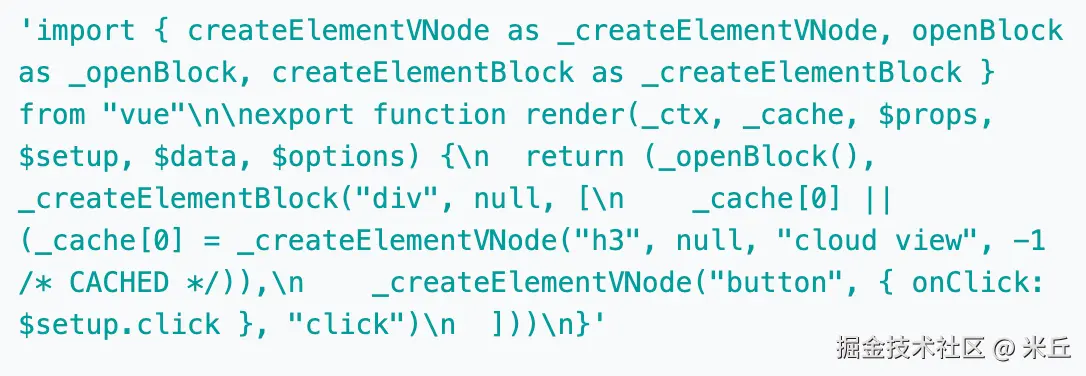
- 返回包含
render函数声明的代码(例如const _sfc_render = () => {...})。 - 直接内联到主模块中,避免额外的网络请求,提升开发环境性能。
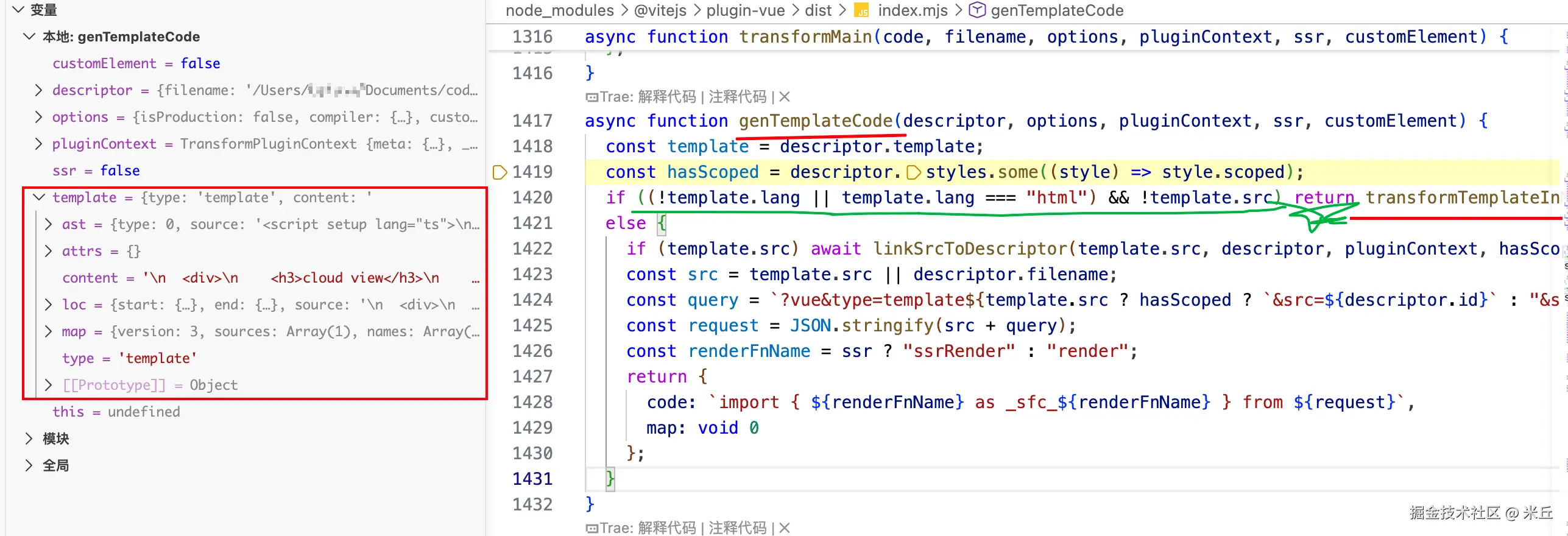
js
transformTemplateInMain(template.content, descriptor, options, pluginContext, ssr, customElement)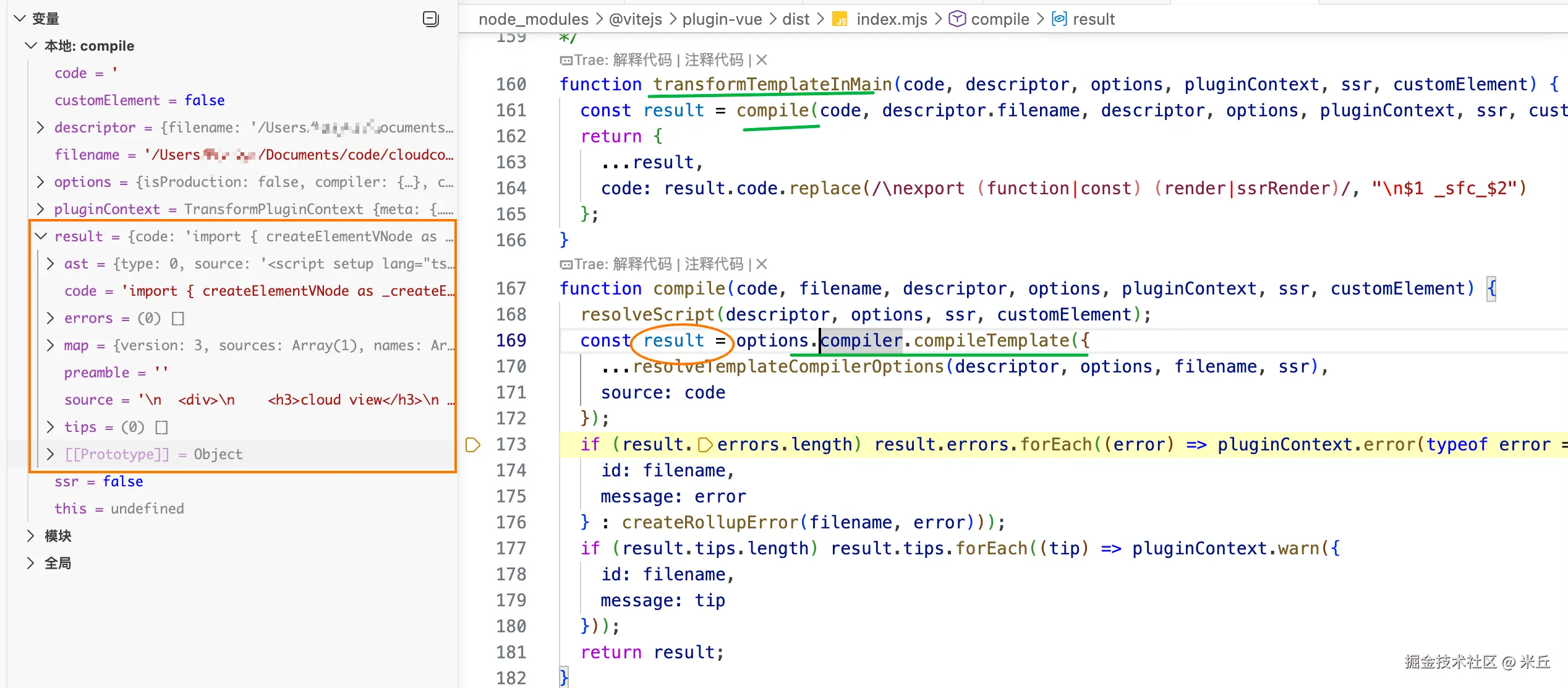
result.code
result.ast
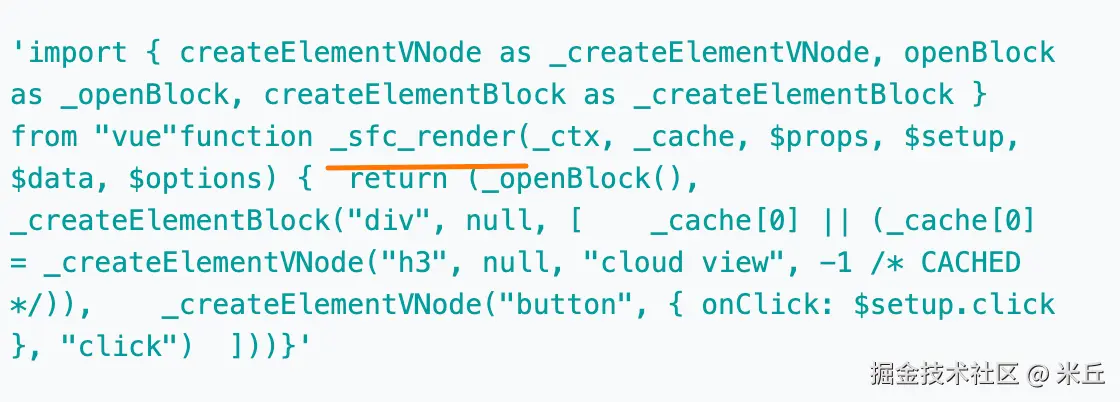
js
// 重命名模板编译后的渲染函数
// $1 引用第一个捕获组,即 function 或 const
// $2 引用第二个捕获组,即 render 或 ssrRender
result.code.replace(
      /\nexport (function|const) (render|ssrRender)/,
      '\n$1 _sfc_$2',
    )
生成style 代码
genStyleCode 是 @vitejs/plugin-vue 中专门处理 Vue 单文件组件(SFC)样式块的核心函数。它的主要职责是:为每个 <style> 块生成相应的导入语句,并处理 CSS Modules 和自定义元素模式下的样式收集。
生成 自定义块 代码
genCustomBlockCode 用于生成 Vue 单文件组件 (SFC) 中自定义块的处理代码,它会为每个自定义块生成导入语句和执行代码,确保自定义块能够被正确处理和集成到组件中。
添加热更新相关代码
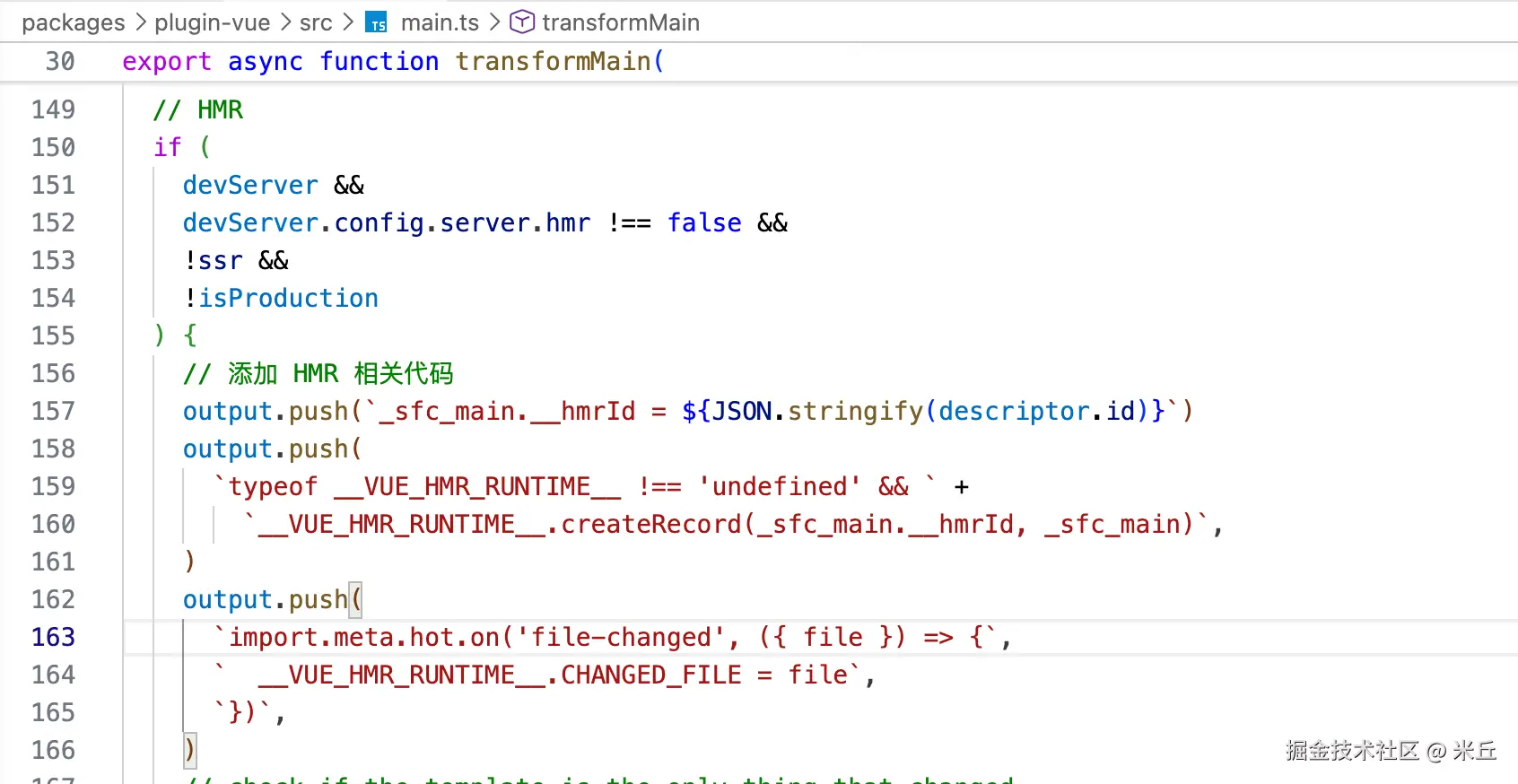
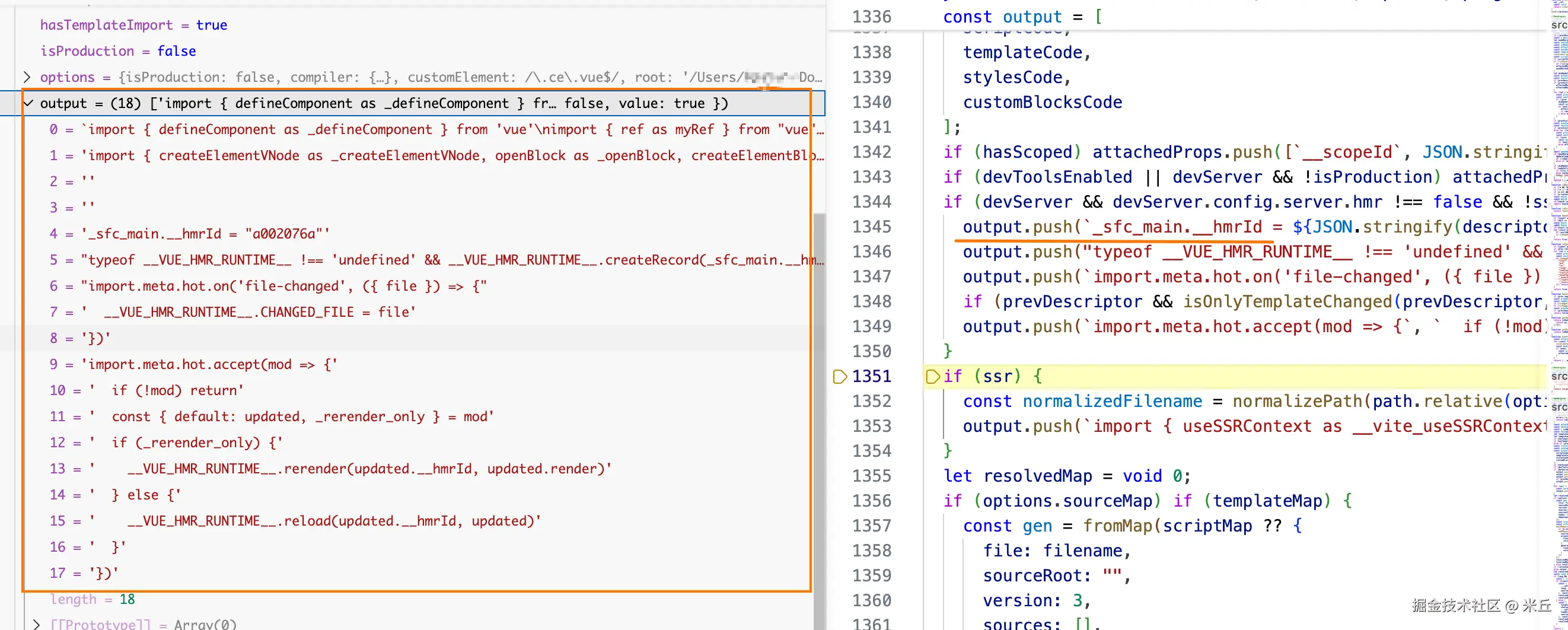
js
import.meta.hot.on("file-changed", ({ file }) => {
	__VUE_HMR_RUNTIME__.CHANGED_FILE = file;
});
Vue HMR(热模块替换)运行时 的一部分,用于监听 Vite 开发服务器的 file-changed 事件,并记录被修改的文件路径。
js
// Vite 提供的 HMR API,用于接受模块自身的更新。当该模块(即 .vue 文件)被修改时,回调函数会收到新的模块内容 mod。
import.meta.hot.accept((mod) => {
	if (!mod) return;
	const { default: updated, _rerender_only } = mod;
	if (_rerender_only) {
	  __VUE_HMR_RUNTIME__.rerender(updated.__hmrId, updated.render);
	} else {
	  __VUE_HMR_RUNTIME__.reload(updated.__hmrId, updated);
	}
});updated:更新后的组件默认导出(即组件对象)。_rerender_only:Vue 编译器生成的一个标志,用于指示本次变更是否仅影响模板 (而不影响<script>逻辑)。如果是true,则只需重新渲染视图;否则需要完全重载组件实例。__VUE_HMR_RUNTIME__:Vue 在开发环境注入的全局 HMR 运行时对象。rerender:仅更新组件的渲染函数,保留组件实例状态(如data、computed等)。通常用于仅修改<template>的场景。reload:完全销毁并重新创建组件实例,会丢失内部状态。用于<script>逻辑发生变化时。
core/packages/runtime-core/src/hmr.ts
js
if (__DEV__) {
  getGlobalThis().__VUE_HMR_RUNTIME__ = {
    createRecord: tryWrap(createRecord),
    rerender: tryWrap(rerender),
    reload: tryWrap(reload),
  } as HMRRuntime
}
收集附加属性 (attachedProps)
添加 attachedProps 的导出代码并转为字符串resolvedCode。
转译 Typescript
根据条件 判断利用 transformWithOxc 、transformWithEsbuild 来转译 Tyscript 代码。
优先尝试使用 Oxc(一个高性能的 JavaScript/TypeScript 编译器)进行转译,如果不可用,则回退到使用 esbuild。
子块请求(query.vue 为 true)
首先获取缓存的 SFC 描述符(descriptor)。
根据 query.type 进一步分流:
type === 'template':调用transformTemplateAsModule,将<template>块编译为独立的render函数模块。type === 'style':调用transformStyle,将 CSS 内容交给 Vite 的 CSS 处理管道(例如注入到页面或提取为独立文件)。
处理 template
js
async function transformTemplateAsModule(
  code: string,
  filename: string,
  descriptor: SFCDescriptor,
  options: ResolvedOptions,
  pluginContext: Rollup.TransformPluginContext,
  ssr: boolean,
  customElement: boolean,
): Promise<{
  code: string
  map: any
}> {
  // 调用 compile 函数编译模板代码
  // 返回包含编译后代码和 source map 的结果
  const result = compile(
    code,
    filename,
    descriptor,
    options,
    pluginContext,
    ssr,
    customElement,
  )

  let returnCode = result.code

  // 处理热更新
  if (
    options.devServer && //开发服务器
    options.devServer.config.server.hmr !== false && // 开启热更新
    !ssr && // 不是服务器端渲染
    !options.isProduction // 不是生产环境
  ) {
      // 重新渲染组件
      // 传递组件 ID 和新的渲染函数
    returnCode += `\nimport.meta.hot.accept(({ render }) => {
      __VUE_HMR_RUNTIME__.rerender(${JSON.stringify(descriptor.id)}, render)
    })`
  }

  return {
    code: returnCode,
    map: result.map,
  }
}
处理style
js
async function transformStyle(
  code: string,
  descriptor: ExtendedSFCDescriptor,
  index: number,
  options: ResolvedOptions,
  pluginContext: Rollup.TransformPluginContext,
  filename: string,
) {
  const block = descriptor.styles[index]
  // vite already handles pre-processors and CSS module so this is only
  // applying SFC-specific transforms like scoped mode and CSS vars rewrite (v-bind(var))
  const result = await options.compiler.compileStyleAsync({
    ...options.style,
    filename: descriptor.filename, // 样式文件路径
    id: `data-v-${descriptor.id}`,// 组件 ID(用于 scoped 样式)
    isProd: options.isProduction,
    source: code, // 原始样式代码
    scoped: block.scoped, // 是否为 scoped 样式
    ...(options.cssDevSourcemap
      ? {
          postcssOptions: {
            map: {
              from: filename, // 设置源文件路径
              inline: false, // 不内联 Source Map,Source Map 会作为单独的文件生成
              annotation: false, // 不在 CSS 文件中添加 Source Map 注释
            },
          },
        }
      : {}),
  })

  if (result.errors.length) {
    result.errors.forEach((error: any) => {
      if (error.line && error.column) {
        error.loc = {
          file: descriptor.filename,
          line: error.line + block.loc.start.line,
          column: error.column,
        }
      }
      pluginContext.error(error)
    })
    return null
  }

  const map = result.map
    ? await formatPostcssSourceMap(
        // version property of result.map is declared as string
        // but actually it is a number
        result.map as Omit<
          RawSourceMap,
          'version'
        > as Rollup.ExistingRawSourceMap,
        filename,
      )
    : ({ mappings: '' } as any)

  return {
    code: result.code,
    map: map,
    meta:
    // 当样式为 scoped 且描述符不是临时的时,添加 cssScopeTo 元数据
    // 用于 Vite 处理 CSS 作用域
      block.scoped && !descriptor.isTemp
        ? {
            vite: {
              cssScopeTo: [descriptor.filename, 'default'] as const,
            },
          }
        : undefined,
  }
}
handleHotUpdate 热更新
handleHotUpdate:当文件变化触发 HMR 时调用,自定义热更新行为。
执行过程?
- 获取旧描述符 :从缓存中读取文件修改前的 SFC 描述符(
prevDescriptor)。 - 读取最新内容并生成新描述符 :通过
read()获取文件当前内容,再调用createDescriptor生成新的 SFC 描述符。 - 比对差异 :依次比较
script、template、style、customBlocks等块是否发生变化。 - 收集受影响的模块 :根据变化类型,将对应的 Vite 模块(
ModuleNode)加入到affectedModules集合中。 - 返回模块列表 :将
affectedModules返回给 Vite,Vite 会重新转换这些模块,并通过 WebSocket 通知浏览器进行热更新。
vue 文件热更新变化
- 脚本变化导致组件完全重载(添加主模块);
- 模板变化且脚本未变时仅重新渲染(保留组件状态,添加模板模块);
- 样式变化时仅更新对应样式模块(若无独立模块则回退重载主模块);
- CSS 变量或 scoped 状态变化 以及自定义块变化均会强制重载主模块
vite-plugin-vue-6.0.4/packages/plugin-vue/src/handleHotUpdate.ts
typescript
async function handleHotUpdate(
  { file, modules, read }: HmrContext,
  options: ResolvedOptions,
  customElement: boolean,
  typeDepModules?: ModuleNode[],
): Promise<ModuleNode[] | void> {

  const prevDescriptor = getDescriptor(file, options, false, true)
  if (!prevDescriptor) {
    // file hasn't been requested yet (e.g. async component)
    return
  }

  // 取文件的最新内容
  const content = await read()
  // 基于最新内容创建新的组件描述符
  const { descriptor } = createDescriptor(file, content, options, true)

  let needRerender = false
  // 将模块分为非 JS 模块和 JS 模块
  const nonJsModules = modules.filter((m) => m.type !== 'js')
  const jsModules = modules.filter((m) => m.type === 'js')

  // 受影响的模块集合
  const affectedModules = new Set<ModuleNode | undefined>(
    nonJsModules, // this plugin does not handle non-js modules
  )
  // 找到组件的主模块
  const mainModule = getMainModule(jsModules)
  // 找到模板相关的模块
  const templateModule = jsModules.find((m) => /type=template/.test(m.url))

  /** 1、检测脚本块的变化并确定受影响的模块 */
  // trigger resolveScript for descriptor so that we'll have the AST ready
  // resolveScript 会触发对 <script> 或 <script setup> 的解析(生成 AST 等),确保新描述符中的脚本信息可用
  resolveScript(descriptor, options, false, customElement)
  const scriptChanged = hasScriptChanged(prevDescriptor, descriptor)
  if (scriptChanged) {
    affectedModules.add(getScriptModule(jsModules) || mainModule)
  }

  /** 2、检测模板块的变化并确定受影响的模块 */
  // 模板变化
  if (!isEqualBlock(descriptor.template, prevDescriptor.template)) {
    // when a <script setup> component's template changes, it will need correct
    // binding metadata. However, when reloading the template alone the binding
    // metadata will not be available since the script part isn't loaded.
    // in this case, reuse the compiled script from previous descriptor.
    // 如果脚本没有改变,直接使用之前的编译后的脚本
    if (!scriptChanged) {
      setResolvedScript(
        descriptor,
        getResolvedScript(prevDescriptor, false)!,
        false,
      )
    }
    affectedModules.add(templateModule)
    needRerender = true // 标记需要重渲染
  }

  /** 3、检查 CSS 变量注入的变化并确定受影响的模块 */
  let didUpdateStyle = false
  const prevStyles = prevDescriptor.styles || []
  const nextStyles = descriptor.styles || []

  // force reload if CSS vars injection changed
  // 如果 CSS 变量注入发生变化,强制重新加载
  if (prevDescriptor.cssVars.join('') !== descriptor.cssVars.join('')) {
    affectedModules.add(mainModule)
  }

  /** 4、检查 scoped 状态的变化并确定受影响的模块 */
  // force reload if scoped status has changed
  // 如果 scoped 状态变化,强制重新加载
  if (prevStyles.some((s) => s.scoped) !== nextStyles.some((s) => s.scoped)) {
    // template needs to be invalidated as well
    affectedModules.add(templateModule)
    affectedModules.add(mainModule)
  }

  /** 5、检测样式块的变化并确定受影响的模块 */
  // only need to update styles if not reloading, since reload forces
  // style updates as well.
  for (let i = 0; i < nextStyles.length; i++) {
    const prev = prevStyles[i]
    const next = nextStyles[i]

    // 如果旧样式块不存在(新添加的样式块)
    // 或者旧样式块与新样式块不相等(样式内容发生变化
    if (!prev || !isEqualBlock(prev, next)) {
      didUpdateStyle = true // 标记样式发生变化
      const mod = jsModules.find(
        (m) =>
          m.url.includes(`type=style&index=${i}`) &&
          m.url.endsWith(`.${next.lang || 'css'}`),
      )
      if (mod) {
        affectedModules.add(mod)

        // 如果样式内联,添加主模块到受影响模块集合
        if (mod.url.includes('&inline')) {
          affectedModules.add(mainModule)
        }
      } else {
        // 如果没有找到对应的模块(新添加的样式块)
        // new style block - force reload
        affectedModules.add(mainModule)
      }
    }
  }
  if (prevStyles.length > nextStyles.length) {
    // 如果旧样式块数量大于新样式块数量(说明有样式块被移)
    // 强制重新加载
    // style block removed - force reload
    affectedModules.add(mainModule)
  }

  /**  6、检测自定义块的变化并确定受影响的模块 */
  const prevCustoms = prevDescriptor.customBlocks || []
  const nextCustoms = descriptor.customBlocks || []

  // custom blocks update causes a reload
  // because the custom block contents is changed and it may be used in JS.
  // 如果数量变化,强制重新加载
  if (prevCustoms.length !== nextCustoms.length) {
    // block removed/added, force reload
    affectedModules.add(mainModule)
  } else {
    for (let i = 0; i < nextCustoms.length; i++) {
      const prev = prevCustoms[i]
      const next = nextCustoms[i]

      //
      if (!prev || !isEqualBlock(prev, next)) {
        const mod = jsModules.find((m) =>
          m.url.includes(`type=${prev.type}&index=${i}`),
        )
        if (mod) {
          affectedModules.add(mod)
        } else {
          affectedModules.add(mainModule)
        }
      }
    }
  }

  const updateType = []
  // 需要重渲染
  if (needRerender) {
    // 记录更新类型。将 'template' 添加到 updateType 数组中
    updateType.push(`template`)
    // template is inlined into main, add main module instead
    // 无模板情况,说明模板被内联到主模块中
    if (!templateModule) {
      // 添加 mainModule 到受影响模块集合
      affectedModules.add(mainModule)

      // 有模板的情况,且 mainModule 未被添加到受影响模块
    } else if (mainModule && !affectedModules.has(mainModule)) {

      // 找到 mainModule 的所有样式导入模块
      const styleImporters = [...mainModule.importers].filter((m) =>
        isCSSRequest(m.url),
      )
      // 将样式导入模块添加到受影响模块集合
      styleImporters.forEach((m) => affectedModules.add(m))
    }
  }

  // 样式发送变化,将 'style' 添加到 updateType 数组中
  if (didUpdateStyle) {
    updateType.push(`style`)
  }
  if (updateType.length) {
    // 针对vue文件,使描述符缓存失效
    if (file.endsWith('.vue')) {
      // invalidate the descriptor cache so that the next transform will
      // re-analyze the file and pick up the changes.
      invalidateDescriptor(file)
    } else {
      // https://github.com/vuejs/vitepress/issues/3129
      // For non-vue files, e.g. .md files in VitePress, invalidating the
      // descriptor will cause the main `load()` hook to attempt to read and
      // parse a descriptor from a non-vue source file, leading to errors.
      // To fix that we need to provide the descriptor we parsed here in the
      // main cache. This assumes no other plugin is applying pre-transform to
      // the file type - not impossible, but should be extremely unlikely.
      // 将解析的描述符设置到主缓存中
      cache.set(file, descriptor)
    }
    debug(`[vue:update(${updateType.join('&')})] ${file}`)
  }
  return [...affectedModules, ...(typeDepModules || [])].filter(
    Boolean,
  ) as ModuleNode[]
}