接上文
//第四步,将一开始定死的提示信息进行修改完善
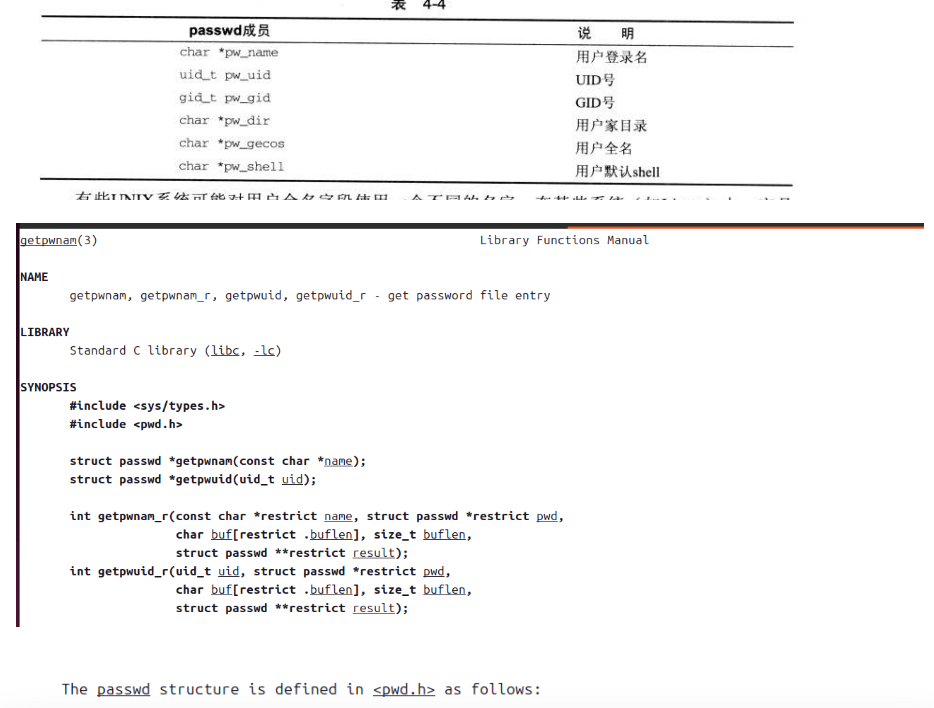
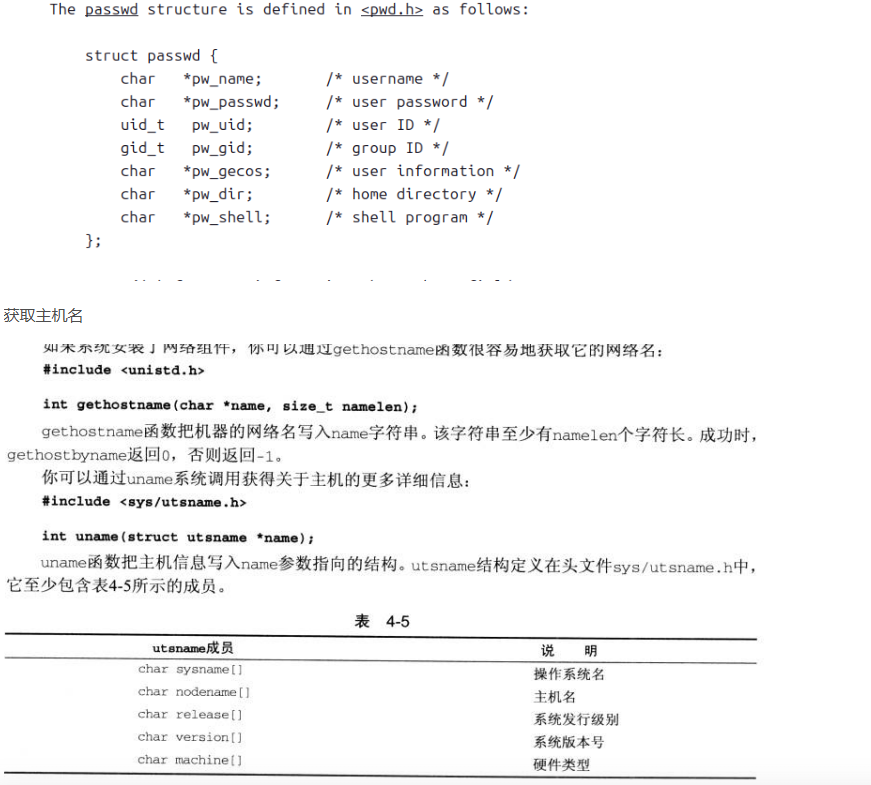
void printf_info(){//打印提示信息,获取用户名,主机名,当前位置,获取用户角色(普通用户还是管理员)
    char *user_str="$";//默认为普通用户
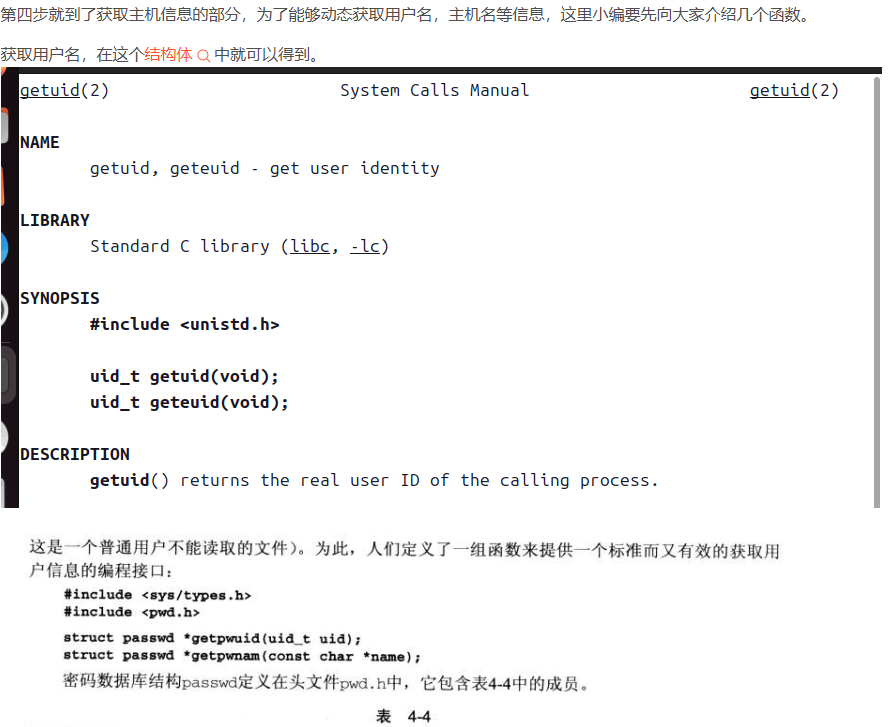
    int user_id = getuid();
    if(user_id == 0){//当uid=0时为root,将$改为#
        user_str = "#";
    }
    struct passwd * ptr = getpwuid(user_id);//得到用户名
    if(ptr == NULL)//如果为NULL,也就是出现问题了,那么打印bash的版本号
    {
        printf("mybash1.0>> ");
        fflush(stdout);
        return;
    }
    //获取主机名
    char hostname[128] = {0};
    if(gethostname(hostname,128)==-1){//如果获取主机名失败,打印版本号
        printf("mybash1.0>> ");
        fflush(stdout);
        return;
    }
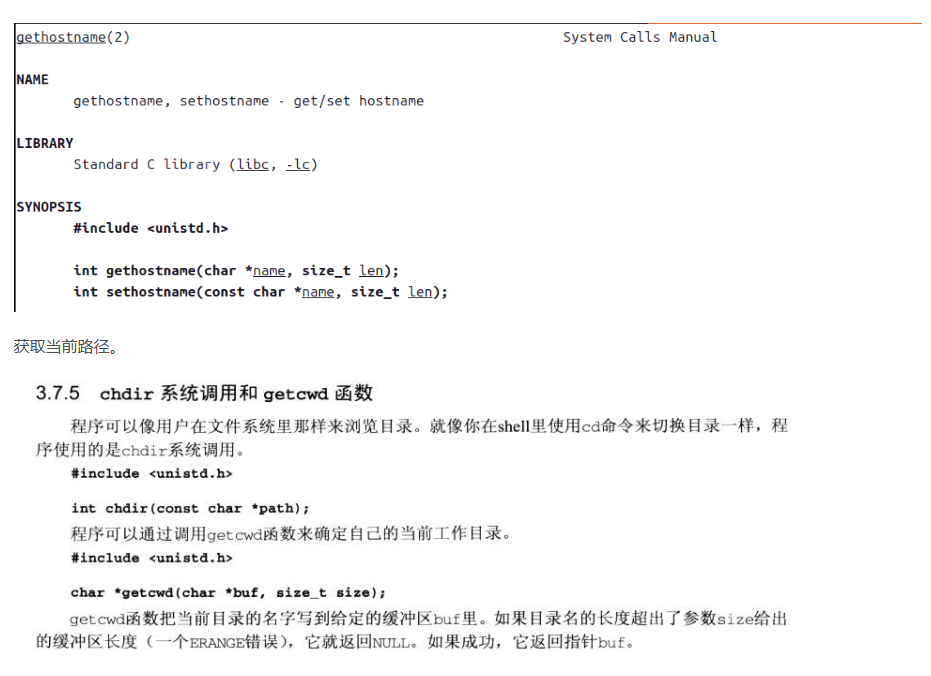
    //获取主机路径
    char dir[256] = {0};
    if(getcwd(dir,256)==NULL){//如果获取路径失败,打印版本号
        printf("mybash1.0>> ");
        fflush(stdout);
        return;
    }
    printf("%s@%s   %s%s ",ptr->pw_name,hostname,dir,user_str);
    fflush(stdout);
}
//第五步,实现cd命令
else if(strcmp(cmd,"cd")==0){
    if(myargv[1] != NULL){//当cd后面有路径时
        if(chdir(myargv[1])==-1){
            perror("cd err!\n");
        }
     }
    //当用户只输入cd时,会进入家目录(和系统保持一致)
}

//第六步
//为了和系统保持一致,使字体有颜色(使用printf)
printf("\033[1;32m%s@%s\033[0m  \033[1;34m%s\033[0m%s ",ptr->pw_name,hostname,d    ir,user_str);
六、项目改进
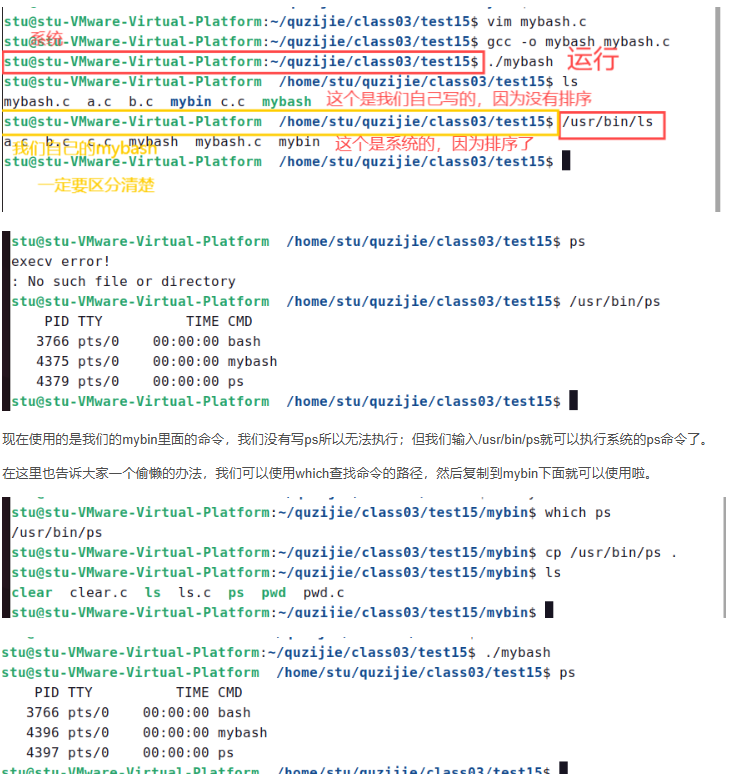
在上述代码中,我们普通命令的实现都是依靠系统完成的,也就是/user/bin里的二进制可执行程序(在标准路径下找到的)。
那么,这也就是我们改进的方向,就是写入自己的环境变量 ,调用自己实现的程序实现MyBash命令解释器(就是将自己实现的命令放入mybin下)。实际上,我们已经自己实现了3个命令了,分别是mycp、mykill、myps。
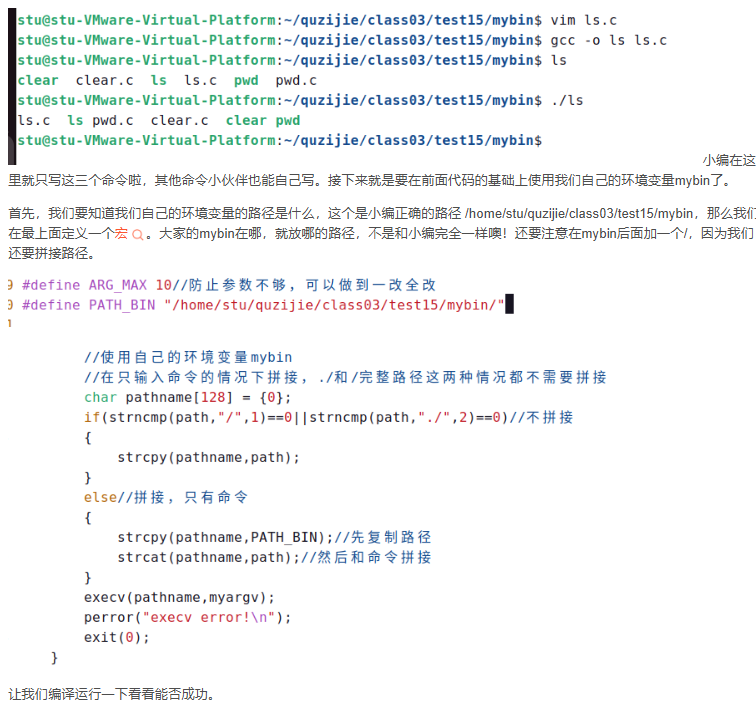
下面,我们还将实现一些其他的命令。在实现之前,我们在存放mybash.c的路径mkdir mybin这个目录存放我们自己完成的命令,和系统的user/bin进行区分。
首先是clear命令。
#include<stdio.h>
#include<stdlib.h>
#include<unistd.h>

int main(){
    printf("\033[2J\033[0;0H");
}

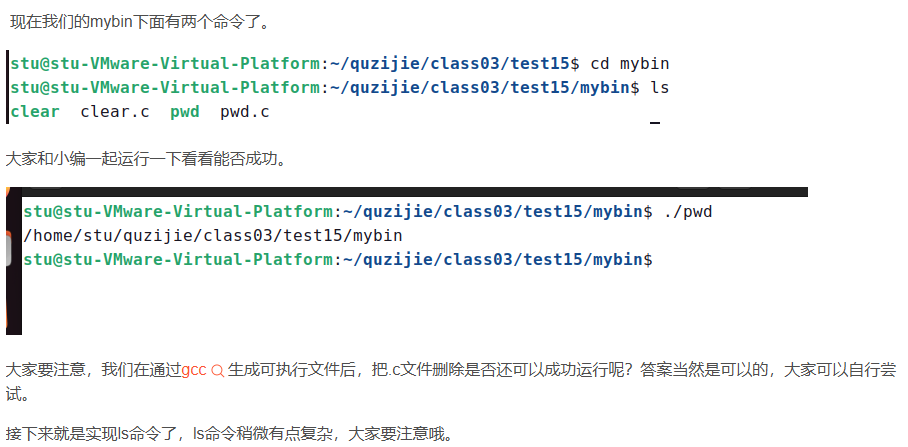
//pwd.c
#include<stdio.h>
#include<stdlib.h>
#include<unistd.h>

int main(){
    char path[256] = {0};
    if(getcwd(path,256) == NULL)
    {
        perror("getcwd error!\n");
        exit(1);
    }
    printf("%s\n",path);
    exit(0);
}
#include<stdio.h>
#include<stdlib.h>
#include<unistd.h>
#include<string.h>
#include<dirent.h>
#include<sys/stat.h>
int main(){
    char path[256] = {0};
    if(getcwd(path,256) == NULL){
        perror("getcwd error!\n");
        exit(1);
    }
    DIR *pdir = opendir(path);
    if(pdir == NULL)
    {
        perror("opendir error!\n");
        exit(1);
    }
    struct dirent *s = NULL;
    while((s=readdir(pdir))!=NULL)
    {
     if(strncmp(s->d_name,".",1)==0)
     {
        continue;
     }
     //是目录文件打印为蓝色,不是目录文件分为两种,普通文件是黑色,可执行文件是绿色
     struct stat filestat;
     stat(s->d_name,&filestat);
     if(S_ISDIR(filestat.st_mode))
     {
        printf("\033[1;34m%s\033[0m ",s->d_name);
     }
     else{
        if(filestat.st_mode &(S_IXUSR|S_IXGRP|S_IXOTH))
        {
            printf("\033[1;32m%s\033[0m ",s->d_name);
        }
        else
            printf("%s  ",s->d_name);
     }
    }
    printf("\n");
    closedir(pdir);
    exit(0);
}