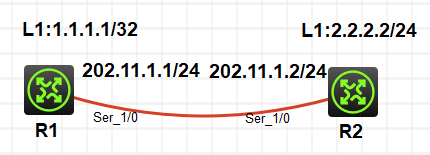
一、区域认证
1、基于区域的简单口令认证
R1:
<H3C>sys
System View: return to User View with Ctrl+Z.
H3Csysn R1
R1int l1
R1-LoopBack1ip add 1.1.1.1 32
R1-LoopBack1int s1/0
R1-Serial1/0ip add 202.11.1.1 24
R1-Serial1/0undo sh
R1-Serial1/0qu
R1ospf 1
R1-ospf-1area 0
R1-ospf-1-area-0.0.0.0net
R1-ospf-1-area-0.0.0.0network 1.1.1.1 0.0.0.0
R1-ospf-1-area-0.0.0.0network 202.11.1.1 0.0.0.255
R1-ospf-1-area-0.0.0.0authentication-mode simple plain 1234
R1-ospf-1-area-0.0.0.0qu
R1-ospf-1qu
R1router id
R1router id 1.1.1.1 //修改路由器ID
R1qu
<R1>reset ospf 1 process
Reset OSPF process? Y/N:y
R2:
<H3C>sys
System View: return to User View with Ctrl+Z.
H3Csysn R2
R2int l1
R2-LoopBack1ip add 2.2.2.2 32
R2-LoopBack1int s1/0
R2-Serial1/0ip add 202.11.1.2 24
R2-Serial1/0qu
R2ospf 1
R2-ospf-1ar 0
R2-ospf-1-area-0.0.0.0network 2.2.2.2 0.0.0.0
R2-ospf-1-area-0.0.0.0network 202.11.1.2 0.0.0.255
R2-ospf-1-area-0.0.0.0authentication-mode simple plain 1234
R2-ospf-1-area-0.0.0.0qu
R2-ospf-1qu
R2router id 2.2.2.2 //修改路由器ID
R2qu
<R2>reset ospf 1 process
Reset OSPF process? Y/N:y
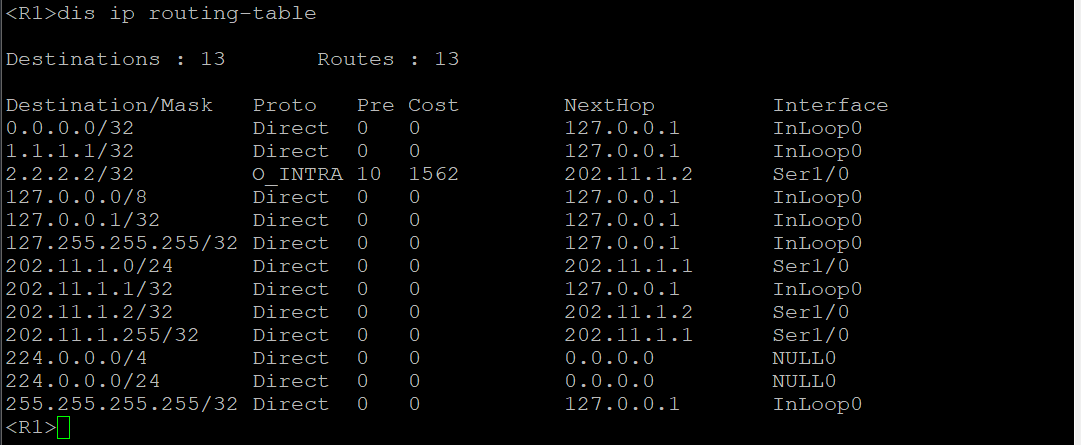
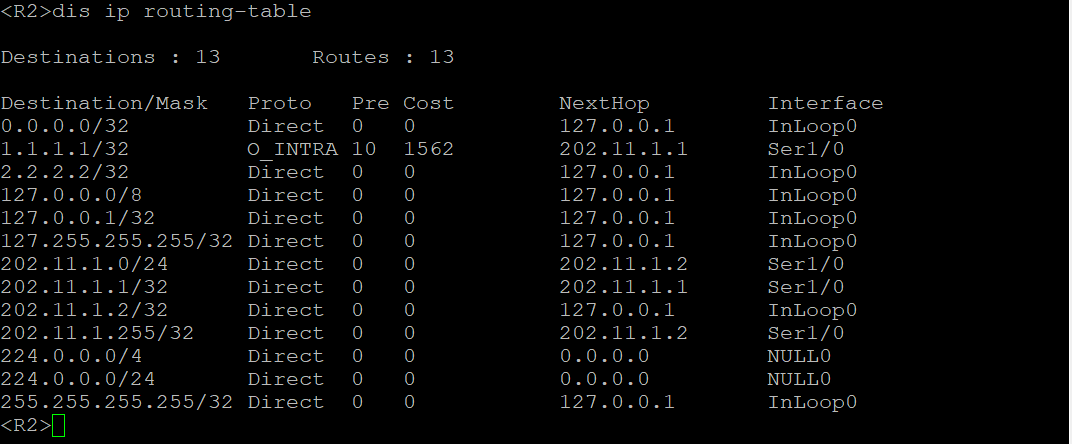
验证:
2、基于区域的MD5认证
R1:
R1ospf 1
R1-ospf-1area 0
R1-ospf-1-area-0.0.0.0net
R1-ospf-1-area-0.0.0.0network 1.1.1.1 0.0.0.0
R1-ospf-1-area-0.0.0.0network 202.11.1.1 0.0.0.255
R1-ospf-1-area-0.0.0.0authentication-mode md5 0 plain 1234
R1-ospf-1-area-0.0.0.0qu
R2:
R2ospf 1
R2-ospf-1ar 0
R2-ospf-1-area-0.0.0.0network 2.2.2.2 0.0.0.0
R2-ospf-1-area-0.0.0.0network 202.11.1.2 0.0.0.255
R2-ospf-1-area-0.0.0.0authentication-mode md5 0 plain 1234
R2-ospf-1-area-0.0.0.0qu
二、接口认证
1、基于接口的简单口令认证
R1:
R1int s1/0
R1-Serial1/0ospf authentication-mode simple plain 1234
R1-Serial1/0qu
R2int s1/0
R2-Serial1/0ospf authentication-mode simple plain 1234
R2-Serial1/0qu
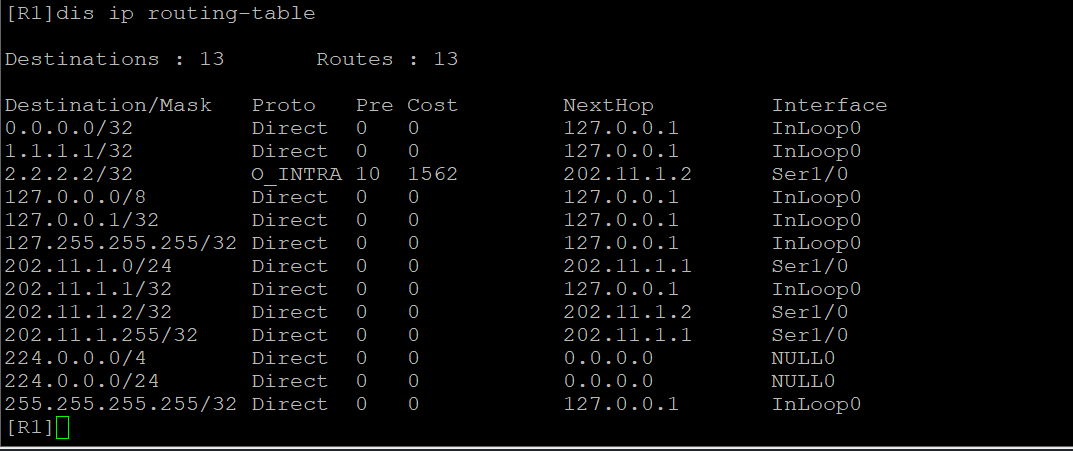
验证:
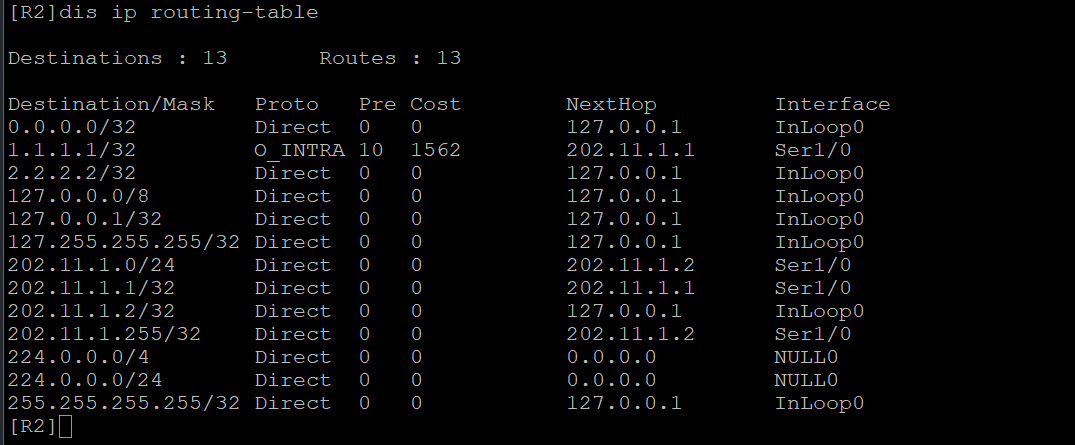
2、基于接口的MD5认证
R1:
R1int s1/0
R1-Serial1/0ospf authentication-mode md5 1 plain 1234
R1-Serial1/0qu
R2:
R2int s1/0
R2-Serial1/0ospf authentication-mode md5 1 plain 1234
R2-Serial1/0qu