什么是string
string 是 C++ 标准库提供的,用于管理和操作字符序列的封装类,它存在的唯一目的,就是为了让程序员不再需要手动管理内存 (不用担心 malloc/free 匹配),并且不再需要担心缓冲区溢出
具体介绍:https://cplusplus.com/reference/string/string/?kw=string
c语言中的字符串
C语言中,字符串是以'\0'结尾的一些字符的集合,为了操作方便,C标准库中提供了一些str系列 的库函数,但是这些库函数与字符串是分离开的,不太符合OOP的思想,而且底层空间需要用户 自己管理,稍不留神可能还会越界访问
auto和范围for
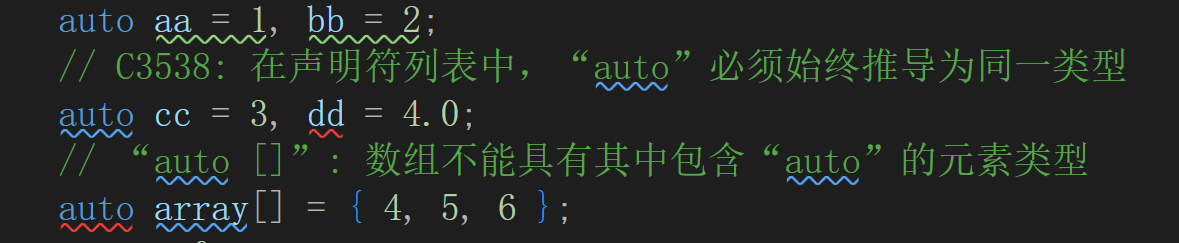
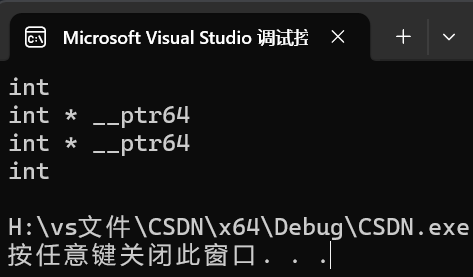
在早期C/C++中auto的含义是:使用auto修饰的变量,是具有自动存储器的局部变量,后来这个不重要了,C++11中,标准委员会变废为宝赋予了auto全新的含义即:auto不再是一个存储类型指示符,而是作为一个新的类型指示符来指示编译器,auto声明的变量必须由编译器在编译时期 推导而得,用auto声明指针类型时,用auto和auto*没有任何区别,但用auto声明引用类型时则必须加& 当在同一行声明多个变量时,这些变量必须是相同的类型,否则编译器将会报错,因为编译器实际 只对第一个类型进行推导,然后用推导出来的类型定义其他变量。 auto不能作为函数的参数,可以做返回值,但是建议谨慎使用 auto不能直接用来声明数组
cpp
int main()
{
	int a = 10;
	auto b = a;
	auto c = 'a';
    cout << typeid(b).name() << endl;
    cout << typeid(c).name() << endl;
    return 0;
}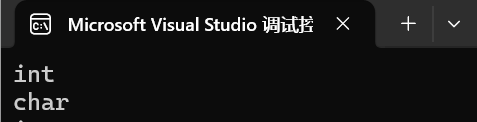
这里就说明auto可以自动识别赋值的类型,那如果返回的是一个函数
cpp
int func1()
{
	return 10;
}
int main()
{
	auto d=func1();
    cout << typeid(d).name() << endl;
    return 0;
}
同样也可以输出类型,虽然可以作为返回值,但建议谨慎使用
那再改一下
cpp
int func2(auto a)
{
	return 10;
}
int main()
{
	auto d=func2();
    cout << typeid(d).name() << endl;
    return 0;
}
这是因为auto不能作为参数
cpp
int main()
{
	auto e;
    cout << typeid(e).name() << endl;
    return 0;
}
这里必须要给初始值
cpp
int main()
{
	auto e=1;
    cout << typeid(e).name() << endl;
    return 0;
}
cpp
int main()
{
    int x = 10;
    auto y = &x;
    auto* z = &x;
    auto& m = x;
    cout << typeid(x).name() << endl;
    cout << typeid(y).name() << endl;
    cout << typeid(z).name() << endl;
    cout << typeid(m).name() << endl;
return 0;
}
范围for
对于一个有范围的集合而言,由程序员来说明循环的范围是多余的,有时候还会容易犯错误。因此 C++11中引入了基于范围的for循环。for循环后的括号由冒号" :"分为两部分:第一部分是范围 内用于迭代的变量,第二部分则表示被迭代的范围,自动迭代,自动取数据,自动判断结束。 范围for可以作用到数组和容器对象上进行遍历 范围for的底层很简单,容器遍历实际就是替换为迭代器,这个从汇编层也可以看到
C++98遍历数组
cpp
#include<iostream>
using namespace std;
int main()
{
	int array[] = { 1, 2, 3, 4, 5 };
	for (int i = 0; i < sizeof(array) / sizeof(array[0]); ++i)
	{
		array[i] *= 2;
	}
	for (int i = 0; i < sizeof(array) / sizeof(array[0]); ++i)
	{
		cout << array[i] << " ";
	}
	return 0;
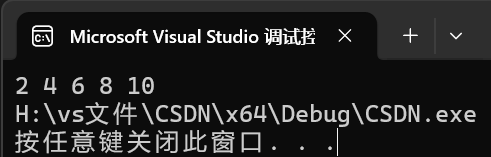
}
C++11遍历数组
cpp
#include<iostream>
using namespace std;
int main()
{
	int array[] = { 1, 2, 3, 4, 5 };
	for (auto& e : array)
	e *= 2;
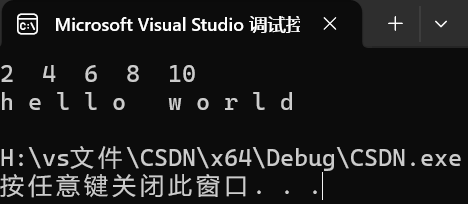
	for (auto e : array)
	cout << e << " " << " ";
    cout << endl;
	string str("hello world");
	for (auto ch : str)
	{
		cout << ch << " ";
	}
cout << endl;
	return 0;
}
为什么第一个auto要加引用?
-
如果不加
&(传值) :e只是原数组元素的一个临时副本 。你修改e,就像是你复印了一张成绩单并在复印件上改了分数,原件(数组里的值)根本没变 -
加上
&(传引用) :e成为了原数组元素的别名 。此时e就直接指向数组在内存中的那个位置,对e的修改会直接作用于array
这里还有一个知识点,如果只是读取数据而不该改变数据,就可以加上const修饰
cpp
#include<iostream>
using namespace std;
int main()
{
	int array[] = { 1, 2, 3, 4, 5 };
	for (auto& e : array)
	e *= 2;
	for (const auto e : array)
	cout << e << " " << " ";
    cout << endl;
	string str("hello world");
	for (const auto ch : str)
	{
		cout << ch << " ";
	}
cout << endl;
	return 0;
}
string类的常用接口说明(注意下面只讲解最常用的接口)
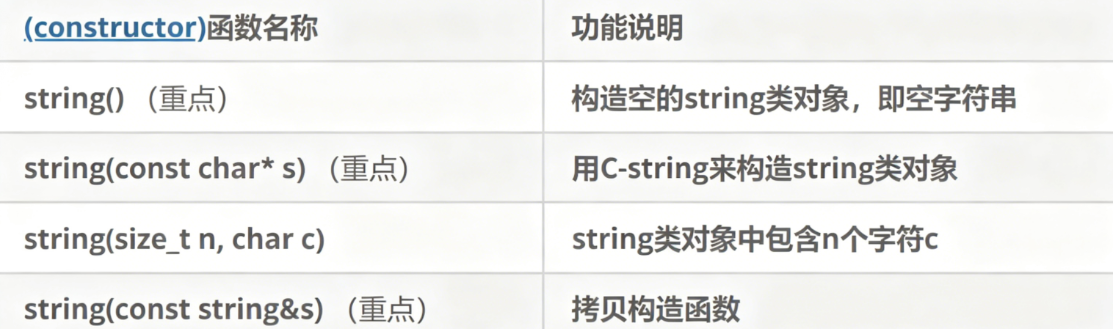
cpp
void Teststring()
{
string s1; // 构造空的string类对象s1
string s2("hello bit"); // 用C格式字符串构造string类对象s2
string s3(s2); // 拷贝构造s3
}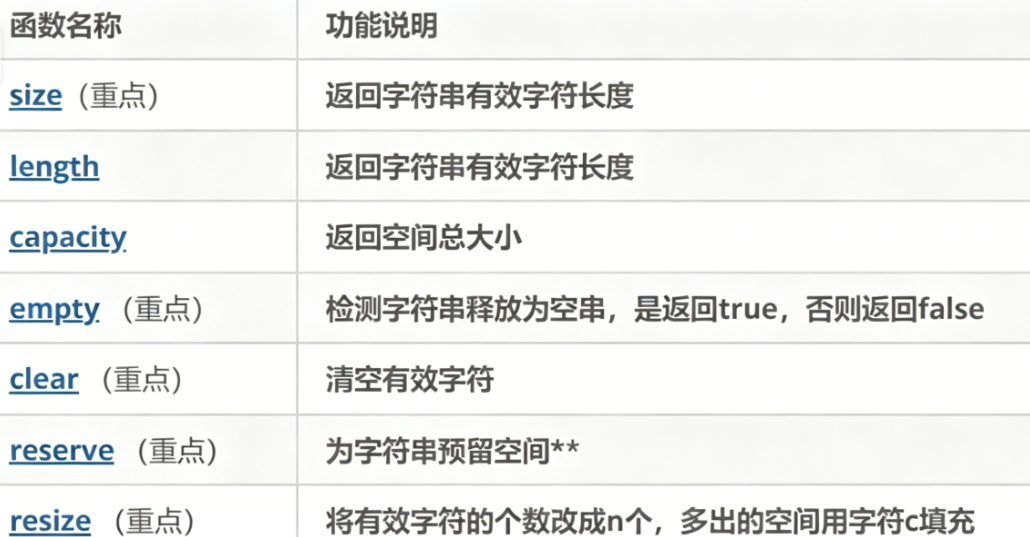
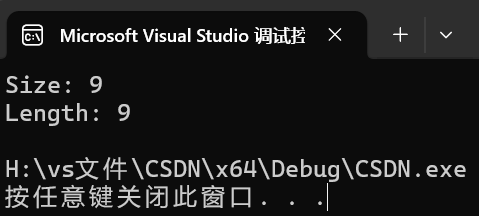
size:获取有效字符个数,length:返回字符串有效字符长度
cpp
#include<iostream>
using namespace std;
int main()
{
	string str("Hello C++");
	cout << "Size: " << str.size() << endl;
	cout << "Length: " << str.length() << endl;
cout << endl;
	return 0;
}
capacity():查看底层容量
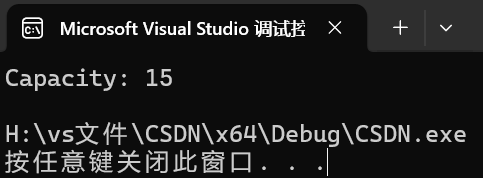
它返回的是 string 在不重新分配内存的情况下,最多能容纳多少字符
cpp
#include<iostream>
using namespace std;
int main()
{
	string str("hello world");
	cout << "Capacity: " << str.capacity() << endl;
	// 注意:即使字符串只有2个字符,capacity通常也会比2大(因为有SSO优化或预分配)
	return 0;
}
empty():判空检查
cpp
#include<iostream>
using namespace std;
int main()
{
	string str;
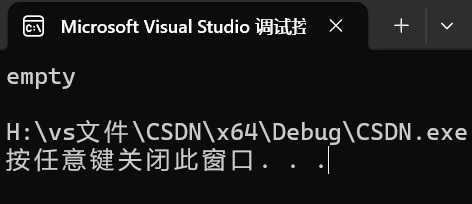
	if (str.empty()) {
		cout << "empty" << endl;
	}
	else
	{
		cout << "not empty" << endl;
	}
	return 0;
}
clear():清空内容
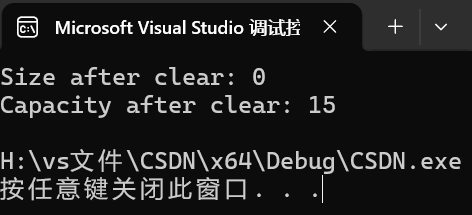
清空的是数据 ,而不是内存
cpp
#include<iostream>
using namespace std;
int main()
{
	string str("Data inside");
	str.clear();

	cout << "Size after clear: " << str.size() << endl;         // 结果: 0
	cout << "Capacity after clear: " << str.capacity() << endl; // 结果: 依然保留原空间,方便下次快速写入
	return 0;
}
reserve(n):空间预留(性能神器)
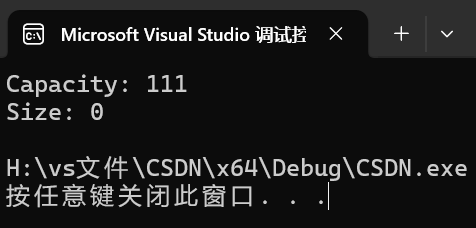
这是优化性能最常用的手段。如果你知道要存 1000 个字符,提前 reserve 可以避免程序在运行中频繁地搬家(重新分配内存)
cpp
#include<iostream>
using namespace std;
int main()
{
	string str;
	// 提前申请 100 字节的空间
	str.reserve(100);
	cout << "Capacity: " << str.capacity() << endl; // 至少是100
	cout << "Size: " << str.size() << endl;         // 依然是0,因为还没填数据
	return 0;
}
resize(n, char c):改变有效大小
它会实实在在地改变 size
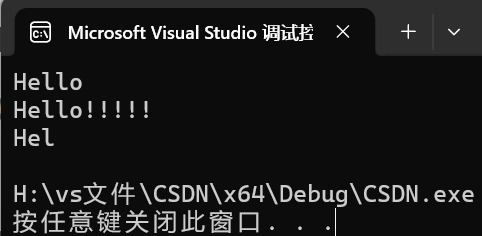
cpp
#include<iostream>
using namespace std;
int main()
{
	string str("Hello");
	cout << str << endl;

	str.resize(10, '!');
	cout << str << endl;

	str.resize(3);
	cout << str << endl;
	return 0;
}
vs下的string结构
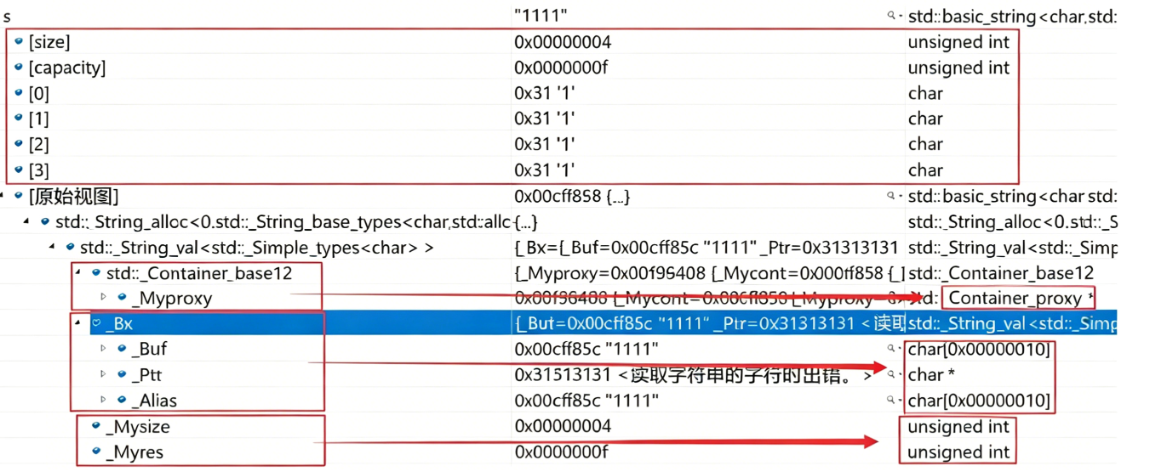
在vs中string的底层大概是这样的
cpp
class string   string大概底层
{
private:
 char _buff[16];//当数据量小的时候存在这里面,只有vs有这个功能
	char* _ptr;
	size_t _size;
	size_t capaccity;
};
这里福多了一个_buff,这是微软工程师在设计vs时留下的,如果数据大小小于等于16,就存在_buff中,大于就存在_ptr中



cpp
//x86环境
#include<iostream>
using namespace std;
int main()
{
	string s;
	cout << sizeof(str) << endl;

	return 0;
}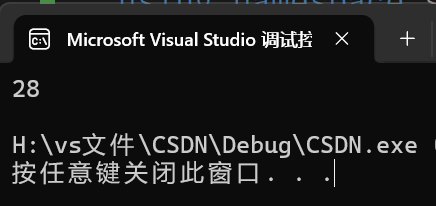
string总共占28个字节,内部结构稍微复杂一点,先是有一个联合体,联合体用来定义 string中字符串的存储空间: 当字符串长度小于16时,使用内部固定的字符数组来存放 当字符串长度大于等于16时,从堆上开辟空间
这种设计也是有一定道理的,大多数情况下字符串的长度都小于16,那string对象创建 好之后,内部已经有了16个字符数组的固定空间,不需要通过堆创建,效率高。 其次:还有一个size_t字段保存字符串长度,一个size_t字段保存从堆上开辟空间总的容量
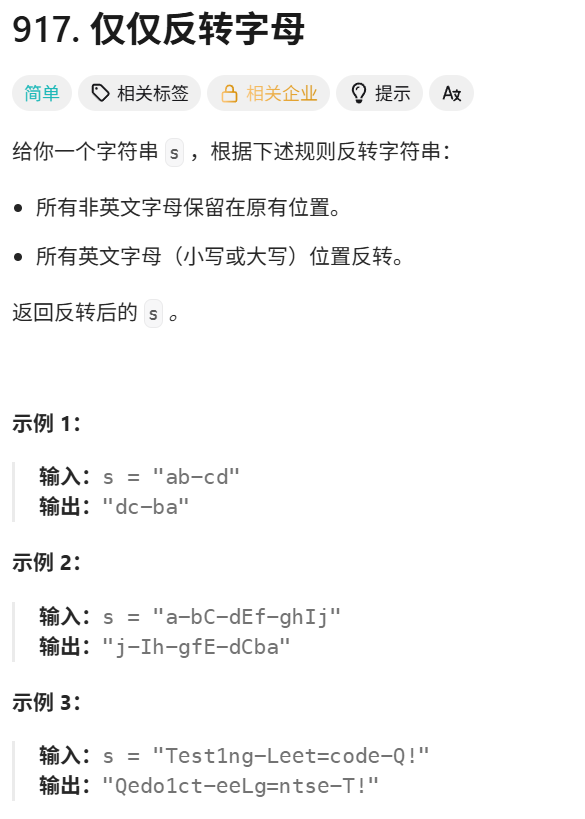
例题
cpp
class Solution
{
public:
    bool isletter(char ch)
    {
        if(ch>='a'&&ch<='z')
        return true;
        if(ch>='A'&&ch<='Z')
        return true;
    return false;
    }
    string reverseOnlyLetters(string s)
    {
        int begin=0,end=s.size()-1;
        while(begin<end)
        {
            while(begin<end && !isletter(s[begin]))
            {
                ++begin;
            }
             while(begin<end && !isletter(s[end]))
            {
                --end;
            }
            swap(s[begin++],s[end--]);
        }
        return s;
    }
};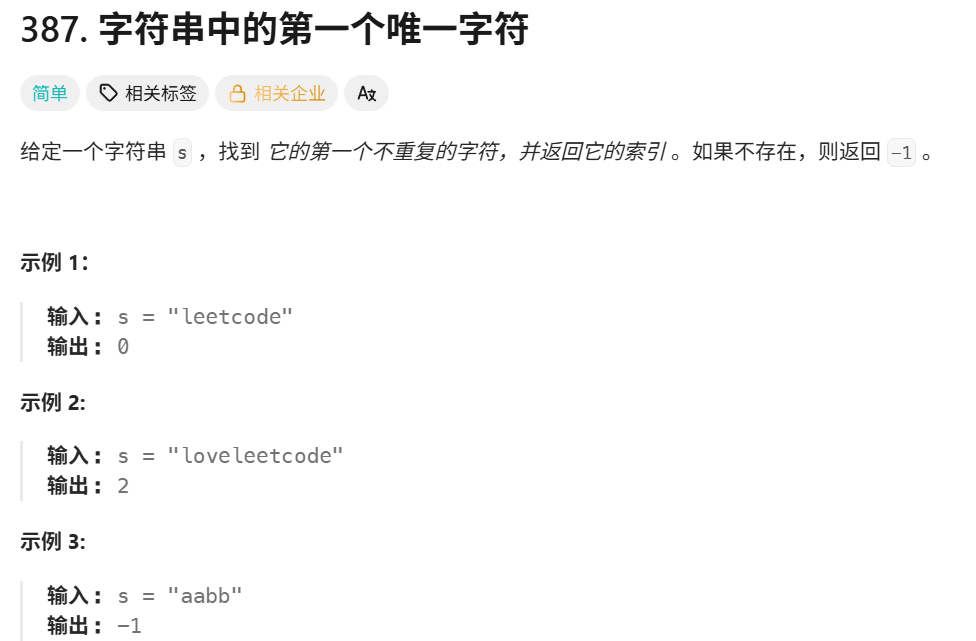
cpp
class Solution {
public:
int firstUniqChar(string s) {
// 统计每个字符出现的次数
int count[256] = {0};
int size = s.size();
for(int i = 0; i < size; ++i)
count[s[i]] += 1;
// 按照字符次序从前往后找只出现一次的字符
for(int i = 0; i < size; ++i)
if(1 == count[s[i]])
return i;
return -1;
}
};