一、内核概述
Linux内核是操作系统核心部分
(一)内核的功能:
系统初始化:检测硬件资源并启动系统
进程调度:决定进程什么时候运行以及运行多久
内存管理:给运行的进程分配内存
安全:支持权限,selinux和防火墙规则
提供buffers和cache加速硬件访问
支持标准网络协议和文件系统
参考文档可以安装kernel-doc的RPM软件包
(二)所谓的内核模块你可以理解为是驱动程序,为了让内核识别硬件或者操作系统 我们需要安装驱动,这个驱动就是以内核模块的形式存在的
内核的组成:
1.内核文件
2.initramfs文件
3.内核模块
二、内核模块
内核模块是内核的功能。内核本身功能较少,但是可以通过插入内核模块来为内核提供对应的功能
我们在Linux系统上理解的驱动就是为了让内核识别某个文件系统或者硬件,你就可以说这是内核模块的功能
内核是一个模块化,可以通过插入各种内核模块为内核提供对应的功能
内核模块在操作系统上以文件的形式存在的,内核要加载内核模块的时候其实加载的就是这个文件
root@rhel9 boot# ls /usr/lib/modules/5.14.0-362.8.1.el9_3.x86_64/kernel/fs/xfs/
xfs.ko.xz
内核模块文件的后缀是.ko或者.ko.xz
(一)查看系统加载的内核模块
root@rhel9 boot# lsmod | grep ext4
ext4 1167360 0
mbcache 16384 1 ext4
jbd2 217088 1 ext4
(二)加载和卸载内核模块
modprobe 内核名 ##加载
modprobe -r 内核名 ##卸载
(三)查看模块的详细信息
modinfo 内核名
三、/proce目录
此目录是开机的时候才会有数据的,目录下的内容反应的是系统运行时候的状态
在此目录下,目录的名字是数字,而这些数字就是pid
(一)cgroups:ctroller groups控制组
作用:限制进程使用的cpu 内存等资源
同时,cgroup也是后面学习容器的一个技术,容器的实现就离不开cgroup
(二)cpuinfo:记录操作系统的cpu信息
flags表示cpu的指令集,就是cpu支持的功能
如果要支持虚拟化的化,cpu必须要有vmx/svx的指令集
(三)partitions:记录系统的分区和磁盘信息
(四)filesystem:记录系统支持的文件系统类型
(五)mmeinfo:记录系统的内存信息
四、系统调优思路
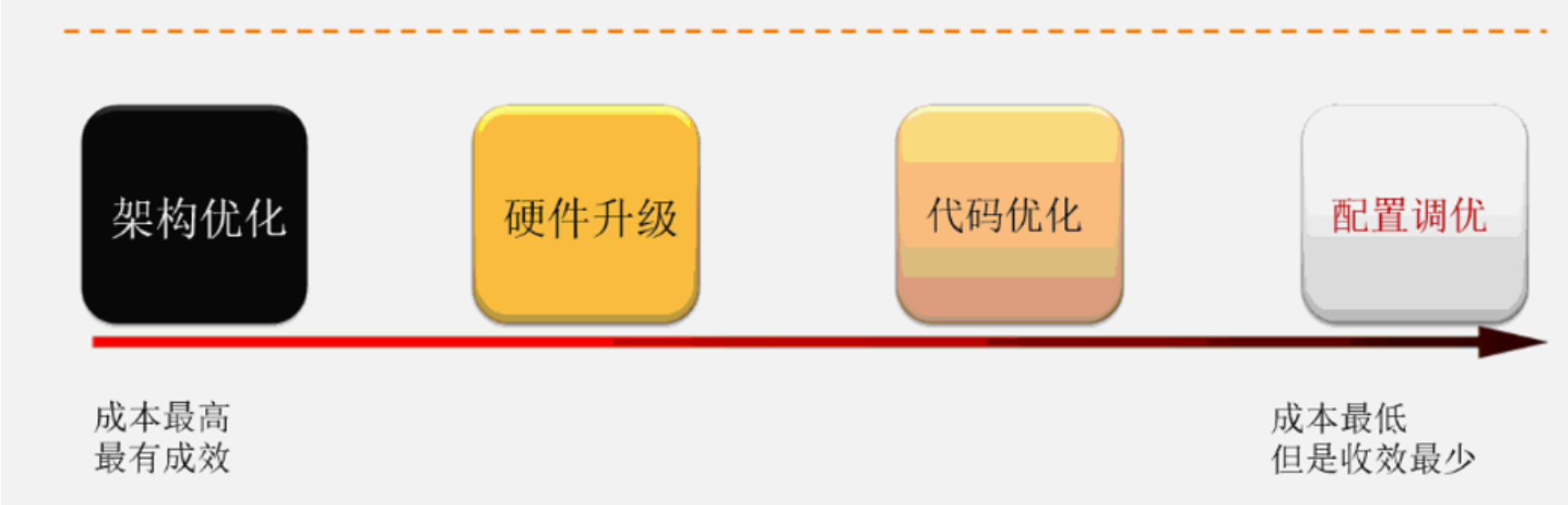
(一)调优工具tuned
根据场景一键式调优,tuned工具提供了非常多的调优配置集
不同的调优配置集调整的内核参数不一样,不同的调优配置集面向的应用场景也不一样
root@router \~# tuned-adm list
Cannot talk to TuneD daemon via DBus. Is TuneD daemon running?
Available profiles:
-
accelerator-performance - Throughput performance based tuning with disabled higher latency STOP states
-
aws - Optimize for aws ec2 instances
-
balanced - General non-specialized tuned profile
-
desktop - Optimize for the desktop use-case
-
hpc-compute - Optimize for HPC compute workloads
-
intel-sst - Configure for Intel Speed Select Base Frequency
-
latency-performance - Optimize for deterministic performance at the cost of increased power consumption
-
network-latency - Optimize for deterministic performance at the cost of increased power consumption, focused on low latency network performance
-
network-throughput - Optimize for streaming network throughput, generally only necessary on older CPUs or 40G+ networks
-
optimize-serial-console - Optimize for serial console use.
-
powersave - Optimize for low power consumption
-
throughput-performance - Broadly applicable tuning that provides excellent performance across a variety of common server workloads
-
virtual-guest - Optimize for running inside a virtual guest
-
virtual-host - Optimize for running KVM guests
It seems that tuned daemon is not running, preset profile is not activated.
Preset profile: virtual-guest
一旦tuned服务启动,自动根据系统推荐的调优配置集来应用
(二)考试题
1.查看系统推荐的调优配置集
root@router \~# tuned-adm recommend
virtual-guest
2.修改调优配置集
root@router \~# tuned-adm profile virtual-guest
3.验证
root@localhost \~# tuned-adm list
It seems that tuned daemon is not running, preset profile is not activated.
Preset profile: virtual-guest