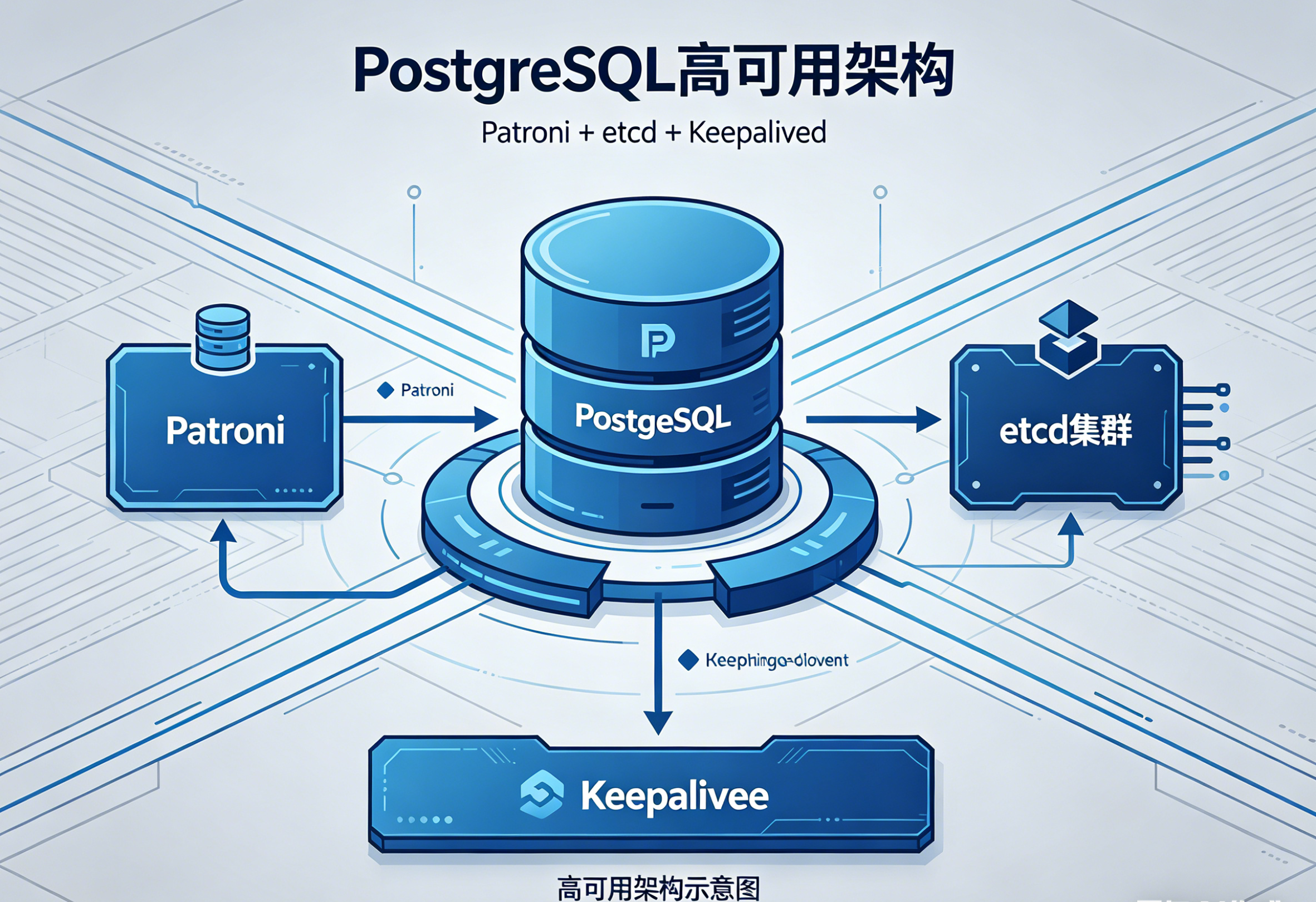
一、 部署方案
Patroni + etcd + Keepalived
1. 整体架构
bash
客户端(Harbor)
       ↓
  Keepalived VIP(统一入口)
       ↓
Patroni 集群(管理PostgreSQL)
       ↓
etcd 集群(锁、选举、状态存储)

# etcd 管 "谁是主",Patroni 管 "PG 切换",Keepalived 管 "流量入口"。
2. 各组件分工
bash
1)PostgreSQL 主从流复制(基础)
	主库写入 WAL 日志
	备库通过流复制实时同步
	备库只读,不提供写入
2)etcd(分布式一致性存储)
	作用:集群的 "大脑" 和 "裁判"
	存储当前谁是主库
	存储集群状态、配置
	提供分布式锁,防止脑裂
	节点之间通过 etcd 互相感知状态
 PostgreSQL 本身没有分布式选举能力,必须靠外部组件做 "唯一主库" 保证。
3)Patroni(PG 高可用控制器)
	每个 PostgreSQL 节点上都跑一个 Patroni 进程。它做的事情:
	监控 PostgreSQL 存活
	向 etcd 上报状态
	主库挂了 → 自动在备库中选举新主
	旧主恢复后 → 自动变为备库,追同步
	自动管理 pg 复制、同步模式、failover 逻辑
	Patroni 让 PostgreSQL 变成一个可自愈、可自动切换的集群。
4)Keepalived(提供统一 VIP)
	Patroni 虽然能切换主库,但 Harbor 不能每次切换都改数据库地址。所以用 VIP(虚拟 IP) 固定入口:
	Keepalived 在当前主库所在机器上持有 VIP
	Patroni 提供脚本通知 Keepalived:
	主切换 → VIP 自动漂移到新主
	Harbor 只连接 VIP,完全无感知切换
3. 为什么主流企业都用这套方案?
bash
1)真正 "企业级高可用",无单点
	etcd 3 节点:保证脑裂绝对不会发生
	Patroni 自动 failover:不需要人工介入
	VIP 统一入口:应用不用改配置
	数据零丢失风险(可开启同步复制)
2)成熟、稳定、经过海量验证
	云厂商、金融、互联网、基础设施(Harbor/Registry/CI)都在用
	Patroni 是目前 PostgreSQL 生态事实标准
3)不侵入数据库
	不用改 PG 内核
	不用特殊插件
	标准 PostgreSQL,升级不受限
4)运维简单、可控
	一键搭建主从
	一键切换主备
	自动重同步、自动修复
	API 化,可对接监控、告警、自动化平台
4. 优缺点
✅ 优点
真正自动高可用,无需人工干预
无脑裂(etcd 强一致性锁)
应用无感知切换(VIP 固定)
数据安全,支持同步 / 异步复制
标准 PostgreSQL,兼容性 100%
资源占用低,2~3 台虚拟机即可
适合生产、企业级、长期维护
不需要读写分离也非常合适(反而更简单)

❌ 缺点
组件稍多:Patroni + etcd + Keepalived,但对于运维来说完全可接受
需要至少 3 台机器(etcd 推荐奇数节点)
初期配置比主从手动复制复杂一点
没有图形界面,靠命令行 / API 管理
VIP 依赖二层网络(同一网段)
跨机房不能用 VIP,要用 DNS 或负载均衡
二、基础环境
| 机器名称 | 机器IP | 操作系统 | PostgreSQL版本 | 角色 | 部署组件 |
|---|---|---|---|---|---|
| pg-master | 10.132.47.65 | centos7.9 | PostgreSQL15 | 初始主 | etcd、Patroni、PostgreSQL15、Keepalived |
| pg-node1 | 10.132.47.66 | centos7.9 | PostgreSQL15 | 从节点 1 | etcd、Patroni、PostgreSQL15、Keepalived |
| pg-node2 | 10.132.47.67 | centos7.9 | PostgreSQL15 | 从节点 2 | etcd、Patroni、PostgreSQL15、Keepalived |
| 10.132.47.68 | 虚拟 IP | 业务访问统一入口 |
系统环境初始化
1. 主机名配置、解析配置(单节点分别执行)
bash
# 10.132.47.65 执行
hostnamectl set-hostname pg-master


# 10.132.47.66 执行
hostnamectl set-hostname pg-node1


# 10.132.47.67 执行
hostnamectl set-hostname pg-node2


# 全部节点执行
cat >> /etc/hosts <<EOF
10.132.47.65  pg-master
10.132.47.66  pg-node1
10.132.47.67  pg-node2
10.132.47.68  vip
EOF

# 验证解析
ping pg-master -c 2
ping pg-node1 -c 2
ping pg-node2 -c 2
2. 关闭 SELinux、防火墙
bash
# 关闭 SELinux
setenforce 0 && sed -i 's/^SELINUX=.*/SELINUX=disabled/' /etc/selinux/config

# 关闭防火墙
systemctl stop firewalld && systemctl disable firewalld

# 验证状态(输出inactive为正常)
systemctl status firewalld
3. 时间同步配置
bash
# 安装chrony
yum install -y chrony

# 配置阿里云时间源
sed -i 's/^server.*/server ntp.aliyun.com iburst/' /etc/chrony.conf

# 启动服务并设置开机自启
systemctl start chronyd && systemctl enable chronyd

# 验证时间同步
chronyc tracking
date
4. 系统资源优化
(PostgreSQL+Patroni 专属配置)
bash
# 1. 配置postgres用户文件句柄与进程限制
cat >> /etc/security/limits.conf <<EOF
postgres  soft  nofile  65536
postgres  hard  nofile  65536
postgres  soft  nproc   65536
postgres  hard  nproc   65536
postgres  soft  memlock  unlimited
postgres  hard  memlock  unlimited
EOF

# 2. 内核参数优化
cat >> /etc/sysctl.conf <<EOF
# PostgreSQL核心优化
vm.swappiness = 1
vm.overcommit_memory = 2
vm.overcommit_ratio = 80
kernel.shmmax = 68719476736
kernel.shmall = 4294967296
# 网络优化
net.core.somaxconn = 4096
net.ipv4.tcp_fin_timeout = 5
EOF

# 生效内核参数
sysctl -p
放开 postgres 用户文件数、进程数、内存锁定限制,避免高并发时报错、连不上库。
内核参数尽量禁用 swap、防止内存超分配被 OOM 杀死,加大共享内存供 PG 使用。
优化 TCP 队列和连接回收,提升高并发下连接稳定性与性能。
5. 安装基础依赖包
bash
yum install -y wget curl vim gcc gcc-c++ make cmake epel-release openssl-devel libxslt-devel libxml2-devel readline-devel zlib-devel libicu-devel python3 python3-devel python3-pip net-tools lsof bison python2-devel python3-devel三、部署 3 节点 etcd 集群(所有节点执行)
1. 创建 etcd 用户与目录
bash
# 创建系统用户
groupadd -r etcd
useradd -r -g etcd -d /var/lib/etcd -s /sbin/nologin -c "etcd user" etcd

# 创建配置与数据目录
mkdir -p /etc/etcd /var/lib/etcd
chown -R etcd:etcd /var/lib/etcd /etc/etcd
2. 安装 etcd 二进制文件(稳定版 v3.5.13)
bash
# 下载二进制包,使用的华为云下载
ETCD_VERSION="v3.5.13"
wget https://repo.huaweicloud.com/etcd/${ETCD_VERSION}/etcd-${ETCD_VERSION}-linux-amd64.tar.gz

# 解压并安装
tar -zxvf etcd-${ETCD_VERSION}-linux-amd64.tar.gz
cp etcd-${ETCD_VERSION}-linux-amd64/etcd etcd-${ETCD_VERSION}-linux-amd64/etcdctl /usr/local/bin/
chmod +x /usr/local/bin/etcd /usr/local/bin/etcdctl

# 验证安装
etcd --version
etcdctl version

# 配置etcdctl默认使用API v3
echo "export ETCDCTL_API=3" >> /etc/profile
source /etc/profile
3. 配置 etcd 集群配置文件(单节点分别执行)
pg-master(10.132.47.65)配置
bash
cat > /etc/etcd/etcd.conf <<EOF
# 成员基础配置
ETCD_NAME="pg-master"
ETCD_DATA_DIR="/var/lib/etcd"
ETCD_LISTEN_PEER_URLS="http://10.132.47.65:2380"
ETCD_LISTEN_CLIENT_URLS="http://10.132.47.65:2379,http://127.0.0.1:2379"

# 集群通信配置
ETCD_INITIAL_ADVERTISE_PEER_URLS="http://10.132.47.65:2380"
ETCD_ADVERTISE_CLIENT_URLS="http://10.132.47.65:2379"
ETCD_INITIAL_CLUSTER="pg-master=http://10.132.47.65:2380,pg-node1=http://10.132.47.66:2380,pg-node2=http://10.132.47.67:2380"
ETCD_INITIAL_CLUSTER_TOKEN="pg-etcd-cluster-2024"
ETCD_INITIAL_CLUSTER_STATE="new"

# 企业级性能优化
ETCD_HEARTBEAT_INTERVAL="100"
ETCD_ELECTION_TIMEOUT="1000"
ETCD_AUTO_COMPACTION_RETENTION="1"
ETCD_QUOTA_BACKEND_BYTES="8589934592"

# 日志配置
ETCD_LOG_LEVEL="info"
EOF
注释
bash
cat > /etc/etcd/etcd.conf <<EOF
# 成员基础配置 ------ 定义当前 etcd 节点自身的基础信息
ETCD_NAME="pg-master"                  # 当前节点名称,集群内唯一,不能重复
ETCD_DATA_DIR="/var/lib/etcd"          # etcd 数据存储目录,所有键值、日志、快照都存在这里
ETCD_LISTEN_PEER_URLS="http://10.132.47.65:2380"
                                       # 节点间(peer)通信监听地址:2380 是集群内部通信端口
ETCD_LISTEN_CLIENT_URLS="http://10.132.47.65:2379,http://127.0.0.1:2379"
                                       # 客户端访问监听地址:2379 是客户端 API 端口
                                       # 同时监听本机和对外IP,保证本地/远程都能访问

# 集群通信配置 ------ 用于节点发现、组建集群、选举主节点
ETCD_INITIAL_ADVERTISE_PEER_URLS="http://10.132.47.65:2380"
                                       # 向集群广播的节点间通信地址,其他节点通过这个地址连接它
ETCD_ADVERTISE_CLIENT_URLS="http://10.132.47.65:2379"
                                       # 向集群广播的客户端访问地址,客户端通过这个地址连接它
ETCD_INITIAL_CLUSTER="pg-master=http://10.132.47.65:2380,pg-node1=http://10.132.47.66:2380,pg-node2=http://10.132.47.67:2380"
                                       # 初始化集群所有节点列表,三个节点必须完全一致
                                       # 格式:节点名=通信URL,用逗号分隔
ETCD_INITIAL_CLUSTER_TOKEN="pg-etcd-cluster-2024"
                                       # 集群唯一标识 token,同一集群所有节点必须相同
                                       # 防止误加入其他集群
ETCD_INITIAL_CLUSTER_STATE="new"        # 集群初始化模式
                                       # new = 新建集群
                                       # existing = 加入已有集群

# 企业级性能优化 ------ 生产环境高可用、稳定性调优参数
ETCD_HEARTBEAT_INTERVAL="100"          # 心跳间隔(毫秒)
                                       # 主节点每隔 100ms 向从节点发送心跳
ETCD_ELECTION_TIMEOUT="1000"           # 选举超时时间(毫秒)
                                       # 从节点 1000ms 没收到心跳,触发主节点选举
                                       # 官方建议:election = 5 * heartbeat
ETCD_AUTO_COMPACTION_RETENTION="1"     # 自动压缩保留时间(小时)
                                       # 只保留最近 1 小时的历史版本,减少存储空间
ETCD_QUOTA_BACKEND_BYTES="8589934592"  # 数据库大小配额(字节)
                                       # 8589934592 = 8GB
                                       # 超过配额后 etcd 只允许读和删除,防止磁盘爆满

# 日志配置
ETCD_LOG_LEVEL="info"                  # 日志级别:info = 常规日志
                                       # 可选:debug/error/warn
EOF
pg-node1(10.132.47.66)配置
bash
cat > /etc/etcd/etcd.conf <<EOF
# 成员基础配置
ETCD_NAME="pg-node1"
ETCD_DATA_DIR="/var/lib/etcd"
ETCD_LISTEN_PEER_URLS="http://10.132.47.66:2380"
ETCD_LISTEN_CLIENT_URLS="http://10.132.47.66:2379,http://127.0.0.1:2379"

# 集群通信配置
ETCD_INITIAL_ADVERTISE_PEER_URLS="http://10.132.47.66:2380"
ETCD_ADVERTISE_CLIENT_URLS="http://10.132.47.66:2379"
ETCD_INITIAL_CLUSTER="pg-master=http://10.132.47.65:2380,pg-node1=http://10.132.47.66:2380,pg-node2=http://10.132.47.67:2380"
ETCD_INITIAL_CLUSTER_TOKEN="pg-etcd-cluster-2024"
ETCD_INITIAL_CLUSTER_STATE="new"

# 企业级性能优化
ETCD_HEARTBEAT_INTERVAL="100"
ETCD_ELECTION_TIMEOUT="1000"
ETCD_AUTO_COMPACTION_RETENTION="1"
ETCD_QUOTA_BACKEND_BYTES="8589934592"

# 日志配置
ETCD_LOG_LEVEL="info"
EOF
注释
bash
cat > /etc/etcd/etcd.conf <<EOF
# 成员基础配置
ETCD_NAME="pg-node1"                   # 当前节点名称,集群内唯一
ETCD_DATA_DIR="/var/lib/etcd"          # 数据存储目录
ETCD_LISTEN_PEER_URLS="http://10.132.47.66:2380"
                                       # 本节点集群内部通信监听地址
ETCD_LISTEN_CLIENT_URLS="http://10.132.47.66:2379,http://127.0.0.1:2379"
                                       # 本节点客户端访问监听地址

# 集群通信配置
ETCD_INITIAL_ADVERTISE_PEER_URLS="http://10.132.47.66:2380"
                                       # 向集群广播的节点间通信地址
ETCD_ADVERTISE_CLIENT_URLS="http://10.132.47.66:2379"
                                       # 向集群广播的客户端访问地址
ETCD_INITIAL_CLUSTER="pg-master=http://10.132.47.65:2380,pg-node1=http://10.132.47.66:2380,pg-node2=http://10.132.47.67:2380"
                                       # 集群节点列表,三个节点必须完全一致
ETCD_INITIAL_CLUSTER_TOKEN="pg-etcd-cluster-2024"
                                       # 集群唯一标识,所有节点相同
ETCD_INITIAL_CLUSTER_STATE="new"        # 新建集群模式

# 企业级性能优化
ETCD_HEARTBEAT_INTERVAL="100"          # 心跳间隔 100ms
ETCD_ELECTION_TIMEOUT="1000"           # 选举超时 1000ms
ETCD_AUTO_COMPACTION_RETENTION="1"     # 自动压缩保留 1 小时
ETCD_QUOTA_BACKEND_BYTES="8589934592"  # 数据配额 8GB

# 日志配置
ETCD_LOG_LEVEL="info"                  # 日志级别 info
EOF
pg-node2(10.132.47.67)配置
bash
cat > /etc/etcd/etcd.conf <<EOF
# 成员基础配置
ETCD_NAME="pg-node2"
ETCD_DATA_DIR="/var/lib/etcd"
ETCD_LISTEN_PEER_URLS="http://10.132.47.67:2380"
ETCD_LISTEN_CLIENT_URLS="http://10.132.47.67:2379,http://127.0.0.1:2379"

# 集群通信配置
ETCD_INITIAL_ADVERTISE_PEER_URLS="http://10.132.47.67:2380"
ETCD_ADVERTISE_CLIENT_URLS="http://10.132.47.67:2379"
ETCD_INITIAL_CLUSTER="pg-master=http://10.132.47.65:2380,pg-node1=http://10.132.47.66:2380,pg-node2=http://10.132.47.67:2380"
ETCD_INITIAL_CLUSTER_TOKEN="pg-etcd-cluster-2024"
ETCD_INITIAL_CLUSTER_STATE="new"

# 企业级性能优化
ETCD_HEARTBEAT_INTERVAL="100"
ETCD_ELECTION_TIMEOUT="1000"
ETCD_AUTO_COMPACTION_RETENTION="1"
ETCD_QUOTA_BACKEND_BYTES="8589934592"

# 日志配置
ETCD_LOG_LEVEL="info"
EOF
注释
bash
cat > /etc/etcd/etcd.conf <<EOF
# 成员基础配置
ETCD_NAME="pg-node2"                   # 当前节点名称,集群内唯一
ETCD_DATA_DIR="/var/lib/etcd"          # 数据存储目录
ETCD_LISTEN_PEER_URLS="http://10.132.47.67:2380"
                                       # 本节点集群内部通信监听地址
ETCD_LISTEN_CLIENT_URLS="http://10.132.47.67:2379,http://127.0.0.1:2379"
                                       # 本节点客户端访问监听地址

# 集群通信配置
ETCD_INITIAL_ADVERTISE_PEER_URLS="http://10.132.47.67:2380"
                                       # 向集群广播的节点间通信地址
ETCD_ADVERTISE_CLIENT_URLS="http://10.132.47.67:2379"
                                       # 向集群广播的客户端访问地址
ETCD_INITIAL_CLUSTER="pg-master=http://10.132.47.65:2380,pg-node1=http://10.132.47.66:2380,pg-node2=http://10.132.47.67:2380"
                                       # 集群节点列表,三个节点必须完全一致
ETCD_INITIAL_CLUSTER_TOKEN="pg-etcd-cluster-2024"
                                       # 集群唯一标识,所有节点相同
ETCD_INITIAL_CLUSTER_STATE="new"        # 新建集群模式

# 企业级性能优化
ETCD_HEARTBEAT_INTERVAL="100"          # 心跳间隔 100ms
ETCD_ELECTION_TIMEOUT="1000"           # 选举超时 1000ms
ETCD_AUTO_COMPACTION_RETENTION="1"     # 自动压缩保留 1 小时
ETCD_QUOTA_BACKEND_BYTES="8589934592"  # 数据配额 8GB

# 日志配置
ETCD_LOG_LEVEL="info"                  # 日志级别 info
EOF
4. 配置文件授权与 systemd 服务
bash
# 授权配置文件
chown -R etcd:etcd /etc/etcd/etcd.conf

# 创建systemd服务文件
cat > /usr/lib/systemd/system/etcd.service <<EOF
[Unit]
Description=Etcd Distributed Key-Value Store
Documentation=https://etcd.io/docs/
After=network.target

[Service]
Type=notify
User=etcd
Group=etcd
EnvironmentFile=/etc/etcd/etcd.conf
ExecStart=/usr/local/bin/etcd
Restart=always
RestartSec=5
LimitNOFILE=65536
LimitNPROC=65536

[Install]
WantedBy=multi-user.target
EOF
5. 启动 etcd 集群并验证
重要:3 个节点几乎同时启动,集群需要节点间通信完成选举
bash
# 重载systemd
systemctl daemon-reload

# 启动服务并设置开机自启
systemctl start etcd && systemctl enable etcd

# 验证服务状态(输出active为正常)
systemctl status etcd
6. 集群健康验证(任意节点执行)
bash
# 1. 查看集群成员列表
etcdctl --endpoints=http://10.132.47.65:2379,http://10.132.47.66:2379,http://10.132.47.67:2379 member list

# 2. 查看集群健康状态(3个节点均显示healthy为正常)
etcdctl --endpoints=http://10.132.47.65:2379,http://10.132.47.66:2379,http://10.132.47.67:2379 endpoint health --cluster
示例:
bash
[root@pg-master ~]# etcdctl --endpoints=http://10.132.47.65:2379,http://10.132.47.66:2379,http://10.132.47.67:2379 member list
69703c70ccd1c02, started, pg-master, http://10.132.47.65:2380, http://10.132.47.65:2379, false
4c78fb810c55769a, started, pg-node1, http://10.132.47.66:2380, http://10.132.47.66:2379, false
c434ada7f1ef0669, started, pg-node2, http://10.132.47.67:2380, http://10.132.47.67:2379, false
[root@pg-master ~]# etcdctl --endpoints=http://10.132.47.65:2379,http://10.132.47.66:2379,http://10.132.47.67:2379 endpoint health --cluster
http://10.132.47.65:2379 is healthy: successfully committed proposal: took = 5.084733ms
http://10.132.47.67:2379 is healthy: successfully committed proposal: took = 3.245991ms
http://10.132.47.66:2379 is healthy: successfully committed proposal: took = 4.761555ms
四、安装PostgreSQL 15(所有节点执行)
1. 配置 PostgreSQL YUM 源
bash
# 添加阿里云PostgreSQL 15镜像源(替代官方源)
cat > /etc/yum.repos.d/pgsql15.repo << 'EOF'
[pg15]
name=PostgreSQL 15 for RHEL/CentOS 7 - x86_64
baseurl=https://mirrors.aliyun.com/postgresql/repos/yum/15/redhat/rhel-7-x86_64/
enabled=1
gpgcheck=0
EOF

yum clean all && yum makecache
2. 安装 PostgreSQL 15 相关组件
bash
yum install -y postgresql15 postgresql15-server postgresql15-contrib postgresql15-libs

# 验证安装
/usr/pgsql-15/bin/postgres --version
3. 配置 postgres 用户环境变量
bash
# 配置环境变量
cat >> /var/lib/pgsql/.bash_profile <<EOF
export PATH=\$PATH:/usr/pgsql-15/bin
export PGHOME=/usr/pgsql-15
export PGDATA=/var/lib/pgsql/15/data
EOF

# 生效环境变量
su - postgres -c "source /var/lib/pgsql/.bash_profile"

# 验证
su - postgres -c "psql --version"

#三个节点都要做:关闭系统自带的 PostgreSQL,Patroni 会自己管理 PG,不能让系统自启
systemctl stop postgresql-15 && systemctl disable postgresql-15
五、安装与配置 Patroni(所有节点执行)
1. 安装 Python3 依赖与 Patroni
bash
# 升级pip3
pip3 install --upgrade pip setuptools wheel -i https://pypi.tuna.tsinghua.edu.cn/simple

# 安装Patroni及etcd3、PostgreSQL驱动
pip3 install patroni[etcd3] psycopg2-binary -i https://pypi.tuna.tsinghua.edu.cn/simple

# 验证安装
patroni --version
2. 创建 Patroni 目录与软狗防脑裂配置
bash
# 创建配置与日志目录
mkdir -p /etc/patroni /var/log/patroni
chown -R postgres:postgres /etc/patroni /var/log/patroni

# 配置softdog看门狗(防止脑裂,企业级必配)
modprobe softdog
echo "softdog" >> /etc/modules-load.d/softdog.conf
echo 'KERNEL=="watchdog", OWNER="postgres", GROUP="postgres", MODE="0660"' > /etc/udev/rules.d/60-watchdog.rules
udevadm control --reload-rules
udevadm trigger

# 验证看门狗
ls -l /dev/watchdog
3. 配置 Patroni 核心配置文件(单节点分别执行)
关键说明:
- 所有节点的
scope、超级用户密码、复制用户密码必须完全一致- 仅需修改
name、restapi、postgresql.connect_address为对应节点 IP- 内存参数按 8G 物理内存配置,16G/32G 请按比例调整(shared_buffers 为内存 1/4)
| 用户 | 示例密码 | 作用 |
|---|---|---|
| postgres | Pg@2024#Admin | 数据库超级用户 |
| replicator | Pg@2024#Replica | 流复制专用用户 |
| patroni | Pg@2024#Patroni | Patroni REST API 认证用户 |
pg-master(10.132.47.65)配置
bash
cat > /etc/patroni/patroni.yml <<EOF
scope: pg-ha-cluster
namespace: /pg/
name: pg-master

# 日志配置
log:
  level: INFO
  dir: /var/log/patroni
  file: patroni.log
  file_size: 104857600
  file_num: 10
  traceback_level: ERROR

# REST API配置(节点通信+健康检查)
restapi:
  listen: 10.132.47.65:8008
  connect_address: 10.132.47.65:8008
  authentication:
    username: patroni
    password: Pg@2024#Patroni

# etcd集群配置
etcd3:
  hosts:
    - 10.132.47.65:2379
    - 10.132.47.66:2379
    - 10.132.47.67:2379
  protocol: http

# PostgreSQL核心配置
postgresql:
  listen: 0.0.0.0:5432
  connect_address: 10.132.47.65:5432
  data_dir: /var/lib/pgsql/15/data
  bin_dir: /usr/pgsql-15/bin
  pgpass: /var/lib/pgsql/.pgpass

  # 认证配置
  authentication:
    superuser:
      username: postgres
      password: Pg@2024#Admin
    replication:
      username: replicator
      password: Pg@2024#Replica
    rewind:
      username: postgres
      password: Pg@2024#Admin

  # pg_hba.conf配置(Patroni自动生成)
  pg_hba:
    - local replication all trust
    - local all all trust
    - host all all 127.0.0.1/32 trust
    - host replication replicator 0.0.0.0/0 trust
    - host all all 0.0.0.0/0 md5

  # 企业级PostgreSQL参数
  parameters:
    # 基础连接配置
    listen_addresses: '*'
    port: 5432
    max_connections: 1000
    superuser_reserved_connections: 10
    tcp_keepalives_idle: 60
    tcp_keepalives_interval: 10
    tcp_keepalives_count: 3

    # 内存配置(8G内存模板)
    shared_buffers: 2GB
    work_mem: 16MB
    maintenance_work_mem: 512MB
    effective_cache_size: 6GB
    shared_preload_libraries: 'pg_stat_statements'

    # WAL与复制配置
    wal_level: replica
    wal_buffers: 64MB
    max_wal_size: 8GB
    min_wal_size: 2GB
    wal_keep_size: 2GB
    max_wal_senders: 10
    max_replication_slots: 10
    synchronous_commit: remote_write

    # 日志配置
    log_destination: 'csvlog'
    logging_collector: on
    log_directory: 'log'
    log_filename: 'postgresql-%a.log'
    log_rotation_age: 1d
    log_rotation_size: 100MB
    log_truncate_on_rotation: on
    log_min_messages: warning
    log_min_error_statement: error
    log_min_duration_statement: 1000
    log_checkpoints: on
    log_lock_waits: on
    log_temp_files: 0

    # 自动清理配置
    autovacuum: on
    autovacuum_max_workers: 4
    autovacuum_naptime: 1min
    autovacuum_vacuum_scale_factor: 0.02
    autovacuum_analyze_scale_factor: 0.01

  # 故障恢复配置
  use_pg_rewind: true
  use_slots: true

# 集群选主与高可用配置
bootstrap:
  dcs:
    ttl: 30
    loop_wait: 10
    retry_timeout: 10
    maximum_lag_on_failover: 10485760
    # 同步复制(企业级开启,保证数据零丢失)
    synchronous_mode: true
    synchronous_mode_strict: false
    failover_wait_time: 15
    postgresql:
      use_pg_rewind: true
      use_slots: true
      parameters:
        hot_standby: on
        hot_standby_feedback: on
        max_standby_archive_delay: 30s
        max_standby_streaming_delay: 30s

  # 数据库初始化配置
  initdb:
    - encoding: UTF8
    - locale: en_US.UTF-8
    - data-checksums

# 看门狗防脑裂配置
watchdog:
  mode: disabled
EOF
pg-node1(10.132.47.66)配置
bash
cat > /etc/patroni/patroni.yml <<EOF
scope: pg-ha-cluster
namespace: /pg/
name: pg-node1

# 日志配置
log:
  level: INFO
  dir: /var/log/patroni
  file: patroni.log
  file_size: 104857600
  file_num: 10
  traceback_level: ERROR

# REST API配置(节点通信+健康检查)
restapi:
  listen: 10.132.47.66:8008
  connect_address: 10.132.47.66:8008
  authentication:
    username: patroni
    password: Pg@2024#Patroni

# etcd集群配置
etcd3:
  hosts:
    - 10.132.47.65:2379
    - 10.132.47.66:2379
    - 10.132.47.67:2379
  protocol: http

# PostgreSQL核心配置
postgresql:
  listen: 0.0.0.0:5432
  connect_address: 10.132.47.66:5432
  data_dir: /var/lib/pgsql/15/data
  bin_dir: /usr/pgsql-15/bin
  pgpass: /var/lib/pgsql/.pgpass

  # 认证配置
  authentication:
    superuser:
      username: postgres
      password: Pg@2024#Admin
    replication:
      username: replicator
      password: Pg@2024#Replica
    rewind:
      username: postgres
      password: Pg@2024#Admin

  # pg_hba.conf配置(Patroni自动生成)
  pg_hba:
    - local replication all trust
    - local all all trust
    - host all all 127.0.0.1/32 trust
    - host replication replicator 0.0.0.0/0 trust
    - host all all 0.0.0.0/0 md5

  # 企业级PostgreSQL参数
  parameters:
    # 基础连接配置
    listen_addresses: '*'
    port: 5432
    max_connections: 1000
    superuser_reserved_connections: 10
    tcp_keepalives_idle: 60
    tcp_keepalives_interval: 10
    tcp_keepalives_count: 3

    # 内存配置(8G内存模板)
    shared_buffers: 2GB
    work_mem: 16MB
    maintenance_work_mem: 512MB
    effective_cache_size: 6GB
    shared_preload_libraries: 'pg_stat_statements'

    # WAL与复制配置
    wal_level: replica
    wal_buffers: 64MB
    max_wal_size: 8GB
    min_wal_size: 2GB
    wal_keep_size: 2GB
    max_wal_senders: 10
    max_replication_slots: 10
    synchronous_commit: remote_write

    # 日志配置
    log_destination: 'csvlog'
    logging_collector: on
    log_directory: 'log'
    log_filename: 'postgresql-%a.log'
    log_rotation_age: 1d
    log_rotation_size: 100MB
    log_truncate_on_rotation: on
    log_min_messages: warning
    log_min_error_statement: error
    log_min_duration_statement: 1000
    log_checkpoints: on
    log_lock_waits: on
    log_temp_files: 0

    # 自动清理配置
    autovacuum: on
    autovacuum_max_workers: 4
    autovacuum_naptime: 1min
    autovacuum_vacuum_scale_factor: 0.02
    autovacuum_analyze_scale_factor: 0.01

  # 故障恢复配置
  use_pg_rewind: true
  use_slots: true

# 集群选主与高可用配置
bootstrap:
  dcs:
    ttl: 30
    loop_wait: 10
    retry_timeout: 10
    maximum_lag_on_failover: 10485760
    # 同步复制(企业级开启,保证数据零丢失)
    synchronous_mode: true
    synchronous_mode_strict: false
    failover_wait_time: 15
    postgresql:
      use_pg_rewind: true
      use_slots: true
      parameters:
        hot_standby: on
        hot_standby_feedback: on
        max_standby_archive_delay: 30s
        max_standby_streaming_delay: 30s

  # 数据库初始化配置
  initdb:
    - encoding: UTF8
    - locale: en_US.UTF-8
    - data-checksums

# 看门狗防脑裂配置
watchdog:
  mode: disabled
EOF
pg-node2(10.132.47.67)配置
bash
cat > /etc/patroni/patroni.yml <<EOF
scope: pg-ha-cluster
namespace: /pg/
name: pg-node2

# 日志配置
log:
  level: INFO
  dir: /var/log/patroni
  file: patroni.log
  file_size: 104857600
  file_num: 10
  traceback_level: ERROR

# REST API配置(节点通信+健康检查)
restapi:
  listen: 10.132.47.67:8008
  connect_address: 10.132.47.67:8008
  authentication:
    username: patroni
    password: Pg@2024#Patroni

# etcd集群配置
etcd3:
  hosts:
    - 10.132.47.65:2379
    - 10.132.47.66:2379
    - 10.132.47.67:2379
  protocol: http

# PostgreSQL核心配置
postgresql:
  listen: 0.0.0.0:5432
  connect_address: 10.132.47.67:5432
  data_dir: /var/lib/pgsql/15/data
  bin_dir: /usr/pgsql-15/bin
  pgpass: /var/lib/pgsql/.pgpass

  # 认证配置
  authentication:
    superuser:
      username: postgres
      password: Pg@2024#Admin
    replication:
      username: replicator
      password: Pg@2024#Replica
    rewind:
      username: postgres
      password: Pg@2024#Admin

  # pg_hba.conf配置(Patroni自动生成)
  pg_hba:
    - local replication all trust
    - local all all trust
    - host all all 127.0.0.1/32 trust
    - host replication replicator 0.0.0.0/0 trust
    - host all all 0.0.0.0/0 md5

  # 企业级PostgreSQL参数
  parameters:
    # 基础连接配置
    listen_addresses: '*'
    port: 5432
    max_connections: 1000
    superuser_reserved_connections: 10
    tcp_keepalives_idle: 60
    tcp_keepalives_interval: 10
    tcp_keepalives_count: 3

    # 内存配置(8G内存模板)
    shared_buffers: 2GB
    work_mem: 16MB
    maintenance_work_mem: 512MB
    effective_cache_size: 6GB
    shared_preload_libraries: 'pg_stat_statements'

    # WAL与复制配置
    wal_level: replica
    wal_buffers: 64MB
    max_wal_size: 8GB
    min_wal_size: 2GB
    wal_keep_size: 2GB
    max_wal_senders: 10
    max_replication_slots: 10
    synchronous_commit: remote_write

    # 日志配置
    log_destination: 'csvlog'
    logging_collector: on
    log_directory: 'log'
    log_filename: 'postgresql-%a.log'
    log_rotation_age: 1d
    log_rotation_size: 100MB
    log_truncate_on_rotation: on
    log_min_messages: warning
    log_min_error_statement: error
    log_min_duration_statement: 1000
    log_checkpoints: on
    log_lock_waits: on
    log_temp_files: 0

    # 自动清理配置
    autovacuum: on
    autovacuum_max_workers: 4
    autovacuum_naptime: 1min
    autovacuum_vacuum_scale_factor: 0.02
    autovacuum_analyze_scale_factor: 0.01

  # 故障恢复配置
  use_pg_rewind: true
  use_slots: true

# 集群选主与高可用配置
bootstrap:
  dcs:
    ttl: 30
    loop_wait: 10
    retry_timeout: 10
    maximum_lag_on_failover: 10485760
    # 同步复制(企业级开启,保证数据零丢失)
    synchronous_mode: true
    synchronous_mode_strict: false
    failover_wait_time: 15
    postgresql:
      use_pg_rewind: true
      use_slots: true
      parameters:
        hot_standby: on
        hot_standby_feedback: on
        max_standby_archive_delay: 30s
        max_standby_streaming_delay: 30s

  # 数据库初始化配置
  initdb:
    - encoding: UTF8
    - locale: en_US.UTF-8
    - data-checksums

# 看门狗防脑裂配置
watchdog:
  mode: disabled
EOF
4. 配置文件授权与 systemd 服务
bash
# 授权配置文件
chown -R postgres:postgres /etc/patroni/patroni.yml
chmod 600 /etc/patroni/patroni.yml

# 创建systemd服务文件
cat > /usr/lib/systemd/system/patroni.service <<EOF
[Unit]
Description=Patroni PostgreSQL High Availability Manager
Documentation=https://patroni.readthedocs.io/
After=network.target etcd.service
Requires=network.target

[Service]
Type=simple
User=postgres
Group=postgres
ExecStart=/usr/local/bin/patroni /etc/patroni/patroni.yml
ExecReload=/bin/kill -s HUP \$MAINPID
Restart=always
RestartSec=5
LimitNOFILE=65536
LimitNPROC=65536
TimeoutSec=300
StandardOutput=syslog
StandardError=syslog
SyslogIdentifier=patroni

[Install]
WantedBy=multi-user.target
EOF
六、初始化 Patroni-PostgreSQL 集群
先启动初始主节点 pg-master,完成数据库初始化后,再启动两个从节点
1. 启动 pg-master 节点 Patroni
bash
systemctl daemon-reload && systemctl start patroni

# 查看启动日志
tail -f /var/log/patroni/patroni.log

# 设置开机自启
systemctl enable patroni

#查看集群节点状态: pg-master | 10.132.47.65 | Leader | running |就行
su - postgres -c "patronictl -c /etc/patroni/patroni.yml list"
2. 启动 pg-node1 和 pg-node2 节点 Patroni
bash
systemctl daemon-reload && systemctl start patroni
systemctl enable patroni
3. 集群状态验证(任意节点执行)
bash
# 查看集群节点状态
su - postgres -c "patronictl -c /etc/patroni/patroni.yml list"

# 1 Leader(主库)
# 1 Sync Standby(同步强一致备库)
# 1 Replica(异步备库)

# 查看集群拓扑
su - postgres -c "patronictl -c /etc/patroni/patroni.yml topology"
示例:
bash
[root@pg-master ~]# su - postgres -c "patronictl -c /etc/patroni/patroni.yml list"
+ Cluster: pg-ha-cluster (7628796619742449008) -------+----+-------------+-----+------------+-----+
| Member    | Host         | Role         | State     | TL | Receive LSN | Lag | Replay LSN | Lag |
+-----------+--------------+--------------+-----------+----+-------------+-----+------------+-----+
| pg-master | 10.132.47.65 | Leader       | running   |  1 |             |     |            |     |
| pg-node1  | 10.132.47.66 | Sync Standby | streaming |  1 |   0/4000088 |   0 |  0/4000088 |   0 |
| pg-node2  | 10.132.47.67 | Replica      | streaming |  1 |   0/4000088 |   0 |  0/4000088 |   0 |
+-----------+--------------+--------------+-----------+----+-------------+-----+------------+-----+
[root@pg-master ~]# su - postgres -c "patronictl -c /etc/patroni/patroni.yml topology"
+ Cluster: pg-ha-cluster (7628796619742449008) --------+----+-------------+-----+------------+-----+
| Member     | Host         | Role         | State     | TL | Receive LSN | Lag | Replay LSN | Lag |
+------------+--------------+--------------+-----------+----+-------------+-----+------------+-----+
| pg-master  | 10.132.47.65 | Leader       | running   |  1 |             |     |            |     |
| + pg-node1 | 10.132.47.66 | Sync Standby | streaming |  1 |   0/40000C0 |   0 |  0/40000C0 |   0 |
| + pg-node2 | 10.132.47.67 | Replica      | streaming |  1 |   0/40000C0 |   0 |  0/40000C0 |   0 |
+------------+--------------+--------------+-----------+----+-------------+-----+------------+-----+
4. 主从复制验证
主节点查看复制状态
bash
# 登录数据库
su - postgres -c "psql"

# 查看流复制状态
select pid, usename, application_name, client_addr, state, sync_state from pg_stat_replication;

# 创建测试表并插入数据
create table test_ha (id int primary key, content varchar(100), create_time timestamp default now());

insert into test_ha values (1, 'patroni_ha_test');

select * from test_ha;

\q
主节点验证演示:
[root@pg-master ~]# su - postgres -c "psql"
psql (15.17)
输入 "help" 来获取帮助信息.

postgres=# select pid, usename, application_name, client_addr, state, sync_state from pg_stat_replication;
  pid  |  usename   | application_name | client_addr  |   state   | sync_state
-------+------------+------------------+--------------+-----------+------------
 16381 | replicator | pg-node1         | 10.132.47.66 | streaming | sync
 16984 | replicator | pg-node2         | 10.132.47.67 | streaming | async
(2 行记录)

postgres=# create table test_ha (id int primary key, content varchar(100), create_time timestamp default now());
CREATE TABLE
postgres=# insert into test_ha values (1, 'patroni_ha_test');
INSERT 0 1
postgres=# select * from test_ha;
 id |     content     |        create_time
----+-----------------+----------------------------
  1 | patroni_ha_test | 2026-04-15 09:49:04.710575
(1 行记录)

postgres=# \q
从节点验证数据同步
bash
# 登录从节点数据库
su - postgres -c "psql"

# 查看测试数据(能查到即为同步正常)
select * from test_ha;

# 验证从库只读(执行写入会报错,符合预期)
insert into test_ha values (2, 'readonly_test');

\q
从节点验证演示:
[root@pg-node1 ~]# su - postgres -c "psql"
psql (15.17)
输入 "help" 来获取帮助信息.

postgres=# select * from test_ha;
 id |     content     |        create_time
----+-----------------+----------------------------
  1 | patroni_ha_test | 2026-04-15 09:49:04.710575
(1 行记录)

postgres=# insert into test_ha values (2, 'readonly_test');
ERROR:  cannot execute INSERT in a read-only transaction
postgres=# \q


[root@pg-node2 ~]# su - postgres -c "psql"
psql (15.17)
输入 "help" 来获取帮助信息.

postgres=# select * from test_ha;
 id |     content     |        create_time
----+-----------------+----------------------------
  1 | patroni_ha_test | 2026-04-15 09:49:04.710575
(1 行记录)

postgres=# insert into test_ha values (2, 'readonly_test');
ERROR:  cannot execute INSERT in a read-only transaction
postgres=# \q
七、部署 Keepalived 实现 VIP 漂移(所有节点执行)
1. 安装 Keepalived
bash
yum install -y keepalived2. 创建 Patroni 主节点健康检查脚本
脚本作用:检测当前节点是否为 Patroni Leader,是则返回 0(健康),否则返回 1(异常),Keepalived 根据结果调整节点优先级
bash
cat > /usr/local/bin/patroni_check.sh <<'EOF'
#!/bin/bash
# 自动获取本机IP
IP=$(hostname -i)
status=$(curl -s -o /dev/null -w "%{http_code}" http://$IP:8008/leader)

if [ "$status" = "200" ]; then
    exit 0
else
    exit 1
fi
EOF

chmod +x /usr/local/bin/patroni_check.sh
chown root:root /usr/local/bin/patroni_check.sh

# 测试脚本(主节点执行返回0,从节点返回1为正常)
sh /usr/local/bin/patroni_check.sh
echo $?
3. 配置 Keepalived(单节点分别执行)
重要:先执行
ip addr确认服务器网卡名称(如 eth0/ens33),替换配置文件中的interface和dev参数
pg-master(10.132.47.65)配置
bash
# 备份原配置
cp /etc/keepalived/keepalived.conf /etc/keepalived/keepalived.conf.bak

# 写入新配置
cat > /etc/keepalived/keepalived.conf <<EOF
! Configuration File for keepalived

global_defs {
   router_id PG_HA_KEEPALIVED
   script_user root
   enable_script_security
}

# 健康检查脚本配置
vrrp_script chk_patroni {
    script "/usr/local/bin/patroni_check.sh"
    interval 2
    weight -30
    fall 3
    rise 2
}

# VRRP实例配置
vrrp_instance VI_PG_HA {
    state BACKUP
    interface eth0  # 替换为实际网卡名称
    virtual_router_id 51
    priority 150
    advert_int 1
    authentication {
        auth_type PASS
        auth_pass Pg@2024#VRRP
    }
    virtual_ipaddress {
        10.132.47.68/24 dev eth0 label eth0:0  # 替换网卡名称
    }
    track_script {
        chk_patroni
    }
}
EOF
pg-node1(10.132.47.66)配置
bash
cp /etc/keepalived/keepalived.conf /etc/keepalived/keepalived.conf.bak

cat > /etc/keepalived/keepalived.conf <<EOF
! Configuration File for keepalived

global_defs {
   router_id PG_HA_KEEPALIVED
   script_user root
   enable_script_security
}

# 健康检查脚本配置
vrrp_script chk_patroni {
    script "/usr/local/bin/patroni_check.sh"
    interval 2
    weight -30
    fall 3
    rise 2
}

# VRRP实例配置
vrrp_instance VI_PG_HA {
    state BACKUP
    interface eth0  # 替换为实际网卡名称
    virtual_router_id 51
    priority 140
    advert_int 1
    authentication {
        auth_type PASS
        auth_pass Pg@2024#VRRP
    }
    virtual_ipaddress {
        10.132.47.68/24 dev eth0 label eth0:0  # 替换网卡名称
    }
    track_script {
        chk_patroni
    }
}
EOF
pg-node2(10.132.47.67)配置
bash
cp /etc/keepalived/keepalived.conf /etc/keepalived/keepalived.conf.bak

cat > /etc/keepalived/keepalived.conf <<EOF
! Configuration File for keepalived

global_defs {
   router_id PG_HA_KEEPALIVED
   script_user root
   enable_script_security
}

# 健康检查脚本配置
vrrp_script chk_patroni {
    script "/usr/local/bin/patroni_check.sh"
    interval 2
    weight -30
    fall 3
    rise 2
}

# VRRP实例配置
vrrp_instance VI_PG_HA {
    state BACKUP
    interface eth0  # 替换为实际网卡名称
    virtual_router_id 51
    priority 130
    advert_int 1
    authentication {
        auth_type PASS
        auth_pass Pg@2024#VRRP
    }
    virtual_ipaddress {
        10.132.47.68/24 dev eth0 label eth0:0  # 替换网卡名称
    }
    track_script {
        chk_patroni
    }
}
EOF
4. 启动 Keepalived 服务
bash
systemctl daemon-reload
systemctl start keepalived
systemctl enable keepalived

# 验证服务状态
systemctl status keepalived
八、VIP 与业务连通性验证
1. VIP 绑定验证
bash
# 在当前Patroni主节点执行,能看到VIP绑定为正常
ip addr | grep 10.132.47.68
2. VIP 连通性与数据库访问验证
bash
# 任意节点ping VIP
ping 10.132.47.68 -c 3

# 通过VIP连接数据库(密码为Pg@2024#Admin)
psql -h 10.132.47.68 -p 5432 -U postgres -d postgres

# 查看当前连接的数据库节点IP
select inet_server_addr();

# 验证写入
insert into test_ha values (2, 'vip_connect_test');
select * from test_ha;

\q


# 登录从节点数据库
su - postgres -c "psql"

# 查看测试数据(能查到即为同步正常)
select * from test_ha;

\q
演示:
bash
[root@pg-node1 ~]# psql -h 10.132.47.68 -p 5432 -U postgres -d postgres
用户 postgres 的口令:
psql (15.17)
输入 "help" 来获取帮助信息.

postgres=# select inet_server_addr();
 inet_server_addr
------------------
 10.132.47.68
(1 行记录)

postgres=# insert into test_ha values (2, 'vip_connect_test');
INSERT 0 1
postgres=# select * from test_ha;
 id |     content      |        create_time
----+------------------+----------------------------
  1 | patroni_ha_test  | 2026-04-14 17:06:34.037842
  2 | vip_connect_test | 2026-04-14 17:27:48.761098
(2 行记录)

postgres=# \q


# 从节点验证
[root@pg-node2 ~]# psql -h 10.132.47.68 -p 5432 -U postgres -d postgres
用户 postgres 的口令:
psql (15.17)
输入 "help" 来获取帮助信息.

postgres=# select inet_server_addr();
 inet_server_addr
------------------
 10.132.47.68
(1 行记录)

postgres=# insert into test_ha values (2, 'vip_connect_test');
INSERT 0 1
postgres=# select * from test_ha;
 id |     content      |        create_time
----+------------------+----------------------------
  1 | patroni_ha_test  | 2026-04-15 09:19:18.302811
  2 | vip_connect_test | 2026-04-15 09:22:07.066859
(2 行记录)

postgres=# /q
postgres-# \q
[root@pg-node2 ~]# su - postgres -c "psql"
psql (15.17)
输入 "help" 来获取帮助信息.

postgres=# select * from test_ha;
 id |     content      |        create_time
----+------------------+----------------------------
  1 | patroni_ha_test  | 2026-04-15 09:19:18.302811
  2 | vip_connect_test | 2026-04-15 09:22:07.066859
(2 行记录)

postgres=# \q
九、企业级高可用故障切换测试
1. 主节点 Patroni 服务故障,自动切换
确认当前主节点为 pg-master
su - postgres -c "patronictl -c /etc/patroni/patroni.yml list"模拟主节点故障,停止 pg-master 的 Patroni 服务
systemctl stop patroni查看集群状态,15 秒内会自动选举新的主节点
su - postgres -c "patronictl -c /etc/patroni/patroni.yml list"验证 VIP 自动漂移到新主节点
# 新主节点执行
ip addr | grep 10.132.47.68
验证业务访问正常,数据无丢失
bash
# 通过VIP连接数据库(密码为Pg@2024#Admin)
psql -h 10.132.47.68 -p 5432 -U postgres -d postgres

# 查看当前连接的数据库节点IP
select inet_server_addr();

# 验证写入
insert into test_ha values (3, 'vip_connect_test2');
select * from test_ha;

\q
恢复故障节点,自动加入集群作为从库
bash
systemctl restart patroni


su - postgres -c "patronictl -c /etc/patroni/patroni.yml list"
演示
bash
# 确认当前主节点为 pg-master
[root@pg-master ~]# su - postgres -c "patronictl -c /etc/patroni/patroni.yml list"
+ Cluster: pg-ha-cluster (7628787805870291717) -------+----+-------------+-----+------------+-----+
| Member    | Host         | Role         | State     | TL | Receive LSN | Lag | Replay LSN | Lag |
+-----------+--------------+--------------+-----------+----+-------------+-----+------------+-----+
| pg-master | 10.132.47.65 | Leader       | running   |  1 |             |     |            |     |
| pg-node1  | 10.132.47.66 | Sync Standby | streaming |  1 |   0/404D558 |   0 |  0/404D558 |   0 |
| pg-node2  | 10.132.47.67 | Replica      | streaming |  1 |   0/404D558 |   0 |  0/404D558 |   0 |
+-----------+--------------+--------------+-----------+----+-------------+-----+------------+-----+

# 模拟主节点故障,停止 pg-master 的 Patroni 服务
[root@pg-master ~]# systemctl stop patroni

# 查看集群状态,15 秒内会自动选举新的主节点
[root@pg-master ~]# su - postgres -c "patronictl -c /etc/patroni/patroni.yml list"
+ Cluster: pg-ha-cluster (7628796619742449008) -------+----+-------------+-----+------------+-----+
| Member    | Host         | Role         | State     | TL | Receive LSN | Lag | Replay LSN | Lag |
+-----------+--------------+--------------+-----------+----+-------------+-----+------------+-----+
| pg-master | 10.132.47.65 | Leader       | running   |  1 |             |     |            |     |
| pg-node1  | 10.132.47.66 | Sync Standby | streaming |  1 |   0/4064810 |   0 |  0/4064810 |   0 |
| pg-node2  | 10.132.47.67 | Replica      | streaming |  1 |   0/4064810 |   0 |  0/4064810 |   0 |
+-----------+--------------+--------------+-----------+----+-------------+-----+------------+-----+
[root@pg-master ~]# systemctl stop patroni
[root@pg-master ~]# su - postgres -c "patronictl -c /etc/patroni/patroni.yml list"
+ Cluster: pg-ha-cluster (7628796619742449008) -------+----+-------------+-----+------------+-----+
| Member    | Host         | Role         | State     | TL | Receive LSN | Lag | Replay LSN | Lag |
+-----------+--------------+--------------+-----------+----+-------------+-----+------------+-----+
| pg-master | 10.132.47.65 | Replica      | stopped   |    |     unknown |     |    unknown |     |
| pg-node1  | 10.132.47.66 | Leader       | running   |  2 |             |     |            |     |
| pg-node2  | 10.132.47.67 | Sync Standby | streaming |  2 |   0/4064D08 |   0 |  0/4064D08 |   0 |
+-----------+--------------+--------------+-----------+----+-------------+-----+------------+-----+

# 验证 VIP 自动漂移到新主节点
[root@pg-node1 ~]# ip addr | grep 10.132.47.68
    inet 10.132.47.68/24 scope global secondary eth0:0

#验证业务访问正常,数据无丢失(Pg@2024#Admin)
[root@pg-node2 ~]# psql -h 10.132.47.68 -p 5432 -U postgres -d postgres
用户 postgres 的口令:
psql (15.17)
输入 "help" 来获取帮助信息.

postgres=# select inet_server_addr();
 inet_server_addr
------------------
 10.132.47.68
(1 行记录)

postgres=# insert into test_ha values (3, 'vip_connect_test2');
INSERT 0 1
postgres=# select * from test_ha;
 id |      content      |        create_time
----+-------------------+----------------------------
  1 | patroni_ha_test   | 2026-04-14 17:06:34.037842
  2 | vip_connect_test  | 2026-04-14 17:27:48.761098
  3 | vip_connect_test2 | 2026-04-14 17:47:34.559258
(3 行记录)

postgres=# \q

# 恢复故障节点,自动加入集群作为从库
[root@pg-node1 ~]# su - postgres -c "patronictl -c /etc/patroni/patroni.yml list"
+ Cluster: pg-ha-cluster (7628534620706112001) +----+-------------+-----+------------+-----+
| Member    | Host         | Role    | State   | TL | Receive LSN | Lag | Replay LSN | Lag |
+-----------+--------------+---------+---------+----+-------------+-----+------------+-----+
| pg-master | 10.132.47.65 | Replica | running |  3 |   0/4000000 |   0 |  0/40223A0 |   0 |
| pg-node1  | 10.132.47.66 | Leader  | running |  5 |             |     |            |     |
| pg-node2  | 10.132.47.67 | Replica | running |    |   0/4022328 |   0 |  0/4022328 |   0 |
+-----------+--------------+---------+---------+----+-------------+-----+------------+-----+


[root@pg-master ~]# su - postgres -c "patronictl -c /etc/patroni/patroni.yml list"
+ Cluster: pg-ha-cluster (7628787805870291717) -------+----+-------------+-----+------------+-----+
| Member    | Host         | Role         | State     | TL | Receive LSN | Lag | Replay LSN | Lag |
+-----------+--------------+--------------+-----------+----+-------------+-----+------------+-----+
| pg-master | 10.132.47.65 | Replica      | streaming |  3 |   0/404FEA0 |   0 |  0/404FEA0 |   0 |
| pg-node1  | 10.132.47.66 | Leader       | running   |  3 |             |     |            |     |
| pg-node2  | 10.132.47.67 | Sync Standby | streaming |  3 |   0/404FEA0 |   0 |  0/404FEA0 |   0 |
+-----------+--------------+--------------+-----------+----+-------------+-----+------------+-----+
2. 手动主从切换(switchover)
bash
# 执行手动切换,将主节点切回pg-master
su - postgres -c "patronictl -c /etc/patroni/patroni.yml failover"

# 然后执行
Primary [pg-node1]:    回车
Candidate []: pg-master
now: 回车
y: y


#最终验证
[root@pg-master ~]# su - postgres -c "patronictl -c /etc/patroni/patroni.yml failover"
Current cluster topology
+ Cluster: pg-ha-cluster (7628787805870291717) -------+----+-------------+-----+------------+-----+
| Member    | Host         | Role         | State     | TL | Receive LSN | Lag | Replay LSN | Lag |
+-----------+--------------+--------------+-----------+----+-------------+-----+------------+-----+
| pg-master | 10.132.47.65 | Replica      | streaming |  3 |   0/404FEA0 |   0 |  0/404FEA0 |   0 |
| pg-node1  | 10.132.47.66 | Leader       | running   |  3 |             |     |            |     |
| pg-node2  | 10.132.47.67 | Sync Standby | streaming |  3 |   0/404FEA0 |   0 |  0/404FEA0 |   0 |
+-----------+--------------+--------------+-----------+----+-------------+-----+------------+-----+
Candidate ['pg-master', 'pg-node2'] []: pg-master
Are you sure you want to failover to the asynchronous node pg-master? [y/N]: y
Are you sure you want to failover cluster pg-ha-cluster, demoting current leader pg-node1? [y/N]: y
2026-04-15 09:31:55.82703 Successfully failed over to "pg-master"


[root@pg-master ~]# su - postgres -c "patronictl -c /etc/patroni/patroni.yml list"
+ Cluster: pg-ha-cluster (7628787805870291717) --+----+-------------+-----+------------+-----+
| Member    | Host         | Role    | State     | TL | Receive LSN | Lag | Replay LSN | Lag |
+-----------+--------------+---------+-----------+----+-------------+-----+------------+-----+
| pg-master | 10.132.47.65 | Leader  | running   |  4 |             |     |            |     |
| pg-node1  | 10.132.47.66 | Replica | streaming |  4 |   0/40500F8 |   0 |  0/40500F8 |   0 |
| pg-node2  | 10.132.47.67 | Replica | streaming |  4 |   0/40500F8 |   0 |  0/40500F8 |   0 |
+-----------+--------------+---------+-----------+----+-------------+-----+------------+-----+

[root@pg-master ~]# su - postgres -c "patronictl -c /etc/patroni/patroni.yml list"
+ Cluster: pg-ha-cluster (7628787805870291717) -------+----+-------------+-----+------------+-----+
| Member    | Host         | Role         | State     | TL | Receive LSN | Lag | Replay LSN | Lag |
+-----------+--------------+--------------+-----------+----+-------------+-----+------------+-----+
| pg-master | 10.132.47.65 | Leader       | running   |  4 |             |     |            |     |
| pg-node1  | 10.132.47.66 | Replica      | streaming |  4 |   0/40500F8 |   0 |  0/40500F8 |   0 |
| pg-node2  | 10.132.47.67 | Sync Standby | streaming |  4 |   0/40500F8 |   0 |  0/40500F8 |   0 |
+-----------+--------------+--------------+-----------+----+-------------+-----+------------+-----+
十、数据迁移相关(举个栗子)
从旧库导入数据到新库
bash
旧库数据:
[root@pg-node2 ~]# psql -h 10.132.46.52 -U postgres -d postgres
用户 postgres 的口令:
psql (15.17)
输入 "help" 来获取帮助信息.

postgres=# \l+
                                                                                       数据库列表
   名称    |  拥有者  | 字元编码 |  校对规则   |    Ctype    | ICU Locale | Locale Provider |       存取权限        |  大小   |   表空间   |
     描述
-----------+----------+----------+-------------+-------------+------------+-----------------+-----------------------+---------+------------+---------------
-----------------------------
 postgres  | postgres | UTF8     | en_US.UTF-8 | en_US.UTF-8 |            | libc            |                       | 7599 kB | pg_default | default admini
strative connection database
 registry  | postgres | UTF8     | en_US.UTF-8 | en_US.UTF-8 |            | libc            |                       | 11 GB   | pg_default |
 template0 | postgres | UTF8     | en_US.UTF-8 | en_US.UTF-8 |            | libc            | =c/postgres          +| 7441 kB | pg_default | unmodifiable e
mpty database
           |          |          |             |             |            |                 | postgres=CTc/postgres |         |            |
 template1 | postgres | UTF8     | en_US.UTF-8 | en_US.UTF-8 |            | libc            | =c/postgres          +| 7679 kB | pg_default | default templa
te for new databases
           |          |          |             |             |            |                 | postgres=CTc/postgres |         |            |
(4 行记录)

postgres=#
bash
# 查看库中数据
psql -h 10.132.46.52 -U postgres -d registry

# -- 方式1:使用 psql 快捷命令(推荐)
\dt

# -- 方式2:使用 SQL 查询(更灵活)
SELECT tablename
FROM pg_tables
WHERE schemaname = 'public';


# 从旧库导出业务数据
pg_dump -h 10.132.46.52 -U postgres -d registry -F c -f registry.dmp
bash
基于自己原数据库的大小决定时间
watch ls -lh

Every 2.0s: ls -lh                                                                                                                 Wed Apr 15 10:28:48 2026

总用量 276M
-rw-------. 1 root  root  1.4K 10月 31 09:22 anaconda-ks.cfg
drwxr-xr-x. 3 root  root    27 10月 31 11:23 castools
drwxr-xr-x. 3 cenos cenos  163 3月  30 2024 etcd-v3.5.13-linux-amd64
-rw-r--r--. 1 root  root   20M 3月  29 2024 etcd-v3.5.13-linux-amd64.tar.gz
-rw-r--r--. 1 root  root  173M 4月  15 10:28 registry.dmp
等待导出完成
bash
# 登录到新库
psql -h 10.132.47.68 -U postgres -d postgres
#创建业务数据库
CREATE DATABASE registry;
\q

# 导入到 VIP(自动同步到所有主从节点)
pg_restore -h 10.132.47.68 -U postgres -d registry -F c -c --if-exists -j 4 registry.dmp| 参数 | 作用 |
|---|---|
-h 10.132.47.68 |
数据库地址 |
-U postgres |
用户名 |
-d registry |
恢复到 registry 数据库 |
-F c |
指定格式为自定义压缩格式(必须加) |
-c --if-exists |
自动清理旧数据,避免重复报错 |
-j 4 |
4 线程并行恢复(速度更快) |
registry.dmp |
备份文件路径 |
验证
bash
psql -h 10.132.47.68 -U postgres

\l+

# 查询业务数据库
SELECT pg_size_pretty(pg_database_size('registry'));

#显示 11 GB → 迁移成功!
示例:
bash
[root@pg-master ~]# psql -h 10.132.47.68 -U postgres -d postgres
用户 postgres 的口令:
psql (15.17)
输入 "help" 来获取帮助信息.

postgres=# \l+
                                                                                       数据库列表
   名称    |  拥有者  | 字元编码 |  校对规则   |    Ctype    | ICU Locale | Locale Provider |       存取权限        |  大小   |   表空间   |
     描述
-----------+----------+----------+-------------+-------------+------------+-----------------+-----------------------+---------+------------+---------------
-----------------------------
 postgres  | postgres | UTF8     | en_US.UTF-8 | en_US.UTF-8 |            | libc            |                       | 7599 kB | pg_default | default admini
strative connection database
 registry  | postgres | UTF8     | en_US.UTF-8 | en_US.UTF-8 |            | libc            |                       | 11 GB   | pg_default |
 template0 | postgres | UTF8     | en_US.UTF-8 | en_US.UTF-8 |            | libc            | =c/postgres          +| 7441 kB | pg_default | unmodifiable e
mpty database
           |          |          |             |             |            |                 | postgres=CTc/postgres |         |            |
 template1 | postgres | UTF8     | en_US.UTF-8 | en_US.UTF-8 |            | libc            | =c/postgres          +| 7679 kB | pg_default | default templa
te for new databases
           |          |          |             |             |            |                 | postgres=CTc/postgres |         |            |
(4 行记录)