应用背景
不使用 IIS 时,可以在 Windows 上将 ASP.NET Core 应用作为 Windows 服务进行托管。 作为 Windows 服务进行托管时,应用将在服务器重新启动后自动启动。
实战步骤
*注:本文使用 .Net6 Core Web API 作为开发示例,假设需要将一个待有后台定时服务的 api 应用部署到 Windows 服务器。
1、添加包引用
bash
dotnet add package Microsoft.Extensions.Hosting.WindowsServices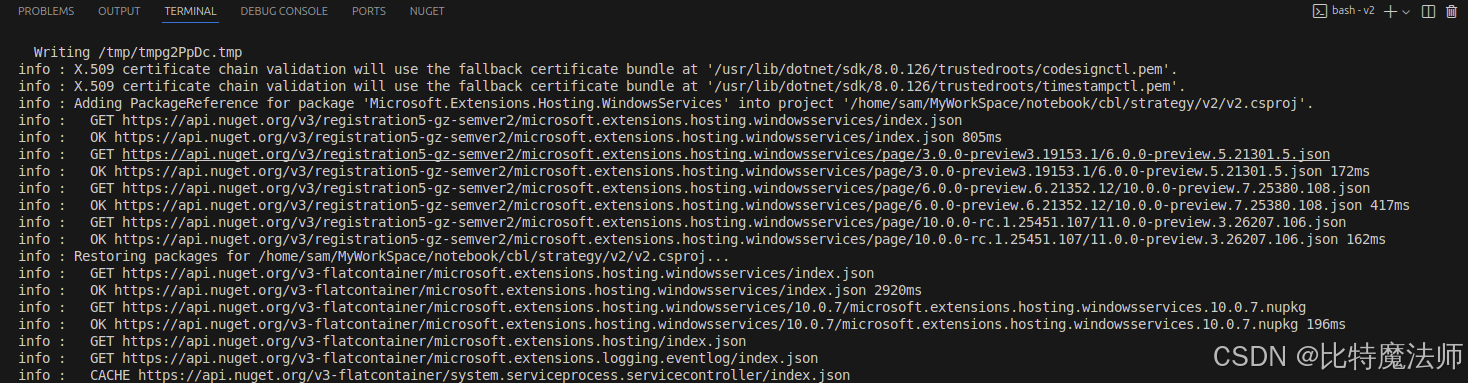
这里自动安装的版本是 10.0.7 。
2、修改 Program.cs
引入包:
csharp
using Microsoft.Extensions.Hosting.WindowsServices;(必须)调用 UseWindowsService:
csharp
builder.Host.UseWindowsService();(可选)设置 ContentRootPath:
csharp
builder.Environment.ContentRootPath = AppContext.BaseDirectory;3、发布应用 (准备文件)
接下来,以"框架依赖"或"独立"模式发布应用。为了保证目标服务器(即使没有安装 .NET 运行时)也能运行,强烈建议使用"独立"模式发布。
使用以下命令进行发布:
bash
dotnet publish -c Release -r win-x64 --self-contained true -o ./publish-c Release:发布 Release 版本。-r win-x64:指定目标运行时为 Windows 64位。--self-contained true:关键参数,表示发布为独立应用,自带 .NET 运行时。-o ./publish:将发布文件输出到当前目录下的 publish 文件夹。
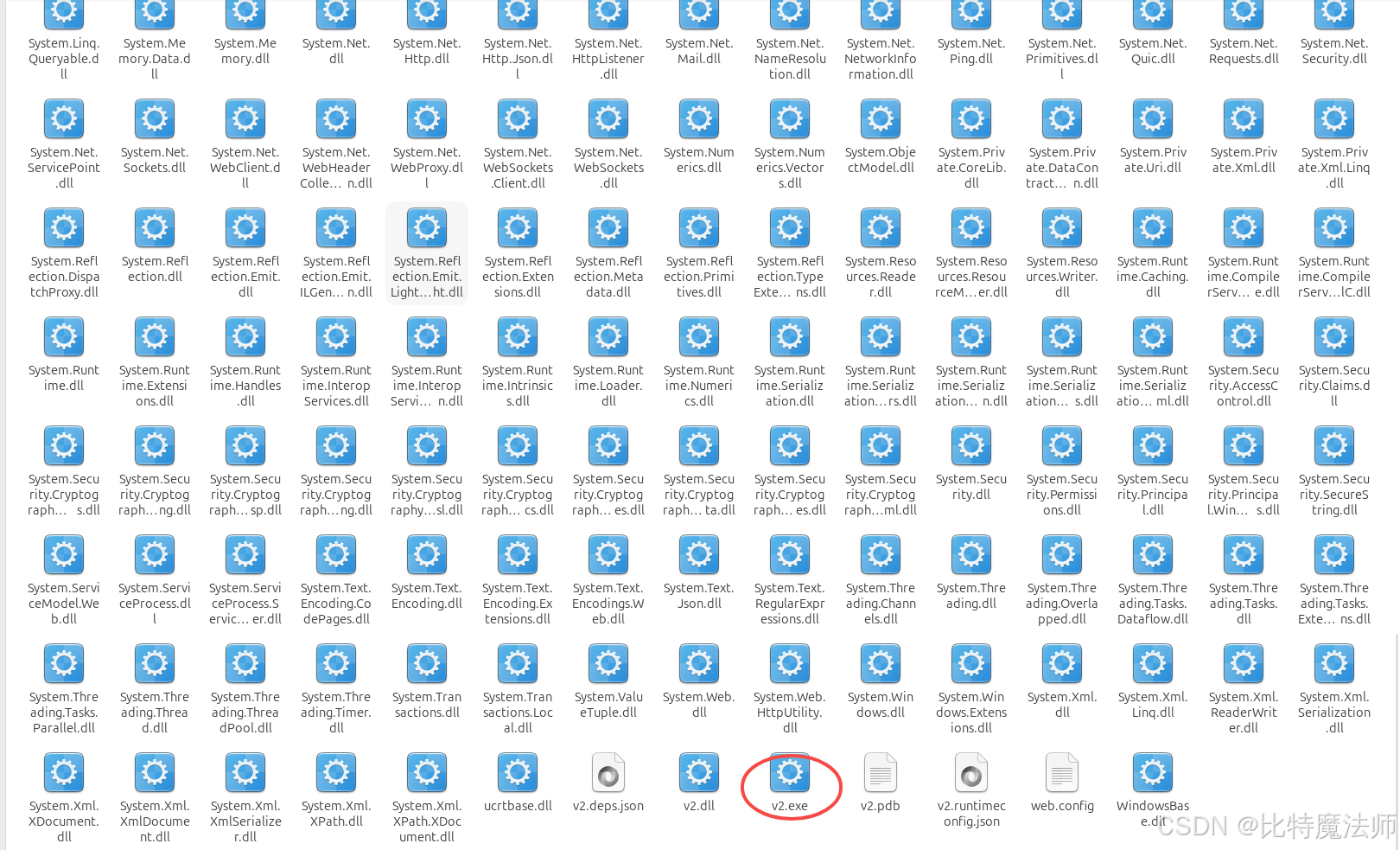
发布完成后,我们会得到一个包含 .exe 文件的文件夹,这个 .exe 就是服务的入口点。
4、将发布文件上传到服务器
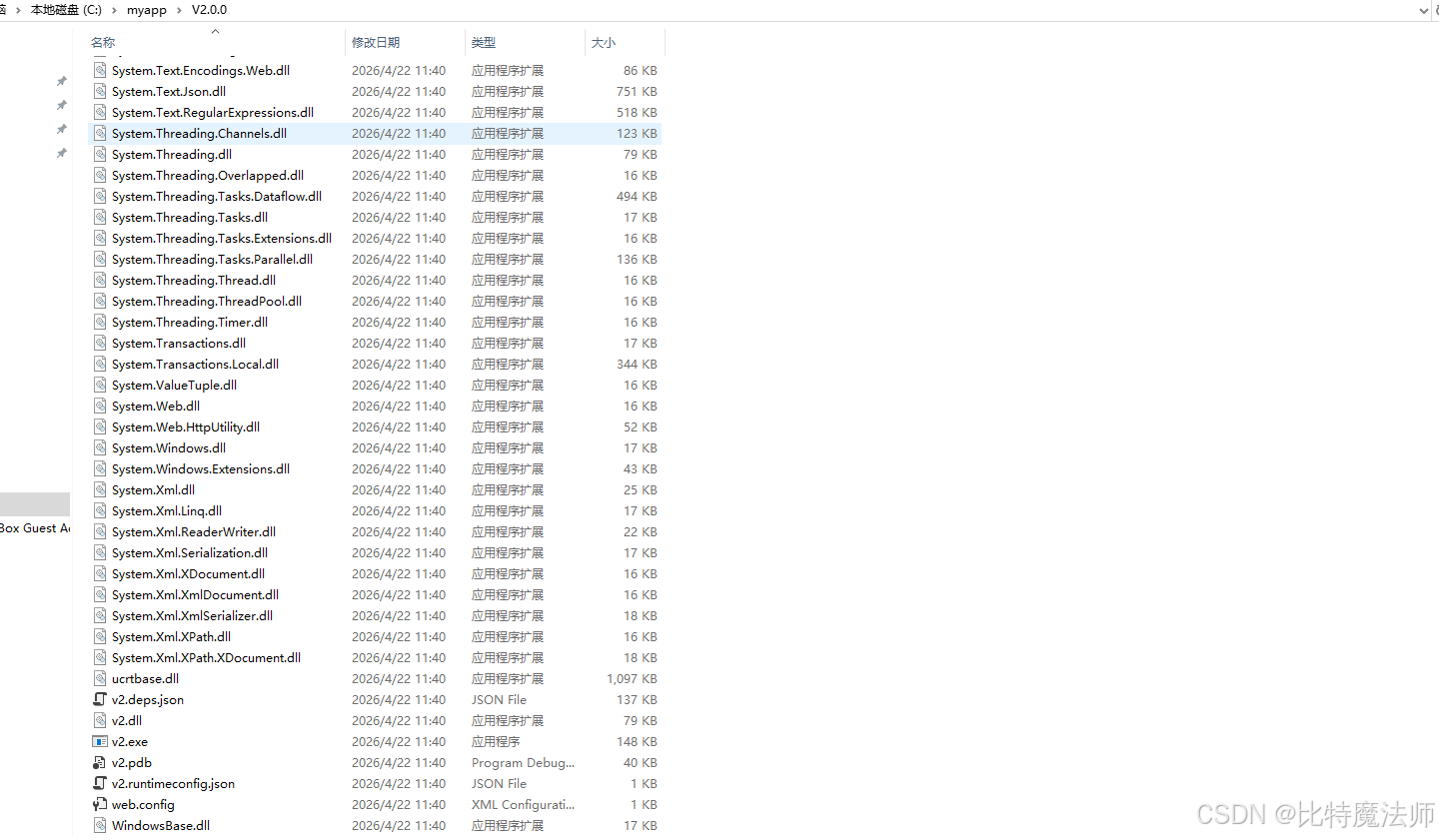
5、注册为 Windows 服务
powershell
$serviceName = "MyWebApiService"          # 服务的内部名称 (无空格)
$exePath = "C:\myapp\V2.0.0\v2.exe"   # 上一步发布出的exe文件完整路径
$displayName = "我的WebAPI服务"          # 服务管理器中显示的名称

# 以管理员身份运行此脚本
if (-not (Get-Service $serviceName -ErrorAction SilentlyContinue)) {
    New-Service -Name $serviceName `
                -BinaryPathName $exePath `
                -DisplayName $displayName `
                -StartupType Automatic   # 设置为自动启动
    Write-Host "服务 $serviceName 创建成功。" -ForegroundColor Green
} else {
    Write-Warning "服务 $serviceName 已存在。"
}
将以上脚本保存为 install.ps1,并根据实际情况修改变量值。以管理员身份打开 PowerShell,导航到脚本所在目录并执行:
bash
.\install.ps1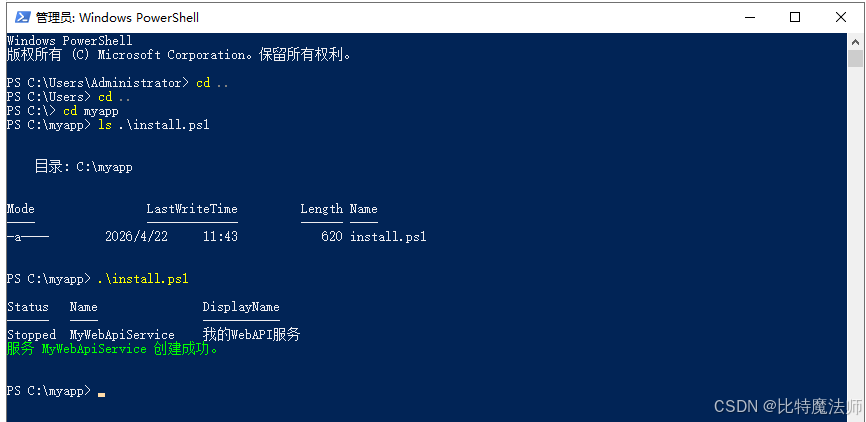
也可以使用CMD指令:
bash
sc create "MyWebApiService" binPath="C:\MyServices\YourApp.exe" start=auto DisplayName="我的WebAPI服务"
# sc create "MyWebApiService" binPath="C:\myapp\V2.0.0\v2.exe" start=auto DisplayName="我的WebAPI服务"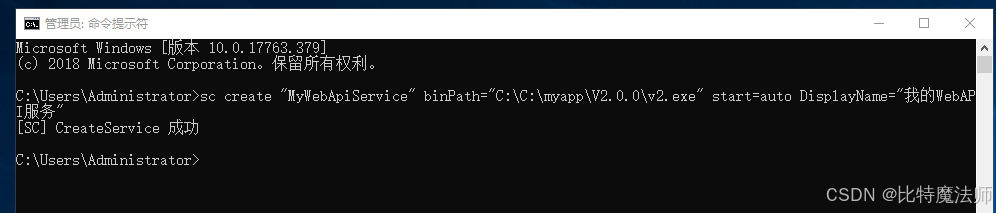
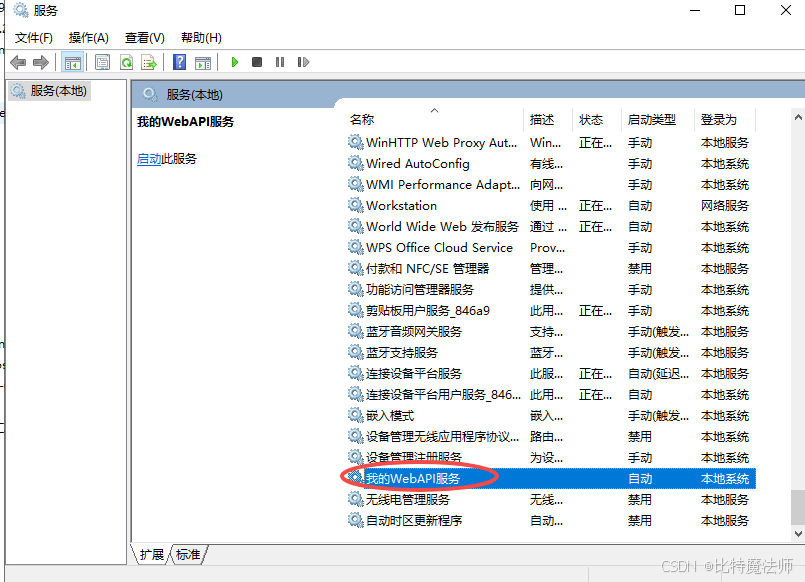
创建成功后,我们可以在 services.msc(服务管理控制台)中找到并管理它:
6、启动/停止服务
bash
# 启动
sc start MyWebApiService
# 停止
sc stop MyWebApiService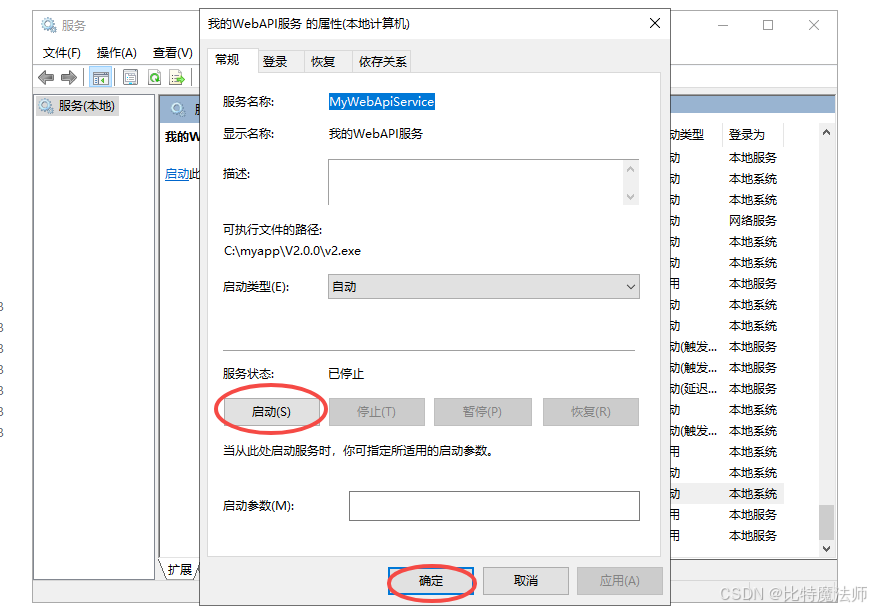
7、删除服务
bash
sc delete "服务名称"
# sc delete MyWebApiService 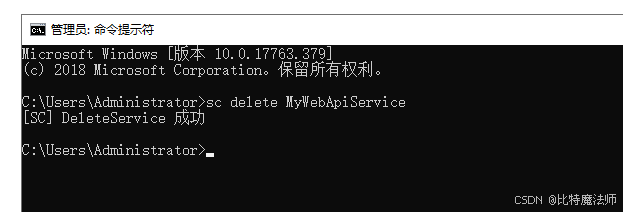
8、解决启动失败
错误1053:服务没有及时响应或控制请求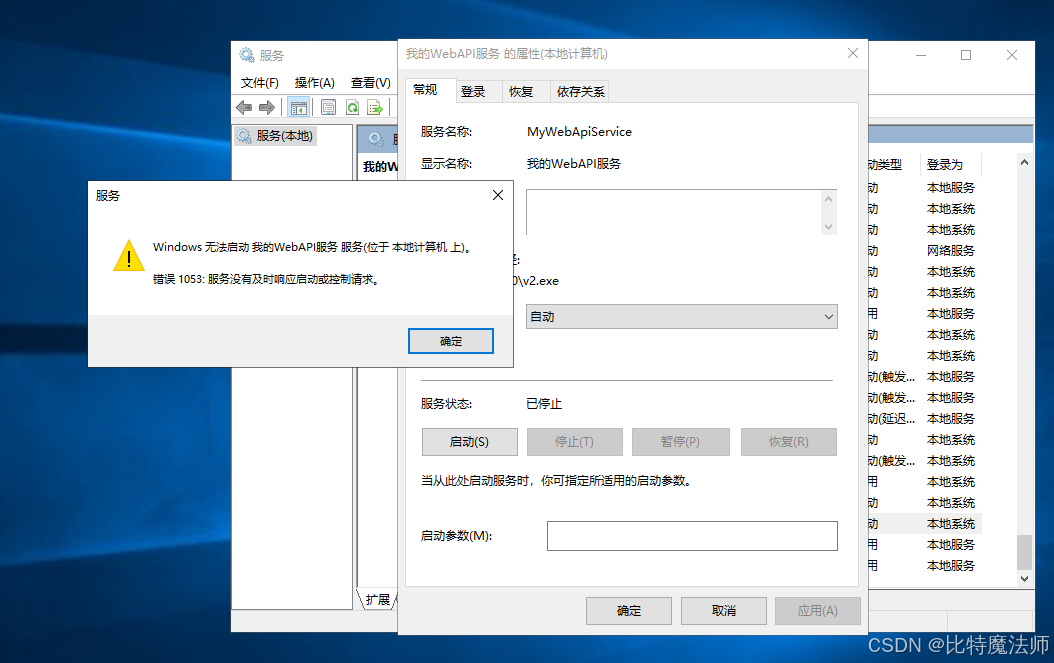
参考 issues:https://github.com/dotnet/runtime/issues/60875 与 https://github.com/dotnet/sdk/issues/16049
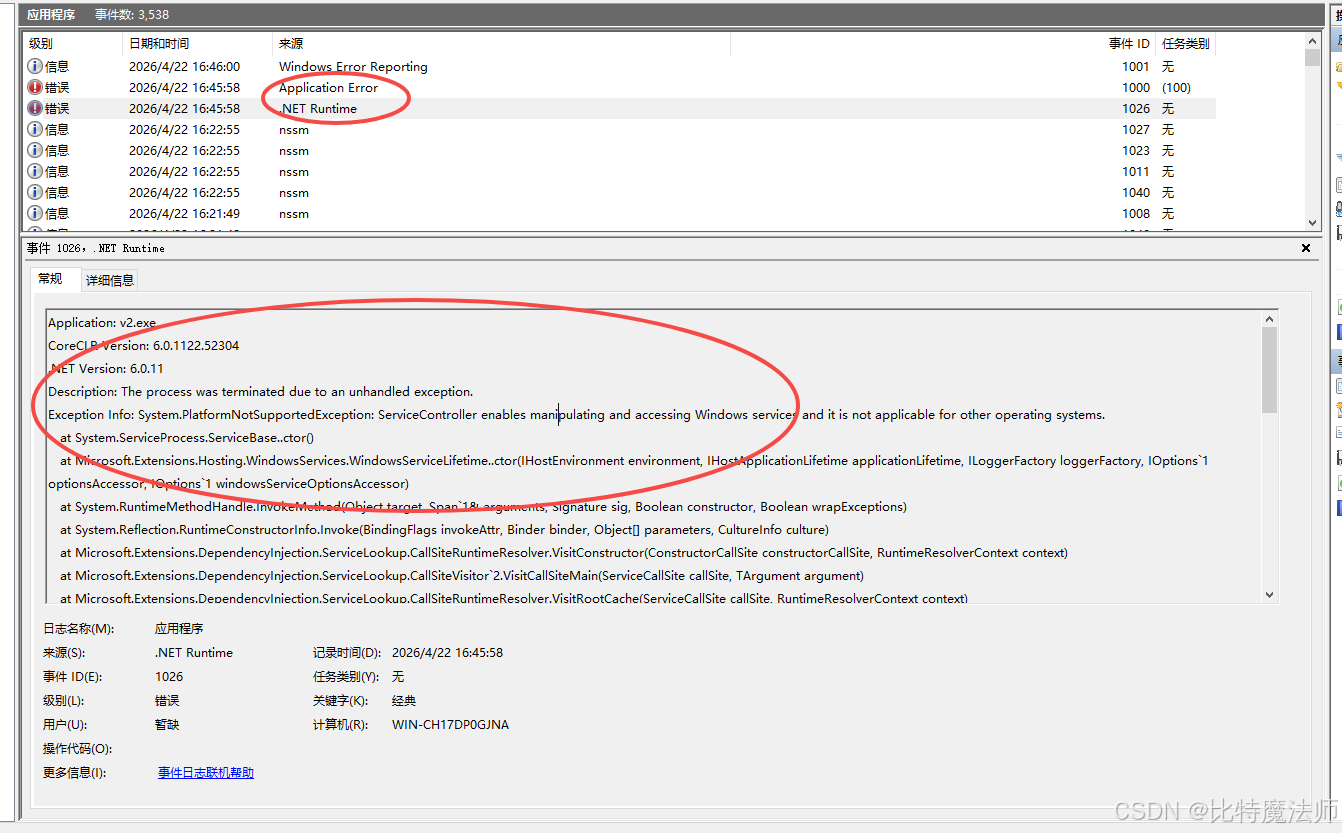
Application: v2.exe
CoreCLR Version: 6.0.1122.52304
.NET Version: 6.0.11
Description: The process was terminated due to an unhandled exception.
Exception Info: System.PlatformNotSupportedException: ServiceController enables manipulating and accessing Windows services and it is not applicable for other operating systems.
   at System.ServiceProcess.ServiceBase..ctor()
   at Microsoft.Extensions.Hosting.WindowsServices.WindowsServiceLifetime..ctor(IHostEnvironment environment, IHostApplicationLifetime applicationLifetime, ILoggerFactory loggerFactory, IOptions`1 optionsAccessor, IOptions`1 windowsServiceOptionsAccessor)
   at System.RuntimeMethodHandle.InvokeMethod(Object target, Span`1& arguments, Signature sig, Boolean constructor, Boolean wrapExceptions)
   at System.Reflection.RuntimeConstructorInfo.Invoke(BindingFlags invokeAttr, Binder binder, Object[] parameters, CultureInfo culture)
   at Microsoft.Extensions.DependencyInjection.ServiceLookup.CallSiteRuntimeResolver.VisitConstructor(ConstructorCallSite constructorCallSite, RuntimeResolverContext context)
   at Microsoft.Extensions.DependencyInjection.ServiceLookup.CallSiteVisitor`2.VisitCallSiteMain(ServiceCallSite callSite, TArgument argument)
   at Microsoft.Extensions.DependencyInjection.ServiceLookup.CallSiteRuntimeResolver.VisitRootCache(ServiceCallSite callSite, RuntimeResolverContext context)
   at Microsoft.Extensions.DependencyInjection.ServiceLookup.CallSiteVisitor`2.VisitCallSite(ServiceCallSite callSite, TArgument argument)
   at Microsoft.Extensions.DependencyInjection.ServiceLookup.CallSiteRuntimeResolver.Resolve(ServiceCallSite callSite, ServiceProviderEngineScope scope)
   at Microsoft.Extensions.DependencyInjection.ServiceProvider.CreateServiceAccessor(ServiceIdentifier serviceIdentifier)
   at System.Collections.Concurrent.ConcurrentDictionary`2.GetOrAdd(TKey key, Func`2 valueFactory)
   at Microsoft.Extensions.DependencyInjection.ServiceProvider.GetService(ServiceIdentifier serviceIdentifier, ServiceProviderEngineScope serviceProviderEngineScope)
   at Microsoft.Extensions.DependencyInjection.ServiceProvider.GetService(Type serviceType)
   at Microsoft.Extensions.DependencyInjection.ServiceProviderServiceExtensions.GetRequiredService(IServiceProvider provider, Type serviceType)
   at Microsoft.Extensions.DependencyInjection.ServiceProviderServiceExtensions.GetRequiredService[T](IServiceProvider provider)
   at Microsoft.Extensions.Hosting.HostBuilder.<>c__DisplayClass36_0.<PopulateServiceCollection>b__2(IServiceProvider _)
   at Microsoft.Extensions.DependencyInjection.ServiceLookup.CallSiteRuntimeResolver.VisitFactory(FactoryCallSite factoryCallSite, RuntimeResolverContext context)
   at Microsoft.Extensions.DependencyInjection.ServiceLookup.CallSiteVisitor`2.VisitCallSiteMain(ServiceCallSite callSite, TArgument argument)
   at Microsoft.Extensions.DependencyInjection.ServiceLookup.CallSiteRuntimeResolver.VisitRootCache(ServiceCallSite callSite, RuntimeResolverContext context)
   at Microsoft.Extensions.DependencyInjection.ServiceLookup.CallSiteVisitor`2.VisitCallSite(ServiceCallSite callSite, TArgument argument)
   at Microsoft.Extensions.DependencyInjection.ServiceLookup.CallSiteRuntimeResolver.Resolve(ServiceCallSite callSite, ServiceProviderEngineScope scope)
   at Microsoft.Extensions.DependencyInjection.ServiceProvider.CreateServiceAccessor(ServiceIdentifier serviceIdentifier)
   at System.Collections.Concurrent.ConcurrentDictionary`2.GetOrAdd(TKey key, Func`2 valueFactory)
   at Microsoft.Extensions.DependencyInjection.ServiceProvider.GetService(ServiceIdentifier serviceIdentifier, ServiceProviderEngineScope serviceProviderEngineScope)
   at Microsoft.Extensions.DependencyInjection.ServiceProvider.GetService(Type serviceType)
   at Microsoft.Extensions.DependencyInjection.ServiceProviderServiceExtensions.GetRequiredService(IServiceProvider provider, Type serviceType)
   at Microsoft.Extensions.DependencyInjection.ServiceProviderServiceExtensions.GetRequiredService[T](IServiceProvider provider)
   at Microsoft.Extensions.Hosting.HostBuilder.ResolveHost(IServiceProvider serviceProvider, DiagnosticListener diagnosticListener)
   at Microsoft.Extensions.Hosting.HostBuilder.Build()
   at Microsoft.AspNetCore.Builder.WebApplicationBuilder.Build()
at Program.<Main>$(String[] args) in C:\myapp\strategy\v2\Program.cs:line 97解决方案:降版本。将"Microsoft.Extensions.Hosting.WindowsServices" 和 "System.ServiceProcess.ServiceController" 都降到 8.0.1。
<PackageReference Include="Microsoft.Extensions.Hosting.WindowsServices" Version="8.0.1" />
<PackageReference Include="System.ServiceProcess.ServiceController" Version="8.0.1" />
System.ServiceProcess.ServiceController 是 .NET 中用于与 Windows 服务进行交互的核心包
重新编译发布,注册服务,启动服务:OK
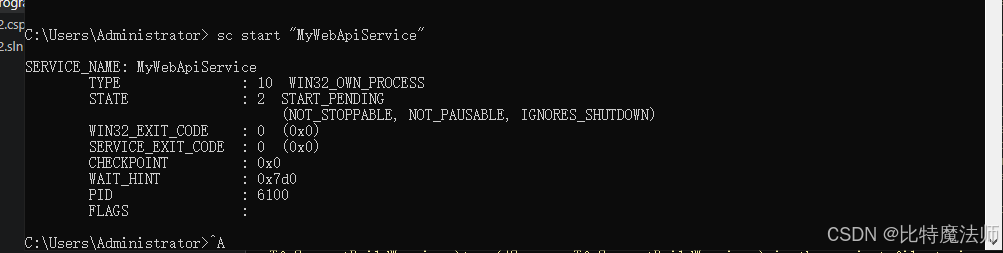
在事件中可以看到服务启动成功:
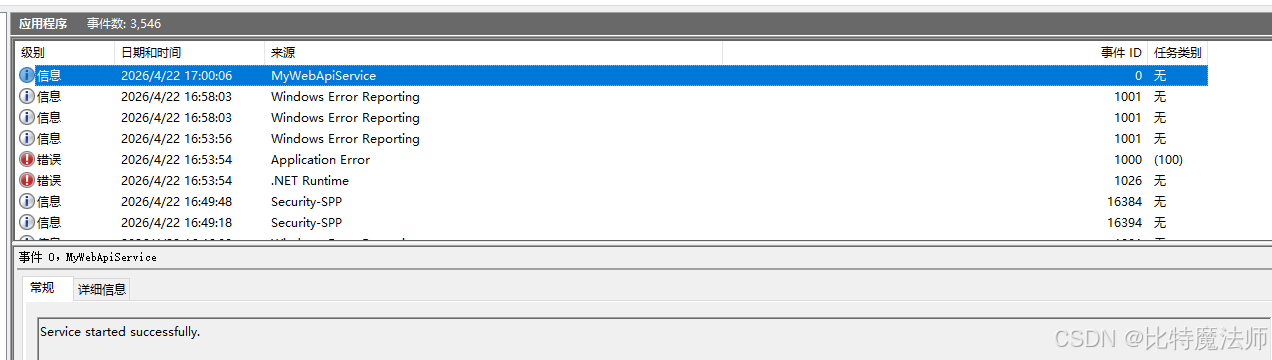
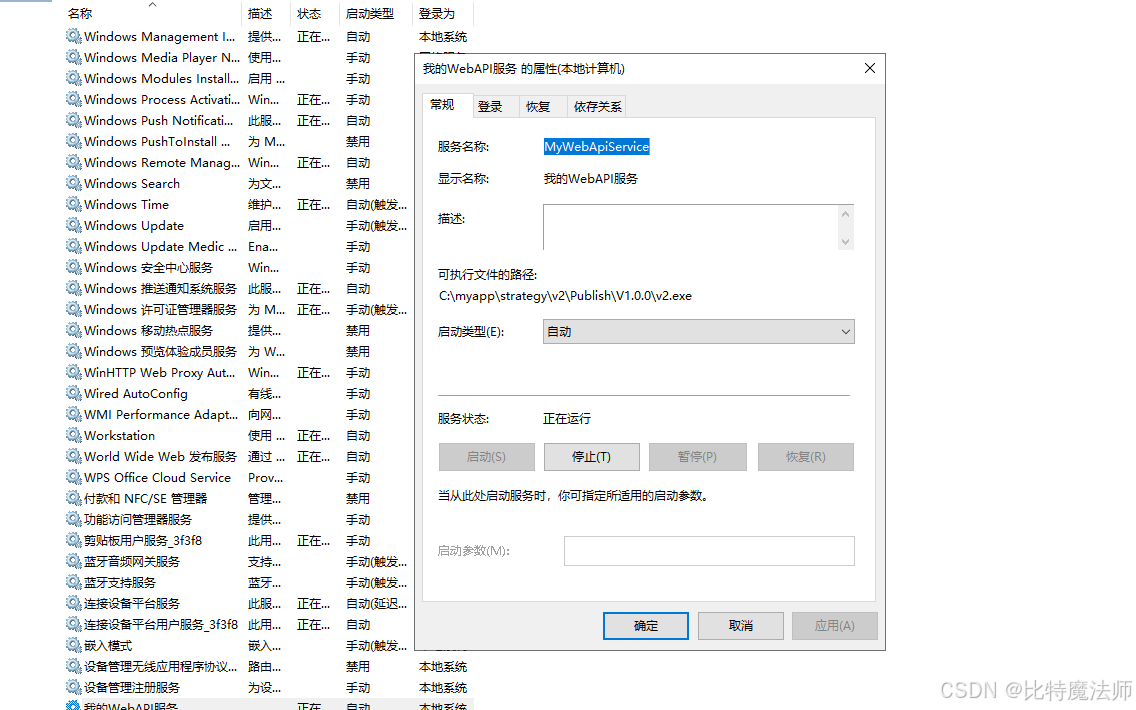
在服务中看到正在运行:
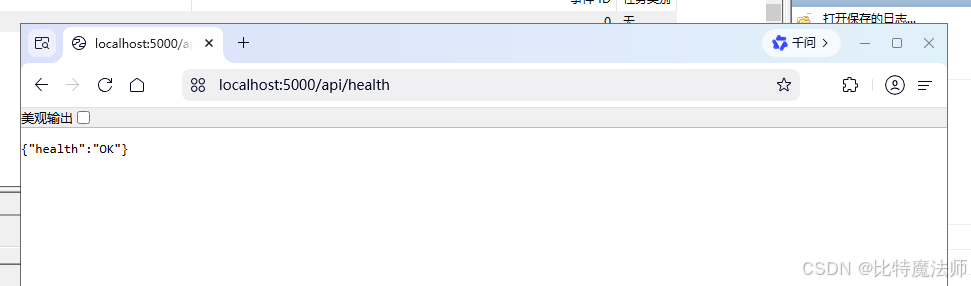
访问api测试(默认5000端口):
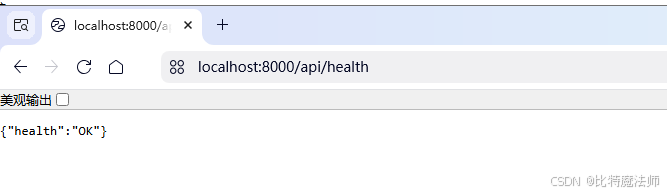
通过设置 ASPNETCORE_URLS 环境变量来配置 URL 和端口:
ASPNETCORE_URLS="http://*:8000"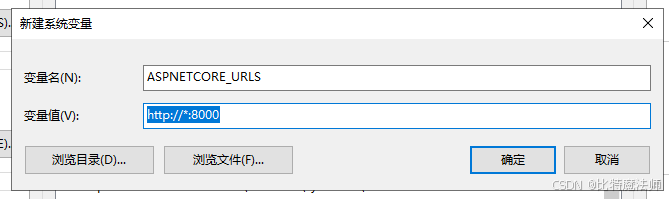
日志配置相对路径的话,会在 C:\Windows\System32\logs 下,因为 Environment.CurrentDirectory: C:\Windows\system32:
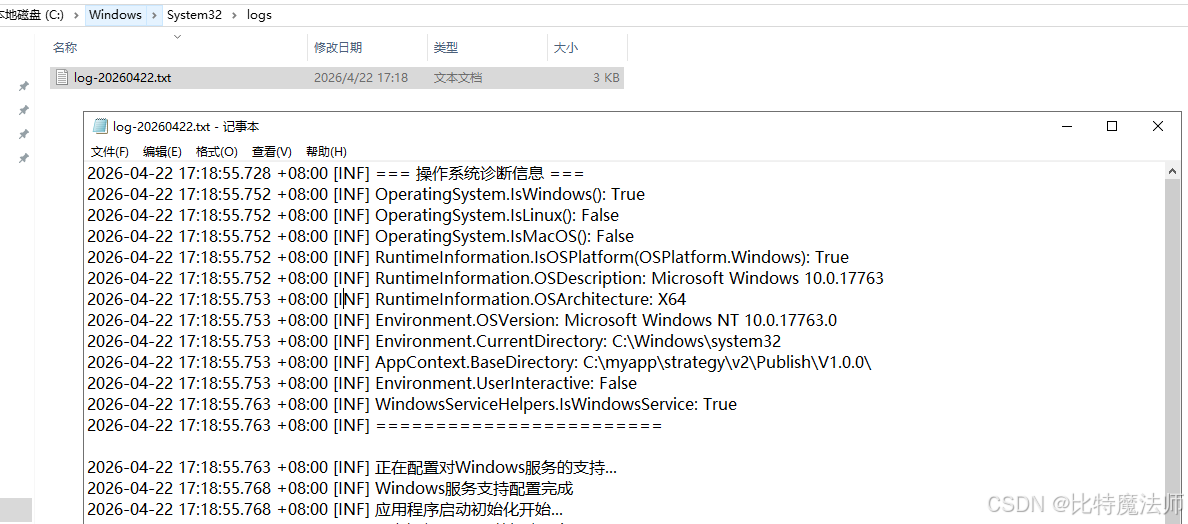
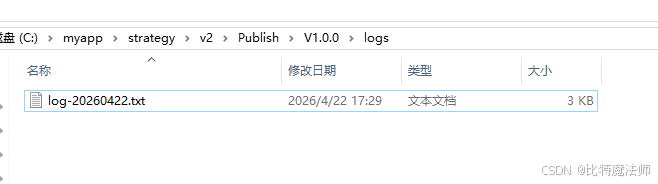
此时只需要配置日志路径即可:
csharp
// 配置 Serilog
Log.Logger = new LoggerConfiguration()
    .ReadFrom.Configuration(builder.Configuration) // 从配置文件读取
    .Enrich.FromLogContext()
    .WriteTo.Console(
        outputTemplate: "[{Timestamp:yyyy-MM-dd HH:mm:ss.fff} {Level:u3}] {Message:lj}{NewLine}{Exception}"
    )// 输出到控制台
    .WriteTo.File(Path.Combine(AppContext.BaseDirectory, "logs", "log-.txt"), // 文件路径,支持日期占位符
        rollingInterval: RollingInterval.Day, // 每天创建新文件
        retainedFileCountLimit: 31, // 保留最近31个文件
        fileSizeLimitBytes: 10 * 1024 * 1024, // 单个文件最大10MB
        outputTemplate: "{Timestamp:yyyy-MM-dd HH:mm:ss.fff zzz} [{Level:u3}] {Message:lj}{NewLine}{Exception}", // 输出格式
        rollOnFileSizeLimit: true, // 文件大小超限时滚动
        shared: true) // 允许多进程共享文件
    .CreateLogger();
效果:
替代方案:NSSM
1、下载安装
下载 NSSM:https://nssm.cc/download
bash
https://nssm.cc/release/nssm-2.24.zip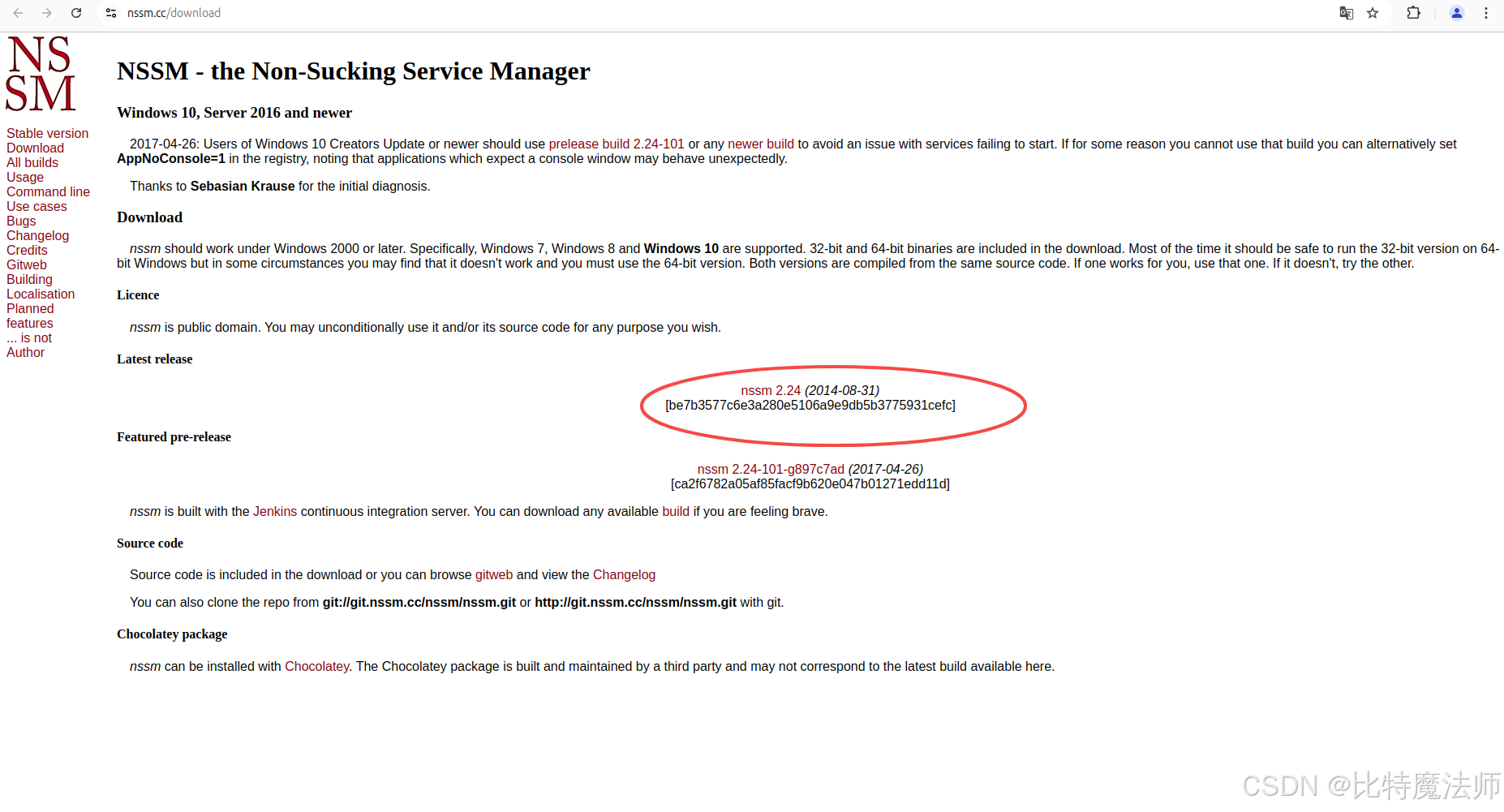
解压:
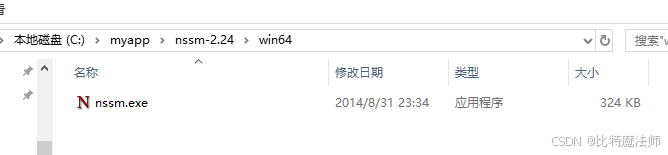
添加到PATH环境变量:
C:\myapp\nssm-2.24\win642、注册服务
以管理员身份运行:
cmd
nssm install MyWebApiService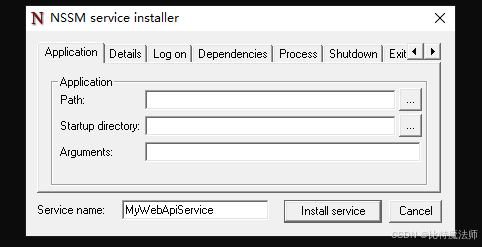
在弹出的窗口中设置:
-
Path:
C:\myapp\Publish\V1.0.0\v2.exe -
Startup directory:
C:\myapp\Publish\V1.0.0\
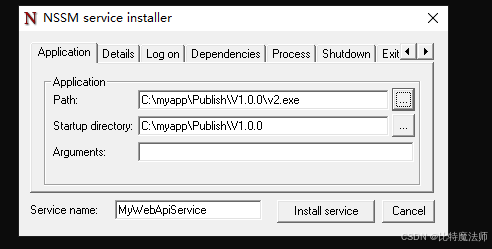
点击 "Install service":
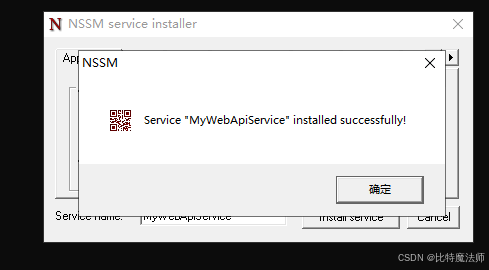
3、启动服务
bash
nssm start MyWebApiService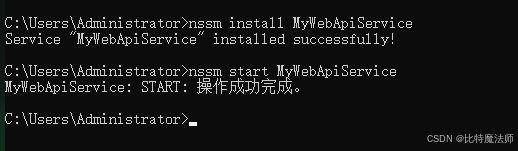
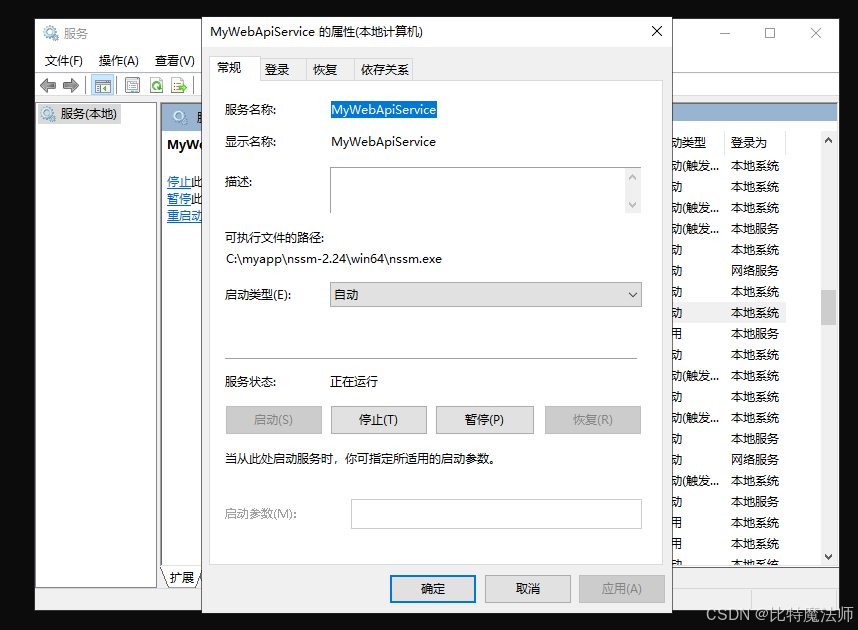
查看服务:
4、查看服务状态
bash
# 查看服务是否在运行
nssm status MyWebApiService
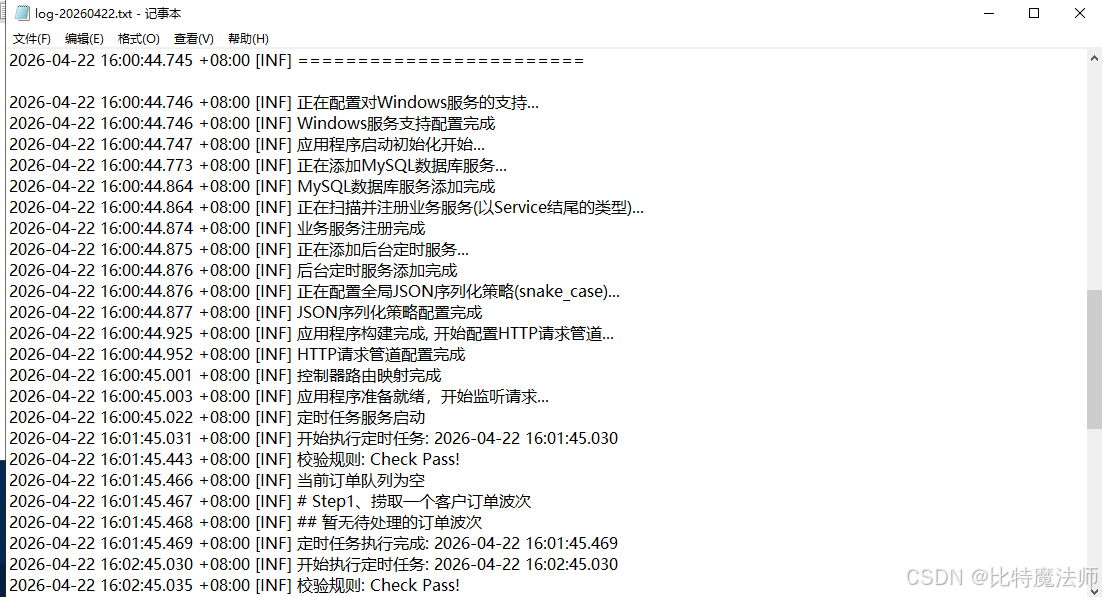
从日志上看,api 服务已成功启动!
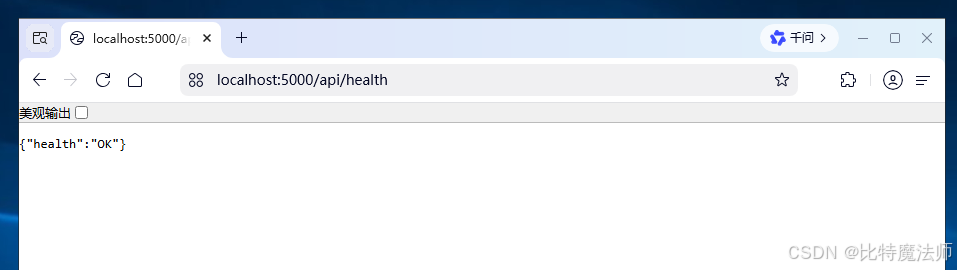
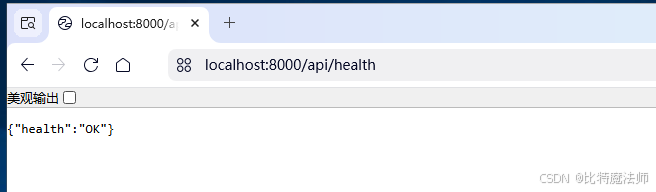
访问 api(默认端口5000):
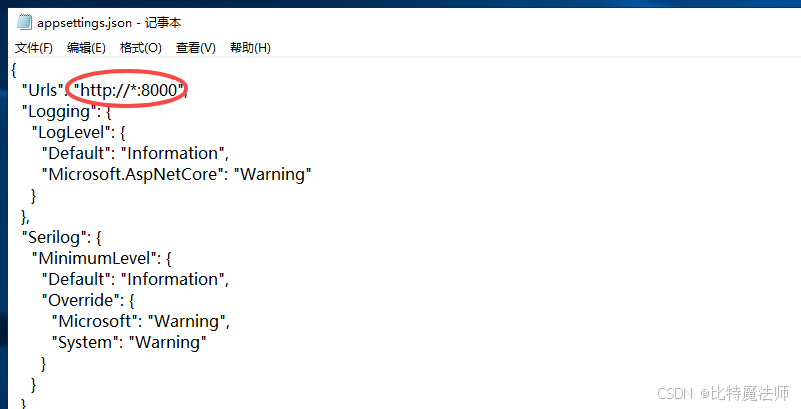
或者配置 appsettings.json:
json
{
  "Urls": "http://*:8000",
  ...
}
5、其他操作
重启服务:
bash
nssm restart MyWebApiService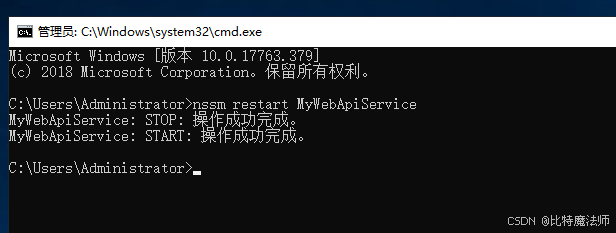
删除服务:
bash
nssm remove MyWebApiService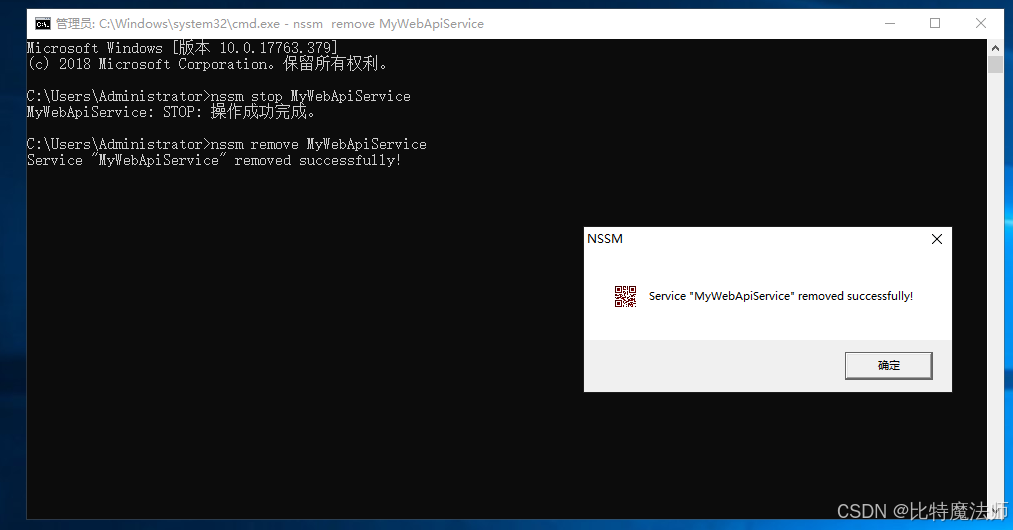
常用 NSSM 管理命令速查:
| 操作 | 命令 |
|---|---|
| 安装服务 | nssm install <服务名> |
| 启动服务 | nssm start <服务名> |
| 停止服务 | nssm stop <服务名> |
| 重启服务 | nssm restart <服务名> |
| 查看状态 | nssm status <服务名> |
| 编辑配置 | nssm edit <服务名> |
| 删除服务 | nssm remove <服务名> |