Yolo 多任务推理
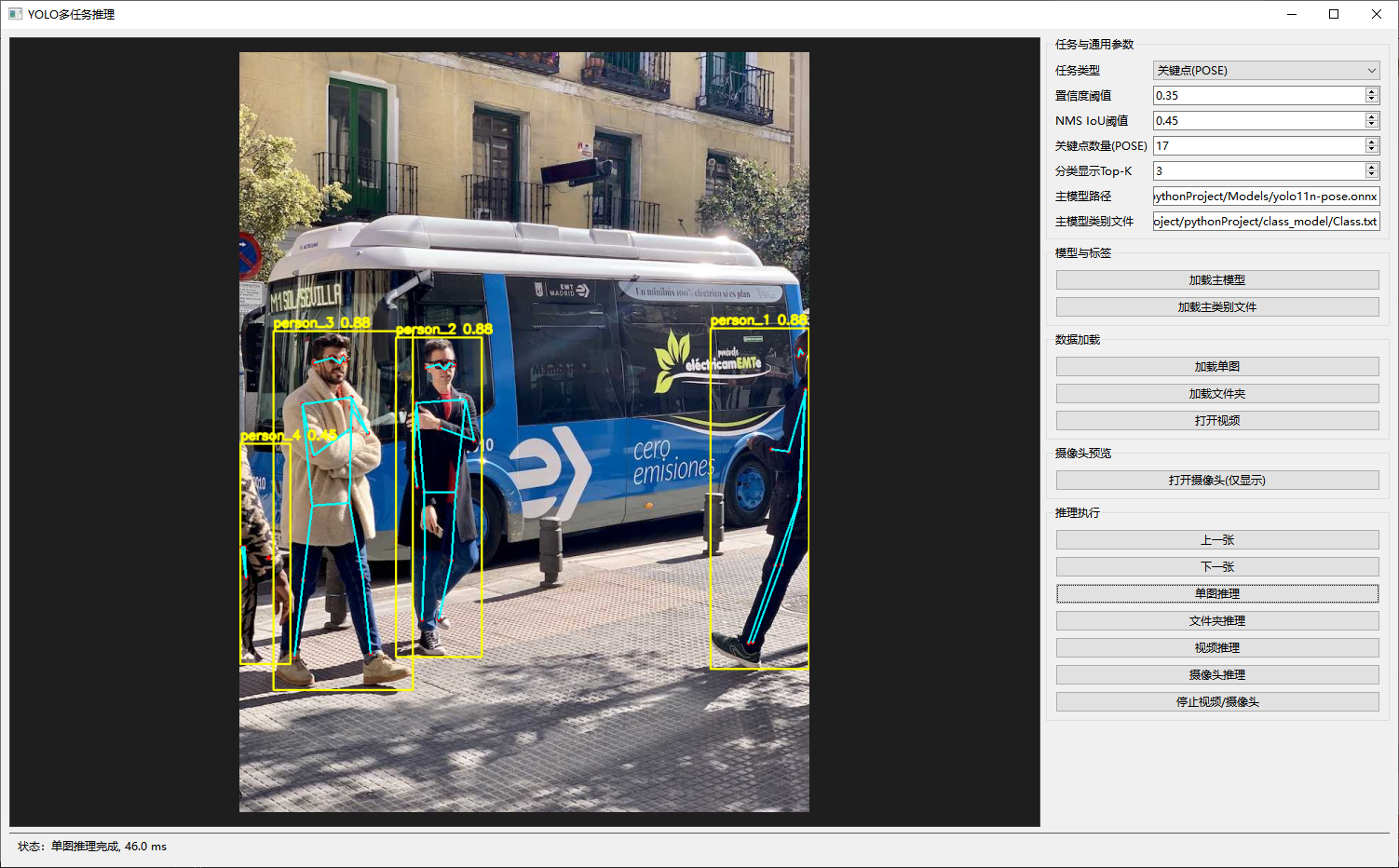
支持检测、分类、分割、OBB旋转框检测、POSE关键点检测;支持图片、视频、摄像头实时推理
部分源码:
python
import os
import sys
import time
from dataclasses import dataclass
from pathlib import Path
from typing import List, Optional, Tuple

import cv2
import numpy as np
import onnxruntime as ort
from PySide6.QtCore import QPoint, QTimer, Qt
from PySide6.QtGui import QImage, QPainter, QPixmap
from PySide6.QtWidgets import (
    QApplication,
    QComboBox,
    QDoubleSpinBox,
    QFileDialog,
    QFormLayout,
    QGroupBox,
    QHBoxLayout,
    QLabel,
    QLineEdit,
    QMainWindow,
    QMessageBox,
    QPushButton,
    QSpinBox,
    QVBoxLayout,
    QWidget,
)


IMAGE_EXTS = {".jpg", ".jpeg", ".png", ".bmp", ".tif", ".tiff", ".webp"}
POSE_SKELETON = [
    (0, 1), (0, 2), (1, 3), (2, 4),
    (5, 6), (5, 7), (7, 9), (6, 8), (8, 10),
    (5, 11), (6, 12), (11, 12),
    (11, 13), (13, 15), (12, 14), (14, 16),
]


@dataclass
class Detection:
    cls_id: int
    conf: float
    bbox: Tuple[int, int, int, int]


@dataclass
class OBBDetection:
    cls_id: int
    conf: float
    cx: float
    cy: float
    w: float
    h: float
    angle_deg: float


class ZoomPanLabel(QLabel):
    def __init__(self, text: str = ""):
        super().__init__(text)
        self._pixmap: Optional[QPixmap] = None
        self._scale = 1.0
        self._offset = QPoint(0, 0)
        self._dragging = False
        self._last_pos = QPoint(0, 0)
        self.setAlignment(Qt.AlignCenter)
        self.setStyleSheet("background:#1e1e1e;color:#cccccc;border:1px solid #444;")

    def set_image(self, pixmap: QPixmap):
        self._pixmap = pixmap
        self._scale = 1.0
        self._offset = QPoint(0, 0)
        self.update()

    def wheelEvent(self, event):
        if self._pixmap is None:
            return
        delta = event.angleDelta().y()
        factor = 1.15 if delta > 0 else 1 / 1.15
        self._scale = float(np.clip(self._scale * factor, 0.1, 20.0))
        self.update()

    def mousePressEvent(self, event):
        if event.button() == Qt.LeftButton and self._pixmap is not None:
            self._dragging = True
            self._last_pos = event.position().toPoint()
            self.setCursor(Qt.ClosedHandCursor)
        super().mousePressEvent(event)

    def mouseMoveEvent(self, event):
        if self._dragging and self._pixmap is not None:
            cur = event.position().toPoint()
            delta = cur - self._last_pos
            self._last_pos = cur
            self._offset += delta
            self.update()
        super().mouseMoveEvent(event)

    def mouseReleaseEvent(self, event):
        if event.button() == Qt.LeftButton:
            self._dragging = False
            self.setCursor(Qt.ArrowCursor)
        super().mouseReleaseEvent(event)

    def mouseDoubleClickEvent(self, event):
        self._scale = 1.0
        self._offset = QPoint(0, 0)
        self.update()
        super().mouseDoubleClickEvent(event)

    def paintEvent(self, event):
        super().paintEvent(event)
        if self._pixmap is None:
            return
        painter = QPainter(self)
        painter.setRenderHint(QPainter.SmoothPixmapTransform, True)
        sw = int(self._pixmap.width() * self._scale)
        sh = int(self._pixmap.height() * self._scale)
        scaled = self._pixmap.scaled(sw, sh, Qt.KeepAspectRatio, Qt.SmoothTransformation)
        x = (self.width() - scaled.width()) // 2 + self._offset.x()
        y = (self.height() - scaled.height()) // 2 + self._offset.y()
        painter.drawPixmap(x, y, scaled)
实现效果
检测:
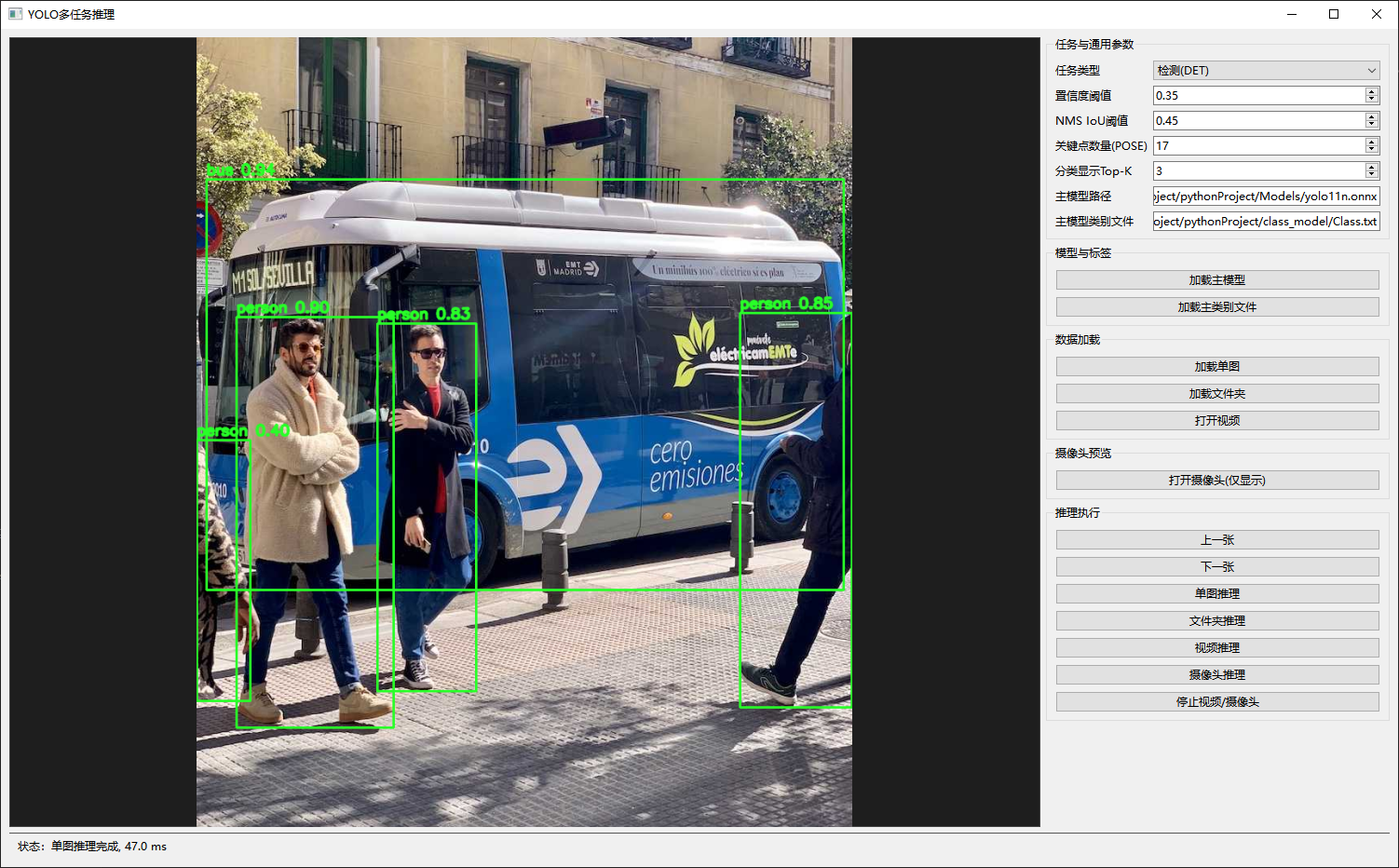
分割:
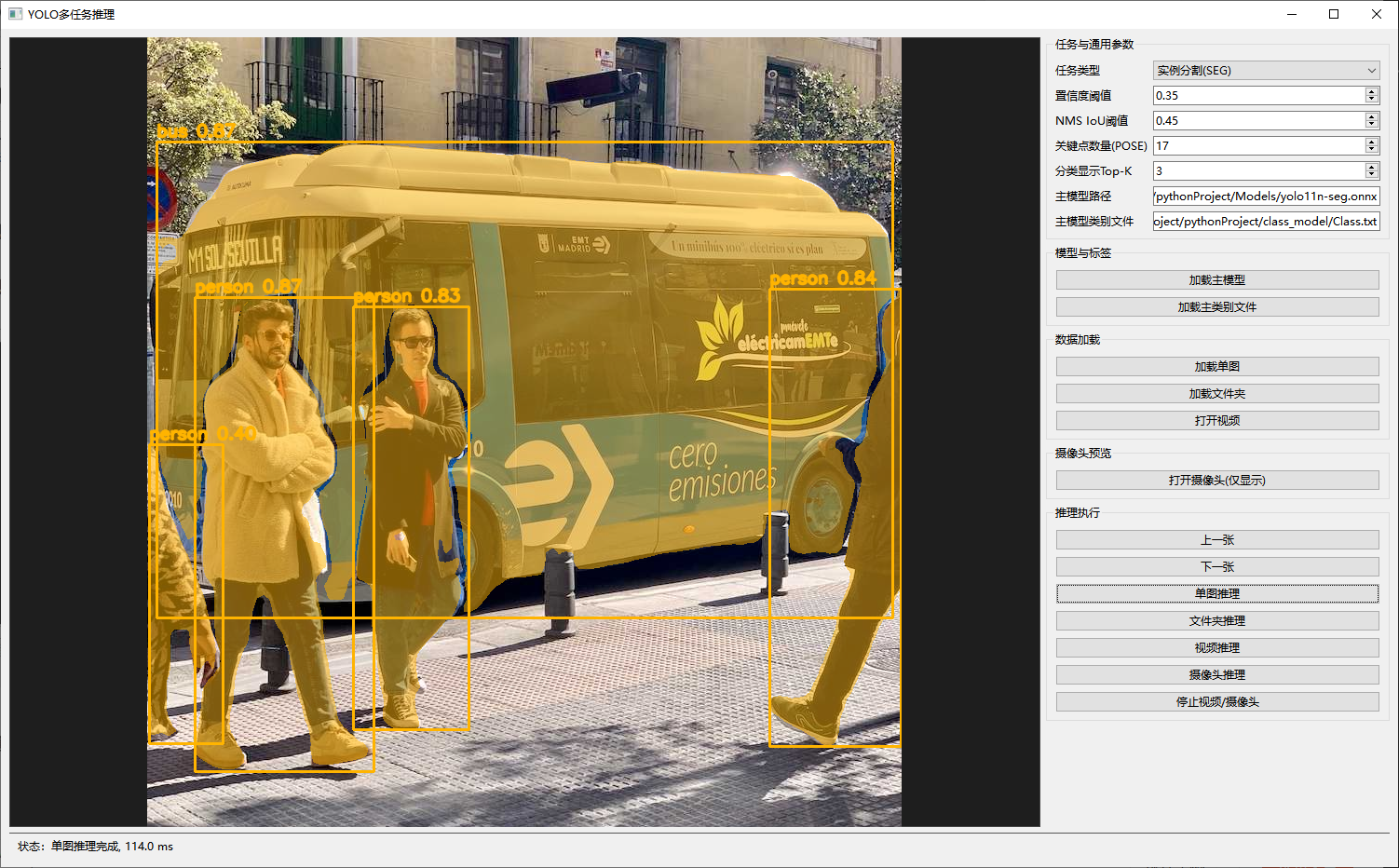
分类:
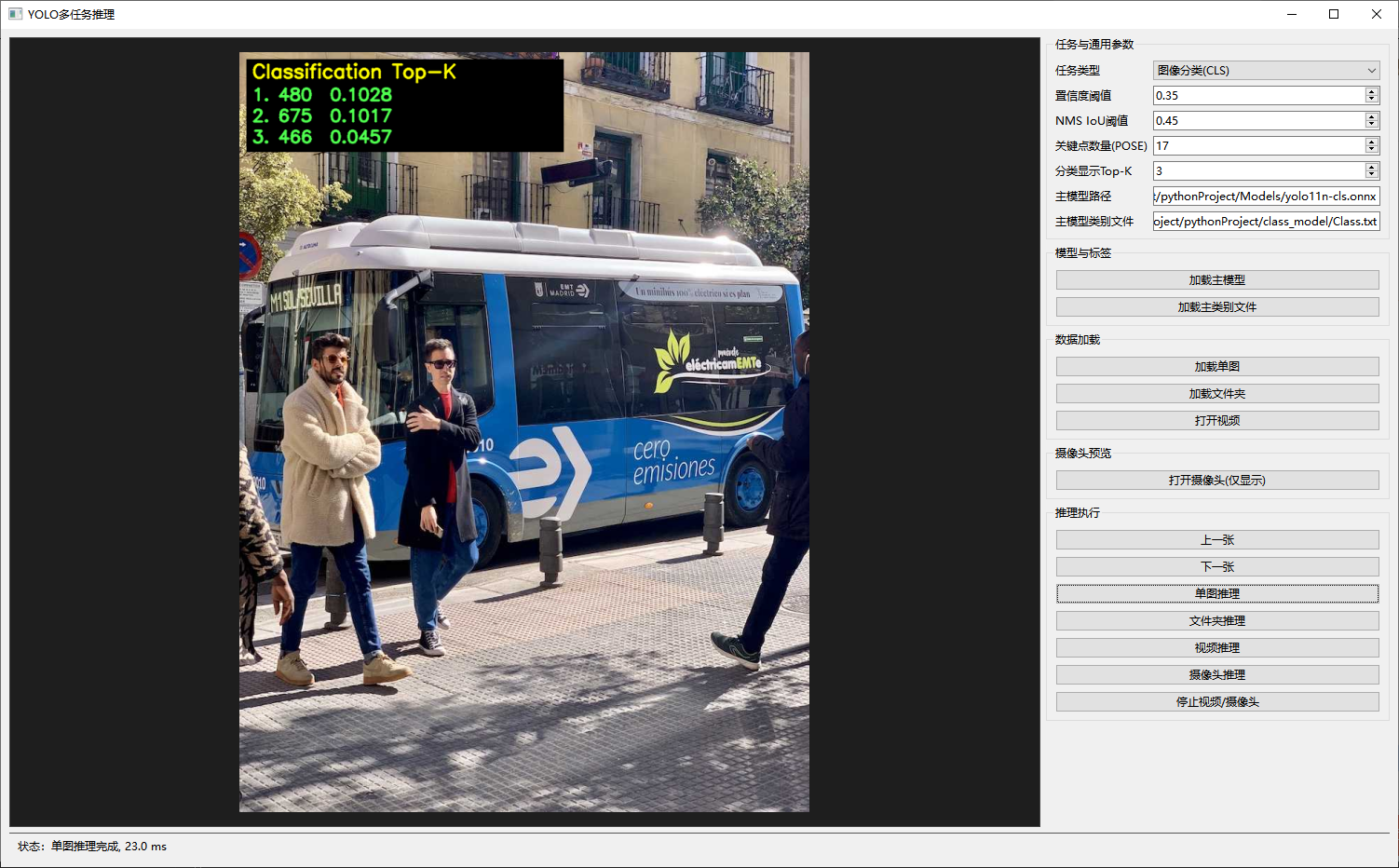
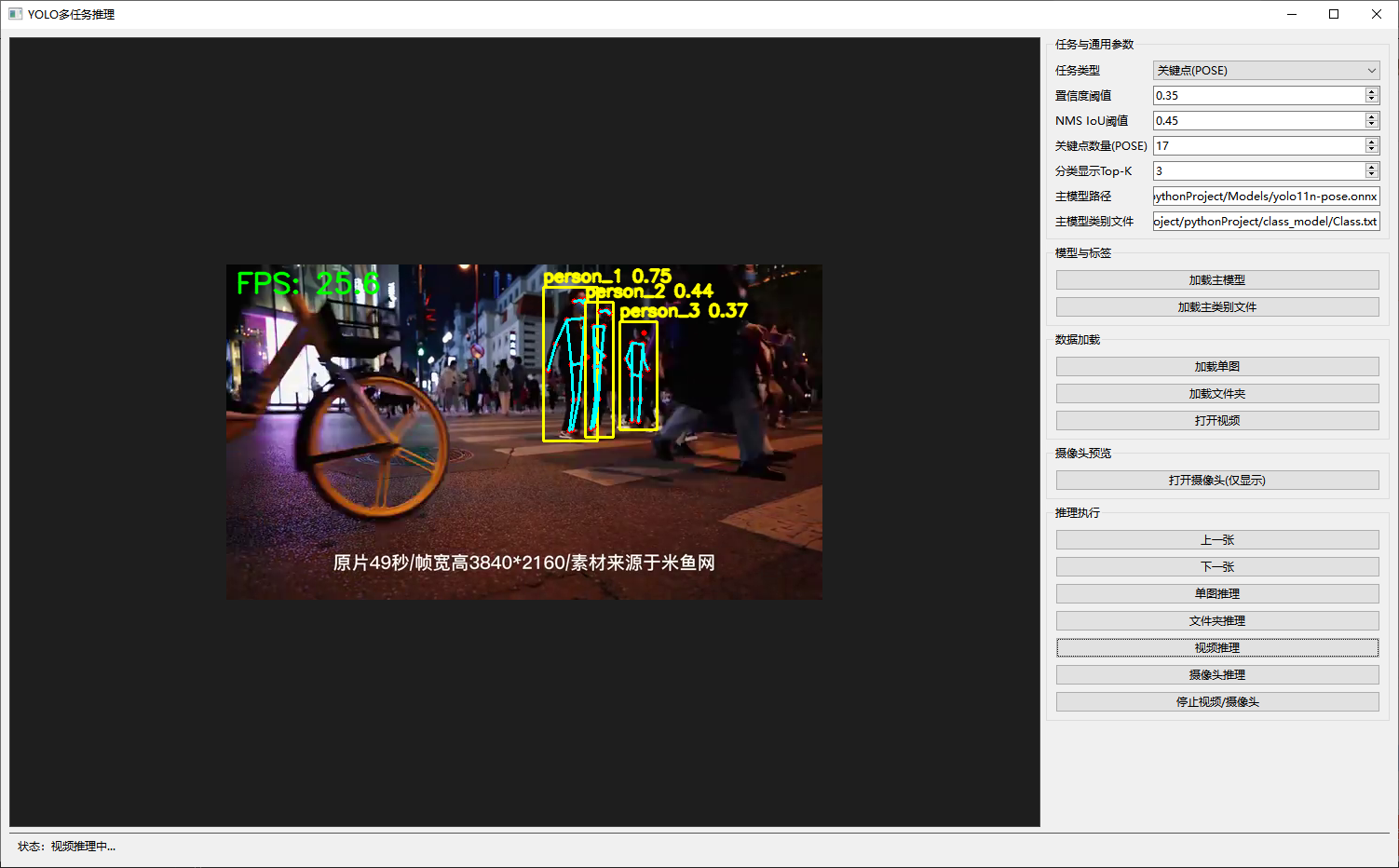
关键点:
视频推理: