
一、适用场景与功能特点
(一)适用场景
1、运营商/ISP:宽带接入计费管理
2、校园网/企业网:统一认证与上网行为审计
3、公共 Wi-Fi:酒店、商场、机场等热点计费
4、WISP(无线 ISP):无线接入用户管理与计费
FreeRadius开源免费:基于 GPL 协议,PHP + MySQL 架构;多语言支持:包含中文等多语言界面;集成 Map:支持 Google Maps 显示热点分布(需 API);扩展性:可通过插件或自定义脚本扩展功能。如果需要部署 Portal 认证,通常的组合是:FreeRadius(认证后端)+ DaloRADIUS(管理界面)+ CoovaChilli/OpenNDS(Portal 网关)。
(二)FreeRadius的核心功能
1、用户管理
创建、编辑、删除用户账号; 批量导入/导出用户数据; 用户组管理(按组分配权限和策略); 用户状态监控(在线/离线/锁定)
2、 计费与账务
预付费和后付费账户管理; 流量/时长统计与计费; 账单生成与支付记录; 充值卡(voucher)管理
3、 RADIUS 配置管理
通过 Web 界面管理 FreeRADIUS 配置,无需手动编辑配置文件; NAS(网络接入服务器/设备)管理; 热点(Hotspot)配置; 代理设置
4、 实时监控与日志
在线用户实时查看; 连接日志查询与审计; 详细的 RADIUS 认证/计费记录(Accounting);
失败登录统计
5、 报表与统计
流量使用报表; 用户活跃度统计; 财务收入报表; 图表可视化展示
二、基础环境安装
(一) 编辑源配置文件
FreeRadius支持较好的系统是CentOS7,由于 CentOS 7 已停止安全更新,所以本例配置 EPEL 和必要的安全更新源为阿里云。
#1. 先备份当前配置
cp /etc/yum.repos.d/CentOS-Base.repo /etc/yum.repos.d/CentOS-Base.repo.bak.KaTeX parse error: Expected 'EOF', got '#' at position 16: (date +%Y%m%d) #̲2. 直接脚本写整个配置文件(...basearch/
http://mirrors.aliyun.com/centos-vault/7.9.2009/os/basearch/gpgcheck=1gpgkey=https://mirrors.aliyun.com/centos/RPM−GPG−KEY−CentOS−7enabled=1\[updates\]name=CentOS−7.9.2009−Updates−mirrors.aliyun.combaseurl=https://mirrors.aliyun.com/centos−vault/7.9.2009/updates/basearch/ gpgcheck=1 gpgkey=https://mirrors.aliyun.com/centos/RPM-GPG-KEY-CentOS-7 enabled=1 updates name=CentOS-7.9.2009 - Updates - mirrors.aliyun.com baseurl=https://mirrors.aliyun.com/centos-vault/7.9.2009/updates/basearch/gpgcheck=1gpgkey=https://mirrors.aliyun.com/centos/RPM−GPG−KEY−CentOS−7enabled=1\[updates\]name=CentOS−7.9.2009−Updates−mirrors.aliyun.combaseurl=https://mirrors.aliyun.com/centos−vault/7.9.2009/updates/basearch/
http://mirrors.aliyun.com/centos-vault/7.9.2009/updates/basearch/gpgcheck=1gpgkey=https://mirrors.aliyun.com/centos/RPM−GPG−KEY−CentOS−7enabled=1\[extras\]name=CentOS−7.9.2009−Extras−mirrors.aliyun.combaseurl=https://mirrors.aliyun.com/centos−vault/7.9.2009/extras/basearch/ gpgcheck=1 gpgkey=https://mirrors.aliyun.com/centos/RPM-GPG-KEY-CentOS-7 enabled=1 extras name=CentOS-7.9.2009 - Extras - mirrors.aliyun.com baseurl=https://mirrors.aliyun.com/centos-vault/7.9.2009/extras/basearch/gpgcheck=1gpgkey=https://mirrors.aliyun.com/centos/RPM−GPG−KEY−CentOS−7enabled=1\[extras\]name=CentOS−7.9.2009−Extras−mirrors.aliyun.combaseurl=https://mirrors.aliyun.com/centos−vault/7.9.2009/extras/basearch/
http://mirrors.aliyun.com/centos-vault/7.9.2009/extras/basearch/gpgcheck=1gpgkey=https://mirrors.aliyun.com/centos/RPM−GPG−KEY−CentOS−7enabled=1\[centosplus\]name=CentOS−7.9.2009−Plus−mirrors.aliyun.combaseurl=https://mirrors.aliyun.com/centos−vault/7.9.2009/centosplus/basearch/ gpgcheck=1 gpgkey=https://mirrors.aliyun.com/centos/RPM-GPG-KEY-CentOS-7 enabled=1 centosplus name=CentOS-7.9.2009 - Plus - mirrors.aliyun.com baseurl=https://mirrors.aliyun.com/centos-vault/7.9.2009/centosplus/basearch/gpgcheck=1gpgkey=https://mirrors.aliyun.com/centos/RPM−GPG−KEY−CentOS−7enabled=1\[centosplus\]name=CentOS−7.9.2009−Plus−mirrors.aliyun.combaseurl=https://mirrors.aliyun.com/centos−vault/7.9.2009/centosplus/basearch/
http://mirrors.aliyun.com/centos-vault/7.9.2009/centosplus/$basearch/
gpgcheck=1
gpgkey=https://mirrors.aliyun.com/centos/RPM-GPG-KEY-CentOS-7
enabled=0
EOF
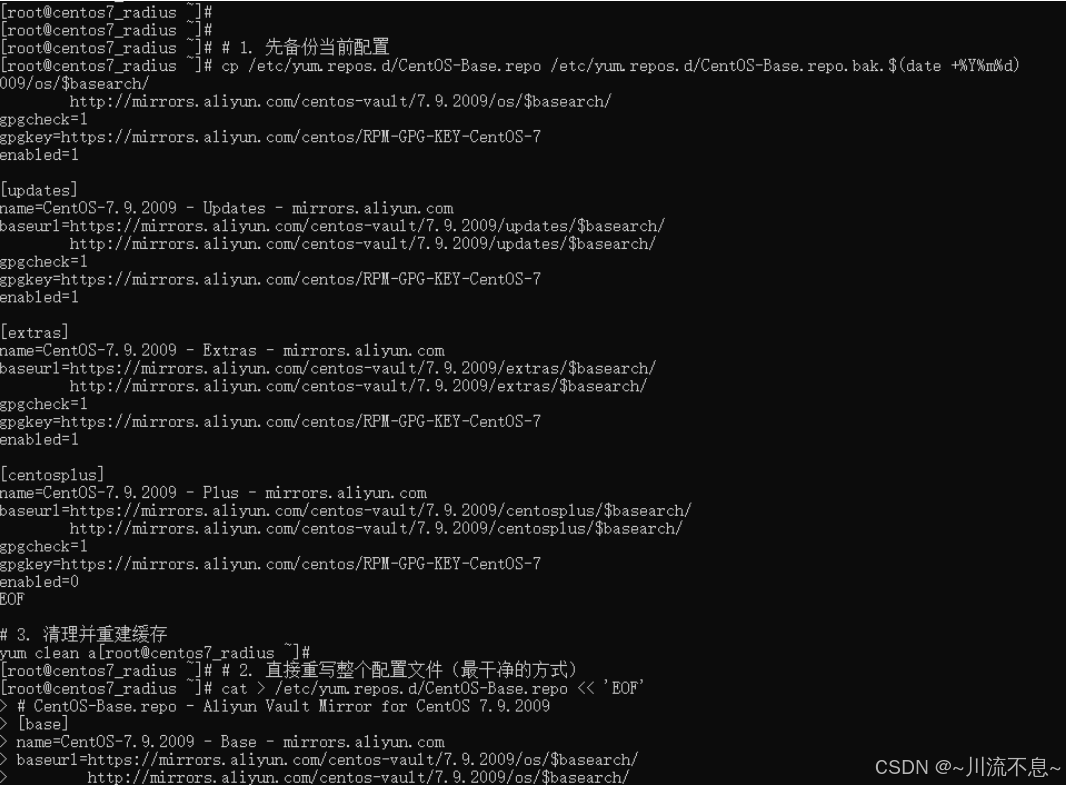
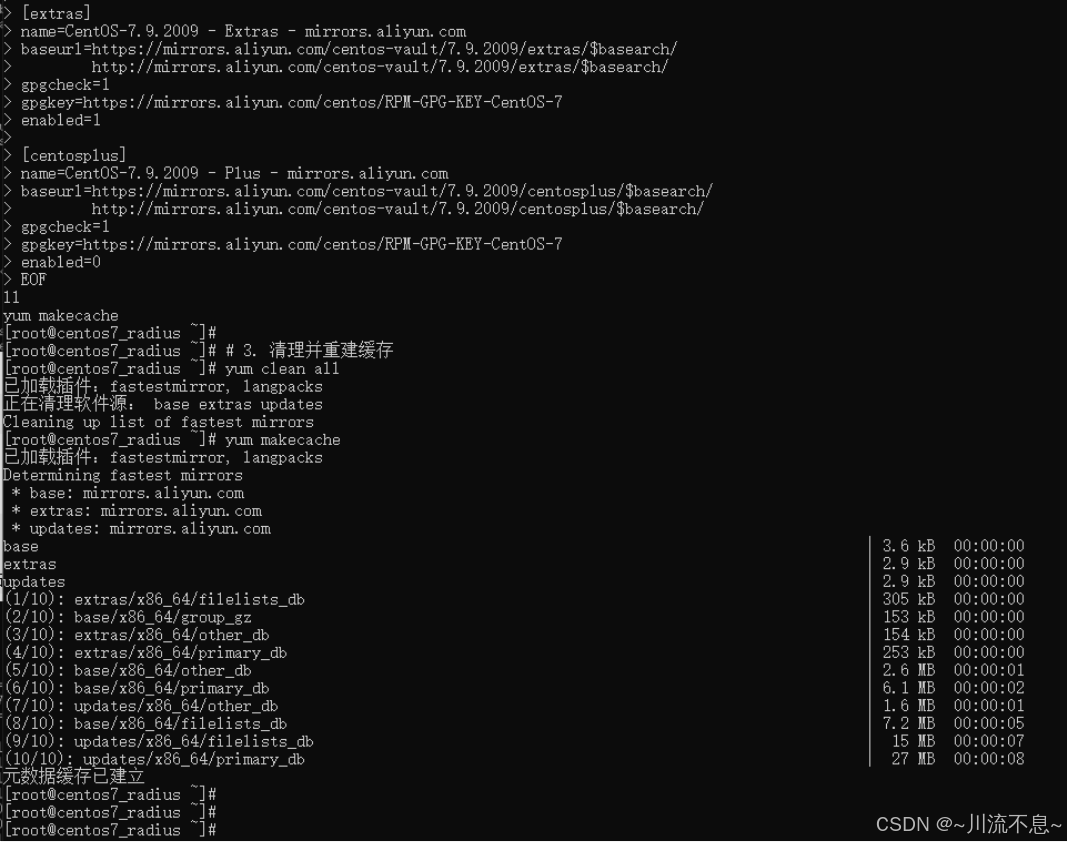
#3. 清理缓存并重建缓存
yum clean all
yum makecache
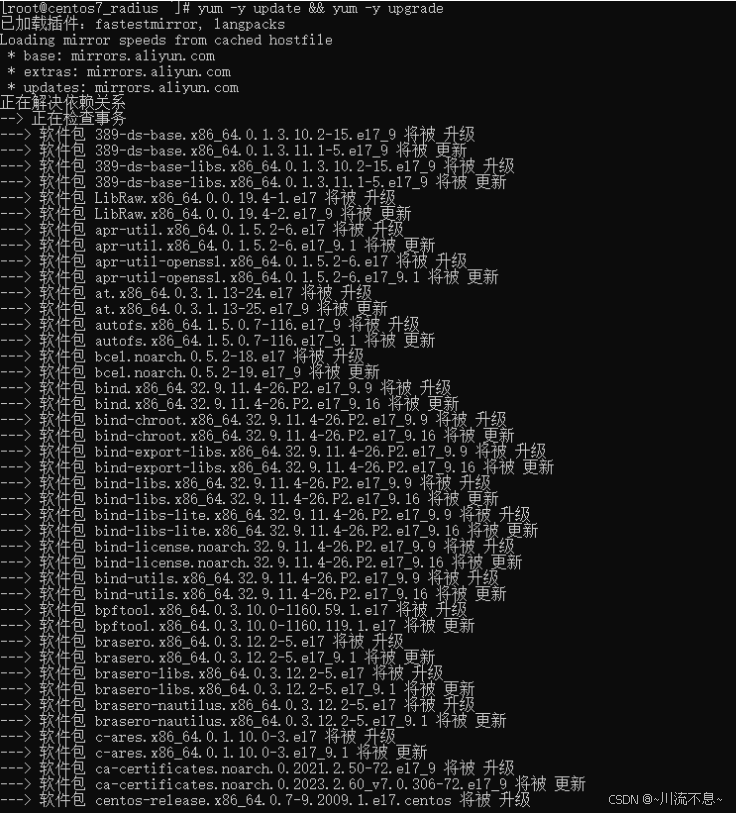
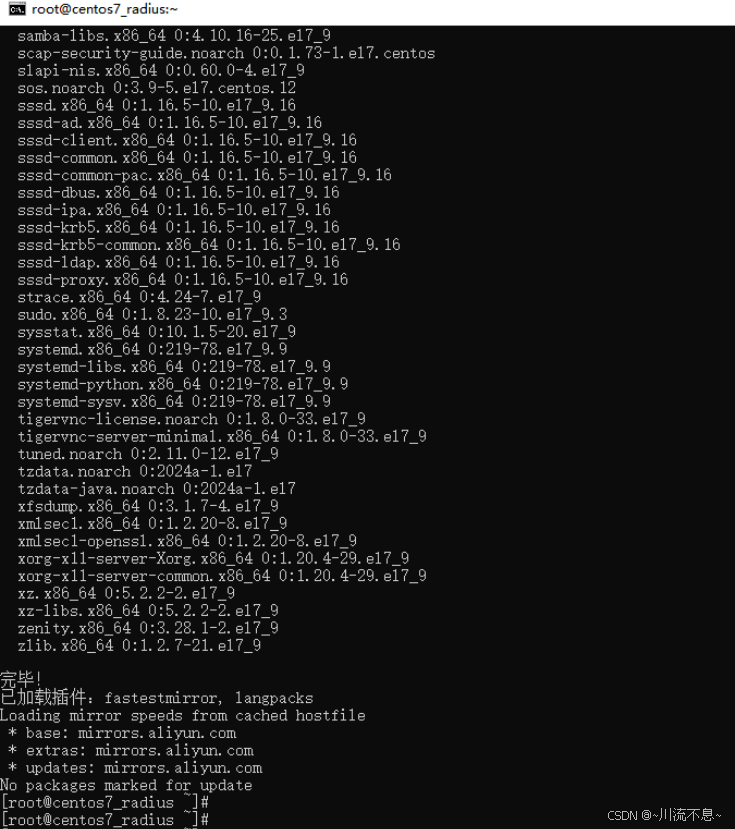
#4. 更新系统源码和库
yum -y update && yum -y upgrade
5、防火墙设置
systemctl stop firewalld //关闭防火墙
systemctl disable firewalld //关闭防火墙自启
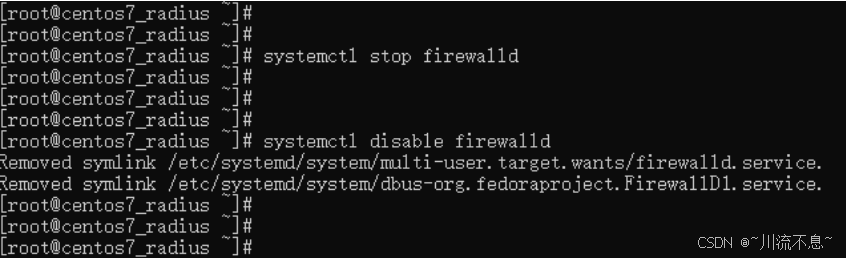
说明:所有组件部署安装完成后再开启防火墙
6、Selinux设置
(1)修改前:
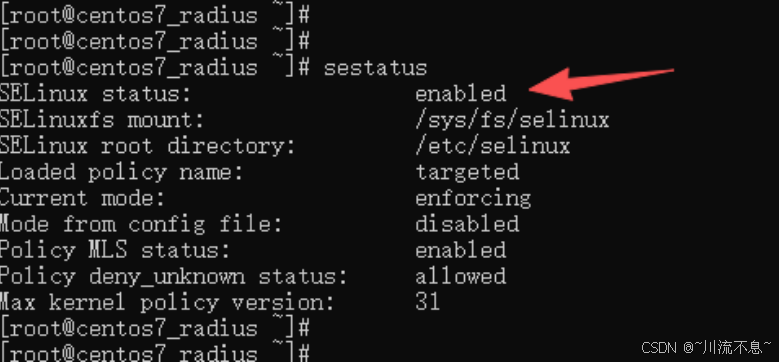
(2)关闭Selinux
sed -i '/SELINUX/s/enforcing/disabled/' /etc/selinux/config

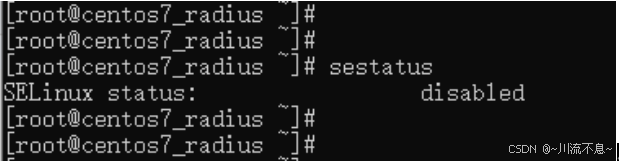
(3)修改后重启系统Reboot
sestatus //查询Selinux状态(需重启后查询)
(二)安装apache
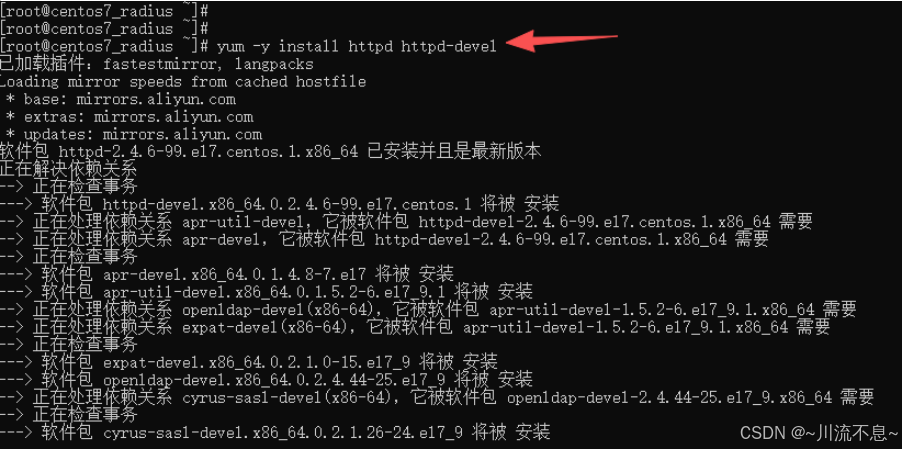
1、安装apache的组件依赖
yum -y install httpd httpd-devel
2、启动httpd和设置开机启动
systemctl enable httpd
systemctl start httpd
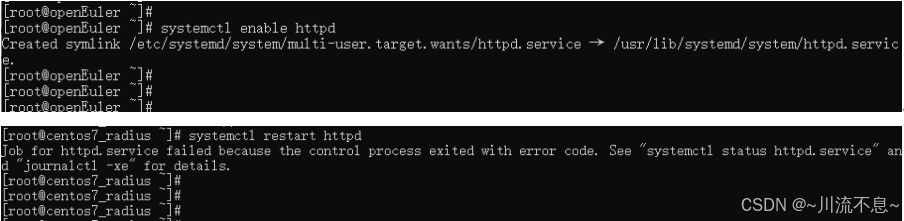
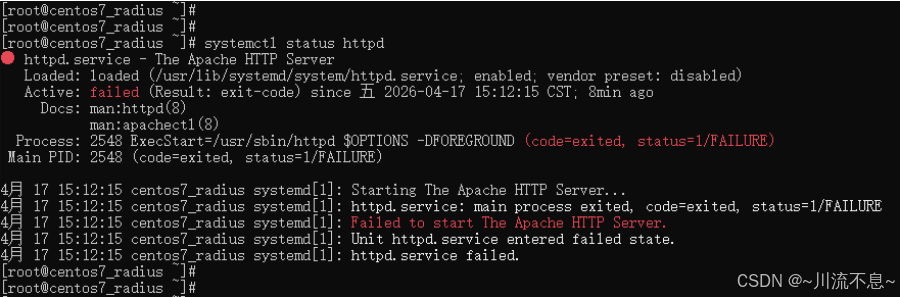
3、httpd启动失败,使用命令排查问题(若您的实际环境启动正常可忽略排查故障的步骤)
(1)查看httpd服务的状态
Systemctl status httpd
(2)查看 httpd 详细错误日志
cat /var/log/httpd/error_log | tail -30
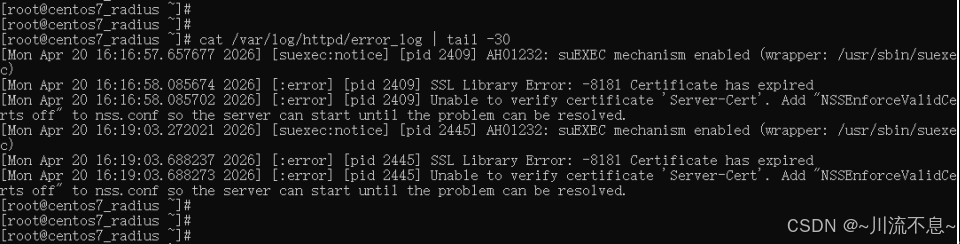
(上图提示SSL认证过期)
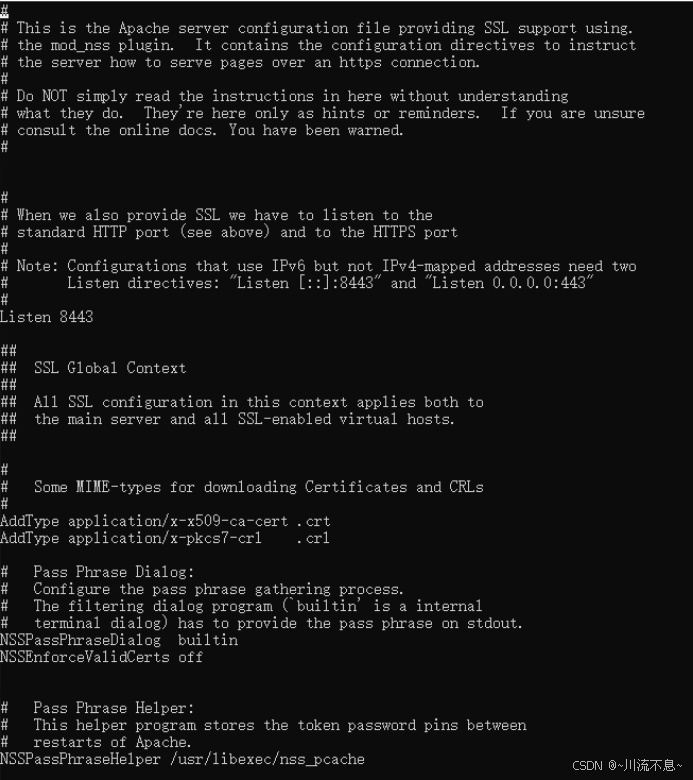
(3)编辑 nss.conf 文件
vi /etc/httpd/conf.d/nss.conf

(4)找到 NSSEnforceValidCerts 行,修改为:
NSSEnforceValidCerts off //若没有这行,则增加一行
(5)保存后启动httpd
systemctl start httpd

此时,httpd服务启动正常。
(三)验证apache的状态
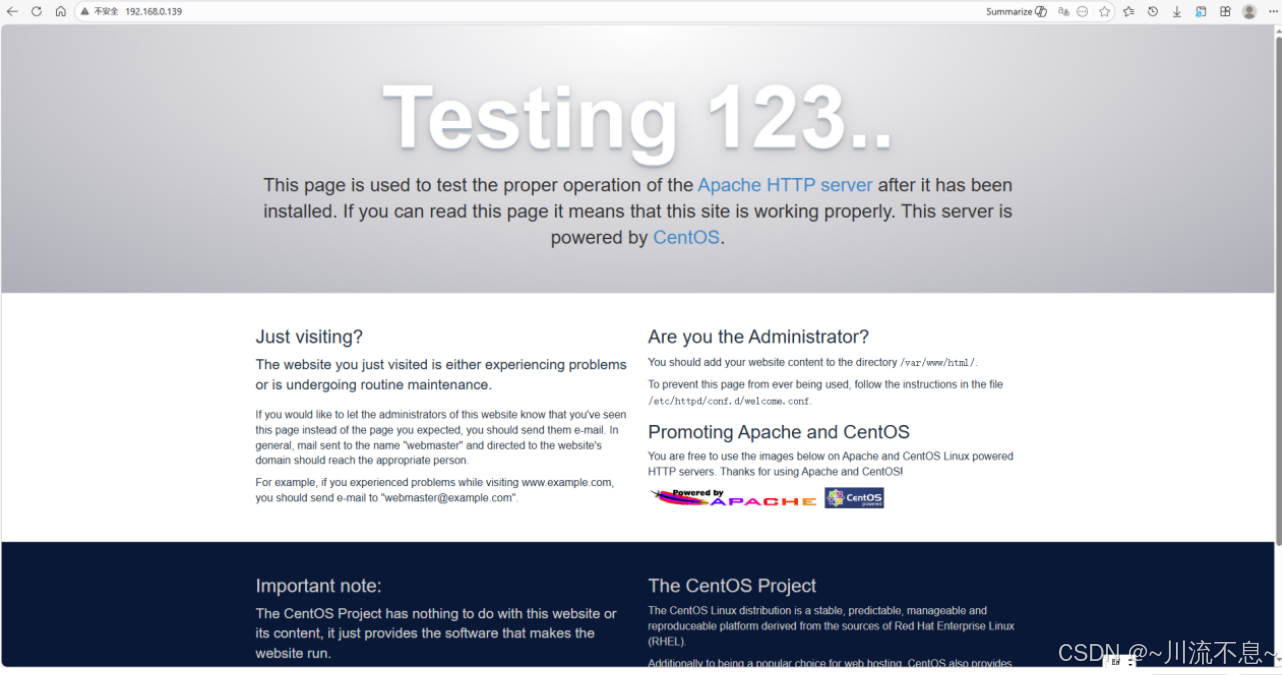
1、浏览器中输入CentOS 的IP可以测试下apache状态
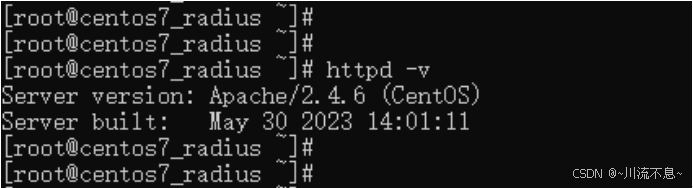
2、也可以使用httpd -v查看apache的版本
3、启动系统防火墙
Systemctl start firewalld.service

4、设置系统防火墙开机自动启动
Systemctl enable firewalld.service

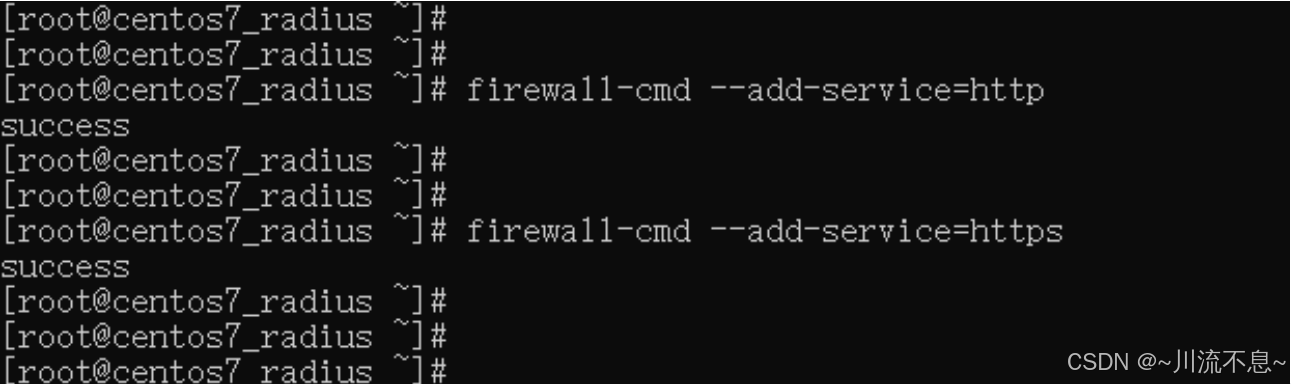
5、防火墙上开启apache的端口
firewall-cmd --permanent --add-service=http
firewall-cmd --permanent --add-service=https
(四)安装php及常用扩展
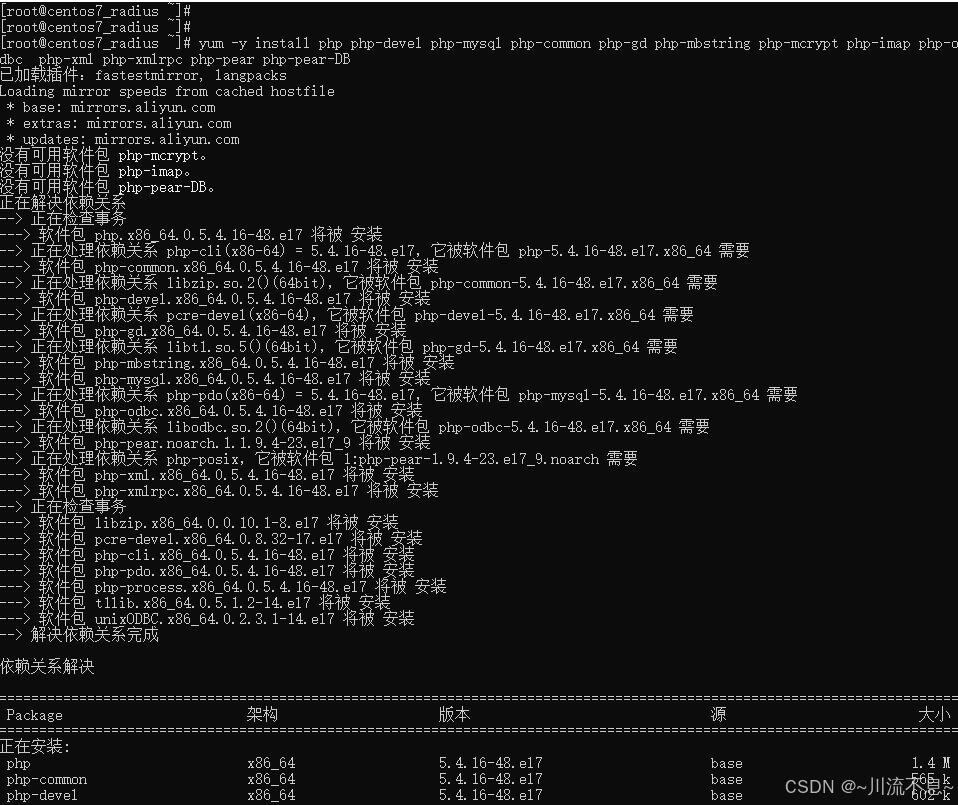
1、安装基础编译工具和依赖库
yum -y install php php-devel php-mysql php-common php-gd php-mbstring php-mcrypt php-imap php-odbc php-xml php-xmlrpc php-pear php-pear-DB
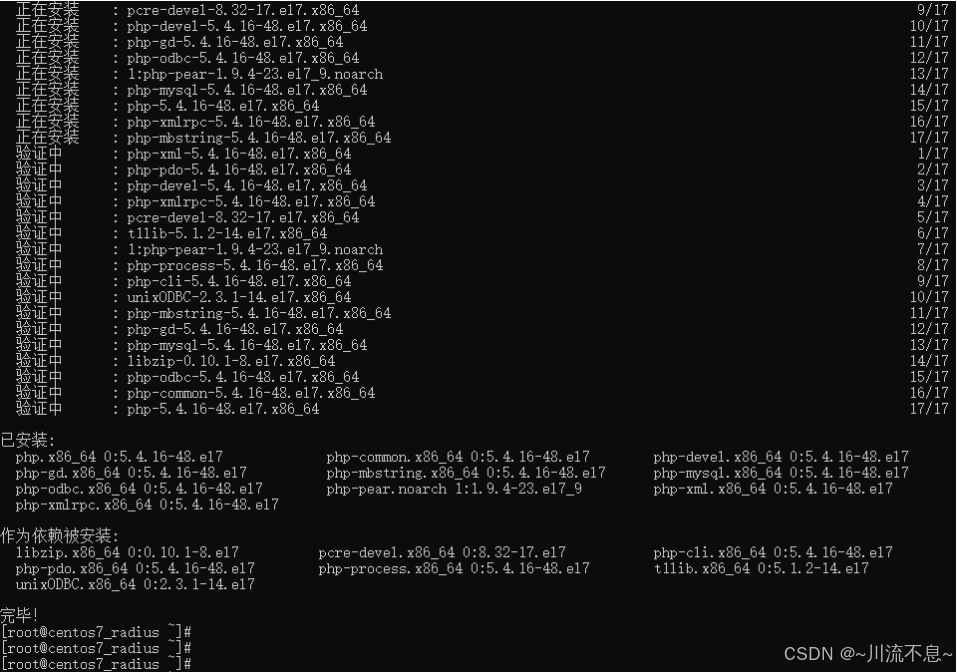
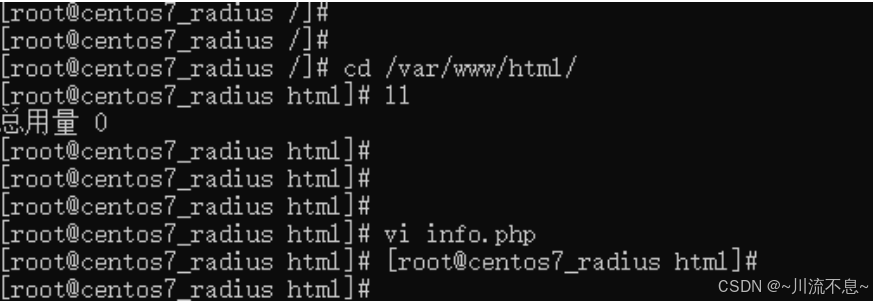
2、测试PHP,Apache网站根目录(/var/www/html/)新建info.php网页,按Insert输入内容后按esc,:wq 保存退出。
cd /var/www/html
vi info.php
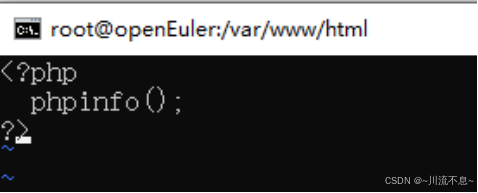
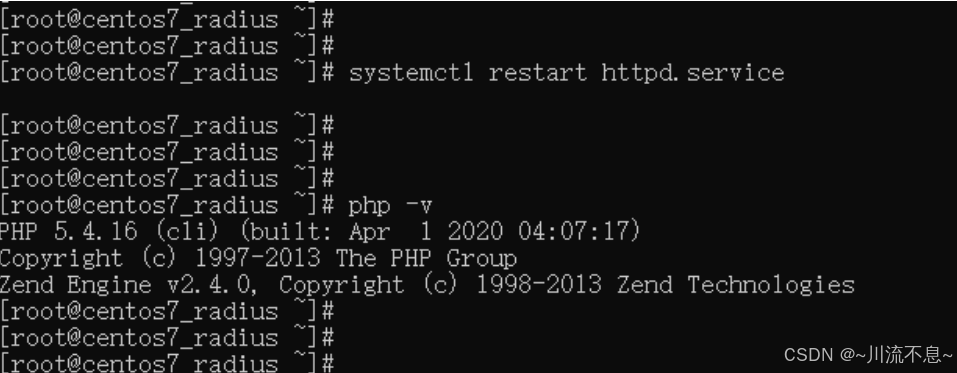
3、重启apache
systemctl restart httpd.service
4、浏览器输入http://192.168.0.139/info.php
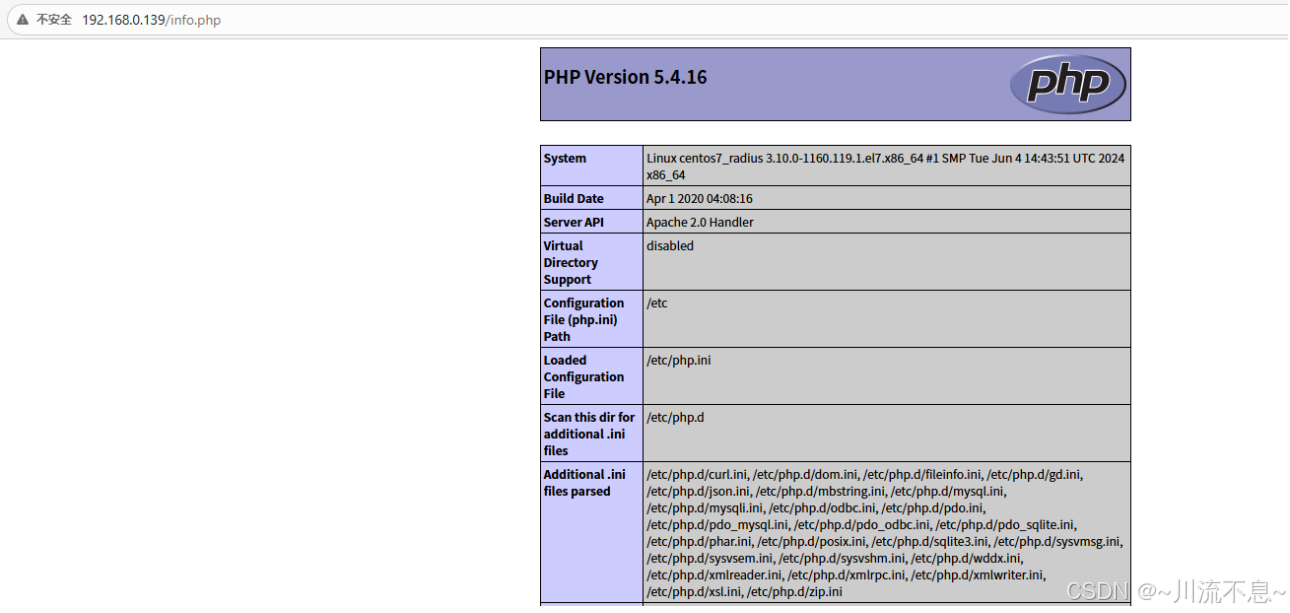
可以看到如上图的内容,说明php工作正常。
(五)安装数据库
1、安装mariadb数据库
yum -y install mariadb-server mariadb
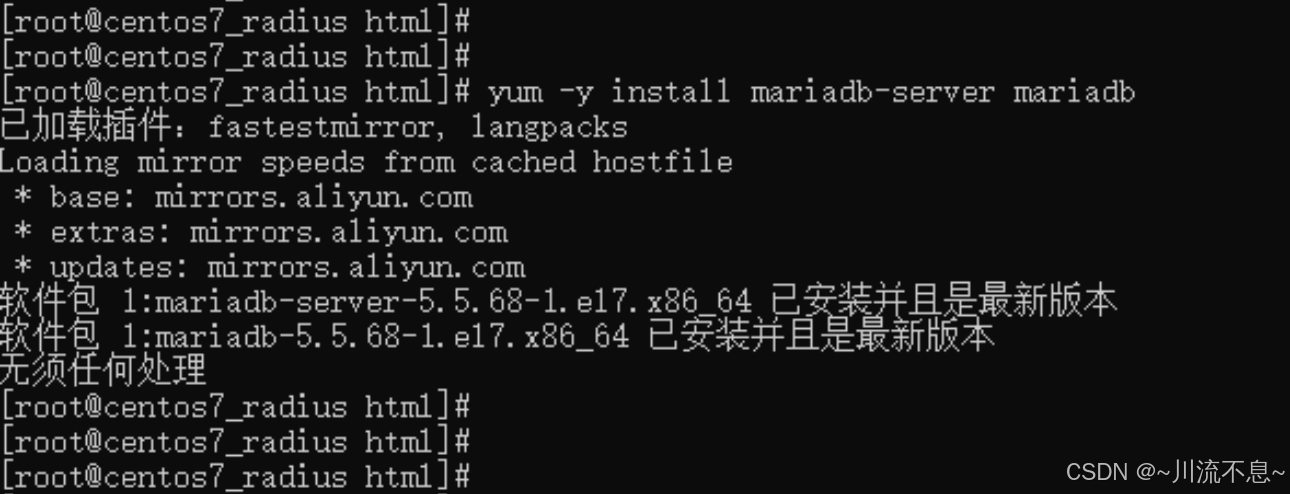
2、设置开机启动和启动服务
systemctl enable mariadb.service
systemctl start mariadb.service

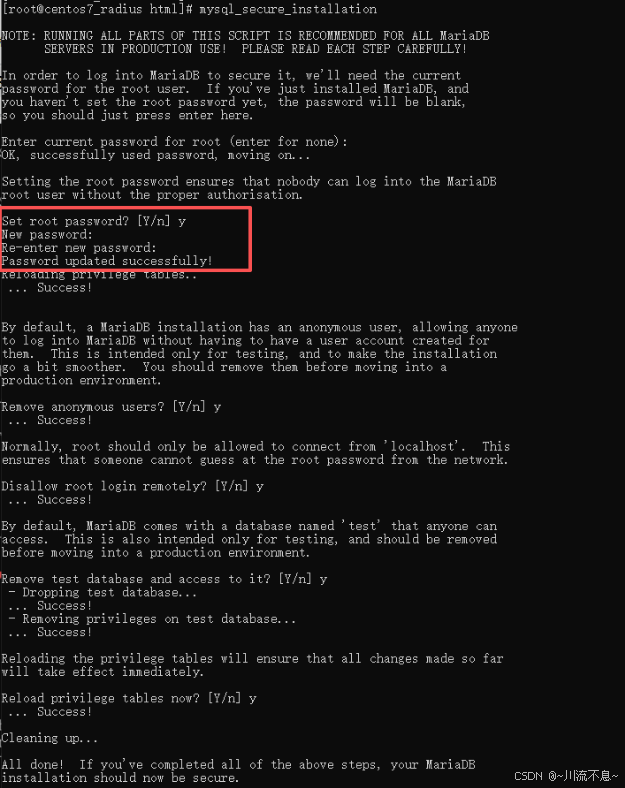
3、设置数据库
mysql_secure_installation
SQL自动配置(除设置root密码,其余都回车)
(六)创建数据库
1、登录数据库,需要输入刚刚的root密码
mysql -u root -p
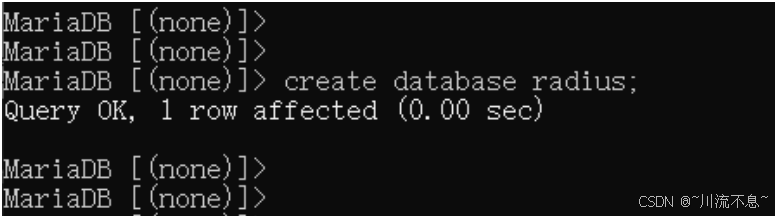
2、创建数据库radius
create database radius;
3、设置radius用户名密码
create user 'radius'@'localhost' identified by 'radiuspassword';

4、打开radius数据库
Use radius;

5、设置radius用户权限
grant all privileges on radius.* to radius@localhost;

6、刷新权限
flush privileges;
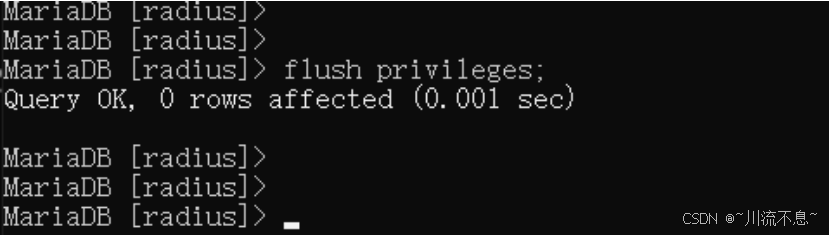
7、退出radius数据库的设置
Exit;
8、设置mariadb数据库网络访问
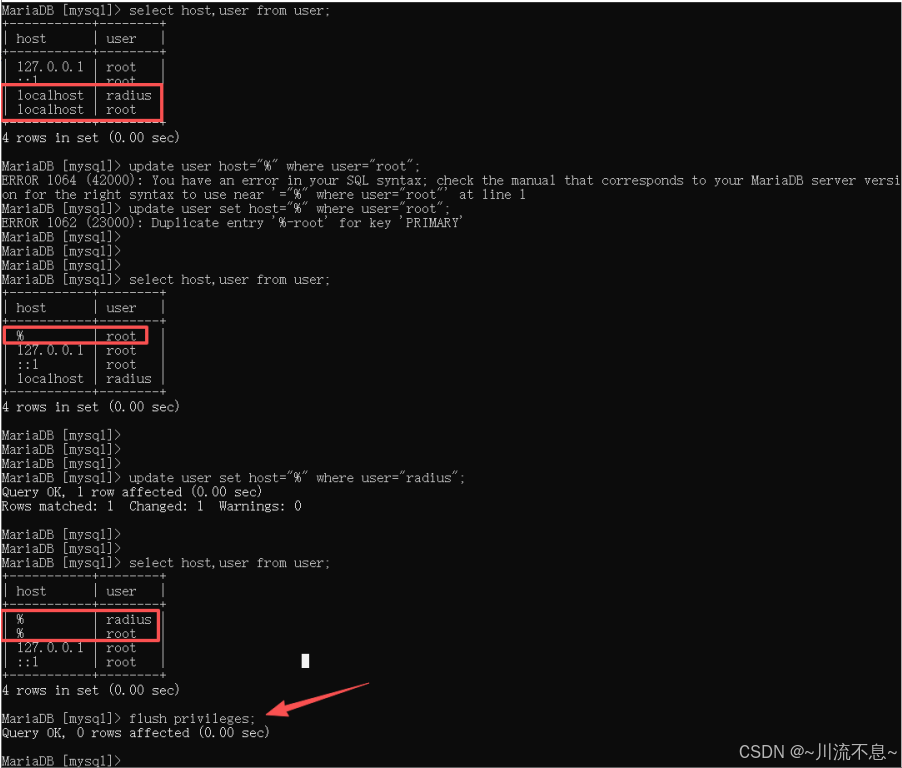
(1)将mysql数据库中的user表中的root和radius用户访问规则由localhost改为%
update user host="%" where user="root";
update user host="%" where user="radius";
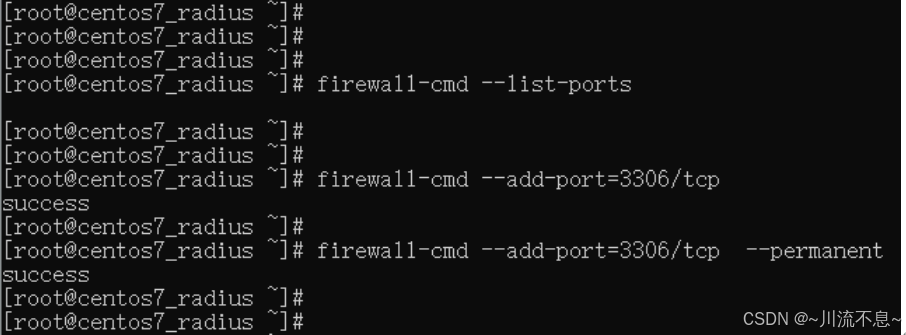
(2)系统防火墙放开3306端口号
firewall-cmd --add-port=3306/tcp
firewall-cmd --add-port=3306/tcp --permanent

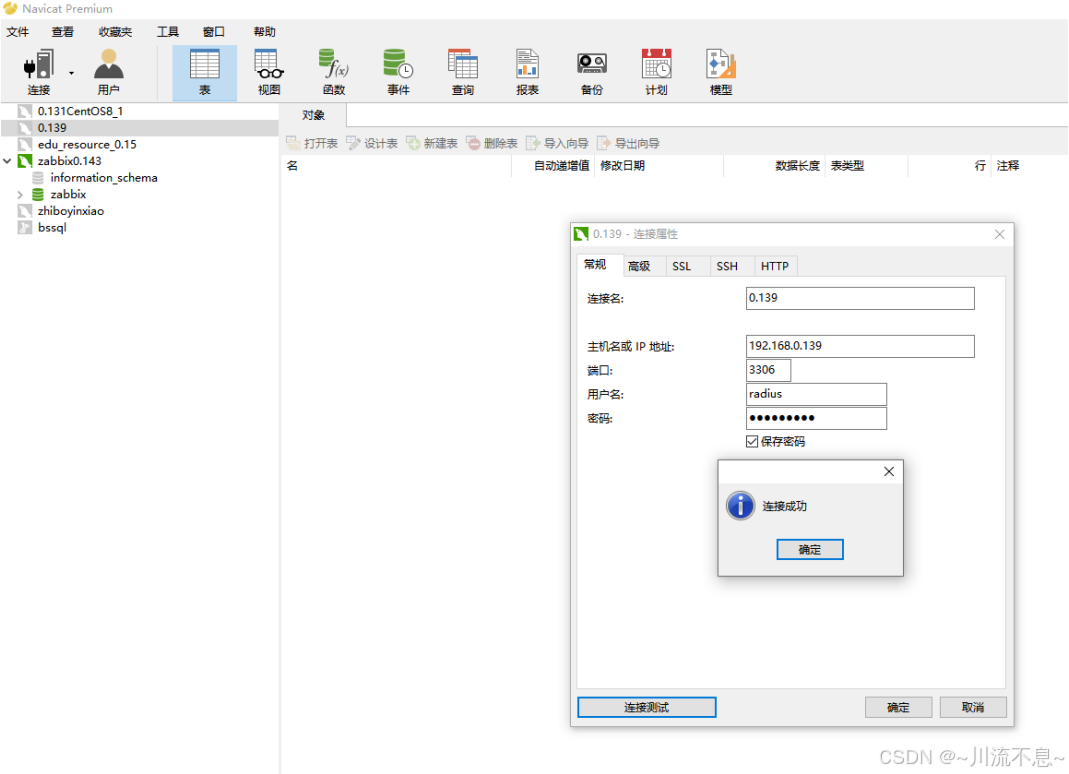
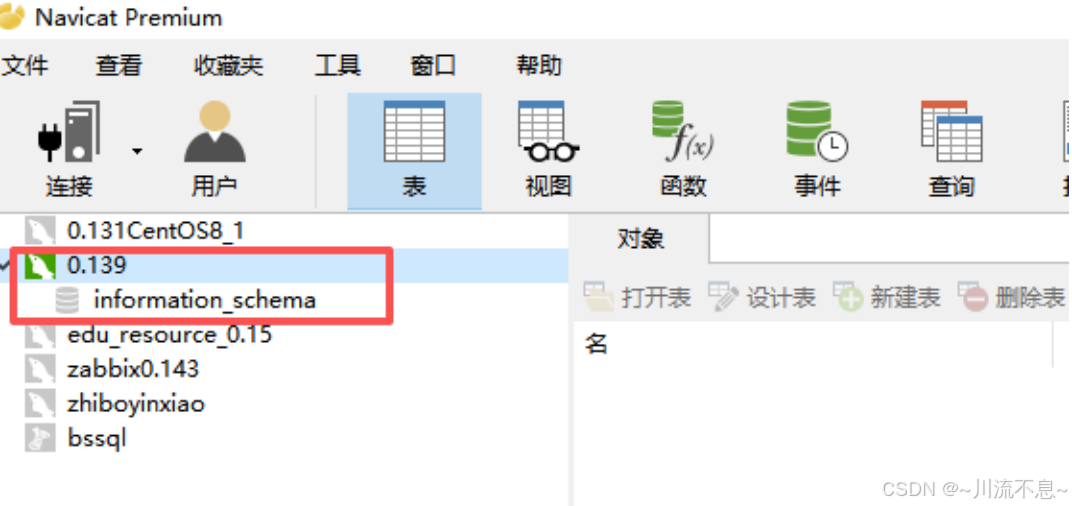
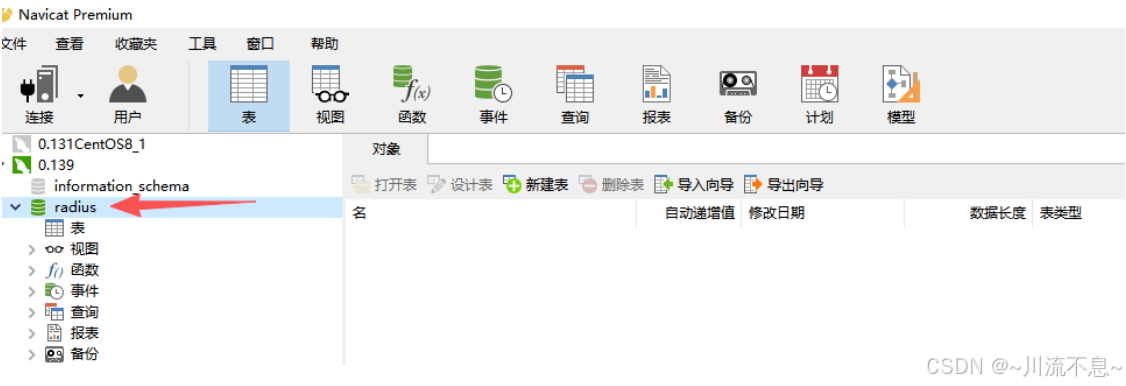
(3)使用navicat Premium工具连接测试mariadb数据库连接成功
(4)使用radius用户连接到mariadb数据库后,并没有对radius数据库具备访问权限,仅有一个information_schema
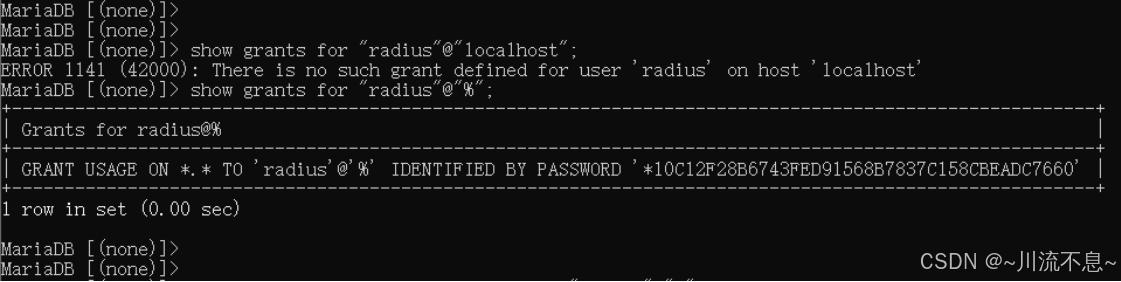
(5)查看radius用户的权限
show grants for "radius"@"localhost";
(6)修改radius用户的权限
grant all privileges on radius.* to "radius"@"%";

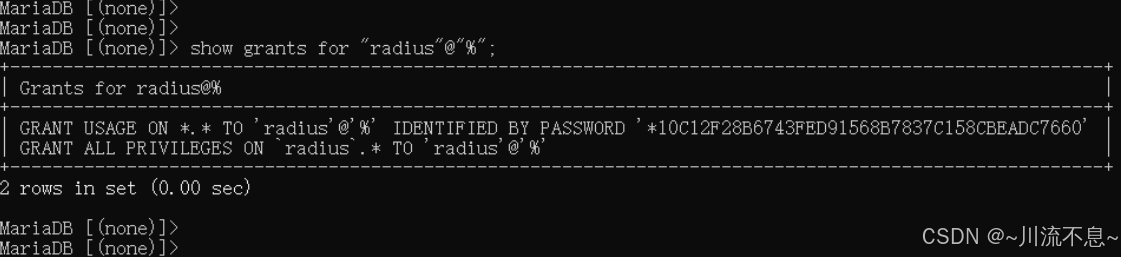
(7)修改权限后再验证
show grants for "radius"@"%";
(8)刷新更新后的权限
flush privileges;
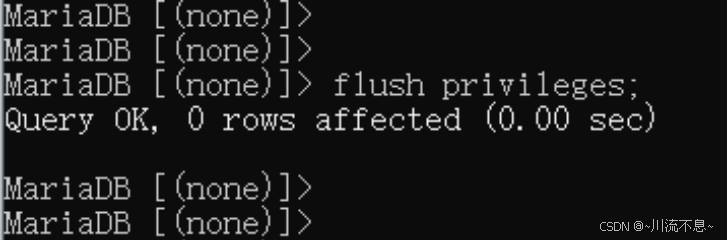
(9)此时再验证,radius用户已经可以访问radius数据库了
二、freeradius安装与配置
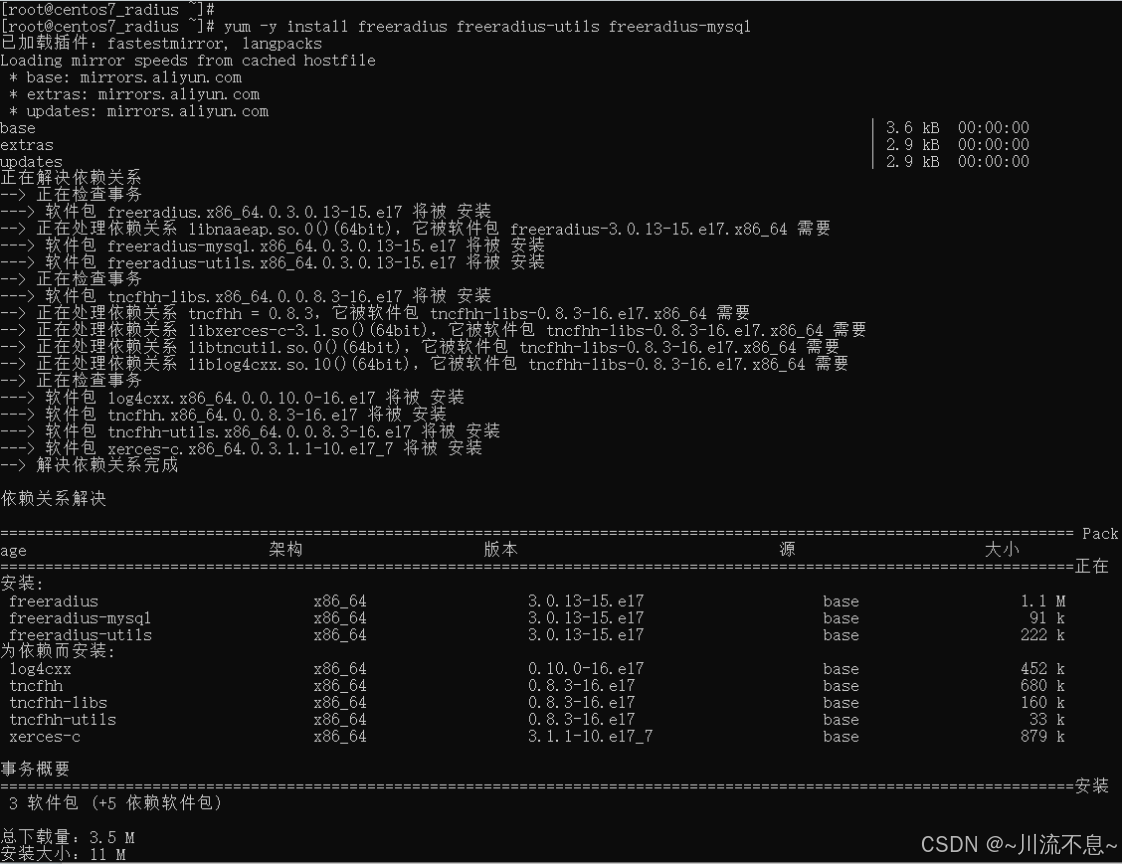
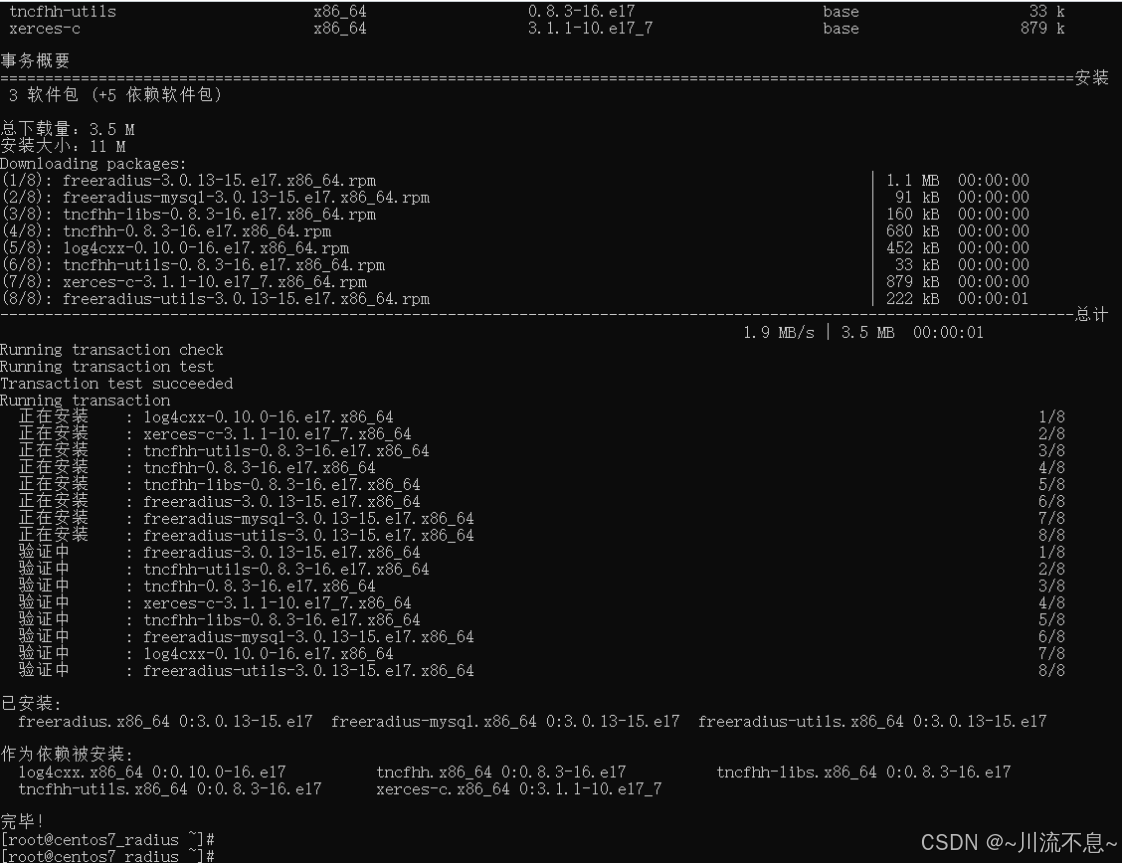
1、安装freeradius的依赖
yum -y install freeradius freeradius-utils freeradius-mysql
2、启动radius和设置为开机启动
systemctl start radiusd.service
systemctl enable radiusd.service

3、导入radius数据表
mysql -u root -p radius < /etc/raddb/mods-config/sql/main/mysql/schema.sql

需要输入root密码
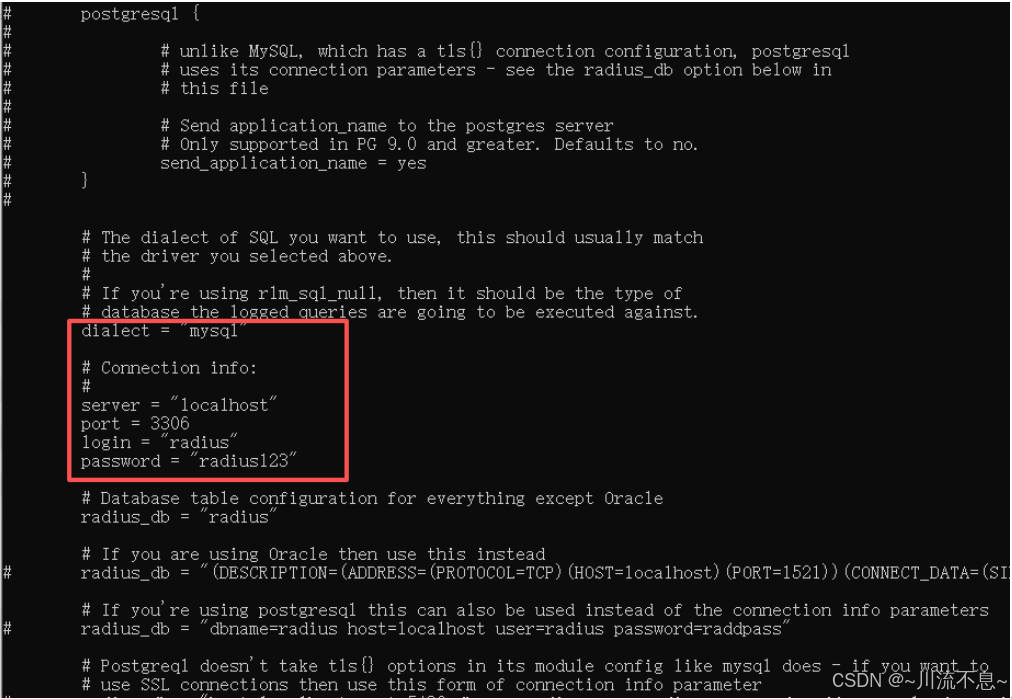
4、修改FreeRadius配置文件
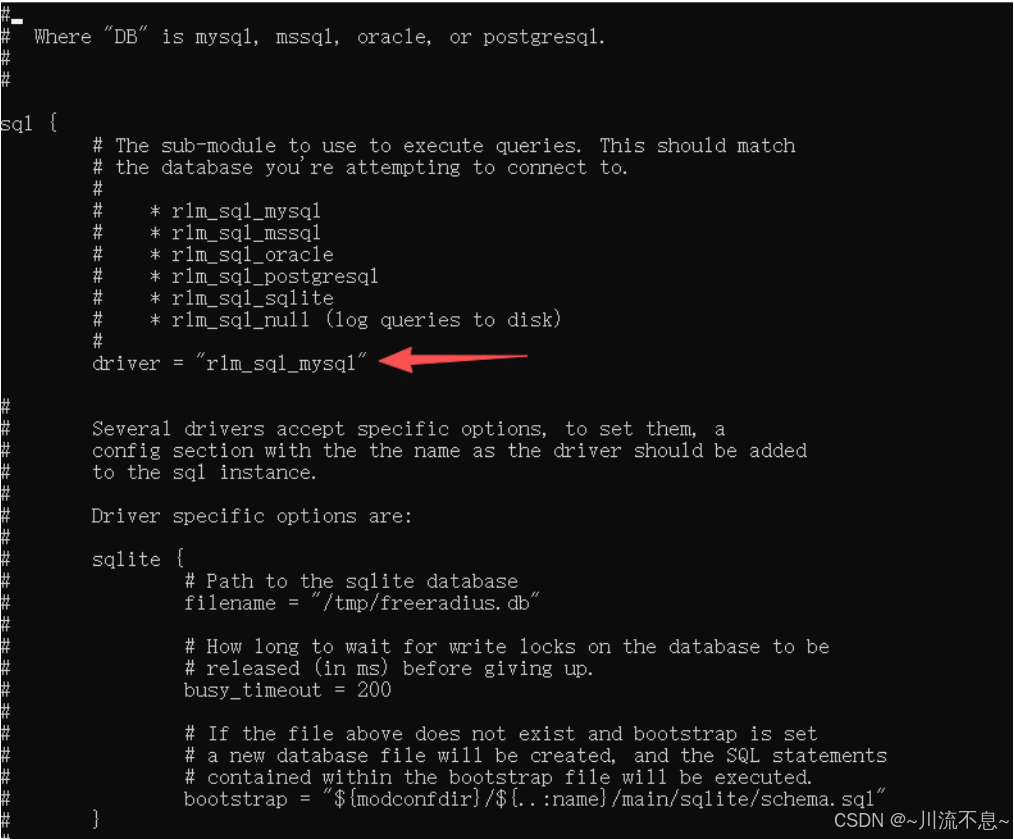
vi /etc/raddb/mods-available/sql

修改下面的配置
driver = "rlm_sql_mysql"
dialect = "mysql"
server = "localhost"
port = 3306
login = "radius"
password = "radiuspassword"
按Esc退出:wq保存
5、建立mysql调用
cd /etc/raddb/mods-enabled/
ln -sf /etc/raddb/mods-available/sql /etc/raddb/mods-enabled/sql

6、配置文件权限(注意命令手动输入)
chgrp -h radiusd /etc/raddb/mods-available/sql

7、重启radius(正常)
systemctl restart radiusd.service

8、重启radius(报错的处理,若重启radius正常则忽略此步)

(1)重启时报错,使用命令排查问题
/usr/sbin/radiusd -XC 2>&1 | tail -10
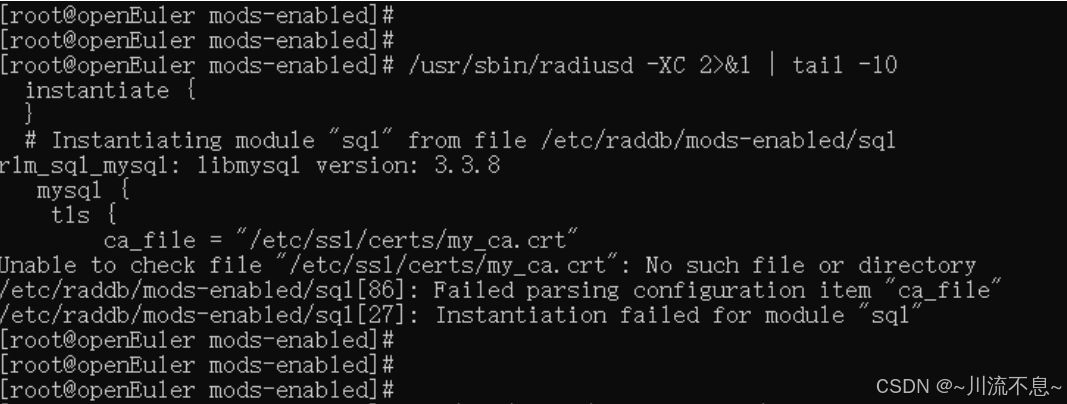
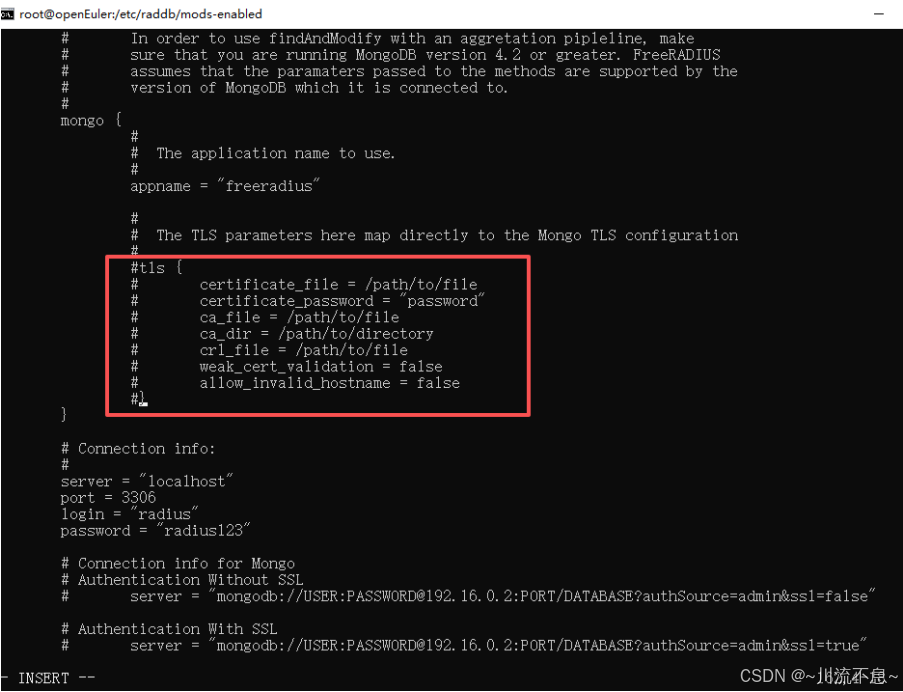
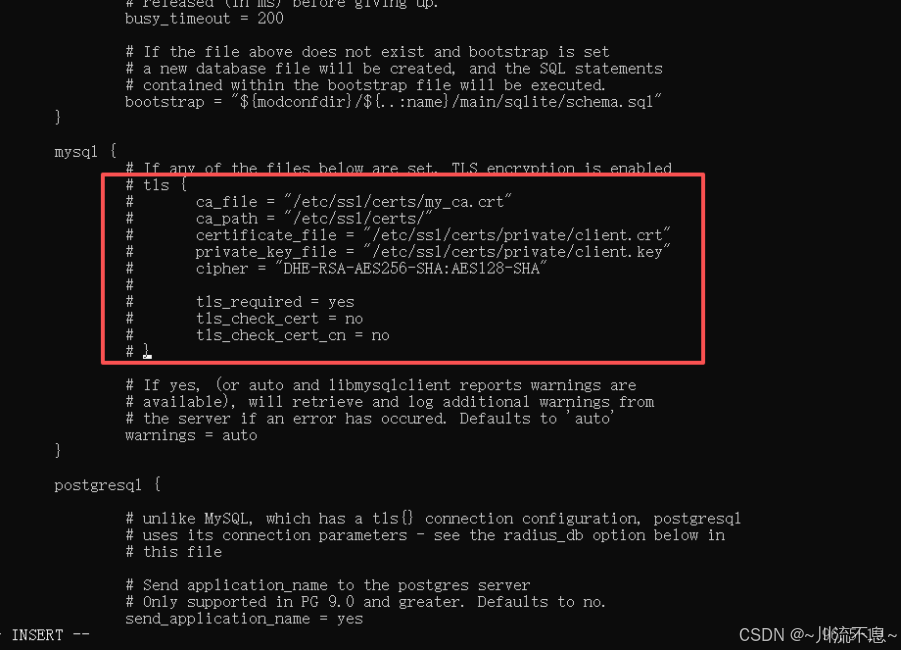
(2)根据排查的结果,TLS证书问题,修改/etc/raddb/mods-enabled/sql
vi /etc/raddb/mods-enabled/sql

(3)找到 TLS 部分(约第 80-90 行,有2处),注释掉或删除:
(4)再次排查问题消失,显示Configuration appears to be OK
/usr/sbin/radiusd -XC 2>&1 | tail -10
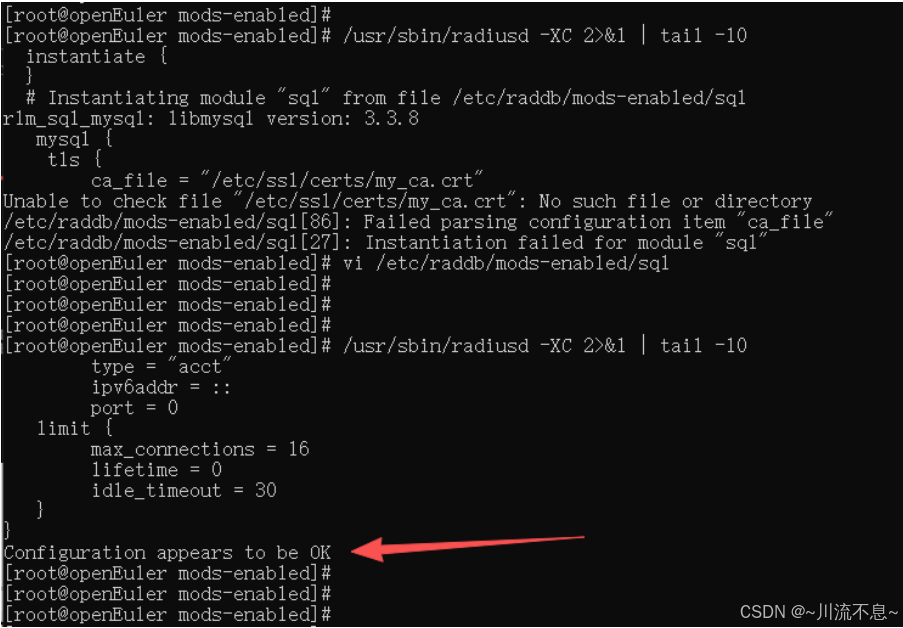
(5)此时使用命令systemctl restart radiusd.service再启动服务正常

9、添加启动服务,调整FreeRadius与MariaDB的启动顺序,FreeRadius必须在MariaDB启动之后启动,在Unit部分,增加After=mariadb.service
vi /etc/systemd/system/multi-user.target.wants/radiusd.service
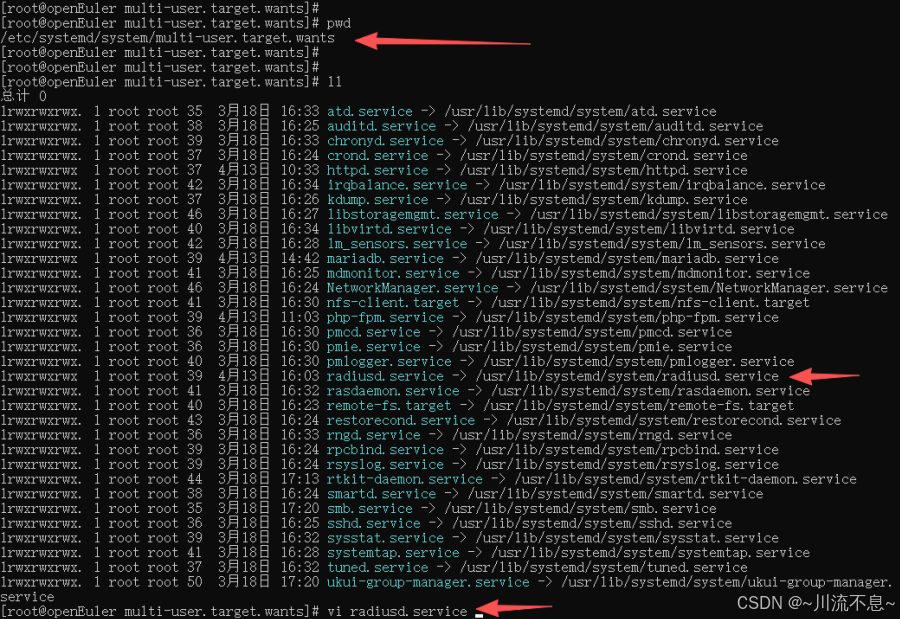
After=mariadb.service
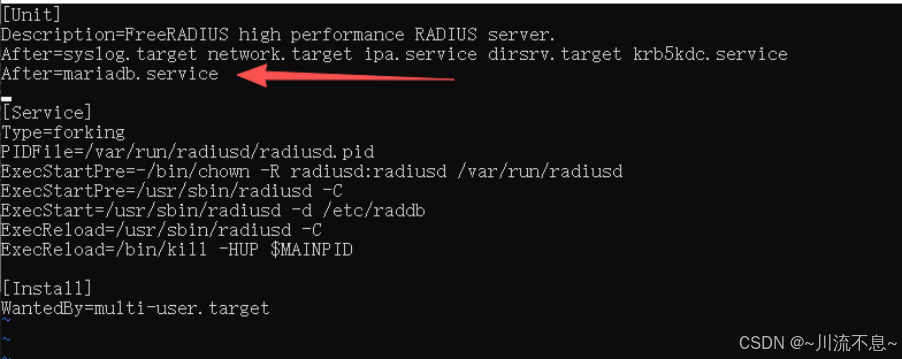
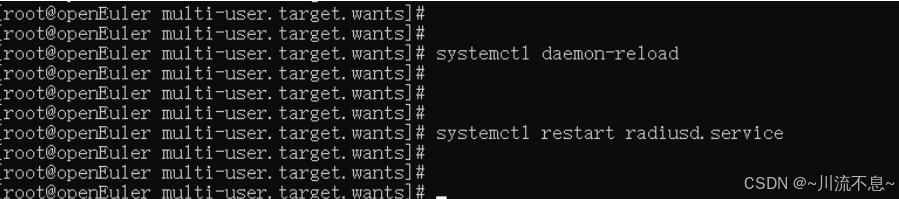
10、重启服务
systemctl daemon-reload
systemctl restart radiusd.service
三、安装freeradius管理界面Daloradius
1、先下载文件(master.zip,daloradius-0.9-9.tar.gz)
https://github.com/lirantal/daloradius/archive/master.zip
下载后上传master.zip和daloradius-0.9-9.tar.gz到OpenEuler系统的/var/www/html/目录中
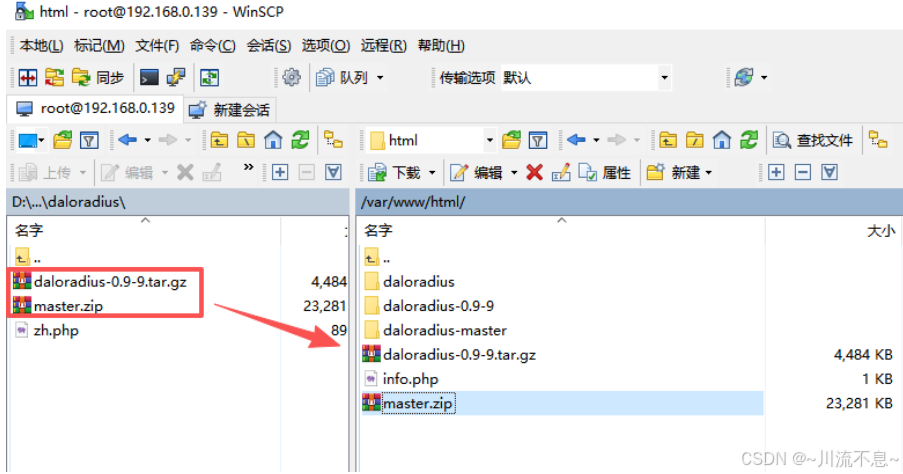
2、在CentOS系统中解压和移动文件
(1)改当前目录,解压master.zip
cd /var/www/html/
unzip master.zip
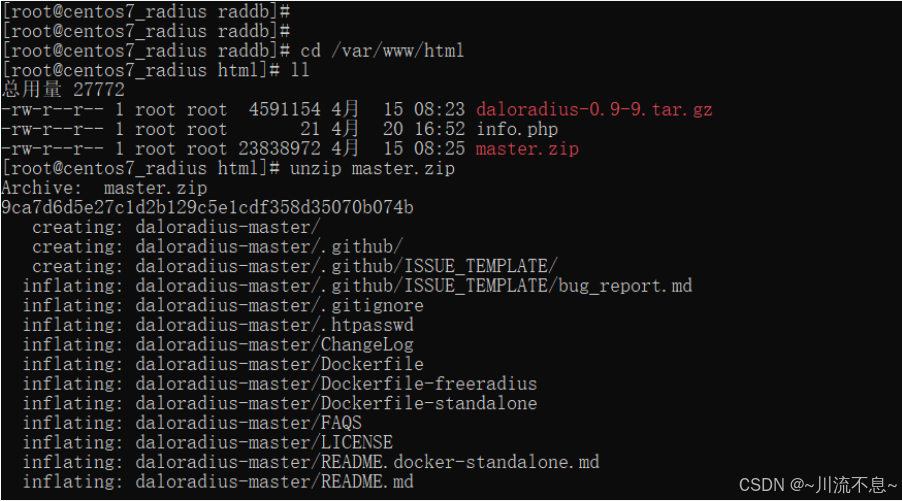
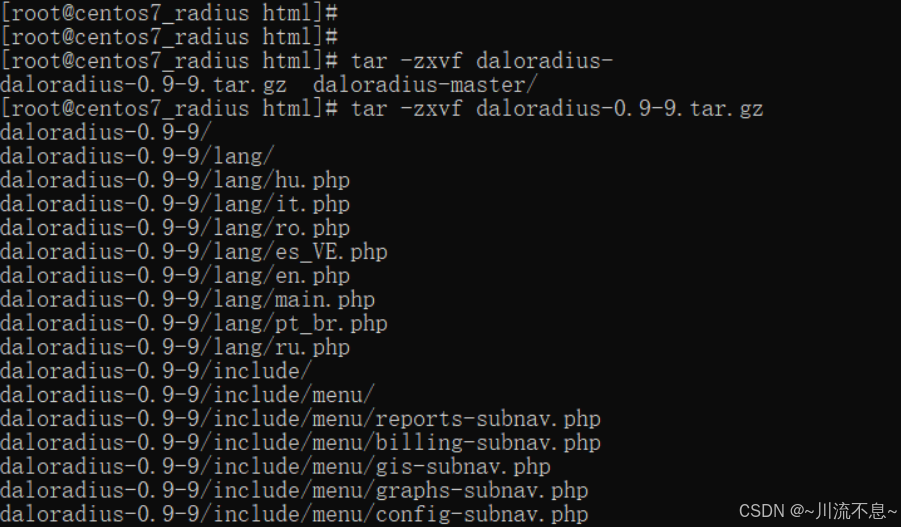
(2)解压daloradius-0.9-9.tar.gz
tar -zxvf daloradius-0.9-9.tar.gz
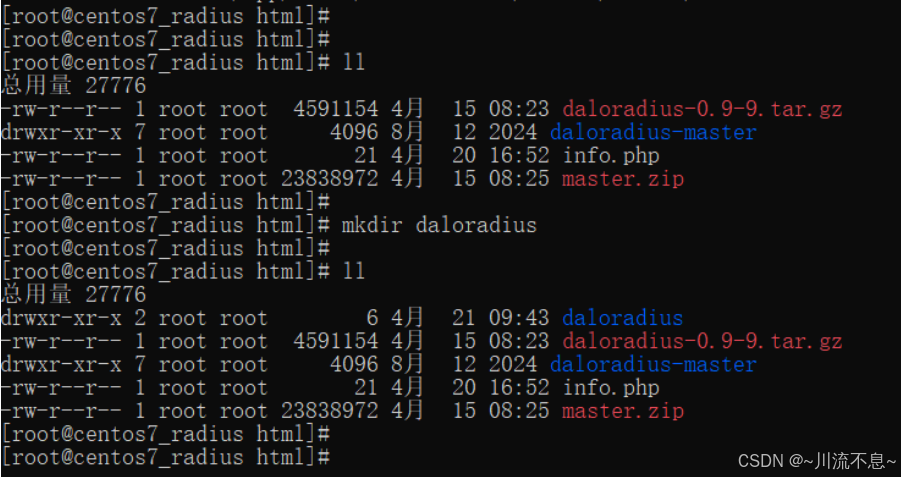
(3)创建文件目录daloradius
Mkdir daloradius
(4)移动文件夹中的文件
mv ./daloradius-master/* ./daloradius

(5)删除daloradius里面的contrib下的文件,为了能daloradius-0.9-9/contrib移过来尽量不报错
rm -rf /var/www/html/daloradius/contrib/

(6)覆盖源码 全部输入y回车
mv ./daloradius-0.9-9/* /var/www/html/daloradius/
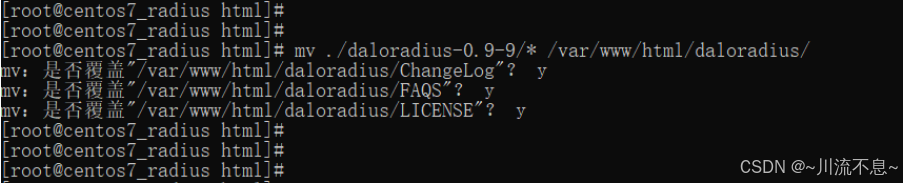
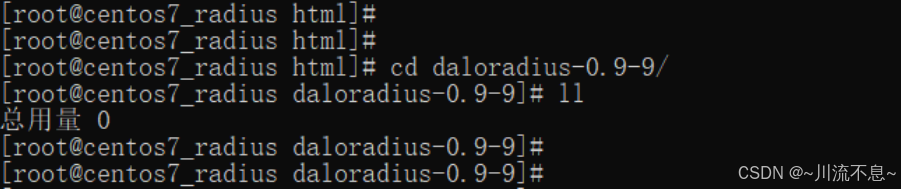
(7)验证下是否daloradius-0.9-9/目录下的所有文件都移动到了/var/www/html/daloradius目录下,输入ll命令查看daloradius-0.9-9/目录下已经没有任何文件了,总用量0
3、设置daloradius权限
chown -R apache:apache /var/www/html/daloradius

chmod -R 664 /var/www/html/daloradius/library/daloradius.conf.php

4、修改配置,编辑数据库信息,导入SQL脚本,要输入root用户的密码。
(1)将 daloRADIUS 的数据库结构文件导入到 radius 数据库中,同时包含 FreeRADIUS 和 daloRADIUS 所需的表结构。
mysql -u root -p radius < /var/www/html/daloradius/contrib/db/fr2-mysql-daloradius-and-freeradius.sql

(2)将 daloRADIUS 的数据库结构文件导入到 radius 数据库中,创建 daloRADIUS 所需的表结构。
mysql -u root -p radius < /var/www/html/daloradius/contrib/db/mysql-daloradius.sql

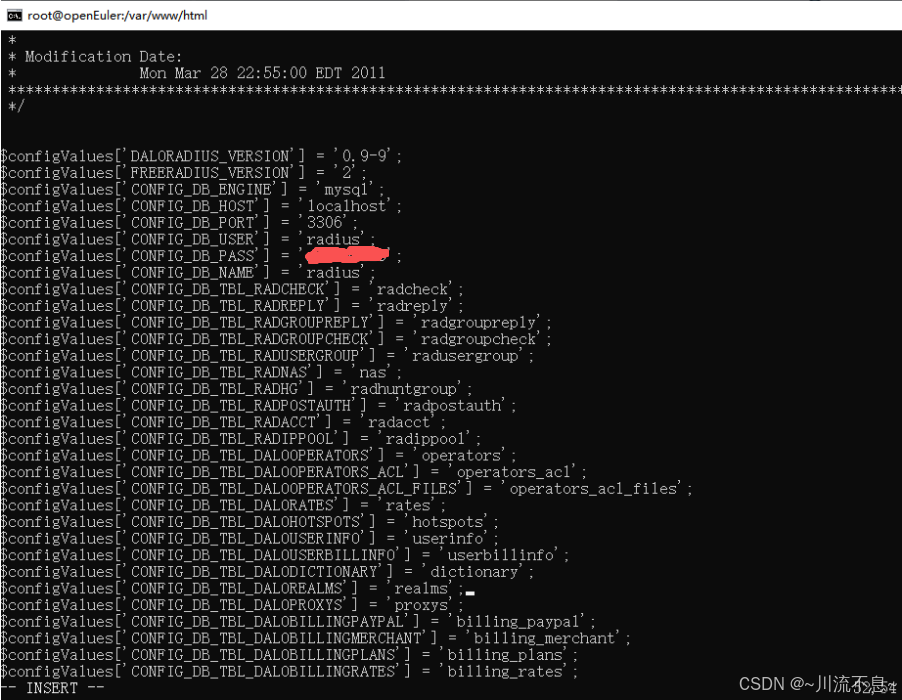
5、更改daloradius.conf.php
(1)编辑daloradius.conf.php
vi /var/www/html/daloradius/library/daloradius.conf.php

(2)修改内容如下:
$configValues'CONFIG_DB_ENGINE' = 'mysql';
$configValues'CONFIG_DB_HOST' = 'localhost';
$configValues'CONFIG_DB_PORT' = '3306';
$configValues'CONFIG_DB_USER' = 'radius';
$configValues'CONFIG_DB_PASS' = 'radiuspassword';
$configValues'CONFIG_DB_NAME' = 'radius';
configValues'CONFIG_FILE_RADIUS_PROXY' = '/etc/raddb/proxy.conf';(68行)
$configValues'CONFIG_PATH_DALO_VARIABLE_DATA' = '/var/www/html/daloradius/var'; (70行)
$configValues'CONFIG_MAINT_TEST_USER_RADIUSSECRET' = 'testing123'; (86行) #注意这条,要和 /etc/raddb/clients.conf 文件设置的secret = xxxxxxxxxx 值一样。
6、添加客户端连接设置,添加允许所以用户接入
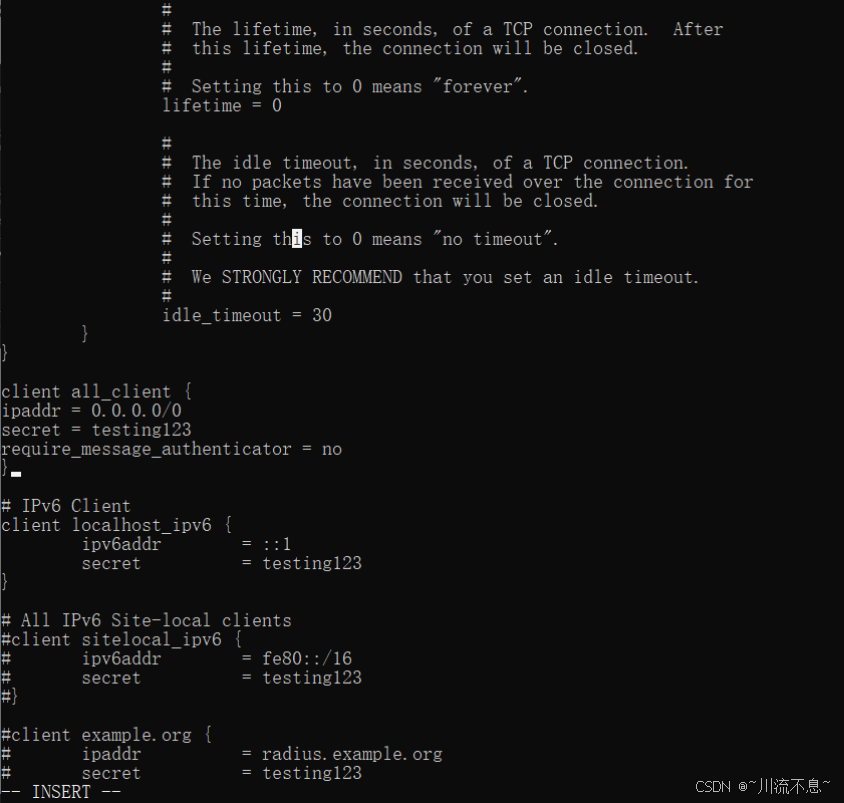
(1)编辑clients.conf
vi /etc/raddb/clients.conf

(2)添加如下内容
client all_client {
ipaddr = 0.0.0.0/0
secret = testing123
require_message_authenticator = no
}
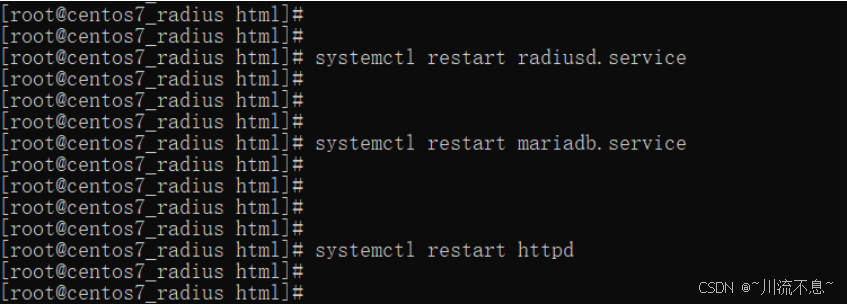
7、重启服务
systemctl restart radiusd.service
systemctl restart mariadb.service
systemctl restart httpd
8、测试FreeRADIUS配置(可选)
(1)可以使用radtest工具来测试配置是否正确:
radtest username password localhost 0 testing123
将username和password替换为你的用户名和密码。确保这里的localhost和testing123与你在clients.conf中配置的相匹配。
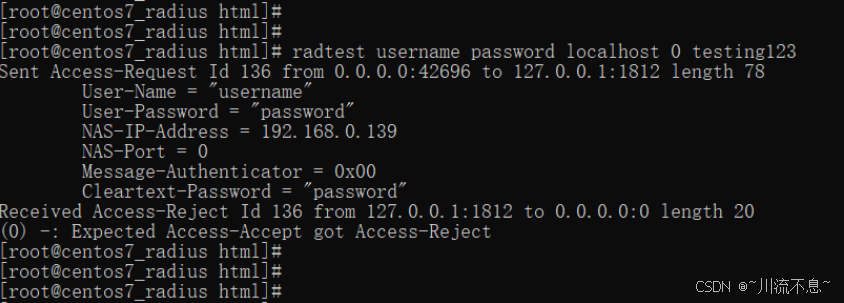
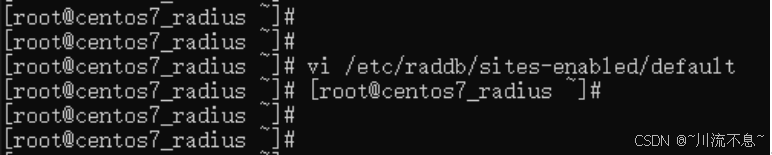
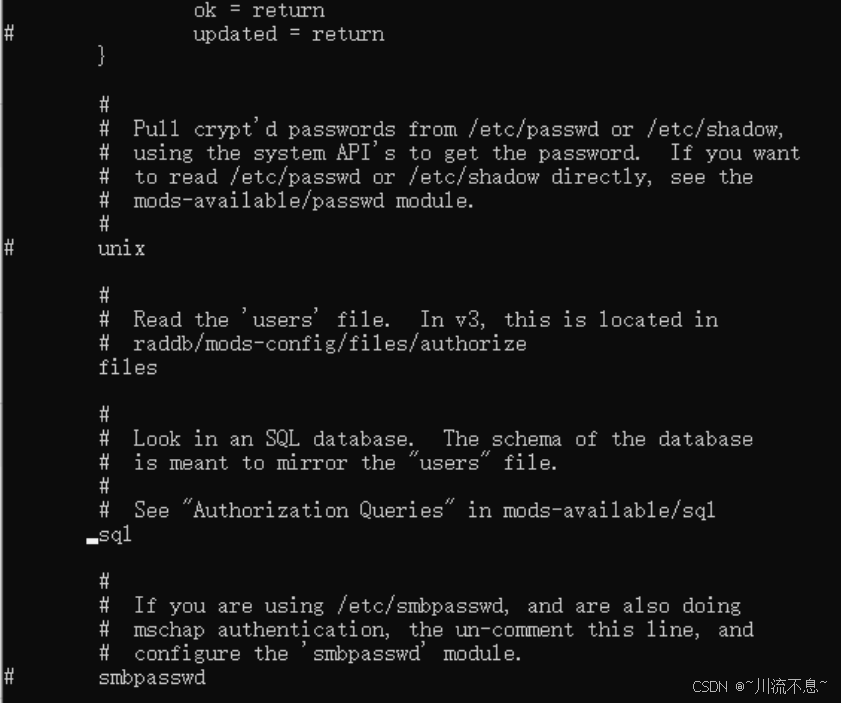
(2)从上图可以看出,radtest 测试显示 Access-Reject,说明认证被拒绝。这通常是因为 FreeRADIUS 配置中未启用 SQL 认证,或数据库中没有该用户。
vi /etc/raddb/sites-enabled/default
(3)修改内容如下:确保sql行未被注释
(4)修复
vi /etc/raddb/users

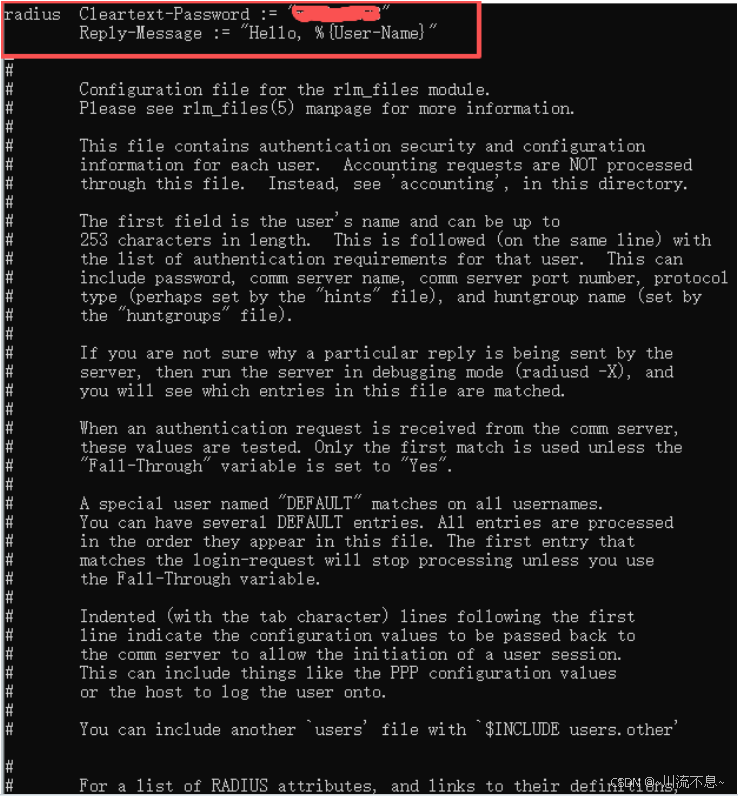
#4. 重启
systemctl restart radiusd
#5. 测试
radtest radius radiuspassword localhost 0 testing123
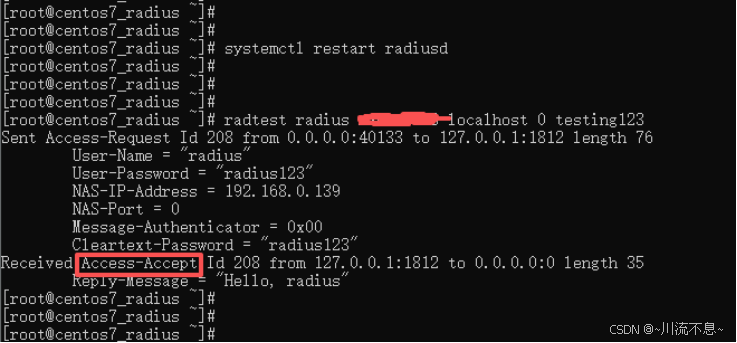
认证成功! Access-Accept 表示 FreeRADIUS 基础功能已正常。
四、测试访问
1、通过浏览器打开
http://192.168.0.139/daloradius/
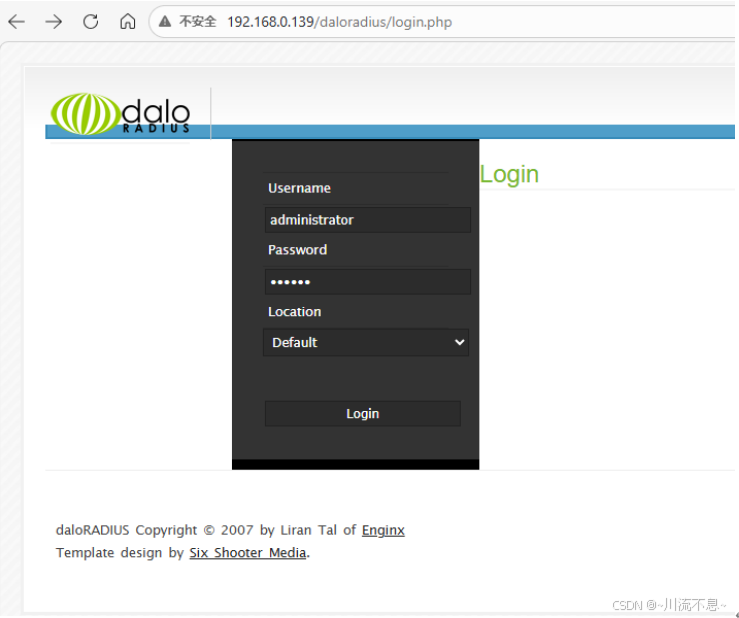
2、输入用户名和密码后,登录时显示无法使用此页面
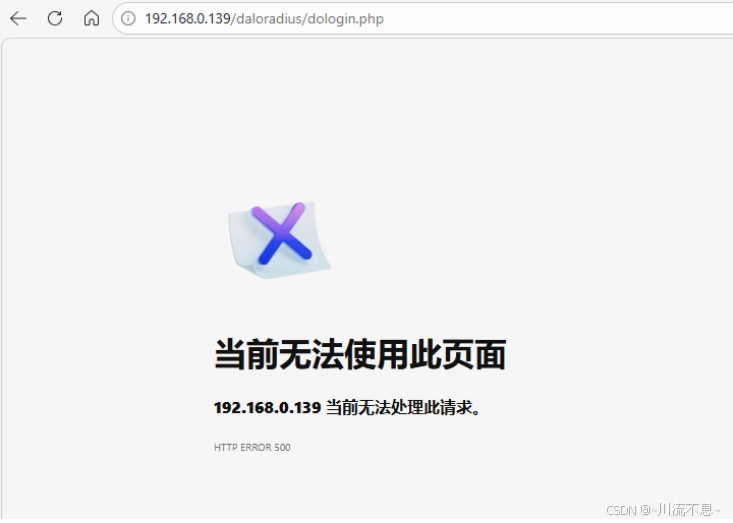
3、根据前面安装过程中的图开始排查:
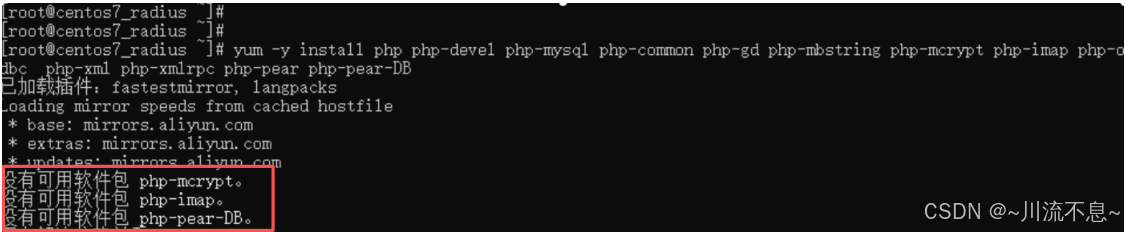
4、一些包在 CentOS 7 默认源中不存在,所以本例需要安装php-pear-DB
(1)一键修复脚本安装DB:
#!/bin/bash
#安装基础 PHP 包
yum install -y php php-devel php-mysql php-common php-gd php-mbstring php-xml php-pear php-pecl-xmlphp
#安装 EPEL 源获取更多扩展
yum install -y epel-release 2>/dev/null || true
#安装 DB 库
pear install DB 2>/dev/null || true
#重启 Apache
systemctl restart httpd
#验证
echo "=== PHP 版本 ="
php -v
echo ""
echo "= 已安装模块 ="
php -m | grep -E "(mysql|gd|mbstring|xml)"
echo ""
echo "= Pear DB ="
pear list | grep DB
echo ""
echo "= Apache 状态 ==="
systemctl status httpd --no-pager
(2)执行一键修复脚本后,提示install failed
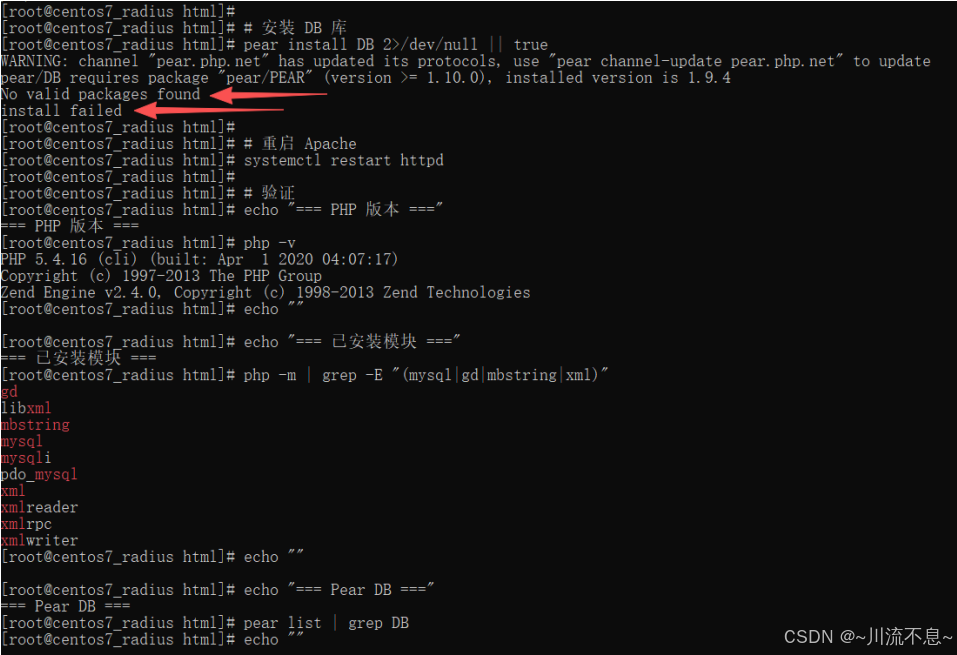
5、安装DB失败,如上图箭头所示,所以手动下载安装DB:
(1)下载地址:https://pear.php.net/get/DB-1.9.2.tgz
cd /tmp
wget https://pear.php.net/get/DB-1.9.2.tgz
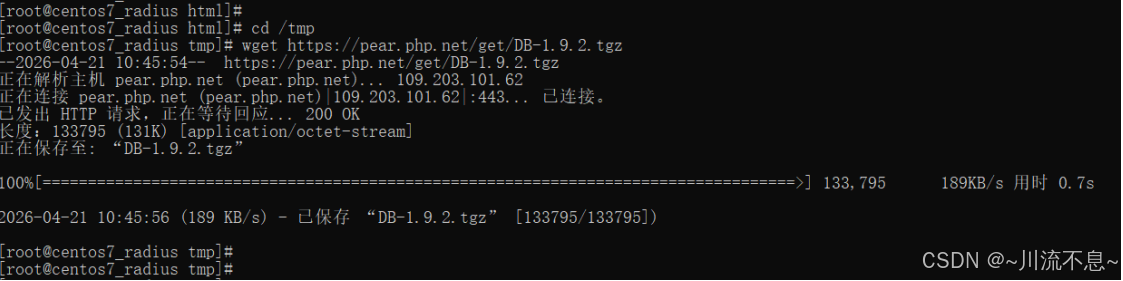
(2)解压下载的DB包
tar -xzf DB-1.9.2.tgz
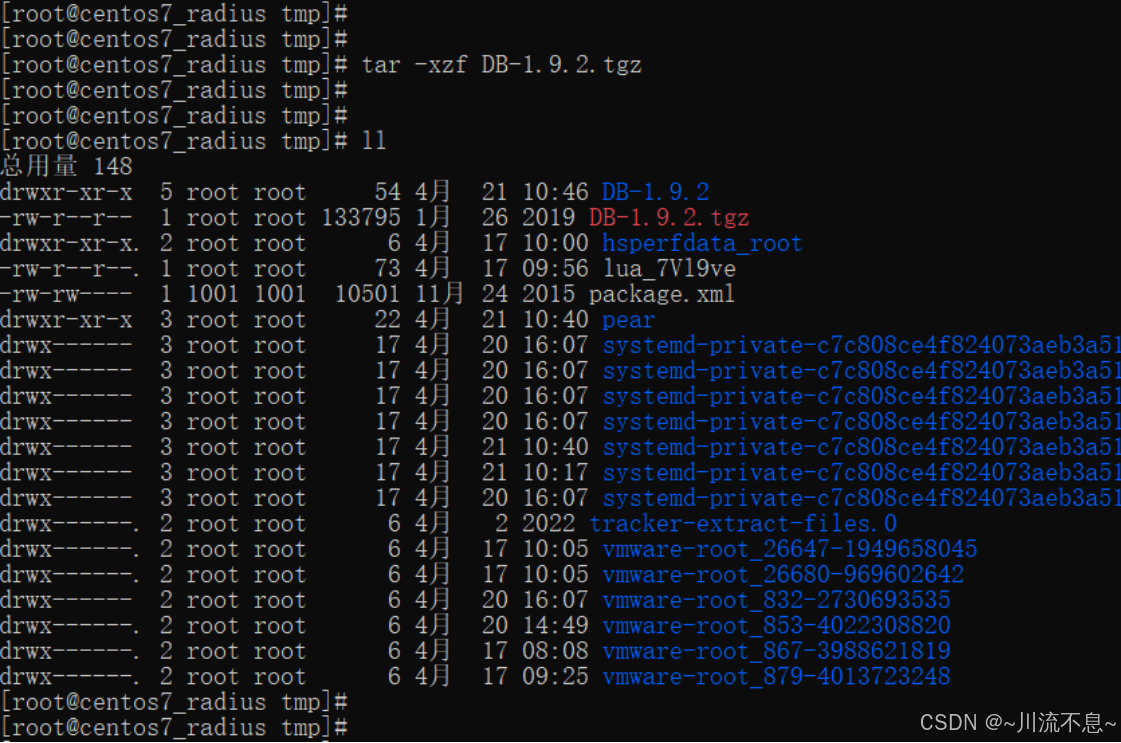
(3)复制DB包解压后生成的文件
cd DB-1.9.2
cp -r DB /usr/share/pear/
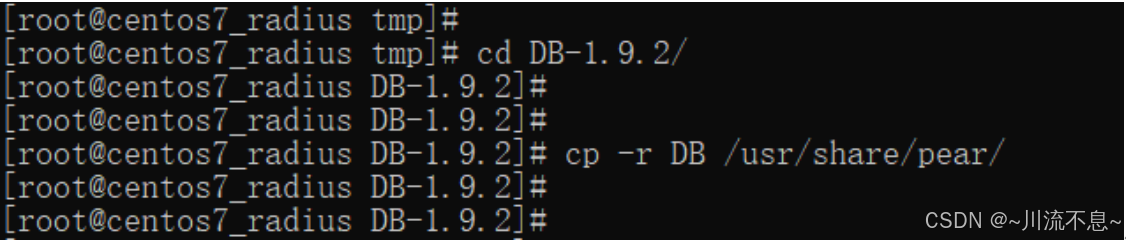
文件已复制但 pear list 未显示,因为 PEAR 的注册表没有记录。不过文件已经到位了。
(4)脚本1:一键修复DB的注册信息脚本:
#1. 确认 DB.php 存在
ls -la /usr/share/pear/DB.php
ls -la /usr/share/pear/DB/
#2. 复制 DB.php 主文件(如果不在)
cp /tmp/DB-1.9.2/DB.php /usr/share/pear/ 2>/dev/null || true
#3. 设置正确权限
chown -R root:root /usr/share/pear/DB
chmod -R 755 /usr/share/pear/DB
#4. 重启 Apache
systemctl restart httpd
#5. 测试 PHP 是否能找到 DB
php -r "require_once 'DB.php'; echo 'DB.php loaded successfully\n';"
(5)脚本1执行:一键修复DB的注册信息脚本执行结果如下:
root@centos7_radius DB-1.9.2#
root@centos7_radius DB-1.9.2# # 1. 确认 DB.php 存在
root@centos7_radius DB-1.9.2# ls -la /usr/share/pear/DB.php
/share/pear/DB/
#2. 复制 DB.php 主文件(如果不在)
cp /tmp/DB-1.9.2/DB.php /usr/share/pear/ 2>/dev/null || true
#3. 设置正确权限
chown -R root:root /usr/share/pear/DB
chmod -R 755 /usr/share/pear/DB
#4. 重启 Apache
systemctl restart httpd
#5. 测试 PHP 是否能找到 DB
php -r "require_once 'DB.php'; echo 'DB.php loaded sucls: 无法访问/usr/share/pear/DB.php: 没有那个文件或目录
root@centos7_radius DB-1.9.2# ls -la /usr/share/pear/DB/
总用量 484
drwxr-xr-x 2 root root 262 4月 21 10:48 .
drwxr-xr-x 9 root root 186 4月 21 10:48 ...
-rw-r----- 1 root root 72441 4月 21 10:48 common.php
-rw-r----- 1 root root 15357 4月 21 10:48 dbase.php
-rw-r----- 1 root root 23218 4月 21 10:48 fbsql.php
-rw-r----- 1 root root 34069 4月 21 10:48 ibase.php
-rw-r----- 1 root root 20011 4月 21 10:48 ifx.php
-rw-r----- 1 root root 24578 4月 21 10:48 msql.php
-rw-r----- 1 root root 29765 4月 21 10:48 mssql.php
-rw-r----- 1 root root 34966 4月 21 10:48 mysqli.php
-rw-r----- 1 root root 32606 4月 21 10:48 mysql.php
-rw-r----- 1 root root 37630 4月 21 10:48 oci8.php
-rw-r----- 1 root root 26726 4月 21 10:48 odbc.php
-rw-r----- 1 root root 36878 4月 21 10:48 pgsql.php
-rw-r----- 1 root root 30591 4月 21 10:48 sqlite.php
-rw-r----- 1 root root 14844 4月 21 10:48 storage.php
-rw-r----- 1 root root 29296 4月 21 10:48 sybase.php
root@centos7_radius DB-1.9.2#
root@centos7_radius DB-1.9.2# # 2. 复制 DB.php 主文件(如果不在)
root@centos7_radius DB-1.9.2# cp /tmp/DB-1.9.2/DB.php /usr/share/pear/ 2>/dev/null || true
root@centos7_radius DB-1.9.2#
root@centos7_radius DB-1.9.2# # 3. 设置正确权限
root@centos7_radius DB-1.9.2# chown -R root:root /usr/share/pear/DB
cessfully\n';"
root@centos7_radius DB-1.9.2# chmod -R 755 /usr/share/pear/DB
root@centos7_radius DB-1.9.2#
root@centos7_radius DB-1.9.2# # 4. 重启 Apache
root@centos7_radius DB-1.9.2# systemctl restart httpd
root@centos7_radius DB-1.9.2#
root@centos7_radius DB-1.9.2# # 5. 测试 PHP 是否能找到 DB
root@centos7_radius DB-1.9.2# php -r "require_once 'DB.php'; echo 'DB.php loaded successfully\n';"
DB.php loaded successfully\nroot@centos7_radius DB-1.9.2#
root@centos7_radius DB-1.9.2#
root@centos7_radius DB-1.9.2#
此时,DB.php 加载成功。
6、再次验证登录是否正常:
(1)脚本2:验证脚本:
#1. 确认 Apache 运行正常
systemctl status httpd --no-pager
#2. 查看最近错误日志(确认无新错误)
cat /var/log/httpd/error_log | tail -20
#3. 测试访问
curl -I http://localhost/daloradius/dologin.php 2>/dev/null | head -5
(2)脚本2执行,验证显示结果如下:
root@centos7_radius DB-1.9.2# # 1. 确认 Apache 运行正常
root@centos7_radius DB-1.9.2# systemctl status httpd --no-pager
看最近错误日志(确认无新错误)
cat /var/log/httpd/error_log | tail -20
#3. 测试访问
curl -I http://localhost/daloradius/dolo● httpd.service - The Apache HTTP Server
Loaded: loaded (/usr/lib/systemd/system/httpd.service; enabled; vendor preset: disabled)
Active: active (running) since 二 2026-04-21 10:50:12 CST; 2min 11s ago
Docs: man:httpd(8)
man:apachectl(8)
Process: 17949 ExecStop=/bin/kill -WINCH ${MAINPID} (code=exited, status=0/SUCCESS)
Main PID: 17956 (httpd)
Status: "Total requests: 0; Current requests/sec: 0; Current traffic: 0 B/sec"
Tasks: 8
CGroup: /system.slice/httpd.service
├─17956 /usr/sbin/httpd -DFOREGROUND
├─17957 /usr/libexec/nss_pcache 43 off
├─17961 /usr/sbin/httpd -DFOREGROUND
├─17962 /usr/sbin/httpd -DFOREGROUND
├─17963 /usr/sbin/httpd -DFOREGROUND
├─17964 /usr/sbin/httpd -DFOREGROUND
└─17965 /usr/sbin/httpd -DFOREGROUND
4月 21 10:50:11 centos7_radius systemd1: Starting The Apache HTTP Server...
4月 21 10:50:11 centos7_radius httpd17956: AH00558: httpd: Could not reliably determine the server's fully qualifi...ssage
4月 21 10:50:12 centos7_radius systemd1: Started The Apache HTTP Server.
Hint: Some lines were ellipsized, use -l to show in full.
root@centos7_radius DB-1.9.2#
root@centos7_radius DB-1.9.2# # 2. 查看最近错误日志(确认无新错误)
root@centos7_radius DB-1.9.2# cat /var/log/httpd/error_log | tail -20
Tue Apr 21 10:41:10.210227 2026 :error pid 17826 Misconfiguration of certificate's CN and virtual name. The certificate CN has localhost4.localdomain4. We expected fe80::23f9:2d3f:9e94:9cfd as virtual name.
Tue Apr 21 10:41:10.210270 2026 :error pid 17826 Server certificate is expired: 'Server-Cert'
Tue Apr 21 10:50:10.190651 2026 mpm_prefork:notice pid 17817 AH00170: caught SIGWINCH, shutting down gracefully
Tue Apr 21 10:50:11.651870 2026 suexec:notice pid 17956 AH01232: suEXEC mechanism enabled (wrapper: /usr/sbin/suexec)
Tue Apr 21 10:50:12.021847 2026 :error pid 17956 Misconfiguration of certificate's CN and virtual name. The certificate CN has localhost4.localdomain4. We expected fe80::23f9:2d3f:9e94:9cfd as virtual name.
Tue Apr 21 10:50:12.021887 2026 :error pid 17956 Server certificate is expired: 'Server-Cert'
AH00558: httpd: Could not reliably determine the server's fully qualified domain name, using fe80::23f9:2d3f:9e94:9cfd. Set the 'ServerName' directive globally to suppress this message
Tue Apr 21 10:50:12.502803 2026 lbmethod_heartbeat:notice pid 17956 AH02282: No slotmem from mod_heartmonitor
Tue Apr 21 10:50:12.564400 2026 mpm_prefork:notice pid 17956 AH00163: Apache/2.4.6 (CentOS) mod_auth_gssapi/1.5.1 mod_nss/1.0.14 NSS/3.28.4 PHP/5.4.16 mod_wsgi/3.4 Python/2.7.5 configured -- resuming normal operations
Tue Apr 21 10:50:12.564436 2026 core:notice pid 17956 AH00094: Command line: '/usr/sbin/httpd -D FOREGROUND'
Tue Apr 21 10:50:12.902944 2026 :error pid 17961 Misconfiguration of certificate's CN and virtual name. The certificate CN has localhost4.localdomain4. We expected fe80::23f9:2d3f:9e94:9cfd as virtual name.
Tue Apr 21 10:50:12.902999 2026 :error pid 17961 Server certificate is expired: 'Server-Cert'
Tue Apr 21 10:50:12.921724 2026 :error pid 17964 Misconfiguration of certificate's CN and virtual name. The certificate CN has localhost4.localdomain4. We expected fe80::23f9:2d3f:9e94:9cfd as virtual name.
Tue Apr 21 10:50:12.921758 2026 :error pid 17964 Server certificate is expired: 'Server-Cert'
Tue Apr 21 10:50:12.973393 2026 :error pid 17965 Misconfiguration of certificate's CN and virtual name. The certificate CN has localhost4.localdomain4. We expected fe80::23f9:2d3f:9e94:9cfd as virtual name.
Tue Apr 21 10:50:12.973434 2026 :error pid 17965 Server certificate is expired: 'Server-Cert'
Tue Apr 21 10:50:12.995841 2026 :error pid 17962 Misconfiguration of certificate's CN and virtual name. The certificate CN has localhost4.localdomain4. We expected fe80::23f9:2d3f:9e94:9cfd as virtual name.
Tue Apr 21 10:50:12.995871 2026 :error pid 17962 Server certificate is expired: 'Server-Cert'
Tue Apr 21 10:50:13.060251 2026 :error pid 17963 Misconfiguration of certificate's CN and virtual name. The certificate CN has localhost4.localdomain4. We expected fe80::23f9:2d3f:9e94:9cfd as virtual name.
Tue Apr 21 10:50:13.060297 2026 :error pid 17963 Server certificate is expired: 'Server-Cert'
root@centos7_radius DB-1.9.2#
root@centos7_radius DB-1.9.2# # 3. 测试访问
root@centos7_radius DB-1.9.2# curl -I http://localhost/daloradius/dologin.php 2>/dev/null | head -5
HTTP/1.0 500 Internal Server Error
Date: Tue, 21 Apr 2026 02:52:24 GMT
Server: Apache/2.4.6 (CentOS) mod_auth_gssapi/1.5.1 mod_nss/1.0.14 NSS/3.28.4 PHP/5.4.16 mod_wsgi/3.4 Python/2.7.5
X-Powered-By: PHP/5.4.16
Set-Cookie: PHPSESSID=3837ec5754f503c3dec1cf9; path=/
root@centos7_radius DB-1.9.2#
仍然 HTTP 500,但 Apache 正在运行。错误不在 DB.php 了,需要进一步诊断 PHP 错误。
7、进一步诊断修复
(1)脚本3,HTTP500快速修复脚本如下:
#!/bin/bash
#1. 开启 PHP 错误显示
sed -i 's/display_errors = Off/display_errors = On/' /etc/php.ini
sed -i 's/error_reporting = .*/error_reporting = E_ALL/' /etc/php.ini
#2. 修复权限
chown -R apache:apache /var/www/html/daloradius
chmod -R 755 /var/www/html/daloradius
chown -R apache:apache /var/lib/php/session/
chmod 755 /var/lib/php/session/
#3. 重启 Apache
systemctl restart httpd
#4. 测试
echo "请刷新浏览器查看具体错误信息"
echo ""
echo "或执行: curl http://localhost/daloradius/dologin.php 2>/dev/null | grep -i error"
(2)脚本3执行修复脚本的结果如下:
root@centos7_radius DB-1.9.2# # 1. 确认 Apache 运行正常
root@centos7_radius DB-1.9.2# systemctl status httpd --no-pager
看最近错误日志(确认无新错误)
cat /var/log/httpd/error_log | tail -20
#3. 测试访问
curl -I http://localhost/daloradius/dolo● httpd.service - The Apache HTTP Server
Loaded: loaded (/usr/lib/systemd/system/httpd.service; enabled; vendor preset: disabled)
Active: active (running) since 二 2026-04-21 10:50:12 CST; 2min 11s ago
Docs: man:httpd(8)
man:apachectl(8)
Process: 17949 ExecStop=/bin/kill -WINCH ${MAINPID} (code=exited, status=0/SUCCESS)
Main PID: 17956 (httpd)
Status: "Total requests: 0; Current requests/sec: 0; Current traffic: 0 B/sec"
Tasks: 8
CGroup: /system.slice/httpd.service
├─17956 /usr/sbin/httpd -DFOREGROUND
├─17957 /usr/libexec/nss_pcache 43 off
├─17961 /usr/sbin/httpd -DFOREGROUND
├─17962 /usr/sbin/httpd -DFOREGROUND
├─17963 /usr/sbin/httpd -DFOREGROUND
├─17964 /usr/sbin/httpd -DFOREGROUND
└─17965 /usr/sbin/httpd -DFOREGROUND
4月 21 10:50:11 centos7_radius systemd1: Starting The Apache HTTP Server...
4月 21 10:50:11 centos7_radius httpd17956: AH00558: httpd: Could not reliably determine the server's fully qualifi...ssage
4月 21 10:50:12 centos7_radius systemd1: Started The Apache HTTP Server.
Hint: Some lines were ellipsized, use -l to show in full.
root@centos7_radius DB-1.9.2#
root@centos7_radius DB-1.9.2# # 2. 查看最近错误日志(确认无新错误)
root@centos7_radius DB-1.9.2# cat /var/log/httpd/error_log | tail -20
Tue Apr 21 10:41:10.210227 2026 :error pid 17826 Misconfiguration of certificate's CN and virtual name. The certificate CN has localhost4.localdomain4. We expected fe80::23f9:2d3f:9e94:9cfd as virtual name.
Tue Apr 21 10:41:10.210270 2026 :error pid 17826 Server certificate is expired: 'Server-Cert'
Tue Apr 21 10:50:10.190651 2026 mpm_prefork:notice pid 17817 AH00170: caught SIGWINCH, shutting down gracefully
Tue Apr 21 10:50:11.651870 2026 suexec:notice pid 17956 AH01232: suEXEC mechanism enabled (wrapper: /usr/sbin/suexec)
Tue Apr 21 10:50:12.021847 2026 :error pid 17956 Misconfiguration of certificate's CN and virtual name. The certificate CN has localhost4.localdomain4. We expected fe80::23f9:2d3f:9e94:9cfd as virtual name.
Tue Apr 21 10:50:12.021887 2026 :error pid 17956 Server certificate is expired: 'Server-Cert'
AH00558: httpd: Could not reliably determine the server's fully qualified domain name, using fe80::23f9:2d3f:9e94:9cfd. Set the 'ServerName' directive globally to suppress this message
Tue Apr 21 10:50:12.502803 2026 lbmethod_heartbeat:notice pid 17956 AH02282: No slotmem from mod_heartmonitor
Tue Apr 21 10:50:12.564400 2026 mpm_prefork:notice pid 17956 AH00163: Apache/2.4.6 (CentOS) mod_auth_gssapi/1.5.1 mod_nss/1.0.14 NSS/3.28.4 PHP/5.4.16 mod_wsgi/3.4 Python/2.7.5 configured -- resuming normal operations
Tue Apr 21 10:50:12.564436 2026 core:notice pid 17956 AH00094: Command line: '/usr/sbin/httpd -D FOREGROUND'
Tue Apr 21 10:50:12.902944 2026 :error pid 17961 Misconfiguration of certificate's CN and virtual name. The certificate CN has localhost4.localdomain4. We expected fe80::23f9:2d3f:9e94:9cfd as virtual name.
Tue Apr 21 10:50:12.902999 2026 :error pid 17961 Server certificate is expired: 'Server-Cert'
Tue Apr 21 10:50:12.921724 2026 :error pid 17964 Misconfiguration of certificate's CN and virtual name. The certificate CN has localhost4.localdomain4. We expected fe80::23f9:2d3f:9e94:9cfd as virtual name.
Tue Apr 21 10:50:12.921758 2026 :error pid 17964 Server certificate is expired: 'Server-Cert'
Tue Apr 21 10:50:12.973393 2026 :error pid 17965 Misconfiguration of certificate's CN and virtual name. The certificate CN has localhost4.localdomain4. We expected fe80::23f9:2d3f:9e94:9cfd as virtual name.
Tue Apr 21 10:50:12.973434 2026 :error pid 17965 Server certificate is expired: 'Server-Cert'
Tue Apr 21 10:50:12.995841 2026 :error pid 17962 Misconfiguration of certificate's CN and virtual name. The certificate CN has localhost4.localdomain4. We expected fe80::23f9:2d3f:9e94:9cfd as virtual name.
Tue Apr 21 10:50:12.995871 2026 :error pid 17962 Server certificate is expired: 'Server-Cert'
Tue Apr 21 10:50:13.060251 2026 :error pid 17963 Misconfiguration of certificate's CN and virtual name. The certificate CN has localhost4.localdomain4. We expected fe80::23f9:2d3f:9e94:9cfd as virtual name.
Tue Apr 21 10:50:13.060297 2026 :error pid 17963 Server certificate is expired: 'Server-Cert'
root@centos7_radius DB-1.9.2#
root@centos7_radius DB-1.9.2# # 3. 测试访问
root@centos7_radius DB-1.9.2# curl -I http://localhost/daloradius/dologin.php 2>/dev/null | head -5
HTTP/1.0 500 Internal Server Error
Date: Tue, 21 Apr 2026 02:52:24 GMT
Server: Apache/2.4.6 (CentOS) mod_auth_gssapi/1.5.1 mod_nss/1.0.14 NSS/3.28.4 PHP/5.4.16 mod_wsgi/3.4 Python/2.7.5
X-Powered-By: PHP/5.4.16
Set-Cookie: PHPSESSID=3837ec5754f503c3dec1cf9; path=/
root@centos7_radius DB-1.9.2#
root@centos7_radius DB-1.9.2#
root@centos7_radius DB-1.9.2#
root@centos7_radius DB-1.9.2#
root@centos7_radius DB-1.9.2# # 检查 daloRADIUS 配置
root@centos7_radius DB-1.9.2# cat /var/www/html/daloradius/library/daloradius.conf.php | grep -E "(CONFIG_DB_HOST|CONFIG_DB_USER|CONFIG_DB_PASS|CONFIG_DB_NAME)"
$configValues'CONFIG_DB_HOST' = 'localhost';
$configValues'CONFIG_DB_USER' = 'radius';
$configValues'CONFIG_DB_PASS' = 'radiuspassword';
$configValues'CONFIG_DB_NAME' = 'radius';
$configValues'CONFIG_DB_PASSWORD_ENCRYPTION' = 'cleartext';
root@centos7_radius DB-1.9.2#
root@centos7_radius DB-1.9.2# # 测试数据库连接
root@centos7_radius DB-1.9.2# mysql -u radius -p'radiuspassword' -e "USE radius; SHOW TABLES;"
±-----------------------+
| Tables_in_radius |
±-----------------------+
| batch_history |
| billing_history |
| billing_merchant |
| billing_paypal |
| billing_plans |
| billing_plans_profiles |
| billing_rates |
| cui |
| dictionary |
| hotspots |
| invoice |
| invoice_items |
| invoice_status |
| invoice_type |
| nas |
| node |
| operators |
| operators_acl |
| operators_acl_files |
| payment |
| payment_type |
| proxys |
| radacct |
| radcheck |
| radgroupcheck |
| radgroupreply |
| radhuntgroup |
| radippool |
| radpostauth |
| radreply |
| radusergroup |
| realms |
| userbillinfo |
| userinfo |
| wimax |
±-----------------------+
root@centos7_radius DB-1.9.2#
数据库连接正常,表也存在。HTTP 500 错误可能是 PHP 运行时错误。
8、HTTP 500 错误继续排查
(1)脚本4,http 500修复脚本如下:
#!/bin/bash
#1. 开启 PHP 错误显示
sed -i 's/display_errors = Off/display_errors = On/' /etc/php.ini
sed -i 's/error_reporting = .*/error_reporting = E_ALL/' /etc/php.ini
#2. 修复数据库引擎配置
sed -i "s/CONFIG_DB_ENGINE'] = 'mysql'/CONFIG_DB_ENGINE'] = 'mysqli'/" /var/www/html/daloradius/library/daloradius.conf.php
#3. 修复权限
chown -R apache:apache /var/www/html/daloradius /var/lib/php/session/
chmod -R 755 /var/www/html/daloradius
chmod 755 /var/lib/php/session/
#4. 重启 Apache
systemctl restart httpd
#5. 验证配置
echo "=== 数据库配置 ="
grep "CONFIG_DB_ENGINE" /var/www/html/daloradius/library/daloradius.conf.php
echo ""
echo "= 测试访问 ==="
curl -s http://localhost/daloradius/dologin.php 2>/dev/null | head -5
echo ""
echo "请刷新浏览器查看具体错误信息"
(2)脚本4执行,修复脚本结果如下:
root@centos7_radius DB-1.9.2# root@centos7_radius DB-1.9.2# # 1. 确认 Apache 运行正常
@centos7_radius DB-1.9.2]# systemctl status httpd --no-pager
看最近错误日志(确认无新错误)
cat /var/log/httpd/error_log | tail -20
#3. 测试访问
curl -I http://localhost/daloradius/dolo● httpd.service - The Apache HTTP Server
Loaded: loaded (/usr/lib/systemd/system/httpd.service; enabled; vendor preset: disabled)
Active: active (running) since 二 2026-04-21 10:50:12 CST; 2min 11s ago
Docs: man:httpd(8)
man:apachectl(8)
Process: 17949 ExecStop=/bin/kill -WINCH ${MAINPID} (code=exited, status=0/SUCCESS)
Main PID: 17956 (httpd)
Status: "Total requests: 0; Current requests/sec: 0; Current traffic: 0 B/sec"
Tasks: 8
CGroup: /system.slice/httpd.service
├─17956 /usr/sbin/httpd -DFOREGROUND
├─17957 /usr/libexec/nss_pcache 43 off
├─17961 /usr/sbin/httpd -DFOREGROUND
├─17962 /usr/sbin/httpd -DFOREGROUND
├─17963 /usr/sbin/httpd -DFOREGROUND
├─17964 /usr/sbin/httpd -DFOREGROUND
└─17965 /usr/sbin/httpd -DFOREGROUND
4月 21 10:50:11 centos7_radius systemd1: Starting The Apache HTTP Server...
4月 21 10:50:11 centos7_radbash: [root@centos7_radius: 未找到命令...
ius httpd17956: AH00558: httpd: Could not reliably determine the server's fully qualifi...ssage
4月 21 10:50:12 centos7_radius systemd1: Started The Apache HTTP Server.
Hint: Some lines were ellipsized, use -l to show in full.
root@centos7_radius DB-1.9.2#
root@centos7_radius DB-1.9.2# # root@centos7_radius DB-1.9.2# root@centos7_radius DB-1.9.2# systemctl status httpd --no-pager
- 查看最近错误日志(确认无新错误)
root@centos7_radius DB-1.9.2# cat /var/log/httpd/error_log | tail -20
Tue Apr 21 10:41:10.210227 2026 :error pid 17826 Misconfiguration of certificate's CN and virtual name. The certificate CN has localhost4.localdomain4. We expected fe80::23f9:2d3f:9e94:9cfd as virtual name.
Tue Apr 21 10:41:10.210270 2026 :error pid 17826 Server certificate is expired: 'Server-Cert'
Tue Apr 21 10:50:10.190651 2026 mpm_prefork:notice pid 17817 AH00170: caught SIGWINCH, shutting down gracefully
Tue Apr 21 10:50:11.651870 2026 suexec:notice pid 17956 AH01232: suEXEC mechanism enabledbash: [root@centos7_radius: 未找到命令...
(wrapper: /usr/sbin/suexec)
Tue Apr 21 10:50:12.021847 2026 :error pid 17956 Misconfiguration of certificate's CN and virtual name. The certificate CN has localhost4.localdomain4. We expected fe80::23f9:2d3f:9e94:9cfd as virtual name.
Tue Apr 21 10:50:12.021887 2026 :error pid 17956 Server certificate is expired: 'Server-Cert'
AH00558: httpd: Could not reliably determine the server's fully qualifieroot@centos7_radius DB-1.9.2# 看最近错误日志(确认 无新错误)
d domain name, using fe80::23f9:2d3f:9e94:9cfd. Set the 'ServerName' directive globally to suppress this message
Tue Apr 21 10:50:12.502803 2026 lbmethod_heartbeat:notice pid 17956 AH02282: No slotmem from mod_heartmonitor
Tue Apr 21 10:50:12.564400 2026 mpm_prefork:notice pid 17956 AH00163: Apache/2.4.6 (CentOS) mod_auth_gssapi/1.5.1 mod_nss/1.0.14 NSS/3.28.4 PHP/5.4.16 mod_wsgi/3.4 Python/2.7.5 configured -- resuming normal operations
[Tue bash: 看最近错误日志(确认无新错误): 未找到命令...
Apr 21 10:50:12.564436 2026] core:notice pid 17956 AH00094: Command line: '/usr/sbin/httpd -D FOREGROUND'
Tue Apr 21 10:50:12.902944 2026 :error pid 17961 Misconfiguration of certificate's CN and virtual name. The certificate CN has localhost4.localdomain4. We expected fe80::23f9:2d3f:9e94:9cfd as virtual name.
Tue Apr 21 10:50:12.902999 2026 :error pid 17961 Server certificate is expired: 'Server-Cert'
Tue Apr 21 10:50:12.921724 202\[root@centos7_radius DB-1.9.2# cat /var/log/httpd/error_log | tail -20
6] :error pid 17964 Misconfiguration of certificate's CN and virtual name. The certificate CN has localhost4.localdomain4. We expected fe80::23f9:2d3f:9e94:9cfd as virtual name.
Tue Apr 21 10:50:12.921758 2026 :error pid 17964 Server certificate is expired: 'Server-Cert'
Tue Apr 21 10:50:12.973393 2026 :error pid 17965 Misconfiguration ofTue Apr 21 10:50:12.021847 2026 :error pid 17956 Misconfiguration of certificate's CN and virtual name. The certificate CN has localhost4.localdomain4. We expected fe80::23f9:2d3f:9e94:9cfd as virtual name.
Tue Apr 21 10:50:12.021887 2026 :error pid 17956 Server certificate is expired: 'Server-Cert'
AH00558: httpd: Could not reliably determine the server's fully qualified domain name, using fe80::23f9:2d3f:9e94:9cfd. Set the 'ServerName' directive globally to suppress this message
Tue Apr 21 10:50:12.502803 2026 lbmethod_heartbeat:notice pid 17956 AH02282: No slotmem from mod_heartmonitor
Tue Apr 21 10:50:12.564400 2026 mpm_prefork:notice pid 17956 AH00163: Apache/2.4.6 (CentOS) mod_auth_gssapi/1.5.1 mod_nss/1.0.14 NSS/3.28.4 PHP/5.4.16 mod_wsgi/3.4 Python/2.7.5 configured -- resuming normal operations
Tue Apr 21 10:50:12.564436 2026 core:notice pid 17956 AH00094: Command line: '/usr/sbin/httpd -D FOREGROUND'
Tue Apr 21 10:50:12.902944 2026 :error pid 17961 Misconfiguration of certificate's CN and virtual name. The certificate CN has localhost4.localdomain4. We expected fe80::23f9:2d3f:9e94:9cfd as virtual name.
Tue Apr 21 10:50:12.902999 2026 :error pid 17961 Server certificate is expired: 'Server-Cert'
Tue Apr 21 10:50:12.921724 2026 :error pid 17964 Misconfiguration of certificate's CN and virtual name. The certificate CN has localhost4.localdomain4. We expected fe80::23f9:2d3f:9e94:9cfd as virtual name.
Tue Apr 21 10:50:12.921758 2026 :error pid 17964 Server certificate is expired: 'Server-Cert'
Tue Apr 21 10:50:12.973393 2026 :error pid 17965 Misconfiguration of certificate's CN and virtual name. The certificate CN has localhost4.localdomain4. We expected fe80::23f9:2d3f:9e94:9cfd as virtual name.
Tue Apr 21 10:50:12.973434 2026 :error pid 17965 Server certificate is expired: 'Server-Cert'
Tue Apr 21 10:50:12.995841 2026 :error pid 17962 Misconfiguration of certificate's CN and virtual name. The certificate CN has localhost4.localdomain4. We expected fe80::23f9:2d3f:9e94:9cfd as virtual name.
Tue Apr 21 10:50:12.995871 2026 :error pid 17962 Server certificate is expired: 'Server-Cert'
Tue Apr 21 10:50:13.060251 2026 :error pid 17963 Misconfiguration of certificate's CN and virtual name. The certificate CN has localhost4.localdomain4. We expected fe80::23f9:2d3f:9e94:9cfd as virtual name.
Tue Apr 21 10:50:13.060297 2026 :error pid 17963 Server certificate is expired: 'Server-Cert'
Tue Apr 21 10:52:24.616852 2026 :error pid 17961 client ::1:48838 PHP Notice: Undefined index: location in /var/www/html/daloradius/dologin.php on line 45
Tue Apr 21 10:52:24.617912 2026 :error pid 17961 client ::1:48838 PHP Warning: include_once(/usr/share/pear/DB.php): failed to open stream: Permission denied in /var/www/html/daloradius/library/opendb.php on line 84
Tue Apr 21 10:52:24.617944 2026 :error pid 17961 client ::1:48838 PHP Warning: include_once(): Failed opening 'DB.php' for inclusion (include_path='.:/usr/share/pear:/usr/share/php') in /var/www/html/daloradius/library/opendb.php on line 84
Tue Apr 21 10:52:24.618009 2026 :error pid 17961 client ::1:48838 PHP Fatal error: Class 'DB' not found in /var/www/html/daloradius/library/opendb.php on line 86
root@centos7_radius DB-1.9.2#
root@centos7_radius DB-1.9.2# # 3. 测试访问
root@centos7_radius DB-1.9.2# curl -I http://localhost/daloradius/dolo● httpd.service - The Apache HTTP Server
certificate's CN and virtual name. The certificate CN has localhost4.localdomain4. We expected fe80::23f9:2d3f:9e94:9cfd as virtual name.
Tue Apr 21 10:50:12.973434 2026 :error pid 17965 Server certificate is expired: 'Server-Cert'
Tue Apr 21 10:50:12.995841 2026 :error pid 17962 Misconfiguration of certificate's CN and virtual name. The certificate CN has localhost4.localdomain4. We expected fe80::23f9:2d3f:9e94:9cfd as virtual name.
Tue Apr 21 10:50:12.995871 2026 :error pid 17962 Server certificatcurl: option -: is unknown
curl: try 'curl --help' or 'curl --manual' for more information
root@centos7_radius DB-1.9.2# Loaded: loaded (/usr/lib/systemd/system/httpd.service; enabled; vendor preset: disabled)
-bash: 未预期的符号 (' 附近有语法错误 [root@centos7_radius DB-1.9.2]# Active: active (running) since 二 2026-04-21 10:50:12 CST; 2min 11s ago -bash: 未预期的符号 (' 附近有语法错误
root@centos7_radius DB-1.9.2# Docs: man:httpd(8)
-bash: 未预期的符号 (' 附近有语法错误 [root@centos7_radius DB-1.9.2]# man:apachectl(8) -bash: 未预期的符号 8' 附近有语法错误
root@centos7_radius DB-1.9.2# Process: 17949 ExecStop=/bin/kill -WINCH ${MAINPID} (code=exited, status=0/SUCCESS)
-bash: 未预期的符号 (' 附近有语法错误 [root@centos7_radius DB-1.9.2]# Main PID: 17956 (httpd) -bash: 未预期的符号 (' 附近有语法错误
root@centos7_radius DB-1.9.2# Status: "Total requests: 0; Current requests/sec: 0; Current traffic: 0 B/sec"
bash: Status:: 未找到命令...
root@centos7_radius DB-1.9.2# Tasks: 8
s
bash: Tasks:: 未找到命令...
root@centos7_radius DB-1.9.2# CGroup: /system.slice/httpd.service
t
bash: CGroup:: 未找到命令...
root@centos7_radius DB-1.9.2# ├─17956 /usr/sbin/httpd -DFOREGROUND
1
bash: ├─17956: 未找到命令...
root@centos7_radius DB-1.9.2# ├─17957 /usr/libexec/nss_pcache 43 off
c
bash: ├─17957: 未找到命令...
root@centos7_radius DB-1.9.2# ├─17961 /usr/sbin/httpd -DFOREGROUND
u
bash: ├─17961: 未找到命令...
root@centos7_radius DB-1.9.2# ├─17962 /usr/sbin/httpd -DFOREGROUND
u
bash: ├─17962: 未找到命令...
root@centos7_radius DB-1.9.2# ├─17963 /usr/sbin/httpd -DFOREGROUND
S
bash: ├─17963: 未找到命令...
root@centos7_radius DB-1.9.2# ├─17964 /usr/sbin/httpd -DFOREGROUND
d
bash: ├─17964: 未找到命令...
root@centos7_radius DB-1.9.2# └─17965 /usr/sbin/httpd -DFOREGROUND
n
bash: └─17965: 未找到命令...
root@centos7_radius DB-1.9.2#
root@centos7_radius DB-1.9.2# 4月 21 10:50:11 centos7_radius systemd1: Starting The Apache HTTP Server...
bash: 4月: 未找到命令...
root@centos7_radius DB-1.9.2# 4月 21 10:50:11 centos7_radius httpd17956: AH00558: httpd: Could not reliably determine the server's fully qualifi...ssage
4月 21 10:50:12 centos7_radius systemd1: Started The Apache HTTP Server.
Hint: Some lines were ellipsized, use -l to show in full.
root@centos7_radius DB-1.9.2#
root@centos7_radius DB-1.9.2# # 2. 查看最近错误日志(确认无新错误)
root@centos7_radius DB-1.9.2# cat /var/log/httpd/error_log | tail -20
Tue Apr 21 10:41:10.210227 2026 :error pid 17826 Misconfiguration of certificate's CN and virtual name. The certificate CN has localhost4.localdomain4. We expected fe80::23f9:2d3f:9e94:9cfd as virtual name.
u
bash: 4月: 未找到命令...
root@centos7_radius DB-1.9.2# Tue Apr 21 10:41:10.210270 2026 :error pid 17826 Server certificate is expired: 'Server-Cert'
bash: [Tue: 未找到命令...
root@centos7_radius DB-1.9.2# Tue Apr 21 10:50:10.190651 2026 mpm_prefork:notice pid 17817 AH00170: caught SIGWINCH, shutting down gracefully
bash: [Tue: 未找到命令...
root@centos7_radius DB-1.9.2# Tue Apr 21 10:50:11.651870 2026 suexec:notice pid 17956 AH01232: suEXEC mechanism enabled (wrapper: /usr/sbin/suexec)
-bash: 未预期的符号
(' 附近有语法错误 [root@centos7_radius DB-1.9.2]# [Tue Apr 21 10:50:12.021847 2026] [:error] [pid 17956] Misconfiguration of certificate's CN and virtual name. The certificate CN has localhost4.localdomain4. We expected fe80::23f9:2d3f:9e94:9cfd as virtual name. [Tue Apr 21 10:50:12.021887 2026] [:error] [pid 17956] Server certificate is expired: 'Server-Cert' AH00558: httpd: Could not reliably determine the server's fully qualified domain name, using fe80::23f9:2d3f:9e94:9cfd. Set the 'ServerName' directive globally to suppress this message bash: [Tue: 未找到命令... [root@centos7_radius DB-1.9.2]# [Tue Apr 21 10:50:12.502803 2026] [lbmethod_heartbeat:notice] [pid 17956] AH02282: No slotmem from mod_heartmonitor bash: [Tue: 未找到命令... [root@centos7_radius DB-1.9.2]# [Tue Apr 21 10:50:12.564400 2026] [mpm_prefork:notice] [pid 17956] AH00163: Apache/2.4.6 (CentOS) mod_auth_gssapi/1.5.1 mod_nss/1.0.14 NSS/3.28.4 PHP/5.4.16 mod_wsgi/3.4 Python/2.7.5 configured -- resuming normal operations -bash: 未预期的符号(' 附近有语法错误root@centos7_radius DB-1.9.2# Tue Apr 21 10:50:12.564436 2026 core:notice pid 17956 AH00094: Command line: '/usr/sbin/httpd -D FOREGROUND'
bash: [Tue: 未找到命令...
root@centos7_radius DB-1.9.2# Tue Apr 21 10:50:12.902944 2026 :error pid 17961 Misconfiguration of certificate's CN and virtual name. The certificate CN has localhost4.localdomain4. We expected fe80::23f9:2d3f:9e94:9cfd as virtual name.
Tue Apr 21 10:50:12.902999 2026 :error pid 17961 Server certificate is expired: 'Server-Cert'
Tue Apr 21 10:50:12.921724 2026 :error pid 17964 Misconfiguration of certificate's CN and virtual name. The certificate CN has localhost4.localdomain4. We expected fe80::23f9:2d3f:9e94:9cfd as virtual name.
bash: [Tue: 未找到命令...
root@centos7_radius DB-1.9.2# Tue Apr 21 10:50:12.921758 2026 :error pid 17964 Server certificate is expired: 'Server-Cert'
bash: [Tue: 未找到命令...
root@centos7_radius DB-1.9.2# Tue Apr 21 10:50:12.973393 2026 :error pid 17965 Misconfiguration of certificate's CN and virtual name. The certificate CN has localhost4.localdomain4. We expected fe80::23f9:2d3f:9e94:9cfd as virtual name.
Tue Apr 21 10:50:12.973434 2026 :error pid 17965 Server certificate is expired: 'Server-Cert'
Tue Apr 21 10:50:12.995841 2026 :error pid 17962 Misconfiguration of certificate's CN and virtual name. The certificate CN has localhost4.localdomain4. We expected fe80::23f9:2d3f:9e94:9cfd as virtual name.
bash: [Tue: 未找到命令...
root@centos7_radius DB-1.9.2# Tue Apr 21 10:50:12.995871 2026 :error pid 17962 Server certificate is expired: 'Server-Cert'
bash: [Tue: 未找到命令...
root@centos7_radius DB-1.9.2# Tue Apr 21 10:50:13.060251 2026 :error pid 17963 Misconfiguration of certificate's CN and virtual name. The certificate CN has localhost4.localdomain4. We expected fe80::23f9:2d3f:9e94:9cfd as virtual name.
Tue Apr 21 10:50:13.060297 2026 :error pid 17963 Server certificate is expired: 'Server-Cert'
root@centos7_radius DB-1.9.2#
root@centos7_radius DB-1.9.2# # 3. 测
[root@centos
HTTP/1.0 500 Internal Server Error
Dat
Server: Apache/2.4.6 (CentOS) mod_auth_gssapi/1.5.1
X-Powered-By: PHP/5.4.16
Set-Cookie: PHPSESSID=3837ec
root@centos7_radius DB-1.9.2#
[root@centos7_radiu
root@centos7_radius DB-1.9.2#
[root@centos7_radiu
root@centos7_radius DB-1.9.2# # 检查 daloRADIUS
root@centos7_radius DB-1.9.2# cat /var/www/html/d
$configValues'CONFIG_DB_HOST' = 'localhost';
$con
$configValues'CONFIG_DB_PASS' = 'radiuspassword';
$configValues'CONFIG_DB_NAME'
$configValues'CONFIG_DB_PASSWORD_ENCRYPTION' = 'cleartext';
root@centos7_radius DB-1.9.2#
root@centos7_radius DB-1.9.2# # 测试数据库连接
root@centos7_radius DB-1.9.2# mysql -u radius -p'radiuspassword' -e "USE radius; SHOW TABLES;"
±-----------------------+
| Tables_in_radius |
±-----------------------+
| batch_history |
| billing_history |
| billing_merchant |
| billing_paypal |
| billing_plans |
| billing_plans_profiles |
| billing_rates |
| cui |
| dictionary |
| hotspots |
| invoice |
| invoice_items |
| invoice_statu
| invoice_type |
| nas |
| node |
| operators
| operators_acl |
| operators_acl_files |
| payment |
| payment_type |
| proxys
| radacct |
| radcheck |
| radgroupcheck |
| radgroupreply |
| radhuntgroup |
| radippool |
| radpostauth |
| radreply |
| radusergroup |
| realms |
| userbillinfo |
| userinfo |
| wimax |
±-----------------------+
root@centos7_radius DB-1.9.2#
(3)脚本4执行过程中,找到关键错误
PHP Warning: include_once(/usr/share/pear/DB.php): failed to open stream: Permission denied in /var/www/html/daloradius/library/opendb.php on line 84
PHP Fatal error: Class 'DB' not found in /var/www/html/daloradius/library/opendb.php on line 86
权限问题! Apache 用户无法读取 /usr/share/pear/DB.php
9、修复权限问题
(1)脚本5,快速修复脚本:
#!/bin/bash
#修复 DB.php 权限
chmod 644 /usr/share/pear/DB.php 2>/dev/null || true
chmod -R 755 /usr/share/pear/DB 2>/dev/null || true
#确保文件存在
ls -la /usr/share/pear/DB.php
ls -la /usr/share/pear/DB/ | head -3
#测试 PHP 加载
php -r "require_once 'DB.php'; echo 'DB.php loaded OK\n';"
#重启 Apache
systemctl restart httpd
#测试 daloRADIUS
echo ""
echo "=== 测试 daloRADIUS ="
curl -I http://localhost/daloradius/dologin.php 2>/dev/null | head -5
(2)脚本5执行,快速修复脚本结果如下:
root@centos7_radius DB-1.9.2# #!/bin/bash
root@centos7_radius DB-1.9.2#
root@centos7_radius DB-1.9.2# # 修复 DB.php 权限
root@centos7_radius DB-1.9.2# chmod 644 /usr/share/pear/DB.php 2>/dev/null || true
#测试 PHP 加载
php -r "require_once 'DB.php'; echo 'DB.php loaded OK\n';"
#重启 Apache
systemctl restart httpd
#测试 daloRADIUS
echo ""
echo "=root@centos7_radius DB-1.9.2# chmod -R 755 /usr/share/pear/DB 2>/dev/null || true测试 daloRADIUS ="
curl -I http://localhost/daloradius/dologin.php 2>/dev/null | head -5
root@centos7_radius DB-1.9.2#
root@centos7_radius DB-1.9.2# # 确保文件存在
root@centos7_radius DB-1.9.2# ls -la /usr/share/pear/DB.php
-rw-r--r-- 1 root root 43451 4月 21 10:50 /usr/share/pear/DB.php
root@centos7_radius DB-1.9.2# ls -la /usr/share/pear/DB/ | head -3
总用量 484
drwxr-xr-x 2 root root 262 4月 21 10:48 .
drwxr-xr-x 9 root root 200 4月 21 10:50 ...
root@centos7_radius DB-1.9.2#
root@centos7_radius DB-1.9.2# # 测试 PHP 加载
root@centos7_radius DB-1.9.2# php -r "require_once 'DB.php'; echo 'DB.php loaded OK\n';"
DB.php loaded OK\nroot@centos7_radius DB-1.9.2#
root@centos7_radius DB-1.9.2# # 重启 Apache
root@centos7_radius DB-1.9.2# systemctl restart httpd
root@centos7_radius DB-1.9.2#
root@centos7_radius DB-1.9.2# # 测试 daloRADIUS
root@centos7_radius DB-1.9.2# echo ""
root@centos7_radius DB-1.9.2# echo "= 测试 daloRADIUS ==="=== 测试 daloRADIUS ===
root@centos7_radius DB-1.9.2# curl -I http://localhost/daloradius/dologin.php 2>/dev/null | head -5
HTTP/1.1 302 Found
Date: Tue, 21 Apr 2026 02:57:05 GMT
Server: Apache/2.4.6 (CentOS) mod_auth_gssapi/1.5.1 mod_nss/1.0.14 NSS/3.28.4 PHP/5.4.16 mod_wsgi/3.4 Python/2.7.5
X-Powered-By: PHP/5.4.16
Set-Cookie: PHPSESSID=5837ec5754f503cfaf9ce1895abbdd3e; path=/
root@centos7_radius DB-1.9.2#
(3)HTTP 302 Found 表示成功了!不再是 500 错误了!
302 Found是重定向响应,说明 PHP 代码执行成功,正在重定向到另一个页面(通常是登录后的首页或错误页面)。
10、此时再登录正常:
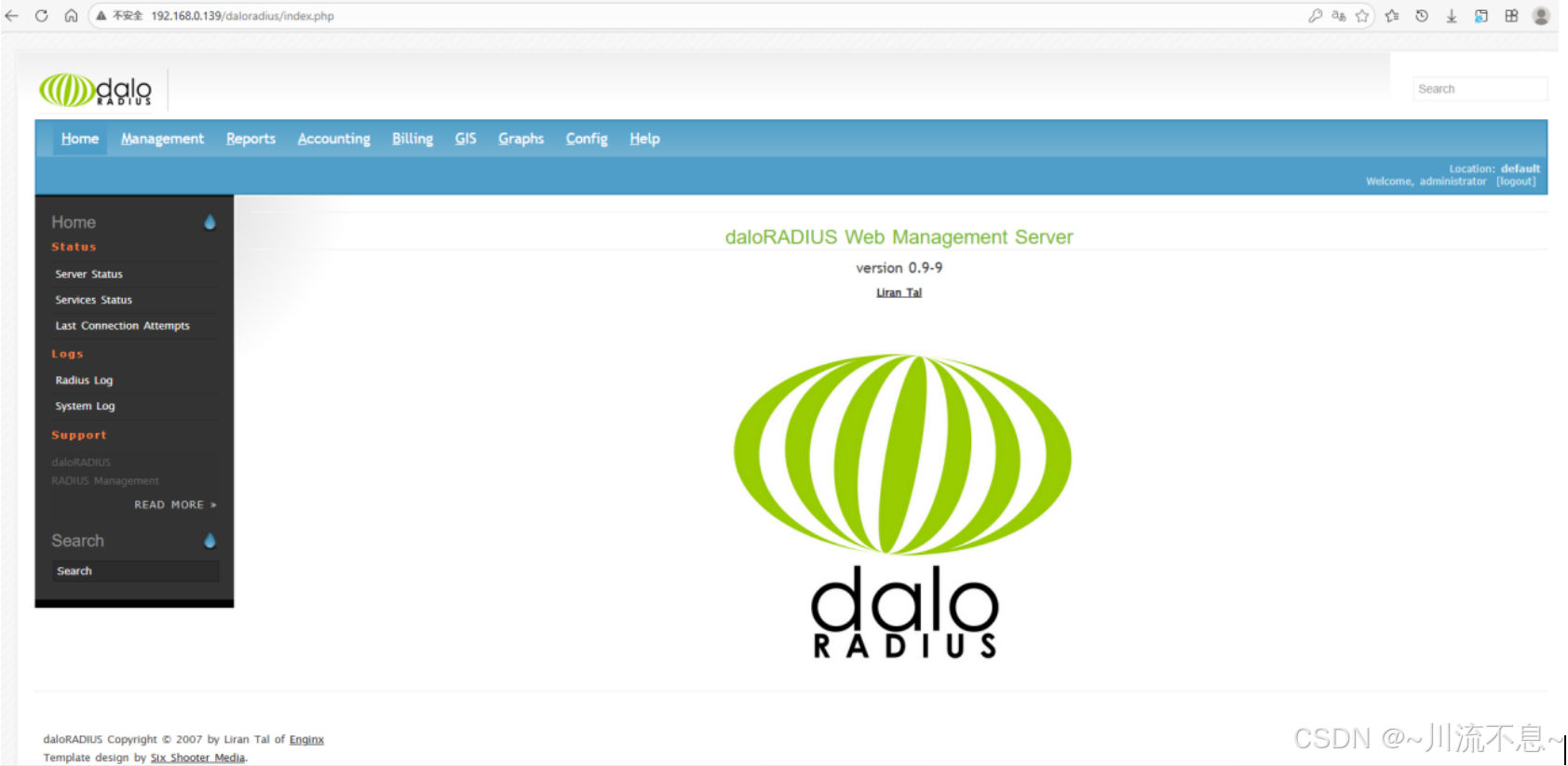
五、页面汉化
1、进入daloradius 文件目录,修改config-lang.php,添加中文的选项:
cd /var/www/html/daloradius
vim config-lang.php

2、增加一行中文的配置
Simplified Chinese !在这里插入图片描述(https://i-blog.csdnimg.cn/direct/cc36e0c3268240ca80b83808f9d311e1.png)
<select name="config_lang" class='form'>
                    <option value="en"> English </option>
                    <option value="zh"> Simplified Chinese </option>
                    <option value="ru"> Russian </option>
                    <option value="hu"> Hungarian </option>
                    <option value="it"> Italian </option>
                    <option value="es_VE"> Spanish - Venezuelan </option>
                    <option value="pt_br"> Portuguese - Brazilian </option>
                    <option value="ja"> Japanese </option>
            </select>
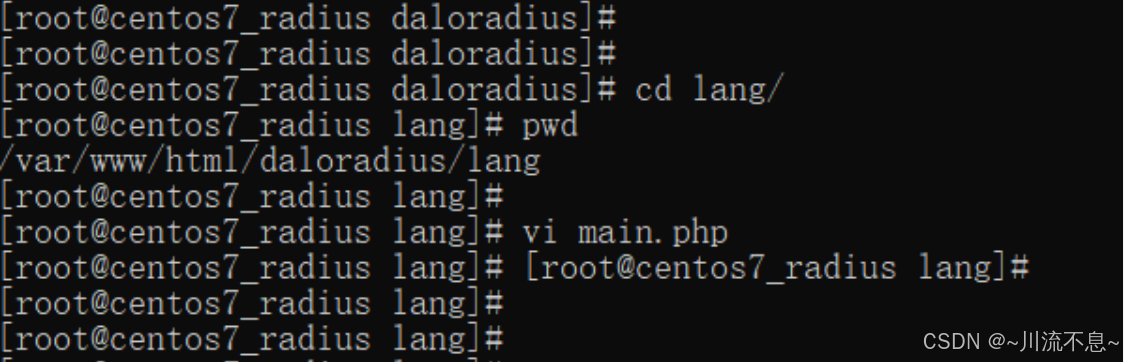
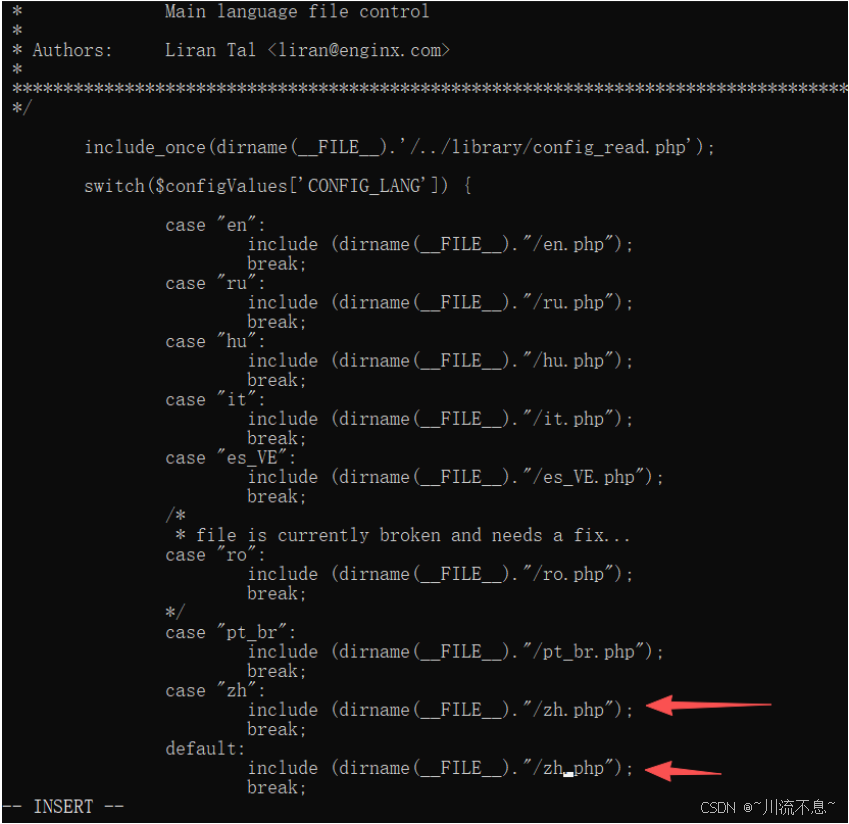
3、进入lang目录,修改main.php,增加简体中文文件
cd lang/
vim main.php
switch($configValues['CONFIG_LANG']) {
            case "en":
                    include (dirname(__FILE__)."/en.php");
                    break;
            case "ru":
                    include (dirname(__FILE__)."/ru.php");
                    break;
            case "hu":
                    include (dirname(__FILE__)."/hu.php");
                    break;
            case "it":
                    include (dirname(__FILE__)."/it.php");
                    break;
            case "es_VE":
                    include (dirname(__FILE__)."/es_VE.php");
                    break;
            /*
             * file is currently broken and needs a fix...
            case "ro":
                    include (dirname(__FILE__)."/ro.php");
                    break;
            */
            case "pt_br":
                    include (dirname(__FILE__)."/pt_br.php");
                    break;
            case "ja":
                    include (dirname(__FILE__)."/ja.php");
                    break;
            case "zh":
                    include (dirname(__FILE__)."/zh.php");
                    break;
            default:
                    include (dirname(__FILE__)."/zh.php");
                    break;
    }
zh.php下载链接:
链接: https://pan.baidu.com/s/10NdJuIUAyecvE7wdHbIJPg?pwd=9g3b 提取码: 9g3b
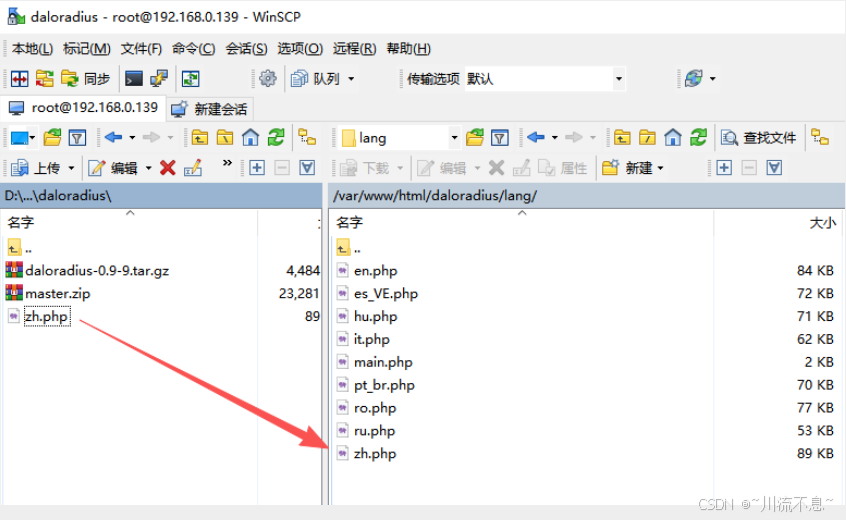
4、返回lang目录,将zh.php文件放入lang目录
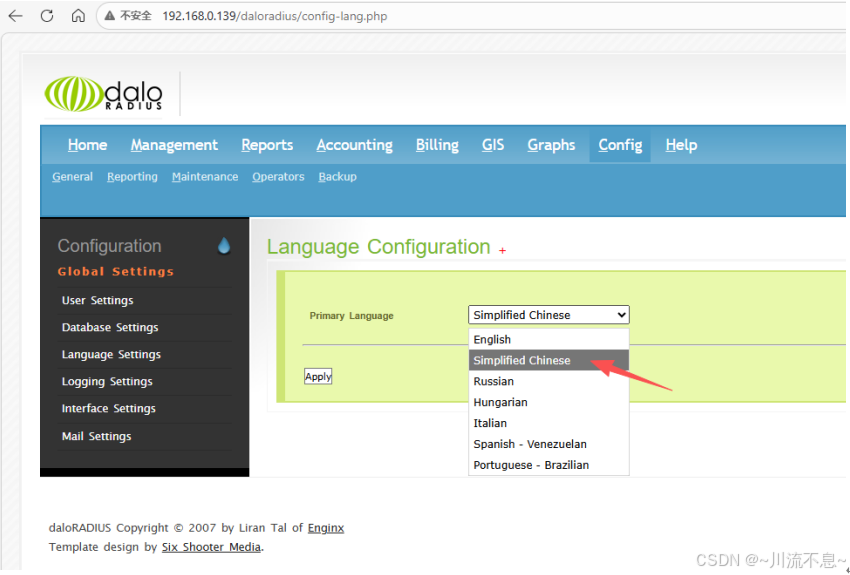
5、刷新页面,修改Config里面的的语言设置为Simplified Chinese
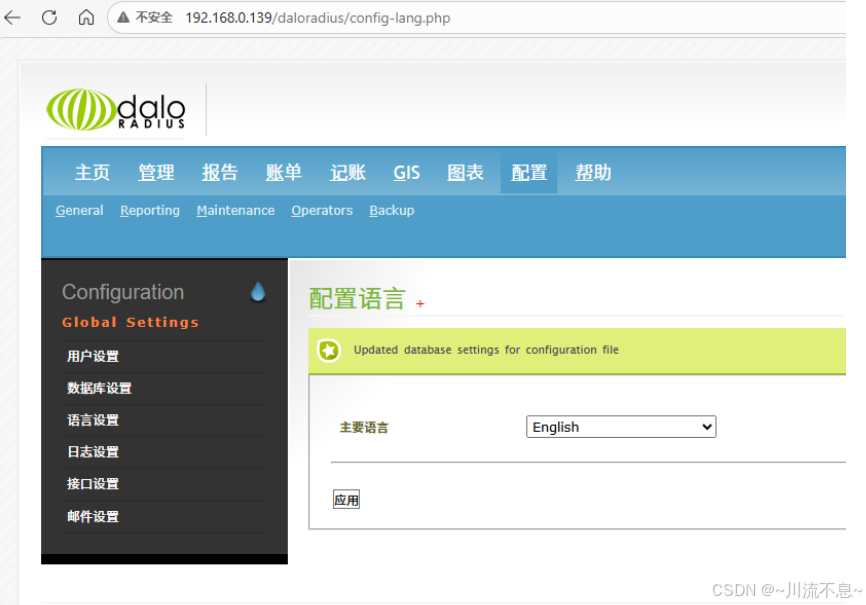
6、点应用后,可以看到菜单和选项已汉化
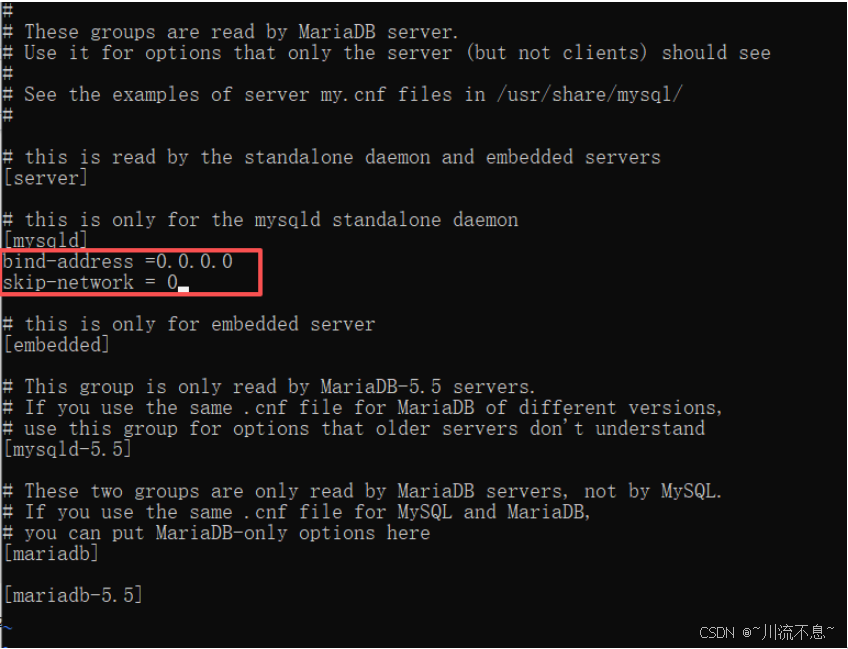
7、设置可以远程访问数据库:
(1)编辑/etc/my.cnf.d/server.cnf文件
vi /etc/my.cnf.d/server.cnf

(2)修改内容如下:
在 mysqld下添加
bind-address = 0.0.0.0
skip-networking = 0
保存
六、DaloRadius的功能:
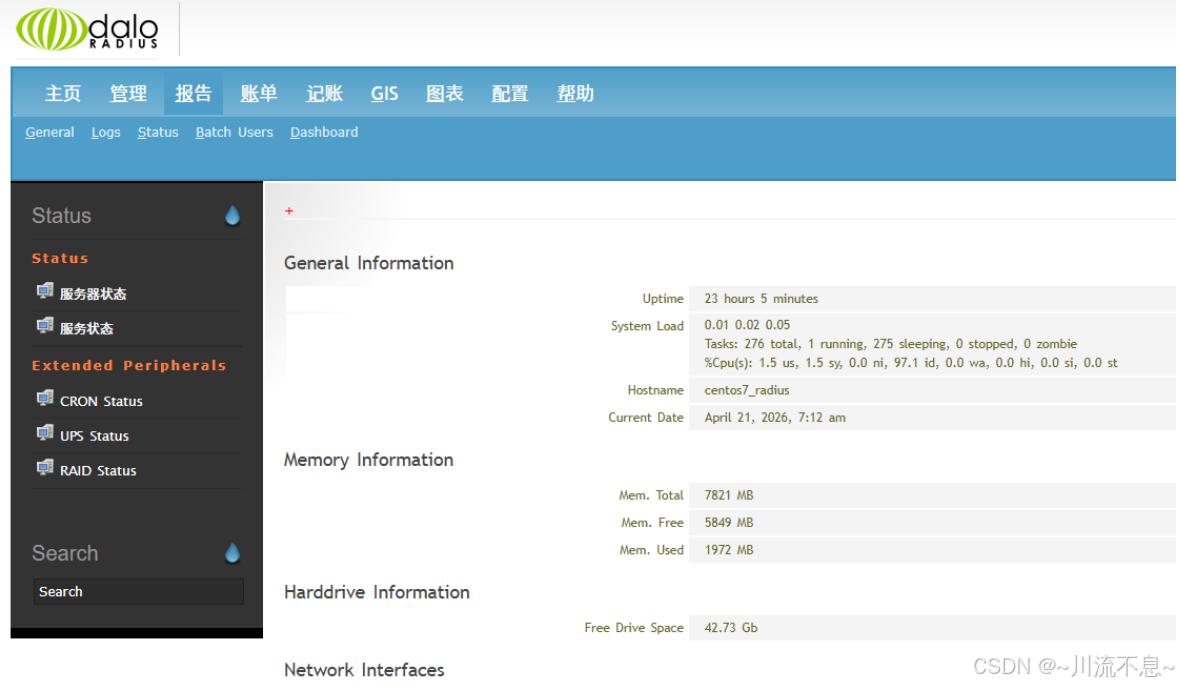
1、查看服务器的状态:
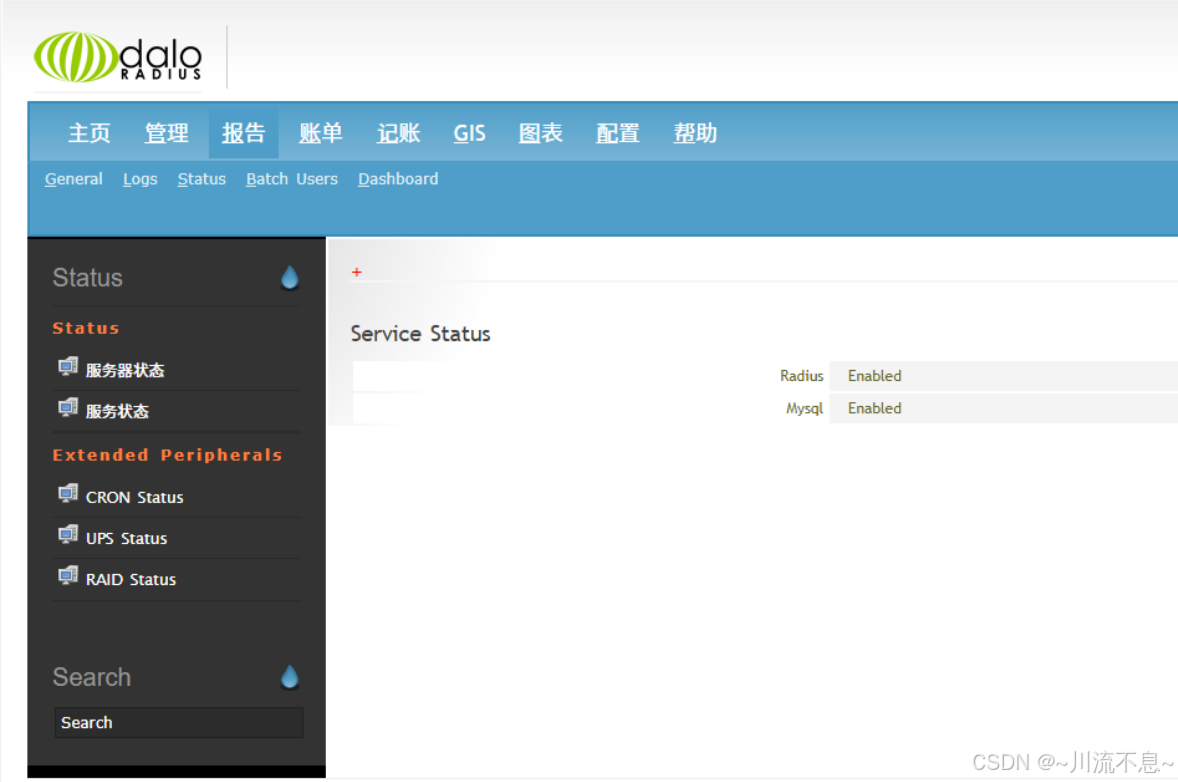
2、查看服务的状态
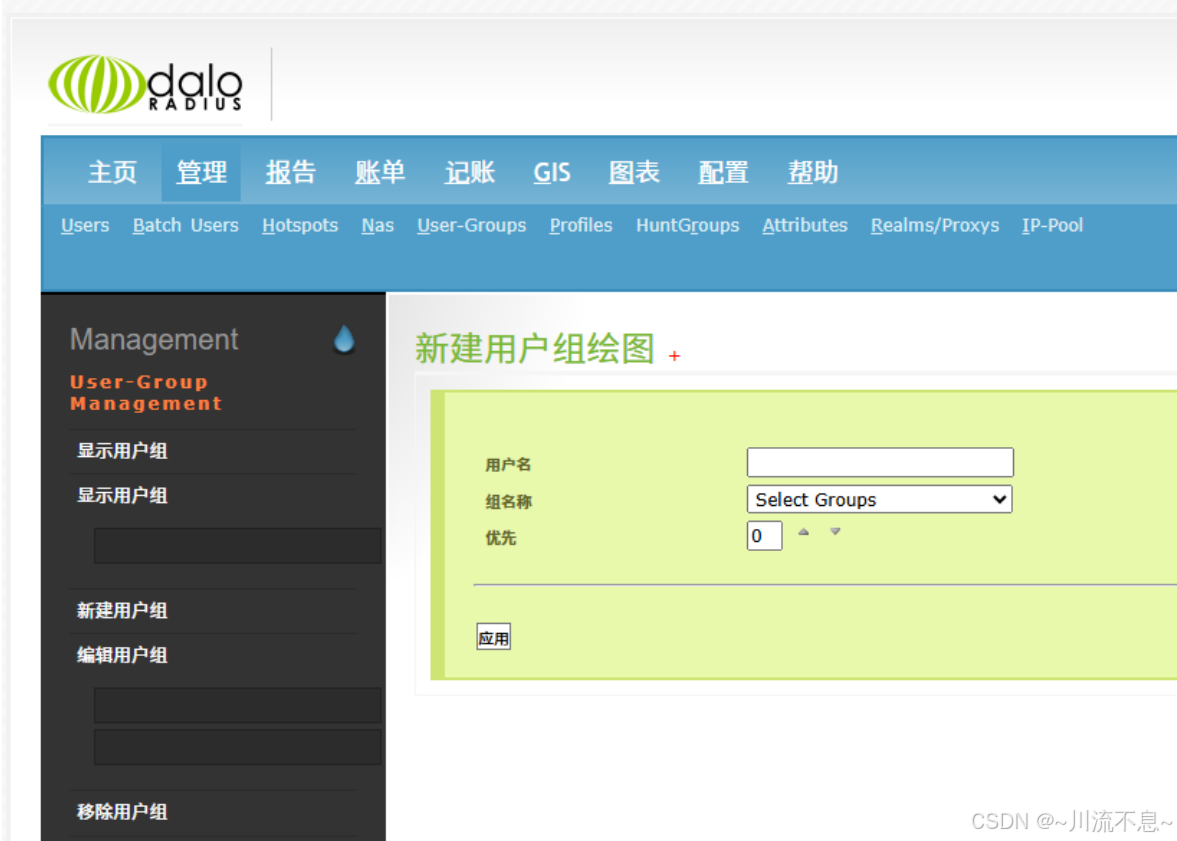
3、新建组
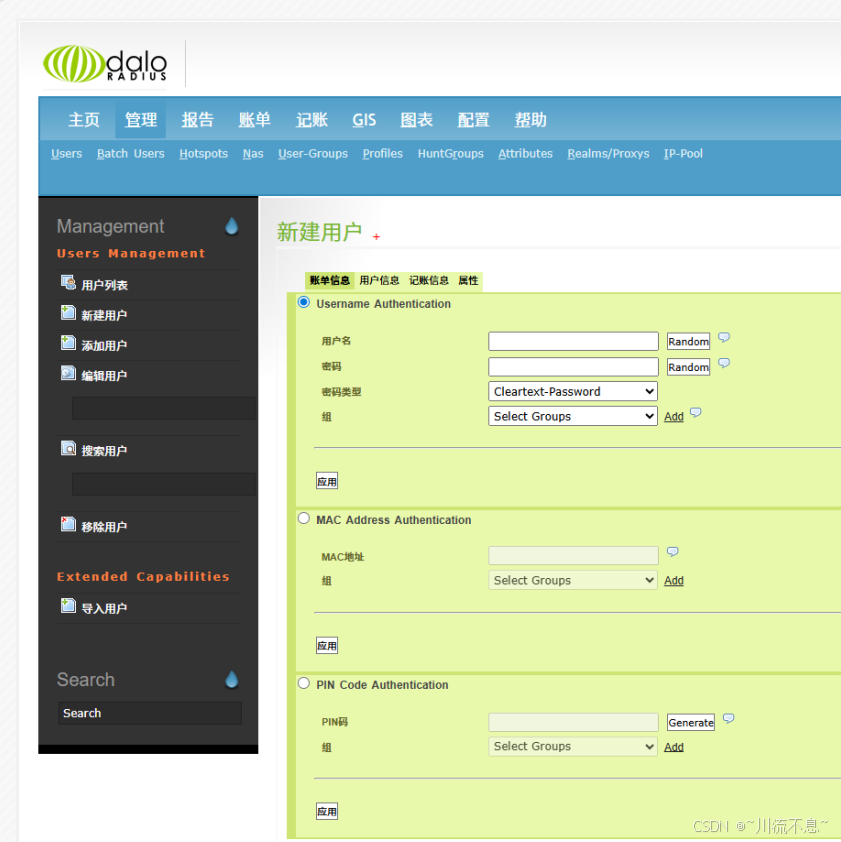
4、新建单用户
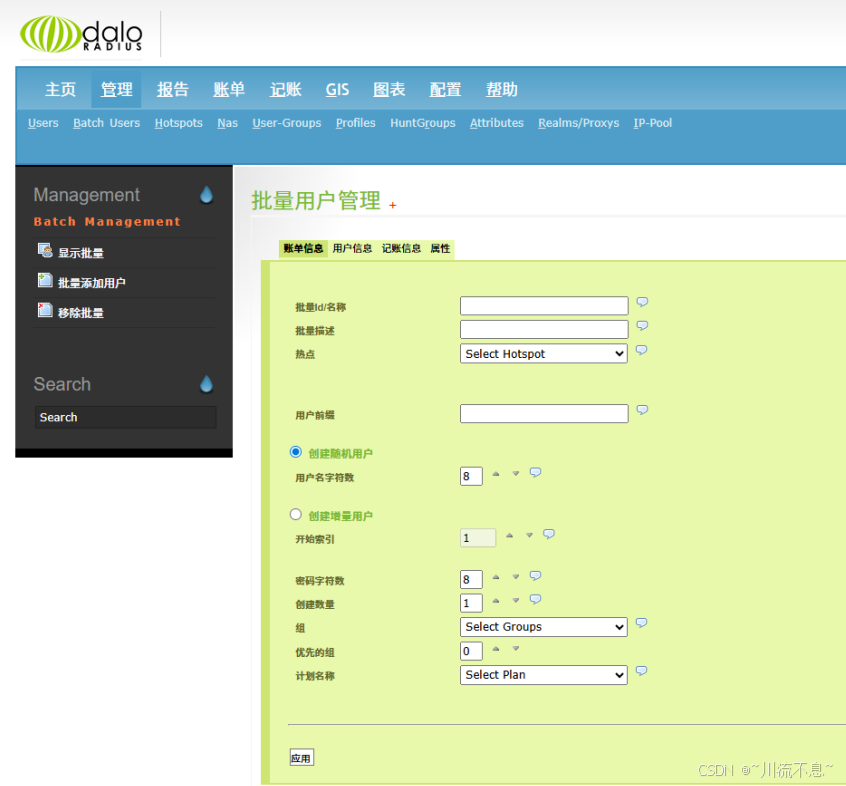
5、新建批量用户
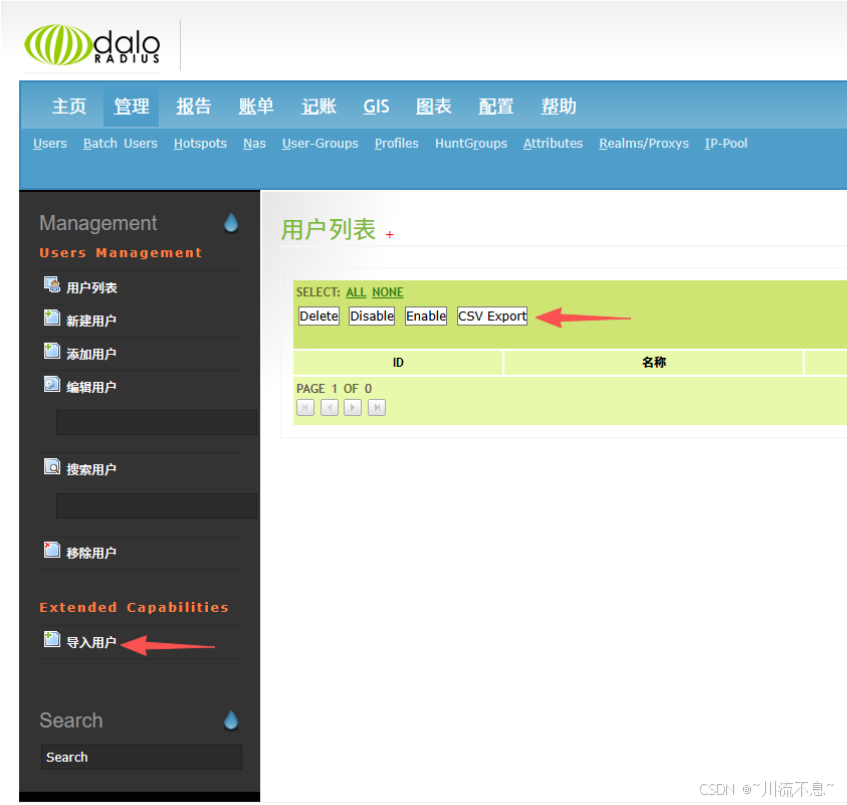
6、通过excel的csv格式导入导出用户
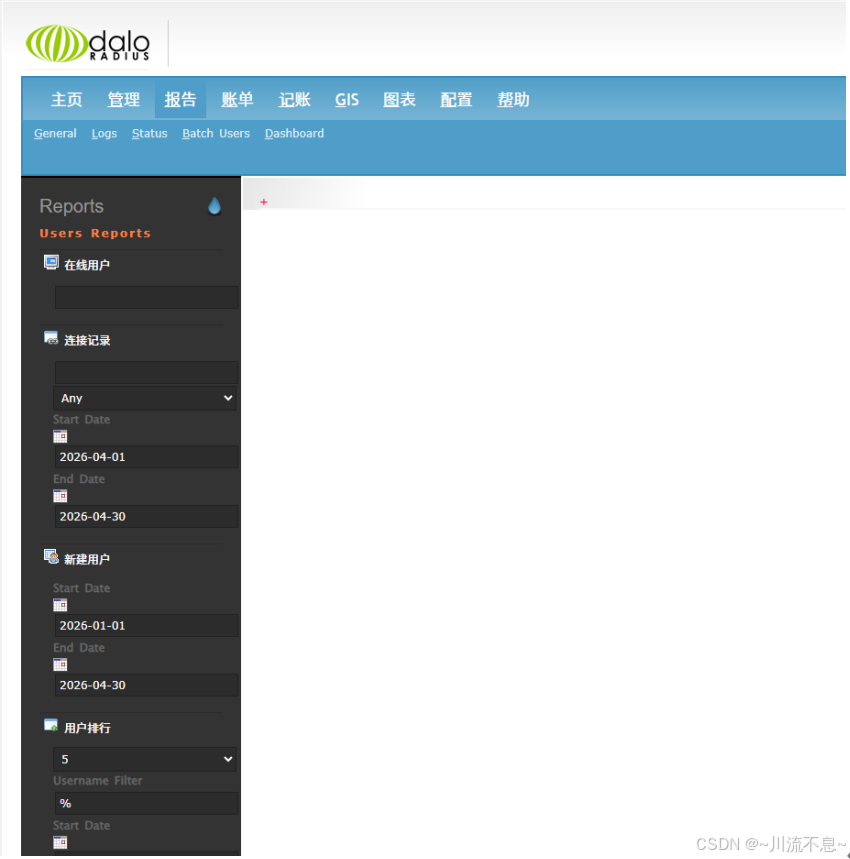
7、生成流量报告
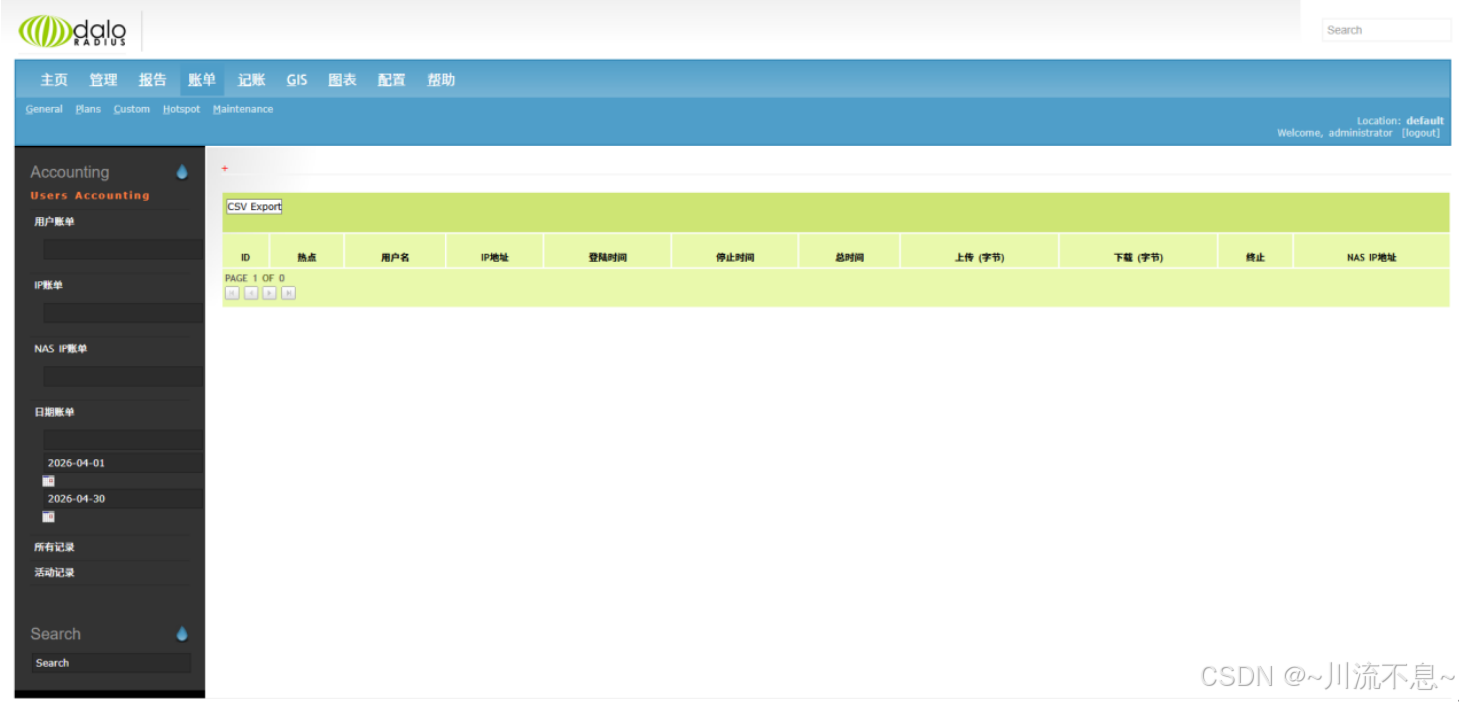
8、账单------计费
9、新用户信息
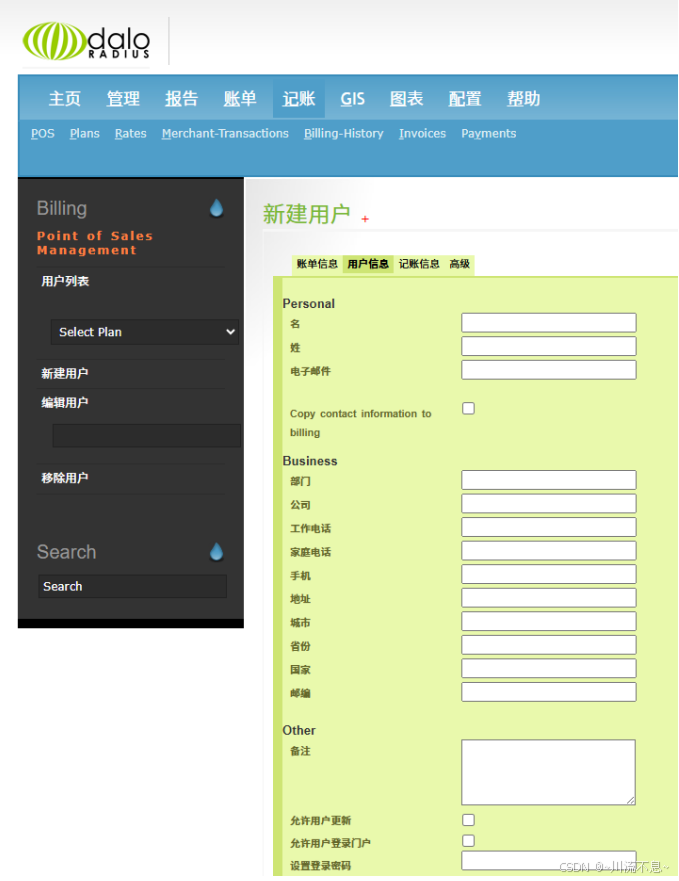
10、新用户的记账信息
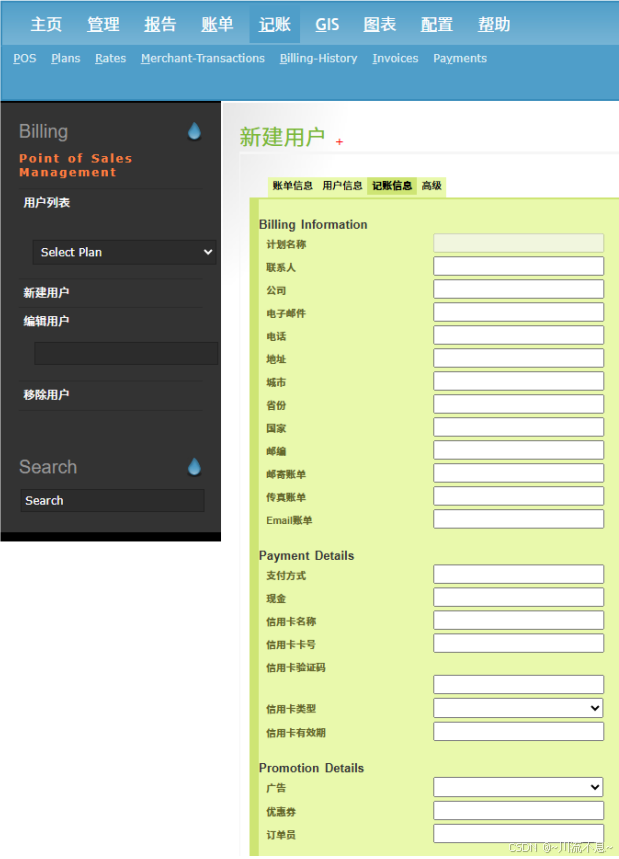
11、图表展示流量情况
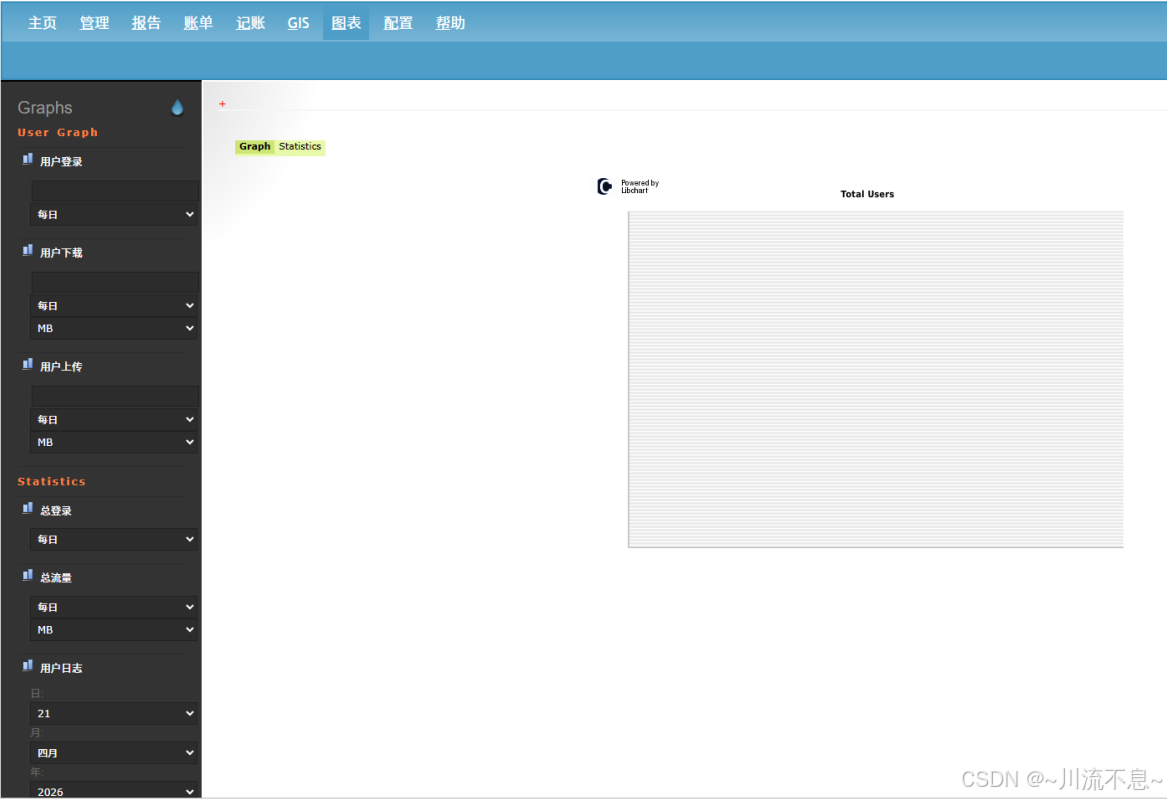
12、配置用户、数据库、语言、日志、接口、邮件
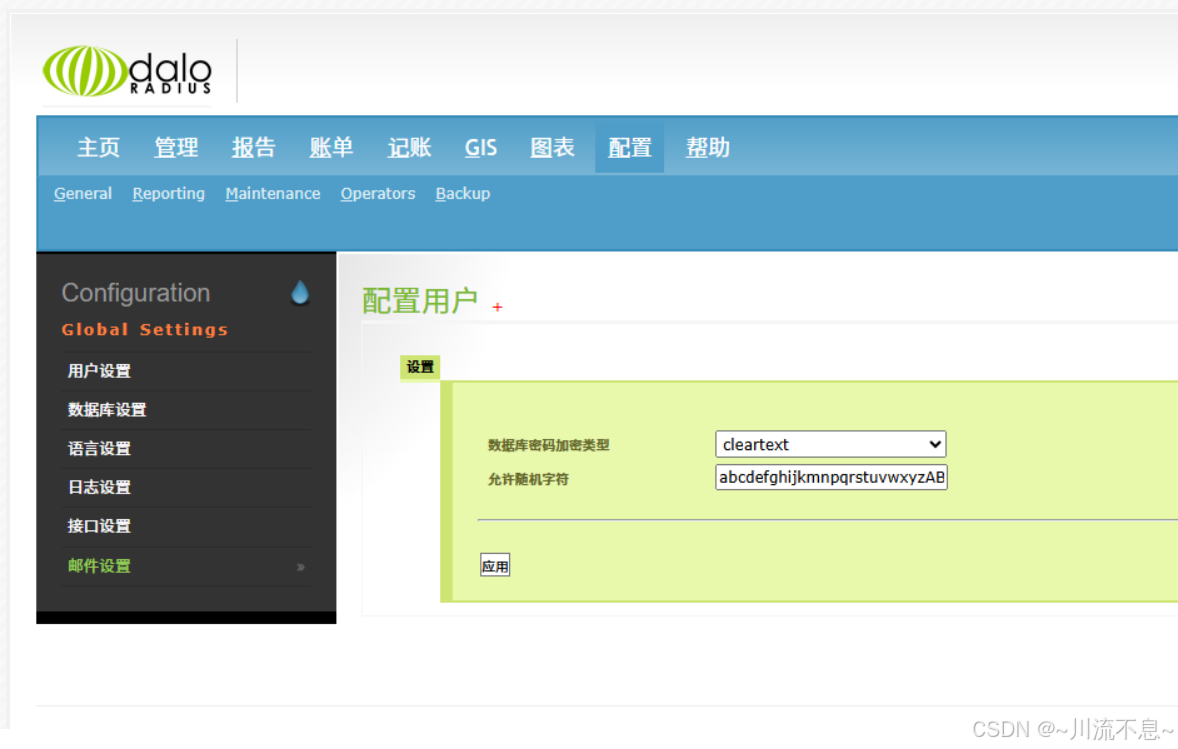
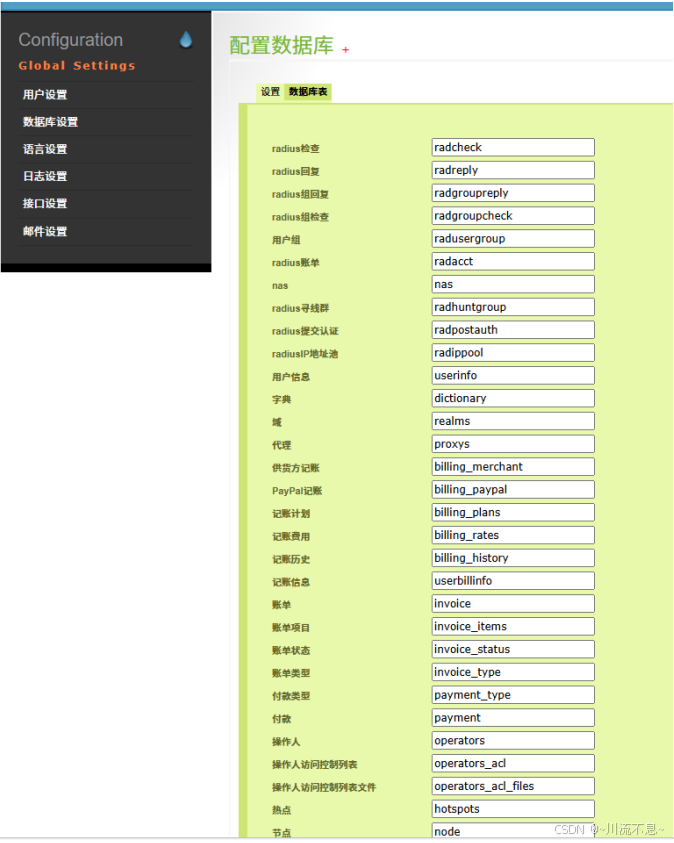
13、数据库表
本文至此结束,通过安装开源版本的apache、php、mariadb、freeradius、daloradius管理、pear-db后,WEB运行及登录均正常,后期再结合CoovaChilli/OpenNDS(Portal 网关)+NAS网络访问服务(华为802.1X),以实现认证、授权访问、计费统计功能。不足之处敬请批评指正。