


个人主页:手握风云
目录
[一、Web 模块](#一、Web 模块)
[1.1. 整体架构](#1.1. 整体架构)
[1.2. 后端 Web 接口实现](#1.2. 后端 Web 接口实现)
[1.3. 处理停用词](#1.3. 处理停用词)
[1.4. 多路归并](#1.4. 多路归并)
一、Web 模块
Web 模块的核心作用是将后端搜索能力封装为Web 接口,并提供可视化前端页面,让用户通过浏览器完成搜索、查看结果、跳转官方 Java API 文档的完整操作,是整个搜索引擎的交互入口。核心流程:前端发起搜索请求 → 后端 Controller 接收并调用搜索模块 → 返回 JSON 结果 → 前端渲染展示。
1.1. 整体架构
- 后端:SpringBoot Controller 层,提供搜索接口,对接搜索模块
- 交互:GET 请求传参,JSON 格式返回数据
- 优化:搜索结果关键词标红、样式美化、新窗口跳转文档
1.2. 后端 Web 接口实现
核心基于 SpringBoot Web 场景,使用 @RestController 声明控制器(返回 JSON / 字符串,非页面跳转);接口:/searcher,GET 请求,参数query(搜索关键词)。
java
package com.yang.java_doc_searcher.controller;

import com.fasterxml.jackson.core.JsonProcessingException;
import com.fasterxml.jackson.databind.ObjectMapper;
import com.yang.java_doc_searcher.searcher.DocSearcher;
import com.yang.java_doc_searcher.searcher.Result;
import org.springframework.web.bind.annotation.GetMapping;
import org.springframework.web.bind.annotation.RequestParam;
import org.springframework.web.bind.annotation.ResponseBody;
import org.springframework.web.bind.annotation.RestController;

import java.util.List;

@RestController
public class DocSearchController {
    private static DocSearcher searcher = new DocSearcher();
    private static ObjectMapper objectMapper = new ObjectMapper();

    @GetMapping(value = "/searcher", produces = "application/json;charset=utf-8")
    @ResponseBody
    public String search(@RequestParam("query") String query) throws JsonProcessingException {
        List<Result> results = searcher.search(query);
        return objectMapper.writeValueAsString(results);
    }
}
1.3. 处理停用词
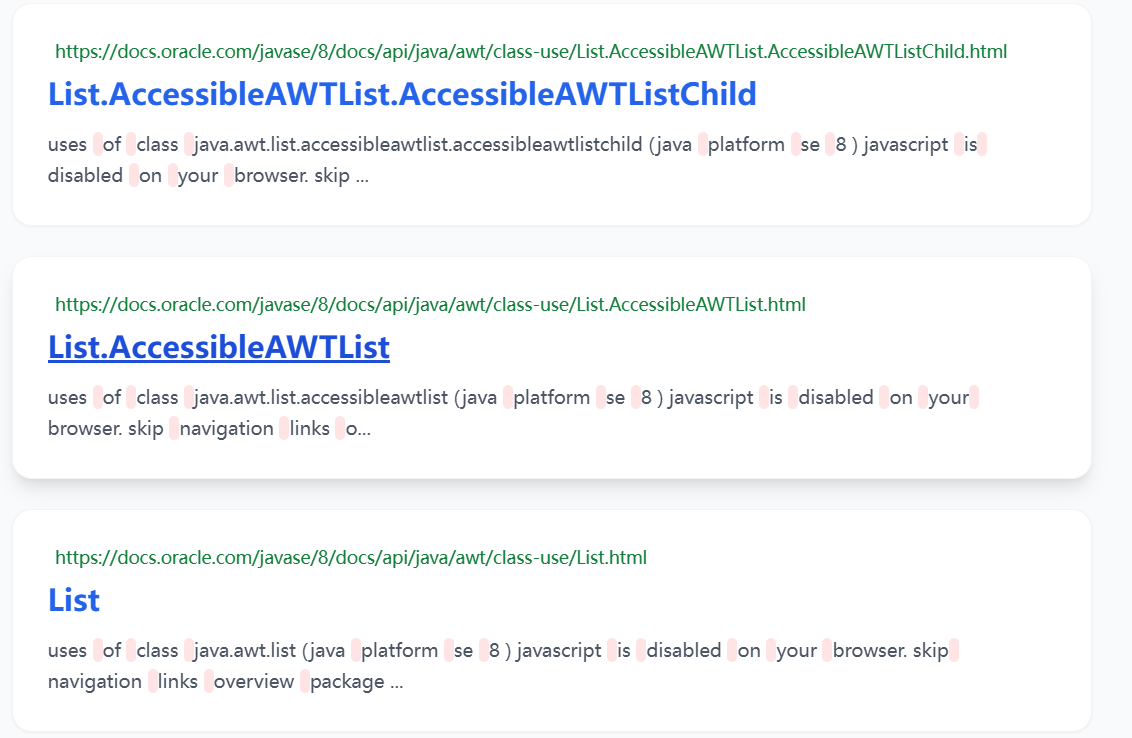
如果我们输入的 query 为"Array List",我们会发现查询的摘要里面空格也被算进了分词结果集中来执行倒排索引查询。有些无意义高频词,如 is、the、a、have 进行剔除,可以提升搜索速度与结果精准度。因此我们需要在网上找到现有的停用词表,再通过程序把停用词表加载到内存中。我们可以使用哈希表来存储这些停用词,再针对分词结果在哈希表中进行筛选。
java
private static final String STOP_WORD_PATH ="D:\\doc_search_index\\stop_word.txt";
private HashSet<String> stopWords = new HashSet<>();

// 停用词加载方法
private void loadStopWord() {
    try (BufferedReader bufferedReader = new BufferedReader(new FileReader(STOP_WORD_PATH))) {
        while (true) {
            String line = bufferedReader.readLine();
            if (line == null) {
                // 读取文件完毕
                break;
            }
            stopWords.add(line);
        }
    } catch (IOException e) {
        e.printStackTrace();
    }
}
1.4. 多路归并
当输入多词查询时,同一文档被多次匹配」的问题,将多个词的权重累加,让同时包含多个查询词的文档排名更靠前。原理类似N 个有序数组的归并,用优先队列实现高效归并。
java
private List<Weight> mergeResult(List<List<Weight>> source) {
// 对每个内部列表按DocId进行排序
    for (List<Weight> curRow : source) {
        curRow.sort(new Comparator<Weight>() {
            @Override
            public int compare(Weight o1, Weight o2) {
            // 比较两个Weight对象的DocId,返回差值用于排序
                return o1.getDocId() - o2.getDocId();
            }
        });
    }

// 初始化目标列表和优先队列
    List<Weight> target = new ArrayList<>();
// 创建优先队列,用于存储每个列表当前最小的元素位置
    PriorityQueue<Pos> queue = new PriorityQueue<>(new Comparator<Pos>() {
        @Override
        public int compare(Pos o1, Pos o2) {
            // 比较两个位置对应的Weight对象的DocId
            Weight w1 = source.get(o1.row).get(o1.col);
            Weight w2 = source.get(o2.row).get(o2.col);
            return w1.getDocId() - w2.getDocId();
        }
    });

    for (int row = 0; row < source.size(); row++) {
        queue.offer(new Pos(row, 0));
    }

    while (!queue.isEmpty()) {
        Pos minPos = queue.poll();
        Weight curWeight = source.get(minPos.row).get(minPos.col);

        // 处理相同DocId的Weight合并
        if (target.size() > 0) {
            Weight lastWeight = target.get(target.size() - 1);
            if (lastWeight.getDocId() == curWeight.getDocId()) {
                // 如果DocId相同,合并权重
                lastWeight.setWeight(lastWeight.getWeight() + curWeight.getWeight());
            } else {
                // 如果DocId不同,添加到目标列表
                target.add(curWeight);
            }
        } else {
            // 如果目标列表为空,直接添加当前元素
            target.add(curWeight);
        }

        // 将当前元素的下一个元素加入优先队列
        Pos newPos = new Pos(minPos.row, minPos.col + 1);
        if (newPos.col >= source.get(newPos.row).size()) {
            // 如果当前列表已处理完,跳过
            continue;
        }
        queue.offer(newPos);
    }
    return target;
}