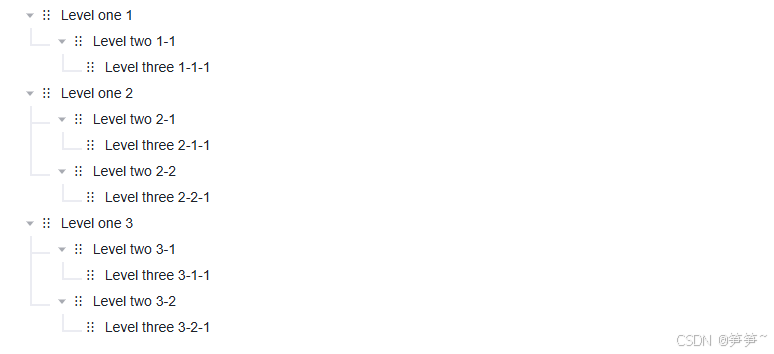
<template>
  <el-tree
    ref="treeRef"
    class="tree-container"
    :data="treeList"
    node-key="courseContentId"
    default-expand-all
    draggable
    :expand-on-click-node="true"
    :allow-drop="allowDrop"
    :allow-drag="allowDrag"
    @node-drag-start="handleNodeDragStart"
    @node-drag-end="handleNodeDragEnd"
    @node-drop="handleNodeDrop"
  >
    <template #default="{ data }">
      <div class="drag-icon" @mousedown="handleDragHandleMouseDown">⋮⋮</div>
      {{ data.label }}
    </template>
  </el-tree>
</template>

<script setup lang="ts">
import { ref } from "vue";

const treeList = ref([
  {
    label: "Level one 1",
    children: [
      {
        label: "Level two 1-1",
        children: [
          {
            label: "Level three 1-1-1",
          },
        ],
      },
    ],
  },
  {
    label: "Level one 2",
    children: [
      {
        label: "Level two 2-1",
        children: [
          {
            label: "Level three 2-1-1",
          },
        ],
      },
      {
        label: "Level two 2-2",
        children: [
          {
            label: "Level three 2-2-1",
          },
        ],
      },
    ],
  },
  {
    label: "Level one 3",
    children: [
      {
        label: "Level two 3-1",
        children: [
          {
            label: "Level three 3-1-1",
          },
        ],
      },
      {
        label: "Level two 3-2",
        children: [
          {
            label: "Level three 3-2-1",
          },
        ],
      },
    ],
  },
]);

const isDragHandleClicked = ref(false);

const handleDragHandleMouseDown = () => {
  isDragHandleClicked.value = true;
};

const handleNodeDragEnd = () => {
  isDragHandleClicked.value = false;
};

const allowDrag = () => {
  if (!isDragHandleClicked.value) {
    return false;
  }
  return true;
};

const handleNodeDragStart = (node, event) => {
  const target = event.target;

  const dragIconElement = target.closest(".drag-icon");
  if (!dragIconElement) {
    if (event.dataTransfer) {
      event.dataTransfer.dropEffect = "none";
      event.dataTransfer.effectAllowed = "none";
    }
    isDragHandleClicked.value = false;
    return false;
  }
  return true;
};

const allowDrop = () => {
  return true;
};

const handleNodeDrop = async () => {
  isDragHandleClicked.value = false;
};
</script>

<style lang="less" scoped>
.drag-icon {
  margin-right: 10px;
}
</style>