📦 准备工作
只需要两个东西:
检查是否安装成功:
node -v  # 看到版本号就OK
npm -v   # 看到版本号就OK
步骤1:创建项目
# 在终端执行
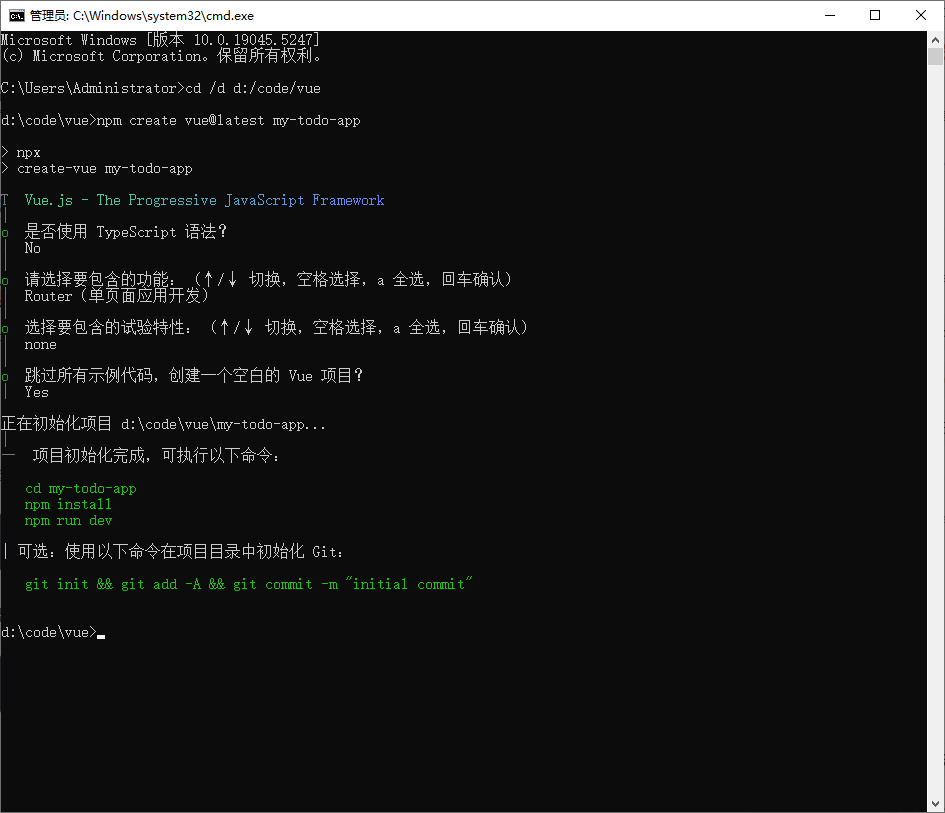
npm create vue@latest my-todo-app
按提示选择:
-
✔ TypeScript? 选 No(新手先不用)
-
✔ JSX? 选 No
-
✔ Vue Router? 选 Yes(稍后做多页面需要)
-
✔ Pinia? 选 No(状态管理,暂不需要)
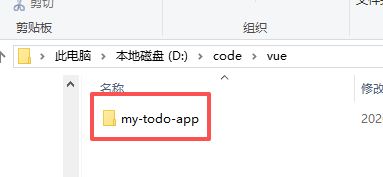
步骤2:进入项目并安装依赖
cd my-todo-app
npm install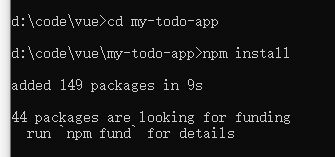
步骤3:启动开发服务器
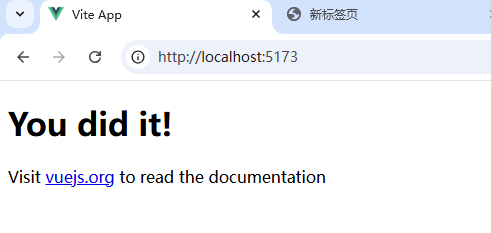
npm run dev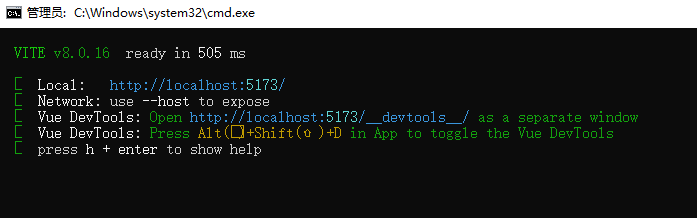
这个时候我们访问:http://localhost:5173
步骤4:改造项目(将网页做成我们想要的样子)
把 src/App.vue 改成待办项目的代码:
<template>
  <div class="container">
    <h1>✅ 我的待办清单</h1>

    <div class="input-group">
      <input
        v-model="newTodo"
        @keyup.enter="addTodo"
        placeholder="输入新任务..."
      >
      <button @click="addTodo">添加</button>
    </div>

    <ul class="todo-list">
      <li v-for="(todo, index) in todos" :key="index" class="todo-item">
        <input type="checkbox" v-model="todo.completed">
        <span class="todo-text" :class="{ completed: todo.completed }" @click="toggleTodo(index)">
          {{ todo.text }}
        </span>
        <button @click="deleteTodo(index)" class="delete-btn">删除</button>
      </li>
    </ul>

    <div class="stats">
      <p>已完成: {{ completedCount }} / 总计: {{ todos.length }}</p>
    </div>
  </div>
</template>

<script setup>
import { ref, computed } from 'vue'

const todos = ref([
  { text: '学习 Vue.js', completed: false },
  { text: '做个待办项目', completed: false },
  { text: '分享给朋友', completed: true }
])

const newTodo = ref('')

const addTodo = () => {
  if (newTodo.value.trim()) {
    todos.value.push({
      text: newTodo.value,
      completed: false
    })
    newTodo.value = ''
  }
}

const toggleTodo = (index) => {
  todos.value[index].completed = !todos.value[index].completed
}

const deleteTodo = (index) => {
  todos.value.splice(index, 1)
}

const completedCount = computed(() => {
  return todos.value.filter(todo => todo.completed).length
})
</script>

<style scoped>
/* 把上面的 CSS 复制到这里 */
.container {
  max-width: 500px;
  margin: 50px auto;
  padding: 20px;
}
/* ... 其他样式 ... */
</style>
看效果:
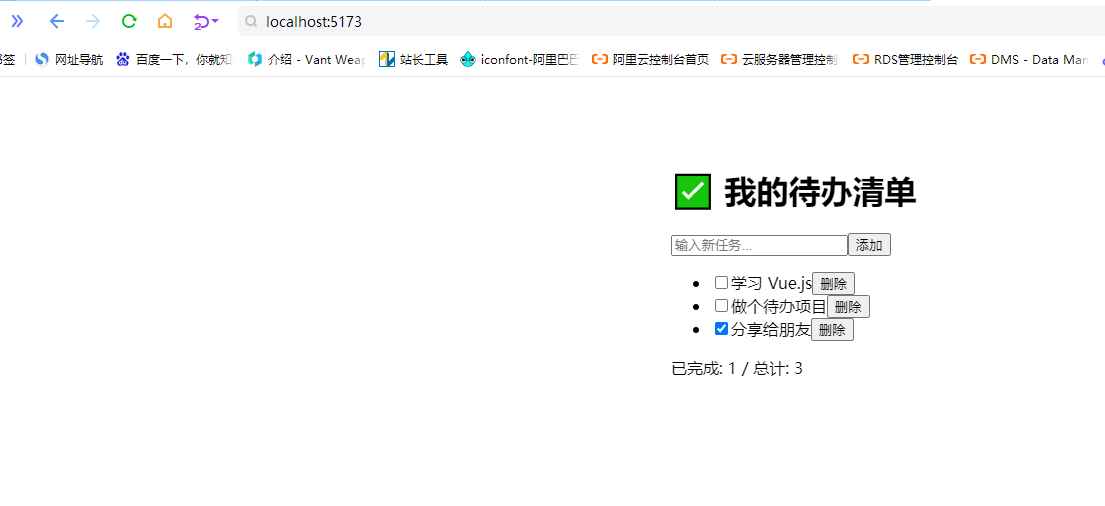
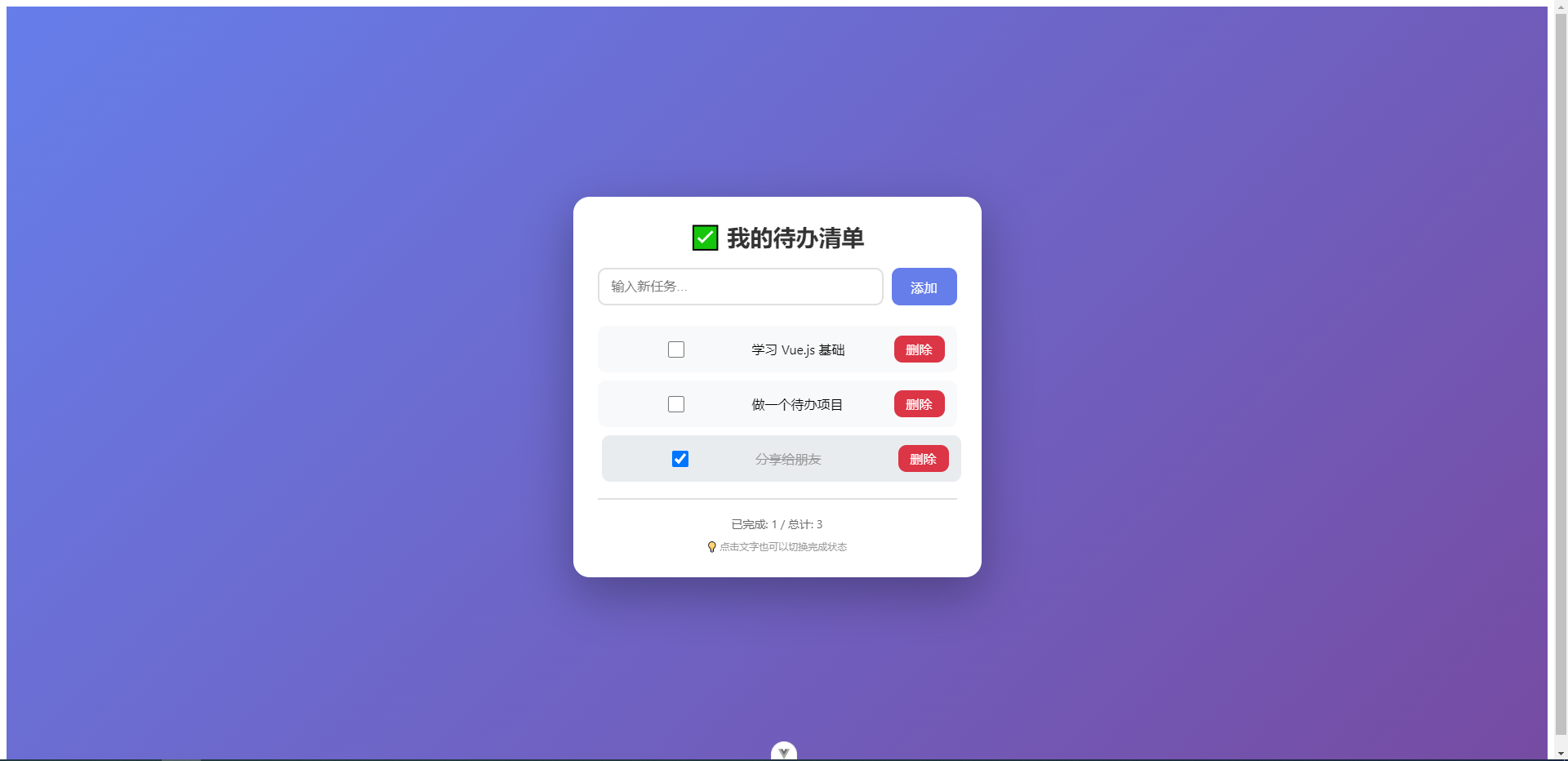
嗯,有点丑,改进一下:
<template>
  <div class="app">
    <div class="container">
      <h1>✅ 我的待办清单</h1>

      <div class="input-group">
        <input
          v-model="newTodo"
          @keyup.enter="addTodo"
          placeholder="输入新任务..."
          type="text"
        >
        <button @click="addTodo">添加</button>
      </div>

      <ul class="todo-list" v-if="todos.length > 0">
        <li v-for="(todo, index) in todos" :key="index" class="todo-item">
          <input type="checkbox" v-model="todo.completed">
          <span
            class="todo-text"
            :class="{ completed: todo.completed }"
            @click="toggleTodo(index)"
          >
            {{ todo.text }}
          </span>
          <button @click="deleteTodo(index)" class="delete-btn">删除</button>
        </li>
      </ul>

      <div v-else class="empty-state">
        🎉 暂无待办,添加一个吧!
      </div>

      <div class="stats" v-if="todos.length > 0">
        <p>已完成: {{ completedCount }} / 总计: {{ todos.length }}</p>
        <p class="tip">💡 点击文字也可以切换完成状态</p>
      </div>
    </div>
  </div>
</template>

<script setup>
import { ref, computed } from 'vue'

// 待办列表
const todos = ref([
  { text: '学习 Vue.js 基础', completed: false },
  { text: '做一个待办项目', completed: false },
  { text: '分享给朋友', completed: true }
])

// 新待办内容
const newTodo = ref('')

// 添加待办
const addTodo = () => {
  if (newTodo.value.trim()) {
    todos.value.push({
      text: newTodo.value,
      completed: false
    })
    newTodo.value = ''  // 清空输入框
  }
}

// 切换完成状态
const toggleTodo = (index) => {
  todos.value[index].completed = !todos.value[index].completed
}

// 删除待办
const deleteTodo = (index) => {
  if (confirm('确定要删除吗?')) {
    todos.value.splice(index, 1)
  }
}

// 计算已完成数量
const completedCount = computed(() => {
  return todos.value.filter(todo => todo.completed).length
})
</script>

<style scoped>
* {
  margin: 0;
  padding: 0;
  box-sizing: border-box;
}

.app {
  font-family: -apple-system, BlinkMacSystemFont, 'Segoe UI', Roboto, sans-serif;
  background: linear-gradient(135deg, #667eea 0%, #764ba2 100%);
  min-height: 100vh;
  display: flex;
  justify-content: center;
  align-items: center;
  padding: 20px;
}

.container {
  background: white;
  border-radius: 20px;
  padding: 30px;
  width: 500px;
  max-width: 100%;
  box-shadow: 0 20px 60px rgba(0, 0, 0, 0.3);
}

h1 {
  color: #333;
  margin-bottom: 20px;
  text-align: center;
  font-size: 28px;
}

.input-group {
  display: flex;
  gap: 10px;
  margin-bottom: 25px;
}

input {
  flex: 1;
  padding: 12px 15px;
  border: 2px solid #e0e0e0;
  border-radius: 10px;
  font-size: 16px;
  transition: all 0.3s;
}

input:focus {
  outline: none;
  border-color: #667eea;
  box-shadow: 0 0 0 3px rgba(102, 126, 234, 0.1);
}

button {
  padding: 12px 24px;
  background: #667eea;
  color: white;
  border: none;
  border-radius: 10px;
  cursor: pointer;
  font-size: 16px;
  font-weight: 500;
  transition: all 0.2s;
}

button:hover {
  background: #5a67d8;
  transform: translateY(-1px);
  box-shadow: 0 4px 12px rgba(102, 126, 234, 0.3);
}

.todo-list {
  list-style: none;
  margin-bottom: 20px;
}

.todo-item {
  display: flex;
  align-items: center;
  padding: 12px 15px;
  background: #f8f9fa;
  margin-bottom: 10px;
  border-radius: 10px;
  gap: 12px;
  transition: all 0.2s;
}

.todo-item:hover {
  background: #e9ecef;
  transform: translateX(5px);
}

.todo-text {
  flex: 1;
  cursor: pointer;
  font-size: 16px;
  transition: all 0.2s;
}

.completed {
  text-decoration: line-through;
  color: #999;
}

.delete-btn {
  background: #dc3545;
  padding: 6px 15px;
}

.delete-btn:hover {
  background: #c82333;
}

.stats {
  padding-top: 20px;
  border-top: 2px solid #e0e0e0;
  text-align: center;
  color: #666;
  font-size: 14px;
}

.empty-state {
  text-align: center;
  padding: 40px;
  color: #999;
  font-size: 16px;
}

.tip {
  margin-top: 10px;
  font-size: 12px;
  color: #999;
}

input[type="checkbox"] {
  width: 20px;
  height: 20px;
  cursor: pointer;
}
</style>
看:
ok,完事!