一个真实的服务器程序,光有同步机制还不够------我们需要知道程序在干什么、有没有出错、性能如何 。这就是日志系统的作用。
实现一个线程安全、支持策略切换的日志系统。我们会用到:
-
互斥锁(保证输出不混乱)
-
策略模式(灵活切换控制台/文件输出)
-
RAII(自动构建和刷新日志)
-
宏(自动捕获文件名和行号)
你会发现:日志系统本质上也是一个生产者消费者模型(生产者是业务线程,消费者是日志输出线程)。不过我们这里先实现一个简单版本,把日志直接输出到目标设备(不经过队列),但仍然用到了锁和策略。
一、日志的基本概念
1.1 为什么需要日志?
-
程序运行时,你看不到内部状态,日志就是"黑匣子"。
-
当程序崩溃或行为异常,日志是唯一的线索。
-
日志可以记录性能、错误、关键操作。
1.2 日志的格式
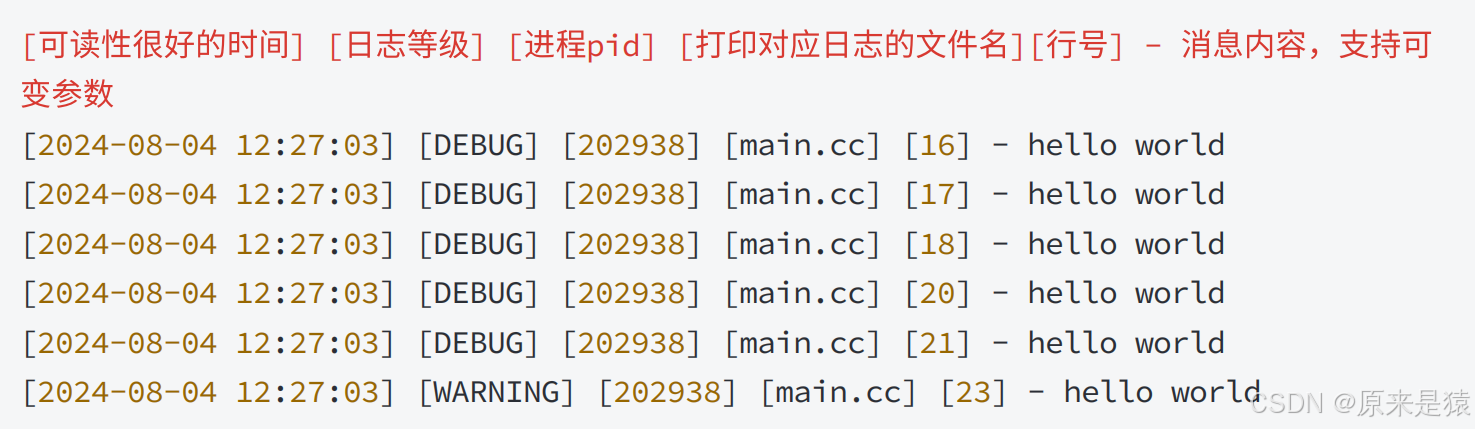
一条完整的日志通常包含:
2024-08-04 12:27:03 DEBUG 202938 main.cc 16 - hello world
| 字段 | 含义 |
|---|---|
| 时间 | 可读性好的时间戳 |
| 等级 | DEBUG / INFO / WARNING / ERROR / FATAL |
| pid | 进程ID |
| 文件名 | 哪个源文件打印的 |
| 行号 | 哪一行代码 |
| 消息 | 用户自定义内容 |
1.3 日志等级
-
DEBUG:调试信息,开发阶段使用。
-
INFO:正常运行信息,如"服务启动"。
-
WARNING:警告,不影响运行但值得注意。
-
ERROR:错误,某个操作失败但程序还能继续。
-
FATAL:致命错误,程序即将退出。
二、设计思路
2.1 线程安全
多个线程可能同时****调用 LOG 宏写日志 , 如果不加保护 , 控制台或者文件输出会乱成一团 。 因此,每隔输出策略内部都要加锁。
2.2 策略模式(Strategy Pattern)
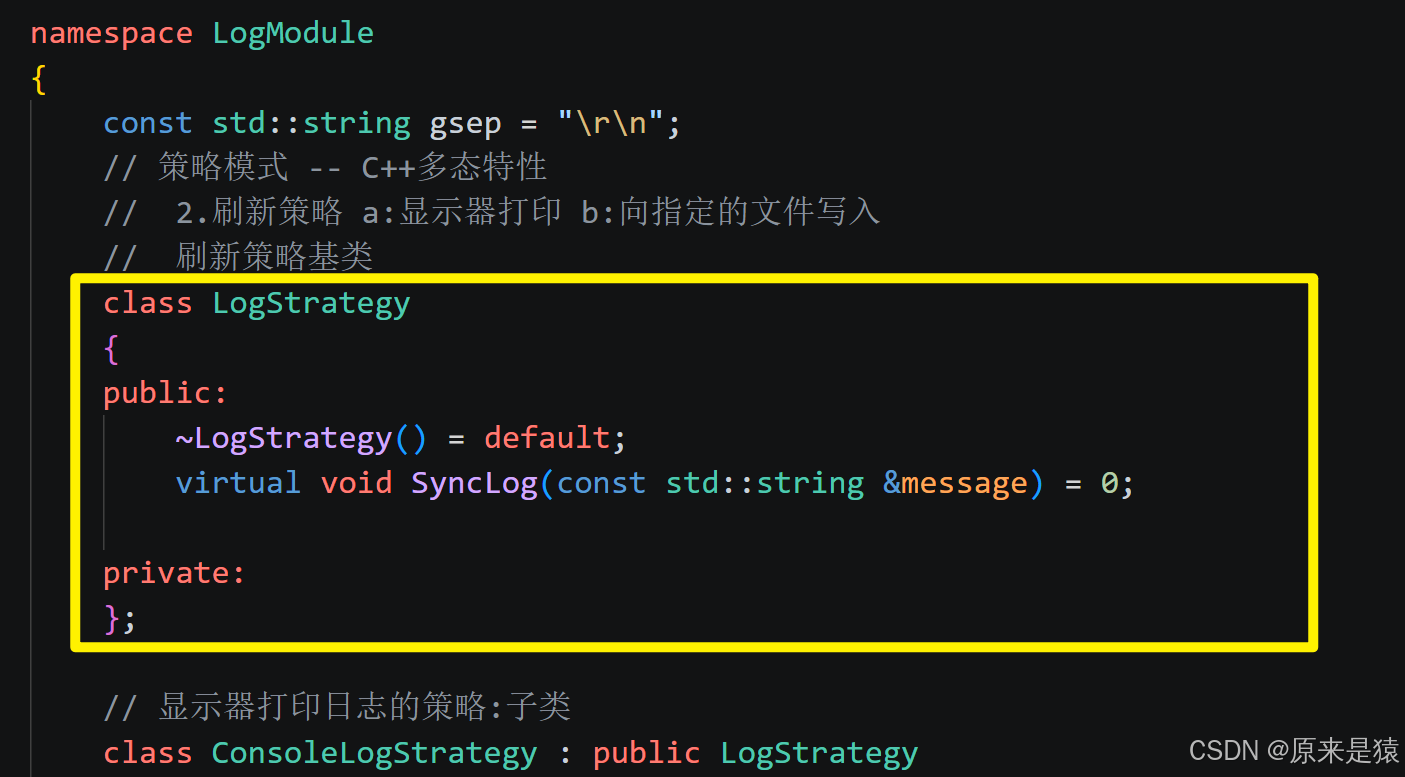
我们希望日志可以灵活输出到控制台 或文件 ,甚至后续扩展网络日志。策略模式定义了一个接口 LogStrategy,然后不同的输出方式实现这个接口。Logger 类持有一个策略指针,运行时可以切换。
2.3 RAII 风格日志消息
我们希望这样写日志:
LOG(LogLevel::DEBUG) << "hello " << 123 << " world";这要求 LOG(level) 返回一个临时对象,该对象在构造时记录好时间、等级、文件名、行号,然后用 operator<< 拼接内容,最后在析构时(即语句结束)自动将完整的日志消息通过策略输出。这就是 RAII。
2.4 宏自动获取文件名和行号
C/C++ 预定义宏
__FILE__和__LINE__可以获取当前文件名和行号。我们定义一个宏
LOG(level)来替我们调用logger(level, __FILE__, __LINE__),返回一个LogMessage临时对象。
三、代码实现
3.1 Mutex.hpp
之前就有封装好
#pragma once

#include <iostream>
#include <pthread.h>

namespace MutextModule
{
    class Mutex
    {
    public:
        Mutex()
        {
            pthread_mutex_init(&_mutex, nullptr);
        }
        void Lock()
        {
            int n = pthread_mutex_lock(&_mutex);
            (void)n;
        }
        void Unlock()
        {
            int n = pthread_mutex_unlock(&_mutex);
            (void)n;
        }
        ~Mutex()
        {
            pthread_mutex_destroy(&_mutex);
        }
        pthread_mutex_t *Get()
        {
            return &_mutex;
        }
    private:
        pthread_mutex_t _mutex;
    };

    class LockGuard
    {
    public:
        LockGuard(Mutex &mutex) : _mutex(mutex)
        {
            _mutex.Lock();
        };
        ~LockGuard()
        {
            _mutex.Unlock();
        };

    private:
        Mutex &_mutex;
    };
}
3.2 Log.hpp
日志有现成的解决方案,如:spdlog , glog , Boost.Log , Log4cxx 等等 , 为了更好的学习,巩固,这里我们依旧采用自定义日志的方式
我们采用设计模式 - 策略模式来进行日志的设计
核心解决:
- 日志输出目标(显示器 / 文件)灵活切换,无需修改核心逻辑
- 新增输出目标(如网络),只需扩展策略,不改动原有代码
类比:
- 日志系统 = 餐厅
- 输出策略 = 餐具(筷子 / 勺子 / 叉子)
- 顾客 = 日志消息
- 不管用什么餐具,核心是 "吃饭"(输出日志),餐具可自由替换
#ifndef __LOG_HPP__
#define __LOG_HPP__

#include <iostream>
#include <filesystem> //c++17
#include <fstream>
#include <string>
#include <cstdio>
#include <memory>
#include <unistd.h>
#include <ctime>
#include <sstream>
#include "Mutex.hpp"

using namespace MutextModule;

namespace LogModule
{
    const std::string gsep = "\r\n";
    // 策略模式 -- C++多态特性
    //  2.刷新策略 a:显示器打印 b:向指定的文件写入
    //  刷新策略基类
    class LogStrategy
    {
    public:
        ~LogStrategy() = default;
        virtual void SyncLog(const std::string &message) = 0;

    private:
    };

    // 显示器打印日志的策略:子类
    class ConsoleLogStrategy : public LogStrategy
    {
    public:
        ConsoleLogStrategy()
        {
        }
        void SyncLog(const std::string &message) override
        {
            LockGuard lockguard(_mutex);
            std::cout << message << gsep;
        }
        ~ConsoleLogStrategy()
        {
        }

    private:
        Mutex _mutex; // 显示器也是临界资源,保证输出线程安全
    };

    // 文件打印日志的策略 : 子类
    const std::string defaultPath = "./log";
    const std::string defaultfile = "log.log";
    class FileLogStrategy : public LogStrategy
    {
    public:
        FileLogStrategy(const std::string &path = defaultPath, const std::string &file = defaultfile)
            : _path(path),
              _file(file)
        {
            LockGuard lockguard(_mutex);
            if (std::filesystem::exists(_path))
            {
                return;
            }
            try
            {
                std::filesystem::create_directories(_path);
            }
            catch (const std::filesystem::filesystem_error &e)
            {
                std::cerr << e.what() << "\n";
            }
        }
        void SyncLog(const std::string &message) override
        {
            LockGuard lockguard(_mutex);
            std::string filename = _path + (_path.back() == '/' ? "" : "/") + _file;
            //"./log/" + "my.log"
            std::ofstream out(filename, std::ios::app); // 以追加写入的方式打开
            if (!out.is_open())
            {
                return;
            }
            out << message << gsep;
            out.close();
        }

        ~FileLogStrategy()
        {
        }

    private:
        std::string _path; // 日志文件所在的路径
        std::string _file; // 日志文件本身

        Mutex _mutex;
    };

    // 形成一条完整的日志&&根据上面的策略,选择不同的刷新方式

    // 1.形成日志等级
    enum class LogLevel
    {
        DEBUG,
        INFO,
        WARNING,
        ERROR,
        FATAL
    };
    std::string Level2Str(LogLevel level)
    {
        switch (level)
        {
        case LogLevel::DEBUG:
            return "DEBUG";
        case LogLevel::INFO:
            return "INFO";
        case LogLevel::WARNING:
            return "WARNING";
        case LogLevel::ERROR:
            return "ERROR";
        case LogLevel::FATAL:
            return "FATAL";
        default:
            return "UNKNOWN";
        }
    }
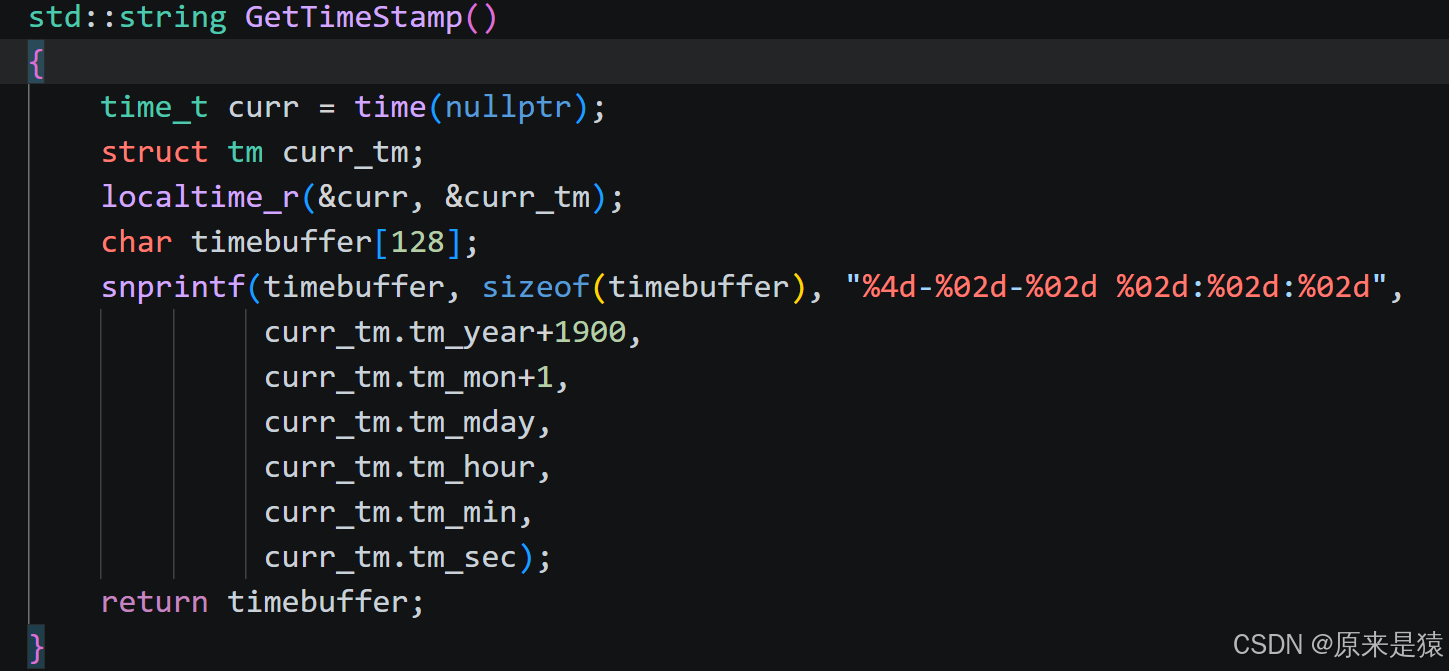
    std::string GetTimeStamp()
    {
        time_t curr = time(nullptr);
        struct tm curr_tm;
        localtime_r(&curr, &curr_tm);
        char timebuffer[128];
        snprintf(timebuffer, sizeof(timebuffer), "%4d-%02d-%02d %02d:%02d:%02d",
                 curr_tm.tm_year+1900,
                 curr_tm.tm_mon+1,
                 curr_tm.tm_mday,
                 curr_tm.tm_hour,
                 curr_tm.tm_min,
                 curr_tm.tm_sec);
        return timebuffer;
    }

    // 1.形成日志 && 2.根据不同的策略,完成刷新
    class Logger
    {
    public:
        Logger()
        {
            EnableConsoleLogStrategy();
        }
        void EnableFileLogStrategy()
        {
            _fflush_strategy = std::make_unique<FileLogStrategy>();
        }
        void EnableConsoleLogStrategy()
        {
            _fflush_strategy = std::make_unique<ConsoleLogStrategy>();
        }

        // 内部类  表示的是未来的一条日志
        class LogMessage
        {
        public:
            LogMessage(LogLevel &level, std::string &src_name, int line_number, Logger &logger)
                : _curr_time(GetTimeStamp()),
                  _level(level),
                  _pid(getpid()),
                  _src_name(src_name),
                  _line_number(line_number),
                  _logger(logger)
            {
                // 日志左边部分,合并起来
                std::stringstream ss;
                ss << "[" << _curr_time << "]"
                   << "[" << Level2Str(_level) << "]"
                   << "[" << _pid << "]"
                   << "[" << _src_name << "]"
                   << "[" << _line_number << "]"
                   << "- ";
                _loginfo = ss.str();
            };

            // LogMessage() << "hello world" << "xxxx" << 3.14 << 1234;
            // 需要支持重载
            template <typename T>
            LogMessage &operator<<(const T &info)
            {
                // 日志右边部分,可变的
                std::stringstream ss;
                ss << info;
                _loginfo += ss.str();
                return *this;
            }

            ~LogMessage()
            {
                if (_logger._fflush_strategy)
                {
                    _logger._fflush_strategy->SyncLog(_loginfo);
                }
            };

        private:
            std::string _curr_time;
            LogLevel _level;
            pid_t _pid;
            std::string _src_name;
            int _line_number;
            std::string _loginfo; // 合并完成之后,一条完整的信息
            Logger &_logger;
        };
        // 这里故意写成返回临时对象
        LogMessage operator()(LogLevel level, std::string name, int line)
        {
            return LogMessage(level, name, line, *this);
        }
        ~Logger() {}

    private:
        std::unique_ptr<LogStrategy> _fflush_strategy;
    };

    // 全局日志对象
    Logger logger;

// 使用宏,简化用户操作,获取文件名和行号
#define LOG(level) logger(level, __FILE__, __LINE__)
#define Enable_Console_Log_Stratege() logger.EnableConsoleLogStrategy();
#define Enable_File_Log_Stratege() logger.EnableFileLogStrategy();
}

#endif
3.2.1 日志系统整体架构(渐显式逻辑)
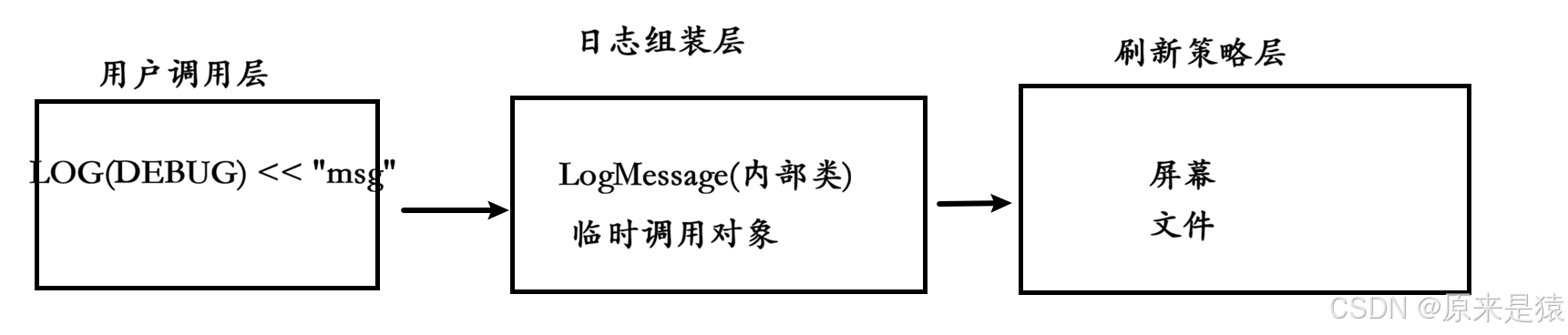
核心思想:把"组装日志内容"和"输出到目的地"解耦
我们按从下到上 的顺序实现,先搭底层,再拼上层,逻辑层层递进:
- 步骤 1:实现日志输出策略基类 + 具体策略(控制台 / 文件,
LogStrategy.hpp) - 步骤 2:实现日志等级枚举(
LogLevel.hpp) - 步骤 3:实现日志核心类(
Logger.hpp,整合策略 + 任务队列) - 步骤 4:实现宏定义与用户接口(
Log.hpp) - 步骤 5:测试多线程日志系统(
main.cc)
3.2.2 为什么要用内部类 LogMessage?
核心目的:利用 RAII + 析构时自动刷新
LOG(DEBUG) << "hello" << 3.14;
// 等价于:logger(LogLevel::DEBUG, __FILE__, __LINE__) << "hello" << 3.14;
这行代码的执行流程:
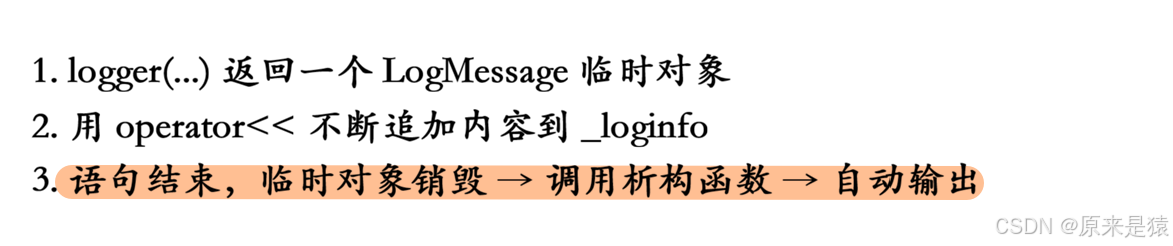
为什么必须"语句结束才输出"?
LOG(DEBUG) << "hello" << 3.14 << "end";
// 应该输出:[时间][DEBUG][pid][main.cc][10]- hello3.14end
// 而不是分3次输出,那样日志就碎了
LogMessage 作为临时对象,生命周期 = 整条语句,语句结束时析构,一次性输出完整内容。
3.2.3 为什么要重载 operator<<?
目标:支持任意类型的数据,像 std::cout 一样用
LOG(DEBUG) << "hello" << 3.14 << 123 << 'a';

template <typename T>
LogMessage &operator<<(const T &info)
{
    std::stringstream ss;
    ss << info;              // 利用 stringstream 把任意类型转字符串
    _loginfo += ss.str();    // 追加到日志内容
    return *this;            // 返回引用,支持链式调用
}
std::stringstream的作用 :它内部重载了<<可以接收int、double、string、char*等任意类型,自动转成字符串。如果不这样写,你要为每种类型都写一个重载,非常麻烦。
3.2.4 operator() 的作用:让 logger 对象像函数一样调用
// 定义
LogMessage operator()(LogLevel level, std::string name, int line)
{
    return LogMessage(level, name, line, *this);
}

// 使用
logger(LogLevel::DEBUG, "main.cc", 10) << "hello";
这叫"函数调用运算符重载" ,让对象可以像函数一样用 () 调用。
为什么不直接 logger.LogMessage(...)?因为:
-
LogMessage是内部类,外部不应该直接构造 -
logger(...)的写法更简洁,配合宏LOG(level)隐藏细节
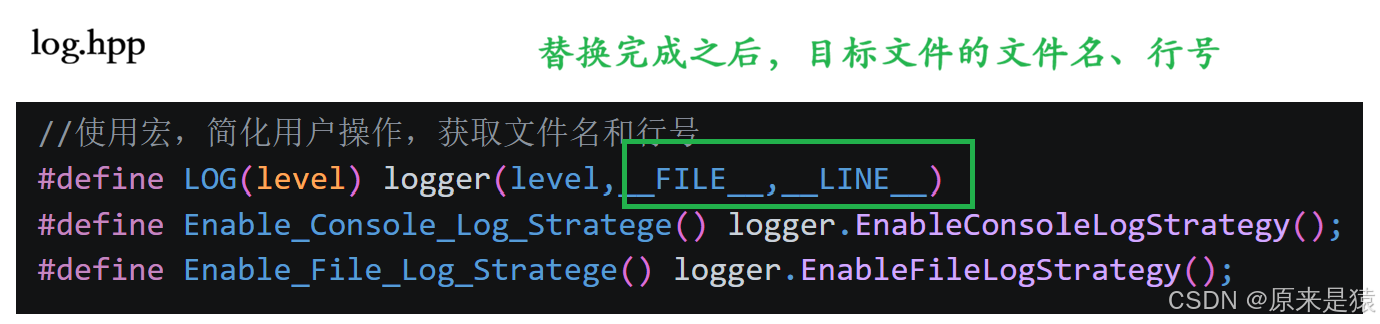
3.2.5 宏 LOG(level) 的设计巧思
#define LOG(level) logger(level, __FILE__, __LINE__)| 宏 | 展开后 |
|---|---|
LOG(DEBUG) |
logger(LogLevel::DEBUG, "main.cc", 15) |
为什么用宏?
-
自动获取文件名和行号 :
__FILE__和__LINE__是编译器预定义宏,只能在宏里用 -
简化用户调用 :用户不用每次都写
__FILE__, __LINE__
3.2.6 策略模式:LogStrategy 为什么存在?
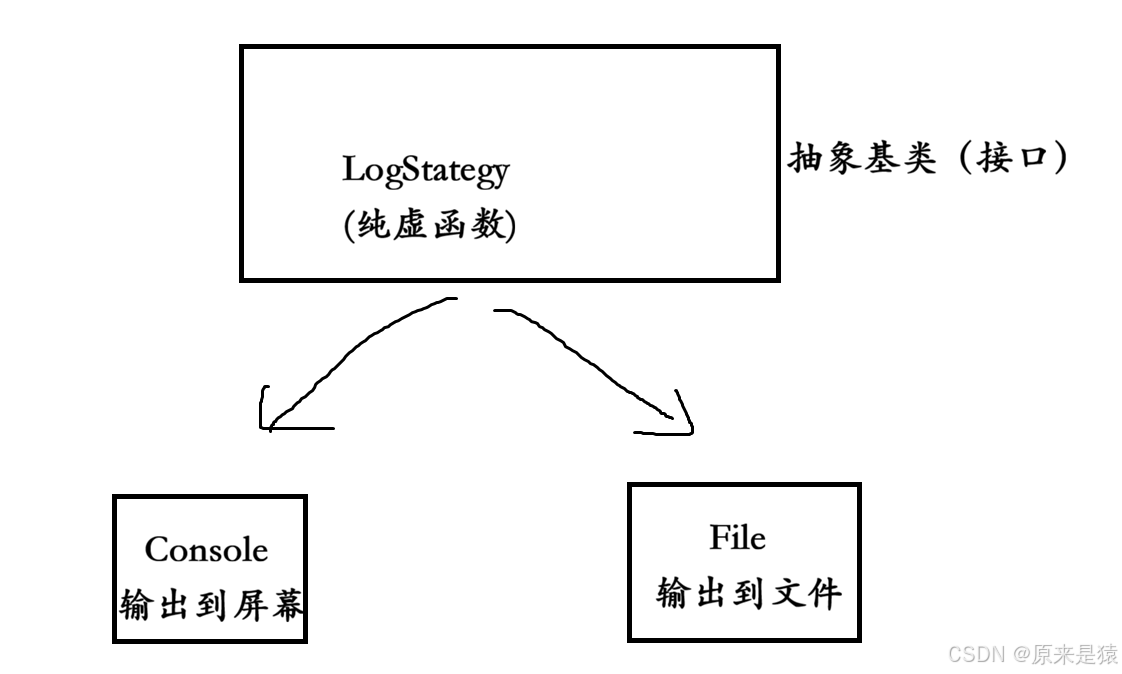
好处:切换输出目标不需要改 Logger 类
logger.EnableConsoleLogStrategy();  // 输出到屏幕
logger.EnableFileLogStrategy();   // 输出到文件
std::unique_ptr<LogStrategy> 用多态指向不同策略对象。
3.2.7 构造函数(组装日志头部)
LogMessage(LogLevel &level, std::string &src_name, int line_number, Logger &logger)
    : _curr_time(GetTimeStamp()),   // 获取当前时间
      _level(level),                // 日志等级
      _pid(getpid()),               // 进程ID
      _src_name(src_name),          // 源文件名
      _line_number(line_number),    // 行号
      _logger(logger)               // 引用外部logger(为了析构时调用策略)
{
    std::stringstream ss;
    ss << "[" << _curr_time << "]"
       << "[" << Level2Str(_level) << "]"
       << "[" << _pid << "]"
       << "[" << _src_name << "]"
       << "[" << _line_number << "]"
       << "- ";
    _loginfo = ss.str();  // _loginfo = "[2024-...][DEBUG][1234][main.cc][10]- "
}
3.2.8 析构函数(语句结束时自动输出)
~LogMessage()
{
    if (_logger._fflush_strategy)  // 检查策略是否存在
    {
        _logger._fflush_strategy->SyncLog(_loginfo);  // 多态调用,输出
    }
}
这就是 RAII 思想:资源获取即初始化,对象销毁时自动完成任务。
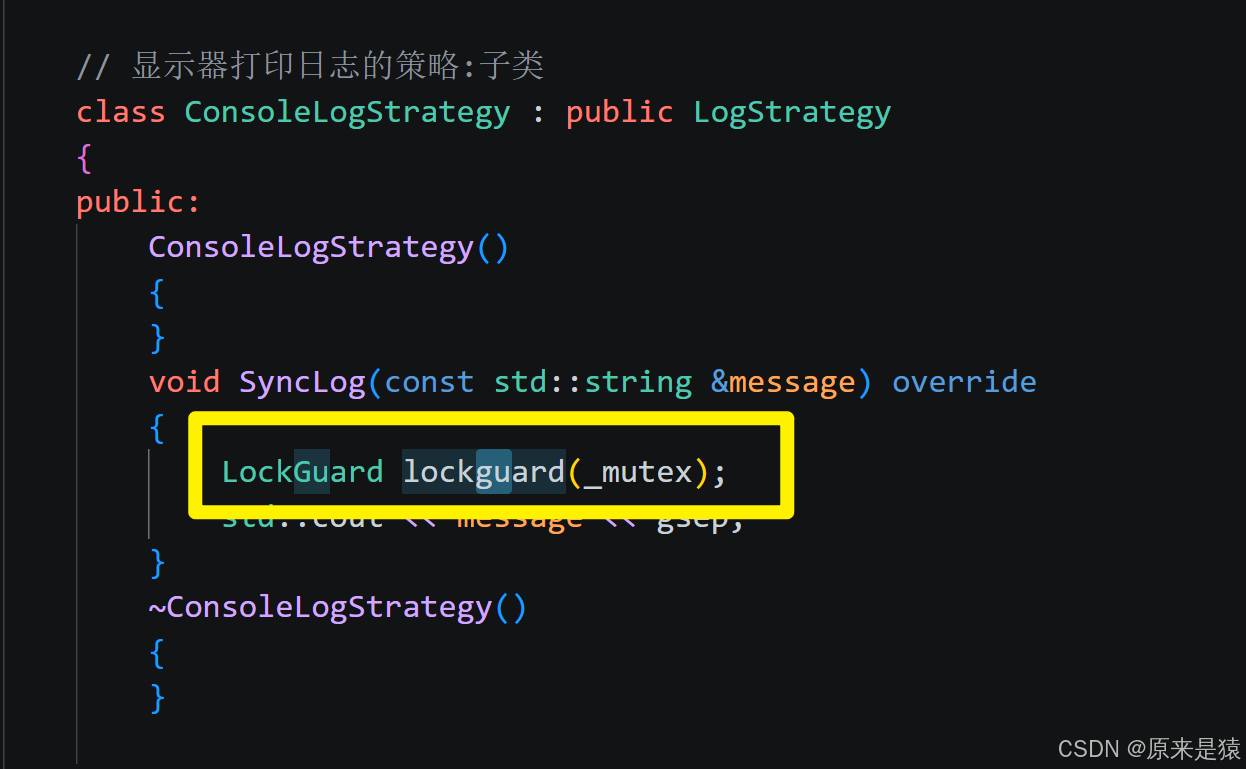
3.2.9 Mutex 和 LockGuard 的作用
class LockGuard {
public:
    LockGuard(Mutex &mutex) : _mutex(mutex) { _mutex.Lock(); }
    ~LockGuard() { _mutex.Unlock(); }
    // 构造时加锁,析构时解锁 ------ RAII  again!
};
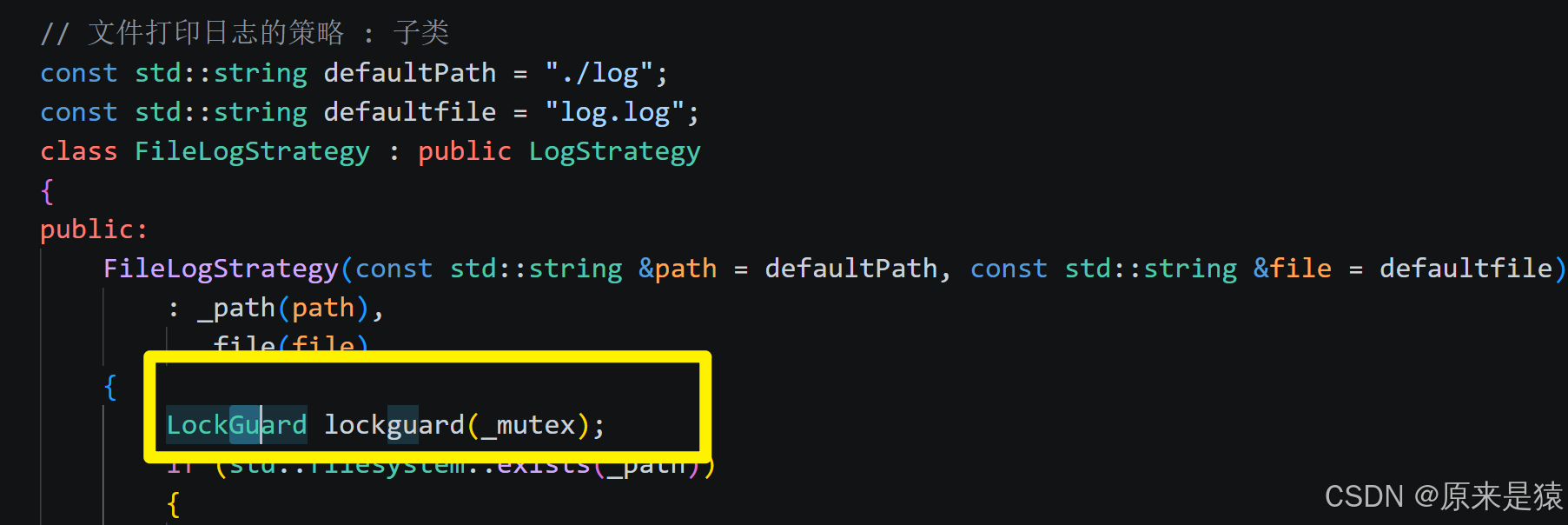
为什么需要线程安全?
如果多线程同时 LOG(INFO) << "xxx",多个线程同时写 std::cout 或同一个文件,输出会交错混乱。LockGuard 保证同一时间只有一个线程在输出。
| 技术点 | 作用 |
|---|---|
内部类 LogMessage |
控制生命周期,语句结束自动输出 |
operator<< 重载 |
支持链式调用,任意类型转字符串 |
operator() 重载 |
让 logger 像函数一样调用 |
宏 LOG |
自动注入 __FILE__ 和 __LINE__ |
| 策略模式 | 屏幕/文件输出灵活切换 |
| RAII (LockGuard/LogMessage) | 自动管理锁和输出时机 |
std::unique_ptr |
自动管理策略对象内存 |
3.3 Main.cc
#include "Log.hpp"
#include <memory>

using namespace LogModule;

int main()
{
    Enable_Console_Log_Stratege();
    LOG(LogLevel::DEBUG) << "hello world" << 3.14;
    LOG(LogLevel::DEBUG) << "hello world" << 3.14;
    LOG(LogLevel::DEBUG) << "hello world" << 3.14;
    LOG(LogLevel::DEBUG) << "hello world" << 3.14;

    // std::unique_ptr<LogStrategy> strategy = std::make_unique<ConsoleLogStrategy>(); // c++14
    // std::unique_ptr<LogStrategy> strategy = std::make_unique<FileLogStrategy>(); // c++14
    // strategy->SyncLog("hello log!");
    // logger(LogLevel::DEBUG,"main.cc",10) << "hello world" << 3.14 << " " << 8899 << "aaaa";
    // logger(LogLevel::DEBUG,"main.cc",10) << "hello world";
    // logger(LogLevel::DEBUG,"main.cc",10) << "hello world";
    // logger(LogLevel::DEBUG,"main.cc",10) << "hello world";
    // logger(LogLevel::DEBUG,"main.cc",10) << "hello world";
    // logger(LogLevel::DEBUG,"main.cc",10) << "hello world";
    // logger(LogLevel::DEBUG,"main.cc",10) << "hello world";
}