一、抓包与初步分析
首先,使用抓包工具,发现请求体中包含三个关键参数:
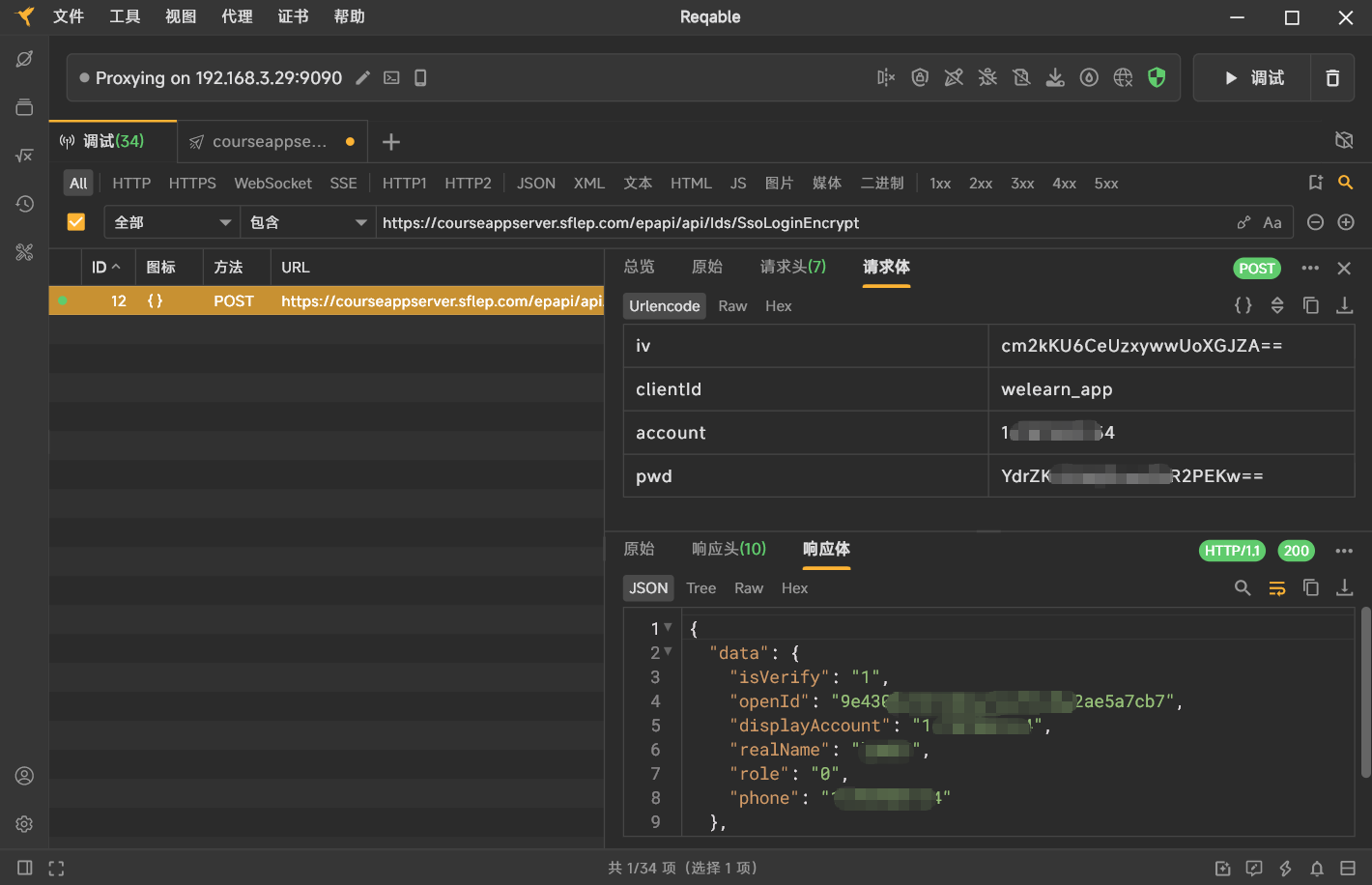
account:账号明文
pwd:密文,显然是密码经过加密后的结果
iv:看起来像Base64编码的16字节数据
clientId为固定值welearn_app。
由此推断,pwd是由密码明文经过加密算法(很可能是AES-CBC)生成,iv则是加密时使用的初始向量。
二、逆向脱壳与定位核心代码
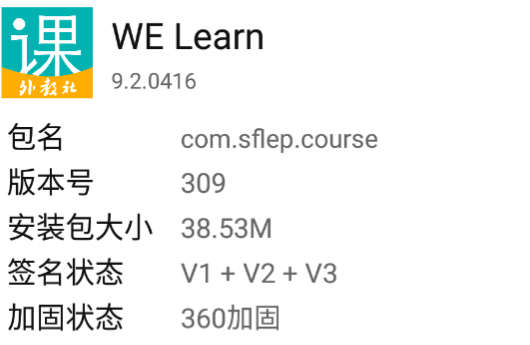
- 检测加固情况
使用文件分析工具查看APK,发现被360加固保护。
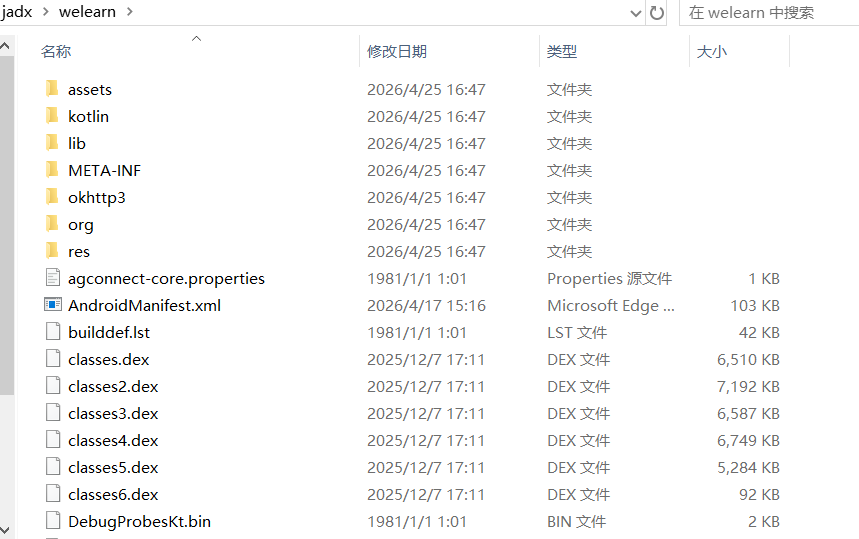
- 脱壳
使用脱壳工具,得到原始Dex文件。
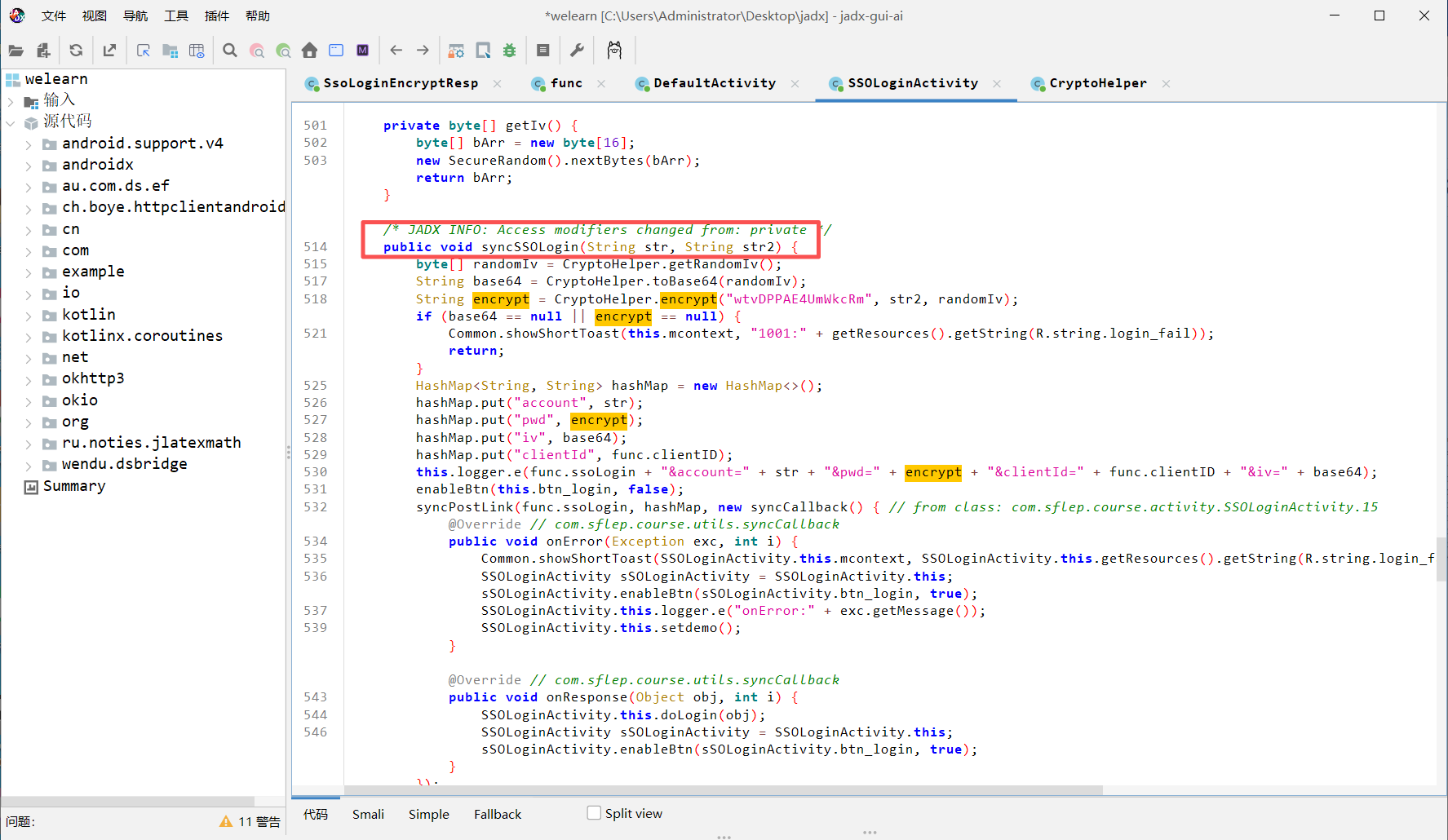
- Jadx分析登录入口
将脱壳后的Dex导入Jadx,搜索关键词login、pwd等,定位到登录Activity中的核心方法syncSSOLogin。
三、Java加密逻辑还原
syncSSOLogin方法关键代码如下:
java
public void syncSSOLogin(String str, String str2) {
    byte[] randomIv = CryptoHelper.getRandomIv();
    String base64 = CryptoHelper.toBase64(randomIv);
    String encrypt = CryptoHelper.encrypt("wtvDPPAE4UmWkcRm", str2, randomIv);
    // ... 构建请求体
}- 生成随机IV
getRandomIv()实现非常简单:
java
public static byte[] getRandomIv() {
    byte[] bArr = new byte[16];
    new SecureRandom().nextBytes(bArr);
    return bArr;
}
生成16字节随机数,作为AES-CBC模式的IV。
- AES加密方法
encrypt方法:
java
public static String encrypt(String str, String str2, byte[] bArr) {
    try {
        IvParameterSpec ivParameterSpec = new IvParameterSpec(bArr);
        SecretKeySpec secretKeySpec = new SecretKeySpec(str.getBytes("UTF-8"), "AES");
        Cipher cipher = Cipher.getInstance("AES/CBC/PKCS5Padding");
        cipher.init(1, secretKeySpec, ivParameterSpec);
        return Base64.encodeToString(cipher.doFinal(str2.getBytes("UTF-8")), 2);
    } catch (Exception e) {
        e.printStackTrace();
        return null;
    }
}
算法:AES/CBC/PKCS5Padding
密钥:固定字符串 "wtvDPPAE4UmWkcRm"(转换为字节作为AES密钥)
IV:上面随机生成的16字节
输出:Base64编码的密文
四、Python实现加密与请求
根据上述逻辑,将Java代码转换为Python,使用pycryptodome库完成AES-CBC加密。
python
import requests
import os
import base64
from Crypto.Cipher import AES

def encrypt(key_str: str, pwd: str, iv: bytes) -> str:
    """
    执行AES-CBC加密,返回Base64结果
    :param key_str: 密钥字符串
    :param pwd: 明文密码
    :param iv: 16字节IV
    :return: Base64密文
    """
    plaintext = pwd.encode('utf-8')

    # PKCS7填充(AES块大小16字节)
    block_size = AES.block_size
    padding_len = block_size - (len(plaintext) % block_size)
    padding = bytes([padding_len]) * padding_len
    padded_plaintext = plaintext + padding

    # 创建AES-CBC加密器
    cipher = AES.new(key_str.encode('utf-8'), AES.MODE_CBC, iv)
    ciphertext = cipher.encrypt(padded_plaintext)

    return base64.b64encode(ciphertext).decode('ascii')

def wl_login(account: str, password: str):
    # 1. 生成随机IV并转为Base64
    iv = os.urandom(16)
    iv_b64 = base64.b64encode(iv).decode()

    # 2. 加密密码
    encrypted_pwd = encrypt("wtvDPPAE4UmWkcRm", password, iv)

    # 3. 构造请求参数
    url = "https://courseappserver.sflep.com/epapi/api/Ids/SsoLoginEncrypt"
    payload = {
        'iv': iv_b64,
        'clientId': "welearn_app",
        'account': account,
        'pwd': encrypted_pwd
    }
    headers = {
        'User-Agent': "okhttp/4.12.0",
        'Connection': "Keep-Alive",
        'Accept-Encoding': "gzip",
        'platform': "Android_WeLearn_9.2.0416(309)_sdk36",
    }

    # 4. 发起请求
    response = requests.post(url, data=payload, headers=headers)
    print(response.text)

if __name__ == "__main__":
    wl_login("your_account", "your_password")
五、运行测试
将代码中的账号密码替换为真实值,运行后输出服务器返回的JSON,说明加密逻辑正确,接口调用成功。
python
{
  "data": {
    "isVerify": "1",
    "openId": "9xxxxxxx7",
    "displayAccount": "1xxxxxxx4",
    "realName": "xxxxxx",
    "role": "0",
    "phone": "1xxxxxxx4"
  },
  "status": 0,
  "msg": null
}