😏★,° :.☆( ̄▽ ̄)/$:.°★ 😏
这篇文章主要介绍发布pip包到PyPI官方仓库。
无专精则不能成,无涉猎则不能通。------梁启超欢迎来到我的博客,一起学习,共同进步。
喜欢的朋友可以关注一下,下次更新不迷路🥞
文章目录
-
- [:smirk:1. 项目准备](#:smirk:1. 项目准备)
- [:blush:2. 安装发布工具](#:blush:2. 安装发布工具)
- [:satisfied:3. 上传到PyPI](#:satisfied:3. 上传到PyPI)
😏1. 项目准备
首先,推荐一下我自己打包分发的 pip 包!!!(IP多功能工具)
可以通过pip安装:pip install ipdisp
bash
https://pypi.org/project/ipdisp/#description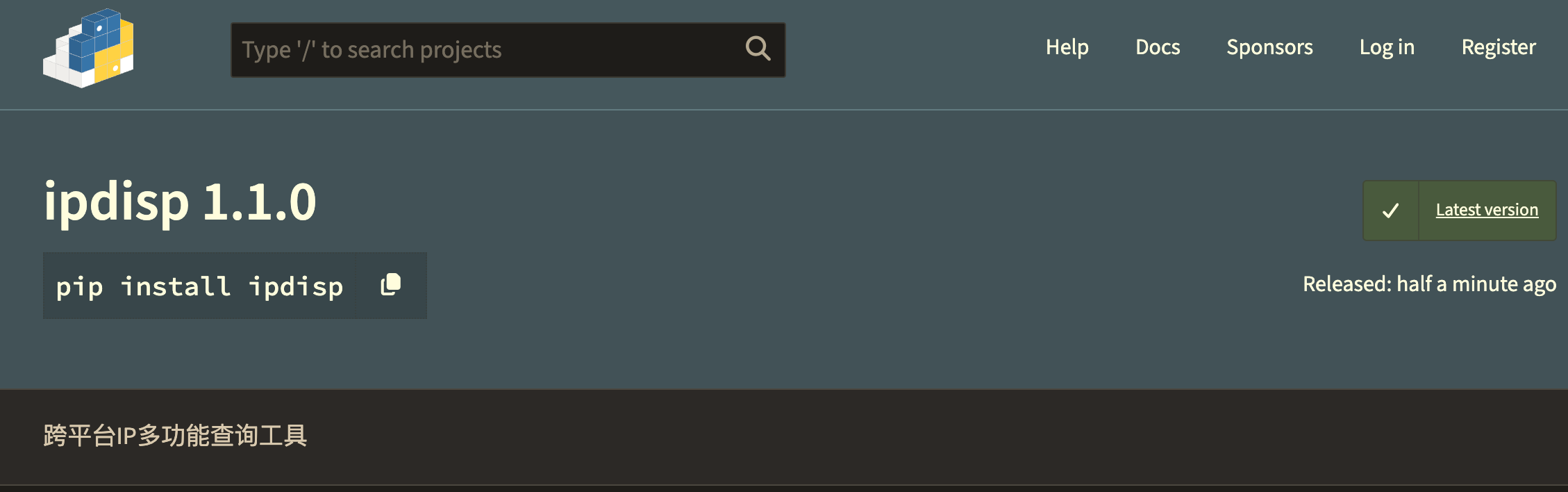
- 准备项目/包结构
sh
  my-package/
  ├── pyproject.toml
  ├── src/
  │   └── my_package/
  │       ├── __init__.py
  │       └── main.py
  ├── README.md
└── LICENSE- 编写 pyproject.toml
cpp
 [build-system]
  requires = ["setuptools>=61.0", "wheel"]
  build-backend = "setuptools.build_meta"

  [project]
  name = "my-package"
  version = "0.1.0"
  description = "A short description"
  readme = "README.md"
  license = {text = "MIT"}
  requires-python = ">=3.10"
  authors = [
      {name = "Your Name", email = "you@example.com"}
  ]
  classifiers = [
      "Programming Language :: Python :: 3",
  ]
  dependencies = [
      "requests>=2.28",
  ]

  [project.optional-dependencies]
dev = ["pytest", "black", "mypy"]- 编写 src/my_package/init.py
version = "0.1.0"
😊2. 安装发布工具
- 注册 PyPI 账号
PyPI 生产环境
cpp
https://pypi.org/account/register/Test PyPI (测试用)
cpp
https://test.pypi.org/account/register/- 安装发布工具
cpp
pip install build twine- 构建源码和 wheel
cpp
python -m build会在 dist/ 目录下生成:
bash
  dist/
  ├── my_package-0.1.0.tar.gz      # 源码
  └── my_package-0.1.1-py3-none-any.whl  # wheel
😆3. 上传到PyPI
- 上传到 PyPI
方式1: twine (推荐,更安全)
bash
twine upload dist/*按提示输入 username / password
方式2: 直接用 build
bash
python -m twine upload dist/*- 配置认证信息(可选)
在 ~/.pypirc 或用环境变量,避免每次输入密码:
bash
 # 环境变量方式
  export PYPI_USERNAME="__token__"
  export PYPI_PASSWORD="pypi-xxxx_your_token_xxxx"
在 PyPI → Account → API Tokens,生成一个 token,username 填 token,password 填 token 值。
常见问题: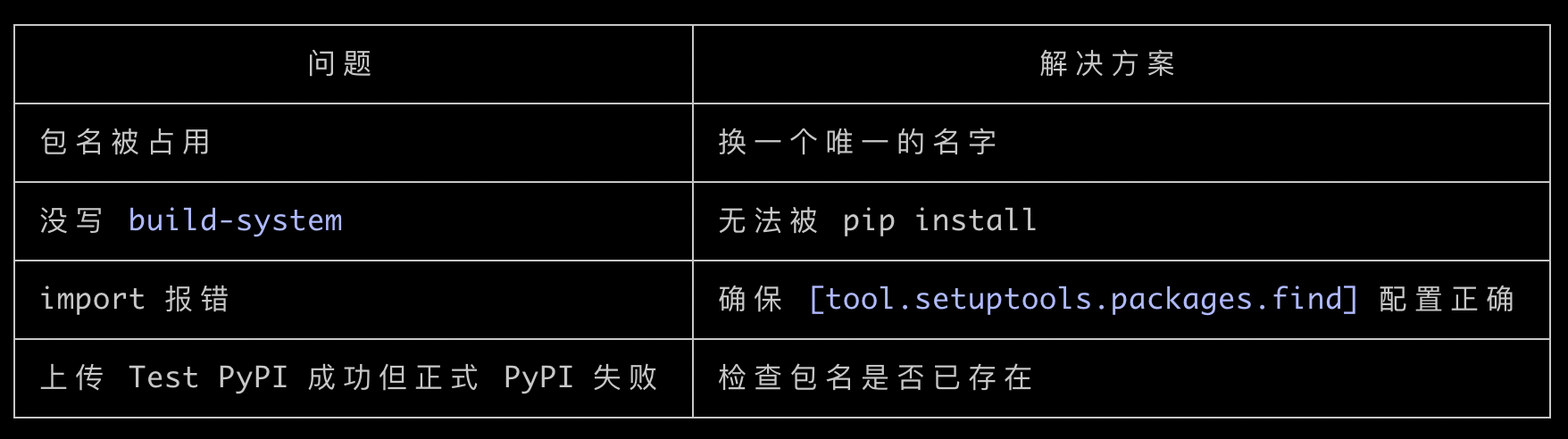
可以发布前先用 Test PyPI 验证:
bash
  twine upload --repository testpypi dist/*
  pip install --index-url https://test.pypi.org/simple/ my-package
确认没问题再上正式 PyPI。

以上。