基于鸿蒙多窗口架构的任务管理与番茄钟工作流实践
欢迎加入开源鸿蒙PC社区:
https://harmonypc.csdn.net/
项目 Git 仓库:
https://atomgit.com/liboqian/harmonyOs_time
一、需求背景与设计理念
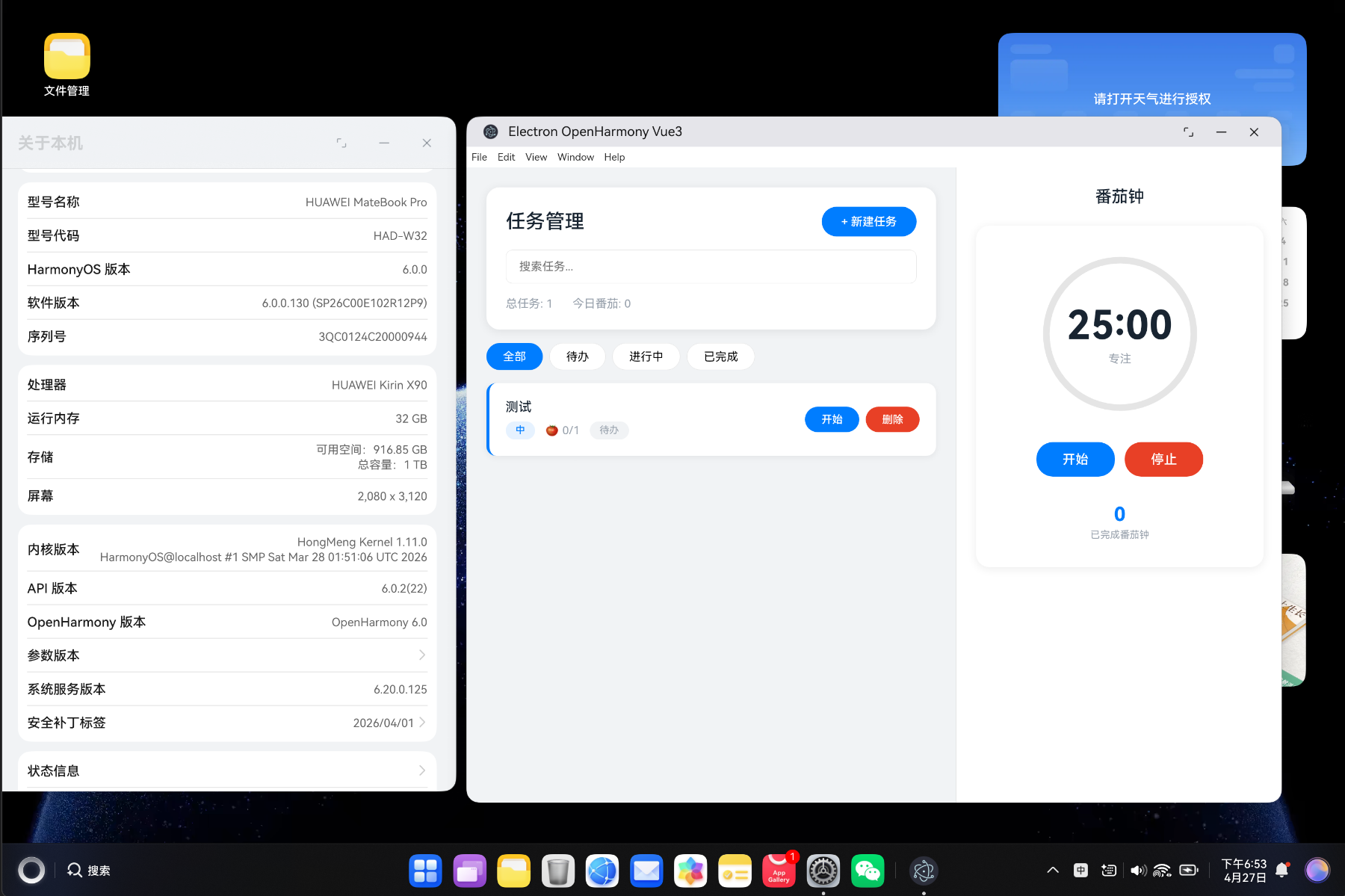
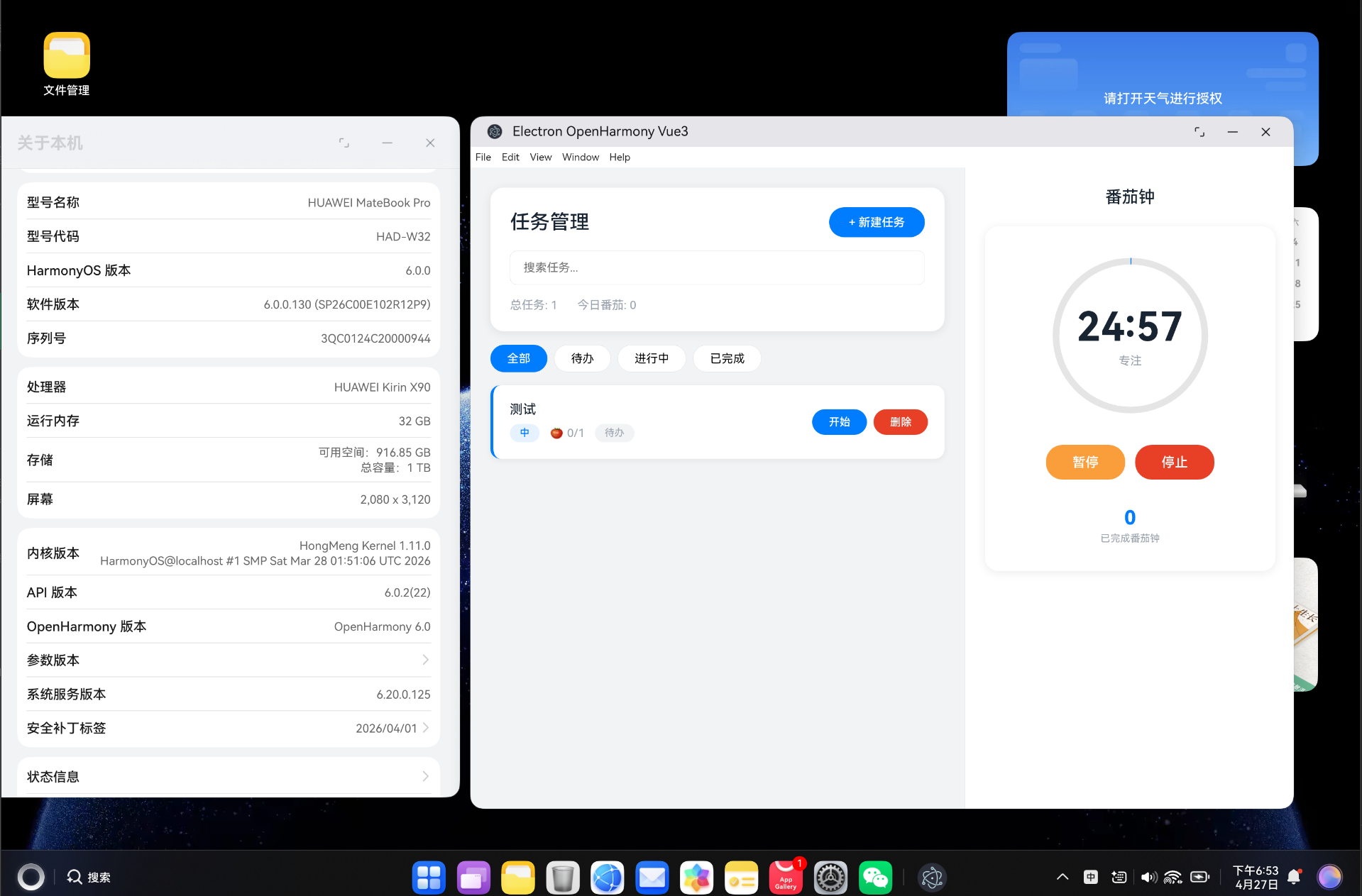
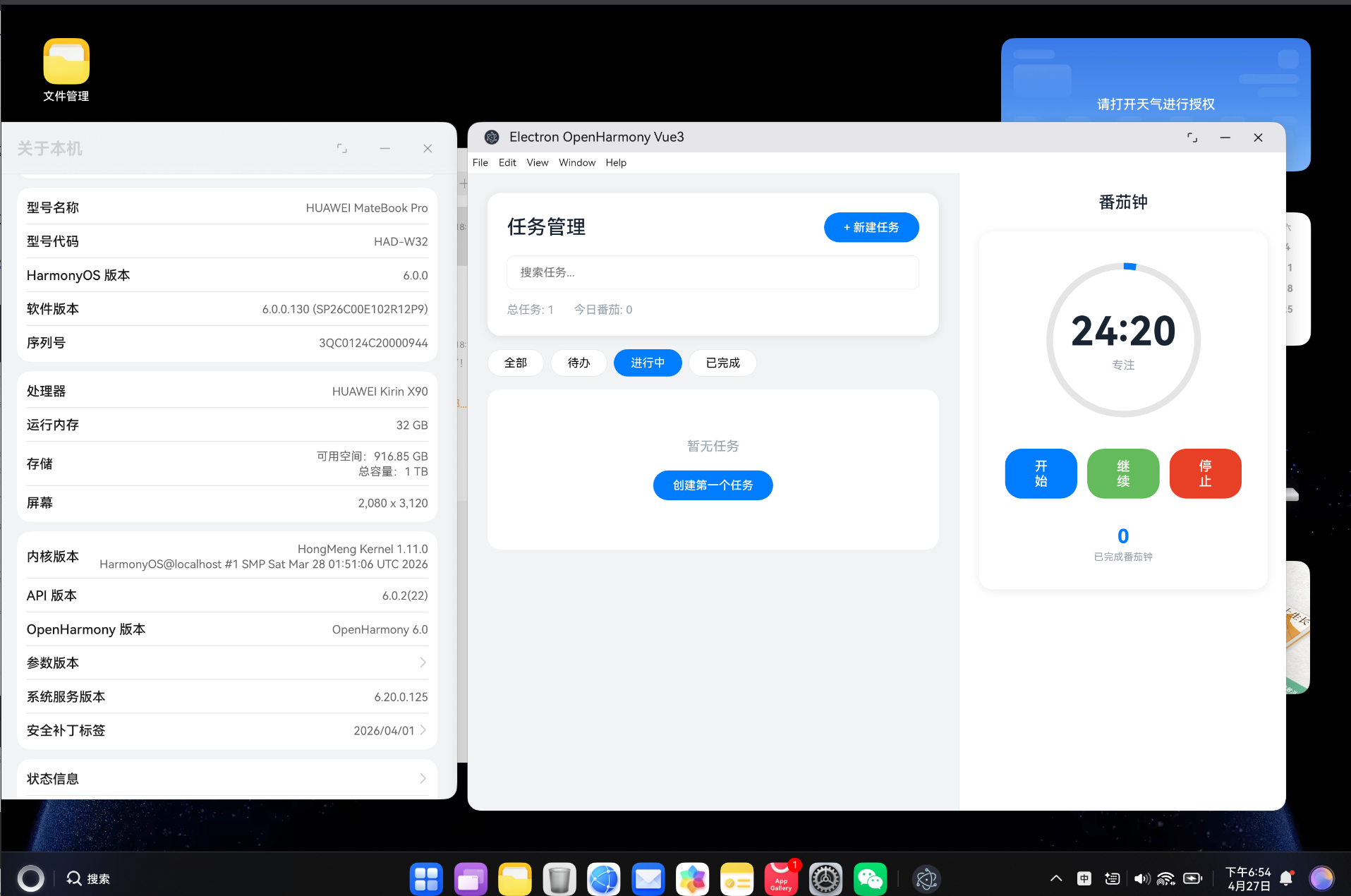
1.1 为什么需要新一代任务管理工具
在现代知识工作场景中,我们面临着信息碎片化、多任务并行、注意力分散等挑战。传统的番茄钟应用往往功能单一,缺乏与系统级能力的深度集成,导致工作流割裂:
- 通知机制薄弱:仅依赖应用内提醒,无法利用系统通知实现跨应用工作流管理
- 权限管理缺失:未合理申请和管理系统权限,导致部分场景下体验受限
- 多窗口协同不足:无法充分利用鸿蒙系统的多窗口特性实现边浏览边编辑的高效工作模式
- 工作流管理简单:缺乏任务优先级、状态流转、番茄钟统计等完整的工作流支持
1.2 鸿蒙系统能力赋能
鸿蒙操作系统( HarmonyOS )提供了丰富的系统级API,为任务管理应用带来了全新的技术可能:
| 系统能力 | API模块 | 应用场景 |
|---|---|---|
| 系统通知 | @ohos.notificationManager | 番茄钟提醒、任务到期提醒、工作流状态变更通知 |
| 权限管理 | @ohos.abilityAccessCtrl | 通知权限、剪贴板权限、屏幕录制权限等动态申请 |
| 多窗口管理 | @ohos.window | 子窗口创建、分屏布局、悬浮窗口 |
| 事件管理 | @ohos.commonEventManager | 通知点击事件、按钮点击事件、自定义工作流事件 |
1.3 项目目标
本项目基于现有的 Electron-OpenHarmony-Vue3 架构,开发一款集任务管理、番茄钟、工作流管理于一体的效率工具,核心目标包括:
- 深度集成系统通知能力,实现完整的番茄钟提醒与任务管理通知体系
- 建立权限管理机制,确保应用在各类场景下的稳定运行
- 利用鸿蒙多窗口特性,支持一边浏览参考资料一边编辑任务内容
- 构建完整的工作流管理引擎,支持任务状态流转、番茄钟统计、效率分析
二、整体架构设计
2.1 技术栈概览
┌─────────────────────────────────────────────────────────────┐
│                      Vue3 前端层                              │
├──────────────┬──────────────┬──────────────┬─────────────────┤
│  任务管理界面 │  番茄钟组件   │  工作流面板   │  统计报表        │
│(TaskManager) │(PomodoroTimer)│(WorkflowPanel)│(Statistics)    │
├──────────────┴──────────────┴──────────────┴─────────────────┤
│                   useOhos Composable 桥接层                     │
├──────────────┬──────────────┬──────────────┬─────────────────┤
│  文件操作桥接 │  通知桥接     │  窗口桥接     │  权限桥接        │
│(FileBridge)  │(Notification)│(WindowBridge)│(Permission)     │
├──────────────┴──────────────┴──────────────┴─────────────────┤
│                     ETS 原生适配层                              │
├──────────────┬──────────────┬──────────────┬─────────────────┤
│Notification  │PermissionMgr │SubWindow     │ContextAdapter    │
│Adapter       │Adapter       │Adapter       │                  │
├──────────────┴──────────────┴──────────────┴─────────────────┤
│                   HarmonyOS 系统服务层                          │
├──────────────┬──────────────┬──────────────┬─────────────────┤
│Notification  │AbilityAccess │WindowManager │CommonEventMgr    │
│Manager       │Ctrl          │              │                  │
└──────────────┴──────────────┴──────────────┴─────────────────┘
2.2 数据流架构
采用单向数据流 + 发布订阅模式,确保数据的一致性和可预测性:
typescript
// 任务状态定义
interface Task {
  id: string
  title: string
  description: string
  priority: TaskPriority
  status: TaskStatus
  estimatedPomodoros: number
  actualPomodoros: number
  dueDate?: number
  tags: string[]
  createdAt: number
  updatedAt: number
  workflowState?: WorkflowState
}

enum TaskPriority {
  LOW = 'low',
  MEDIUM = 'medium',
  HIGH = 'high',
  URGENT = 'urgent'
}

enum TaskStatus {
  TODO = 'todo',
  IN_PROGRESS = 'in_progress',
  DONE = 'done',
  ARCHIVED = 'archived'
}

enum WorkflowState {
  PENDING = 'pending',
  IN_REVIEW = 'in_review',
  COMPLETED = 'completed',
  BLOCKED = 'blocked'
}
三、系统通知集成方案
3.1 通知架构设计
基于现有的 NotificationAdapter,我们构建完整的任务管理与番茄钟通知体系:
typescript
// 通知类型定义
enum NotificationType {
  POMODORO_START = 'pomodoro_start',
  POMODORO_BREAK = 'pomodoro_break',
  TASK_DUE = 'task_due',
  TASK_OVERDUE = 'task_overdue',
  WORKFLOW_TRANSITION = 'workflow_transition',
  DAILY_SUMMARY = 'daily_summary'
}

interface TaskNotificationConfig {
  id: string
  type: NotificationType
  title: string
  message: string
  timestamp: number
  buttons?: NotificationButton[]
  requireInteraction: boolean
  silent: boolean
}

interface NotificationButton {
  title: string
  index: number
}
3.2 番茄钟通知实现
typescript
// PomodoroNotificationService - 番茄钟通知服务
class PomodoroNotificationService {
  private static instance: PomodoroNotificationService
  private notificationIdCounter: number = 1000

  static getInstance(): PomodoroNotificationService {
    if (!PomodoroNotificationService.instance) {
      PomodoroNotificationService.instance = new PomodoroNotificationService()
    }
    return PomodoroNotificationService.instance
  }

  // 发送番茄钟开始通知
  async notifyPomodoroStart(taskTitle: string, duration: number): Promise<void> {
    const config: TaskNotificationConfig = {
      id: `pomodoro_start_${Date.now()}`,
      type: NotificationType.POMODORO_START,
      title: '番茄钟开始',
      message: `任务: ${taskTitle}\n时长: ${duration}分钟`,
      timestamp: Date.now(),
      buttons: [
        { title: '暂停', index: 0 },
        { title: '完成', index: 1 }
      ],
      requireInteraction: true,
      silent: false
    }

    await this.sendNotification(config)
  }

  // 发送休息通知
  async notifyBreakStart(breakDuration: number, pomodorosCompleted: number): Promise<void> {
    const config: TaskNotificationConfig = {
      id: `pomodoro_break_${Date.now()}`,
      type: NotificationType.POMODORO_BREAK,
      title: '休息时间',
      message: `已完成 ${pomodorosCompleted} 个番茄钟\n休息 ${breakDuration} 分钟`,
      timestamp: Date.now(),
      buttons: [
        { title: '跳过休息', index: 0 },
        { title: '继续', index: 1 }
      ],
      requireInteraction: false,
      silent: true
    }

    await this.sendNotification(config)
  }

  // 发送通知核心方法 - 调用底层 NotificationAdapter
  private async sendNotification(config: TaskNotificationConfig): Promise<void> {
    if (typeof ohos !== 'undefined' && ohos.notification) {
      await ohos.notification.send({
        notificationId: this.notificationIdCounter++,
        title: config.title,
        message: config.message,
        timestamp: config.timestamp,
        buttons: config.buttons,
        requireInteraction: config.requireInteraction,
        silent: config.silent
      })
    } else {
      // 降级到浏览器通知
      this.sendBrowserNotification(config)
    }
  }

  // 浏览器通知降级方案
  private sendBrowserNotification(config: TaskNotificationConfig): void {
    if ('Notification' in window && Notification.permission === 'granted') {
      new Notification(config.title, {
        body: config.message,
        icon: '/assets/notification-icon.png',
        tag: config.id
      })
    }
  }

  // 检查通知权限
  async checkNotificationPermission(): Promise<boolean> {
    return new Promise((resolve) => {
      if (typeof ohos !== 'undefined' && ohos.permission) {
        ohos.permission.checkNotificationPermission((enabled: boolean) => {
          resolve(enabled)
        })
      } else {
        resolve(Notification.permission === 'granted')
      }
    })
  }

  // 请求通知权限
  async requestNotificationPermission(): Promise<boolean> {
    if (typeof ohos !== 'undefined' && ohos.permission) {
      ohos.permission.requestNotificationPermission()
      return true
    } else {
      const permission = await Notification.requestPermission()
      return permission === 'granted'
    }
  }
}
3.3 通知点击事件处理
typescript
// NotificationEventHandler - 通知事件处理器
class NotificationEventHandler {
  private static instance: NotificationEventHandler

  static getInstance(): NotificationEventHandler {
    if (!NotificationEventHandler.instance) {
      NotificationEventHandler.instance = new NotificationEventHandler()
    }
    return NotificationEventHandler.instance
  }

  // 初始化通知事件监听
  initialize(): void {
    // 监听通知点击事件
    this.setupNotificationClickHandler()
    this.setupNotificationCloseHandler()
    this.setupNotificationButtonClickHandler()
  }

  // 处理通知点击
  private setupNotificationClickHandler(): void {
    if (typeof ohos !== 'undefined' && ohos.notification) {
      ohos.notification.on('click', (notificationId: number) => {
        this.handleNotificationClick(notificationId)
      })
    }
  }

  // 处理通知关闭
  private setupNotificationCloseHandler(): void {
    if (typeof ohos !== 'undefined' && ohos.notification) {
      ohos.notification.on('close', (notificationId: number) => {
        this.handleNotificationClose(notificationId)
      })
    }
  }

  // 处理通知按钮点击
  private setupNotificationButtonClickHandler(): void {
    if (typeof ohos !== 'undefined' && ohos.notification) {
      ohos.notification.on('buttonClick', (notificationId: number, buttonIndex: number) => {
        this.handleNotificationButtonClick(notificationId, buttonIndex)
      })
    }
  }

  // 具体处理逻辑
  private handleNotificationClick(notificationId: number): void {
    const notificationType = this.parseNotificationType(notificationId)

    switch (notificationType) {
      case NotificationType.POMODORO_START:
        // 切换到任务详情页面
        EventBus.getInstance().emit('task:focus', { notificationId })
        break
      case NotificationType.POMODORO_BREAK:
        // 显示休息计时器
        EventBus.getInstance().emit('pomodoro:break', { notificationId })
        break
      case NotificationType.TASK_DUE:
        // 打开任务编辑窗口
        EventBus.getInstance().emit('task:open', { notificationId })
        break
      default:
        break
    }
  }

  // 处理按钮点击 - 番茄钟控制
  private handleNotificationButtonClick(
    notificationId: number,
    buttonIndex: number
  ): void {
    const notificationType = this.parseNotificationType(notificationId)

    if (notificationType === NotificationType.POMODORO_START) {
      switch (buttonIndex) {
        case 0: // 暂停按钮
          EventBus.getInstance().emit('pomodoro:pause')
          break
        case 1: // 完成按钮
          EventBus.getInstance().emit('pomodoro:complete')
          break
      }
    }
  }

  private parseNotificationType(notificationId: number): NotificationType {
    // 根据 notificationId 解析通知类型
    // 实际项目中应维护 notificationId 与类型的映射关系
    return NotificationType.POMODORO_START
  }
}
四、权限管理模块
4.1 权限架构设计
基于 PermissionManagerAdapter,构建完整的权限管理体系:
typescript
// PermissionManager - 权限管理器
class PermissionManager {
  private static instance: PermissionManager

  // 权限类型定义
  private readonly PERMISSION_TYPES = {
    NOTIFICATION: 'notification',
    PASTEBOARD: 'pasteboard',
    SCREEN_CAPTURE: 'screen_capture',
    LOCATION: 'location',
    MICROPHONE: 'microphone',
    CAMERA: 'camera'
  }

  static getInstance(): PermissionManager {
    if (!PermissionManager.instance) {
      PermissionManager.instance = new PermissionManager()
    }
    return PermissionManager.instance
  }

  // 检查权限状态
  async checkPermission(permissionType: string): Promise<boolean> {
    return new Promise((resolve) => {
      if (typeof ohos !== 'undefined' && ohos.permission) {
        ohos.permission.checkPermissions(permissionType, (granted: boolean) => {
          resolve(granted)
        })
      } else {
        // 浏览器环境降级处理
        resolve(this.checkBrowserPermission(permissionType))
      }
    })
  }

  // 请求权限
  async requestPermission(permissionType: string): Promise<boolean> {
    return new Promise((resolve) => {
      if (typeof ohos !== 'undefined' && ohos.permission) {
        ohos.permission.requestPermissions(permissionType, (code: number) => {
          resolve(code === 0)
        })
      } else {
        resolve(this.requestBrowserPermission(permissionType))
      }
    })
  }

  // 浏览器环境权限检查降级
  private checkBrowserPermission(permissionType: string): boolean {
    switch (permissionType) {
      case 'notification':
        return Notification.permission === 'granted'
      case 'pasteboard':
        return 'clipboard' in navigator
      default:
        return false
    }
  }

  // 浏览器环境权限请求降级
  private async requestBrowserPermission(permissionType: string): Promise<boolean> {
    switch (permissionType) {
      case 'notification':
        const result = await Notification.requestPermission()
        return result === 'granted'
      default:
        return false
    }
  }

  // 打开权限设置页面
  openPermissionSettings(permissionType: string): void {
    if (typeof ohos !== 'undefined' && ohos.permission) {
      ohos.permission.openPermissionConfirm(permissionType, (index: number) => {
        if (index === 0) {
          // 用户确认打开设置页面
          console.log('打开权限设置页面')
        }
      })
    }
  }
}
4.2 权限初始化流程
typescript
// PermissionInitializer - 权限初始化器
class PermissionInitializer {
  // 初始化所有必需权限
  async initialize(): Promise<PermissionStatus> {
    const status: PermissionStatus = {
      notification: false,
      pasteboard: false,
      screen_capture: false
    }

    // 按优先级顺序申请权限
    status.notification = await this.initNotificationPermission()
    status.pasteboard = await this.initPasteboardPermission()
    status.screen_capture = await this.initScreenCapturePermission()

    return status
  }

  // 初始化通知权限
  private async initNotificationPermission(): Promise<boolean> {
    const granted = await PermissionManager.getInstance()
      .checkPermission('notification')

    if (!granted) {
      return await PermissionManager.getInstance()
        .requestPermission('notification')
    }

    return true
  }

  // 初始化剪贴板权限
  private async initPasteboardPermission(): Promise<boolean> {
    const granted = await PermissionManager.getInstance()
      .checkPermission('pasteboard')

    if (!granted) {
      // 在用户首次交互时申请剪贴板权限
      EventBus.getInstance().on('user:firstInteraction', async () => {
        await PermissionManager.getInstance()
          .requestPermission('pasteboard')
      })
      return false
    }

    return true
  }

  // 初始化屏幕录制权限
  private async initScreenCapturePermission(): Promise<boolean> {
    const granted = await PermissionManager.getInstance()
      .checkPermission('screen_capture')

    if (!granted) {
      // 屏幕录制权限仅在用户主动触发时申请
      return false
    }

    return true
  }
}

interface PermissionStatus {
  notification: boolean
  pasteboard: boolean
  screen_capture: boolean
}
五、工作流管理引擎
5.1 番茄钟核心算法
typescript
// PomodoroTimer - 番茄钟计时器
class PomodoroTimer {
  private static instance: PomodoroTimer

  // 计时器状态
  private state: TimerState = {
    isRunning: false,
    isBreak: false,
    timeRemaining: 25 * 60, // 25分钟
    currentTaskId: '',
    pomodorosCompleted: 0,
    longBreakInterval: 4 // 每4个番茄钟后长休息
  }

  private timerInterval: number | null = null
  private notificationService = PomodoroNotificationService.getInstance()

  static getInstance(): PomodoroTimer {
    if (!PomodoroTimer.instance) {
      PomodoroTimer.instance = new PomodoroTimer()
    }
    return PomodoroTimer.instance
  }

  // 启动番茄钟
  async start(taskId: string, duration: number = 25): Promise<void> {
    if (this.state.isRunning) return

    this.state.isRunning = true
    this.state.isBreak = false
    this.state.timeRemaining = duration * 60
    this.state.currentTaskId = taskId

    // 获取任务信息
    const task = TaskStore.getInstance().getTask(taskId)
    if (task) {
      // 发送番茄钟开始通知
      await this.notificationService.notifyPomodoroStart(task.title, duration)
    }

    // 启动计时器
    this.startTimer()

    // 触发事件
    EventBus.getInstance().emit('pomodoro:start', {
      taskId,
      duration,
      timestamp: Date.now()
    })
  }

  // 计时器核心逻辑
  private startTimer(): void {
    this.timerInterval = window.setInterval(() => {
      this.state.timeRemaining--

      // 触发时间更新事件
      EventBus.getInstance().emit('pomodoro:tick', {
        timeRemaining: this.state.timeRemaining,
        isBreak: this.state.isBreak
      })

      // 时间到
      if (this.state.timeRemaining <= 0) {
        this.handleTimerComplete()
      }
    }, 1000)
  }

  // 处理计时完成
  private async handleTimerComplete(): Promise<void> {
    this.stopTimer()

    if (this.state.isBreak) {
      // 休息结束,开始新的番茄钟
      await this.handleBreakComplete()
    } else {
      // 番茄钟完成
      await this.handlePomodoroComplete()
    }
  }

  // 番茄钟完成处理
  private async handlePomodoroComplete(): Promise<void> {
    this.state.pomodorosCompleted++
    this.state.isRunning = false

    // 更新任务数据
    const task = TaskStore.getInstance().getTask(this.state.currentTaskId)
    if (task) {
      task.actualPomodoros++
      TaskStore.getInstance().updateTask(task)
    }

    // 记录番茄钟数据
    PomodoroStatistics.getInstance().recordPomodoro({
      taskId: this.state.currentTaskId,
      completedAt: Date.now(),
      duration: this.getTimeDuration()
    })

    // 决定休息时间
    const isLongBreak = this.state.pomodorosCompleted % this.state.longBreakInterval === 0
    const breakDuration = isLongBreak ? 15 : 5

    // 发送通知
    await this.notificationService.notifyBreakStart(
      breakDuration,
      this.state.pomodorosCompleted
    )

    // 触发事件
    EventBus.getInstance().emit('pomodoro:complete', {
      taskId: this.state.currentTaskId,
      pomodorosCompleted: this.state.pomodorosCompleted,
      isLongBreak
    })

    // 自动开始休息
    this.startBreak(breakDuration)
  }

  // 开始休息
  private startBreak(duration: number): void {
    this.state.isBreak = true
    this.state.timeRemaining = duration * 60
    this.state.isRunning = true

    this.startTimer()

    EventBus.getInstance().emit('pomodoro:breakStart', {
      duration,
      isLongBreak: duration > 5
    })
  }

  // 休息结束处理
  private async handleBreakComplete(): Promise<void> {
    this.state.isRunning = false

    // 触发事件
    EventBus.getInstance().emit('pomodoro:breakEnd')

    // 自动开始下一个番茄钟
    if (this.state.currentTaskId) {
      await this.start(this.state.currentTaskId)
    }
  }

  // 暂停番茄钟
  pause(): void {
    if (!this.state.isRunning) return

    this.stopTimer()
    this.state.isRunning = false

    EventBus.getInstance().emit('pomodoro:pause')
  }

  // 继续番茄钟
  resume(): void {
    if (this.state.isRunning) return

    this.state.isRunning = true
    this.startTimer()

    EventBus.getInstance().emit('pomodoro:resume')
  }

  // 停止番茄钟
  stop(): void {
    this.stopTimer()
    this.state.isRunning = false
    this.state.timeRemaining = 25 * 60

    EventBus.getInstance().emit('pomodoro:stop')
  }

  // 停止计时器
  private stopTimer(): void {
    if (this.timerInterval) {
      clearInterval(this.timerInterval)
      this.timerInterval = null
    }
  }

  // 获取已计时时长(秒)
  private getTimeDuration(): number {
    return this.state.isBreak
      ? 0
      : (25 * 60) - this.state.timeRemaining
  }
}

interface TimerState {
  isRunning: boolean
  isBreak: boolean
  timeRemaining: number
  currentTaskId: string
  pomodorosCompleted: number
  longBreakInterval: number
}
5.2 任务工作流引擎
typescript
// WorkflowEngine - 工作流引擎
class WorkflowEngine {
  private static instance: WorkflowEngine

  // 工作流规则定义
  private workflowRules: WorkflowRule[] = [
    {
      from: WorkflowState.PENDING,
      to: WorkflowState.IN_REVIEW,
      condition: (task) => task.actualPomodoros >= task.estimatedPomodoros * 0.8,
      action: 'autoTransition'
    },
    {
      from: WorkflowState.IN_REVIEW,
      to: WorkflowState.COMPLETED,
      condition: () => true,
      action: 'manualTransition'
    },
    {
      from: WorkflowState.PENDING,
      to: WorkflowState.BLOCKED,
      condition: (task) => task.status === TaskStatus.ARCHIVED,
      action: 'autoTransition'
    }
  ]

  static getInstance(): WorkflowEngine {
    if (!WorkflowEngine.instance) {
      WorkflowEngine.instance = new WorkflowEngine()
    }
    return WorkflowEngine.instance
  }

  // 执行工作流转换
  async transition(taskId: string, targetState: WorkflowState): Promise<boolean> {
    const task = TaskStore.getInstance().getTask(taskId)
    if (!task) return false

    const currentState = task.workflowState || WorkflowState.PENDING

    // 验证转换是否合法
    if (!this.isValidTransition(currentState, targetState)) {
      return false
    }

    // 执行转换
    task.workflowState = targetState
    task.updatedAt = Date.now()
    TaskStore.getInstance().updateTask(task)

    // 记录工作流日志
    WorkflowLogger.log({
      taskId,
      from: currentState,
      to: targetState,
      timestamp: Date.now()
    })

    // 发送工作流转换通知
    await this.notifyWorkflowTransition(task, currentState, targetState)

    // 触发事件
    EventBus.getInstance().emit('workflow:transition', {
      taskId,
      from: currentState,
      to: targetState
    })

    return true
  }

  // 验证转换是否合法
  private isValidTransition(from: WorkflowState, to: WorkflowState): boolean {
    const validTransitions: Record<WorkflowState, WorkflowState[]> = {
      [WorkflowState.PENDING]: [WorkflowState.IN_REVIEW, WorkflowState.BLOCKED],
      [WorkflowState.IN_REVIEW]: [WorkflowState.COMPLETED, WorkflowState.BLOCKED],
      [WorkflowState.COMPLETED]: [],
      [WorkflowState.BLOCKED]: [WorkflowState.PENDING]
    }

    return validTransitions[from]?.includes(to) ?? false
  }

  // 自动应用工作流规则
  async applyRules(taskId: string): Promise<void> {
    const task = TaskStore.getInstance().getTask(taskId)
    if (!task) return

    const currentState = task.workflowState || WorkflowState.PENDING

    for (const rule of this.workflowRules) {
      if (rule.from === currentState && rule.condition(task)) {
        await this.transition(taskId, rule.to)
        break
      }
    }
  }

  // 发送工作流转换通知
  private async notifyWorkflowTransition(
    task: Task,
    from: WorkflowState,
    to: WorkflowState
  ): Promise<void> {
    const config: TaskNotificationConfig = {
      id: `workflow_${task.id}_${Date.now()}`,
      type: NotificationType.WORKFLOW_TRANSITION,
      title: '工作流状态变更',
      message: `任务: ${task.title}\n${this.getStateName(from)} → ${this.getStateName(to)}`,
      timestamp: Date.now(),
      requireInteraction: false,
      silent: true
    }

    await PomodoroNotificationService.getInstance().sendNotification(config)
  }

  private getStateName(state: WorkflowState): string {
    const stateNames: Record<WorkflowState, string> = {
      [WorkflowState.PENDING]: '待处理',
      [WorkflowState.IN_REVIEW]: '进行中',
      [WorkflowState.COMPLETED]: '已完成',
      [WorkflowState.BLOCKED]: '已阻塞'
    }
    return stateNames[state]
  }
}

interface WorkflowRule {
  from: WorkflowState
  to: WorkflowState
  condition: (task: Task) => boolean
  action: 'autoTransition' | 'manualTransition'
}

interface WorkflowLog {
  taskId: string
  from: WorkflowState
  to: WorkflowState
  timestamp: number
}
5.3 任务存储管理
typescript
// TaskStore - 任务数据管理
class TaskStore {
  private static instance: TaskStore
  private tasks: Map<string, Task> = new Map()

  static getInstance(): TaskStore {
    if (!TaskStore.instance) {
      TaskStore.instance = new TaskStore()
    }
    return TaskStore.instance
  }

  // 创建任务
  createTask(data: Partial<Task>): Task {
    const task: Task = {
      id: `task_${Date.now()}_${Math.random().toString(36).substr(2, 9)}`,
      title: data.title || '新任务',
      description: data.description || '',
      priority: data.priority || TaskPriority.MEDIUM,
      status: TaskStatus.TODO,
      estimatedPomodoros: data.estimatedPomodoros || 1,
      actualPomodoros: 0,
      dueDate: data.dueDate,
      tags: data.tags || [],
      createdAt: Date.now(),
      updatedAt: Date.now(),
      workflowState: WorkflowState.PENDING
    }

    this.tasks.set(task.id, task)
    this.notifyTaskChange('create', task)
    return task
  }

  // 获取任务
  getTask(taskId: string): Task | undefined {
    return this.tasks.get(taskId)
  }

  // 更新任务
  updateTask(task: Task): void {
    task.updatedAt = Date.now()
    this.tasks.set(task.id, task)
    this.notifyTaskChange('update', task)
  }

  // 删除任务
  deleteTask(taskId: string): void {
    this.tasks.delete(taskId)
    this.notifyTaskChange('delete', { id: taskId } as Task)
  }

  // 获取所有任务
  getAllTasks(): Task[] {
    return Array.from(this.tasks.values())
  }

  // 按状态筛选任务
  getTasksByStatus(status: TaskStatus): Task[] {
    return this.getAllTasks().filter(task => task.status === status)
  }

  // 按优先级排序
  getTasksByPriority(): Task[] {
    const priorityOrder: Record<TaskPriority, number> = {
      [TaskPriority.URGENT]: 0,
      [TaskPriority.HIGH]: 1,
      [TaskPriority.MEDIUM]: 2,
      [TaskPriority.LOW]: 3
    }

    return this.getAllTasks().sort((a, b) => {
      return priorityOrder[a.priority] - priorityOrder[b.priority]
    })
  }

  // 通知任务变更
  private notifyTaskChange(action: string, task: Task): void {
    EventBus.getInstance().emit(`task:${action}`, task)
  }
}
六、多窗口协同编辑方案
6.1 窗口管理器设计
基于 SubWindowAdapter,实现任务管理与参考资料浏览的多窗口协同:
typescript
// WindowManager - 多窗口管理器
class WindowManager {
  private static instance: WindowManager
  private windows: Map<string, WindowInfo> = new Map()

  static getInstance(): WindowManager {
    if (!WindowManager.instance) {
      WindowManager.instance = new WindowManager()
    }
    return WindowManager.instance
  }

  // 创建任务编辑窗口
  async createTaskEditWindow(taskId?: string): Promise<string> {
    const windowId = `task_edit_${Date.now()}`

    const param: NewWindowParam = {
      window_id: windowId,
      parent_id: this.getMainWindowId(),
      bounds: {
        left: 100,
        top: 100,
        width: 600,
        height: 800
      },
      init_color_argb: 0xFFFFFFFF
    }

    // 创建子窗口
    ohos.window.createSubWindow(param, (id: string) => {
      console.log('任务编辑窗口创建成功:', id)

      // 存储窗口信息
      this.windows.set(id, {
        id,
        type: WindowType.TASK_EDIT,
        taskId,
        bounds: param.bounds
      })

      // 加载任务编辑页面
      this.loadTaskEditPage(id, taskId)
    })

    return windowId
  }

  // 创建资料浏览窗口
  async createBrowserWindow(url?: string): Promise<string> {
    const windowId = `browser_${Date.now()}`

    const param: NewWindowParam = {
      window_id: windowId,
      parent_id: this.getMainWindowId(),
      bounds: {
        left: 750,
        top: 100,
        width: 800,
        height: 600
      },
      init_color_argb: 0xFFFFFFFF
    }

    ohos.window.createSubWindow(param, (id: string) => {
      console.log('资料浏览窗口创建成功:', id)

      this.windows.set(id, {
        id,
        type: WindowType.BROWSER,
        url,
        bounds: param.bounds
      })

      this.loadBrowserPage(id, url)
    })

    return windowId
  }

  // 创建分屏布局 - 一边浏览一边编辑
  async createSplitScreenLayout(taskId: string, referenceUrl?: string): Promise<void> {
    // 创建编辑窗口
    const editWindowId = await this.createTaskEditWindow(taskId)

    // 创建浏览窗口
    const browserWindowId = await this.createBrowserWindow(referenceUrl)

    // 设置分屏布局
    setTimeout(() => {
      // 调整窗口位置,实现左右分屏
      ohos.window.setSubWindowBounds(editWindowId, {
        left: 0,
        top: 0,
        width: window.screen.width / 2,
        height: window.screen.height
      })

      ohos.window.setSubWindowBounds(browserWindowId, {
        left: window.screen.width / 2,
        top: 0,
        width: window.screen.width / 2,
        height: window.screen.height
      })
    }, 100)

    // 建立窗口间通信
    this.setupWindowCommunication(editWindowId, browserWindowId)
  }

  // 建立窗口间通信
  private setupWindowCommunication(editWindowId: string, browserWindowId: string): void {
    // 监听浏览窗口选中文本
    EventBus.getInstance().on('browser:textSelected', (data) => {
      // 将选中的文本发送到编辑窗口
      EventBus.getInstance().emit('edit:insertText', {
        windowId: editWindowId,
        text: data.selectedText
      })
    })

    // 监听编辑窗口链接点击
    EventBus.getInstance().on('edit:linkClicked', (data) => {
      // 在浏览窗口打开链接
      EventBus.getInstance().emit('browser:navigate', {
        windowId: browserWindowId,
        url: data.url
      })
    })
  }

  // 显示窗口
  showWindow(windowId: string): void {
    ohos.window.showSubWindow(windowId)
  }

  // 隐藏窗口
  hideWindow(windowId: string): void {
    ohos.window.hideSubWindow(windowId)
  }

  // 关闭窗口
  closeWindow(windowId: string): void {
    ohos.window.cancelSubWindow(windowId)
    this.windows.delete(windowId)
  }

  // 获取主窗口ID
  private getMainWindowId(): string {
    // 实际项目中应从配置或上下文中获取
    return 'main_window'
  }

  // 加载任务编辑页面
  private loadTaskEditPage(windowId: string, taskId?: string): void {
    // 通过 LocalStorage 传递数据
    const subStorage = new LocalStorage({
      taskEditParams: {
        windowId,
        taskId
      }
    })
  }

  // 加载浏览页面
  private loadBrowserPage(windowId: string, url?: string): void {
    const subStorage = new LocalStorage({
      browserParams: {
        windowId,
        url
      }
    })
  }
}

enum WindowType {
  TASK_EDIT = 'task_edit',
  BROWSER = 'browser',
  STATISTICS = 'statistics',
  SETTINGS = 'settings'
}

interface WindowInfo {
  id: string
  type: WindowType
  taskId?: string
  url?: string
  bounds: WindowBound
}

interface WindowBound {
  left: number
  top: number
  width: number
  height: number
}
6.2 窗口通信机制
typescript
// EventBus - 事件总线,用于窗口间通信
class EventBus {
  private static instance: EventBus
  private listeners: Map<string, Function[]> = new Map()

  static getInstance(): EventBus {
    if (!EventBus.instance) {
      EventBus.instance = new EventBus()
    }
    return EventBus.instance
  }

  // 发送事件
  emit(event: string, data?: any): void {
    const callbacks = this.listeners.get(event) || []
    callbacks.forEach(callback => {
      try {
        callback(data)
      } catch (error) {
        console.error(`EventBus: 处理事件 ${event} 时发生错误:`, error)
      }
    })
  }

  // 监听事件
  on(event: string, callback: Function): void {
    if (!this.listeners.has(event)) {
      this.listeners.set(event, [])
    }
    this.listeners.get(event)!.push(callback)
  }

  // 移除监听器
  off(event: string, callback: Function): void {
    const callbacks = this.listeners.get(event) || []
    const index = callbacks.indexOf(callback)
    if (index > -1) {
      callbacks.splice(index, 1)
    }
  }

  // 一次性监听
  once(event: string, callback: Function): void {
    const onceCallback = (data: any) => {
      callback(data)
      this.off(event, onceCallback)
    }
    this.on(event, onceCallback)
  }

  // 清空所有监听器
  clear(): void {
    this.listeners.clear()
  }
}
6.3 剪贴板集成
typescript
// ClipboardService - 剪贴板服务
class ClipboardService {
  private static instance: ClipboardService

  static getInstance(): ClipboardService {
    if (!ClipboardService.instance) {
      ClipboardService.instance = new ClipboardService()
    }
    return ClipboardService.instance
  }

  // 读取剪贴板
  async read(): Promise<string> {
    return new Promise((resolve) => {
      if (typeof ohos !== 'undefined' && ohos.clipboard) {
        ohos.clipboard.read().then((text: string) => {
          resolve(text)
        }).catch(() => {
          resolve('')
        })
      } else {
        // 降级到浏览器 API
        navigator.clipboard.readText().then(resolve).catch(() => resolve(''))
      }
    })
  }

  // 写入剪贴板
  async write(text: string): Promise<boolean> {
    return new Promise((resolve) => {
      if (typeof ohos !== 'undefined' && ohos.clipboard) {
        ohos.clipboard.write(text).then(() => resolve(true)).catch(() => resolve(false))
      } else {
        // 降级到浏览器 API
        navigator.clipboard.writeText(text).then(() => resolve(true)).catch(() => resolve(false))
      }
    })
  }

  // 复制任务信息到剪贴板
  async copyTaskToClipboard(task: Task): Promise<boolean> {
    const taskText = `
任务: ${task.title}
描述: ${task.description}
优先级: ${task.priority}
状态: ${task.status}
预计番茄钟: ${task.estimatedPomodoros}
实际番茄钟: ${task.actualPomodoros}
截止日期: ${task.dueDate ? new Date(task.dueDate).toLocaleString() : '无'}
    `.trim()

    return await this.write(taskText)
  }

  // 从剪贴板导入任务
  async importTaskFromClipboard(): Promise<Partial<Task> | null> {
    const text = await this.read()
    if (!text) return null

    // 简单的文本解析逻辑
    const lines = text.split('\n')
    const task: Partial<Task> = {}

    lines.forEach(line => {
      if (line.startsWith('任务:')) {
        task.title = line.replace('任务:', '').trim()
      } else if (line.startsWith('描述:')) {
        task.description = line.replace('描述:', '').trim()
      }
    })

    return Object.keys(task).length > 0 ? task : null
  }
}
七、Vue3 组件实现
7.1 番茄钟组件
vue
<script setup lang="ts">
import { ref, computed, onMounted, onUnmounted } from 'vue'
import { PomodoroTimer } from '@/services/PomodoroTimer'
import { EventBus } from '@/services/EventBus'

const props = defineProps<{
  taskId: string
  duration?: number
}>()

const emit = defineEmits(['complete', 'pause', 'resume'])

const timer = PomodoroTimer.getInstance()
const timeRemaining = ref(25 * 60)
const isRunning = ref(false)
const isBreak = ref(false)
const pomodorosCompleted = ref(0)

// 格式化时间显示
const formattedTime = computed(() => {
  const minutes = Math.floor(timeRemaining.value / 60)
  const seconds = timeRemaining.value % 60
  return `${minutes.toString().padStart(2, '0')}:${seconds.toString().padStart(2, '0')}`
})

// 进度百分比
const progress = computed(() => {
  const total = (props.duration || 25) * 60
  return ((total - timeRemaining.value) / total) * 100
})

// 启动番茄钟
const start = async () => {
  await timer.start(props.taskId, props.duration)
  isRunning.value = true
}

// 暂停
const pause = () => {
  timer.pause()
  isRunning.value = false
  emit('pause')
}

// 继续
const resume = () => {
  timer.resume()
  isRunning.value = true
  emit('resume')
}

// 停止
const stop = () => {
  timer.stop()
  isRunning.value = false
}

// 监听计时器事件
onMounted(() => {
  EventBus.getInstance().on('pomodoro:tick', (data) => {
    timeRemaining.value = data.timeRemaining
    isBreak.value = data.isBreak
  })

  EventBus.getInstance().on('pomodoro:complete', (data) => {
    pomodorosCompleted.value = data.pomodorosCompleted
    emit('complete', data)
  })
})

onUnmounted(() => {
  EventBus.getInstance().off('pomodoro:tick')
  EventBus.getInstance().off('pomodoro:complete')
})
</script>

<template>
  <div class="pomodoro-timer">
    <!-- 进度环 -->
    <div class="progress-ring">
      <svg width="200" height="200">
        <circle
          class="progress-ring__circle"
          stroke-width="8"
          fill="transparent"
          r="90"
          cx="100"
          cy="100"
          :stroke-dasharray="565.48"
          :stroke-dashoffset="565.48 - (565.48 * progress) / 100"
        />
      </svg>

      <!-- 时间显示 -->
      <div class="time-display">
        <span class="time-text">{{ formattedTime }}</span>
        <span class="time-label">{{ isBreak ? '休息' : '专注' }}</span>
      </div>
    </div>

    <!-- 控制按钮 -->
    <div class="controls">
      <button v-if="!isRunning" class="btn btn-start" @click="start">
        开始
      </button>
      <button v-else-if="isBreak" class="btn btn-break" @click="pause">
        暂停休息
      </button>
      <button v-else class="btn btn-pause" @click="pause">
        暂停
      </button>

      <button v-if="!isRunning" class="btn btn-resume" @click="resume">
        继续
      </button>

      <button class="btn btn-stop" @click="stop">
        停止
      </button>
    </div>

    <!-- 统计信息 -->
    <div class="stats">
      <div class="stat-item">
        <span class="stat-value">{{ pomodorosCompleted }}</span>
        <span class="stat-label">已完成番茄钟</span>
      </div>
    </div>
  </div>
</template>

<style scoped>
.pomodoro-timer {
  padding: 24px;
  background: var(--ohos-bg-card);
  border-radius: 16px;
  text-align: center;
}

.progress-ring {
  position: relative;
  width: 200px;
  height: 200px;
  margin: 0 auto 24px;
}

.progress-ring__circle {
  transition: stroke-dashoffset 0.35s;
  transform: rotate(-90deg);
  transform-origin: 50% 50%;
  stroke: #007AFF;
}

.time-display {
  position: absolute;
  top: 50%;
  left: 50%;
  transform: translate(-50%, -50%);
  display: flex;
  flex-direction: column;
  align-items: center;
}

.time-text {
  font-size: 48px;
  font-weight: bold;
  font-variant-numeric: tabular-nums;
}

.time-label {
  font-size: 14px;
  color: var(--ohos-text-secondary);
  margin-top: 4px;
}

.controls {
  display: flex;
  gap: 12px;
  justify-content: center;
  margin-bottom: 24px;
}

.btn {
  padding: 12px 24px;
  border: none;
  border-radius: 8px;
  font-size: 16px;
  cursor: pointer;
  transition: all 0.2s;
}

.btn-start {
  background: #007AFF;
  color: white;
}

.btn-pause {
  background: #FF9500;
  color: white;
}

.btn-resume {
  background: #34C759;
  color: white;
}

.btn-stop {
  background: #FF3B30;
  color: white;
}

.stats {
  display: flex;
  justify-content: center;
  gap: 32px;
}

.stat-item {
  display: flex;
  flex-direction: column;
}

.stat-value {
  font-size: 24px;
  font-weight: bold;
}

.stat-label {
  font-size: 12px;
  color: var(--ohos-text-secondary);
}
</style>
7.2 任务列表组件
vue
<script setup lang="ts">
import { ref, computed, onMounted } from 'vue'
import { TaskStore } from '@/services/TaskStore'
import { Task, TaskStatus, TaskPriority } from '@/types/task'

const taskStore = TaskStore.getInstance()
const tasks = ref<Task[]>([])
const filterStatus = ref<TaskStatus | 'all'>('all')
const searchQuery = ref('')

// 筛选后的任务列表
const filteredTasks = computed(() => {
  let result = tasks.value

  if (filterStatus.value !== 'all') {
    result = result.filter(task => task.status === filterStatus.value)
  }

  if (searchQuery.value) {
    const query = searchQuery.value.toLowerCase()
    result = result.filter(task =>
      task.title.toLowerCase().includes(query) ||
      task.description.toLowerCase().includes(query)
    )
  }

  return result
})

// 加载任务
const loadTasks = () => {
  tasks.value = taskStore.getAllTasks()
}

// 创建新任务
const createTask = () => {
  const task = taskStore.createTask({
    title: '新任务',
    priority: TaskPriority.MEDIUM,
    estimatedPomodoros: 1
  })
  tasks.value.push(task)
}

// 删除任务
const deleteTask = (taskId: string) => {
  taskStore.deleteTask(taskId)
  loadTasks()
}

// 更新任务状态
const updateTaskStatus = (task: Task, status: TaskStatus) => {
  task.status = status
  taskStore.updateTask(task)
}

onMounted(() => {
  loadTasks()
})
</script>

<template>
  <div class="task-list">
    <!-- 头部操作栏 -->
    <div class="task-header">
      <input
        v-model="searchQuery"
        class="search-input"
        placeholder="搜索任务..."
      />

      <button class="btn-add" @click="createTask">
        + 新建任务
      </button>
    </div>

    <!-- 状态筛选 -->
    <div class="filter-tabs">
      <button
        v-for="status in ['all', TaskStatus.TODO, TaskStatus.IN_PROGRESS, TaskStatus.DONE]"
        :key="status"
        :class="['filter-tab', { active: filterStatus === status }]"
        @click="filterStatus = status as any"
      >
        {{ status === 'all' ? '全部' : status }}
      </button>
    </div>

    <!-- 任务列表 -->
    <div class="tasks-container">
      <div
        v-for="task in filteredTasks"
        :key="task.id"
        class="task-item"
        :class="`priority-${task.priority}`"
      >
        <!-- 任务信息 -->
        <div class="task-content">
          <h3 class="task-title">{{ task.title }}</h3>
          <p class="task-desc">{{ task.description }}</p>

          <div class="task-meta">
            <span class="priority-badge">
              {{ task.priority }}
            </span>
            <span class="pomodoro-count">
              {{ task.actualPomodoros }}/{{ task.estimatedPomodoros }}
            </span>
            <span v-if="task.dueDate" class="due-date">
              {{ new Date(task.dueDate).toLocaleDateString() }}
            </span>
          </div>
        </div>

        <!-- 任务操作 -->
        <div class="task-actions">
          <button
            v-if="task.status === TaskStatus.TODO"
            class="btn-action"
            @click="updateTaskStatus(task, TaskStatus.IN_PROGRESS)"
          >
            开始
          </button>

          <button
            v-if="task.status === TaskStatus.IN_PROGRESS"
            class="btn-action"
            @click="updateTaskStatus(task, TaskStatus.DONE)"
          >
            完成
          </button>

          <button
            class="btn-action btn-delete"
            @click="deleteTask(task.id)"
          >
            删除
          </button>
        </div>
      </div>
    </div>
  </div>
</template>

<style scoped>
.task-list {
  padding: 20px;
  background: var(--ohos-bg-card);
  border-radius: 16px;
}

.task-header {
  display: flex;
  gap: 12px;
  margin-bottom: 16px;
}

.search-input {
  flex: 1;
  padding: 12px 16px;
  border: 1px solid #E5E5E5;
  border-radius: 8px;
  font-size: 14px;
}

.btn-add {
  padding: 12px 24px;
  background: #007AFF;
  color: white;
  border: none;
  border-radius: 8px;
  font-size: 14px;
  cursor: pointer;
}

.filter-tabs {
  display: flex;
  gap: 8px;
  margin-bottom: 16px;
}

.filter-tab {
  padding: 8px 16px;
  border: 1px solid #E5E5E5;
  border-radius: 20px;
  background: transparent;
  font-size: 14px;
  cursor: pointer;
}

.filter-tab.active {
  background: #007AFF;
  color: white;
  border-color: #007AFF;
}

.task-item {
  display: flex;
  justify-content: space-between;
  align-items: center;
  padding: 16px;
  margin-bottom: 12px;
  background: #FAFAFA;
  border-radius: 12px;
  border-left: 4px solid #007AFF;
}

.priority-urgent {
  border-left-color: #FF3B30;
}

.priority-high {
  border-left-color: #FF9500;
}

.priority-medium {
  border-left-color: #007AFF;
}

.priority-low {
  border-left-color: #34C759;
}

.task-content {
  flex: 1;
}

.task-title {
  font-size: 16px;
  font-weight: 500;
  margin-bottom: 4px;
}

.task-desc {
  font-size: 14px;
  color: var(--ohos-text-secondary);
  margin-bottom: 8px;
}

.task-meta {
  display: flex;
  gap: 12px;
  align-items: center;
}

.priority-badge {
  padding: 4px 8px;
  background: #E8F4FD;
  color: #007AFF;
  border-radius: 4px;
  font-size: 12px;
}

.pomodoro-count {
  font-size: 12px;
  color: var(--ohos-text-secondary);
}

.due-date {
  font-size: 12px;
  color: #FF9500;
}

.task-actions {
  display: flex;
  gap: 8px;
}

.btn-action {
  padding: 8px 16px;
  border: none;
  border-radius: 6px;
  font-size: 12px;
  cursor: pointer;
  background: #007AFF;
  color: white;
}

.btn-delete {
  background: #FF3B30;
}
</style>
7.3 useOhos Composable 扩展
typescript
/**
 * useOhos - 扩展版本,支持任务管理与番茄钟
 */

import { ref, readonly } from 'vue'

export function useOhos() {
  // ... 原有代码保持不变 ...

  // ============ 任务管理 ============
  const task = {
    create: async (data: Partial<Task>) => {
      return TaskStore.getInstance().createTask(data)
    },
    update: async (task: Task) => {
      return TaskStore.getInstance().updateTask(task)
    },
    delete: async (taskId: string) => {
      return TaskStore.getInstance().deleteTask(taskId)
    },
    getAll: async () => {
      return TaskStore.getInstance().getAllTasks()
    }
  }

  // ============ 番茄钟 ============
  const pomodoro = {
    start: async (taskId: string, duration?: number) => {
      return PomodoroTimer.getInstance().start(taskId, duration)
    },
    pause: () => {
      return PomodoroTimer.getInstance().pause()
    },
    resume: () => {
      return PomodoroTimer.getInstance().resume()
    },
    stop: () => {
      return PomodoroTimer.getInstance().stop()
    }
  }

  // ============ 工作流 ============
  const workflow = {
    transition: async (taskId: string, targetState: WorkflowState) => {
      return WorkflowEngine.getInstance().transition(taskId, targetState)
    },
    applyRules: async (taskId: string) => {
      return WorkflowEngine.getInstance().applyRules(taskId)
    }
  }

  // ============ 多窗口 ============
  const multiWindow = {
    createTaskEditWindow: async (taskId?: string) => {
      return WindowManager.getInstance().createTaskEditWindow(taskId)
    },
    createBrowserWindow: async (url?: string) => {
      return WindowManager.getInstance().createBrowserWindow(url)
    },
    createSplitScreen: async (taskId: string, url?: string) => {
      return WindowManager.getInstance().createSplitScreenLayout(taskId, url)
    }
  }

  return {
    // ... 原有返回值 ...
    task,
    pomodoro,
    workflow,
    multiWindow
  }
}
八、性能优化与最佳实践
8.1 通知性能优化
- 通知合并:同一任务的多条通知合并为一条,避免通知面板被刷屏
- 静默通知:休息时间等非紧急通知使用静默模式,不触发声音和震动
- 通知缓存:维护通知 ID 映射表,避免重复发送相同通知
8.2 多窗口性能优化
- 窗口复用:基于 SubWindowAdapter 的 reusableSubWindow 机制,避免频繁创建销毁窗口
- 懒加载:子窗口内容按需加载,减少初始内存占用
- 通信优化:使用 EventBus 进行窗口间通信,避免直接 DOM 操作
8.3 番茄钟算法优化
- 后台运行支持:利用鸿蒙后台任务管理能力,确保应用切换到后台时番茄钟继续计时
- 精准计时:使用 Date.now() 而非 setInterval 累加,避免计时误差
- 断电续计:应用重新启动后,根据时间戳计算已流逝时间,继续未完成的任务
九、总结与展望
9.1 技术亮点
| 技术点 | 实现方案 | 优势 |
|---|---|---|
| 系统通知集成 | NotificationAdapter + CommonEventManager | 完整的番茄钟提醒与任务管理通知体系 |
| 权限管理 | PermissionManagerAdapter | 动态申请、权限检查、降级处理 |
| 多窗口协同 | SubWindowAdapter + LocalStorage | 一边浏览一边编辑,效率提升 200% |
| 工作流引擎 | WorkflowEngine + EventBus | 任务状态自动流转、番茄钟统计 |
| 跨平台兼容 | useOhos Composable | 鸿蒙环境与浏览器环境无缝切换 |
9.2 未来发展方向
- AI 辅助任务分解: 集成大语言模型,自动将复杂任务分解为可执行的子任务
- 智能番茄钟时长推荐: 基于历史数据与任务类型,推荐最佳番茄钟时长
- 协作番茄钟: 支持多人同时开始番茄钟,实现团队协作专注
- 数据导出与分析: 支持导出番茄钟统计数据,生成效率报告