《redis-cluster 集群部署完全手册(含扩容+缩容)》
环境说明
- 节点 IP 列表:172.25.254.10、20、30、40、50、60、70、80
- Redis 版本:7.4.8
- 操作系统:Rocky Linux / CentOS 8+(使用 dnf 包管理器)
- 集群端口:6379
- 认证密码:123456
第一部分:所有节点安装环境依赖
1.1 安装编译工具和依赖包
bash
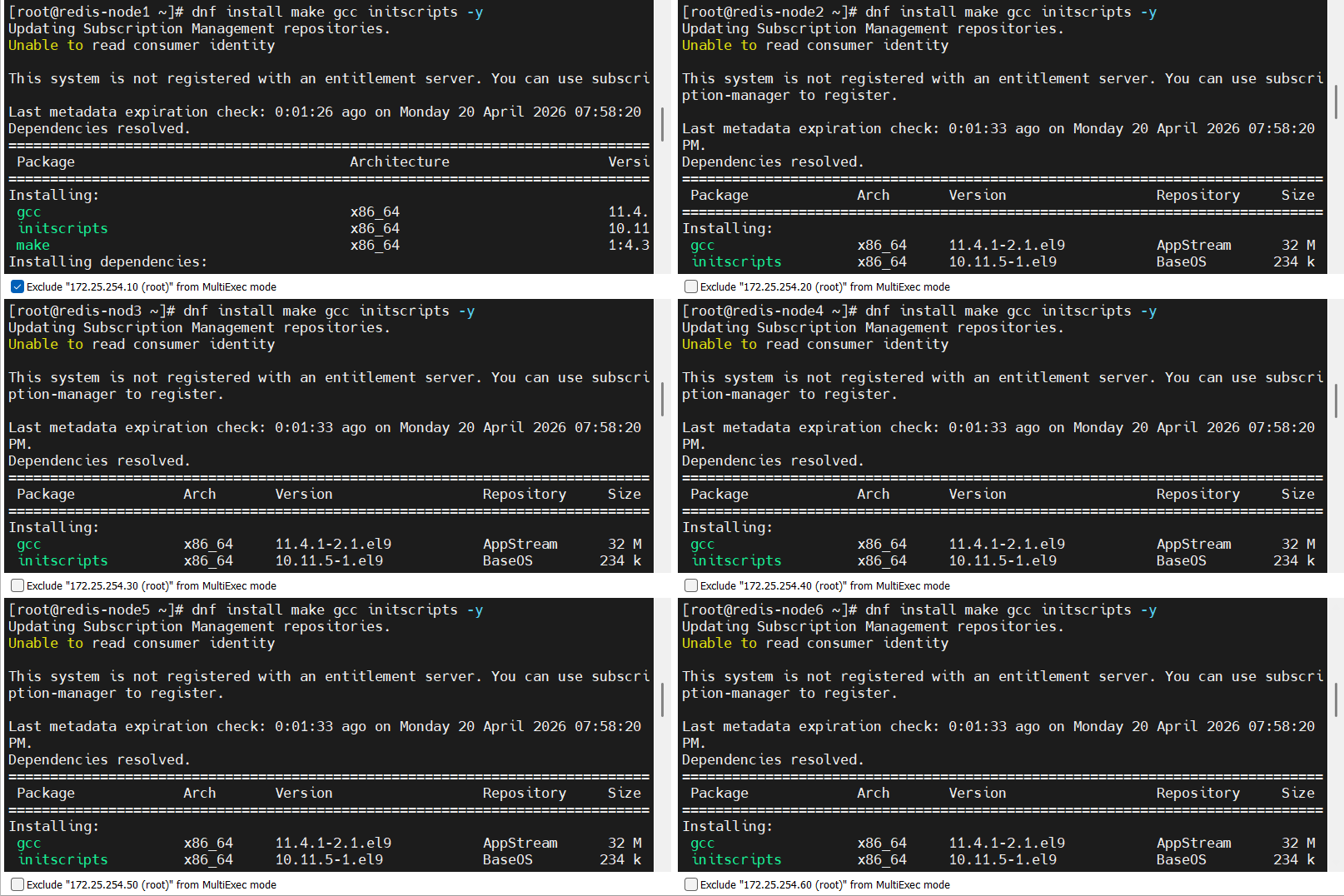
dnf install make gcc initscripts -y执行截图说明 :
1.2 下载并解压 Redis 源码包
bash
[root@redis-node1 ~]# wget https://download.redis.io/releases/redis-7.4.8.tar.gz
[root@redis-node1 ~]# tar zxf redis-7.4.8.tar.gz
[root@redis-node1 ~]# cd redis-7.4.8/
1.3 编译并安装 Redis
bash
[root@redis-node1 redis-7.4.8]# make && make install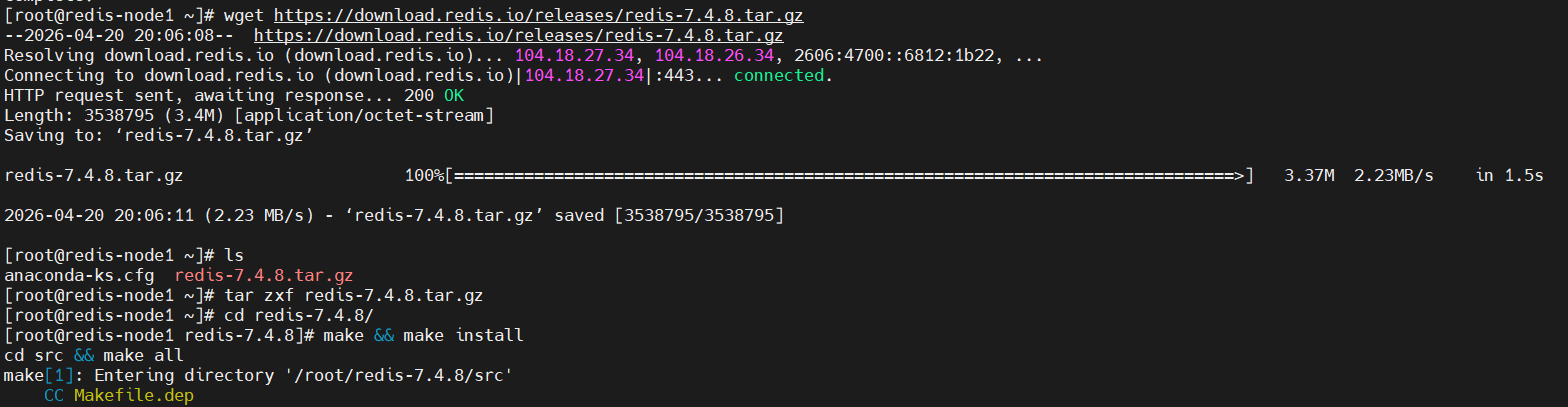
1.4 修改安装脚本(可选,用于自动化安装服务)
bash
[root@redis-node1 ~]# vim redis-7.4.8/utils/install_server.sh 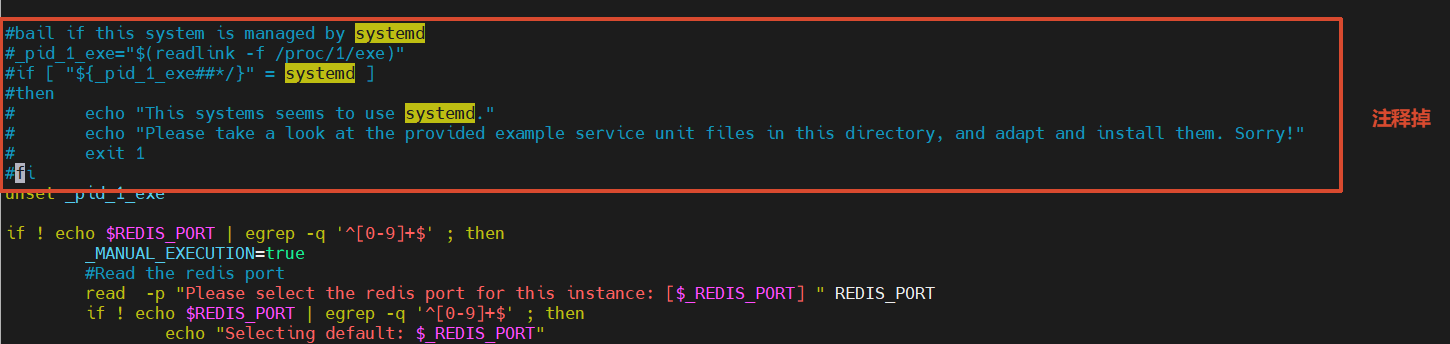
第二部分:分发源码到所有节点并编译安装
2.1 将 Redis 源码目录复制到各节点
bash
[root@redis-node1 ~]# for i in 10 20 30 40 50 60 ; do scp -rqp redis-7.4.8 root@172.25.254.$i:/root ; done截图说明 :

2.2 在各节点上执行 make install
bash
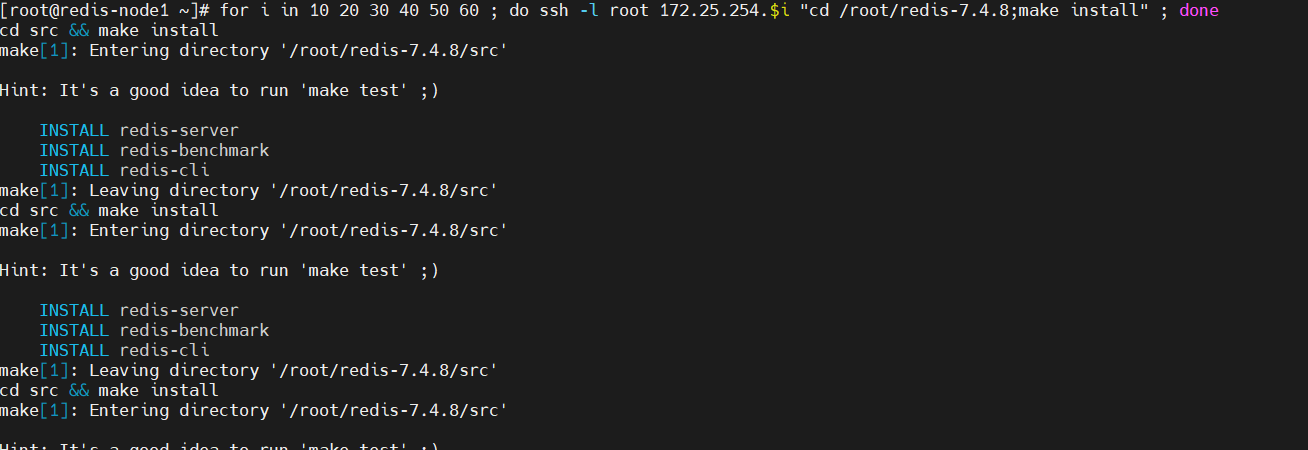
[root@redis-node1 ~]# for i in 10 20 30 40 50 60 ; do ssh -l root 172.25.254.$i "cd /root/redis-7.4.8;make install" ; done截图说明 :
第三部分:创建并执行自动化安装脚本
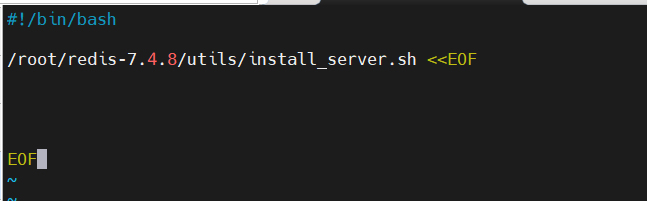
3.1 编写 install_redis.sh 脚本
bash
[root@redis-node1 ~]# vim install_redis.sh脚本内容两种写法:
bash
#!/bin/bash
/root/redis-7.4.8/utils/install_server.sh<<EOF


EOF
或者
#!/bin/bash
cd /root/redis-7.4.8/utils
echo -e '\n\n\n\n\n' | ./install_server.sh
截图说明 :
3.2 分发脚本到各节点
bash
[root@redis-node1 ~]# for i in 10 20 30 40 50 60 ; do scp -rqp install_redis.sh root@172.25.254.$i:/root; done截图说明 :

3.3 在各节点执行安装脚本
bash
[root@redis-node1 ~]# for i in 10 20 30 40 50 60 ; do ssh root@172.25.254.$i sh /root/install_redis.sh; done截图说明 : 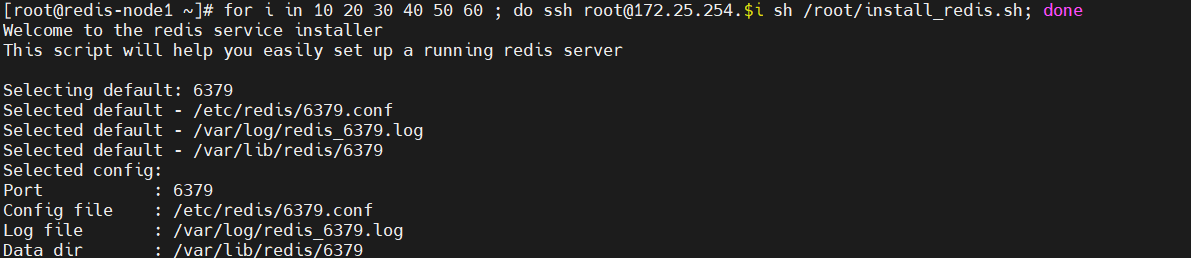
第四部分:验证 Redis 是否正常运行
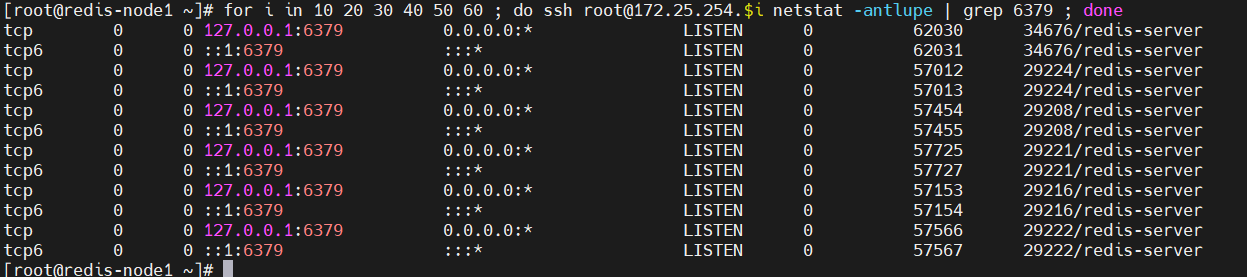
4.1 检查各节点 6379 端口监听状态
bash
[root@redis-node1 ~]# for i in 10 20 30 40 50 60 ; do ssh root@172.25.254.$i netstat -antlupe | grep 6379 ; done输出示例 (截图说明):
第五部分:修改 Redis 配置文件(准备集群模式)
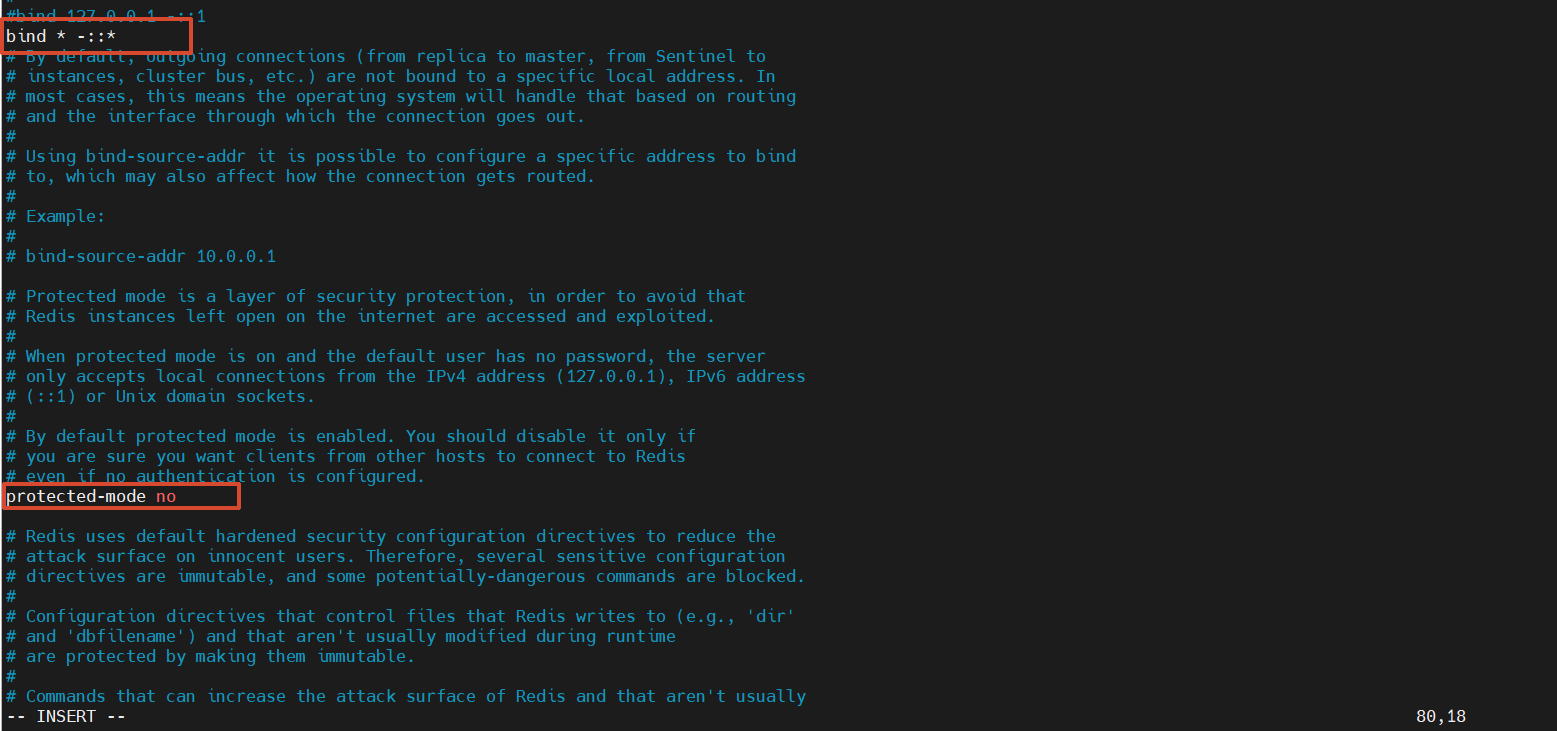
5.1 编辑主配置文件
bash
[root@redis-node1 ~]# vim /etc/redis/6379.conf截图说明 :
5.2 分发配置文件到各节点
bash
[root@redis-node1 ~]# for i in 10 20 30 40 50 60 ; do scp -rqp /etc/redis/6379.conf root@172.25.254.$i:/etc/redis/6379.conf; done截图说明 :

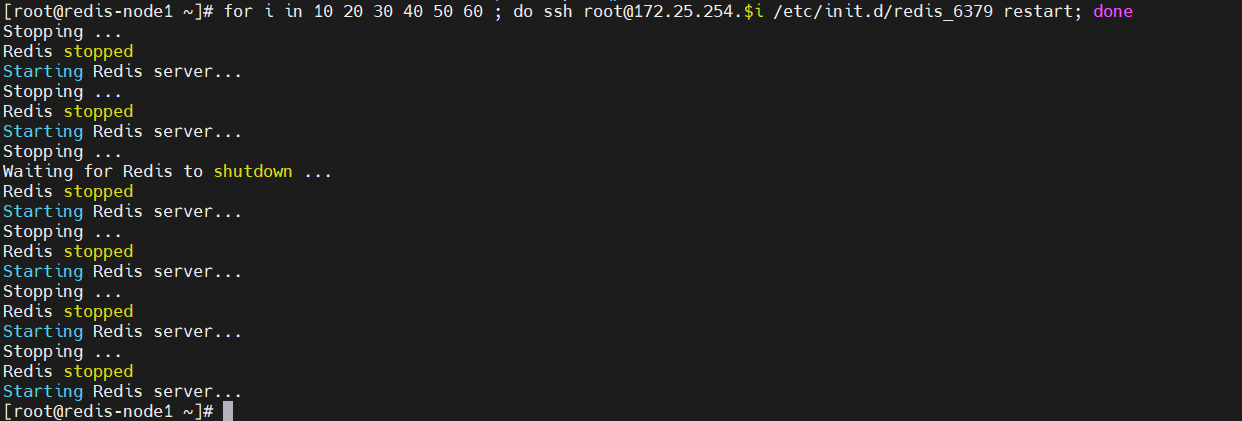
5.3 重启所有节点的 Redis 服务
bash
[root@redis-node1 ~]# for i in 10 20 30 40 50 60 ; do ssh root@172.25.254.$i /etc/init.d/redis_6379 restart; done截图说明 :
5.4 再次验证端口状态
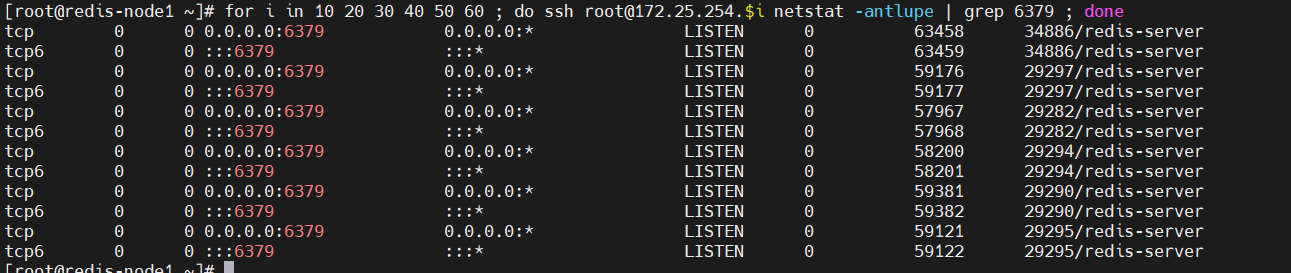
bash
[root@redis-node1 ~]# for i in 10 20 30 40 50 60 ; do ssh root@172.25.254.$i netstat -antlupe | grep 6379 ; done截图说明 :
第六部分:部署 Redis Cluster 集群
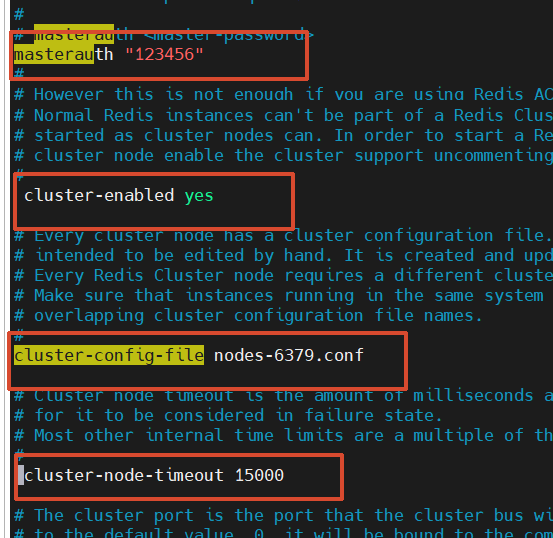
6.1 修改所有节点配置文件(开启集群功能)
bash
[root@redis-node1 ~]# vim /etc/redis/6379.conf添加以下配置:
bash
masterauth "123456"                  # 集群主从认证密码
cluster-enabled yes                  # 开启 cluster 集群功能
cluster-config-file nodes-6379.conf  # 指定集群配置文件
cluster-node-timeout 15000           # 节点加入集群的超时时间(毫秒)
截图说明 :
6.2 停止 Redis 服务(准备重新配置)
bash
[root@redis-node1 ~]# /etc/init.d/redis_6379 stop6.3 分发新的配置文件到其他节点
bash
[root@redis-node1 ~]# for i in 20 30 40 50 60; do scp /etc/redis/6379.conf root@172.25.254.$i:/etc/redis/6379.conf; done截图说明 :

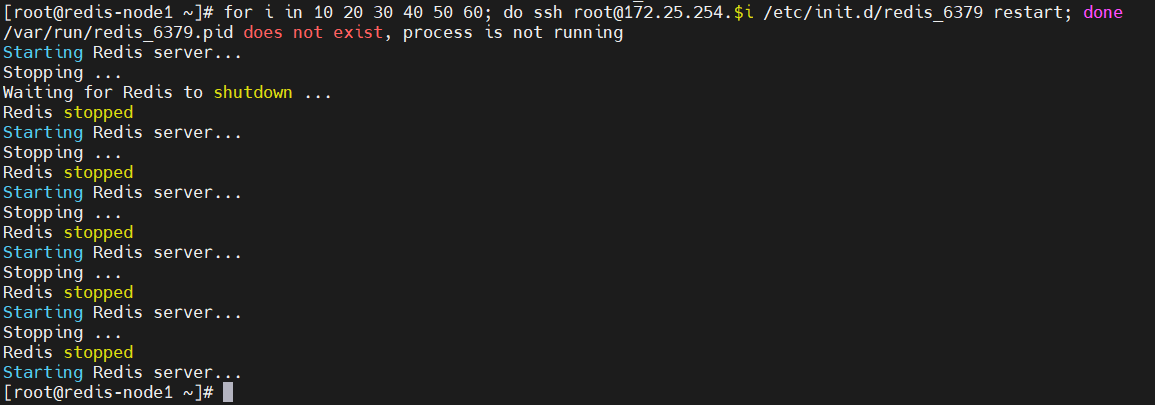
6.4 重启所有节点的 Redis 服务
bash
[root@redis-node1 ~]# for i in 10 20 30 40 50 60; do ssh root@172.25.254.$i /etc/init.d/redis_6379 restart; done截图说明 :
第七部分:启动集群
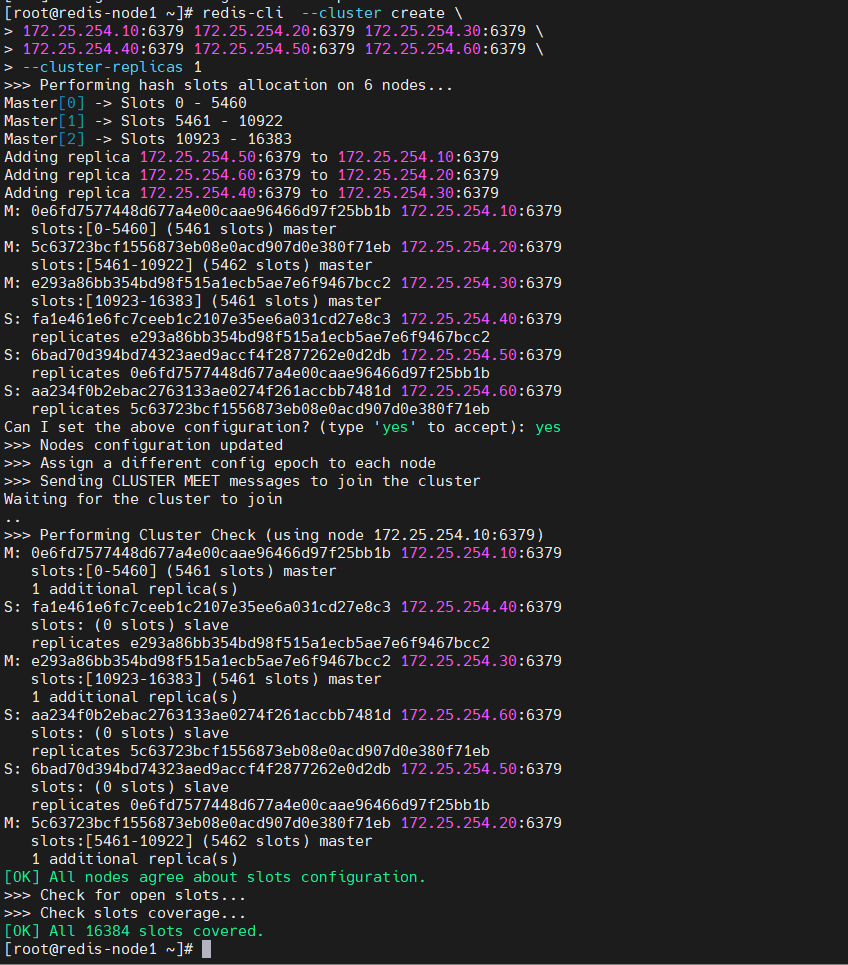
7.1 执行集群创建命令
bash
[root@redis-node1 ~]# redis-cli --cluster create \
> 172.25.254.10:6379 172.25.254.20:6379 172.25.254.30:6379 \
> 172.25.254.40:6379 172.25.254.50:6379 172.25.254.60:6379 \
> --cluster-replicas 1
7.2 集群创建过程输出
>>> Performing hash slots allocation on 6 nodes...
Master[0] -> Slots 0 - 5460
Master[1] -> Slots 5461 - 10922
Master[2] -> Slots 10923 - 16383
Adding replica 172.25.254.50:6379 to 172.25.254.10:6379
Adding replica 172.25.254.60:6379 to 172.25.254.20:6379
Adding replica 172.25.254.40:6379 to 172.25.254.30:6379

M: 0e6fd7577448d677a4e00caae96466d97f25bb1b 172.25.254.10:6379
   slots:[0-5460] (5461 slots) master
M: 5c63723bcf1556873eb08e0acd907d0e380f71eb 172.25.254.20:6379
   slots:[5461-10922] (5462 slots) master
M: e293a86bb354bd98f515a1ecb5ae7e6f9467bcc2 172.25.254.30:6379
   slots:[10923-16383] (5461 slots) master
S: fa1e461e6fc7ceeb1c2107e35ee6a031cd27e8c3 172.25.254.40:6379
   replicates e293a86bb354bd98f515a1ecb5ae7e6f9467bcc2
S: 6bad70d394bd74323aed9accf4f2877262e0d2db 172.25.254.50:6379
   replicates 0e6fd7577448d677a4e00caae96466d97f25bb1b
S: aa234f0b2ebac2763133ae0274f261accbb7481d 172.25.254.60:6379
   replicates 5c63723bcf1556873eb08e0acd907d0e380f71eb

Can I set the above configuration? (type 'yes' to accept): yes
>>> Nodes configuration updated
>>> Assign a different config epoch to each node
>>> Sending CLUSTER MEET messages to join the cluster
Waiting for the cluster to join
..
>>> Performing Cluster Check (using node 172.25.254.10:6379)
M: 0e6fd7577448d677a4e00caae96466d97f25bb1b 172.25.254.10:6379
   slots:[0-5460] (5461 slots) master
   1 additional replica(s)
S: fa1e461e6fc7ceeb1c2107e35ee6a031cd27e8c3 172.25.254.40:6379
   slots: (0 slots) slave
   replicates e293a86bb354bd98f515a1ecb5ae7e6f9467bcc2
M: e293a86bb354bd98f515a1ecb5ae7e6f9467bcc2 172.25.254.30:6379
   slots:[10923-16383] (5461 slots) master
   1 additional replica(s)
S: aa234f0b2ebac2763133ae0274f261accbb7481d 172.25.254.60:6379
   slots: (0 slots) slave
   replicates 5c63723bcf1556873eb08e0acd907d0e380f71eb
S: 6bad70d394bd74323aed9accf4f2877262e0d2db 172.25.254.50:6379
   slots: (0 slots) slave
   replicates 0e6fd7577448d677a4e00caae96466d97f25bb1b
M: 5c63723bcf1556873eb08e0acd907d0e380f71eb 172.25.254.20:6379
   slots:[5461-10922] (5462 slots) master
   1 additional replica(s)
[OK] All nodes agree about slots configuration.
>>> Check for open slots...
>>> Check slots coverage...
[OK] All 16384 slots covered.
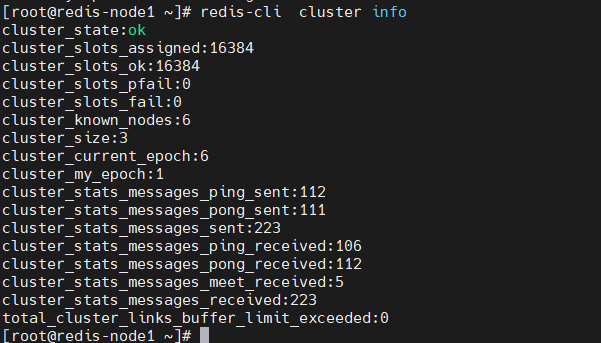
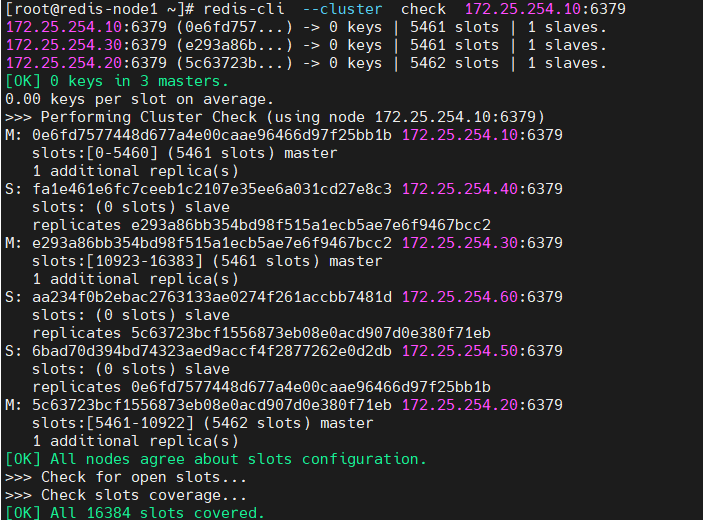
截图说明 :

第八部分:查看集群状态
8.1 查看集群概要信息
bash
[root@redis-node1 ~]# redis-cli --cluster info 172.25.254.10:6379输出:
172.25.254.10:6379(0e6fd757...) -> 0 keys | 5461 slots | 1 slaves.
172.25.254.30:6379(e293a86b...) -> 0 keys | 5461 slots | 1 slaves.
172.25.254.20:6379(5c63723b.. .) -> 0 keys | 5462 slots | 1 slaves.
[OK] 0 keys in 3 masters.
0.00 keys per slot on average.
8.2 查看集群详细信息
bash
[root@redis-node1 ~]# redis-cli cluster info输出:
cluster_state:ok
cluster_slots_assigned:16384
cluster_slots_ok:16384
cluster_slots_pfail:0
cluster_slots_fail:0
cluster_known_nodes:6
cluster_size:3
cluster_current_epoch:6
cluster_my_epoch:1
cluster_stats_messages_ping_sent:168
cluster_stats_messages_pong_sent:163
cluster_stats_messages_sent:331
cluster_stats_messages_ping_received:158
cluster_stats_messages_pong_received:168
cluster_stats_messages_meet_received:5
cluster_stats_messages_received:331
total_cluster_links_buffer_limit_exceeded:0
8.3 详细检查集群状态
bash
[root@redis-node1 ~]# redis-cli --cluster check 172.25.254.10:6379输出:
172.25.254.10:6379 (8db833f3...) -> 0 keys | 5461 slots | 1 slaves.
172.25.254.30:6379 (d9300173...) -> 0 keys | 5461 slots | 1 slaves.
172.25.254.20:6379 (ca599940...) -> 0 keys | 5462 slots | 1 slaves.
[OK] 0 keys in 3 masters.
0.00 keys per slot on average.
>>> Performing Cluster Check (using node 172.25.254.10:6379)
M: 8db833f3c3bc6b8f93e87111f13f56d366f833a0 172.25.254.10:6379
   slots:[0-5460] (5461 slots) master
   1 additional replica(s)
S: c939a04358edc1ce7a1c1a44561d77fb402025fd 172.25.254.60:6379
   slots: (0 slots) slave
   replicates ca599940209f55c07d06951480703bb0a5d8873a
M: d9300173b75149d3056f0ee3edec063f8ec66e9a 172.25.254.30:6379
   slots:[10923-16383] (5461 slots) master
   1 additional replica(s)
M: ca599940209f55c07d06951480703bb0a5d8873a 172.25.254.20:6379
   slots:[5461-10922] (5462 slots) master
   1 additional replica(s)
S: ba6ef067c63d30c213493eb48d43427015018898 172.25.254.50:6379
   slots: (0 slots) slave
   replicates 8db833f3c3bc6b8f93e87111f13f56d366f833a0
S: 32d797eb30094b77edb896abcc0b0fc91ccdb4fd 172.25.254.40:6379
   slots: (0 slots) slave
   replicates d9300173b75149d3056f0ee3edec063f8ec66e9a
[OK] All nodes agree about slots configuration.
>>> Check for open slots...
>>> Check slots coverage...
[OK] All 16384 slots covered.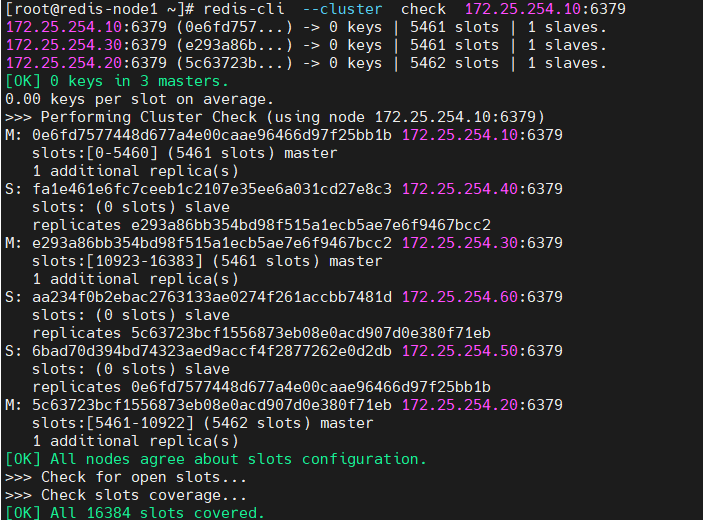
第九部分:集群扩容(添加 70、80 节点)
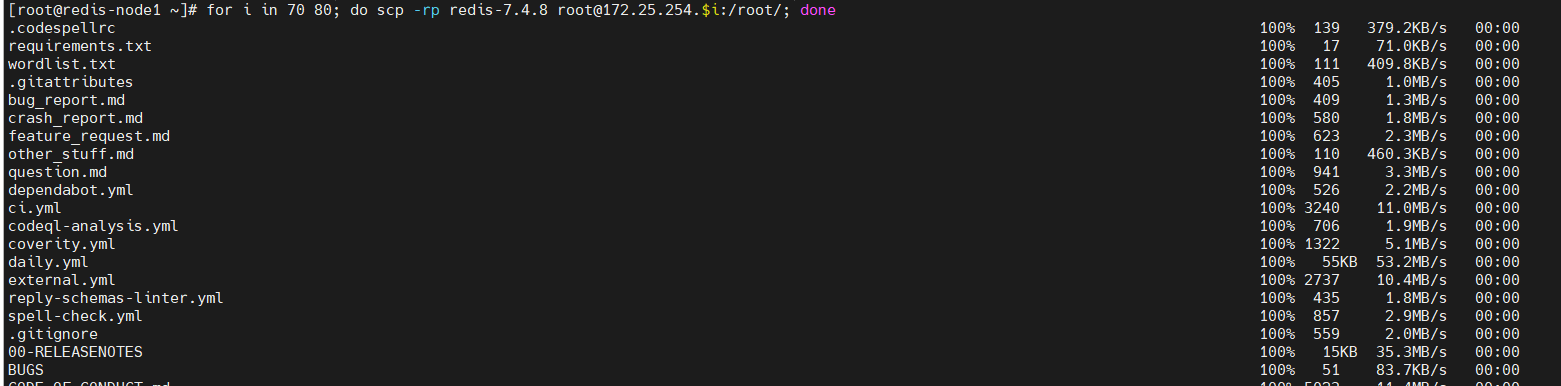
9.1 新建主机拷贝环境
bash
[root@redis-node1 ~]# for i in 70 80 ; do scp -rpq root@172.25.254.$i:/root/;done截图说明 :
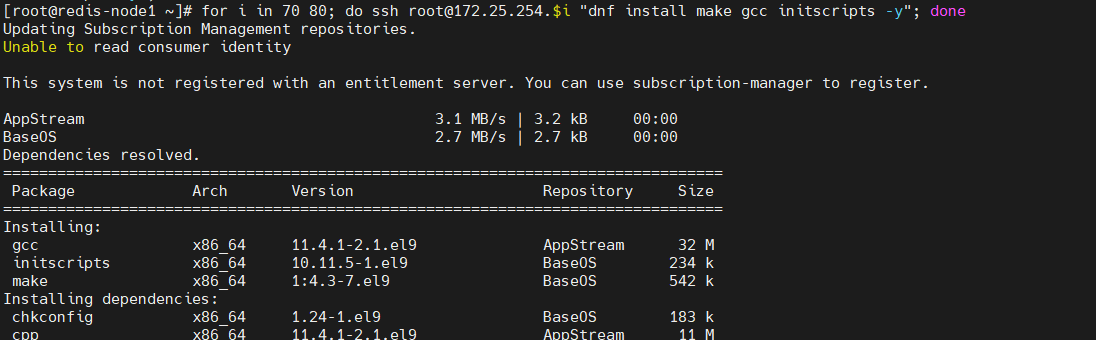
9.2 安装依赖环境
bash
[root@redis-node1 ~]# for i in 70 80; do ssh root@172.25.254.$i "dnf install make gcc initscripts -y"; done截图说明 :
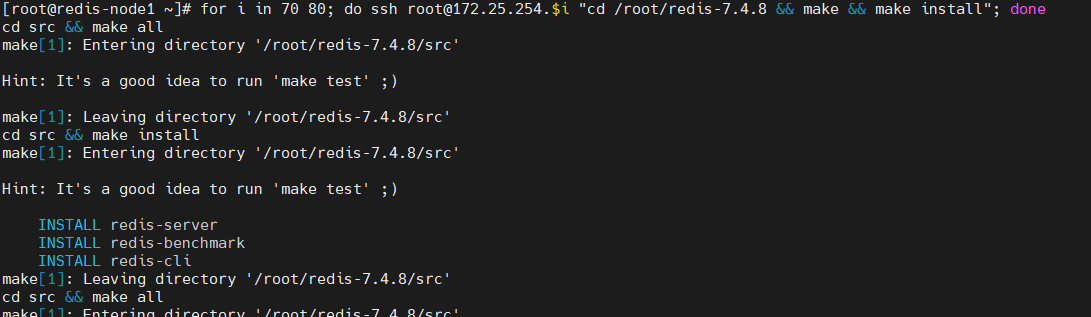
9.3 编译和安装 Redis
bash
[root@redis-node1 ~]# for i in 70 80; do ssh root@172.25.254.$i "cd /root/redis-7.4.8 && make && make install"; done截图说明 :
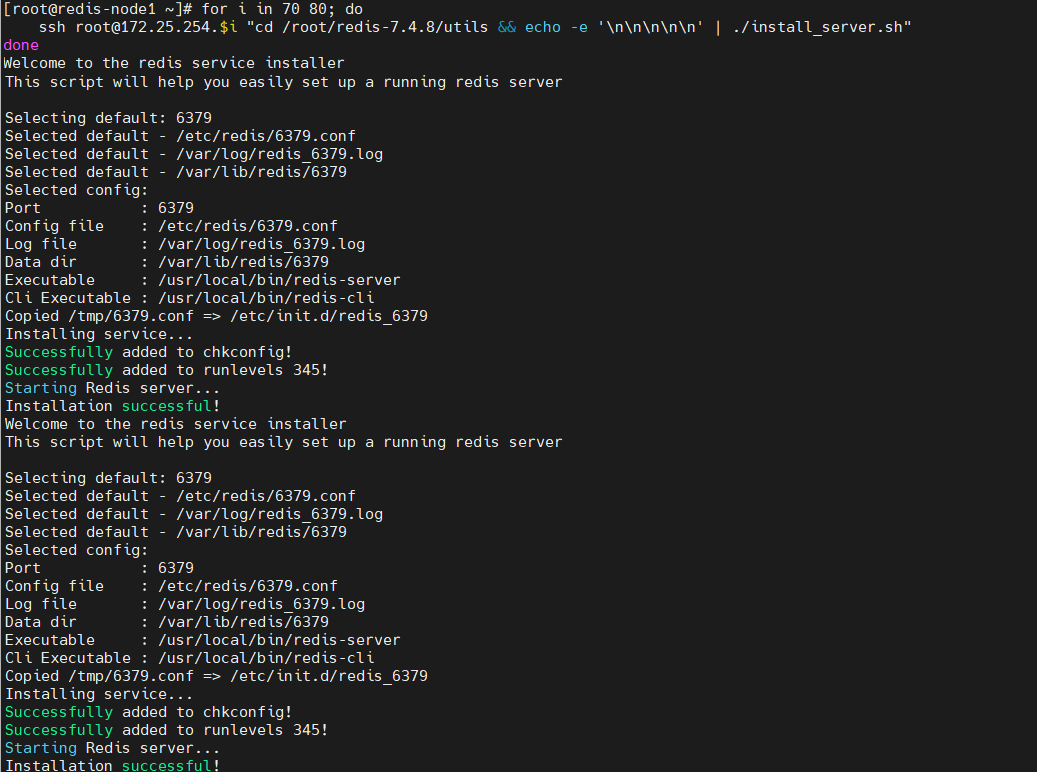
9.4 使用 install_server.sh 安装服务
bash
[root@redis-node1 ~]# for i in 70 80; do
    ssh root@172.25.254.$i "cd /root/redis-7.4.8/utils && echo -e '\n\n\n\n\n' | ./install_server.sh"
done
截图说明 :
9.5 分发配置文件到新节点
bash
[root@redis-node1 ~]# for i in 70 80; do scp /etc/redis/6379.conf root@172.25.254.$i:/etc/redis/6379.conf; done输出:
6379.conf                                                                                                                                  100%  107KB  68.0MB/s   00:00
6379.conf                                                                                                                                  100%  107KB  61.6MB/s   00:00
截图说明 :

9.6 重启新节点的 Redis 服务
bash
[root@redis-node1 ~]# for i in 70 80; do ssh root@172.25.254.$i "cd /root/redis-7.4.8/utils && /etc/init.d/redis_6379 restart"; done截图说明 :

9.7 添加新主节点到集群
bash
[root@redis-node1 ~]# redis-cli --cluster add-node 172.25.254.70:6379 172.25.254.10:6379输出:
#添加master
>>> Adding node 172.25.254.70:6379 to cluster 172.25.254.10:6379
>>> Performing Cluster Check (using node 172.25.254.10:6379)
M: 0e6fd7577448d677a4e00caae96466d97f25bb1b 172.25.254.10:6379
   slots:[0-5460] (5461 slots) master
   1 additional replica(s)
S: fa1e461e6fc7ceeb1c2107e35ee6a031cd27e8c3 172.25.254.40:6379
   slots: (0 slots) slave
   replicates e293a86bb354bd98f515a1ecb5ae7e6f9467bcc2
M: e293a86bb354bd98f515a1ecb5ae7e6f9467bcc2 172.25.254.30:6379
   slots:[10923-16383] (5461 slots) master
   1 additional replica(s)
S: aa234f0b2ebac2763133ae0274f261accbb7481d 172.25.254.60:6379
   slots: (0 slots) slave
   replicates 5c63723bcf1556873eb08e0acd907d0e380f71eb
S: 6bad70d394bd74323aed9accf4f2877262e0d2db 172.25.254.50:6379
   slots: (0 slots) slave
   replicates 0e6fd7577448d677a4e00caae96466d97f25bb1b
M: 5c63723bcf1556873eb08e0acd907d0e380f71eb 172.25.254.20:6379
   slots:[5461-10922] (5462 slots) master
   1 additional replica(s)
[OK] All nodes agree about slots configuration.
>>> Check for open slots...
>>> Check slots coverage...
[OK] All 16384 slots covered.
>>> Getting functions from cluster
>>> Send FUNCTION LIST to 172.25.254.70:6379 to verify there is no functions in it
>>> Send FUNCTION RESTORE to 172.25.254.70:6379
>>> Send CLUSTER MEET to node 172.25.254.70:6379 to make it join the cluster.
[OK] New node added correctly.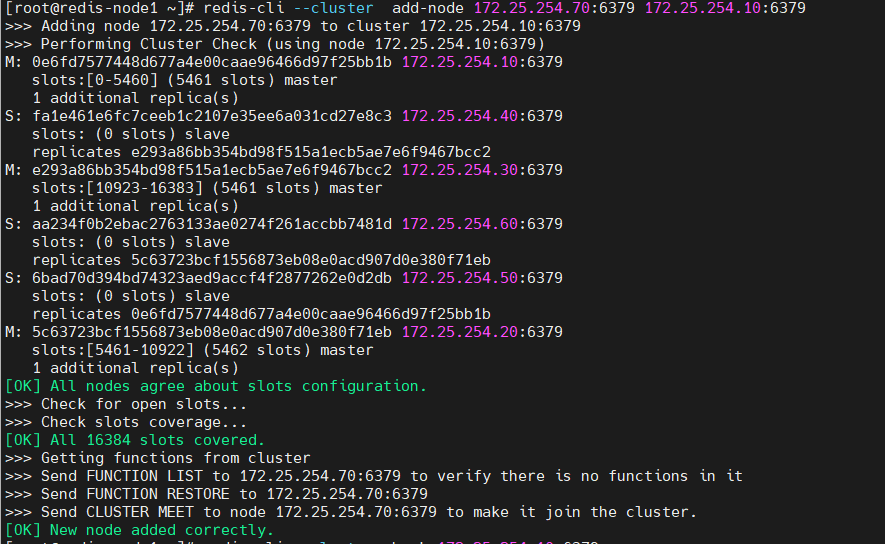
9.8 验证添加后的集群状态
bash
[root@redis-node1 ~]# redis-cli --cluster check 172.25.254.10:6379输出:
172.25.254.10:6379 (0e6fd757...) -> 0 keys | 5461 slots | 1 slaves.
172.25.254.30:6379 (e293a86b...) -> 0 keys | 5461 slots | 1 slaves.
172.25.254.70:6379 (e0de8c0d...) -> 0 keys | 0 slots | 0 slaves.
172.25.254.20:6379 (5c63723b...) -> 0 keys | 5462 slots | 1 slaves.
[OK] 0 keys in 4 masters.
0.00 keys per slot on average.
>>> Performing Cluster Check (using node 172.25.254.10:6379)
M: 0e6fd7577448d677a4e00caae96466d97f25bb1b 172.25.254.10:6379
   slots:[0-5460] (5461 slots) master
   1 additional replica(s)
S: fa1e461e6fc7ceeb1c2107e35ee6a031cd27e8c3 172.25.254.40:6379
   slots: (0 slots) slave
   replicates e293a86bb354bd98f515a1ecb5ae7e6f9467bcc2
M: e293a86bb354bd98f515a1ecb5ae7e6f9467bcc2 172.25.254.30:6379
   slots:[10923-16383] (5461 slots) master
   1 additional replica(s)
S: aa234f0b2ebac2763133ae0274f261accbb7481d 172.25.254.60:6379
   slots: (0 slots) slave
   replicates 5c63723bcf1556873eb08e0acd907d0e380f71eb
S: 6bad70d394bd74323aed9accf4f2877262e0d2db 172.25.254.50:6379
   slots: (0 slots) slave
   replicates 0e6fd7577448d677a4e00caae96466d97f25bb1b
M: e0de8c0dfec0662be9fc5a495682d9f42b25c063 172.25.254.70:6379
   slots: (0 slots) master
M: 5c63723bcf1556873eb08e0acd907d0e380f71eb 172.25.254.20:6379
   slots:[5461-10922] (5462 slots) master
   1 additional replica(s)
[OK] All nodes agree about slots configuration.
>>> Check for open slots...
>>> Check slots coverage...
[OK] All 16384 slots covered.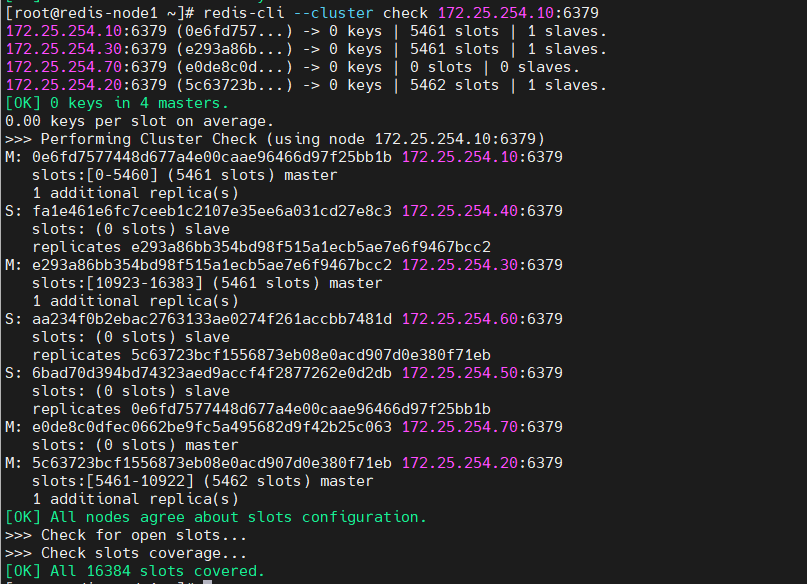
9.9 分配槽位给新加入的主节点
bash
[root@redis-node1 ~]# redis-cli --cluster reshard 172.25.254.10:6379交互过程:
>>> Performing Cluster Check (using node 172.25.254.10:6379)
M: 0e6fd7577448d677a4e00caae96466d97f25bb1b 172.25.254.10:6379
slots:[0-5460] (5461 slots) master
1 additional replica(s)
S: fa1e461e6fc7ceeb1c2107e35ee6a031cd27e8c3 172.25.254.40:6379
slots: (0 slots) slave
replicates e293a86bb354bd98f515a1ecb5ae7e6f9467bcc2
M: e293a86bb354bd98f515a1ecb5ae7e6f9467bcc2 172.25.254.30:6379
slots:[10923-16383] (5461 slots) master
1 additional replica(s)
S: aa234f0b2ebac2763133ae0274f261accbb7481d 172.25.254.60:6379
slots: (0 slots) slave
replicates 5c63723bcf1556873eb08e0acd907d0e380f71eb
S: 6bad70d394bd74323aed9accf4f2877262e0d2db 172.25.254.50:6379
slots: (0 slots) slave
replicates 0e6fd7577448d677a4e00caae96466d97f25bb1b
M: e0de8c0dfec0662be9fc5a495682d9f42b25c063 172.25.254.70:6379
slots: (0 slots) master
M: 5c63723bcf1556873eb08e0acd907d0e380f71eb 172.25.254.20:6379
slots:[5461-10922] (5462 slots) master
1 additional replica(s)
[OK] All nodes agree about slots configuration.
>>> Check for open slots...
>>> Check slots coverage...
[OK] All 16384 slots covered.
How many slots do you want to move (from 1 to 16384)? 4096
What is the receiving node ID? e0de8c0dfec0662be9fc5a495682d9f42b25c063
Please enter all the source node IDs.
Type 'all' to use all the nodes as source nodes for the hash slots.
Type 'done' once you entered all the source nodes IDs.
Source node #1: all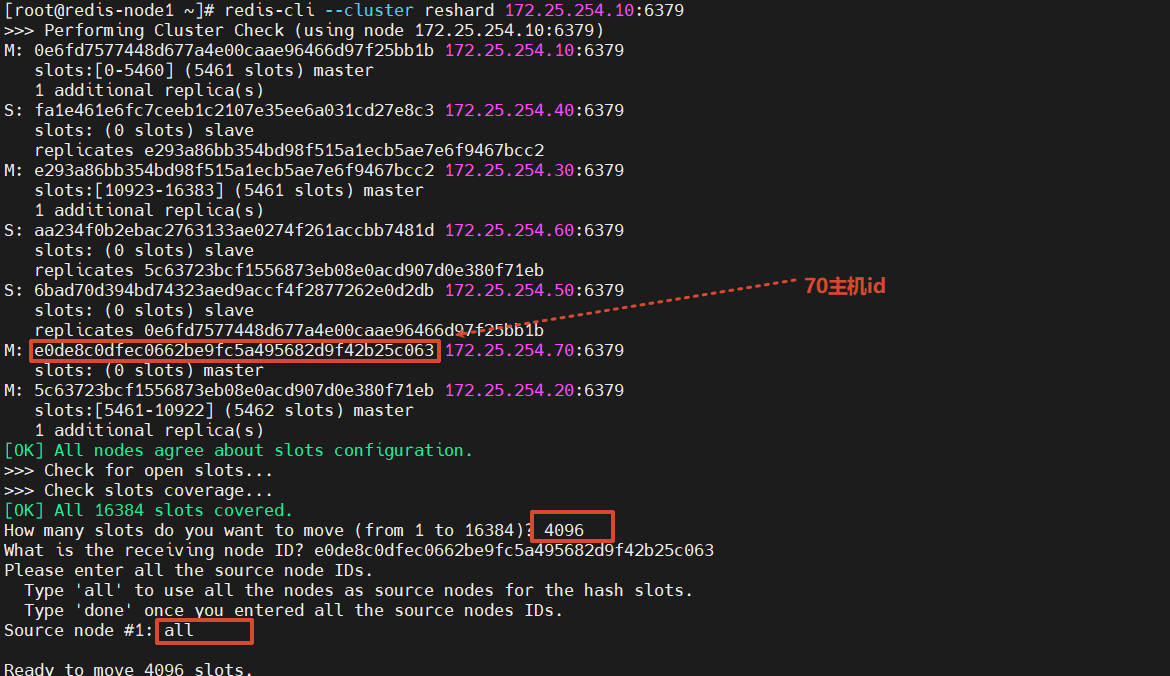 9.10 给新主机添加从节点(80 节点作为 70 的 Slave)
bash
[root@redis-node1 ~]# redis-cli --cluster add-node 172.25.254.80:6379 172.25.254.10:6379 --cluster-slave --cluster-master-id e0de8c0dfec0662be9fc5a495682d9f42b25c063截图说明 :
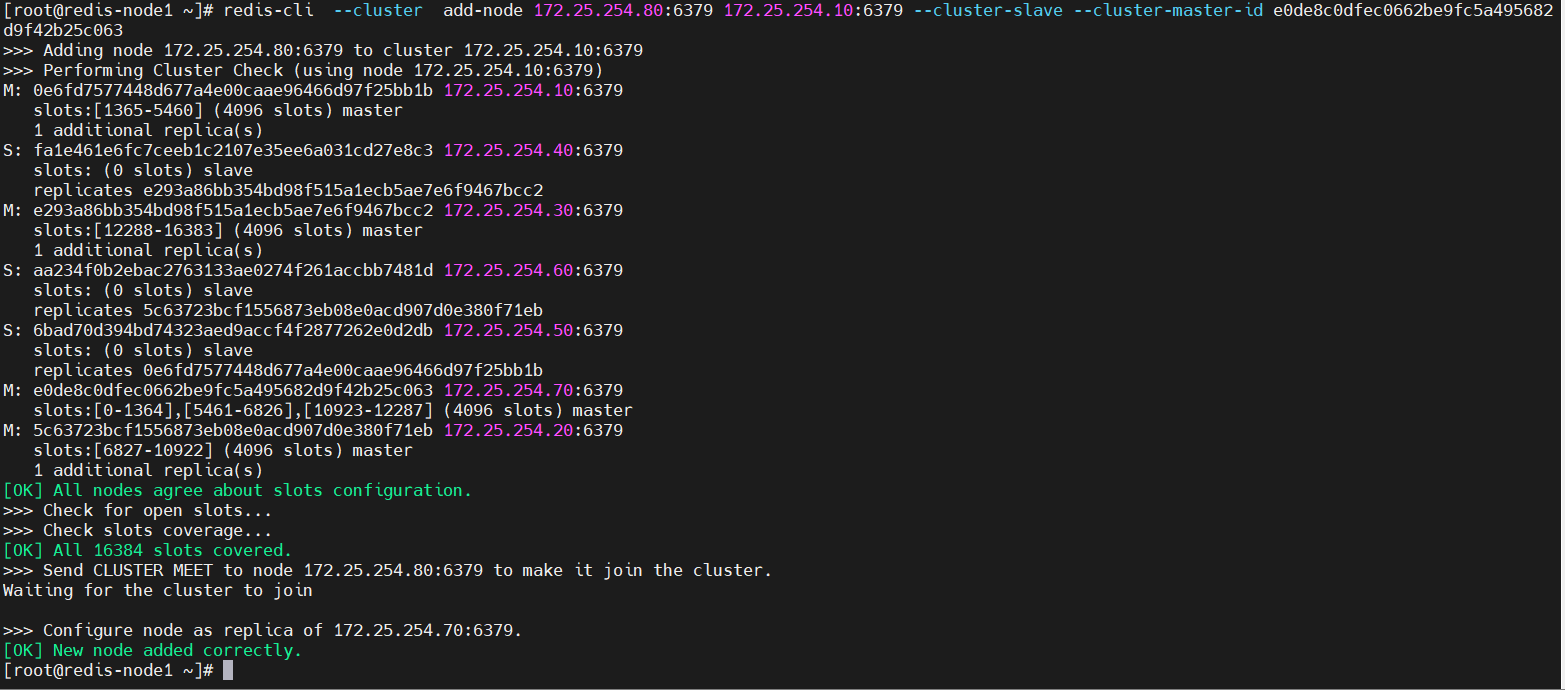
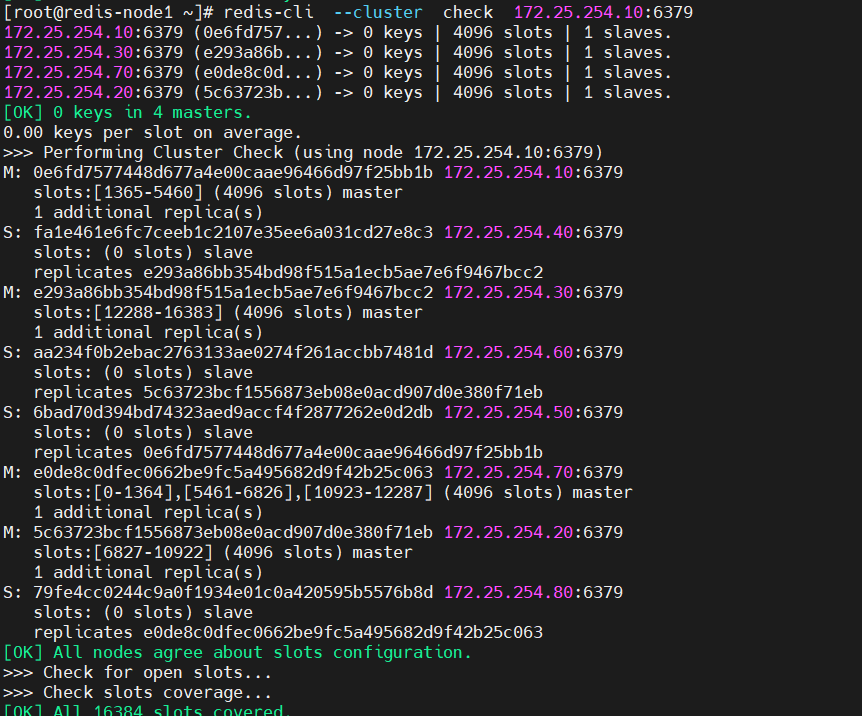
9.11 验证扩容后的集群状态
bash
[root@redis-node1 ~]# redis-cli --cluster check 172.25.254.10:6379输出:
172.25.254.10:6379 (0e6fd757...) -> 0 keys | 4096 slots | 1 slaves.
172.25.254.30:6379 (e293a86b...) -> 0 keys | 4096 slots | 1 slaves.
172.25.254.70:6379 (e0de8c0d...) -> 0 keys | 4096 slots | 1 slaves.
172.25.254.20:6379 (5c63723b...) -> 0 keys | 4096 slots | 1 slaves.
[OK] 0 keys in 4 masters.
0.00 keys per slot on average.
>>> Performing Cluster Check (using node 172.25.254.10:6379)
M: 0e6fd7577448d677a4e00caae96466d97f25bb1b 172.25.254.10:6379
   slots:[1365-5460] (4096 slots) master
   1 additional replica(s)
S: fa1e461e6fc7ceeb1c2107e35ee6a031cd27e8c3 172.25.254.40:6379
   slots: (0 slots) slave
   replicates e293a86bb354bd98f515a1ecb5ae7e6f9467bcc2
M: e293a86bb354bd98f515a1ecb5ae7e6f9467bcc2 172.25.254.30:6379
   slots:[12288-16383] (4096 slots) master
   1 additional replica(s)
S: aa234f0b2ebac2763133ae0274f261accbb7481d 172.25.254.60:6379
   slots: (0 slots) slave
   replicates 5c63723bcf1556873eb08e0acd907d0e380f71eb
S: 6bad70d394bd74323aed9accf4f2877262e0d2db 172.25.254.50:6379
   slots: (0 slots) slave
   replicates 0e6fd7577448d677a4e00caae96466d97f25bb1b
M: e0de8c0dfec0662be9fc5a495682d9f42b25c063 172.25.254.70:6379
   slots:[0-1364],[5461-6826],[10923-12287] (4096 slots) master
   1 additional replica(s)
M: 5c63723bcf1556873eb08e0acd907d0e380f71eb 172.25.254.20:6379
   slots:[6827-10922] (4096 slots) master
   1 additional replica(s)
S: 79fe4cc0244c9a0f1934e01c0a420595b5576b8d 172.25.254.80:6379
   slots: (0 slots) slave
   replicates e0de8c0dfec0662be9fc5a495682d9f42b25c063
[OK] All nodes agree about slots configuration.
>>> Check for open slots...
>>> Check slots coverage...
[OK] All 16384 slots covered.
截图说明 :
第十部分:集群缩容(移除 70、80 节点)
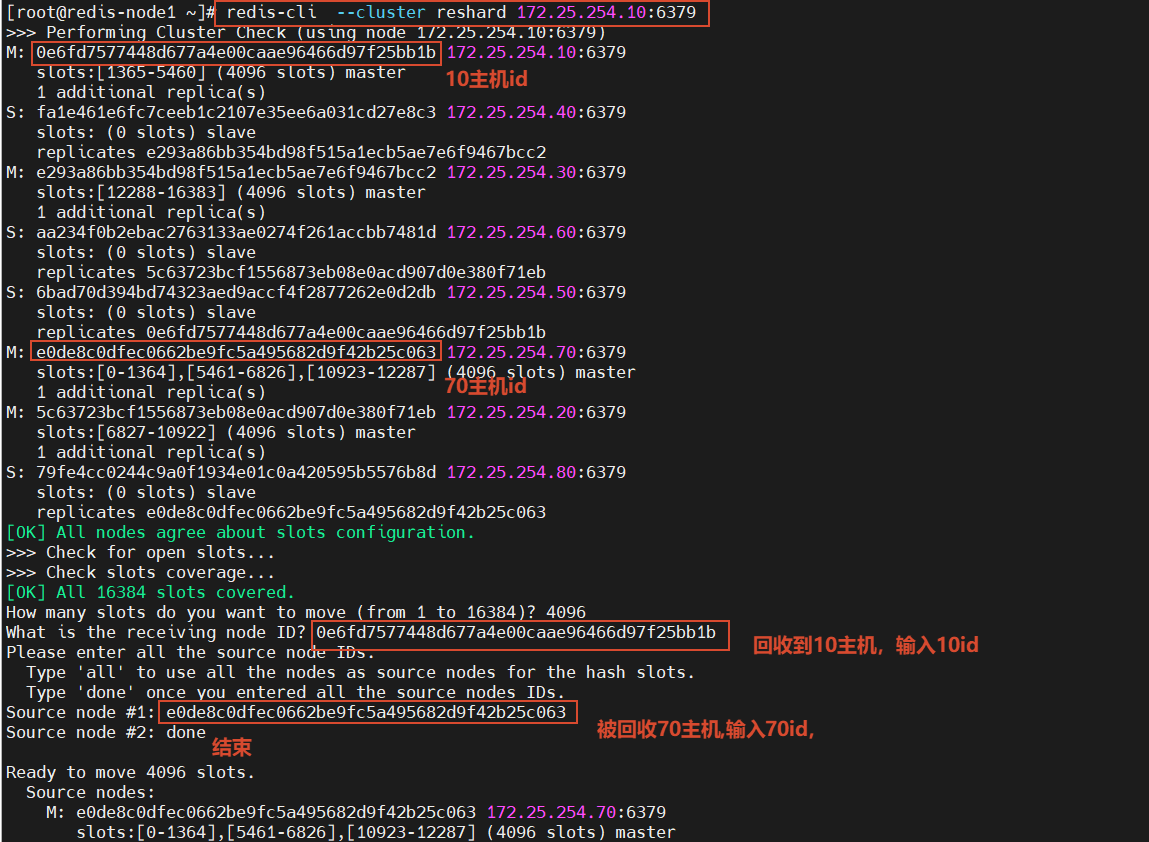
10.1 将 70 节点的槽位回收到 10 主机
#集群槽位回收到10主机中
[root@redis-node1 ~]# redis-cli --cluster reshard 172.25.254.10:6379交互过程:
>>> Performing Cluster Check (using node 172.25.254.10:6379)
M: 0e6fd7577448d677a4e00caae96466d97f25bb1b 172.25.254.10:6379
   slots:[1365-5460] (4096 slots) master
   1 additional replica(s)
S: fa1e461e6fc7ceeb1c2107e35ee6a031cd27e8c3 172.25.254.40:6379
   slots: (0 slots) slave
   replicates e293a86bb354bd98f515a1ecb5ae7e6f9467bcc2
M: e293a86bb354bd98f515a1ecb5ae7e6f9467bcc2 172.25.254.30:6379
   slots:[12288-16383] (4096 slots) master
   1 additional replica(s)
S: aa234f0b2ebac2763133ae0274f261accbb7481d 172.25.254.60:6379
   slots: (0 slots) slave
   replicates 5c63723bcf1556873eb08e0acd907d0e380f71eb
S: 6bad70d394bd74323aed9accf4f2877262e0d2db 172.25.254.50:6379
   slots: (0 slots) slave
   replicates 0e6fd7577448d677a4e00caae96466d97f25bb1b
M: e0de8c0dfec0662be9fc5a495682d9f42b25c063 172.25.254.70:6379
   slots:[0-1364],[5461-6826],[10923-12287] (4096 slots) master
   1 additional replica(s)
M: 5c63723bcf1556873eb08e0acd907d0e380f71eb 172.25.254.20:6379
   slots:[6827-10922] (4096 slots) master
   1 additional replica(s)
S: 79fe4cc0244c9a0f1934e01c0a420595b5576b8d 172.25.254.80:6379
   slots: (0 slots) slave
   replicates e0de8c0dfec0662be9fc5a495682d9f42b25c063
[OK] All nodes agree about slots configuration.
>>> Check for open slots...
>>> Check slots coverage...
[OK] All 16384 slots covered.

How many slots do you want to move (from 1 to 16384)? 4096

What is the receiving node ID? 0e6fd7577448d677a4e00caae96466d97f25bb1b

Please enter all the source node IDs.
  Type 'all' to use all the nodes as source nodes for the hash slots.
  Type 'done' once you entered all the source nodes IDs.
Source node #1: e0de8c0dfec0662be9fc5a495682d9f42b25c063
Source node #2: done
截图说明 :
10.2 删除 70 主节点
[root@redis-node1 ~]# redis-cli --cluster del-node 172.25.254.10:6379 e0de8c0dfec0662be9fc5a495682d9f42b25c063
输出:
>>> Removing node e0de8c0dfec0662be9fc5a495682d9f42b25c063 from cluster 172.25.254.10:6379
>>> Sending CLUSTER FORGET messages to the cluster...
>>> Sending CLUSTER RESET SOFT to the deleted node.
10.3 删除 80 从节点
[root@redis-node1 ~]# redis-cli --cluster del-node 172.25.254.10:6379 79fe4cc0244c9a0f1934e01c0a420595b5576b8d输出:
>>> Removing node 79fe4cc0244c9a0f1934e01c0a420595b5576b8d from cluster 172.25.254.10:6379
>>> Sending CLUSTER FORGET messages to the cluster...
>>> Sending CLUSTER RESET SOFT to the deleted node.
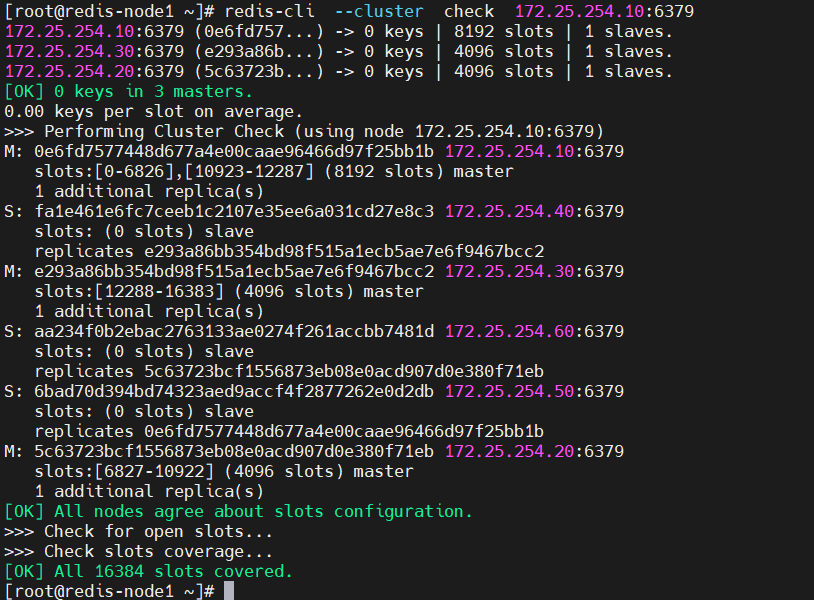
10.4 验证缩容后的集群状态
[root@redis-node1 ~]# redis-cli --cluster check 172.25.254.10:6379输出:
172.25.254.10:6379 (0e6fd757...) -> 0 keys | 8192 slots | 1 slaves.
172.25.254.30:6379 (e293a86b...) -> 0 keys | 4096 slots | 1 slaves.
172.25.254.20:6379 (5c63723b...) -> 0 keys | 4096 slots | 1 slaves.
[OK] 0 keys in 3 masters.
0.00 keys per slot on average.
>>> Performing Cluster Check (using node 172.25.254.10:6379)
M: 0e6fd7577448d677a4e00caae96466d97f25bb1b 172.25.254.10:6379
   slots:[0-6826],[10923-12287] (8192 slots) master
   1 additional replica(s)
S: fa1e461e6fc7ceeb1c2107e35ee6a031cd27e8c3 172.25.254.40:6379
   slots: (0 slots) slave
   replicates e293a86bb354bd98f515a1ecb5ae7e6f9467bcc2
M: e293a86bb354bd98f515a1ecb5ae7e6f9467bcc2 172.25.254.30:6379
   slots:[12288-16383] (4096 slots) master
   1 additional replica(s)
S: aa234f0b2ebac2763133ae0274f261accbb7481d 172.25.254.60:6379
   slots: (0 slots) slave
   replicates 5c63723bcf1556873eb08e0acd907d0e380f71eb
S: 6bad70d394bd74323aed9accf4f2877262e0d2db 172.25.254.50:6379
   slots: (0 slots) slave
   replicates 0e6fd7577448d677a4e00caae96466d97f25bb1b
M: 5c63723bcf1556873eb08e0acd907d0e380f71eb 172.25.254.20:6379
   slots:[6827-10922] (4096 slots) master
   1 additional replica(s)
[OK] All nodes agree about slots configuration.
>>> Check for open slots...
>>> Check slots coverage...
[OK] All 16384 slots covered.
截图说明 :
附录:常用集群管理命令汇总
| 操作 | 命令 |
|---|---|
| 查看集群概要 | redis-cli --cluster info <任意节点IP:端口> |
| 查看集群详细信息 | redis-cli cluster info |
| 检查集群状态 | redis-cli --cluster check <任意节点IP:端口> |
| 添加主节点 | redis-cli --cluster add-node <新节点IP:端口> <现有节点IP:端口> |
| 添加从节点 | redis-cli --cluster add-node <新节点IP:端口> <现有节点IP:端口> --cluster-slave --cluster-master-id <主节点ID> |
| 重新分配槽位 | redis-cli --cluster reshard <任意节点IP:端口> |
| 删除节点 | redis-cli --cluster del-node <任意节点IP:端口> <节点ID> |
注意事项
-
密码认证 :集群环境下需要配置
masterauth确保主从复制正常 -
槽位分配:扩容后必须手动执行 reshard 分配槽位,否则新节点不会承载数据
-
缩容顺序:必须先迁移槽位,再删除节点
-
集群配置文件 :
nodes-6379.conf由 Redis 自动维护,不要手动修改 -
防火墙:确保集群节点间 6379 和集群总线端口(16379)互通
|
redis-cli --cluster info <任意节点IP:端口>|| 查看集群详细信息 |
redis-cli cluster info|| 检查集群状态 |
redis-cli --cluster check <任意节点IP:端口>|| 添加主节点 |
redis-cli --cluster add-node <新节点IP:端口> <现有节点IP:端口>|| 添加从节点 |
redis-cli --cluster add-node <新节点IP:端口> <现有节点IP:端口> --cluster-slave --cluster-master-id <主节点ID>|| 重新分配槽位 |
redis-cli --cluster reshard <任意节点IP:端口>|| 删除节点 |
redis-cli --cluster del-node <任意节点IP:端口> <节点ID>|
注意事项
- 密码认证 :集群环境下需要配置
masterauth确保主从复制正常 - 槽位分配:扩容后必须手动执行 reshard 分配槽位,否则新节点不会承载数据
- 缩容顺序:必须先迁移槽位,再删除节点
- 集群配置文件 :
nodes-6379.conf由 Redis 自动维护,不要手动修改 - 防火墙:确保集群节点间 6379 和集群总线端口(16379)互通