⑴
Let me go ahead and go back to VS Code. And let me propose that we do something like this. In VS Code, I'm going to go ahead and clear my terminal window.
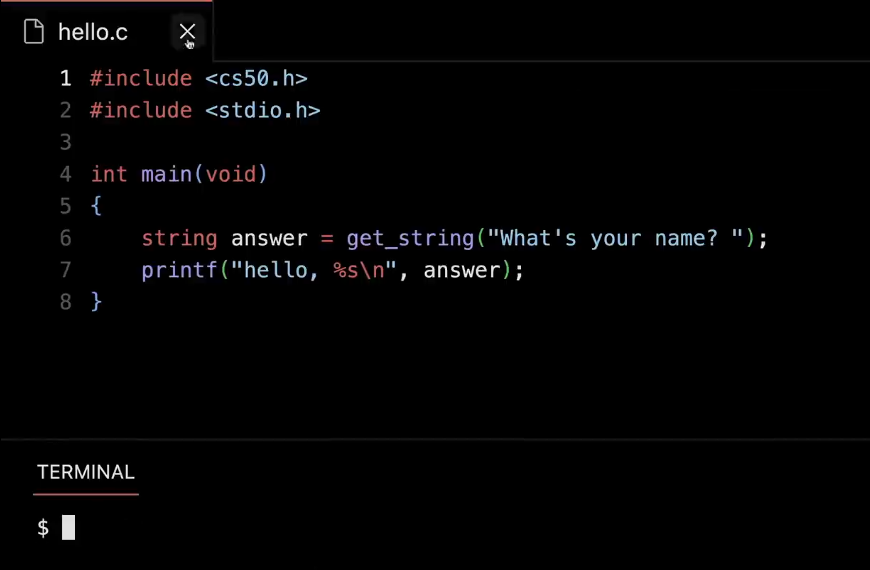
I'm going to close " hello. c " by just clicking the X.
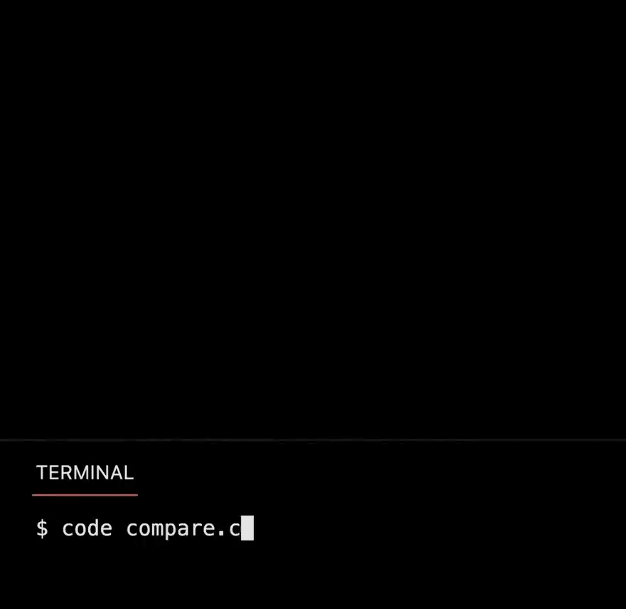
I'm going to go ahead and create a new file called " compare.c ", because the purpose in file of this program is going to be to compare integers on the screen.
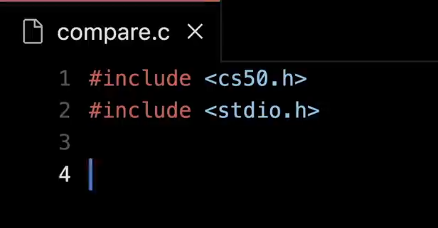
This time I'm not going to mess up. I'm going to preemptively include CS50.h. I'm going to preemptively include stdio.h. And here too, is a very common mistake in learning C. It's not " studio.h ". So when you email us asking why " studio.h " is not working, that's because that is not the word. It's " standard io.h " meaning standard input and output, stuff involving the screen and the keyboard.
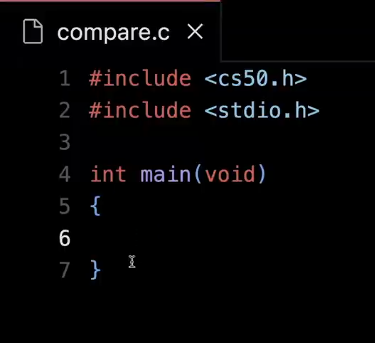
Then I'm going to go ahead and, just as before, int main( void ), but we'll come back to that eventually as to what it means.
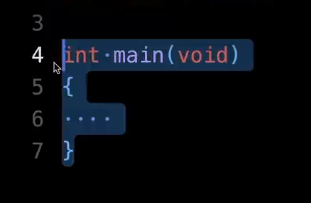
And now, inside of " main ", which is just where the main part of my program goes, again you can think of this as being analogous to " when green flag clicked ". This just kicks everything off.
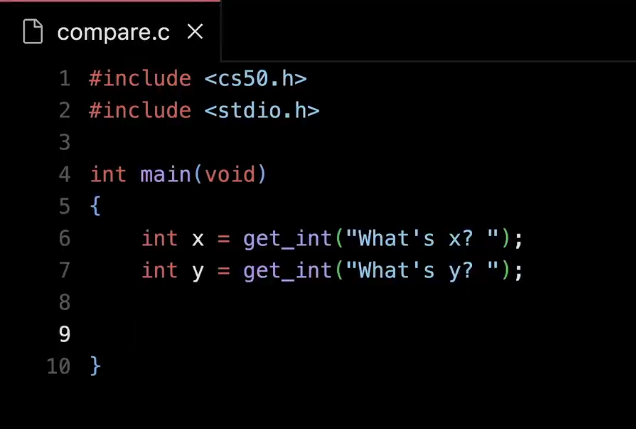
I'm going to go ahead and do two things. I'm going to go ahead and get an integer called x, and I'm going to prompt the user for that int, and just say something like, " What's x ? " , space. Then I'm going to do int y equals get_int, quote, unquote, " What's y ? ", space.
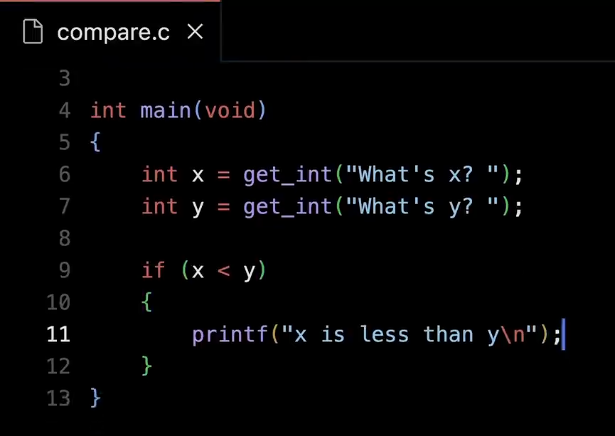
And then let's just do something simple like, if x is less than y, then go ahead and print out, quote, unquote, " x is less than y backslash n ", semicolon. So it's not a very deep program. It's just going to do what most any human brain could do pretty quickly. But it's at least demonstrating how we might use now something like a conditional in code.
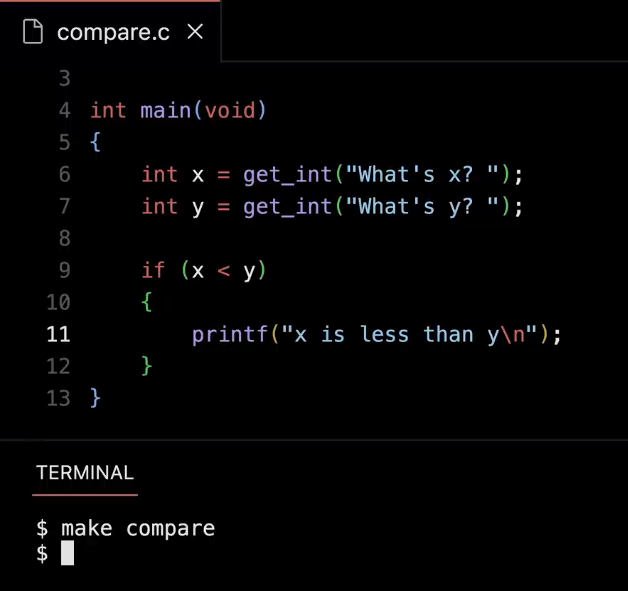
So let me go ahead and compile this code for the first time, make compare, Enter. Nothing bad happens, which is good.
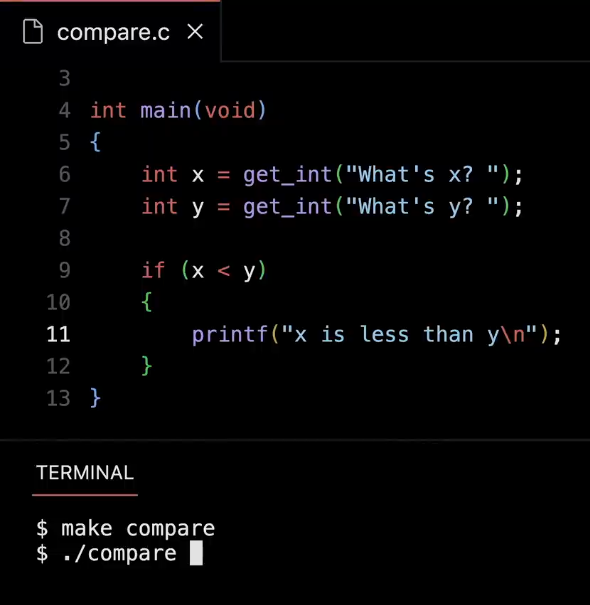
" ./compare " is how I run the program. And just to tease this apart, dot, as we'll soon see, essentially means that the file is in your current folder. So dot means in your current folder. And we'll eventually see that dot dot means your parent folder, like the one that contains wherever I am on my computer's hard drive.
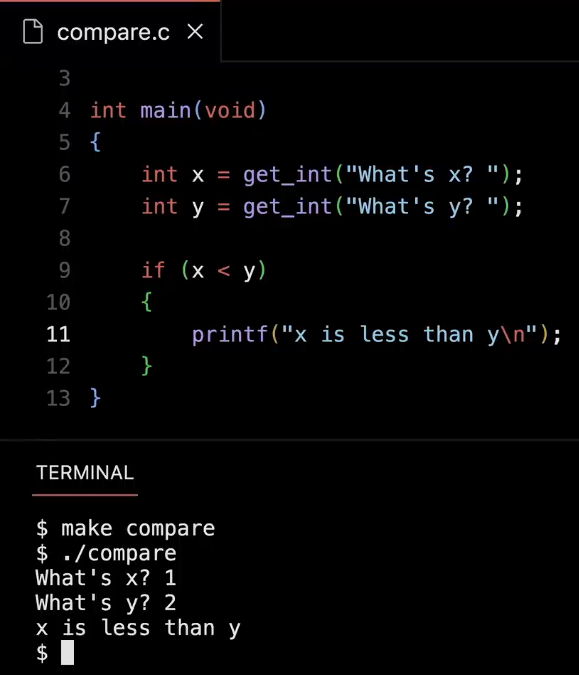
All right, ./compare . What's x ? 1. 2 for y. And hopefully it should say that x is less than y. So pretty straightforward. Proof by example. And hopefully this would work in other cases, too.
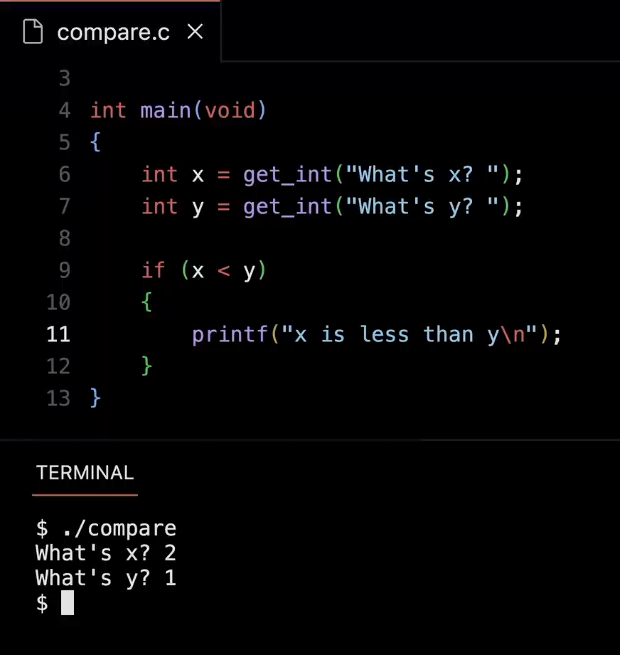
But if I flip that around and I rerun it. ./compare, and I do 2 and 1, nothing's going to happen. But you would expect that because there's only one Boolean expression deciding whether or not. I should actually type this out. So what's going on ?
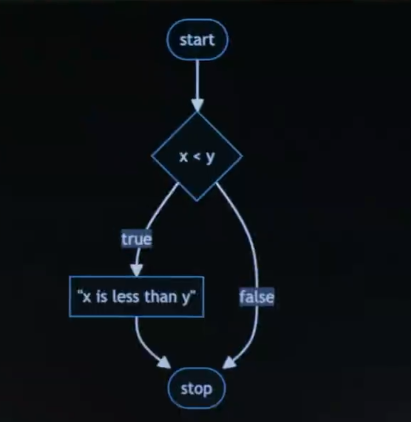
Well, if this helps you, you might find it useful to think about the logic of any program, be it in Scratch or C as kind of a flowchart of sorts. And we'll put up a few of these over time just in case, you're a particularly visual thinker. And this represent what it is I just did. So here in this picture is where the program starts conceptually. And any time you see a diamond, think of that as a Boolean expression, a question that's being asked. And the question being asked is, is x less than y ? That has two possible answers, true or false, yes or no respectively. So let me propose, per the arrow, that if the answer is true, then print out, per this rectangle, " x is less than y ", just quote, unquote, and then stop. That's it for program. But logically, if x is not less than y, that is that question's answer is false, we'll just skip right to the end and stop. So this is a control-flow diagram. It's just a pictorial way that you could write on a peice of paper that just represents what it is the program is doing.
⑵
And this gets a little more interesting if now we do something else with the code. For instance, instead of just concluding that it's less than 1 or the other.
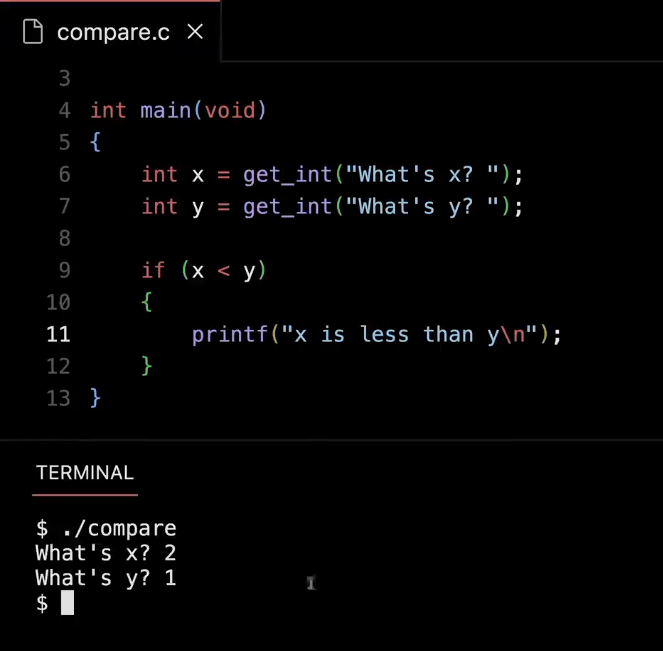
Let's go back to the code here. Let me clear my terminal window.
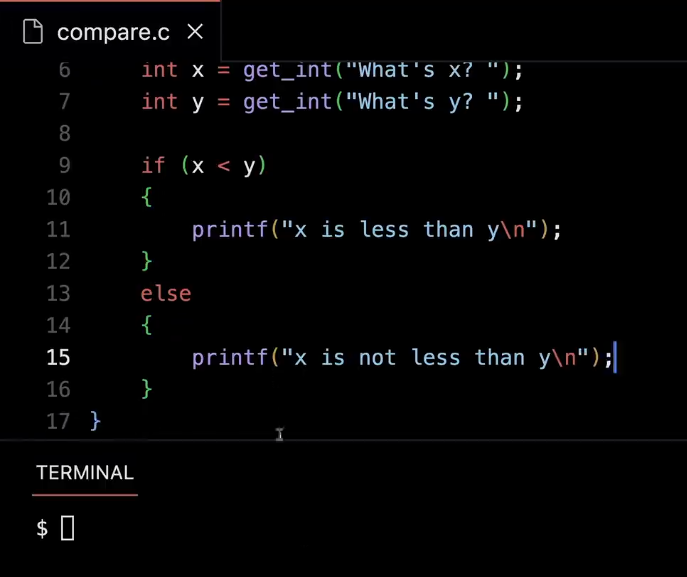
And let me add an " else ", so else, go ahead and just print out " x is not less than y ", because it could be equal. We don't know if we're only checking two scenarios here.
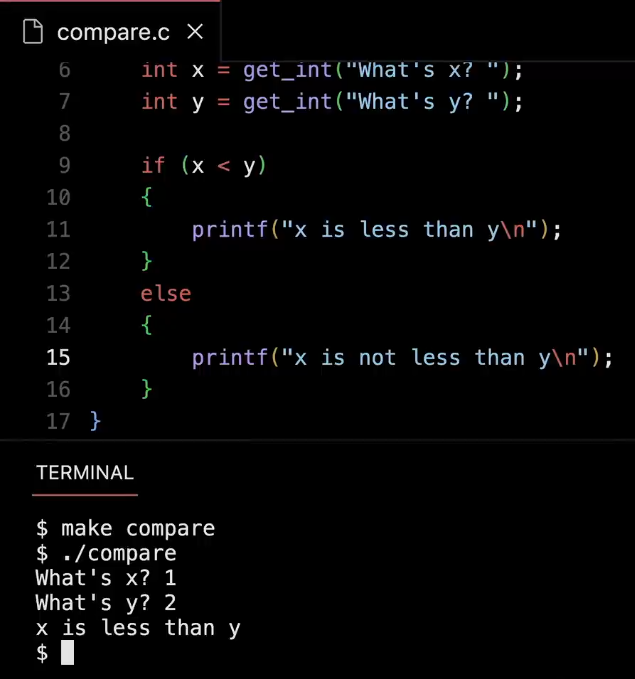
So if I recompile this, make compare, ./compare. Now if I do 1, comma 2. I still get the same answer.
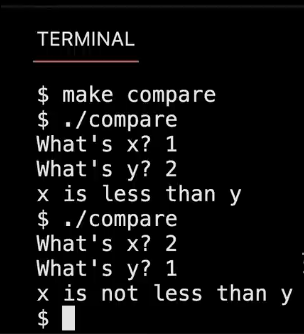
If I rerun ./compare, 2 comma 1, I now get the opposite answer. It's not as good as might be ideal. It'd be nice to know if it's equal to or greater than. But at least that's all of the code that we have here.
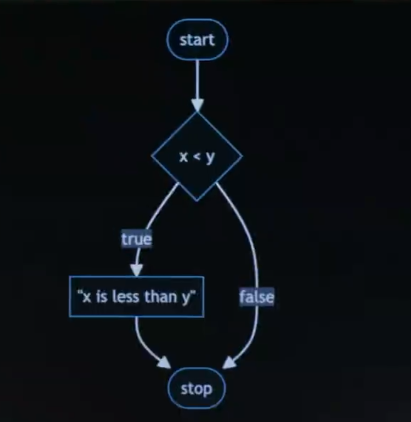
And just to now paint a picture, if I go back, to my control-flow diagram, my flow chart here, this is what it looked like before logically.
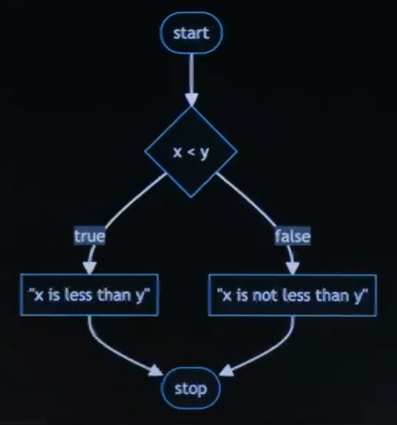
Now that I've added in a second branch, so to speak, now if the answer is false, I first print out x is not less than y and then I stop the program. So same idea, but the decision tree, if you've taken a 10 or the like, is getting a little bit bigger now conceptually. All right, what if we do something more than this ? Let's actually have that third condition. Let me go back into my code here. I'm going to hide the terminal window just to make room for more code.
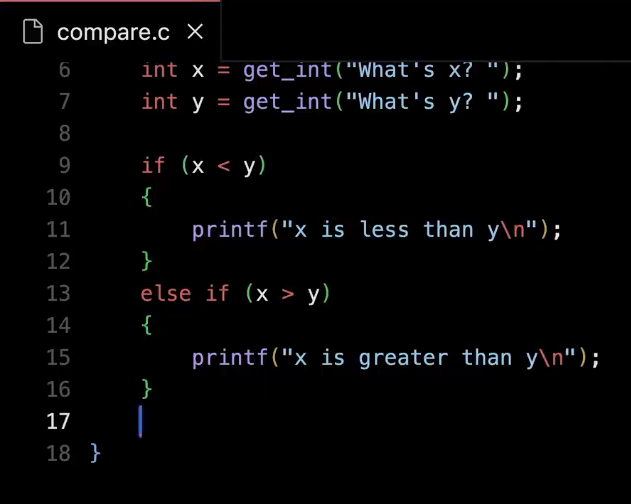
And I'm going to say, " else if x is greater than y ", then go ahead and say not " x is not less than y ", but rather " x is greater than y ".
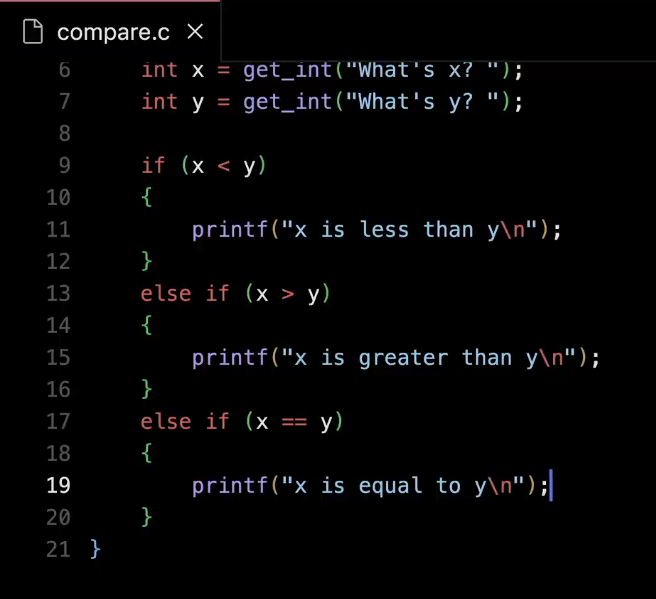
And then down here, I'll do an " else is x equals equals y", then I can go ahead and say printf, " x is equal to y backslash n ", close quote.
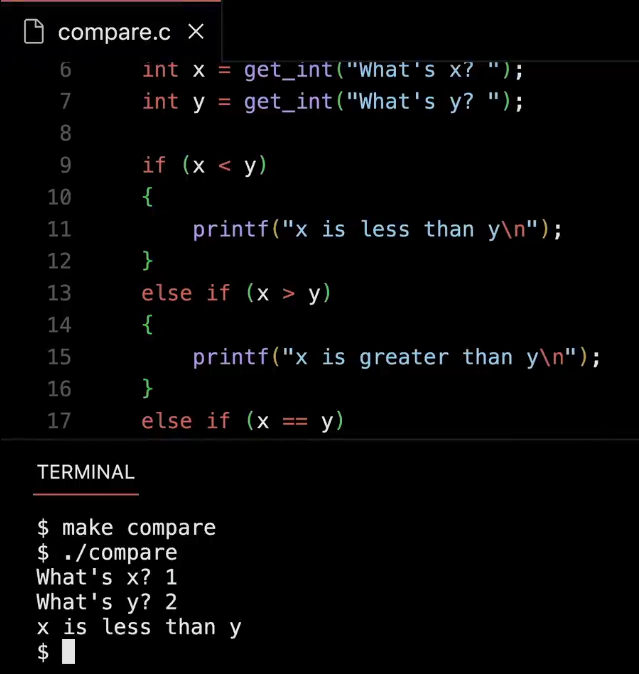
All right, so now if I run it - - let me open my terminal window again, let me rerun make compare, let me rerun ./compare, 1 and 2 are the same.
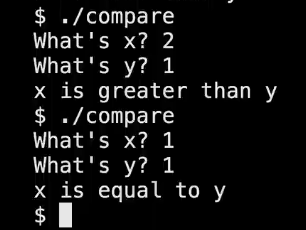
Let me rerun it, 2 and 1 are the same. Let me rerun it a third time, 1 and 1 are now in fact equal. So this works correctly. But why did I make a point of using these " else if "s ? Put another way, couldn't I just make my life a little simpler and just say, if this, then that ?
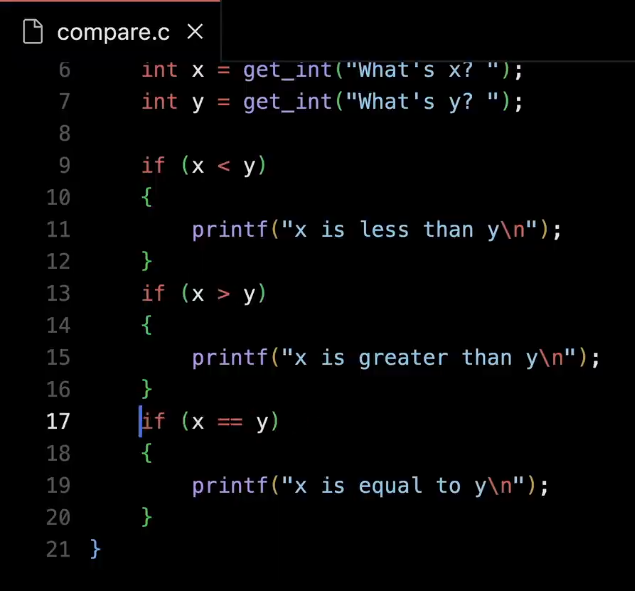
Just ask all three questions keep the code simple. Don't bother with these else's. Would this work for me ? Yeah, so it saves a little bit of time because in this case, just like English, this is like asking three separate questions. And it's not harnessing any information from previous questions, in order to decide whether you should bother asking that other question.
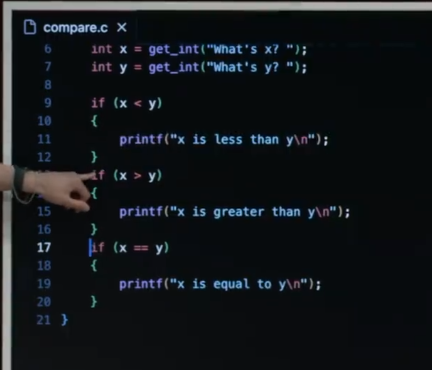
In other words, if x is less than y - - and you already figured that out because it's 1 and 2 respectively - - you're going to print this. Why would you waste time asking this question when it's not going to be true ? Why would you waste time asking this question when it's not going to be true ? And so the point I wanted to make here, which is that if we visualize that particular design, what the flow chart looks like is actually this.
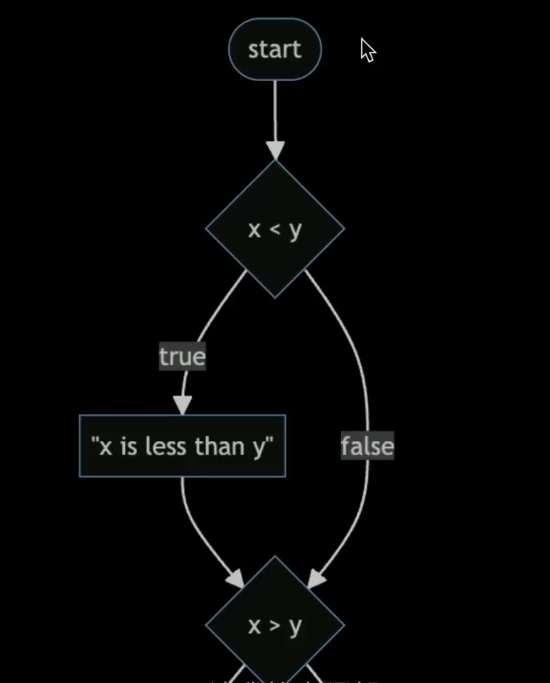
And let me zoom in at the top, if you ask the question " is x less than y ". Well, you're going to go ahead and say, x is less than y.
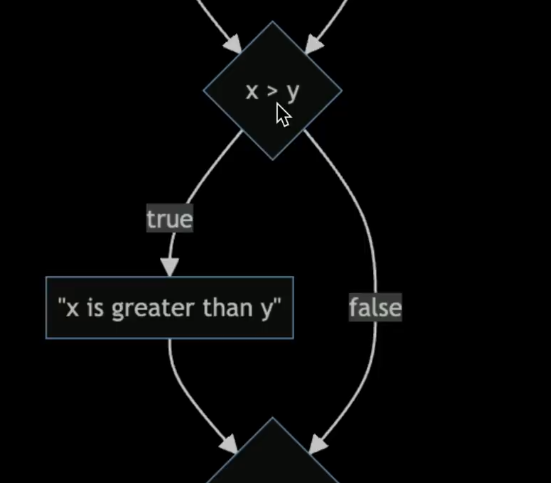
Then if you go down to the next question, you're still going to ask is x greater than y.
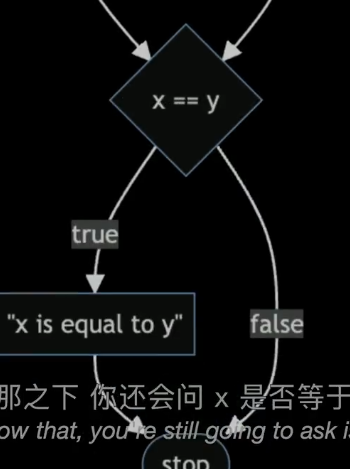
And then below that, you're still going to ask is x equal equal to y ? So no matter what x and y are, you're asking one, two, three questions all of the time.
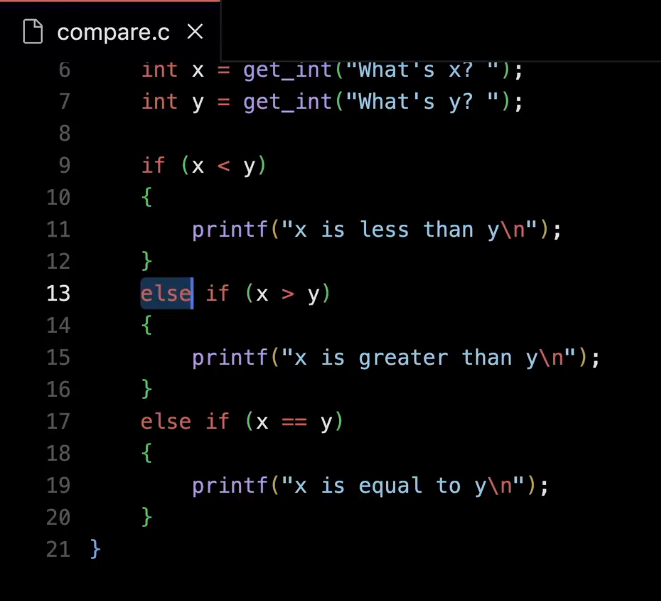
But if we actually go in and do what we did the first time, where if I go back to my code and I undo this edit and add back the " else if "s.
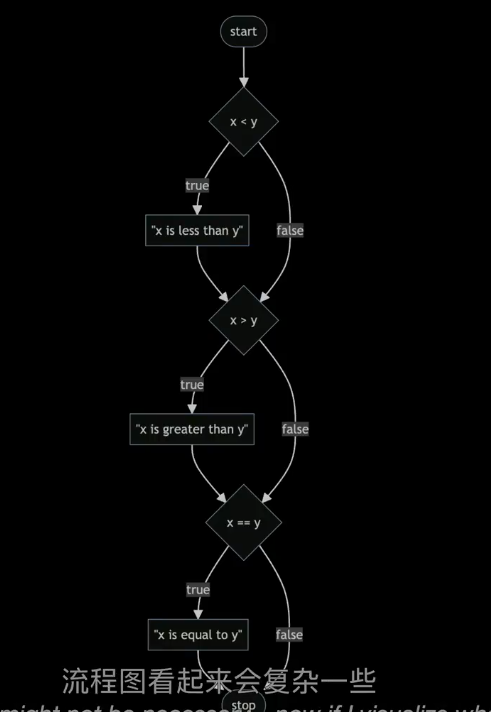
and now let me go back to the flow chart, which I claim is bad because it's one, two, three questions, one or two of which might not be necessary .
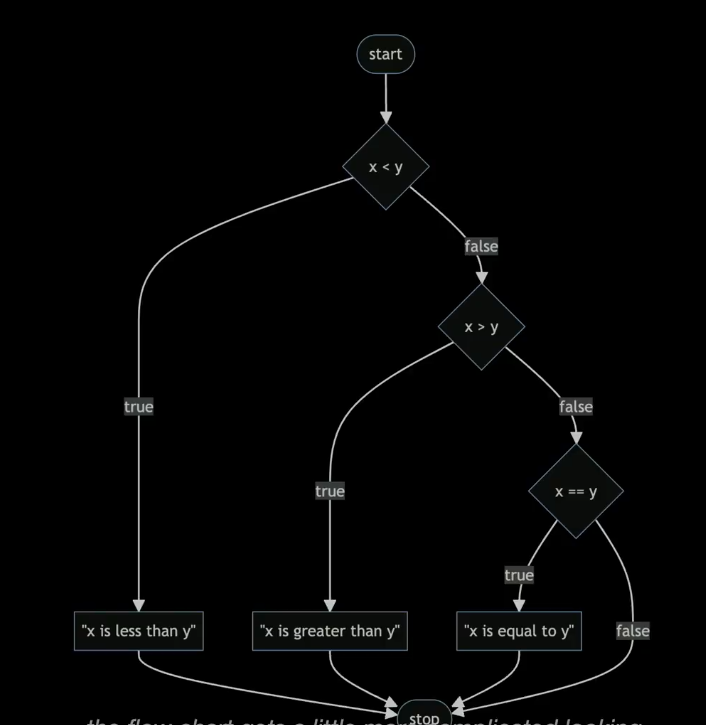
Now if I visualize what I just did, the flow chart gets a little more complicated looking, but it's going to be better designed, more efficient. Why ? Well, because if I start at the top here, I ask one question, is x less than y, if the answer is true, OK, I say x less than y. And then, boom, I sort of cheat and go all the way to the end of the program and stop, having asked only one question. If, though, x is not less than y, OK, fine. I'll ask you a second question. But if the answer is true, boom, I print out x is greater than y, and then I stop. And only in a perverse case where x actually equals y, when I'm going to claim is very unlikely or infrequent, only then am I going to ask one, two, three questions to figure out whether or not to print something at all. So this is what we mean by distinguishing between correctness of code - - because it's still correct - - but this version is better designed because hopefully you're going to down this branch or this branch rather than the longest one frequently.
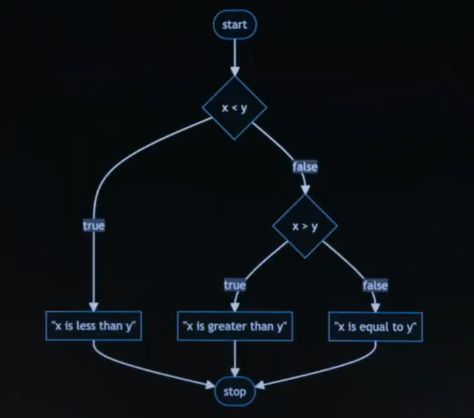
And this would be even better than that design. This is the same picture. It sort of got bigger because there's fewer nodes, fewer shapes in the picture. Notice that if x less than y, boom, we say as much, and we stop. If x is not less than y but it's greater than y, boom, we stop. Or if it's not greater than, we immediately conclude x indeed is equal to y. And again, we stop. So this picture is about as efficiend and as well designed as we can make our logic. That's about as good as we can solve this problem. So if I go back to my code now to make my C code match that, the only thing I need to do is stop wasting the computer's time.
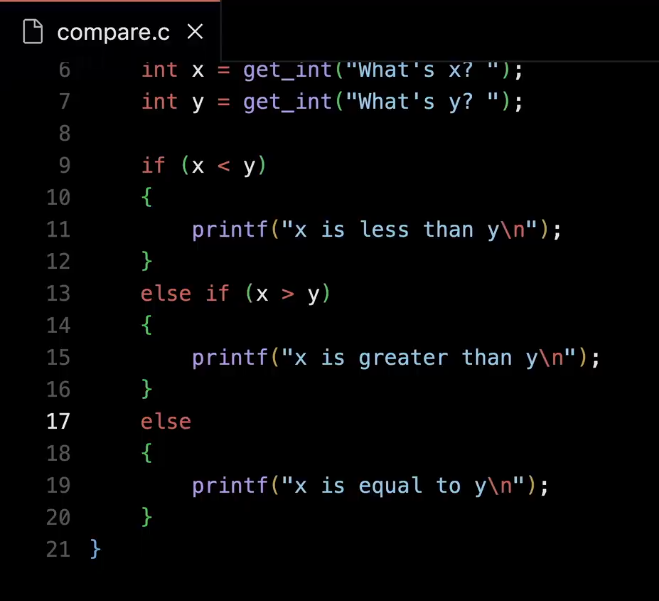
Don't ask that third question. Just logically, mathematically conclude that of course it's going to be equal at that point in the story. What if I put in something that's not a number ? So, here, too, is where the CS50 libaray and the implementation of get_int will be your friend.
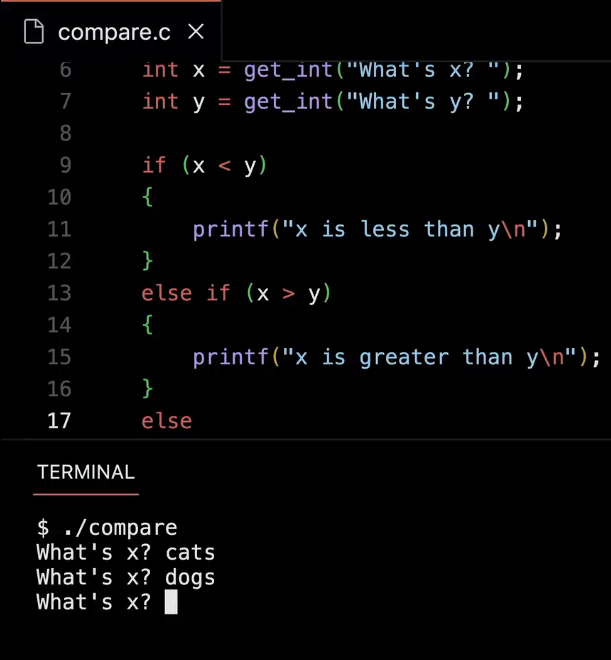
So for instance, if I run ./compare and I want to compare cats and dogs. I could type in " cats ", Enter. It's just going to prompt me again and again. It's not going to let me type in " dogs " either. It's going to force me to give it an integer. C does not do that by default.