如图:
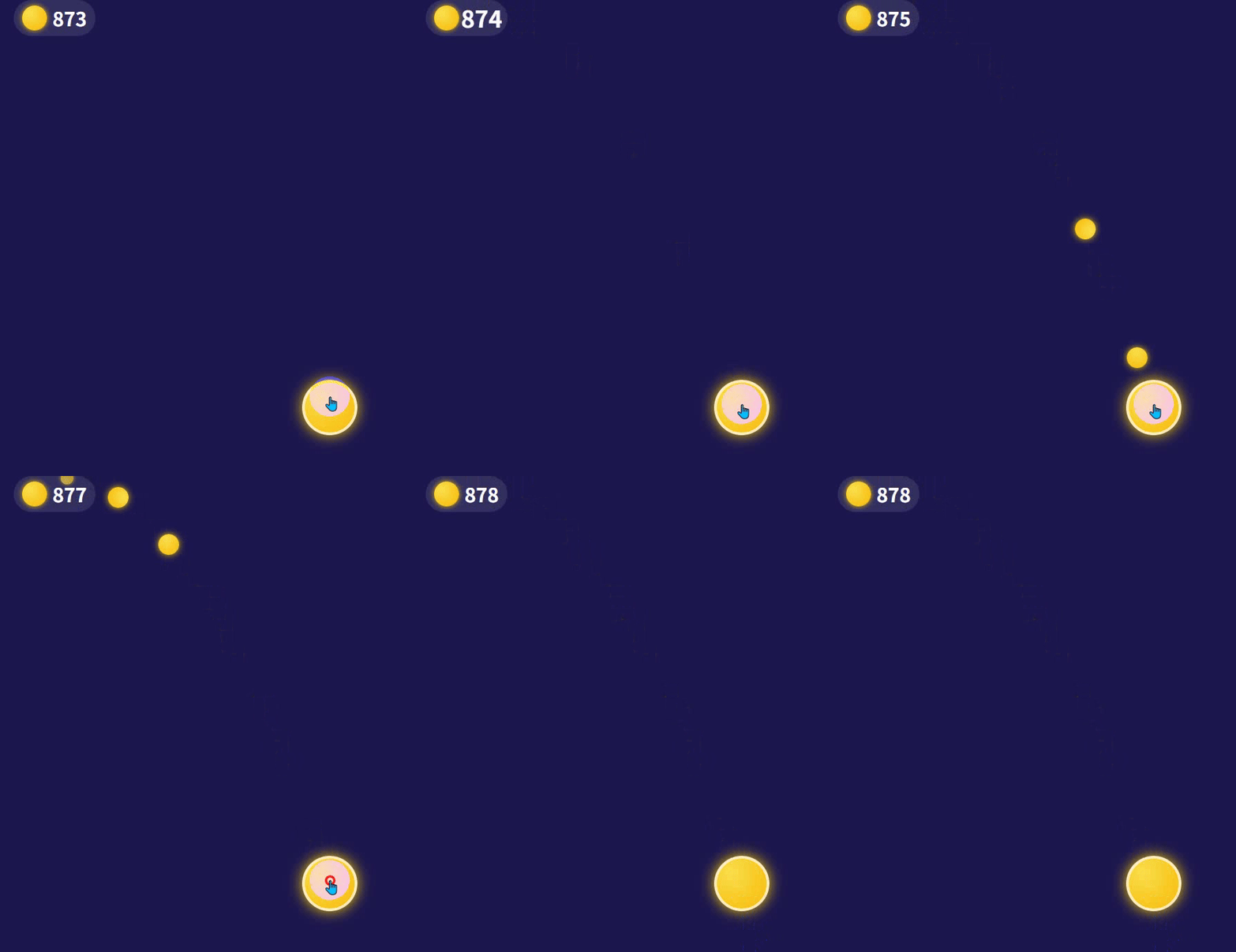
金币飞入顶部金币栏的动效,支持多金币同时飞、带抛物线 + 3D 旋转 + 落地反馈
要让金币落袋效果更逼真,我们可以从物理轨迹 (抛物线 / 贝塞尔曲线)、细节反馈、音效与特效、性能优化这几个维度入手,把 "简单的直线飞" 升级成 "像游戏里一样的真实感动画"
- 抛物线轨迹:金币飞出时先向上 "抛" 一下,再落向目标,模拟重力和初速度。
- 随机偏移:每个金币的起点 / 落点有微小偏差,避免 "复制粘贴式" 的僵硬感。
- 初速度与加速度:前半段快,后半段减速,模拟空气阻力。
- 3D 旋转 + 透视:金币在飞行中绕不同轴旋转,配合大小变化模拟近大远小。
- 光影变化:飞行时的亮度 / 透明度随角度变化,模拟光照。
- 尾迹 / 拖影:短暂的淡金色尾迹,强化速度感。
- 落地反馈:金币到达目标时,钱袋 / 数字有轻微的 "抖动 + 放大" 效果,增强交互反馈。
音效与震动
- 金币飞行的 "咻" 声、落地的 "叮" 声。
- 移动端可以加轻微震动,强化 "落袋成功" 的爽感。
性能与体验
- 金币复用池:避免频繁创建 / 销毁 DOM,提升流畅度。
- 限制最大同时动画数量,防止卡顿。
- 响应式适配,不同屏幕下轨迹不跑偏。
核心代码:
html
<!DOCTYPE html>
<html lang="zh-CN">
<head>
    <meta charset="UTF-8">
    <meta name="viewport" content="width=device-width, initial-scale=1.0">
    <title>超逼真金币落袋效果</title>
    <style>
        * {
            margin: 0;
            padding: 0;
            box-sizing: border-box;
        }
        body {
            height: 100vh;
            background: #1a1a4e;
            overflow: hidden;
            user-select: none;
            position: relative;
        }
        /* 顶部金币UI */
        .top-bar {
            position: fixed;
            top: 20px;
            left: 0;
            width: 100%;
            display: flex;
            align-items: center;
            gap: 20px;
            padding: 0 20px;
            z-index: 10;
        }
        .coin-box {
            display: flex;
            align-items: center;
            background: rgba(255,255,255,0.1);
            border-radius: 999px;
            padding: 6px 12px;
            gap: 8px;
            transition: transform 0.1s ease;
        }
        .coin-box:active {
            transform: scale(0.95);
        }
        .coin-icon {
            width: 36px;
            height: 36px;
            border-radius: 50%;
            background: radial-gradient(circle at 30% 30%, #ffdf4f, #ffb700);
            box-shadow: 0 0 8px #ffd000;
        }
        .coin-count {
            color: white;
            font-size: 28px;
            font-weight: bold;
            font-family: sans-serif;
            transition: transform 0.15s ease;
        }
        /* 飞行动画金币 */
        .flying-coin {
            position: fixed;
            width: 24px;
            height: 24px;
            border-radius: 50%;
            background: radial-gradient(circle at 30% 30%, #ffdf4f, #ffb700);
            box-shadow: 0 0 10px #ffd000;
            pointer-events: none;
            z-index: 999;
            /* 3D旋转关键属性 */
            transform-style: preserve-3d;
            perspective: 500px;
        }
        /* 点击区域 */
        .click-area {
            position: absolute;
            top: 50%;
            left: 50%;
            transform: translate(-50%, -50%);
            width: 120px;
            height: 120px;
            border-radius: 50%;
            background: radial-gradient(circle at 30% 30%, rgba(255,223,79,0.3), rgba(255,183,0,0.3));
            cursor: pointer;
            border: 2px dashed rgba(255,255,255,0.5);
            display: flex;
            align-items: center;
            justify-content: center;
            color: white;
            font-size: 14px;
        }
    </style>
</head>
<body>
    <!-- 顶部金币UI -->
    <div class="top-bar">
        <div class="coin-box" id="coinBox">
            <div class="coin-icon"></div>
            <span class="coin-count" id="coinCount">844</span>
        </div>
    </div>

    <!-- 点击区域 -->
    <div class="click-area" id="clickArea">点击生成金币</div>

    <script>
        const clickArea = document.getElementById('clickArea');
        const coinCountEl = document.getElementById('coinCount');
        const coinBoxEl = document.getElementById('coinBox');
        let coinCount = 844;
        let targetRect;

        // 金币对象池,复用DOM,提升性能
        const coinPool = [];
        const maxCoins = 20; // 最大同时动画数量

        // 更新目标位置
        function updateTargetRect() {
            const coinIcon = document.querySelector('.coin-icon');
            targetRect = coinIcon.getBoundingClientRect();
        }
        window.addEventListener('load', updateTargetRect);
        window.addEventListener('resize', updateTargetRect);

        // 点击生成金币(一次生成多个,更有真实感)
        clickArea.addEventListener('click', (e) => {
            // 一次生成3-5个金币,随机数量
            const count = Math.floor(Math.random() * 3) + 3;
            for (let i = 0; i < count; i++) {
                // 随机延迟,避免同时出发
                setTimeout(() => {
                    // 给每个金币加随机起点偏移,避免完全一样
                    const offsetX = (Math.random() - 0.5) * 60;
                    const offsetY = (Math.random() - 0.5) * 60;
                    createFlyingCoin(e.clientX + offsetX, e.clientY + offsetY);
                }, i * 50);
            }
            coinCount += count;
        });

        // 从对象池获取金币
        function getCoinFromPool() {
            if (coinPool.length > 0) {
                return coinPool.pop();
            }
            // 池子里没有就新建
            const coin = document.createElement('div');
            coin.className = 'flying-coin';
            return coin;
        }

        // 回收金币到对象池
        function recycleCoin(coin) {
            if (coinPool.length < maxCoins) {
                coin.style.display = 'none';
                coinPool.push(coin);
            } else {
                coin.remove();
            }
        }

        function createFlyingCoin(startX, startY) {
            const coin = getCoinFromPool();
            coin.style.display = 'block';
            coin.style.left = startX - 12 + 'px';
            coin.style.top = startY - 12 + 'px';
            document.body.appendChild(coin);

            // 目标位置(带随机偏移,避免所有金币都落同一个点)
            const targetX = targetRect.left + targetRect.width / 2 - 12 + (Math.random() - 0.5) * 10;
            const targetY = targetRect.top + targetRect.height / 2 - 12 + (Math.random() - 0.5) * 10;

            // 动画参数:随机时长、随机抛高,让每个金币轨迹都不一样
            const duration = 0.5 + Math.random() * 0.3; // 0.5-0.8秒
            const arcHeight = 60 + Math.random() * 60; // 抛物线抛高60-120px
            const startTime = performance.now();

            function animate(currentTime) {
                const elapsed = (currentTime - startTime) / 1000;
                const progress = Math.min(elapsed / duration, 1);

                // 缓动函数:先快后慢,模拟真实加速度
                const easeProgress = 1 - Math.pow(1 - progress, 3);

                // 1. 抛物线轨迹计算
                const t = easeProgress;
                const midY = Math.min(startY, targetY) - arcHeight;
                const x = startX + (targetX - startX) * t;
                const y = (1 - t) * (1 - t) * startY + 2 * (1 - t) * t * midY + t * t * targetY;

                // 2. 3D旋转:绕X和Y轴同时旋转,模拟金币翻转
                const rotateY = 360 * 2 * progress; // 绕Y轴旋转2圈
                const rotateX = 180 * progress; // 绕X轴旋转1圈

                // 3. 缩放+透明度:近大远小,落地时缩小消失
                const scale = progress > 0.7 ? 1 - (progress - 0.7) / 0.3 * 0.8 : 1;
                const opacity = progress > 0.8 ? 1 - (progress - 0.8) / 0.2 : 1;

                // 4. 应用样式
                coin.style.left = x - 12 + 'px';
                coin.style.top = y - 12 + 'px';
                coin.style.transform = `rotateY(${rotateY}deg) rotateX(${rotateX}deg) scale(${scale})`;
                coin.style.opacity = opacity;

                if (progress < 1) {
                    requestAnimationFrame(animate);
                } else {
                    // 动画结束:回收金币 + 落地反馈
                    recycleCoin(coin);

                    // 数字更新+抖动效果
                    coinCountEl.textContent = coinCount;
                    coinCountEl.style.transform = 'scale(1.3)';
                    coinBoxEl.style.transform = 'scale(1.1)';

                    setTimeout(() => {
                        coinCountEl.style.transform = 'scale(1)';
                        coinBoxEl.style.transform = 'scale(1)';
                    }, 150);
                }
            }

            requestAnimationFrame(animate);
        }
    </script>
</body>
</html>
尾迹 / 拖影效果
在金币飞行路径上生成短暂的淡金色小圆点,模拟速度感:
javascript
// 在animate函数里添加
if (progress < 0.9) {
    const trail = document.createElement('div');
    trail.style.cssText = `
        position: fixed;
        left: ${x-6}px;
        top: ${y-6}px;
        width: 12px;
        height: 12px;
        border-radius: 50%;
        background: rgba(255,223,79,0.6);
        pointer-events: none;
        opacity: 0.6;
        z-index: 998;
    `;
    document.body.appendChild(trail);
    // 尾迹逐渐消失
    setTimeout(() => trail.remove(), 100);
}
音效反馈
添加金币飞行和落地的音效,这里用 Web Audio API 简单实现:
javascript
// 初始化音频上下文
const audioCtx = new (window.AudioContext || window.webkitAudioContext)();

// 飞行音效(高音调)
function playFlySound() {
    const oscillator = audioCtx.createOscillator();
    const gainNode = audioCtx.createGain();
    oscillator.connect(gainNode);
    gainNode.connect(audioCtx.destination);
    oscillator.frequency.value = 800;
    oscillator.type = 'sine';
    gainNode.gain.setValueAtTime(0.1, audioCtx.currentTime);
    gainNode.gain.exponentialRampToValueAtTime(0.001, audioCtx.currentTime + 0.1);
    oscillator.start(audioCtx.currentTime);
    oscillator.stop(audioCtx.currentTime + 0.1);
}

// 落地音效(清脆的叮声)
function playLandSound() {
    const oscillator = audioCtx.createOscillator();
    const gainNode = audioCtx.createGain();
    oscillator.connect(gainNode);
    gainNode.connect(audioCtx.destination);
    oscillator.frequency.value = 1200;
    oscillator.type = 'sine';
    gainNode.gain.setValueAtTime(0.2, audioCtx.currentTime);
    gainNode.gain.exponentialRampToValueAtTime(0.001, audioCtx.currentTime + 0.15);
    oscillator.start(audioCtx.currentTime);
    oscillator.stop(audioCtx.currentTime + 0.15);
}

// 在createFlyingCoin里调用飞行音效,在动画结束时调用落地音效
把单个点击修改成 鼠标在屏幕任意位置点击都会生成金币( 鼠标点哪里,金币就从哪里飞出来**)**
html
<!DOCTYPE html>
<html lang="zh-CN">
<head>
    <meta charset="UTF-8">
    <meta name="viewport" content="width=device-width, initial-scale=1.0">
    <title>超逼真金币落袋(鼠标任意点击)</title>
    <style>
        * {
            margin: 0;
            padding: 0;
            box-sizing: border-box;
        }
        body {
            height: 100vh;
            background: #1a1a4e;
            overflow: hidden;
            user-select: none;
            position: relative;
        }
        /* 顶部金币UI */
        .top-bar {
            position: fixed;
            top: 20px;
            left: 0;
            width: 100%;
            display: flex;
            align-items: center;
            gap: 20px;
            padding: 0 20px;
            z-index: 10;
        }
        .coin-box {
            display: flex;
            align-items: center;
            background: rgba(255,255,255,0.1);
            border-radius: 999px;
            padding: 6px 12px;
            gap: 8px;
            transition: transform 0.1s ease;
        }
        .coin-icon {
            width: 36px;
            height: 36px;
            border-radius: 50%;
            background: radial-gradient(circle at 30% 30%, #ffdf4f, #ffb700);
            box-shadow: 0 0 8px #ffd000;
        }
        .coin-count {
            color: white;
            font-size: 28px;
            font-weight: bold;
            font-family: sans-serif;
            transition: transform 0.15s ease;
        }
        /* 飞行动画金币 */
        .flying-coin {
            position: fixed;
            width: 24px;
            height: 24px;
            border-radius: 50%;
            background: radial-gradient(circle at 30% 30%, #ffdf4f, #ffb700);
            box-shadow: 0 0 10px #ffd000;
            pointer-events: none;
            z-index: 999;
            transform-style: preserve-3d;
            perspective: 500px;
        }
    </style>
</head>
<body>
    <!-- 顶部金币UI -->
    <div class="top-bar">
        <div class="coin-box" id="coinBox">
            <div class="coin-icon"></div>
            <span class="coin-count" id="coinCount">844</span>
        </div>
    </div>

    <script>
        const coinCountEl = document.getElementById('coinCount');
        const coinBoxEl = document.getElementById('coinBox');
        let coinCount = 844;
        let targetRect;

        // 金币对象池
        const coinPool = [];
        const maxCoins = 20;

        // 更新目标位置
        function updateTargetRect() {
            const coinIcon = document.querySelector('.coin-icon');
            targetRect = coinIcon.getBoundingClientRect();
        }
        window.addEventListener('load', updateTargetRect);
        window.addEventListener('resize', updateTargetRect);

        // ✅ 关键:鼠标在屏幕任意位置点击 → 生成金币
        document.addEventListener('click', (e) => {
            const count = Math.floor(Math.random() * 3) + 3;
            for (let i = 0; i < count; i++) {
                setTimeout(() => {
                    const offsetX = (Math.random() - 0.5) * 60;
                    const offsetY = (Math.random() - 0.5) * 60;
                    createFlyingCoin(e.clientX + offsetX, e.clientY + offsetY);
                }, i * 50);
            }
            coinCount += count;
        });

        // 从对象池获取金币
        function getCoinFromPool() {
            if (coinPool.length > 0) {
                return coinPool.pop();
            }
            const coin = document.createElement('div');
            coin.className = 'flying-coin';
            return coin;
        }

        // 回收金币
        function recycleCoin(coin) {
            if (coinPool.length < maxCoins) {
                coin.style.display = 'none';
                coinPool.push(coin);
            } else {
                coin.remove();
            }
        }

        function createFlyingCoin(startX, startY) {
            const coin = getCoinFromPool();
            coin.style.display = 'block';
            coin.style.left = startX - 12 + 'px';
            coin.style.top = startY - 12 + 'px';
            document.body.appendChild(coin);

            const targetX = targetRect.left + targetRect.width / 2 - 12 + (Math.random() - 0.5) * 10;
            const targetY = targetRect.top + targetRect.height / 2 - 12 + (Math.random() - 0.5) * 10;

            const duration = 0.5 + Math.random() * 0.3;
            const arcHeight = 60 + Math.random() * 60;
            const startTime = performance.now();

            function animate(currentTime) {
                const elapsed = (currentTime - startTime) / 1000;
                const progress = Math.min(elapsed / duration, 1);
                const easeProgress = 1 - Math.pow(1 - progress, 3);

                // 抛物线轨迹
                const t = easeProgress;
                const midY = Math.min(startY, targetY) - arcHeight;
                const x = startX + (targetX - startX) * t;
                const y = (1 - t) * (1 - t) * startY + 2 * (1 - t) * t * midY + t * t * targetY;

                // 3D旋转
                const rotateY = 720 * progress;
                const rotateX = 360 * progress;
                const scale = progress > 0.7 ? 1 - (progress - 0.7) / 0.3 * 0.8 : 1;
                const opacity = progress > 0.8 ? 1 - (progress - 0.8) / 0.2 : 1;

                coin.style.left = x - 12 + 'px';
                coin.style.top = y - 12 + 'px';
                coin.style.transform = `rotateY(${rotateY}deg) rotateX(${rotateX}deg) scale(${scale})`;
                coin.style.opacity = opacity;

                if (progress < 1) {
                    requestAnimationFrame(animate);
                } else {
                    recycleCoin(coin);
                    coinCountEl.textContent = coinCount;

                    // 抖动反馈
                    coinCountEl.style.transform = 'scale(1.3)';
                    coinBoxEl.style.transform = 'scale(1.1)';
                    setTimeout(() => {
                        coinCountEl.style.transform = 'scale(1)';
                        coinBoxEl.style.transform = 'scale(1)';
                    }, 150);
                }
            }
            requestAnimationFrame(animate);
        }
    </script>
</body>
</html>
另一种效果如图:
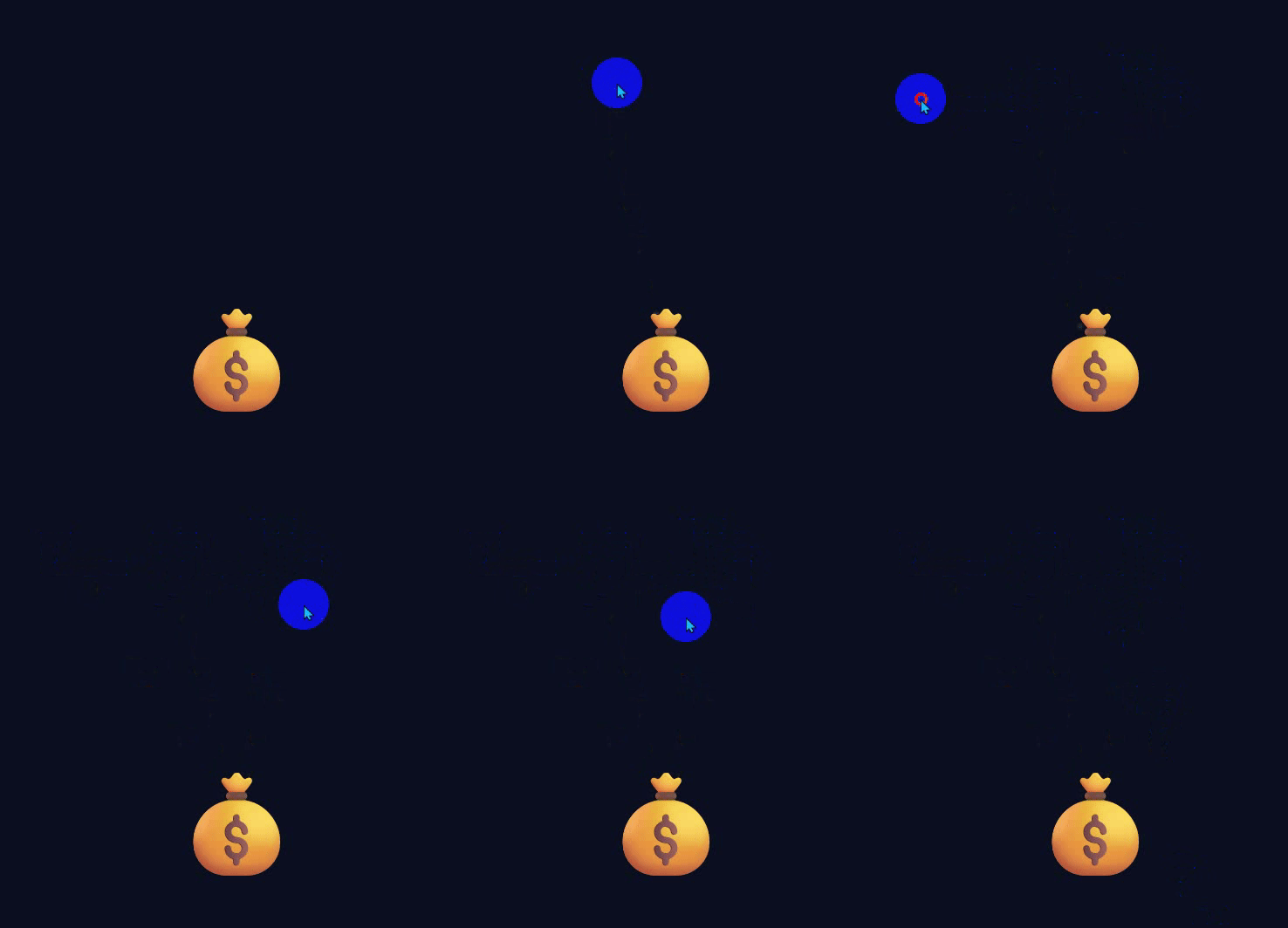
先上代码
html
<!DOCTYPE html>
<html lang="zh-CN">
<head>
    <meta charset="UTF-8">
    <meta name="viewport" content="width=device-width, initial-scale=1.0">
    <title>金币落袋效果 预览</title>
    <style>
        * {
            margin: 0;
            padding: 0;
            box-sizing: border-box;
        }
        body {
            height: 100vh;
            background: #0b1020;
            overflow: hidden;
            user-select: none;
        }
        /* 钱袋 */
        .bag {
            position: fixed;
            bottom: 60px;
            left: 50%;
            transform: translateX(-50%);
            font-size: 120px;
            z-index: 10;
        }
        /* 金币 */
        .coin {
            position: fixed;
            width: 32px;
            height: 32px;
            border-radius: 50%;
            background: radial-gradient(circle, #ffdf4f, #ffb700);
            box-shadow: 0 0 12px #ffd000;
            pointer-events: none;
            transition: all 0.8s cubic-bezier(0.15, 0.6, 0.3, 1);
        }
    </style>
</head>
<body>
    <div class="bag">💰</div>

    <script>
        const bag = document.querySelector('.bag');
        let bagRect;

        // 更新钱袋位置
        function setBagPos() {
            bagRect = bag.getBoundingClientRect();
        }
        window.addEventListener('load', setBagPos);
        window.addEventListener('resize', setBagPos);

        // 点击生成金币
        document.addEventListener('click', e => {
            createCoin(e.clientX, e.clientY);
        });

        function createCoin(x, y) {
            const coin = document.createElement('div');
            coin.className = 'coin';
            coin.style.left = x - 16 + 'px';
            coin.style.top = y - 16 + 'px';
            document.body.appendChild(coin);

            // 目标:钱袋中心
            const targetX = bagRect.left + bagRect.width / 2 - 16;
            const targetY = bagRect.top + bagRect.height / 2 - 16;

            requestAnimationFrame(() => {
                coin.style.left = targetX + 'px';
                coin.style.top = targetY + 'px';
                coin.style.transform = 'rotate(1080deg) scale(0.1)';
                coin.style.opacity = 0;
            });

            // 销毁节点
            setTimeout(() => coin.remove(), 800);
        }
    </script>
</body>
</html>
自定义参数调整效果代码
css
/* 金币大小 */
width: 30px; height: 30px;

/* 动画时长(越快数值越小) */
transition: all 0.6s;

/* 钱袋大小 */
font-size: 100px;

/* 金币颜色(金色系可修改) */
background: radial-gradient(circle, #ffd700 0%, #ffcc00 50%, #e6b800 100%);
连续点击批量生成金币,可修改代码:
javascript
// 点击生成5个随机金币
document.addEventListener('click', (e) => {
    for(let i=0; i<5; i++){
        // 随机偏移位置
        const offsetX = (Math.random() - 0.5) * 50;
        const offsetY = (Math.random() - 0.5) * 50;
        createCoin(e.clientX + offsetX, e.clientY + offsetY);
    }
});