不废话直接开始
首先你需要自己装好docker且能正常访问docker hub
docker search一下看看我们需要的neo4j
shell
(LLaMA-Factory) nikofox@MOSS:/$ docker search neo4j
NAME                              DESCRIPTION                                      STARS     OFFICIAL
neo4j                             Neo4j is a highly scalable, robust native gr...   1378      [OK]
bitnamicharts/neo4j               Bitnami Helm chart for Neo4j                     0
vulhub/neo4j                                                                       0
openeuler/neo4j                                                                    0
neo4j/neo4j-admin                 Neo4j database administration tool.              1
neo4j/helm-charts-backup          This repo will hold the docker image used by...   0
neo4j/neo4j-experimental          Experimental Neo4j Docker images                 10
neo4j/helm-charts-reverse-proxy   this repo holds the docker image for neo4j r...   0
neo4j/neo4j-arm64-experimental    Experimental Neo4j images for the ARM64 arch...   5
neo4j/neo4j-ops-manager-server    Neo4j Ops Manager server application             0
neo4j/helm-charts-operations      Neo4j helm chart operations which allows you...   0
bitnami/neo4j                     Bitnami Secure Image for neo4j                   17
neo4j/neo4j-ops-manager-agent     Neo4j Ops Manager agent is to be deployed on...   0
amd64/neo4j                       Neo4j is a highly scalable, robust native gr...   0
phenompeople/neo4j                Neo4j is a highly scalable, robust native gr...   1
frodenas/neo4j                    A Docker Image for Neo4j                         8
neo4j/neodash-commercial          Commercially supported version of NeoDash        0
arm64v8/neo4j                     Neo4j is a highly scalable, robust native gr...   0
tpires/neo4j                      Neo4j is a highly scalable, robust (fully AC...   82
neo4j/bigquery-connector          Google BigQuery connector for AuraDS & Neo4j...   0
neo4j/mcp                         Official MCP server for Neo4j database.          0
livingobjects/neo4j               Neo4J                                            0
rapydo/neo4j                                                                       0
c12e/neo4j                                                                         0
trollin/neo4j                                                                      0
带offical的是官方的,我们就用这个
拉取下来
shell
(LLaMA-Factory) nikofox@MOSS:/$ docker pull neo4j:latest
latest: Pulling from library/neo4j
4f4fb700ef54: Pull complete
0261e425c309: Pull complete
3531af2bc2a9: Pull complete
78fa583666b6: Pull complete
2dbcc0d331f9: Pull complete
5d77be108e5d: Download complete
df71849c8833: Download complete
Digest: sha256:447781490e26e4858443ba3d9977778f9a78264bcf5a57728c85f565347e663f
Status: Downloaded newer image for neo4j:latest
docker.io/library/neo4j:latest
接下来需要做容器与本机文件映射并做好端口映射然后跑起来
shell
nikofox@MOSS:~$ docker run -d --name neo4j \
  -p 7474:7474 -p 7687:7687 \
  -v /home/neo4j/data:/data \
  -v /home/neo4j/logs:/logs \
  -v /home/neo4j/conf:/var/lib/neo4j/conf \
  -v /home/neo4j/import:/var/lib/neo4j/import \
  -v /home/neo4j/plugins:/var/lib/neo4j/plugins \
  -e NEO4J_AUTH=neo4j/这儿写你自己设置的密码 \
  neo4j:latest
关于端口:
| 端口 | 协议 | 主要使用者 | 核心用途 |
|---|---|---|---|
| 7474 | HTTP | 开发者、管理员 | 访问 Web 管理界面 (Neo4j Browser) |
| 7687 | Bolt | 应用程序、代码 | 通过驱动程序高效地操作数据库 |
简单来说7474是用来访问web界面的
而7687是方便你用代码调用的(如python,java)
docker ps一下看看情况
shell
nikofox@MOSS:~$ docker ps
CONTAINER ID   IMAGE          COMMAND                   CREATED         STATUS         PORTS                                                                                                NAMES
4c51457585cf   neo4j:latest   "tini -g -- /startup..."   4 seconds ago   Up 3 seconds   0.0.0.0:7474->7474/tcp, [::]:7474->7474/tcp, 7473/tcp, 0.0.0.0:7687->7687/tcp, [::]:7687->7687/tcp   neo4j
访问127.0.0.1:7474
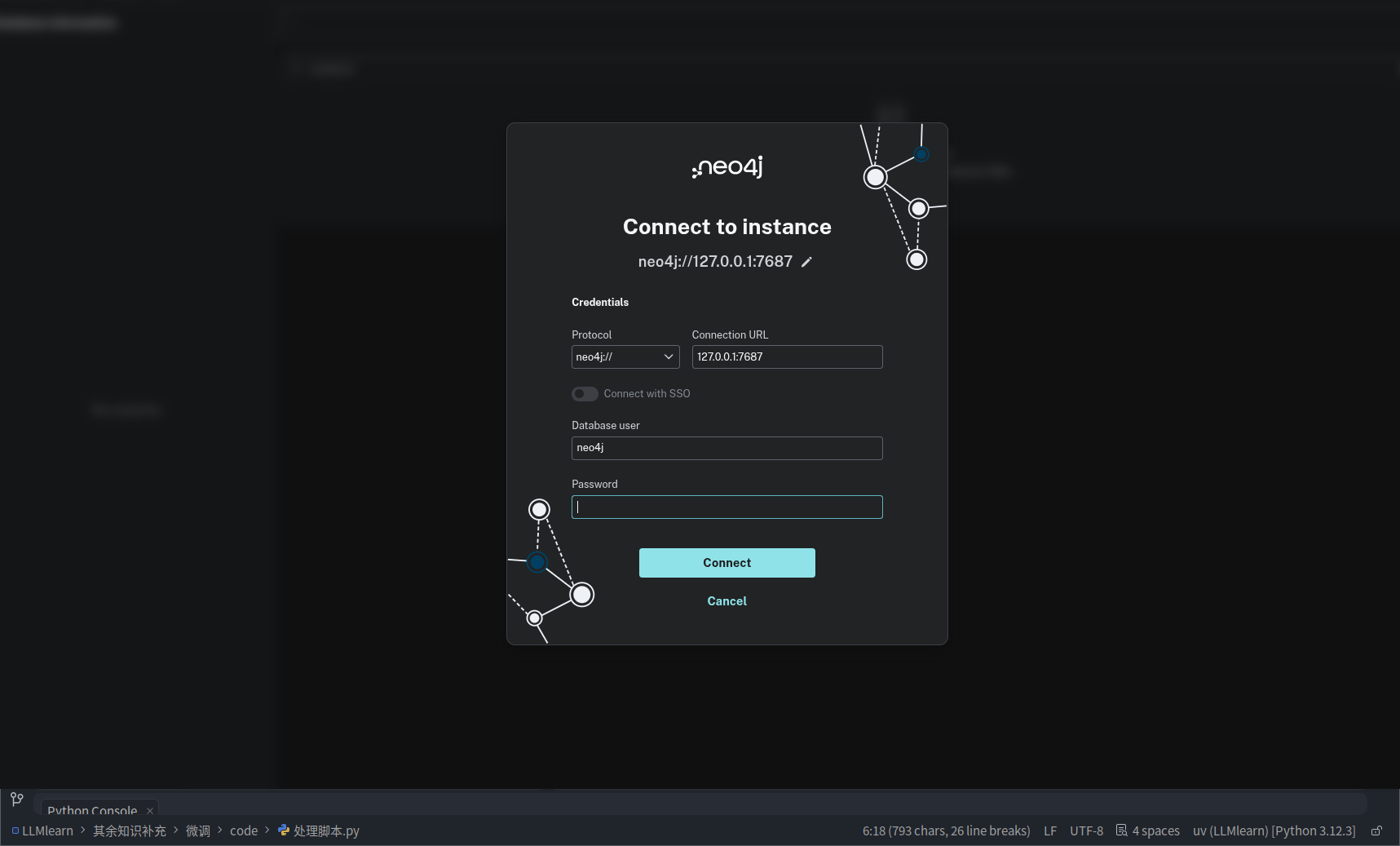
输入你刚才填入的密码,然后点击连接(Connect)
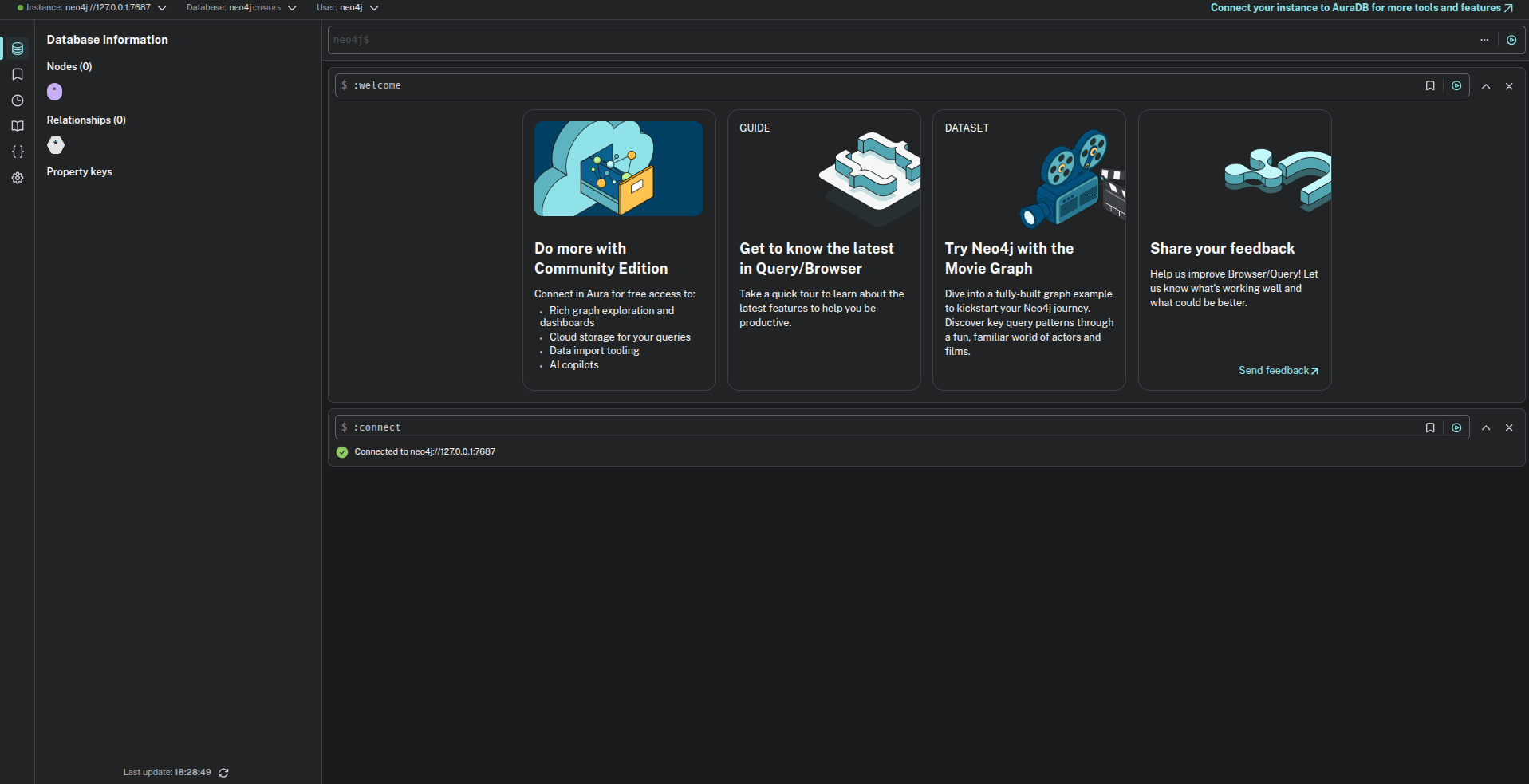
成功!🎉