书接上回
创建system应用
我们之前创建的应用,是全部放在项目根目录下。这样做也不是不行。但是如果应用多了,项目目录结构层次就不够清爽。我们可以在项目根目录下创建一个包(如:apps包),把应用放在包中
创建app
在项目的根目录下,创建apps包,在该包中,创建system应用
bash
cd apps
python ../manage.py  startapp system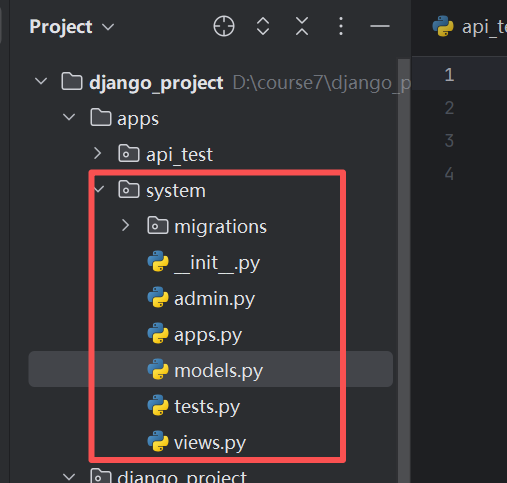
注册app
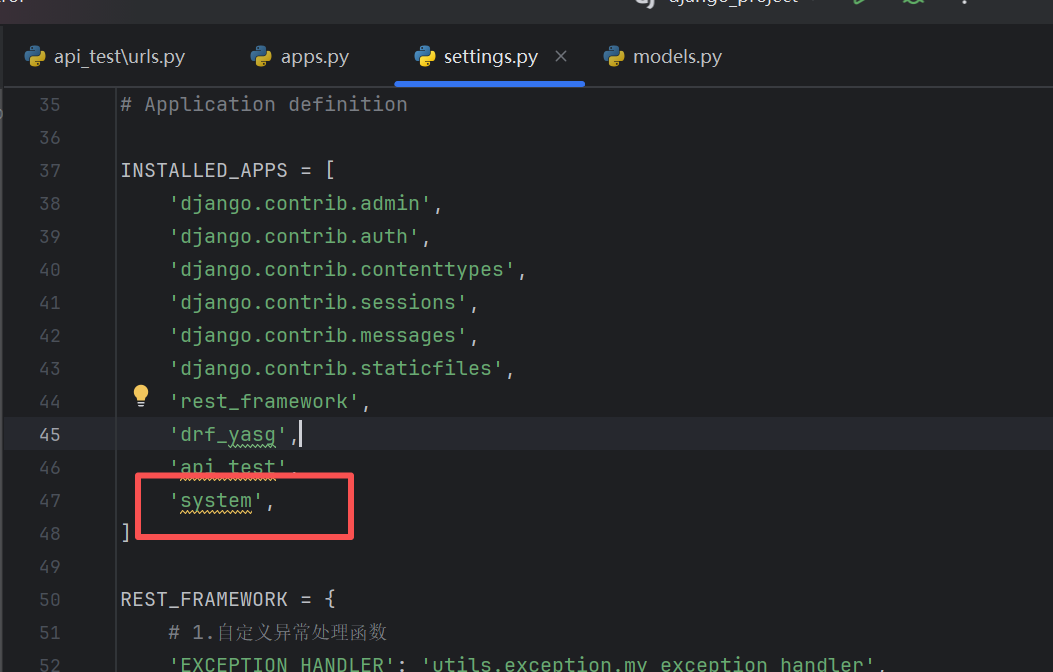
在settings.py模块中,添加system应用,配置如下:
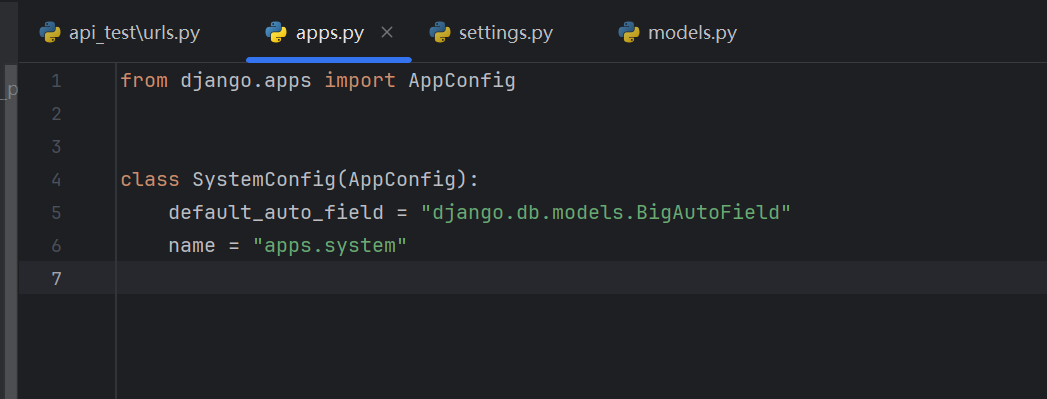
修改apps/system/apps.py模块下的SystemConfig类,修改后,内容如下
添加环境变量
在settings.py模块中,把apps包,添加到sys.path中(找个合适的位置),代码如下:
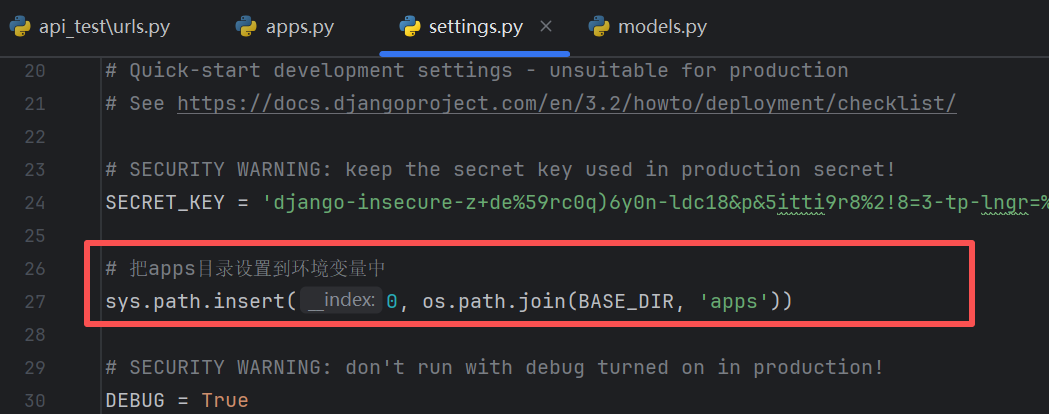
定义用戶模型
开发一个功能,我们首先应该分析功能所需的模型,模型定义完成后,再去写序列化器、视图集、路由等代码。
用戶管理功能也一样,我们首先要考虑它的模型。
前面我们了解了Django管理后台,也创建了超级用戶并登录过后台,进行了一些模型的相关操作。
创建的用戶就保存在auth_user表中。因此,我们的计划是:
如果Django自带的用户表(auth_user)字段满足我们的需求,则直接使用即可
如果Django自带的用户表(auth_user)字段不满足我们的需求,则考虑扩展或者继承它的模型
扩展:就是和auth_user模型建立一对一的关系,把我们的所需字段放在扩展表中
继承:就是继承它的抽象模型,在抽象模型的基础上,定义自己的字段
我们采用继承的方式来实现。
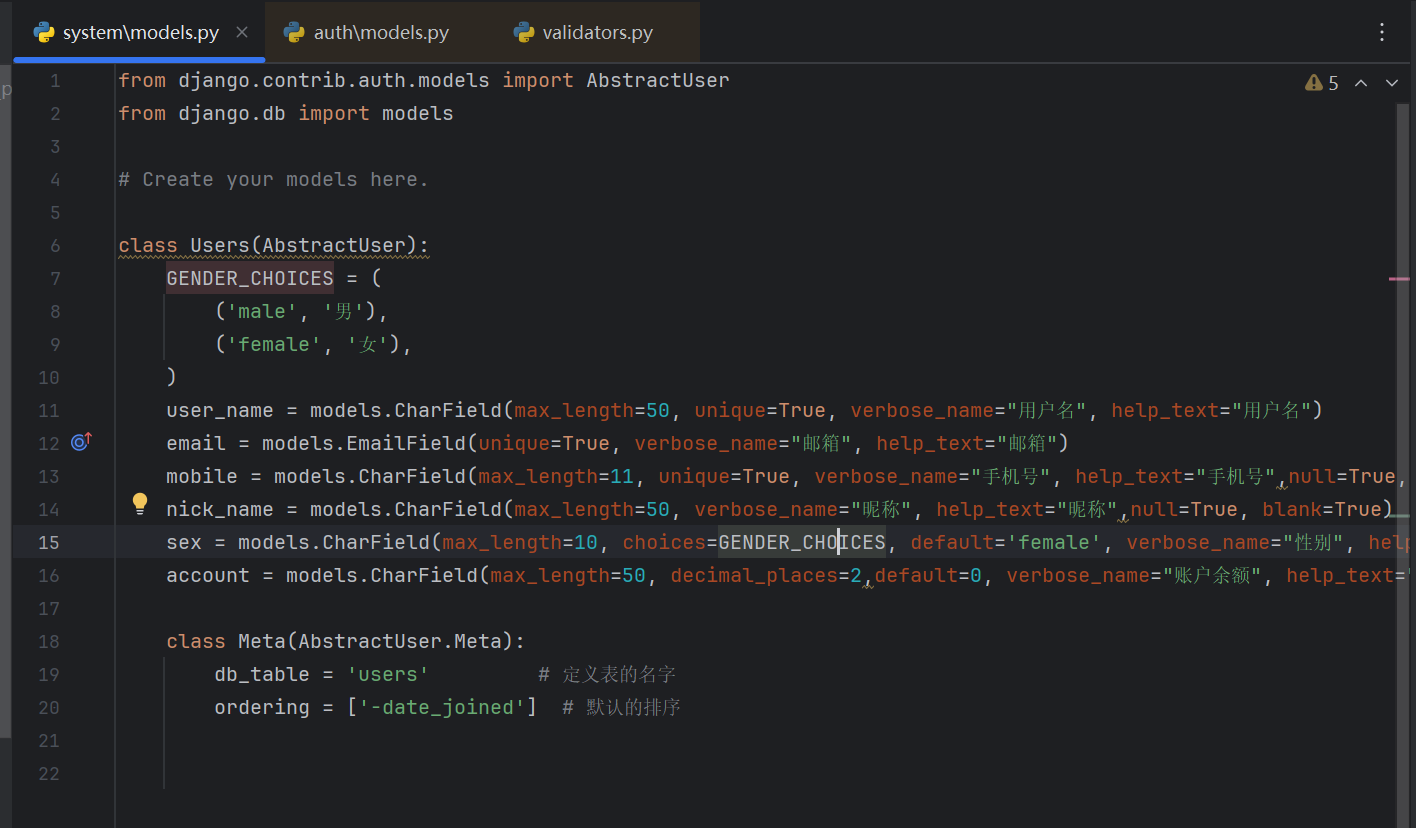
并且,我们在配置文件里面,配置使用自己的模型
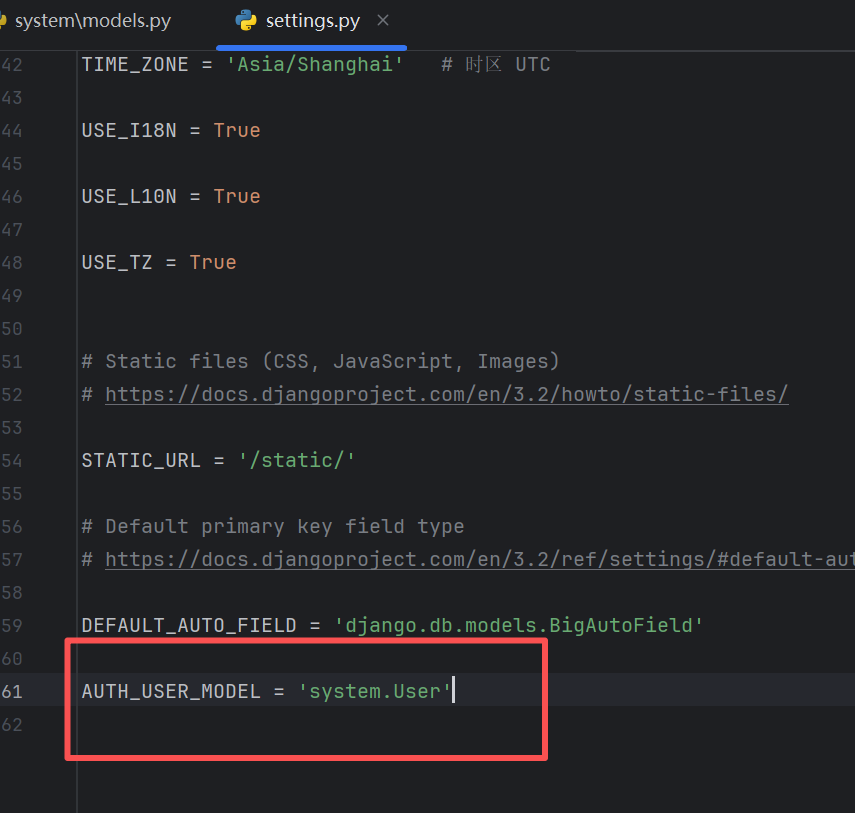
然后我们迁移数据库,在迁移数据库过程中有可能会报错
bash
python manage.py makemigrations system
python manage.py migrate
那我们就直接删除原来迁移过程中生成的migrations文件
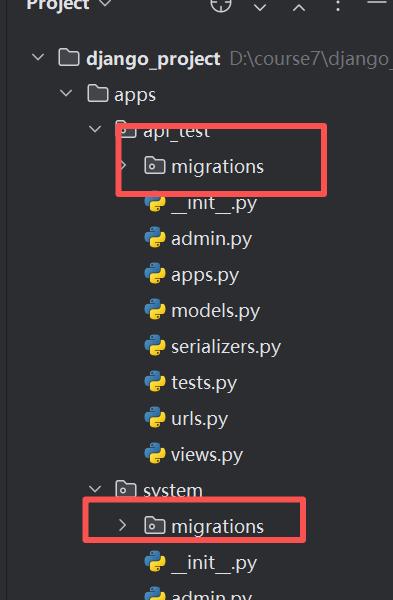
上面这两个地方的文件都进行删除
然后再新建一个数据库
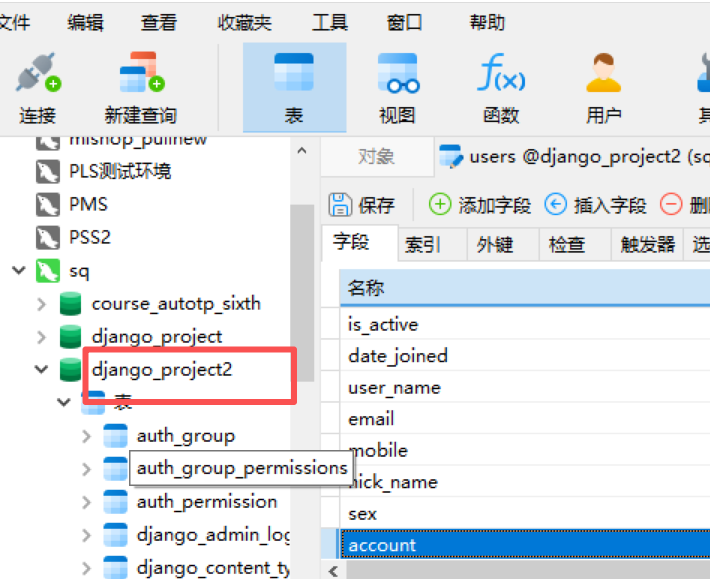
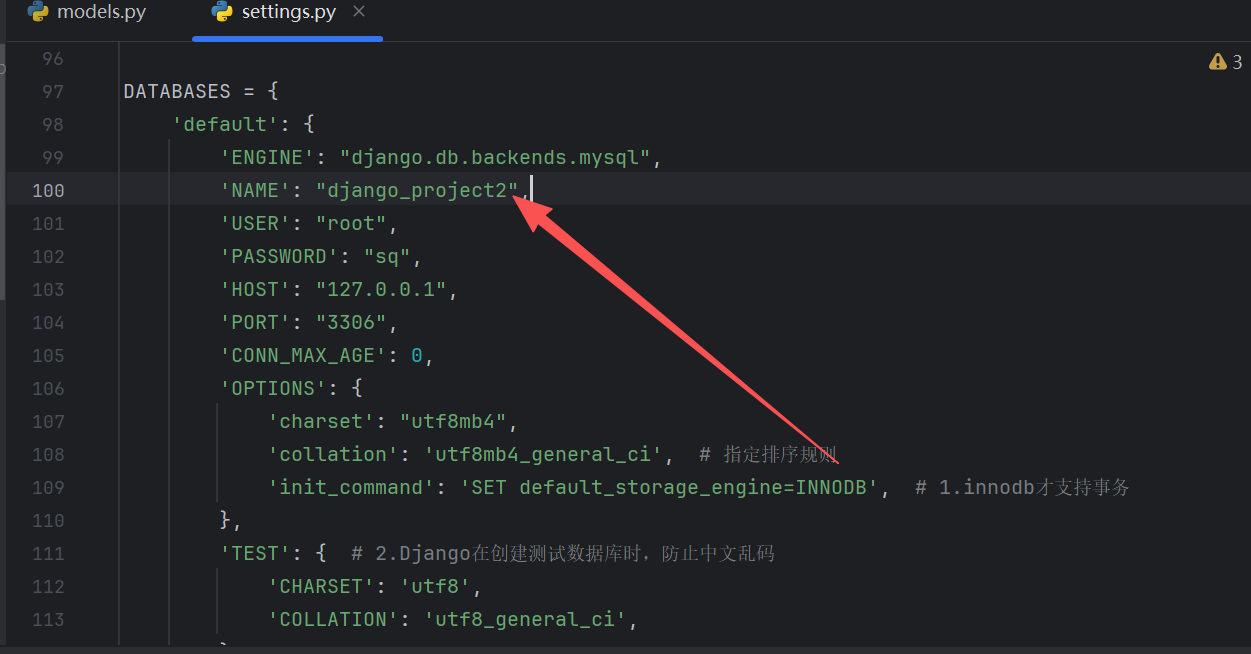
更新配置文件里面的数据库
然后进行迁移
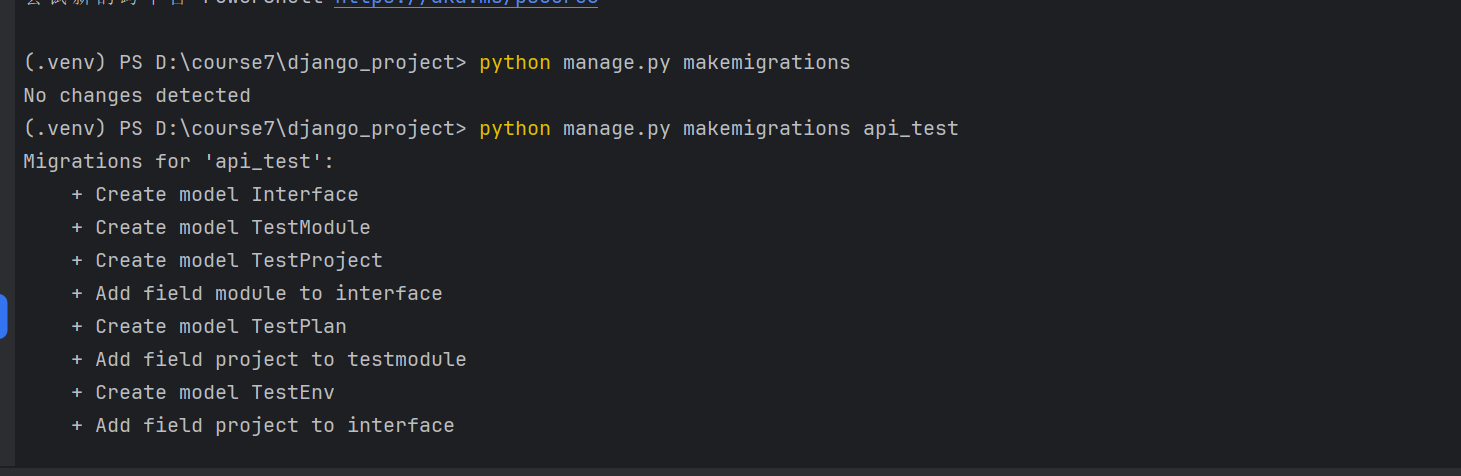
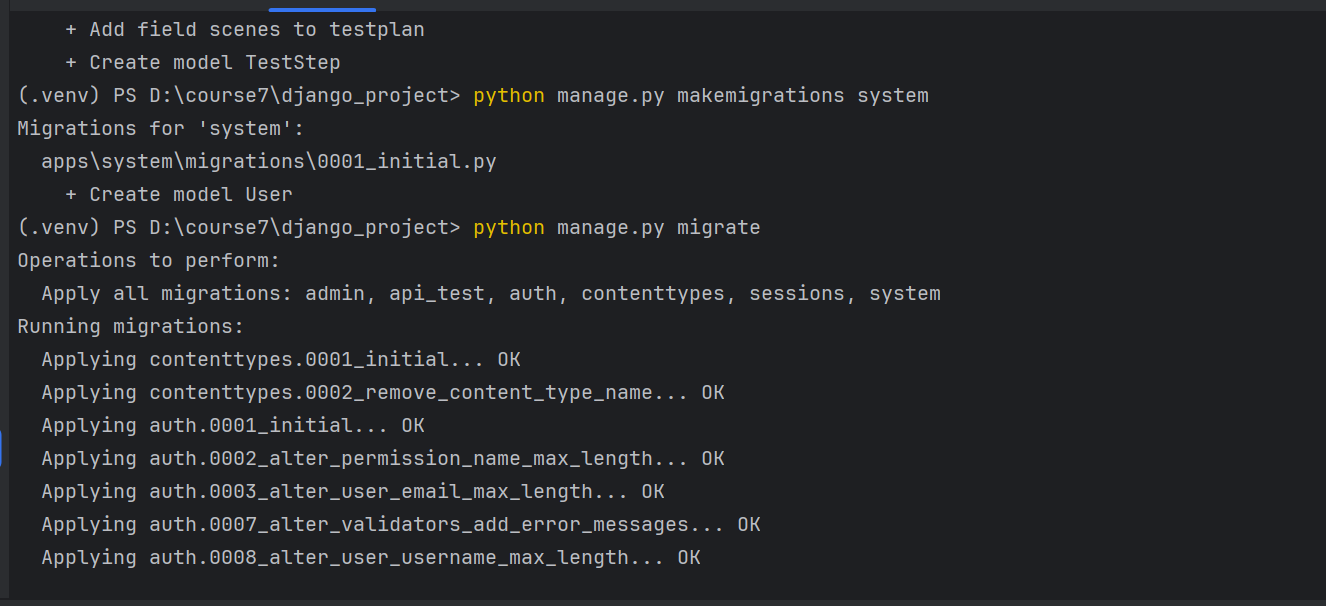
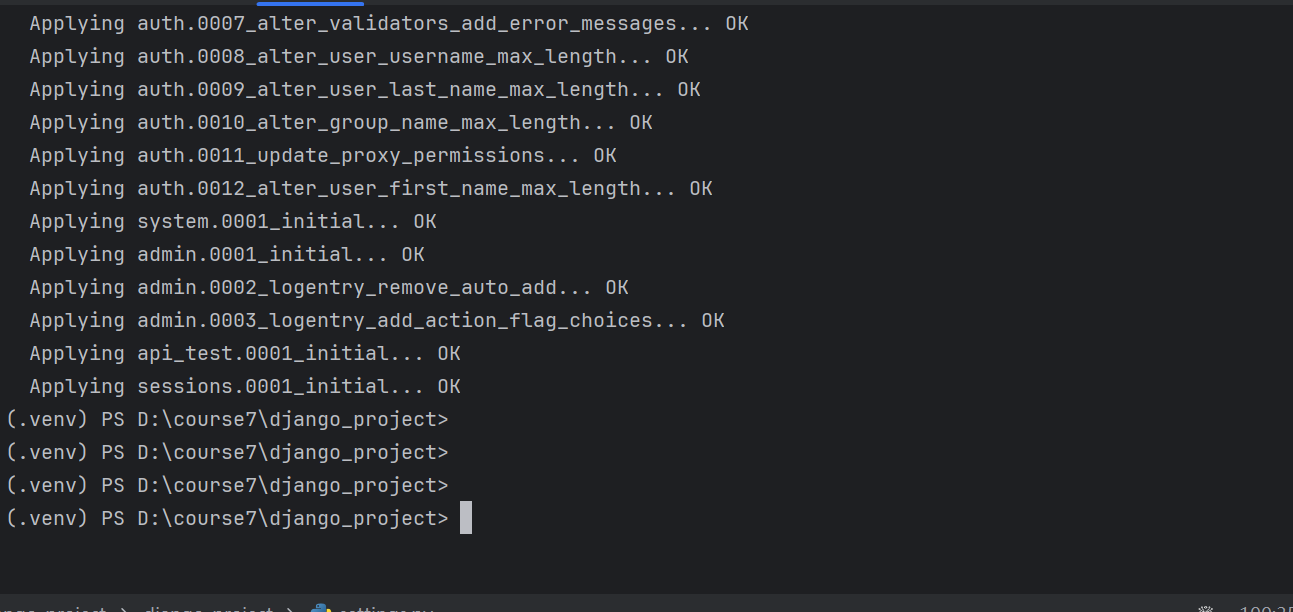
然后我们发现正常我们创建的表数据可以了
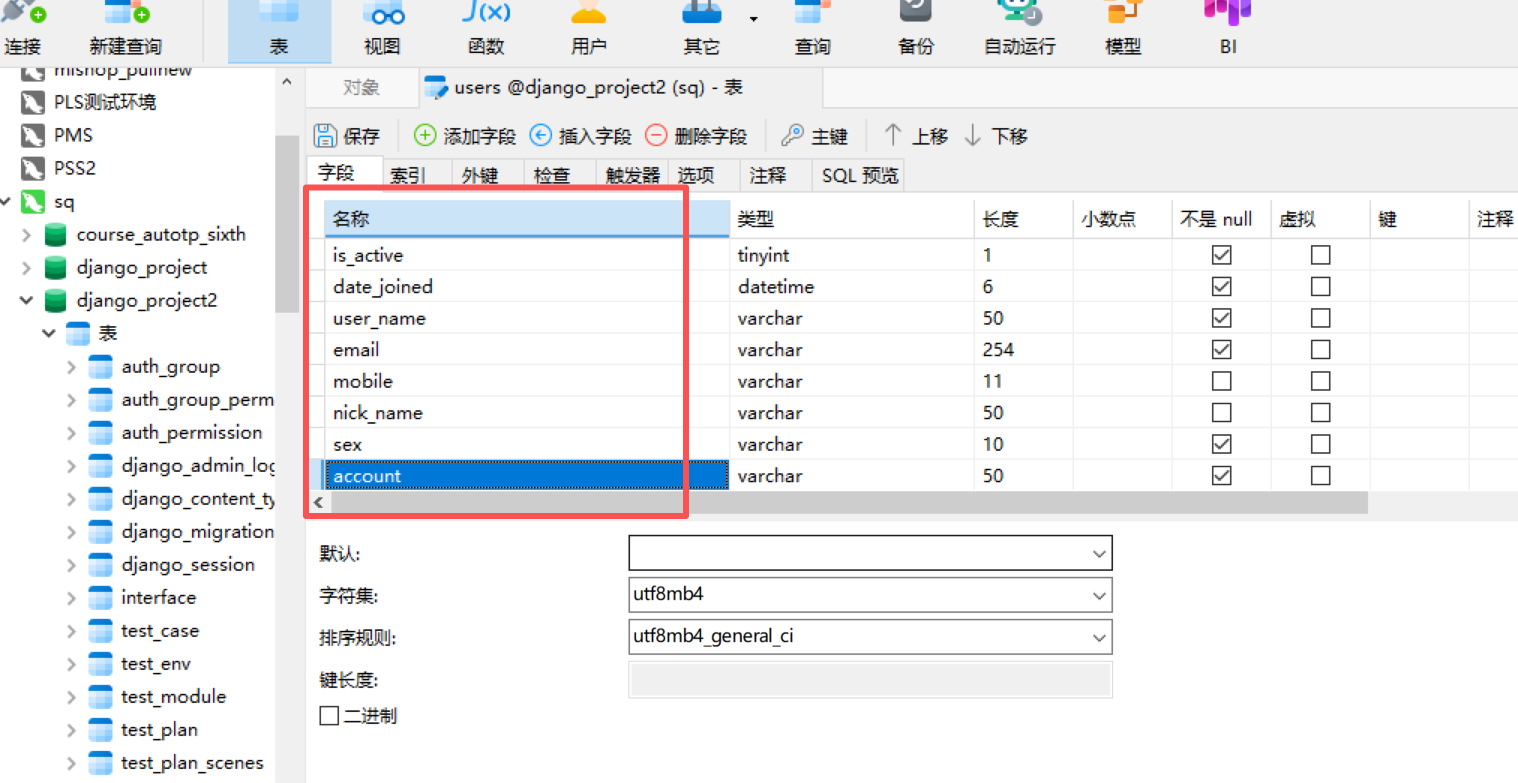
然后我们再去创建一个部门表
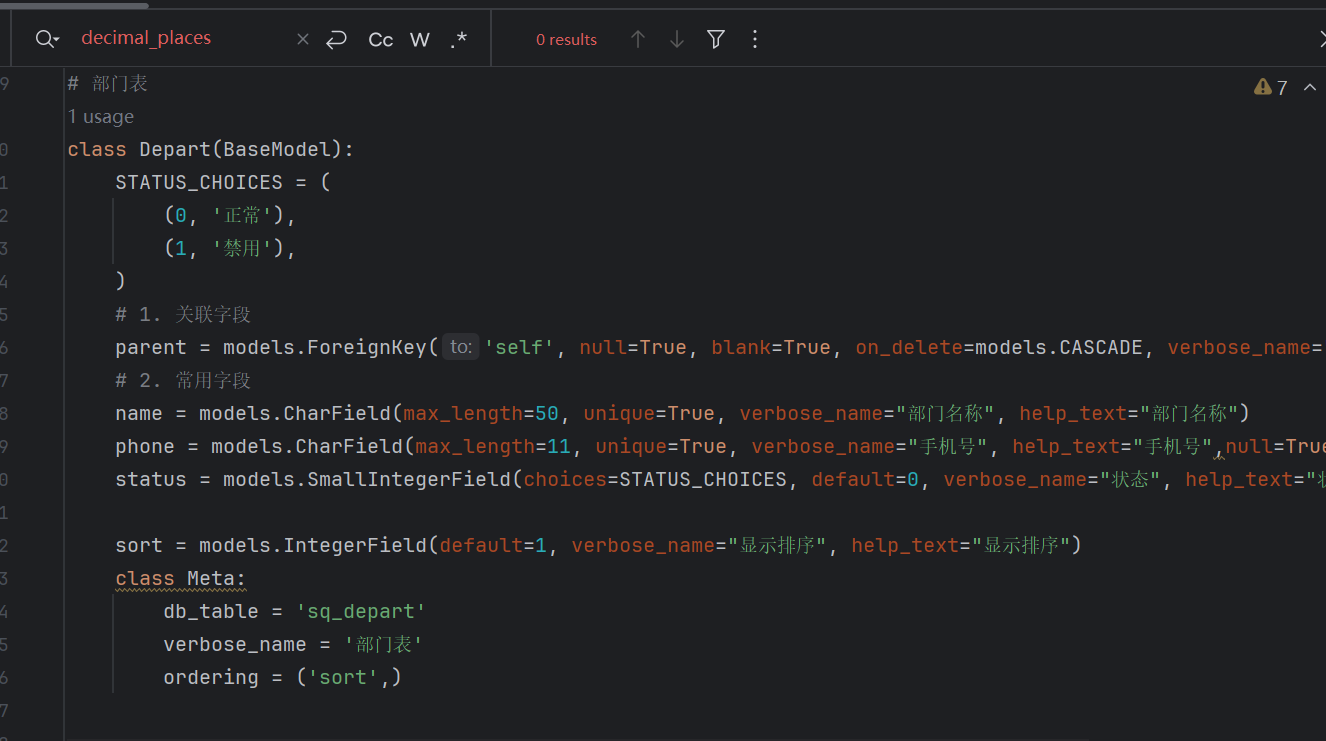
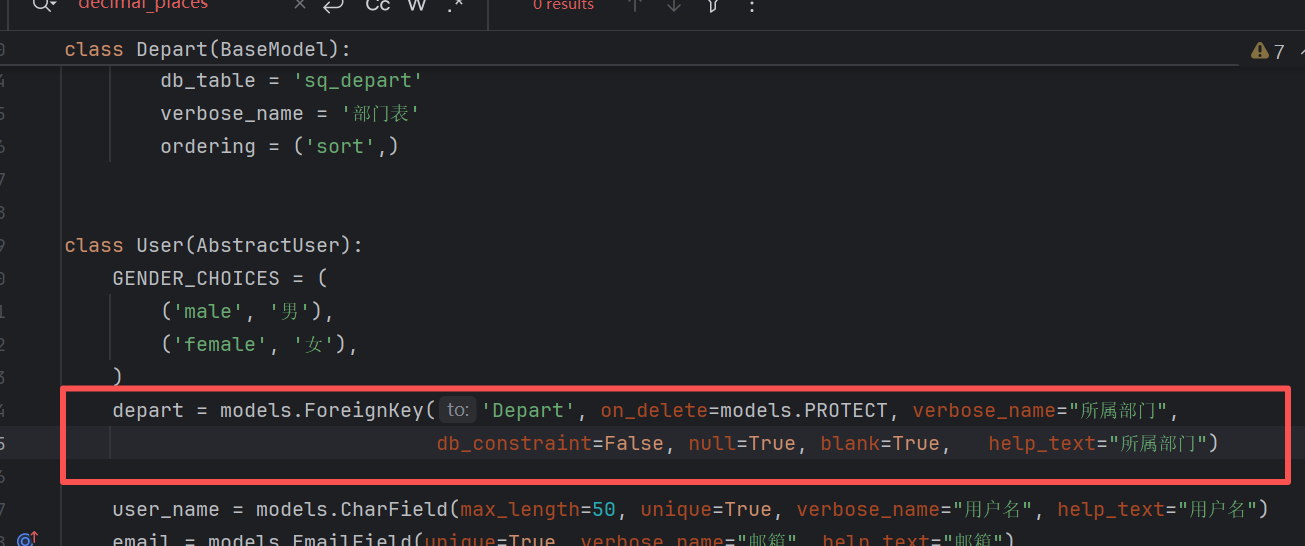
因为是小的改动,所以,我们去执行小的迁移就行了
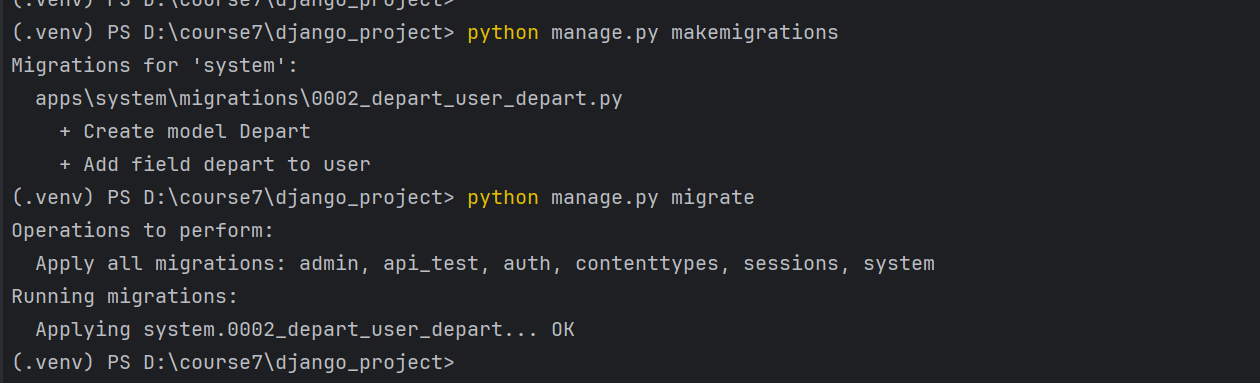
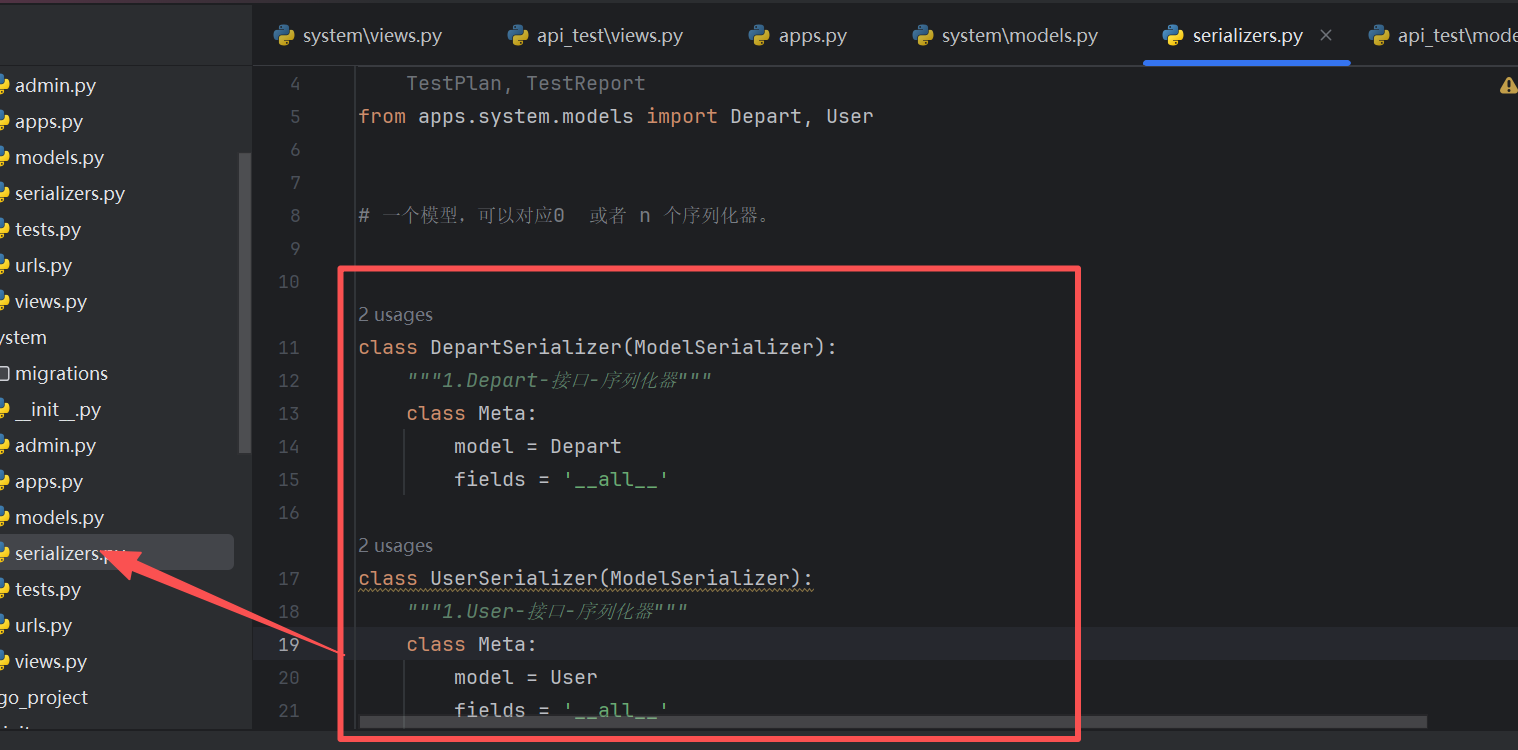
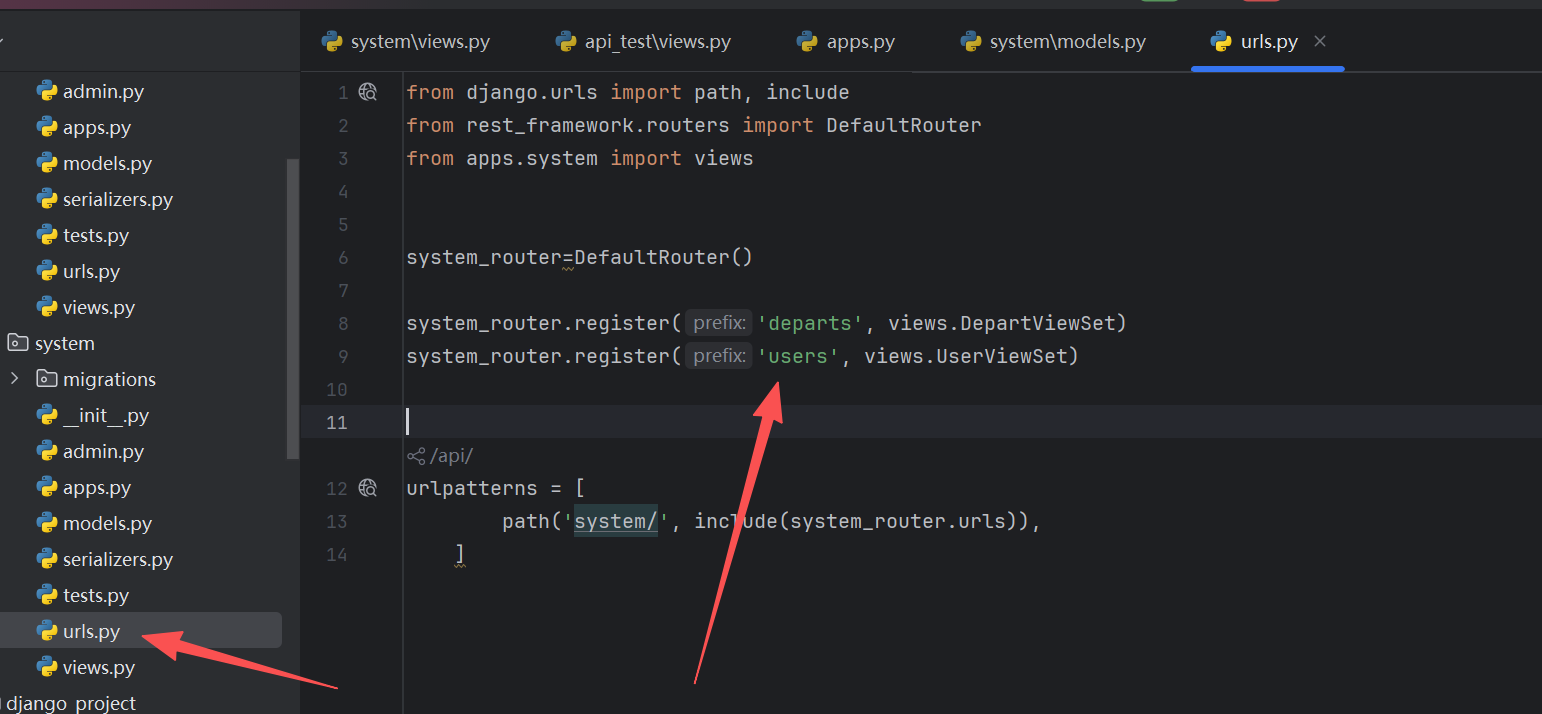
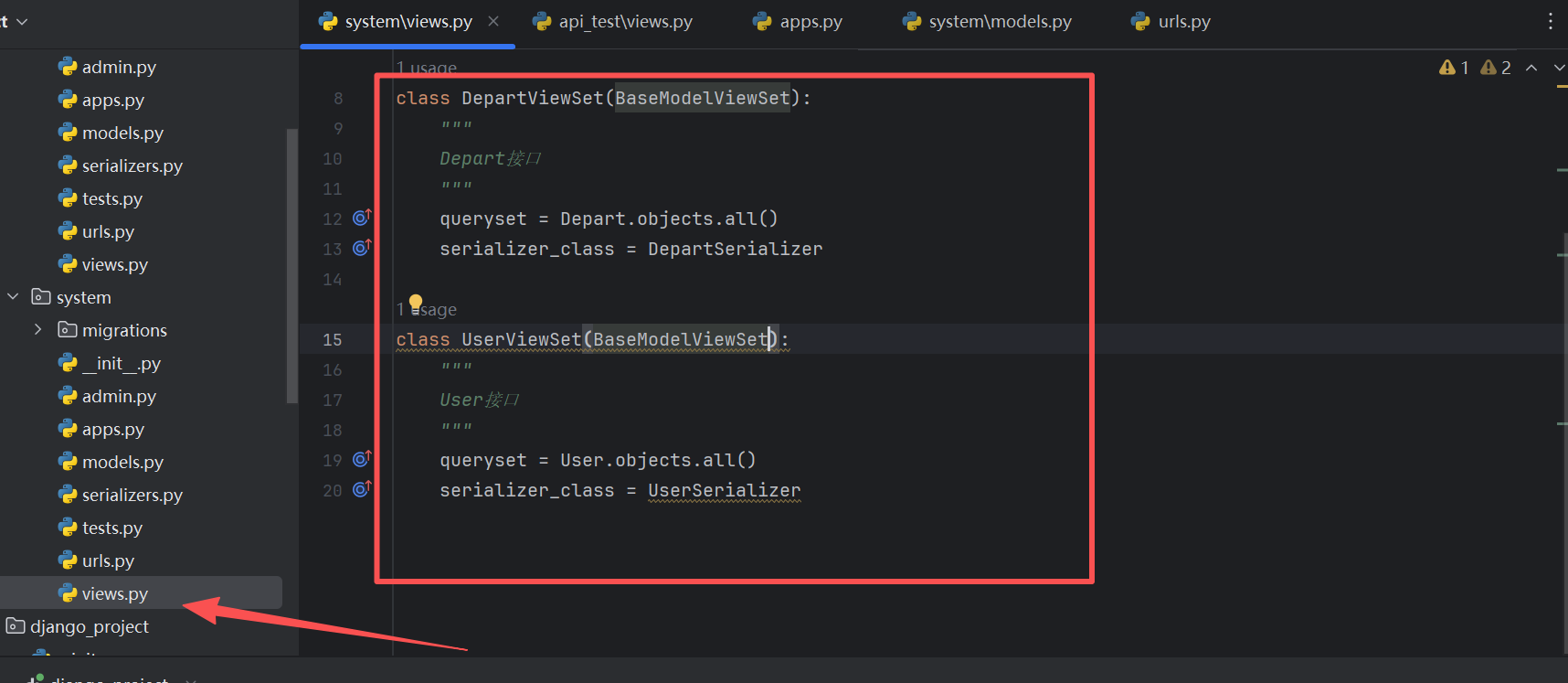
之后我们对每个文件进行配置或者修改和增加
增加序列化器文件
增加路由
增加视图
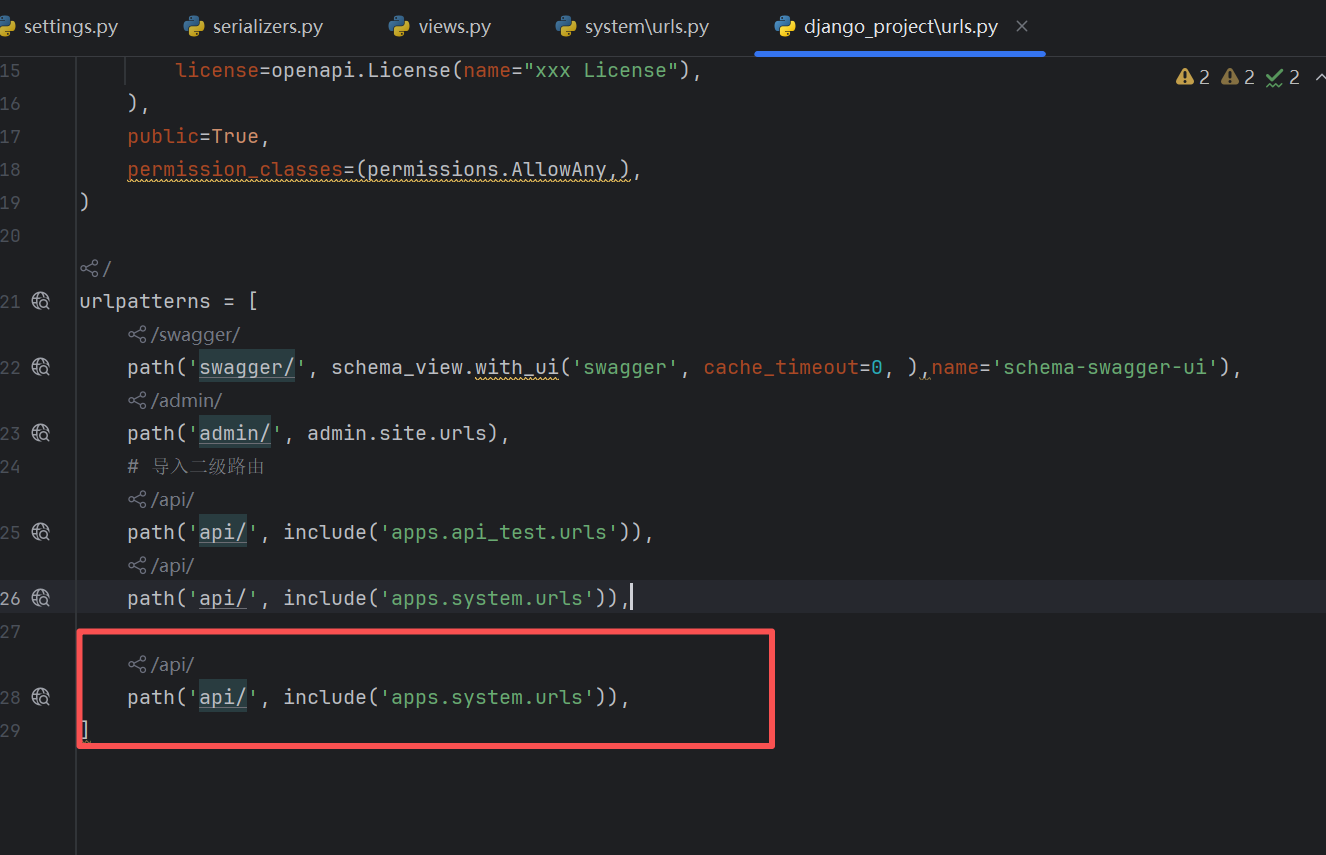
导入二级路由
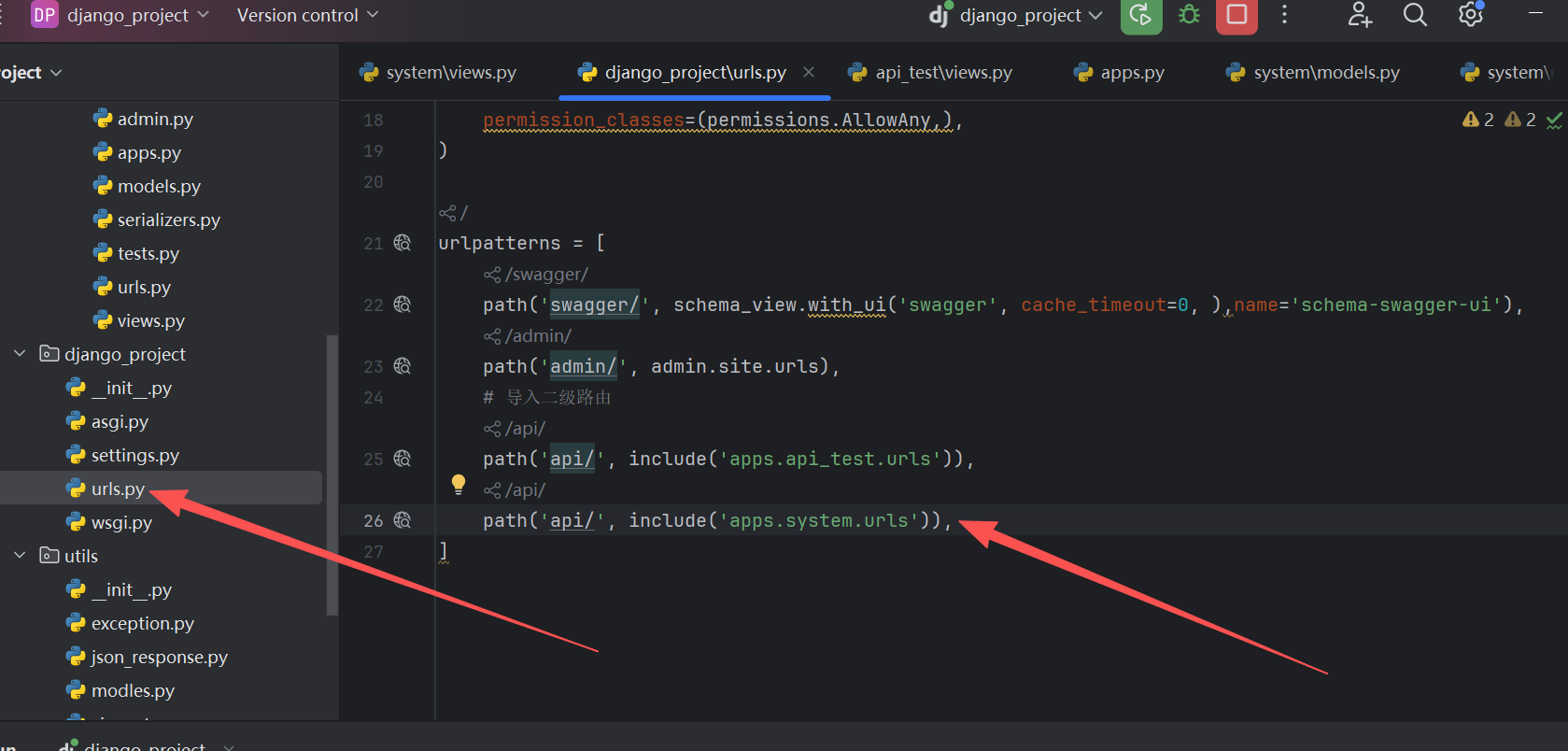
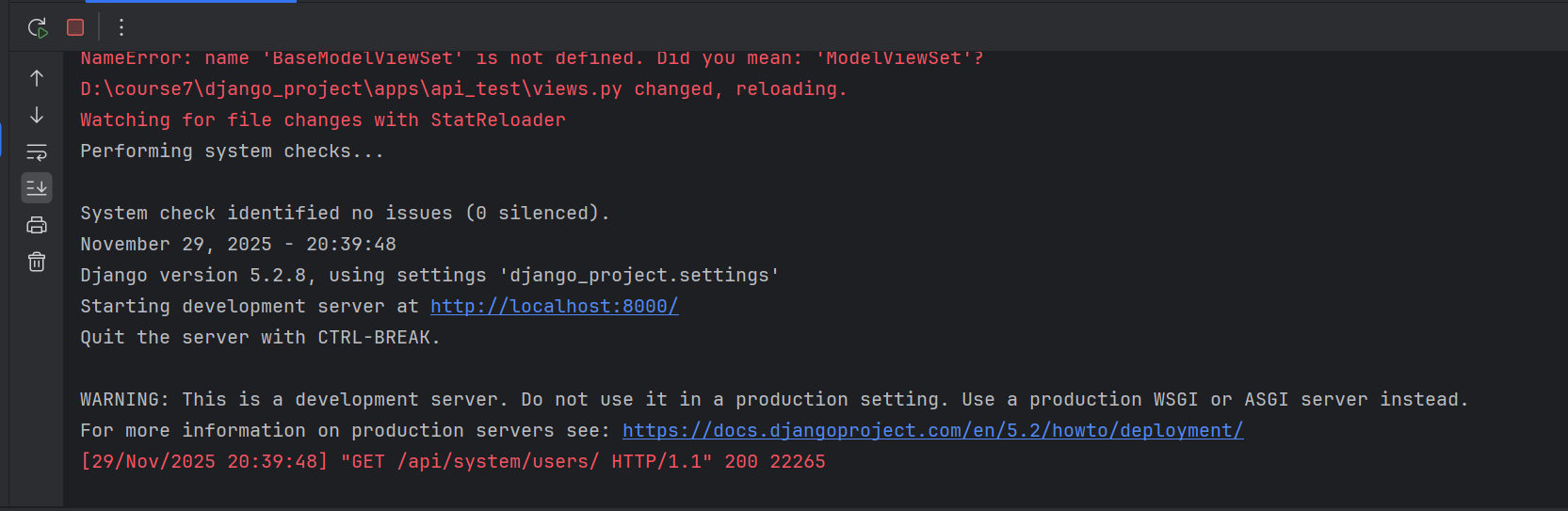
我们启动下服务
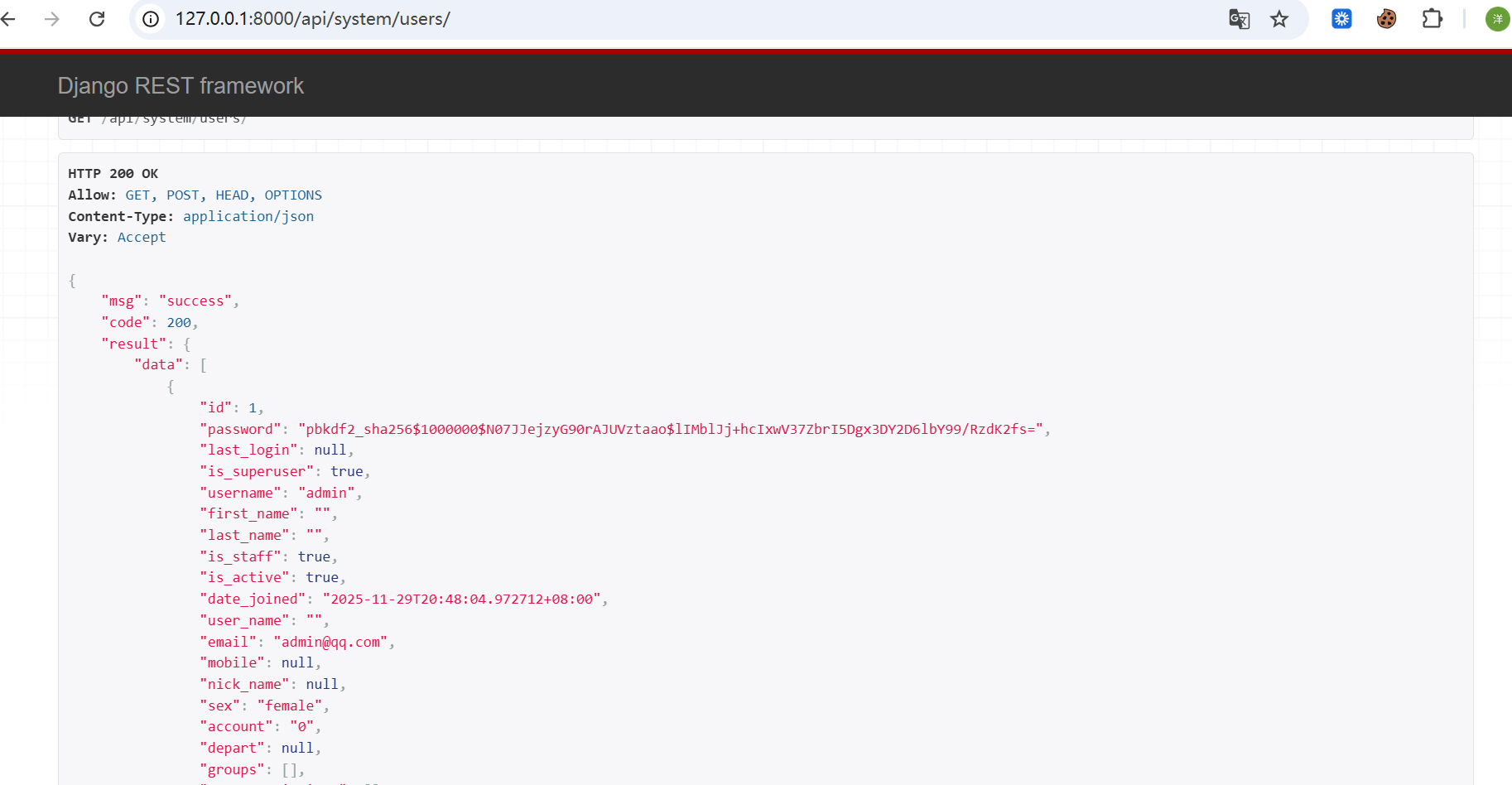
我们访问下接口
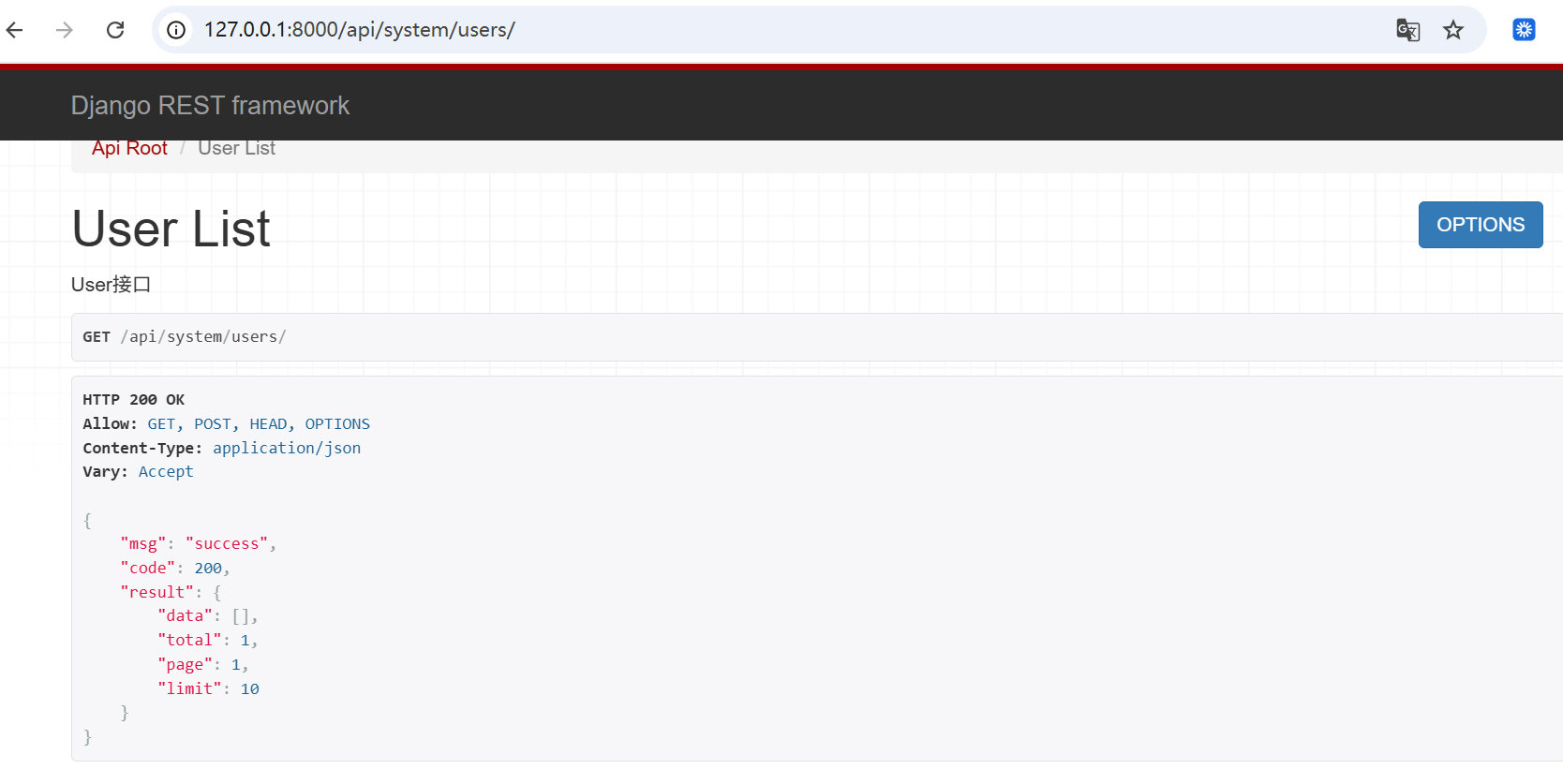
我们发现,接口能正常返回,但是没有数据,我们使用python命令去创建一个超级管理员
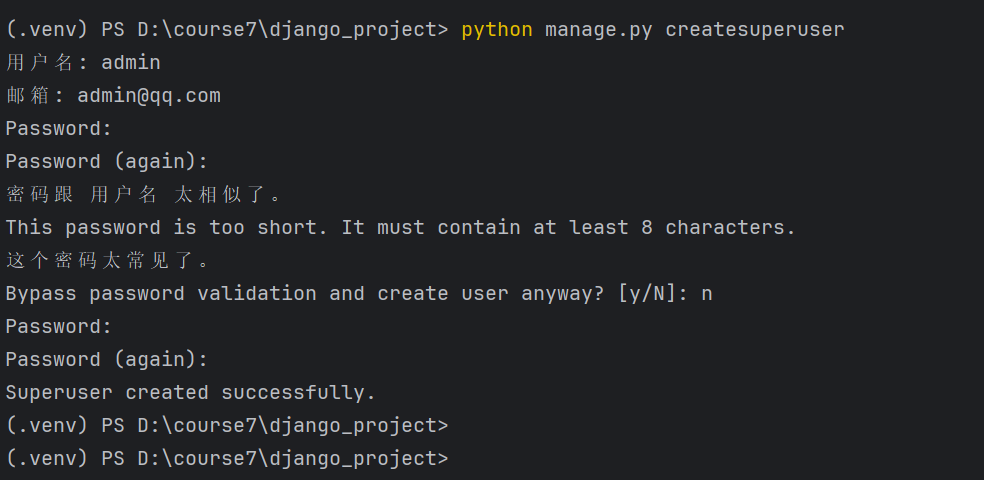
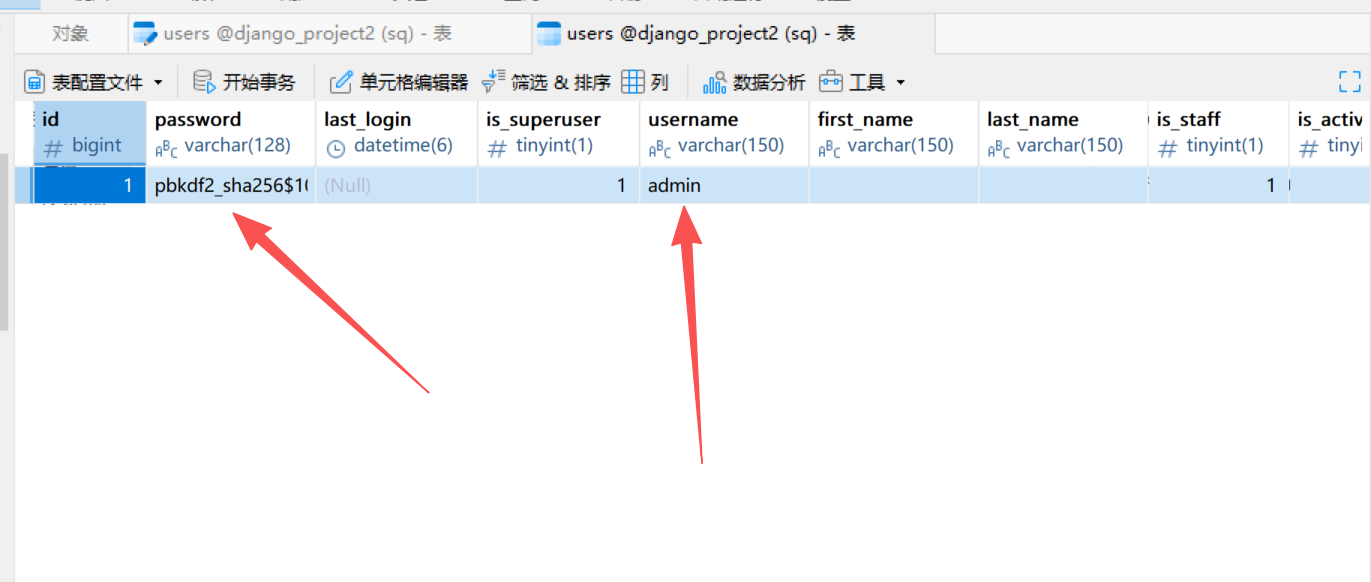
然后,我们看下我们的用户表正常应该是有数据了
然后我们我们访问我们接口查看有真实数据了
JWT登录接口开发
JSON Web Token是一个相当新的标准,可用于基于令牌的身份验证。与内置的TokenAuthentication方案不同,JWT身份验证不需要使用数据库来验证令牌。
使用JWT不需要服务器端查找。这意味着在我们使用JWT发送的每个请求中,由于身份验证令牌未存储在数据库中,因此服务器不必查找身份验证令牌。当我们在服务器端使用微服务充当负载均衡器时,这会派上用场。如果我们使用会话身份验证,每个服务器端微服务都会有一个不同的会话,并且当使用不同的微服务时,用戶需要一次又一次地进行身份验证
就比如说,你登陆了首页,当你访问详情页面的时候,其实你是不需要再去登录的
JWT(是JSON Web Token的简称)包含三个主要部分,
即Header、Payload和Signature。
Header(头部):通常由2个属性组成:即令牌的类型typ,例如JWT,以及所使用的签名算法alg,例如HMAC SHA256或RSA
bash
{
	"typ": "JWT",
	"alg": "HS256"
}
然后,这个JSON被Base64编码以形成JWT的第一部分。如下所示:
bash
eyJ0eXAiOiJKV1QiLCJhbGciOiJIUzI1NiJ9Payload(载荷):
令牌的第二部分,其中包含声明。声明是关于实体(通常是用戶)和附加数据的声明。声明分为三种类型:注册声明、公共声明和私人声明。
bash
```json
{
  "token_type": "access",
  "exp": 1670984624,  // 过期时间戳(对应2022-12-14 10:23:44)
  "iat": 1670379824,  // 签发时间戳(对应2022-12-07 10:23:44)
  "jti": "7838b8054c184dbd94ad2888225197a8",  // JWT唯一标识符
  "user_id": "5c4745b8c052431fb2a4c0b6d54720f4"  // 用户唯一ID
}
然后,Payload经过Base64编码,形成JSON Web Token的第二部分。如下所示:
bash
ewogICJ0b2tlbl90eXBlIjogImFjY2VzcyIsCiAgImV4cCI6IDE2NzA5ODQ2MjQsCiAgImlhdCI6IDE2NzAzNzk4MjQsCiAgImp0aSI6ICI3ODM4YjgwNTRjMTg0ZGJkOTRhZDI4ODgyMjUxOTdhOCIsCiAgInVzZXJfaWQiOiAiNWM0NzQ1YjhjMDUyNDMxZmIyYTRjMGI2ZDU0NzIwZjQiCn0=Signature(签名):
签名可能是JWT结构中最重要的部分。
它是让服务器识别客戶端的部分。
Signature由Header和Payload的Base64编码组成。
此外,只有服务器知道的秘钥被添加到此组合和签名算法中,
在我们的例子中,是HS256,即使用SHA-256哈希函数的基于哈希的消息身份验证代码,用于创建签名
bash
# 第三部分:
HMACSHA256(base64UrlEncode(header) +"."+
base64UrlEncode(payload),
secret)   # secret 是秘钥,仅服务器知道
签名用于确保客戶端没有对JWT内容做任何的更改
安装
在虚拟环境中,安装djangorestframework-simplejwt模块
bash
pip install djangorestframework-simplejwt认证方案配置,这个我们后面再讲
JWT本身的配置
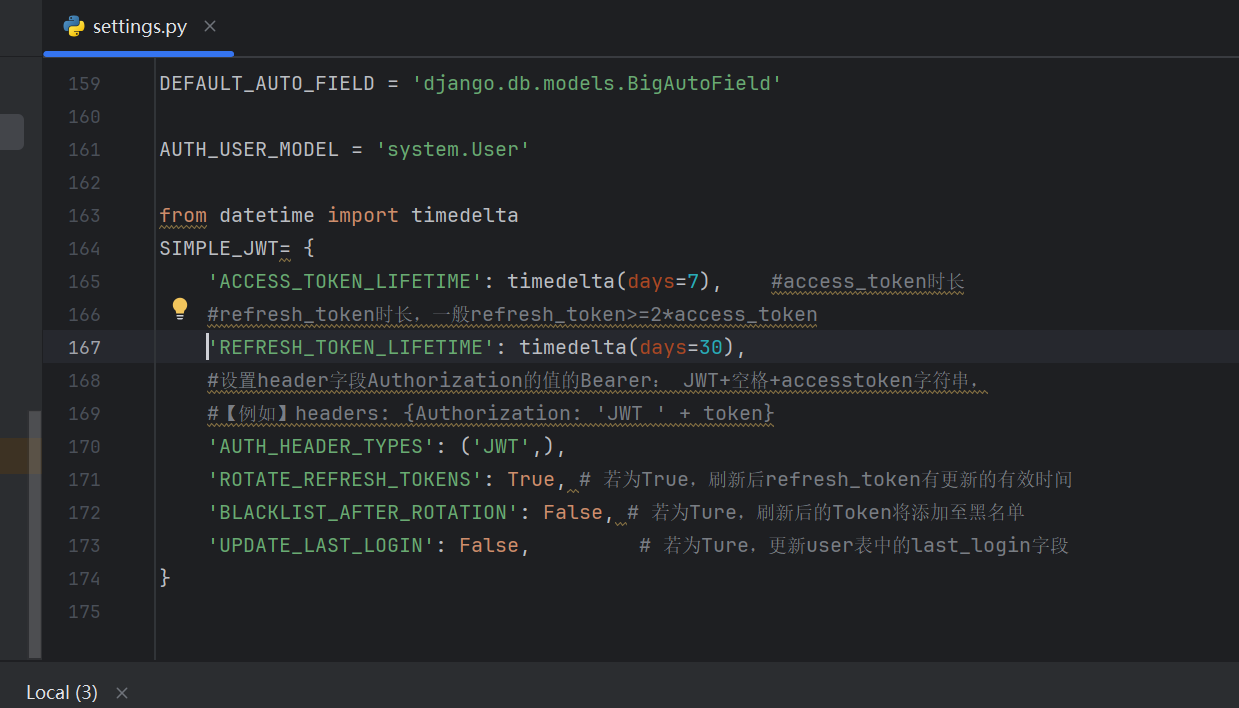
说明:
ACCESS_TOKEN_LIFETIME:datetime.timedelta对象,它指定访问令牌的有效期。timedelta在令牌生成期间,此值将添加到当前UTC时间,以获取令牌的默认"exp"声明值。
REFRESH_TOKEN_LIFETIME:datetime.timedelta对象,指定刷新令牌有效的时间。timedelta在令牌生成期间,此值将添加到当前UTC时间,以获取令牌的默认"exp"声明值。
AUTH_HEADER_TYPES:对于需要身份验证的视图,将接受的授权标头类型。例如,值'Bearer'表示需要身份验证的视图将查找具有以下格式的标头:Authorization: Bearer 。此设置还可能包含可能的标头类型的列表或元组(例如('Bearer', 'JWT'))。如果以这种方式使用列表或元组,并且身份验证失败,则集合中的第一个项将用于在响应中构建"WWW-Authenticate"标头。Bearer表示的是 OAuth 2.0的规范,详细参考:
https://developer.mozilla.org/en-US/docs/Web/HTTP/Guides/Authentication#authentication_schemes
BLACKLIST_AFTER_ROTATION:设置为True时,如果黑名单应用程序正在使用且设置设置为True,则会将提交的刷新令牌TokenRefreshView添加到黑名单
ROTATE_REFRESH_TOKENS中True。
ROTATE_REFRESH_TOKENS:设置True为时,如果提交TokenRefreshView了刷新令牌,则将返回新的刷新令牌以及新的访问令牌。这个新的刷新令牌将通过JSON响应中的"刷新"键提供。新的刷新令牌将具有更新的到期时间,该时间是通过将REFRESH_TOKEN_LIFETIME设置中的timedelta添加到请求的当前时间来确定的。如果黑名单应用程序正在使用且BLACKLIST_AFTER_ROTATION设置设置为True,则提交到刷新视图的刷新令牌将添加到黑名单中。
UPDATE_LAST_LOGIN:设置为True会在用戶登录时,更新user表中的last_login字段
我们实现登录接口
然后我们开发一个登录序列化器
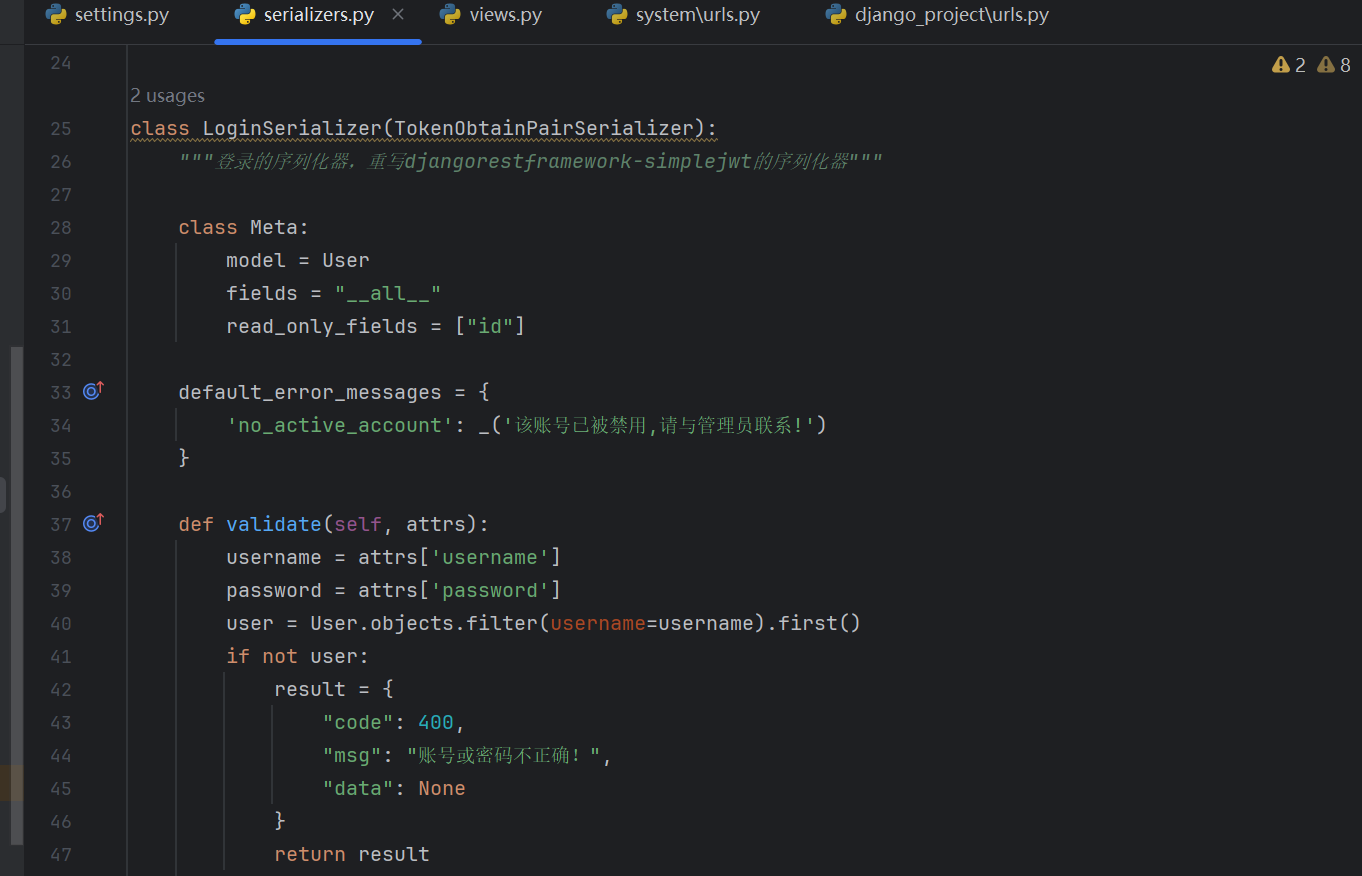
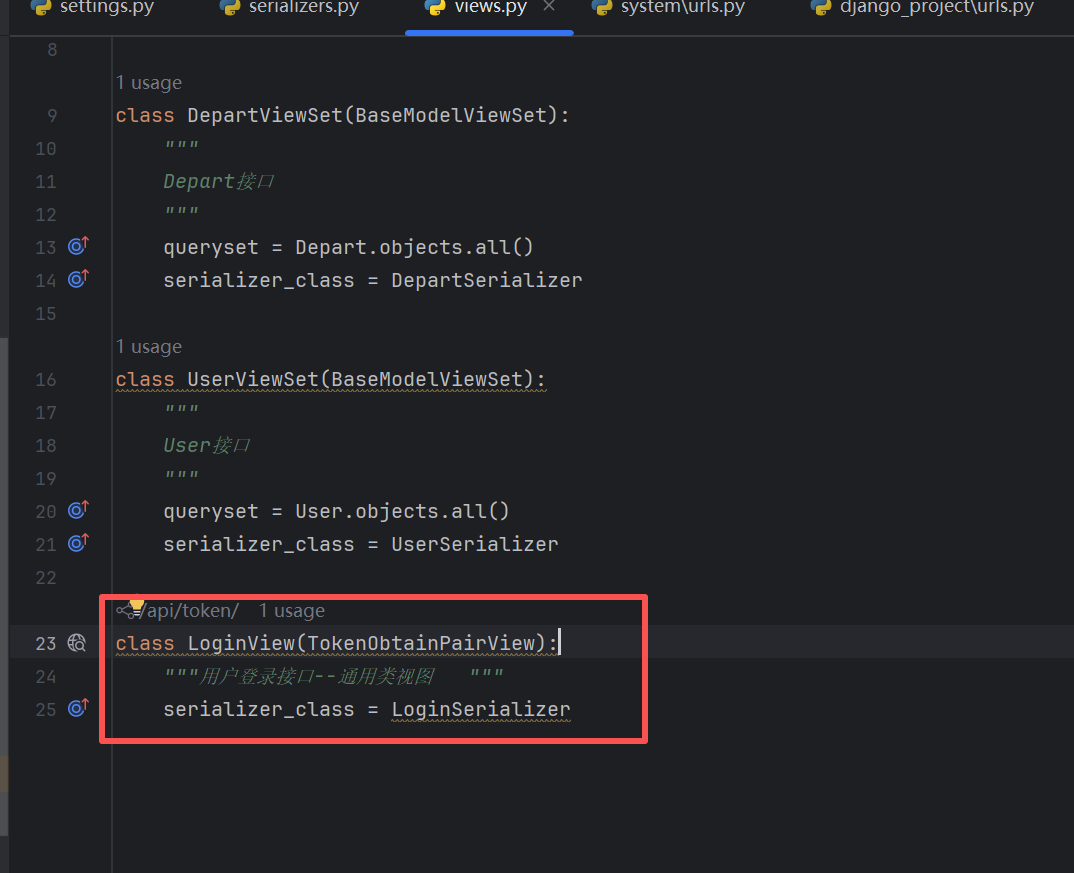
以及在视图里面增加一个登录接口的通用类视图
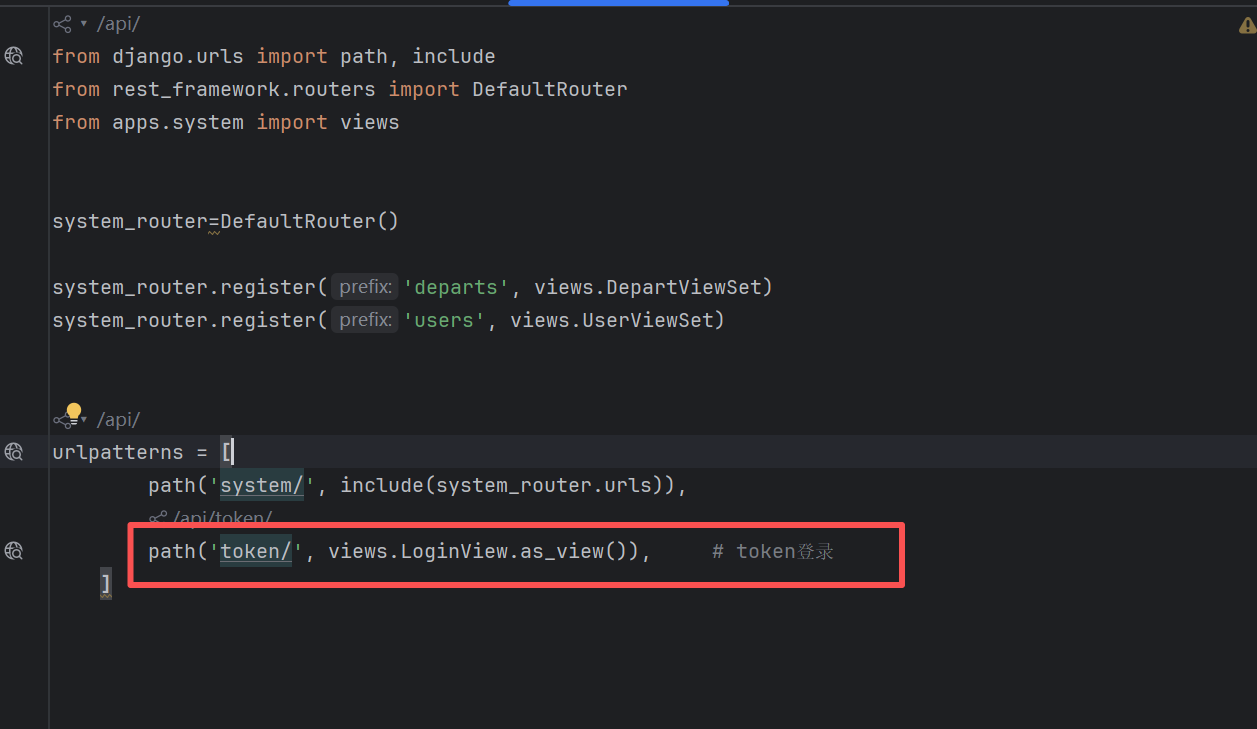
把这个视图配置到urls里面
接下来我们看下效果,我们可以使用postman进行请求试下
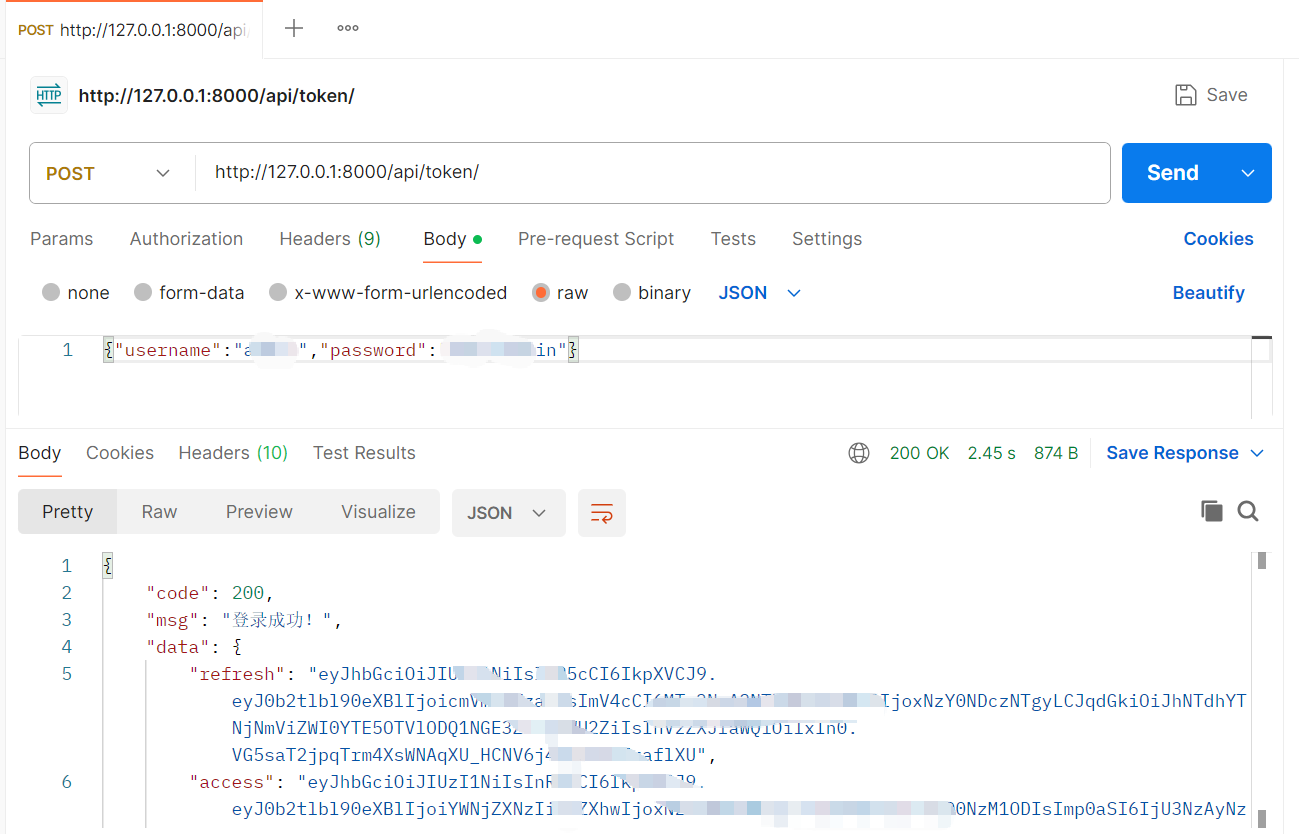
我们可以看到,这个是可以获取token成功的,然后我们就可以使用这个token去做其他事情了
用户认证与数据过滤搜索排序
我们之前开发的接口,通过路径去访问的,默认都是没有判断登陆状态的,而在实际的业务开发过程中,我们有些接口是需要登录才能进行访问的,有些接口是不需要登录就能访问的,还有就是,不管事session登录还是token登录,均能够登录接口进行访问
Django权限认证
Django提供了一个@login_required装饰器来实现接口的权限认证。也就是说,我们仅需要把该装饰器添加到需要权限认证的视图函数上即可。
比如说,我们之前的project_1视图,我们启动项目,通过路径是能够正常访问的
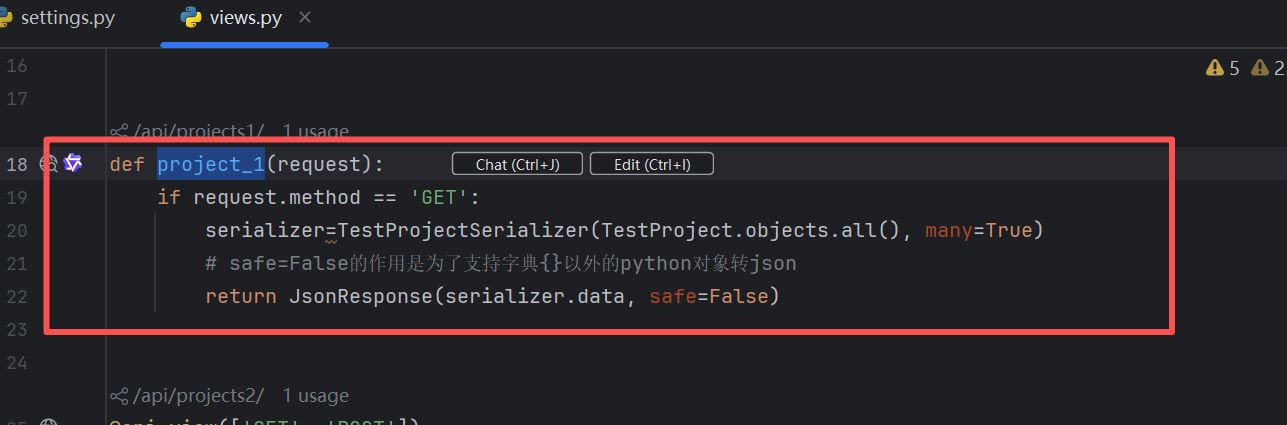
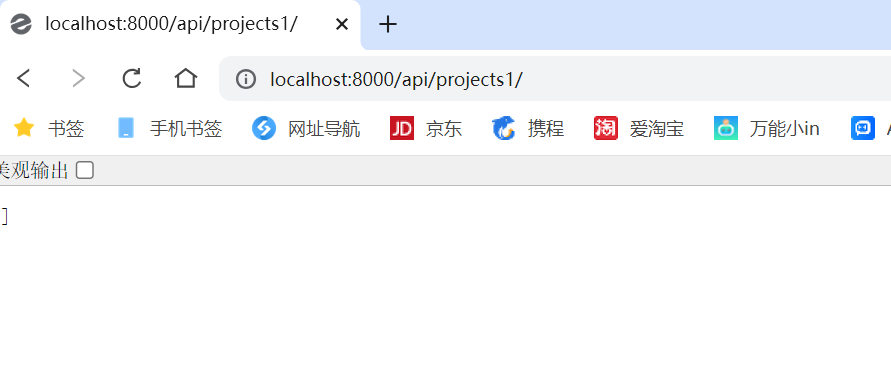
我们加上这个装饰器
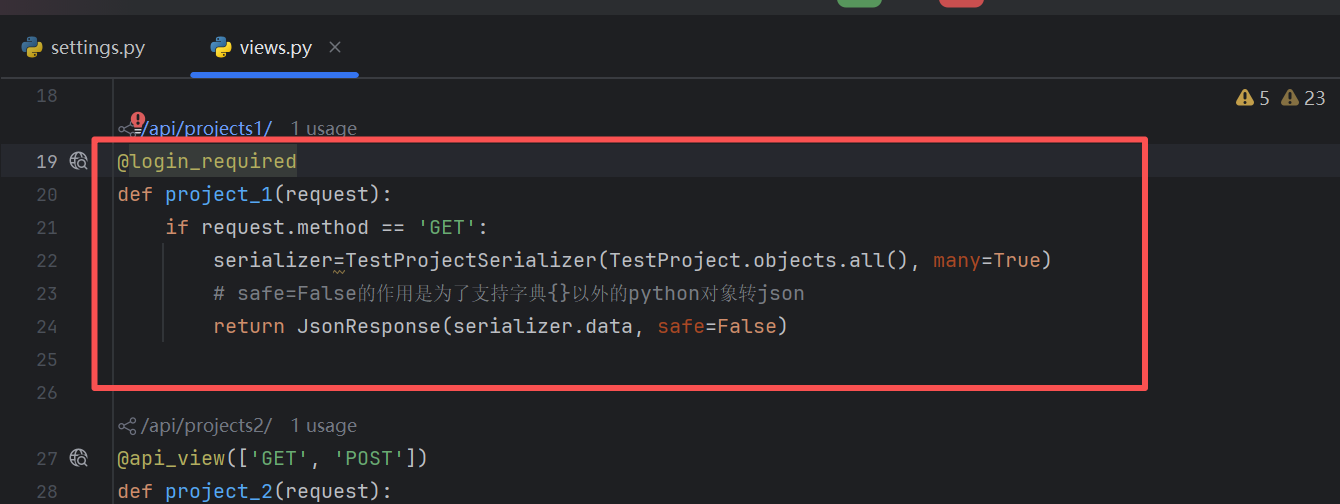
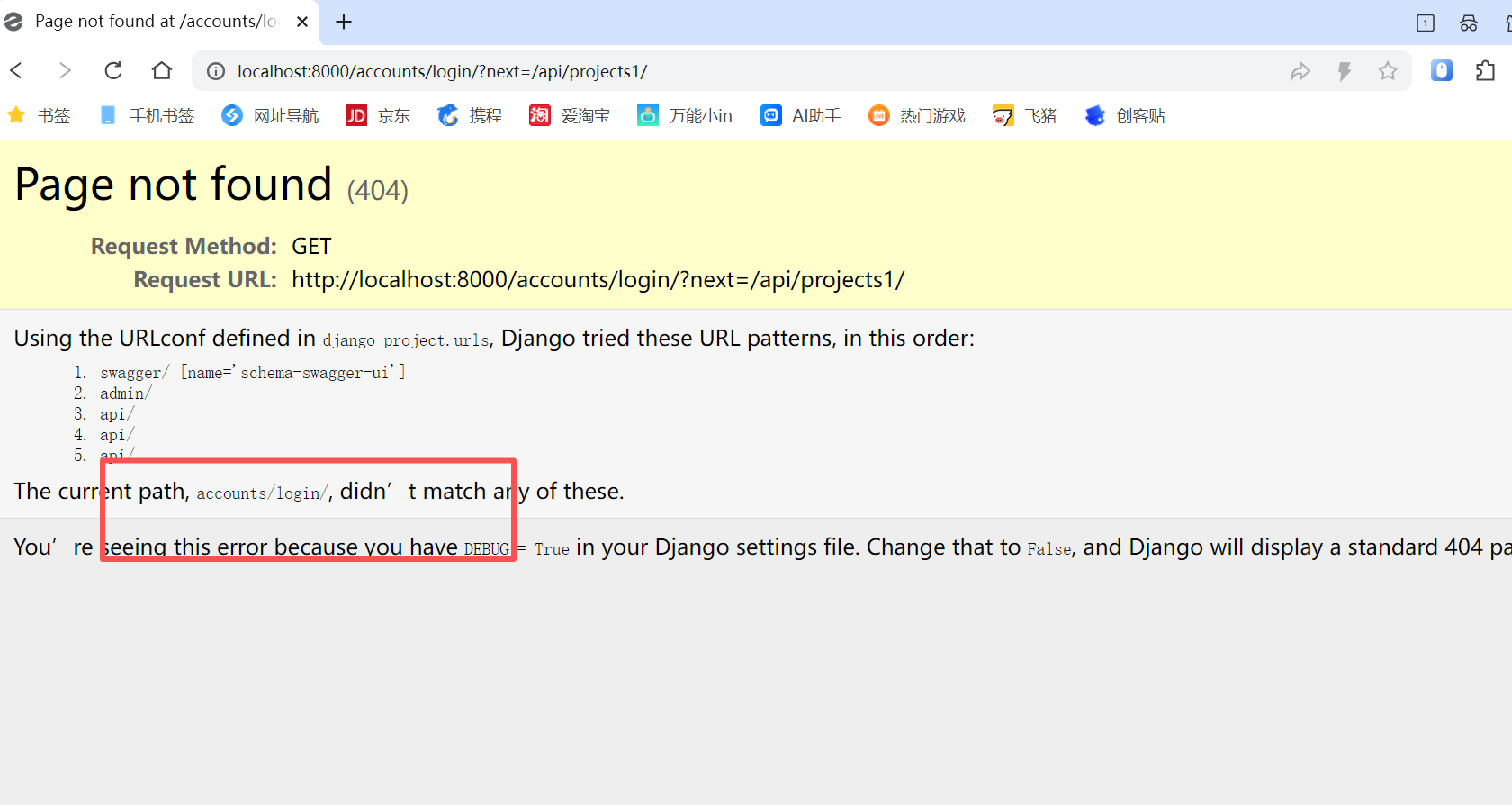
我们发现:
如果用户已登陆,则可以顺利的访问test视图
如果用戶未登录,则会被重定向到URL(/accounts/login/) 页面
用戶登录操作,我们可以使用admin管理后台进行测试。
这种认证方式非常的简单粗暴,并且它仅支持函数视图,我们不是用这种方式进行学习
DRF身份/权限组合认证
什么是身份认证
身份认证(英文名:Authentication)是指:根据用户的登录方式进行认证。
DRF身份认证有四种方式:
BasicAuthentication:基本验证。根据用户的用户名和密码进行签名。通常仅适用于测试
SessionAuthentication:Session认证TokenAuthentication:Token认证
RemoteUserAuthentication:委派给其他Web服务器认证
什么权限认证
权限认证(英文名:permissions)是指:根据用户级别进行认证。
DRF权限认证也有四种级别:
AllowAny:允许所有用户(包括登录的、未登录的)
IsAuthenticated:通过认证的用户(登录的任何用户)
IsAdminUser:仅管理员用户
IsAuthenticatedOrReadOnly:通过认证的用户可以完全操作,未登录的可以访问GET请求
全局身份/权限认证,
顾名思义,给项目添加全局身份/权限认证后,所有API都将采用全局的认证策略。利用这一特点,我们可以把认证方式占比多的(本系统为:通过认证的用户),设置为全局认证策略。
具体配置方法如下:
(1)在settings.py文件中,找到REST_FRAMEWORK项,添加全局身份/权限认证:
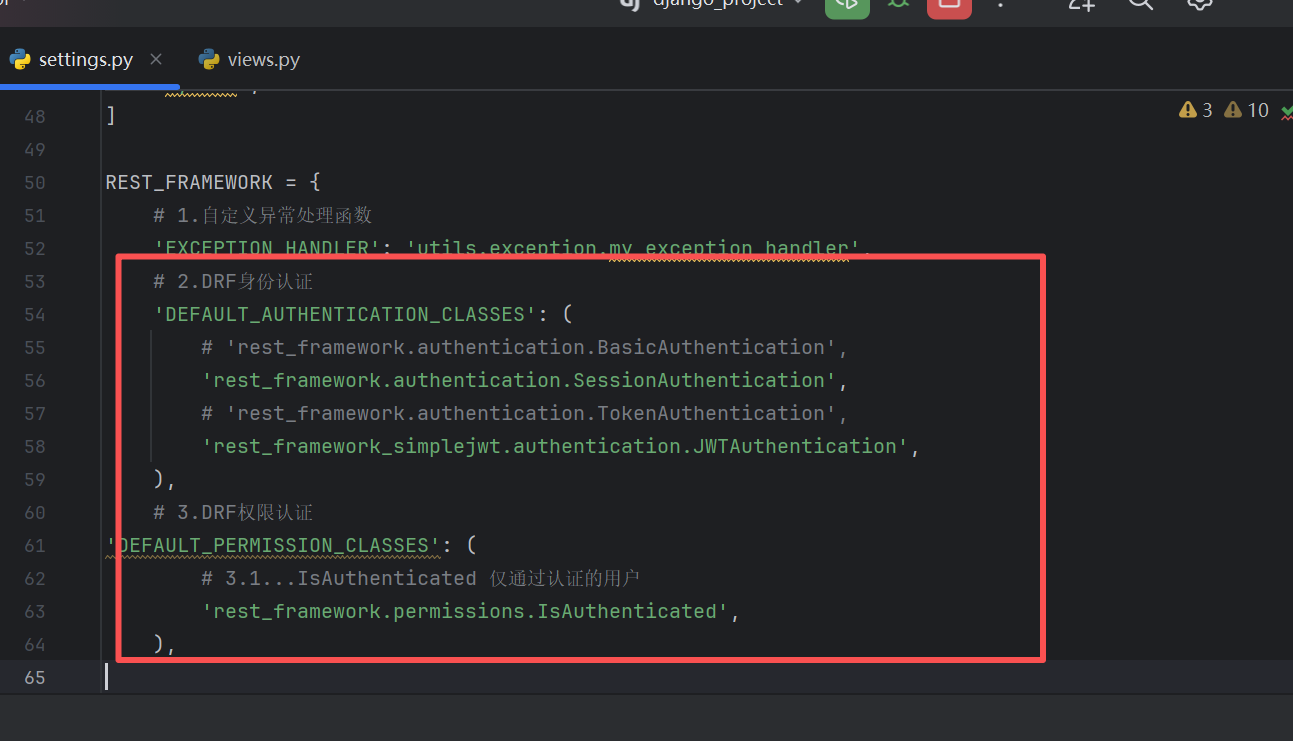
上述代码的含义如下:DEFAULT_AUTHENTICATION_CLASSES:表示元组中的任意一种登录方式,都可以访问接口DEFAULT_PERMISSION_CLASSES:表示元组中的配置项指定的用户级别,才允许访问接口。如果配置多项,以最高的要求为准,如果不配置,默认是AllowAny(允许所有用户)
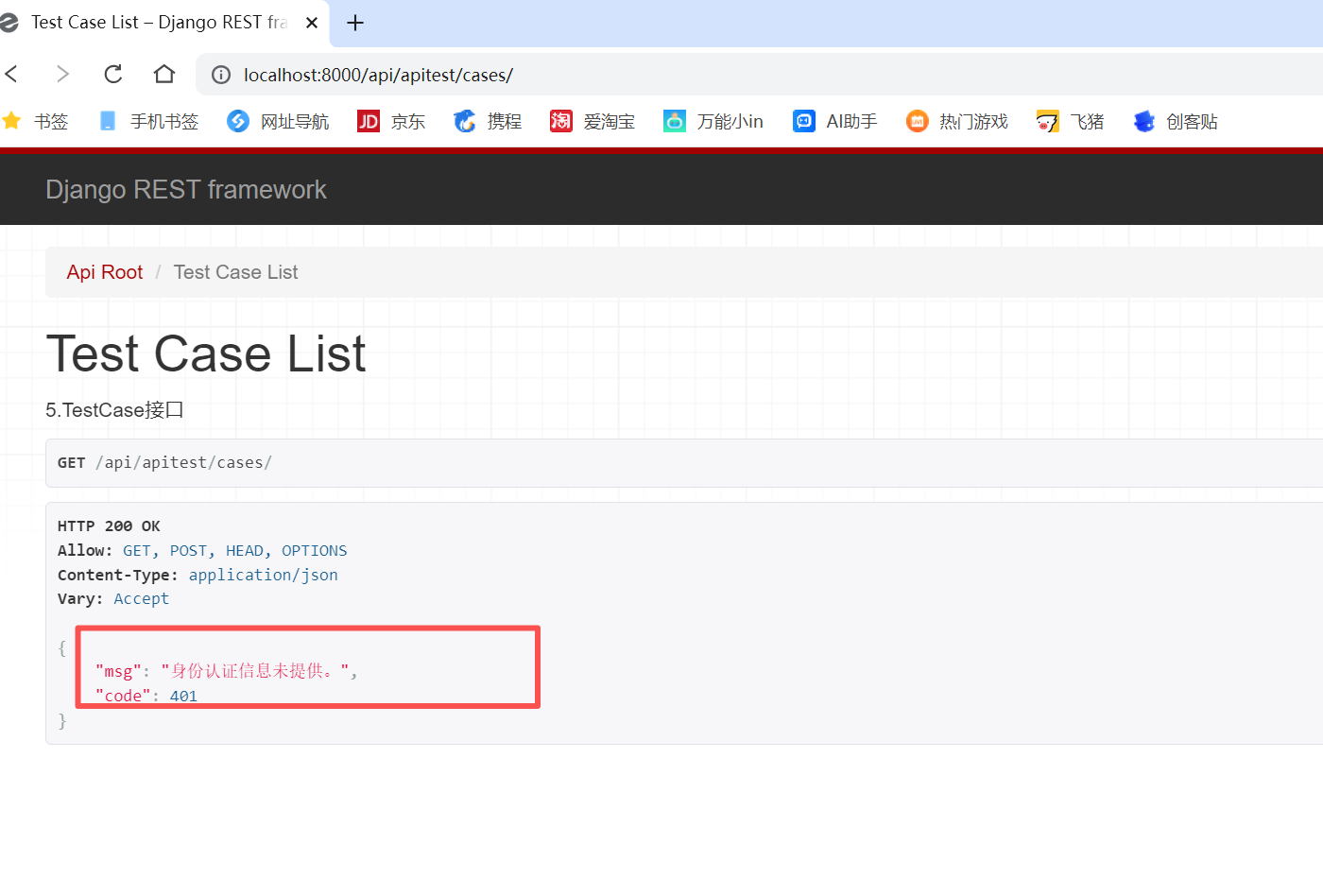
然后我们验证下我们的任意一个视图,都是需要登录才能访问的
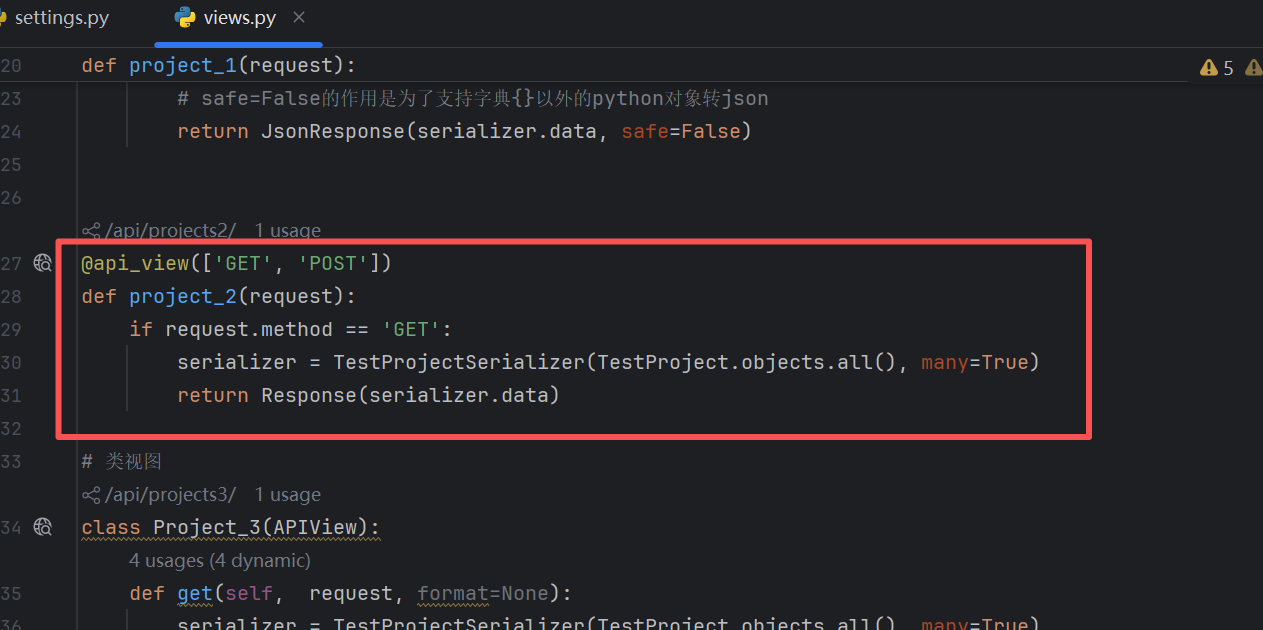
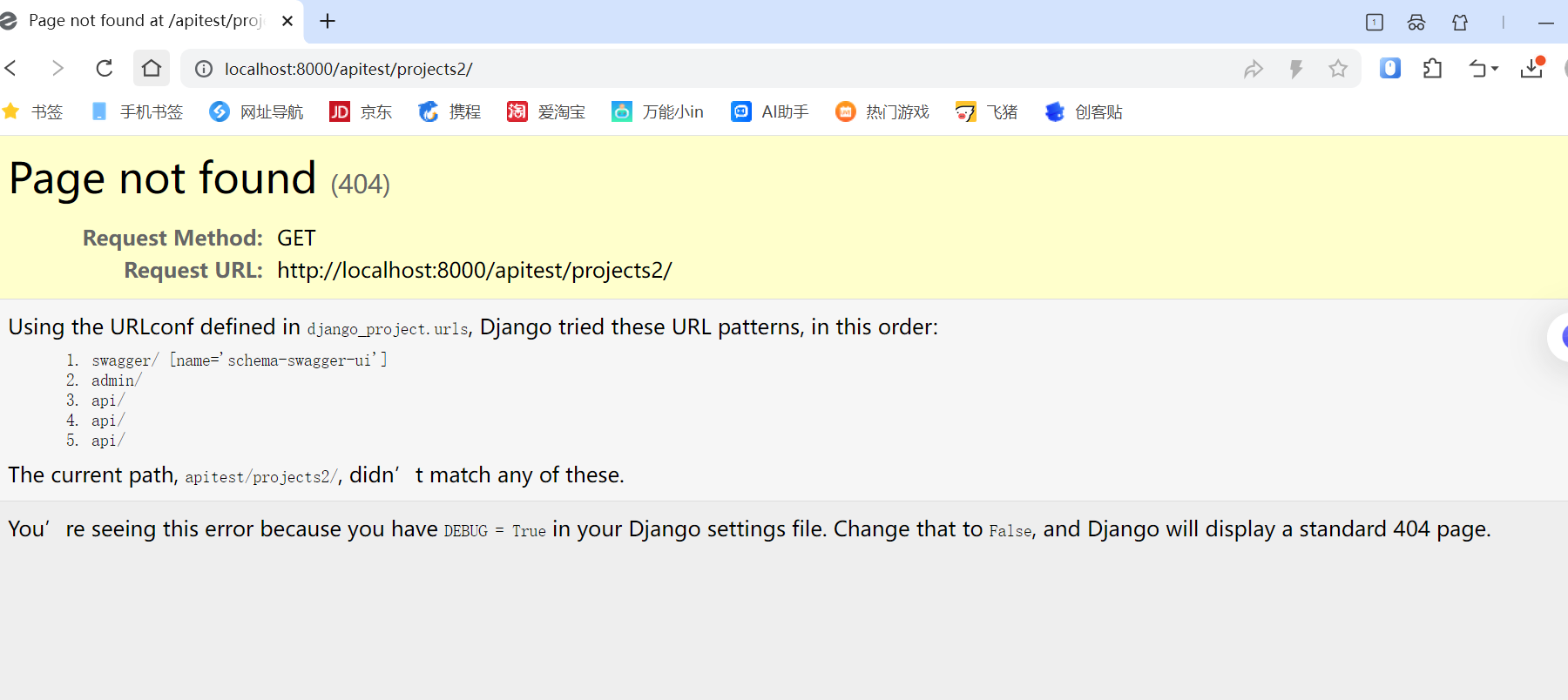
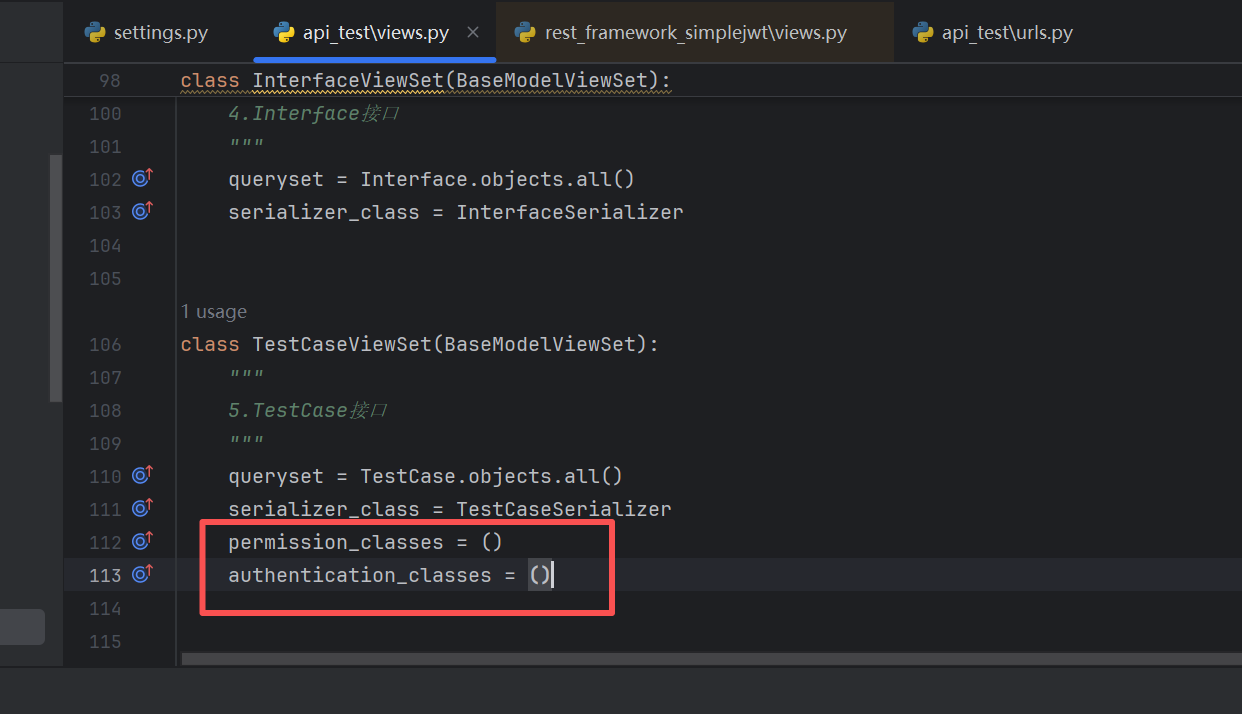
然而,我们也需要某些接口是不需要登录就能访问的,所以,我们就需要配置局部接口的访问是不需要登陆的
以测试用例接口为例
我们现在访问是需要登陆的
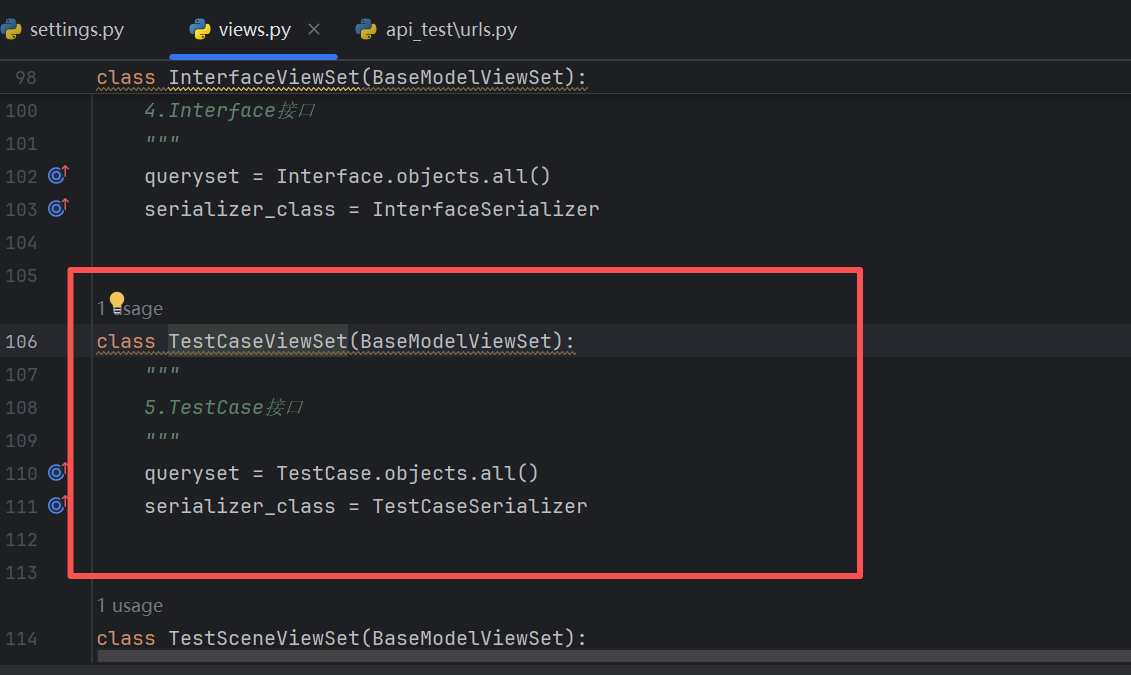
我们添加代码如下:
我们再去访问这个接口
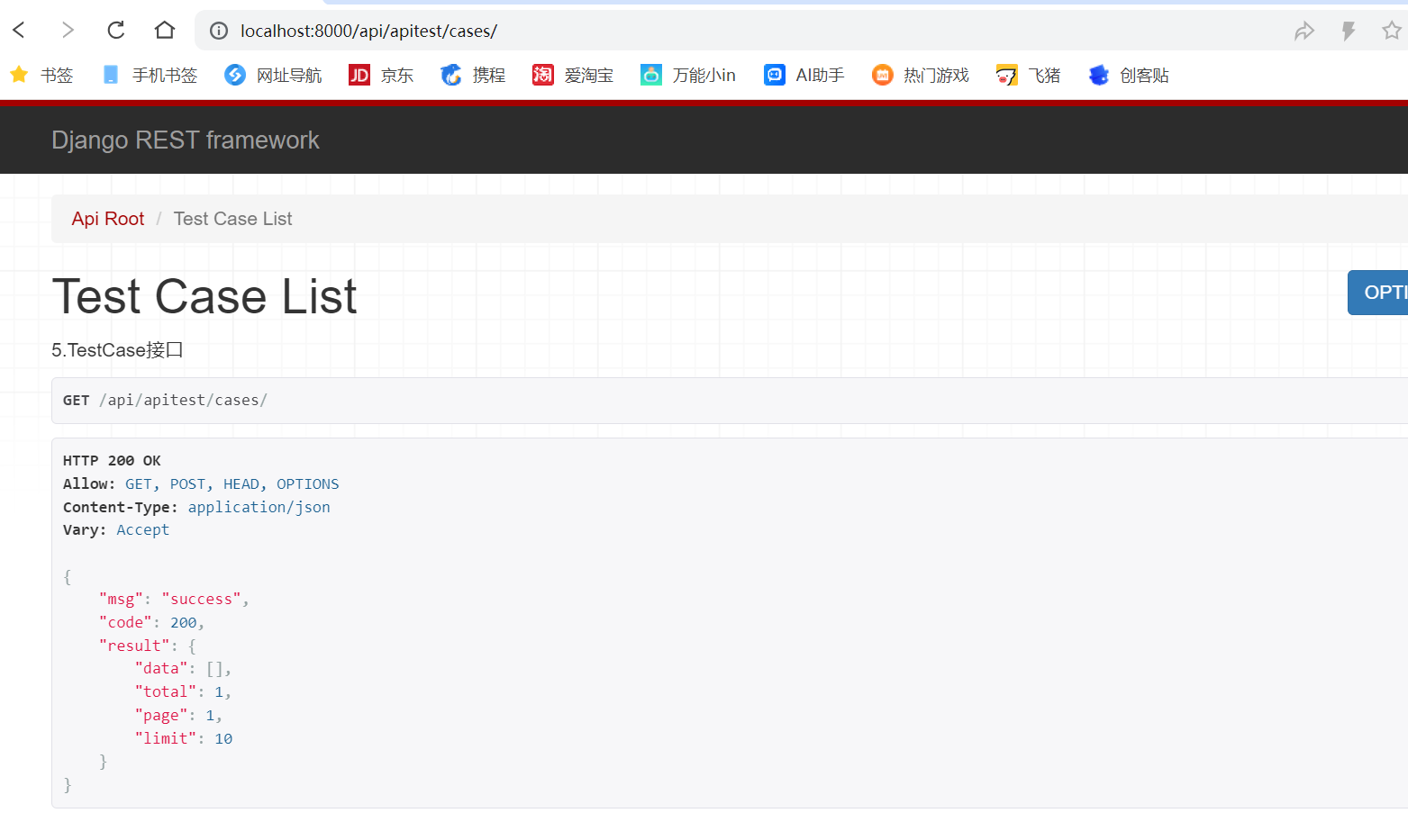
确实也不需要登录了
我们刚在是添加在了类里面,如果要添加到函数里面该怎么处理呢
我先看下现在命中了全局,需要登陆
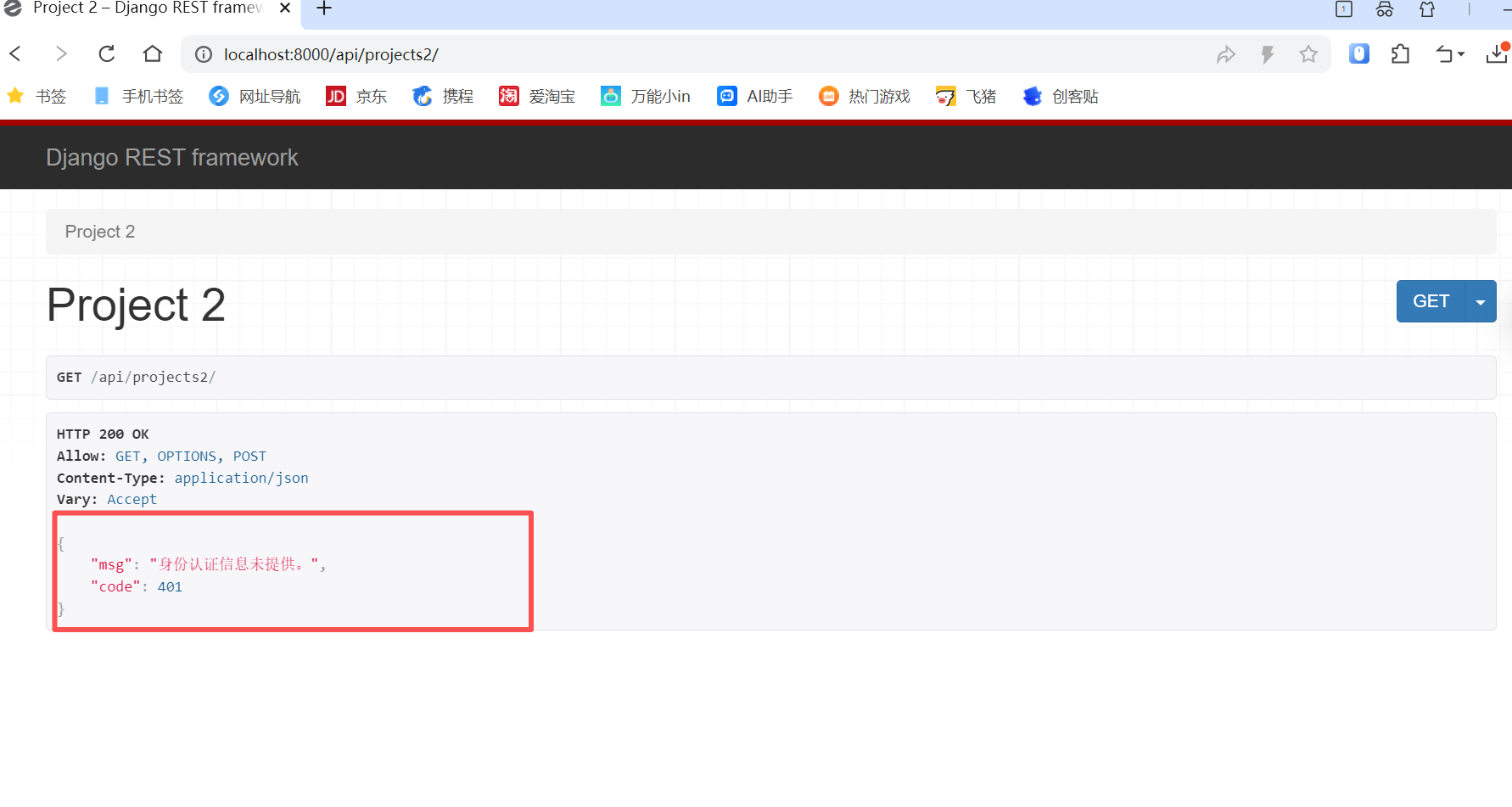
我们添加一个装饰器@permission_classes(())
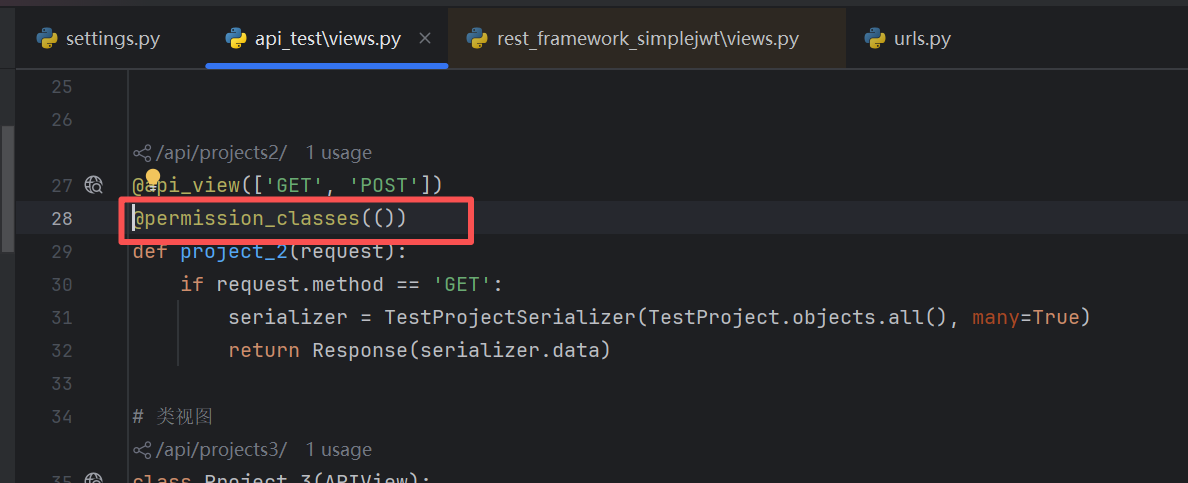
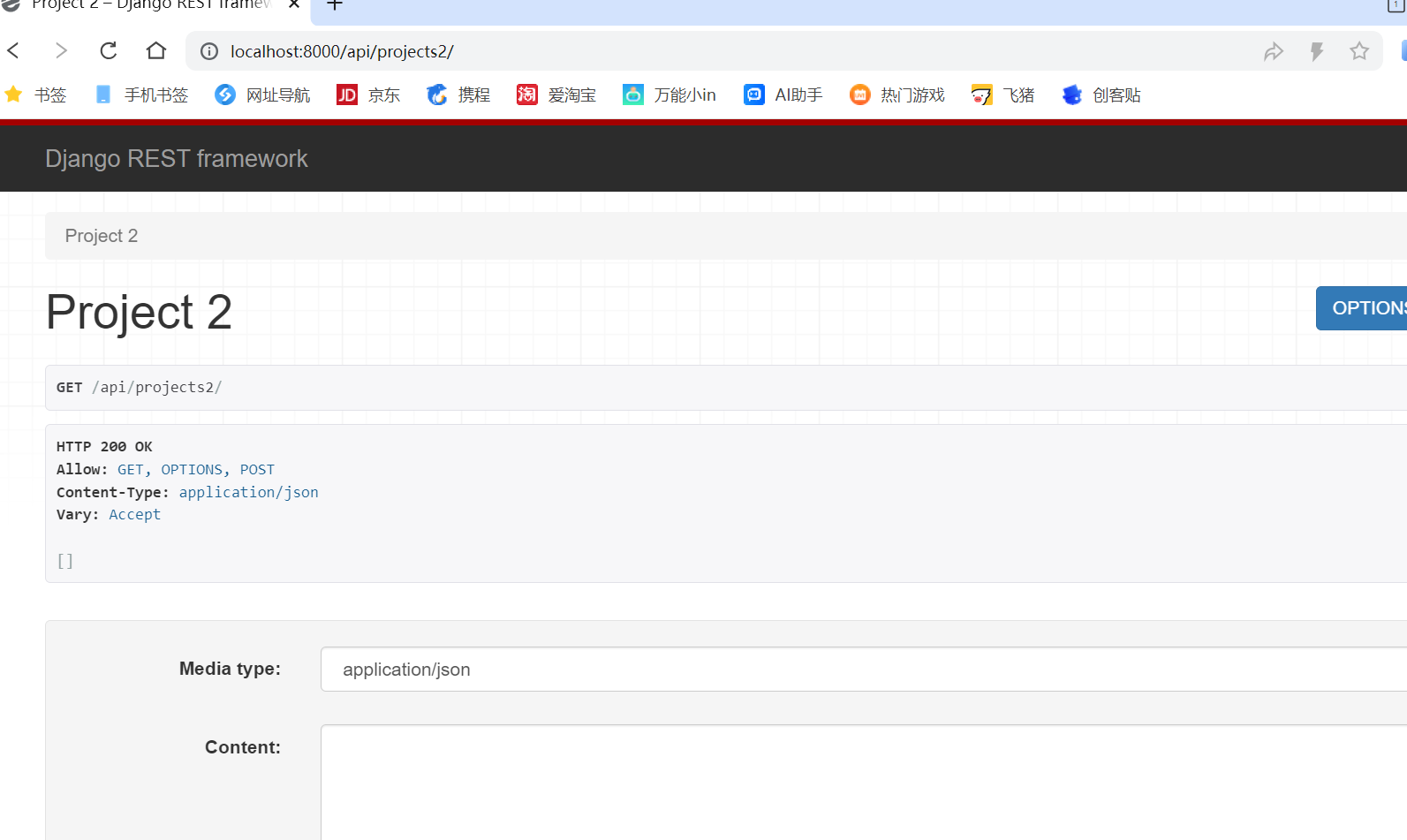
再访问下接口
可以了
过滤
过滤又叫分类查询或着条件查询,针对某一个字段,进行查询的操作,比如说,精准匹配,模糊匹配,范围查询等
项目表,根据项目名称进行精准或着模糊匹配
当然,django模型自带的方法也能实现过滤,不过,这里我们使用第三方库Django-Filter来实现
首先我们进行安装,
bash
pip install django-filter
安装完成之后,我们要在项目中进行注册
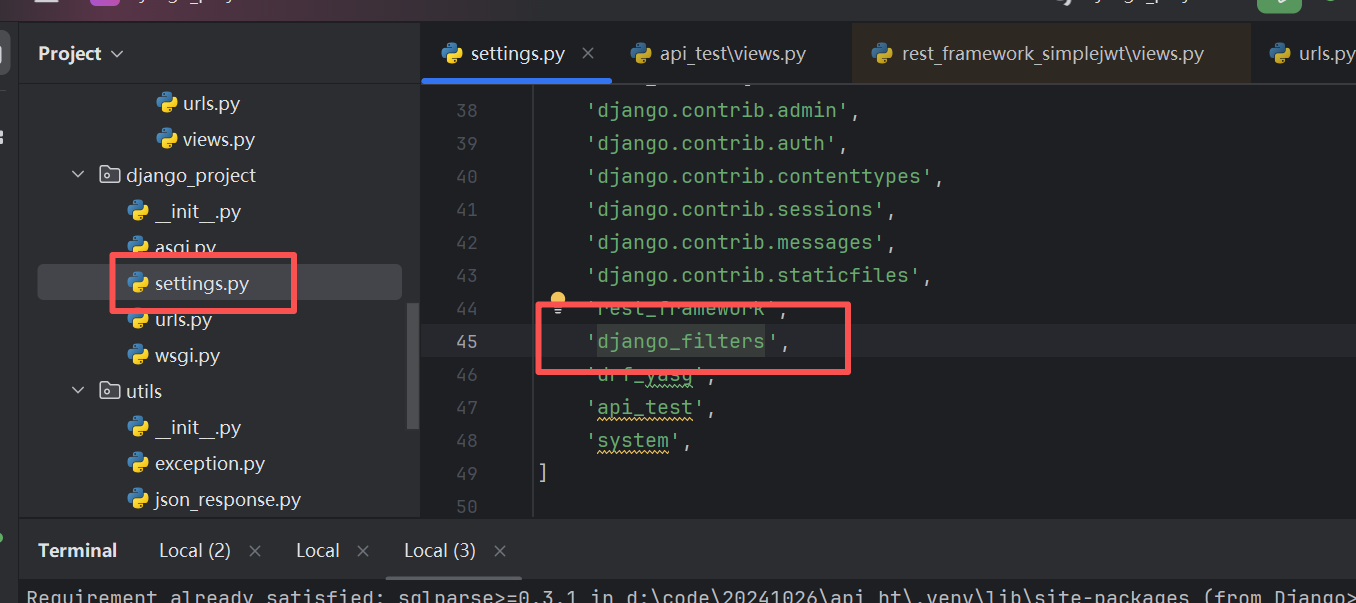
注册完成之后,我们在项目视图中添加如下代码
bash
filter_backends = [DjangoFilterBackend,]
filterset_fields = ['name', 'status']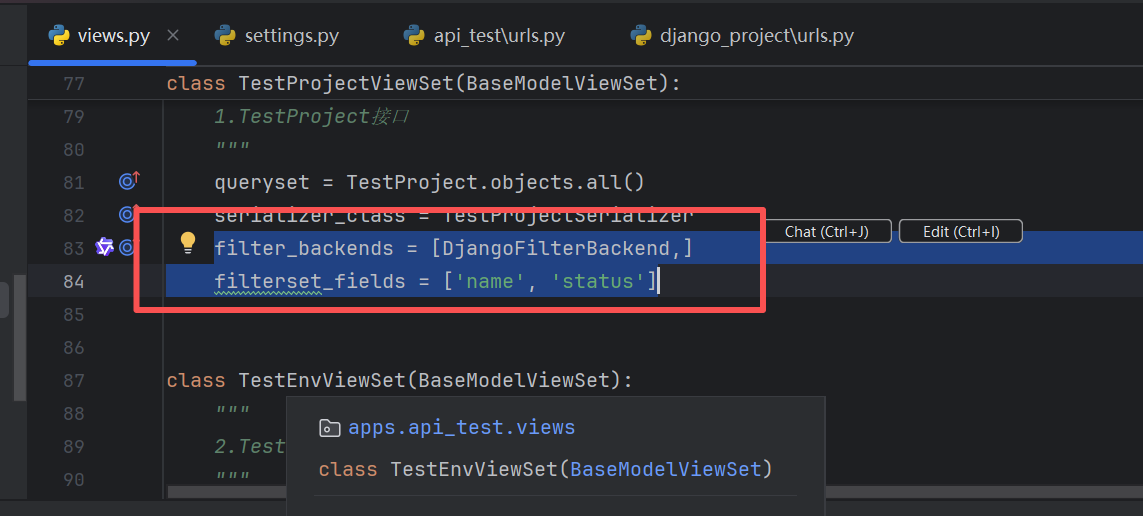
然后我们访问项目路径,前提是我们要登录
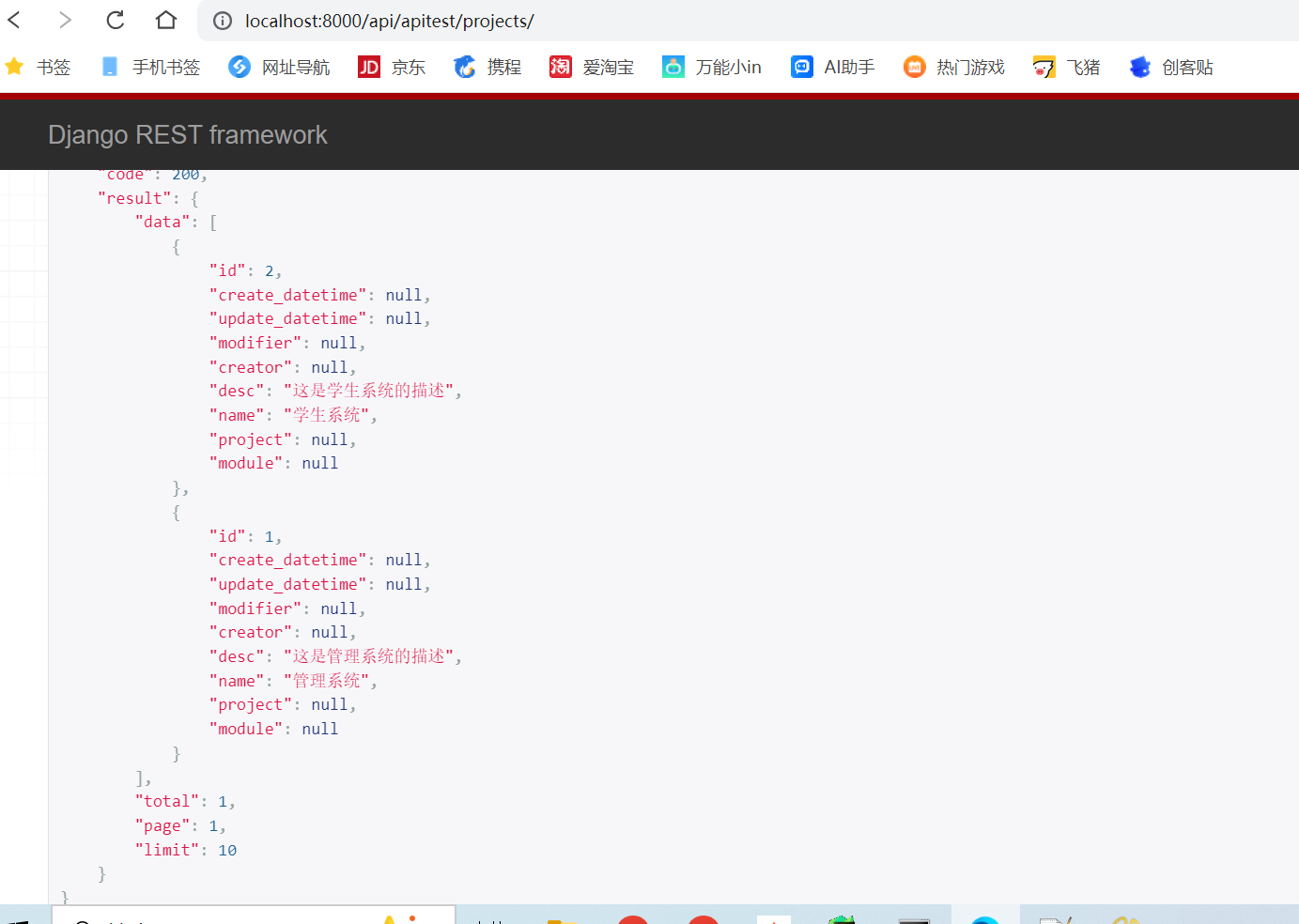
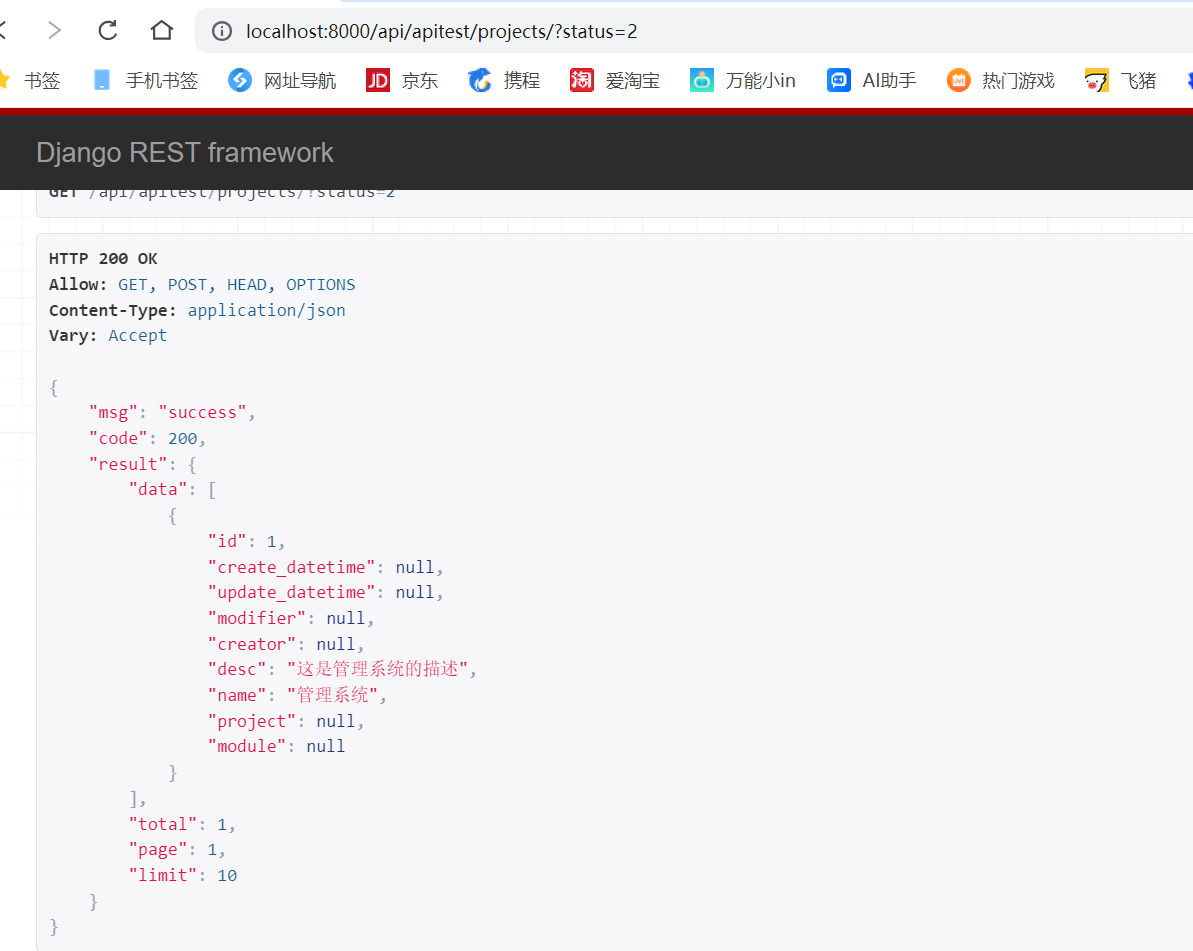
然后我们过滤status=2的数据,也是正常的
搜索
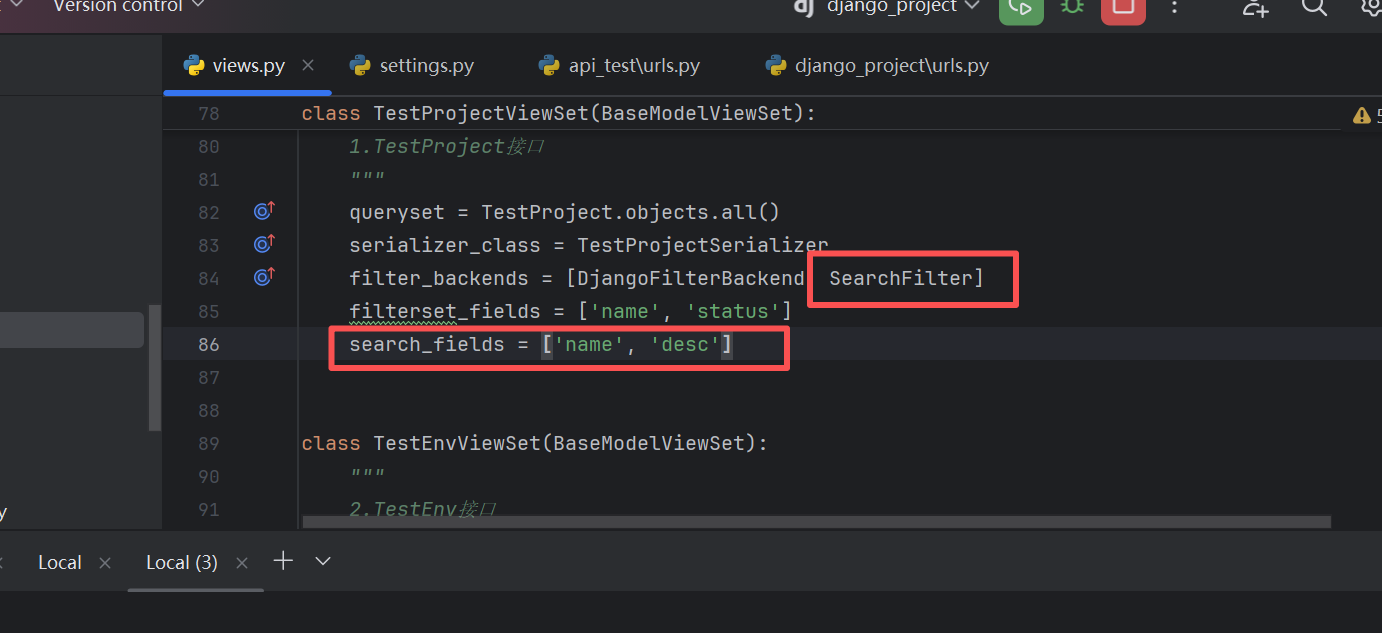
搜索,前端可以根据关键字搜索,从一个或着多个字段中进行搜索
比如说项目的名称、简介,关键字搜索
我们添加如下代码
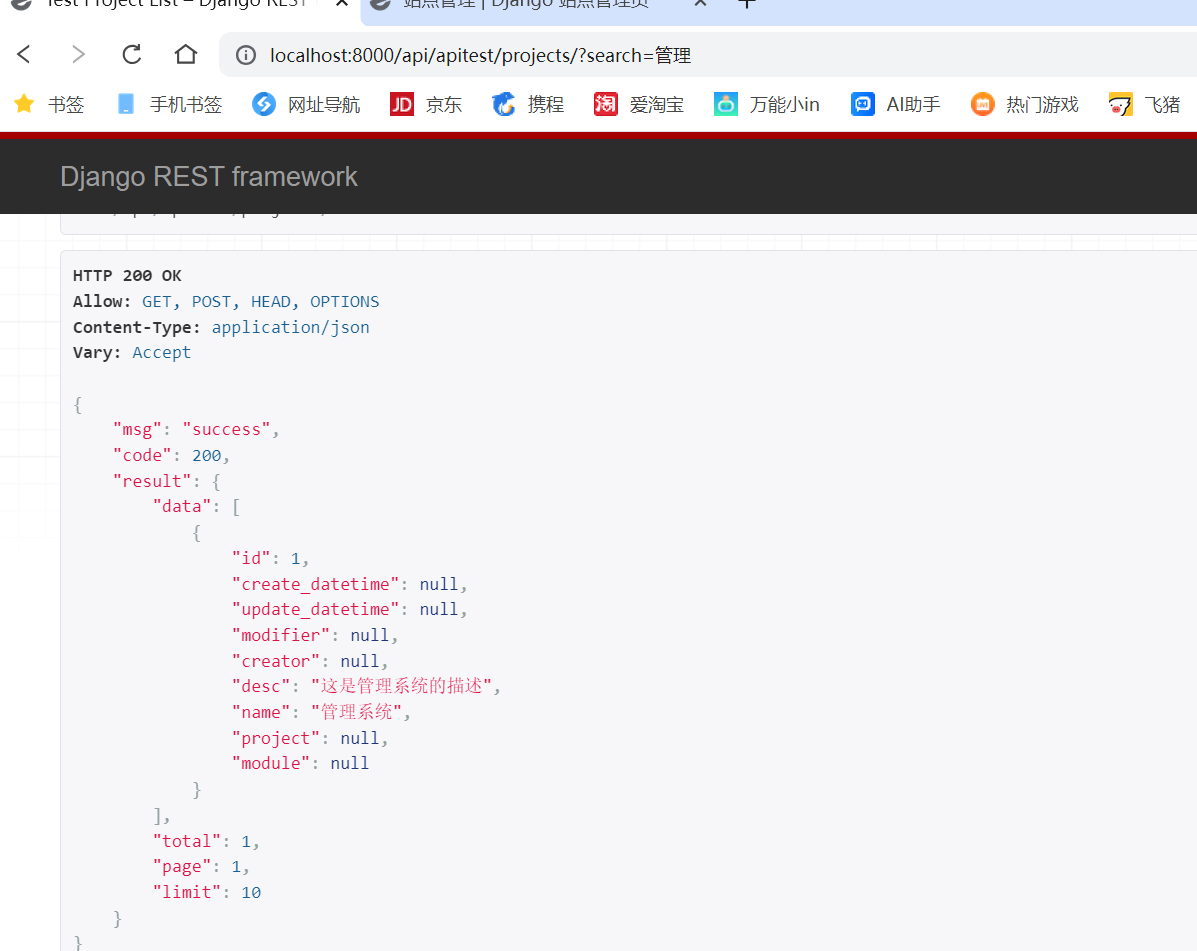
进行访问:
我们发现是正常能够生效的
排序
某几个字段进行升序或着倒序进行排序
添加如下代码:
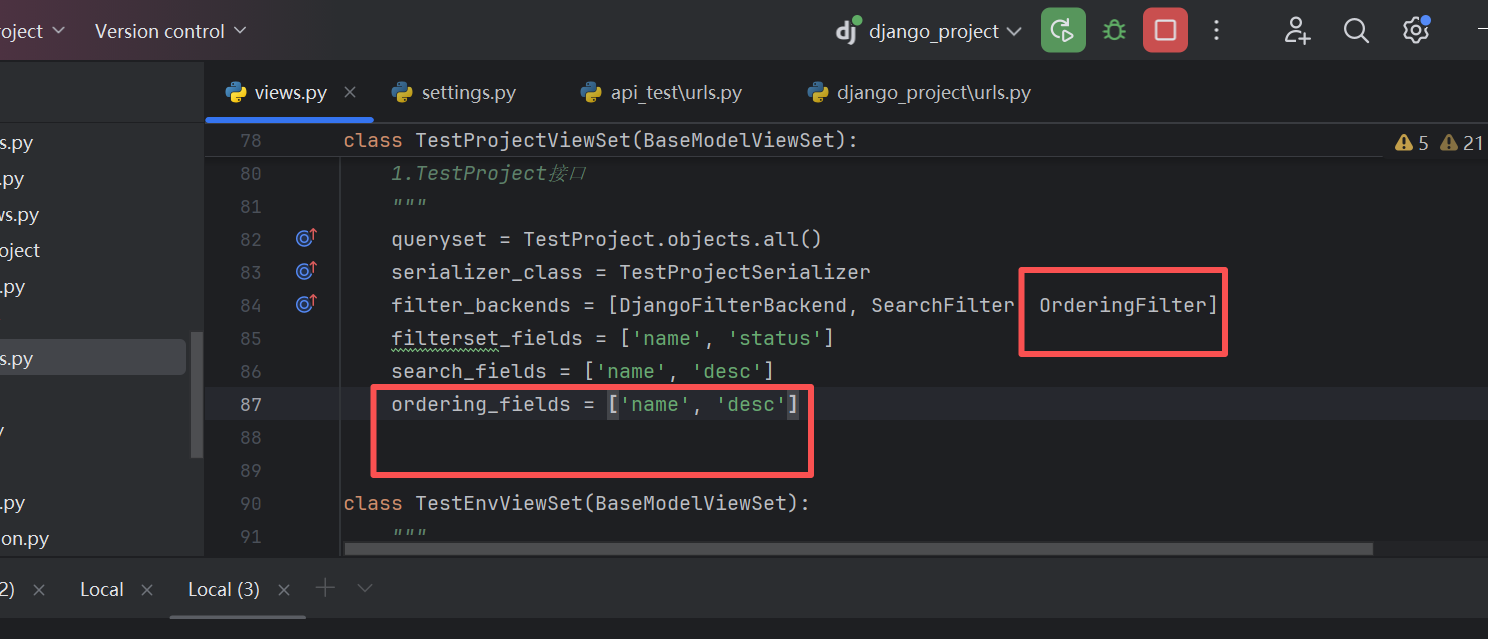
访问接口:
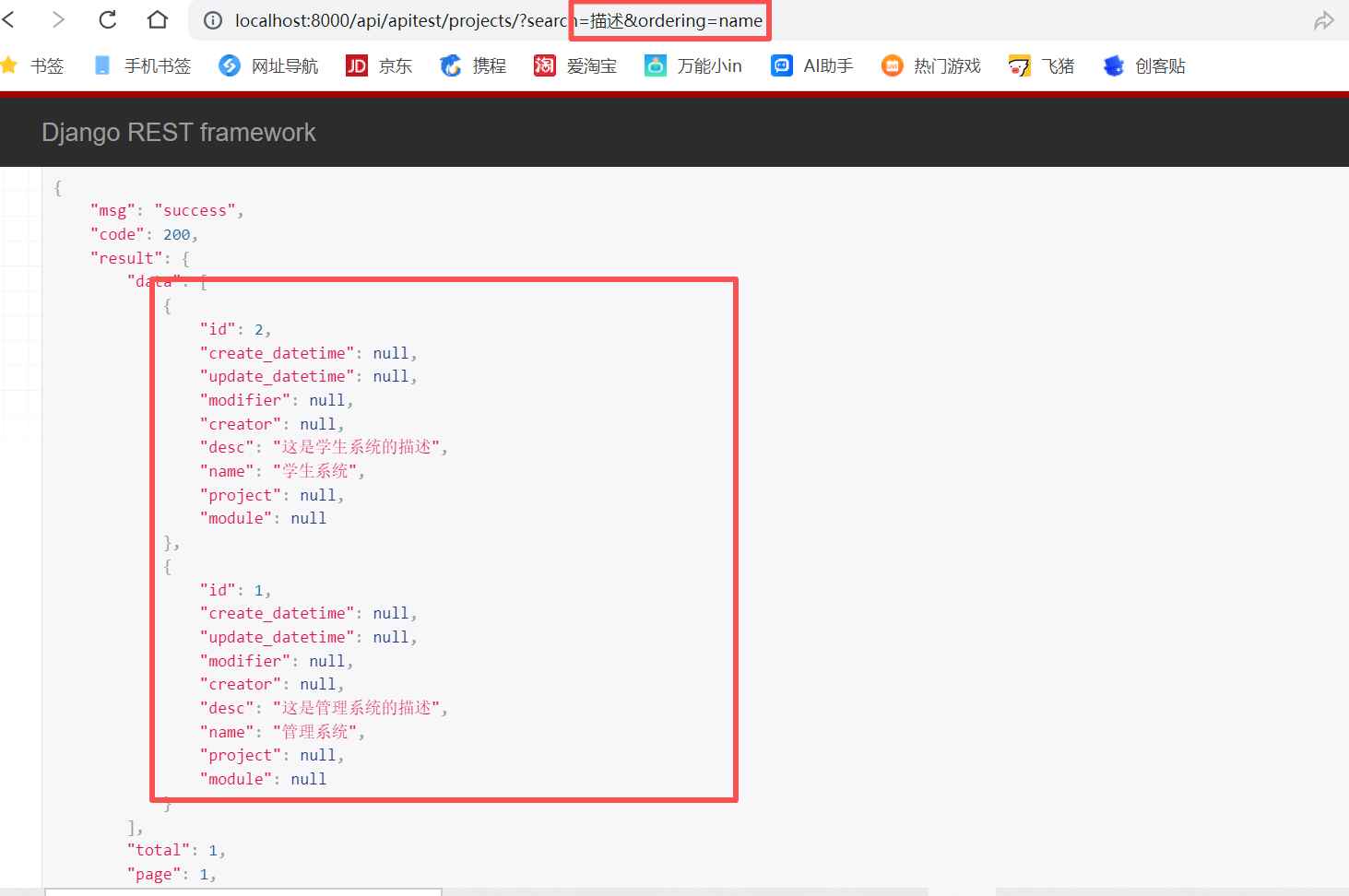
正常会返回接口里面的两条数据
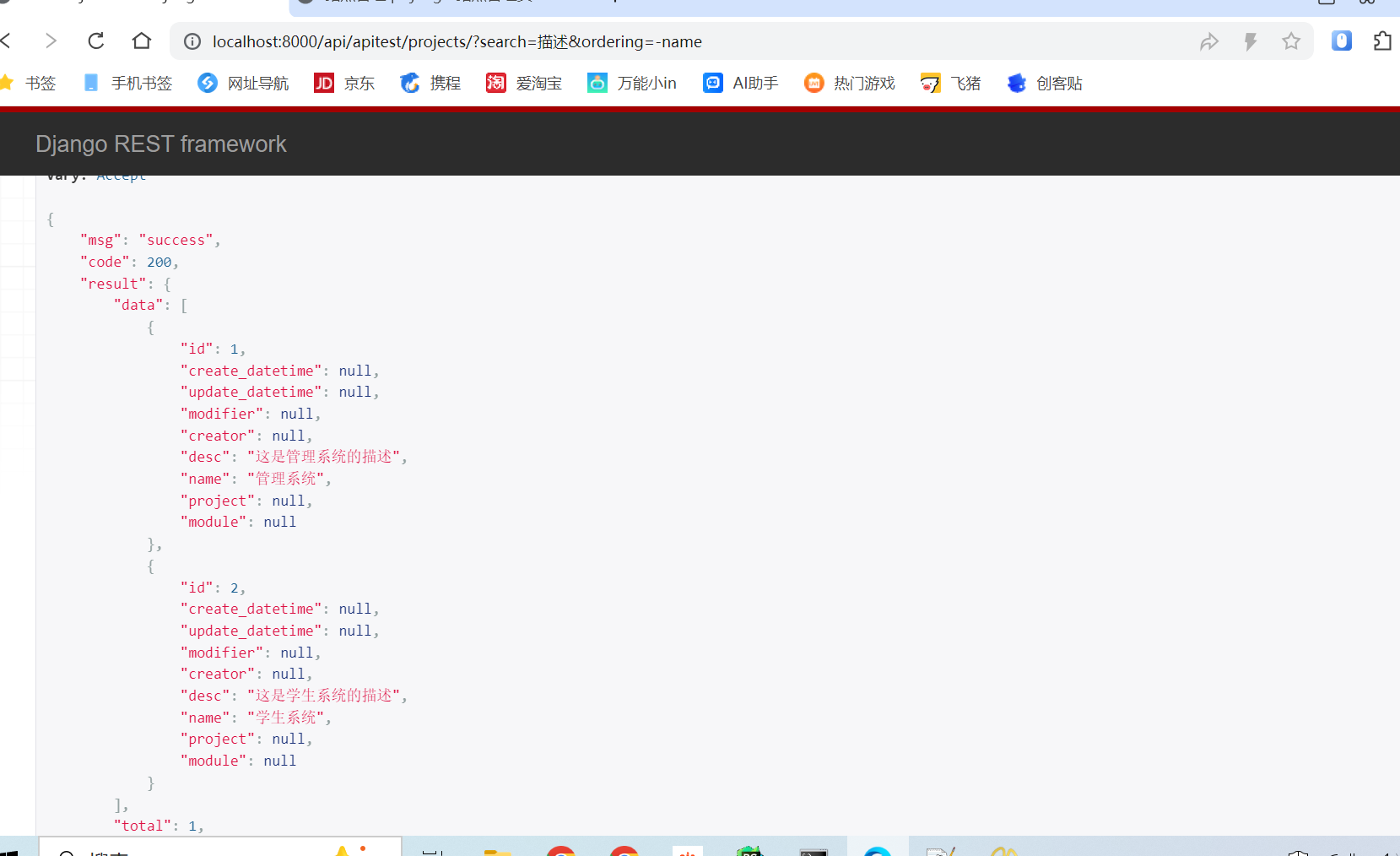
如果我们倒序排列呢,就在name前面加一个横杠
bash
http://localhost:8000/api/apitest/projects/?search=%E6%8F%8F%E8%BF%B0&ordering=-name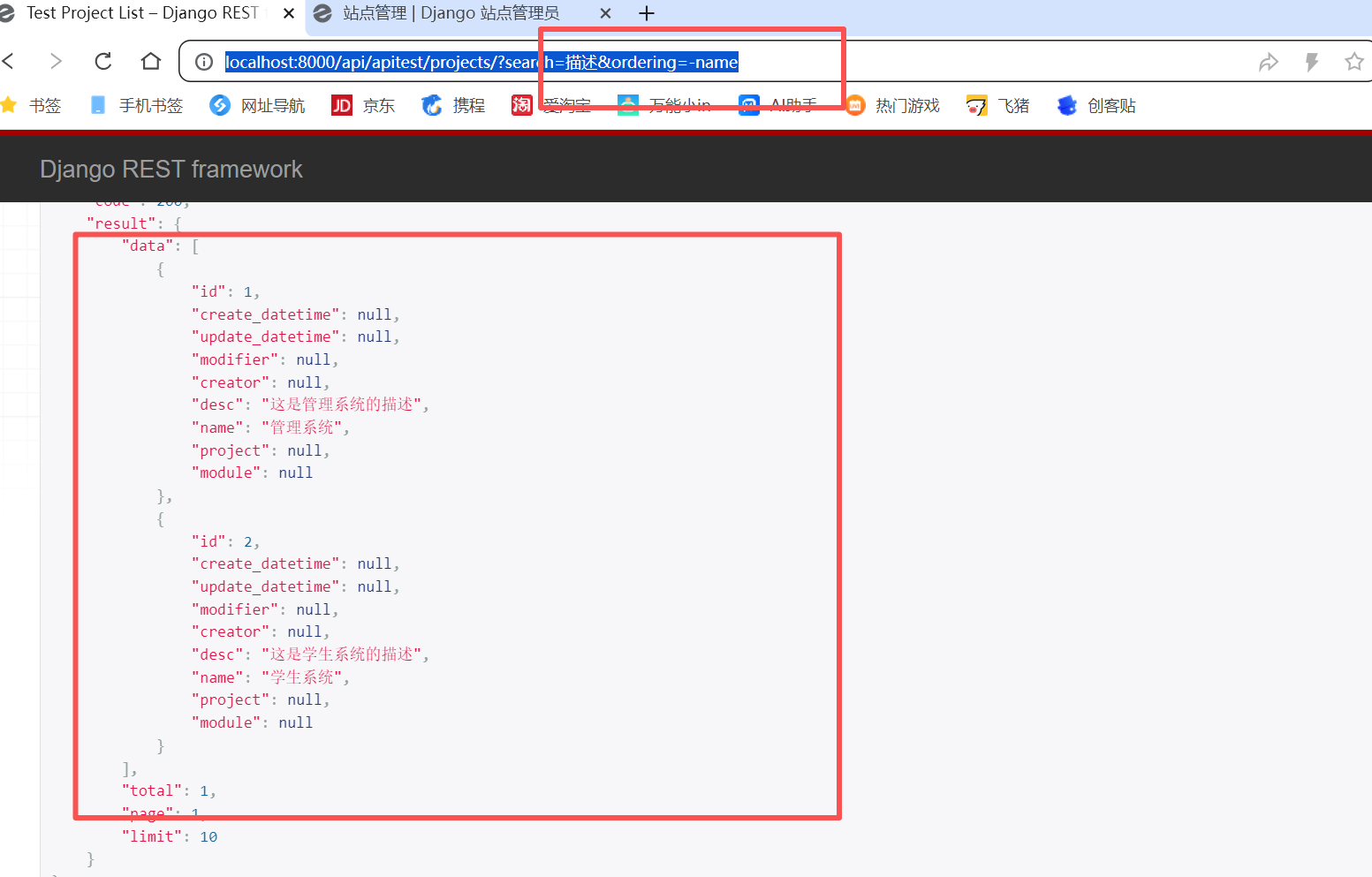
封装过滤搜索和排序
对于以上来讲,我们的每个试图都需要写这四行代码,那么,我们可以对其进行封装,原理就是我们可以把这四行代码放到我们所继承的父类里面,然后每个功能模块再去用的时候就可以定义自己的功能了
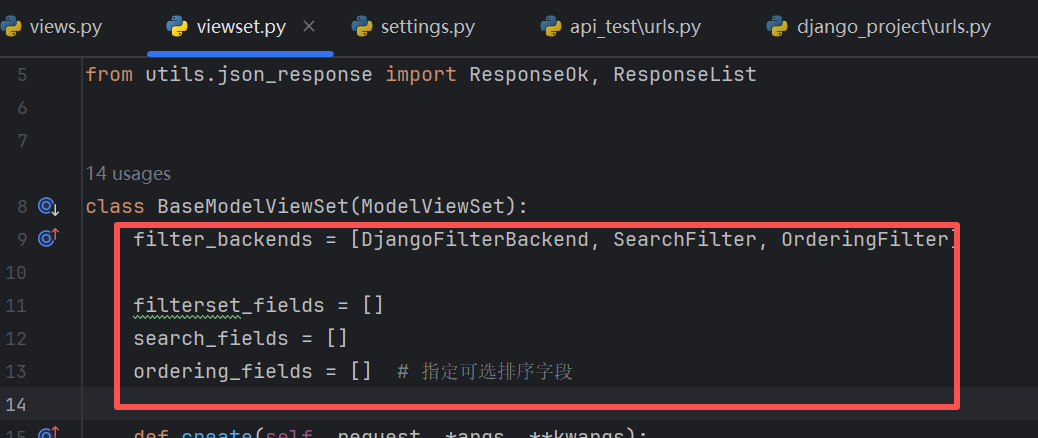
我们的项目视图做如下改造
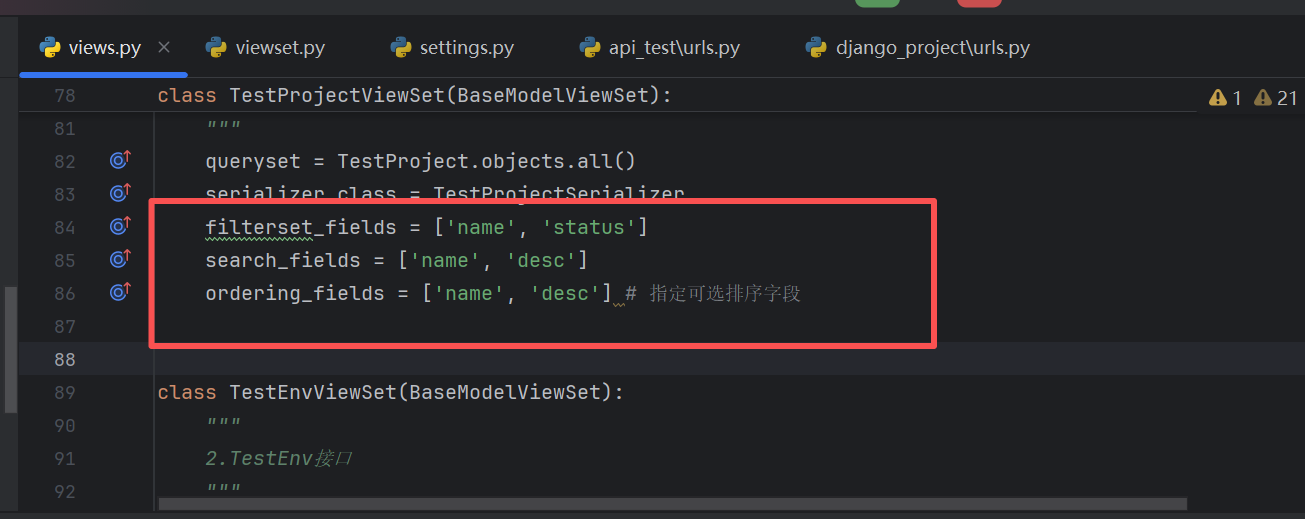
然后我们访问我们的接口发现功能也是正常的
系统管理模块功能开发
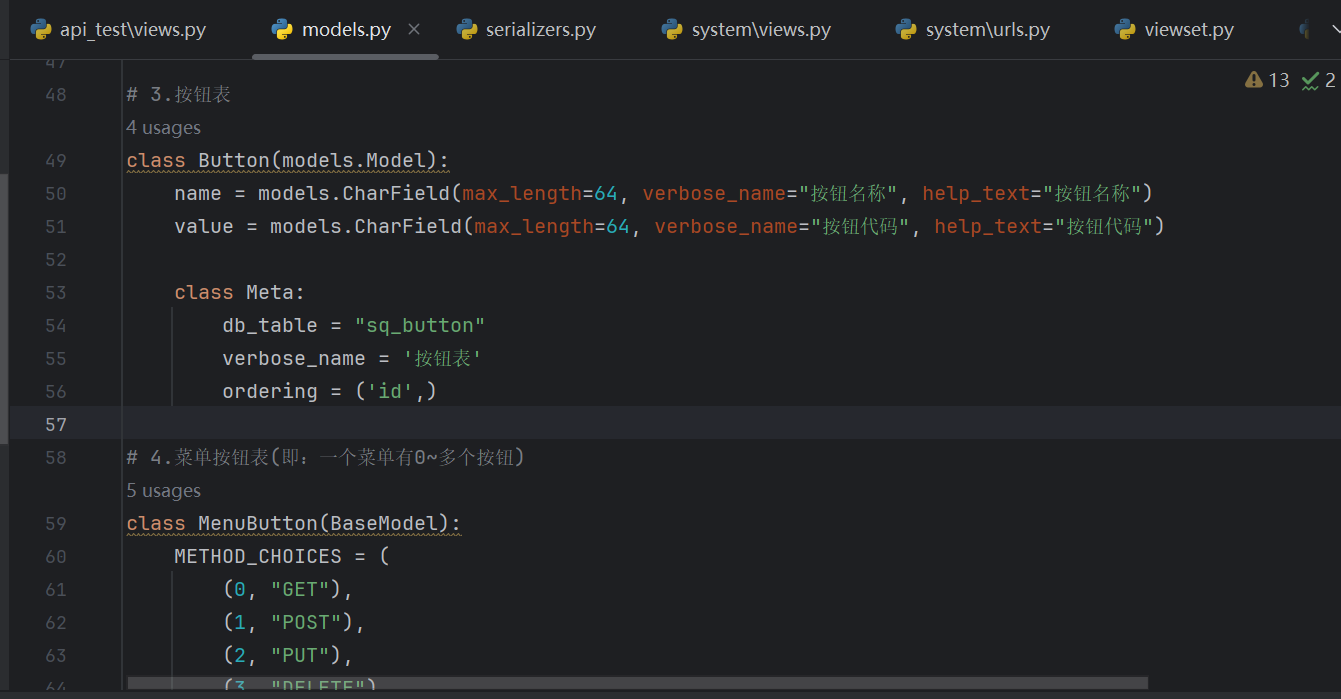
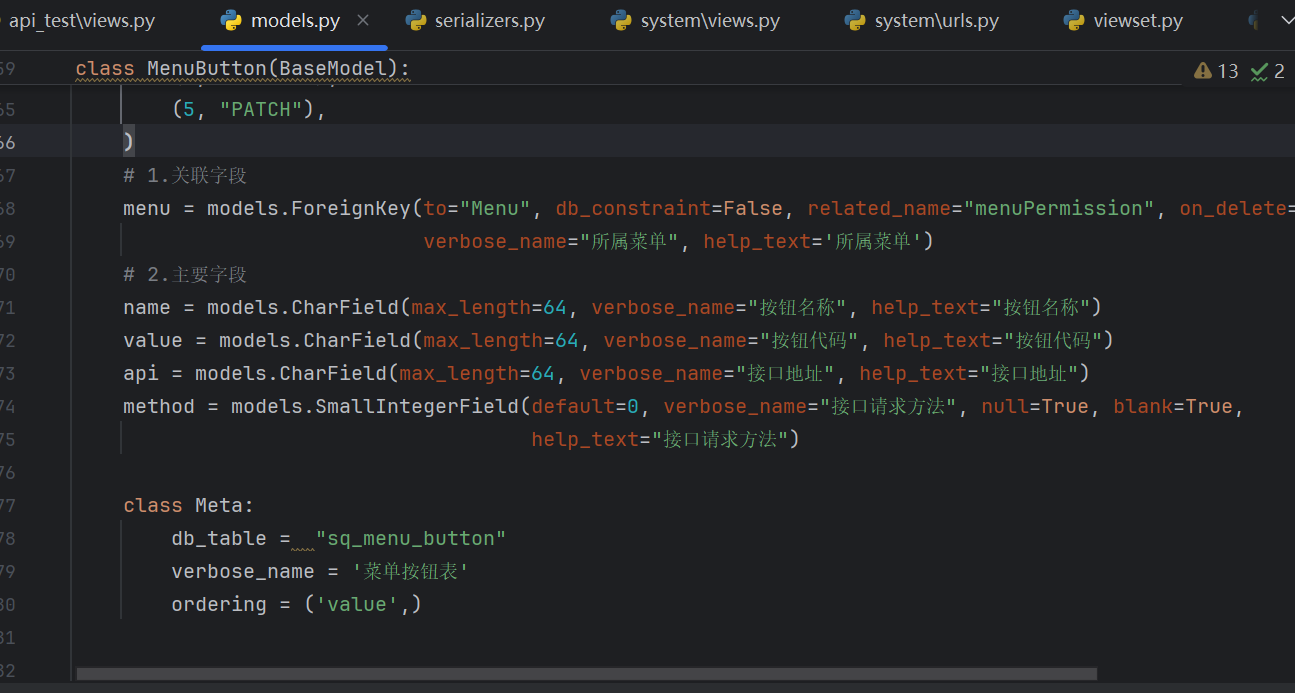
我们需要先对整个系统管理模块的数据库表进行设计
首先就是模型表
我们需要增加按钮表、菜单按钮表、菜单表、角色表
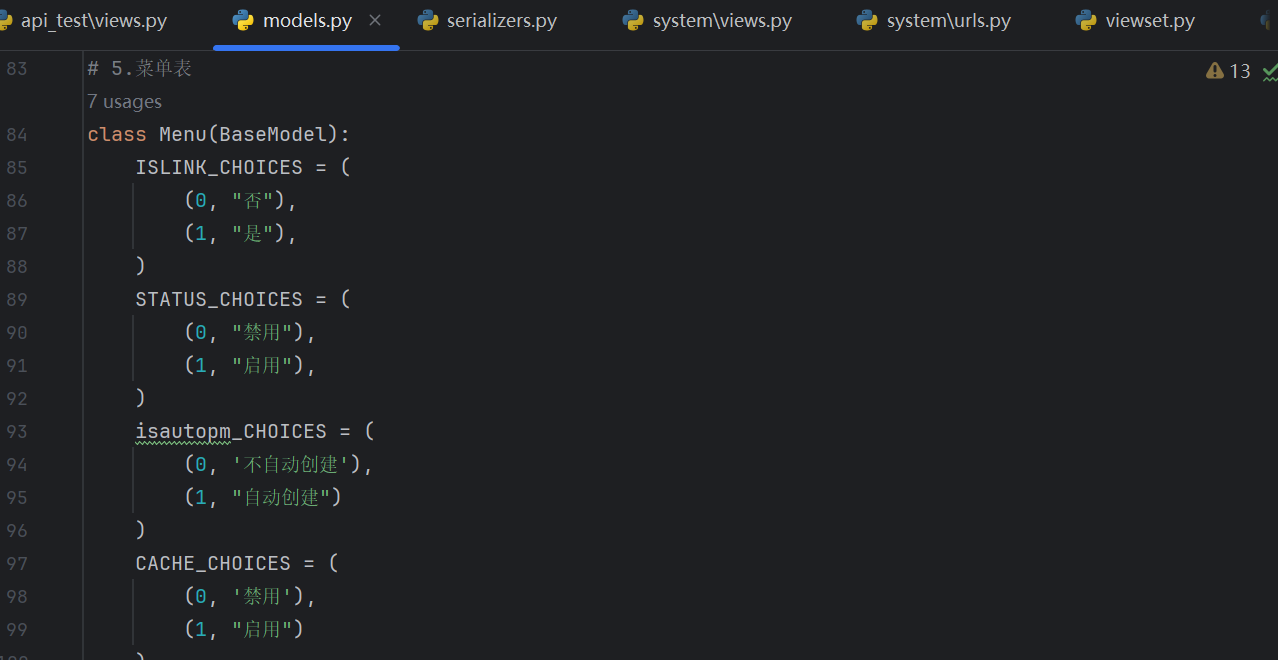
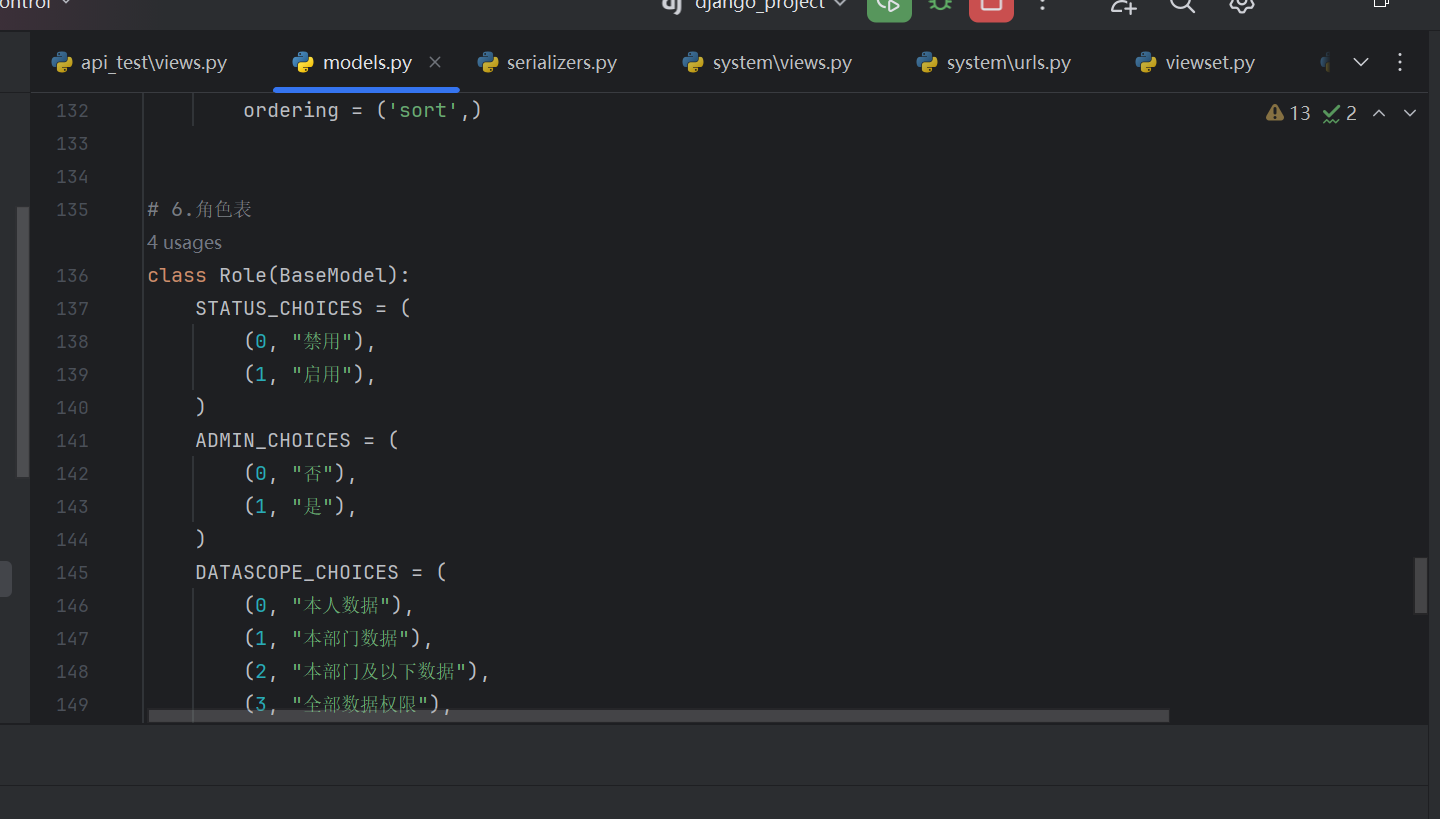
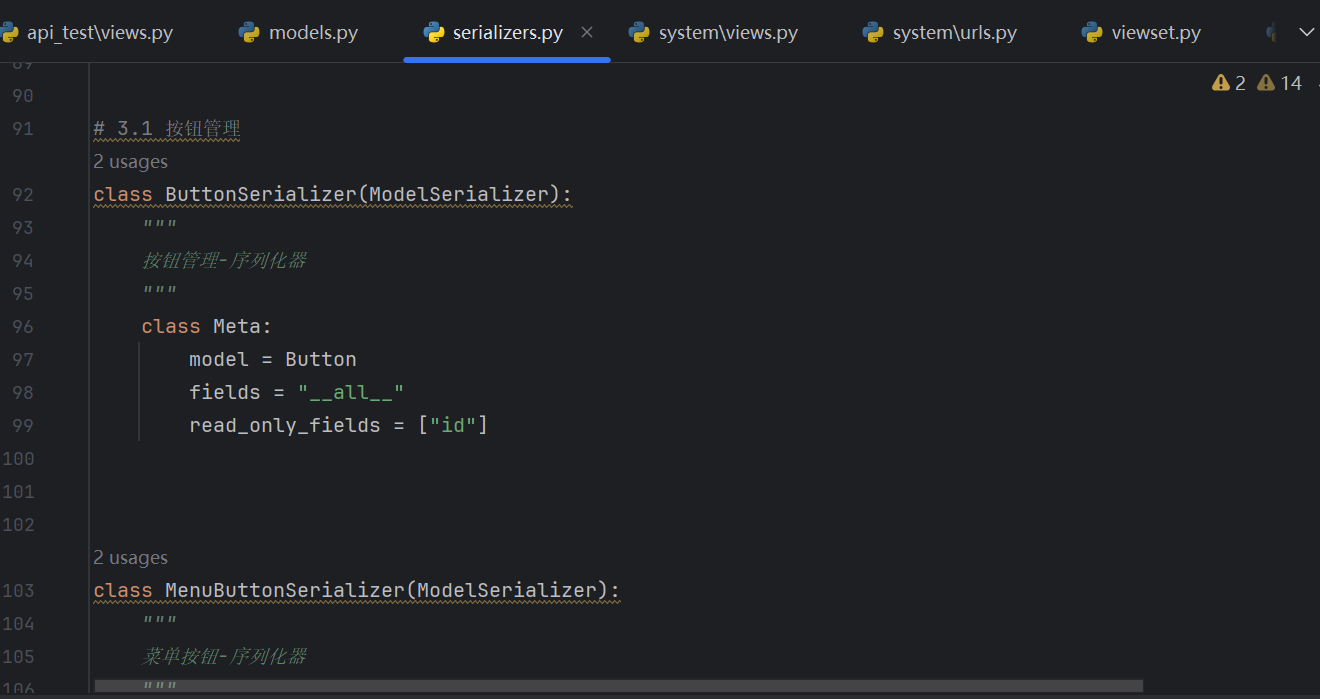
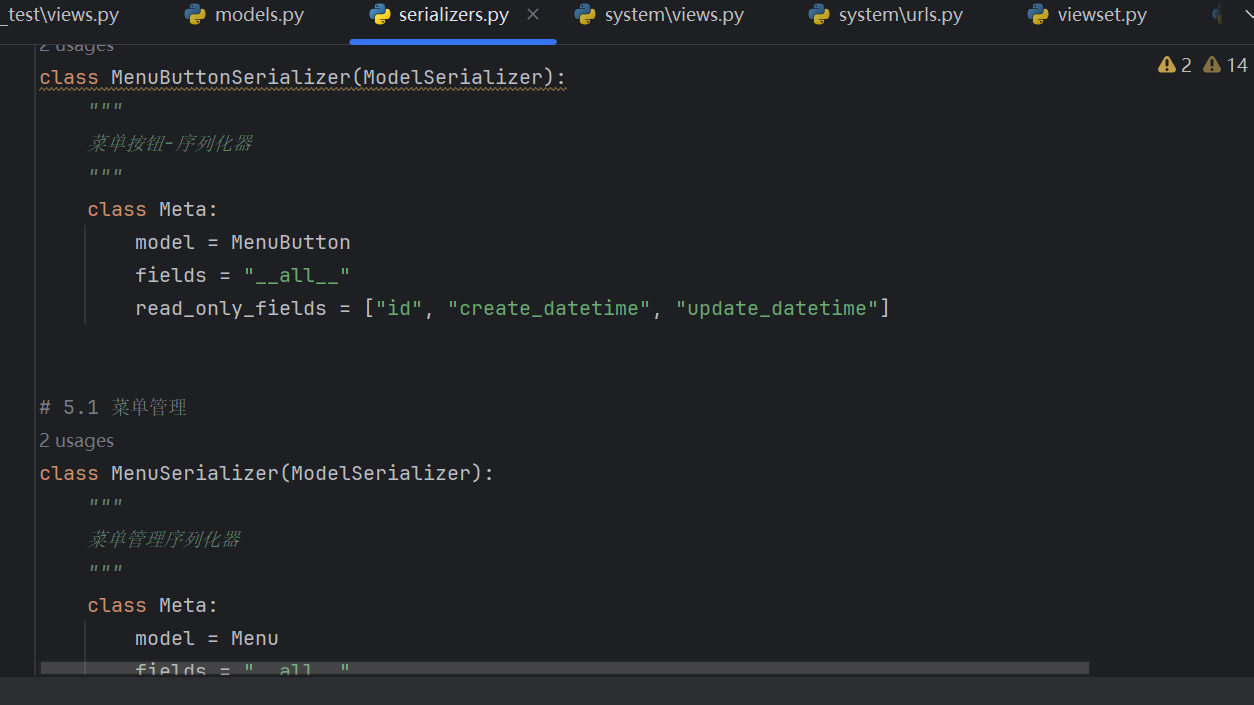
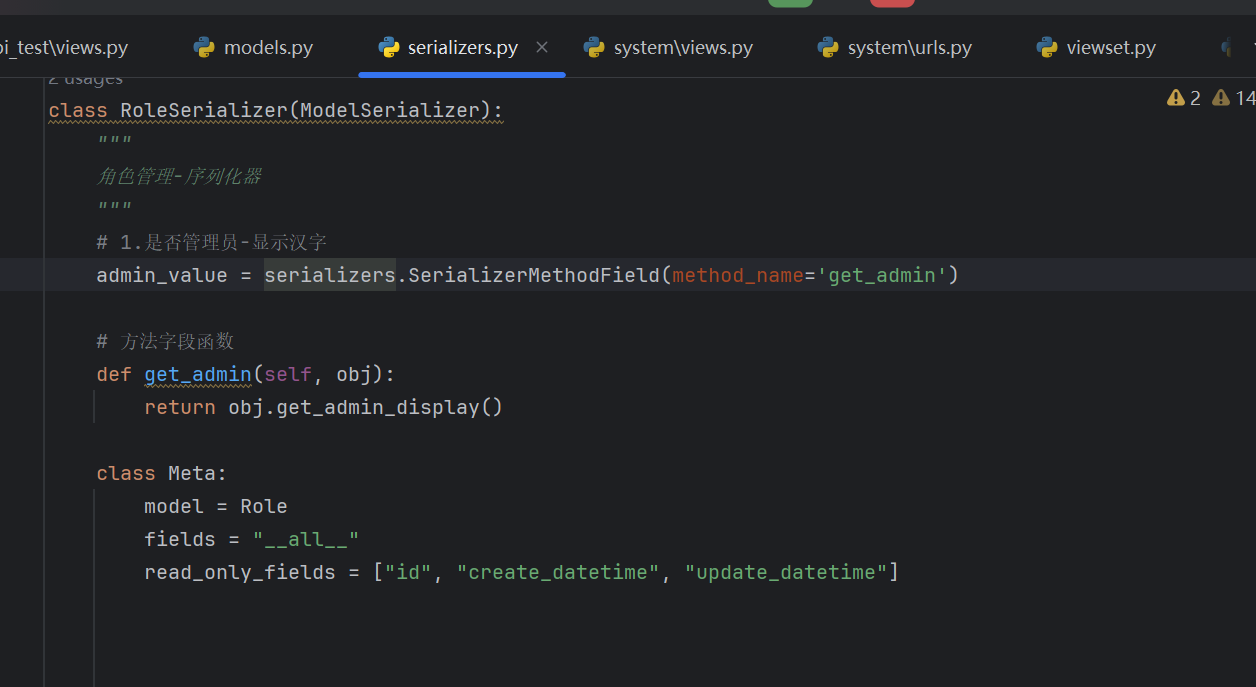
定义序列化器
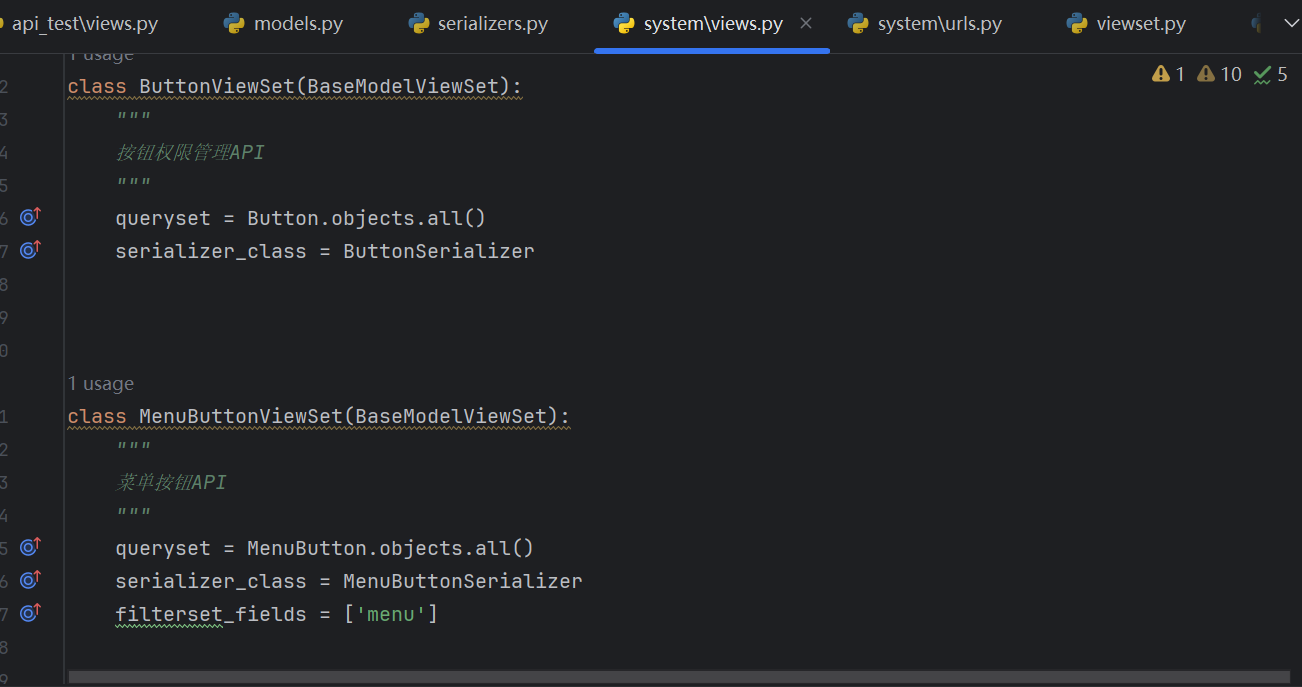
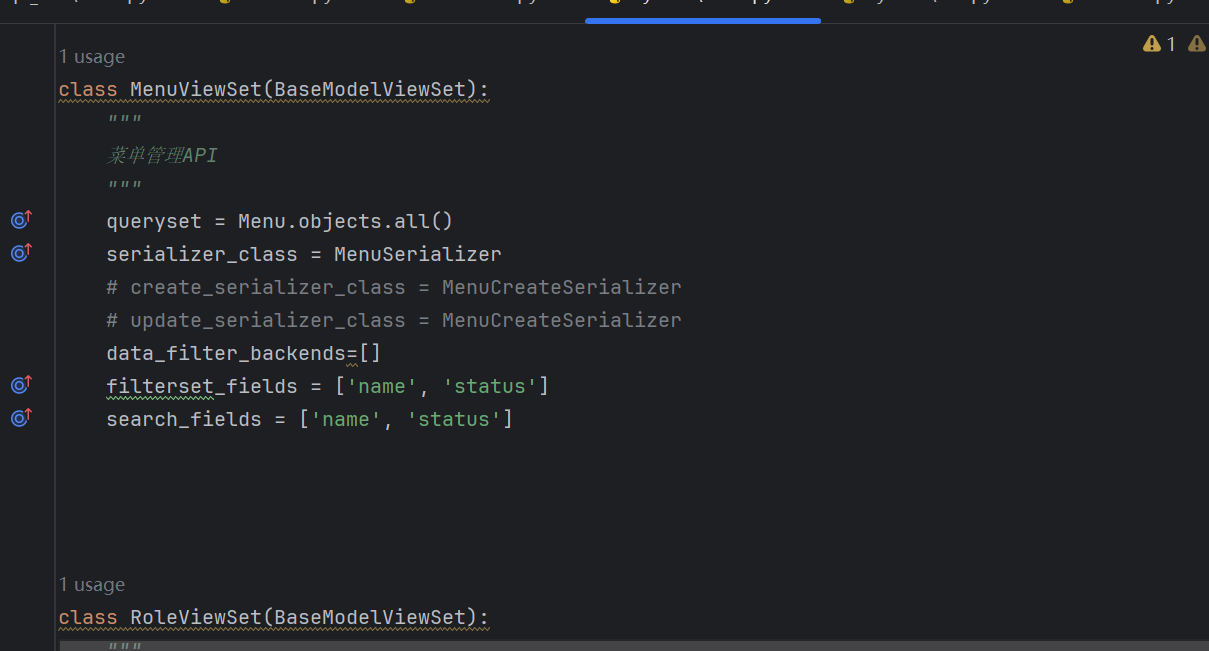
定义视图
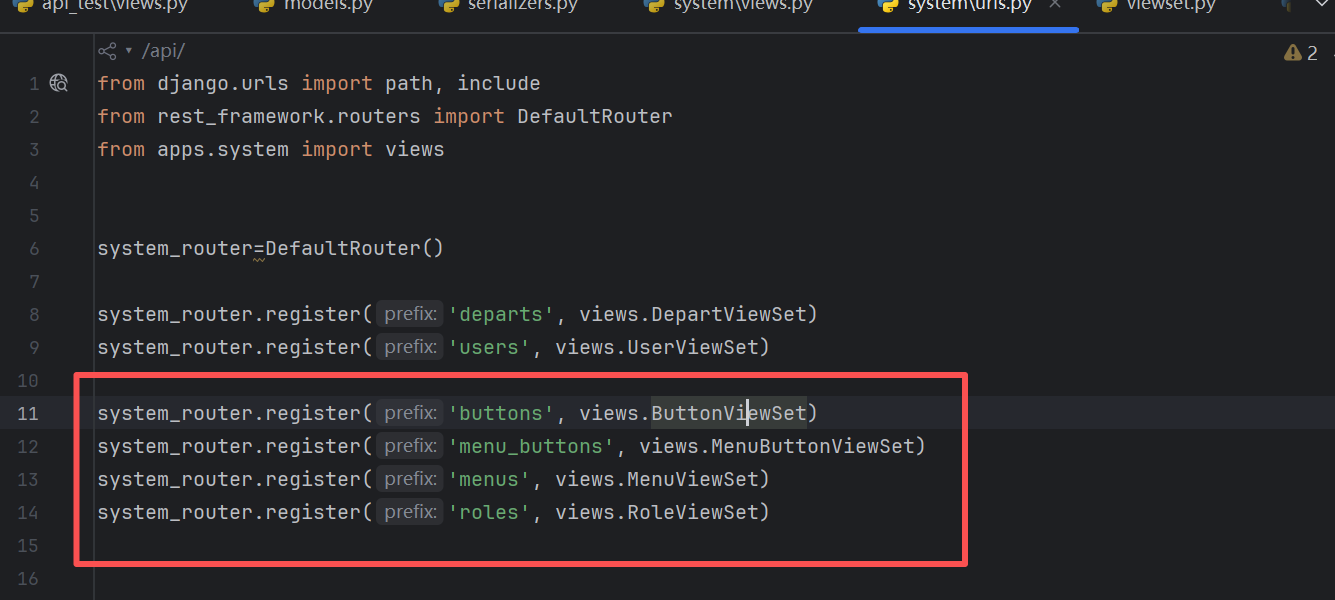
添加路由
启动项目,验证是否成功
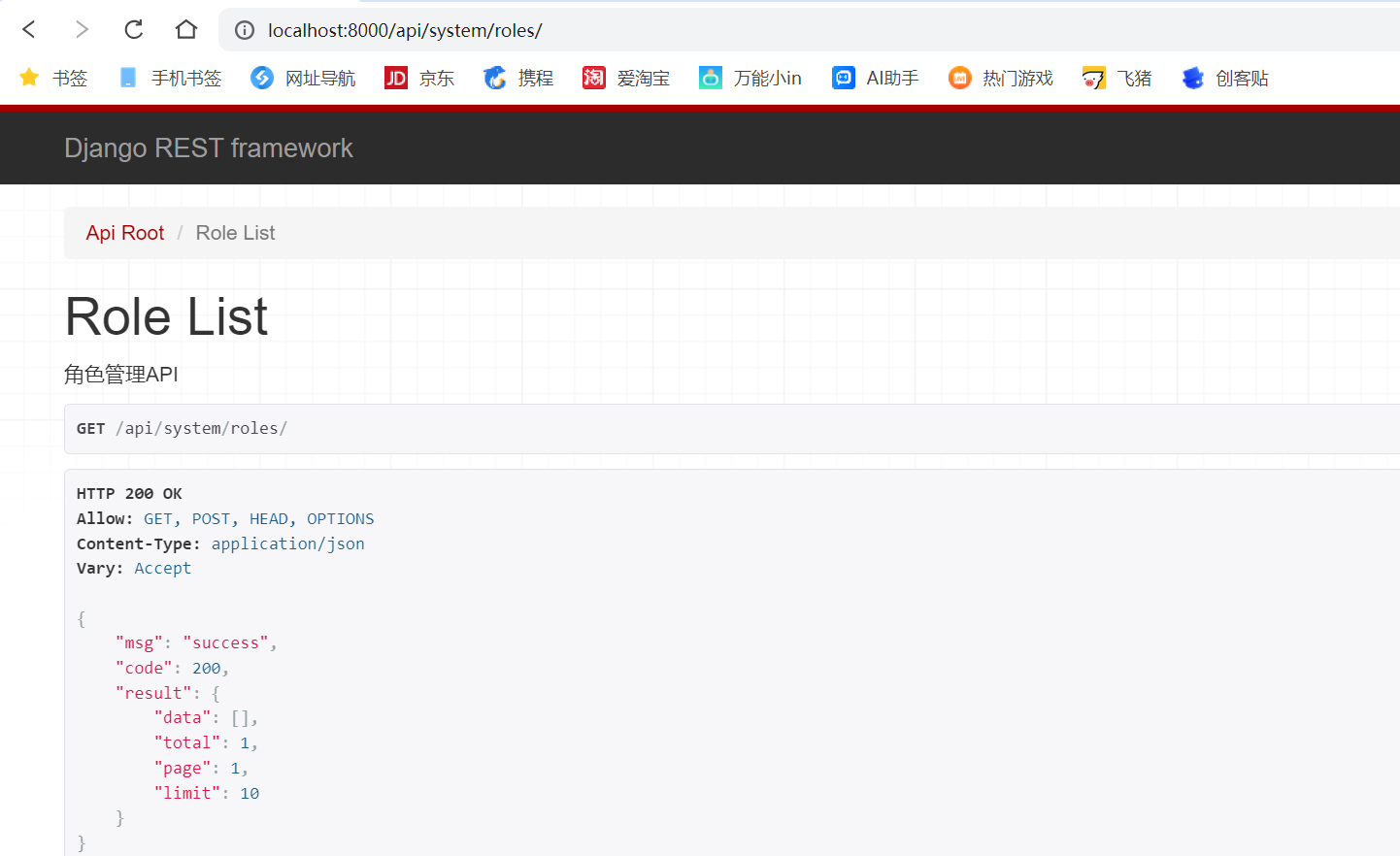
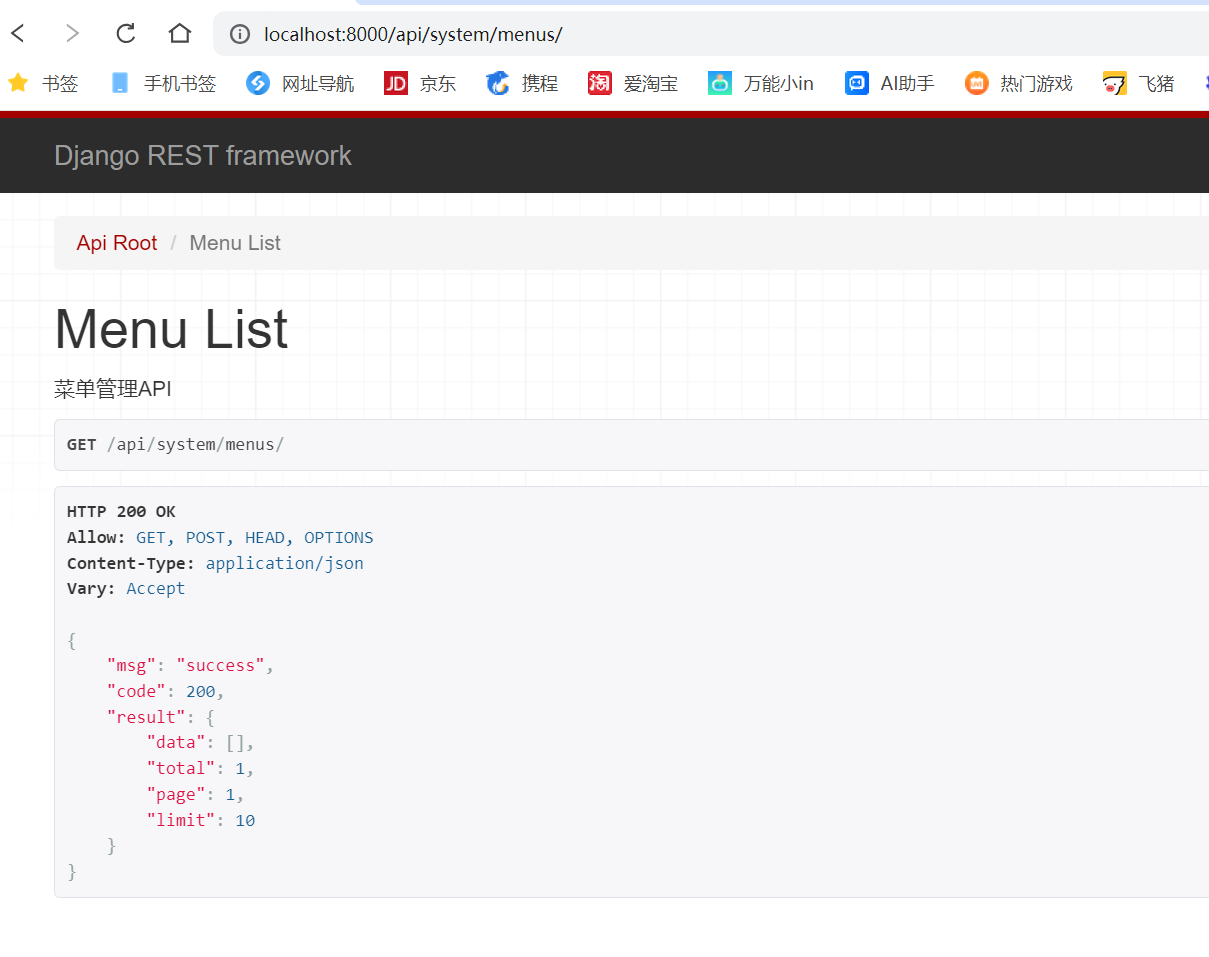
数据初始化
项目开始时,并不是所有表都是空的。有些表是需要有初始化数据的。如:部门表、菜单表、角色表、用户表等。
数据初始化实现方式很多,
如:
编写sql脚本,把要插入的数据写在sql脚本中。
编写python类,通过python类调用数据库进行操作。
编写python类,通过python类调用序列化器进行操作
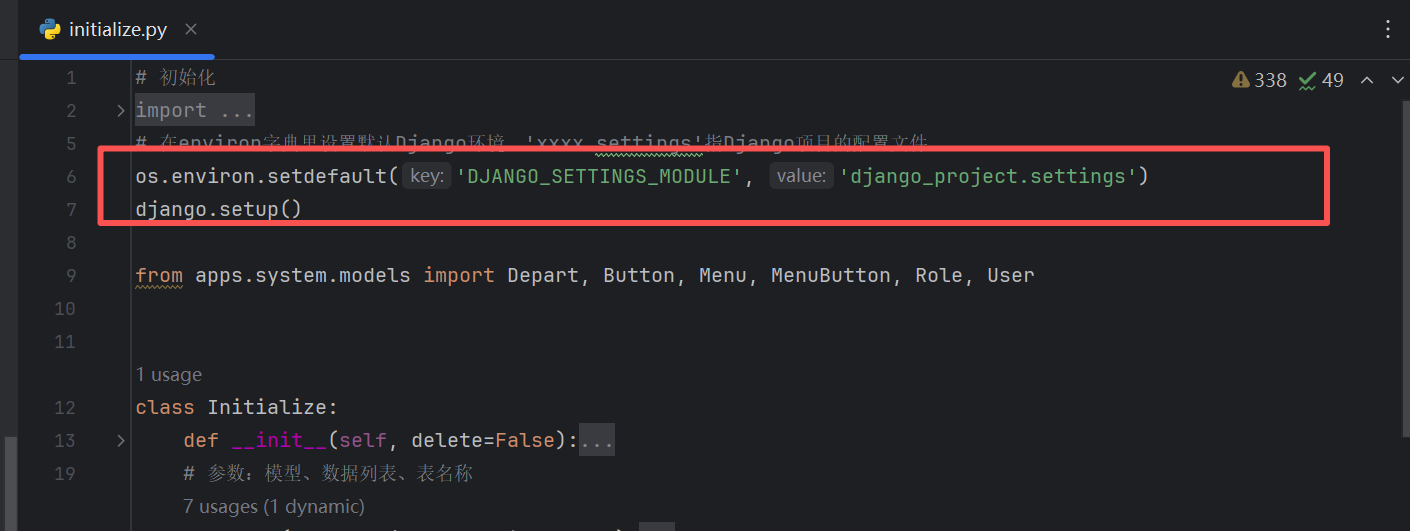
我们可以自己写一个初始化数据的方法
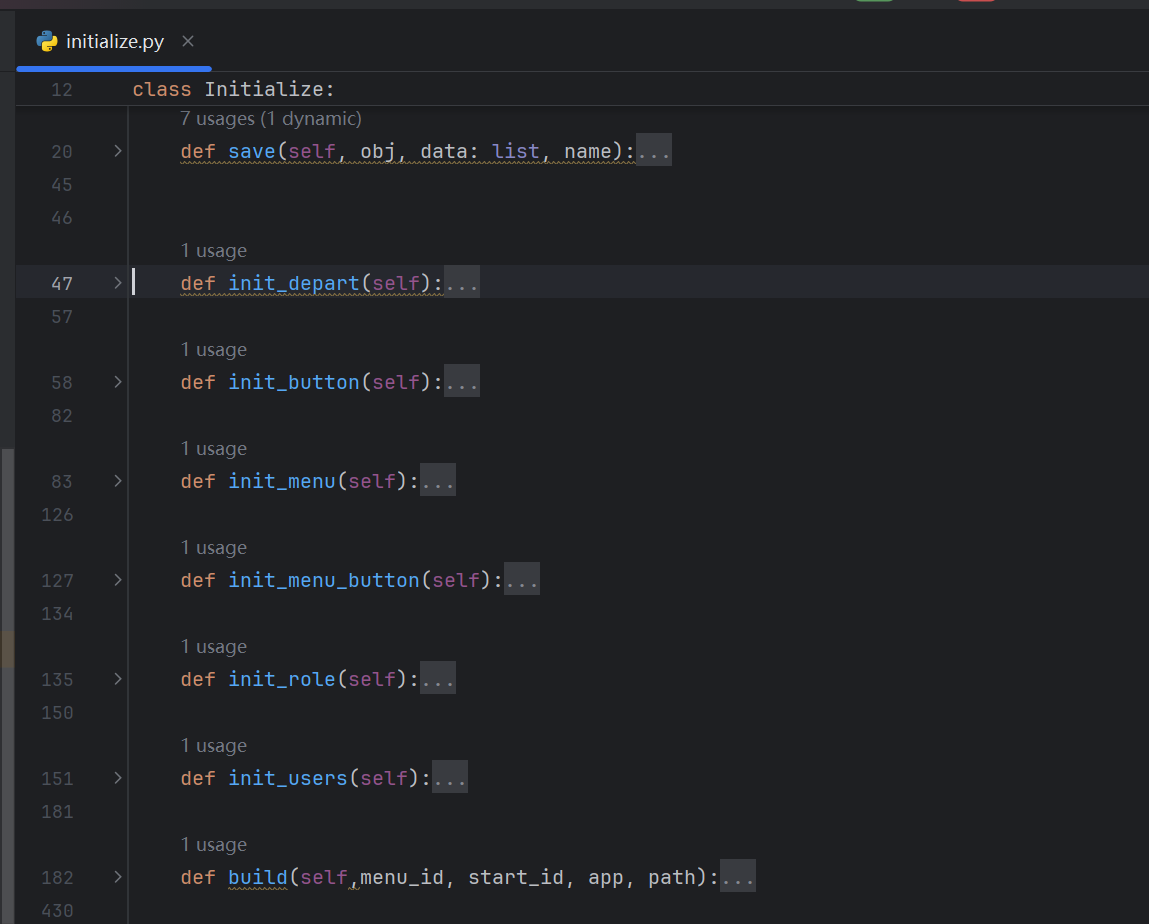
注意这里要启动django
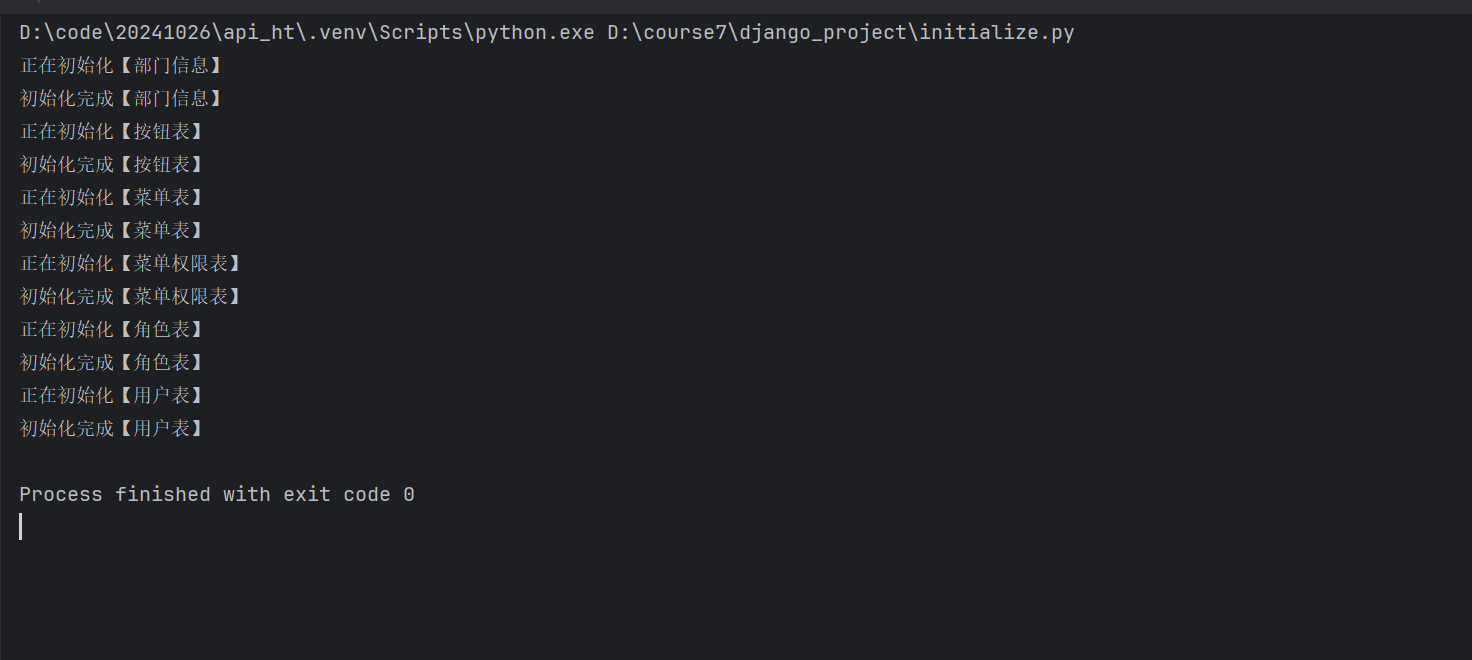
中间过程肯定会遇到很多报错,直接AI去查询报错即可,基本上就是字段名称对不上的问题,修改对应的字段,然后执行同步即可
bash
(.venv) PS D:\course7\django_project> python manage.py makemigrations
Traceback (most recent call last):
  File "D:\course7\django_project\manage.py", line 22, in <module>
    main()
  File "D:\course7\django_project\manage.py", line 18, in main
    execute_from_command_line(sys.argv)
  File "D:\code\20241026\api_ht\.venv\Lib\site-packages\django\core\management\__init__.py", line 442, in execute_from_command_line
    utility.execute()
  File "D:\code\20241026\api_ht\.venv\Lib\site-packages\django\core\management\__init__.py", line 436, in execute
    self.fetch_command(subcommand).run_from_argv(self.argv)
  File "D:\code\20241026\api_ht\.venv\Lib\site-packages\django\core\management\base.py", line 416, in run_from_argv
    self.execute(*args, **cmd_options)
  File "D:\code\20241026\api_ht\.venv\Lib\site-packages\django\core\management\base.py", line 457, in execute
    self.check(**check_kwargs)
  File "D:\code\20241026\api_ht\.venv\Lib\site-packages\django\core\management\base.py", line 492, in check
    all_issues = checks.run_checks(
                 ^^^^^^^^^^^^^^^^^^
  File "D:\code\20241026\api_ht\.venv\Lib\site-packages\django\core\checks\registry.py", line 89, in run_checks
    new_errors = check(app_configs=app_configs, databases=databases)
                 ^^^^^^^^^^^^^^^^^^^^^^^^^^^^^^^^^^^^^^^^^^^^^^^^^^^
  File "D:\code\20241026\api_ht\.venv\Lib\site-packages\django\core\checks\urls.py", line 136, in check_custom_error_handlers
    handler = resolver.resolve_error_handler(status_code)
              ^^^^^^^^^^^^^^^^^^^^^^^^^^^^^^^^^^^^^^^^^^^
  File "D:\code\20241026\api_ht\.venv\Lib\site-packages\django\urls\resolvers.py", line 732, in resolve_error_handler
    callback = getattr(self.urlconf_module, "handler%s" % view_type, None)
                       ^^^^^^^^^^^^^^^^^^^
  File "D:\code\20241026\api_ht\.venv\Lib\site-packages\django\utils\functional.py", line 47, in __get__
    res = instance.__dict__[self.name] = self.func(instance)
                                         ^^^^^^^^^^^^^^^^^^^
  File "D:\code\20241026\api_ht\.venv\Lib\site-packages\django\urls\resolvers.py", line 711, in urlconf_module
    return import_module(self.urlconf_name)
           ^^^^^^^^^^^^^^^^^^^^^^^^^^^^^^^^
  File "D:\tools\python3126\Lib\importlib\__init__.py", line 90, in import_module
    return _bootstrap._gcd_import(name[level:], package, level)
           ^^^^^^^^^^^^^^^^^^^^^^^^^^^^^^^^^^^^^^^^^^^^^^^^^^^^
  File "<frozen importlib._bootstrap>", line 1387, in _gcd_import
  File "<frozen importlib._bootstrap>", line 1360, in _find_and_load
  File "<frozen importlib._bootstrap>", line 1331, in _find_and_load_unlocked
  File "<frozen importlib._bootstrap>", line 935, in _load_unlocked
  File "<frozen importlib._bootstrap_external>", line 995, in exec_module
  File "<frozen importlib._bootstrap>", line 488, in _call_with_frames_removed
  File "D:\course7\django_project\django_project\urls.py", line 26, in <module>
    path('api/', include('apps.system.urls')),
                 ^^^^^^^^^^^^^^^^^^^^^^^^^^^
  File "D:\code\20241026\api_ht\.venv\Lib\site-packages\django\urls\conf.py", line 39, in include
    urlconf_module = import_module(urlconf_module)
                     ^^^^^^^^^^^^^^^^^^^^^^^^^^^^^
  File "D:\tools\python3126\Lib\importlib\__init__.py", line 90, in import_module
    return _bootstrap._gcd_import(name[level:], package, level)
           ^^^^^^^^^^^^^^^^^^^^^^^^^^^^^^^^^^^^^^^^^^^^^^^^^^^^
  File "<frozen importlib._bootstrap>", line 1387, in _gcd_import
  File "<frozen importlib._bootstrap>", line 1360, in _find_and_load
  File "<frozen importlib._bootstrap>", line 1331, in _find_and_load_unlocked
  File "<frozen importlib._bootstrap>", line 935, in _load_unlocked
  File "<frozen importlib._bootstrap_external>", line 995, in exec_module
  File "<frozen importlib._bootstrap>", line 488, in _call_with_frames_removed
  File "D:\course7\django_project\apps\system\urls.py", line 3, in <module>
  File "D:\course7\django_project\apps\system\views.py", line 7, in <module>
    from apps.system.serializers import DepartSerializer, UserSerializer, LoginSerializer, ButtonSerializer, \
  File "D:\course7\django_project\apps\system\serializers.py", line 125, in <module>
    class RoleSerializer(ModelSerializer):
  File "D:\course7\django_project\apps\system\serializers.py", line 130, in RoleSerializer
    admin_value = serializers.SerializerMethodField(method_name='get_admin')
AttributeError: module 'apps.api_test.serializers' has no attribute 'SerializerMethodField'
(.venv) PS D:\course7\django_project> python manage.py makemigrations
Migrations for 'system':
  apps\system\migrations\0003_button_menu_menubutton_role.py
    + Create model Button
    + Create model Menu
    + Create model MenuButton
    + Create model Role
(.venv) PS D:\course7\django_project> python manage.py migrate
Operations to perform:
  Apply all migrations: admin, api_test, auth, contenttypes, sessions, system
Running migrations:
  Applying system.0003_button_menu_menubutton_role... OK
(.venv) PS D:\course7\django_project> python manage.py makemigrations
Traceback (most recent call last):
  File "D:\course7\django_project\manage.py", line 22, in <module>
    main()
  File "D:\course7\django_project\manage.py", line 18, in main
    execute_from_command_line(sys.argv)
  File "D:\code\20241026\api_ht\.venv\Lib\site-packages\django\core\management\__init__.py", line 442, in execute_from_command_line
    utility.execute()
  File "D:\code\20241026\api_ht\.venv\Lib\site-packages\django\core\management\__init__.py", line 416, in execute
    django.setup()
  File "D:\code\20241026\api_ht\.venv\Lib\site-packages\django\__init__.py", line 24, in setup
    apps.populate(settings.INSTALLED_APPS)
  File "D:\code\20241026\api_ht\.venv\Lib\site-packages\django\apps\registry.py", line 116, in populate
    app_config.import_models()
  File "D:\code\20241026\api_ht\.venv\Lib\site-packages\django\apps\config.py", line 269, in import_models
    self.models_module = import_module(models_module_name)
                         ^^^^^^^^^^^^^^^^^^^^^^^^^^^^^^^^^
  File "D:\tools\python3126\Lib\importlib\__init__.py", line 90, in import_module
    return _bootstrap._gcd_import(name[level:], package, level)
           ^^^^^^^^^^^^^^^^^^^^^^^^^^^^^^^^^^^^^^^^^^^^^^^^^^^^
  File "<frozen importlib._bootstrap>", line 1387, in _gcd_import
  File "<frozen importlib._bootstrap>", line 1360, in _find_and_load
  File "<frozen importlib._bootstrap>", line 1331, in _find_and_load_unlocked
  File "<frozen importlib._bootstrap>", line 935, in _load_unlocked
  File "<frozen importlib._bootstrap_external>", line 995, in exec_module
  File "<frozen importlib._bootstrap>", line 488, in _call_with_frames_removed
  File "D:\course7\django_project\apps\system\models.py", line 29, in <module>
    class User(AbstractUser):
  File "D:\course7\django_project\apps\system\models.py", line 44, in User
    role = models.CharField('role',db_constraint=False, verbose_name="角色", help_text="角色")
           ^^^^^^^^^^^^^^^^^^^^^^^^^^^^^^^^^^^^^^^^^^^^^^^^^^^^^^^^^^^^^^^^^^^^^^^^^^^^^^^^^^^
  File "D:\code\20241026\api_ht\.venv\Lib\site-packages\django\db\models\fields\__init__.py", line 1207, in __init__
    super().__init__(*args, **kwargs)
TypeError: Field.__init__() got an unexpected keyword argument 'db_constraint'
(.venv) PS D:\course7\django_project> python manage.py makemigrations
Traceback (most recent call last):
  File "D:\course7\django_project\manage.py", line 22, in <module>
    main()
  File "D:\course7\django_project\manage.py", line 18, in main
    execute_from_command_line(sys.argv)
  File "D:\code\20241026\api_ht\.venv\Lib\site-packages\django\core\management\__init__.py", line 442, in execute_from_command_line
    utility.execute()
  File "D:\code\20241026\api_ht\.venv\Lib\site-packages\django\core\management\__init__.py", line 416, in execute
    django.setup()
  File "D:\code\20241026\api_ht\.venv\Lib\site-packages\django\__init__.py", line 24, in setup
    apps.populate(settings.INSTALLED_APPS)
  File "D:\code\20241026\api_ht\.venv\Lib\site-packages\django\apps\registry.py", line 116, in populate
    app_config.import_models()
  File "D:\code\20241026\api_ht\.venv\Lib\site-packages\django\apps\config.py", line 269, in import_models
    self.models_module = import_module(models_module_name)
                         ^^^^^^^^^^^^^^^^^^^^^^^^^^^^^^^^^
  File "D:\tools\python3126\Lib\importlib\__init__.py", line 90, in import_module
    return _bootstrap._gcd_import(name[level:], package, level)
           ^^^^^^^^^^^^^^^^^^^^^^^^^^^^^^^^^^^^^^^^^^^^^^^^^^^^
  File "<frozen importlib._bootstrap>", line 1360, in _find_and_load
  File "<frozen importlib._bootstrap>", line 1331, in _find_and_load_unlocked
  File "<frozen importlib._bootstrap>", line 935, in _load_unlocked
  File "<frozen importlib._bootstrap_external>", line 995, in exec_module
  File "<frozen importlib._bootstrap>", line 488, in _call_with_frames_removed
  File "D:\course7\django_project\apps\system\models.py", line 29, in <module>
    class User(AbstractUser):
  File "D:\course7\django_project\apps\system\models.py", line 44, in User
    role = models.CharField('role',db_constraint=False, verbose_name="角色", help_text="角色")
           ^^^^^^^^^^^^^^^^^^^^^^^^^^^^^^^^^^^^^^^^^^^^^^^^^^^^^^^^^^^^^^^^^^^^^^^^^^^^^^^^^^^
  File "D:\code\20241026\api_ht\.venv\Lib\site-packages\django\db\models\fields\__init__.py", line 1207, in __init__
    super().__init__(*args, **kwargs)
TypeError: Field.__init__() got an unexpected keyword argument 'db_constraint'
(.venv) PS D:\course7\django_project> python manage.py makemigrations
Traceback (most recent call last):
  File "D:\course7\django_project\manage.py", line 22, in <module>
    main()
  File "D:\course7\django_project\manage.py", line 18, in main
    execute_from_command_line(sys.argv)
  File "D:\code\20241026\api_ht\.venv\Lib\site-packages\django\core\management\__init__.py", line 442, in execute_from_command_line
    utility.execute()
  File "D:\code\20241026\api_ht\.venv\Lib\site-packages\django\core\management\__init__.py", line 416, in execute
    django.setup()
  File "D:\code\20241026\api_ht\.venv\Lib\site-packages\django\__init__.py", line 24, in setup
    apps.populate(settings.INSTALLED_APPS)
  File "D:\code\20241026\api_ht\.venv\Lib\site-packages\django\apps\registry.py", line 116, in populate
    app_config.import_models()
  File "D:\code\20241026\api_ht\.venv\Lib\site-packages\django\apps\config.py", line 269, in import_models
    self.models_module = import_module(models_module_name)
                         ^^^^^^^^^^^^^^^^^^^^^^^^^^^^^^^^^
  File "D:\tools\python3126\Lib\importlib\__init__.py", line 90, in import_module
    return _bootstrap._gcd_import(name[level:], package, level)
           ^^^^^^^^^^^^^^^^^^^^^^^^^^^^^^^^^^^^^^^^^^^^^^^^^^^^
  File "<frozen importlib._bootstrap>", line 1360, in _find_and_load
  File "<frozen importlib._bootstrap>", line 1331, in _find_and_load_unlocked
  File "<frozen importlib._bootstrap>", line 935, in _load_unlocked
  File "<frozen importlib._bootstrap_external>", line 995, in exec_module
  File "D:\course7\django_project\apps\system\models.py", line 29, in <module>
    class User(AbstractUser):
  File "D:\course7\django_project\apps\system\models.py", line 44, in User
    role = models.CharField('role', verbose_name="角色", help_text="角色")
           ^^^^^^^^^^^^^^^^^^^^^^^^^^^^^^^^^^^^^^^^^^^^^^^^^^^^^^^^^^^^^^^
  File "D:\code\20241026\api_ht\.venv\Lib\site-packages\django\db\models\fields\__init__.py", line 1207, in __init__
(.venv) PS D:\course7\django_project> python manage.py makemigrations
SystemCheckError: System check identified some issues:

ERRORS:
system.User.role: (fields.E120) CharFields must define a 'max_length' attribute.
(.venv) PS D:\course7\django_project> python manage.py makemigrations
 1) Provide a one-off default now (will be set on all existing rows with a null value for this column)
 2) Quit and manually define a default value in models.py.
Select an option: 2
(.venv) PS D:\course7\django_project>
(.venv) PS D:\course7\django_project> python manage.py migrate
Operations to perform:
  Apply all migrations: admin, api_test, auth, contenttypes, sessions, system
Running migrations:
  Your models in app(s): 'api_test', 'system' have changes that are not yet reflected in a migration, and so won't be applied.
  Run 'manage.py makemigrations' to make new migrations, and then re-run 'manage.py migrate' to apply them.
(.venv) PS D:\course7\django_project>
(.venv) PS D:\course7\django_project>
(.venv) PS D:\course7\django_project>
(.venv) PS D:\course7\django_project> python manage.py makemigrations
It is impossible to add a non-nullable field 'role' to user without specifying a default. This is because the database needs something to populate existing rows.
Please select a fix:
 1) Provide a one-off default now (will be set on all existing rows with a null value for this column)
 2) Quit and manually define a default value in models.py.
Select an option: 1
Please enter the default value as valid Python.
The datetime and django.utils.timezone modules are available, so it is possible to provide e.g. timezone.now as a value.
Type 'exit' to exit this prompt
>>> 11
Migrations for 'api_test':
  apps\api_test\migrations\0002_alter_interface_creator_alter_testcase_creator_and_more.py
    ~ Alter field creator on interface
    ~ Alter field creator on testcase
    ~ Alter field creator on testenv
    ~ Alter field creator on testmodule
    ~ Alter field creator on testplan
    ~ Alter field creator on testproject
    ~ Alter field creator on testrecord
    ~ Alter field creator on testreport
    ~ Alter field creator on testscene
    ~ Alter field creator on teststep
Migrations for 'system':
  apps\system\migrations\0004_user_realname_user_role_alter_depart_creator_and_more.py
    + Add field role to user
    ~ Alter field creator on depart
    ~ Alter field creator on menu
    ~ Alter field creator on menubutton
    ~ Alter field creator on role
Running migrations:
  Applying api_test.0002_alter_interface_creator_alter_testcase_creator_and_more... OK
  Applying system.0004_user_realname_user_role_alter_depart_creator_and_more... OK
(.venv) PS D:\course7\django_project>
(.venv) PS D:\course7\django_project>
(.venv) PS D:\course7\django_project> python manage.py makemigrations
Migrations for 'system':
Operations to perform:
  Apply all migrations: admin, api_test, auth, contenttypes, sessions, system
  Applying system.0005_alter_depart_phone... OK
(.venv) PS D:\course7\django_project>
(.venv) PS D:\course7\django_project>
(.venv) PS D:\course7\django_project>
Was user.nick_name renamed to user.nickname (a CharField)? [y/N] y
Migrations for 'system':
  apps\system\migrations\0006_rename_nick_name_user_nickname.py
    ~ Rename field nick_name on user to nickname
(.venv) PS D:\course7\django_project> python manage.py migrate
  Apply all migrations: admin, api_test, auth, contenttypes, sessions, system
Running migrations:
  Applying system.0006_rename_nick_name_user_nickname... OK
(.venv) PS D:\course7\django_project> python manage.py makemigrations
Migrations for 'system':
  apps\system\migrations\0007_remove_user_user_name_alter_user_username.py
    - Remove field user_name from user
    ~ Alter field username on user
(.venv) PS D:\course7\django_project> python manage.py migrate
Operations to perform:
  Apply all migrations: admin, api_test, auth, contenttypes, sessions, system
Running migrations:
  Applying system.0007_remove_user_user_name_alter_user_username... OK
(.venv) PS D:\course7\django_project>
验证码功能开发
首先安装一个第三方工具
bash
(.venv) PS D:\course7\django_project> pip install django-simple-captcha注册APP
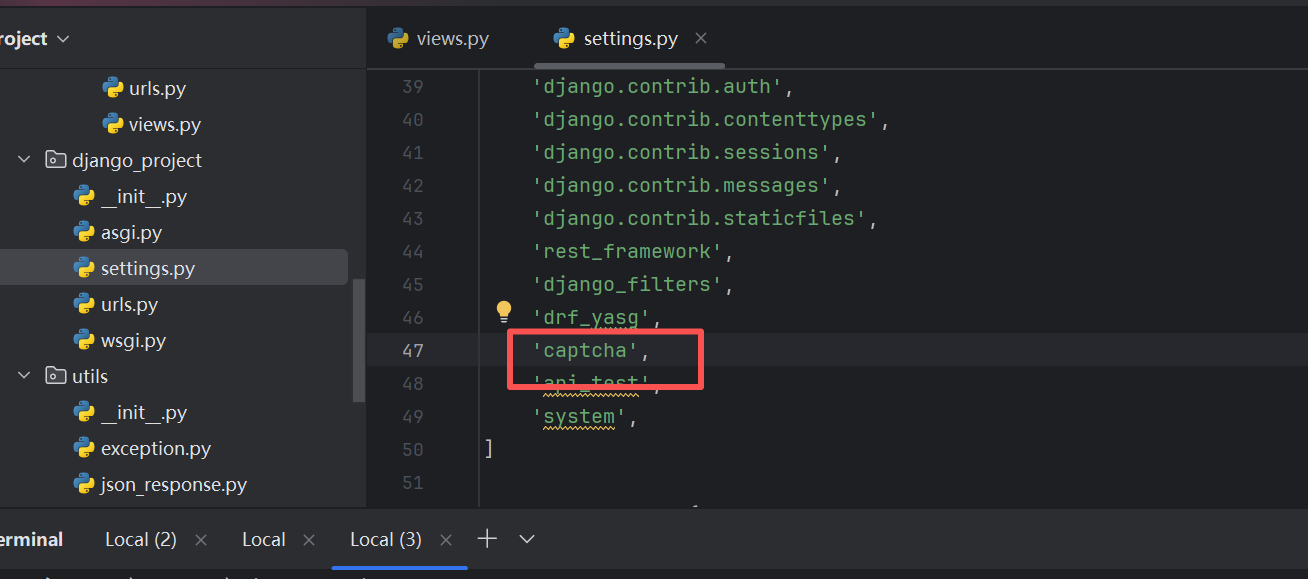
然后数据库迁移
bash
(.venv) PS D:\course7\django_project> python manage.py makemigrations
No changes detected
(.venv) PS D:\course7\django_project> python manage.py migrate
Operations to perform:
  Apply all migrations: admin, api_test, auth, captcha, contenttypes, sessions, system
Running migrations:
  Applying captcha.0001_initial... OK
  Applying captcha.0002_alter_captchastore_id... OK
(.venv) PS D:\course7\django_project>
(.venv) PS D:\course7\django_project>
参数配置:
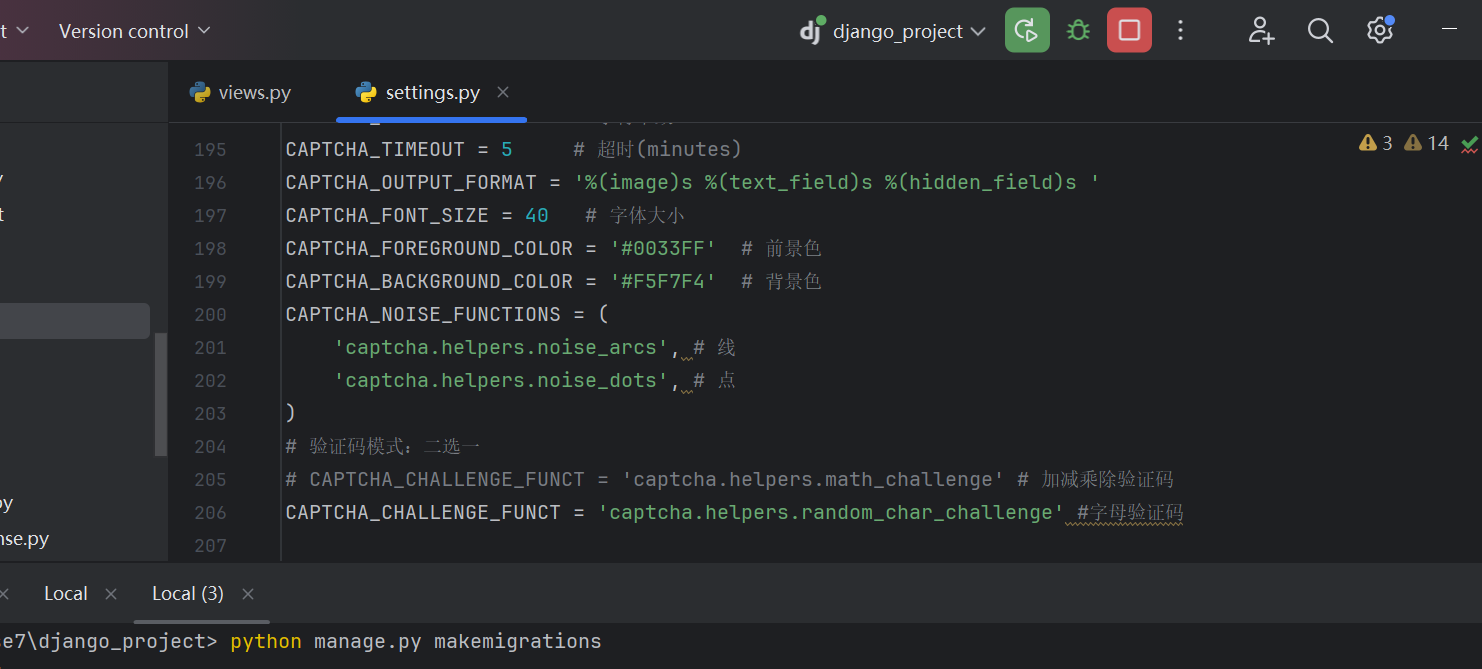
编写一个类视图
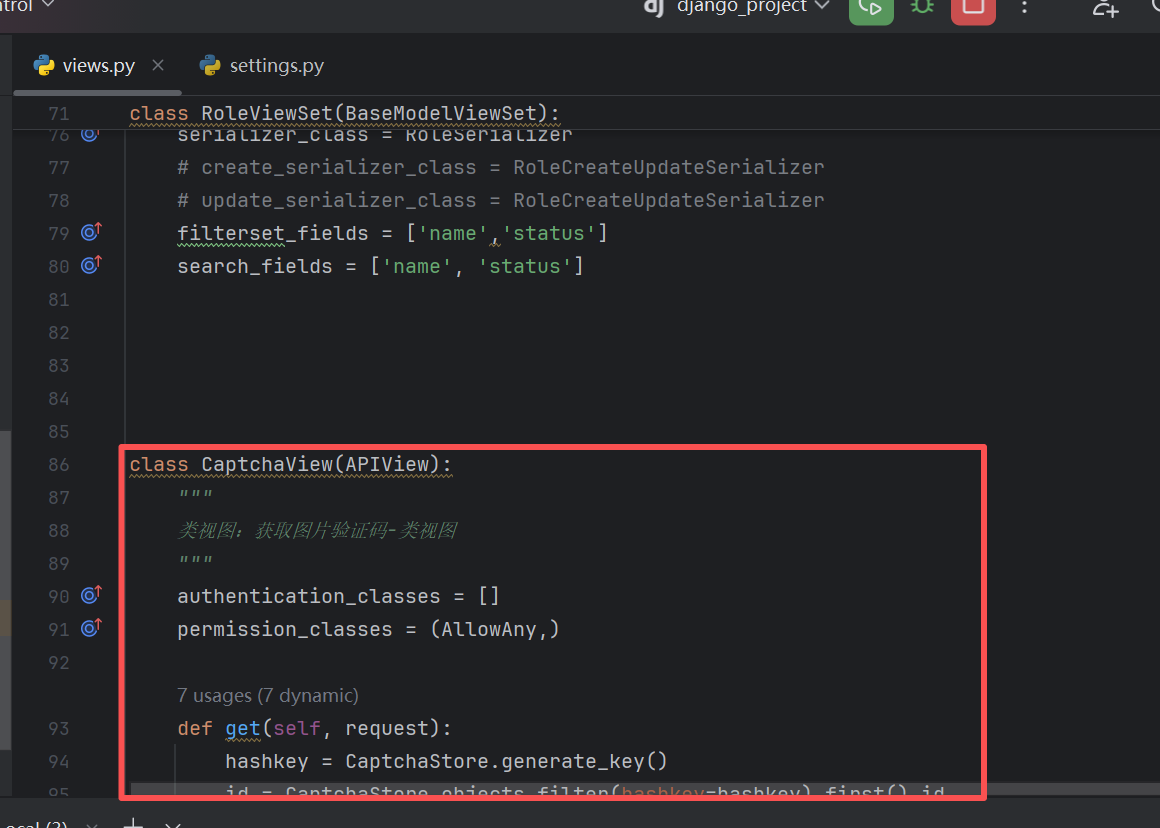
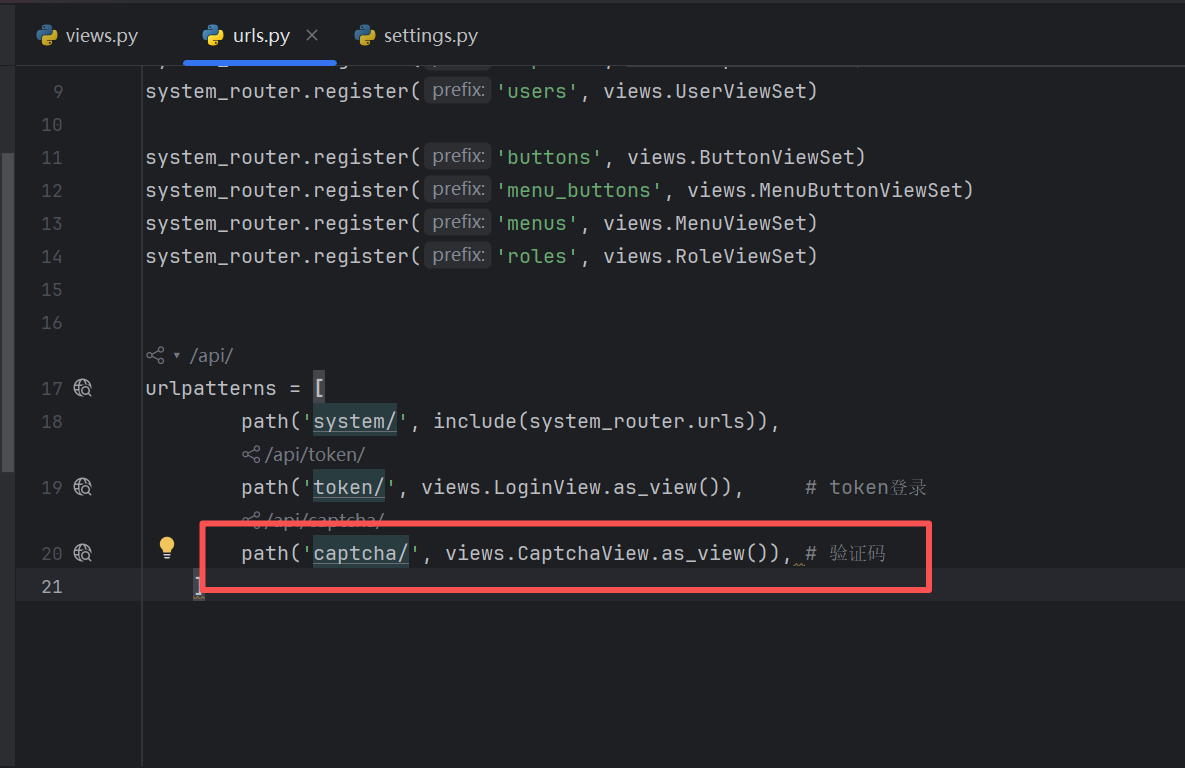
编写路由
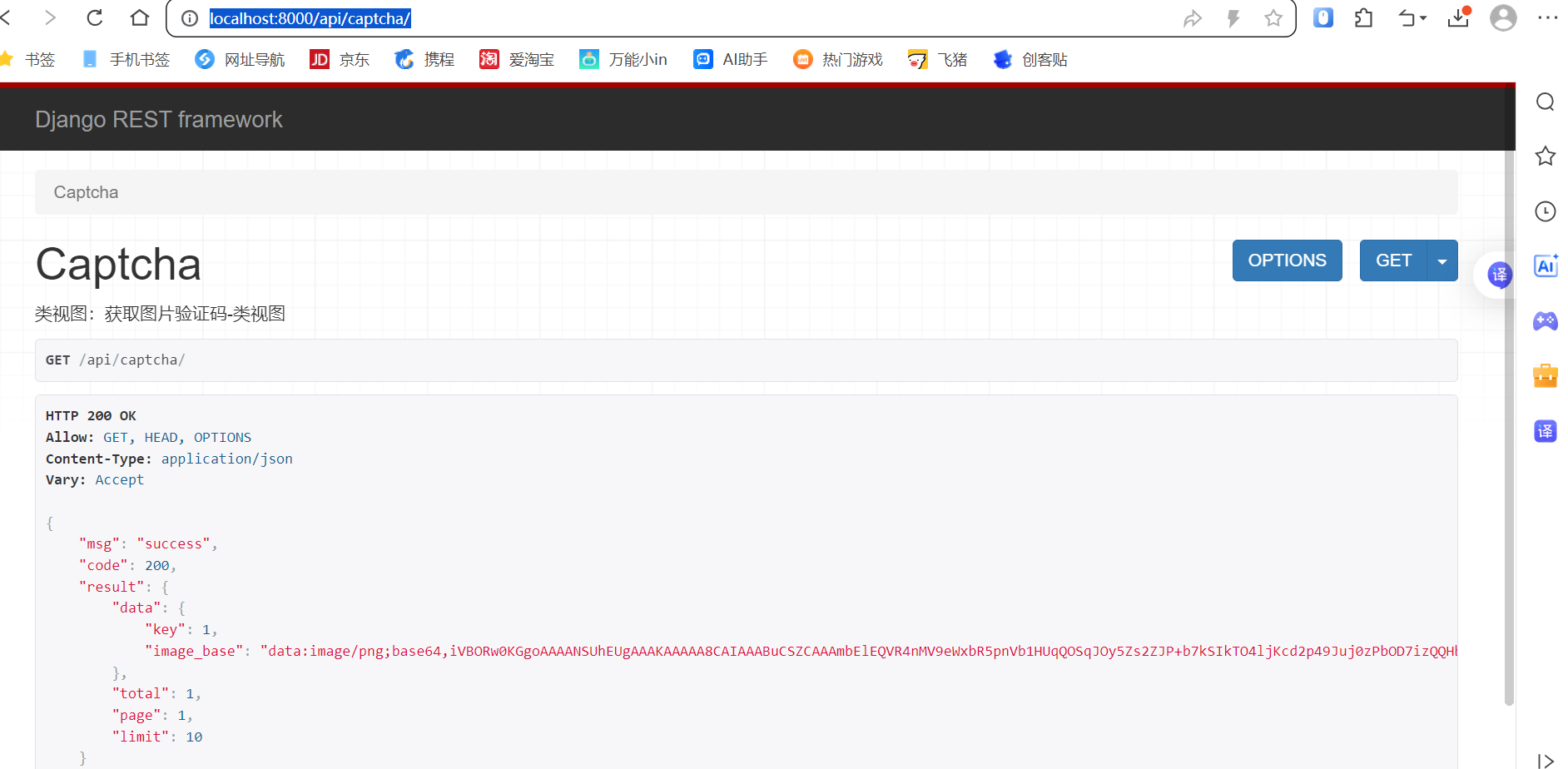
访问http://localhost:8000/api/captcha/,即可看到接口返回了验证码
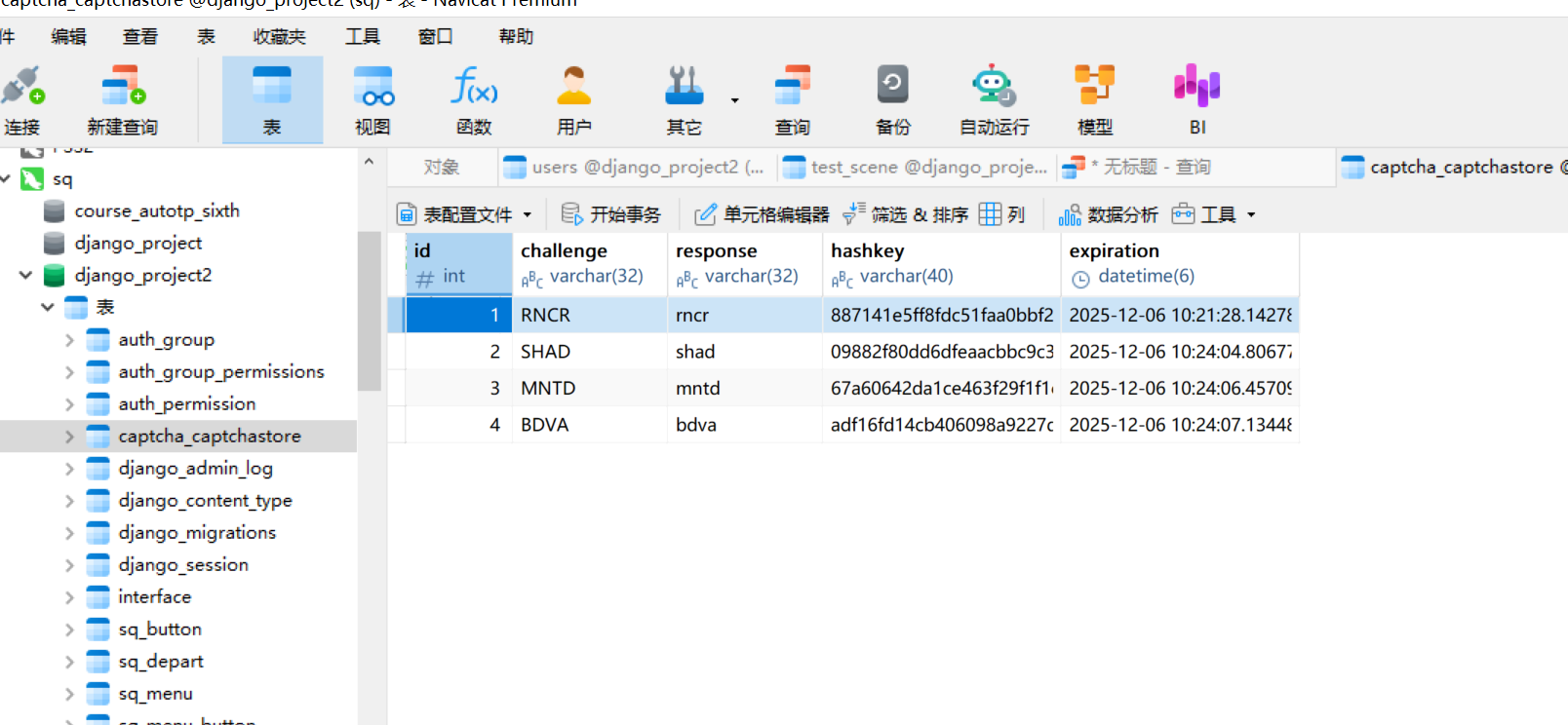
并且数据库表中有了数据
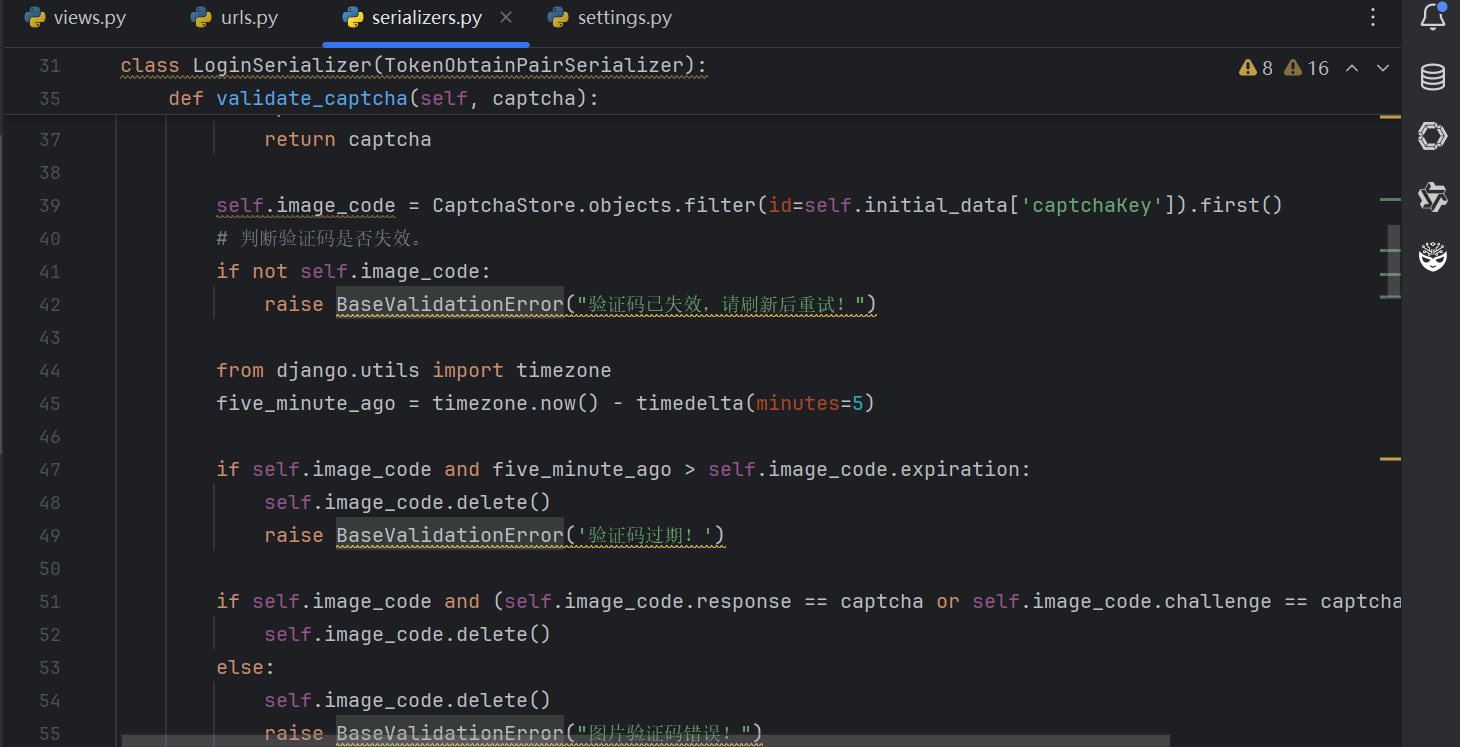
登陆方法的改造
PS:
1、我们看到下图,时间返回的格式是这样的
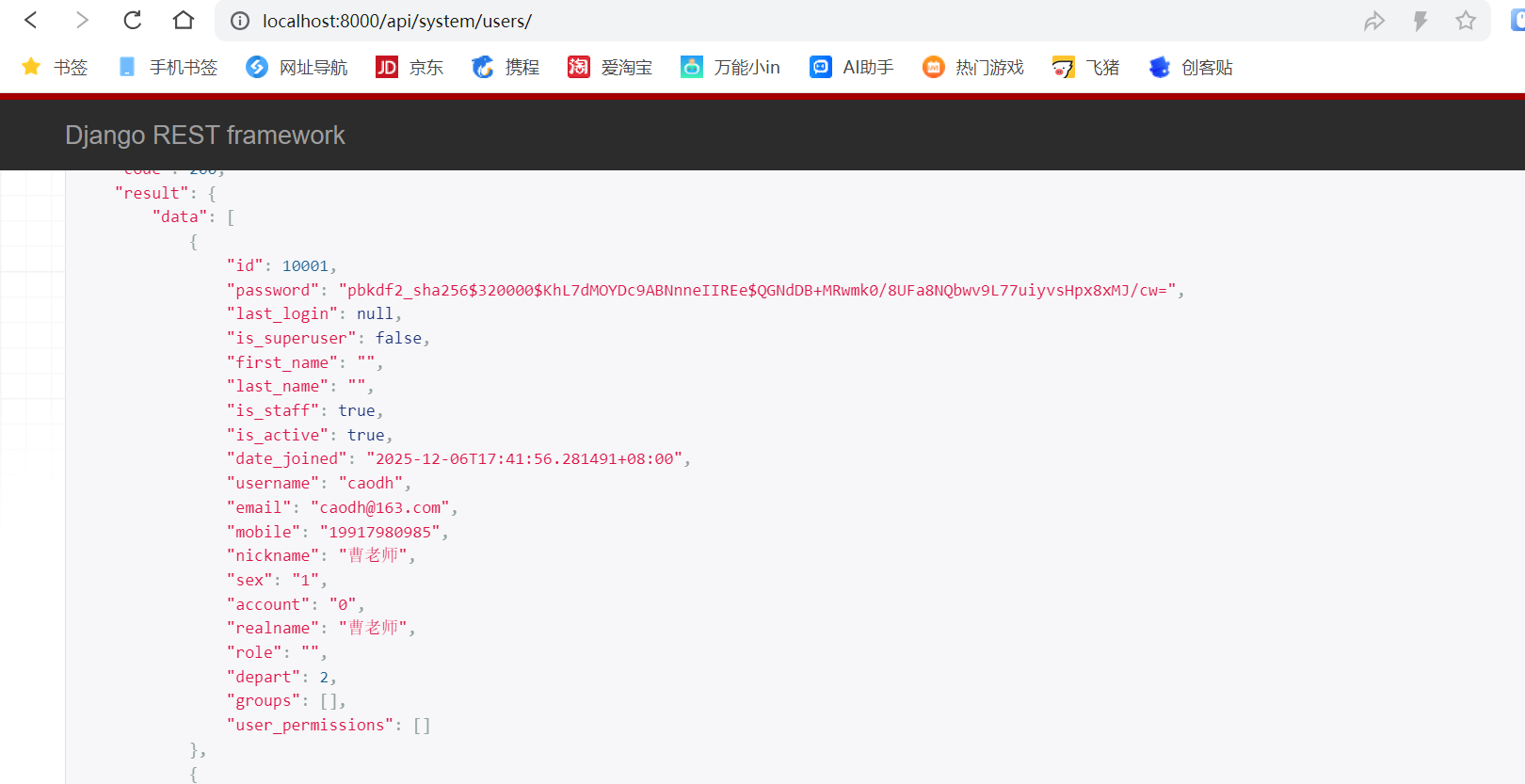
bash
"date_joined": "2025-12-06T17:41:56.281491+08:00",那么,我们希望返回一个我们大家都熟悉的一个格式的时间
怎么实现呢?
我们这里使用全局处理,我们就需要在项目配置文件中添加如下代码
bash
'DATETIME_FORMAT': "%Y-%m-%d %H:%M:%S",  # 日期时间格式配置
'DATE_FORMAT': "%Y-%m-%d",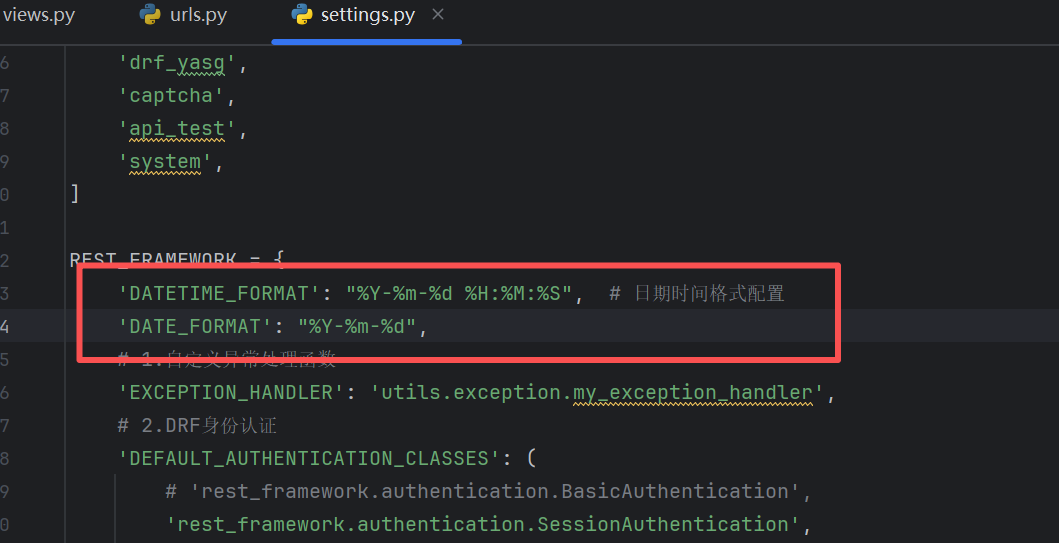
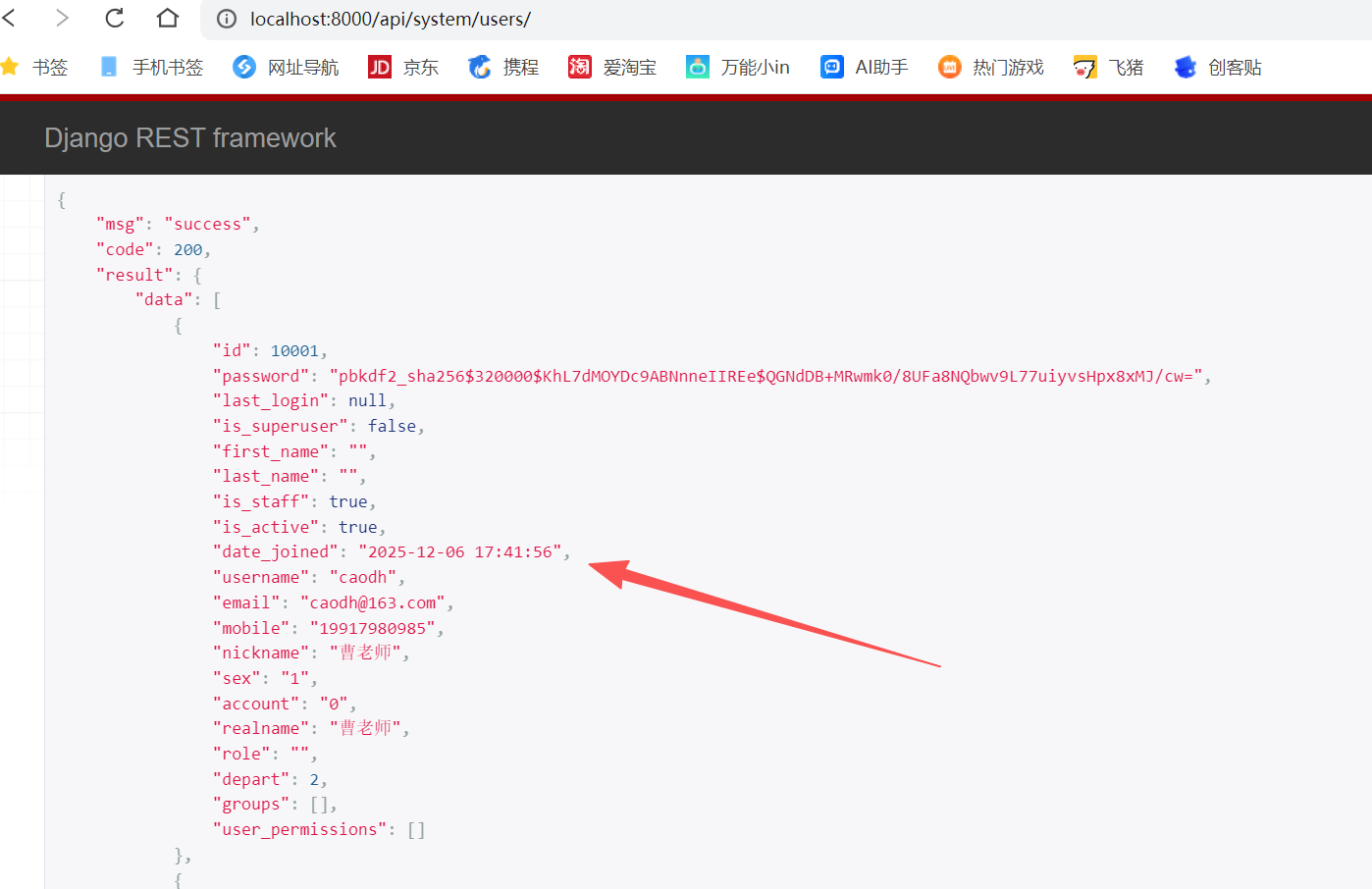
我们看下效果:
返回的时间ok了
2、屏蔽视图集中的某一个接口
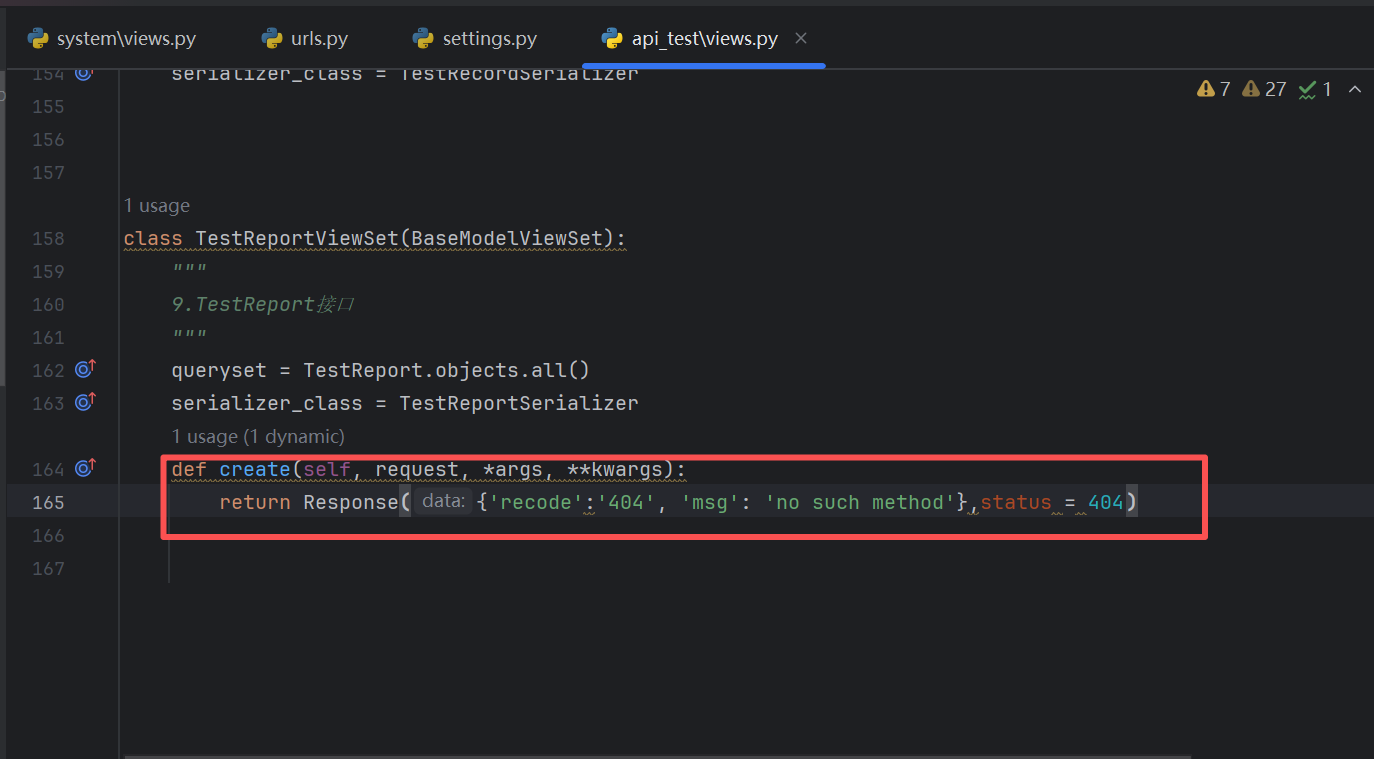
比如说,我们的测试报告视图,我们不希望再去新增数据,因为测试报告本身就是已经是最终的数据
所以,我们的思路是,在这个视图中,重写create方法,直接返回失败告诉用户,没有这个方法,具体截图如下: