她像一个记忆锚点,不会随你移动,当你想起她时她就在那里,丈量过去和现在的距离。
------ 26.4.28
FastAPI是一个基于Python的高性能Web框架,专门用于快速构建API接口服务
FastAPI原生异步支持,性能更好、开发效率高(Pydantic数据验证)、自动生成文档(网页调试:把接口名换成"docs")
一、第一个FastAPI程序
app:Web 应用的核心实例对象。
- 承载整个 FastAPI 服务的所有配置、路由、中间件、接口等
- 所有接口(
@app.get)都必须挂载在这个实例上 - 启动服务时,Uvicorn 等服务器会通过这个变量运行应用
**FastAPI():**FastAPI 框架的核心构造函数,用于创建 FastAPI 应用实例。
| 参数名 | 类型 | 默认值 | 作用 |
|---|---|---|---|
title |
str | "FastAPI" |
API 文档的标题 |
version |
str | "0.1.0" |
API 版本号 |
description |
str | "" |
API 描述文字 |
docs_url |
str / None | "/docs" |
交互式文档地址,设为 None 关闭文档 |
redoc_url |
str / None | "/redoc" |
ReDoc 文档地址 |
debug |
bool | False |
调试模式,生产环境必须关闭 |
**@app.get():**FastAPI 的路由装饰器 ,@ 是 Python 装饰器语法。HTTP GET 请求方法(查询 / 获取数据)
| 参数名 | 类型 | 必选 / 可选 | 作用 |
|---|---|---|---|
path |
str | 必选 | 接口路径(如 / /hello /hello/{name}) |
summary |
str | 可选 | API 文档中的接口摘要 |
description |
str | 可选 | 接口详细描述 |
response_model |
模型 | 可选 | 定义响应数据格式(校验返回值) |
status_code |
int | 可选 | HTTP 状态码(如 200、404) |
tags |
list | 可选 | API 文档分组标签 |
async:async 是 Python 异步函数关键字 ,用于定义异步函数。搭配await关键字
- 非阻塞执行:接口处理请求时,不会卡住服务,能同时处理更多请求
- 提升并发性能:适合 I/O 密集型场景(查询数据库、调用第三方接口)
- FastAPI 原生完美支持异步,异步函数性能远高于普通函数
1.启动FastAPI程序
方式一:
命令行: uvicorn 文件名**:**实例名
uvicorn 文件名**:** 实例名 --reload(自动更新重启服务器)
**方式二:**run 项目
**方式三:**导入uvicorn包
pythonimport uvicorn if __name__ == "__main__": uvicorn.run('demo1_theFirstFastAPI:app', host="127.0.0.1", port=8000, reload=True)
python
import uvicorn
from fastapi import FastAPI

app = FastAPI()


@app.get("/")
async def root():
    return {"message": "Hello World"}


@ app.get("hello/{name")
async def say_hello(name: str):
    return {"message": f"Hello{name}"}


# 启动服务
# 1. 通过命令: uvicorn filename:app_name --reload  #启动服务,并自动重新加载代码内容
# 2. 通过调试: fastapi dev filename.py   # 安装fastapi[standard]
# 3. 通过py运行: python filename.py  # 要有运行项目的代码
if __name__ == "__main__":
    uvicorn.run('demo1_theFirstFastAPI:app', host="127.0.0.1", port=8000, reload=True)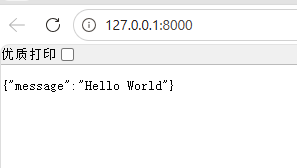
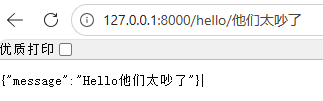
2.FastAPI交互式文档
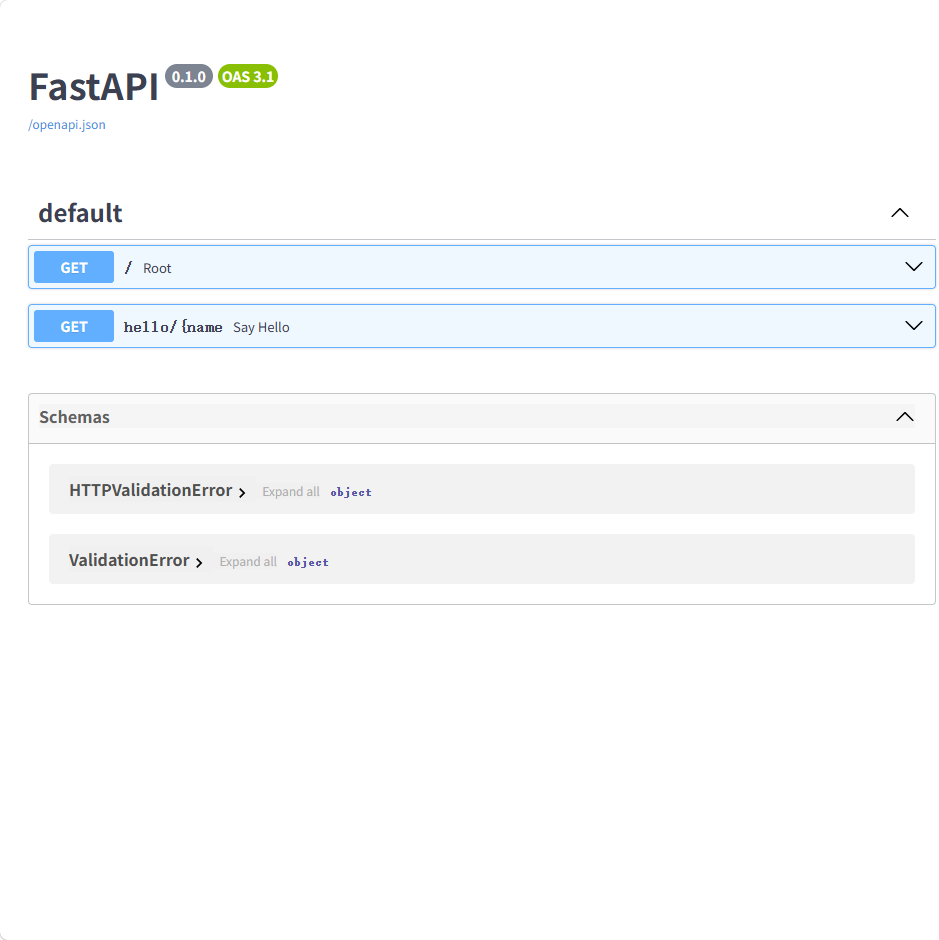
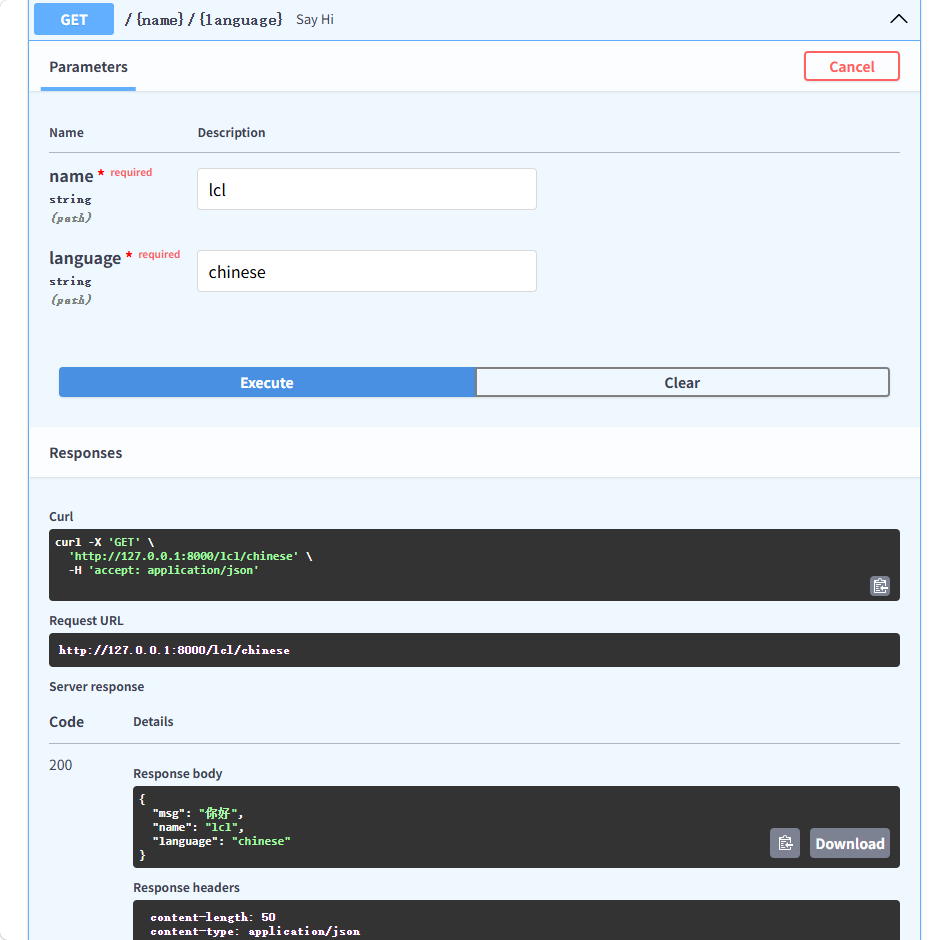
网页端访问http://127.0.0.1:8000/docs,可进入FastAPI交互式文档
3.路由:
路由就是URL地址和处理函数之间的映射关系,它决定了当用户访问某个特定网址时,服务器应该执行哪段代码来返回结果。
FastAPI的路由定义基于Python的装饰器模式
练习:
python
from fastapi import FastAPI
import uvicorn


app = FastAPI()


@app.get("/user/hello")
async def practice():
    return {"msg": "我正在学习,一切都会好的"}


if __name__ == "__main__":
    uvicorn.run('demo2_practice1:app', host="127.0.0.1", port=8000, reload=True)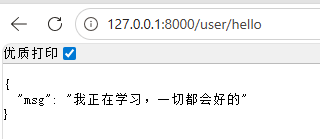
4.参数:
同一段接口逻辑,根据参数不同返回不同的数据
参数就是客户端发送请求时附带的额外信息和指令
参数的作用是让同一个接口能根据不同的输入,返回不同的输出,实现动态交互
5.参数分类:
Ⅰ、路径参数:
位置: URL路径的一部分**/book/{id}**
**作用:**指向唯一的、特定的资源
**方法:**GET
python
import uvicorn
from fastapi import FastAPI

app = FastAPI()


@app.get("/book/{id}")
async def get_book(id: int):
    return {"id": id, "title": f"这是第{id}本书"}


# 路径参数和函数参数保持一致
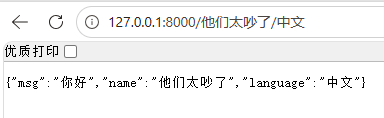
@app.get("/{name}/{language}")
async def say_hi(name: str, language: str):
    # 返回字典(合法 JSON)
    return {"msg": "你好", "name": name, "language": language}


if __name__ == "__main__":
    uvicorn.run('demo3_PathParam:app', host="127.0.0.1", port=8000, reload=True)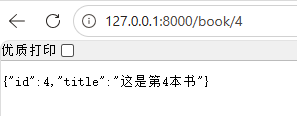
**required:**必填项
练习:
python
from fastapi import FastAPI
import uvicorn


app = FastAPI()


@app.get("/{user}/{id}")
async def practice(id: int, user: str):
    return {"msg": "你好", "user": user, "您的学号是:": {id}}


if __name__ == "__main__":
    uvicorn.run('demo4_practice2:app', host="127.0.0.1", port=8000, reload=True)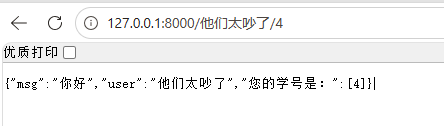
路径参数 - 类型注解 Path: FastAPI允许为参数声明额外的信息和校验
导入FastAPI的Path函数
做python的类型注解
FastAPI():FastAPI() 是 FastAPI 框架的核心入口函数 ,用于创建一个 FastAPI 应用对象(app)。所有路由、接口、配置、中间件、文档等,都基于这个对象来定义。
| 参数名 | 类型 | 默认值 | 作用说明 |
|---|---|---|---|
title |
str |
"FastAPI" |
API 文档标题 |
description |
str |
"" |
API 描述 |
version |
str |
"0.1.0" |
API 版本 |
debug |
bool |
False |
调试模式 |
docs_url |
str |
"/docs" |
自动交互文档地址 |
redoc_url |
str |
"/redoc" |
Redoc 文档地址 |
openapi_url |
str |
"/openapi.json" |
OpenAPI 规范地址 |
default_response_class |
Response |
JSONResponse |
默认返回格式 |
middleware |
list |
[] |
中间件列表 |
dependencies |
list |
[] |
全局依赖项 |
root_path |
str |
"" |
应用根路径 |
root_path_in_servers |
bool |
True |
是否在服务器中包含 root_path |
responses |
dict |
{} |
全局通用响应 |
swagger_ui_oauth2_redirect_url |
str |
None |
OAuth2 跳转地址 |
swagger_ui_init_oauth |
dict |
None |
Swagger 初始化 OAuth 配置 |
servers |
list |
None |
API 服务器列表 |
**Path():**是 FastAPI 专门用于【路径参数】的校验 / 配置函数。作用:
- 对 URL 里的参数(如
/user/{id})做数据校验 - 设置参数说明、默认值、范围、长度、示例等
- 让接口文档更规范
| 参数名 | 作用 |
|---|---|
default |
参数默认值 |
alias |
参数别名 |
title |
参数标题 |
description |
参数描述 |
gt |
大于 |
ge |
大于等于 |
lt |
小于 |
le |
小于等于 |
min_length |
字符串最小长度 |
max_length |
字符串最大长度 |
regex |
正则匹配 |
example |
参数示例 |
examples |
多个示例 |
deprecated |
是否弃用 |
include_in_schema |
是否显示在文档 |
Annotated():在不改变原有数据类型的前提下,给类型附加「额外信息、校验规则、约束、说明」 。在 FastAPI 里 = 把「类型」和「参数规则(Path/Query/Body)」绑定在一起。
| 位置 | 名称 | 必须 | 说明 |
|---|---|---|---|
| 第 1 项 | 原始类型 | ✅ 必须 | 如 int, str, float, bool, datetime 等 |
| 第 2~N 项 | 元数据 | ❌ 可选 | 可以是:・FastAPI 规则:Path / Query / Body / Field・字符串描述・自定义元数据 |
python
from typing import Annotated

from fastapi import FastAPI, Path

app = FastAPI()


@app.get("/book/{id}")
async def get_book(id: int = Path(..., gt=0, lt=100, description="书籍id,取值范围为1到99")):
    return {"id": id, "title": f"这是第{id}本书"}


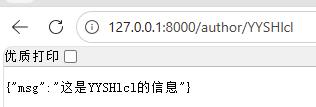
@app.get("/author/{name}")
async def get_name(name: Annotated[str, Path(..., min_length=2, max_length=5)]):
    print(f"name: {name}, len: {len(name)}")
    return {"msg": f"这是{name}的信息"}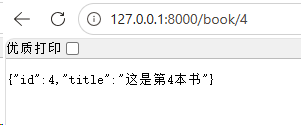
路径参数出现在什么位置?
URL路径的一部分 /book/{id}
如何为路径参数添加类型注解?
Python原生注解和Path注解
练习:
python
from typing import Annotated

import uvicorn
from fastapi import FastAPI, Path

app = FastAPI()


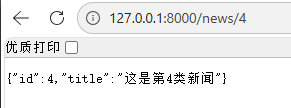
@app.get("/news/{id}")
async def get_book(id: int = Path(..., gt=0, lt=101, description="书籍id,取值范围为1到99")):
    return {"id": id, "title": f"这是第{id}类新闻"}


@app.get("/news/type/{name}")
async def get_name(name: Annotated[str, Path(..., min_length=2, max_length=10)]):
    print(f"name: {name}, len: {len(name)}")
    return {"msg": f"这是{name}类新闻"}

if __name__ == "__main__":
    uvicorn.run('demo6_practice3:app', host="127.0.0.1", port=8000, reload=True)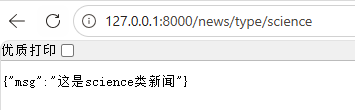
Ⅱ、查询参数:
声明的参数不是路径参数时,路径操作函数会把该参数自动解释为查询参数
位置: URL**?之后 参数名=参数值,例:key1=value1&key2=value2**
**作用:**对资源集合进行过滤、排序、分页等操作
**方法:**GET
python
from fastapi import FastAPI, Query
import uvicorn

app = FastAPI()


@app.get("/")
async def root():
    return {"message": "Hello World"}


# 需求:查询新闻 ------> 分页,skip:跳过的记录数,limit:返回的记录数 10
@app.get("/news/news_list")
async def get_news_list(
        skip: int = Query(..., gt = 0, lt = 9),
        limit: int = 10
):
    return {"skip: ": skip, "limit: ": limit}


if __name__ == "__main__":
    uvicorn.run("demo7_queryParam:app",  host="127.0.0.1", port=8000, reload=True)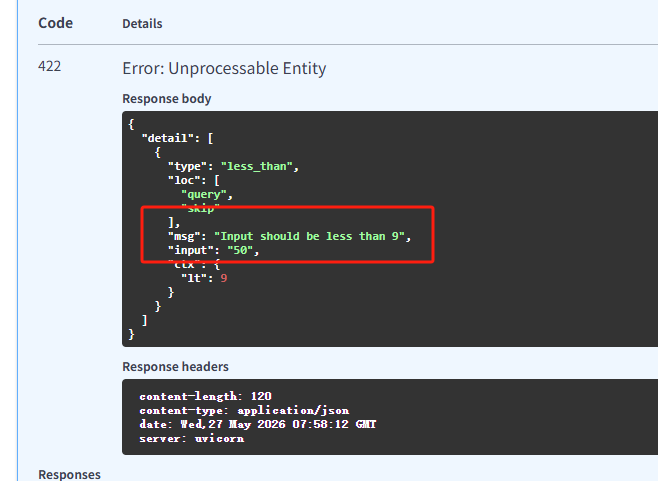
查询参数出现在什么位置?
URL?之后,k1=v1&k2=v2
**例:**http://127.0.0.1:8000/news/news_list?skip=4\&limit=10
如何为查询参数添加类型注解?
Python原生注解和Query注解
查询参数 - 类型注解 Query:
练习:
python
from fastapi import FastAPI, Query
import uvicorn

app = FastAPI()


@app.get("/books")
async def get_books(
        # 图书分类:默认值 + 长度校验
        category: str = Query("Python开发", min_length=5, max_length=255),

        # 价格:必填 + 范围校验
        price: int = Query(..., ge=50, le=100, description="图书价格,范围50~100")
):
    return {
        "category": category,
        "price": price
    }


if __name__ == "__main__":
    uvicorn.run("demo8_practice4:app", host="127.0.0.1", port=8000, reload=True)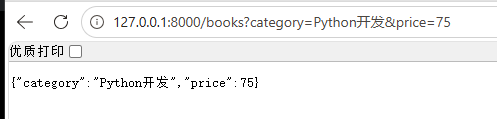
Ⅲ、请求体参数:
位置: HTTP请求的**消息体(body)**中
**作用:**创建、更新资源携带大量数据,如:JSON
**方法:**POST、PUT等
在HTTP协议中,一个完整的请求由三部分组成:
**① 请求行:**包含方法、URL、协议版本
**② 请求头:**元数据信息(Content-Type、Authorization)
③ 请求体: 实际要发送的数据内容
定义类型
python
from pydantic import BaseModel

class User(BaseModel):
    username: str
    password: str
类型注解
python
@app.post("/register")
async def register(user: User):
    return user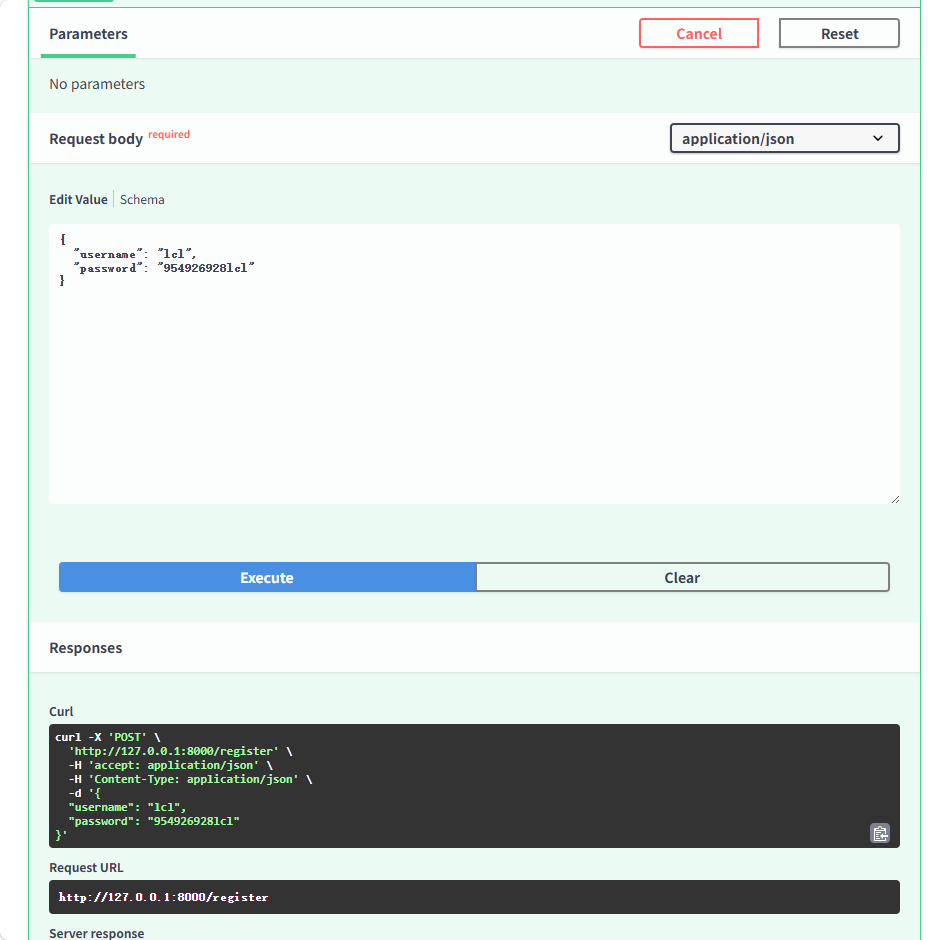
练习:
python
from fastapi import FastAPI, Query
import uvicorn
from pydantic import BaseModel

app = FastAPI()


class Book(BaseModel):
    bookName: str
    author: str
    publish: str
    value: int


@app.post("/register")
async def register(book:Book):
    return book


if __name__ == "__main__":
    uvicorn.run("demo10_practice5:app", host="127.0.0.1", port=8000, reload=True)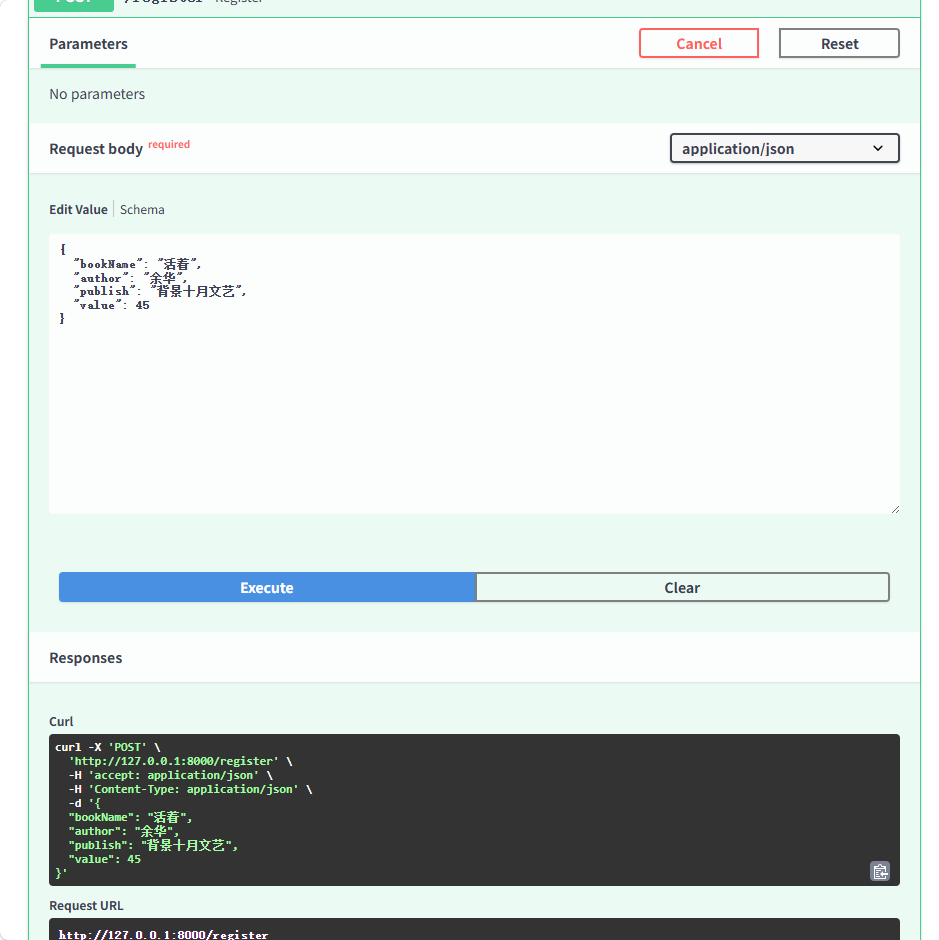
请求体参数 - 类型注解 Field
导入pydantic 的Field函数
python
from fastapi import FastAPI, Query
import uvicorn
from pydantic import BaseModel, Field

app = FastAPI()


class User(BaseModel):
    username: str = Field(default="张三", min_length=2, max_length=6, description="用户名长度要求2到10个字")
    password: str = Field(min_length=6, max_length=12, description="用户名密码")


@app.post("/register")
async def register(user: User):
    return user


if __name__ == "__main__":
    uvicorn.run("demo11_Pydantic:app", host="127.0.0.1", port=8000, reload=True)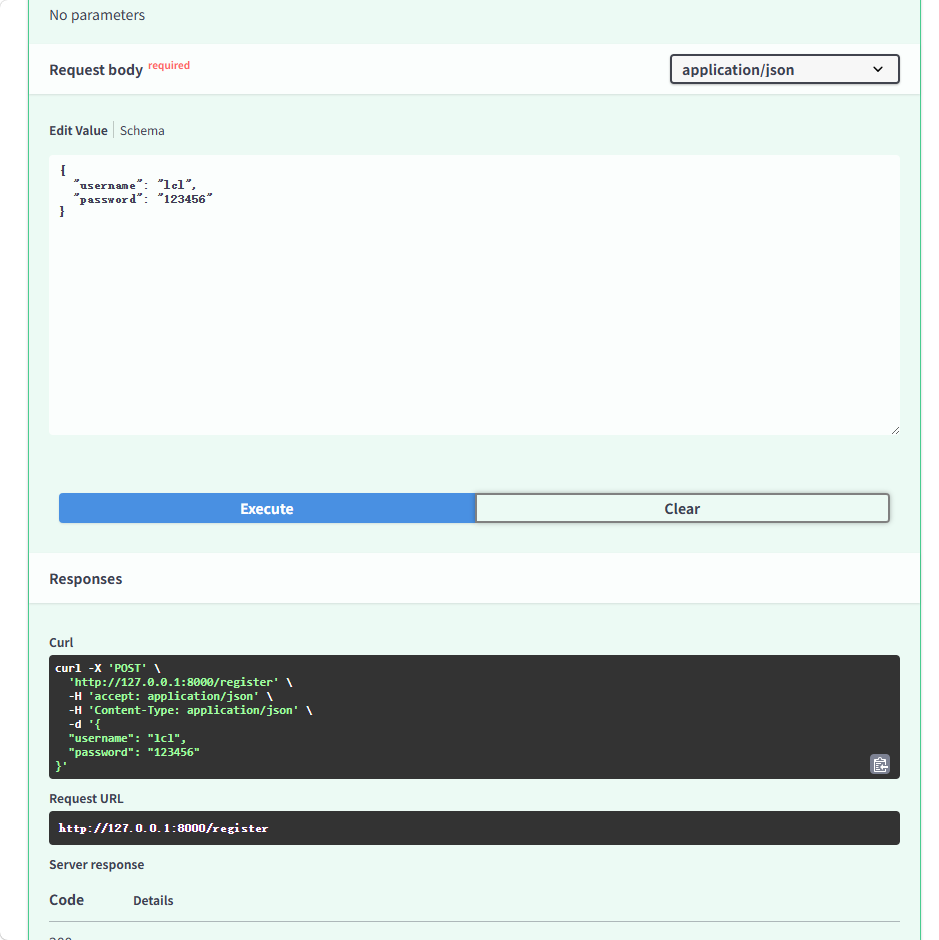
请求体参数的作用是什么?
创建、更新资源
如何为请求体参数添加类型注解?
Python原生注解和Field注解
练习:
python
from fastapi import FastAPI
from pydantic import BaseModel, Field  # 导入Pydantic校验工具
import uvicorn

app = FastAPI()

# 根路径
@app.get("/")
async def root():
    return {"message": "Hello World"}


# 1. 定义请求体模型:自动校验所有字段
class Book(BaseModel):
    # 书名:不能为空,长度2~20
    title: str = Field(..., min_length=2, max_length=20, description="书名,不能为空")
    # 作者:长度2~10
    author: str = Field(..., min_length=2, max_length=10, description="作者姓名")
    # 出版社:默认值"黑马出版社"
    publisher: str = Field(default="黑马出版社", description="出版社,默认值:黑马出版社")
    # 售价:不能为空,大于0元
    price: int = Field(..., gt=0, description="图书售价,必须大于0")


# 2. 新增图书POST接口
@app.post("/books/", summary="新增图书")
async def create_book(book: Book):
    return book

# 启动代码
if __name__ == "__main__":
    uvicorn.run("demo12_practice6:app", host="127.0.0.1", port=8000, reload=True)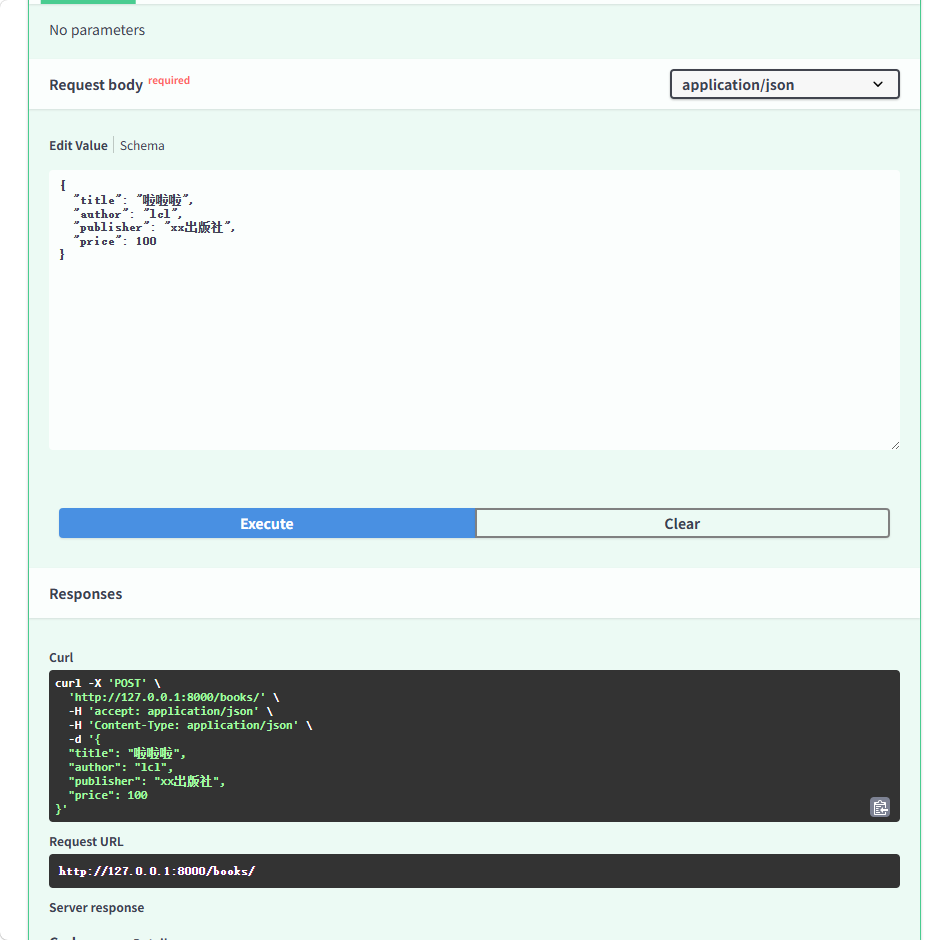
二、请求与响应
1.响应类型
默认情况下,FastAPI会自动将路径操作函数返回的 Python对象(字典、列表、Pydantic 模型等),经由 jsonable_encoder 转换为 JSON 兼容格式,并包装为 JSONResponse 返回。这省去了手动序列化的步骤,让开发者能更专注于业务逻辑。
如果需要返回非 JSON 数据(如 HTML、文件流),FastAP! 提供了丰富的响应类型来返回不同数据
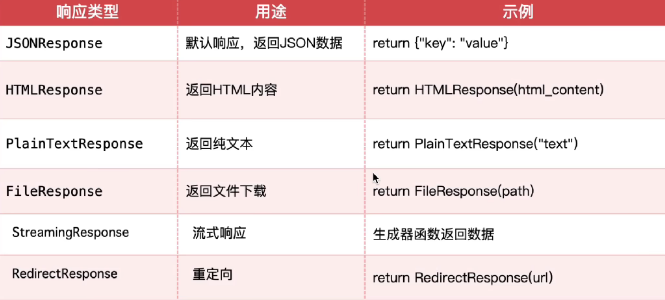
2.响应类型设置方式
Ⅰ、装饰器中指定响应类
**场景:**固定返回类型(HTML、纯文本等)
python
from fastapi import FastAPI
import uvicorn
from fastapi.responses import HTMLResponse, FileResponse

app = FastAPI()


# 装饰器中指定响应类
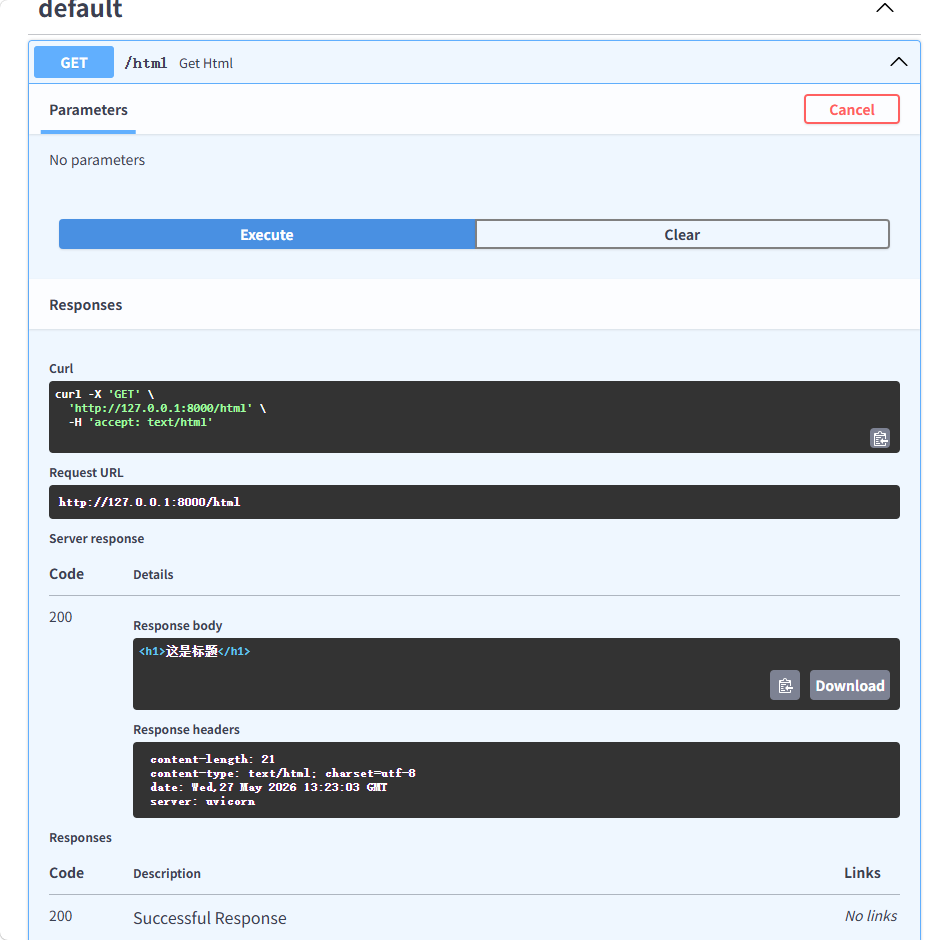
@app.get("/html", response_class=HTMLResponse)
async def get_html():
    return "<h1>这是标题</h1>"


# 启动代码
if __name__ == "__main__":
    uvicorn.run("demo13_responseType:app", host="127.0.0.1", port=8000, reload=True)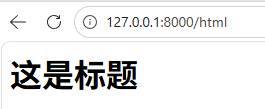
Ⅱ、返回响应对象
**场景:**文件下载、图片、流式响应
python
# 返回响应对象
@app.get("/file")
async def get_file():
    file_path = "./files/1.jpeg"
    return FileResponse(file_path)
Ⅲ、响应文件格式
FileResponse 是 FastAP!提供的专门用于高效返回文件内容(如图片、PDF、Excel、音视频等)的响应类。它能够智能处理文件路径媒体类型推断、范围请求和缓存头部,是服务静态文件的推荐方式。
python
from fastapi import FastAPI
import uvicorn
from fastapi.responses import  FileResponse

app = FastAPI()


# 返回响应对象
@app.get("/file")
async def get_file():
    file_path = "./files/image.jpg"
    return FileResponse(file_path)


# 启动代码
if __name__ == "__main__":
    uvicorn.run("demo13_responseType:app", host="127.0.0.1", port=8000, reload=True)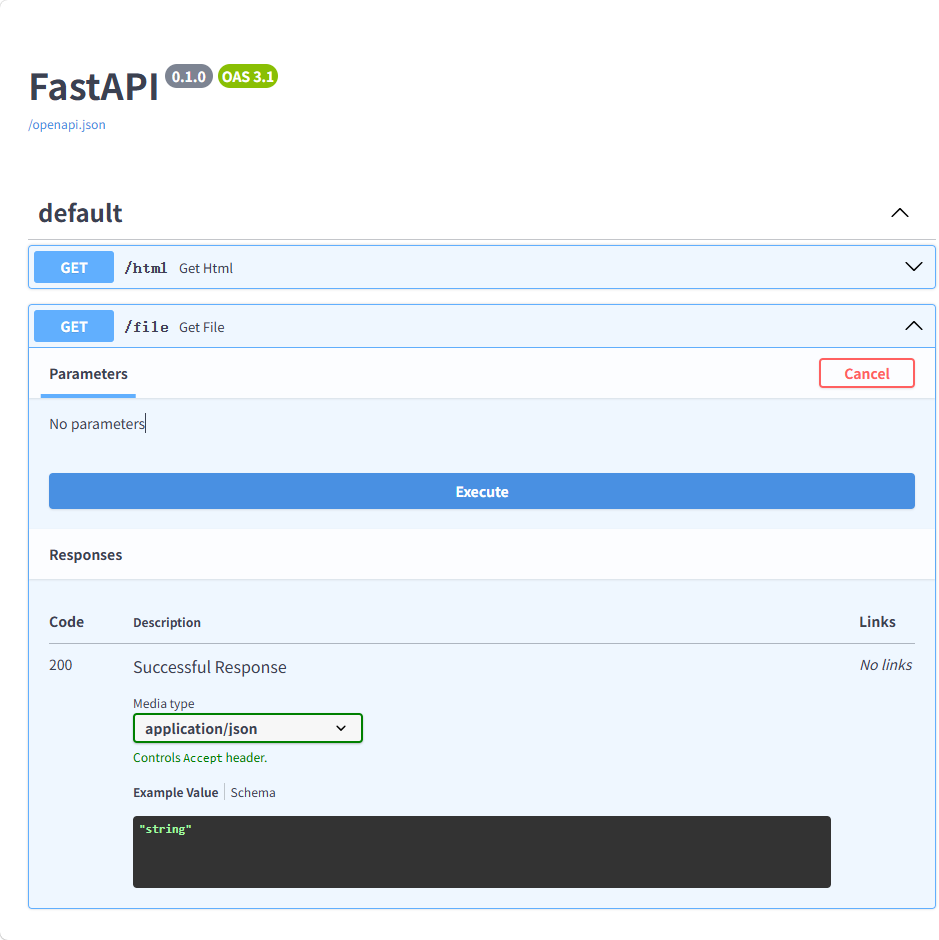
Ⅳ、自定义响应数据格式
response_mode 是路径操作装饰器(如 @app.get或 @app.post)的关键参数,它通过一个 Pydantic 模型来严格定义和约束 API 端点的输出格式。这一机制在提供自动数据验证和序列化的同时,更是保障数据安全性的第一道防线。
python
import uvicorn
from fastapi import FastAPI
from pydantic import BaseModel

app = FastAPI()


# 需求:定义一个新闻接口
class News(BaseModel):
    id: int
    title: str
    content: str


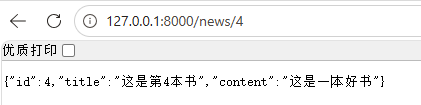
@app.get("/news/{id}", response_model=News)
async def get_news(id: int):
    return {
        "id": id,
        "title": f"这是第{id}本书",
        "content": "这是一本好书"
    }

# 启动代码
if __name__ == "__main__":
    uvicorn.run("demo14_defineData:app", host="127.0.0.1", port=8000, reload=True)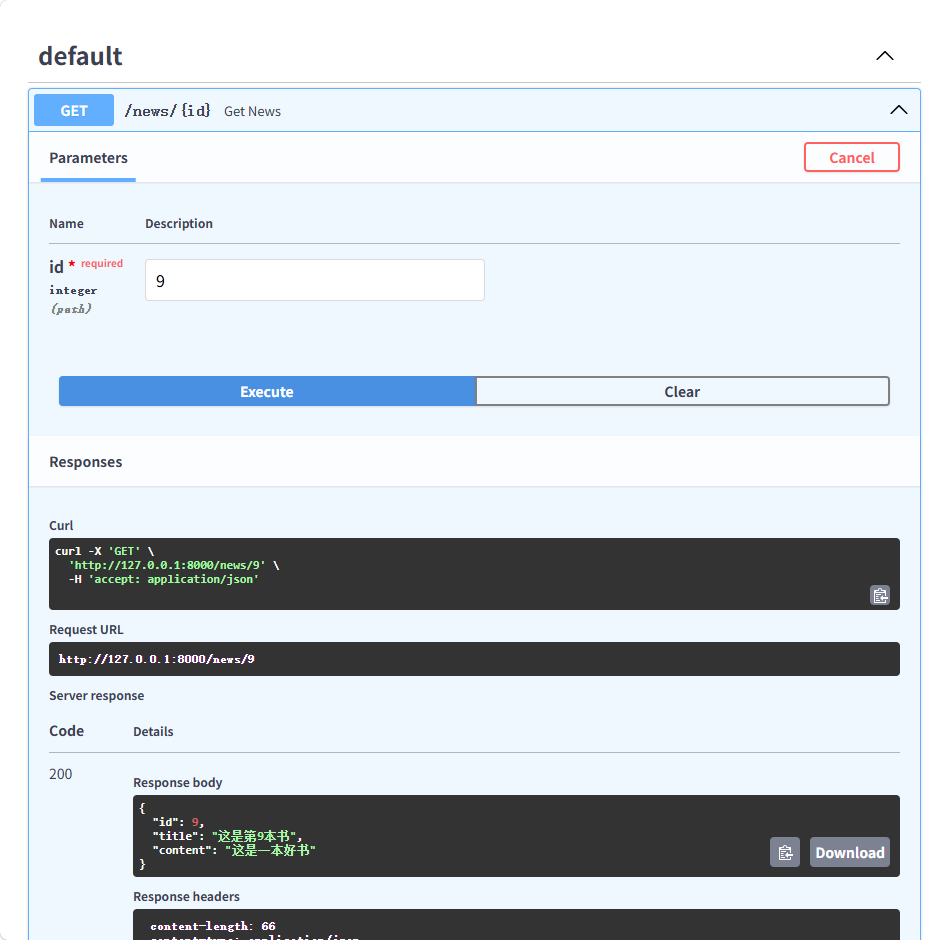
FasrAPI中,怎么定义自定义响应数据的格式?
response_model
python
# 需求:定义一个新闻接口
class News(BaseModel):
    id: int
    title: str
    content: str


@app.get("/news/{id}", response_model=News)
async def get_news(id: int):
    return {
        "id": id,
        "title": f"这是第{id}本书",
        "content": "这是一本好书"
    }
FastAPI中,怎么设置响应类型?
装饰器中设置响应类 和 返回响应对象
python
@app.get("/file")
async def get_file():
    file_path = "./files/image.jpg"
    return FileResponse(file_path)
python
# 装饰器中指定响应类
@app.get("/html", response_class=HTMLResponse)
async def get_html():
    return "<h1>这是标题</h1>"
3.异常处理
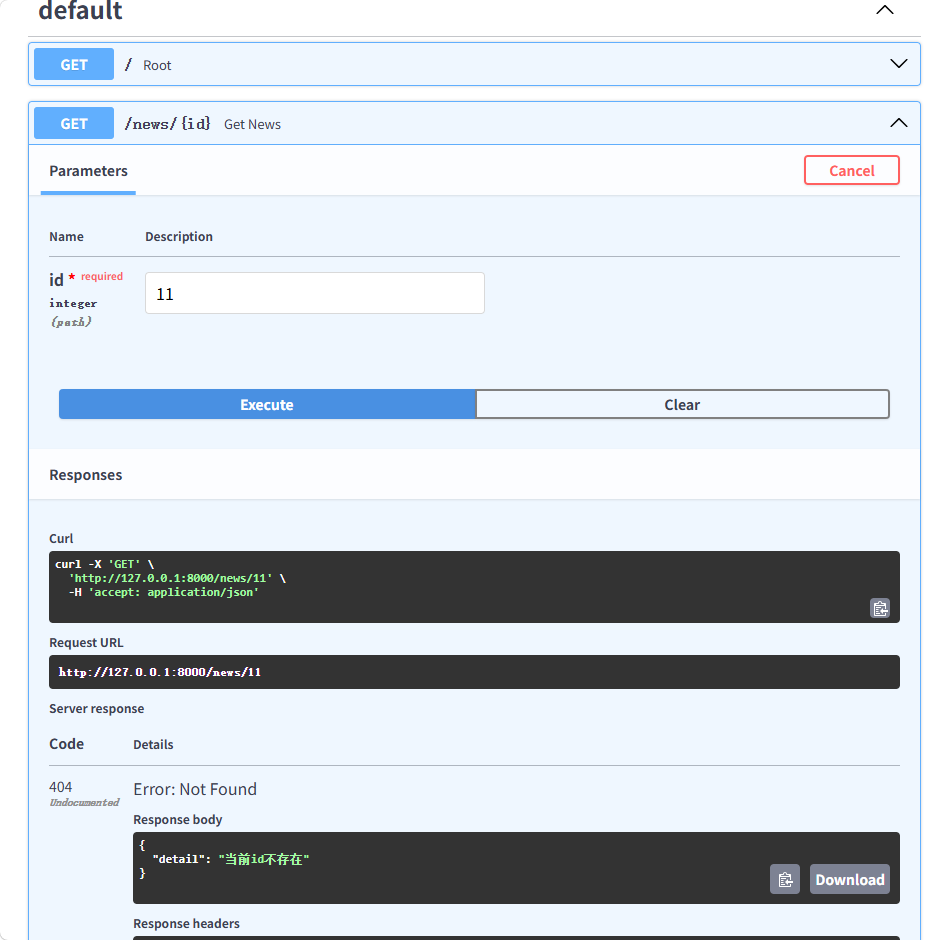
对于客户端引发的错误(4xx,如资源未找到、认证失败),应使用 fastapi.HTTPException 来中断正常处理流程,并返回标准错误响应
python
import uvicorn
from fastapi import FastAPI, HTTPException


app = FastAPI()


@app.get("/")
async def root():
    return {"message": "Hello World"}


@app.get("/news/{id}")
async def get_news(id: int):
    id_list = [1, 2, 3, 4, 5, 6]
    if id not in id_list:
        raise HTTPException(status_code=404, detail="当前id不存在")
    return {"id": id}


# 启动代码
if __name__ == "__main__":
    uvicorn.run("demo15errorProcess:app", host="127.0.0.1", port=8000, reload=True)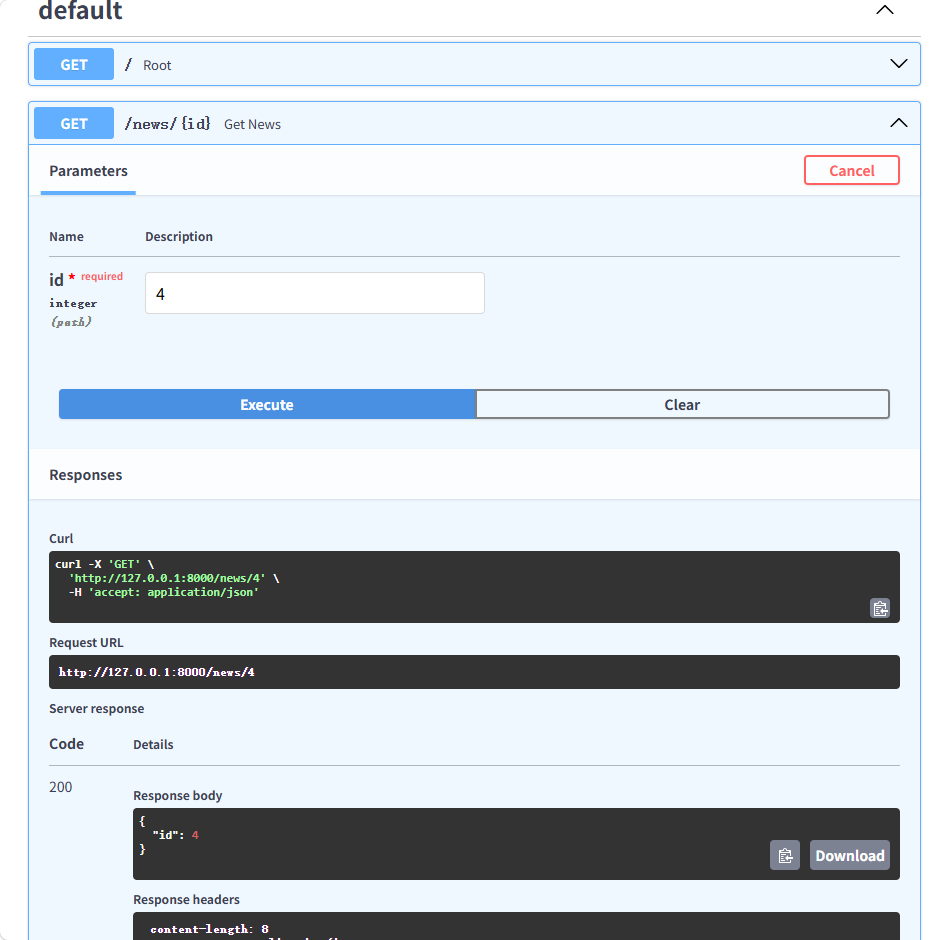
三、中间件
使用中间件为每个请求前后添加统一的处理逻辑
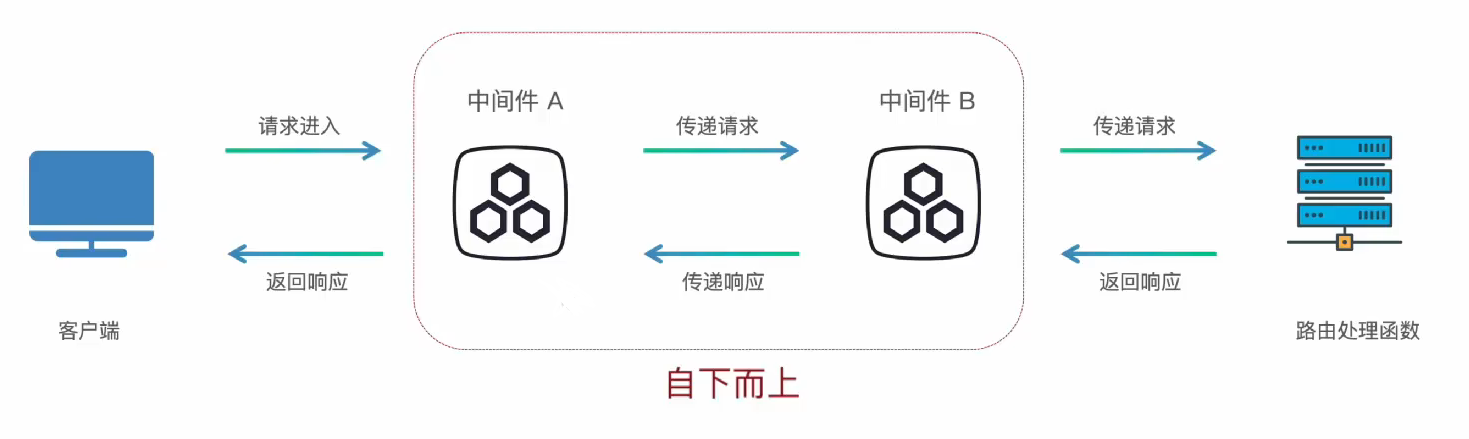
中间件(Middleware)是一个在每次请求进入 FastAPI 应用时都会被执行的函数。它在请求到达实际的路径操作(路由处理函数)之前运行,并且在响应返回给客户端之前再运行一次。
中间件: 函数的顶部使用装饰器 @app.middleware("http")
python
import uvicorn
from fastapi import FastAPI


app = FastAPI()


@app.middleware("http")
async def middleware1(request, call_next):
    print("中间件1 start")
    response = await call_next(request)
    print("中间件1 end")
    return response


@app.middleware("http")
async def middleware2(request, call_next):
    print("中间件3 start")
    response = await call_next(request)
    print("中间件3 end")
    return response


@app.middleware("http")
async def middleware2(request, call_next):
    print("中间件2 start")
    response = await call_next(request)
    print("中间件2 end")
    return response


@app.get("/")
async def root():
    return {"message": "Hello World"}


# 启动代码
if __name__ == "__main__":
    uvicorn.run("demo16_middleWare:app", host="127.0.0.1", port=8000, reload=True)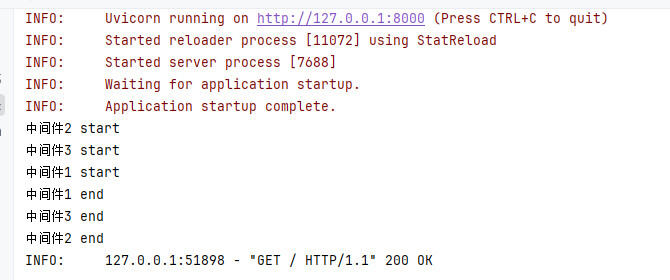
中间件作用是什么?
为每个请求添加统一的处理逻辑(记录日志、身份认证、跨域、设置响应头、性能监控等)
中间件怎么定义?
函数的顶部使用装饰器 @app.middleware("http")
python
@app.middleware("http")
async def middleware1(request, call_next):
    print("中间件开始处理")
    response = await call_next(request)
    print("中间件处理完成")
    return response
多个中间件的执行顺序是?
自下而上
四、依赖注入
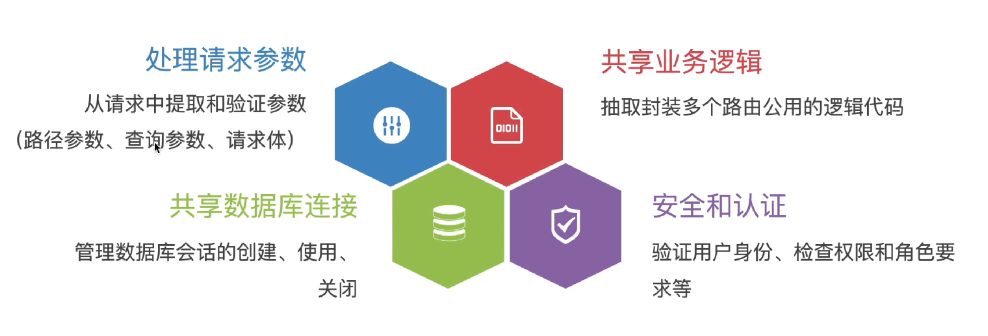
使用依赖注入系统来共享通用逻辑,减少代码重复
中间件控制所有程序,依赖注入人为决定哪些程序可以共享控制
依赖项: 可复用的组件(函数/类),负责提供某种功能或数据
**注入:**FastAPI自动帮你调用依赖项,并将结果"注入"到路径操作函数中。
优点:
**代码复用:**一次编写,多处使用
**解耦:**业务逻辑与基础设施代码分离
**易于测试:**轻松地用模拟依赖替换真实依赖进行测试
应用场景:
使用步骤:
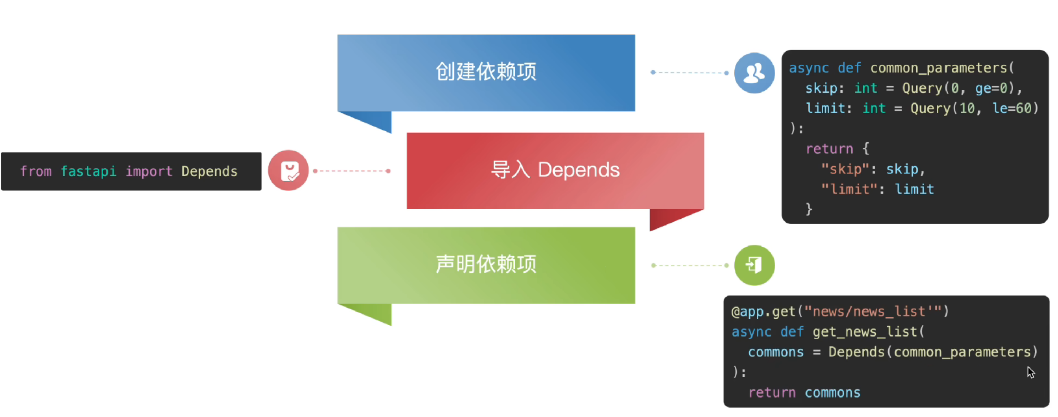
python
import uvicorn
from fastapi import FastAPI, Query, Depends

app = FastAPI()


@app.get("/")
async def root():
    return {"message": "Hello World"}


# 分页参数逻辑共用: 新闻列表和用户列表
# 依赖项
async def common_parameters(
        skip: int = Query(0, ge = 0),
        limit: int = Query(10, le = 60)
):
    return {"skip": skip, "limit": limit}


# 声明依赖项 -> 依赖注入
@app.get("/news/news_list")
async def get_news_list(commons = Depends(common_parameters)):
    return commons

# 声明依赖项 -> 依赖注入
@app.get("/user/user_list")
async def get_user_list(commons = Depends(common_parameters)):
    return commons

# 启动代码
if __name__ == "__main__":
    uvicorn.run("demo17_depends:app", host="127.0.0.1", port=8000, reload=True)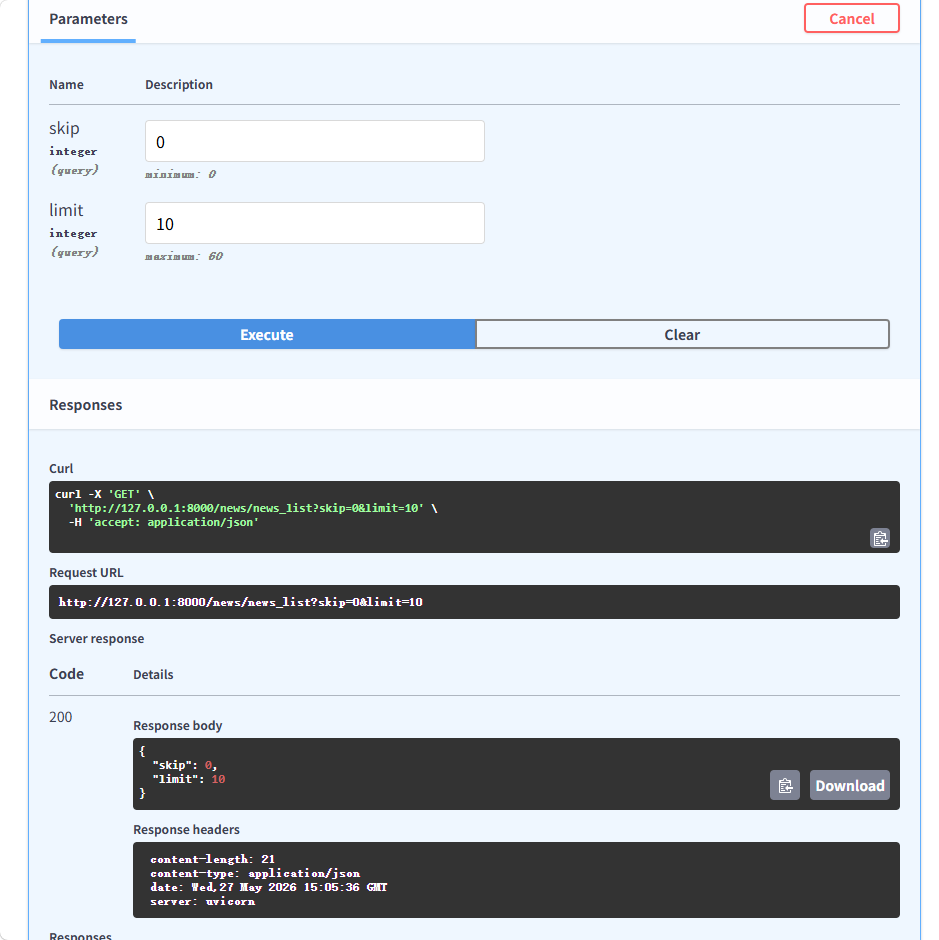
FastAPI中,依赖注入系统有什么用?
抽取可复用的组件,实现代码复用、解耦且可轻松替换依赖项进行测试
怎么使用依赖注入系统?
创建依赖项 -> 导入 Depends -> 声明依赖项
python
import uvicorn
from fastapi import FastAPI, Query, Depends

app = FastAPI()


# 分页参数逻辑共用: 新闻列表和用户列表
async def common_parameters(
        skip: int = Query(0, ge = 0),
        limit: int = Query(10, le = 60)
):
    return {"skip": skip, "limit": limit}


@app.get("/news/news_list")
async def get_news_list(commons = Depends(common_parameters)):
    return commons

@app.get("/user/user_list")
async def get_user_list(commons = Depends(common_parameters)):
    return commons

# 启动代码
if __name__ == "__main__":
    uvicorn.run("demo17_depends:app", host="127.0.0.1", port=8000, reload=True)