民宿预订系统
基础部分
SpringBoot3+Vue3脚手架搭建
获取资料
javaxm.cn/start/msyd.html

https://www.javaxmsz.com/projectDetail?id=79


免费获取资料地址
https://javaxm.cn/free/intro.html
java 官网
https://www.oracle.com/java/technologies/downloads/

https://www.oracle.com/java/technologies/downloads/#license-lightbox


查找javaSE各种版本官网地址
https://www.oracle.com/java/technologies/javase/javase8u211-later-archive-downloads.html


进入环境变量配置: cmd+r  然后输入:control system 进入环境变量配置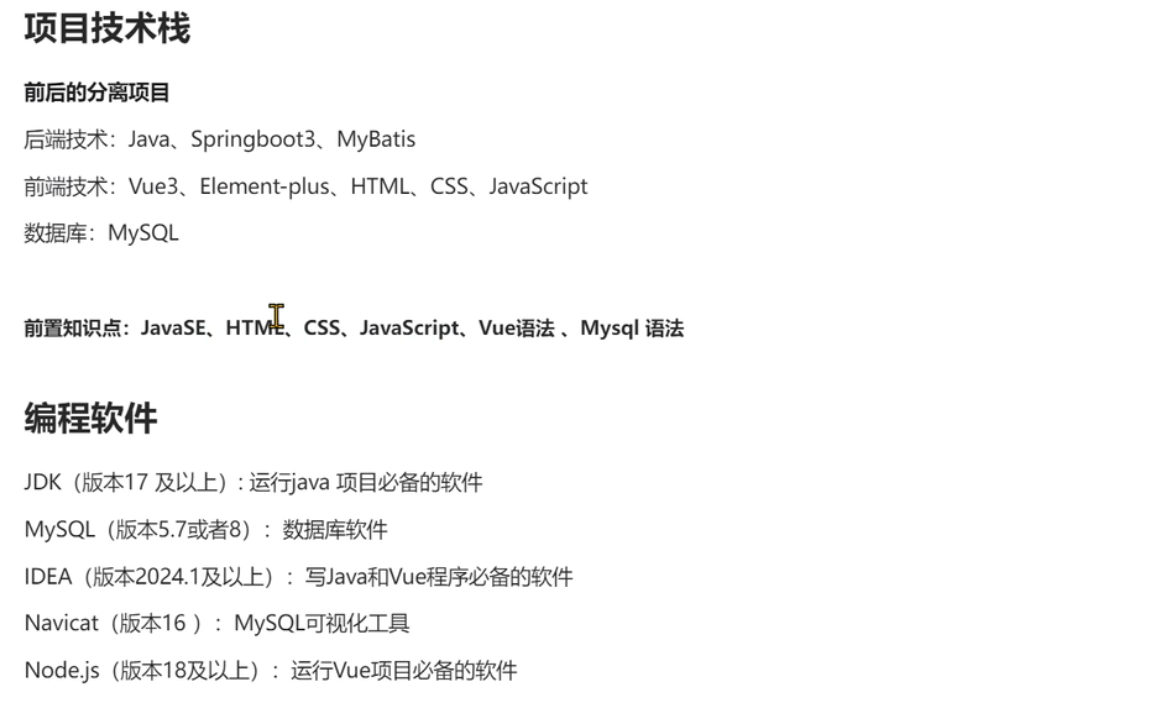
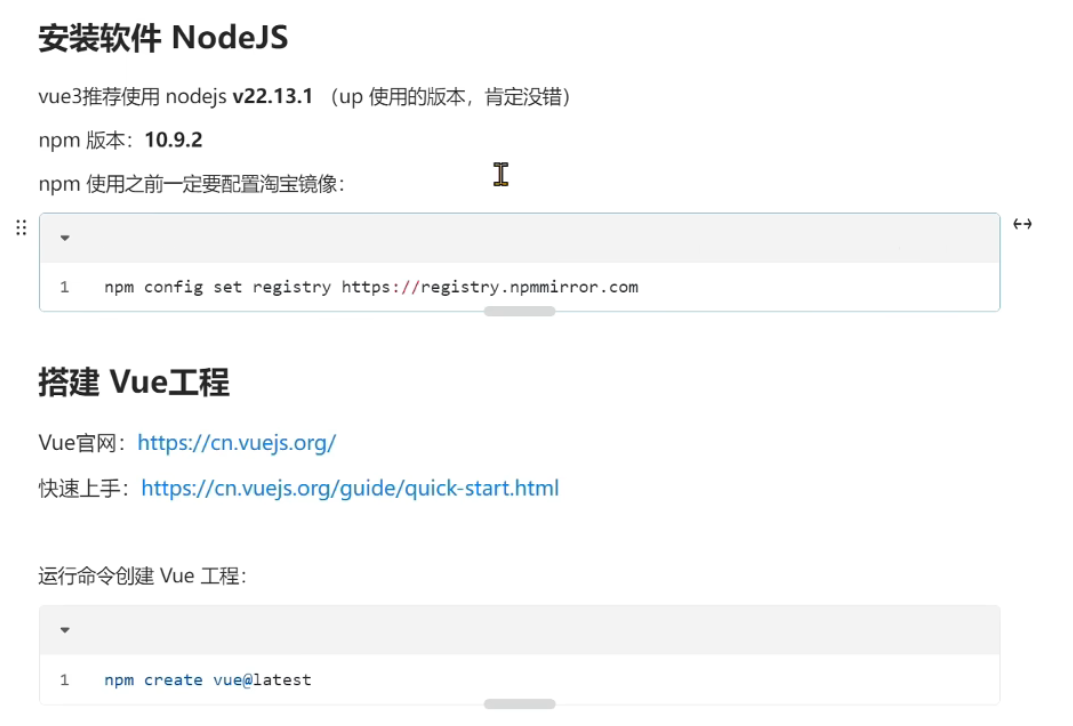
配置淘宝镜像
1, 配置淘宝镜像
npm config set registry https://registry.npmmirror.com

2, 获取镜像
npm config get registry


3,实操:
longchi>npm config set registry https://registry.npmmirror.com

longchi>npm config get registry
https://registry.npmmirror.com
vue 官网
https://cn.vuejs.org/
https://cn.vuejs.org/guide/quick-start.html
运行命令创建vue工程
前端项目名称:longchi_hotel_front
后端项目名称:longchi_hotel_end

npm create vite@latest

npm create vue@latest

npm create longchi_hotel_front@latest
创建前端项目实操
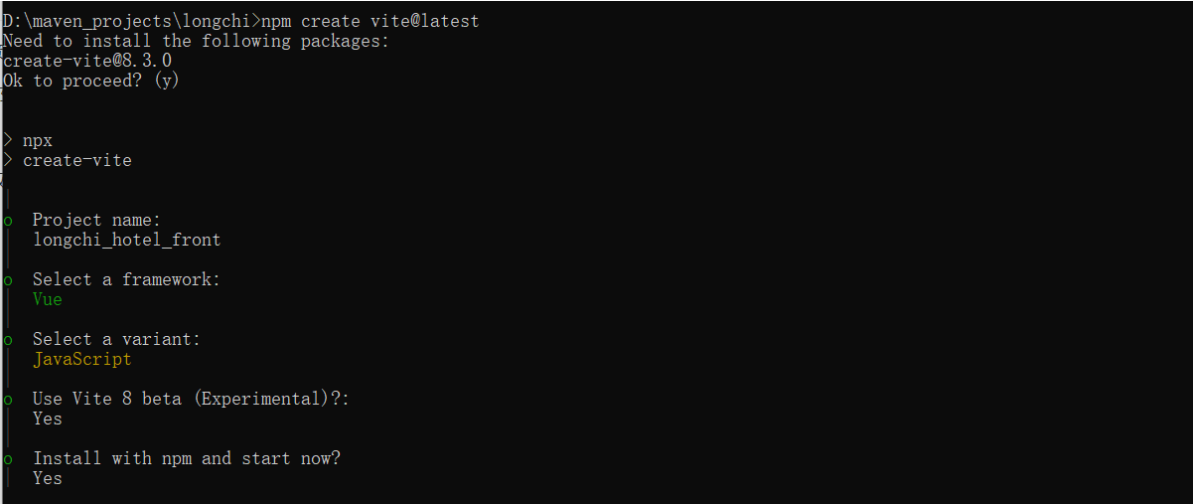
longchi>npm create vite@latest
Need to install the following packages:
create-vite@8.3.0
Ok to proceed? (y)


> npx
> create-vite

|
o  Project name:
|  longchi_hotel_front
|
o  Select a framework:
|  Vue
|
o  Select a variant:
|  JavaScript
|
o  Use Vite 8 beta (Experimental)?:
|  Yes
|
o  Install with npm and start now?
|  Yes
|
o  Scaffolding project in D:\maven_projects\longchi\longchi_hotel_front...
|
o  Installing dependencies with npm...

added 37 packages in 12s

9 packages are looking for funding
  run `npm fund` for details
|
o  Starting dev server...

> longchi_hotel_front@0.0.0 dev
> vite


  VITE v8.0.0-beta.15  ready in 1142 ms

  ➜  Local:   http://localhost:5173/
  ➜  Network: use --host to expose
  ➜  press h + enter to show help
老师的
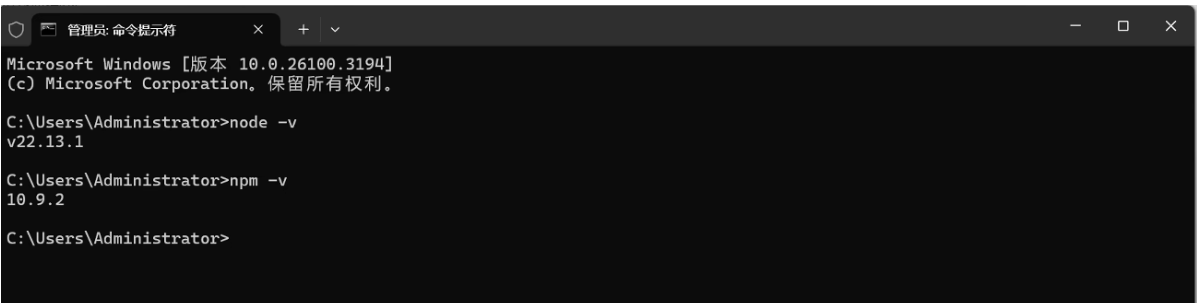
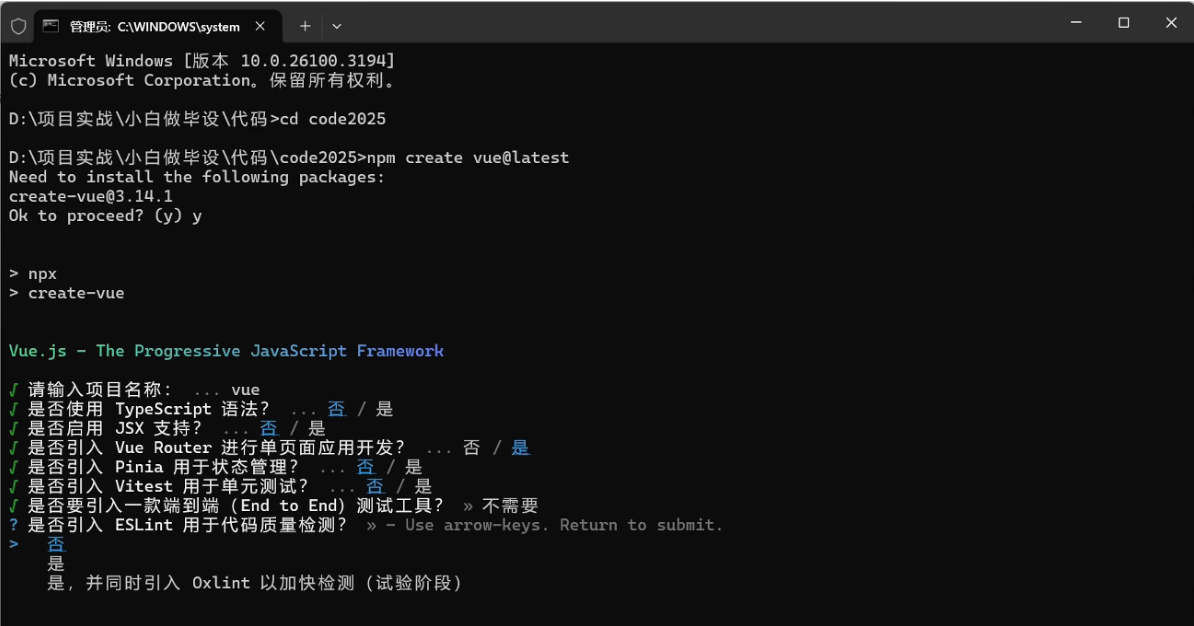
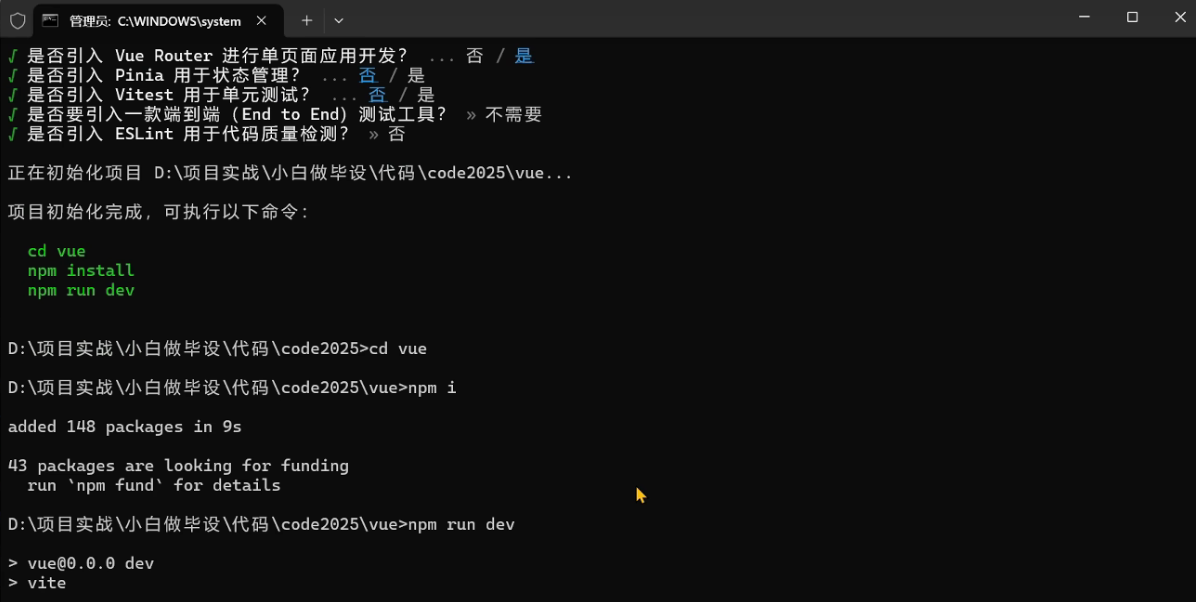
通过交互式指令去创建vue3工程(老师)
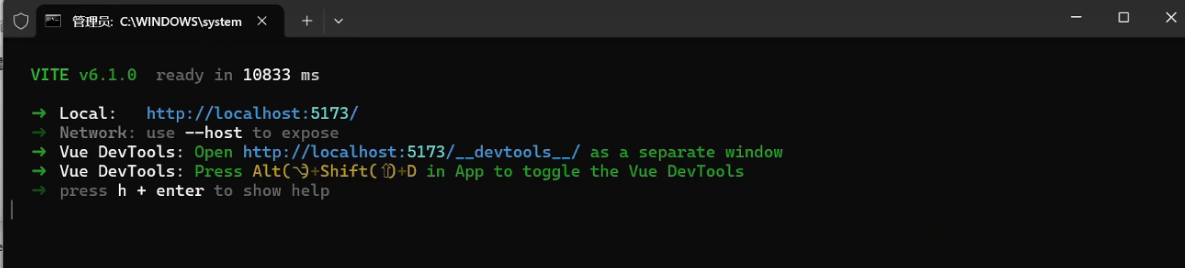
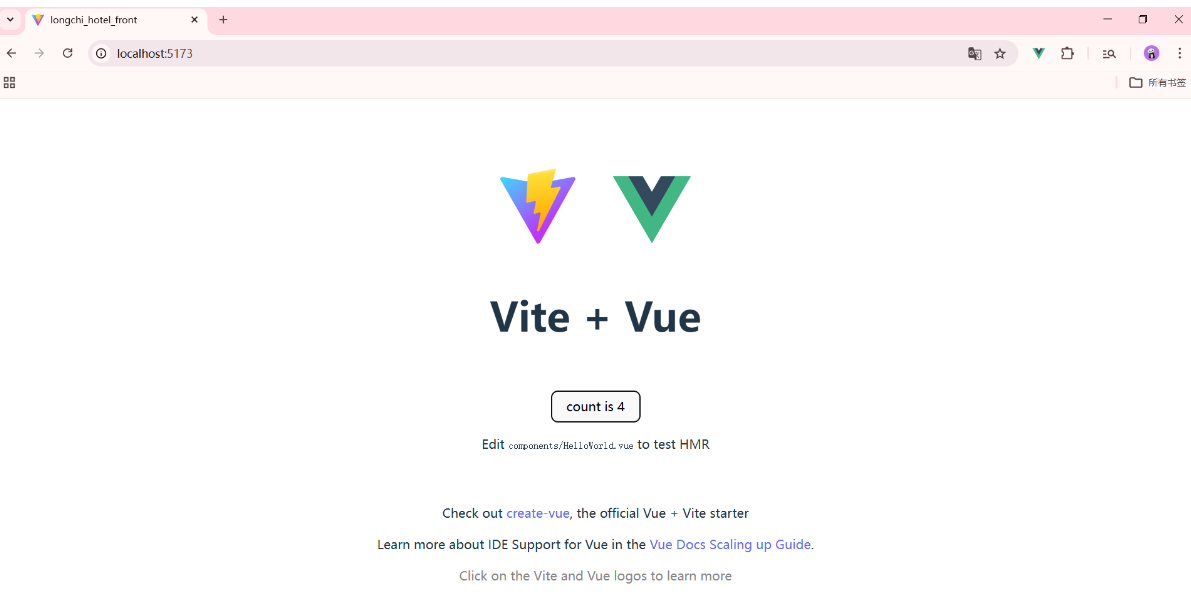
看到如下页面表示项目创建成功(老师)
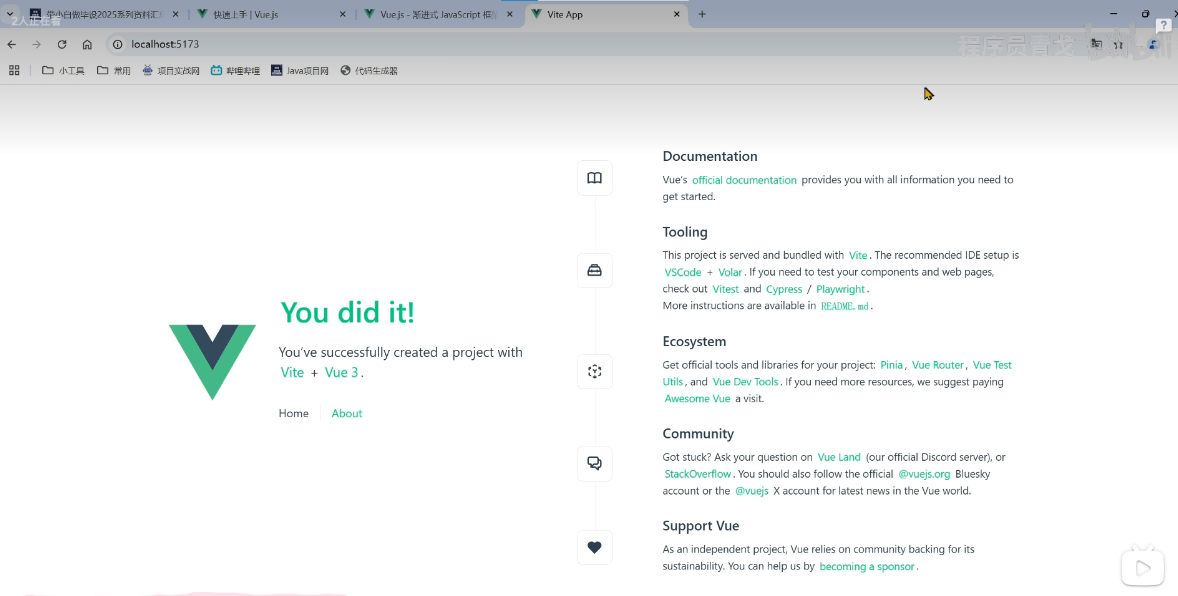
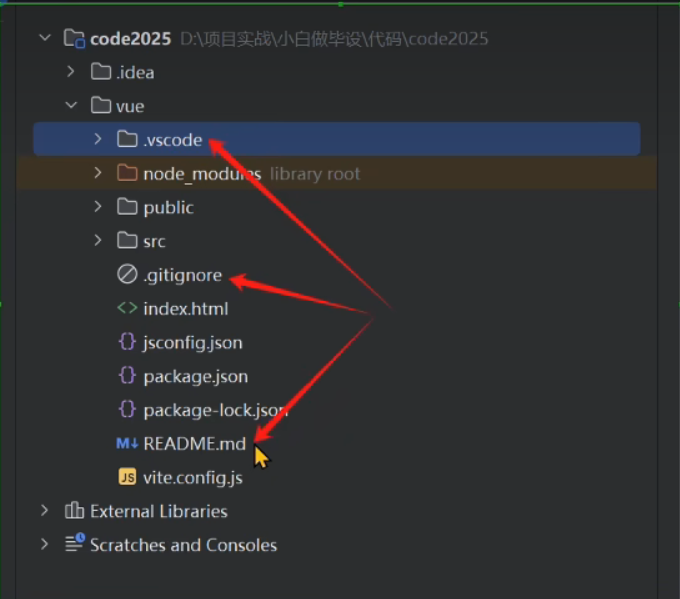
使用IDEA打开项目,去掉以下三个文件夹和文件(老师)
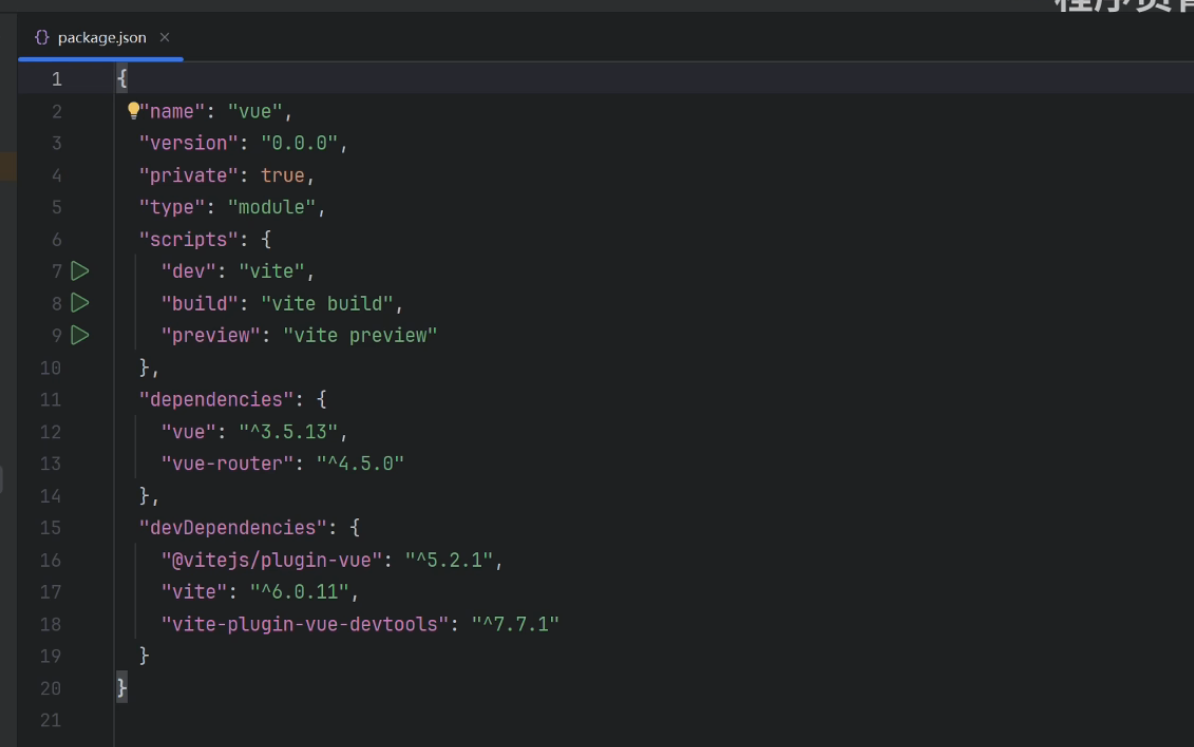
package.json (老师的)
自己的

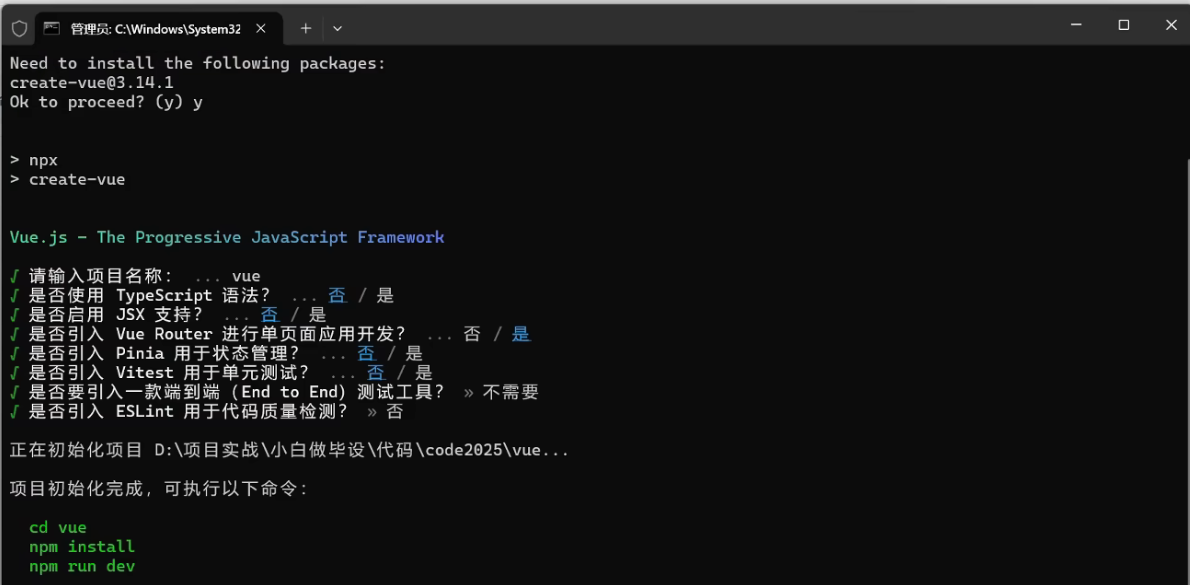
通过交互式指令去创建vue3工程(自己)
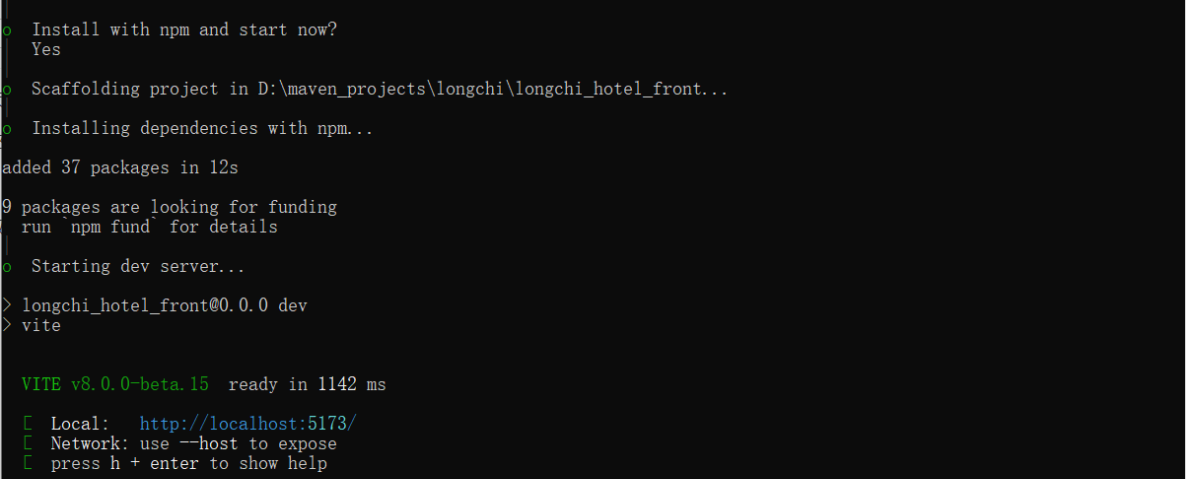
看到如下页面表示项目创建成功(自己) 运行的网址:http://localhost:5173/
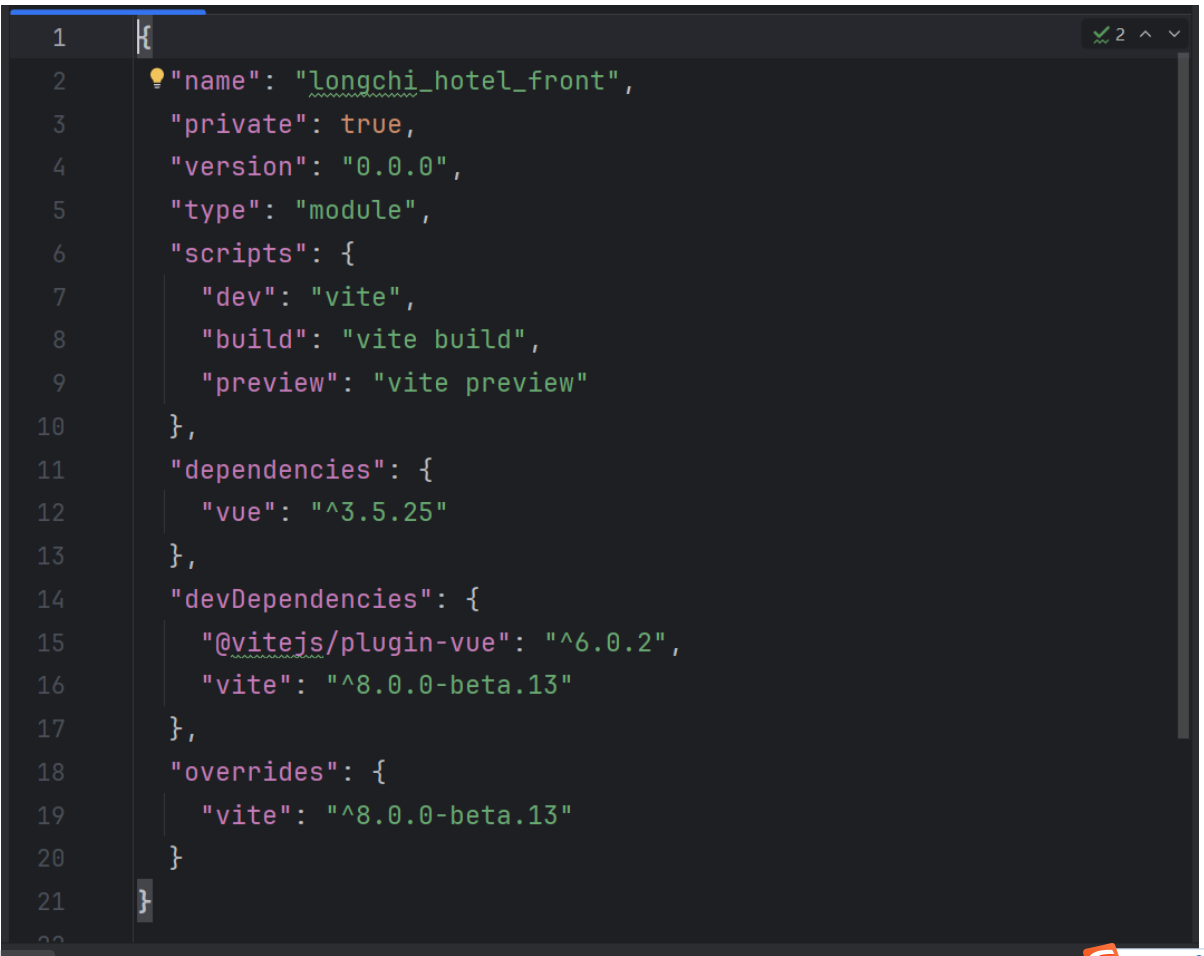
package.json
在cmd命令行里面按两次 ctrl+c可以关闭vue工程
在cmd命令行里面按两一次 ctrl+c再选择Y也可以关闭vue工程
在idea里面启动vue项目 如下图所示(老师的)
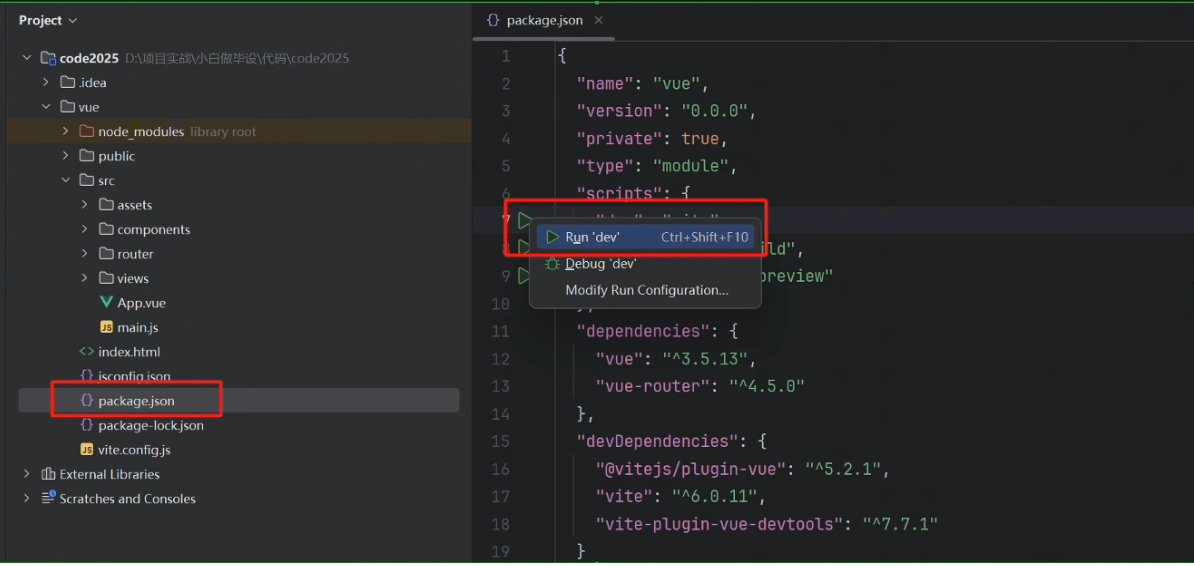
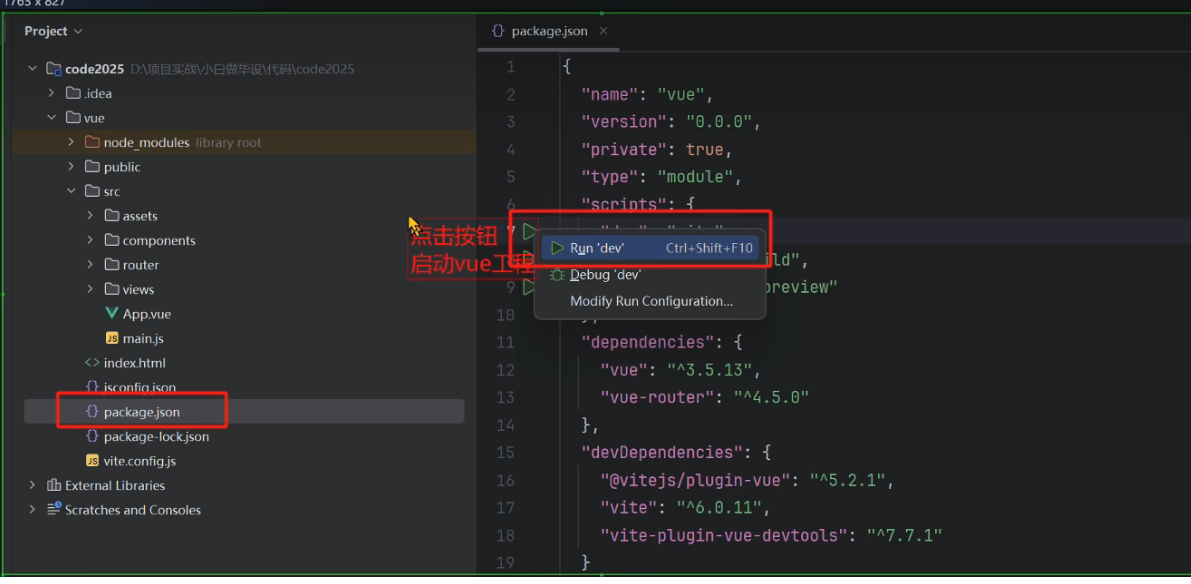
在idea里面启动vue项目 如下图所示(自己的)
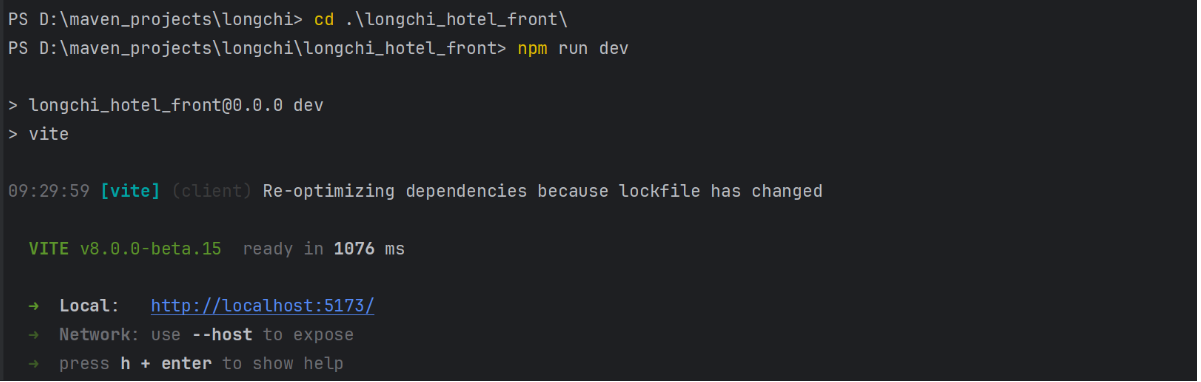
在IDEA终端直接输入命令: npm run dev 启动vue项目(自己的)
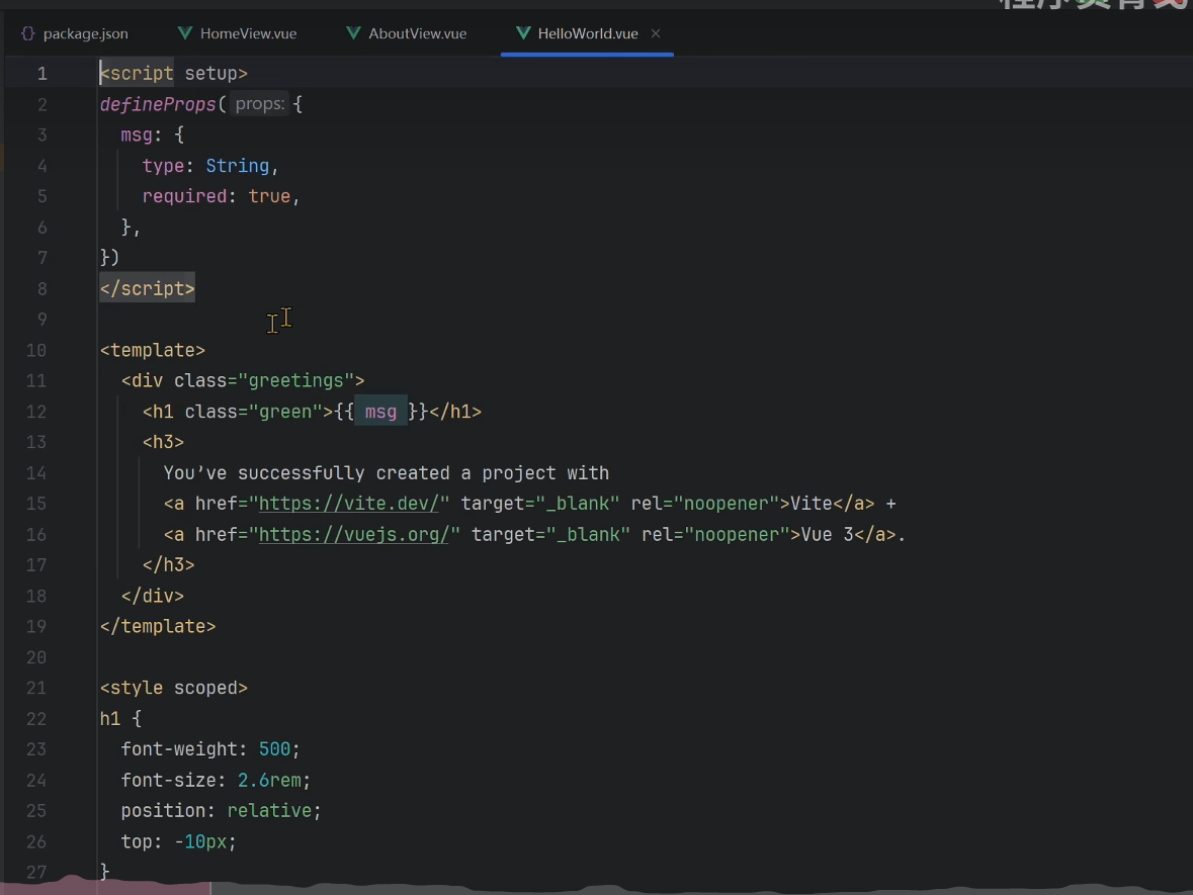
备份 HelloWorld.vue(自己的)
<script setup>
import { ref } from 'vue'

defineProps({
  msg: String,
})

const count = ref(0)
</script>

<template>
  <h1>{{ msg }}</h1>

  <div class="card">
    <button type="button" @click="count++">count is {{ count }}</button>
    <p>
      Edit
      <code>components/HelloWorld.vue</code> to test HMR
    </p>
  </div>

  <p>
    Check out
    <a href="https://vuejs.org/guide/quick-start.html#local" target="_blank"
      >create-vue</a
    >, the official Vue + Vite starter
  </p>
  <p>
    Learn more about IDE Support for Vue in the
    <a
      href="https://vuejs.org/guide/scaling-up/tooling.html#ide-support"
      target="_blank"
      >Vue Docs Scaling up Guide</a
    >.
  </p>
  <p class="read-the-docs">Click on the Vite and Vue logos to learn more</p>
</template>

<style scoped>
.read-the-docs {
  color: #888;
}
</style>
HelloWorld.vue 老师的
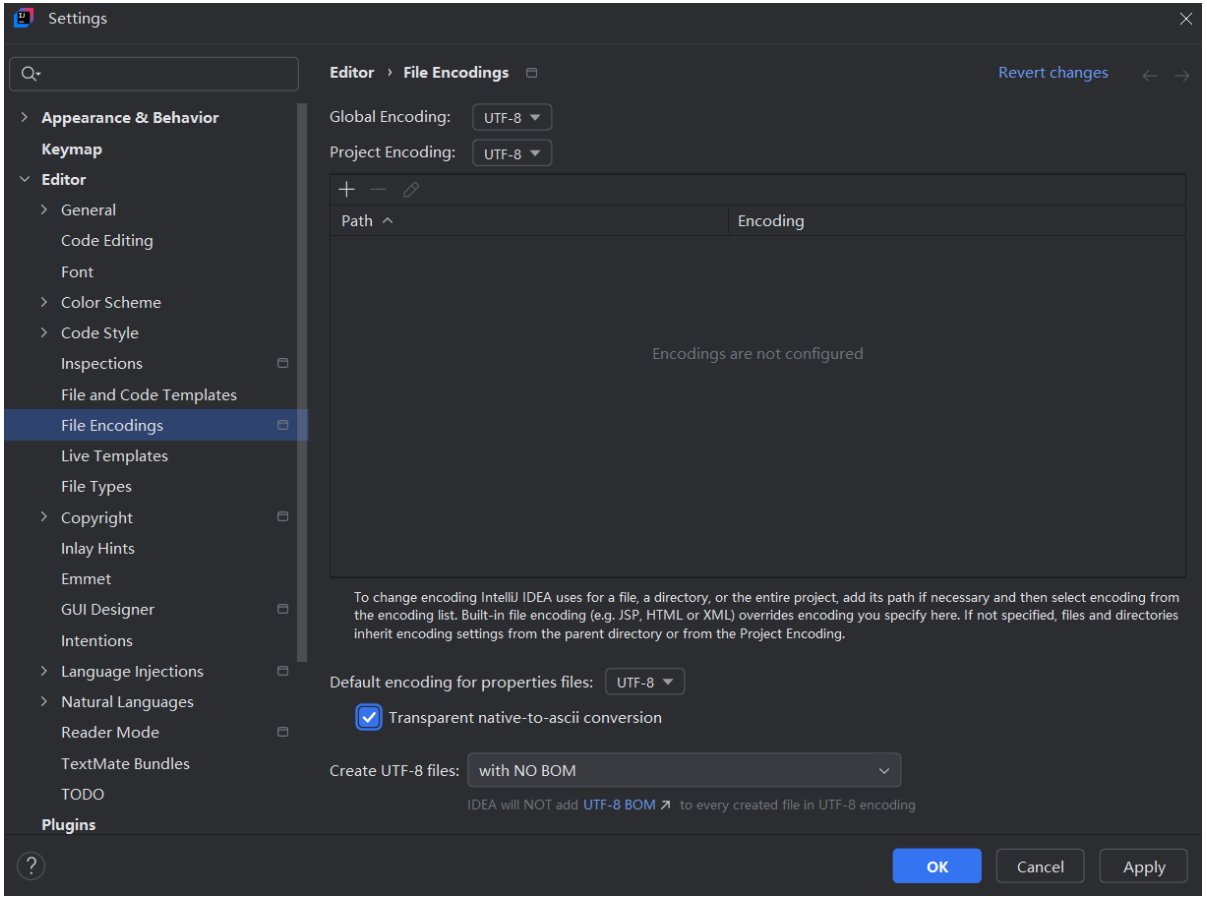
配置编码 (老师)
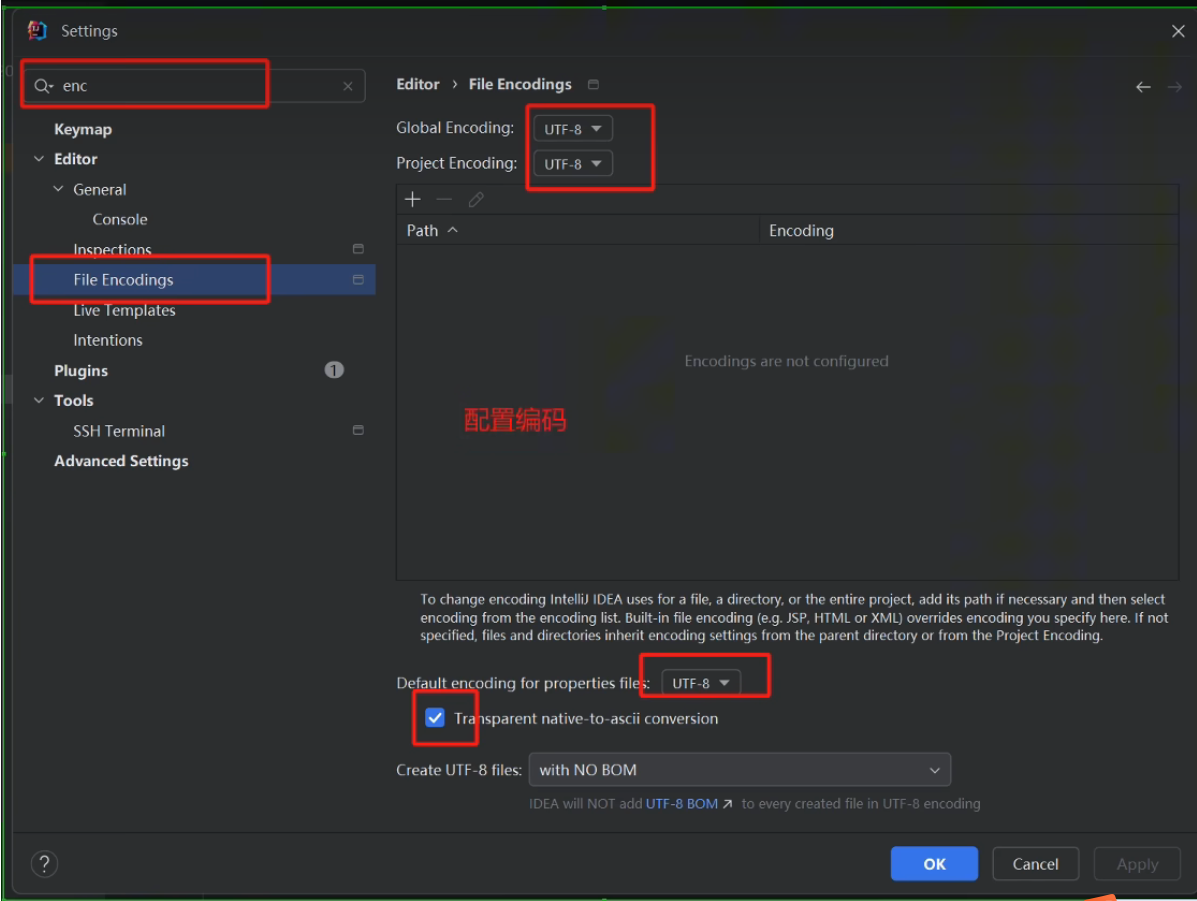
自己的
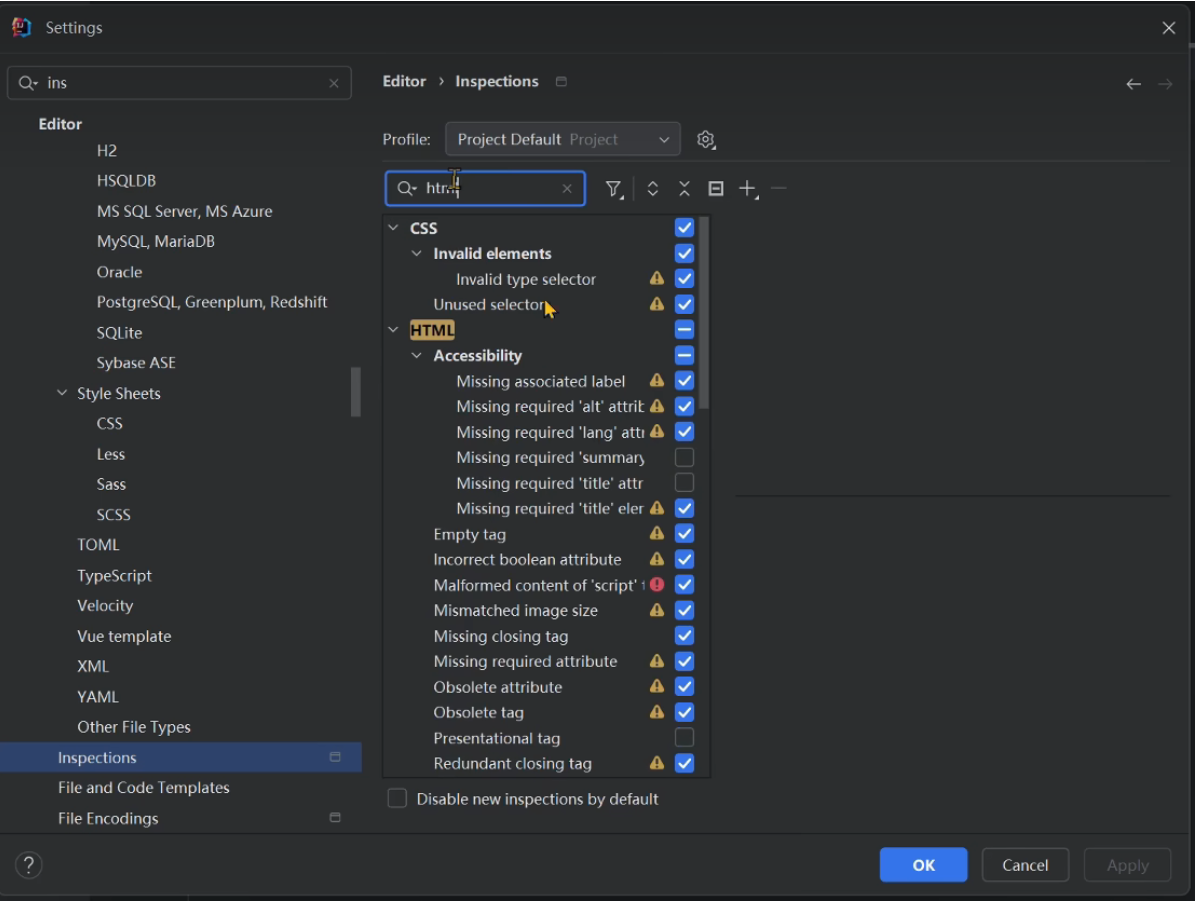
在 Inspections 里面设置IDEA文件提示 如下配置提示
App.vue 备份
<script setup>
import HelloWorld from './components/HelloWorld.vue'
</script>

<template>
  <div>
    <a href="https://vite.dev" target="_blank">
      <img src="/vite.svg" class="logo" alt="Vite logo" />
    </a>
    <a href="https://vuejs.org/" target="_blank">
      <img src="./assets/vue.svg" class="logo vue" alt="Vue logo" />
    </a>
  </div>
  <HelloWorld msg="Vite + Vue" />
</template>

<style scoped>
.logo {
  height: 6em;
  padding: 1.5em;
  will-change: filter;
  transition: filter 300ms;
}
.logo:hover {
  filter: drop-shadow(0 0 2em #646cffaa);
}
.logo.vue:hover {
  filter: drop-shadow(0 0 2em #42b883aa);
}
</style>
Home.vue
<template>
    <div>主页</div>
</template>

<script setup lang="ts">

</script>

<style lang="scss" scoped>

</style>
App.vue
<template>
  <RouterView />
</template>
路由 router/index.js 备份
懒加载配置路由 注意根目录'/'不可以配置成懒加载模式
import {createRouter,createWebHistory} from 'vue-router'
import HomeView fro  '../views/Home.vue'

const router = createRouter({
	history: createWebHistory(import.meta.env.BASE_URL),
	routes: [
		{
			path: '/',
			name: 'home',
			component: HomeView,
		},
		{
			path: '/about',
			name: 'about',
			component: () => import('../views/About.vue'),
		},
	],
})

export default router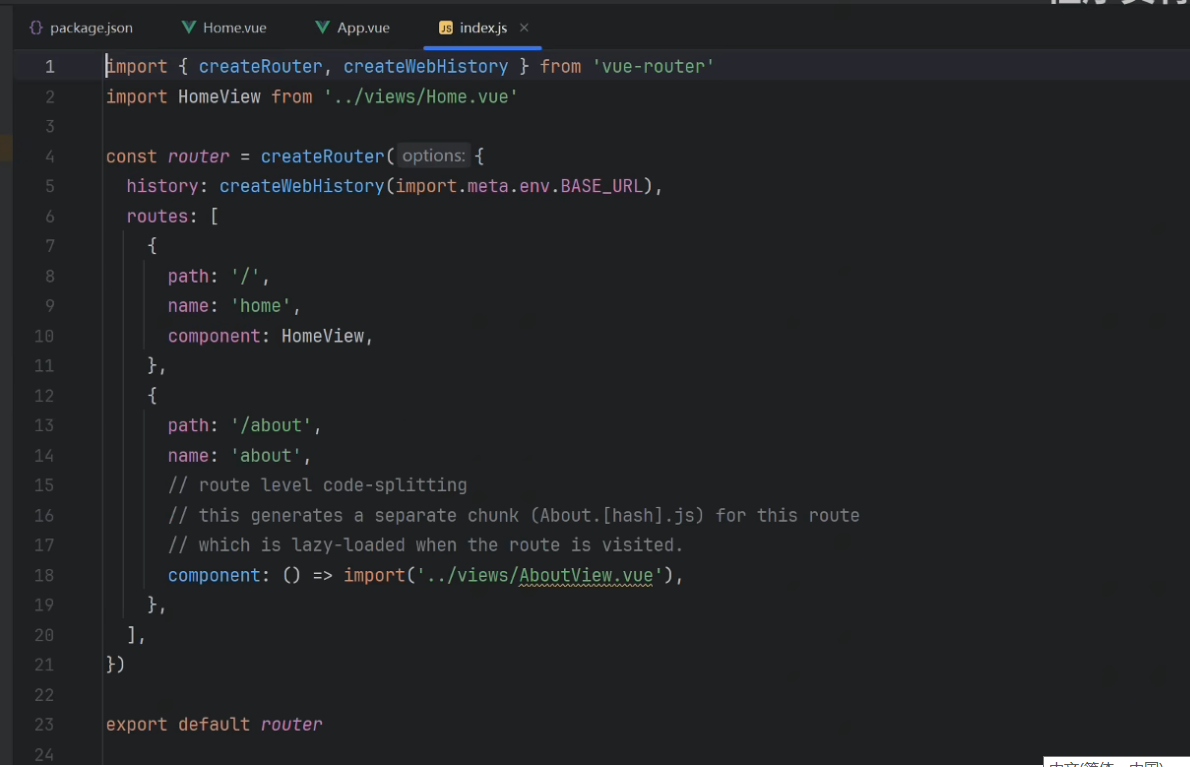
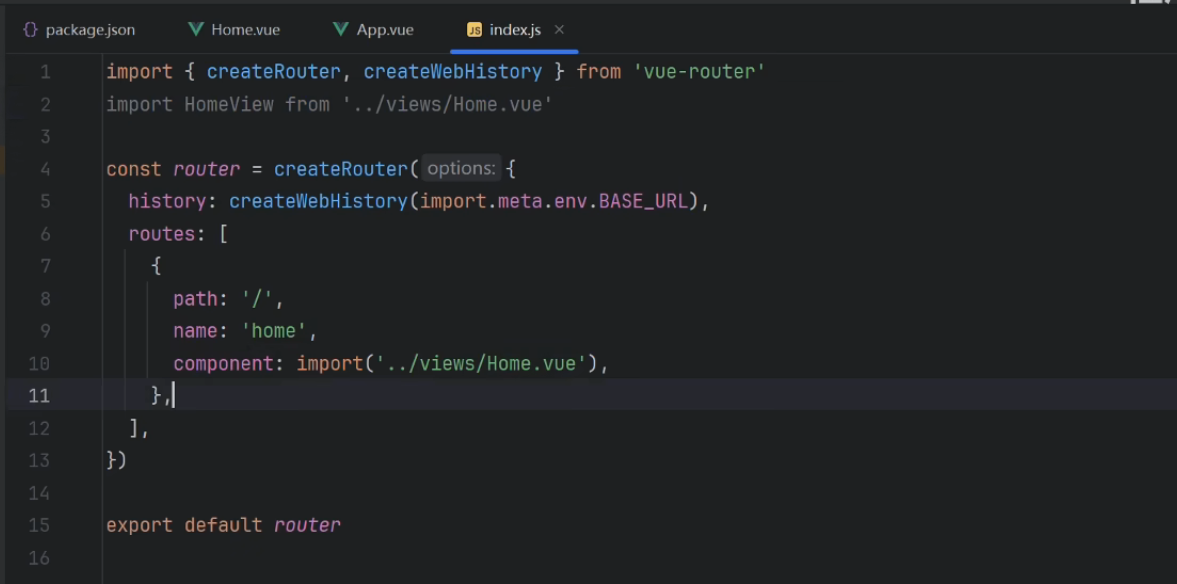
index.js
import {createRouter,createWebHistory} from 'vue-router'

const router = createRouter({
	history: createWebHistory(import.meta.env.BASE_URL),
	routes: [
		{path: '/',name: 'home',component: () => import('../views/Home.vue'),},
	],
})

export default router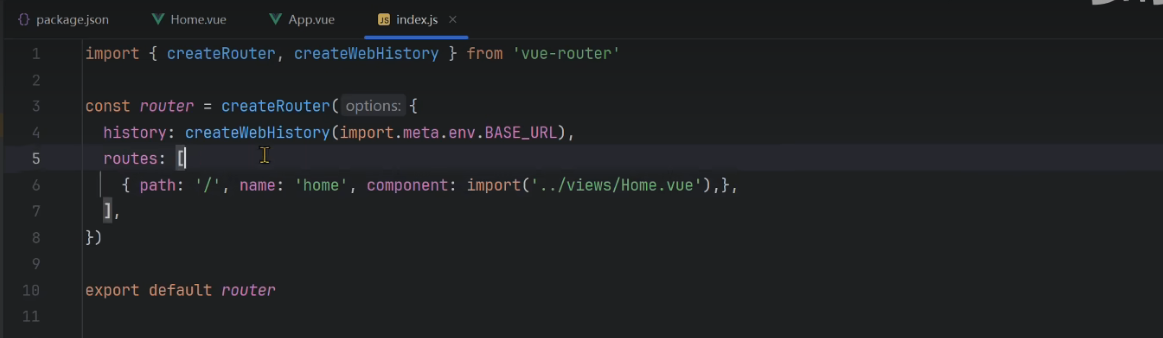
main.js
import {createApp} from 'vue'
import App from './App.vue'
import router from './router'

const app = createApp(App)

app.use(router)

app.mount('#app')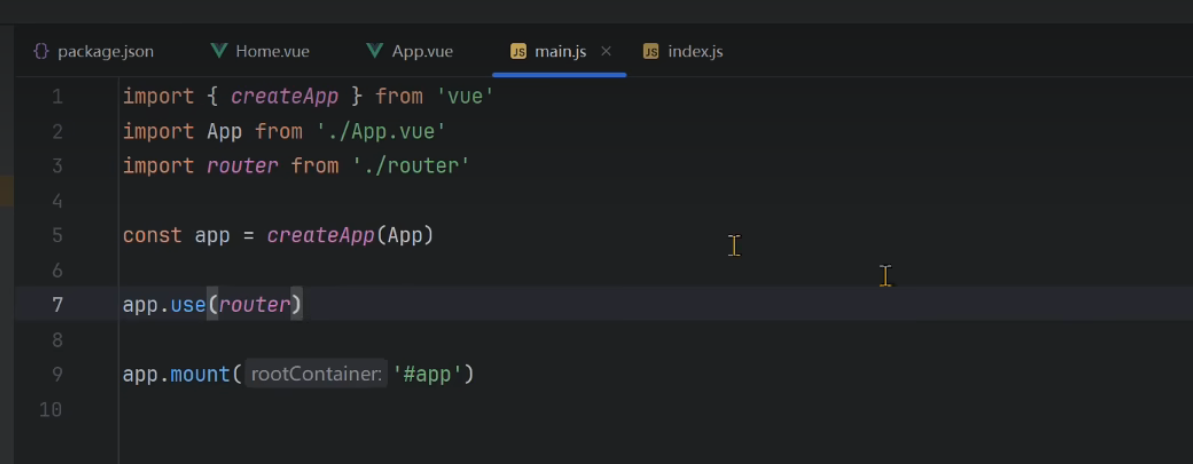
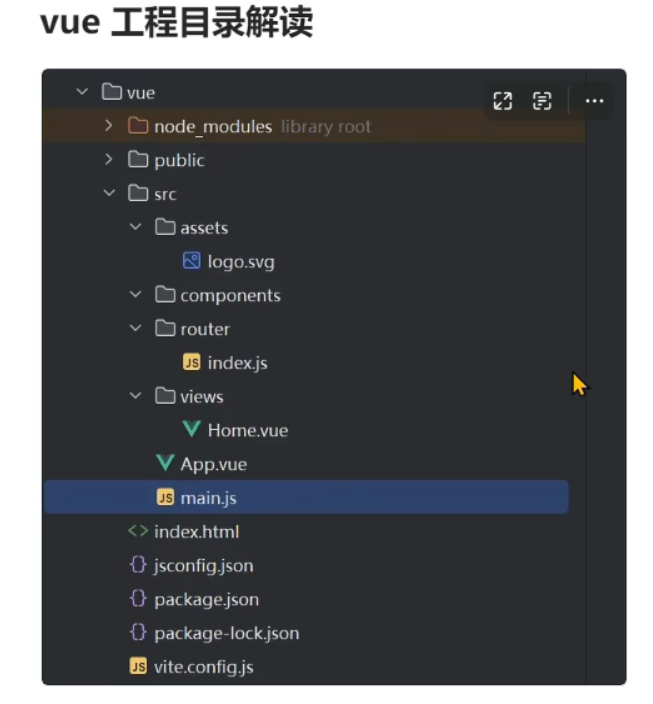
vue工程目录解读
1, node_modules  不是源文件,这个是依赖包下载之后的存放目录
2, public	是存放全局的静态文件,比如网页的icon
3, src
	.assets: 一般是存放代码引用的静态文件,比如css,js,img等
	.components:放一些VUE的组件(可复用的代码块,就叫组件)
	.router: 定义路由的文件
	.views: 存放vue网页(渲染的数据)文件的目录
	.order: 存放订单页面文件
	.notice: 存放系统公告文件
	.App.vue: vue网页全局的入口,你的所有vue页面都通过App.vue,从App.vue进去,App.vue里面有一个 <RouterView />,App.vue作为全部vue文件的一个父组件,通过<RouterView />渲染子子组件,比如你所有vue文件都包含在App.vue文件中.
	.main.js: 代码的配置文件,引入的第三方组件(比如: App组件,引入的router,)或者我们自己定义的一些组件,比如css,js等 这是一个全局的配置文件。
4. index.html: vue编译成网页才能在浏览器渲染,所以index.html是所有网页的入口。
注意:浏览器他是不能直接渲染 vue 的,他只能渲染HTML文件,所以有一个index.html
5, jsconfig.js: 定义了内部的一些配置文件
6, package.json: 定义依赖库的文件,就是你下载所有依赖都必须在这里去定义
7, package-lock.json:在你下载依赖库的时候锁定版本的一个文件,防止启动时修改版本
8, vite.config.js: 全局的配置文件

vite官网: https://vitejs.cn/vite3-cn/guide/features.html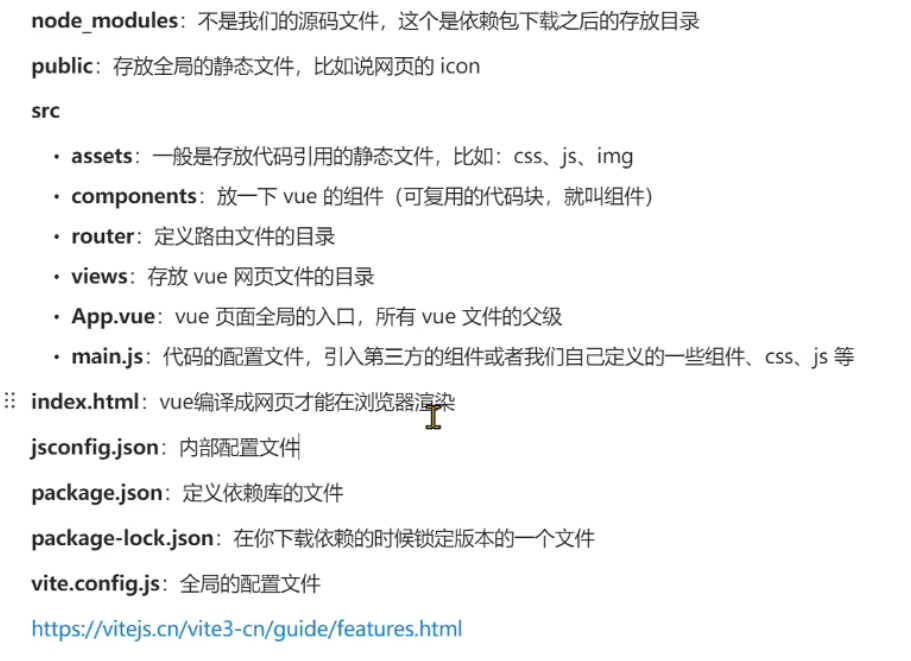
设置网页标题
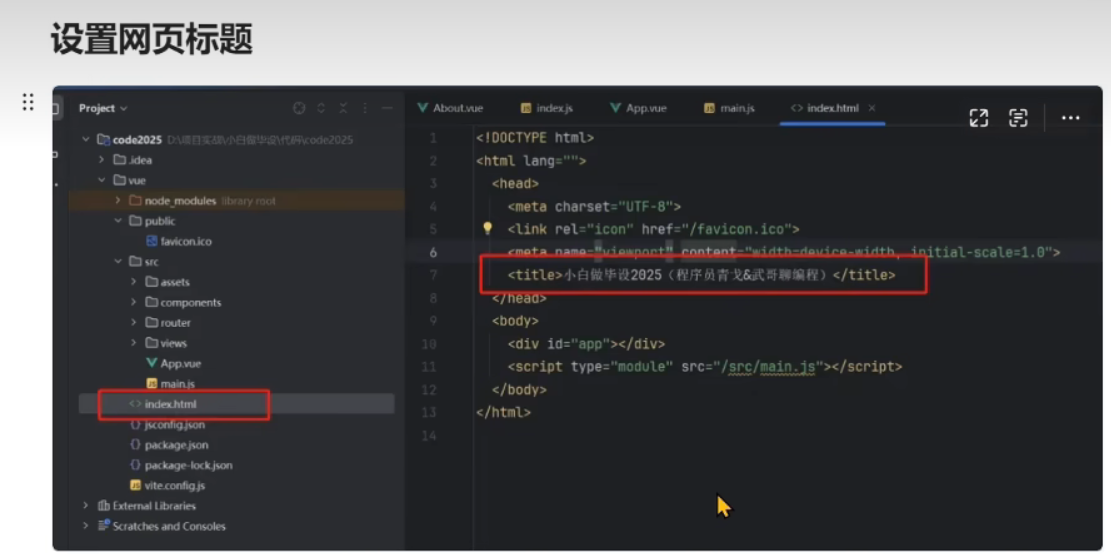
修改标题: 去index.html里面,找到如下代码,可以修改标题
<title>Vite App</title>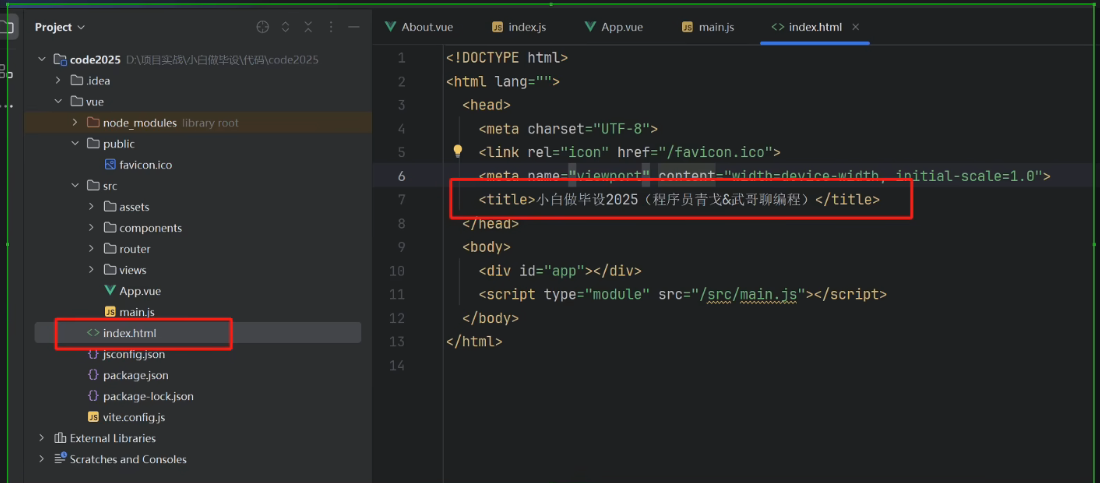
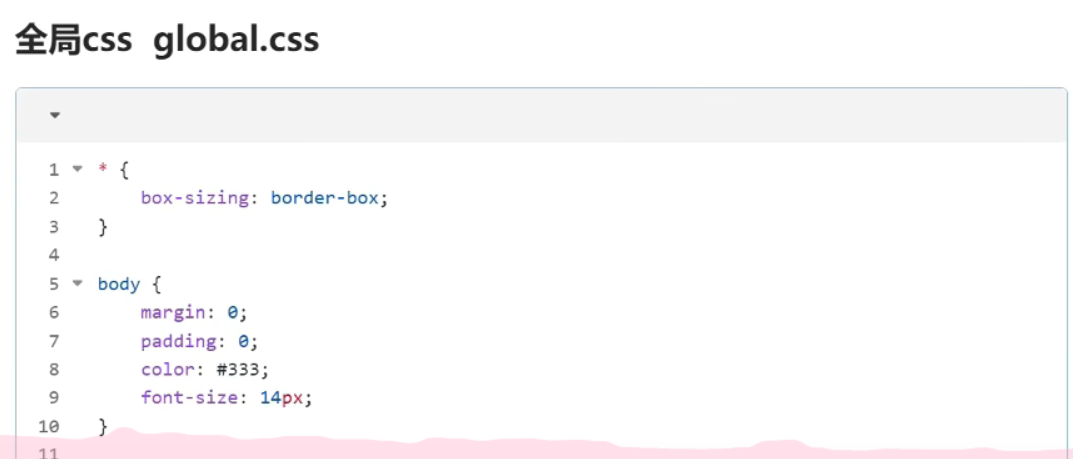
全局 css global.css
* {
    box-sizing: border-box;
}

body {
    margin: 0;
    padding: 0;
    color: #333;
    font-size: 14px;
}

a {
    text-decoration: none;
}

代码解释:
box-sizing: border-box;	 /*定义所有元素是盒状模型*/

text-decoration: none;  /* a标签去掉下划线 */
路由配置404
import {createRoute,createWebHistory} from 'vue-router'

const router = createRoute({
	history: createWebHistory(import.meta.env.BASE_URL),
	routes: [
		{path: '404',component: () => import('@/views/404.vue')},
		{path: '/:pathMatch(.*)', redirect: '/404'}
	]
})

export default router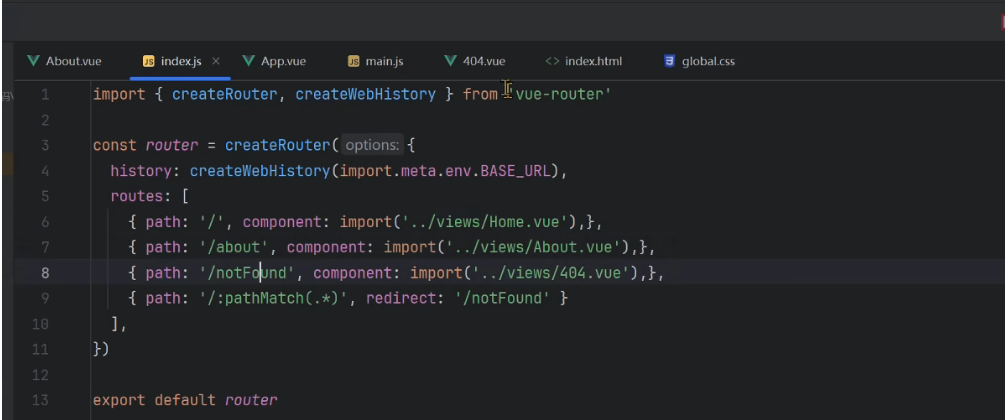
src/router/index.js
import {createRouter,createWebHistory} from 'vue-router'

const router = createRouter({
	history: createWebHistory(import.meta.env.BASE_URL),
	routes: [
		{path: '/',name: 'home',component: () => import('@/views/Home.vue'),},
		{path: '/about',name: 'about',component: () => import('@/views/About.vue'),},
		{path: '/notFound',name: '404',component: () => import('@/views/404.vue'),},
		{path: '/:pathMatch(.*)*',redirect:'/notFound'},
	],
})

export default router
src/views/404.vue
<template>
    <div style="height: 100vh;display: flex;align-items: center;justify-content: center;">
        <div style="width: 50%;">
            <img style="width: 100%;" src="@/assets/imgs/8404.jpg" alt="">
            <div style="text-align: center;padding: 20px 0;font-size: 20px;"><a style="color: #3741fb;" href="/">返回主页</a></div>
        </div>
    </div>
</template>

<script setup lang="ts">

</script>

<style lang="scss" scoped>

</style>