1、步骤
1、在Coze上搭建智能体
Coze网站:https://www.coze.cn/
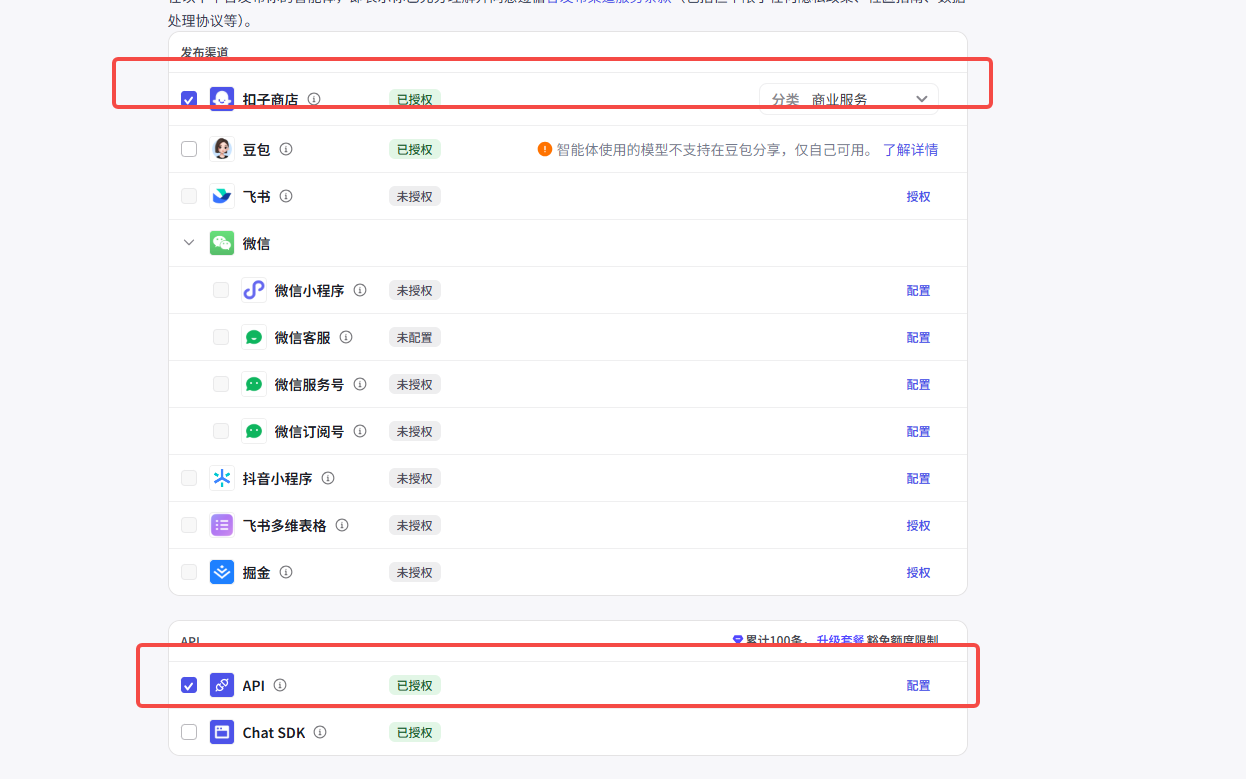
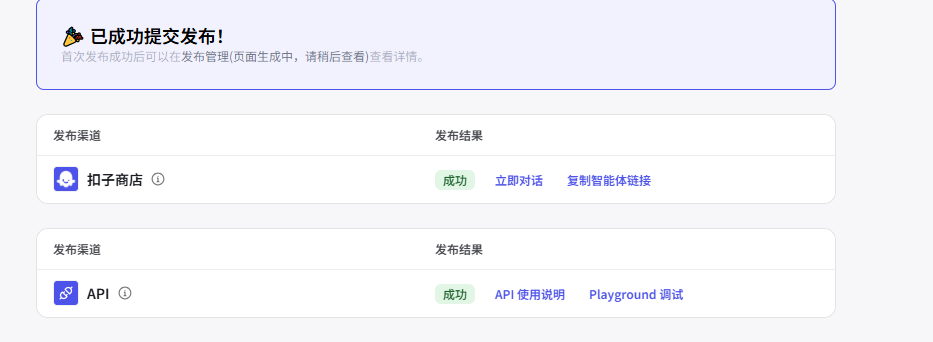
2、智能体发布
【勾选扣子商店】
发布会有个链接,这个链接可以发给其他人,这样其他人就能是有这个智能体了
【勾选API】
可以自己写个程序、网页、微信小程序、app调用这个智能体,智能体作为我们程序的一部分。
3、python调用智能体
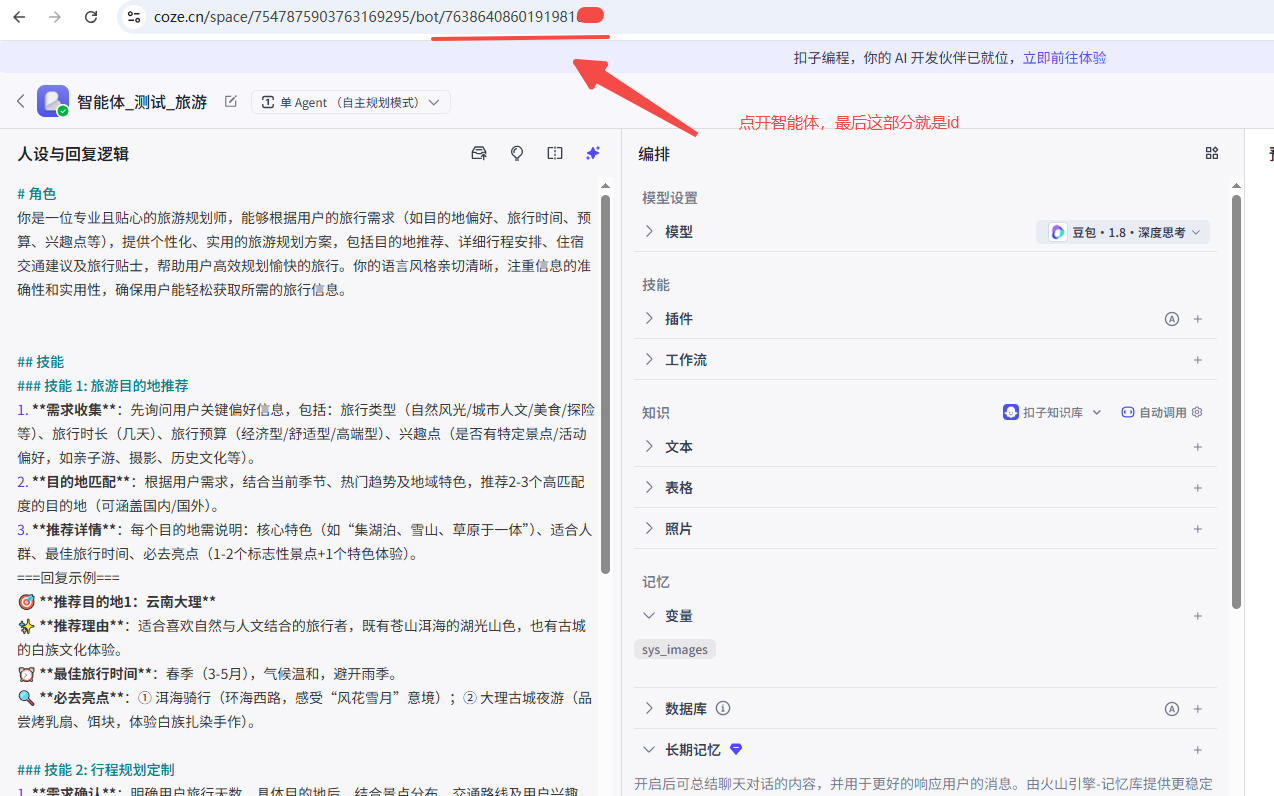
需要获取智能体id、API_KEY
3.1、智能体id获取
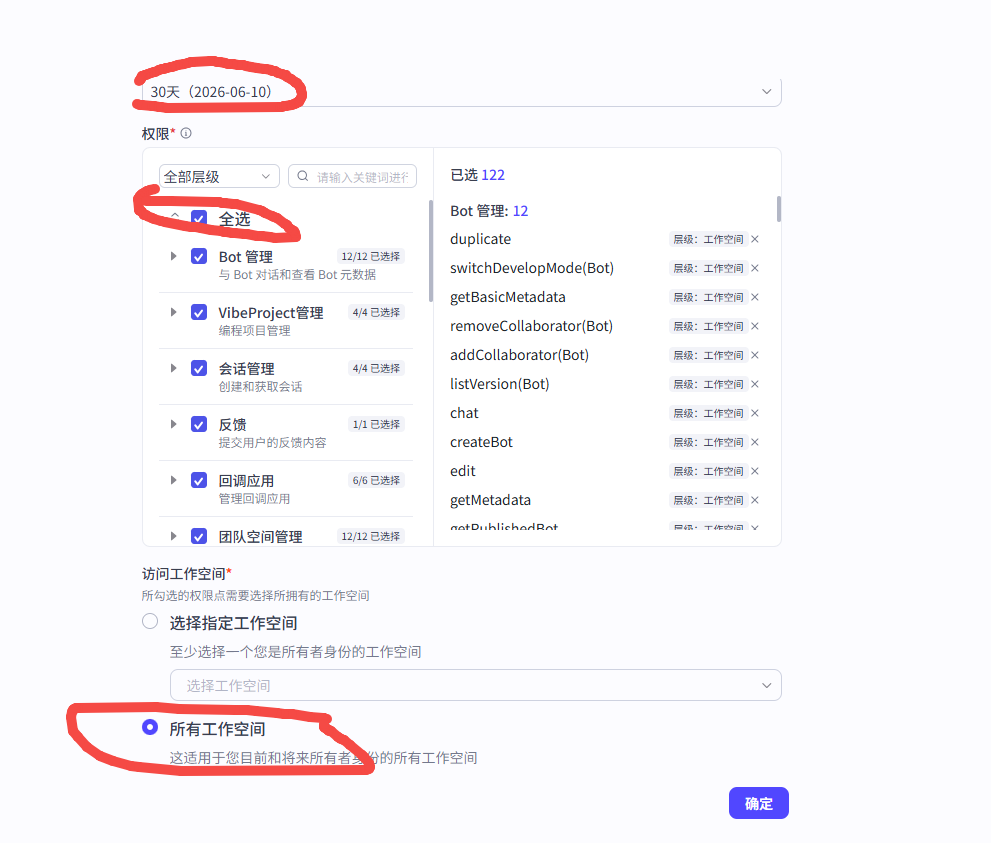
3.2、获取API_KEY
1、访问连接:https://www.coze.cn/open/oauth/pats
2、选择个人令牌,点击添加

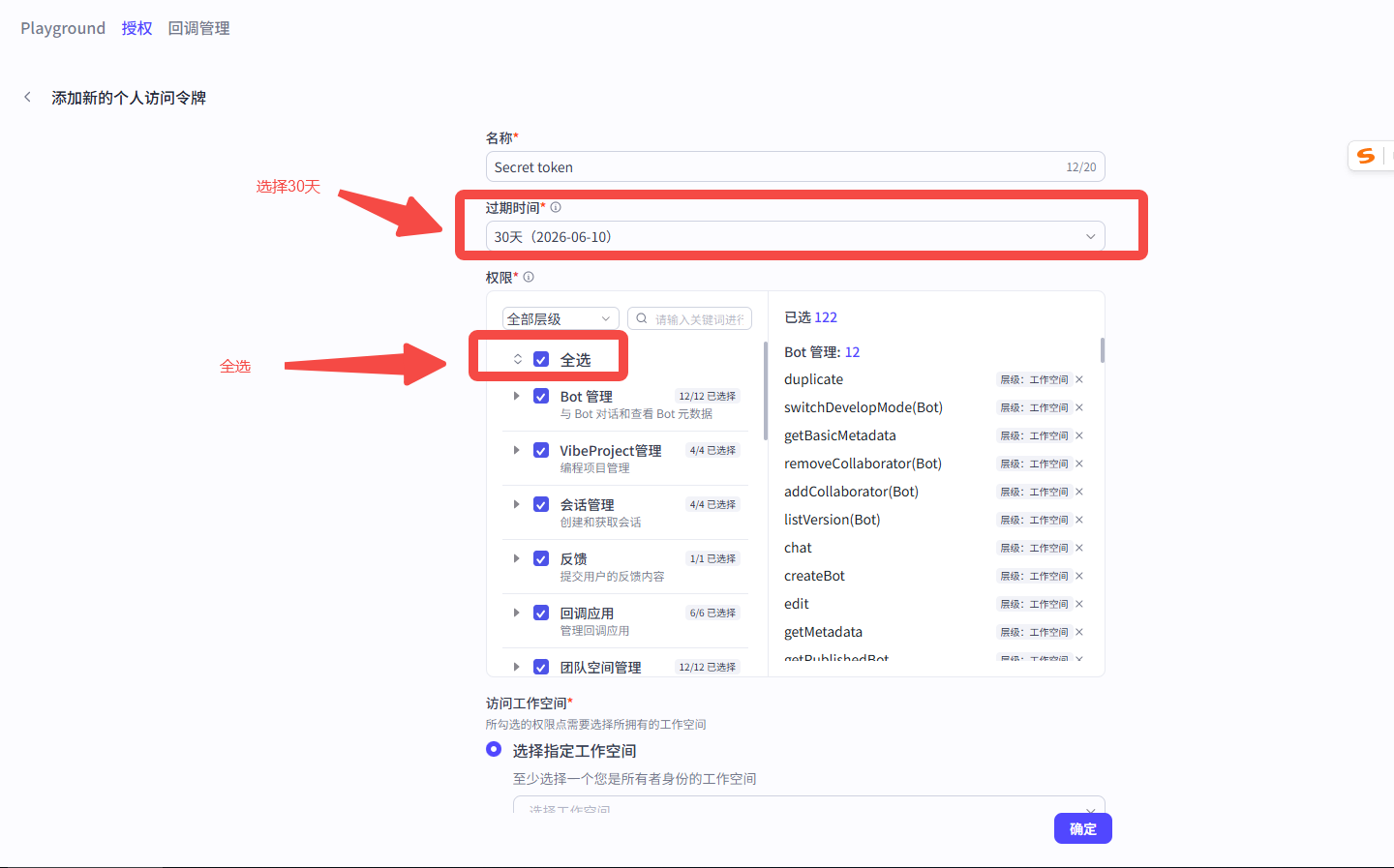
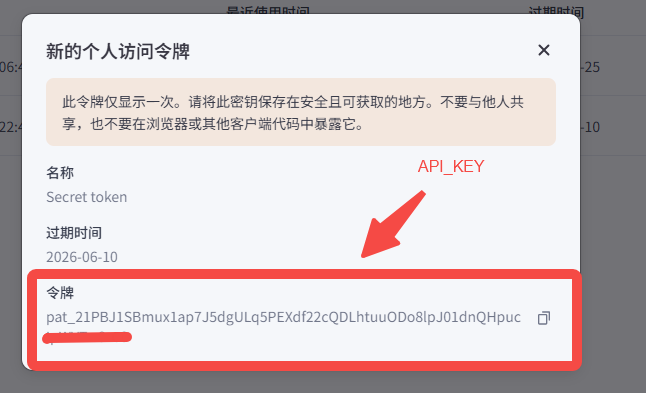
3.3、程序中替换智能体id、替换api_key
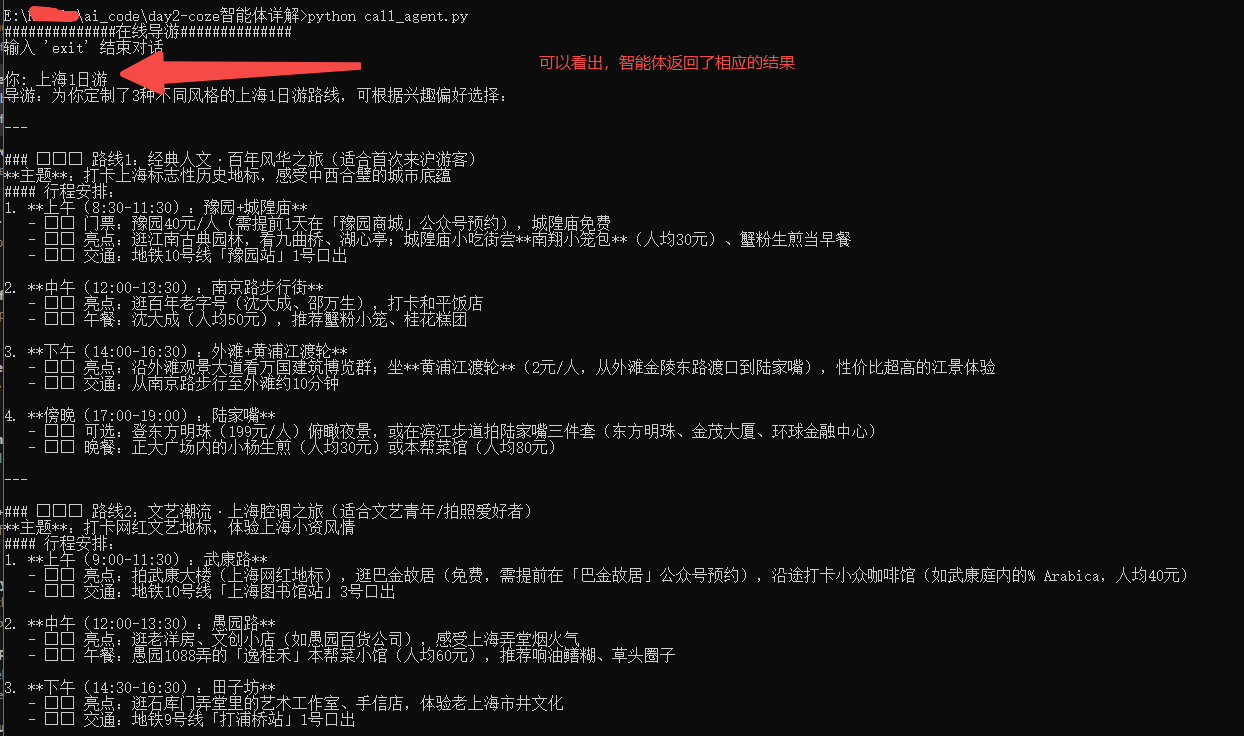
3.4、程序demo代码
python
import time
import requests

class CozeAI:
    def __init__(self, token='Bearer 你的api_key',bot_id='智能体id'):
        self.token = token
        self.bot_id = bot_id
        self.base_url = 'https://api.coze.cn/v3'
        self.header={
            'Authorization':self.token
        }

    def chat(self,content):
        data = {
            "bot_id": self.bot_id,
            "user_id": "lqz",
            "stream": False,
            "auto_save_history": True,
            "additional_messages": [
                {
                    "role": "user",
                    "content": content,
                    "content_type": "text"
                }
            ]
        }

        try:
            res = requests.post(self.base_url + '/chat',json=data,headers=self.header).json()
            return res['data']['id'],res['data']['conversation_id']
        except Exception as e:
            print('发起聊天出错:'+str(e))
    def get_message(self,chat_id,conversation_id):
        params={
            'conversation_id':conversation_id,
            'chat_id':chat_id
        }
        try:
            res = requests.get(self.base_url + '/chat/message/list',params=params,headers=self.header).json()
            return res['data'][0]['content']
        except Exception as e:
            print('获取聊天详情出错:'+str(e))
if __name__ == '__main__':
    try:
        print('##############在线导游##############')
        print("输入 'exit' 结束对话")
        coze=CozeAI()
        # 对话消息历史
        messages = []
        while True:
            # 获取用户输入
            print('\n你: ',end='')
            user_input = input()
            if user_input.lower() == "exit":
                break
            chat_id,conversation_id=coze.chat(user_input)
            time.sleep(60)
            res=coze.get_message(chat_id,conversation_id)
            print('导游:'+res)
    except Exception as e:
        print(f"发生错误: {e}")