CDS数据模型基础上定义CDS数据模型映射。借助映射视图只暴露与特定服务相关的元素。可以对底层数据模型进行反规范化,还能定义精细调整项,例如虚拟元素、值帮助、搜索设置和UI语义。
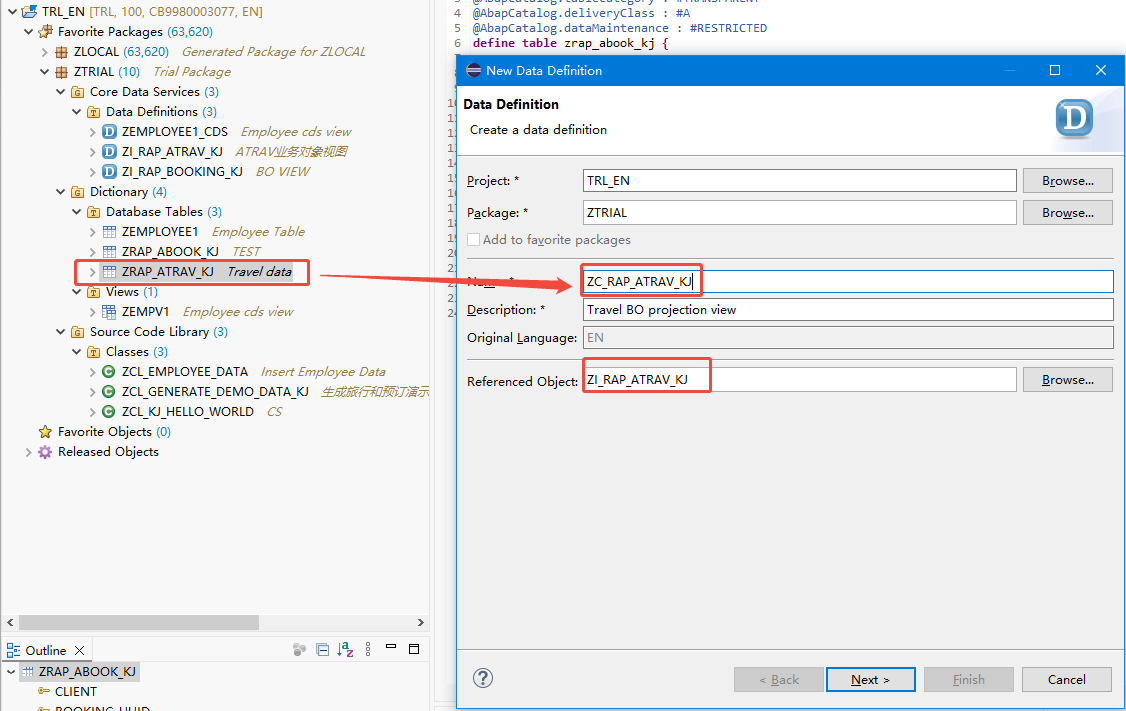
右键-> New Data Definition,填写Reference Object(根据上一篇文章创建的基础CDS VIEW视图)
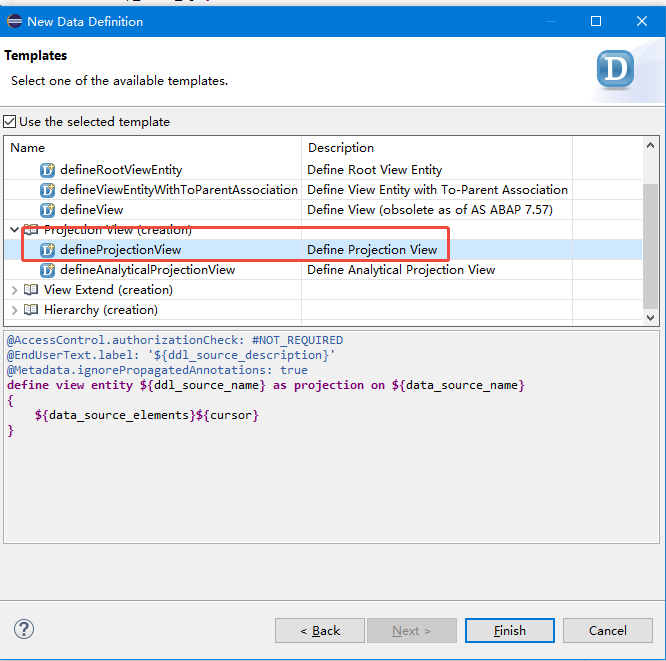
从列表中选择**Define Projection View** 模板,然后选择完成。
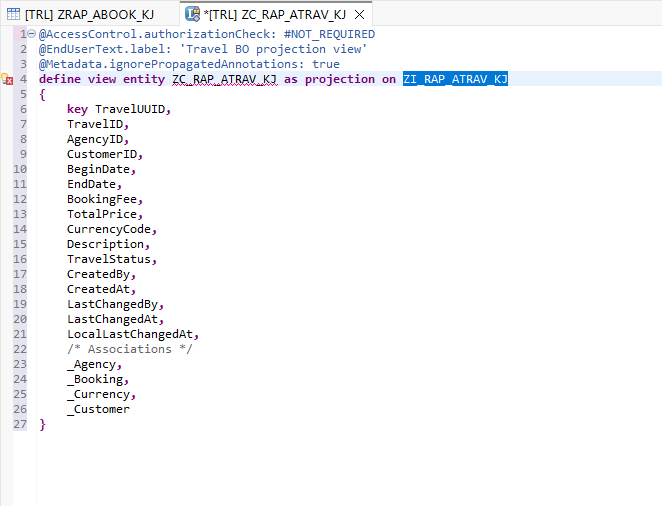
创建完成先保存别激活
然后创建另外一个表CDS VIEW,和上面一样的操作
创建两个视图后修改CDS VIEW编辑器的代码:
@EndUserText.label: 'Travel BO projection view'
@AccessControl.authorizationCheck: #CHECK
@Search.searchable: true
@Metadata.allowExtensions: true

define root view entity ZC_RAP_Travel_####
  as projection on ZI_RAP_Travel_#### as Travel
{
  key TravelUUID,
      @Search.defaultSearchElement: true
      TravelID,
      @Consumption.valueHelpDefinition: [{ entity: { name: '/DMO/I_Agency', element: 'AgencyID'} }]
      @ObjectModel.text.element: ['AgencyName']
      @Search.defaultSearchElement: true
      AgencyID,
      _Agency.Name       as AgencyName,
      @Consumption.valueHelpDefinition: [{ entity: { name: '/DMO/I_Customer', element: 'CustomerID'} }]
      @ObjectModel.text.element: ['CustomerName']
      @Search.defaultSearchElement: true
      CustomerID,
      _Customer.LastName as CustomerName,
      BeginDate,
      EndDate,
      @Semantics.amount.currencyCode: 'CurrencyCode'
      BookingFee,
      @Semantics.amount.currencyCode: 'CurrencyCode'
      TotalPrice,
      @Consumption.valueHelpDefinition: [{ entity: { name: 'I_Currency', element: 'Currency'} }]
      CurrencyCode,
      Description,
      TravelStatus,
      LastChangedAt,
      LocalLastChangedAt,

      /* Associations */
      _Agency,
      _Booking : redirected to composition child ZC_RAP_Booking_####,
      _Currency,
      _Customer
}
简短说明:
-
为投影视图指定了别名
Travel -
关键词
root在DEFINE语句中被指定,用于将预计的业务对象设为根节点。 -
视图注解
@Metadata.allowedExtension是在DEFINE语句之前指定的,用于允许投影视图通过单独的元数据扩展进行增强 -
视图注解
@Search.Searchable位于DEFINE语句之前,用于让投影视图支持全文(即自由格式)搜索。 -
已通过注释
@Search.DefaultSearchElement为视图元素TravelID、AgencyID和CustomerID启用了自由式搜索。 -
来自关联
_Agency的视图元素AgencyName以及来自关联_Customer的CustomerName已添加到投影列表中。通过@ObjectModel.text.element注释,它们分别被指定为视图元素AgencyID和CustomerID的文本描述。 -
已为视图元素
AgencyID、CustomerID和CurrencyCode通过批注@Consumption.valueHelpDefinition指定了值帮助。必须指定用作值帮助提供程序的目标 CDS 实体的名称,以及与其链接到本地元素的元素名称。 -
视图元素
CurrencyCode通过@Semantics.amount.currencyCode注解被指定为货币字段BookingFee和TotalPrice的参考字段。 -
视图元素
CreatedBy、CreatedAt和LastChangedBy已从投影列表中移除,因为它们仅具有管理功能,在我们的场景中没有用处。视图元素LastChangedAt和LocalLastChangedAt保留在投影列表中,因为它们将用于第3周你的旅行清单报告应用的事务性启用------尤其是用于乐观锁的实现。 -
已在投影列表中公开关联
-
与预订业务对象子节点(
_Booking)的关联已通过redirected to composition child语句重定向到相应的预订业务对象投影视图。@EndUserText.label: 'Booking BO projection view'
@AccessControl.authorizationCheck: #CHECK
@Search.searchable: true
@Metadata.allowExtensions: truedefine view entity ZC_RAP_Booking_####
as projection on ZI_RAP_Booking_#### as Booking
{
key BookingUUID,
TravelUUID,
@Search.defaultSearchElement: true
BookingID,
BookingDate,
@Consumption.valueHelpDefinition: [{ entity : {name: '/DMO/I_Customer', element: 'CustomerID' } }]
@ObjectModel.text.element: ['CustomerName']
@Search.defaultSearchElement: true
CustomerID,
_Customer.LastName as CustomerName,
@Consumption.valueHelpDefinition: [{entity: {name: '/DMO/I_Carrier', element: 'AirlineID' }}]
@ObjectModel.text.element: ['CarrierName']
CarrierID,
_Carrier.Name as CarrierName,
@Consumption.valueHelpDefinition: [ {entity: {name: '/DMO/I_Flight', element: 'ConnectionID'},
additionalBinding: [ { localElement: 'CarrierID', element: 'AirlineID' },
{ localElement: 'FlightDate', element: 'FlightDate', usage: #RESULT},
{ localElement: 'FlightPrice', element: 'Price', usage: #RESULT },
{ localElement: 'CurrencyCode', element: 'CurrencyCode', usage: #RESULT } ] } ]
ConnectionID,
FlightDate,
@Semantics.amount.currencyCode: 'CurrencyCode'
FlightPrice,
@Consumption.valueHelpDefinition: [{entity: {name: 'I_Currency', element: 'Currency' }}]
CurrencyCode,
LocalLastChangedAt,/* associations */ _Travel : redirected to parent ZC_RAP_Travel_####, _Customer, _Carrier, _Connection, _Flight}
简短说明:
- 为投影视图指定别名Booking
- 视图注解
@Metadata.allowedExtension是在DEFINE语句之前指定的,用于允许投影视图通过单独的元数据扩展进行增强 - 视图注解
@Search.Searchable位于DEFINE语句之前,用于让投影视图支持全文(即自由格式)搜索。 - 视图列**
BookingID和CustomerID已启用自由格式搜索。来自关联_Customer_和_Carrier** 的视图元素**CustomerName和CarrierName**已添加到投影列表中。它们分别通过注释@ObjectModel.text.element被指定为视图元素CustomerID和CarrierID的文本描述。 - 已使用注解**
@Consumption.valueHelpDefinition** 为视图元素CustomerID、CarrierID、ConnectionID和CurrencyCode指定了值帮助。这个元素的值帮助定义中,为从所选的值帮助记录中为本地视图元素**CarrierID** 、FlightDate、**FlightPrice和Currency**返回值,定义了一个额外的绑定条件。 - 视图元素**
CurrencyCode被指定为货币字段FlightPrice**的引用字段。 - 视图元素
CreatedBy和LastChangedBy已从投影列表中移除,因为它们仅具有管理功能,在我们的场景中没有用处。视图元素LocalLastChangedAt保留在投影列表中,因为它将用于第 3 周你的旅行清单报告应用的事务性启用------尤其是用于乐观锁的实现。 - 所有关联均已在投影列表中公开。
- 已使用**
redirected to parent**语句,将与旅行业务对象父节点的关联重定向到相应的旅行业务对象投影视图。
然后激活
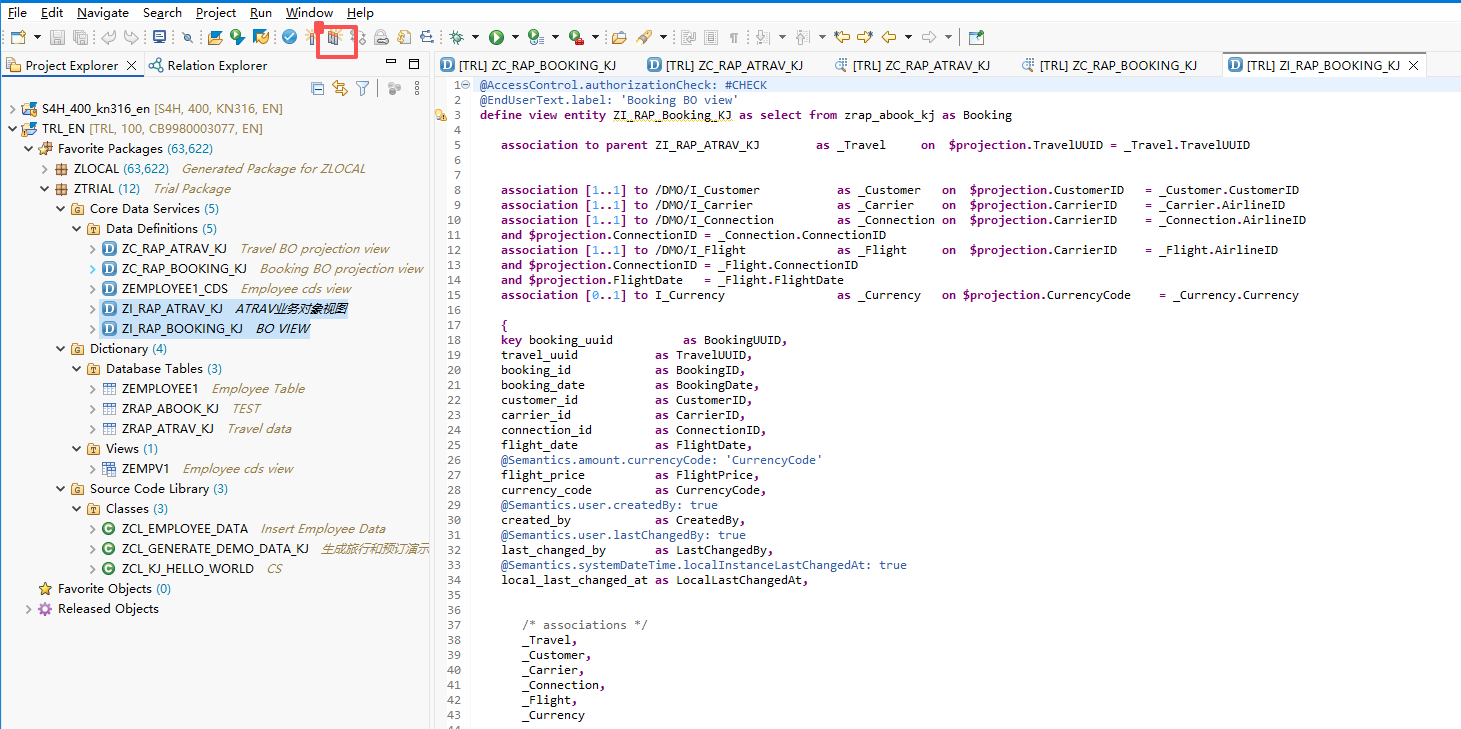
激活成功后,验证数据:执行数据预览
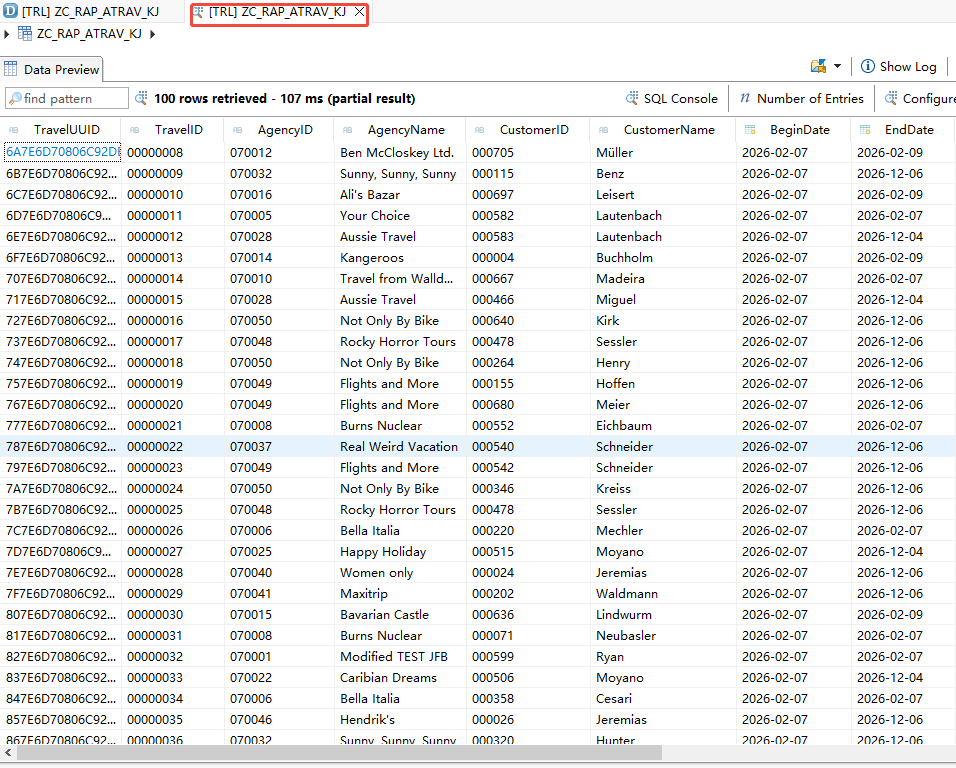
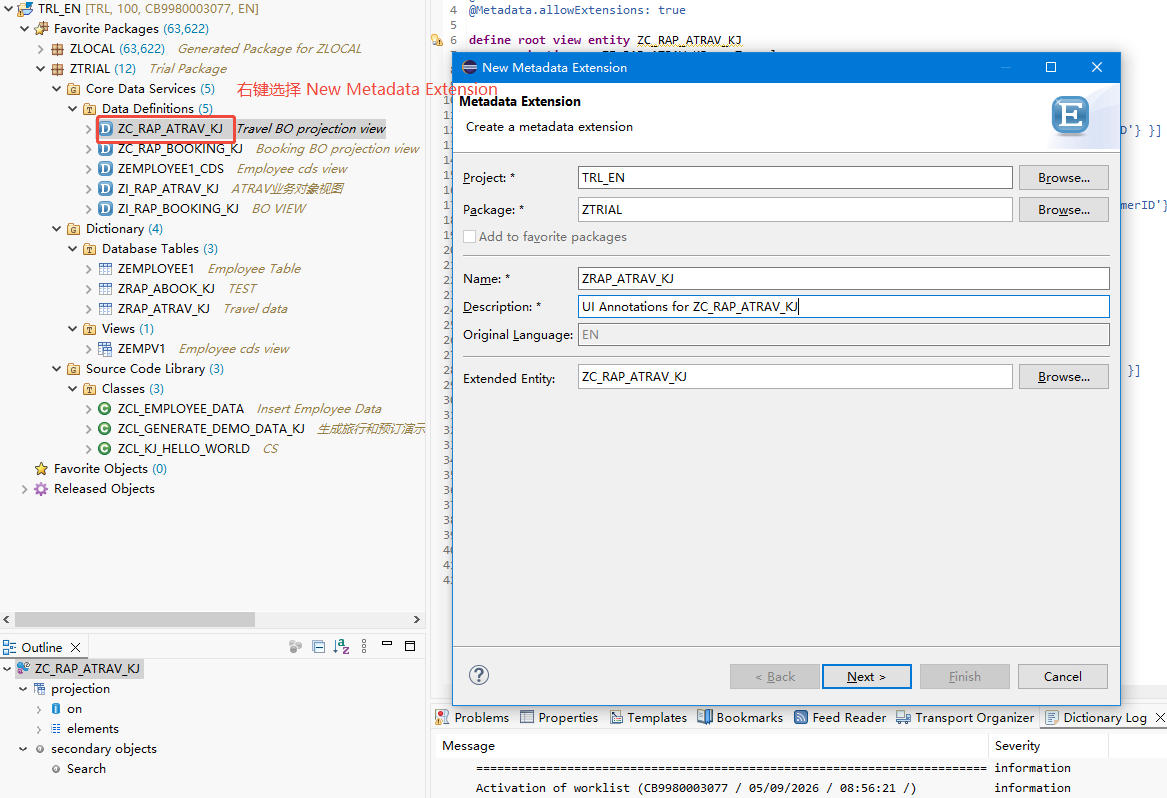
上面的CDS VIEW已经添加注释: @Metadata.allowExtensions:true,现在可以 进行独立的 CDS 元数据扩展对其进行无需修改的增强(即在CDS VIEW的基础创建另外一个CDS VIEW进行一个功能的拓展)。
右键->New Metadata Extension
next
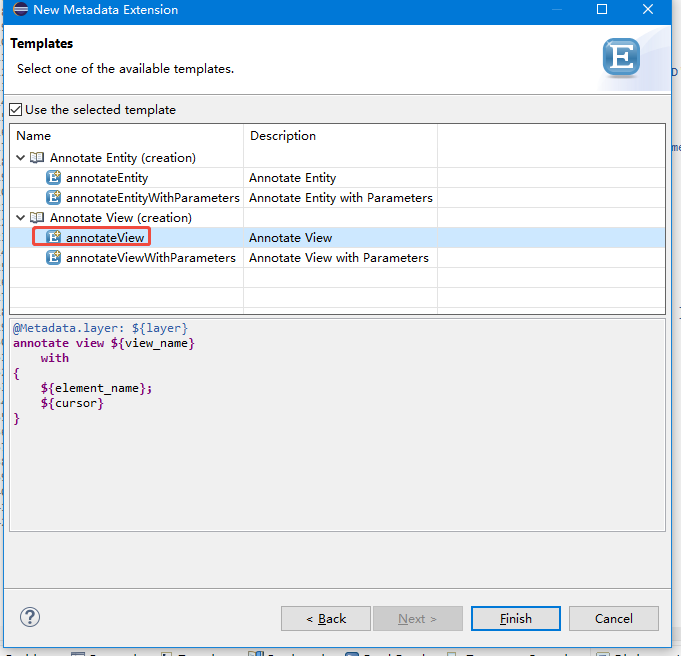
finish
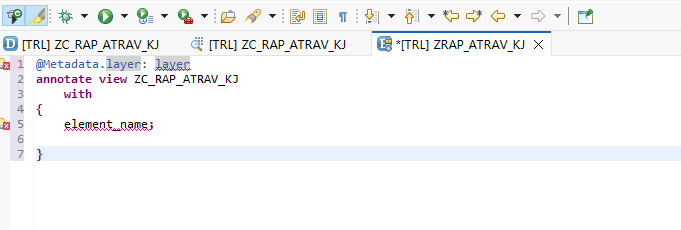
设置列并给元素指定 UI 注释,代码如下:
@Metadata.layer: #CORE
@UI: {
  headerInfo: { typeName: 'Travel',
                typeNamePlural: 'Travels',
                title: { type: #STANDARD, label: 'Travel', value: 'TravelID' } },
  presentationVariant: [{ sortOrder: [{ by: 'TravelID', direction:  #DESC }] }] }

annotate view ZC_RAP_ATRAV_KJ with
{
  @UI.facet: [ { id:              'Travel',
                 purpose:         #STANDARD,
                 type:            #IDENTIFICATION_REFERENCE,
                 label:           'Travel',
                 position:        10 },
               { id:              'Booking',
                 purpose:         #STANDARD,
                 type:            #LINEITEM_REFERENCE,
                 label:           'Booking',
                 position:        20,
                 targetElement:   '_Booking'} ]

  @UI:{ identification: [{ position: 1, label: 'Travel UUID' }] }
  TravelUUID;

  @UI: {  lineItem:       [ { position: 10 } ],
          identification: [ { position: 10 } ],
          selectionField: [ { position: 10 } ] }
  TravelID;

  @UI: {  lineItem:       [ { position: 20 } ],
          identification: [ { position: 20 } ],
          selectionField: [ { position: 20 } ] }
  AgencyID;

  @UI: {  lineItem:       [ { position: 30 } ],
          identification: [ { position: 30 } ],
          selectionField: [ { position: 30 } ] }
  CustomerID;

  @UI: {  lineItem:       [ { position: 40 } ],
          identification: [ { position: 40 } ] }
  BeginDate;

  @UI: {  lineItem:       [ { position: 50 } ],
          identification: [ { position: 50 } ] }
  EndDate;

  @UI: {  lineItem:       [ { position: 60 } ],
          identification: [ { position: 60 } ] }
  BookingFee;

  @UI: {  lineItem:       [ { position: 70 } ],
          identification: [ { position: 70 } ] }
  TotalPrice;

  @UI: {  lineItem:       [ { position: 80 } ],
          identification: [ { position: 80 } ] }
  Description;

  @UI: {  lineItem:       [ { position: 90 } ],
          identification: [ { position: 90 } ] }
  TravelStatus;

  @UI.hidden: true
  LastChangedAt;

  @UI.hidden: true
  LocalLastChangedAt;
}
代码简短说明:
#CORE被指定为元数据层,因为您是应用程序提供方。
当为给定的CDS实体定义了多个元数据扩展时,该层会确定元数据的优先级。**#CORE的优先级最低,#CUSTOMER**的优先级最高。- 头部信息(例如类型名称和标题)以及我们使用**
@UI** 视图注释的列表报表应用的展示变体,均在**ANNOTATE VIEW语句之前的顶部进行定义。查询到的行程数据将在列表中按TravelID**元素以降序排列。 - 对象页面的导航及其布局是通过花括号中的**
@UI.facet注解定义的。行程对象页面包含两个分面:行程实体的标识引用和预订实体的行项目引用,其中_Booking**组合被指定为目标元素。 - 各种**
@UI**注释用于指定旅行列表和对象页面上每个元素的布局。
关于UI注释
如前所述,本课程的重点是应用程序的 RESTful 后端实现。因此,我们将仅使用少量 UI 注释来丰富预定义的 CDS 数据模型,以便后续生成我们的 SAP Fiori elements 应用程序。有关为元数据驱动的用户界面定义CDS注释以及ABAP CDS中支持的用户界面注释的更多信息,可在SAP帮助门户查阅。
例如
- 注解
@UI.lineItem用于指定列表中以列形式显示的每个元素的布局信息。 - 注解
@UI.identification用于指定对象页面标识部分中显示的每个元素的布局信息。 - 注解
@UI.selectionField用于让筛选栏中的某个元素支持选择。如果为指定元素定义了值帮助,该元素会自动暴露到界面上。 - 对于定位顺序,属性**
position**的值可以使用任意小数。 - 通过 UI 注释
@UI.hidden:true,我们可以阻止元素在 UI 或个性化设置对话框中显示。
同样的创建另外CDS VIEW的拓展视图
CDS VIEW代码如下:
@Metadata.layer: #CORE
@UI: {
  headerInfo: { typeName: 'Booking',
                typeNamePlural: 'Bookings',
                title: { type: #STANDARD, value: 'BookingID' } } }

annotate view ZC_RAP_Booking_KJ with
{
  @UI.facet: [ { id:            'Booking',
                 purpose:       #STANDARD,
                 type:          #IDENTIFICATION_REFERENCE,
                 label:         'Booking',
                 position:      10 }  ]

  @UI: { identification: [ { position: 10, label: 'Booking UUID'  } ] }
  BookingUUID;

  @UI.hidden: true
  TravelUUID;

  @UI: { lineItem:       [ { position: 20 } ],
         identification: [ { position: 20 } ] }
  BookingID;

  @UI: { lineItem:       [ { position: 30 } ],
         identification: [ { position: 30 } ] }
  BookingDate;

  @UI: { lineItem:       [ { position: 40 } ],
         identification: [ { position: 40 } ] }
  CustomerID;

  @UI: { lineItem:       [ { position: 50 } ],
         identification: [ { position: 50 } ] }
  CarrierID;

  @UI: { lineItem:       [ { position: 60 } ],
         identification: [ { position: 60 } ] }
  ConnectionID;

  @UI: { lineItem:       [ { position: 70 } ],
         identification: [ { position: 70 } ] }
  FlightDate;

  @UI: { lineItem:       [ { position: 80 } ],
         identification: [ { position: 80 } ] }
  FlightPrice;

  @UI.hidden: true
  LocalLastChangedAt;
}