背景
使用Xcode26打包出来的,iPad UISplitViewController布局错乱

配置属性
ini
preferredSplitBehavior = .tile // 平铺
primaryBackgroundStyle = .none // none/sidebar 设置sidebar 侧边栏样式

presentsWithGesture = false // 禁用滑动手势隐藏主列,primary栏常驻

primaryEdge = .leading

preferredDisplayMode = .twoBesideSecondary // 平推过去 并排
preferredPrimaryColumnWidthFraction = 0.2 // 占比 20%
maximumPrimaryColumnWidth = .infinity
preferredSupplementaryColumnWidthFraction = 0.3 // 占比 30%
if #available(iOS 26.0, *) {
    preferredSecondaryColumnWidthFraction = 0.5 // 占比50%
    preferredInspectorColumnWidthFraction = 0.0 // 占比 0
}- 左右分屏
double布局
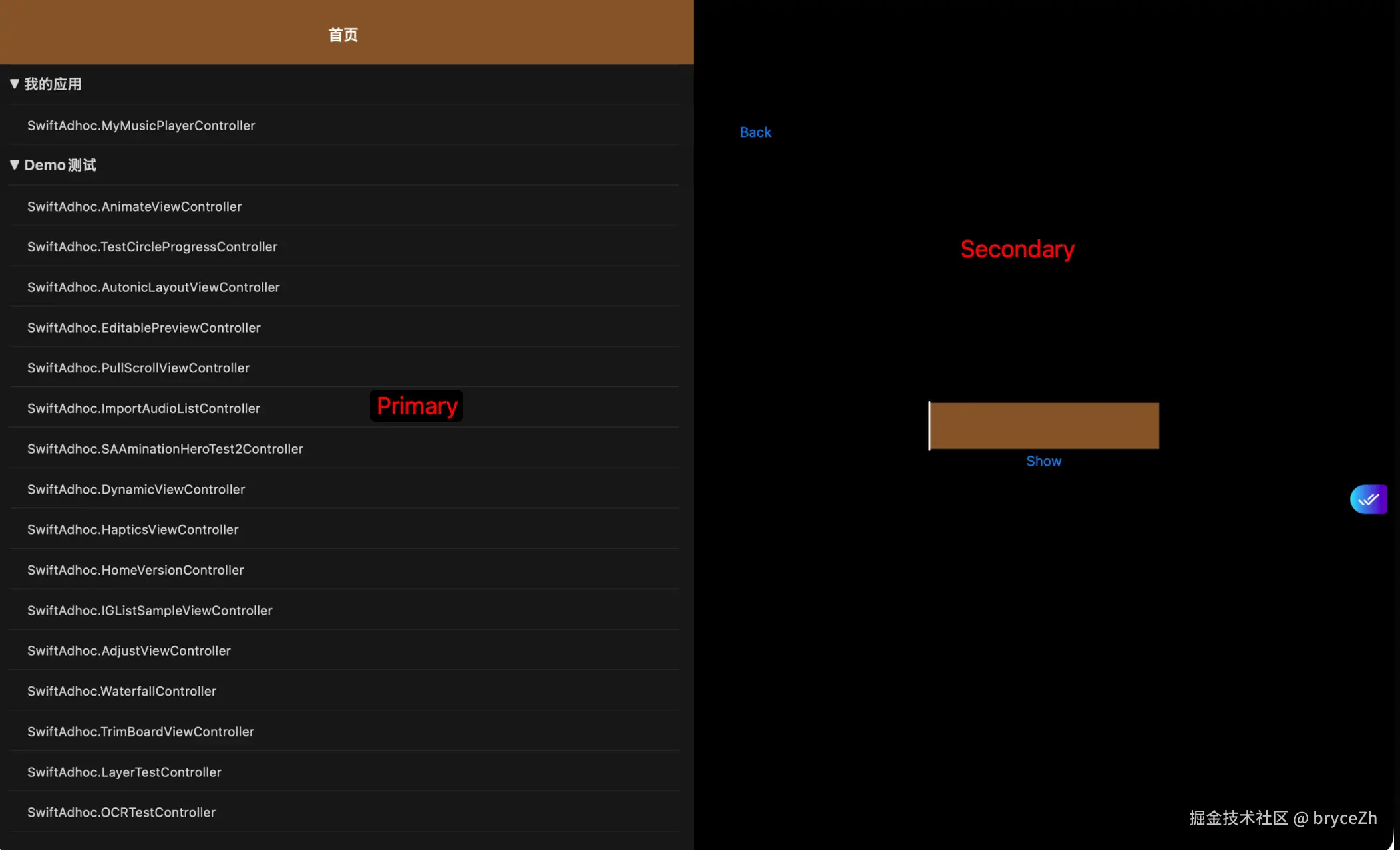
triple布局
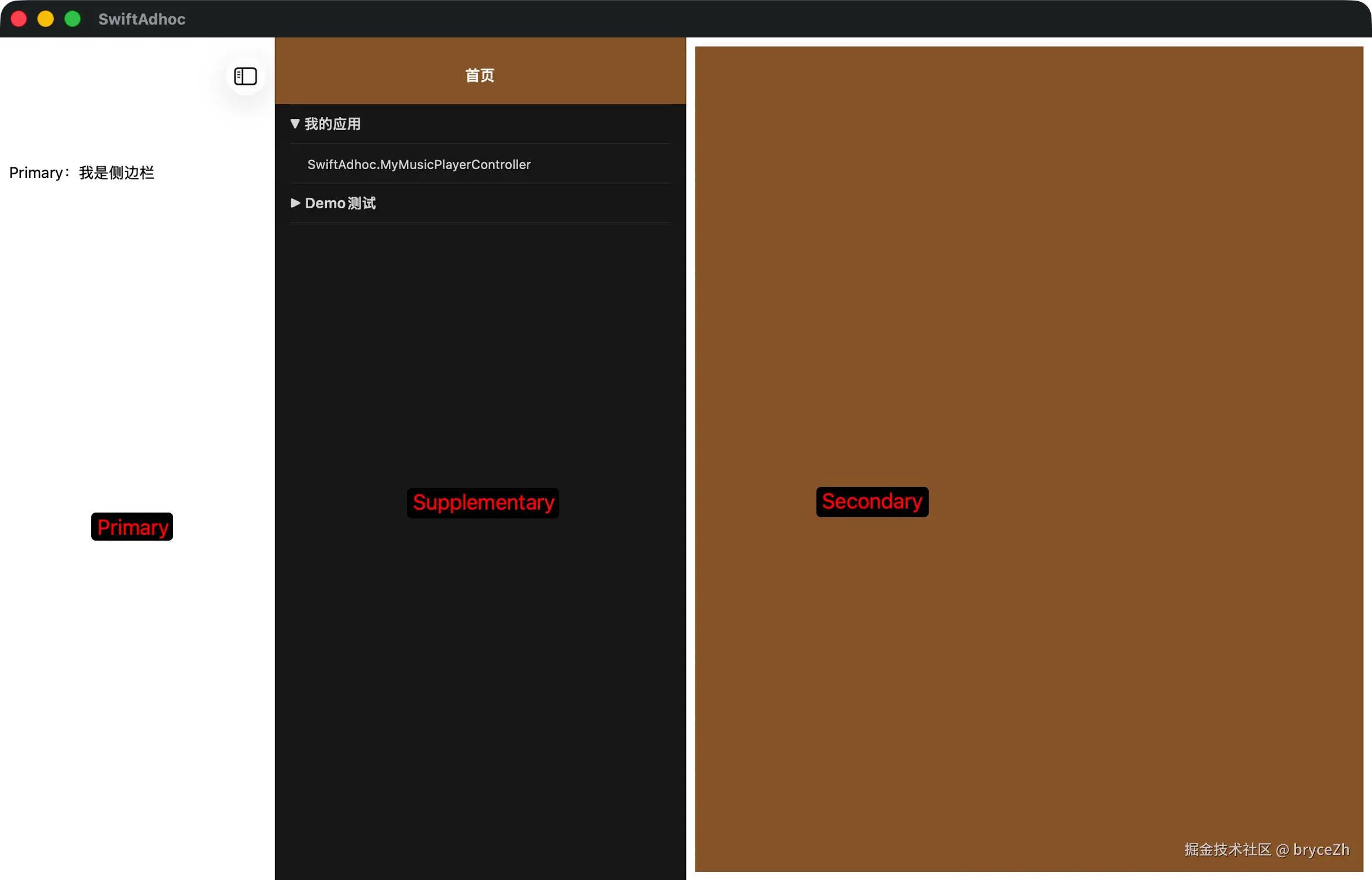
iOS 26可以设置四层布局
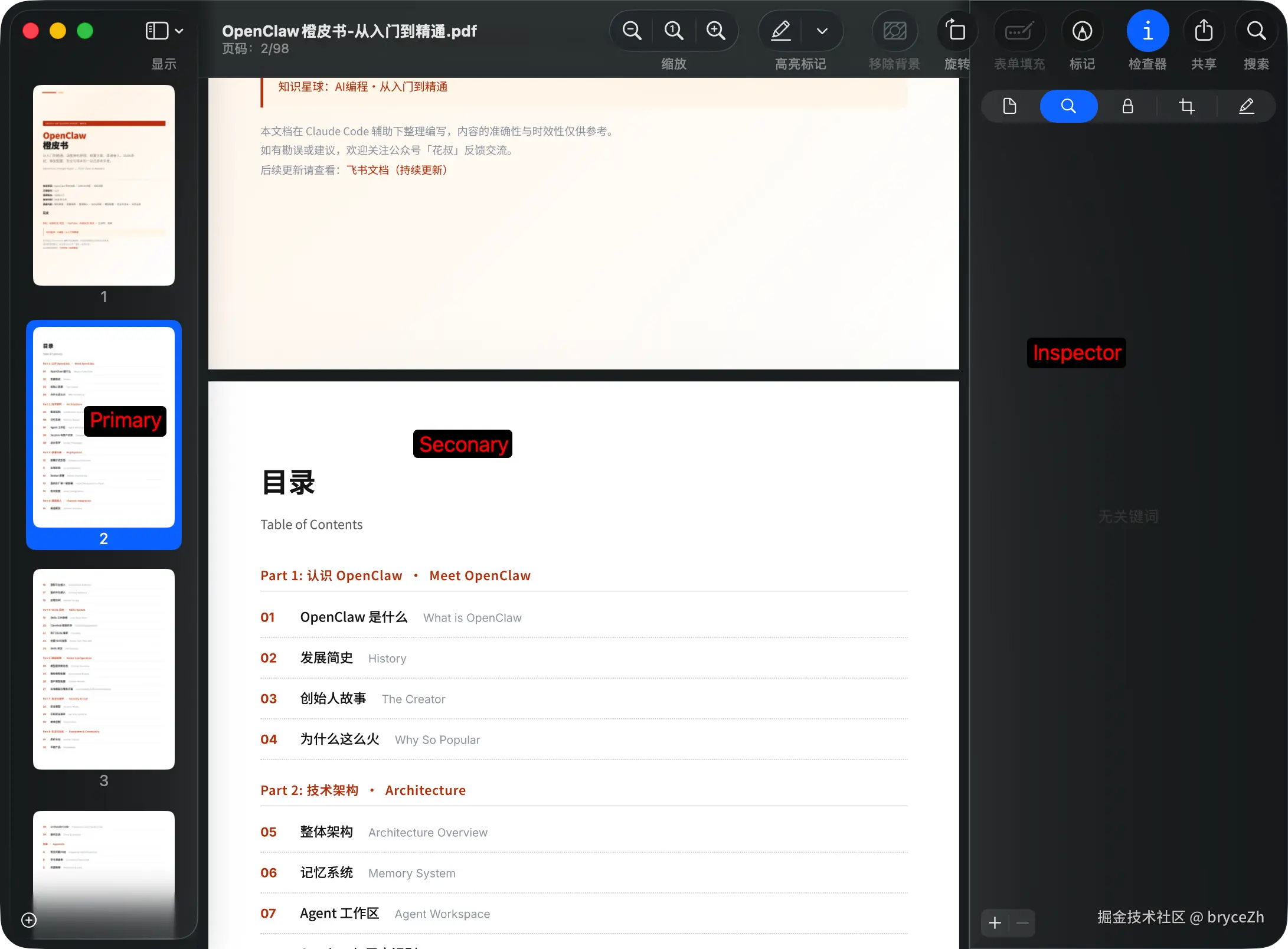
案例-左右分屏
- iOS 26.0 和 iOS 26.2以上使用不同 ColumnStyle
iOS 26.0 直接使用doubleColumn+oneBesideSecondary 会出遮挡问题
改为 tripleColumn + twoDisplaceSecondary+preferredSupplementaryColumnWidth=10
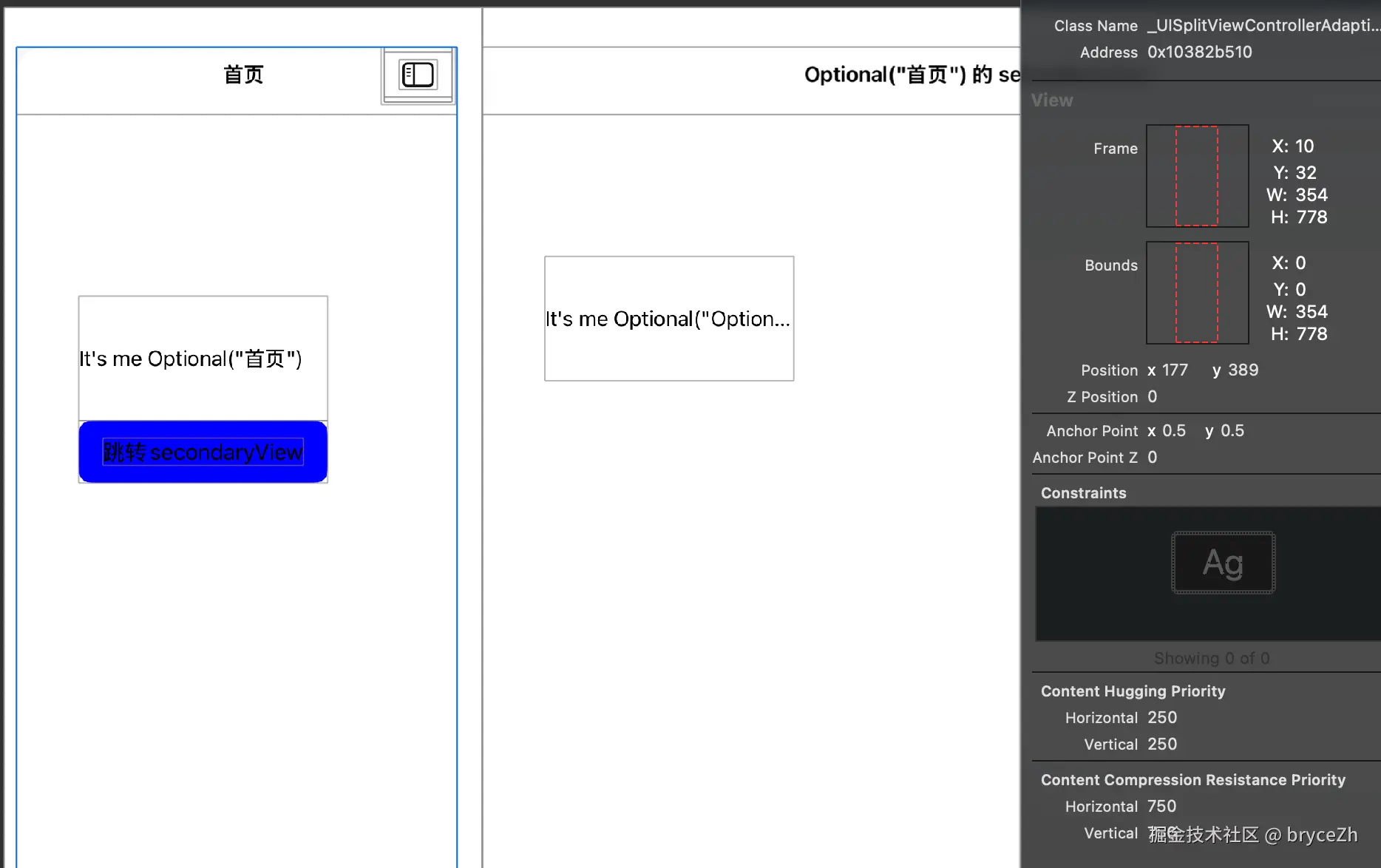
最终:

swift
enum ColumnStyle {
        case doubleColumn
        case tripleColumn
        case unspecified
    }

    static var columnStyle: ColumnStyle {
        if #available(iOS 26.2, *) {
            return .doubleColumn
        } else if #available(iOS 26.0, *) {
            return .tripleColumn
        } else {
            return .unspecified
        }
    }

    static func createBy(master: UITabBarController, detail: UINavigationController) -> JDSplitViewController {
        let splitController: JDSplitViewController
        if kDeviceIsiPad {
            if #available(iOS 26.0, *) {
                splitController = JDSplitViewController(style: columnStyle == .doubleColumn ? .doubleColumn : .tripleColumn)
            } else {
                splitController = JDSplitViewController(nibName: nil, bundle: nil)
            }
        } else {
            splitController = JDSplitViewController(nibName: nil, bundle: nil)
        }

        splitController.setupSplitViewController(master: master, detail: detail)
        return splitController
    }
ini
private func setupSplitViewController(master: UITabBarController, detail: UINavigationController) {
        // 设置主视图和详情视图
        masterViewController = master
        detailViewController = detail
        if #available(iOS 13.0, *) {
            primaryBackgroundStyle = .none
        }

        if kDeviceIsiPad {
            // ipad 分屏
            if #available(iOS 26.0, *) {
                setViewController(master, for: .primary)
                setViewController(detail, for: .secondary)

                // 设置主列 leading显示
                primaryEdge = .leading
                presentsWithGesture = false // 禁用滑动手势隐藏主列和show/hide的primary按钮

                setupScreenLayout()

            } else {
                // iOS 26以下使用 viewcontrollers方案,不然iOS14 setViewController(master, for: .primary)崩溃
                // Exception    NSException *    "UITabBarController is unsupported as viewController for -[UISplitViewController setViewController:forColumn:] in Primary column"
                preferredDisplayMode = .oneBesideSecondary
                preferredPrimaryColumnWidthFraction = 0.5
                maximumPrimaryColumnWidth = kScreenMaxLength / 2
                viewControllers = [master, detail]
            }
        } else {
            // iphone 不分屏
            preferredDisplayMode = .automatic
            preferredPrimaryColumnWidthFraction = 1.0
            maximumPrimaryColumnWidth = kScreenMaxLength
            viewControllers = [master]
        }

        delegate = self
    }
swift
private func setupScreenLayout() {
        guard  #available(iOS 26.0, *) else {
            return
        }

        // 详细配置:https://developer.apple.com/documentation/UIKit/UISplitViewController

        // 平铺
        preferredSplitBehavior = .tile
        // none非slidebar, ios26.0设置了好像没效果,都是sidebar效果
        primaryBackgroundStyle = .none

        // 设置分屏布局样式为左边主视图,右边详情视图
        preferredPrimaryColumnWidthFraction = 0.5
        if Self.columnStyle == .doubleColumn {
            // oneBesideSecondary展示左右并排
            preferredDisplayMode = .oneBesideSecondary
            // doubleColumn 不能设置Supplementary 相关属性如:ColumnWidth
            // preferredSupplementaryColumnWidth = 0
        } else {
            // 必须这个模式
            preferredDisplayMode = .twoDisplaceSecondary
            // iOS26.0 系统大概设置了一个10pt的leading 边距(32的top),为了对称设置preferredSupplementaryColumnWidth
            preferredSupplementaryColumnWidth = 10
        }
    }