ViewModel是用来给Activity和Fragment提供和管理数据的,ViewModel的生命周期要比Fragment和Activity的生命周期要长,当Activity和Fragment重建时ViewModel并不会销毁,只有当Activity finish才会被销毁。
因configuration变化时,导致Activity重建时,ViewModel不会重建。
configuration change:指屏幕旋转、语言变更、主题切换等
使用方法
- 导入依赖
plain
# ViewModel和Fragment 扩展
androidx-lifecycle-viewmodel-ktx = { group = "androidx.lifecycle", name = "lifecycle-viewmodel-ktx", version.ref = "lifecycleViewmodelKtx" }
androidx-fragment-ktx = { group = "androidx.fragment", name = "fragment-ktx", version.ref = "fragmentKtx" }- 通过
viewModels()创建ViewModel
kotlin
class MyFragment : Fragment() {
    val viewmodel: MyViewModel by viewModels()
}
原理解析
viewModels()方法是如何创建ViewMode对象的?
创建ViewModel时会传入class对象(VM::class),通过这个可以猜到,应该是通过class反射创建ViewModel的。
如果没有传入factoryPromise会使用默认的defaultViewModelProviderFactory,没有传extrasProducer会使用默认的defaultViewModelCreationExtras。
kotlin
// ActivityViewModelLazy.kt
public inline fun <reified VM : ViewModel> ComponentActivity.viewModels(
    noinline extrasProducer: (() -> CreationExtras)? = null,
    noinline factoryProducer: (() -> Factory)? = null,
): Lazy<VM> {
    val factoryPromise = factoryProducer ?: { defaultViewModelProviderFactory }

    return ViewModelLazy(
        VM::class,
        { viewModelStore },
        factoryPromise,
        { extrasProducer?.invoke() ?: this.defaultViewModelCreationExtras },
    )
}

// androidx.activity.ComponentActivity.kt
// 默认的factoryPromise是SavedStateViewModelFactory
override val defaultViewModelProviderFactory: ViewModelProvider.Factory by lazy {
    SavedStateViewModelFactory(application, this, if (intent != null) intent.extras else null)
}

// 默认的extrasProducer
override val defaultViewModelCreationExtras: CreationExtras
    get() {
        val extras = MutableCreationExtras()
        if (application != null) {
            extras[APPLICATION_KEY] = application
        }
        extras[SAVED_STATE_REGISTRY_OWNER_KEY] = this
        extras[VIEW_MODEL_STORE_OWNER_KEY] = this
        val intentExtras = intent?.extras
        if (intentExtras != null) {
            extras[DEFAULT_ARGS_KEY] = intentExtras
        }
        return extras
}通过viewModels()创建ViewModel对象之前,先创建了一个ViewModelProvider,使用这个Provider来创建ViewModel的。
kotlin
public class ViewModelLazy<VM : ViewModel> @JvmOverloads constructor(
    private val viewModelClass: KClass<VM>,
    private val storeProducer: () -> ViewModelStore,
    private val factoryProducer: () -> ViewModelProvider.Factory,
    private val extrasProducer: () -> CreationExtras = { CreationExtras.Empty }
) : Lazy<VM> {

    override val value: VM
        get() {
            val viewModel = cached
            return if (viewModel == null) {
                val store = storeProducer()
                val factory = factoryProducer()
                val extras = extrasProducer()
                // 创建ViewModelProvider,在ViewModelProvider.get()中创建的ViewModel对象
                ViewModelProvider.create(store, factory, extras)
                    .get(viewModelClass)
                    .also { cached = it }
            } else {
                viewModel
            }
        }
}
ViewModelProvider.create创建的实际上是一个ViewModelProviderImpl,该类的factory=defaultViewModelProviderFactory
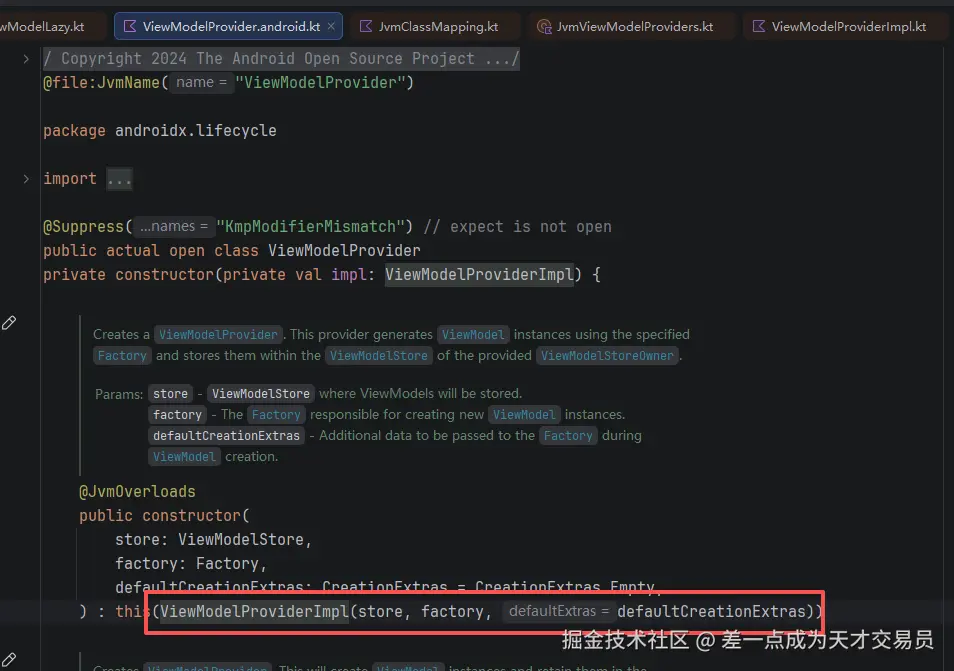
ViewModelProvider.get(viewModelClass)会调用到getViewModel,之后再调用createViewModel
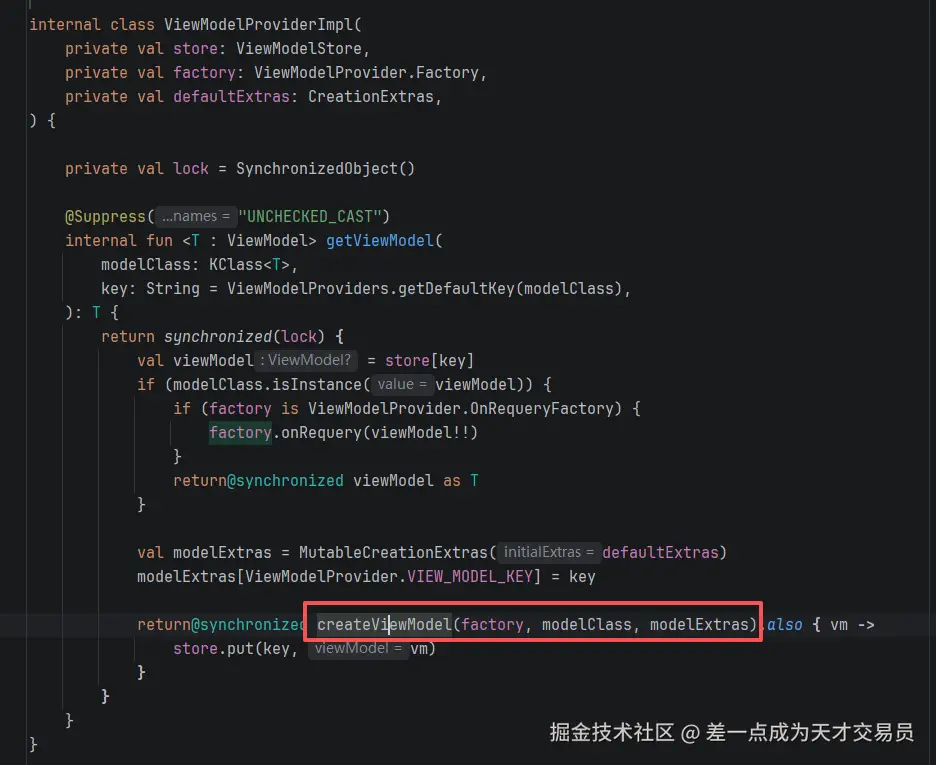
这个factory上面说过是defaultViewModelProviderFactory,然后调用到了SavedStateViewModelFactory.create。
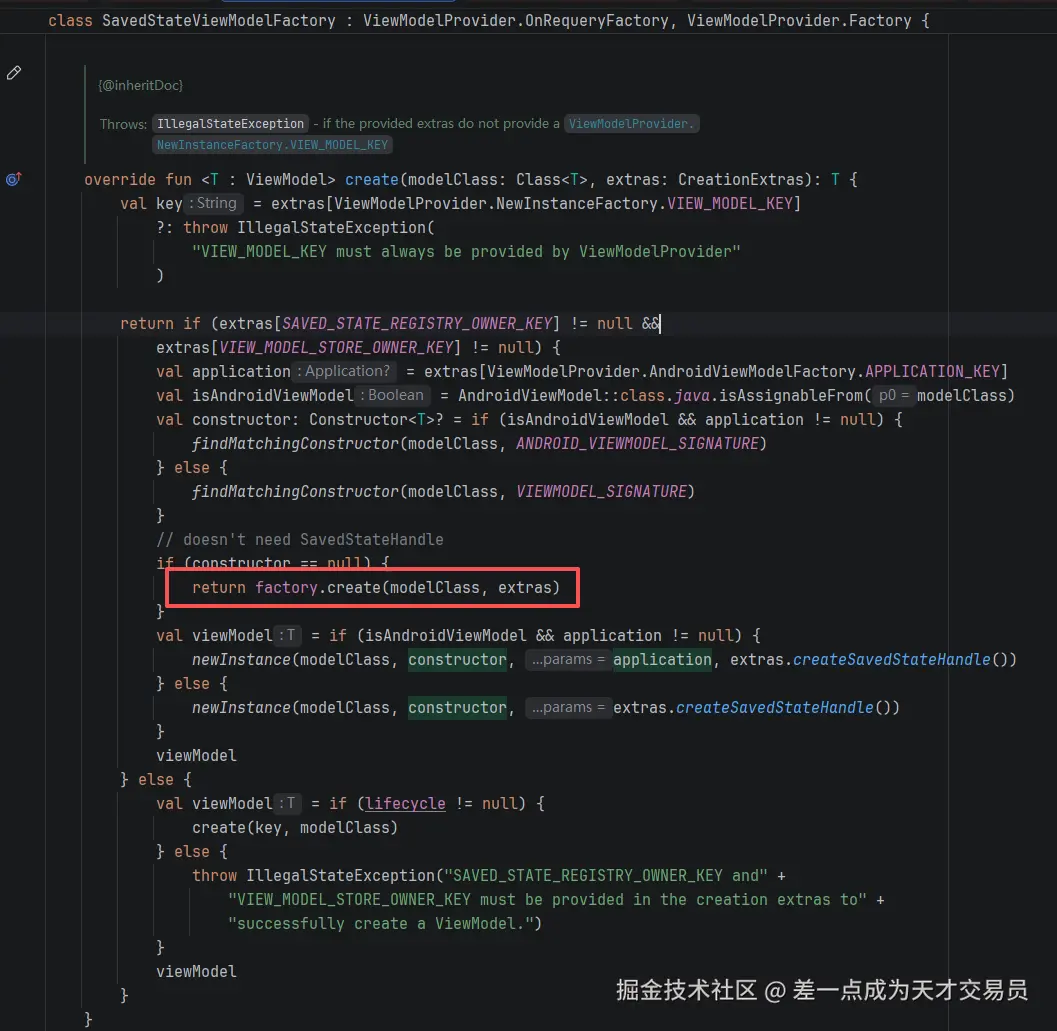
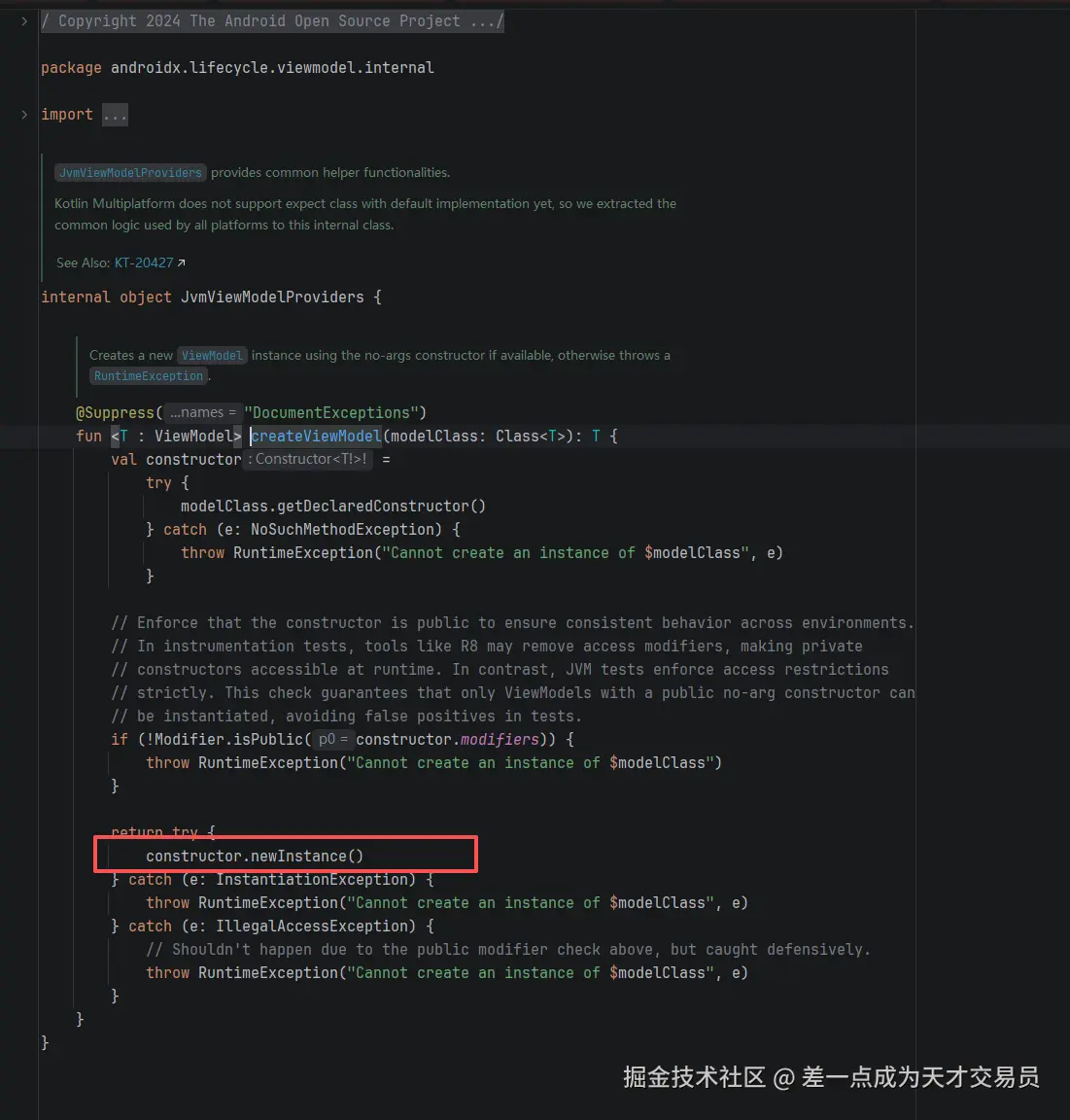
最后会通过传入的class对象反射创建ViewModel。
为什么Activity重建后,ViewModel没有被销毁?
反射创建ViewModel对象后会保存到store中,当Activity重建后再次调用viewModels获取ViewModel时先从store中拿ViewModel对象,不存在才会新建一个ViewModel。
kotlin
internal class ViewModelProviderImpl(
    private val store: ViewModelStore,
    private val factory: ViewModelProvider.Factory,
    private val defaultExtras: CreationExtras,
) {

    private val lock = SynchronizedObject()

    @Suppress("UNCHECKED_CAST")
    internal fun <T : ViewModel> getViewModel(
        modelClass: KClass<T>,
        key: String = ViewModelProviders.getDefaultKey(modelClass),
    ): T {
        return synchronized(lock) {
            // 从ViewModelStore中拿ViewModel对象
            val viewModel = store[key]
            if (modelClass.isInstance(viewModel)) {
                if (factory is ViewModelProvider.OnRequeryFactory) {
                    factory.onRequery(viewModel!!)
                }
                return@synchronized viewModel as T
            }

            val modelExtras = MutableCreationExtras(defaultExtras)
            modelExtras[ViewModelProvider.VIEW_MODEL_KEY] = key

            // ViewModelStore中没有对应的ViewModel,则新建一个ViewModel
            return@synchronized createViewModel(factory, modelClass, modelExtras).also { vm ->
                // 将ViewModel保存到store中
                store.put(key, vm)
            }
        }
    }
}
}
ViewModelStore核心就是一个HashMap用于保存ViewModel对象
调用viewModels使用ViewModelStore是Component中的成员变量。
kotlin
// ActivityModelLazy.kt
public inline fun <reified VM : ViewModel> ComponentActivity.viewModels(
    noinline extrasProducer: (() -> CreationExtras)? = null,
    noinline factoryProducer: (() -> Factory)? = null,
): Lazy<VM> {
    val factoryPromise = factoryProducer ?: { defaultViewModelProviderFactory }

    return ViewModelLazy(
        VM::class,
        // ComponentActivity.viewModelStore
        { viewModelStore },
        factoryPromise,
        { extrasProducer?.invoke() ?: this.defaultViewModelCreationExtras },
    )
}

// ComponentActivity.kt
public open class ComponentActivity() {
    override val viewModelStore: ViewModelStore
        /**
         * Returns the [ViewModelStore] associated with this activity
         *
         * Overriding this method is no longer supported and this method will be made `final` in a
         * future version of ComponentActivity.
         *
         * @return a [ViewModelStore]
         * @throws IllegalStateException if called before the Activity is attached to the
         *   Application instance i.e., before onCreate()
         */
        get() {
            checkNotNull(application) {
                ("Your activity is not yet attached to the " +
                    "Application instance. You can't request ViewModel before onCreate call.")
            }
            ensureViewModelStore()
            return _viewModelStore!!
        }
}
那么问题又来了,既然是ComponentActivity的成员变量,Activity重建后成员变量也会被重建,那ComponentActivity.viewModelStore是如何在Activity重建后保持不变的?
使用onRetainNonConfigurationInstance来保存viewModelStore。
kotlin
// ComponentActivity.kt
public open class ComponentActivity() {

    final override fun onRetainNonConfigurationInstance(): Any? {
         // Maintain backward compatibility.
         val custom = onRetainCustomNonConfigurationInstance()
         var viewModelStore = _viewModelStore
         if (viewModelStore == null) {
             // No one called getViewModelStore(), so see if there was an existing
             // ViewModelStore from our last NonConfigurationInstance
             val nc = lastNonConfigurationInstance as NonConfigurationInstances?
             if (nc != null) {
                 viewModelStore = nc.viewModelStore
             }
         }
         if (viewModelStore == null && custom == null) {
             return null
         }
         val nci = NonConfigurationInstances()
         nci.custom = custom
        // 保存到NonConfigurationInstances对象中
         nci.viewModelStore = viewModelStore
         return nci
    }
}
onRetainNonConfigurationInstance:当Activity重建时,会保存该方法中的数据,在Activity重建之后,通过getLastNonConfigurationInstance获取旧Activity中的数据。
kotlin
// ActivityThread
void performDestroyActivity(ActivityClientRecord r, boolean finishing,
                            boolean getNonConfigInstance, String reason) {

    performPauseActivityIfNeeded(r, "destroy");

    if (!r.stopped) {
        callActivityOnStop(r, false /* saveState */, "destroy");
    }
    if (getNonConfigInstance) {
        try {
            r.lastNonConfigurationInstances = r.activity.retainNonConfigurationInstances();
        } catch (Exception e) {
            if (!mInstrumentation.onException(r.activity, e)) {
                throw new RuntimeException("Unable to retain activity "
                                           + r.intent.getComponent().toShortString(), e);
            }
        }
    }
}
在执行performDestroyActivity时,会调用retainNonConfigurationInstances获取需要保存的数据,然后将数据保存到ActivityThread.ActivityClientRecord.lastNonConfigurationInstances中。数据保存在了ActivityThread中。
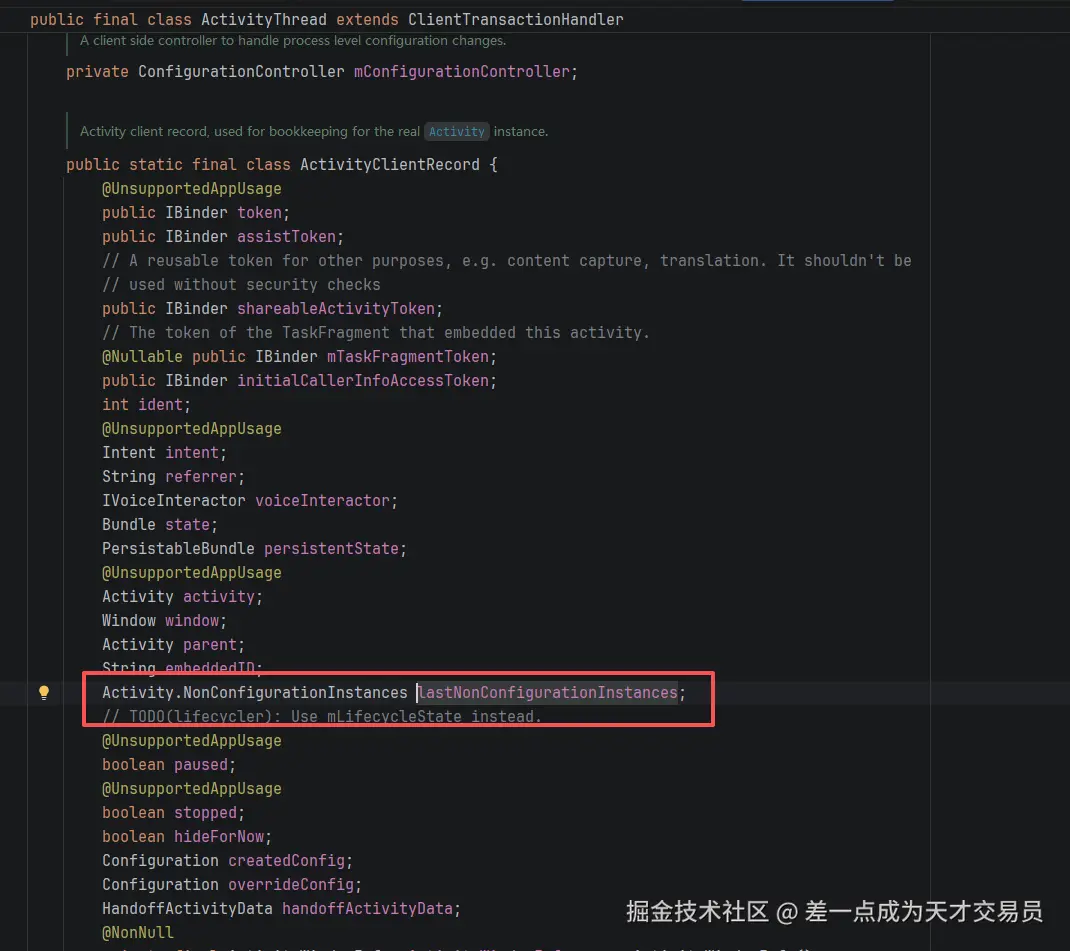
当Acitvity重建后,会将lastNonConfigurationInstances传入新Activity中,这样就实现了Activity重建,但是ViewModel没有重建。
在调用Activity.attach时会将lastNonConfigurationInstances传入到Activity中
kotlin
// Activity
final void attach(Context context, ActivityThread aThread,
        Instrumentation instr, IBinder token, int ident,
        Application application, Intent intent, ActivityInfo info,
        CharSequence title, Activity parent, String id,
        NonConfigurationInstances lastNonConfigurationInstances,
        Configuration config, String referrer, IVoiceInteractor voiceInteractor,
        Window window, ActivityConfigCallback activityConfigCallback, IBinder assistToken,
        IBinder shareableActivityToken, IBinder initialCallerInfoAccessToken) {
    // 保存到Activity中
    mLastNonConfigurationInstances = lastNonConfigurationInstances;
    mWindow.setWindowManager(
            (WindowManager)context.getSystemService(Context.WINDOW_SERVICE),
            mToken, mComponent.flattenToString(),
            (info.flags & ActivityInfo.FLAG_HARDWARE_ACCELERATED) != 0);
    if (mParent != null) {
        mWindow.setContainer(mParent.getWindow());
    }
}
在新Activity中获取viewModelStore对象会优先从lastNonConfigurationInstances保存的数据中拿,也就是拿到之前的viewModelStore。
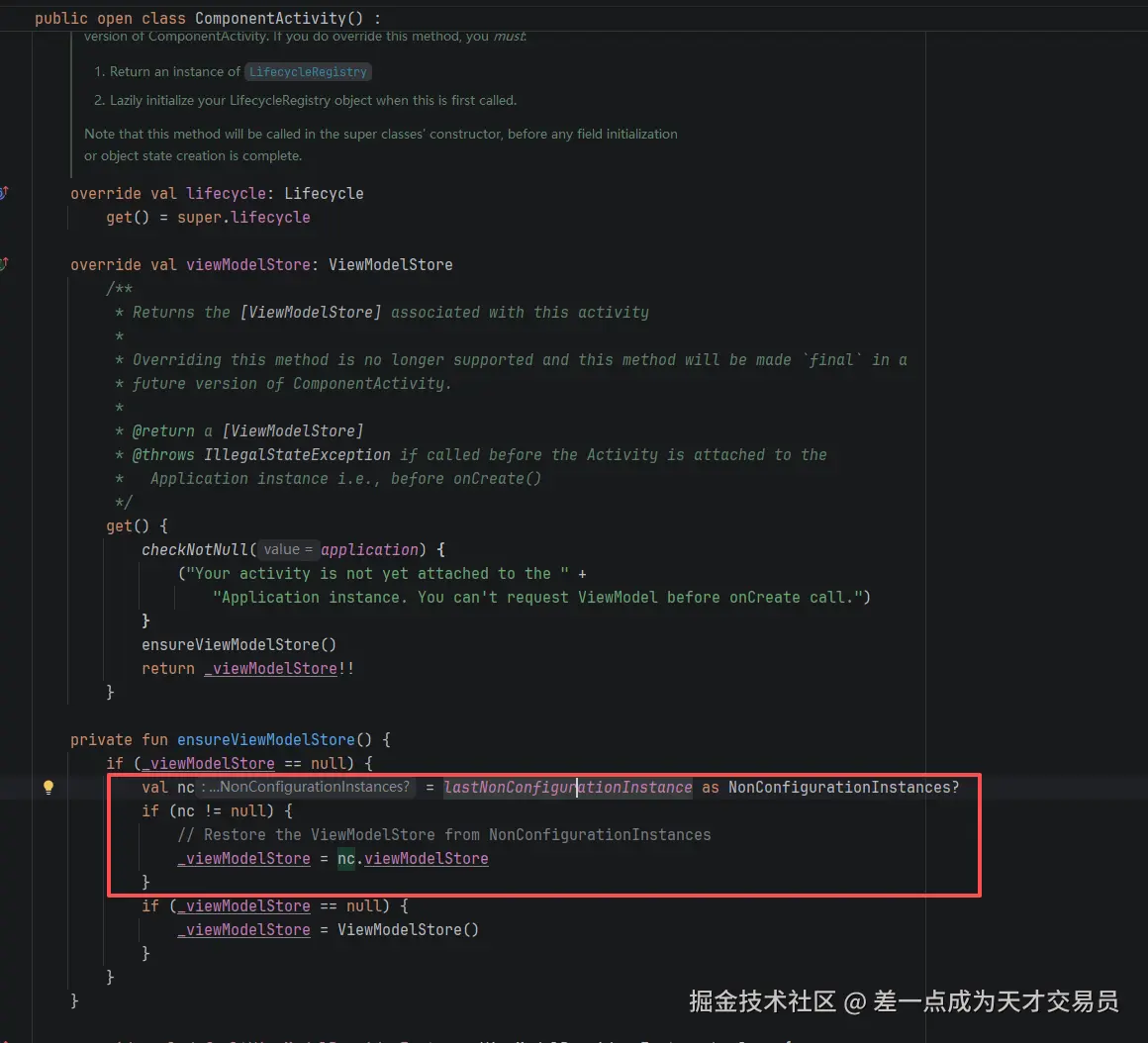
小结
ViewModel的核心实现类。
- viewModelStore:负责保存ViewModel对象,保存在了ActivityThread.lastNonConfigurationInstances中。
- ViewModelProvider.Factory:负责创建ViewModel对象,默认的Factory是SavedStateViewModelFactory。ViewModelProvider.Factory是个接口,实现该接口自定义ViewModel的创建方式。
ViewModel+Hilt结合使用
hilt是一个依赖注入库,能够帮我们创建对象。
加上@HiltViewModel和@Inject,hilt就能帮我们创建Repository对象。
kotlin
@HiltViewModel
class ViewViewModel @Inject constructor(
    private val repository: Repository,
    val savedStateHandle: SavedStateHandle,
) : ViewModel()

class Repository @Inject constructor() {
}但我们依旧是通过viewModels()创建的ViewModel对象。
kotlin
private val viewModel: ViewViewModel by viewModels()那Hilt是如何帮我们创建ViewModel对象的?
在编译的时候,hilt会生成Hilt_Activity类,让我们的Activity继承Hilt_Activity。生成的Hilt_Acivitity重写了ComponentActivity的defaultViewModelProviderFactory方法,返回了Hilt生成的一个ViewModelProvider.Factory。
之前说过viewModels方法如果不传参数就会使用ComponetActivity.defaultViewModelProviderFactory。现defaultViewModelProviderFactory被重写了那么就会调用hilt生成的ViewModelProvider.Factory来创建ViewModel对象。
hilt生成的类位于 app\build\generated\ksp目录下
java
public abstract class Hilt_ViewActivity extends AppCompatActivity implements GeneratedComponentManagerHolder {

    // 重写了ComponentActivity.defaultViewModelProviderFactory
    @Override
    public ViewModelProvider.Factory getDefaultViewModelProviderFactory() {
        return DefaultViewModelFactories.getActivityFactory(this, super.getDefaultViewModelProviderFactory());
    }
}
ViewModel+SavedStateHandle结合使用
如果用户点击返回或者手机资源紧张、电量过低,导致进程被销毁,ViewModel自然也会被销毁。ViewModel只能处理因configuration change导致的Activity重建。不能处理内存紧张导致App进程杀的情况。
内存不够,App进程被杀可以使用SavedStateHandle来恢复数据。
SavedStateHandle使用方法
在ViewModel中直接加一个SavedStateHandle的参数就行。这样在进程被杀之后,重新打开App进程,会自动恢复savedStateHandle中的数据。
注意:需要在 **onSaveInstanceState**执行后才会保存ViewModel的savedStateHandle数据。如何没有执行 **onSaveInstanceState**,ViewModel自然也不会恢复数据。
kotlin
class MyViewModel(val savedStateHandle: SavedStateHandle) : ViewModel() {

    companion object {
        const val KEY = "key"
    }

    fun search(text: String) {
        savedStateHandle[KEY] = text
    }
}
ViewModel中的SavedStateHandle是如何自动保存的?
在ComponentActivity的onSaveInstanceState中会调用savedStateRegistryController.performSave()保存ViewModel中的savedStateHandle。
kotlin
// ComponentActivity
override fun onSaveInstanceState(outState: Bundle) {
    if (lifecycle is LifecycleRegistry) {
        (lifecycle as LifecycleRegistry).currentState = Lifecycle.State.CREATED
    }
    super.onSaveInstanceState(outState)
    savedStateRegistryController.performSave(outState)
}
然后会调用到SavedStateRegistryImpl.performSave中,将keyToProviders中的数据保存到outBundle中。keyToProviders是一个map保存不同的SavedStateProvider,SavedStateProvider顾名思义就是提供saveState数据的。
kotlin
// 在ComponentActivity中调用enableSavedStateHandles()将SavedStateHandlesProvider添加到keyToProviders
private val keyToProviders = mutableMapOf<String, SavedStateProvider>()

internal fun performSave(outBundle: SavedState) {
    val inState = savedState {
        restoredState?.let { putAll(it) }
        synchronized(lock) {
            for ((key, provider) in keyToProviders) {
                // 取出每一个provider,这里会调用到SavedStateHandlesProvider.saveState
                putSavedState(key, provider.saveState())
            }
        }
    }

    if (inState.read { !isEmpty() }) {
        outBundle.write { putSavedState(SAVED_COMPONENTS_KEY, inState) }
    }
}
SavedStateHandlesVM.handles保存了ViewModel中的saveHandleState,在SavedStateHandlesProvider中遍历所有的saveHandleState,然后调用他们自己的saveState。
kotlin
// androidx.lifecycle.SavedHandleSupport
internal class SavedStateHandlesVM : ViewModel() {
    val handles = mutableMapOf<String, SavedStateHandle>()
}


internal class SavedStateHandlesProvider(
    private val savedStateRegistry: SavedStateRegistry,
    viewModelStoreOwner: ViewModelStoreOwner
) : SavedStateRegistry.SavedStateProvider {


    private val viewModel by lazy {
        viewModelStoreOwner.savedStateHandlesVM
    }

    override fun saveState(): Bundle {
        return Bundle().apply {
            // Ensure that even if ViewModels aren't recreated after process death and recreation
            // that we keep their state until they are recreated
            if (restoredState != null) {
                putAll(restoredState)
            }
            // But if we do have ViewModels, prefer their state over what we may
            // have restored
            viewModel.handles.forEach { (key, handle) ->
                val savedState = handle.savedStateProvider().saveState()
                if (savedState != Bundle.EMPTY) {
                    putBundle(key, savedState)
                }
            }
        }.also {
            // After we've saved the state, allow restoring a second time
            restored = false
        }
    }
}
}
最后调用到了SaveStateHandle中,返回需要保存的数据。
kotlin
class SavedStateHandle {

    private val savedStateProvider = SavedStateRegistry.SavedStateProvider {
        // Get the saved state from each SavedStateProvider registered with this
        // SavedStateHandle, iterating through a copy to avoid re-entrance
        val map = savedStateProviders.toMap()
        for ((key, value) in map) {
            val savedState = value.saveState()
            set(key, savedState)
        }
        // Convert the Map of current values into a Bundle
        val keySet: Set<String> = regular.keys
        val keys: ArrayList<String> = ArrayList(keySet.size)
        val value: ArrayList<Any?> = ArrayList(keys.size)
        for (key in keySet) {
            keys.add(key)
            value.add(regular[key])
        }
        // 把需要保存的值返回给SavedStateHandlesProvider
        bundleOf(KEYS to keys, VALUES to value)
    }
}
onSaveInstanceState什么时候会被调用?
当Activity因配置(主题、语言、字体大小)变化,导致Activity重建时会执行。当Activity因为内存紧张被杀了,也会调用。
那onSaveInstanceState是在onStop之前调用?还是在onStop之后调用?
在ActivityThread中调用callActivityOnSaveInstanceState会调用到Activity的onSaveInstanceState。onSaveInstanceState的调用时机跟targetSdkVersion有关系,有下面几种情况:
- targetSdkVersion<11,onSaveInstanceState会在onPause之前执行。
- targetSdkVersion<28,在Activity onStop之前调用onSaveInstanceState
- targetSdkVersion>=28,在Activity onStop之后调用onSaveInstanceState
java
// ActivityThread
private void callActivityOnStop(ActivityClientRecord r, boolean saveState, String reason) {
    // Before P onSaveInstanceState was called before onStop, starting with P it's
    // called after. Before Honeycomb state was always saved before onPause.
    final boolean shouldSaveState = saveState && !r.activity.mFinished && r.state == null
    && !r.isPreHoneycomb();
    final boolean isPreP = r.isPreP();
    if (shouldSaveState && isPreP) {
        // 如果targetSdkVersion<28,将会在Activity onStop之前调用onSaveInstanceState
        callActivityOnSaveInstanceState(r);
    }

    try {
        // 执行Activity的onStop
        r.activity.performStop(r.mPreserveWindow, reason);
    } catch (SuperNotCalledException e) {
        throw e;
    } catch (Exception e) {
        if (!mInstrumentation.onException(r.activity, e)) {
            throw new RuntimeException(
                "Unable to stop activity "
                + r.intent.getComponent().toShortString(), e);
        }
    }
    r.setState(ON_STOP);

    if (shouldSaveState && !isPreP) {
        // 如果targetSdkVersion>28,将会在Activity onStop之后调用onSaveInstanceState
        callActivityOnSaveInstanceState(r);
    }
}

private Bundle performPauseActivity(ActivityClientRecord r, boolean finished, String reason,
           PendingTransactionActions pendingActions) {

   // Pre-Honeycomb apps always save their state before pausing
   final boolean shouldSaveState = !r.activity.mFinished && r.isPreHoneycomb();
   if (shouldSaveState) {
        // targetSdkVersion<11,在onPause之前执行
        callActivityOnSaveInstanceState(r);
   }
    // 执行Activity onPause
   performPauseActivityIfNeeded(r, reason);
}