Pycharm项目上传到Github

  1. 首先,注册github账号,注册完毕后,鼠标左键单击头像------>选择Settings;
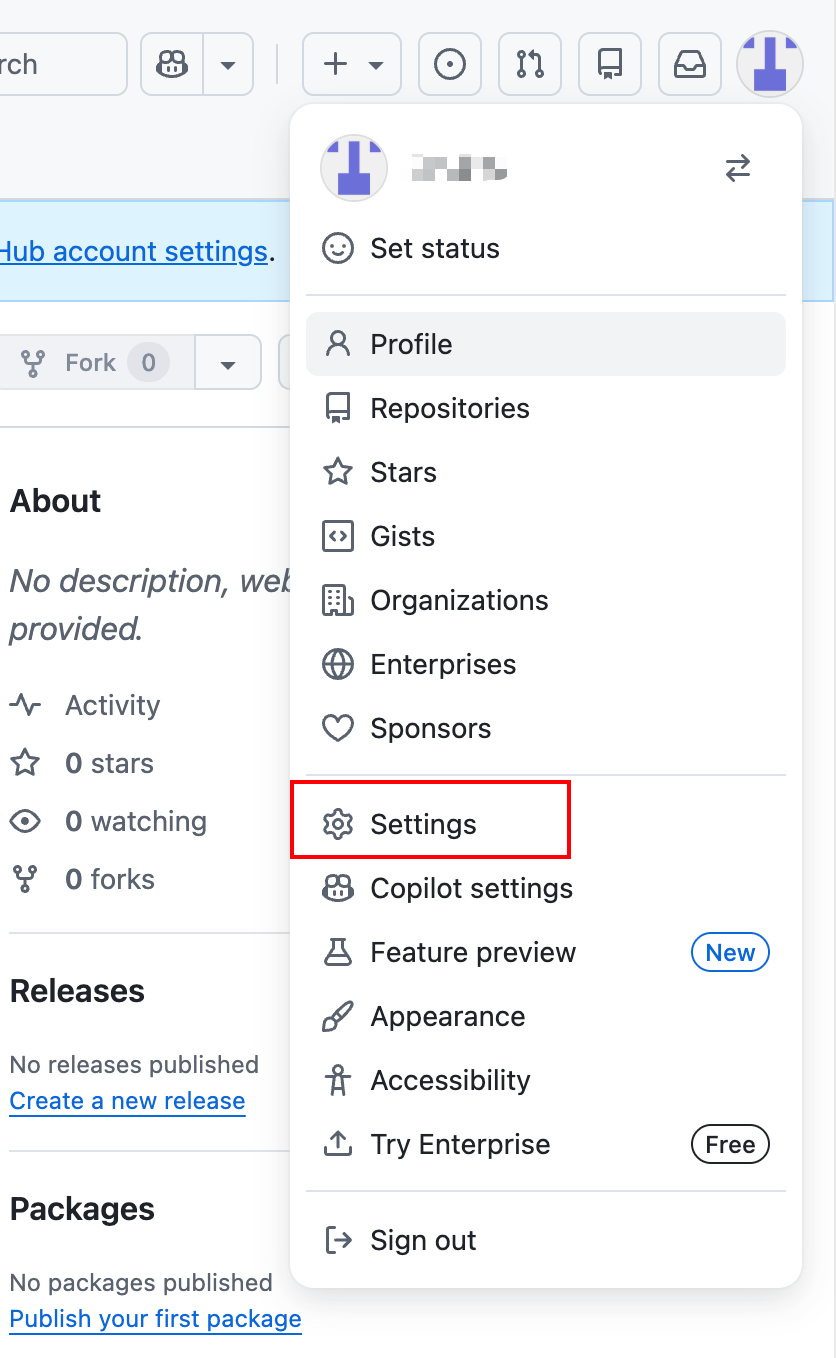
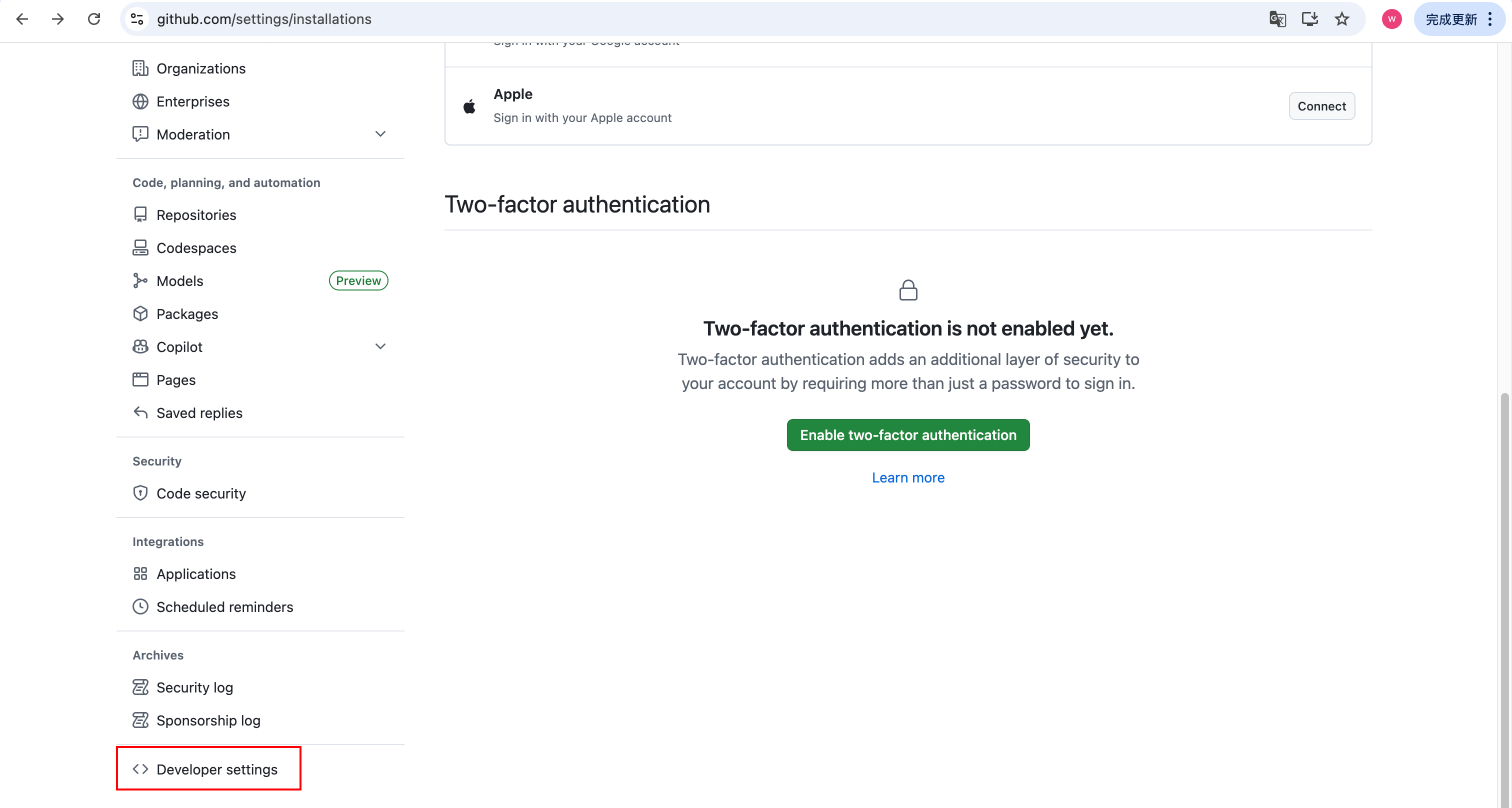
  1. 接着点击Developer settings;
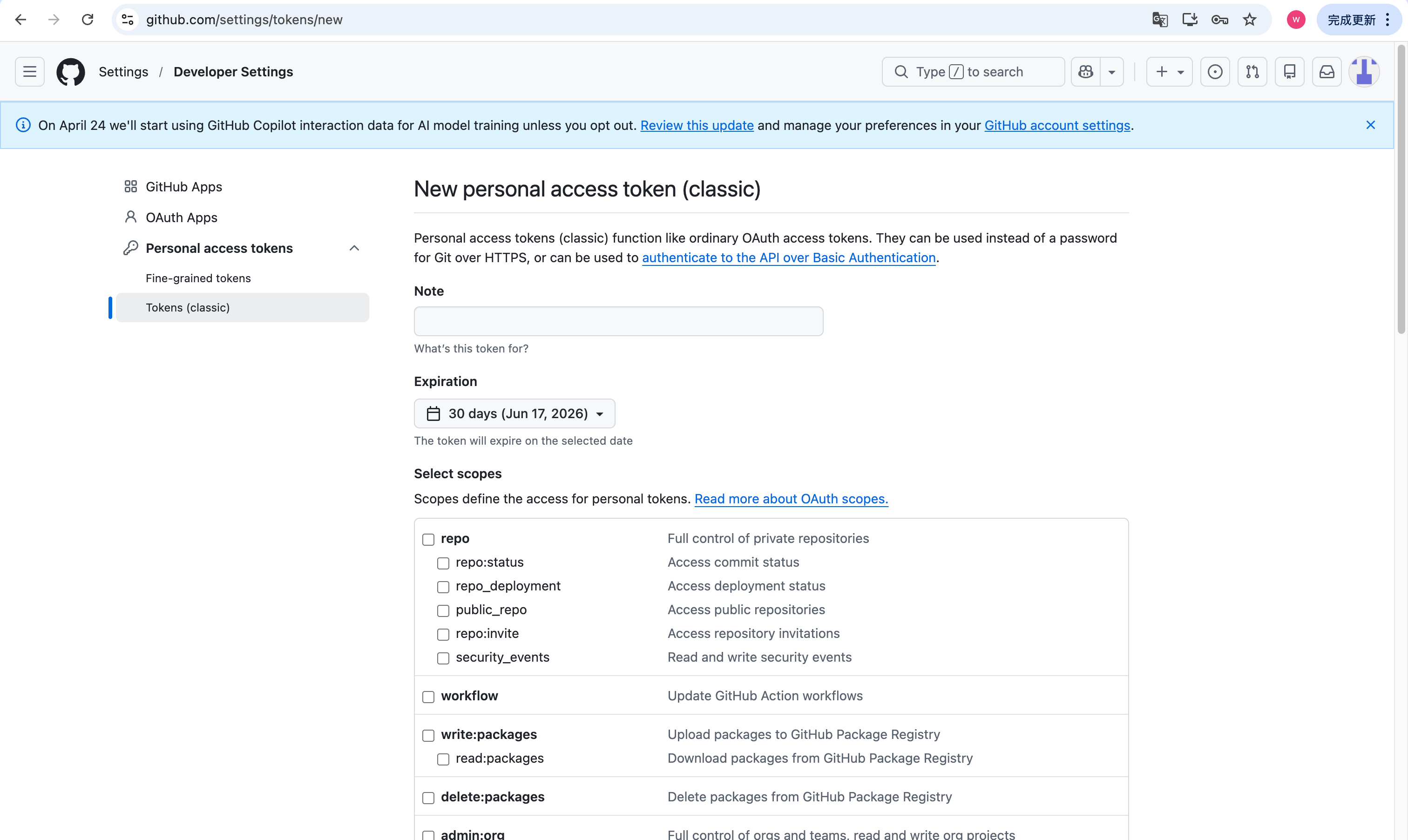
  1. 点击Tokens,申请一个新的token;
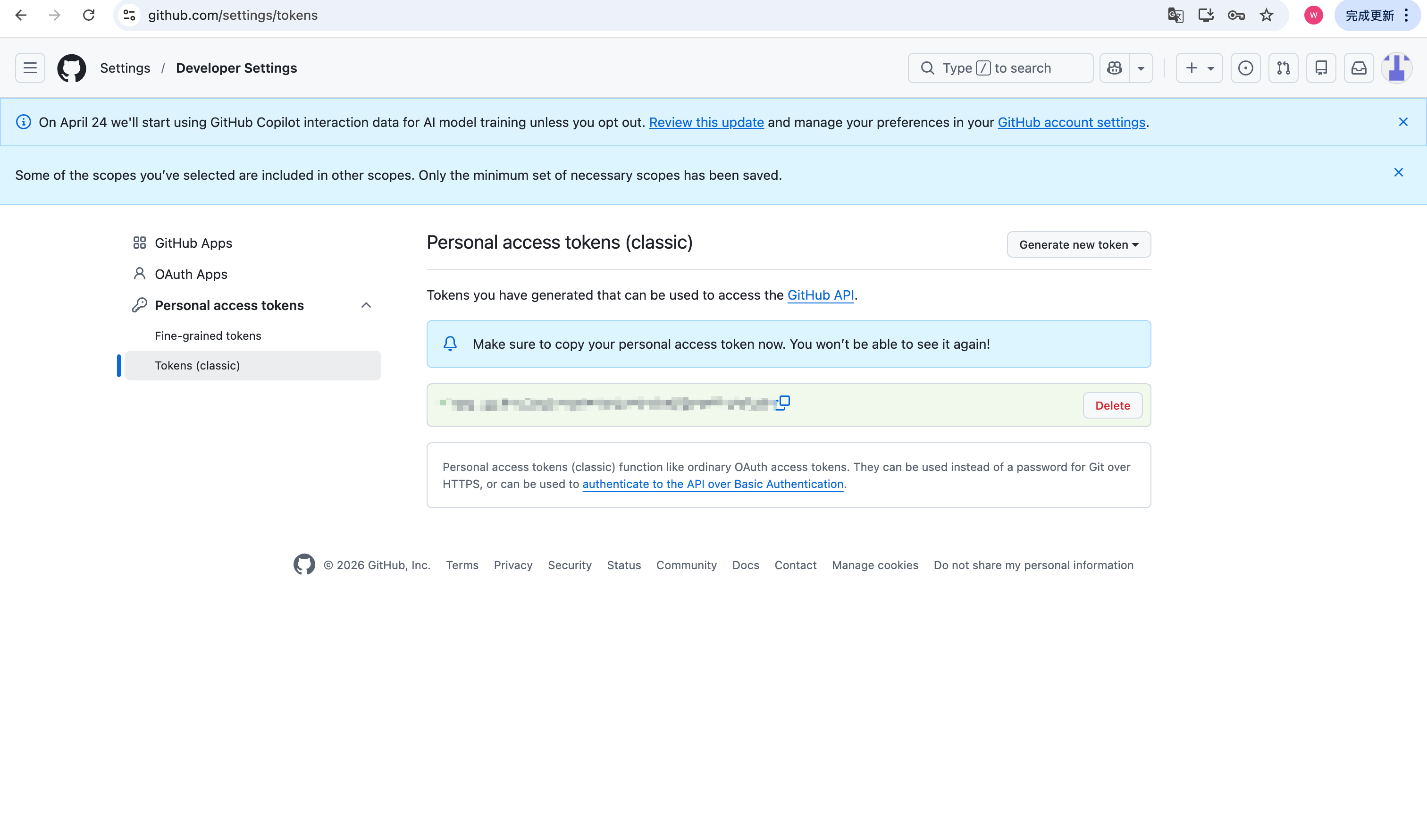
  1. 申请完毕后,复制token到备忘录,防止丢失;
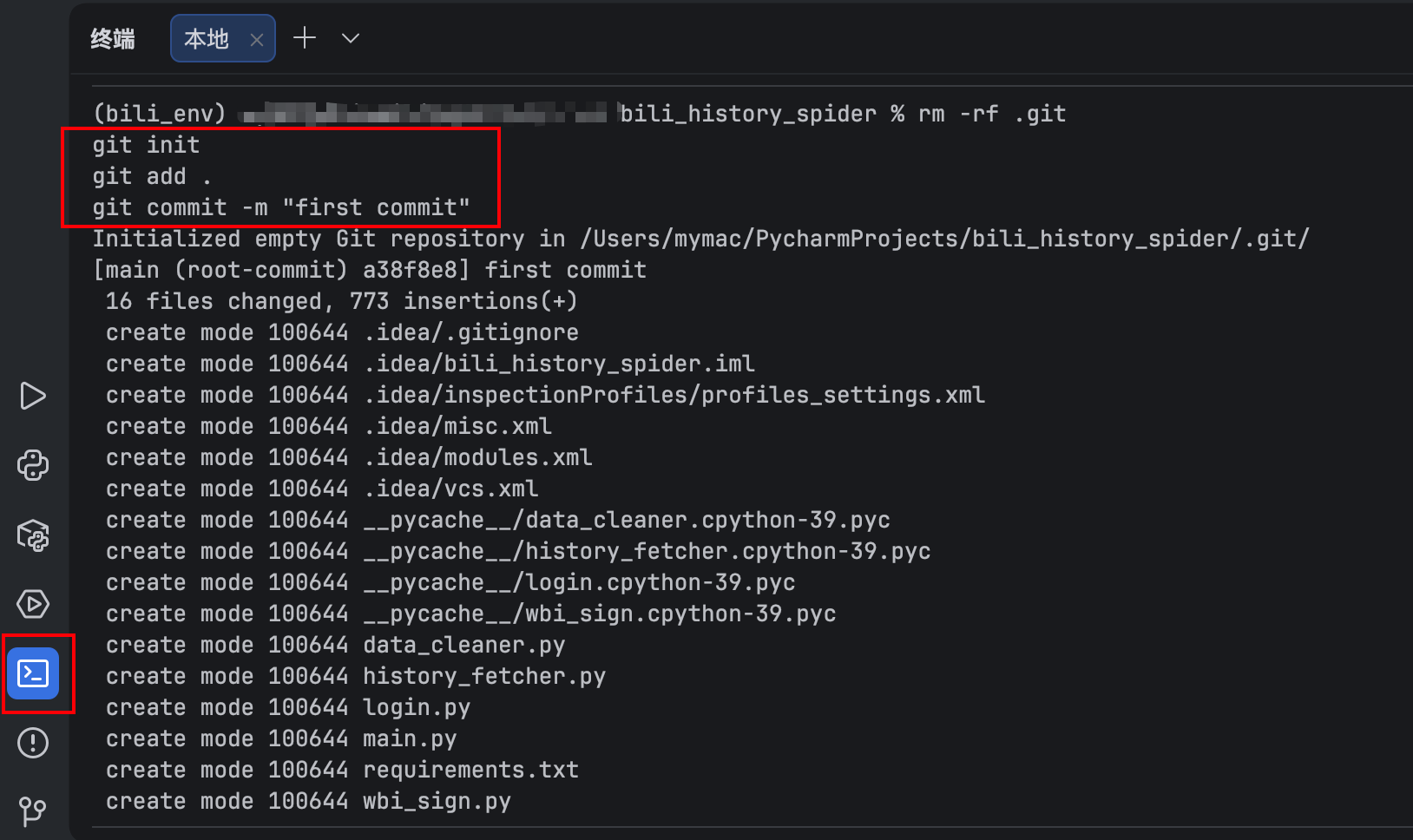
  1. 在自己的pycharm项目终端输入:
python 复制代码
git init
git add .
git commit -m "first commit"
  1. 接着输入:
python 复制代码
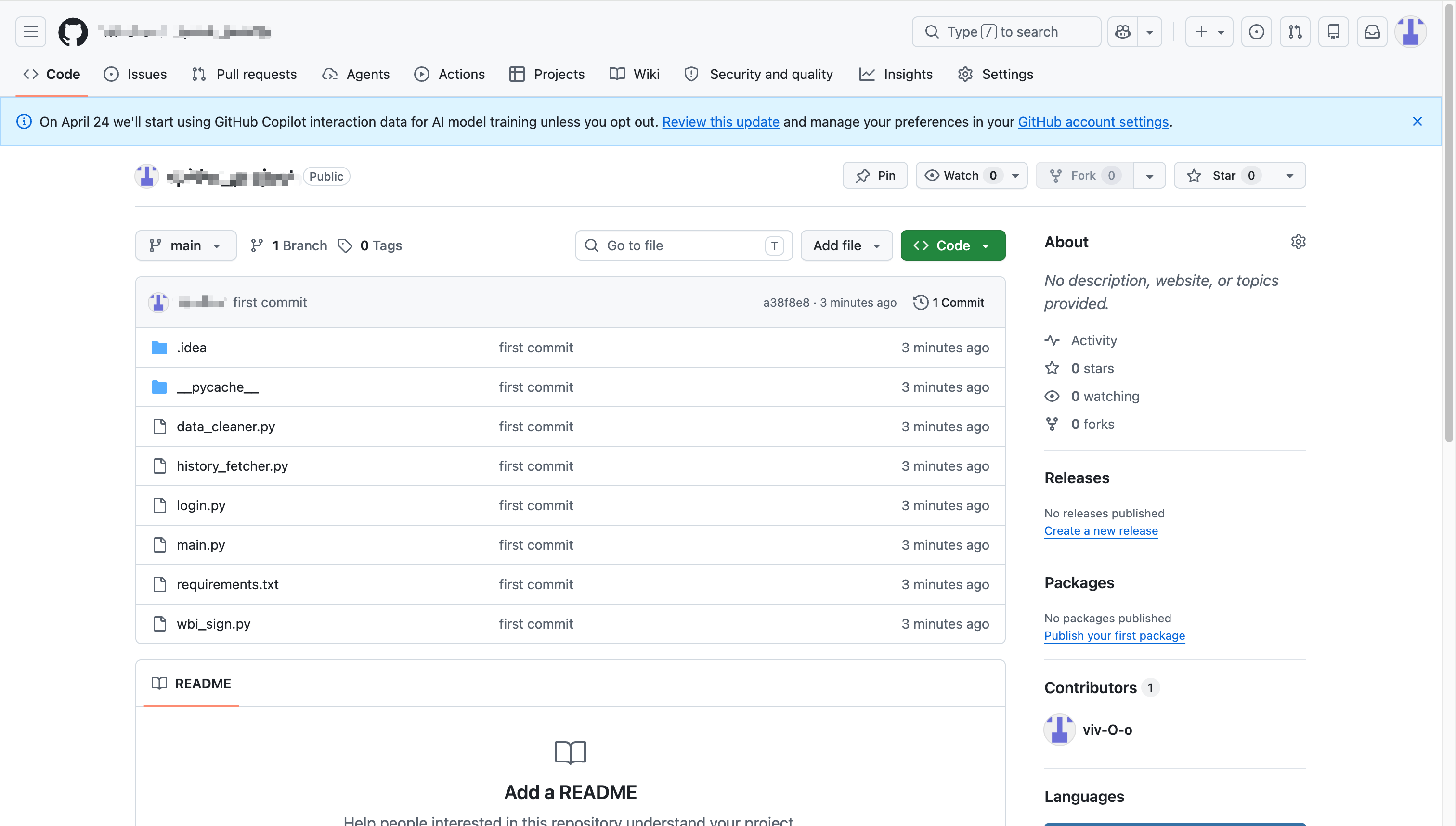
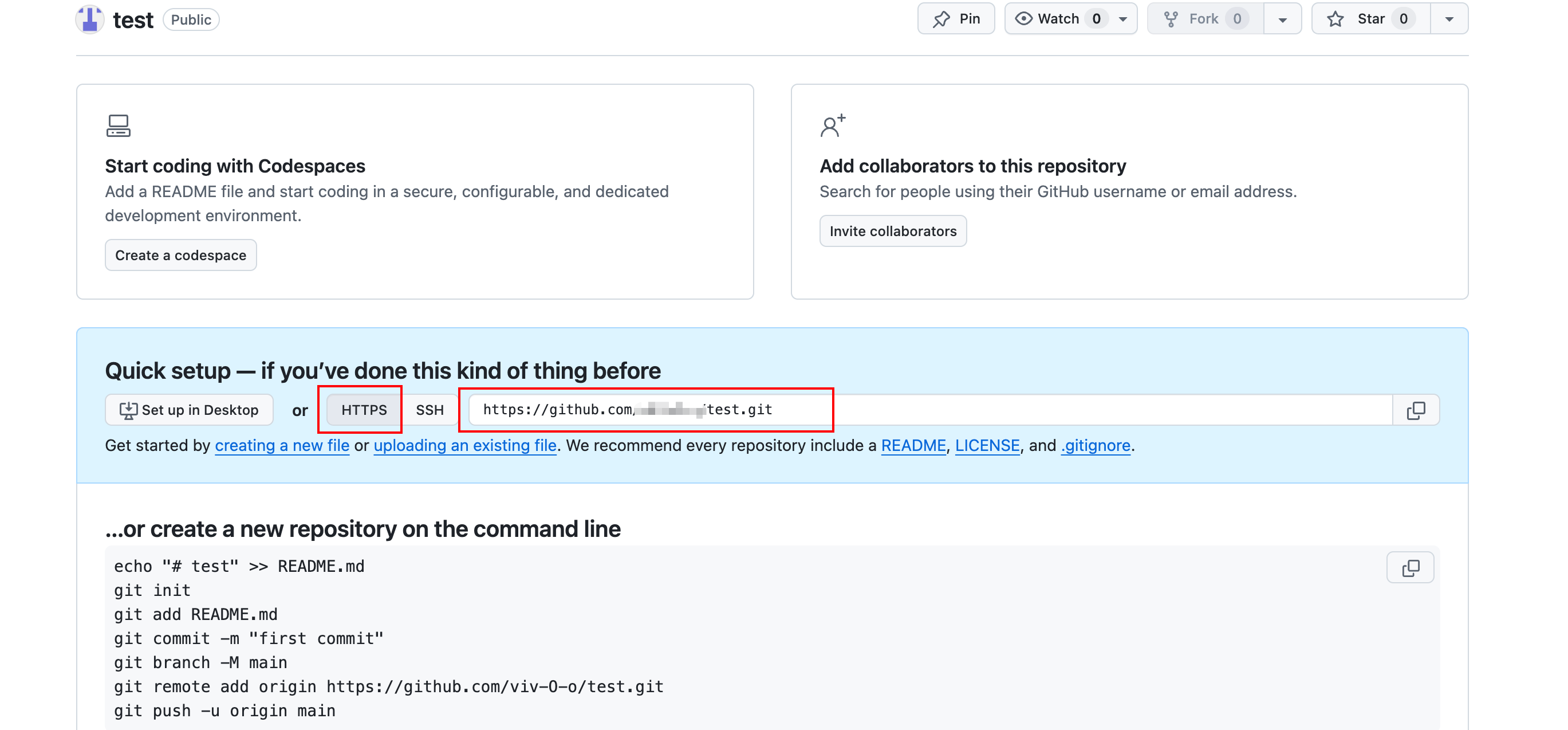
git remote add origin https://github.com/xxx/xxxx.git

其中https://github.com/xxx/xxxx.git为创建的仓库地址,获取方式如图:
  1. 接着输入:
python 复制代码
git push -u origin main

注意,此处会要求输入用户名和密码,用户名(Username)即用户的github用户名,密码(Password)为前面申请的token,从备忘录粘贴过来即可。(ps: 无论是手动输入还是粘贴,密码都不会显示出来,直接回车即可)
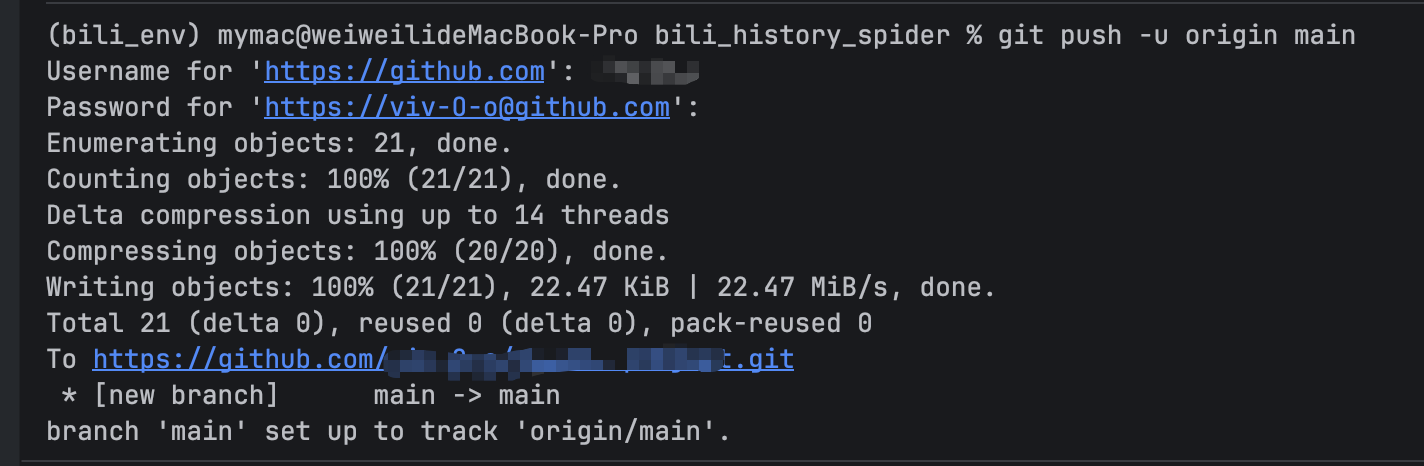
  1. 上传成功!
相关推荐
极光技术熊6 小时前
Spring AI 从入门到精通:构建你的 AI 开发知识体系
后端·github
用户39483951075537 小时前
怎么让我的 Agent 真正"懂"我?——关于记忆、经验学习与预测的一些真实体验
github
远航_13 小时前
git submodule
前端·后端·github
fthux14 小时前
如果你用 Mac,那你可能需要 Noti Shift
macos·开源·github
程序员天天困1 天前
Loop Engineering 实战:/goal 命令让 AI 自己写完整项目
github
徐小夕1 天前
我们开源了一款“框架无关”的思维导图编辑器,3分钟集成到任意系统
前端·javascript·github
小爷毛毛_卓寿杰1 天前
我把 397B 的「Agentic 大脑」塞进了 Xinference,一键部署 Nex-N2
人工智能·架构·github
小爷毛毛_卓寿杰1 天前
我把一个 3B 模型塞进了 Xinference,然后它干掉了 DeepSeek V3.2
人工智能·开源·github
凌奕1 天前
别用文档约束你的 Agent:聊聊 Agent 开发流程的思想
llm·github·agent
HelloGitHub2 天前
《HelloGitHub》第 123 期
开源·github