openclaw在ubuntu系统的安装
- 一、环境要求
- 二、安装
- 三、初始化配置
- 四、配置局域网访问
-
- [4.1 修改配置文件](#4.1 修改配置文件)
- [4.2 配置安全上下文(SSH 端口转发)](#4.2 配置安全上下文(SSH 端口转发))
- [4.3 飞书中配置](#4.3 飞书中配置)
一、环境要求
- Node.js 22 或更高版本(推荐 LTS)
- Node 24(推荐)(Node 22 LTS,目前 22.16+,仍兼容支持;安装脚本会在缺失时自动安装 Node 24)
- 仅从源码构建时需要 pnpm
以下为Ubuntu 24.04 的安装过程
建议先拍个快照
二、安装
openclaw官网:https://openclaws.io/
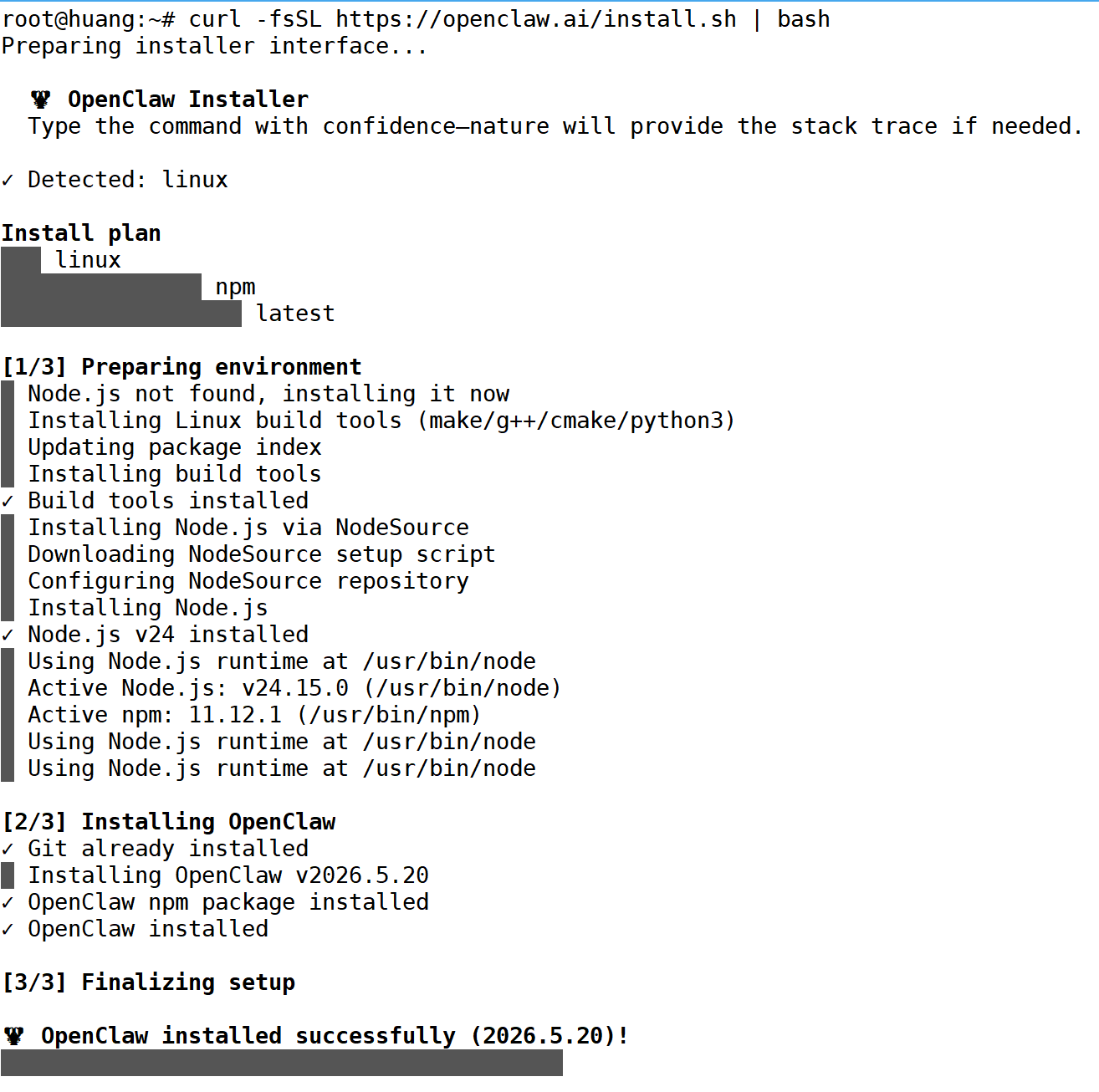
一键安装命令
bash
curl -fsSL https://openclaw.ai/install.sh | bash安装过程
三、初始化配置
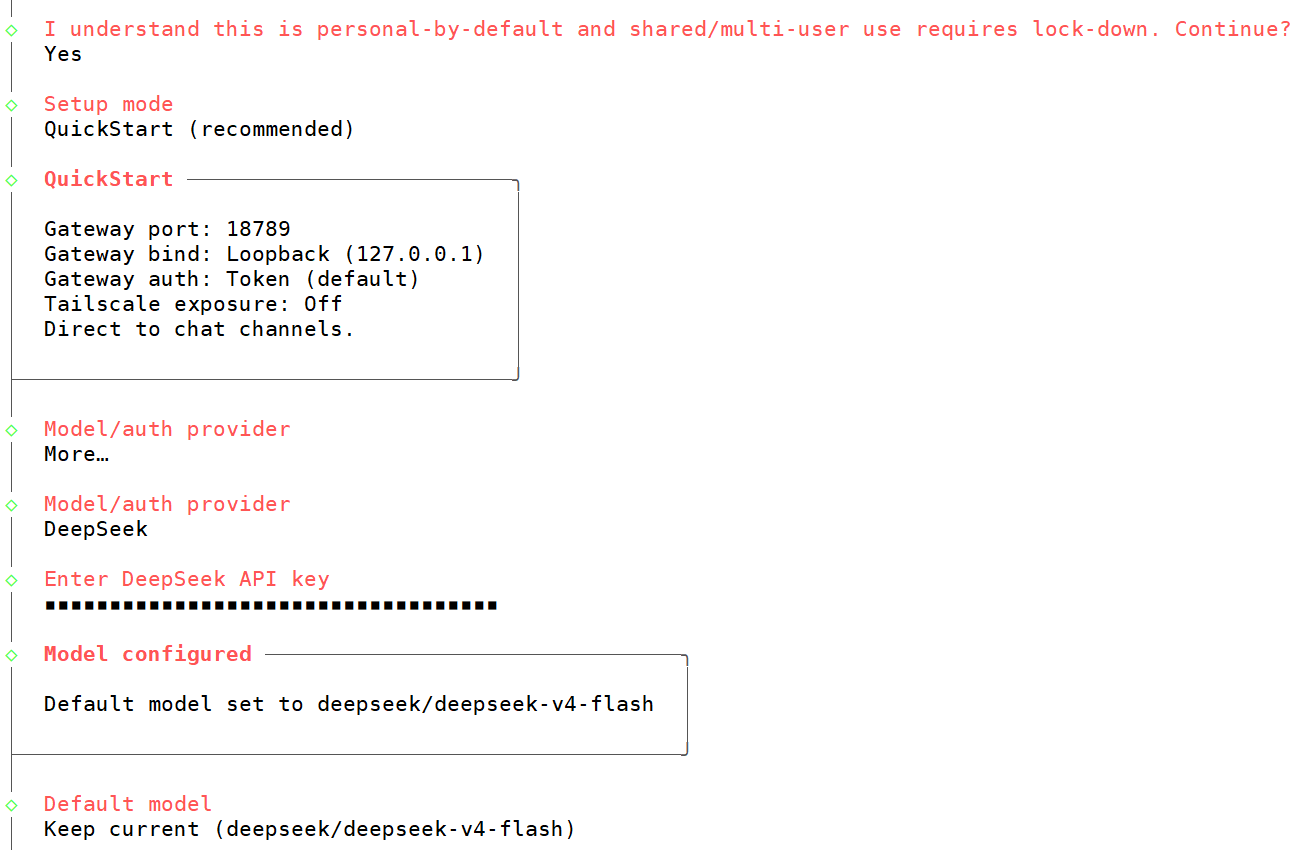
1.个人单用户使用选择Yes
2.选 QuickStart,会自动生成一套安全的默认配置,不用手动处理复杂选项,且后续所有细节都可以用 openclaw configure 命令修改
3.按需选择 AI 模型提供商、添加API Key
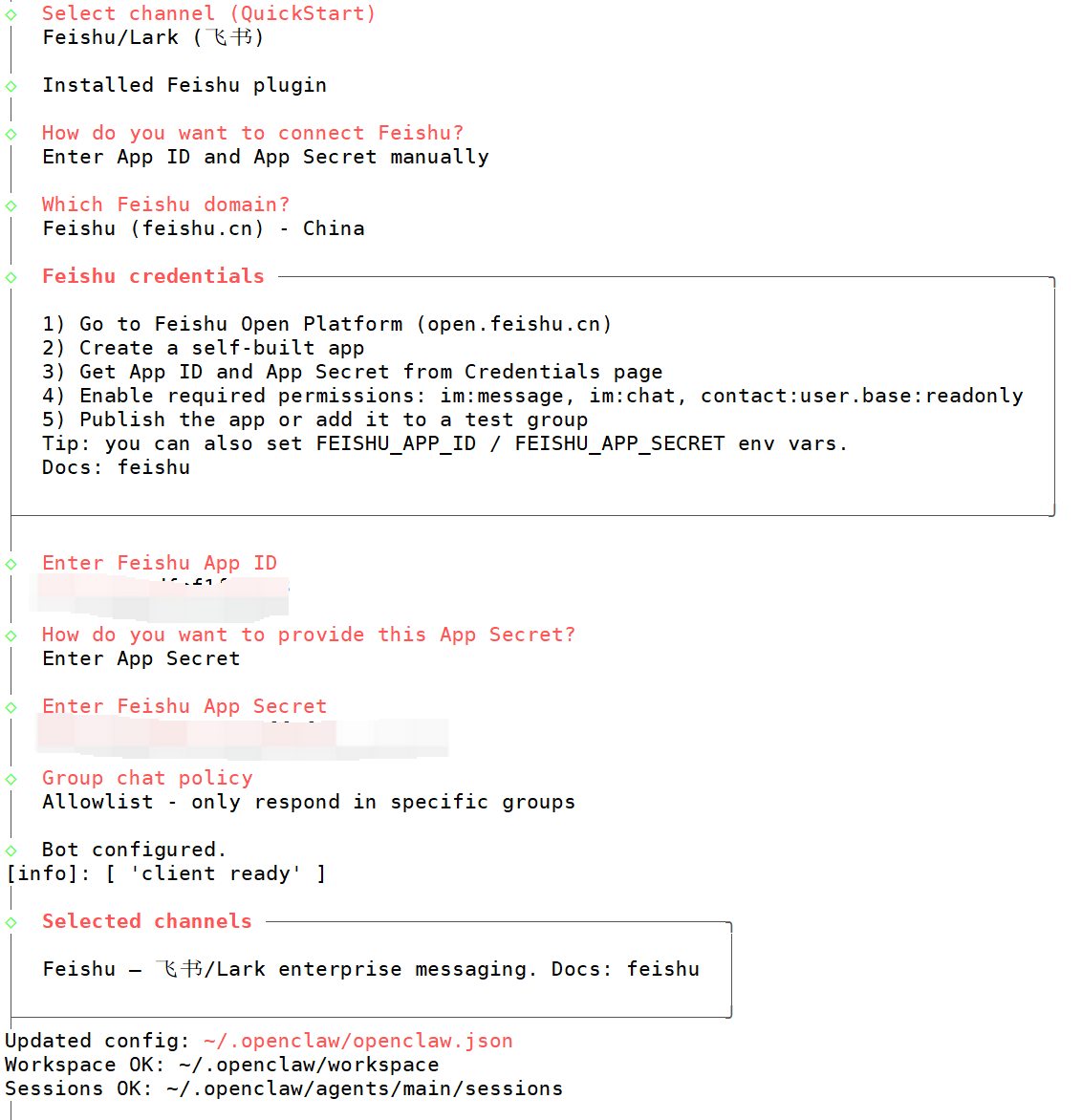
4.聊天对接通道,按需选,也可跳过
以飞书为例,需要在飞书开放平台 https://open.feishu.cn/的开发者后台中创建应用,再获取APP ID 和 APP Secret
5.安装Skills -- 可以先选「No」跳过,后续随时添加
配置完成后就可以对话交流
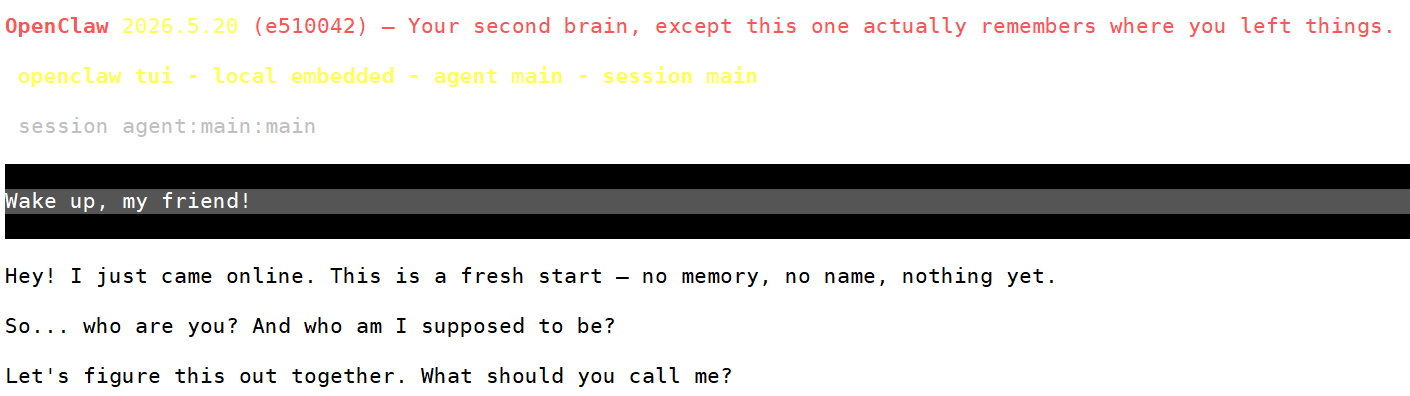
.env --- 所有配置存储在 ~/.openclaw/openclaw.json。可以直接编辑这个文件来切换供应商、添加 API Key 或调整设置。完整参考见 docs.openclaw.ai/configuration
四、配置局域网访问
查看网关状态
Gateway 服务没有在后台运行
bash
root@huang:~# openclaw gateway status

OpenClaw 2026.5.20 (e510042) --- Hot reload for config, cold sweat for deploys.

│
◇
Service: systemd user (disabled)
File logs: /tmp/openclaw/openclaw-2026-05-23.log

Config (cli): ~/.openclaw/openclaw.json
Config (service): ~/.openclaw/openclaw.json

Gateway: bind=loopback (127.0.0.1), port=18789 (env/config)
Probe target: ws://127.0.0.1:18789
Dashboard: http://127.0.0.1:18789/
Probe note: Loopback-only gateway; only local clients can connect.

Runtime: unknown (systemctl --user unavailable: Failed to connect to bus: No medium found)
Connectivity probe: failed
Probe target: ws://127.0.0.1:18789
  connect ECONNREFUSED 127.0.0.1:18789
Capability: unknown

systemd user services unavailable.
systemd user services are unavailable; install/enable systemd or run the gateway under your supervisor.
On a headless server (SSH/no desktop session): run `sudo loginctl enable-linger $(whoami)` to persist your systemd user session across logins.
Also ensure XDG_RUNTIME_DIR is set: `export XDG_RUNTIME_DIR=/run/user/$(id -u)`, then retry.
If you're in a container, run the gateway in the foreground instead of `openclaw gateway`.

Troubles: run openclaw status
Troubleshooting: https://docs.openclaw.ai/troubleshooting
4.1 修改配置文件
bash
# 1. 修改 Gateway 绑定地址为 lan,允许局域网访问
openclaw config set gateway.bind lan

# 2. 重启 OpenClaw 网关,使配置生效
openclaw gateway restart

# 3. 在主机上开一个终端启动网关
openclaw gateway run

# 4. 验证服务是否已正确监听在 0.0.0.0:18789 (看到 0.0.0.0:18789 即正常)
root@huang:~# netstat -tulnp | grep 18789
tcp        0      0 0.0.0.0:18789           0.0.0.0:*               LISTEN      4759/openclaw
查看仪表盘
bash
root@huang:~# openclaw dashboard
│
◇

OpenClaw 2026.5.20 (e510042) --- I'm like tmux: confusing at first, then suddenly you can't live without me.

│
◇
Dashboard URL: http://127.0.0.1:18789/
Token auto-auth included in browser/clipboard URL.
Copy to clipboard unavailable.
No GUI detected. Open from your computer:
ssh -N -L 18789:127.0.0.1:18789 root@<host>
Then open:
http://localhost:18789/
Docs:
https://docs.openclaw.ai/gateway/remote
https://docs.openclaw.ai/web/control-ui
Token auto-auth not delivered. Append your gateway token (from OPENCLAW_GATEWAY_TOKEN or gateway.auth.token) as a URL fragment with key `token` to authenticate.
4.2 配置安全上下文(SSH 端口转发)
由于环境没有图形界面,需要通过SSH隧道来连接,并手动把访问令牌添加到网页地址后面才能登录
在Windows的cmd中使用命令
bash
ssh -N -L 18789:127.0.0.1:18789 root@192.168.168.130 -p 2233 在浏览器访问,获取token信息 cat ~/.openclaw/openclaw.json|grep token
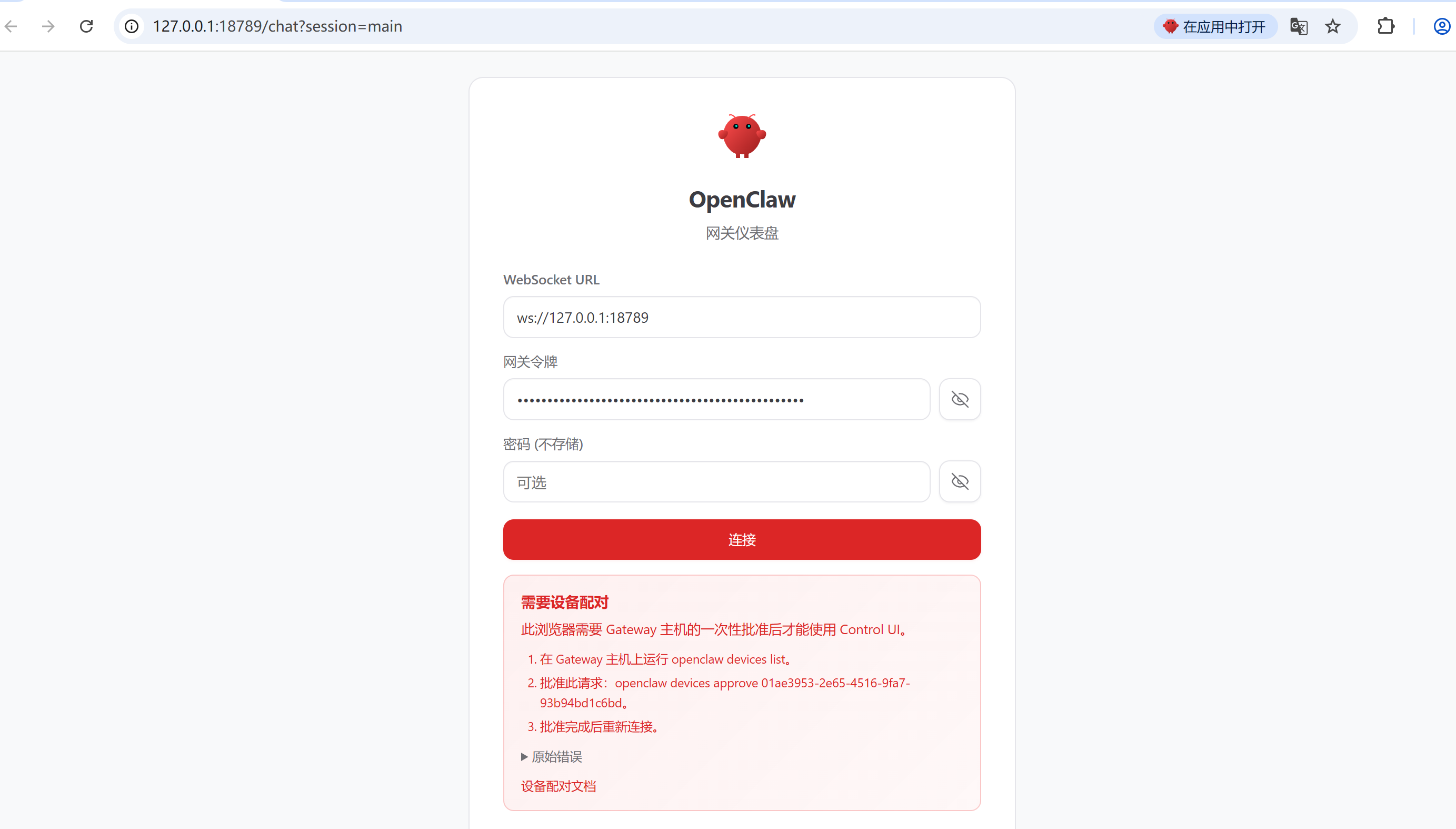
根据图片中的命令进行设备配对
bash
# 查看已配对设备
openclaw devices list
# 批准请求
openclaw devices approve xxx
再次连接就可以在浏览器上进行对话了
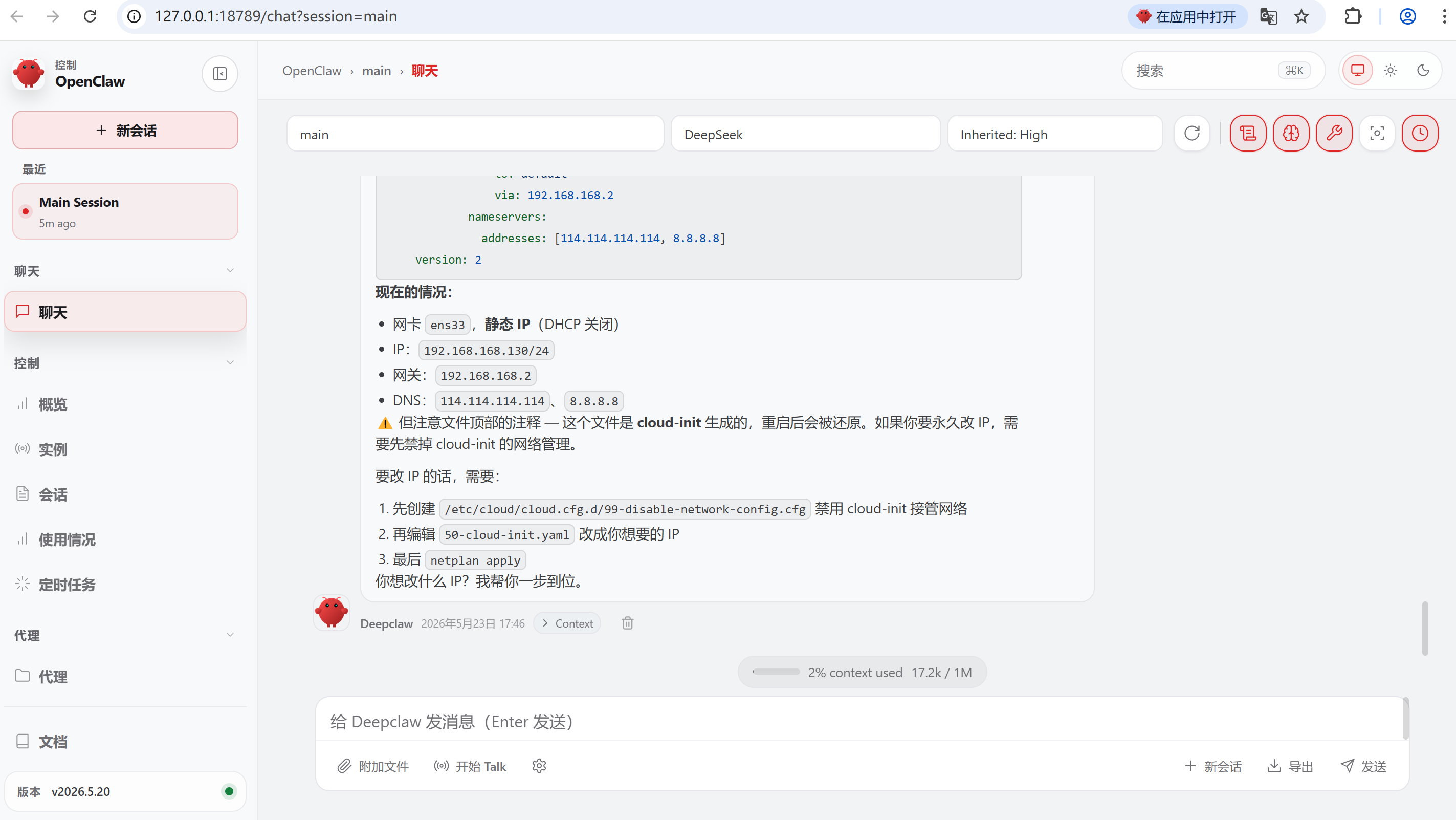
4.3 飞书中配置
执行机器人发过来的命令批准访问即可
bash
openclaw pairing approve feishu xxx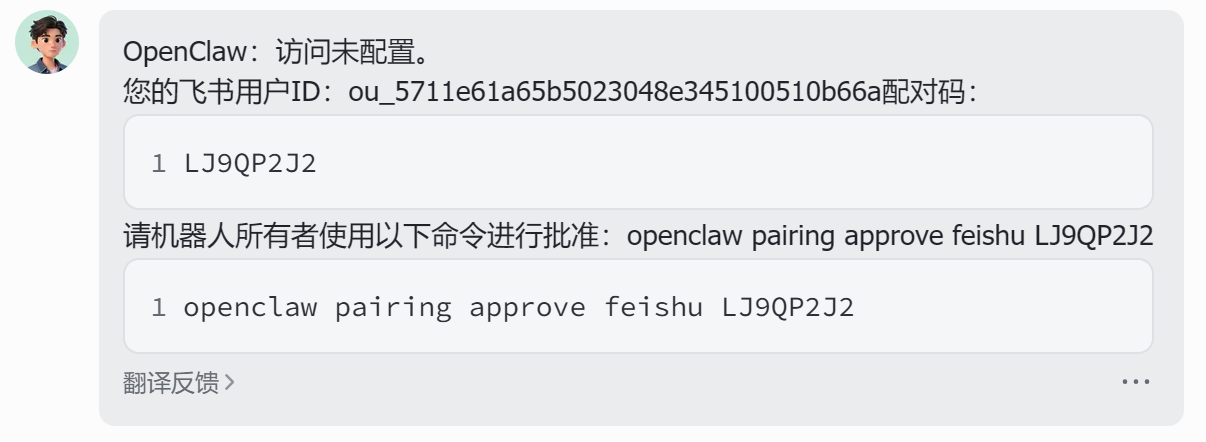
对话测试