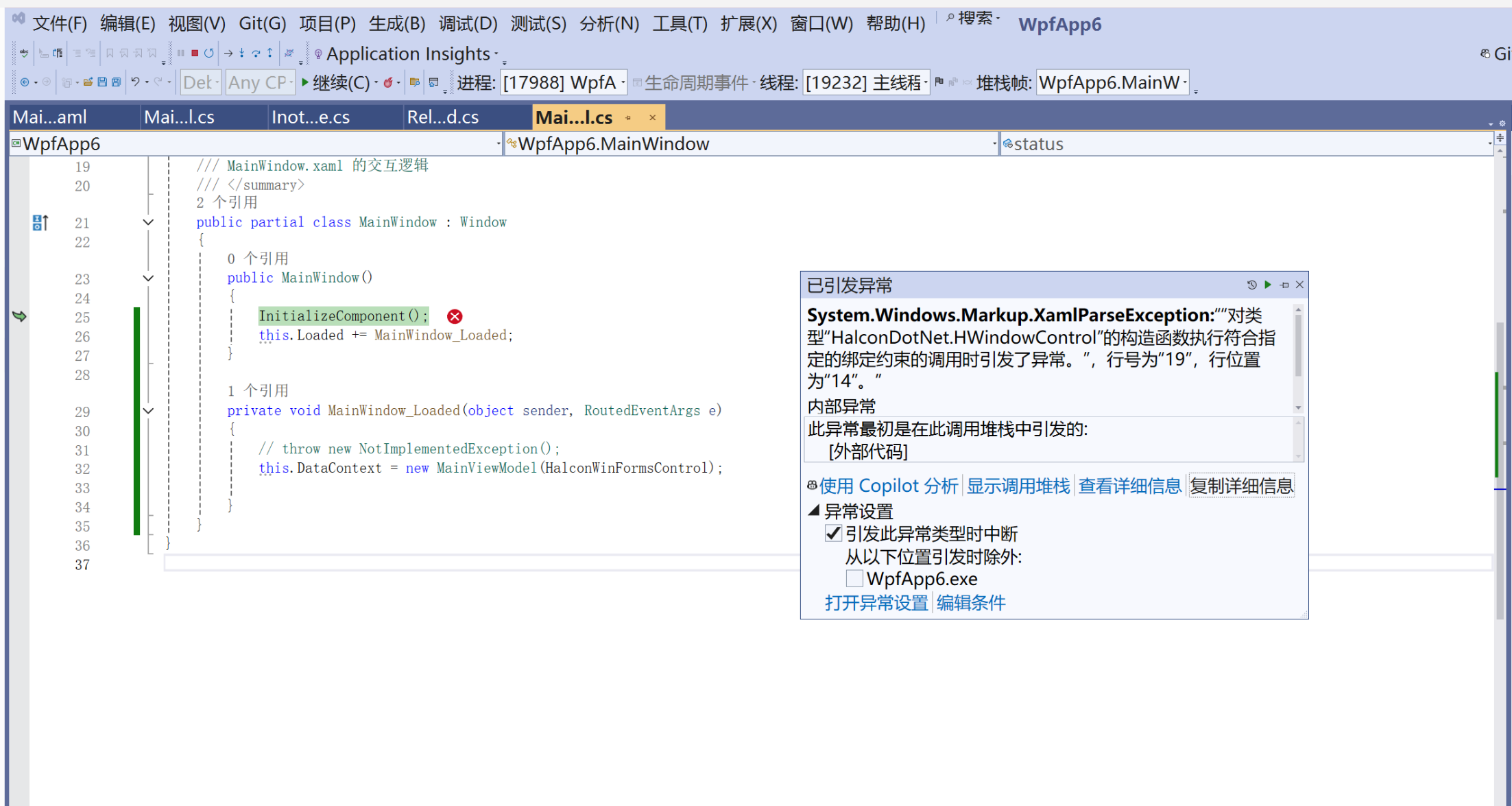
System.Windows.Markup.XamlParseException
HResult=0x80131501
Message="对类型"HalconDotNet.HWindowControl"的构造函数执行符合指定的绑定约束的调用时引发了异常。",行号为"19",行位置为"14"。
Source=PresentationFramework
StackTrace:
at System.Windows.Markup.WpfXamlLoader.Load(XamlReader xamlReader, IXamlObjectWriterFactory writerFactory, Boolean skipJournaledProperties, Object rootObject, XamlObjectWriterSettings settings, Uri baseUri)
at System.Windows.Markup.WpfXamlLoader.LoadBaml(XamlReader xamlReader, Boolean skipJournaledProperties, Object rootObject, XamlAccessLevel accessLevel, Uri baseUri)
at System.Windows.Markup.XamlReader.LoadBaml(Stream stream, ParserContext parserContext, Object parent, Boolean closeStream)
at System.Windows.Application.LoadComponent(Object component, Uri resourceLocator)
at WpfApp6.MainWindow.InitializeComponent() in D:\vsprogram\WpfApp6\WpfApp6\MainWindow.xaml:line 1
此异常最初是在此调用堆栈中引发的:
外部代码
内部异常 1:
BadImageFormatException: 试图加载格式不正确的程序。 (异常来自 HRESULT:0x8007000B)
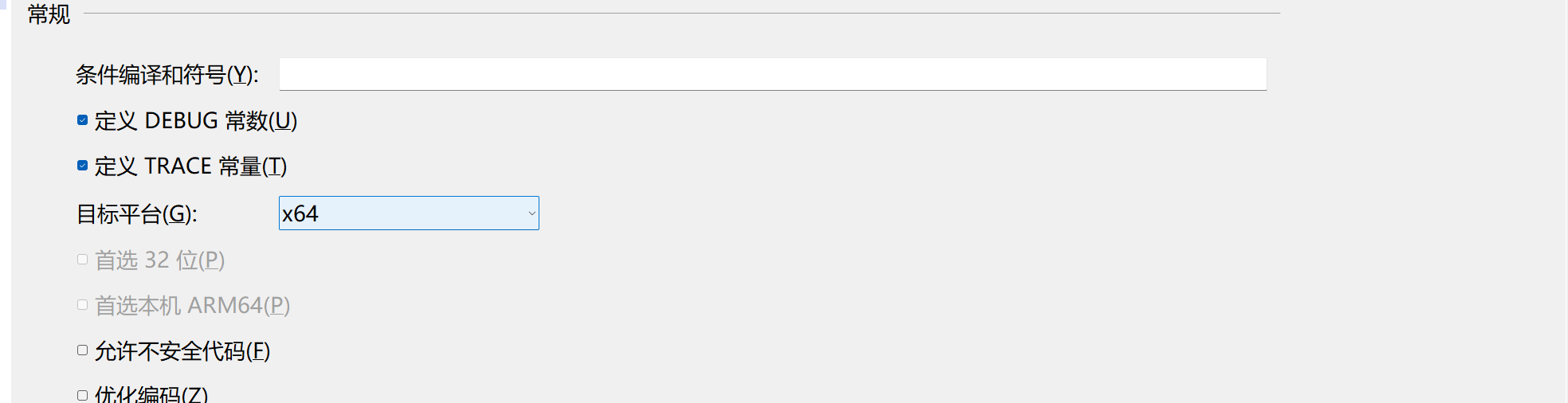
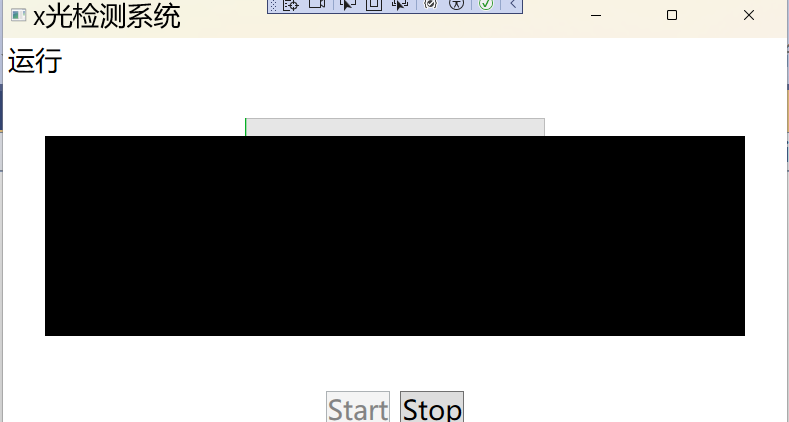
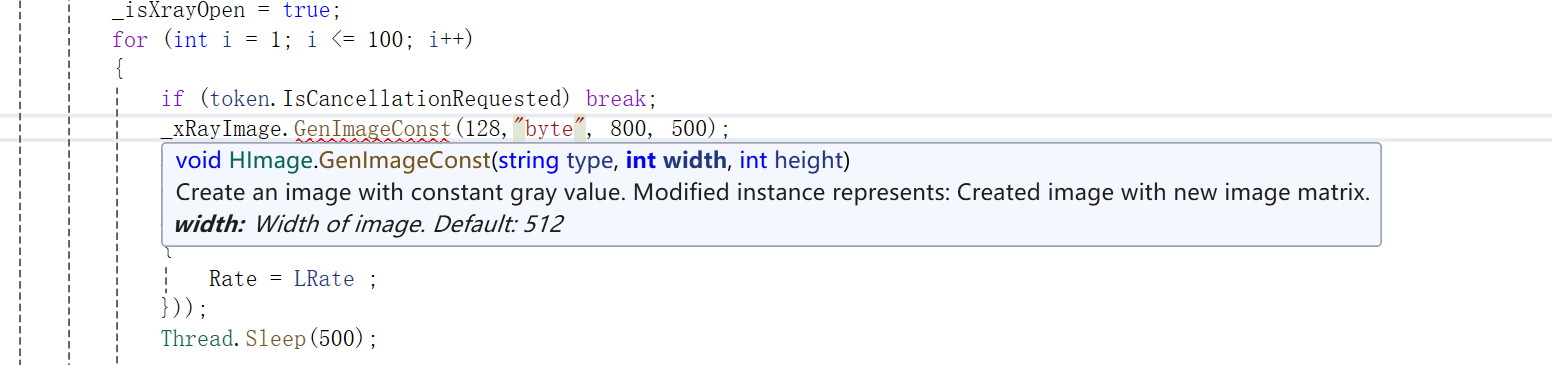
检测
V
csharp
<Window x:Class="WpfApp6.MainWindow"
        xmlns="http://schemas.microsoft.com/winfx/2006/xaml/presentation"
        xmlns:x="http://schemas.microsoft.com/winfx/2006/xaml"
        xmlns:d="http://schemas.microsoft.com/expression/blend/2008"
        xmlns:mc="http://schemas.openxmlformats.org/markup-compatibility/2006"
        xmlns:local="clr-namespace:WpfApp6"
        xmlns:winforms="clr-namespace:System.Windows.Forms.Integration;assembly=WindowsFormsIntegration"
        xmlns:halcon="clr-namespace:HalconDotNet;assembly=halcondotnet"
        mc:Ignorable="d"
        Title="x光检测系统" Height="450" Width="800">
    <Grid>
        <StackPanel Orientation="Horizontal" VerticalAlignment="Bottom" HorizontalAlignment="Center">
            <Button Command="{Binding StartC}" Content="Start" Width="auto" Margin="5"/>
            <Button Command="{Binding StopC}" Content="Stop" Width="auto" Margin="5"/>
            </StackPanel>
        <TextBlock Text="{Binding Status}" VerticalAlignment="Top" Name="status" Width="auto" Margin="5"/>
        <ProgressBar Value="{Binding Rate}"
                     Minimum="0"
                     Maximum="1"
                     VerticalAlignment="Top" Height="20" Width="300" Margin="0 80"/>
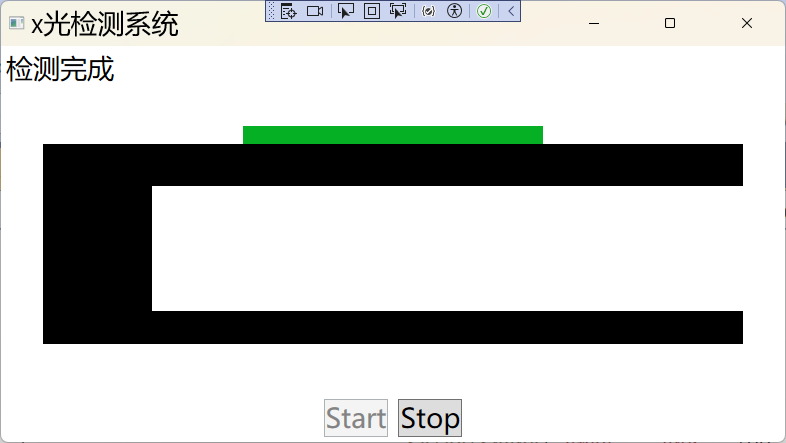
        <winforms:WindowsFormsHost Width="700" Height="200" Margin="0 20" HorizontalAlignment="Center">
            <halcon:HWindowControl x:Name="HalconWinFormsControl"/>
        </winforms:WindowsFormsHost>
    </Grid>
</Window>
csharp
using System;
using System.Collections.Generic;
using System.Linq;
using System.Text;
using System.Threading.Tasks;
using System.Windows;
using System.Windows.Controls;
using System.Windows.Data;
using System.Windows.Documents;
using System.Windows.Input;
using System.Windows.Media;
using System.Windows.Media.Imaging;
using System.Windows.Navigation;
using System.Windows.Shapes;

namespace WpfApp6
{
    /// <summary>
    /// MainWindow.xaml 的交互逻辑
    /// </summary>
    public partial class MainWindow : Window
    {
        public MainWindow()
        {
            InitializeComponent();
            this.Loaded += MainWindow_Loaded;
        }

        private void MainWindow_Loaded(object sender, RoutedEventArgs e)
        {
            // throw new NotImplementedException();
            this.DataContext = new MainViewModel(HalconWinFormsControl);

        }
    }
}
VM
csharp
using System;
using System.Collections.Generic;
using System.Linq;
using System.Text;
using System.Threading;
using System.Threading.Tasks;
using System.Windows;
using System.Windows.Input;
using HalconDotNet;

namespace WpfApp6
{
	public class MainViewModel : Inotifybase
	{
		private string status;

		public string Status
		{
			get { return status; }
			set
			{
				status = value;
				OnPropertyChanged();
				CommandManager.InvalidateRequerySuggested();
			}
		}
		private double rate;

		public double Rate
		{
			get { return rate; }
			set
			{
				rate = value;
				OnPropertyChanged();
			}
		}
		public RelayCommand StartC { get; }
		public RelayCommand StopC { get; }
		private CancellationTokenSource _cts;
		private HWindowControl _halconWinFormsControl;
		private HImage _xRayImage;
		private bool _isXrayOpen = false;
		public MainViewModel(HWindowControl halconControl)
		{
			_halconWinFormsControl = halconControl;
			StartC = new RelayCommand(Start, CanStart);
			StopC = new RelayCommand(Stop, CanStop);
			Loading();

		}

		private void Loading()
		{
			Task.Run(() =>
			{
				try
				{
					Application.Current.Dispatcher.Invoke(() => Status = "设备初始化中...");
					//_halconWinFormsControl.HalconID.OpenWindow(0, 0, 800, 500, "visible", "");
					//throw new NotImplementedException();
					Application.Current.Dispatcher.Invoke(() =>
					{
						Status = "设备初始化中...";
						//_halconWinFormsControl.HalconWindow.OpenWindow(
						//	0, 0, 800, 500,
						//	"visible", "");
                        _xRayImage = new HImage();
                    });
					//Task.Delay(1000).Wait();
					//Task.Delay(1000).Wait();
					//Task.Delay(1000).Wait();
					Thread.Sleep(3000);
					Application.Current.Dispatcher.Invoke(() =>
					{
						Status = "已就绪";
						Rate = 0;
					});
				}
				catch (Exception ex)
				{
					Application.Current.Dispatcher.Invoke(() =>
					{
						Status = "故障";
						MessageBox.Show(ex.Message + "故障");
					});
				}
			});
		}

		private bool CanStop()
		{
			//throw new NotImplementedException();
			return Status != "停止" && Status != "故障";

		}

		private void Stop()
		{
			if(_cts!= null) _cts.Cancel();
			//throw new NotImplementedException();
			Task.Run(() =>
			{
				try
				{
					CloseXray();
					Thread.Sleep(1000);
					Application.Current.Dispatcher.Invoke(() =>
					{
						Status = "停止";
						Rate = 0;
						if(_halconWinFormsControl?.HalconWindow!=null)
						_halconWinFormsControl.HalconWindow.ClearWindow();
					});
				}
				catch (Exception ex)
				{
					Application.Current.Dispatcher.Invoke(() =>
					{
						Status = "故障";
						MessageBox.Show(ex.Message);
					});
				}
			});

		}

        private void CloseXray()
        {
			// throw new NotImplementedException();
			if (_isXrayOpen)
			{
				_isXrayOpen = false;
			}
        }

        private bool CanStart()
		{
			//throw new NotImplementedException();
			return Status == "已就绪";
		}

		private void Start()
		{
			//throw new NotImplementedException();
			if (Status == "运行")
			{
				Application.Current.Dispatcher.Invoke(new Action(() =>
				{
					MessageBox.Show("已在运行中");
				}));
				return;
			}
			_cts=new CancellationTokenSource();
			var token=_cts.Token;
			Task.Run(() =>
			{
				try
				{
					Application.Current.Dispatcher.Invoke(() =>
					{
						Status = "运行";
						Rate=0;
						});
					_isXrayOpen = true;
					for (int i = 1; i <= 100; i++)
					{
						if (token.IsCancellationRequested) break;
						_xRayImage.GenImageConst("byte", 800, 500);
						//HRegion defectRegion = new HRegion(200.0, 300, 300, 400);
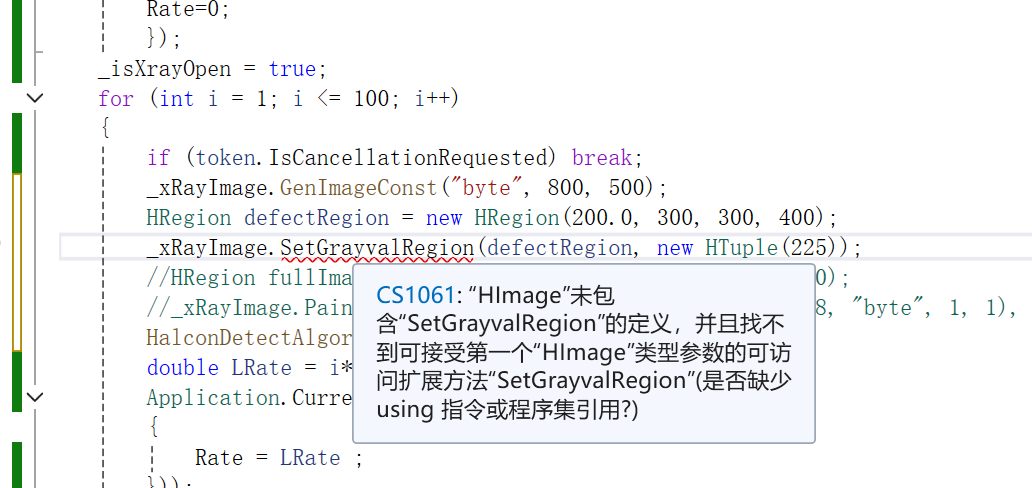
						//_xRayImage.SetGrayvalRegion(defectRegion, new HTuple(225));
						//HRegion fullImageRegion = new HRegion(0.0, 0, 800, 500);
						//_xRayImage.PaintRegion(fullImageRegion, new HImage(128, "byte", 1, 1), 0);
						HalconDetectAlgorithm(_xRayImage);
						double LRate = i*0.01;
						Application.Current.Dispatcher.Invoke(new Action(() =>
						{
							Rate = LRate ;
						}));
                        Thread.Sleep(500);

                    }
					if (!token.IsCancellationRequested) {
                    Application.Current.Dispatcher.Invoke(new Action(() =>
					{
						Status = "检测完成";
						Rate = 1.0;
					}));
                    }
                }
				catch (Exception ex)
				{
					Application.Current.Dispatcher.Invoke((() =>
					{
						Status = "故障";
						MessageBox.Show("已故障"+ex.Message);
					}));

				}
				finally { CloseXray(); }

			});

		}

        private void HalconDetectAlgorithm(HImage image)
        {
			//throw new NotImplementedException();
			try
			{
				if (_halconWinFormsControl?.HalconWindow == null)
				{
					throw new Exception("Halcon控件未初始化");
				}
				HImage imageFilter = image.MeanImage(3, 3);
				HRegion region = imageFilter.Threshold(100.0, 200.0).
											Connection().
											SelectShape("area", "and", 100, 99999);

				int defectCount = region.CountObj();
				Application.Current.Dispatcher.Invoke(() => {
                    _halconWinFormsControl.HalconWindow.ClearWindow();
                    _halconWinFormsControl.HalconWindow.DispObj(image);
                    _halconWinFormsControl.HalconWindow.DispObj(region);
					_halconWinFormsControl.HalconWindow.SetColor("white");
					_halconWinFormsControl.HalconWindow.DispRectangle1(100.0, 100, 400, 700);
                    if (defectCount > 0)
                    {
                        Status = $"检测中:发现{defectCount}个缺陷";
                    }

                });

			}catch(Exception ex)
			{
				Application.Current.Dispatcher.Invoke(() =>
				{
					Status = "故障";
					MessageBox.Show("图像处理失败:" + ex.Message);
				});
			}
        }
    }
}
代码讨论
csharp
catch (Exception ex)
{
				Application.Current.Dispatcher.Invoke(new Action(() =>
				{
					Status = "故障";
					MessageBox.Show("已故障");
				}));

}
new action有什么用 ,去掉new Action 可以吗? 这里为啥不用BeginInvoke
new Action
Action 是 C# 自带的无返回值的委托,Dispatcher(UI 调度器)只认委托类型,不认裸代码。
new Action(() => { 代码 }) 的作用就是:
把修改界面、弹弹窗的代码,打包成 UI 线程能识别的 "任务包"。
能不能去掉?
.NET Framework(老项目):必须写,去掉直接报错!
.NET 6/.NET 8(新版):编译器可以自动识别,语法上能去掉,但强烈建议保留,代码更规范、不踩坑。
BeginInvoke
用 Invoke(同步)的原因
弹窗必须卡住等待用户操作
MessageBox.Show 是阻塞弹窗,用 Invoke 会等你关掉弹窗,代码才继续往下执行;
保证故障状态绝对同步
必须先把 Status = "故障" 更新到界面,再弹框,顺序不能乱;
异常是低频事件
不是每秒几十次的采集数据,完全不会卡程序,安全无害。
如果用 BeginInvoke(异步)会出大问题
弹窗还没弹出来,后台代码就继续跑了;
故障状态还没刷新,程序就执行后续逻辑;
工控故障报警会错乱、漏报,绝对不能用!
高频数据刷新(压力、温度、电流)→ 必须用 BeginInvoke(不阻塞采集线程)
异常 / 故障 / 报警 / 弹窗 → 必须用 Invoke(同步、保证顺序、等待用户确认)
报警弹窗用 Invoke,实时数据用 BeginInvoke;Action 是打包 UI 代码