PlantUML类图(二)
-
- 1、元素声明
- 2、类之间的关系
- 3、关系上的标签
- 4、在元素名称和关系标签中使用非字母
- 5、添加方法
- 6、定义能见度 (可访问性)
- 7、抽象与静态
- 8、高级类体
- 9、备注和版型
- 10、备注中的更多功能
- [11、注释属性 (field, attribute, member) 或方法](#11、注释属性 (field, attribute, member) 或方法)
- 12、链接的注释
- 13、抽象类和接口
- 14、隐藏属性、函数等
- 15、隐藏类
- 16、删除类
- 17、隐藏、删除或还原标记元素或通配符
- 18、隐藏或删除未关联的类
- 19、泛型(generics)
- 20、指定标记(Spot)
- 21、包
- 22、包样式
- 23、命名空间(Namespaces)
- [24、 自动创建命名空间](#24、 自动创建命名空间)
- 25、棒棒糖接口
- 26、改变箭头方向
- 27、"关系"类
- [28、 同级关联 (Association on same classe)](#28、 同级关联 (Association on same classe))
- 29、样式参数
- 30、模板样式
- 31、渐变颜色
- 32、辅助布局
- 33、拆分大文件
- [34、继承 (Extends) 和实现 (implements)](#34、继承 (Extends) 和实现 (implements))
- [35、方括号表示关系 (连接或箭头) 的样式](#35、方括号表示关系 (连接或箭头) 的样式)
- [36、改变关系 (线和箭头) 的颜色和样式 (单行样式)](#36、改变关系 (线和箭头) 的颜色和样式 (单行样式))
- 37、改变类颜色和样式 (单行样式)
- 38、类成员的箭头方向 (Arrows from/to class members)
- 39、分组继承关系 (Grouping inheritance arrow heads)
-
- [39.1、GroupInheritance 1 (不合并)](#39.1、GroupInheritance 1 (不合并))
- [39.2、GroupInheritance 2 (从 2 个组开始合并)](#39.2、GroupInheritance 2 (从 2 个组开始合并))
- [39.3、GroupInheritance 3 (从 3 个组开始合并)](#39.3、GroupInheritance 3 (从 3 个组开始合并))
- [39.4、GroupInheritance 4 (从 4 个组开始合并)](#39.4、GroupInheritance 4 (从 4 个组开始合并))
1、元素声明
js
@startuml
abstract abstract
abstract class "abstract class"
annotation annotation
circle circle
() circle_short_form
class class
class class_stereo <<stereotype>>
diamond diamond
<> diamond_short_form
entity entity
enum enum
exception exception
interface interface
metaclass metaclass
protocol protocol
stereotype stereotype
struct struct
@enduml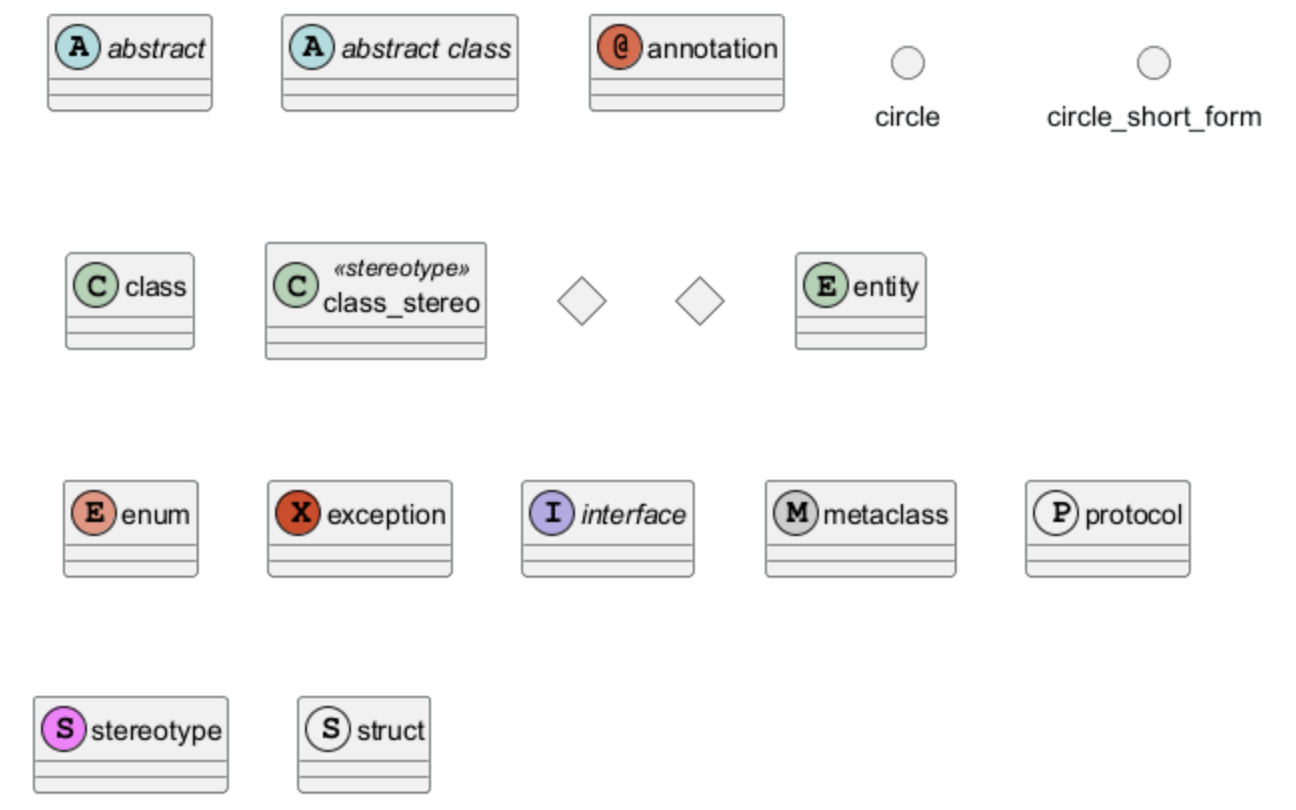
2、类之间的关系
类之间的关系是用以下符号定义的。
| 类型 | 符号 | 目的 |
|---|---|---|
| 扩展 | `< | --` |
| 实现 | `< | ..` |
| 构成 | *-- |
没有整体就没有部分 |
| 聚合 | o-- |
部分可以独立于整体而存在 |
| 依赖性 | --> |
对象使用另一个对象 |
| 依赖 | ..> |
一种较弱的依赖形式 |
可以用... 来代替-- ,会显示为虚线。
js
@startuml
Class01 <|-- Class02
Class03 *-- Class04
Class05 o-- Class06
Class07 .. Class08
Class09 -- Class10
@enduml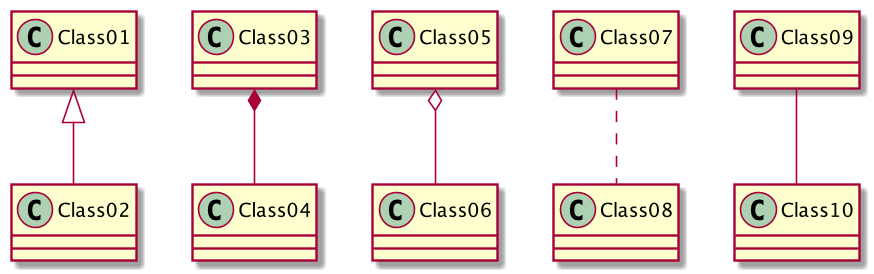
js
@startuml
Class11 <|.. Class12
Class13 --> Class14
Class15 ..> Class16
Class17 ..|> Class18
Class19 <--* Class20
@enduml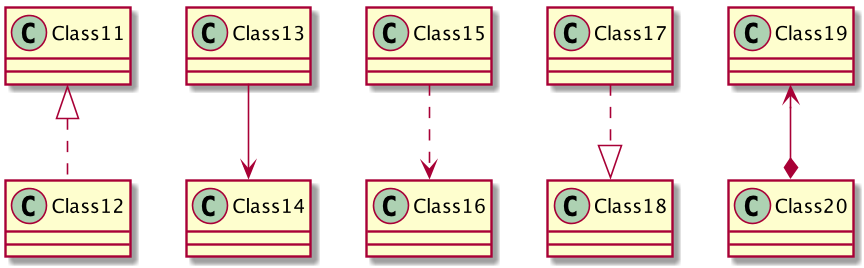
js
@startuml
Class21 #-- Class22
Class23 x-- Class24
Class25 }-- Class26
Class27 +-- Class28
Class29 ^-- Class30
@enduml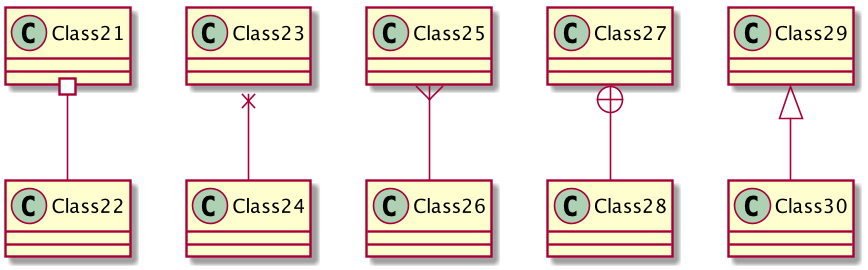
3、关系上的标签
在关系之间使用标签来说明时, 使用 : 后接标签文字。
对元素的说明,你可以在每一边使用 "" 来说明.
js
@startuml
类01 "1" *-- "many" 类02 : 包含
类03 o-- 类04 : 聚合
类05 --> "1" 类06
@enduml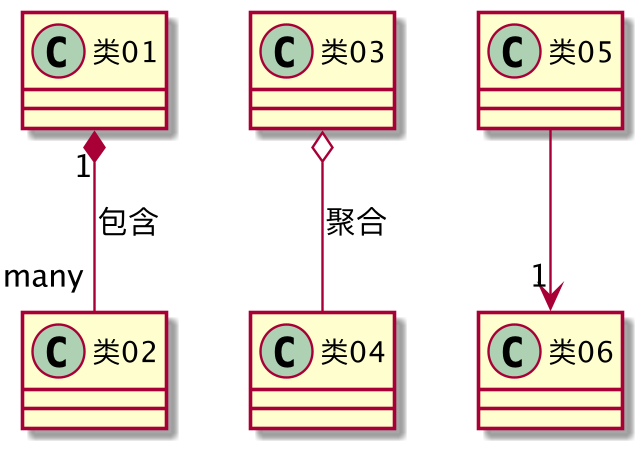
在标签的开始或结束位置添加 < 或 > 以表明是哪个对象作用到哪个对象上。
js
@startuml
class 汽车
发动机 - 汽车 : 驱动 >
汽车 *- 轮子 : 拥有 4 >
汽车 -- 人 : < 所属
@enduml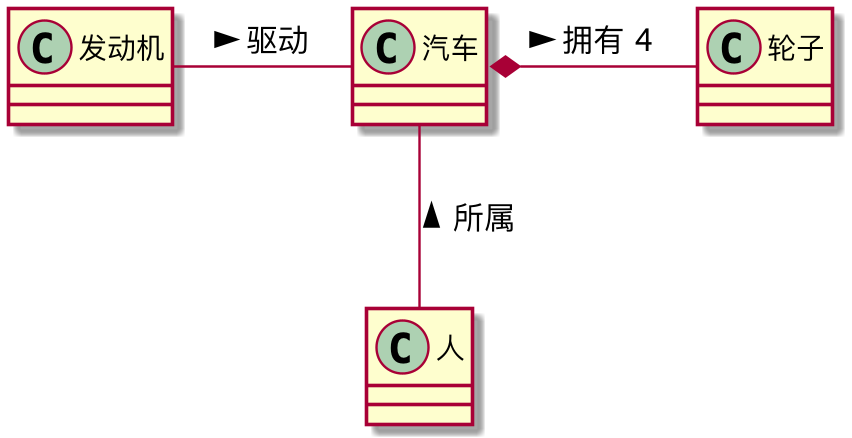
4、在元素名称和关系标签中使用非字母
如果你想在类 (或枚举...) 的显示名称中使用非字母,你可以:
- 在类定义中使用 as 关键字来指定一个别名
- 在类名称周围加上引号""
js
@startuml
class "This is my class" as class1
class class2 as "It works this way too"
class2 *-- "foo/dummy" : use
@enduml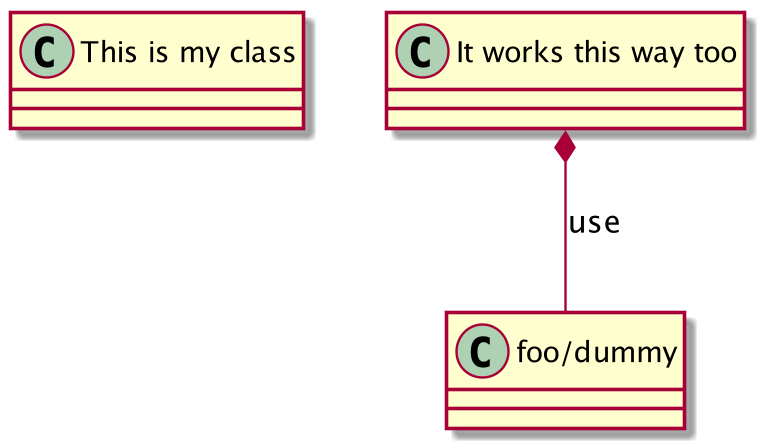
如果一个别名被分配给一个元素,文件的其余部分必须用别名而不是名称来指代该元素。
5、添加方法
要声明属性和方法,你可以使用符号:,后面跟字段或方法的名称。
编译器会通过检查括号来选择方法和字段。
js
@startuml
Object <|-- ArrayList
Object : equals()
ArrayList : Object[] elementData
ArrayList : size()
@enduml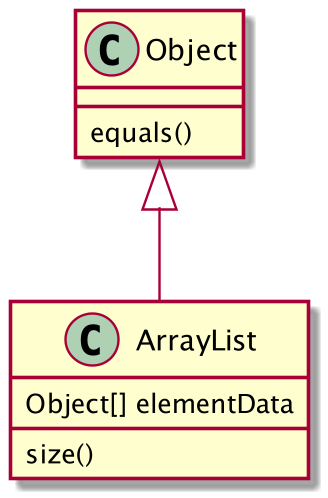
可用花括号 {} 为所有属性和方法分组。
注意,语法对类型/名称的顺序有很大的灵活性。
js
@startuml
class Dummy {
    String data
    void methods()
}
class Flight {
    flightNumber : Integer
    departureTime : Date
}
@enduml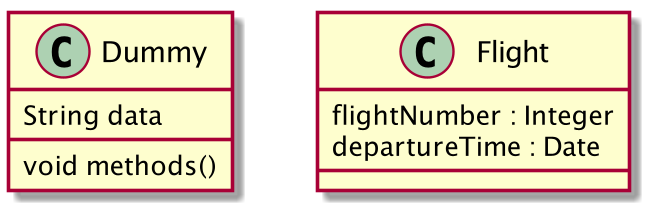
可以使用 {field} 和 {method} 修饰符来覆盖编译器对属性和方法的默认识别。
js
@startuml
class Dummy {
    {field} A field (despite parentheses)
    {method} Some method
}
@enduml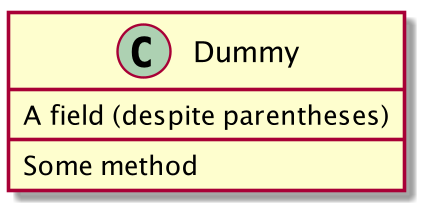
6、定义能见度 (可访问性)
当你定义属性或者方法时,你可以使用特殊符号定义相应条目的可访问性质。
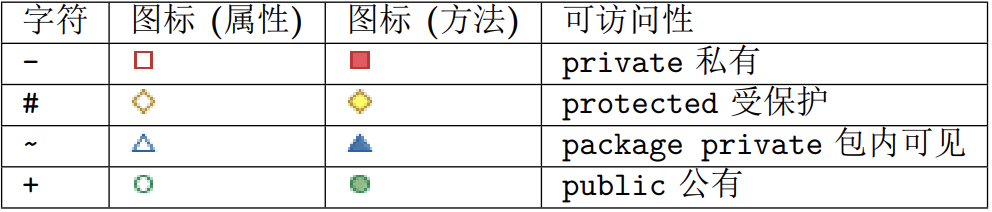
js
@startuml
class Dummy {
    -field1
    #field2
    ~method1()
    +method2()
}
@enduml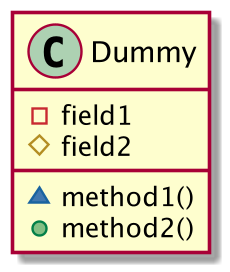
可以采用命令 skinparam classAttributeIconSize 0 来展示特殊符号本身:
js
@startuml
skinparam classAttributeIconSize 0
class Dummy {
    -field1
    #field2
    ~method1()
    +method2()
}
@enduml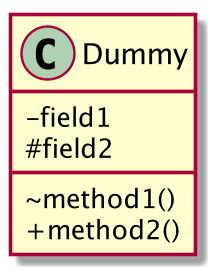
7、抽象与静态
通过修饰符 {static} 或者 {abstract},可以定义静态或者抽象的方法或者属性。
这些修饰符可以写在行的开始或者结束。也可以使用 {classifier} 这个修饰符来代替 {static}.
js
@startuml
class Dummy {
    {static} String id
    {abstract} void methods()
}
@enduml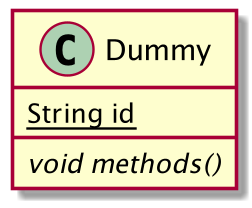
8、高级类体
PlantUML 默认自动将方法和属性重新分组,你可以自己定义分隔符来重排方法和属性,下面的分隔符
都是可用的:-- .. == __.
还可以在分隔符中添加标题:
js
@startuml
class Foo1 {
    You can use
    several lines
    ..
    as you want
    and group
    ==
    things together.
    __
    You can have as many groups
    as you want
    --
    End of class
}
class User {
    .. Simple Getter ..
    + getName()
    + getAddress()
    .. Some setter ..
    + setName()
    __ private data __
    int age
    -- encrypted --
    String password
}
@enduml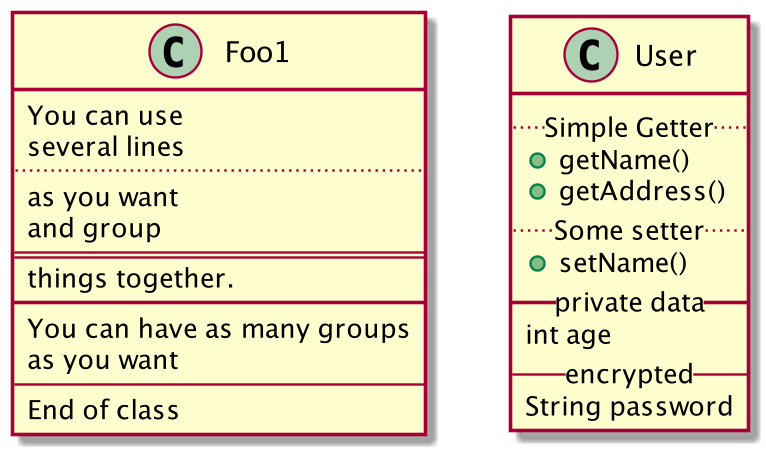
9、备注和版型
- 版型通过类关键字 ("
<<" 和">>") 来定义 - 可以使用
note left of,note right of,note top of,note bottom of这些关键字来添加备注。 - 还可以在类的声明末尾使用
note left,note right,note top,note bottom来添加。 - 单独用
note这个关键字也是可以的,使用..符号可以作出一条连接它与其它对象的虚线。
js
@startuml
class Object << general >>
Object <|--- ArrayList
note top of Object : In java, every class\nextends this one.
note "This is a floating note" as N1
note "This note is connected\nto several objects." as N2
Object .. N2
N2 .. ArrayList
class Foo
note left: On last defined class
@enduml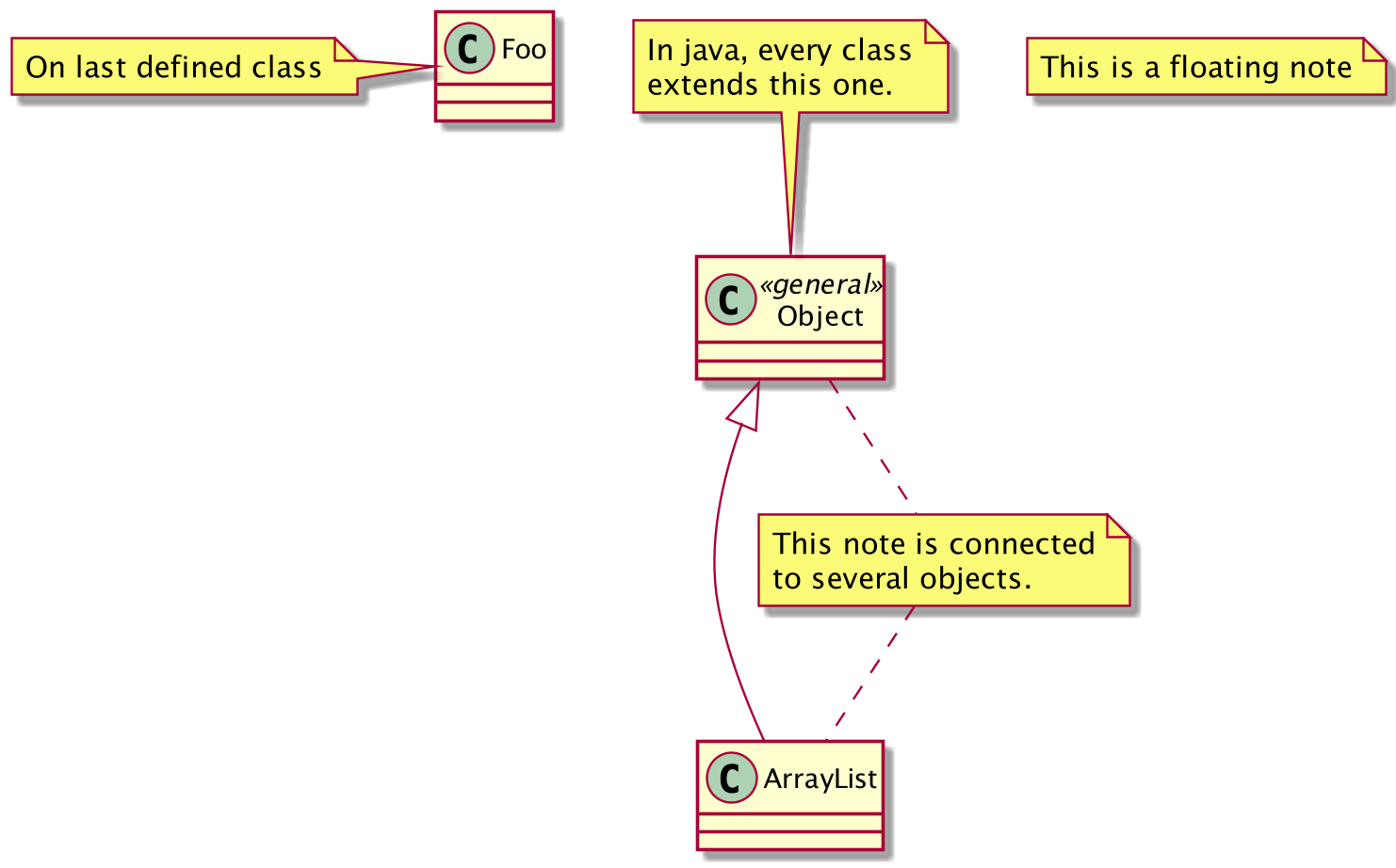
10、备注中的更多功能
可以在注释中使用部分 html 标签 (See Creole expression):
-
<b> -
<u> -
<i> -
<s>,<del>,<strike> -
<font color="#AAAAAA">or<font color="colorName"> -
<color:#AAAAAA>or<color:colorName> -
<size:nn>to change font size -
<img src="file">or<img:file>: the file must be accessible by the filesystem -
也可以在注释中展示多行
-
也可以在定义的 class 之后直接使用 note left, note right, note top, note bottom 来定义注释。
js
@startuml
class Foo
note left: On last defined class

note top of Foo
In java, <size:18>every</size> <u>class</u>
<b>extends</b>
<i>this</i> one.
end note

note as N1
This note is <u>also</u>
<b><color:royalBlue>on several</color>
<s>words</s> lines
And this is hosted by <img:sourceforge.jpg>
end note
@enduml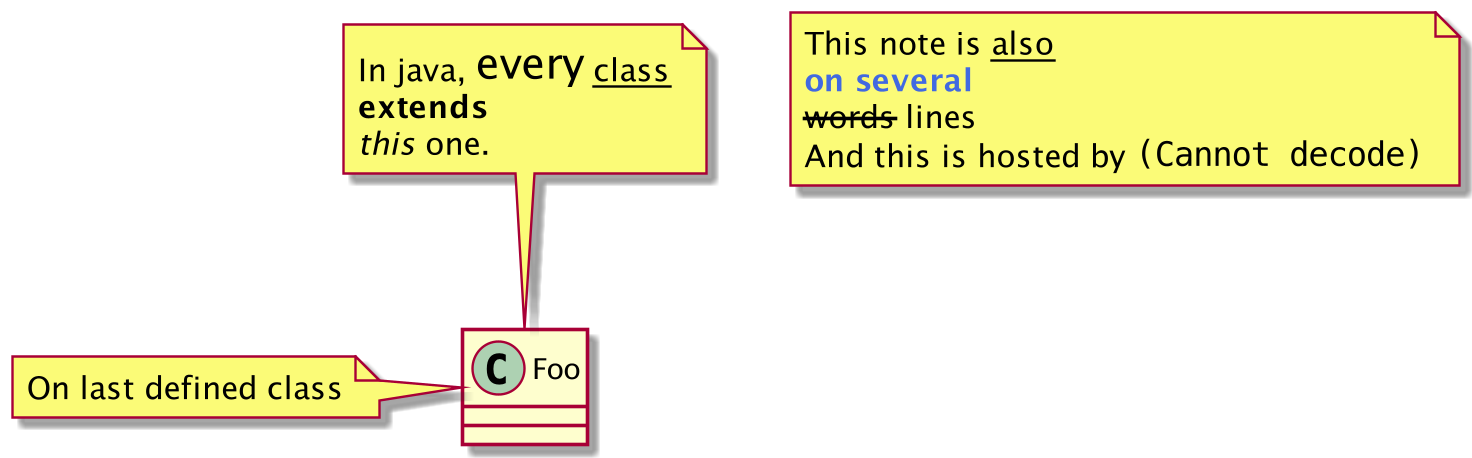
11、注释属性 (field, attribute, member) 或方法
11.1、注意
- 不能与 top 和 bottom 同时使用 (只支持 left 和 right)
- 不能与表示命名空间的分隔符:: 同时使用
11.2、注释属性或方法
js
@startuml
class A {
    {static} int counter
    +void {abstract} start(int timeout)
}
note left of A::counter
该成员已注释
end note

note right of A::start
在 UML 注释了此方法
end note
@enduml
11.3、给同名方法注释
js
@startuml
class A {
    {static} int counter
    +void {abstract} start(int timeoutms)
    +void {abstract} start(Duration timeout)
}
note left of A::counter
该成员已注释
end note

note right of A::"start(int timeoutms)"
这个start方法的参数是int类型
end note

note right of A::"start(Duration timeout)"
这个start方法的参数是Duration类型
end note
@enduml
12、链接的注释
- 在定义链接之后,你可以用
note on link给链接添加注释 - 如果想要改变注释相对于标签的位置,你也可以用
note left on link,note right on link,note bottom on link。(对应位置分别在 label 的左边,右边,下边)
js
@startuml
class Dummy
Dummy --> Foo : A link
note on link #red: note that is red

Dummy --> Foo2 : Another link
note right on link #blue
this is my note on right link
and in blue
end note
@enduml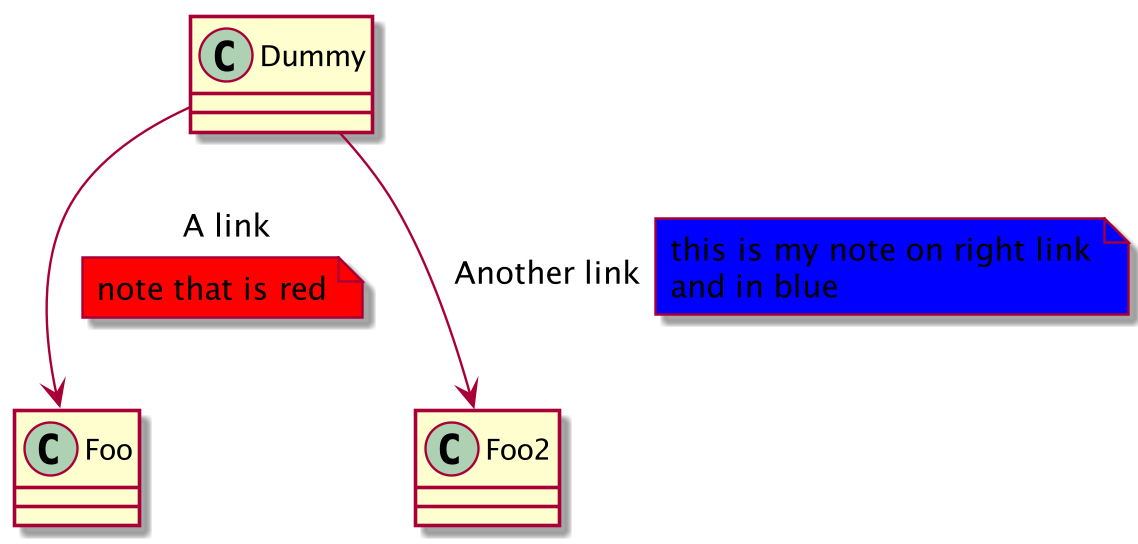
13、抽象类和接口
- 用关键字
abstract或abstract class来定义抽象类。 - 抽象类用斜体显示。
- 也可以使用
interface,annotation和enum等关键字。
js
@startuml
abstract class AbstractList
abstract AbstractCollection
interface List
interface Collection

List <|-- AbstractList
Collection <|-- AbstractCollection
Collection <|- List
AbstractCollection <|- AbstractList
AbstractList <|-- ArrayList

class ArrayList {
    Object[] elementData
    size()
}
enum TimeUnit {
    DAYS
    HOURS
    MINUTES
}
annotation SuppressWarnings
@enduml
14、隐藏属性、函数等
- 通过使用命令"
hide/show",你可以用参数表示类的显示方式。 - 基础命令是:
hide empty members. 这个命令会隐藏空白的方法和属性。 - 除 empty members 外,可以用:
empty fields或者empty attributes空属性empty methods空函数fields或attributes隐藏字段或属性,即使是被定义了methods隐藏方法,即使是被定义了members隐藏字段 和 方法,即使是被定义了circle类名前带圈的,stereotype原型。
- 同样可以使用
hide或show关键词,对以下内容进行设置:class所有类,interface所有接口,enum所有枚举,<<foo1>>实现 foo1 的类,- 一个既定的类名。
js
@startuml
class Dummy1 {
    +myMethods()
}
class Dummy2 {
    +hiddenMethod()
}
class Dummy3 <<Serializable>> {
    String name
}
hide members
hide <<Serializable>> circle
show Dummy1 methods
show <<Serializable>> fields
@enduml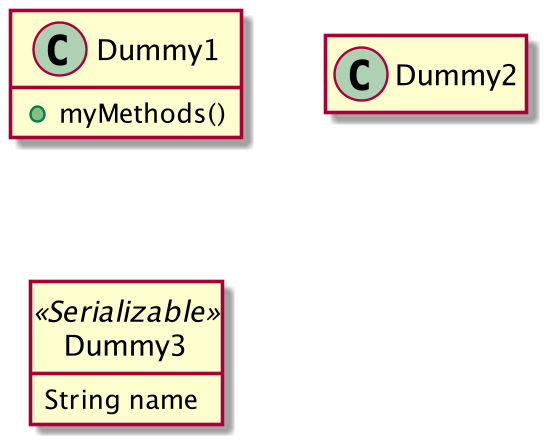
15、隐藏类
- 你也可以使用
show/hide命令来隐藏类 - 如果你定义了一个大的
!included文件,且想在文件包含之后隐藏部分类,该功能会很有帮助。
js
@startuml
class Foo1
class Foo2
Foo2 *-- Foo1
hide Foo2
@enduml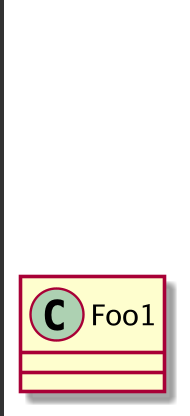
16、删除类
- 还可以使用
remove命令来删除类。 - 如果您定义了一个大的 !included file(预处理),并且如果您想在 file contains(预处理)之后删除一
些类,这可能很有用。
js
@startuml
class Foo1
class Foo2
Foo2 *-- Foo1
remove Foo2
@enduml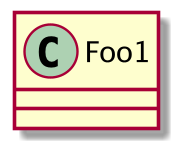
17、隐藏、删除或还原标记元素或通配符
您可以在元素上放置 $tags (使用 $ ),然后单独或按标记删除、隐藏或还原组件。
默认情况下,所有组件都会显示:
js
@startuml
class C1 $tag13
enum E1
interface I1 $tag13
C1 -- I1
@enduml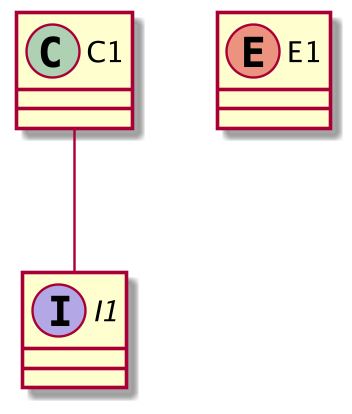
但您可以:
• hide $tag13 组件:
js
@startuml
class C1 $tag13
enum E1
interface I1 $tag13
C1 -- I1
hide $tag13
@enduml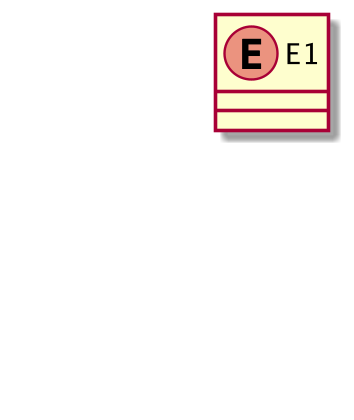
或 remove $tag13 组件:
js
@startuml
class C1 $tag13
enum E1
interface I1 $tag13
C1 -- I1
remove $tag13
@enduml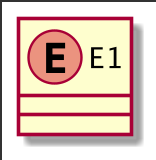
或 remove * and restore $tag1 组件:
js
@startuml
class C1 $tag13 $tag1
enum E1
interface I1 $tag13
C1 -- I1
remove *
restore $tag1
@enduml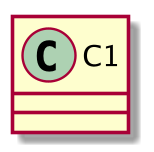
18、隐藏或删除未关联的类
默认情况下, 所有的类都将会展示:
js
@startuml
class C1
class C2
class C3
C1 -- C2
@enduml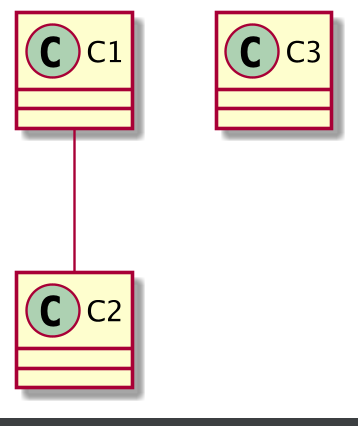
不过你可以使用:
• hide @unlinked 来隐藏未关联的类:
js
@startuml
class C1
class C2
class C3
C1 -- C2
hide @unlinked
@enduml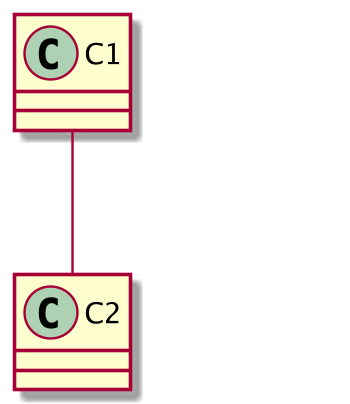
• 或者使用 remove @unlinked 来删除未关联的类:
js
@startuml
class C1
class C2
class C3
C1 -- C2
remove @unlinked
@enduml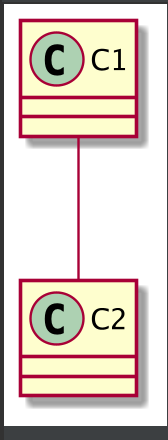
19、泛型(generics)
你可以用 < 和 > 来定义类的泛型。
js
@startuml
class Foo<? extends Element> {
    int size()
}
Foo *- Element
@enduml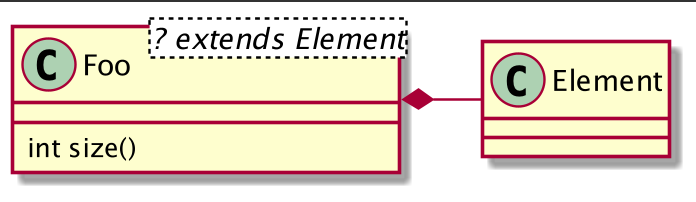
20、指定标记(Spot)
通常标记字符 (C, I, E or A) 用于标记类 (classes), 接口(interface), 枚举(enum)和抽象类(abstract
classes).
但是当你想定义原型时,可以增加对应的单个字符及颜色,来定义自己的标记(spot),就像下面一样:
js
@startuml
class System << (S,#FF7700) Singleton >>
class Date << (D,orchid) >>
@enduml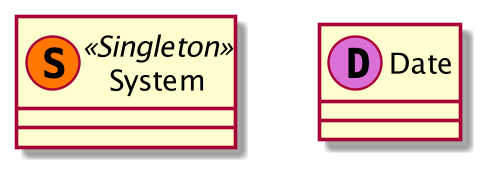
21、包
你可以通过关键词 package 声明包,同时可选的来声明对应的背景色(通过使用 html 色彩代码或名称)。
注意:包可以被定义为嵌套。
js
@startuml
package "Classic Collections" #DDDDDD {
    Object <|-- ArrayList
}
package net.sourceforge.plantuml {
    Object <|-- Demo1
    Demo1 *- Demo2
}
@enduml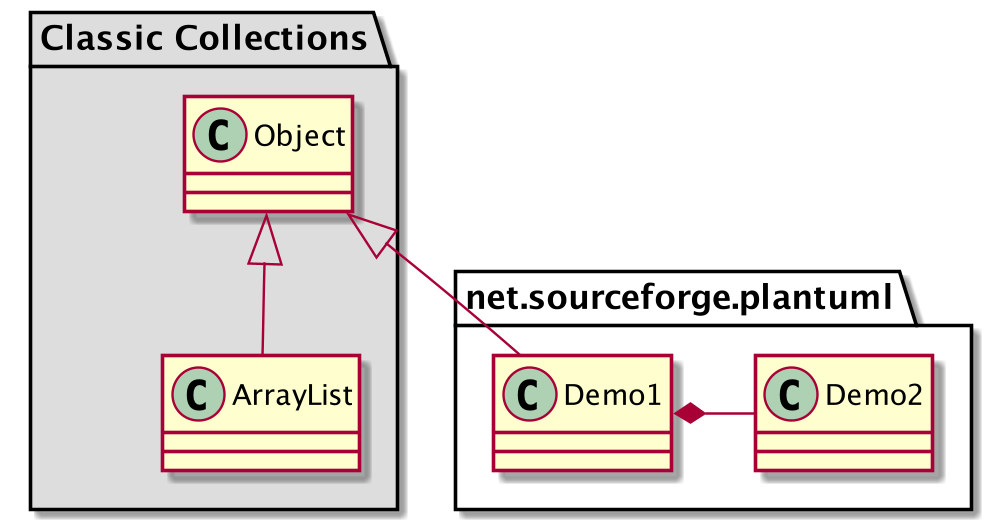
22、包样式
包可以定义不同的样式。
你可以通过以下的命令来设置默认样式: skinparam packageStyle, 或者对包使用对应的模板:
js
@startuml
scale 750 width
package foo1 <<Node>> {
    class Class1
}
package foo2 <<Rectangle>> {
    class Class2
}
package foo3 <<Folder>> {
    class Class3
}
package foo4 <<Frame>> {
    class Class4
}
package foo5 <<Cloud>> {
    class Class5
}
package foo6 <<Database>> {
    class Class6
}
@enduml
你也可以参考下面的示例来定义包之间的连线:
js
@startuml
skinparam packageStyle rectangle
package foo1.foo2 {
}
package foo1.foo2.foo3 {
    class Object
}
foo1.foo2 +-- foo1.foo2.foo3
@enduml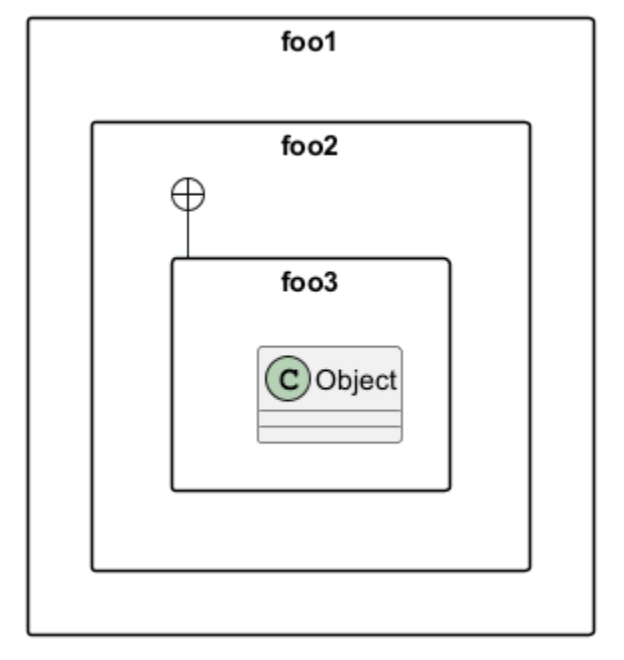
23、命名空间(Namespaces)
在使用包(package)时(区别于命名空间),类名是类的唯一标识。也就意味着,在不同的包(package)中的类,不能使用相同的类名。
在那种情况下(译注:同名、不同全限定名类),你应该使用命名空间来取而代之。
你可以从其他命名空间,使用全限定名来引用类,默认命名空间(译注:无名的命名空间)下的类,以一
个"." 开头(的类名)来引用(译注:示例中的 BaseClass).
注意:你不用显示地创建命名空间:一个使用全限定名的类会自动被放置到对应的命名空间。
js
@startuml
class BaseClass
namespace net.dummy #DDDDDD {
    .BaseClass <|-- Person
    Meeting o-- Person
    .BaseClass <|- Meeting
}
namespace net.foo {
    net.dummy.Person <|- Person
    .BaseClass <|-- Person
    net.dummy.Meeting o-- Person
}
BaseClass <|-- net.unused.Person
@enduml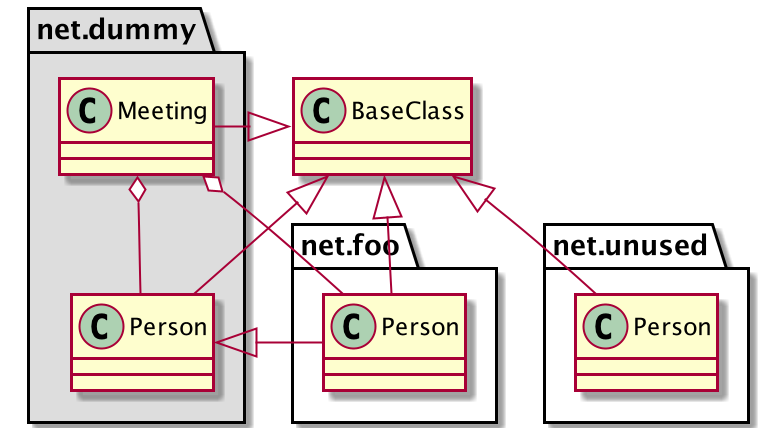
24、 自动创建命名空间
使用命令 set namespaceSeparator ??? 你可以自定义命名空间分隔符(为"."以外的字符).
js
@startuml
set namespaceSeparator ::
    class X1::X2::foo {
    some info
}
@enduml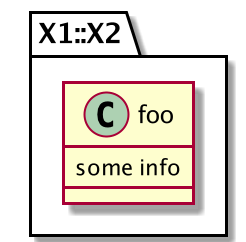
禁止自动创建包则可以使用 set namespaceSeparator none.
js
@startuml
set namespaceSeparator none
    class X1.X2.foo {
    some info
}
@enduml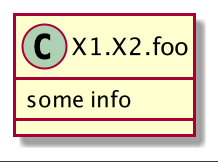
25、棒棒糖接口
需要定义棒棒糖样式的接口时可以遵循以下语法:
- bar ()- foo
- bar ()-- foo
- foo -() bar
js
@startuml
class foo类
bar ()- foo类
@enduml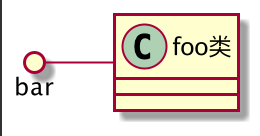
26、改变箭头方向
类之间默认采用两个破折号 -- 显示出垂直方向的线.
要得到水平方向的可以像这样使用单破折号 (或者
点):
js
@startuml
教室 o- 学生
教室 *-- 椅子
@enduml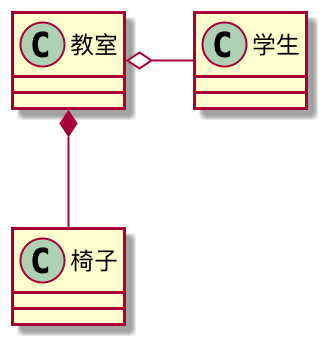
你也可以通过改变倒置链接来改变方向
js
@startuml
学生 -o 教室
椅子 --* 教室
@enduml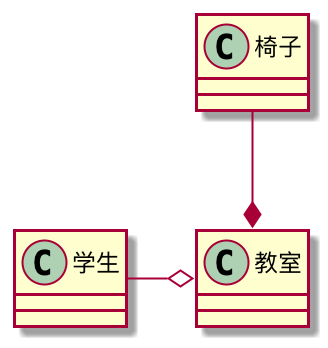
也可通过在箭头内部使用关键字,例如 left, right, up 或者 down,来改变方向
js
@startuml
foo -left-> dummyLeft
foo -right-> dummyRight
foo -up-> dummyUp
foo -down-> dummyDown
@enduml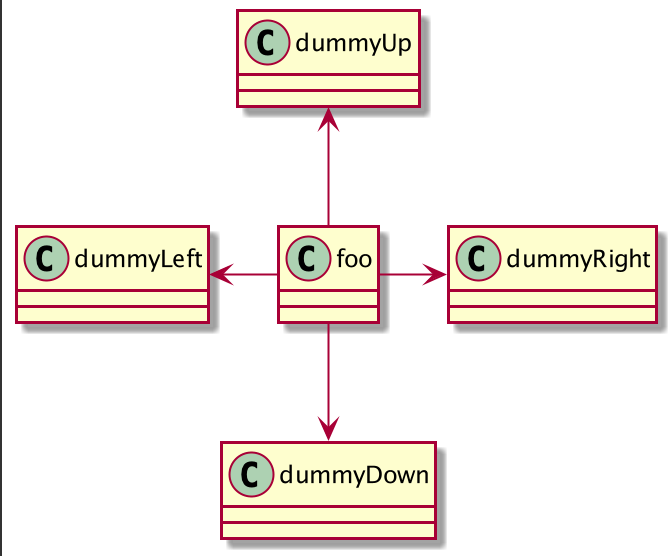
27、"关系"类
可以在定义了两个类之间的关系后定义一个 关系类 association class 例如:
js
@startuml
class Student {
    Name
}
Student "0..*" - "1..*" Course
(Student, Course) .. Enrollment
class Enrollment {
    drop()
    cancel()
}
@enduml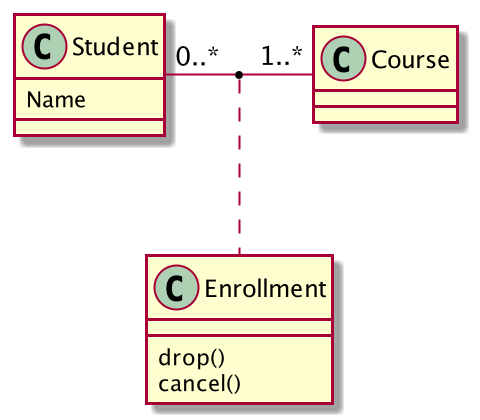
也可以用另一种方式:
js
@startuml
class Student {
    Name
}
Student "0..*" -- "1..*" Course
(Student, Course) . Enrollment
class Enrollment {
    drop()
    cancel()
}
@enduml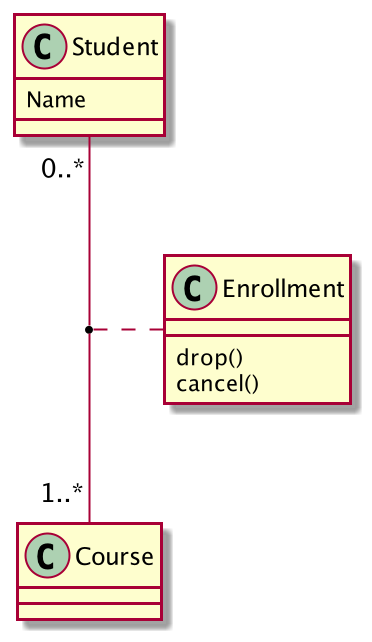
28、 同级关联 (Association on same classe)
js
@startuml
class 站台 {
    +名称: 字符串
}
class 通道 {
    +花费: 剩余时间
}
<> 结点
通道 . 结点
结点 - "从 0..*" 站台
结点 - "到 0..* " 站台
@enduml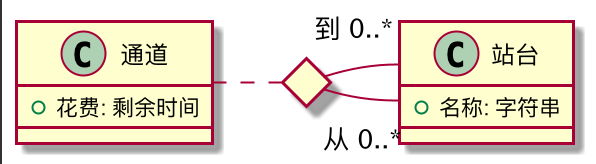
29、样式参数
用 skinparam 改变字体和颜色。
可以在如下场景中使用:
• 在图示的定义中,
• 在引入的文件中,
• 在命令行或者 ANT 任务提供的配置文件中。
js
@startuml
skinparam class {
    BackgroundColor PaleGreen
    ArrowColor SeaGreen
    BorderColor SpringGreen
}
skinparam stereotypeCBackgroundColor YellowGreen
类01 "1" *-- "many" 类02 : 包含
类03 o-- 类04 : 聚合
@enduml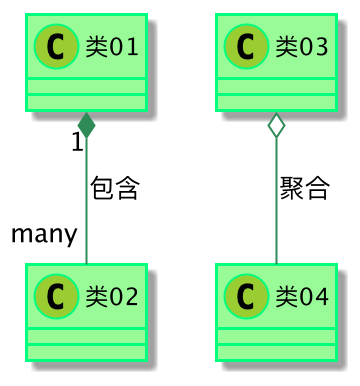
30、模板样式
你可以给模型自定义颜色和字体 (You can define specific color and fonts for stereotyped classes.)
js
@startuml
skinparam class {
    BackgroundColor PaleGreen
    ArrowColor SeaGreen
    BorderColor SpringGreen
    BackgroundColor<<Foo>> Wheat
    BorderColor<<Foo>> Tomato
}
skinparam stereotypeCBackgroundColor YellowGreen
skinparam stereotypeCBackgroundColor<< Foo >> DimGray
类1 <<Foo>>
类3 <<Foo>>
类1 "1" *-- "*" 类2 : 包含(contains)
类3 o-- 类4 : 聚合(aggregation)
@enduml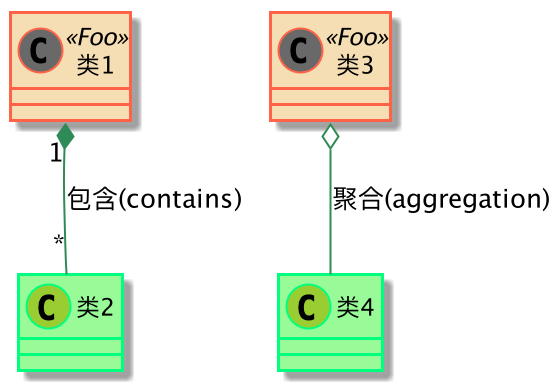
31、渐变颜色
你可以使用 # 号为类、注释等等自定义颜色。
在自定义颜色中你可以使用标准颜色的名称或 RGB 编码,参见: Colors.你同样可以使用下面的语法为背景色声明为渐变的颜色:
渐变的两个颜色可以使用下面的符号分割:
|/\-
他们的区别在于颜色渐变的方向不同。
js
@startuml
skinparam backgroundcolor AntiqueWhite/Gold
skinparam classBackgroundColor Wheat|CornflowerBlue
class 类1 #red-green
note left of 类1 #blue\9932CC
这是foo类的
渐变颜色
end note
package 包1 #GreenYellow/LightGoldenRodYellow {
class 类2
}
@enduml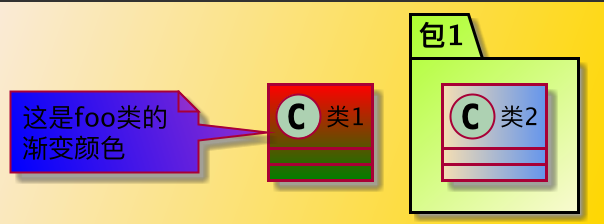
32、辅助布局
你可以使用 together 关键词将某些类进行分组:布局引擎会尝试将它们捆绑在一起(如同在一个包
(package) 内)
你也可以使用建立 hidden 链接的方式来强制布局
js
@startuml
class Bar1
class Bar2
together {
class Together1
class Together2
class Together3
}
Together1 - Together2
Together2 - Together3
Together2 -[hidden]--> Bar1
Bar1 -[hidden]> Bar2
@enduml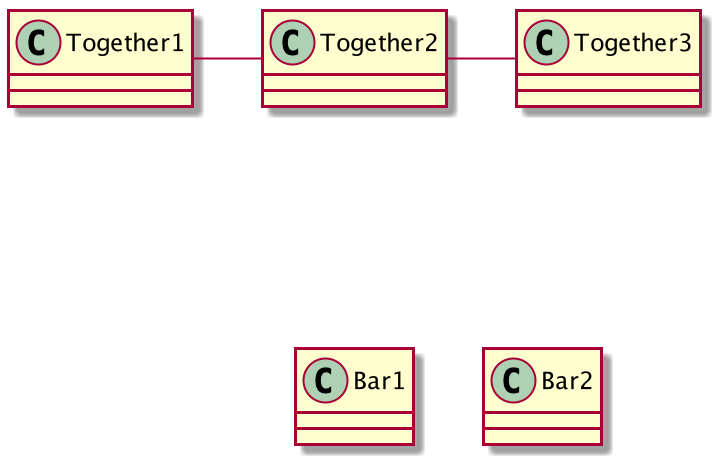
33、拆分大文件
34、继承 (Extends) 和实现 (implements)
同样可使用 extends 和 implements 关键词.
js
@startuml
class ArrayList implements List
class ArrayList extends AbstractList
@enduml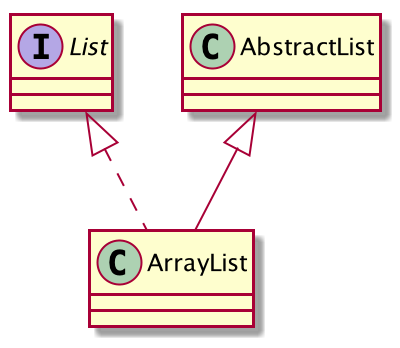
35、方括号表示关系 (连接或箭头) 的样式
35.1、线样式
可以明确的使用 bold, dashed, dotted, hidden 或 plain 来表示关系, 连接或箭头:
没有标签:
js
@startuml
title 使用方括号([])表示的线样式(无标签版)
class foo类
class bar类
bar类1 : [bold]
bar类2 : [dashed]
bar类3 : [dotted]
bar类4 : [hidden]
bar类5 : [plain]
foo类 --> bar类
foo类 -[bold]-> bar类1
foo类 -[dashed]-> bar类2
foo类 -[dotted]-> bar类3
foo类 -[hidden]-> bar类4
foo类 -[plain]-> bar类5
@enduml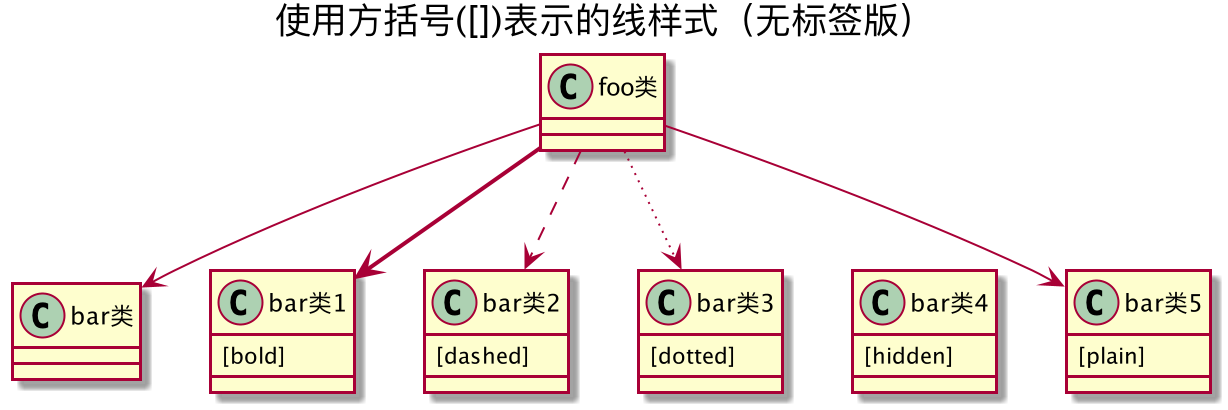
有标签:
js
@startuml
title 使用方括号([])表示的线样式(有标签版)
class foo类
class bar类
bar类1 : [bold]
bar类2 : [dashed]
bar类3 : [dotted]
bar类4 : [hidden]
bar类5 : [plain]
foo类 --> bar类
foo类 -[bold]-> bar类1 : [bold]
foo类 -[dashed]-> bar类2 : [dashed]
foo类 -[dotted]-> bar类3 : [dotted]
foo类 -[hidden]-> bar类4 : [hidden]
foo类 -[plain]-> bar类5 : [plain]
@enduml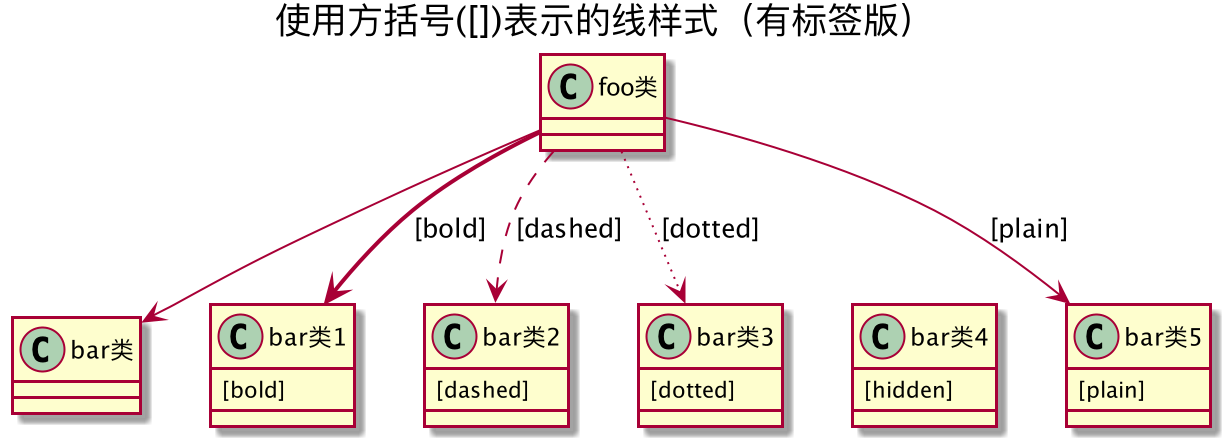
35.2、线颜色
js
@startuml
title 使用方括号([])表示的线颜色
class foo类
class bar类
bar类1 : [#red]
bar类2 : [#green]
bar类3 : [#blue]
foo类 --> bar类
foo类 -[#red]-> bar类1 : [#red]
foo类 -[#green]-> bar类2 : [#green]
foo类 -[#blue]-> bar类3 : [#blue]
'foo类 -[#blue;#yellow;#green]-> bar类4
@enduml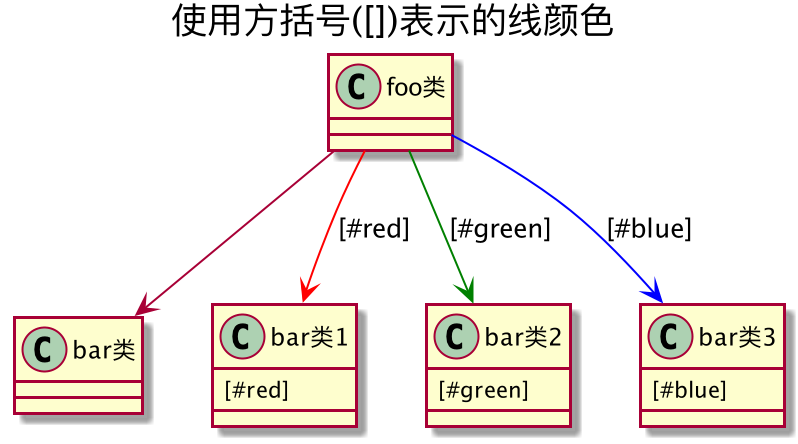
35.3、线宽度
js
@startuml
title 使用方括号([])表示的线宽度
class foo类
class bar类
bar类1 : [thickness=1]
bar类2 : [thickness=2]
bar类3 : [thickness=4]
bar类4 : [thickness=8]
bar类5 : [thickness=16]
foo类 --> bar类
foo类 -[thickness=1]-> bar类1 : [1]
foo类 -[thickness=2]-> bar类2 : [2]
foo类 -[thickness=4]-> bar类3 : [4]
foo类 -[thickness=8]-> bar类4 : [8]
foo类 -[thickness=16]-> bar类5 : [16]
@enduml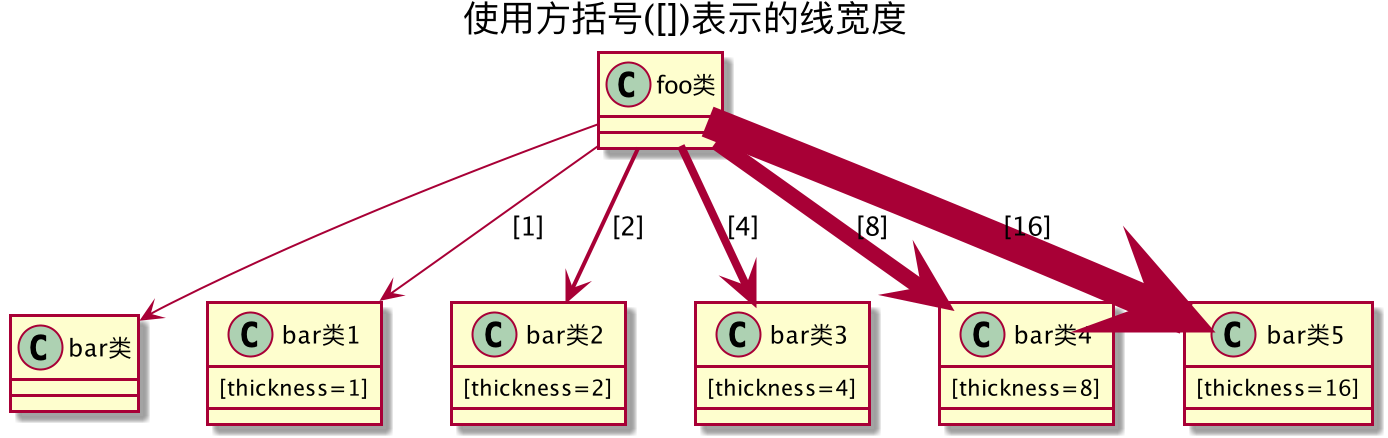
35.4、混合样式
js
@startuml
title 使用方括号([])表示的线混合样式
class foo类
class bar类
bar类1 : [#red,thickness=1]
bar类2 : [#red,dashed,thickness=2]
bar类3 : [#green,dashed,thickness=4]
bar类4 : [#blue,dotted,thickness=8]
bar类5 : [#blue,plain,thickness=16]
foo类 --> bar类
foo类 -[#red,thickness=1]-> bar类1 : [#red,1]
foo类 -[#red,dashed,thickness=2]-> bar类2 : [#red,dashed,2]
foo类 -[#green,dashed,thickness=4]-> bar类3 : [#green,dashed,4]
foo类 -[#blue,dotted,thickness=8]-> bar类4 : [blue,dotted,8]
foo类 -[#blue,plain,thickness=16]-> bar类5 : [blue,plain,16]
@enduml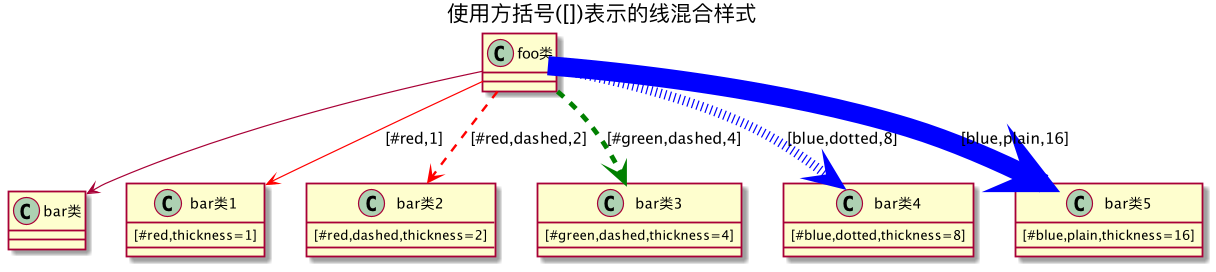
36、改变关系 (线和箭头) 的颜色和样式 (单行样式)
你可以改变表示关系的线和箭头的颜色或样式,使用下面的单行样式格式:
#color;line.[bold|dashed|dotted];text:color
js
@startuml
class foo类
foo类 --> bar类 : 默认
foo类 --> bar类1 #line:red;line.bold;text:red : 红色粗线
foo类 --> bar类2 #green;line.dashed;text:green : 绿色断线
foo类 --> bar类3 #blue;line.dotted;text:blue : 蓝色点线
@enduml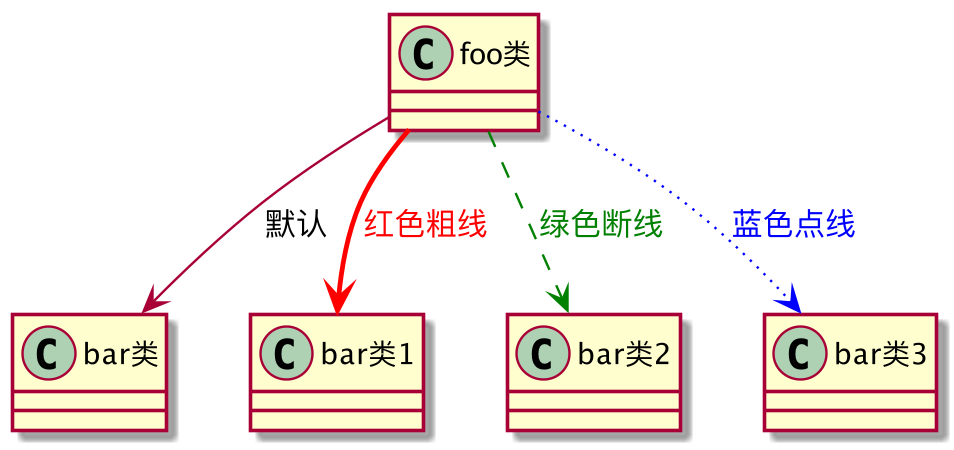
37、改变类颜色和样式 (单行样式)
可以改变定义类的颜色或样式,通过下面两种指定格式:
#color ##[style]color
第一个颜色 (#color) 表示背景色,然后第二个表示线的样式和颜色 (##stylecolor)
js
@startuml
abstract 抽象类
annotation 标注 #pink ##[bold]red
class 类 #palegreen ##[dashed]green
interface 接口 #aliceblue ##[dotted]blue
@enduml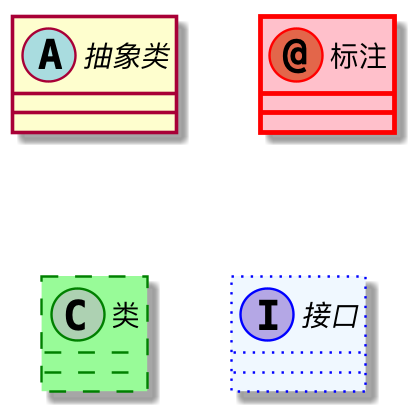
#[color|back:color];header:color;line:color;line.[bold|dashed|dotted];text:color
js
@startuml
abstract 抽象类
annotation 标注 #pink;line:red;line.bold;text:red
class 类 #palegreen;line:green;line.dashed;text:green
interface 接口 #aliceblue;line:blue;line.dotted;text:blue
@enduml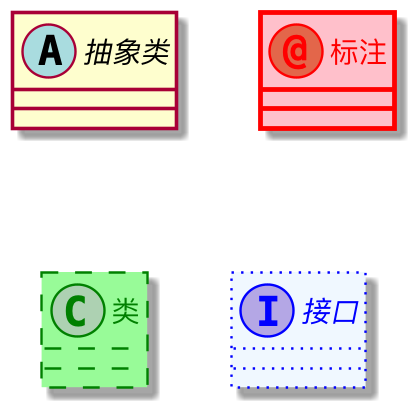
js
@startuml
class bar类 #line:green;back:lightblue
class bar类2 #lightblue;line:green
class Foo类1 #back:red;line:00FFFF
class Foo类Dashed #line.dashed:blue
class Foo类Dotted #line.dotted:blue
class Foo类Bold #line.bold
class Demo类1 #back:lightgreen|yellow;header:blue/red
@enduml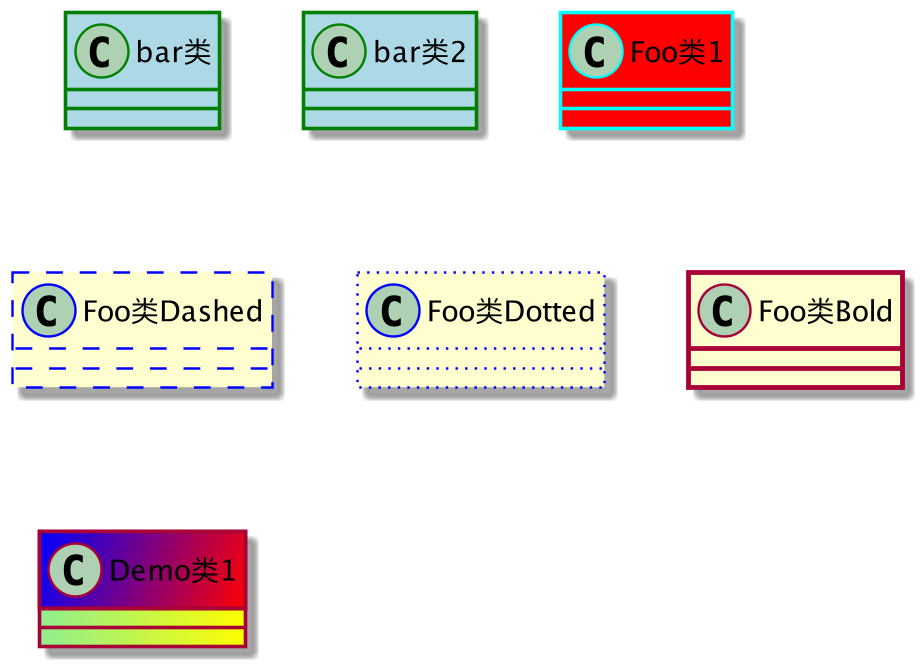
38、类成员的箭头方向 (Arrows from/to class members)
js
@startuml
class Foo类 {
    + 字段1
    + 字段2
}
class Bar类 {
    + 字段3
    + 字段4
}
Foo类::字段1 --> Bar类::字段3 : foo
Foo类::字段2 --> Bar类::字段4 : bar
@enduml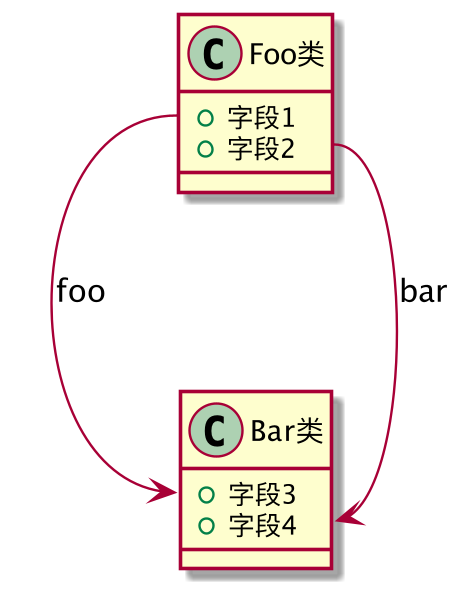
js
@startuml
left to right direction
class User类 {
    id : INTEGER
    ..
    其他id : INTEGER
}
class Email类 {
    id : INTEGER
    ..
    用户_id : INTEGER
    地址 : STRING
}
User类::id *-- Email类::用户_id
@enduml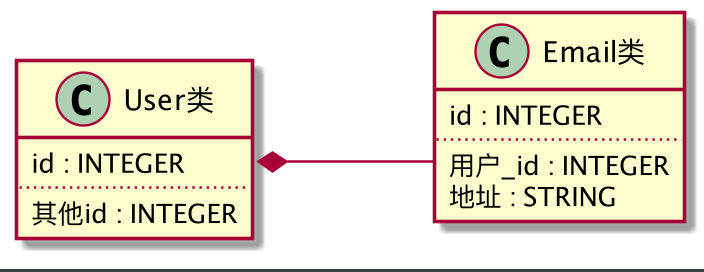
39、分组继承关系 (Grouping inheritance arrow heads)
你可以用 skinparam groupInheritance 关键字合并泛化箭头, 后接参数合并阈值 (从几个继承类时开
始合并)。
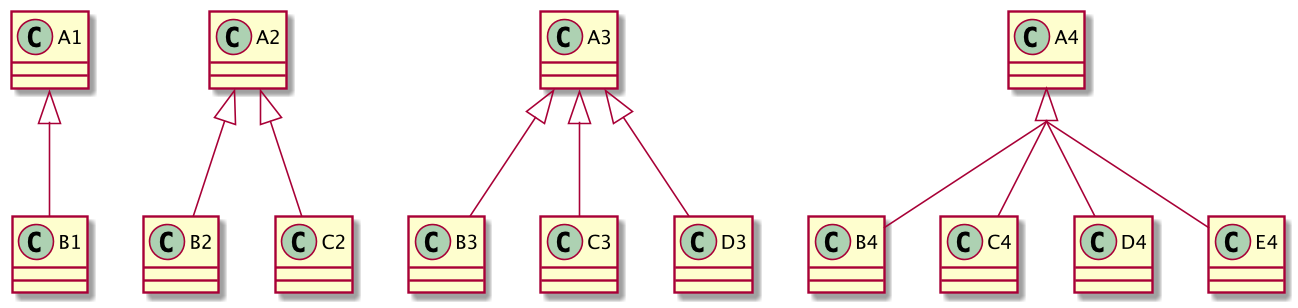
39.1、GroupInheritance 1 (不合并)
js
@startuml
skinparam groupInheritance 1
A1 <|-- B1
A2 <|-- B2
A2 <|-- C2
A3 <|-- B3
A3 <|-- C3
A3 <|-- D3
A4 <|-- B4
A4 <|-- C4
A4 <|-- D4
A4 <|-- E4
@enduml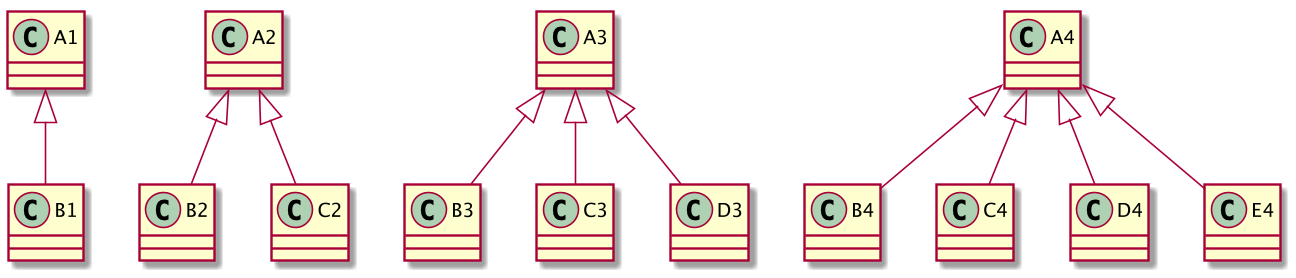
39.2、GroupInheritance 2 (从 2 个组开始合并)
js
@startuml
skinparam groupInheritance 2
A1 <|-- B1
A2 <|-- B2
A2 <|-- C2
A3 <|-- B3
A3 <|-- C3
A3 <|-- D3
A4 <|-- B4
A4 <|-- C4
A4 <|-- D4
A4 <|-- E4
@enduml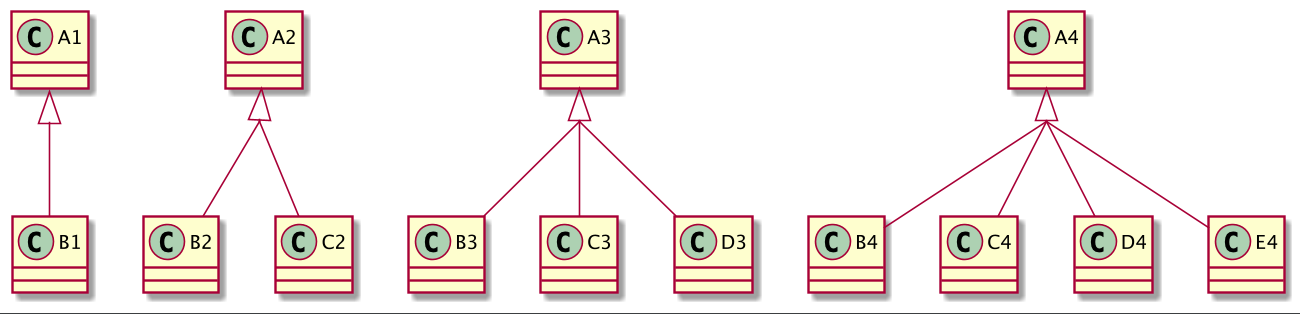
39.3、GroupInheritance 3 (从 3 个组开始合并)
js
@startuml
skinparam groupInheritance 3
A1 <|-- B1
A2 <|-- B2
A2 <|-- C2
A3 <|-- B3
A3 <|-- C3
A3 <|-- D3
A4 <|-- B4
A4 <|-- C4
A4 <|-- D4
A4 <|-- E4
@enduml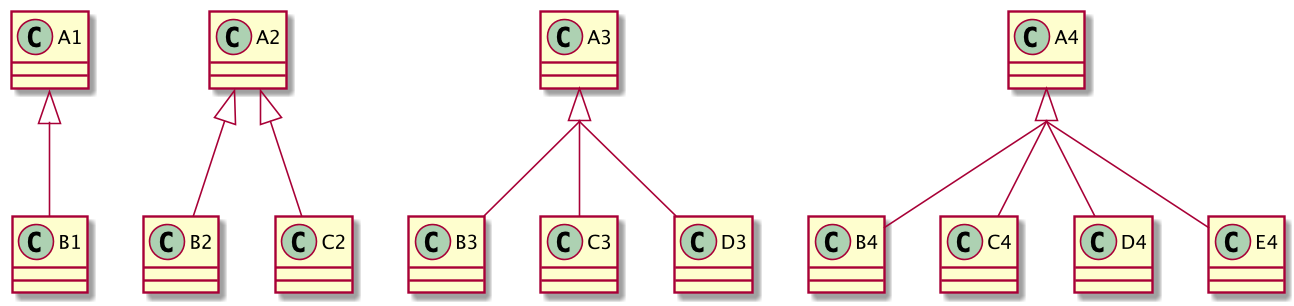
39.4、GroupInheritance 4 (从 4 个组开始合并)
js
@startuml
skinparam groupInheritance 4
A1 <|-- B1
A2 <|-- B2
A2 <|-- C2
A3 <|-- B3
A3 <|-- C3
A3 <|-- D3
A4 <|-- B4
A4 <|-- C4
A4 <|-- D4
A4 <|-- E4
@enduml