第 28 篇专门处理失败态。相机失败不能只靠 catch 打日志,而要把权限失败、设备为空、会话失败、Surface 销毁和资源释放都变成可恢复流程。
学习目标
- 把相机失败拆成权限、能力、会话、资源四类。
- 知道哪些状态字段负责 UI 提示,哪些字段负责资源释放。
- 理解为什么失败后要先清状态再释放资源。
- 能设计一个可以重新进入的相机页,而不是失败一次就卡死。
一、失败态是相机页质量的分水岭
相机功能最容易在演示时正常,在真实用户手里出问题。用户可能拒绝权限,设备可能没有前摄,Surface 可能因为页面切换销毁,PhotoSession 可能在 commitConfig 或 start 时失败。第 28 篇要做的不是列异常码,而是把失败态写成产品流程。
双镜记忆相机的原则是:任何失败都不能留下黑屏和脏资源。页面要么能说明当前缺什么,要么能释放干净,下一次进入时重新探测。
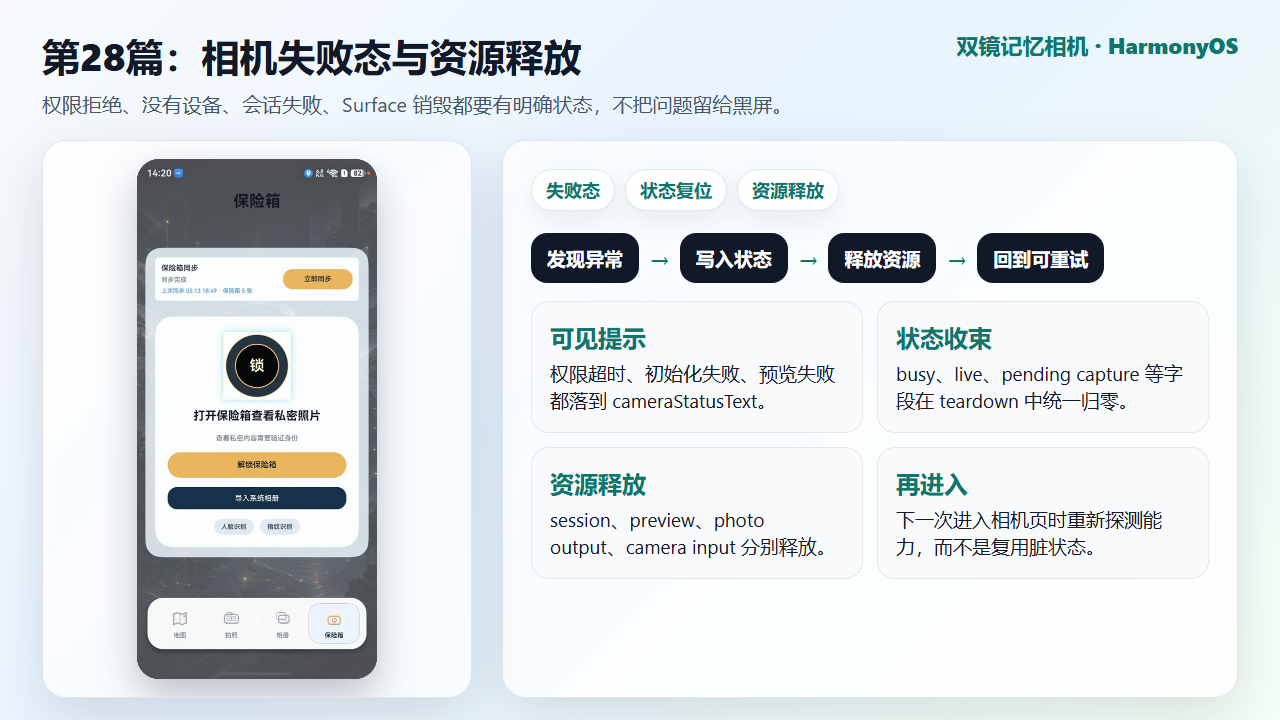
图 1 失败态处理目标:状态可见、资源可释放、流程可重试
二、状态字段先分层,失败时才不会乱
项目把相机状态拆成权限、能力、会话、预览、拍摄中的 pending 数据。cameraPermissionReady 表示是否能继续 CameraKit 初始化;cameraCapabilityChecked 表示本轮能力探测是否结束;dualCameraSupported 和 singleCameraSupported 决定 UI 走双摄还是单摄;cameraStatusText 负责把关键问题显示给用户。
另一组 pendingCapture 字段用于拍照保存流程。失败释放时,如果这些字段不清,下一次拍照可能误以为上一轮还有未完成输出。状态字段越细,失败处理越能精确。
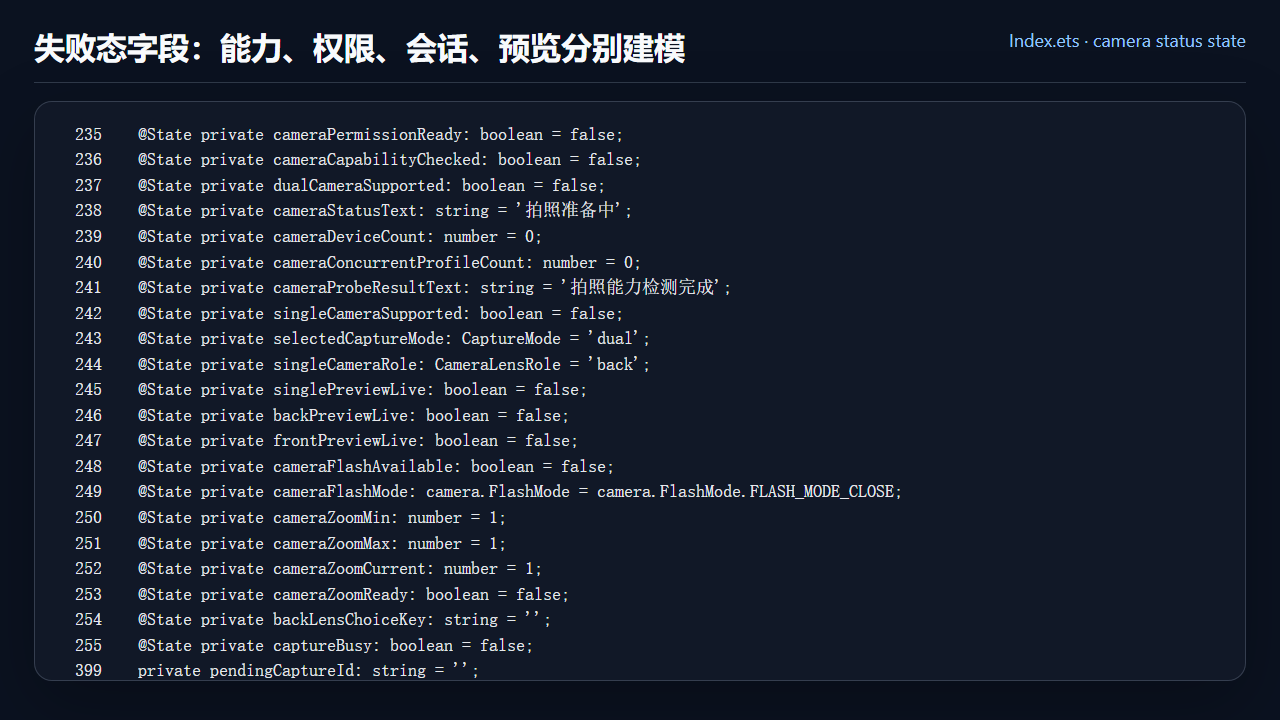
图 2 相机失败态相关状态字段与 pending 拍摄字段
ts
@State private cameraPermissionReady: boolean = false;
  @State private cameraCapabilityChecked: boolean = false;
  @State private dualCameraSupported: boolean = false;
  @State private cameraStatusText: string = '拍照准备中';
  @State private cameraDeviceCount: number = 0;
  @State private cameraConcurrentProfileCount: number = 0;
  @State private cameraProbeResultText: string = '拍照能力检测完成';
  @State private singleCameraSupported: boolean = false;
  @State private selectedCaptureMode: CaptureMode = 'dual';
  @State private singleCameraRole: CameraLensRole = 'back';
  @State private singlePreviewLive: boolean = false;
  @State private backPreviewLive: boolean = false;
  @State private frontPreviewLive: boolean = false;
  @State private cameraFlashAvailable: boolean = false;
  @State private cameraFlashMode: camera.FlashMode = camera.FlashMode.FLASH_MODE_CLOSE;
  @State private cameraZoomMin: number = 1;
  @State private cameraZoomMax: number = 1;
  @State private cameraZoomCurrent: number = 1;
  @State private cameraZoomReady: boolean = false;
  @State private backLensChoiceKey: string = '';
  @State private captureBusy: boolean = false;
  private pendingCaptureId: string = '';
  @State private pendingCaptureMode: 'dual' | 'single' | 'sequence' = 'dual';
  @State private pendingSingleCaptureRole: CameraLensRole = 'back';
  private pendingBackCapturePath: string = '';
  private pendingFrontCapturePath: string = '';
  @State private backCaptureDelivered: boolean = false;
  @State private frontCaptureDelivered: boolean = false;
  private pendingCaptureLatitude: number = 0;
  private pendingCaptureLongitude: number = 0;
  private pendingCapturePlace: string = '';
  private pendingCaptureTitle: string = '';
  private pendingWatermarkStyle: WatermarkStyleKey = 'none';
三、初始化失败:不要继续创建会话
prepareCameraCapability 里有几个关键 return。权限没通过,设置 cameraCapabilityChecked 并返回;设备列表为空,结束探测并返回;只有单摄设备时,不再探测双摄,而是进入单摄预览;CameraKit 初始化抛异常时,把 dualCameraSupported 和 singleCameraSupported 都置为 false,并写入状态文本。
这些分支的共同点是"不让失败继续扩大"。只要前置条件不满足,就不要创建 input、output 和 session。这样失败只停留在入口层,用户可以处理权限或换设备,页面也可以重新触发 prepare。
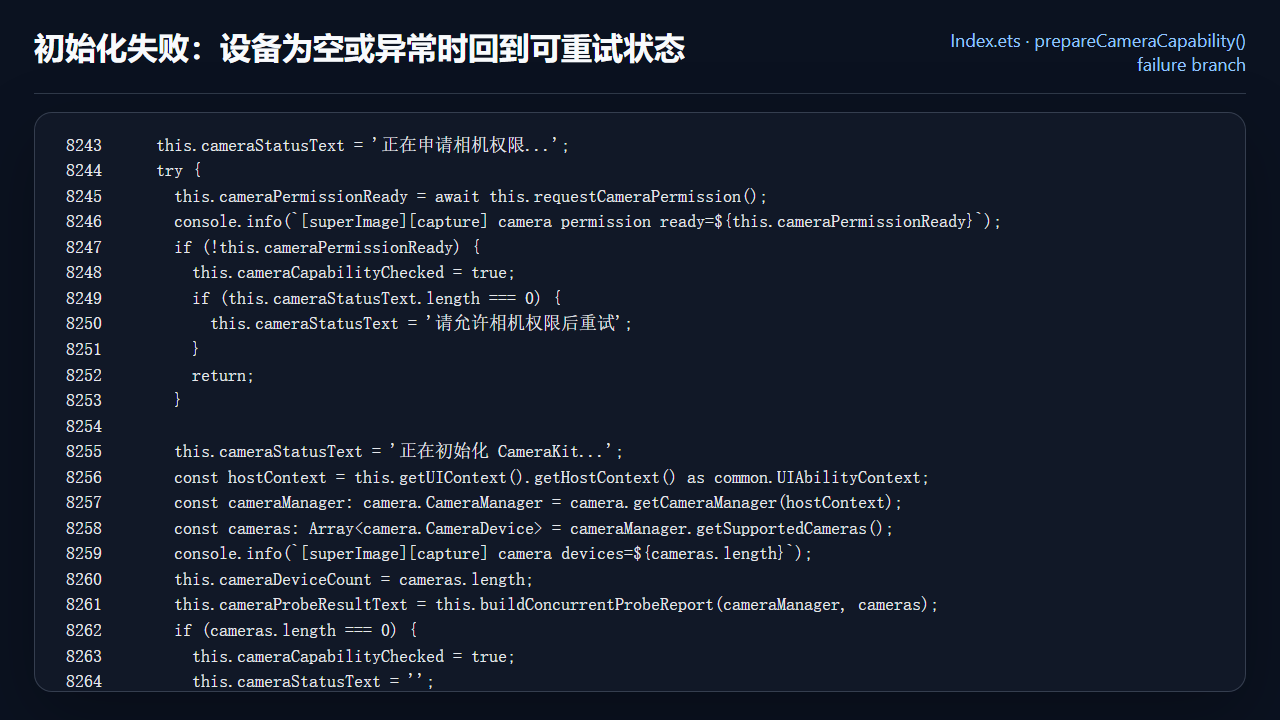
图 3 CameraKit 初始化中的失败分支与可重试状态
ts
this.cameraStatusText = '正在申请相机权限...';
    try {
      this.cameraPermissionReady = await this.requestCameraPermission();
      console.info(`[superImage][capture] camera permission ready=${this.cameraPermissionReady}`);
      if (!this.cameraPermissionReady) {
        this.cameraCapabilityChecked = true;
        if (this.cameraStatusText.length === 0) {
          this.cameraStatusText = '请允许相机权限后重试';
        }
        return;
      }

      this.cameraStatusText = '正在初始化 CameraKit...';
      const hostContext = this.getUIContext().getHostContext() as common.UIAbilityContext;
      const cameraManager: camera.CameraManager = camera.getCameraManager(hostContext);
      const cameras: Array<camera.CameraDevice> = cameraManager.getSupportedCameras();
      console.info(`[superImage][capture] camera devices=${cameras.length}`);
      this.cameraDeviceCount = cameras.length;
      this.cameraProbeResultText = this.buildConcurrentProbeReport(cameraManager, cameras);
      if (cameras.length === 0) {
        this.cameraCapabilityChecked = true;
        this.cameraStatusText = '';
        return;
      }

      const officialPair = this.getOfficialConcurrentCameraPair(cameraManager);
      const backDevice = officialPair.backDevice ??
        this.findCameraDeviceByPosition(cameras, camera.CameraPosition.CAMERA_POSITION_BACK);
      const frontDevice = officialPair.frontDevice ??
        this.findCameraDeviceByPosition(cameras, camera.CameraPosition.CAMERA_POSITION_FRONT);
      const fallbackSingleDevice = backDevice ?? frontDevice ?? cameras[0];
      this.cameraManager = cameraManager;
      this.backCameraDevice = backDevice;
      this.frontCameraDevice = frontDevice;
      this.preferredBackSingleCameraDevice = backDevice;
      this.singleCameraDevice = fallbackSingleDevice;
      this.singleCameraRole = this.getCameraRole(fallbackSingleDevice);
      this.singleCameraSupported = true;
      this.refreshBackLensOptions(cameras, backDevice);

      if (!backDevice || !frontDevice) {
        this.cameraCapabilityChecked = true;
        this.cameraStatusText = '';
        await this.ensureCameraPreview();
        return;
      }
      const concurrentInfos = officialPair.concurrentInfos;
      this.concurrentInfos = concurrentInfos;
      this.cameraCapabilityChecked = true;
      this.cameraConcurrentProfileCount = concurrentInfos.length;
      this.dualCameraSupported = concurrentInfos.length > 0;
      if (this.dualCameraSupported) {
        this.cameraStatusText = '';
        await this.ensureCameraPreview();
      } else {
        this.cameraStatusText = '';
        await this.ensureCameraPreview();
      }
    } catch (error) {
      const err = error as BusinessError;
      this.cameraCapabilityChecked = true;
      this.dualCameraSupported = false;
      this.singleCameraSupported = false;
      this.singlePreviewLive = false;
      this.cameraStatusText = `CameraKit 初始化失败 ${err.code}`;
    } finally {
四、释放资源:先断开引用,再逐层 release
teardownDualPreview 是失败态的核心收口。它先把当前 session、output、input 保存到局部变量,再把组件字段置空。这样做可以让 UI 状态立即回到"没有活动会话",同时保留旧资源的引用用于后续 release。
随后依次释放 PhotoSession、PreviewOutput、PhotoOutput,最后关闭 CameraInput。这个顺序符合资源依赖:会话先停,输出再放,输入最后关。resetCaptureState 为 true 时,还会清空 pendingCapture、缩略图和水印状态,避免一次失败污染下一次拍摄。
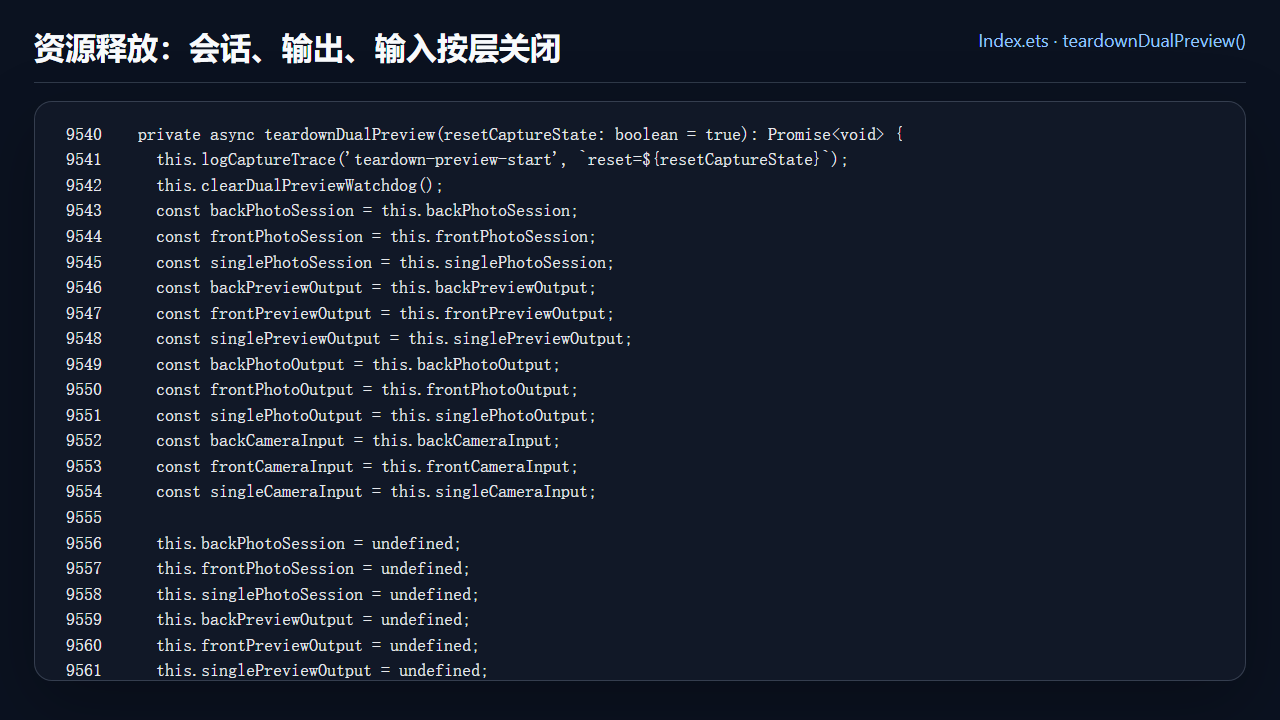
图 4 teardownDualPreview 统一释放相机会话、输出和输入
ts
private async teardownDualPreview(resetCaptureState: boolean = true): Promise<void> {
    this.logCaptureTrace('teardown-preview-start', `reset=${resetCaptureState}`);
    this.clearDualPreviewWatchdog();
    const backPhotoSession = this.backPhotoSession;
    const frontPhotoSession = this.frontPhotoSession;
    const singlePhotoSession = this.singlePhotoSession;
    const backPreviewOutput = this.backPreviewOutput;
    const frontPreviewOutput = this.frontPreviewOutput;
    const singlePreviewOutput = this.singlePreviewOutput;
    const backPhotoOutput = this.backPhotoOutput;
    const frontPhotoOutput = this.frontPhotoOutput;
    const singlePhotoOutput = this.singlePhotoOutput;
    const backCameraInput = this.backCameraInput;
    const frontCameraInput = this.frontCameraInput;
    const singleCameraInput = this.singleCameraInput;

    this.backPhotoSession = undefined;
    this.frontPhotoSession = undefined;
    this.singlePhotoSession = undefined;
    this.backPreviewOutput = undefined;
    this.frontPreviewOutput = undefined;
    this.singlePreviewOutput = undefined;
    this.backPhotoOutput = undefined;
    this.frontPhotoOutput = undefined;
    this.singlePhotoOutput = undefined;
    this.backCameraInput = undefined;
    this.frontCameraInput = undefined;
    this.singleCameraInput = undefined;
    this.cameraSessionActive = false;
    this.cameraSessionPreparing = false;
    this.singlePreviewLive = false;
    this.backPreviewLive = false;
    this.frontPreviewLive = false;
    this.resetCameraZoomState();
    this.cameraFlashAvailable = false;
    this.cameraFlashMode = camera.FlashMode.FLASH_MODE_CLOSE;
    this.cameraFlashSupportedModes = [];
    if (resetCaptureState) {
      this.captureBusy = false;
      this.sequentialCaptureQueued = false;
      this.markAllPhotoOutputsReady();
      this.pendingCaptureMode = 'dual';
      this.pendingSingleCaptureRole = 'back';
      this.backCaptureDelivered = false;
      this.frontCaptureDelivered = false;
      this.pendingCaptureId = '';
      this.pendingBackCapturePath = '';
      this.pendingFrontCapturePath = '';
      this.pendingCaptureLatitude = 0;
      this.pendingCaptureLongitude = 0;
      this.pendingCapturePlace = '';
      this.pendingCaptureTitle = '';
      this.clearPendingWatermark();
      this.cameraSequentialThumbnailUri = '';
      this.cameraSequentialThumbnailLabel = '';
    }

    await this.releasePhotoSession(backPhotoSession);
    await this.releasePhotoSession(frontPhotoSession);
    await this.releasePhotoSession(singlePhotoSession);
    await this.releasePreviewOutput(backPreviewOutput);
    await this.releasePreviewOutput(frontPreviewOutput);
    await this.releasePreviewOutput(singlePreviewOutput);
    await this.releasePhotoOutput(backPhotoOutput);
    await this.releasePhotoOutput(frontPhotoOutput);
    await this.releasePhotoOutput(singlePhotoOutput);
    await this.closeCameraInput(backCameraInput);
    await this.closeCameraInput(frontCameraInput);
    await this.closeCameraInput(singleCameraInput);
    this.logCaptureTrace('teardown-preview-finished', `reset=${resetCaptureState}`);
五、用户看到的应该是路径,而不是异常
失败态最终要落到用户体验。权限失败时提示允许权限;Surface 未就绪时提示正在准备画面并稍后重试;设备为空时不进入会话;预览失败时释放并允许重新进入。开发时可以看日志,用户不能看日志,所以 cameraStatusText 和按钮可用性必须替用户说明下一步。
这篇完成后,day06 的相机基础链路就闭合了:第 24 篇做入口探测,第 25 篇接住预览,第 26 篇建立单摄会话,第 27 篇控制镜头和参数,第 28 篇处理失败与释放。后面继续做双摄拍照、图库保存和端云同步时,这条链路会承担稳定底座。
本篇检查清单
- 失败态按权限、设备、会话、资源释放拆分,而不是只写一个 catch。
- 初始化失败时不会继续创建 PhotoSession。
- teardownDualPreview 先清字段,再按 session、output、input 顺序释放旧资源。
- pendingCapture 状态在重置时被统一清理。
- 正文配图包含失败态运行目标、状态字段、初始化失败分支和资源释放源码。
今日练习
- 拒绝 CAMERA 权限后进入相机页,确认页面可见提示而不是黑屏。
- 切换页面或旋转窗口后检查 Surface 销毁是否触发 teardown。
- 在 ensureSinglePreview 的 catch 中加入一次日志,确认失败后可以再次进入相机页。