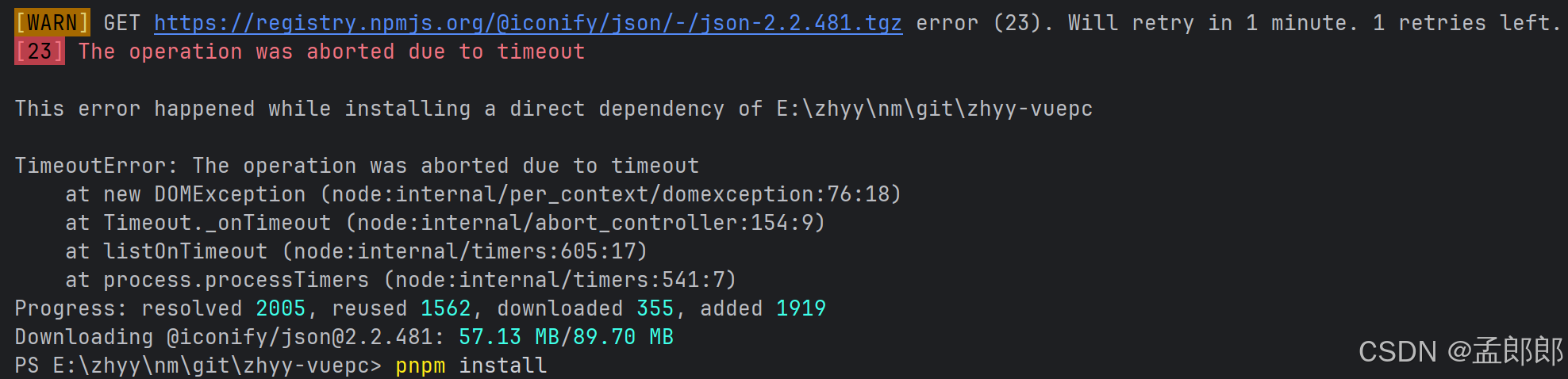
在安装前端项目依赖时,有时候会报超时错误:
TimeoutError: The operation was aborted due to timeout at new DOMException (node:internal/per_context/domexception:76:18) at Timeout._onTimeout (node:internal/abort_controller:154:9) at listOnTimeout (node:internal/timers:605:17) at process.processTimers (node:internal/timers:541:7) Progress: resolved 2005, reused 1917, downloaded 0, added 0 Downloading @iconify/json@2.2.481: 15.31 MB/89.70 MB
这是一个 npm 安装依赖时的网络超时错误 。错误显示下载 @iconify/json@2.2.481 这个包时超时了,只下载了 15.31 MB 中的一部分(总共 89.70 MB)。
解决方案:
1. 增加 npm 超时时间
npm config set timeout 60000  # 设置为60秒

# 或者更长时间
npm config set timeout 120000  # 120秒
2. 切换 npm 镜像源(最推荐)
# 使用淘宝镜像
npm config set registry https://registry.npmmirror.com

# 或者使用腾讯云镜像
npm config set registry https://mirrors.cloud.tencent.com/npm/

# 然后再重新安装
npm install
3. 使用 cnpm
# 安装 cnpm
npm install -g cnpm --registry=https://registry.npmmirror.com

# 使用 cnpm 安装
cnpm install
4. 只跳过失败的包,后续单独安装
# 先安装其他包
npm install --ignore-scripts

# 单独安装失败的包
npm install @iconify/json --timeout=120000
5. 使用代理(如果你有代理)
npm config set proxy http://proxy.company.com:8080
npm config set https-proxy http://proxy.company.com:8080
6. 清除缓存后重试
npm cache clean --force
npm install --timeout=120000
7. 使用 yarn 替代
# 安装 yarn
npm install -g yarn

# 配置 yarn 镜像
yarn config set registry https://registry.npmmirror.com

# 使用 yarn 安装
yarn install
推荐做法:
首选方案是切换镜像源(方案2),通常能解决大部分网络超时问题:
npm config set registry https://registry.npmmirror.com
npm install
如果还是有问题,可以尝试增加超时时间并切换镜像源一起使用:
npm config set registry https://registry.npmmirror.com
npm config set timeout 120000
npm install
这个包 @iconify/json 体积较大(约90MB),在网络不稳定时确实容易超时。
内容来自 DeepSeek。