大家好,我是Java1234_小锋老师,最近更新《2027版本 LangChain4j 开发Java Agent 智能体 视频教程》专辑,感谢大家支持。
本课程主要介绍和讲解 LangChain4j 简介,阿里云百炼大模型平台接入,Ollama简介以及安装和使用,HelloWorld 实现,日志配置,集成SpringBoot,Ai Service 使用,对话与提示词工程(Prompt),结构化输出,会话记忆,工具调用(Function Calling),嵌入模型与向量数据库,RAG(检索增强生成),MCP(模型上下文协议),多模态支持
视频教程+课件+源码打包下载:
链接:https://pan.baidu.com/s/1o-zRfndo1HHrS_uFroOiCw?pwd=1234
提取码:0000
LangChain4j 开发Java Agent智能体- 整合SpringBoot4
整合SpringBoot4(使用百炼云平台接口)
我现在把LangChain4j整合到SpringBoot4里面去。
首先新建项目langchain4j_test,选Maven构建,jdk版本选17
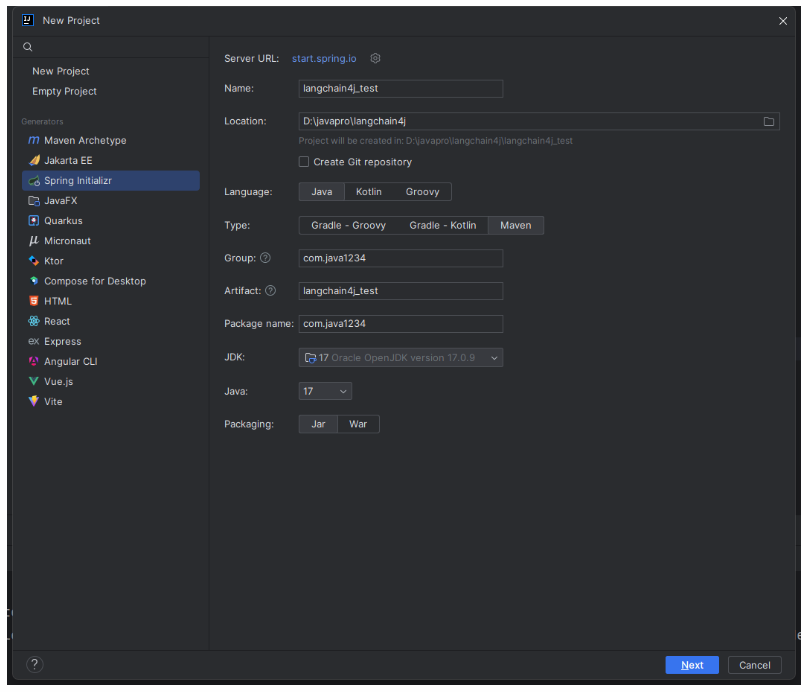
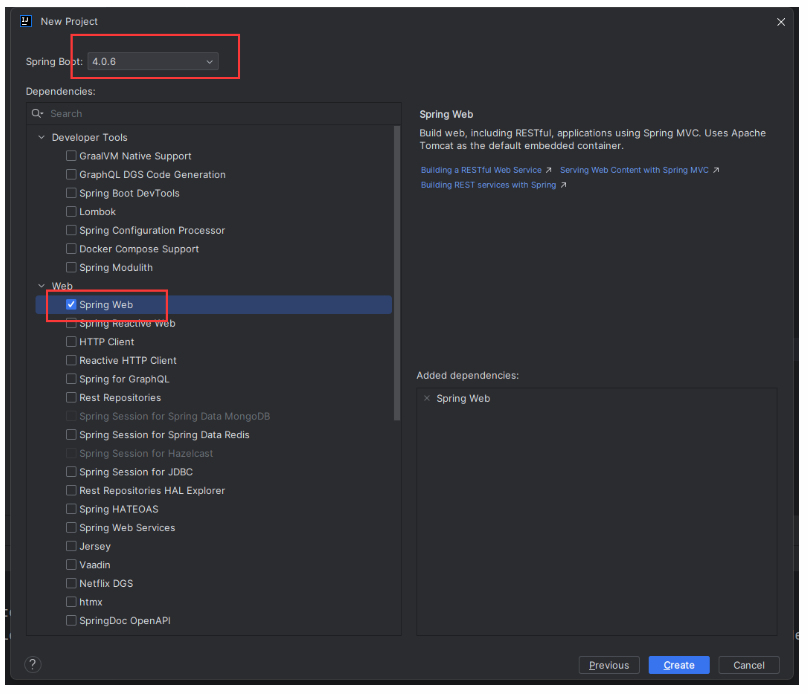
继续Next下一步,选SpringBoot版本4.0.6,以及选择Spring Web依赖。
根据官方文档,pom.xml加下LangChain4j依赖:
xml
<dependency>
    <groupId>dev.langchain4j</groupId>
    <artifactId>langchain4j-open-ai-spring-boot4-starter</artifactId>
    <version>1.15.0-beta25</version>
</dependency>
application.yml里配置上模型参数,以及日志和日志级别:
yaml
langchain4j:
  open-ai:
    chat-model:
      api-key: ${OPENAI_API_KEY}
      model-name: qwen3.6-plus
      base-url: https://dashscope.aliyuncs.com/compatible-mode/v1
      temperature: 0.7 # 是控制大语言模型(LLM)生成文本随机性或创造性的超参数。 它的值越高,模型越随机,越创造性。 范围是0-1
      log-requests: true
      log-responses: true

logging:
  level:
    dev.langchain4j: debug
再新建一个MyChatController来测试下:
java
package com.java1234.controller;

import dev.langchain4j.model.openai.OpenAiChatModel;
import org.springframework.beans.factory.annotation.Autowired;
import org.springframework.web.bind.annotation.RequestMapping;
import org.springframework.web.bind.annotation.RestController;

@RestController
public class MyChatController {

    @Autowired
    private OpenAiChatModel chatModel;

    @RequestMapping("/chat")
    public String chat(String question) {
        return chatModel.chat(question);
    }

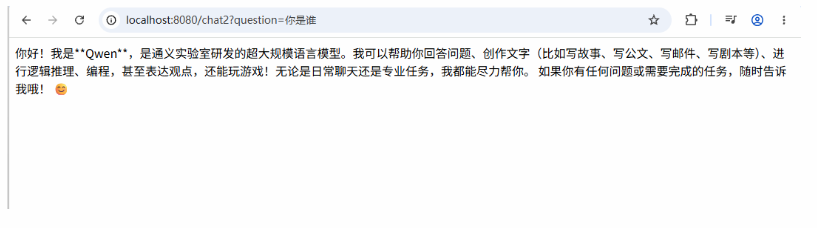
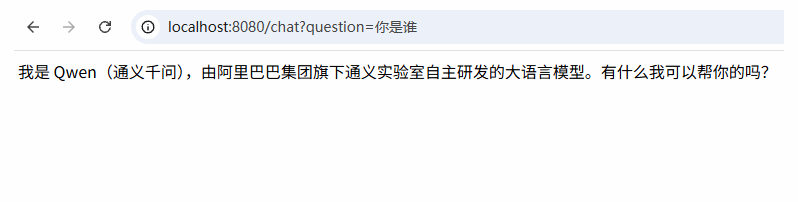
}我们启动项目,浏览器输入测试:http://localhost:8080/chat?question=你是谁?
浏览器返回:
整合SpringBoot4(使用Ollama)
LangChain4j专门开发了适配Ollama的库,pom.xml里加下:
xml
<dependency>
    <groupId>dev.langchain4j</groupId>
    <artifactId>langchain4j-ollama-spring-boot4-starter</artifactId>
    <version>1.15.0-beta25</version>
</dependency>
application.yml里配置ollama模型参数:
yaml
langchain4j:
  ollama:
    chat-model:
      model-name: qwen3:4b
      base-url: http://localhost:11434
      temperature: 0.7 # 是控制大语言模型(LLM)生成文本随机性或创造性的超参数。 它的值越高,模型越随机,越创造性。 范围是0-1
      log-requests: true
      log-responses: true
  open-ai:
    chat-model:
      api-key: ${OPENAI_API_KEY}
      model-name: qwen3.6-plus
      base-url: https://dashscope.aliyuncs.com/compatible-mode/v1
      temperature: 0.7 # 是控制大语言模型(LLM)生成文本随机性或创造性的超参数。 它的值越高,模型越随机,越创造性。 范围是0-1
      log-requests: true
      log-responses: true


logging:
  level:
    dev.langchain4j: debug
MyChatController里注入OllamaChatModel,以及实现chat2方法
java
package com.java1234.controller;

import dev.langchain4j.model.ollama.OllamaChatModel;
import dev.langchain4j.model.openai.OpenAiChatModel;
import org.springframework.beans.factory.annotation.Autowired;
import org.springframework.web.bind.annotation.RequestMapping;
import org.springframework.web.bind.annotation.RestController;

@RestController
public class MyChatController {

    @Autowired
    private OpenAiChatModel chatModel;

    @Autowired
    private OllamaChatModel ollamaChatModel;

    @RequestMapping("/chat")
    public String chat(String question) {
        return chatModel.chat(question);
    }

    @RequestMapping("/chat2")
    public String chat2(String question) {
        return ollamaChatModel.chat(question);
    }

}启动项目,浏览器输入测试:http://localhost:8080/chat2?question=你是谁?
浏览器返回内容: