Tau2-bench + vLLM本地部署调用
- 背景
- [1. vllm配置](#1. vllm配置)
- [2. env配置](#2. env配置)
- [3. 启动脚本](#3. 启动脚本)
- [4. 关闭下litellm模型计费设置](#4. 关闭下litellm模型计费设置)
- [5. 成功运行](#5. 成功运行)
近期在运行 Tau2-bench 进行模型推理基准测试时,发现其 GitHub 仓库的部署文档较为简略,特别是缺少与 vLLM 框架结合进行本地模型部署的详细教程。因此,本文旨在记录并分享在实际部署过程中遇到的典型问题与解决方案,为有类似需求的开发者提供一份实用的踩坑指南。
背景
近期在运行 Tau2-bench 进行模型推理基准测试时,发现其 GitHub 仓库的部署文档较为简略,特别是缺少与 vLLM 框架结合进行本地模型部署的详细教程。因此,本文旨在记录并分享在实际部署过程中遇到的典型问题与解决方案。
1. vllm配置
vllm启动时需要带入enable-auto-tool-choice和tool-call-parser,如下所示
vllm serve /root/models/Qwen3.5-2B \
        --host 0.0.0.0 \
        --port 8001 \
        --served-model-name Qwen3.5-2B \
        --enable-auto-tool-choice \
        --tool-call-parser qwen3_coder
2. env配置
因为是调用本地API所以API_KEY都置空,并关闭OpenRouter。
ANTHROPIC_API_KEY=""
OPENAI_API_KEY=""
ELEVENLABS_API_KEY=""
DEEPGRAM_API_KEY=""

# Required for banking_knowledge qwen_embeddings* retrieval configs (via OpenRouter)
#OPENROUTER_API_KEY=""

# ── Voice Persona Overrides ────────────────────────────────────────────
# The default voice IDs are Sierra-internal and won't work for external users.
# Create your own voices in ElevenLabs and set the IDs here.
# See docs/voice-personas.md for a step-by-step guide.
#
# Control personas (American accents, used in "control" complexity):
# TAU2_VOICE_ID_MATT_DELANEY=<your_voice_id>
# TAU2_VOICE_ID_LISA_BRENNER=<your_voice_id>
#
# Regular personas (diverse accents, used in "regular" complexity):
# TAU2_VOICE_ID_MILDRED_KAPLAN=<your_voice_id>
# TAU2_VOICE_ID_ARJUN_ROY=<your_voice_id>
# TAU2_VOICE_ID_WEI_LIN=<your_voice_id>
# TAU2_VOICE_ID_MAMADOU_DIALLO=<your_voice_id>
# TAU2_VOICE_ID_PRIYA_PATIL=<your_voice_id>
3. 启动脚本
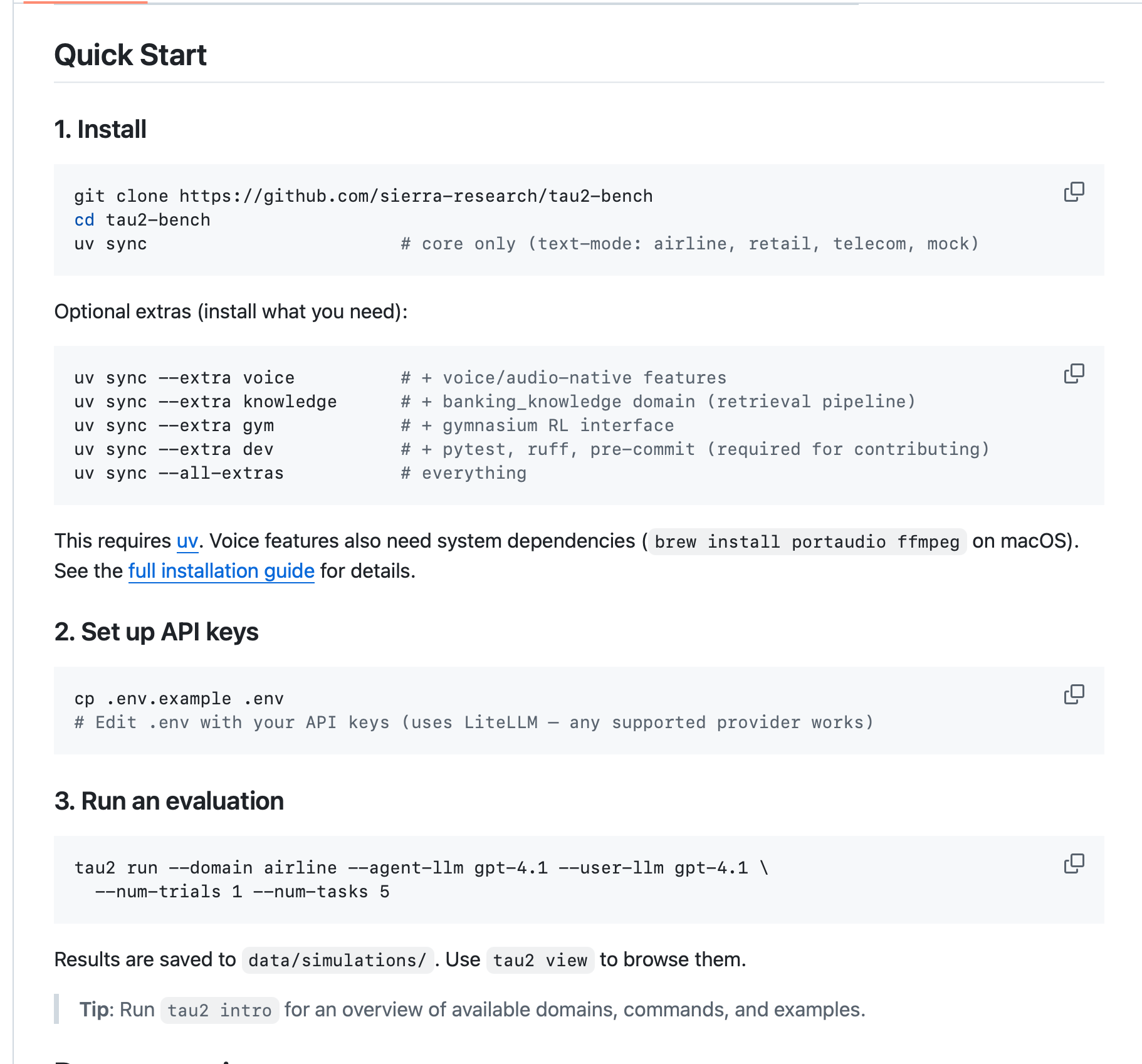
api_base改成本地endpoint
--agent-llm和--user-llm需要改成openai/**本地启动模型ID**
uv run tau2 run \
    --agent-llm-args '{"api_key": "", "api_base": "http://localhost:8001/v1"}' \
    --user-llm-args '{"api_key": "", "api_base": "http://localhost:8001/v1"}' \
    --agent-llm openai/Qwen3.5-2B \
    --user-llm openai/Qwen3.5-2B \
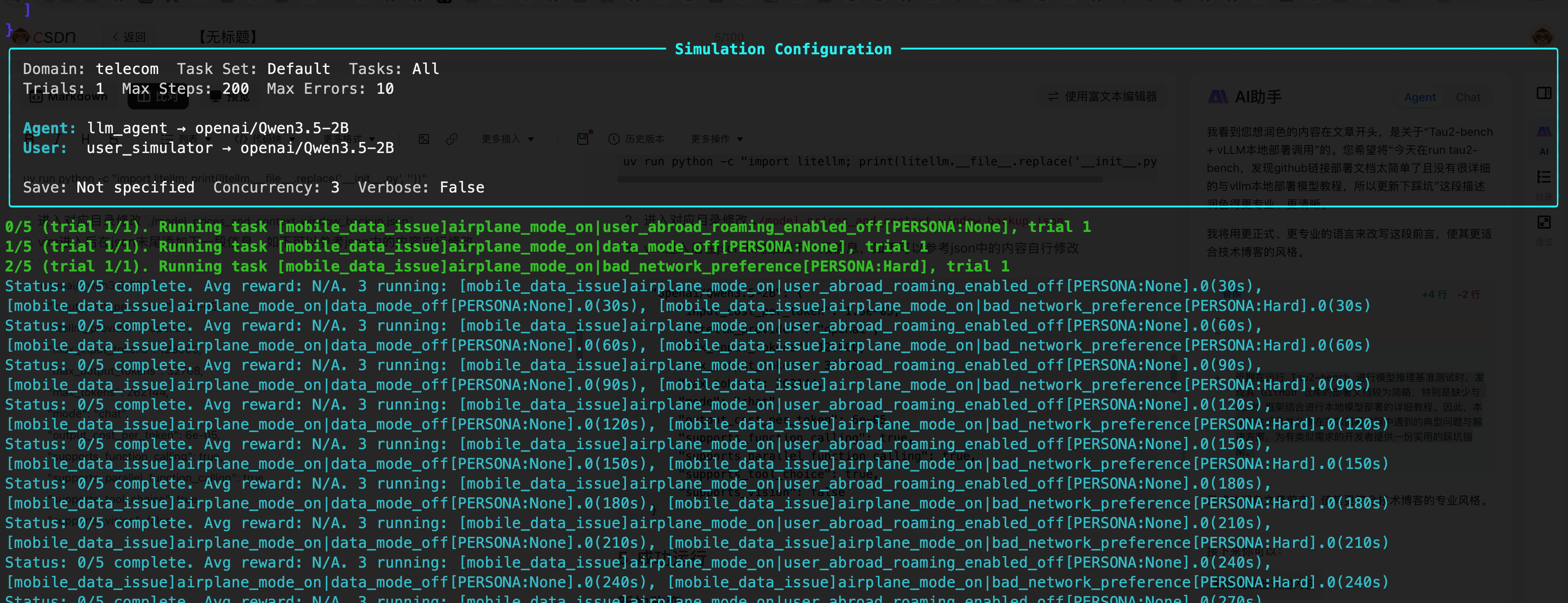
    --domain telecom \
    --num-trials 1 \
    --num-tasks 5
4. 关闭下litellm模型计费设置
完成步骤3后直接启动会报错如下所示但不影响运行,因为tau2-bench需要对模型消耗token进行计费,但是本地模型在litellm中并没有所以需要自己增加下相关的token计费信息,或者直接在代码中关闭
2026-06-05 02:24:09.848 | ERROR    | tau2.utils.llm_utils:get_response_cost:129 - This model isn't mapped yet. model=Qwen3.5-2B, custom_llm_provider=openai. Add it here - https://github.com/BerriAI/litellm/blob/main/model_prices_and_context_window.json.

2026-06-05 02:24:11.148 | ERROR    | tau2.utils.llm_utils:get_response_cost:129 - This model isn't mapped yet. model=Qwen3.5-2B, custom_llm_provider=openai. Add it here - https://github.com/BerriAI/litellm/blob/main/model_prices_and_context_window.json.

2026-06-05 02:24:11.231 | ERROR    | tau2.utils.llm_utils:get_response_cost:129 - This model isn't mapped yet. model=Qwen3.5-2B, custom_llm_provider=openai. Add it here - https://github.com/BerriAI/litellm/blob/main/model_prices_and_context_window.json.

2026-06-05 02:24:11.577 | ERROR    | tau2.utils.llm_utils:get_response_cost:129 - This model isn't mapped yet. model=Qwen3.5-2B, custom_llm_provider=openai. Add it here - https://github.com/BerriAI/litellm/blob/main/model_prices_and_context_window.json.
解决方法
进入对应tau2-bench/src/tau2/utils/llm_utils.py修改,注释下129行
119 def get_response_cost(response: ModelResponse) -> float:
120     """
121     Get the cost of the response from the litellm completion.
122     """
123     response.model = _parse_ft_model_name(
124         response.model
125     )  # FIXME: Check Litellm, passing the model to completion_cost doesn't work.
126     try:
127         cost = completion_cost(completion_response=response)
128     except Exception as e:
129         #logger.error(e)
130         return 0.0
131     return cost
5. 成功运行