React 全栈开发:Server Components 与流式渲染的工程实践
一、传统 SSR 的性能瓶颈与用户体验困境
Next.js 的传统 SSR(Server-Side Rendering)在每次请求时完整渲染页面,存在两个核心问题:一是服务端需要等待所有数据获取完成后才能开始渲染,导致 TTFB(Time to First Byte)过长;二是即使页面大部分内容已经就绪,某个慢数据源也会阻塞整个页面的输出。
例如,一个博客详情页需要同时获取文章内容(200ms)、评论列表(500ms)和推荐文章(300ms)。传统 SSR 必须等待最慢的评论接口返回后才能输出 HTML,TTFB 至少 500ms。用户在等待期间看到的是空白页面,体验极差。
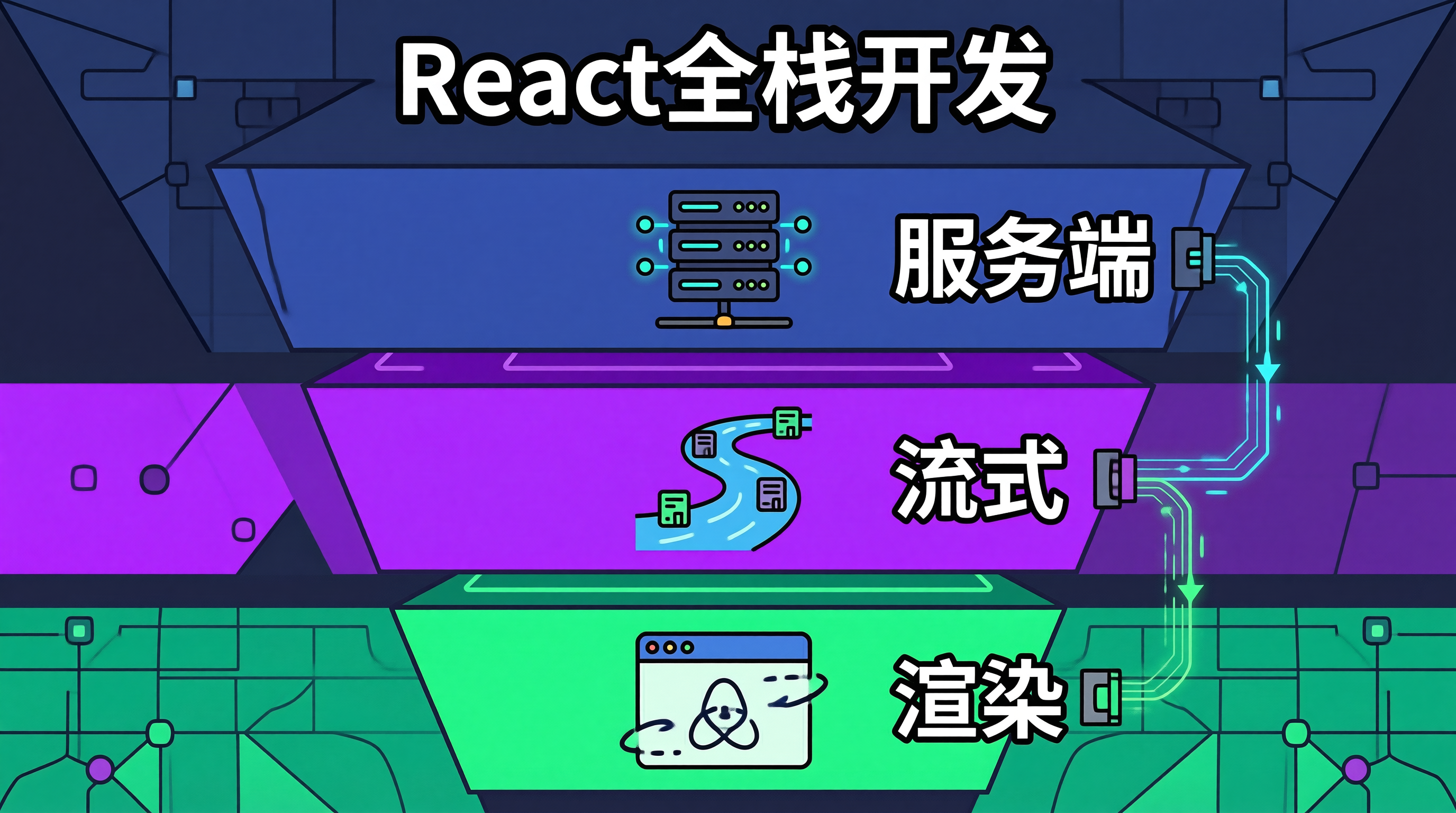
React Server Components(RSC)和流式渲染的组合,从根本上改变了这一模式:服务端可以逐步输出 HTML,先发送已就绪的内容,慢数据部分用 Suspense 占位,数据到达后通过流式推送补充。用户在 200ms 内就能看到文章主体,评论和推荐在后续逐步加载。
二、Server Components 与流式渲染的协作机制
RSC 的核心思想是组件级别的渲染分工:Server Components 在服务端执行,可以直接访问数据库和文件系统,输出序列化的组件树;Client Components 在浏览器端执行,处理交互逻辑。
流式渲染的关键技术是 HTTP 的 Transfer-Encoding: chunked。服务端不需要等待完整响应,而是逐块发送 HTML。React 的 Suspense 边界定义了流的切分点------每个 Suspense 边界内的内容可以独立流式推送。
三、Server Components 的工程实现
3.1 页面结构设计
typescript
// app/blog/[slug]/page.tsx
// 这是一个 Server Component(默认),直接访问数据库

import { Suspense } from 'react';
import { ArticleContent } from '@/components/article-content';
import { CommentList } from '@/components/comment-list';
import { RecommendedArticles } from '@/components/recommended-articles';
import { ArticleSkeleton } from '@/components/skeletons';

// Server Component: 直接查数据库,无需 API 层
async function ArticlePage({ params }: { params: { slug: string } }) {
  // 并行发起所有数据请求
  const articlePromise = getArticle(params.slug);

  return (
    <div className="max-w-3xl mx-auto px-4">
      {/* 文章主体:直接 await,首屏立即输出 */}
      <ArticleContent article={await articlePromise} />

      {/* 评论列表:Suspense 包裹,流式加载 */}
      <Suspense fallback={<ArticleSkeleton type="comments" />}>
        <CommentListWrapper slug={params.slug} />
      </Suspense>

      {/* 推荐文章:Suspense 包裹,流式加载 */}
      <Suspense fallback={<ArticleSkeleton type="recommendations" />}>
        <RecommendedArticlesWrapper slug={params.slug} />
      </Suspense>
    </div>
  );
}

// 异步数据获取函数(Server Only)
async function getArticle(slug: string) {
  const article = await db.article.findUnique({
    where: { slug },
    include: { author: true },
  });
  if (!article) {
    throw new Error('文章未找到');
  }
  return article;
}

// 异步包装组件:在 Suspense 内部 await
async function CommentListWrapper({ slug }: { slug: string }) {
  const comments = await db.comment.findMany({
    where: { articleSlug: slug },
    orderBy: { createdAt: 'desc' },
    take: 20,
  });
  return <CommentList comments={comments} />;
}

async function RecommendedArticlesWrapper({ slug }: { slug: string }) {
  const articles = await db.article.findMany({
    where: { slug: { not: slug }, status: 'published' },
    orderBy: { viewCount: 'desc' },
    take: 5,
  });
  return <RecommendedArticles articles={articles} />;
}

export default ArticlePage;
3.2 Client Component 与 Server Component 的边界
typescript
// components/comment-list.tsx
// "use client" 指令标记为 Client Component,处理交互逻辑

'use client';

import { useState } from 'react';
import type { Comment } from '@/types';

interface CommentListProps {
  comments: Comment[];
}

export function CommentList({ comments: initialComments }: CommentListProps) {
  const [comments, setComments] = useState(initialComments);
  const [submitting, setSubmitting] = useState(false);

  async function handleSubmit(content: string) {
    setSubmitting(true);
    try {
      // Client Component 通过 API 路由提交数据
      const res = await fetch('/api/comments', {
        method: 'POST',
        headers: { 'Content-Type': 'application/json' },
        body: JSON.stringify({ content }),
      });
      if (!res.ok) throw new Error('提交失败');
      const newComment = await res.json();
      setComments(prev => [newComment, ...prev]);
    } catch (error) {
      // 错误处理:显示内联错误提示而非 alert
      console.error('评论提交失败:', error);
    } finally {
      setSubmitting(false);
    }
  }

  return (
    <section className="mt-8">
      <h2 className="text-xl font-semibold mb-4">评论</h2>
      <CommentForm onSubmit={handleSubmit} submitting={submitting} />
      <ul className="space-y-4">
        {comments.map(comment => (
          <li key={comment.id} className="border-b pb-4">
            <p className="text-gray-800">{comment.content}</p>
            <time className="text-sm text-gray-500">
              {new Date(comment.createdAt).toLocaleDateString('zh-CN')}
            </time>
          </li>
        ))}
      </ul>
    </section>
  );
}

function CommentForm({ onSubmit, submitting }: {
  onSubmit: (content: string) => void;
  submitting: boolean;
}) {
  const [content, setContent] = useState('');

  return (
    <form
      onSubmit={(e) => {
        e.preventDefault();
        if (content.trim()) onSubmit(content.trim());
      }}
      className="mb-6"
    >
      <textarea
        value={content}
        onChange={(e) => setContent(e.target.value)}
        className="w-full border rounded p-3 resize-none"
        rows={3}
        placeholder="写下你的想法..."
        disabled={submitting}
      />
      <button
        type="submit"
        disabled={submitting || !content.trim()}
        className="mt-2 px-4 py-2 bg-blue-600 text-white rounded disabled:opacity-50"
      >
        {submitting ? '提交中...' : '发表评论'}
      </button>
    </form>
  );
}
3.3 流式渲染的性能优化
typescript
// lib/streaming-helpers.ts
// 流式渲染的辅助工具

import { Suspense } from 'react';

/**
 * 延迟加载组件,用于模拟慢数据源或控制流式推送顺序
 * 生产环境中用于确保关键内容优先输出
 */
export function DelayedStream({
  children,
  delayMs = 0,
}: {
  children: React.ReactNode;
  delayMs?: number;
}) {
  if (delayMs <= 0) return <>{children}</>;

  // 通过 Suspense + Promise 实现延迟流式推送
  return (
    <Suspense fallback={null}>
      <DelayedContent delayMs={delayMs}>{children}</DelayedContent>
    </Suspense>
  );
}

async function DelayedContent({
  children,
  delayMs,
}: {
  children: React.ReactNode;
  delayMs: number;
}) {
  await new Promise(resolve => setTimeout(resolve, delayMs));
  return <>{children}</>;
}
四、Server Components 的工程权衡
Bundle Size 与首次加载性能:Server Components 的代码不会包含在客户端 Bundle 中,显著减小了 JavaScript 体积。但 Server Components 与 Client Components 之间的数据传递需要序列化,传递大型数据集时会增加 HTML 体积。建议在 Server → Client 的边界处只传递必要的数据,避免将整个数据库记录透传到客户端。
缓存策略的复杂性 :Server Components 的渲染结果可以被缓存(Next.js 的 fetch 默认启用缓存),但缓存失效策略需要精细控制。当数据更新频率高于缓存 TTL 时,用户可能看到过期内容。建议对实时性要求高的数据(如评论数)使用 no-store 策略,对相对稳定的数据(如文章内容)使用 stale-while-revalidate。
开发体验的摩擦:Server Components 和 Client Components 的边界划分需要开发者对每个组件的职责有清晰认知。错误地将交互逻辑放在 Server Component 中会导致运行时错误,过度使用 Client Component 则丧失了 RSC 的优势。建议从页面级开始全部使用 Server Components,仅在需要交互时才提取 Client Component。
调试困难:Server Components 的错误堆栈可能跨越服务端和客户端,定位问题比纯客户端渲染更复杂。Next.js 13+ 的错误覆盖层已经改善了这一问题,但复杂组件树的调试仍然需要额外的工具支持。
五、总结
React Server Components 与流式渲染的组合,通过组件级渲染分工和逐步输出 HTML,解决了传统 SSR 的 TTFB 过长和慢数据阻塞问题。Server Components 直接访问数据源消除了 API 层的冗余,Suspense 边界定义了流式推送的切分点,用户可以在最短时间内看到页面主体内容。在工程落地时,关键决策是 Server/Client Components 的边界划分------数据获取和静态渲染放在服务端,交互逻辑放在客户端。流式渲染不是默认行为,需要通过 Suspense 显式声明异步边界,建议从页面的关键路径开始逐步引入。