
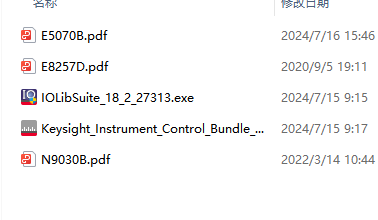
1.安装VISA库
或者去KEYSIGHT官网找文件(KEYSIGHT文件优先,仪器都是这个公司的)
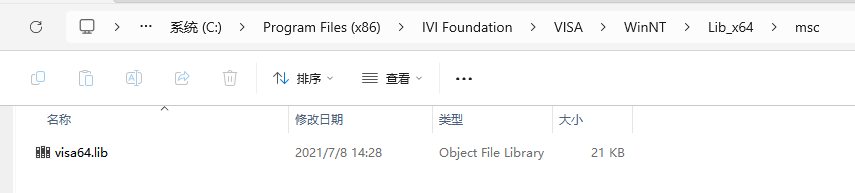
安装完之后,确认是否正常有库文件
2.应用程序
test.pro,在最后添加库文件
QT       += core gui

greaterThan(QT_MAJOR_VERSION, 4): QT += widgets

CONFIG += c++17

# You can make your code fail to compile if it uses deprecated APIs.
# In order to do so, uncomment the following line.
#DEFINES += QT_DISABLE_DEPRECATED_BEFORE=0x060000    # disables all the APIs deprecated before Qt 6.0.0

SOURCES += \
    main.cpp \
    mainwindow.cpp

HEADERS += \
    mainwindow.h

FORMS += \
    mainwindow.ui

# Default rules for deployment.
qnx: target.path = /tmp/$${TARGET}/bin
else: unix:!android: target.path = /opt/$${TARGET}/bin
!isEmpty(target.path): INSTALLS += target

INCLUDEPATH += "C:/Program Files (x86)/IVI Foundation/VISA/WinNT/Include"
LIBS += "C:\Program Files (x86)\IVI Foundation\VISA\WinNT\Lib_x64\msc\visa64.lib"
mainwindow.cpp实现频率控制
#include "mainwindow.h"
#include "ui_mainwindow.h"

#include <visa.h>

#define MAX_SCPI_LEN 1024
#define DEFAULT_TMO 2000
#define N9010A_INSTR "TCPIP0::192.168.1.200::hislip0::INSTR"
#define TEST_CMD ":FREQ:CENT 50 MHz"

MainWindow::MainWindow(QWidget *parent)
    : QMainWindow(parent)
    , ui(new Ui::MainWindow)
{
    ui->setupUi(this);

    // 初始化 VISA 会话
    ViSession defaultRM, instr;
    ViStatus status = viOpenDefaultRM(&defaultRM);
    if (status != VI_SUCCESS) {
        //qDebug() << "Failed to open default resource manager.";
    }

    // 打开仪器
    status = viOpen(defaultRM, N9010A_INSTR, VI_NULL, VI_NULL, &instr);
    if (status != VI_SUCCESS) {
        //qDebug() << "Failed to open instrument.";
        viClose(defaultRM);
    }

    // 设置中心频率为 80 MHz
    char freqCmd[] = ":FREQ:CENT 100 MHz";
    status = viWrite(instr, (ViByte*)freqCmd, strlen(freqCmd), VI_NULL);
    if (status == VI_SUCCESS) {
        //qDebug() << "Center frequency set to 80 MHz.";
    } else {
        //qDebug() << "Failed to set center frequency.";
    }

    // 读取仪器响应
    char buffer[100];
    status = viRead(instr, (ViByte*)buffer, sizeof(buffer) - 1, VI_NULL);
    if (status == VI_SUCCESS) {
        buffer[status] = '\0';
        //qDebug() << "Instrument response:" << buffer;
    } else {
        //qDebug() << "Failed to read instrument response.";
    }

    // 关闭 VISA 会话
    viClose(instr);
    viClose(defaultRM);
}

MainWindow::~MainWindow()
{
    delete ui;
}
如果设备在同一个局域网,将会设置频谱仪的中心频率