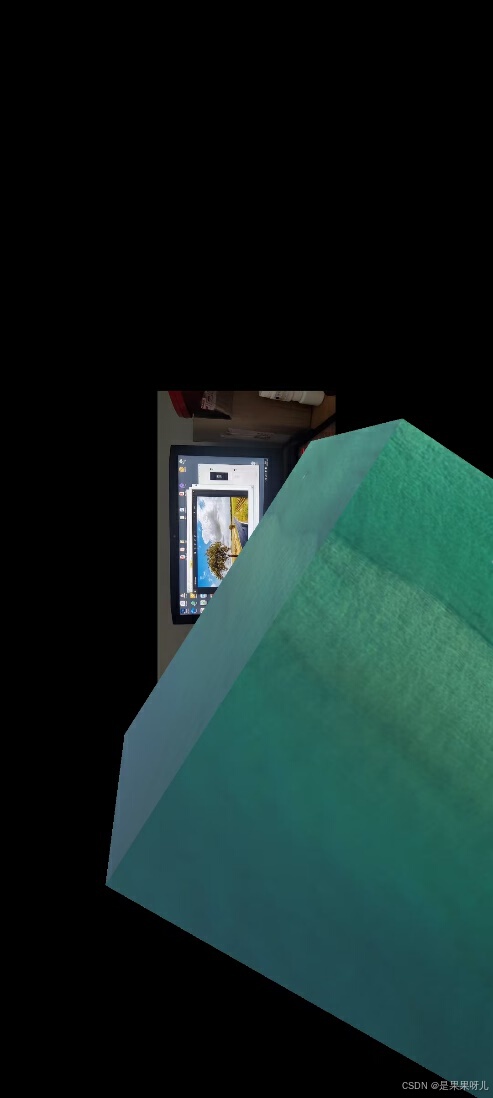
完整的旋转脚本
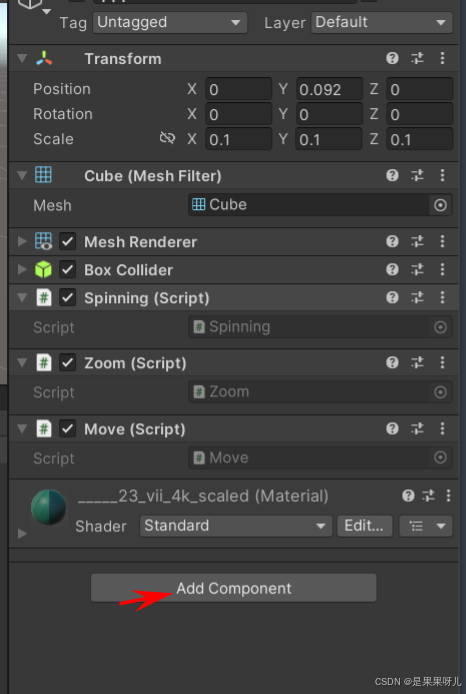
- 创建一个新的C#脚本,命名为Spinning.cs。
在面板中点击Add component,找到New script 创建脚本
using System.Collections;
using System.Collections.Generic;
using UnityEngine;
public class Spinning : MonoBehaviour
{
private Vector2 pos1; // 声明向量,记录上一帧触点位置
private float speed = 0.3f; // 设置旋转速度
private void Update()
{
// 检查是否有触控输入
if (Input.touchCount == 1 && Input.GetTouch(0).phase == TouchPhase.Moved)
{
// 记录本帧触点位置
Vector2 newPos1 = Input.GetTouch(0).position;
// 计算旋转的向量
Vector3 vecR = new Vector3(0, pos1.x - newPos1.x, 0);
// 绕自身轴旋转
gameObject.transform.Rotate(vecR * speed, Space.Self);
// 更新触点位置
pos1 = newPos1;
}
else if (Input.touchCount > 0)
{
// 如果有触控输入,记录当前触点位置
pos1 = Input.GetTouch(0).position;
}
}
}
完整的缩放脚本
- 创建一个新的C#脚本,命名为Zoom.cs。
using System.Collections;
using System.Collections.Generic;
using UnityEngine;
public class Zoom : MonoBehaviour
{
// 声明两个向量,用于记录上一帧的两个触点位置
private Vector2 pos1;
private Vector2 pos2;
void Update()
{
// 检查是否有两个触控输入
if (Input.touchCount == 2)
{
// 检查两个触摸是否都在移动
if (Input.GetTouch(0).phase == TouchPhase.Moved && Input.GetTouch(1).phase == TouchPhase.Moved)
{
// 记录本帧中的两个触点位置
Vector2 newPos1 = Input.GetTouch(0).position;
Vector2 newPos2 = Input.GetTouch(1).position;
// 通过上一帧和本帧的触点距离变化判断是放大还是缩小操作
if (IsBigger(pos1, pos2, newPos1, newPos2))
{
// 放大
float oldScale = transform.localScale.x;
float newScale = oldScale * 1.025f; // 设置放大比例
transform.localScale = new Vector3(newScale, newScale, newScale);
}
else
{
// 缩小
float oldScale = transform.localScale.x;
float newScale = oldScale / 1.025f; // 调整缩小比例
transform.localScale = new Vector3(newScale, newScale, newScale);
}
// 更新触点位置
pos1 = newPos1;
pos2 = newPos2;
}
else
{
// 如果有两个触控输入,记录当前触点位置
pos1 = Input.GetTouch(0).position;
pos2 = Input.GetTouch(1).position;
}
}
}
// 判断是放大操作还是缩小操作
bool IsBigger(Vector2 oP1, Vector2 oP2, Vector2 nP1, Vector2 nP2)
{
float length1 = Mathf.Sqrt((oP1.x - oP2.x) * (oP1.x - oP2.x) + (oP1.y - oP2.y) * (oP1.y - oP2.y));
float length2 = Mathf.Sqrt((nP1.x - nP2.x) * (nP1.x - nP2.x) + (nP1.y - nP2.y) * (nP1.y - nP2.y));
return length1 < length2; // 如果新的距离比旧的距离大,返回true
}
}
完整的平移脚本
- 创建一个新的C#脚本,命名为Move.cs。
using UnityEngine;
public class Move : MonoBehaviour
{
// 声明向量,用于记录上一帧的位置
private Vector2 pos1;
private void Update()
{
// 检查是否有一个触控输入,并且触摸状态为移动
if (Input.touchCount == 1 && Input.GetTouch(0).phase == TouchPhase.Moved)
{
// 记录本帧触点位置
Vector2 newPos1 = Input.GetTouch(0).position;
// 判断触点是左移还是右移
int direction = IsLeft(pos1, newPos1);
// 根据触点的移动方向进行平移
if (direction == 2) // 右移
{
transform.position += new Vector3(0.02f, 0, 0); // 向右移动
}
else if (direction == 1) // 左移
{
transform.position -= new Vector3(0.02f, 0, 0); // 向左移动
}
// 更新上一帧触点位置
pos1 = newPos1;
}
else if (Input.touchCount > 0)
{
// 如果有触控输入,记录当前触点位置
pos1 = Input.GetTouch(0).position;
}
}
// 判定触点是左移还是右移
int IsLeft(Vector2 oP1, Vector2 nP1)
{
if (nP1.x - oP1.x > 0)
return 2; // 右移
else if (nP1.x - oP1.x < 0)
return 1; // 左移
else
return 0; // 没有移动
}
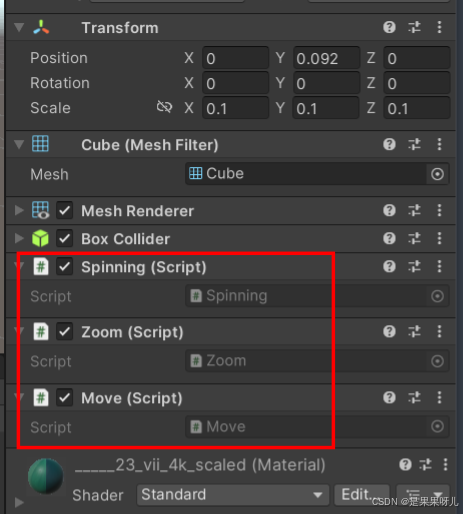
}
最后导出 APK ,安装