从零开始的C#游戏开发课 - FarmStory
第一章:日志系统和游戏资源的管理
前言
大家好!我是游戏工匠,欢迎回到我们的从零开始的C#游戏开发课程系列。农场物语是我一直计划中的教程,这次终于和大家见面了,希望大家可以一起进步、一起学习。这次教程与以往不同的是,我不会再详细讲解每个步骤(具体的可以前往B站观看我的往期视频),而是着重培养大家开发的素质与能力,带大家了解更多的开发知识。
创建项目
MonoGame基础系列
日志系统(Log)
很多人不理解:为什么需要日志系统?它到底是用来干啥的?
其实日志系统并没有那么复杂,它就是一个帮助程序员调试程序的工具。比如我们运行加装了SMAPI的星露谷物语时,会弹出一个控制台并打印许多信息,这就是为了告诉用户或程序员自己写的MOD是否成功加载。不过一般的应用程序不会把这部分内容开放给用户。
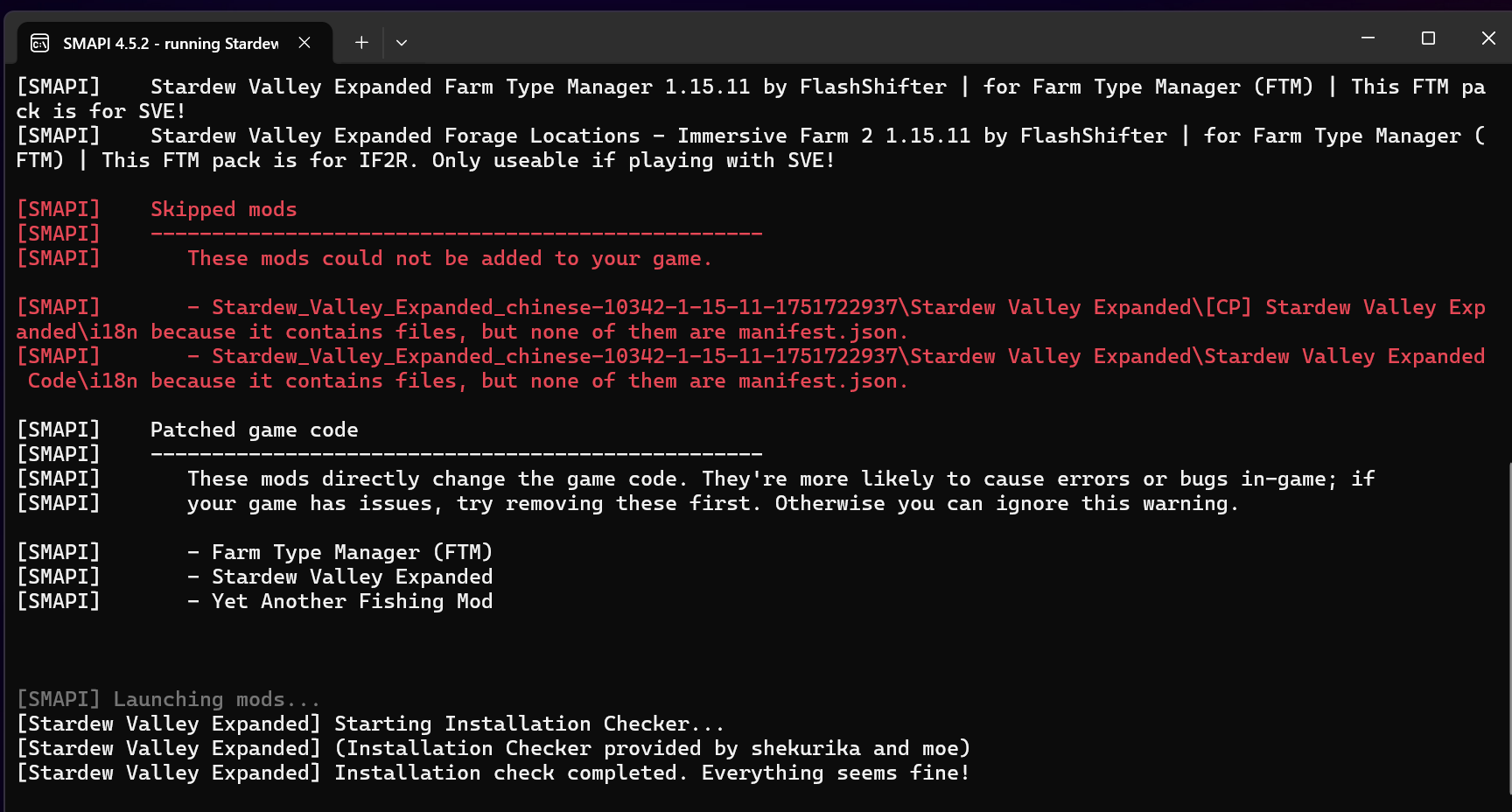
观察一下SMAPI打印的信息,它可以告诉我哪个MOD加载失败了,失败的原因是什么。不过我们并不需要这么复杂的日志系统,简单实用就够了。
打印
在C#中要在控制台打印一行代码非常简单:
csharp
Console.WriteLine("Hello, World!");我们可以封装一下 Console 函数,实现一个简单的日志系统,就像这样:
csharp
public static void Info(string message)
{
    Console.ForegroundColor = ConsoleColor.Green;
    Console.WriteLine($"[INFO] {DateTime.Now}: {message}");
}
但这样无法打印出更具体的信息(比如哪个文件的哪一行调用了日志)。那该怎么办呢?
实际上C#提供了一个解决方案:System.Runtime.CompilerServices 库。
借助这个库,我们可以获取调用者的文件路径和行号,实现更精确的调试信息:
csharp
public static void Info(string message,
            [CallerFilePath] string filePath = "",
            [CallerLineNumber] int lineNumber = 0)
{
    Console.ForegroundColor = ConsoleColor.Green;
    Console.WriteLine($"[INFO] {DateTime.Now} [{filePath}-{lineNumber}]: {message}");
}
基于这个思路,我们可以写一个静态类,管理不同级别的输出:
- INFO(信息)
- ERROR(错误)
- WARN(警告)
我们甚至可以根据自己的需求定制内容格式和前缀:
csharp
public static void Info(string message,
            [CallerFilePath] string filePath = "",
            [CallerLineNumber] int lineNumber = 0)
{
    Console.ForegroundColor = ConsoleColor.Green;
    Console.WriteLine($"[FarmStory] {DateTime.Now} [{filePath}-{lineNumber}]: {message}");
}
好了!大家现在可以先尝试着自己完成我们的代码了,加油!
Code
示例代码
csharp
using System;
using System.Runtime.CompilerServices;

namespace FarmStory.Logger
{
    public static class Log
    {
        public static void Info(string message,
            [CallerFilePath] string filePath = "",
            [CallerLineNumber] int lineNumber = 0)
        {
            Console.ForegroundColor = ConsoleColor.Green;
            Console.WriteLine($"[INFO] {DateTime.Now} [{filePath}-{lineNumber}]: {message}");
        }

        public static void Error(string message,
            [CallerFilePath] string filePath = "",
            [CallerLineNumber] int lineNumber = 0)
        {
            Console.ForegroundColor = ConsoleColor.Red;
            Console.WriteLine($"[ERROR] {DateTime.Now} [{filePath}-{lineNumber}]: {message}");
        }

        public static void Warn(string message,
            [CallerFilePath] string filePath = "",
            [CallerLineNumber] int lineNumber = 0)
        {
            Console.ForegroundColor = ConsoleColor.Yellow;
            Console.WriteLine($"[WARN] {DateTime.Now} [{filePath}-{lineNumber}]: {message}");
        }
    }
}
OK,这样一个简单的日志系统就完成了,我们可以利用它打印出想要的内容。
资源管理器
在游戏开发中通常需要用到很多资源,比如图片 、音频等。在开发过程中,我们往往会忘记释放资源,导致内存占用不断增长。
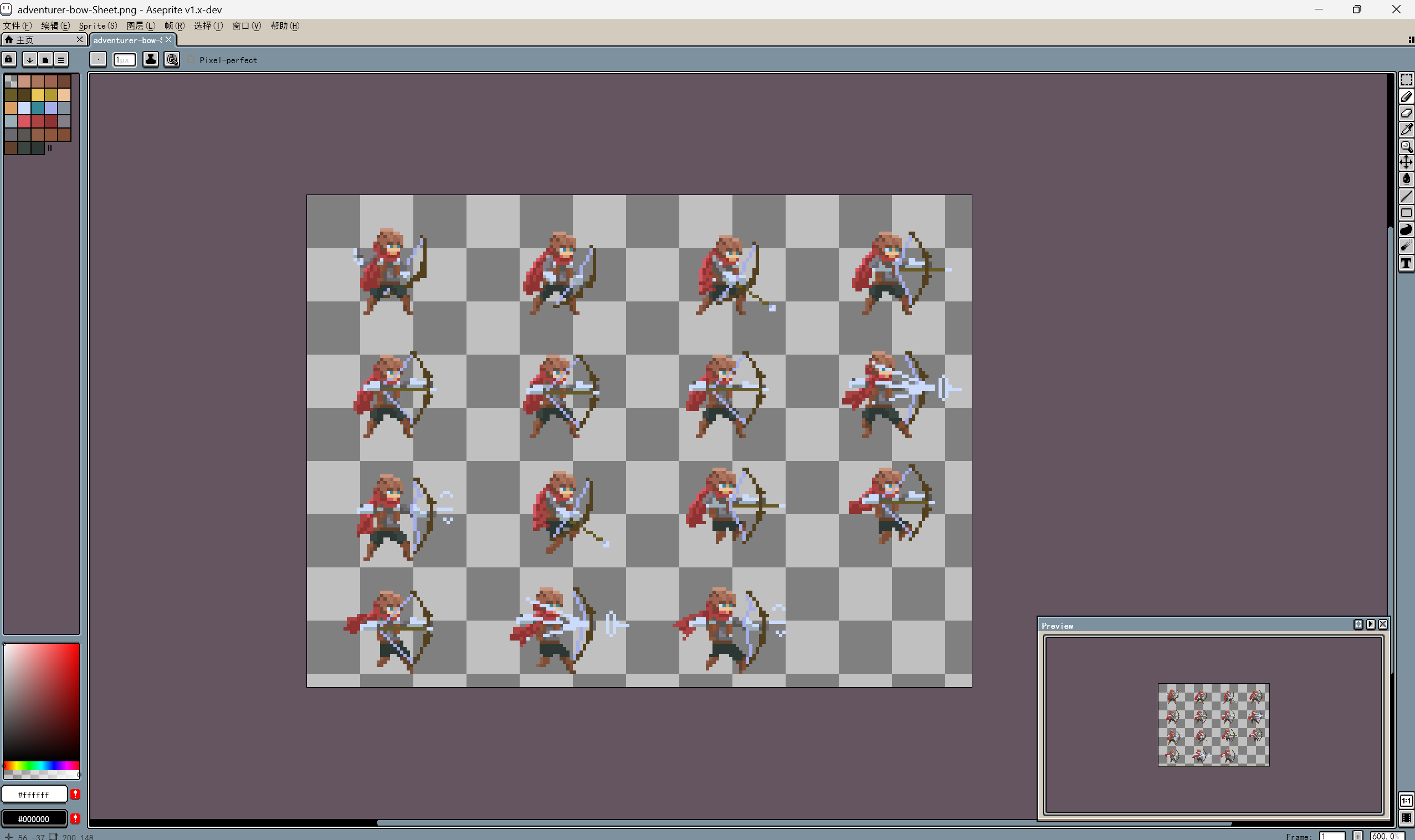
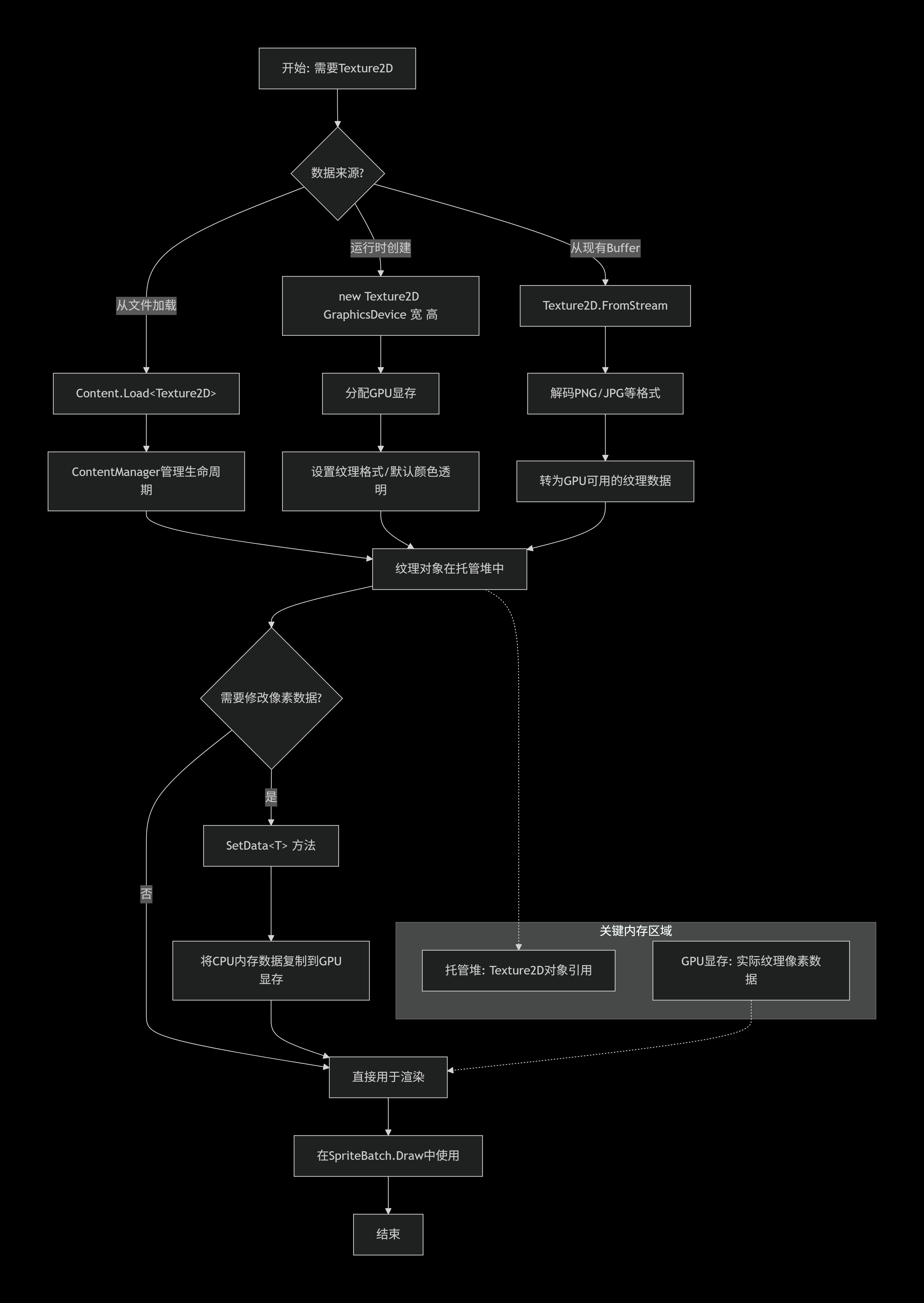
上图是Texture声明的流程,如果不对Texture加以管理,它会不断占用内存空间,非常浪费。
怎么做?
很简单,我们需要声明一个 ResourceLoader 静态类,统一管理全局游戏的资源:需要时加载,不需要时释放。我们需要一个字典来存储纹理,以及注册、注销、清理等方法,再借助刚写好的日志系统就可以实现。
csharp
public static class ResourceLoader
{
    private static Dictionary<string, Texture2D> _textures = new Dictionary<string, Texture2D>();

    public static void RegisterTexture(string name, Texture2D texture)
    {
        if (_textures.ContainsKey(name))
        {
            Log.Error("当前纹理已存在!");
            return;
        }
        Log.Info($"成功加载纹理 [{name}]");
        _textures.Add(name, texture);
    }

    public static void UnregisterTexture(string name)
    {
        if (!_textures.ContainsKey(name))
        {
            Log.Error($"不存在纹理:{name}");
            return;
        }
        Log.Info($"成功删除纹理: {name}");
        _textures.Remove(name);
    }

    public static void ClearTextures()
    {
        Log.Info("正在清除所有纹理...");
        _textures.Clear();
    }

    public static Texture2D GetTexture(string name)
    {
        if (_textures.ContainsKey(name)) return _textures[name];
        Log.Error($"未找到纹理:{name}");
        return null;
    }
}
到这里,基本功能已经实现了。但为了更方便地加载纹理,我们还可以通过XML文件来读取纹理的配置信息。
XML文件读取详解
什么是XML?
XML(可扩展标记语言)是一种用来存储和传输数据的文本格式。它使用标签(Tag)来描述数据,类似HTML,但标签可以自定义。
我们准备一个XML文件(比如 Textures.xml),内容大致如下:
xml
<Resources>
    <Texture name="player" path="characters/player" />
    <Texture name="grass" path="tiles/grass" />
</Resources><Texture>标签代表一个纹理资源name属性:纹理在代码中的别名path属性:纹理在Content项目中的路径(不含扩展名)
下面是 FromFile 方法的逐行讲解:
csharp
public static void FromFile(ContentManager Content, string fileName)
{
    // 拼接完整路径:Content.RootDirectory + fileName
    string filePath = Path.Combine(Content.RootDirectory, fileName);

    // 使用 TitleContainer.OpenStream 打开文件流(适用于MonoGame跨平台)
    using (Stream stream = TitleContainer.OpenStream(filePath))
    {
        // 创建XmlReader读取器
        using (XmlReader reader = XmlReader.Create(stream))
        {
            // 加载整个XML文档到内存
            XDocument doc = XDocument.Load(reader);
            // 获取文档的根节点(<Resources>)
            XElement root = doc.Root;

            // 检查根节点下是否存在 <Texture> 子元素
            if (root.Elements("Texture") != null)
            {
                // 遍历每一个 <Texture> 元素
                foreach (XElement textureElement in root.Elements("Texture"))
                {
                    // 获取 name 和 path 属性的值(如果没有则返回 null)
                    string name = textureElement.Attribute("name")?.Value;
                    string path = textureElement.Attribute("path")?.Value;

                    // 校验属性是否完整
                    if (string.IsNullOrEmpty(name) || string.IsNullOrEmpty(path))
                    {
                        Log.Warn("纹理元素缺少必要属性,已跳过!");
                        continue;
                    }

                    // 通过 ContentManager 加载真实的 Texture2D 对象
                    Texture2D texture = Content.Load<Texture2D>(path);
                    // 注册到字典中
                    RegisterTexture(name, texture);
                }
            }
        }
    }
}
关键语法点总结:
| 语法 | 说明 |
|---|---|
XDocument.Load() |
加载XML文件到内存 |
doc.Root |
获取根节点 |
root.Elements("标签名") |
获取所有指定名称的子节点 |
element.Attribute("属性名")?.Value |
获取属性值,?. 避免空引用 |
string.IsNullOrEmpty() |
检查字符串是否为空或null |
这样,我们只需要维护一个XML文件,就能批量加载纹理,避免了硬编码路径的麻烦。
Code
csharp
using FarmStory.Logger;
using Microsoft.Xna.Framework;
using Microsoft.Xna.Framework.Content;
using Microsoft.Xna.Framework.Graphics;
using System.Collections.Generic;
using System.IO;
using System.Xml;
using System.Xml.Linq;

namespace FarmStory.Resource
{
    public static class ResourceLoader
    {
        private static Dictionary<string, Texture2D> _textures = new Dictionary<string, Texture2D>();

        public static void RegisterTexture(string name, Texture2D texture)
        {
            if (_textures.ContainsKey(name))
            {
                Log.Error("当前纹理已存在!");
                return;
            }
            Log.Info($"成功加载纹理 [{name}]");
            _textures.Add(name, texture);
        }

        public static void UnregisterTexture(string name)
        {
            if (!_textures.ContainsKey(name))
            {
                Log.Error($"不存在纹理:{name}");
                return;
            }
            Log.Info($"成功删除纹理: {name}");
            _textures.Remove(name);
        }

        public static void ClearTextures()
        {
            Log.Info("正在清除所有纹理...");
            _textures.Clear();
        }

        public static Texture2D GetTexture(string name)
        {
            if (_textures.ContainsKey(name)) return _textures[name];
            Log.Error($"未找到纹理:{name}");
            return null;
        }

        public static void FromFile(ContentManager Content, string fileName)
        {
            string filePath = Path.Combine(Content.RootDirectory, fileName);
            using (Stream stream = TitleContainer.OpenStream(filePath))
            using (XmlReader reader = XmlReader.Create(stream))
            {
                XDocument doc = XDocument.Load(reader);
                XElement root = doc.Root;

                if (root.Elements("Texture") != null)
                {
                    foreach (XElement textureElement in root.Elements("Texture"))
                    {
                        string name = textureElement.Attribute("name")?.Value;
                        string path = textureElement.Attribute("path")?.Value;

                        if (string.IsNullOrEmpty(name) || string.IsNullOrEmpty(path))
                        {
                            Log.Warn("纹理元素缺少必要属性,已跳过!");
                            continue;
                        }

                        Texture2D texture = Content.Load<Texture2D>(path);
                        RegisterTexture(name, texture);
                    }
                }
            }
        }
    }
}
这样,我们所有的内容就都完成了。
结语
这个系列将会在B站同步更新。我买的设备还没到,所以大概得等一阵子。而且最近期末将近,我也得关心一下自己的学业。
感谢大家的支持,我们下期再见!