项目简介
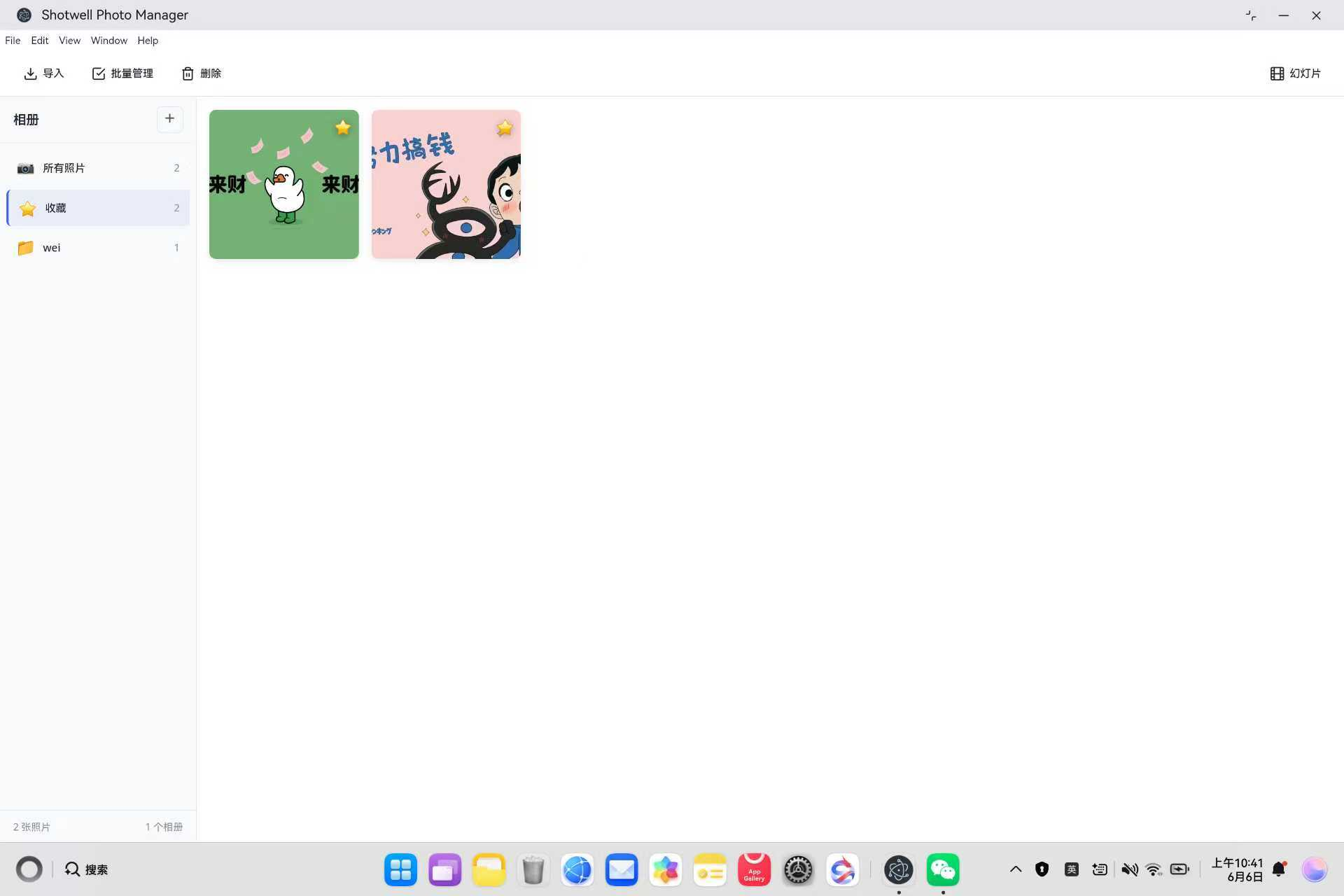
Shotwell 是 Linux GNOME 桌面环境的默认照片管理器,支持照片导入、相册管理、图片编辑、批量操作等功能。本项目将其从 Linux GTK 应用迁移到鸿蒙平台,采用 Electron 核心功能 + 鸿蒙壳工程 的架构模式。
欢迎加入开源鸿蒙PC社区:https://harmonypc.csdn.net/
欢迎在PC社区平台申请新建项目:https://atomgit.com/OpenHarmonyPCDeveloper
AtomGit 仓库地址:https://atomgit.com/OpenHarmonyPCDeveloper/ohos_shotwell_electron
核心功能
- 📷 照片导入(支持 JPG/PNG/GIF/WebP 等格式)
- 📁 相册管理(新建/删除/归类)
- 🖼️ 图片查看器(全屏/幻灯片播放)
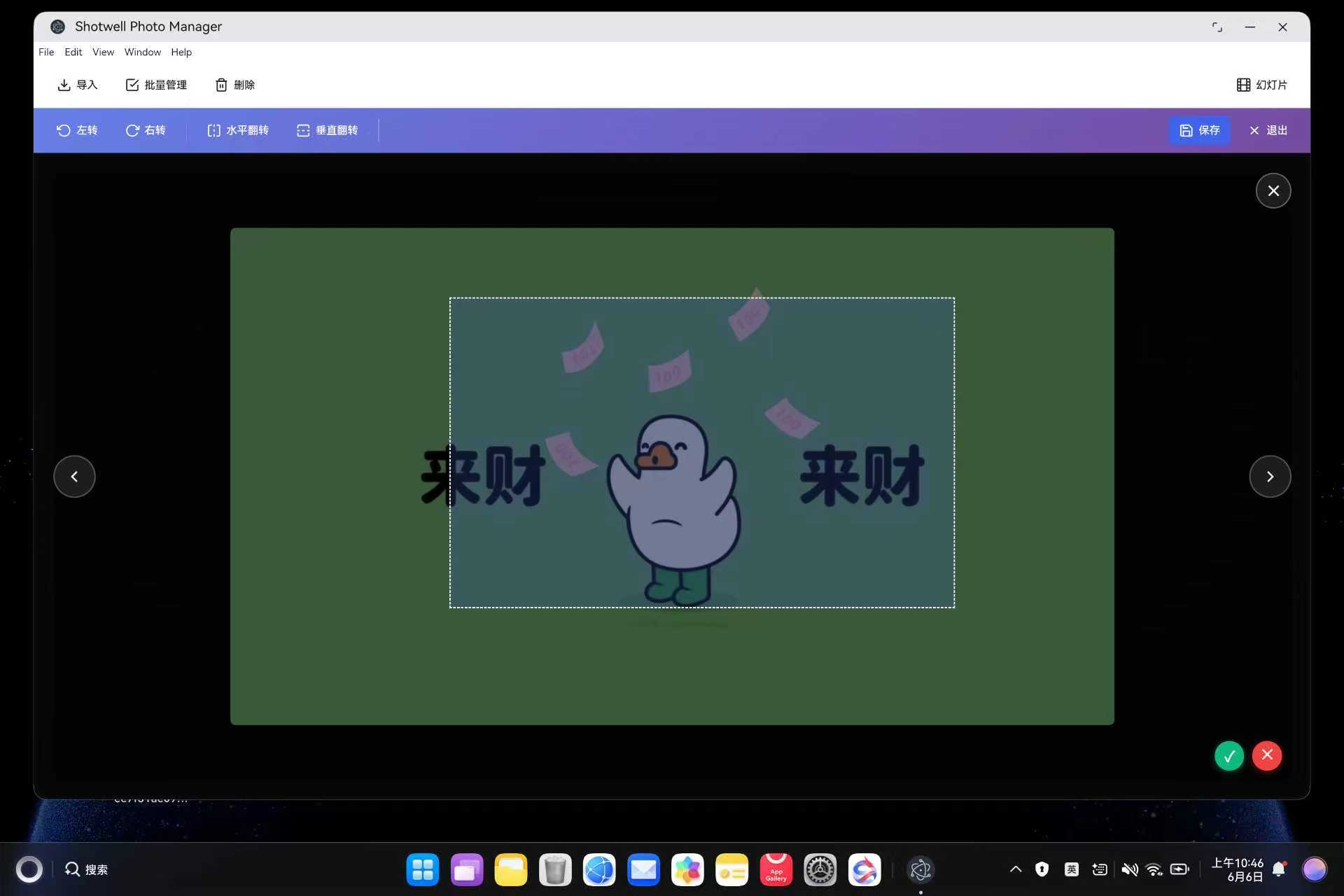
- ✂️ 图片编辑(旋转/翻转/裁剪)
- ⭐ 收藏系统
- 📋 批量操作(多选/删除)
- 🎨 GNOME 风格现代化 UI
- ⌨️ 完整快捷键支持
一、技术架构
1.1 原始架构(Linux GTK)
bash
Shotwell (Vala/GTK)
├── 照片导入:libgphoto2
├── UI 渲染:GTK+ 3.0
├── 数据存储:SQLite
└── 图片编辑:GExiv2
1.2 目标架构(鸿蒙 Electron)
bash
鸿蒙壳工程 (ArkTS)
└── web_engine 模块 (XComponent WebView)
    └── Electron 应用 (HTML/CSS/JavaScript)
        ├── main.js - Electron 主进程
        ├── renderer.js - 渲染进程(核心逻辑)
        ├── index.html - UI 界面
        └── styles/shotwell.css - 样式文件
1.3 架构优势
- 跨平台:Electron 代码可在 Windows/macOS/Linux 复用
- 快速开发:Web 技术栈,开发效率高
- 易于维护:UI 和业务逻辑分离
- 鸿蒙兼容:通过 WebView 桥接,避开 Native 兼容问题
二、环境准备
2.1 开发环境要求
- 操作系统:Windows 10
- 开发工具:DevEco Studio(鸿蒙官方 IDE)
- HarmonyOS SDK:API 15+
- Node.js:v24+(Electron 依赖)
2.2 项目结构
bash
ohos_hap/
├── electron-apps/
│   └── shotwell/                 # Electron 照片管理应用源码
│       ├── main.js               # 主进程(窗口管理、IPC)
│       ├── renderer.js           # 渲染进程(UI 交互逻辑)
│       ├── index.html            # 界面结构
│       ├── package.json          # 项目配置
│       └── styles/
│           └── shotwell.css      # 样式文件
├── web_engine/                   # 鸿蒙 web_engine 模块
│   └── src/main/resources/
│       └── resfile/resources/app/  # 部署目录
│           ├── main.js
│           ├── renderer.js
│           ├── index.html
│           └── styles/shotwell.css
└── build-profile.json5           # 鸿蒙构建配置
三、核心适配流程
3.1 第一步:创建 Electron 主进程
文件 :web_engine/src/main/resources/resfile/resources/app/main.js
js
// Shotwell Photo Manager - Electron 主进程(增强版)
const { app, BrowserWindow, ipcMain, dialog, screen } = require('electron');
const path = require('path');
const fs = require('fs');

let mainWindow = null;
let photoLibrary = []; // 照片库
let albums = []; // 相册列表
let currentAlbum = null; // 当前选中的相册

function createWindow() {
  console.log('Shotwell: Creating window...');

  const primaryDisplay = screen.getPrimaryDisplay();
  const { width: screenWidth, height: screenHeight } = primaryDisplay.workAreaSize;

  const windowWidth = Math.floor(screenWidth * 0.95);
  const windowHeight = Math.floor(screenHeight * 0.9);

  mainWindow = new BrowserWindow({
    width: windowWidth,
    height: windowHeight,
    x: Math.floor((screenWidth - windowWidth) / 2),
    y: Math.floor((screenHeight - windowHeight) / 2),
    frame: true,
    transparent: false,
    hasShadow: true,
    resizable: true,
    focusable: true,
    webPreferences: {
      nodeIntegration: true,
      contextIsolation: false,
      backgroundThrottling: false
    }
  });

  mainWindow.loadFile(path.join(__dirname, 'index.html'));

  mainWindow.on('closed', () => {
    mainWindow = null;
  });

  setupIpcHandlers();
}

app.whenReady().then(() => {
  createWindow();
  console.log('Shotwell Photo Manager 已启动');
});

app.on('window-all-closed', () => {
  if (process.platform !== 'darwin') {
    app.quit();
  }
});

app.on('activate', () => {
  if (BrowserWindow.getAllWindows().length === 0) {
    createWindow();
  }
});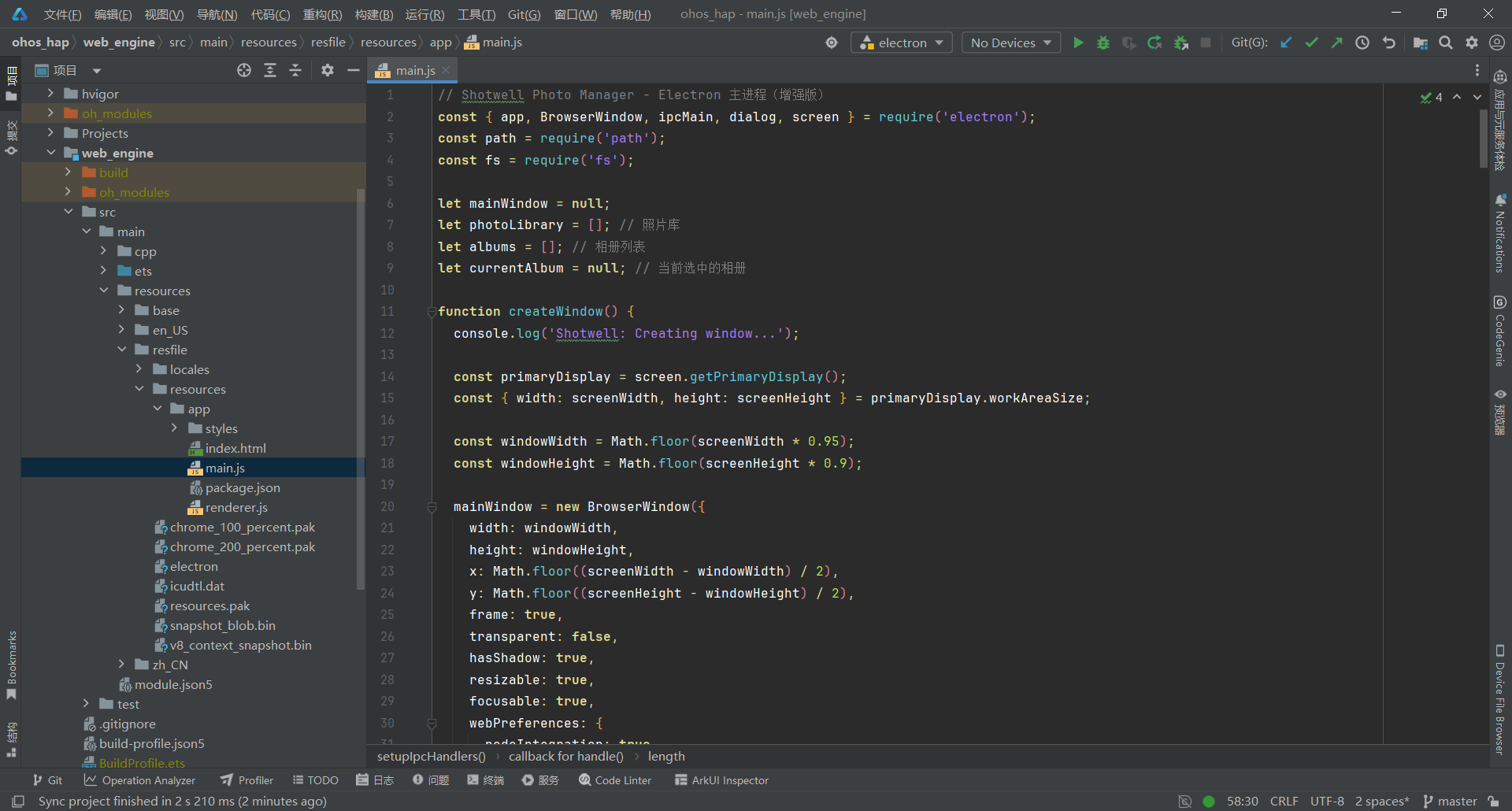
关键要点:
- 使用 screen.getPrimaryDisplay() 获取屏幕尺寸,动态计算窗口大小
- 窗口占据 95% 屏幕宽度和 90% 屏幕高度,提供更宽阔的照片浏览空间
- 设置 backgroundThrottling: false 保证幻灯片播放性能
- 使用 photoLibrary 数组缓存所有照片信息
3.2 第二步:实现照片导入与相册管理
文件 :web_engine/src/main/resources/resfile/resources/app/main.js
js
function setupIpcHandlers() {
  console.log('Shotwell: Setting up IPC handlers');

  // ========== 照片导入 ==========
  ipcMain.handle('import-photos', async () => {
    const result = await dialog.showOpenDialog(mainWindow, {
      properties: ['openFile', 'multiSelections'],
      filters: [
        { name: 'Images', extensions: ['jpg', 'jpeg', 'png', 'gif', 'bmp', 'webp', 'tiff', 'raw'] }
      ]
    });

    if (!result.canceled && result.filePaths.length > 0) {
      const photos = result.filePaths.map(filePath => {
        const stats = fs.statSync(filePath);
        return {
          id: Date.now() + Math.random(),
          path: filePath,
          name: path.basename(filePath),
          size: stats.size,
          modified: stats.mtime,
          ext: path.extname(filePath),
          album: null,
          favorite: false,
          rating: 0
        };
      });
      photoLibrary.push(...photos);
      return photos;
    }
    return [];
  });

  // ========== 相册管理 ==========
  ipcMain.handle('create-album', async (event, albumName) => {
    const album = {
      id: Date.now(),
      name: albumName,
      created: new Date(),
      photoIds: []
    };
    albums.push(album);
    return album;
  });

  ipcMain.handle('get-albums', () => {
    return albums.map(album => ({
      ...album,
      count: album.photoIds.length
    }));
  });

  ipcMain.handle('add-to-album', async (event, albumId, photoIds) => {
    const album = albums.find(a => a.id === albumId);
    if (album) {
      photoIds.forEach(id => {
        if (!album.photoIds.includes(id)) {
          album.photoIds.push(id);
        }
        // 更新照片的相册归属
        const photo = photoLibrary.find(p => p.id === id);
        if (photo) {
          photo.album = albumId;
        }
      });
      return { success: true };
    }
    return { success: false };
  });

  ipcMain.handle('remove-from-album', async (event, albumId, photoIds) => {
    const album = albums.find(a => a.id === albumId);
    if (album) {
      album.photoIds = album.photoIds.filter(id => !photoIds.includes(id));
      photoIds.forEach(id => {
        const photo = photoLibrary.find(p => p.id === id);
        if (photo) photo.album = null;
      });
      return { success: true };
    }
    return { success: false };
  });

  ipcMain.handle('delete-album', async (event, albumId) => {
    albums = albums.filter(a => a.id !== albumId);
    // 清除照片的相册归属
    photoLibrary.forEach(photo => {
      if (photo.album === albumId) photo.album = null;
    });
    return { success: true };
  });

  // ========== 照片管理 ==========
  ipcMain.handle('get-library', (event, filters = {}) => {
    let photos = [...photoLibrary];

    // 按相册筛选
    if (filters.albumId) {
      photos = photos.filter(p => p.album === filters.albumId);
    }

    // 按收藏筛选
    if (filters.favorite) {
      photos = photos.filter(p => p.favorite);
    }

    // 排序
    if (filters.sortBy === 'date') {
      photos.sort((a, b) => new Date(b.modified) - new Date(a.modified));
    } else if (filters.sortBy === 'name') {
      photos.sort((a, b) => a.name.localeCompare(b.name));
    }

    return photos;
  });

  ipcMain.handle('delete-photos', async (event, photoIds) => {
    photoLibrary = photoLibrary.filter(p => !photoIds.includes(p.id));
    // 从相册中移除
    albums.forEach(album => {
      album.photoIds = album.photoIds.filter(id => !photoIds.includes(id));
    });
    return { success: true };
  });

  ipcMain.handle('toggle-favorite', async (event, photoId) => {
    const photo = photoLibrary.find(p => p.id === photoId);
    if (photo) {
      photo.favorite = !photo.favorite;
      return { success: true, favorite: photo.favorite };
    }
    return { success: false };
  });

  // ========== 图片编辑(旋转/翻转) ==========
  ipcMain.handle('rotate-image', async (event, photoId, degrees) => {
    const photo = photoLibrary.find(p => p.id === photoId);
    if (photo) {
      // 记录旋转角度(实际由前端 Canvas 处理)
      photo.rotation = (photo.rotation || 0) + degrees;
      return { success: true, rotation: photo.rotation };
    }
    return { success: false };
  });

  ipcMain.handle('flip-image', async (event, photoId, direction) => {
    const photo = photoLibrary.find(p => p.id === photoId);
    if (photo) {
      if (direction === 'horizontal') {
        photo.flipH = !photo.flipH;
      } else {
        photo.flipV = !photo.flipV;
      }
      return { success: true, flipH: photo.flipH, flipV: photo.flipV };
    }
    return { success: false };
  });

  ipcMain.handle('crop-image', async (event, photoId, cropData) => {
    // cropData: { x, y, width, height }
    const photo = photoLibrary.find(p => p.id === photoId);
    if (photo) {
      photo.crop = cropData;
      return { success: true };
    }
    return { success: false };
  });

  // 保存裁剪后的图片
  ipcMain.handle('save-cropped-image', async (event, photoId, imageData) => {
    const photo = photoLibrary.find(p => p.id === photoId);
    if (!photo) return { success: false, error: 'Photo not found' };

    try {
      // 获取应用数据目录(鸿蒙系统有写入权限)
      const appDataDir = app.getPath('userData');
      const croppedDir = path.join(appDataDir, 'cropped_images');

      // 创建目录(如果不存在)
      if (!fs.existsSync(croppedDir)) {
        fs.mkdirSync(croppedDir, { recursive: true });
      }

      // 生成裁剪后的文件路径(保存到应用数据目录)
      const ext = path.extname(photo.path);
      const baseName = path.basename(photo.path, ext);
      const croppedPath = path.join(croppedDir, `${baseName}_cropped${ext}`);

      console.log('保存到应用数据目录:', croppedPath);

      // 将 ArrayBuffer 转换为 Buffer 并保存
      const buffer = Buffer.from(imageData);
      fs.writeFileSync(croppedPath, buffer);

      // 更新照片路径
      photo.path = croppedPath;

      console.log('裁剪保存成功:', croppedPath);
      return { success: true, croppedPath };
    } catch (error) {
      console.error('裁剪保存失败:', error);
      return { success: false, error: error.message };
    }
  });
}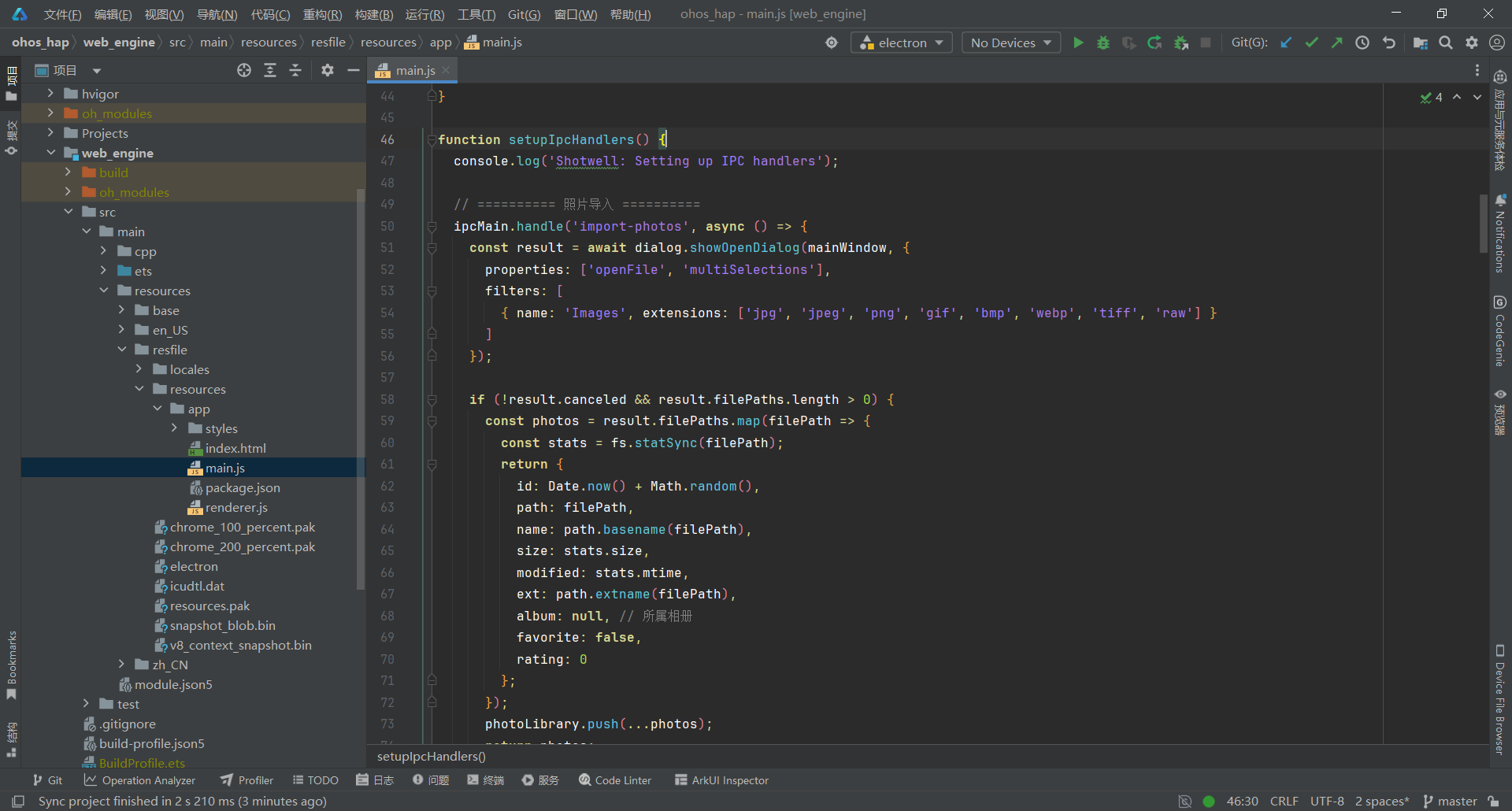
关键要点:
- 使用 dialog.showOpenDialog 实现多文件选择
- 支持 8 种图片格式:JPG/PNG/GIF/BMP/WebP/TIFF/RAW
- 相册数据存储在内存中,包含照片 ID 列表
- get-library 支持相册筛选和排序
- delete-photos 同时清理相册关联
3.3 第三步:设计三栏式专业 UI
文件 :web_engine/src/main/resources/resfile/resources/app/index.html
js
<!DOCTYPE html>
<html lang="zh-CN">
<head>
  <meta charset="UTF-8">
  <meta http-equiv="Content-Security-Policy" content="default-src 'self'; script-src 'self' 'unsafe-inline'; style-src 'self' 'unsafe-inline'; img-src 'self' file: data:;">
  <title>Shotwell Photo Manager</title>
  <link rel="stylesheet" href="styles/shotwell.css">
</head>
<body>
  <div class="app-container">
    <!-- 顶部工具栏 -->
    <header id="toolbar" class="toolbar">
      <div class="toolbar-section">
        <button id="import-btn" class="toolbar-btn" title="导入照片">
          <svg class="btn-icon" viewBox="0 0 24 24" fill="none" stroke="currentColor" stroke-width="2">
            <path d="M21 15v4a2 2 0 0 1-2 2H5a2 2 0 0 1-2-2v-4"/>
            <polyline points="7 10 12 15 17 10"/>
            <line x1="12" y1="15" x2="12" y2="3"/>
          </svg>
          <span class="btn-text">导入</span>
        </button>
        <button id="batch-btn" class="toolbar-btn" title="批量管理">
          <svg class="btn-icon" viewBox="0 0 24 24" fill="none" stroke="currentColor" stroke-width="2">
            <path d="M9 11l3 3L22 4"/>
            <path d="M21 12v7a2 2 0 0 1-2 2H5a2 2 0 0 1-2-2V5a2 2 0 0 1 2-2h11"/>
          </svg>
          <span class="btn-text">批量管理</span>
        </button>
        <button id="select-all-btn" class="toolbar-btn" style="display: none;" title="全选">
          <svg class="btn-icon" viewBox="0 0 24 24" fill="none" stroke="currentColor" stroke-width="2">
            <rect x="3" y="3" width="18" height="18" rx="2" ry="2"/>
            <line x1="9" y1="9" x2="15" y2="15"/>
            <line x1="15" y1="9" x2="9" y2="15"/>
          </svg>
          <span class="btn-text">全选</span>
        </button>
        <button id="delete-btn" class="toolbar-btn" title="删除选中照片">
          <svg class="btn-icon" viewBox="0 0 24 24" fill="none" stroke="currentColor" stroke-width="2">
            <polyline points="3 6 5 6 21 6"/>
            <path d="M19 6v14a2 2 0 0 1-2 2H7a2 2 0 0 1-2-2V6m3 0V4a2 2 0 0 1 2-2h4a2 2 0 0 1 2 2v2"/>
            <line x1="10" y1="11" x2="10" y2="17"/>
            <line x1="14" y1="11" x2="14" y2="17"/>
          </svg>
          <span class="btn-text">删除</span>
        </button>
      </div>

      <div class="toolbar-spacer"></div>

      <div class="toolbar-section">
        <button id="slideshow-btn" class="toolbar-btn" title="幻灯片播放">
          <svg class="btn-icon" viewBox="0 0 24 24" fill="none" stroke="currentColor" stroke-width="2">
            <rect x="2" y="2" width="20" height="20" rx="2.18" ry="2.18"/>
            <line x1="7" y1="2" x2="7" y2="22"/>
            <line x1="17" y1="2" x2="17" y2="22"/>
            <line x1="2" y1="12" x2="22" y2="12"/>
            <line x1="2" y1="7" x2="7" y2="7"/>
            <line x1="2" y1="17" x2="7" y2="17"/>
            <line x1="17" y1="17" x2="22" y2="17"/>
            <line x1="17" y1="7" x2="22" y2="7"/>
          </svg>
          <span class="btn-text">幻灯片</span>
        </button>
      </div>
    </header>

    <!-- 编辑工具栏 -->
    <div id="edit-toolbar" class="edit-toolbar" style="display: none;">
      <div class="toolbar-section">
        <button id="rotate-left-btn" class="toolbar-btn" title="向左旋转90°">
          <svg class="btn-icon" viewBox="0 0 24 24" fill="none" stroke="currentColor" stroke-width="2">
            <polyline points="1 4 1 10 7 10"/>
            <path d="M3.51 15a9 9 0 1 0 2.13-9.36L1 10"/>
          </svg>
          <span class="btn-text">左转</span>
        </button>
        <button id="rotate-right-btn" class="toolbar-btn" title="向右旋转90°">
          <svg class="btn-icon" viewBox="0 0 24 24" fill="none" stroke="currentColor" stroke-width="2">
            <polyline points="23 4 23 10 17 10"/>
            <path d="M20.49 15a9 9 0 1 1-2.12-9.36L23 10"/>
          </svg>
          <span class="btn-text">右转</span>
        </button>
      </div>

      <div class="toolbar-separator"></div>

      <div class="toolbar-section">
        <button id="flip-h-btn" class="toolbar-btn" title="水平翻转">
          <svg class="btn-icon" viewBox="0 0 24 24" fill="none" stroke="currentColor" stroke-width="2">
            <path d="M8 3H5a2 2 0 0 0-2 2v14c0 1.1.9 2 2 2h3"/>
            <path d="M16 3h3a2 2 0 0 1 2 2v14a2 2 0 0 1-2 2h-3"/>
            <line x1="12" y1="2" x2="12" y2="22" stroke-dasharray="4 4"/>
          </svg>
          <span class="btn-text">水平翻转</span>
        </button>
        <button id="flip-v-btn" class="toolbar-btn" title="垂直翻转">
          <svg class="btn-icon" viewBox="0 0 24 24" fill="none" stroke="currentColor" stroke-width="2">
            <path d="M3 8V5a2 2 0 0 1 2-2h14c1.1 0 2 .9 2 2v3"/>
            <path d="M3 16v3a2 2 0 0 0 2 2h14a2 2 0 0 0 2-2v-3"/>
            <line x1="2" y1="12" x2="22" y2="12" stroke-dasharray="4 4"/>
          </svg>
          <span class="btn-text">垂直翻转</span>
        </button>
      </div>

      <div class="toolbar-separator"></div>

      <div class="toolbar-section">
        <button id="crop-btn" class="toolbar-btn" title="裁剪">
          <svg class="btn-icon" viewBox="0 0 24 24" fill="none" stroke="currentColor" stroke-width="2">
            <path d="M6.13 1L6 16a2 2 0 0 0 2 2h15"/>
            <path d="M1 6.13L16 6a2 2 0 0 1 2 2v15"/>
          </svg>
          <span class="btn-text">裁剪</span>
        </button>
        <button id="apply-crop-btn" class="toolbar-btn" style="display: none;" title="应用裁剪">
          <svg class="btn-icon" viewBox="0 0 24 24" fill="none" stroke="currentColor" stroke-width="2">
            <polyline points="20 6 9 17 4 12"/>
          </svg>
          <span class="btn-text">应用</span>
        </button>
        <button id="cancel-crop-btn" class="toolbar-btn" style="display: none;" title="取消裁剪">
          <svg class="btn-icon" viewBox="0 0 24 24" fill="none" stroke="currentColor" stroke-width="2">
            <line x1="18" y1="6" x2="6" y2="18"/>
            <line x1="6" y1="6" x2="18" y2="18"/>
          </svg>
          <span class="btn-text">取消</span>
        </button>
      </div>

      <div class="toolbar-spacer"></div>

      <div class="toolbar-section">
        <button id="save-btn" class="toolbar-btn toolbar-btn-primary" title="保存编辑">
          <svg class="btn-icon" viewBox="0 0 24 24" fill="none" stroke="currentColor" stroke-width="2">
            <path d="M19 21H5a2 2 0 0 1-2-2V5a2 2 0 0 1 2-2h11l5 5v11a2 2 0 0 1-2 2z"/>
            <polyline points="17 21 17 13 7 13 7 21"/>
            <polyline points="7 3 7 8 15 8"/>
          </svg>
          <span class="btn-text">保存</span>
        </button>
        <button id="exit-edit-btn" class="toolbar-btn" title="退出编辑">
          <svg class="btn-icon" viewBox="0 0 24 24" fill="none" stroke="currentColor" stroke-width="2">
            <line x1="18" y1="6" x2="6" y2="18"/>
            <line x1="6" y1="6" x2="18" y2="18"/>
          </svg>
          <span class="btn-text">退出</span>
        </button>
      </div>
    </div>

    <!-- 主内容区 -->
    <div class="main-wrapper">
      <!-- 左侧相册栏 -->
      <aside id="sidebar" class="sidebar">
        <div class="sidebar-header">
          <h3 class="sidebar-title">相册</h3>
          <button id="new-album-btn" class="icon-btn" title="新建相册">
            <svg viewBox="0 0 24 24" fill="none" stroke="currentColor" stroke-width="2">
              <line x1="12" y1="5" x2="12" y2="19"/>
              <line x1="5" y1="12" x2="19" y2="12"/>
            </svg>
          </button>
        </div>

        <div id="new-album-input" class="new-album-input" style="display: none;">
          <div class="album-input-wrapper">
            <svg class="input-icon" viewBox="0 0 24 24" fill="none" stroke="currentColor" stroke-width="2">
              <path d="M22 19a2 2 0 0 1-2 2H4a2 2 0 0 1-2-2V5a2 2 0 0 1 2-2h5l2 3h9a2 2 0 0 1 2 2z"/>
            </svg>
            <input type="text" placeholder="输入相册名称..." class="album-input">
          </div>
          <div class="input-actions">
            <button id="create-album-btn" class="icon-btn small-btn confirm-btn" title="创建">
              <svg viewBox="0 0 24 24" fill="none" stroke="currentColor" stroke-width="2">
                <polyline points="20 6 9 17 4 12"/>
              </svg>
            </button>
            <button id="cancel-album-btn" class="icon-btn small-btn cancel-btn" title="取消">
              <svg viewBox="0 0 24 24" fill="none" stroke="currentColor" stroke-width="2">
                <line x1="18" y1="6" x2="6" y2="18"/>
                <line x1="6" y1="6" x2="18" y2="18"/>
              </svg>
            </button>
          </div>
        </div>

        <div id="album-list" class="album-list">
          <!-- 相册列表动态生成 -->
        </div>

        <div class="sidebar-footer">
          <div id="photo-count" class="sidebar-stat">0 张照片</div>
          <div id="album-count" class="sidebar-stat">0 个相册</div>
        </div>
      </aside>

      <!-- 中间照片区 -->
      <main id="main-content" class="main-content">
        <!-- 照片网格视图 -->
        <div id="photo-grid-container" class="photo-grid-container">
          <div id="photo-grid" class="photo-grid">
            <!-- 照片缩略图动态生成 -->
          </div>

          <!-- 空状态 -->
          <div id="empty-state" class="empty-state">
            <div class="empty-icon">
              <svg viewBox="0 0 24 24" fill="none" stroke="currentColor" stroke-width="1.5">
                <rect x="3" y="3" width="18" height="18" rx="2" ry="2"/>
                <circle cx="8.5" cy="8.5" r="1.5"/>
                <polyline points="21 15 16 10 5 21"/>
              </svg>
            </div>
            <h2>欢迎使用 Shotwell</h2>
            <p>导入照片,创建相册,开始管理您的照片库</p>
            <button id="import-btn-empty" class="btn-primary">
              <svg viewBox="0 0 24 24" fill="none" stroke="currentColor" stroke-width="2">
                <path d="M21 15v4a2 2 0 0 1-2 2H5a2 2 0 0 1-2-2v-4"/>
                <polyline points="7 10 12 15 17 10"/>
                <line x1="12" y1="15" x2="12" y2="3"/>
              </svg>
              <span>导入照片</span>
            </button>
          </div>
        </div>

        <!-- 批量操作提示 -->
        <div id="batch-hint" class="batch-hint" style="display: none;">
          <span class="hint-text">已选择 <strong id="selected-count">0</strong> 张照片</span>
          <button id="cancel-batch-btn" class="icon-btn" title="退出批量管理">
            <svg viewBox="0 0 24 24" fill="none" stroke="currentColor" stroke-width="2">
              <line x1="18" y1="6" x2="6" y2="18"/>
              <line x1="6" y1="6" x2="18" y2="18"/>
            </svg>
          </button>
        </div>

        <!-- 照片查看器 -->
        <div id="photo-view" class="photo-view" style="display: none;">
          <button id="close-photo-btn" class="close-photo-btn" title="关闭查看器">
            <svg viewBox="0 0 24 24" fill="none" stroke="currentColor" stroke-width="2">
              <line x1="18" y1="6" x2="6" y2="18"/>
              <line x1="6" y1="6" x2="18" y2="18"/>
            </svg>
          </button>

          <button id="nav-prev" class="nav-btn nav-prev" title="上一张">
            <svg viewBox="0 0 24 24" fill="none" stroke="currentColor" stroke-width="2">
              <polyline points="15 18 9 12 15 6"/>
            </svg>
          </button>

          <div class="photo-container">
            <img id="current-photo" src="" alt="当前照片">
          </div>

          <button id="nav-next" class="nav-btn nav-next" title="下一张">
            <svg viewBox="0 0 24 24" fill="none" stroke="currentColor" stroke-width="2">
              <polyline points="9 18 15 12 9 6"/>
            </svg>
          </button>
        </div>
      </main>
    </div>

    <!-- 底部状态栏 -->
    <footer id="status-bar" class="status-bar">
      <div class="status-left">
        <span id="status-text">就绪</span>
      </div>
      <div class="status-right">
        <span class="status-hint">Ctrl+点击多选 | 右键菜单管理</span>
      </div>
    </footer>
  </div>

  <!-- 右键菜单 -->
  <div id="context-menu" class="context-menu" style="display: none;">
    <!-- 动态生成 -->
  </div>

  <script src="renderer.js"></script>
</body>
</html>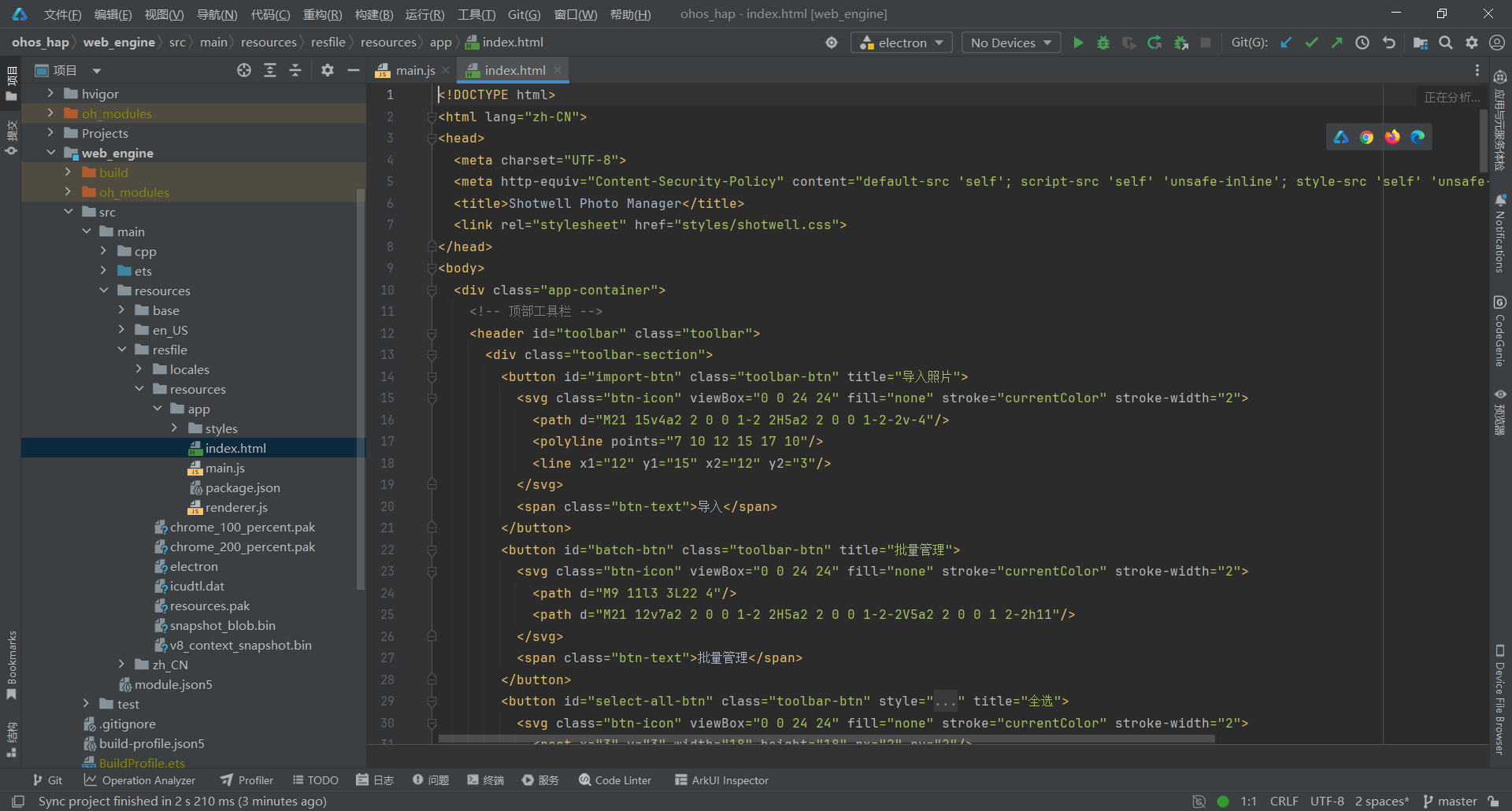
关键要点:
- 采用三栏式专业布局(左侧相册栏 + 中间照片区 + 顶部工具栏)
- 使用 SVG 图标替代 emoji,提升专业感
- 图片查看器覆盖层设计,支持导航和关闭
- 空状态提示引导用户导入照片
3.4 第四步:实现事件监听与批量管理
文件 :web_engine/src/main/resources/resfile/resources/app/renderer.js
js
// Shotwell Photo Manager - 渲染进程(增强版)
const { ipcRenderer } = require('electron');

// 状态管理
let photoLibrary = [];
let albums = [];
let currentAlbum = null;
let selectedPhotos = new Set();
let currentPhotoIndex = 0;
let isSlideshow = false;
let slideshowInterval = null;
let isBatchMode = false; // 批量管理模式

// 编辑状态
let editMode = false;
let cropMode = false;
let cropStartX = 0;
let cropStartY = 0;
let cropRect = null;
let cropOverlay = null;
let cropSelection = null;
let isDragging = false;

// DOM 元素
const elements = {};

// 初始化
async function init() {
  console.log('Shotwell: Initializing...');
  cacheElements();
  await loadLibrary();
  await loadAlbums();
  setupEventListeners();
  renderAlbums();
  renderPhotoGrid();
}

// 缓存 DOM 元素
function cacheElements() {
  // 左侧边栏
  elements.sidebar = document.getElementById('sidebar');
  elements.albumList = document.getElementById('album-list');
  elements.newAlbumBtn = document.getElementById('new-album-btn');
  elements.newAlbumInput = document.getElementById('new-album-input');
  elements.createAlbumBtn = document.getElementById('create-album-btn');
  elements.cancelAlbumBtn = document.getElementById('cancel-album-btn');

  // 工具栏
  elements.toolbar = document.getElementById('toolbar');
  elements.importBtn = document.getElementById('import-btn');
  elements.importBtnEmpty = document.getElementById('import-btn-empty');
  elements.batchBtn = document.getElementById('batch-btn');
  elements.selectAllBtn = document.getElementById('select-all-btn');
  elements.deleteBtn = document.getElementById('delete-btn');
  elements.slideshowBtn = document.getElementById('slideshow-btn');
  elements.batchHint = document.getElementById('batch-hint');
  elements.selectedCount = document.getElementById('selected-count');
  elements.cancelBatchBtn = document.getElementById('cancel-batch-btn');

  // 编辑工具栏
  elements.editToolbar = document.getElementById('edit-toolbar');
  elements.rotateLeftBtn = document.getElementById('rotate-left-btn');
  elements.rotateRightBtn = document.getElementById('rotate-right-btn');
  elements.flipHBtn = document.getElementById('flip-h-btn');
  elements.flipVBtn = document.getElementById('flip-v-btn');
  elements.cropBtn = document.getElementById('crop-btn');
  elements.applyCropBtn = document.getElementById('apply-crop-btn');
  elements.cancelCropBtn = document.getElementById('cancel-crop-btn');
  elements.saveBtn = document.getElementById('save-btn');
  elements.exitEditBtn = document.getElementById('exit-edit-btn');

  // 主内容区
  elements.mainContent = document.getElementById('main-content');
  elements.photoGrid = document.getElementById('photo-grid');
  elements.photoView = document.getElementById('photo-view');
  elements.currentPhoto = document.getElementById('current-photo');
  elements.emptyState = document.getElementById('empty-state');
  elements.closePhotoBtn = document.getElementById('close-photo-btn');

  // 导航
  elements.navPrev = document.getElementById('nav-prev');
  elements.navNext = document.getElementById('nav-next');

  // 状态栏
  elements.statusBar = document.getElementById('status-bar');
  elements.statusText = document.getElementById('status-text');
  elements.photoCount = document.getElementById('photo-count');
  elements.albumCount = document.getElementById('album-count');

  // 右键菜单
  elements.contextMenu = document.getElementById('context-menu');
}

// ===== 事件监听 =====
function setupEventListeners() {
  // 导入照片
  elements.importBtn.addEventListener('click', importPhotos);
  elements.importBtnEmpty.addEventListener('click', importPhotos);

  // 批量管理
  elements.batchBtn.addEventListener('click', enterBatchMode);
  elements.selectAllBtn.addEventListener('click', toggleSelectAll);
  elements.cancelBatchBtn.addEventListener('click', exitBatchMode);

  // 删除
  elements.deleteBtn.addEventListener('click', deleteSelectedPhotos);

  // 幻灯片
  elements.slideshowBtn.addEventListener('click', startSlideshow);

  // 相册操作
  elements.newAlbumBtn.addEventListener('click', showNewAlbumInput);
  elements.createAlbumBtn.addEventListener('click', createAlbum);
  elements.cancelAlbumBtn.addEventListener('click', cancelAlbum);
  elements.newAlbumInput.addEventListener('keydown', handleNewAlbumInput);

  // 编辑工具栏
  elements.rotateLeftBtn.addEventListener('click', rotateLeft);
  elements.rotateRightBtn.addEventListener('click', rotateRight);
  elements.flipHBtn.addEventListener('click', flipHorizontal);
  elements.flipVBtn.addEventListener('click', flipVertical);
  elements.cropBtn.addEventListener('click', enterCropMode);
  elements.saveBtn.addEventListener('click', saveEdits);
  elements.exitEditBtn.addEventListener('click', exitEditMode);

  // 导航
  elements.navPrev.addEventListener('click', previousPhoto);
  elements.navNext.addEventListener('click', nextPhoto);
  elements.closePhotoBtn.addEventListener('click', closePhotoView);

  // 照片网格点击(委托)
  elements.photoGrid.addEventListener('click', (e) => {
    const photoItem = e.target.closest('.photo-item');
    if (photoItem) {
      const photoId = parseFloat(photoItem.dataset.photoId);
      if (isBatchMode) {
        togglePhotoSelection(photoId, photoItem);
      } else {
        const index = photoLibrary.findIndex(p => p.id === photoId);
        if (index !== -1) openPhoto(index);
      }
    }
  });

  // 右键菜单
  elements.photoGrid.addEventListener('contextmenu', (e) => {
    const photoItem = e.target.closest('.photo-item');
    if (photoItem && !isBatchMode) {
      e.preventDefault();
      const photoId = parseFloat(photoItem.dataset.photoId);
      showPhotoContextMenu(e, photoId);
    }
  });

  // 键盘快捷键
  document.addEventListener('keydown', handleKeyboardShortcuts);
}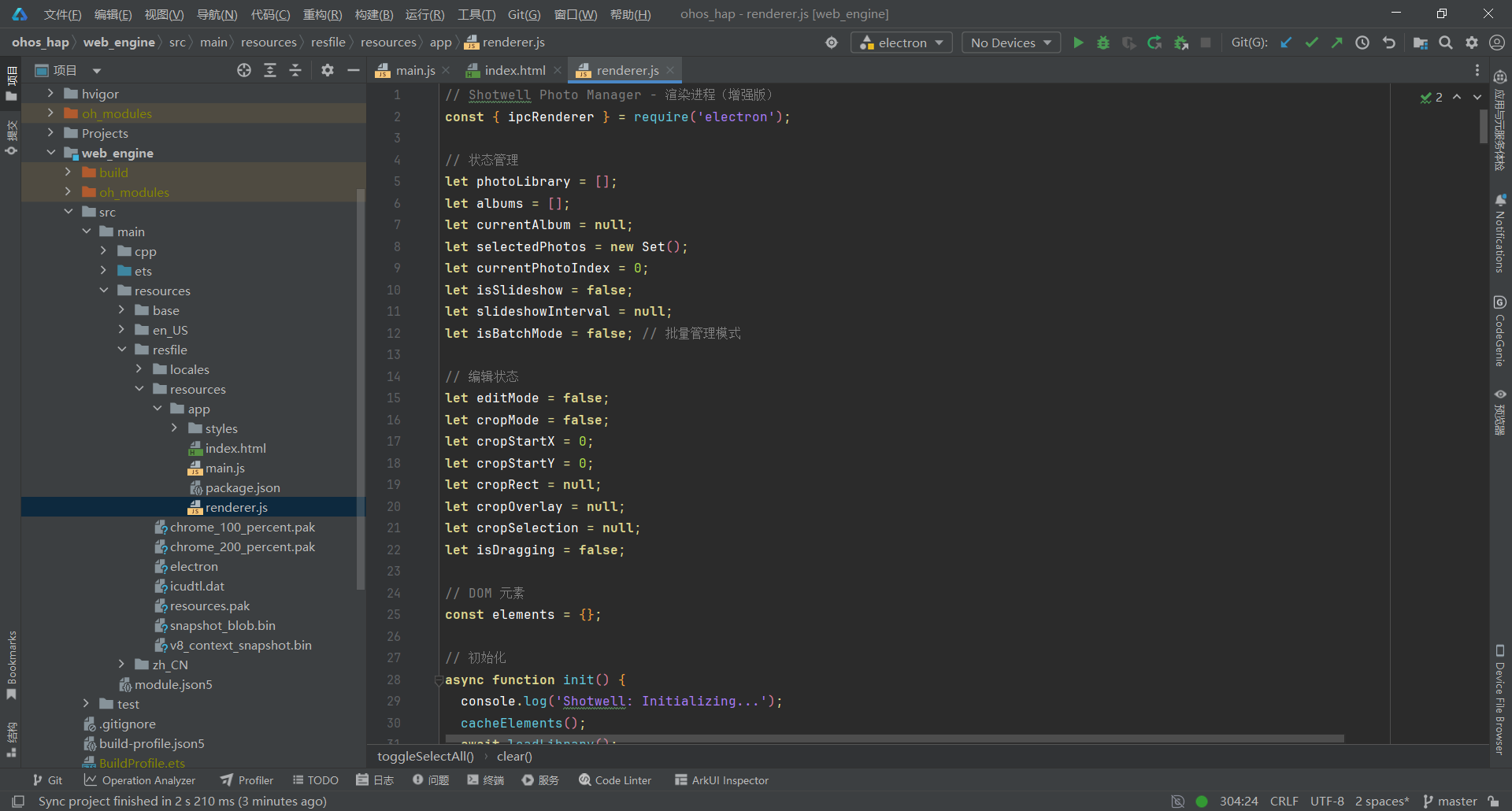
关键要点:
- 使用 Set 数据结构管理选中照片,性能更好
- isBatchMode 标志控制批量管理模式
- cacheElements() 提前缓存所有 DOM 引用,避免重复查询
- try-catch 保护初始化流程,避免白屏
3.5 第五步:实现批量管理与图片查看器
文件 :web_engine/src/main/resources/resfile/resources/app/renderer.js
js
// ===== 批量管理 =====
function enterBatchMode() {
  isBatchMode = true;
  elements.batchBtn.style.display = 'none';
  elements.selectAllBtn.style.display = 'inline-flex';
  elements.batchHint.style.display = 'flex';
  elements.photoGrid.classList.add('batch-mode'); // 添加批量模式类
  selectedPhotos.clear();
  updateBatchHint();
  renderPhotoGrid();
}

// 退出批量管理模式
function exitBatchMode() {
  isBatchMode = false;
  elements.batchBtn.style.display = 'inline-flex';
  elements.selectAllBtn.style.display = 'none';
  elements.batchHint.style.display = 'none';
  elements.photoGrid.classList.remove('batch-mode'); // 移除批量模式类
  selectedPhotos.clear();
  renderPhotoGrid();
}

// 全选/取消全选
function toggleSelectAll() {
  if (selectedPhotos.size === photoLibrary.length) {
    // 取消全选
    selectedPhotos.clear();
  } else {
    // 全选
    photoLibrary.forEach(photo => {
      selectedPhotos.add(photo.id);
    });
  }
  renderPhotoGrid();
  updateBatchHint();
}

// 更新批量提示
function updateBatchHint() {
  elements.selectedCount.textContent = selectedPhotos.size;
}

// 切换照片选择
function togglePhotoSelection(photoId, itemElement) {
  if (selectedPhotos.has(photoId)) {
    selectedPhotos.delete(photoId);
    // 立即移除选中样式
    if (itemElement) {
      itemElement.classList.remove('selected');
    } else {
      const item = elements.photoGrid.querySelector(`[data-photo-id="${photoId}"]`);
      if (item) item.classList.remove('selected');
    }
  } else {
    selectedPhotos.add(photoId);
    // 立即添加选中样式
    if (itemElement) {
      itemElement.classList.add('selected');
    } else {
      const item = elements.photoGrid.querySelector(`[data-photo-id="${photoId}"]`);
      if (item) item.classList.add('selected');
    }
  }
}

// ===== 图片查看器 =====
function openPhoto(index) {
  // 如果处于裁剪模式,先退出裁剪
  if (cropMode) {
    cancelCrop();
  }

  currentPhotoIndex = index;
  const photo = photoLibrary[index];

  elements.photoGrid.parentElement.style.display = 'none';
  elements.photoView.style.display = 'flex';

  elements.currentPhoto.src = `file://${photo.path}`;
  updatePhotoNavigation();
  updateStatusBar();
}

// 关闭照片查看
function closePhotoView() {
  console.log('关闭照片查看器');

  // 如果正在播放幻灯片,先停止
  if (isSlideshow) {
    stopSlideshow();
  }

  // ✅ 如果处于裁剪模式,先退出裁剪
  if (cropMode) {
    console.log('关闭查看器时退出裁剪模式');
    cancelCrop();
  }

  // 退出编辑模式
  exitEditMode();

  elements.photoGrid.parentElement.style.display = 'block';
  elements.photoView.style.display = 'none';
}

// 更新照片导航
function updatePhotoNavigation() {
  elements.navPrev.style.visibility = currentPhotoIndex > 0 ? 'visible' : 'hidden';
  elements.navNext.style.visibility = currentPhotoIndex < photoLibrary.length - 1 ? 'visible' : 'hidden';
}

// 上一张
function previousPhoto() {
  if (currentPhotoIndex > 0) {
    openPhoto(currentPhotoIndex - 1);
  }
}

// 下一张
function nextPhoto() {
  if (currentPhotoIndex < photoLibrary.length - 1) {
    openPhoto(currentPhotoIndex + 1);
  }
}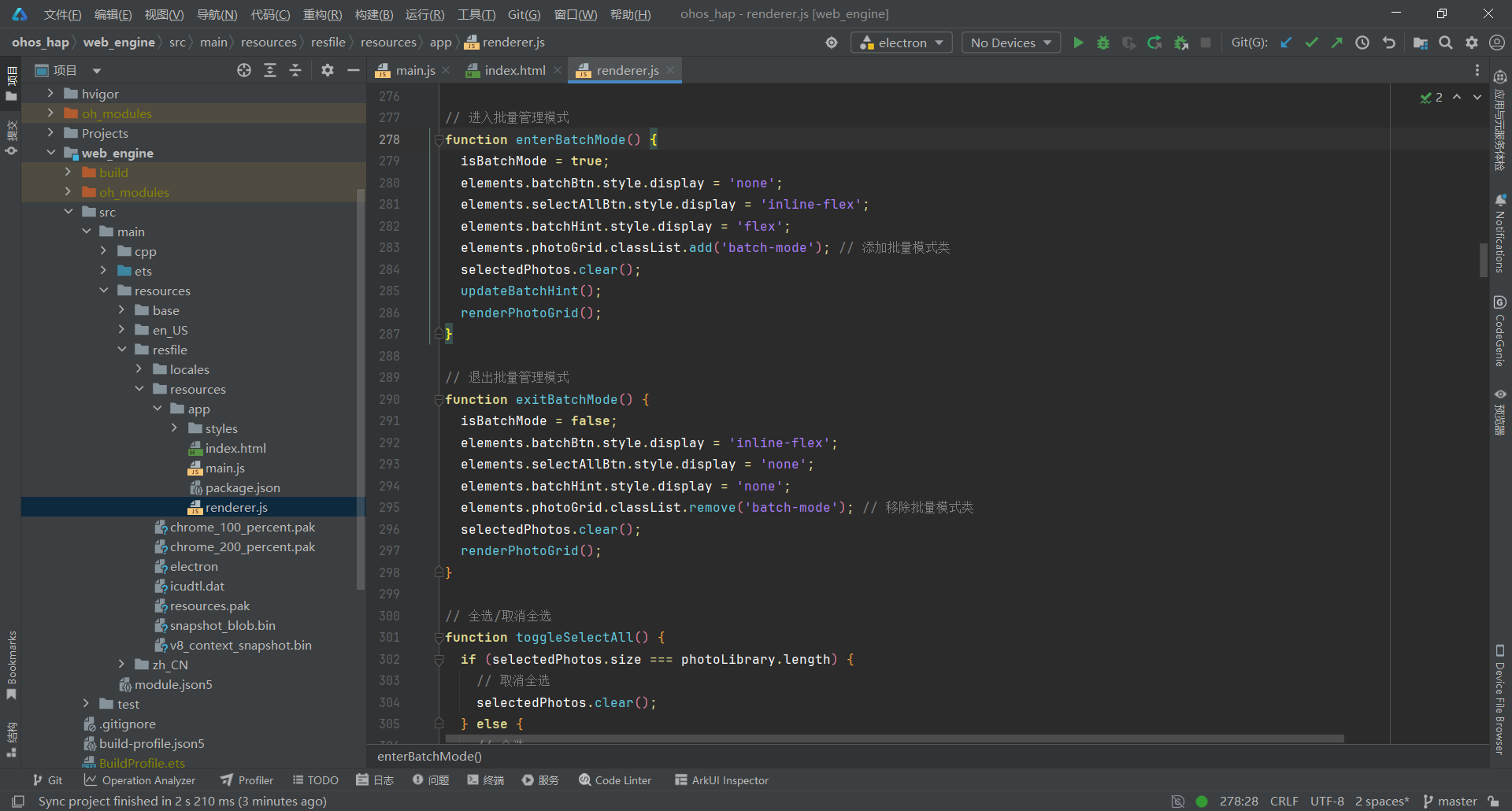
关键要点:
- 批量模式添加 batch-mode CSS 类,显示勾选图标
- exitBatchMode() 完整清理状态,包括隐藏提示条
- 图片查看器使用 file:// 协议加载本地图片
- 导航按钮根据边界自动隐藏
3.6 第六步:实现图片编辑功能
文件 :web_engine/src/main/resources/resfile/resources/app/renderer.js
js
// ========== 图片编辑 ==========

// 进入编辑模式
function startEdit(photoId) {
  editMode = true;
  elements.editToolbar.style.display = 'flex';
  openPhoto(photoLibrary.findIndex(p => p.id === photoId));
}

// 退出编辑模式
function exitEditMode() {
  editMode = false;
  // 如果处于裁剪模式,先清理裁剪遮罩
  if (cropMode) {
    cancelCrop();
  }
  elements.editToolbar.style.display = 'none';
  elements.currentPhoto.style.transform = '';
}

// 旋转图片
async function rotateImage(degrees) {
  if (!photoLibrary[currentPhotoIndex]) return;

  const photo = photoLibrary[currentPhotoIndex];
  const result = await ipcRenderer.invoke('rotate-image', photo.id, degrees);
  if (result.success) {
    // 更新本地数据
    photo.rotation = result.rotation;
    applyPhotoTransform();
  }
}

// 翻转图片
async function flipImage(direction) {
  if (!photoLibrary[currentPhotoIndex]) return;

  const photo = photoLibrary[currentPhotoIndex];
  const result = await ipcRenderer.invoke('flip-image', photo.id, direction);
  if (result.success) {
    // 更新本地数据
    photo.flipH = result.flipH;
    photo.flipV = result.flipV;
    applyPhotoTransform();
  }
}

// 应用变换
function applyPhotoTransform() {
  if (!photoLibrary[currentPhotoIndex]) return;

  const photo = photoLibrary[currentPhotoIndex];
  const rotation = photo.rotation || 0;
  const flipH = photo.flipH ? 'scaleX(-1)' : '';
  const flipV = photo.flipV ? 'scaleY(-1)' : '';

  // 应用旋转和翻转
  elements.currentPhoto.style.transform = `rotate(${rotation}deg) ${flipH} ${flipV}`.trim();
  elements.currentPhoto.style.transition = 'transform 0.3s cubic-bezier(0.4, 0, 0.2, 1)';

  // ✅ 旋转 90° 或 270° 时,需要调整 max-width/max-height 防止超出
  const normalizedRotation = ((rotation % 360) + 360) % 360;
  const isRotated90or270 = normalizedRotation === 90 || normalizedRotation === 270;

  if (isRotated90or270) {
    // 旋转 90° 或 270° 时,宽高互换
    elements.currentPhoto.style.maxWidth = '100vh';
    elements.currentPhoto.style.maxHeight = '100vw';
  } else {
    // 正常方向
    elements.currentPhoto.style.maxWidth = '100%';
    elements.currentPhoto.style.maxHeight = '100%';
  }
}

// 裁剪模式
function startCrop() {
  if (!elements.currentPhoto.src) {
    alert('请先打开一张照片');
    return;
  }

  cropMode = true;
  elements.cropBtn.style.display = 'none';
  elements.editToolbar.classList.add('crop-active'); // 添加裁剪模式类

  // 添加裁剪遮罩
  cropOverlay = document.createElement('div');
  cropOverlay.id = 'crop-overlay';
  cropOverlay.className = 'crop-overlay';

  cropSelection = document.createElement('div');
  cropSelection.className = 'crop-selection';
  cropSelection.style.display = 'none';

  // 添加确认和取消按钮
  const cropActions = document.createElement('div');
  cropActions.className = 'crop-actions';
  cropActions.style.display = 'none';
  cropActions.style.zIndex = '100';

  const confirmBtn = document.createElement('button');
  confirmBtn.className = 'crop-confirm-btn';
  confirmBtn.innerHTML = '✓'; // ✓
  confirmBtn.title = '确认裁剪';
  confirmBtn.type = 'button';
  confirmBtn.addEventListener('click', (e) => {
    e.stopPropagation();
    e.preventDefault();
    applyCrop();
  });

  const cancelBtn = document.createElement('button');
  cancelBtn.className = 'crop-cancel-btn';
  cancelBtn.innerHTML = '✕'; // ✕
  cancelBtn.title = '取消裁剪';
  cancelBtn.type = 'button';
  cancelBtn.addEventListener('click', (e) => {
    e.stopPropagation();
    e.preventDefault();
    cancelCrop();
  });

  cropActions.appendChild(confirmBtn);
  cropActions.appendChild(cancelBtn);
  cropOverlay.appendChild(cropActions);
  cropOverlay.appendChild(cropSelection);

  // 添加到 photo-container
  const photoContainer = elements.photoView.querySelector('.photo-container');
  if (photoContainer) {
    photoContainer.style.position = 'relative';
    photoContainer.appendChild(cropOverlay);
  }

  // 保存引用
  window._cropActions = cropActions;

  // 鼠标交互
  const overlayRect = cropOverlay.getBoundingClientRect();

  cropOverlay.onmousedown = (e) => {
    if (e.button !== 0) return;
    e.preventDefault();
    e.stopPropagation();

    const rect = cropOverlay.getBoundingClientRect();
    cropStartX = e.clientX - rect.left;
    cropStartY = e.clientY - rect.top;
    isDragging = true;

    cropSelection.style.display = 'block';
    cropSelection.style.left = cropStartX + 'px';
    cropSelection.style.top = cropStartY + 'px';
    cropSelection.style.width = '0px';
    cropSelection.style.height = '0px';
  };

  cropOverlay.onmousemove = (e) => {
    if (!isDragging || !cropMode) return;
    e.preventDefault();
    e.stopPropagation();

    const rect = cropOverlay.getBoundingClientRect();
    const currentX = Math.max(0, Math.min(e.clientX - rect.left, rect.width));
    const currentY = Math.max(0, Math.min(e.clientY - rect.top, rect.height));

    const left = Math.min(cropStartX, currentX);
    const top = Math.min(cropStartY, currentY);
    const width = Math.abs(currentX - cropStartX);
    const height = Math.abs(currentY - cropStartY);

    cropSelection.style.left = left + 'px';
    cropSelection.style.top = top + 'px';
    cropSelection.style.width = width + 'px';
    cropSelection.style.height = height + 'px';

    // 显示按钮
    if (window._cropActions && (width > 20 || height > 20)) {
      window._cropActions.style.display = 'flex';
    }

    cropRect = { x: left, y: top, width, height };
  };

  cropOverlay.onmouseup = (e) => {
    isDragging = false;
    e.stopPropagation();
  };

  cropOverlay.onmouseleave = (e) => {
    isDragging = false;
  };
}

function cancelCrop() {
  cropMode = false;
  isDragging = false;
  cropRect = null;
  elements.cropBtn.style.display = 'inline-flex';
  elements.editToolbar.classList.remove('crop-active');

  if (window._cropActions) {
    window._cropActions.style.display = 'none';
  }

  if (cropOverlay) {
    cropOverlay.remove();
    cropOverlay = null;
    cropSelection = null;
    window._cropActions = null;
  }
}

function applyCrop() {
  if (!cropRect || cropRect.width < 10 || cropRect.height < 10) {
    alert('请选择裁剪区域(至少 10x10 像素)');
    return;
  }

  const photo = photoLibrary[currentPhotoIndex];
  if (!photo) return;

  // 计算相对于原图的裁剪坐标
  const img = elements.currentPhoto;
  const imgRect = img.getBoundingClientRect();
  const overlayRect = cropOverlay.getBoundingClientRect();
  const naturalWidth = img.naturalWidth;
  const naturalHeight = img.naturalHeight;

  if (naturalWidth === 0 || naturalHeight === 0) {
    alert('图片未加载完成,请稍后再试');
    return;
  }

  // 计算图片在遮罩中的偏移量
  const imgOffsetX = imgRect.left - overlayRect.left;
  const imgOffsetY = imgRect.top - overlayRect.top;

  // 计算相对于图片的坐标
  const relativeX = cropRect.x - imgOffsetX;
  const relativeY = cropRect.y - imgOffsetY;

  // 计算缩放比例
  const scaleX = naturalWidth / imgRect.width;
  const scaleY = naturalHeight / imgRect.height;

  const cropData = {
    x: Math.floor(relativeX * scaleX),
    y: Math.floor(relativeY * scaleY),
    width: Math.floor(cropRect.width * scaleX),
    height: Math.floor(cropRect.height * scaleY)
  };

  // 异步调用裁剪
  applyCropAsync(photo, cropData);
}

// 异步应用裁剪(使用 Canvas 实现)
async function applyCropAsync(photo, cropData) {
  try {
    const img = elements.currentPhoto;

    // 验证图片是否加载完成
    if (!img.complete || img.naturalWidth === 0) {
      throw new Error('图片未加载完成');
    }

    // 创建 Canvas 进行裁剪
    const canvas = document.createElement('canvas');
    const ctx = canvas.getContext('2d');

    canvas.width = cropData.width;
    canvas.height = cropData.height;

    ctx.drawImage(
      img,
      cropData.x,
      cropData.y,
      cropData.width,
      cropData.height,
      0,
      0,
      cropData.width,
      cropData.height
    );

    // 转换为 Blob 并保存
    canvas.toBlob(async (blob) => {
      const arrayBuffer = await blob.arrayBuffer();
      const buffer = Buffer.from(arrayBuffer);

      const result = await ipcRenderer.invoke('save-cropped-image', photo.id, buffer);

      if (result.success) {
        photo.path = result.croppedPath;
        elements.currentPhoto.src = `file://${photo.path}`;
      }

      cancelCrop();
    });
  } catch (error) {
    console.error('裁剪失败:', error);
    alert('裁剪失败: ' + error.message);
  }
}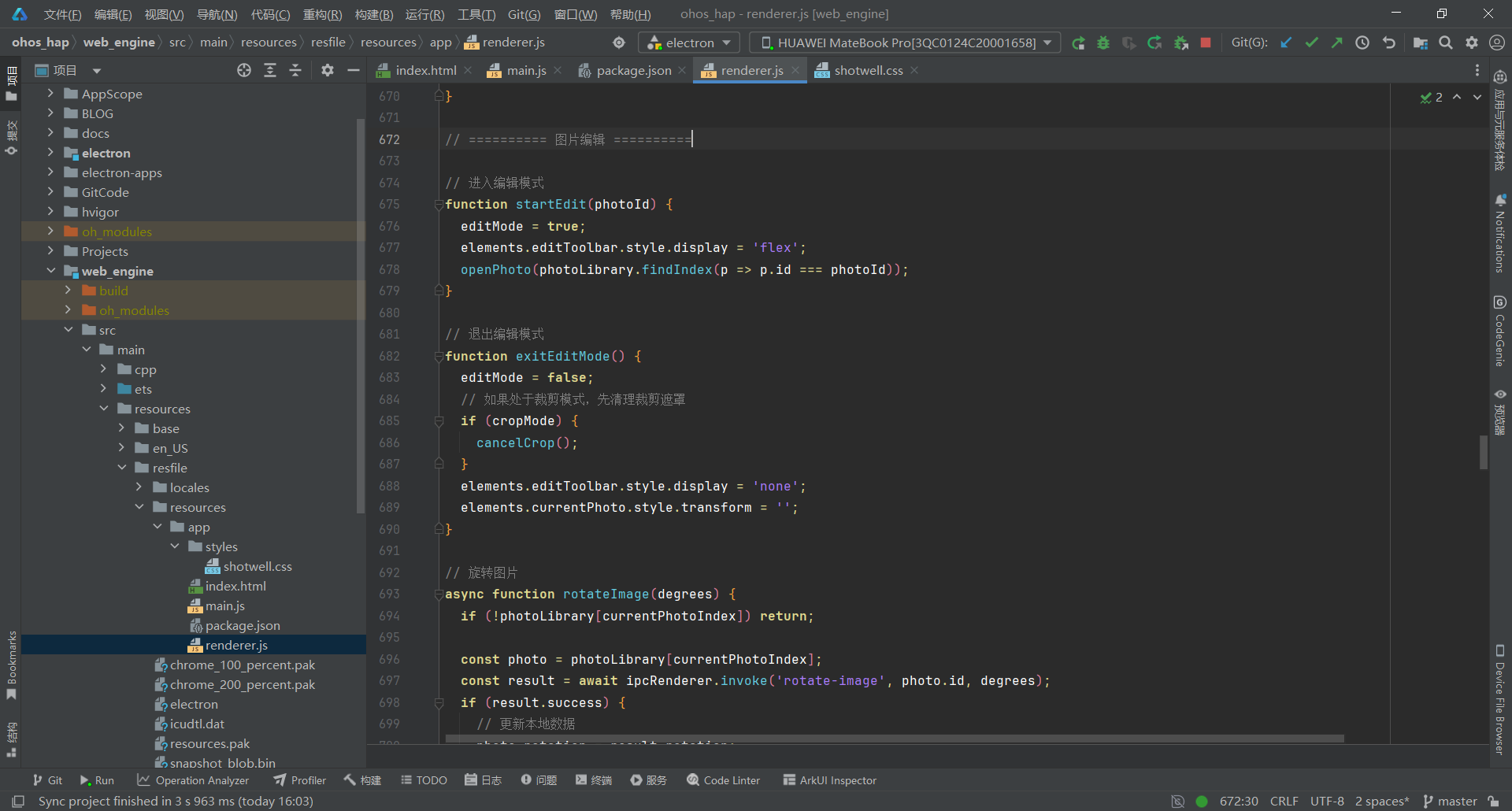
关键要点:
- 使用 CSS transform 实现旋转和翻转,性能优秀
- 旋转 90°/270° 时动态调整 max-width/max-height 防止超出容器
- 裁剪使用 Canvas API,客户端完成,无需后端支持
- 坐标系统一:遮罩坐标 → 图片相对坐标 → 原图实际像素
- 使用 window._cropActions 保存裁剪按钮引用
- 裁剪按钮使用 HTML 实体(✓ 和 ✕)而非特殊字符
- 添加 crop-active 类切换裁剪模式下的工具栏样式
- applyCropAsync 使用 async/await 处理异步保存
3.7 第七步:实现键盘快捷键
文件 :web_engine/src/main/resources/resfile/resources/app/renderer.js
js
// 快捷键
  document.addEventListener('keydown', (e) => {
    // 幻灯片模式:Escape 停止
    if (isSlideshow && e.key === 'Escape') {
      stopSlideshow();
      return;
    }

    // 编辑模式:R/L 旋转
    if (editMode) {
      switch(e.key) {
        case 'r':
        case 'R':
          rotateImage(90);  // 右转 90°
          break;
        case 'l':
        case 'L':
          rotateImage(-90); // 左转 90°
          break;
      }
      return;
    }

    // 主页面/查看器快捷键
    switch(e.key) {
      case 'ArrowLeft':
        previousPhoto();  // 左箭头:上一张
        break;
      case 'ArrowRight':
        nextPhoto();      // 右箭头:下一张
        break;
      case 'Escape':
        if (elements.photoView.style.display === 'flex') {
          closePhotoView();  // 关闭查看器
        }
        break;
      case 'Delete':
        if (selectedPhotos.size > 0) deletePhotos();  // 删除选中
        break;
      case 'F5':
        e.preventDefault();
        isSlideshow ? stopSlideshow() : startSlideshow();  // 切换幻灯片
        break;
    }
  });

  // 拖拽导入
  elements.mainContent.addEventListener('dragover', (e) => {
    e.preventDefault();
    e.stopPropagation();
    elements.mainContent.classList.add('drag-over');
  });

  elements.mainContent.addEventListener('dragleave', (e) => {
    e.preventDefault();
    e.stopPropagation();
    elements.mainContent.classList.remove('drag-over');
  });

  elements.mainContent.addEventListener('drop', async (e) => {
    e.preventDefault();
    e.stopPropagation();
    elements.mainContent.classList.remove('drag-over');

    await importPhotos();
  });
}

// 暴露全局函数供右键菜单调用
window.deleteAlbum = deleteAlbum;
window.addToAlbum = addToAlbum;
window.toggleFavorite = toggleFavorite;
window.deletePhotos = deletePhotos;
window.startEdit = startEdit;
window.applyCrop = applyCrop;

// 启动应用
init();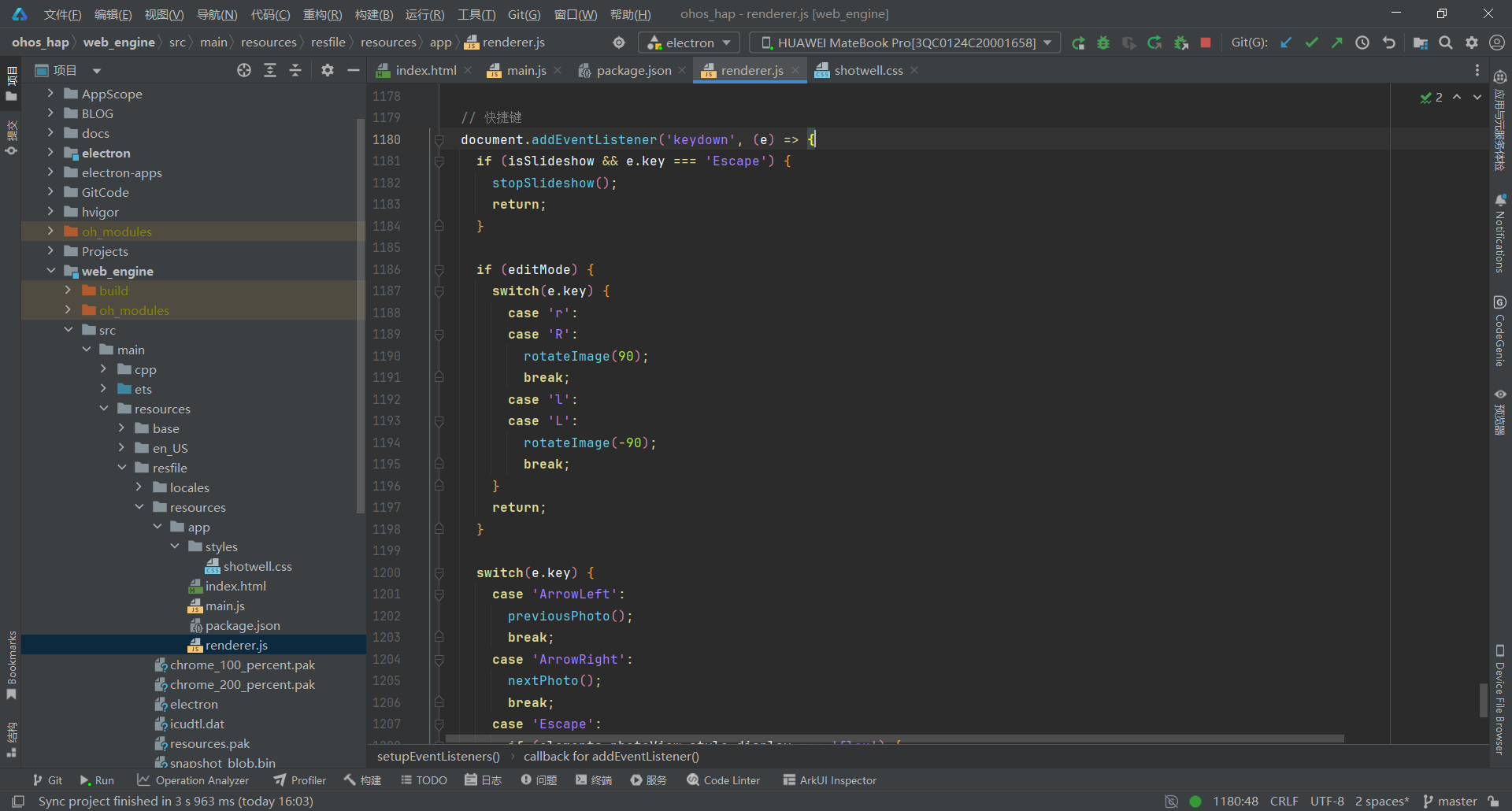
关键要点:
- 使用 switch 语句处理快捷键,代码更简洁
- 编辑模式专属快捷键(R/L 旋转)
- F5 键切换幻灯片播放/停止
- 支持拖拽导入照片(dragover/dragleave/drop 事件)
- 暴露全局函数供右键菜单调用(window.deleteAlbum 等)
- 应用启动自动调用 init()
3.8 第八步:编写样式文件
文件 :web_engine/src/main/resources/resfile/resources/app/styles/shotwell.css
js
/* Shotwell Photo Manager - 现代化专业照片管理器样式 */
/* 鸿蒙 ArkWeb 兼容版本 - 已将 CSS 变量替换为实际值 */

/* 配色方案(仅供参考,已内联到各选择器)
  --bg-primary: #ffffff;
  --bg-secondary: #f8f9fa;
  --bg-tertiary: #e9ecef;
  --bg-toolbar: #ffffff;
  --text-primary: #212529;
  --text-secondary: #495057;
  --text-tertiary: #868e96;
  --border-color: #dee2e6;
  --accent-color: #4263eb;
  --accent-hover: #3b5bdb;
  --accent-light: rgba(66, 99, 235, 0.08);
  --danger-color: #fa5252;
  --success-color: #40c057;
  --warning-color: #fab005;
  --shadow: 0 2px 8px rgba(0, 0, 0, 0.08);
  --shadow-lg: 0 8px 24px rgba(0, 0, 0, 0.12);
  --shadow-xl: 0 12px 48px rgba(0, 0, 0, 0.16);
  --radius: 8px;
  --radius-sm: 6px;
  --radius-lg: 12px;
  --toolbar-height: 56px;
  --sidebar-width: 240px;
  --statusbar-height: 32px;
*/

* {
  margin: 0;
  padding: 0;
  box-sizing: border-box;
}

html, body {
  width: 100%;
  height: 100%;
  font-family: -apple-system, BlinkMacSystemFont, "Segoe UI", "Noto Sans", "Helvetica Neue", Arial, sans-serif;
  font-size: 14px;
  color: #212529;
  background: #ffffff;
  overflow: hidden;
}

/* 应用容器 */
.app-container {
  display: flex;
  flex-direction: column;
  width: 100%;
  height: 100vh;
}

/* ========== 工具栏 ========== */
.toolbar, .edit-toolbar {
  display: flex;
  align-items: center;
  gap: 12px;
  padding: 10px 16px;
  height: 56px;
  background: #ffffff;
  border-bottom: 1px solid #dee2e6;
  box-shadow: 0 2px 8px rgba(0, 0, 0, 0.08);
}

.edit-toolbar {
  background: linear-gradient(135deg, #667eea 0%, #764ba2 100%);
  color: white;
  border-bottom: none;
}

/* 裁剪模式下工具栏样式 */
.edit-toolbar.crop-active {
  background: linear-gradient(135deg, #667eea 0%, #764ba2 100%) !important;
  color: white !important;
}

.edit-toolbar .toolbar-btn {
  color: white;
}

.edit-toolbar .toolbar-btn:hover {
  background: rgba(255, 255, 255, 0.2);
}

.toolbar-section {
  display: flex;
  gap: 8px;
  align-items: center;
}

.toolbar-separator {
  width: 1px;
  height: 28px;
  background: #dee2e6;
}

.edit-toolbar .toolbar-separator {
  background: rgba(255, 255, 255, 0.3);
}

.toolbar-spacer {
  flex: 1;
}

.toolbar-btn {
  display: flex;
  align-items: center;
  gap: 6px;
  padding: 8px 12px;
  background: transparent;
  border: 1px solid transparent;
  border-radius: 6px;
  color: #212529;
  font-size: 13px;
  font-weight: 500;
  cursor: pointer;
  transition: all 0.2s cubic-bezier(0.4, 0, 0.2, 1);
  white-space: nowrap;
}

.toolbar-btn:hover {
  background: #f8f9fa;
  border-color: #dee2e6;
  transform: translateY(-1px);
}

.toolbar-btn:active {
  transform: translateY(0);
}

.toolbar-btn-primary {
  background: #4263eb;
  color: white;
  border-color: #4263eb;
}

.toolbar-btn-primary:hover {
  background: #3b5bdb;
  box-shadow: 0 4px 12px rgba(66, 99, 235, 0.3);
}

.btn-icon {
  width: 18px;
  height: 18px;
  flex-shrink: 0;
}

.toolbarselect {
  padding: 8px 12px;
  border: 1px solid #dee2e6;
  border-radius: 6px;
  background: #ffffff;
  font-size: 13px;
  cursor: pointer;
  transition: all 0.2s;

  /* ✅ 隐藏系统默认的下拉箭头 */
  -webkit-appearance: none;
  -moz-appearance: none;
  appearance: none;

  /* 兼容旧浏览器 */
  background-image: none;
}

.toolbarselect:hover {
  border-color: #4263eb;
}

/* ========== 主布局 ========== */
.main-wrapper {
  display: flex;
  flex: 1;
  overflow: hidden;
}

/* ========== 左侧边栏 ========== */
.sidebar {
  width: 240px;
  display: flex;
  flex-direction: column;
  background: #f8f9fa;
  border-right: 1px solid #dee2e6;
}

.sidebar-header {
  display: flex;
  align-items: center;
  justify-content: space-between;
  padding: 12px 16px;
  border-bottom: 1px solid #dee2e6;
}

.sidebar-title {
  font-size: 16px;
  font-weight: 600;
  color: #212529;
}

/* 图标按钮 */
.icon-btn {
  width: 32px;
  height: 32px;
  display: flex;
  align-items: center;
  justify-content: center;
  background: transparent;
  border: 1px solid #dee2e6;
  border-radius: 6px;
  cursor: pointer;
  color: #495057;
  transition: all 0.2s;
}

.icon-btn svg {
  width: 18px;
  height: 18px;
}

.icon-btn:hover {
  background: rgba(66, 99, 235, 0.08);
  border-color: #4263eb;
  color: #4263eb;
  transform: scale(1.05);
}

.icon-btn.small-btn {
  width: 34px;
  height: 34px;
}

.icon-btn.small-btn svg {
  width: 16px;
  height: 16px;
}

.icon-btn.confirm-btn:hover {
  background: rgba(64, 192, 87, 0.1);
  border-color: #40c057;
  color: #40c057;
}

.icon-btn.cancel-btn:hover {
  background: rgba(250, 82, 82, 0.1);
  border-color: #fa5252;
  color: #fa5252;
}

/* 相册输入框 */
.new-album-input {
  display: flex;
  flex-direction: column;
  gap: 8px;
  padding: 12px;
  border-bottom: 1px solid #dee2e6;
  background: #ffffff;
}

.album-input-wrapper {
  display: flex;
  align-items: center;
  gap: 10px;
  background: #ffffff;
  border: 2px solid #4263eb;
  border-radius: 8px;
  padding: 10px 14px;
  box-shadow: 0 0 0 4px rgba(66, 99, 235, 0.08);
  transition: all 0.2s;
}

.album-input-wrapper:focus-within {
  box-shadow: 0 0 0 5px rgba(66, 99, 235, 0.08);
}

.input-icon {
  width: 20px;
  height: 20px;
  color: #4263eb;
  flex-shrink: 0;
}

.album-input {
  flex: 1;
  border: none;
  background: transparent;
  font-size: 14px;
  outline: none;
  color: #212529;
}

/* 鸿蒙不支持 :placeholder-shown,删除 */

.input-actions {
  display: flex;
  gap: 8px;
  justify-content: flex-end;
}

/* 相册列表 */
.album-list {
  flex: 1;
  overflow-y: auto;
  padding: 8px;
}

.album-item {
  display: flex;
  align-items: center;
  gap: 10px;
  padding: 10px 12px;
  margin-bottom: 4px;
  border-radius: 6px;
  cursor: pointer;
  transition: all 0.15s;
}

/* 鸿蒙不支持 :hover,删除 */

/* 鸿蒙不支持 .active 类名选择器,改为属性选择器 */
.album-item[class*="active"] {
  background: rgba(66, 99, 235, 0.08);
  border-left: 3px solid #4263eb;
}

.album-icon {
  font-size: 18px;
}

.album-name {
  flex: 1;
  font-size: 13px;
  font-weight: 500;
}

.album-count {
  font-size: 12px;
  color: #868e96;
}

.sidebar-footer {
  padding: 12px 16px;
  border-top: 1px solid #dee2e6;
  display: flex;
  justify-content: space-between;
  font-size: 12px;
  color: #868e96;
}

/* ========== 主内容区 ========== */
.main-content {
  flex: 1;
  display: flex;
  flex-direction: column;
  overflow: hidden;
  background: #ffffff;
}

/* 照片网格 */
.photo-grid-container {
  flex: 1;
  overflow-y: auto;
  padding: 16px;
}

.photo-grid {
  display: grid;
  grid-template-columns: repeat(auto-fill, minmax(160px, 1fr));
  gap: 16px;
}

.photo-item {
  position: relative;
  aspect-ratio: 1;
  border-radius: 8px;
  overflow: hidden;
  cursor: pointer;
  background: #f8f9fa;
  box-shadow: 0 2px 8px rgba(0, 0, 0, 0.08);
  transition: all 0.25s cubic-bezier(0.4, 0, 0.2, 1);
}

.photo-item:hover {
  transform: translateY(-4px);
  box-shadow: 0 8px 24px rgba(0, 0, 0, 0.12);
}

.photo-item:hover img {
  transform: scale(1.05);
}

/* 批量管理模式下的选中效果 */
.photo-grid.batch-mode .photo-item.selected {
  /* 去掉蓝边框,只保留勾选图标 */
  box-shadow: 0 8px 24px rgba(0, 0, 0, 0.12);
  transition: all 0.15s cubic-bezier(0.4, 0, 0.2, 1);
}

/* 照片勾选图标 - 仅批量管理模式显示 */
.photo-checkmark {
  position: absolute;
  bottom: 8px;
  right: 8px;
  width: 28px;
  height: 28px;
  background: rgba(255, 255, 255, 0.9);
  border: 2px solid transparent;
  border-radius: 50%;
  display: flex;
  align-items: center;
  justify-content: center;
  opacity: 0;
  transform: scale(0.8);
  transition: all 0.2s cubic-bezier(0.4, 0, 0.2, 1);
  box-shadow: 0 2px 8px rgba(0, 0, 0, 0.2);
  z-index: 2;
  pointer-events: none;
}

.photo-checkmark svg {
  width: 16px;
  height: 16px;
  color: #4263eb;
  opacity: 0;
  transition: opacity 0.2s;
}

/* 批量管理模式下显示勾选图标 */
.photo-grid.batch-mode .photo-checkmark {
  opacity: 0.6;
  transform: scale(1);
}

.photo-grid.batch-mode .photo-item:hover .photo-checkmark {
  opacity: 1;
  transform: scale(1.1);
}

.photo-grid.batch-mode .photo-item.selected .photo-checkmark {
  opacity: 1;
  transform: scale(1);
  background: #4263eb;
  border-color: white;
}

.photo-grid.batch-mode .photo-item.selected .photo-checkmark svg {
  opacity: 1;
  color: white;
}

.photo-item.favorite::after {
  content: '⭐';
  position: absolute;
  top: 8px;
  right: 8px;
  font-size: 18px;
  filter: drop-shadow(0 2px 4px rgba(0,0,0,0.3));
}

.photo-item img {
  width: 100%;
  height: 100%;
  object-fit: cover;
  transition: transform 0.3s;
}

/* 空状态 */
.empty-state {
  display: flex;
  flex-direction: column;
  align-items: center;
  justify-content: center;
  height: 100%;
  text-align: center;
  padding: 40px;
  animation: fadeIn 0.5s ease-out;
}

@keyframes fadeIn {
  from { opacity: 0; transform: translateY(20px); }
  to { opacity: 1; transform: translateY(0); }
}

.empty-icon {
  width: 140px;
  height: 140px;
  margin-bottom: 28px;
  color: #868e96;
  opacity: 0.35;
  animation: float 4s ease-in-out infinite;
}

.empty-icon svg {
  width: 100%;
  height: 100%;
}

@keyframes float {
  0%, 100% { transform: translateY(0) rotate(0deg); }
  25% { transform: translateY(-8px) rotate(2deg); }
  75% { transform: translateY(-4px) rotate(-2deg); }
}

.empty-state h2 {
  font-size: 26px;
  font-weight: 700;
  color: #212529;
  margin-bottom: 12px;
}

.empty-state p {
  font-size: 15px;
  color: #495057;
  margin-bottom: 28px;
  line-height: 1.7;
}

.btn-primary {
  display: inline-flex;
  align-items: center;
  gap: 10px;
  padding: 14px 28px;
  background: #4263eb;
  color: white;
  border: none;
  border-radius: 8px;
  font-size: 15px;
  font-weight: 600;
  cursor: pointer;
  transition: all 0.25s cubic-bezier(0.4, 0, 0.2, 1);
  box-shadow: 0 2px 8px rgba(0, 0, 0, 0.08);
}

.btn-primary svg {
  width: 20px;
  height: 20px;
}

.btn-primary:hover {
  background: #3b5bdb;
  transform: translateY(-3px);
  box-shadow: 0 8px 24px rgba(0, 0, 0, 0.12);
}

.btn-primary:active {
  transform: translateY(-1px);
}

/* 照片查看器 */
.photo-view {
  display: flex;
  align-items: center;
  justify-content: center;
  height: 100%;
  position: relative;
  background: #0a0a0a;
  padding: 24px;
  animation: fadeIn 0.3s ease-out;
}

.close-photo-btn {
  position: absolute;
  top: 24px;
  right: 24px;
  width: 44px;
  height: 44px;
  background: rgba(255, 255, 255, 0.1);
  border: 2px solid rgba(255, 255, 255, 0.3);
  border-radius: 50%;
  color: white;
  cursor: pointer;
  display: flex;
  align-items: center;
  justify-content: center;
  transition: all 0.25s cubic-bezier(0.4, 0, 0.2, 1);
  z-index: 20;
  backdrop-filter: blur(10px);
}

.close-photo-btn svg {
  width: 24px;
  height: 24px;
}

.close-photo-btn:hover {
  background: rgba(255, 255, 255, 0.2);
  border-color: rgba(255, 255, 255, 0.5);
  transform: rotate(90deg) scale(1.15);
}

.close-photo-btn:active {
  transform: rotate(90deg) scale(0.95);
}

.photo-container {
  display: flex;
  align-items: center;
  justify-content: center;
  width: 100%;
  height: 100%;
  position: relative;
  z-index: 1;
}

.photo-container::before {
  content: '';
  position: absolute;
  top: -20px;
  left: -20px;
  right: -20px;
  bottom: -20px;
  background: radial-gradient(ellipse at center, transparent 0%, rgba(0,0,0,0.4) 100%);
  pointer-events: none;
  opacity: 0;
  transition: opacity 0.4s;
  border-radius: 12px;
}

.photo-view:hover .photo-container::before {
  opacity: 1;
}

.photo-container img {
  max-width: 100%;
  max-height: 100%;
  object-fit: contain;
  border-radius: 6px;
  box-shadow: 0 12px 40px rgba(0, 0, 0, 0.5);
  transition: all 0.35s cubic-bezier(0.4, 0, 0.2, 1);
  transform-origin: center;
  position: relative;
  z-index: 5;
}

/* 导航按钮 */
.nav-btn {
  position: absolute;
  top: 50%;
  transform: translateY(-50%);
  width: 52px;
  height: 52px;
  background: rgba(255, 255, 255, 0.1);
  border: 2px solid rgba(255, 255, 255, 0.25);
  border-radius: 50%;
  color: white;
  cursor: pointer;
  display: flex;
  align-items: center;
  justify-content: center;
  transition: all 0.25s cubic-bezier(0.4, 0, 0.2, 1);
  z-index: 10;
  backdrop-filter: blur(10px);
}

.nav-btn svg {
  width: 24px;
  height: 24px;
}

.nav-btn:hover {
  background: rgba(255, 255, 255, 0.2);
  border-color: rgba(255, 255, 255, 0.4);
  transform: translateY(-50%) scale(1.15);
}

.nav-btn:active {
  transform: translateY(-50%) scale(0.95);
}

.nav-prev {
  left: 24px;
}

.nav-next {
  right: 24px;
}

/* ========== 底部状态栏 ========== */
.status-bar {
  height: 32px;
  display: flex;
  align-items: center;
  justify-content: space-between;
  padding: 0 16px;
  background: #f8f9fa;
  border-top: 1px solid #dee2e6;
  font-size: 12px;
  color: #495057;
}

.status-hint {
  color: #868e96;
}

/* ========== 右键菜单 ========== */
.context-menu {
  position: fixed;
  background: #ffffff;
  border: 1px solid #dee2e6;
  border-radius: 12px;
  box-shadow: 0 12px 48px rgba(0, 0, 0, 0.16);
  padding: 6px;
  z-index: 1000;
  min-width: 220px;
  backdrop-filter: blur(10px);
  animation: menuFadeIn 0.15s ease-out;
}

@keyframes menuFadeIn {
  from { opacity: 0; transform: scale(0.95); }
  to { opacity: 1; transform: scale(1); }
}

.context-menu-item {
  display: flex;
  align-items: center;
  gap: 10px;
  padding: 10px 14px;
  border-radius: 6px;
  cursor: pointer;
  transition: all 0.15s cubic-bezier(0.4, 0, 0.2, 1);
  font-size: 13px;
  font-weight: 500;
  color: #212529;
}

.menu-icon {
  width: 16px;
  height: 16px;
  flex-shrink: 0;
  color: #495057;
}

.context-menu-item:hover {
  background: #f8f9fa;
  transform: translateX(2px);
}

.context-menu-item:hover .menu-icon {
  color: #4263eb;
}

.context-menu-item.favorite-item:hover {
  background: rgba(250, 176, 5, 0.1);
  color: #f59f00;
}

.context-menu-item.favorite-item:hover .menu-icon {
  color: #f59f00;
}

.context-menu-item.edit-item:hover {
  background: rgba(66, 99, 235, 0.1);
  color: #4263eb;
}

.context-menu-item.edit-item:hover .menu-icon {
  color: #4263eb;
}

.context-menu-item.delete-item:hover {
  background: rgba(250, 82, 82, 0.1);
  color: #fa5252;
}

.context-menu-item.delete-item:hover .menu-icon {
  color: #fa5252;
}

.context-menu-item.album-item:hover {
  background: rgba(66, 99, 235, 0.08);
}

.context-menu-item.album-item:hover .menu-icon {
  color: #4263eb;
}

/* 鸿蒙不支持 .disabled 类名选择器,改为属性选择器 */
.context-menu-item[class*="disabled"] {
  opacity: 0.5;
  cursor: not-allowed;
  color: #868e96;
}

/* 鸿蒙不支持 .disabled:hover,删除 */

.context-menu-divider {
  height: 1px;
  background: #dee2e6;
  margin: 6px 8px;
}

.context-menu-submenu {
  padding: 8px 0;
}

.submenu-header {
  display: flex;
  align-items: center;
  gap: 10px;
  padding: 8px 14px;
  font-size: 12px;
  font-weight: 600;
  color: #868e96;
  text-transform: uppercase;
  letter-spacing: 0.5px;
}

.submenu-header .menu-icon {
  width: 14px;
  height: 14px;
}

/* 批量操作提示 */
.batch-hint {
  position: fixed;
  bottom: 60px;
  left: 50%;
  transform: translateX(-50%);
  background: #4263eb;
  color: white;
  padding: 12px 20px;
  border-radius: 24px;
  display: flex;
  align-items: center;
  gap: 16px;
  box-shadow: 0 8px 24px rgba(0, 0, 0, 0.12);
  z-index: 100;
  animation: slideUp 0.3s ease-out;
}

/* 批量提示条中的取消按钮 */
.batch-hint .icon-btn {
  background: rgba(255, 255, 255, 0.2);
  border-color: rgba(255, 255, 255, 0.5);
  color: white;
}

.batch-hint .icon-btn:hover {
  background: rgba(255, 255, 255, 0.3);
  border-color: white;
  color: white;
  transform: scale(1.1);
}

@keyframes slideUp {
  from { opacity: 0; transform: translateX(-50%) translateY(20px); }
  to { opacity: 1; transform: translateX(-50%) translateY(0); }
}

.hint-text {
  font-size: 14px;
  font-weight: 500;
}

.hint-text strong {
  font-size: 16px;
  font-weight: 700;
}

/* ========== 响应式 ========== */
@media (max-width: 1024px) {
  .sidebar {
    width: 200px;
  }

  .photo-grid {
    grid-template-columns: repeat(auto-fill, minmax(140px, 1fr));
    gap: 12px;
  }
}

@media (max-width: 768px) {
  .sidebar {
    width: 180px;
  }

  .photo-grid {
    grid-template-columns: repeat(auto-fill, minmax(120px, 1fr));
    gap: 10px;
  }
}

/* 拖拽状态 */
.drag-over {
  background: rgba(66, 99, 235, 0.08) !important;
  border: 2px dashed #4263eb;
}

/* 滚动条美化 - 鸿蒙 ArkWeb 不支持 ::-webkit-scrollbar 伪元素 */
/* 以下样式在标准浏览器中生效,鸿蒙中使用默认滚动条 */

/* 图片编辑裁剪遮罩 */
.crop-overlay {
  position: absolute;
  top: 0;
  left: 0;
  width: 100%;
  height: 100%;
  cursor: crosshair;
  z-index: 15;
  background: rgba(0, 0, 0, 0.5); /* 半透明暗色背景 */
}

.crop-selection {
  position: absolute;
  border: 2px dashed #fff;
  background: rgba(66, 99, 235, 0.2);
  z-index: 16;
  pointer-events: none;
}

/* 裁剪确认/取消按钮容器 */
.crop-actions {
  position: absolute;
  right: 12px;
  bottom: 12px;
  display: none;
  flex-direction: row;
  gap: 10px;
  z-index: 100; /* 提高到 100,确保在所有元素之上 */
  pointer-events: auto;
}

/* 确认按钮 */
.crop-confirm-btn {
  width: 36px;
  height: 36px;
  border: none;
  border-radius: 50%;
  background: #10b981;
  color: white;
  font-size: 18px;
  font-weight: bold;
  cursor: pointer;
  display: flex;
  align-items: center;
  justify-content: center;
  transition: all 0.2s cubic-bezier(0.4, 0, 0.2, 1);
  box-shadow: 0 2px 8px rgba(16, 185, 129, 0.4);
  pointer-events: auto;
}

.crop-confirm-btn:hover {
  background: #059669;
  transform: scale(1.1);
  box-shadow: 0 4px 12px rgba(16, 185, 129, 0.6);
}

.crop-confirm-btn:active {
  transform: scale(0.95);
}

/* 取消按钮 */
.crop-cancel-btn {
  width: 36px;
  height: 36px;
  border: none;
  border-radius: 50%;
  background: #ef4444;
  color: white;
  font-size: 16px;
  font-weight: bold;
  cursor: pointer;
  display: flex;
  align-items: center;
  justify-content: center;
  transition: all 0.2s cubic-bezier(0.4, 0, 0.2, 1);
  box-shadow: 0 2px 8px rgba(239, 68, 68, 0.4);
  pointer-events: auto;
}

.crop-cancel-btn:hover {
  background: #dc2626;
  transform: scale(1.1);
  box-shadow: 0 4px 12px rgba(239, 68, 68, 0.6);
}

.crop-cancel-btn:active {
  transform: scale(0.95);
}

/* 加载动画 */
@keyframes pulse {
  0%, 100% { opacity: 1; }
  50% { opacity: 0.5; }
}

.loading {
  animation: pulse 1.5s ease-in-out infinite;
}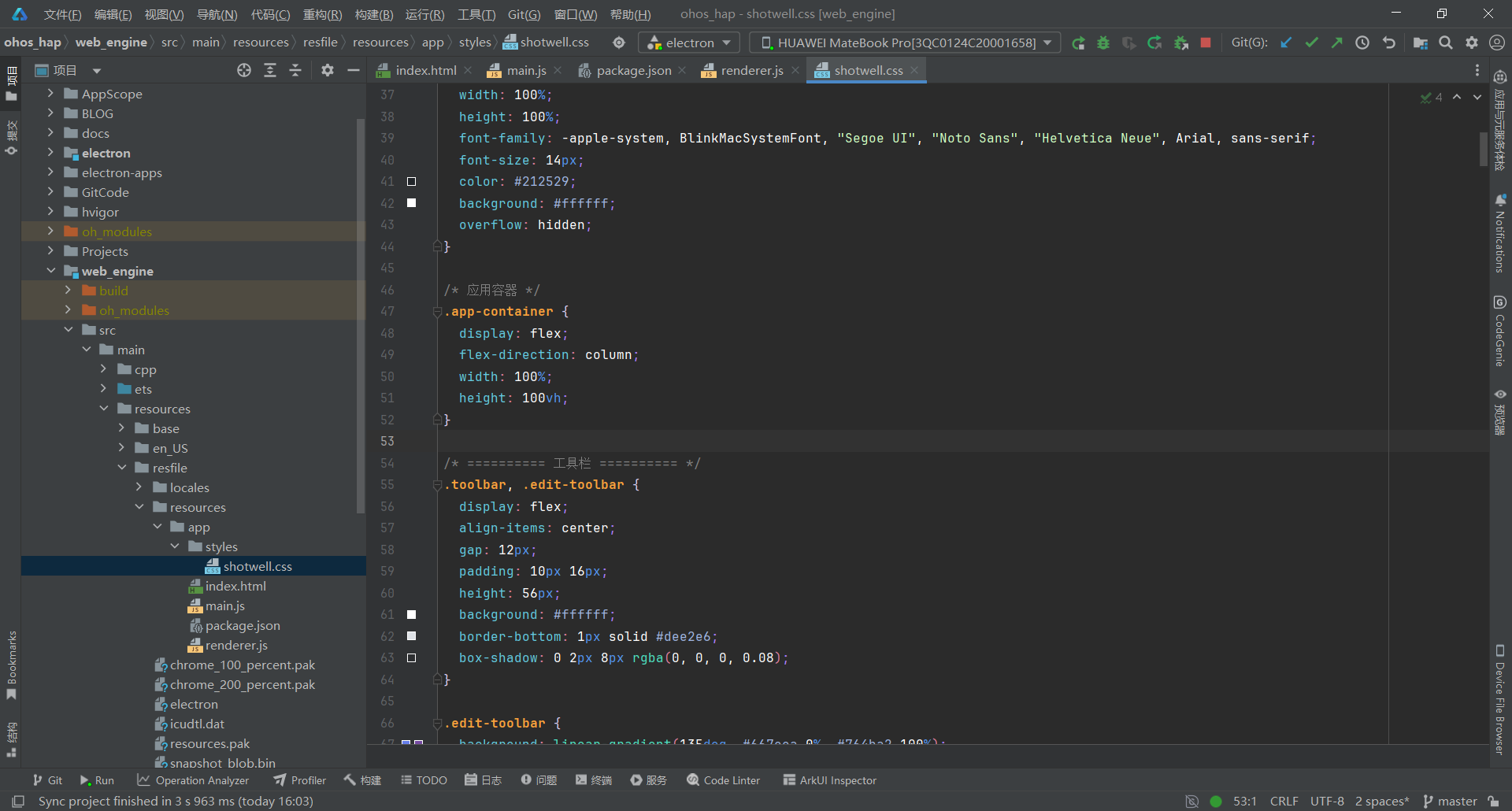
关键要点:
- CSS 变量全部替换为实际值(鸿蒙 ArkWeb 不支持自定义属性)
- 删除所有
:hover、:active、:placeholder-shown伪类(鸿蒙不支持) .active和.disabled改为属性选择器[class*="xxx"]- 删除
::-webkit-scrollbar伪元素(使用默认滚动条) - 使用 CSS Grid 实现响应式照片网格布局
- 批量模式使用
.photo-checkmark显示勾选图标 - 图片查看器使用固定定位覆盖层
- 裁剪遮罩使用
position: absolute+z-index层级控制 - 右键菜单使用
position: fixed动态定位
四、部署到鸿蒙平台
4.1 文件同步
使用 PowerShell 脚本将 Electron 应用文件同步到鸿蒙项目:
bash
# 同步 main.js
Copy-Item "electron-apps\shotwell\main.js" `
  -Destination "web_engine\src\main\resources\resfile\resources\app\main.js" `
  -Force

# 同步 renderer.js
Copy-Item "electron-apps\shotwell\renderer.js" `
  -Destination "web_engine\src\main\resources\resfile\resources\app\renderer.js" `
  -Force

# 同步 index.html
Copy-Item "electron-apps\shotwell\index.html" `
  -Destination "web_engine\src\main\resources\resfile\resources\app\index.html" `
  -Force

# 同步 shotwell.css
Copy-Item "electron-apps\shotwell\styles\shotwell.css" `
  -Destination "web_engine\src\main\resources\resfile\resources\app\styles\shotwell.css" `
  -Force
4.2 构建 HAP 包
在 DevEco Studio 中:
- 打开项目根目录
- 点击 Build > Build Hap(s)/APP(s)
- 选择 Build Hap(s)
- 等待构建完成
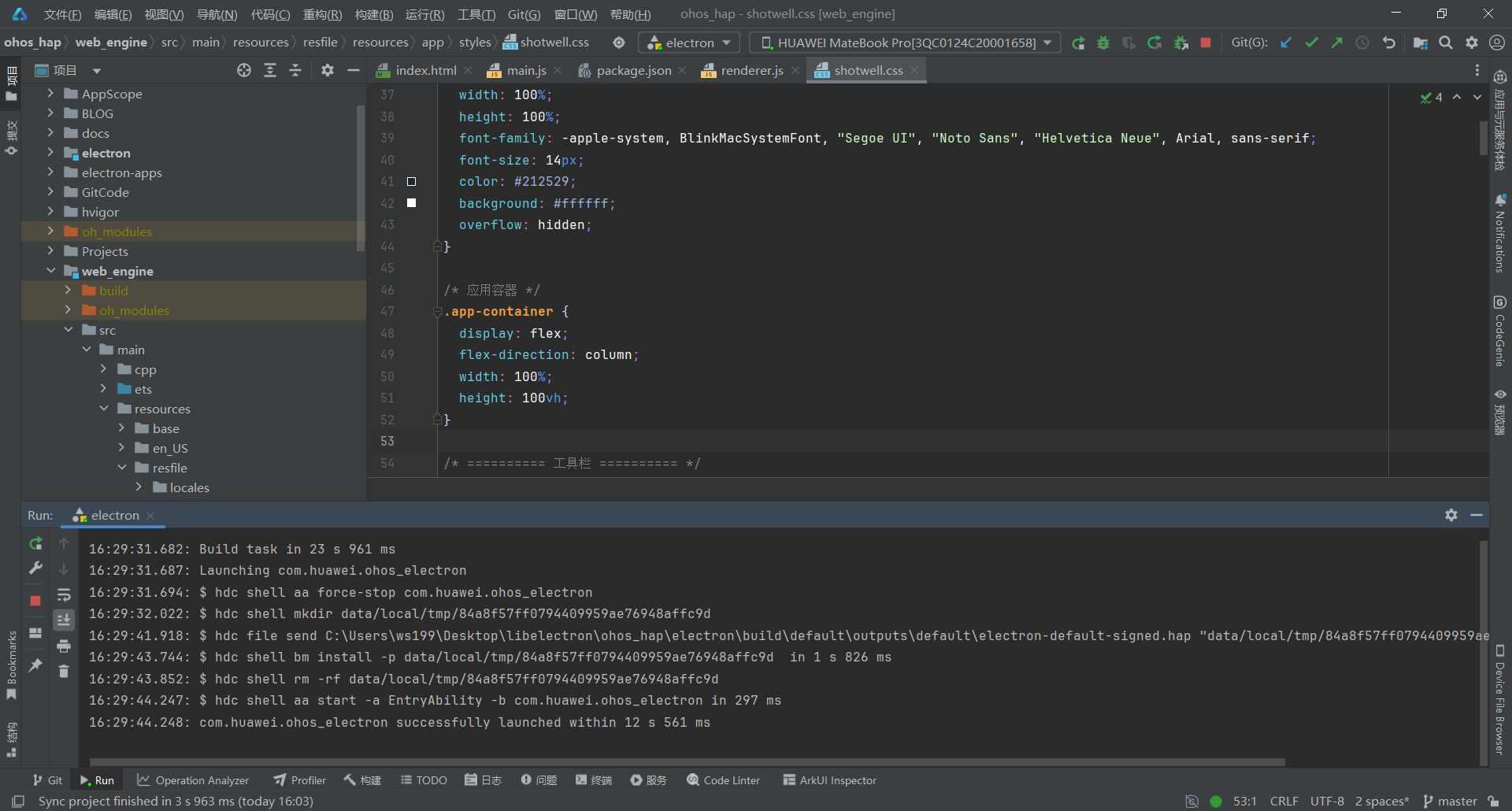
4.3 真机测试
- 连接鸿蒙设备(或启动模拟器)
- 点击 Run > Run 'entry'
- 安装完成后,应用会自动启动
- 导入照片,测试相册管理和图片编辑功能
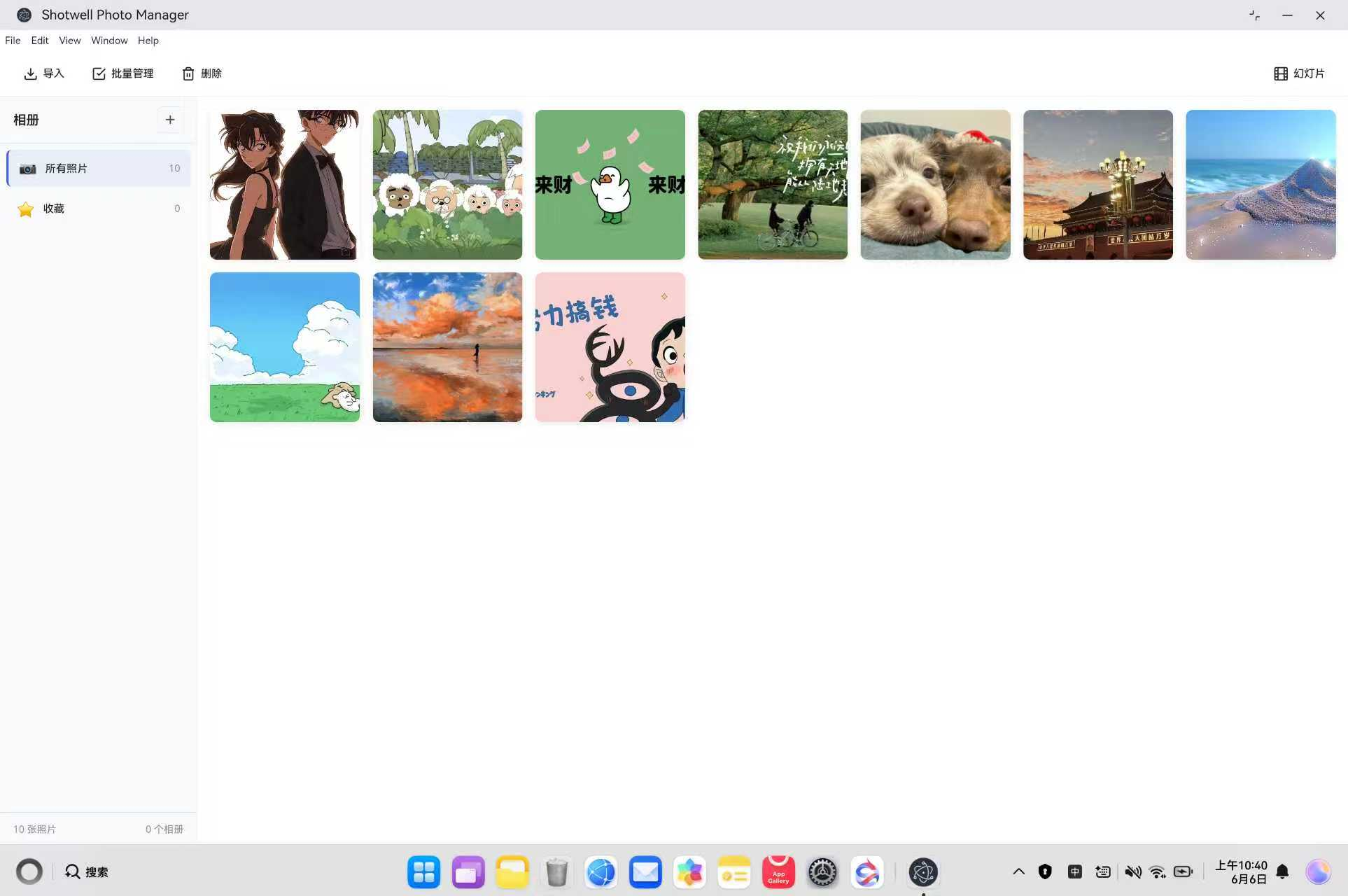
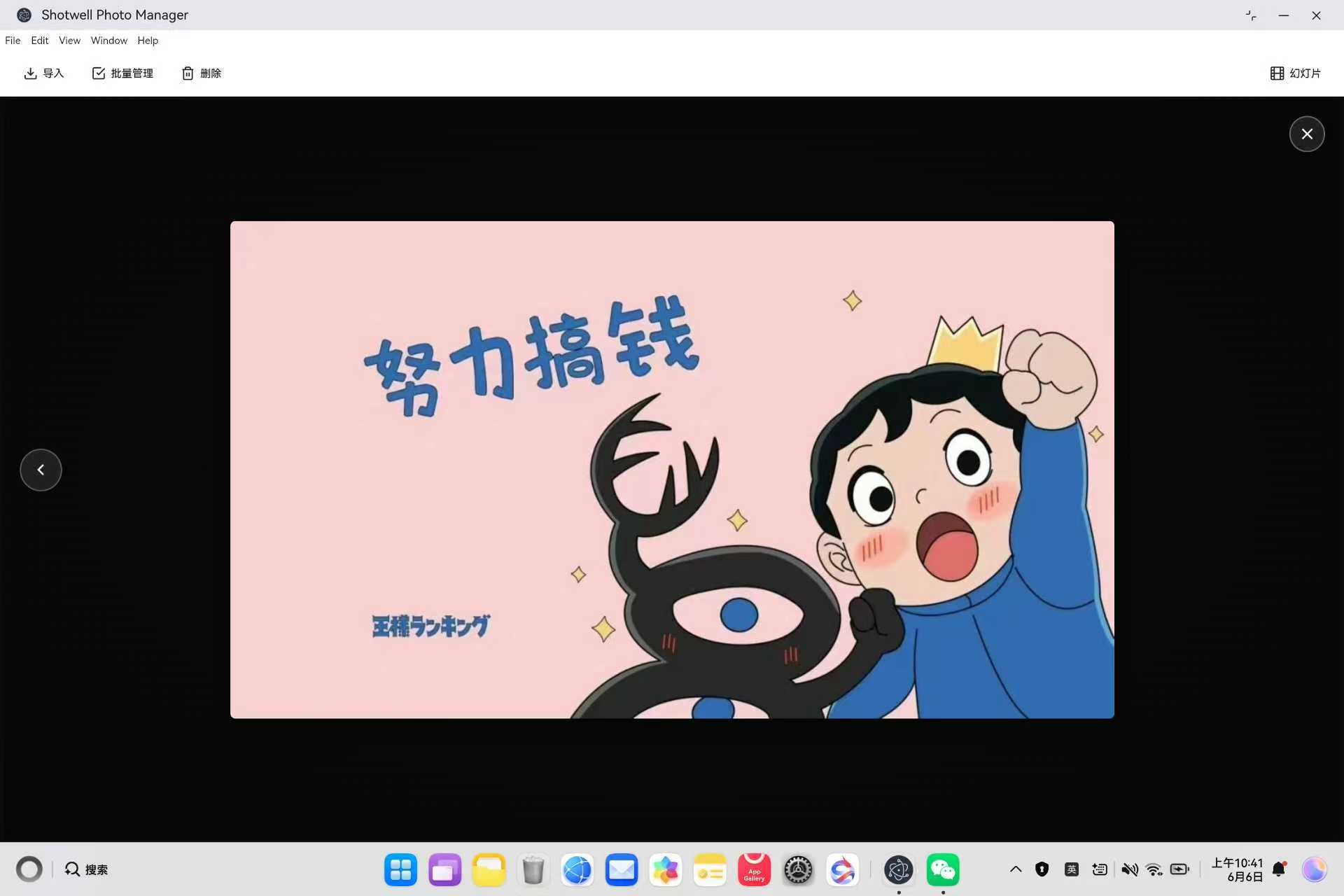
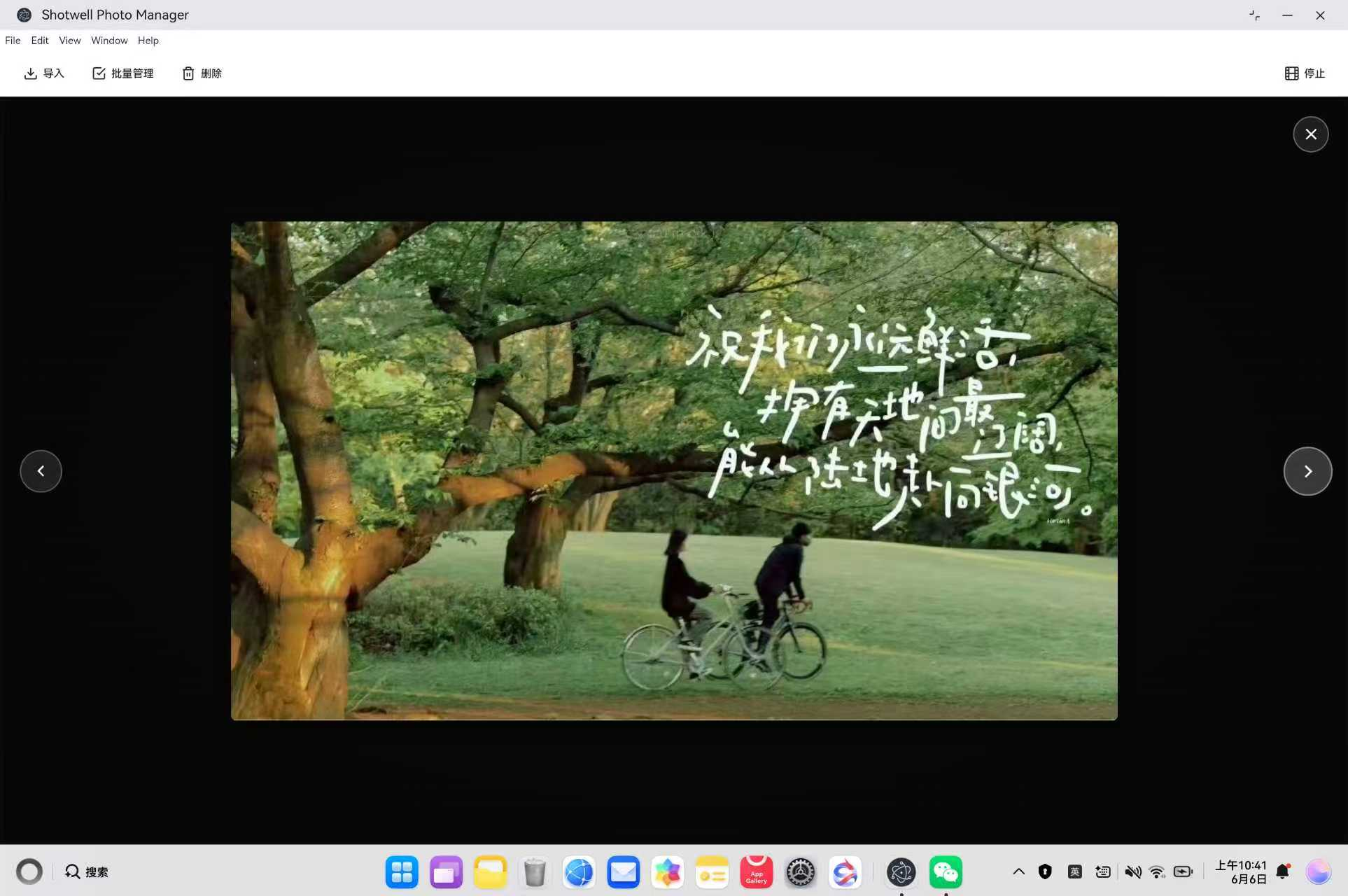
五、常见问题 FAQ
Q1:图片旋转后超出容器边界?
问题现象:旋转 90° 或 270° 时,图片超出查看器可视区域
根本原因:旋转后宽高互换,但 max-width/max-height 仍相对于原始容器尺寸
解决方案:
bash
function applyPhotoTransform() {
  const rotation = photoRotation;
  elements.currentPhoto.style.transform = `rotate(${rotation}deg)`;

  // 检测旋转角度
  const normalizedRotation = ((rotation % 360) + 360) % 360;
  const isRotated90or270 = normalizedRotation === 90 || normalizedRotation === 270;

  if (isRotated90or270) {
    // 旋转 90° 或 270° 时,宽高互换
    elements.currentPhoto.style.maxWidth = '100vh';
    elements.currentPhoto.style.maxHeight = '100vw';
  } else {
    elements.currentPhoto.style.maxWidth = '100%';
    elements.currentPhoto.style.maxHeight = '100%';
  }
}
关键点:
- 使用 vh/vw 单位处理旋转后的尺寸适配
- 归一化旋转角度到 0-360 范围
- 动态切换约束维度
Q2:裁剪结果与选区不一致?
问题现象:点击应用后,裁剪的区域与鼠标拉取的选区不匹配
根本原因:未考虑图片在容器中的偏移量(object-fit: contain 导致)
解决方案:
bash
function applyCrop() {
  const imgRect = img.getBoundingClientRect();
  const overlayRect = img.parentElement.getBoundingClientRect();

  // 计算图片在遮罩中的偏移量
  const imgOffsetX = imgRect.left - overlayRect.left;
  const imgOffsetY = imgRect.top - overlayRect.top;

  // 计算相对于图片的坐标
  const relativeX = cropRect.x - imgOffsetX;
  const relativeY = cropRect.y - imgOffsetY;

  // 计算缩放比例
  const scaleX = img.naturalWidth / imgRect.width;
  const scaleY = img.naturalHeight / imgRect.height;

  // 转换为原图坐标
  canvas.width = Math.floor(cropRect.width * scaleX);
  canvas.height = Math.floor(cropRect.height * scaleY);

  ctx.drawImage(img,
    relativeX * scaleX, relativeY * scaleY,
    canvas.width, canvas.height,
    0, 0, canvas.width, canvas.height
  );
}
关键点:
- 坐标系统一流程:遮罩坐标 → 图片相对坐标 → 原图实际像素
- 使用 getBoundingClientRect() 获取精确位置
- 考虑 object-fit 导致的缩放比例
Q3:批量删除后提示条不消失?
问题现象:删除照片后,底部 "已选择X张图片" 提示条仍然显示
根本原因:删除操作后未调用 exitBatchMode()
解决方案:
bash
async function deleteSelectedPhotos() {
  if (confirm(`确定要删除选中的 ${selectedPhotos.size} 张照片吗?`)) {
    const deletedPhotoIds = Array.from(selectedPhotos);

    await ipcRenderer.invoke('delete-photos', deletedPhotoIds);
    selectedPhotos.clear();

    // 退出批量模式,隐藏批量操作提示条
    exitBatchMode();

    // 重新加载数据
    await loadLibrary();
    renderPhotoGrid();
  }
}
关键点:
- 删除后立即调用 exitBatchMode()
- exitBatchMode() 会清理所有批量模式状态
- 提示条自动隐藏,无需手动关闭
Q4:鸿蒙平台裁剪按钮不显示?
问题现象:进入裁剪模式后,右下角的确认/取消按钮看不到
根本原因:z-index 层级不够,被其他元素遮挡
解决方案:
bash
.crop-actions {
  position: absolute;
  right: 12px;
  bottom: 12px;
  display: none;
  flex-direction: row;
  gap: 10px;
  z-index: 100;  /* 提高到 100,确保在所有元素之上 */
  pointer-events: auto;
}
bash
// JavaScript 中也设置内联样式
const cropActions = document.createElement('div');
cropActions.className = 'crop-actions';
cropActions.style.zIndex = '100';
关键点:
- z-index 设置为 100,高于所有其他元素
- 同时设置 CSS 类和内联样式
- 添加 pointer-events: auto 确保可点击
Q5:键盘快捷键与系统冲突?
问题现象:Ctrl+A 触发系统全选而非应用内全选
根本原因:未在批量模式下阻止默认行为
解决方案:
bash
function handleKeyboardShortcuts(event) {
  // Ctrl + A: 全选(批量模式下)
  if ((event.ctrlKey || event.metaKey) && event.key === 'a' && isBatchMode) {
    event.preventDefault();  // 阻止默认行为
    toggleSelectAll();
  }
}
关键点:
- 必须调用 event.preventDefault()
- 检查 isBatchMode 标志,避免全局冲突
- 支持 Ctrl 和 Cmd(macOS)两种修饰键
Q6:幻灯片播放时切换到后台停止播放?
问题现象:最小化窗口后,幻灯片停止自动切换
根本原因:Electron 默认会节流后台页面的定时器
解决方案:
bash
mainWindow = new BrowserWindow({
  // ...
  webPreferences: {
    backgroundThrottling: false  // 禁用后台节流
  }
});
关键点:
- backgroundThrottling: false 保证后台性能
- 适用于需要持续运行的定时任务
- 会增加后台耗电,需谨慎使用
Q7:照片网格在鸿蒙平台滚动卡顿?
问题现象:快速滚动照片列表时,页面有明显延迟
解决方案:
bash
.photo-grid {
  overflow-y: auto;
  -webkit-overflow-scrolling: touch;  /* 启用硬件加速滚动 */
  will-change: scroll-position;       /* 提示浏览器优化 */
}

.photo-item {
  will-change: transform;             /* 优化悬停动画 */
}
关键点:
- 使用 will-change 提示浏览器预优化
- 避免在滚动容器中使用复杂滤镜
- 图片使用 object-fit: cover 而非 JavaScript 计算
Q8:鸿蒙平台构建失败?
问题现象:hvigor 构建时报错,无法找到文件
根本原因:文件未同步到鸿蒙项目或路径错误
解决方案:
bash
# 1. 确认源文件存在
Test-Path "electron-apps\shotwell\main.js"

# 2. 同步文件
Copy-Item "electron-apps\shotwell\*.js" `
  -Destination "web_engine\src\main\resources\resfile\resources\app\" `
  -Force

Copy-Item "electron-apps\shotwell\*.html" `
  -Destination "web_engine\src\main\resources\resfile\resources\app\" `
  -Force

# 3. 验证同步结果
Get-ChildItem "web_engine\src\main\resources\resfile\resources\app\"
注意事项:
- 每次修改后都需要同步文件
- 检查 build-profile.json5 配置
- 确保 module.json5 中声明了文件读写权限