引出注册中心
问题背景
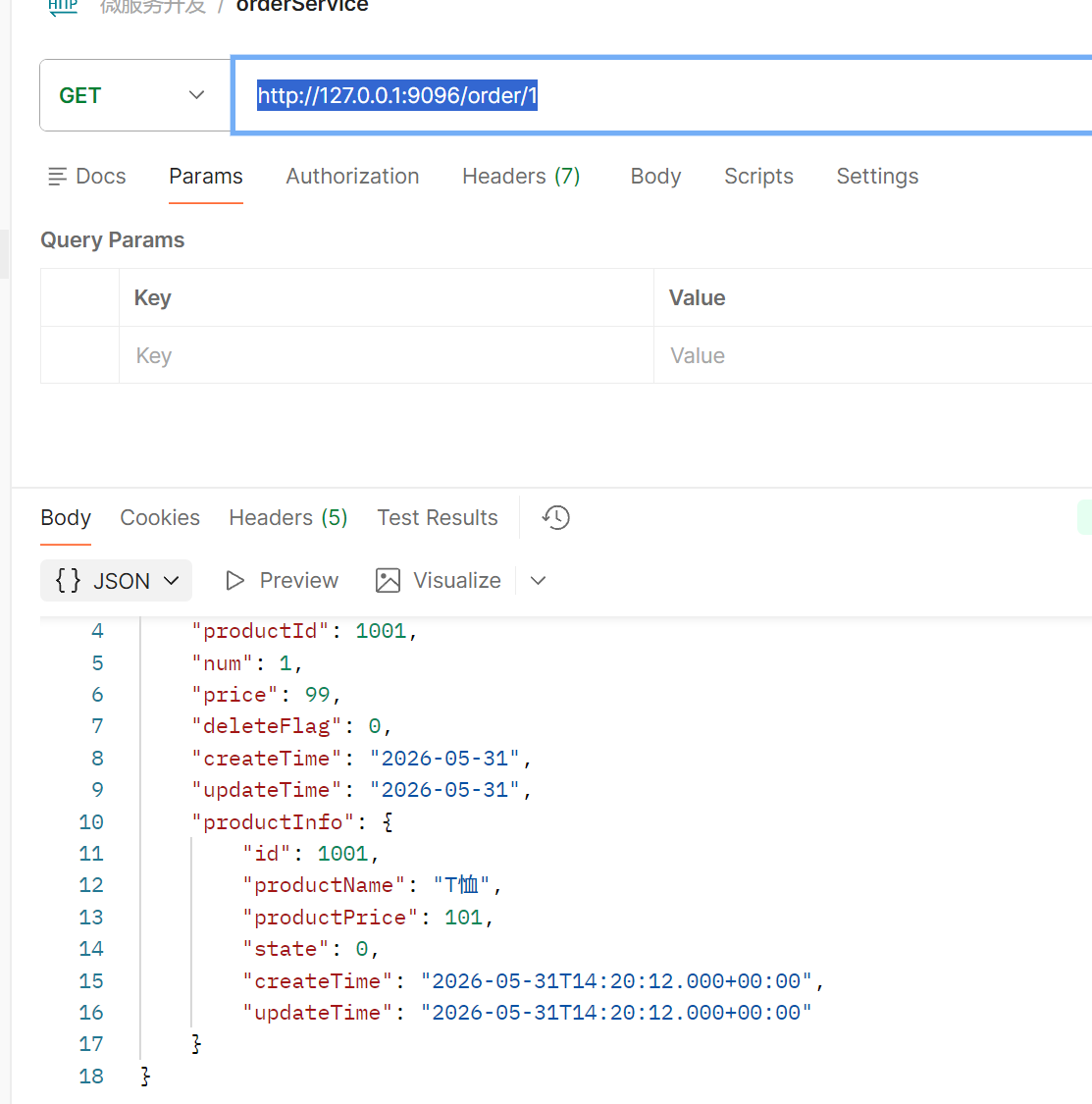
在上一节谈到 , 远程调用时 , 我们的 url 是硬编码的形式

如果更换机器 , 或者其它情况 , 这个 URL 就需要跟着变化 , 连带着的相关服务也随着更新 , 增加工作量
解决方法 :
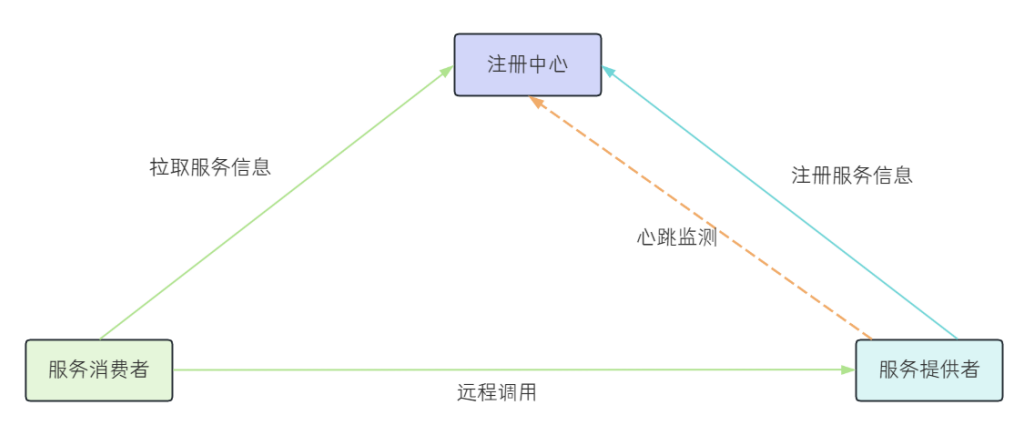
加入 服务注册中心 : 用于保存服务提供者的注册信息 , 当服务节点发生变化时 , 注册中心会同步变更 , 服务与注册中心使用一定机制的通信 , 当它们之间长时间无法通信 , 就会注销实例 ;
具体工作流程,分为两种 :
- 服务注册 : 服务提供者在启动时 , 向 注册中心 注册自身服务 , 并向 Registry 定期发送心跳会报存活状态
- 服务发现 : 服务消费者从注册中心查询服务提供者的 服务节点 , 并通过该节点调用服务提供者的接口 ; 作用 : 提供给服务消费者一个可用的服务列表
引入 CAP 理论
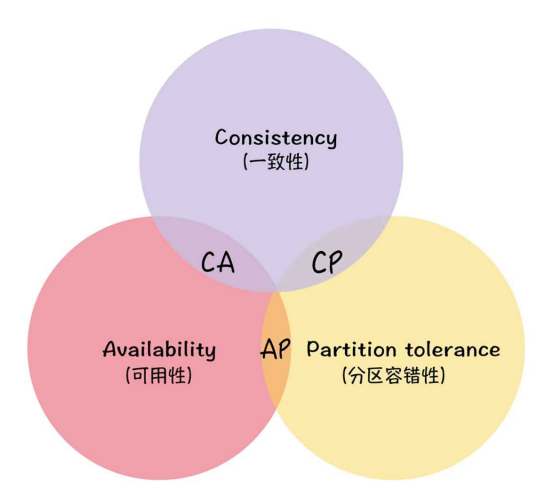
- 一致性(Consistency):CAP 理论中的一致性,指的是强一致性。所有节点在同一时间具有相同的数据
- 可用性(Availability):保证每个请求都有响应(响应结果可能不对)
- 分区容错性(Partition Tolerance):当出现网络分区后,系统仍然能够对外提供服务
根据图例所示 , 分布式系统种无法同时满足 CAP , 最多只能同时满足两个 ; 综上 在分布式系统种 , 系统间的网络不能 完全保障 , 所以 分区容错性必不可少 , 那只能在 CP 架构 或 AP 架构选其一
在"正常情况"下,Node1 接收用户写入 V1 版本数据,同时通过与 Node2 进行数据同步,确保两个节点持有相同版本的数据。此时系统同时满足一致性与可用性,用户无论读写都能获得正确响应
在"网络异常"部分 , Node1 与 Node2 之间网络中断时,系统将进入 CP 或 AP 模式:
- 若选择 CP 架构,则为了保证数据一致性,系统会拒绝写入或读取请求,直到网络恢复、数据同步完成;
- 若选择 AP 架构,则允许节点继续响应请求,即使数据可能不一致,例如 Node1 仍可写入 V1,Node2 可能返回旧版本数据
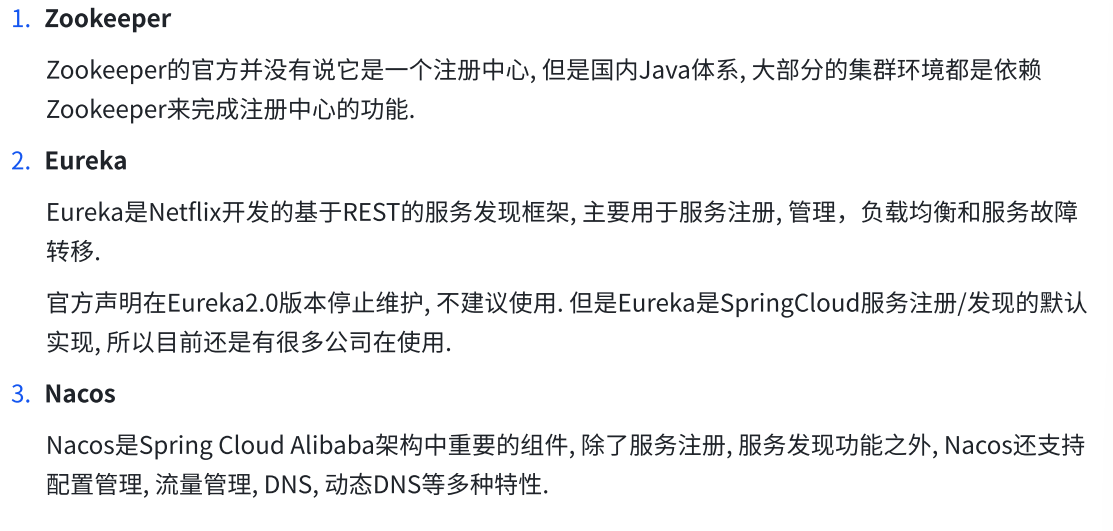
常见的注册中心
搭建 Eureka Service
本章节将对 Eureka 进行详细介绍
还是使用上章节的父子工程做改善
服务注册
① 创建 eureka_server 子模块
依旧创建一个空的子项目
② 编写 pom 文件
<?xml version="1.0" encoding="UTF-8"?>
<project xmlns="http://maven.apache.org/POM/4.0.0"
         xmlns:xsi="http://www.w3.org/2001/XMLSchema-instance"
         xsi:schemaLocation="http://maven.apache.org/POM/4.0.0 http://maven.apache.org/xsd/maven-4.0.0.xsd">
    <parent>
        <artifactId>spring-cloud-eureka</artifactId>
        <groupId>org.example</groupId>
        <version>1.0-SNAPSHOT</version>
    </parent>
    <modelVersion>4.0.0</modelVersion>

    <artifactId>eureka-server</artifactId>

    <properties>
        <maven.compiler.source>17</maven.compiler.source>
        <maven.compiler.target>17</maven.compiler.target>
    </properties>

    <dependencies>
        <dependency>
            <groupId>org.springframework.cloud</groupId>
            <artifactId>spring-cloud-starter-netflix-eureka-server</artifactId>
        </dependency>
    </dependencies>

    <build>
        <plugins>
            <plugin>
                <groupId>org.springframework.boot</groupId>
                <artifactId>spring-boot-maven-plugin</artifactId>
            </plugin>
        </plugins>
    </build>
</project>
③ 加入配置文件
server:
  port: 10010
spring:
  application:
    name: eureka-server
eureka:
  instance:
    hostname: localhost
  client:
    fetch-registry: false # 表示是否从Eureka Server获取注册信息,默认为true.因为这是一个单点的Eureka Server,不需要同步其他的Eureka Server节点的数据,这里设置为false
    register-with-eureka: false # 表示是否将自己注册到Eureka Server,默认为true.由于当前应用就是Eureka Server,故而设置为false.
    service-url:
      # 设置Eureka Server的地址,查询服务和注册服务都需要依赖这个地址
      defaultZone: http://${eureka.instance.hostname}:${server.port}/eureka/
logging:
  pattern:
    console: '%d{MM-dd HH:mm:ss.SSS} %c %M %L [%thread] %m%n'
④ 在启动类中加入注解
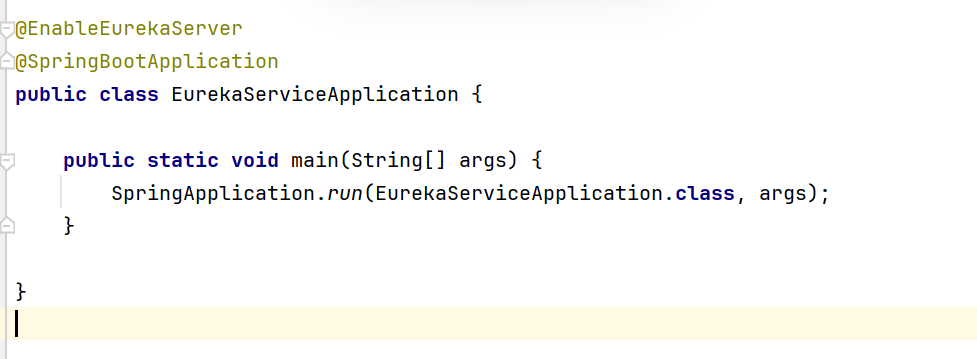
@EnableEurekaServer
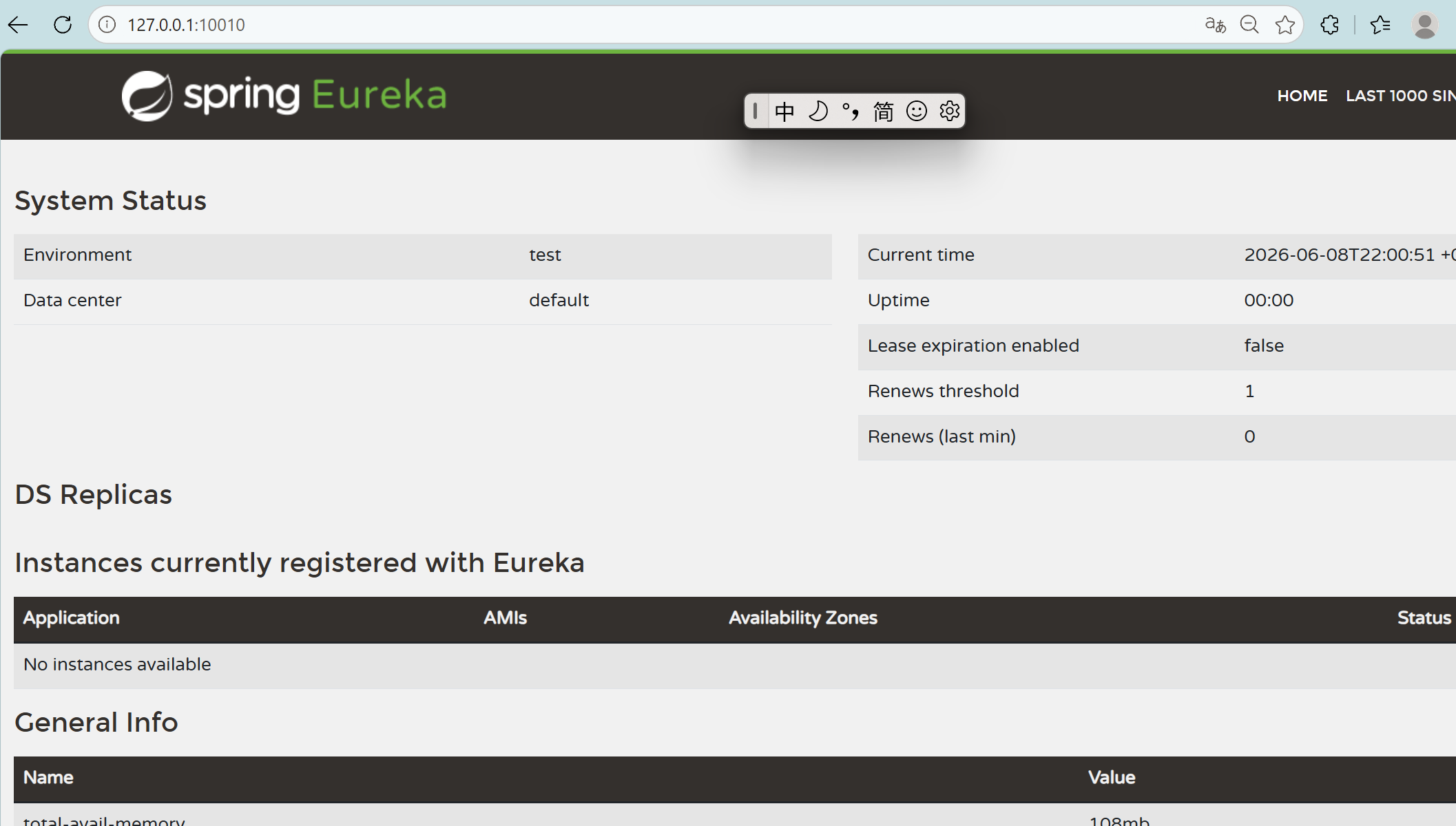
⑤ 访问 http://127.0.0.1:10010/ 为以下页面 , 即项目搭建完成
服务注册(product-service)
① 引入 eureka-client 依赖
在 的 pom 文件中引入以下依赖
<dependency>
    <groupId>org.springframework.cloud</groupId>
    <artifactId>spring-cloud-starter-netflix-eureka-client</artifactId>
</dependency>
② 修改配置文件
配置地址
#Eureka Client
eureka:
  client:
    service-url:
      defaultZone: http://127.0.0.1:10010/eureka/

spring:
  application:
    name: product-service
③ 启动测试 在http://127.0.0.1:10010/ 中可以看到已经注册到 eureka 上了

服务发现(order-service)
① 引入 eureka-client 依赖
<dependency>
    <groupId>org.springframework.cloud</groupId>
    <artifactId>spring-cloud-starter-netflix-eureka-client</artifactId>
</dependency>
② 完善配置文件
和服务注册一样
配置地址
#Eureka Client
eureka:
  client:
    service-url:
      defaultZone: http://127.0.0.1:10010/eureka/
配置服务名称
spring:
  application:
    name: order-service
③ 修改远程调用代码
记得加 Mybatis 的自动驼峰转换 否则一直启动失败
@Autowired
    private DiscoveryClient client;


    @RequestMapping("/{orderId}")
    public OrderInfo selectOrderById (@PathVariable("orderId") Integer orderId){//从请求url中获取参数
        OrderInfo info =  orderService.selectOrderById(orderId);
//        String url = "http://127.0.0.1:9095/product/"+info.getProductId();
        //从Eureka中获取服务列表 并添加应用名
        List<ServiceInstance> instances = client.getInstances("product-service");
        String uri = instances.get(0).getUri().toString();
        String url = uri+"/product/"+info.getProductId();
        log.info("远程调用的url:"+url);
        ProductInfo productInfo = restTemplate.getForObject(url, ProductInfo.class);
        info.setProductInfo(productInfo);
        return info;
    }
测试 : http://127.0.0.1:9096/order/1 调用成功