正常情况下,你会
bash
curl -fsSL https://claude.ai/install.sh | bash或者
bash
npm install -g @anthropic-ai/claude-code@latest但是嘿嘿连不上。
于是你找个地方把脚本下载下来
bash
#!/bin/bash

set -e

# Parse command line arguments
TARGET="$1"  # Optional target parameter

# Validate target if provided
if [[ -n "$TARGET" ]] && [[ ! "$TARGET" =~ ^(stable|latest|[0-9]+.[0-9]+.[0-9]+(-[^[:space:]]+)?)$ ]]; then
    echo "Usage: $0 [stable|latest|VERSION]" >&2
    exit 1
fi

DOWNLOAD_BASE_URL="https://downloads.claude.ai/claude-code-releases"
DOWNLOAD_DIR="$HOME/.claude/downloads"

# Check for required dependencies
DOWNLOADER=""
if command -v curl >/dev/null 2>&1; then
    DOWNLOADER="curl"
elif command -v wget >/dev/null 2>&1; then
    DOWNLOADER="wget"
else
    echo "Either curl or wget is required but neither is installed" >&2
    exit 1
fi

# Check if jq is available (optional)
HAS_JQ=false
if command -v jq >/dev/null 2>&1; then
    HAS_JQ=true
fi

# Download function that works with both curl and wget
download_file() {
    local url="$1"
    local output="$2"

    if [ "$DOWNLOADER" = "curl" ]; then
        if [ -n "$output" ]; then
            curl -fsSL -o "$output" "$url"
        else
            curl -fsSL "$url"
        fi
    elif [ "$DOWNLOADER" = "wget" ]; then
        if [ -n "$output" ]; then
            wget -q -O "$output" "$url"
        else
            wget -q -O - "$url"
        fi
    else
        return 1
    fi
}

# Simple JSON parser for extracting checksum when jq is not available
get_checksum_from_manifest() {
    local json="$1"
    local platform="$2"

    # Normalize JSON to single line and extract checksum
    json=$(echo "$json" | tr -d '\n\r\t' | sed 's/ +/ /g')

    # Extract checksum for platform using bash regex
    if [[ $json =~ "$platform"[^}]*"checksum"[[:space:]]*:[[:space:]]*"([a-f0-9]{64})" ]]; then
        echo "${BASH_REMATCH[1]}"
        return 0
    fi

    return 1
}

# Detect platform
case "$(uname -s)" in
    Darwin) os="darwin" ;;
    Linux) os="linux" ;;
    MINGW*|MSYS*|CYGWIN*) echo "Windows is not supported by this script. See https://code.claude.com/docs for installation options." >&2; exit 1 ;;
    *) echo "Unsupported operating system: $(uname -s). See https://code.claude.com/docs for supported platforms." >&2; exit 1 ;;
esac

case "$(uname -m)" in
    x86_64|amd64) arch="x64" ;;
    arm64|aarch64) arch="arm64" ;;
    *) echo "Unsupported architecture: $(uname -m)" >&2; exit 1 ;;
esac

# Detect Rosetta 2 on macOS: if the shell is running as x64 under Rosetta on an ARM Mac,
# download the native arm64 binary instead of the x64 one
if [ "$os" = "darwin" ] && [ "$arch" = "x64" ]; then
    if [ "$(sysctl -n sysctl.proc_translated 2>/dev/null)" = "1" ]; then
        arch="arm64"
    fi
fi

# Check for musl on Linux and adjust platform accordingly
if [ "$os" = "linux" ]; then
    if [ -f /lib/libc.musl-x86_64.so.1 ] || [ -f /lib/libc.musl-aarch64.so.1 ] || ldd /bin/ls 2>&1 | grep -q musl; then
        platform="linux-${arch}-musl"
    else
        platform="linux-${arch}"
    fi
else
    platform="${os}-${arch}"
fi
mkdir -p "$DOWNLOAD_DIR"

# Always download latest version (which has the most up-to-date installer)
version=$(download_file "$DOWNLOAD_BASE_URL/latest")

# Reject non-version content (e.g. an HTML error page) before it reaches the manifest URL
if [[ ! "$version" =~ ^[0-9]+.[0-9]+.[0-9]+ ]]; then
    echo "Failed to get a valid version from downloads.claude.ai (got unexpected content)." >&2
    echo "This can happen if the download service is unreachable or not available in your region - see https://www.anthropic.com/supported-countries" >&2
    exit 1
fi

# Download manifest and extract checksum
manifest_json=$(download_file "$DOWNLOAD_BASE_URL/$version/manifest.json")

# Use jq if available, otherwise fall back to pure bash parsing
if [ "$HAS_JQ" = true ]; then
    checksum=$(echo "$manifest_json" | jq -r ".platforms["$platform"].checksum // empty")
else
    checksum=$(get_checksum_from_manifest "$manifest_json" "$platform")
fi

# Validate checksum format (SHA256 = 64 hex characters)
if [ -z "$checksum" ] || [[ ! "$checksum" =~ ^[a-f0-9]{64}$ ]]; then
    echo "Platform $platform not found in manifest" >&2
    exit 1
fi

# Download and verify
binary_path="$DOWNLOAD_DIR/claude-$version-$platform"
if ! download_file "$DOWNLOAD_BASE_URL/$version/$platform/claude" "$binary_path"; then
    echo "Download failed" >&2
    rm -f "$binary_path"
    exit 1
fi

# Pick the right checksum tool
if [ "$os" = "darwin" ]; then
    actual=$(shasum -a 256 "$binary_path" | cut -d' ' -f1)
else
    actual=$(sha256sum "$binary_path" | cut -d' ' -f1)
fi

if [ "$actual" != "$checksum" ]; then
    echo "Checksum verification failed" >&2
    rm -f "$binary_path"
    exit 1
fi

chmod +x "$binary_path"

# Run claude install to set up launcher and shell integration
echo "Setting up Claude Code..."
"$binary_path" install ${TARGET:+"$TARGET"}

# Clean up downloaded file
rm -f "$binary_path"

echo ""
echo "鉁� Installation complete!"
echo ""
获取最新版本
如果你想要永远最新版,先执行这条拿到当前最新号:
arduino
curl https://downloads.claude.ai/claude-code-releases/latest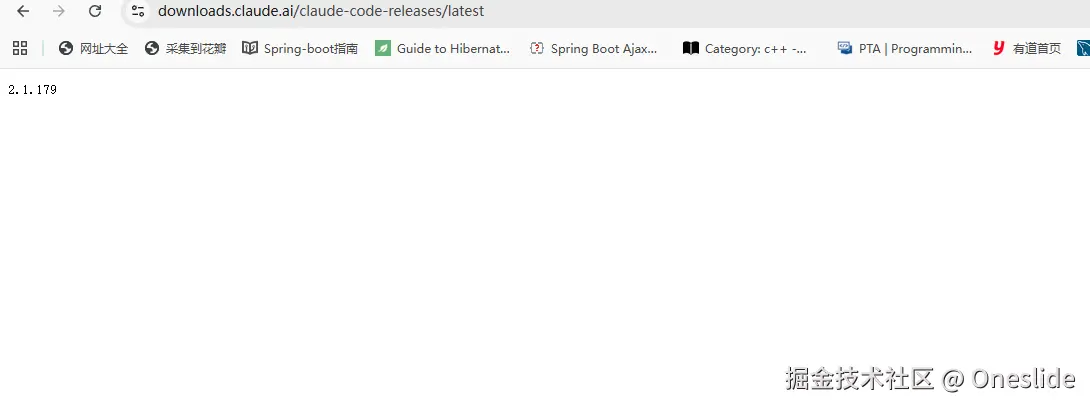
开始下载
1. 通用模板(替换版本号即可)
bash
https://downloads.claude.ai/claude-code-releases/【版本号】/linux-x64/claude示例稳定版(v2.1.148,npm当前同步版本):
bash
https://downloads.claude.ai/claude-code-releases/2.1.179/linux-x64/claude手动下载二进制后完整操作流程(Ubuntu 26 amd64)
一、基础权限 + 全局部署(必做)
1. 赋予可执行权限
bash
chmod +x claude2. 放到系统全局目录(二选一)
方案A:用户目录(推荐,无需sudo,多用户隔离)
bash
mkdir -p ~/.local/bin
mv claude ~/.local/bin/
方案B:系统全局所有用户可用(需要root)
bash
sudo mv claude /usr/local/bin/二、执行内置安装脚本(核心,不能跳过)
单纯放文件只能临时运行,执行自带install子命令,完成全套环境配置:
bash
# 如果你放到 ~/.local/bin
~/.local/bin/claude install
# 如果放到 /usr/local/bin
claude install
这条命令自动完成:
- 生成bash/zsh终端命令补全、快捷指令
- 配置自动更新后台检测
- 创建本地缓存目录
~/.claude/(存放配置、登录凭证、缓存文件) - 绑定VS Code插件联动通道
三、修复PATH(解决 command not found)
Ubuntu默认~/.local/bin不一定写入环境变量,执行:
bash
# 写入bash永久配置
echo 'export PATH="$HOME/.local/bin:$PATH"' >> ~/.bashrc
# 立刻生效
source ~/.bashrc
验证全局调用:
bash
claude --version输出版本号即部署完成。