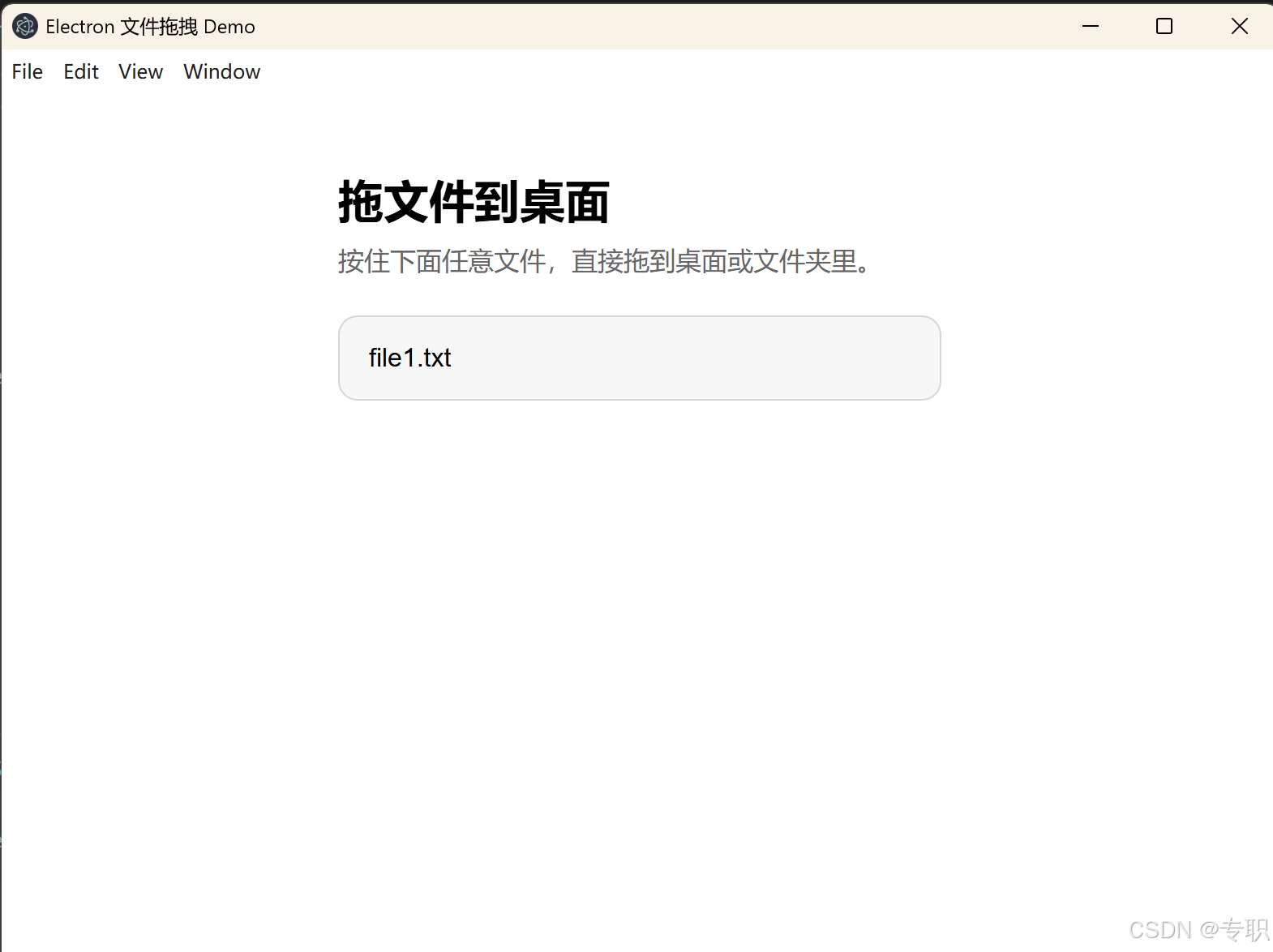
效果图
main.js
const path = require('node:path');
const { app, BrowserWindow, ipcMain, nativeImage } = require('electron');

const SAFE_FILES = ['file1.txt'];

function createWindow() {
  const win = new BrowserWindow({
    width: 800,
    height: 600,
    title: 'File Drag Demo',
    webPreferences: {
      preload: path.join(__dirname, 'preload.js'),
      contextIsolation: true,
      nodeIntegration: false,
    },
  });

  win.loadFile('index.html');
}

app.whenReady().then(() => {
  ipcMain.on('get-draggable-files-sync', (event) => {
    event.returnValue = SAFE_FILES.map((name) => ({
      name,
      path: path.resolve(__dirname, name),
    }));
  });

  ipcMain.on('start-file-drag-sync', (event, filePath) => {
    const allowedPaths = new Set(SAFE_FILES.map((name) => path.resolve(__dirname, name)));
    const targetPath = path.resolve(filePath);
    event.returnValue = false;

    if (!allowedPaths.has(targetPath)) {
      return;
    }

    const iconPath = path.join(__dirname, 'drag-icon.png');
    const dragIcon = nativeImage.createFromPath(iconPath);

    if (dragIcon.isEmpty()) {
      console.error(`Failed to decode drag icon: ${iconPath}`);
      return;
    }

    try {
      event.sender.startDrag({
        file: targetPath,
        icon: dragIcon,
      });
      event.returnValue = true;
    } catch (error) {
      console.error('startDrag failed:', error);
    }
  });

  createWindow();

  app.on('activate', () => {
    if (BrowserWindow.getAllWindows().length === 0) {
      createWindow();
    }
  });
});

app.on('window-all-closed', () => {
  if (process.platform !== 'darwin') {
    app.quit();
  }
});
preload.js
const { contextBridge, ipcRenderer } = require('electron');

contextBridge.exposeInMainWorld('fileDrag', {
  list() {
    return ipcRenderer.sendSync('get-draggable-files-sync');
  },
  start(filePath) {
    return ipcRenderer.sendSync('start-file-drag-sync', filePath);
  },
});
renderer.js
const fileList = document.querySelector('#fileList');
const files = window.fileDrag.list();

for (const fileEntry of files) {
  const item = document.createElement('div');
  item.className = 'file-item';
  item.draggable = true;
  item.textContent = fileEntry.name;

  item.addEventListener('dragstart', (event) => {
    const ok = window.fileDrag.start(fileEntry.path);
    if (!ok) {
      event.preventDefault();
      console.error(`Drag rejected for ${fileEntry.name}`);
    }
  });

  fileList.append(item);
}
index.html
<!doctype html>
<html lang="zh-CN">
  <head>
    <meta charset="UTF-8" />
    <meta name="viewport" content="width=device-width, initial-scale=1.0" />
    <title>Electron 文件拖拽 Demo</title>
    <link rel="stylesheet" href="./styles.css" />
  </head>
  <body>
    <main class="app">
      <h1>拖文件到桌面</h1>
      <p>按住下面任意文件,直接拖到桌面或文件夹里。</p>

      <section class="file-list" id="fileList"></section>
    </main>

    <script src="./renderer.js"></script>
  </body>
</html>
style.css
:root {
  color-scheme: light dark;
  font-family: Arial, "Microsoft YaHei", sans-serif;
}

* {
  box-sizing: border-box;
}

body {
  margin: 0;
}

.app {
  max-width: 420px;
  margin: 48px auto;
  padding: 0 24px;
}

h1 {
  margin: 0 0 8px;
  font-size: 28px;
}

p {
  margin: 0 0 24px;
  color: #666;
}

.file-list {
  display: grid;
  gap: 12px;
}

.file-item {
  padding: 16px 18px;
  border: 1px solid #d6d6d6;
  border-radius: 12px;
  background: #f7f7f7;
  cursor: grab;
  user-select: none;
}

.file-item:active {
  cursor: grabbing;
}

@media (prefers-color-scheme: dark) {
  body {
    background: #202124;
    color: white;
  }

  p {
    color: #bdbdbd;
  }

  .file-item {
    border-color: #555;
    background: #2b2c2f;
  }
}

@media (prefers-color-scheme: light) {
  body {
    background: #fff;
    color: black;
  }
}