HarmonyOS ArkTS 开发调试实战 --- 图片华容道崩溃修复全记录
效果
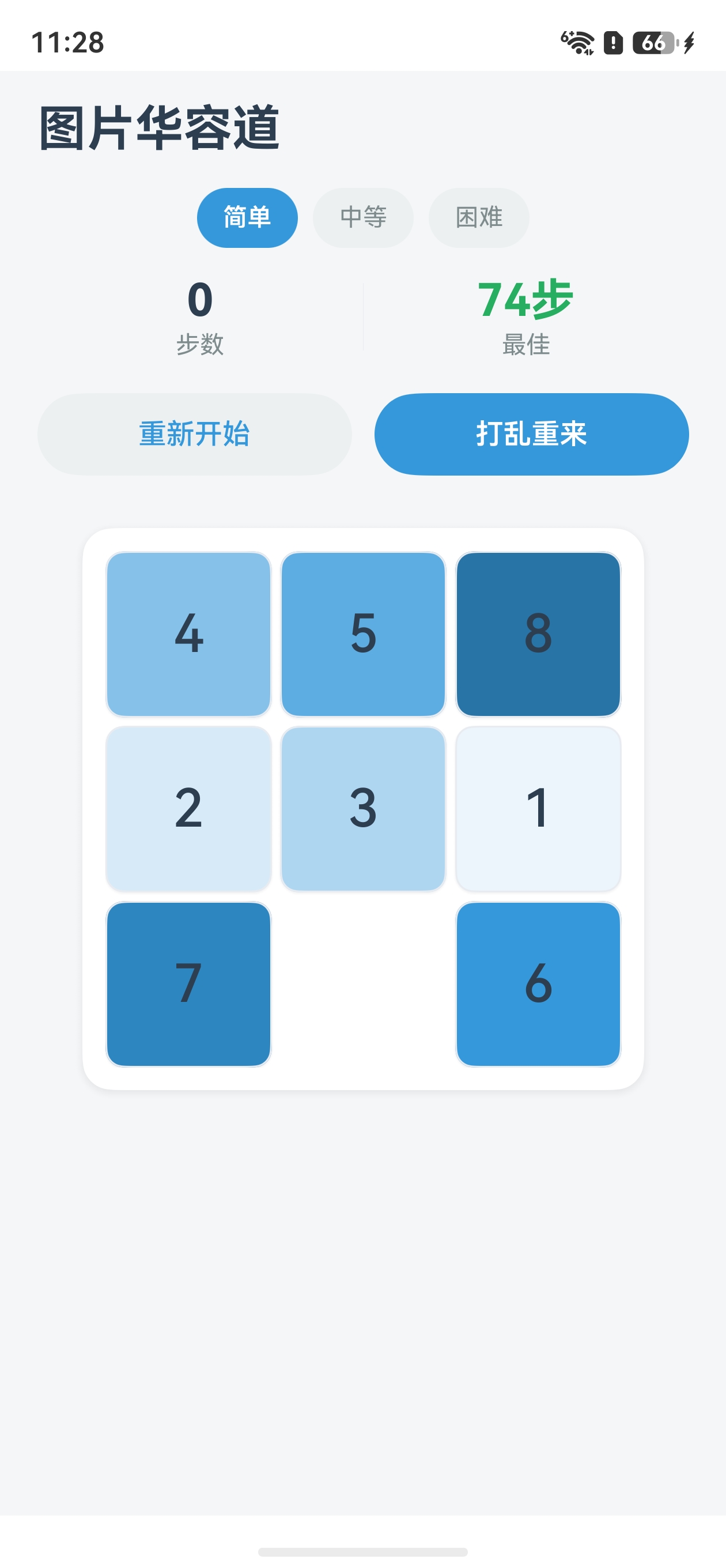 |
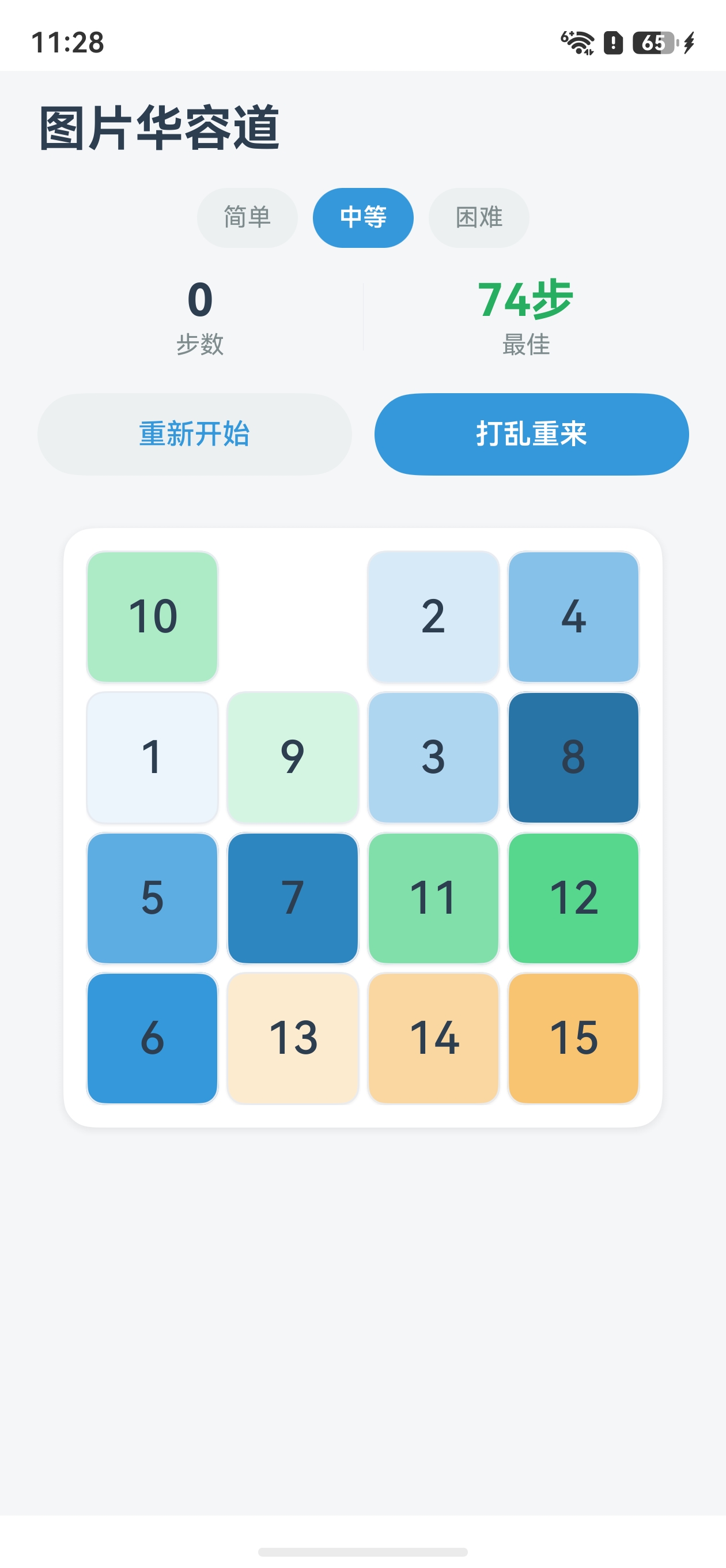 |
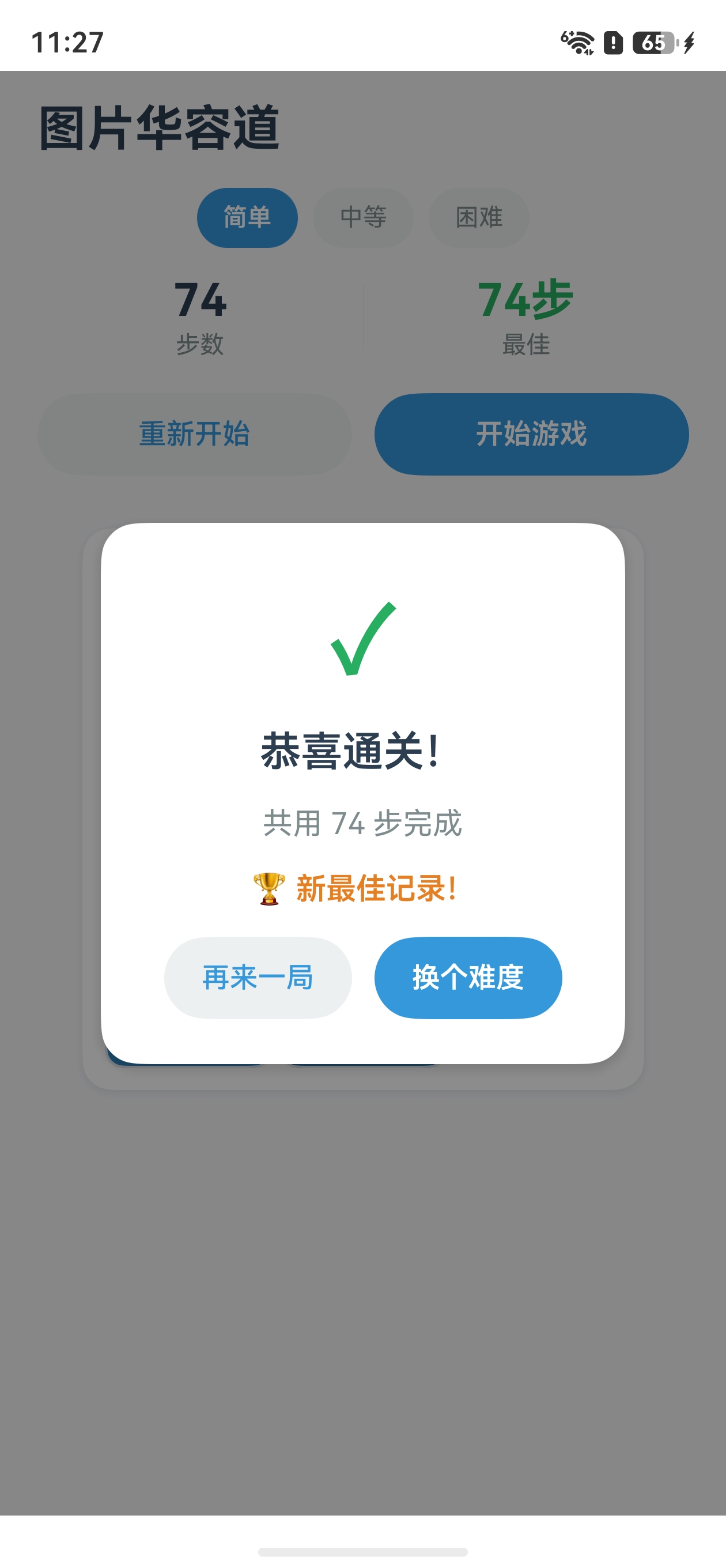 |
|---|
一、前言:从崩溃到稳定
在开发"简约风格图片华容道"项目的过程中,经历了从"点击按钮就崩溃"到"稳定流畅运行"的完整调试过程。本文详细记录了遇到的每一个错误、根因分析、修复方案,以及由此总结出的ArkTS 开发避坑指南。
本文不只是一份"问题清单",更是一份实战驱动的排查方法论------当你下次遇到 ArkTS 应用崩溃时,可以按本文的排查顺序快速定位问题。
二、问题全景图
在开发过程中,共遇到 5 类典型问题,按出现频率和影响严重程度排序:
| 序号 | 问题 | 表现 | 根因 | 严重度 |
|---|---|---|---|---|
| 1 | ForEach 缺少 key 生成器 | 点击按钮 App 直接崩溃 | ArkTS 语法要求 | 🔴 致命 |
| 2 | @Event 回调 this 丢失 | undefined is not callable |
JavaScript this 绑定机制 | 🔴 致命 |
| 3 | 异步操作竞态条件 | 快速切换难度时崩溃 | setTimeout 与数据重置冲突 | 🔴 致命 |
| 4 | 数组越界访问 | 偶发性崩溃 | 缺少边界检查 | 🟡 严重 |
| 5 | build() 多根节点 | 编译错误 | ArkUI 单根节点限制 | 🟡 严重 |
三、问题详解与修复
问题1:ForEach 缺少 key 生成器导致崩溃
3.1.1 错误表现
Error Message: Unexpected token
ArkTS Compiler Error
点击"重新开始"或"中等"按钮,App 直接闪退,没有任何有意义的堆栈信息。
3.1.2 问题代码
文件 :GameControls.ets 第51行
typescript
// ❌ 错误:ForEach 只传了 2 个参数,缺少 key 生成器
Row({ space: 8 }) {
  ForEach(this.difficultyList, (item: DifficultyInfo) => {
    Button(item.label)
      .onClick(() => {
        if (this.currentDifficulty !== item.value) {
          this.onDifficultyChange(item.value);
        }
      })
  })  // ← 缺少第三个参数!
}
3.1.3 根因分析
在 ArkTS 中,ForEach 接口要求 三个参数:
typescript
ForEach(
  arr: Array<T>,           // ① 数据源
  itemGenerator: (item: T, index: number) => void,  // ② 渲染函数
  keyGenerator: (item: T, index: number) => string  // ③ 唯一键生成器 ← 必须!
)
keyGenerator 的作用是让框架精确追踪每个列表项的身份。当数据变化时,框架通过 key 判断哪些项是新增的、删除的、还是位置移动的。缺少 key 生成器会导致框架无法正确 diff,在重渲染时触发未定义行为,直接崩溃。
3.1.4 修复方案
typescript
// ✅ 正确:提供第三个参数作为唯一 key
Row({ space: 8 }) {
  ForEach(this.difficultyList, (item: DifficultyInfo) => {
    Button(item.label)
      .onClick(() => { ... })
  }, (item: DifficultyInfo) => `${item.value}`)  // ← 使用枚举值作为唯一 key
}
3.1.5 延伸:如何选择 key 值
| 数据类型 | 推荐 key | 反例 |
|---|---|---|
| 有唯一 ID 的对象 | (item) => \${item.id}`` |
用 index(数组变化时不稳定) |
| 枚举/字面量 | (item) => \${item}`` |
用对象引用(可能重复) |
| 纯字符串列表 | (item) => item |
用 JSON.stringify(item)(性能差) |
问题2:@Event 回调 this 上下文丢失
3.2.1 错误表现
Error message: undefined is not callable
Stacktrace:
    at handleDifficultyChange entry (MinimalistGame.ets:273:10)
    at anonymous entry (GameControls.ets:66:22)
点击任何按钮都报 undefined is not callable,在 handleDifficultyChange 方法内部调用 this.initGame() 时崩溃。
3.2.2 问题代码
文件 :MinimalistGame.ets 第316-318行
typescript
// ❌ 错误:直接传递方法引用,this 上下文丢失
GameControls({
  onDifficultyChange: this.handleDifficultyChange,  // this 变成 undefined
  onStartGame: this.startGame,
  onResetGame: this.handleReset,
  onTileClick: this.handleTileClick
})
3.2.3 根因分析
这是 JavaScript/TypeScript 的经典陷阱。当一个方法引用被"裸传"给另一个函数时,方法内部的 this 不再指向原对象:
typescript
// 原理演示
const obj = {
  name: 'demo',
  greet() { console.log(this.name); }
};

const fn = obj.greet;   // 取出方法引用
fn();                    // this → undefined (严格模式)
在 ArkTS struct 中同样如此。当 this.handleDifficultyChange 传给子组件的 @Event 时,方法脱离了 struct 实例,this 变成 undefined。子组件调用 this.onDifficultyChange(value) 时,handleDifficultyChange 内部的 this.initGame 自然就是 undefined.initGame → 崩溃。
3.2.4 修复方案
用箭头函数包裹 ,箭头函数会捕获定义时的 this:
typescript
// ✅ 正确:箭头函数保持 this 绑定
GameControls({
  onDifficultyChange: (difficulty: Difficulty) => {
    this.handleDifficultyChange(difficulty);
  },
  onStartGame: () => { this.startGame(); },
  onResetGame: () => { this.handleReset(); }
})

GameBoard({
  onTileClick: (tile: TileData) => { this.handleTileClick(tile); }
})
3.2.5 延伸:何时必须用箭头函数
typescript
// ✅ 这些场景必须用箭头函数包裹:
// 1. 传给子组件 @Event
// 2. setTimeout/setInterval 回调
// 3. 事件监听器

// ❌ 这些场景不需要(this 自动绑定):
// 1. .onClick(() => { this.xxx() })  ← 已经在箭头函数里
// 2. @Builder 函数内
// 3. build() 方法内
问题3:异步操作竞态条件
3.3.1 错误表现
- 快速点击"中等"按钮切换难度时偶发崩溃
- "开始游戏"后立即点"重新开始",App 闪退
- 错误信息通常指向数组操作(
tiles[idx]越界)
3.3.2 问题代码
打乱函数使用 setTimeout 异步循环:
typescript
// ❌ 问题:没有取消机制
shuffleTiles(steps: number): void {
  const doStep = () => {
    // ... 操作 this.gameState.tiles
    setTimeout(() => { doStep(); }, 5);
  };
  doStep();
}

// 用户切换难度时:
handleDifficultyChange(difficulty: Difficulty): void {
  this.initGame(difficulty);  // 重置 tiles 数组!
  // 但 shuffleTiles 的 doStep 还在运行,继续操作已被重置的 tiles
}竞态时序:
时间线 ─────────────────────────────────────────►

shuffleTiles:     doStep① → doStep② → doStep③ → ...(还在运行)
                                              ↑
handleDifficultyChange:           initGame()(重置了tiles!)
                                              ↑
                                    doStep③ 操作已被重置的数组 → 💥崩溃
3.3.3 修复方案:会话ID (Session ID) 模式
typescript
// ① 添加会话计数器
private shuffleSessionId: number = 0;

// ② 每次新操作递增会话ID
startGame(): void {
  this.shuffleSessionId++;   // 使旧会话失效
  this.isShuffling = true;
  this.initGame(this.currentDifficulty);
  this.shuffleTiles(120, this.shuffleSessionId);  // 传入当前会话ID
}

// ③ doStep 中检查会话是否过期
shuffleTiles(steps: number, sessionId: number): void {
  const targetSessionId = sessionId;
  const doStep = () => {
    // 会话过期?立即停止
    if (this.shuffleSessionId !== targetSessionId) {
      return;
    }
    // ... 正常逻辑
    setTimeout(() => { doStep(); }, 5);
  };
  doStep();
}

// ④ 所有会打断打乱的操作都要取消旧会话
handleDifficultyChange(difficulty: Difficulty): void {
  this.shuffleSessionId++;   // 取消旧打乱
  this.isShuffling = false;
  this.initGame(difficulty);
}

handleReset(): void {
  this.shuffleSessionId++;   // 取消旧打乱
  this.isShuffling = false;
  this.initGame(this.currentDifficulty);
}
3.3.4 延伸:竞态安全通用模式
typescript
// 通用模式:任何异步操作都应该有取消机制
class AsyncOperation {
  private sessionId: number = 0;

  async startOperation(): Promise<void> {
    const mySession = ++this.sessionId;

    // 模拟异步工作
    for (let i = 0; i < 100; i++) {
      if (this.sessionId !== mySession) return; // 被取消了
      await this.doStep(i);
    }
  }

  cancel(): void {
    this.sessionId++;
  }
}
问题4:swapTiles 缺少边界检查
3.4.1 问题代码
typescript
// ❌ 无边界检查
swapTiles(idxA: number, idxB: number): void {
  const tiles = this.gameState.tiles;
  const tempIndex = tiles[idxA].currentIndex;  // idxA 可能越界!
  // ...
}
当竞态条件导致传入的索引与当前数组长度不匹配时,直接访问 tiles[idxA] 会返回 undefined,后续操作崩溃。
3.4.2 修复方案
typescript
// ✅ 添加边界守卫
swapTiles(idxA: number, idxB: number): void {
  const tiles = this.gameState.tiles;

  // 边界检查
  if (idxA < 0 || idxA >= tiles.length || idxB < 0 || idxB >= tiles.length) {
    return;
  }

  // ... 正常交换逻辑
}
问题5:build() 方法多根节点编译错误
3.5.1 错误表现
Error Message: In an '@Entry' decorated component, the 'build' method
can have only one root node, which must be a container component.
At File: MinimalistGame.ets:259:12
3.5.2 问题代码
typescript
// ❌ 两个根节点:Column 和 if 条件渲染的 Stack
build() {
  Column() {
    // 主游戏内容
    ...
  }
  .width('100%')

  if (this.showWinDialog) {   // ← 第二个根节点!
    Stack() { ... }
  }
}
3.5.3 修复方案
typescript
// ✅ Stack 作为唯一根节点,利用堆叠实现覆盖层
build() {
  Stack() {                       // ← 唯一根节点
    Column() {                    // ← 底层:游戏主内容
      ...
    }

    if (this.showWinDialog) {     // ← 上层:弹窗覆盖层(条件渲染)
      Stack() { ... }
        .zIndex(100)              // 确保在最上层
    }
  }
}
四、调试排查方法论
4.1 崩溃排查优先级
当 ArkTS 应用崩溃时,按以下顺序排查:
① 检查 ForEach 是否都有 key 生成器(第3个参数)
     ↓ 是
② 检查 @Event 回调是否用箭头函数包裹
     ↓ 是
③ 检查是否有 setTimeout/setInterval 未清理
     ↓ 是
④ 检查数组操作是否做了边界检查
     ↓ 是
⑤ 检查 build() 是否只有一个根节点
4.2 错误信息解读速查表
| 错误信息关键字 | 最可能的原因 | 优先检查 |
|---|---|---|
undefined is not callable |
@Event 回调 this 丢失 | 用箭头函数包裹回调 |
Unexpected token |
ForEach 缺少 key 生成器 | 添加第3个参数 |
only one root node |
build() 多根节点 | 用 Stack 包裹 |
Cannot read property ... of undefined |
数组越界或对象为 null | 添加边界检查 |
| App 无日志直接退出 | 严重运行时错误 | 检查 ForEach 和异步逻辑 |
4.3 预防性编码检查清单
在 ArkTS 项目开发中,建议在以下场景主动检查:
- 每个
ForEach都提供了唯一的keyGenerator - 传给子组件
@Event的回调都用了箭头函数包裹 - 所有
setTimeout/setInterval异步操作都有取消机制 - 数组索引访问前做了边界校验
-
build()方法内只有一个根容器节点 -
build()方法内没有副作用(网络请求、日志打印等) -
@ComponentV2没有使用@Reusable(V2 不支持)
五、核心经验总结
5.1 三条铁律
-
ForEach 必有 key :永远不要省略
ForEach的第三个参数。Key 是框架追踪列表项变化的唯一依据。 -
回调必用箭头函数 :任何时候将 struct 方法作为回调传递(
@Event、setTimeout、事件监听),必须用箭头函数包裹以保持this绑定。 -
异步必有取消 :任何
setTimeout/setInterval/async操作,必须设计取消机制(会话 ID、AbortController、flag 标记)。
5.2 设计模式:Session ID 模式
这是本次开发中最有价值的模式发现,适用于所有需要"可中断异步操作"的场景:
typescript
class InterruptibleTask {
  private sessionId: number = 0;

  start(): void {
    const currentSession = ++this.sessionId;
    this.doAsyncWork(currentSession);
  }

  private async doAsyncWork(session: number): Promise<void> {
    // 每一步都检查会话是否仍然有效
    if (this.sessionId !== session) return;
    await step1();
    if (this.sessionId !== session) return;
    await step2();
    // ...
  }

  cancel(): void {
    this.sessionId++;  // 所有旧会话立即失效
  }
}
六、修复前后对比
| 维度 | 修复前 | 修复后 |
|---|---|---|
| 按钮点击 | 随机崩溃 | 稳定响应 |
| 快速切换难度 | 必崩 | 稳定切换 |
| 打乱中重置 | 偶发崩溃 | 正常取消+重新开始 |
| 编译 | 2个编译错误 | 0错误0警告 |
| 代码健壮性 | 缺少边界检查 | 完善的守卫条件 |