1. 项目概述
本教程将带领大家使用Python构建一个定时爬虫,从中国天气网(www.weather.com.cn)抓取指定城市未来7天的天气预报数据。我们将使用requests库获取网页内容,通过BeautifulSoup解析温度、天气状况、风力等关键字段,并将数据存储为CSV文件或SQLite数据库,最后加入定时爬取功能实现自动化数据采集。
技术栈:
- Python 3.7+
- requests(HTTP请求)
- BeautifulSoup4(HTML解析)
- pandas(数据处理)
- sqlite3(数据库操作)
- schedule(定时任务)
2. 环境准备
2.1 安装依赖库
bash
pip install requests beautifulsoup4 pandas schedule2.2 创建项目结构
weather_crawler/
├── weather_spider.py      # 主爬虫程序
├── config.py             # 配置文件
├── database.py           # 数据库操作
├── scheduler.py          # 定时任务
├── data/                 # 数据存储目录
│   ├── weather_data.csv
│   └── weather.db
└── logs/                 # 日志目录
3. 网页分析与数据定位
3.1 中国天气网页面结构分析
访问中国天气网城市页面(如北京:http://www.weather.com.cn/weather/101010100.shtml),通过浏览器开发者工具(F12)分析页面结构:
- 未来7天预报区域:位于class为"t"的div中
- 每日数据:每个li标签包含一天的数据
- 关键字段 :
- 日期:class="date"
- 天气状况:class="wea"
- 温度:class="tem"
- 风力:class="win"
3.2 确定目标数据字段
我们需要提取以下字段:
- 城市名称
- 采集时间
- 预报日期
- 最高温度
- 最低温度
- 天气状况(晴、多云、雨等)
- 风力等级
- 风向
4. 核心爬虫实现
4.1 基础爬虫类
python
import requests
from bs4 import BeautifulSoup
import pandas as pd
import sqlite3
from datetime import datetime
import time
import logging
from typing import List, Dict, Optional

class WeatherSpider:
    def __init__(self, city_code: str, city_name: str):
        """
        初始化天气爬虫

        Args:
            city_code: 城市代码(如北京: 101010100)
            city_name: 城市名称
        """
        self.city_code = city_code
        self.city_name = city_name
        self.base_url = "http://www.weather.com.cn/weather"
        self.headers = {
            'User-Agent': 'Mozilla/5.0 (Windows NT 10.0; Win64; x64) AppleWebKit/537.36 (KHTML, like Gecko) Chrome/91.0.4472.124 Safari/537.36'
        }
        self.session = requests.Session()

        # 配置日志
        logging.basicConfig(
            level=logging.INFO,
            format='%(asctime)s - %(name)s - %(levelname)s - %(message)s',
            handlers=[
                logging.FileHandler('logs/weather_spider.log'),
                logging.StreamHandler()
            ]
        )
        self.logger = logging.getLogger(__name__)

    def fetch_weather_data(self) -> Optional[List[Dict]]:
        """
        获取天气数据

        Returns:
            天气数据列表,每个元素为一天的预报数据
        """
        try:
            url = f"{self.base_url}/{self.city_code}.shtml"
            self.logger.info(f"开始爬取 {self.city_name} 天气数据,URL: {url}")

            response = self.session.get(url, headers=self.headers, timeout=10)
            response.encoding = 'utf-8'

            if response.status_code != 200:
                self.logger.error(f"请求失败,状态码: {response.status_code}")
                return None

            soup = BeautifulSoup(response.text, 'html.parser')

            # 定位7天天气预报区域
            weather_div = soup.find('ul', class_='t')
            if not weather_div:
                self.logger.error("未找到天气预报区域")
                return None

            # 提取7天数据
            weather_items = weather_div.find_all('li', class_='sky')
            weather_data = []
            collection_time = datetime.now().strftime('%Y-%m-%d %H:%M:%S')

            for item in weather_items[:7]:  # 只取前7天
                day_data = self._parse_day_data(item, collection_time)
                if day_data:
                    weather_data.append(day_data)

            self.logger.info(f"成功爬取 {len(weather_data)} 天数据")
            return weather_data

        except Exception as e:
            self.logger.error(f"爬取数据时发生错误: {str(e)}")
            return None

    def _parse_day_data(self, item, collection_time: str) -> Optional[Dict]:
        """解析单日天气数据"""
        try:
            # 解析日期
            date_tag = item.find('h1')
            date_text = date_tag.text if date_tag else "未知"

            # 解析天气状况
            wea_tag = item.find('p', class_='wea')
            weather = wea_tag.text if wea_tag else "未知"

            # 解析温度
            tem_tag = item.find('p', class_='tem')
            if tem_tag:
                high_temp = tem_tag.find('span')
                low_temp = tem_tag.find('i')
                high_temp_text = high_temp.text.replace('℃', '') if high_temp else ""
                low_temp_text = low_temp.text.replace('℃', '') if low_temp else ""
            else:
                high_temp_text = low_temp_text = ""

            # 解析风力
            win_tag = item.find('p', class_='win')
            if win_tag:
                wind_level = win_tag.find('i')
                wind_direction = win_tag.find('span')
                wind_level_text = wind_level.text if wind_level else ""
                wind_direction_text = wind_direction.text if wind_direction else ""
            else:
                wind_level_text = wind_direction_text = ""

            return {
                'city_code': self.city_code,
                'city_name': self.city_name,
                'collection_time': collection_time,
                'forecast_date': date_text,
                'high_temperature': high_temp_text,
                'low_temperature': low_temp_text,
                'weather': weather,
                'wind_level': wind_level_text,
                'wind_direction': wind_direction_text
            }

        except Exception as e:
            self.logger.error(f"解析单日数据时发生错误: {str(e)}")
            return None
4.2 数据存储模块
python
class DataStorage:
    """数据存储类,支持CSV和SQLite两种方式"""

    def __init__(self):
        if not os.path.exists('data'):
          os.mkdir('data')
        self.csv_path = 'data/weather_data.csv'
        self.db_path = 'data/weather.db'

    def save_to_csv(self, weather_data: List[Dict]):
        """保存数据到CSV文件"""
        try:
            df = pd.DataFrame(weather_data)

            # 如果文件已存在,追加数据
            try:
                existing_df = pd.read_csv(self.csv_path)
                df = pd.concat([existing_df, df], ignore_index=True)
            except FileNotFoundError:
                pass

            df.to_csv(self.csv_path, index=False, encoding='utf-8-sig')
            print(f"数据已保存到CSV: {self.csv_path}")

        except Exception as e:
            print(f"保存CSV时发生错误: {str(e)}")

    def save_to_sqlite(self, weather_data: List[Dict]):
        """保存数据到SQLite数据库"""
        try:
            conn = sqlite3.connect(self.db_path)
            cursor = conn.cursor()

            # 创建表(如果不存在)
            cursor.execute('''
                CREATE TABLE IF NOT EXISTS weather_forecast (
                    id INTEGER PRIMARY KEY AUTOINCREMENT,
                    city_code TEXT NOT NULL,
                    city_name TEXT NOT NULL,
                    collection_time TEXT NOT NULL,
                    forecast_date TEXT NOT NULL,
                    high_temperature TEXT,
                    low_temperature TEXT,
                    weather TEXT,
                    wind_level TEXT,
                    wind_direction TEXT,
                    created_at TIMESTAMP DEFAULT CURRENT_TIMESTAMP
                )
            ''')

            # 插入数据
            for data in weather_data:
                cursor.execute('''
                    INSERT INTO weather_forecast
                    (city_code, city_name, collection_time, forecast_date,
                     high_temperature, low_temperature, weather, wind_level, wind_direction)
                    VALUES (?, ?, ?, ?, ?, ?, ?, ?, ?)
                ''', (
                    data['city_code'], data['city_name'], data['collection_time'],
                    data['forecast_date'], data['high_temperature'], data['low_temperature'],
                    data['weather'], data['wind_level'], data['wind_direction']
                ))

            conn.commit()
            conn.close()
            print(f"数据已保存到数据库: {self.db_path}")

        except Exception as e:
            print(f"保存到数据库时发生错误: {str(e)}")

    def query_recent_data(self, city_name: str, days: int = 7):
        """查询最近几天的数据"""
        try:
            conn = sqlite3.connect(self.db_path)
            query = '''
                SELECT * FROM weather_forecast
                WHERE city_name = ?
                ORDER BY collection_time DESC
                LIMIT ?
            '''
            df = pd.read_sql_query(query, conn, params=(city_name, days * 7))
            conn.close()
            return df

        except Exception as e:
            print(f"查询数据时发生错误: {str(e)}")
            return None
5. 定时任务实现
5.1 使用schedule库实现定时爬取
python
import schedule
import time
from datetime import datetime

class WeatherScheduler:
    """天气数据定时爬取调度器"""

    def __init__(self, spider: WeatherSpider, storage: DataStorage):
        self.spider = spider
        self.storage = storage
        self.is_running = False

    def crawl_job(self):
        """定时爬取任务"""
        print(f"[{datetime.now().strftime('%Y-%m-%d %H:%M:%S')}] 开始执行爬取任务...")

        # 爬取数据
        weather_data = self.spider.fetch_weather_data()

        if weather_data:
            # 保存数据
            self.storage.save_to_csv(weather_data)
            self.storage.save_to_sqlite(weather_data)
            print(f"[{datetime.now().strftime('%Y-%m-%d %H:%M:%S')}] 爬取完成,共获取{len(weather_data)}条数据")
        else:
            print(f"[{datetime.now().strftime('%Y-%m-%d %H:%M:%S')}] 爬取失败")

    def start_daily_crawl(self, hour: int = 8, minute: int = 0):
        """启动每日定时爬取"""
        schedule.every().day.at(f"{hour:02d}:{minute:02d}").do(self.crawl_job)

        # 立即执行一次
        self.crawl_job()

        self.is_running = True
        print(f"定时任务已启动,每天 {hour:02d}:{minute:02d} 执行爬取")

        # 保持程序运行
        while self.is_running:
            schedule.run_pending()
            time.sleep(60)  # 每分钟检查一次

    def stop(self):
        """停止定时任务"""
        self.is_running = False
        print("定时任务已停止")
5.2 主程序入口
python
def main():
    """主函数"""

    # 配置城市信息(可扩展为多城市)
    cities = [
        {"code": "101010100", "name": "北京"},
        {"code": "101020100", "name": "上海"},
        {"code": "101280101", "name": "广州"},
        {"code": "101280601", "name": "深圳"}
    ]

    # 创建数据存储实例
    storage = DataStorage()

    # 为每个城市创建爬虫和调度器
    schedulers = []

    for city in cities:
        # 创建爬虫实例
        spider = WeatherSpider(city["code"], city["name"])

        # 创建调度器
        scheduler = WeatherScheduler(spider, storage)
        schedulers.append(scheduler)

        # 启动定时任务(每天8:00执行)
        # 注意:实际部署时应使用线程或进程池
        print(f"为{city['name']}启动定时爬虫...")

    # 简单示例:只运行第一个城市的定时任务
    if schedulers:
        schedulers[0].start_daily_crawl(hour=8, minute=0)

if __name__ == "__main__":
    main()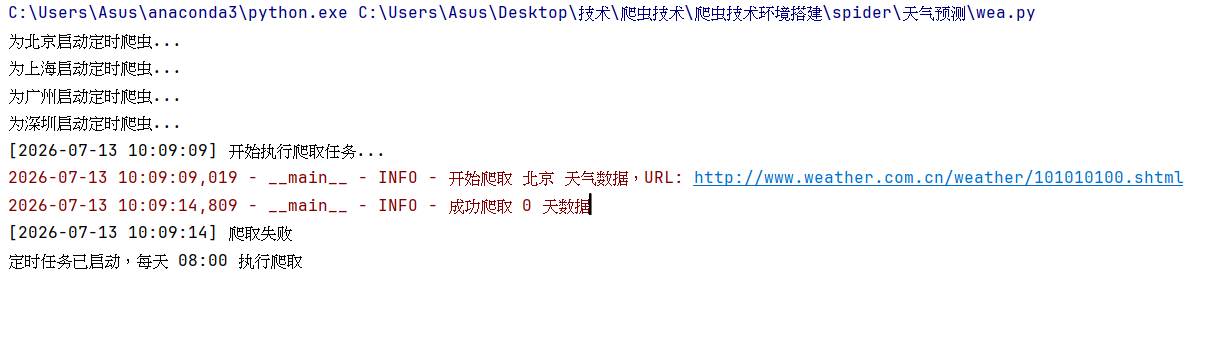
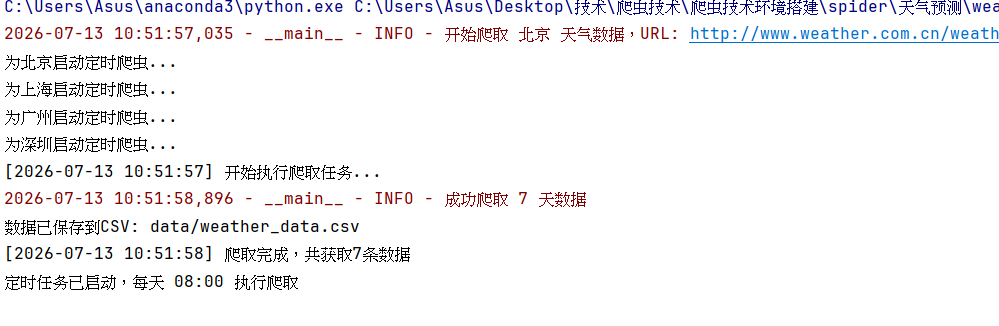
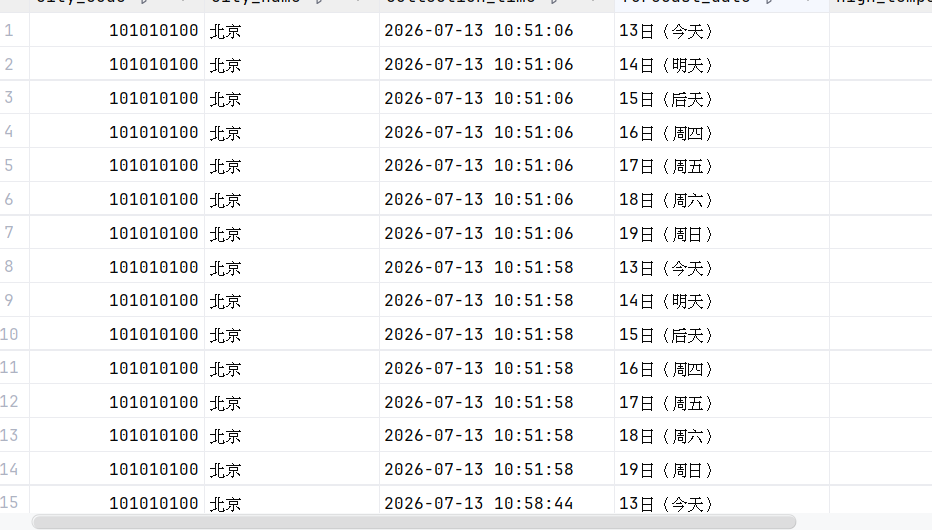
发现是解析出现错误后进行修改
6. 进阶功能与优化建议
6.1 错误处理与重试机制
python
import random
from time import sleep

def fetch_with_retry(spider: WeatherSpider, max_retries: int = 3):
    """带重试机制的爬取函数"""
    for attempt in range(max_retries):
        try:
            data = spider.fetch_weather_data()
            if data:
                return data
        except Exception as e:
            spider.logger.warning(f"第{attempt + 1}次尝试失败: {str(e)}")
            if attempt < max_retries - 1:
                sleep_time = random.uniform(1, 3) * (attempt + 1)
                spider.logger.info(f"{sleep_time:.1f}秒后重试...")
                sleep(sleep_time)

    spider.logger.error(f"爬取失败,已达最大重试次数{max_retries}")
    return None
6.2 数据可视化(可选)
python
import pandas as pd
from datetime import timedelta
def parse_forecast_date(row):
    """
    根据 collection_time 和 forecast_date 推断实际日期
    """
    base = pd.to_datetime(row['collection_time']) # 假设是 Timestamp 或 datetime
    txt = row['forecast_date']


    # 1. 提取数字(日)
    import re
    day_num = int(re.search(r'\d+', txt).group())

    # 2. 判断偏移量
    if '今天' in txt:
        offset = 0
    elif '明天' in txt:
        offset = 1
    elif '后天' in txt:
        offset = 2
    elif '周' in txt or '星期' in txt:
        # 星期映射:周一=1 ... 周日=7
        week_map = {'一': 1, '二': 2, '三': 3, '四': 4, '五': 5, '六': 6, '日': 7}
        target_weekday = week_map[re.search(r'[一二三四五六日]', txt).group()]
        print(target_weekday)

        current_weekday = base.isoweekday()  # 1-7
        offset = (target_weekday - current_weekday) % 7
        if offset == 0:  # 如果恰好是今天,但今天已单独判断,这里指下周同一天
            offset = 7
    else:
        # 若只有数字(如"13日"),则直接用这个数字替换 base 的日
        # 注意:可能跨月,但7天内一般不会,所以直接替换
        try:
            return base.replace(day=day_num)
        except ValueError:  # 若替换后日期无效(如2月30日),则跳转到下个月
            next_month = (base.replace(day=1) + timedelta(days=32)).replace(day=1)
            return next_month.replace(day=day_num)

    return base + timedelta(days=offset)
def plot_temperature_trend(city_name, days=7):
    # 从数据库或 CSV 读取数据,假设 df 已存在
    storage = DataStorage()
    df = pd.read_csv(storage.csv_path)

    df_city = df[df['city_name'] == city_name].copy()

    # 按 collection_time 降序,保留最新一次爬取的全部记录
    df_city = df_city.sort_values('collection_time', ascending=False)

    latest_time = df_city['collection_time'].iloc[0]

    df_latest = df_city[df_city['collection_time'] == latest_time].copy()

    # 应用日期转换
    df_latest['actual_date'] = df_latest.apply(parse_forecast_date, axis=1)
    print(df_latest)
    # 按实际日期排序
    df_latest = df_latest.sort_values('actual_date')

    # 画图
    import matplotlib.pyplot as plt
    plt.plot(df_latest['actual_date'], df_latest['high_temperature'], label='高温')
    plt.plot(df_latest['actual_date'], df_latest['low_temperature'], label='低温')
    plt.title(f'{city_name}未来{len(df_latest)}天温度趋势')
    plt.legend()
    plt.show()
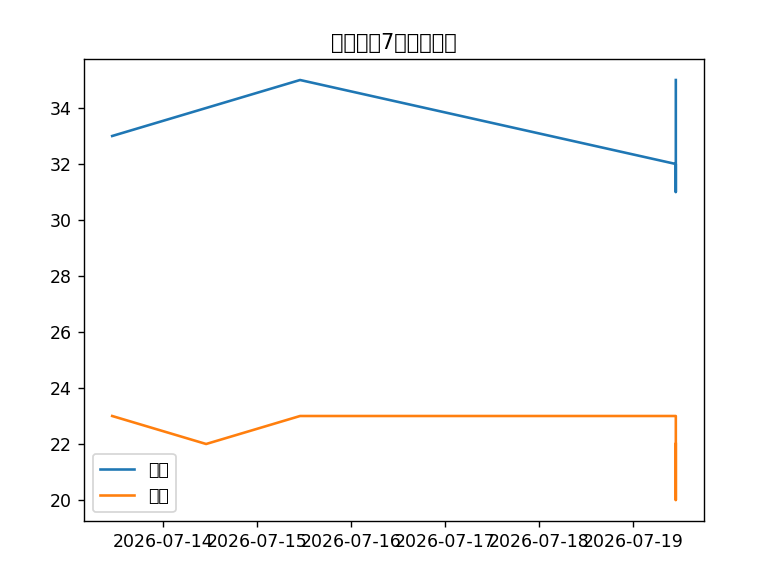
可视化做的不太好