Maven 基本使用
常用指令
-
compile 编译
-
clean 清理
-
test 测试
-
package 打包
-
install 安装
依赖管理
1.使用坐标导入jar包
-
在pom.xml 中编写标签
-
在该标签中使用 引入坐标
-
定义坐标的 groupId,artifactId,version
-
点击刷新按钮,使得坐标生效
xml
<dependencies>
    <dependency>
        <groupId>junit</groupId>
        <artifactId>junit</artifactId>
        <version>4.13</version>
<!-- 添加依赖范围 -->
        <scope>test</scope>
    </dependency>
<dependencies>
2.使用坐标导入jar包快捷方式
-
在pom.xml中 按alt + insert 选择 Dependency
-
在弹出的面板中搜索对应坐标(如junit) 然后双击选中对应坐标
-
点击刷新按钮,使坐标生效
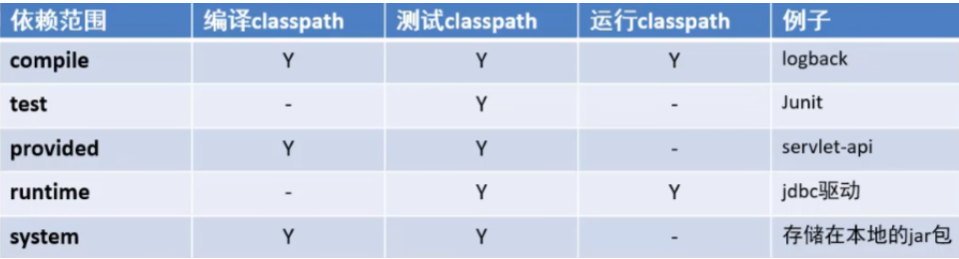
依赖范围(默认compile,了解)
MyBatis
简化JDBC开发的优秀 持久层框架
Mapper 代理开发
1.入门案例(黑马程序员JavaWeb(50/163))
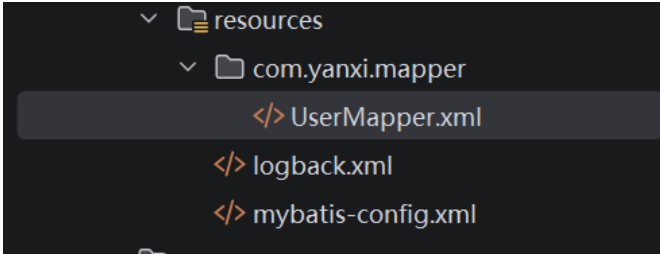
- 定义与SQL映射文件同名的Mapper接口,并且将Mapper接口和SQL映射文件放置在同一目录下:
注意:resource目录下创建分层的文件夹用的是 "/" 不是 "."
- 设置SQL映射文件(如UserMapper.xml)的namespace属性为Mapper接口全限定名
xml
<mapper namespace="com.yanxi.mapper.UserMapper">- 在Mapper接口种定义方法,方法名就是SQL映射文件种SQL语句的id,并保持参数类型和返回值类型一致
java
//接口
import com.yanxi.pojo.User;

import java.util.List;

public interface UserMapper {

//在Mapper接口种定义方法,方法名就是SQL映射文件种SQL语句的id,并保持参数类型和返回值类型一致
  //  User selectALL();// 一个用
    //如果范围的是集合要写List<User>
    List<User> selectAll(); 注意大小写
}
xml
<!--UserMapper.xml 文件-->
<?xml version="1.0" encoding="UTF-8" ?>
<!DOCTYPE mapper
        PUBLIC "-//mybatis.org//DTD Mapper 3.0//EN"
        "https://mybatis.org/dtd/mybatis-3-mapper.dtd">
<mapper namespace="com.yanxi.mapper.UserMapper">
    <select id="selectAll" resultType="com.yanxi.pojo.User">
        select * from tb_user;
    </select>
</mapper>-
编码
-
通过SqlSession的getMapper方法获取 Mapper 接口的代理对象
-
调用对应方法完成sql的执行
细节:如果Mapper接口名称和sql映射文件名称相同,并在同一目录下,则可以使用包扫描的方式简化SQL映射文件的加载
xml
        <!-- 加载sql映射文件 -->
        <!--原来的写法-->
        <mapper resource="com/yanxi/mapper/UserMapper.xml"/>
        <!--可以写成-->
        <package name="com.yanxi.mapper">
MyBatis 核心配置文件
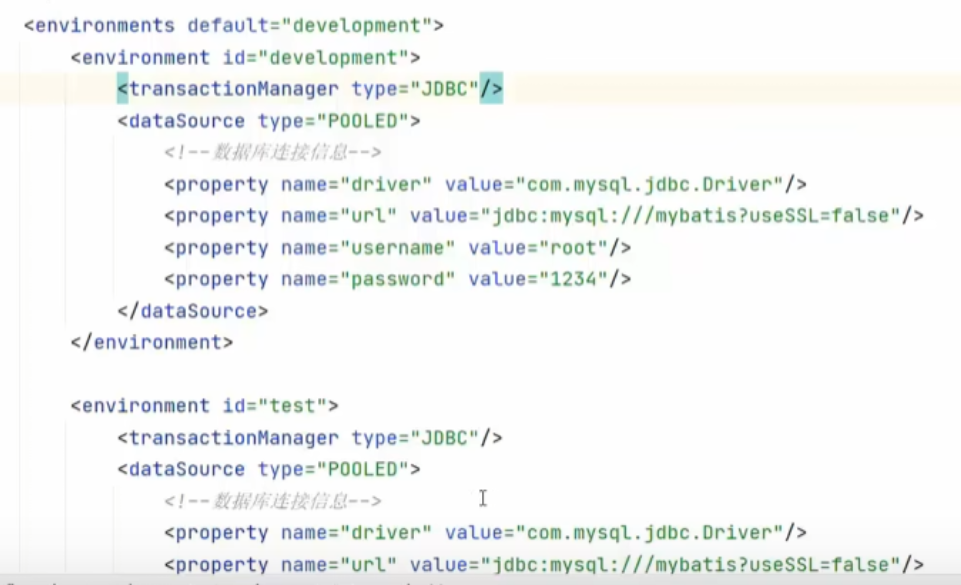
environment
配置数据库的连接环境信息,可以配置多个environment,通过default属性切换不同的environment,如下
typeAliases
xml
    <!-- 起别名 不区分大小写?
    包扫描 扫描com.yanxi.pojo 相当于给pojo实体类取了别名,默认User 不区分大小写
    在UserMapper.xml <select 那一栏多 resultType="user"  //不区分大小写
    -->
    <typeAliases>
        <package name="com.yanxi.pojo"/>
    </typeAliases>

    <select id="selectAll" resultType="user"> <!--不区分大小写
    修改前是 com.yanxi.pojo.User
    -->
注意事项
配置文件需要注意顺序
MyBatis 实战增删改查
查询
-
创建Brand.java 和 BrandMapper.xml
-
在Test文件中创建MyBatisTest
java
public class MyBatisTest {
    @Test
    public void testSelectAll() throws IOException {
        //1.加载mybatis的核心配置文件,获取sqlSessionFactory
        String resource = "mybatis-config.xml";
        InputStream inputStream = Resources.getResourceAsStream(resource);
        SqlSessionFactory sqlSessionFactory = new SqlSessionFactoryBuilder().build(inputStream);

        //2.获取SqlSession对象
        SqlSession sqlSession = sqlSessionFactory.openSession();

        //3.获取Mapper 接口的代理对象
        BrandMapper brandMapper = sqlSession.getMapper(BrandMapper.class);
        //4.执行方法(核心记住的方法)
        List<Brand> brands = brandMapper.selectAll();
        System.out.println(brands);
        //5.释放资源
        sqlSession.close();
    }
}
resultMap
解决 数据库表中字段名称 与 实体类的属性名称对不上问题
如company_name 与 companyName(有一种方式是起别名)
xml
<!--处理数据库表的属性名称和实体类名称不一致的问题
resultMap --
    1.定义<resultMap>标签
    2.在<select>标签中,使用resultMap属性替换 resultType 属性
id : 完成主键字段的映射
column: 表的列名
property: 实体类的属性名


-->
    <resultMap id="brandResult" type="brand">
        <result column="brand_name" property="brandName"/>
        <result column="company_name" property="companyName" />

    </resultMap>
   <select id="selectAll" resultType="brand">
        select *
        from tb_brand;
    </select>
查看详情
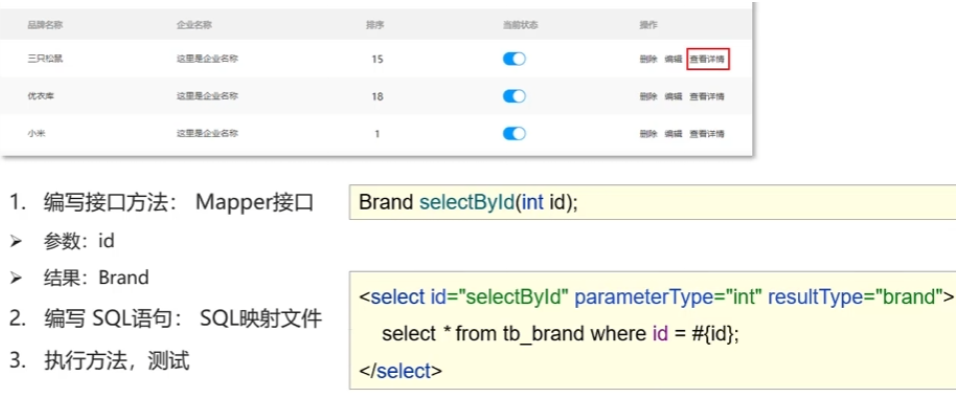
参数占位符
#{}: 会将其替换为 ? 防止sql注入 大部分情况使用
${}: 拼sql,存在sql注入问题 表名或列名不固定的时候用
xml
    <select id="selectById" parameterType="int" resultMap="brandResult">
        select *
        from tb_brand where id = #{id};
    </select><!--parameterType="int" 可以省略-->
特殊字符的处理
-
转移字符 < 用< 表示 (<会被识别成 标签)
-
CDATA区(输入 CD 会有提示)
xml
    <select id="selectById" parameterType="int" resultMap="brandResult">
        select *
        from tb_brand where id
        <![CDATA[
          <
        ]]>
        #{id};
    </select>
条件查询
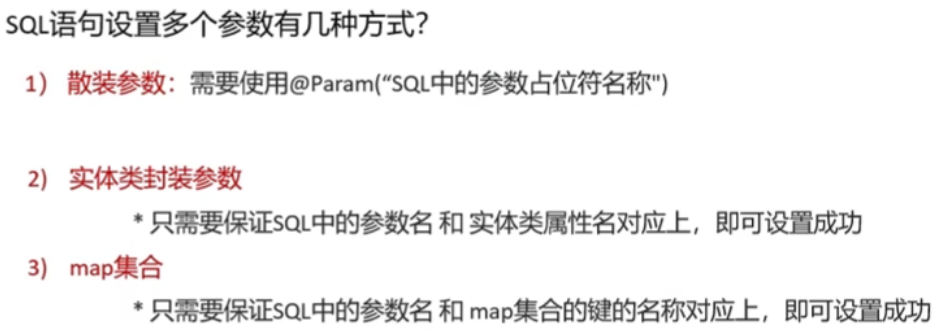
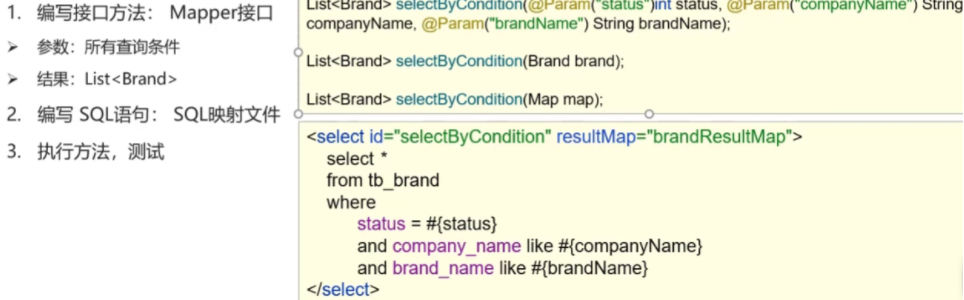
动态查询
和 标签搭配
xml
    <select id="selectByCondition" resultMap="brandResult">
        select *
        from tb_brand
        <where>

    <!-- test="" 双引号里面加条件 -->
        <if test="status != null">
            and status = #{status}
        </if>
        <if test="companyName != null and companyName != '' ">
            and company_name like #{companyName}
        </if>
        <if test="brandName != null and brandName != '' ">
            and brand_name like #{brandName}
        </if>
        </where>
    </select>
单条件动态查询
多个条件中选择一个。
choose(when,otherwise) : 类似于swtich(case,default)
- otherwise 可以用 代替?
xml
    <select id="selectByConditionSingle" resultMap="brandResult">
        select *
        from tb_brand
        where
        <choose>
            <when test="status != null">
                status = #{status}
            </when>
            <when test="companyName != null and companyName !='' ">
                company_name like #{companyName}
            </when>
            <when test="brandName != null and brandName !='' ">
                brand_name like #{brandName}
            </when>
            <!--如果那个条件都不满足-->
            <otherwise>
                1=1
            </otherwise>
        </choose>
    </select>
添加
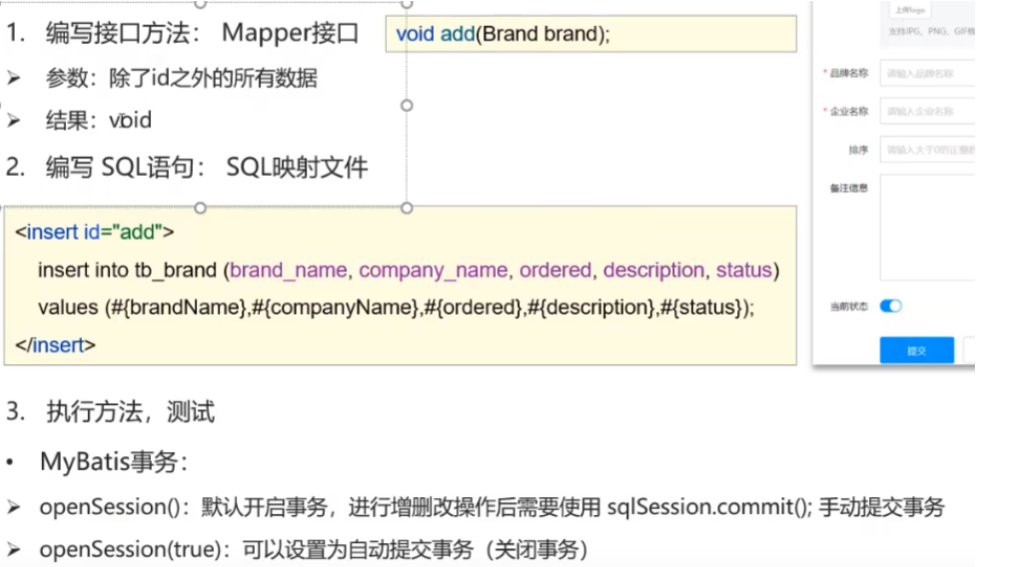
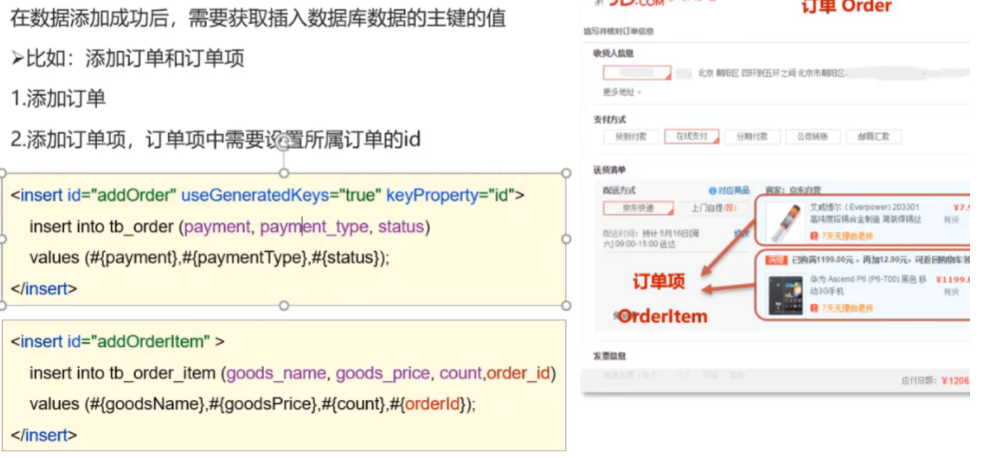
主键返回
xml
    <insert id="add" useGeneratedKeys="true" keyProperty="id">
        insert into tb_brand (brand_name,company_name,ordered,description,status)
        values (#{brandName},#{companyName},#{ordered},#{description},#{status});
    </insert>
修改
全部修改
xml
    <update id="update">
        update tb_brand
        set brand_name = #{brandName},
            company_name = #{companyName},
             ordered = #{ordered},
            description = #{description},
            status = #{status}
        where id = #{id};
    </update>
修改动态字段
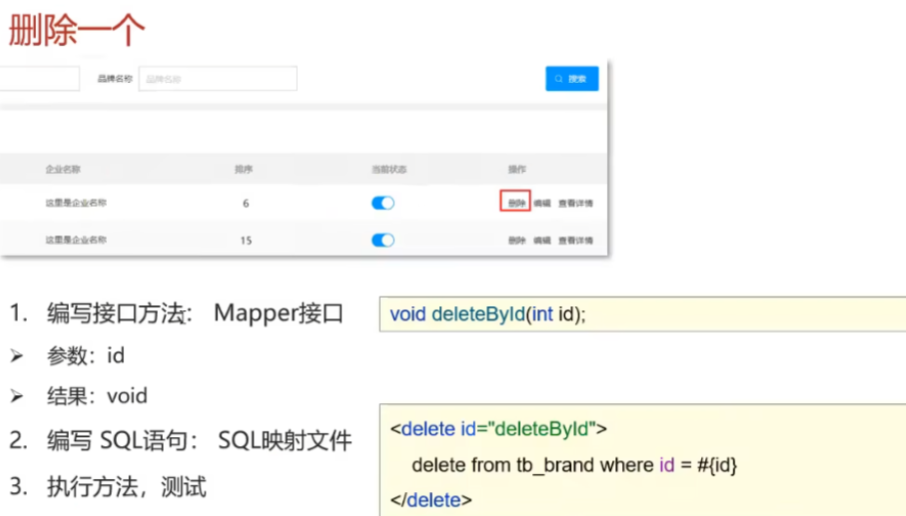
删除
批量删除
xml
   <!--    mybatis会将数组参数,封装为一个Map集合,-->
<!--    * 默认: array = 数组;-->
<!--    * 使用@Param 主键盖面map集合的默认key名称(BrandMapper.java文件中)-->
     <delete id="deleteByIds">
        delete from tb_brand where id
        in (
            <foreach collection="ids" item="id" separator=",">
                #{id}
            </foreach>
            );
    </delete>
   <!--等于-->
        <delete id="deleteByIds">
        delete from tb_brand where id
        in (
            <foreach collection="ids" item="id" separator="," >
                #{id}
            </foreach>
            );
    </delete>
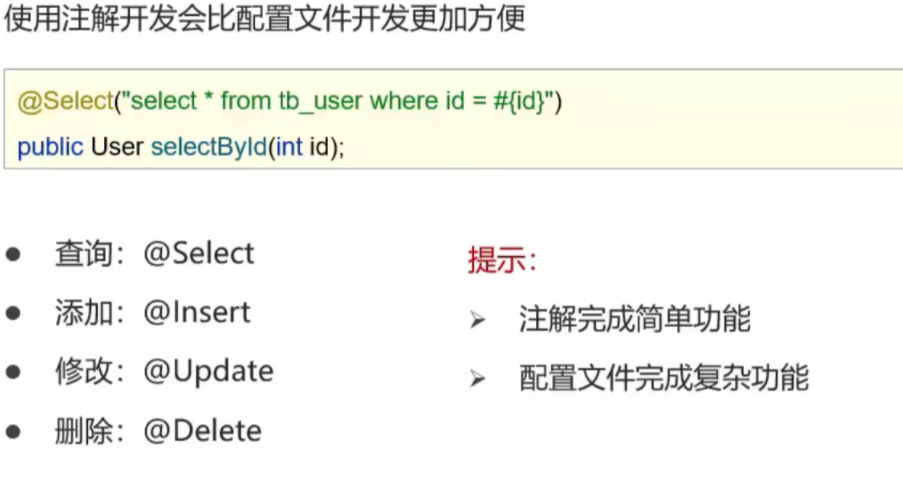
注解完成增删改查