目录
[六、实验效果 编辑](#六、实验效果 编辑)
一、前言
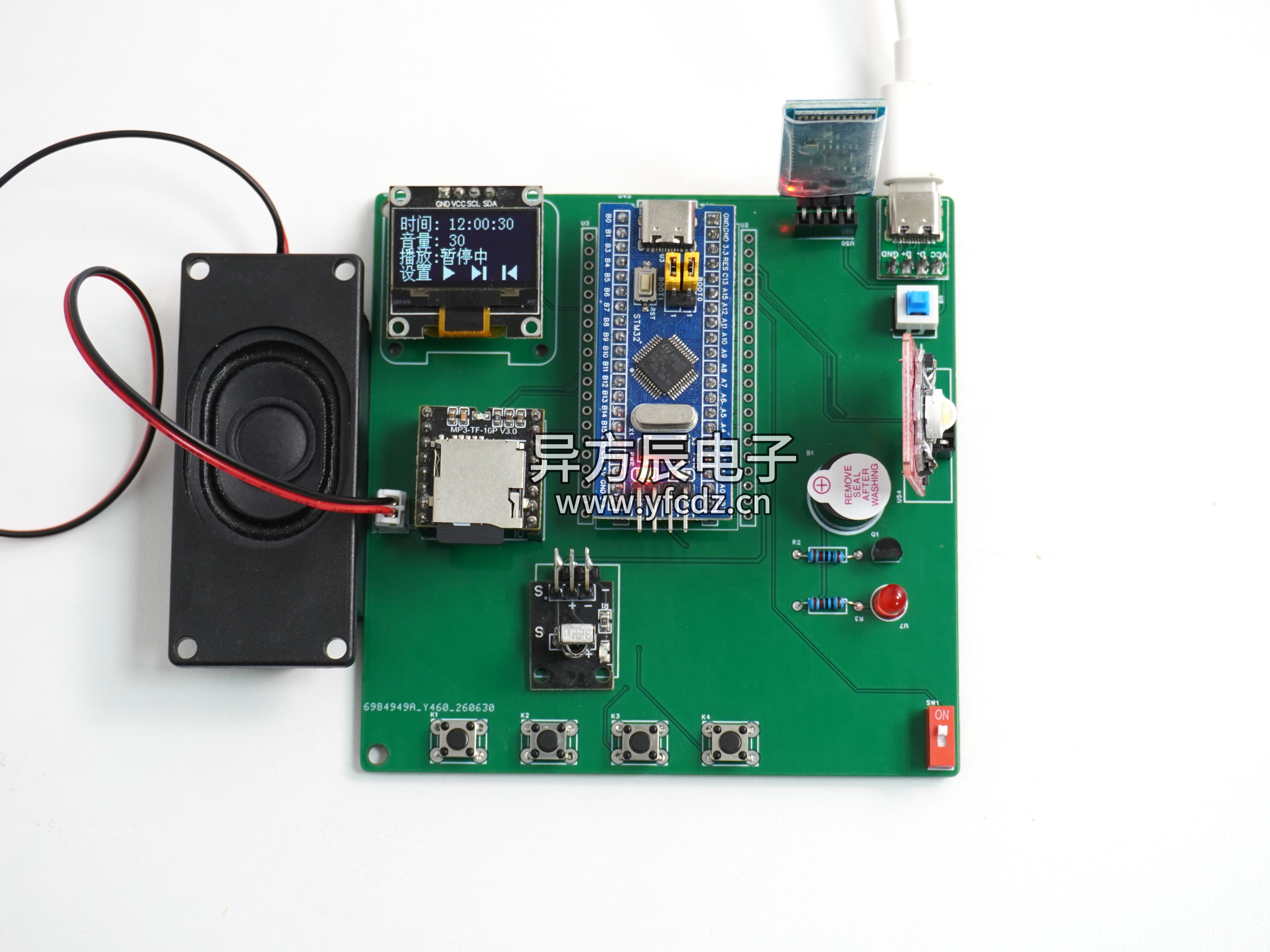
项目成品图片:
哔哩哔哩视频链接:
(资料分享见文末)
二、项目简介
1.功能详解
基于STM32的音乐播放器
功能如下:
- STM32F103C8T6单片机作为主控芯片
- 显示功能:OLED显示当前时间、当前音量、当前状态(暂停/播放中)
- 手动控制:手动模式下可通过按键控制LED、蜂鸣器的开关
- 自动模式:自动模式下按键可以切歌或者使用红外遥控切歌、调节音量等、播放状态下红色LED常亮
- 模式切换:通过按键可切换自动模式或手动模式
- 阈值调节:按键可调节系统时间、播放音量
- 蓝牙APP:通过蓝牙连接手机APP,可远程控制播放器、调节音量
- STM32F103C8T6单片机
- OLED 屏幕
- 红外遥控模块
- MP3播放器
- BT04-A蓝牙模块
- 有源蜂鸣器
- LED灯
三、原理图设计
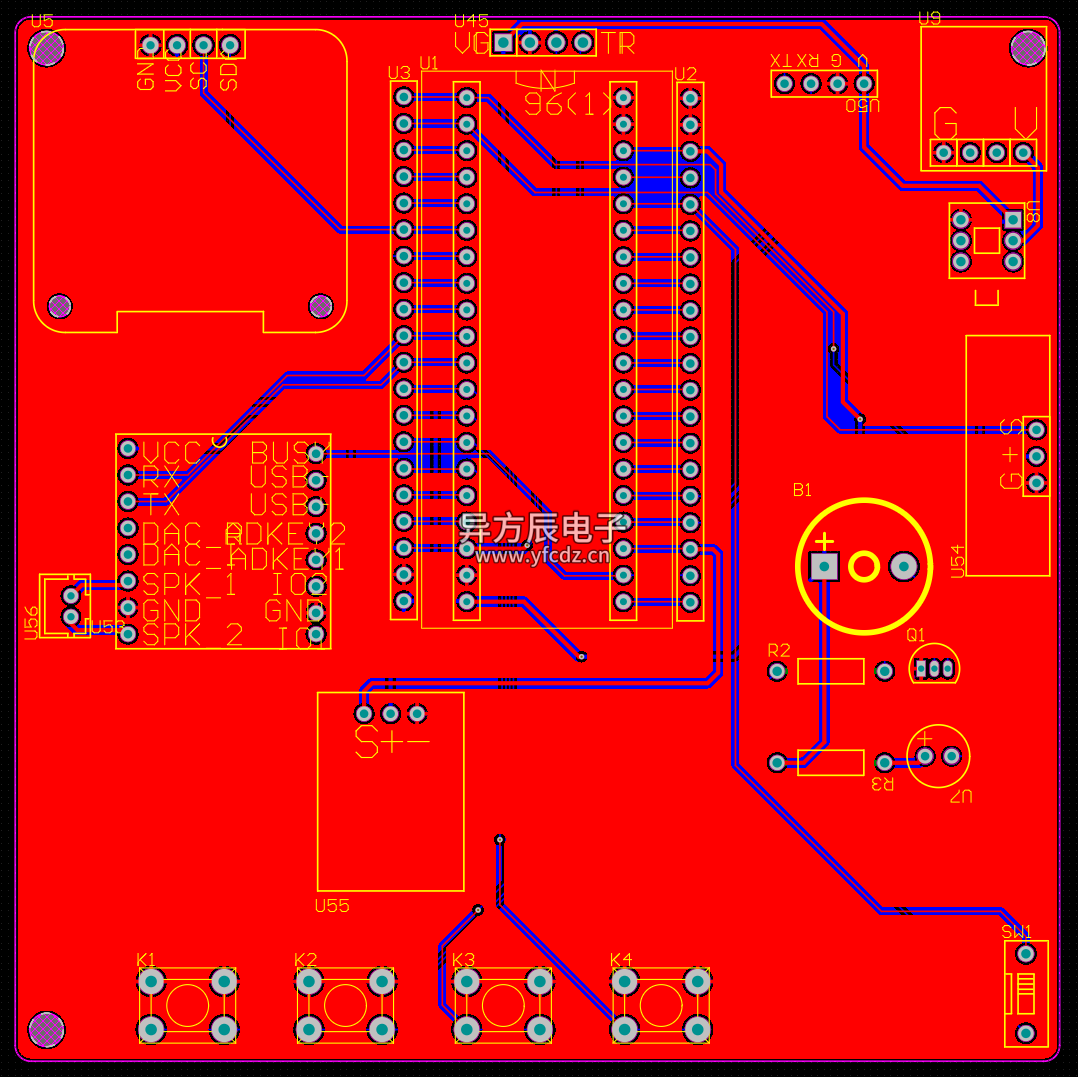
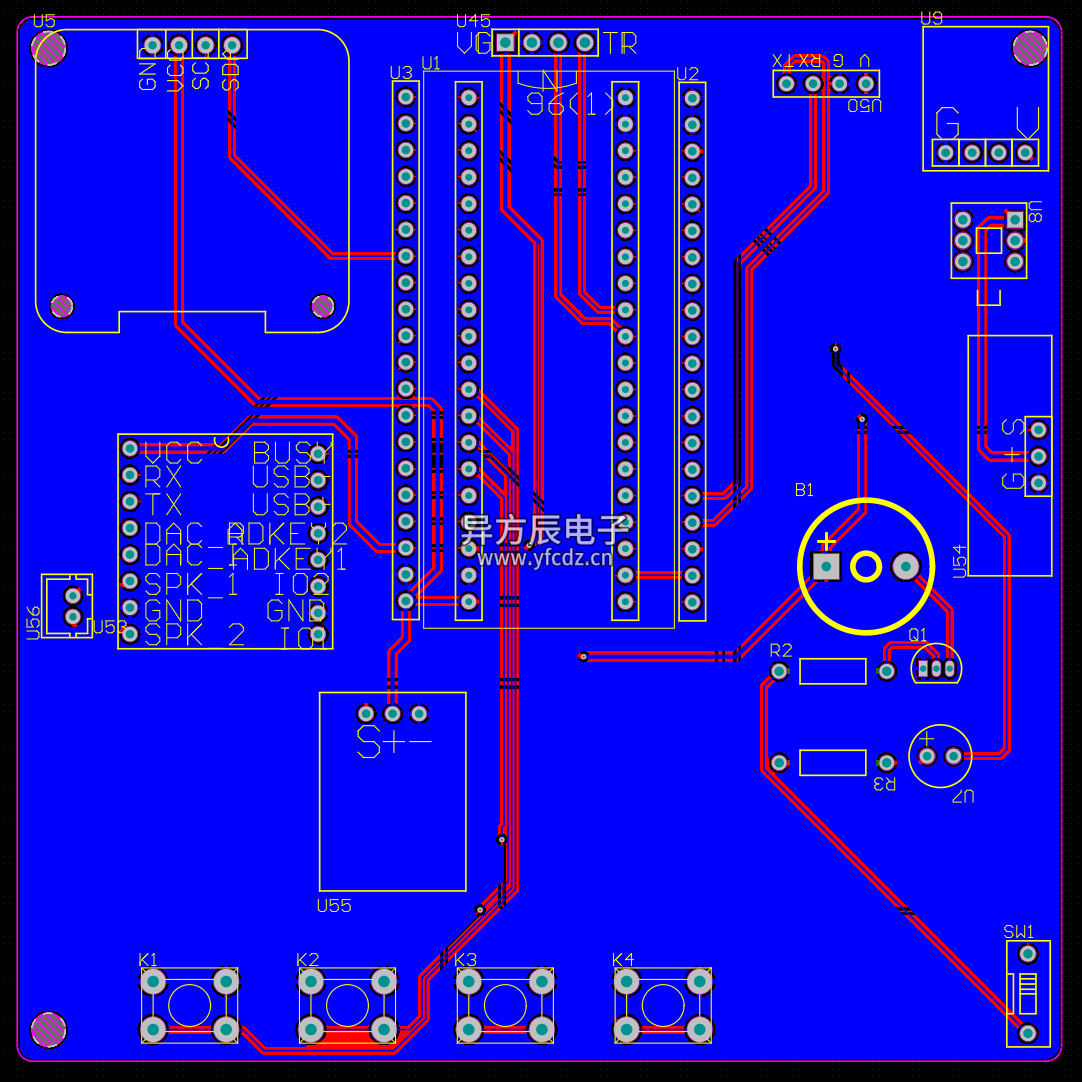
四、PCB硬件设计
PCB图
五、程序设计
cpp
#include "stm32f10x.h"
#include "led.h"
#include "beep.h"
#include "usart.h"
#include "delay.h"
#include "oled.h"
#include "key.h"
#include "Modules.h"
#include "adcx.h"
#include "flash.h"
#include "TIM2.h"
#include "timer.h"
#include "MyRTC.h"
#include "SIR.h"
#include <string.h>
#include "usart3.h"
#include "usart2.h"

/****************异方辰电子工作室******************
					  STM32

 * 项目			:	    STM32音乐播放器(蓝牙版)
 * 版本			:       V1.0
 * 日期			:       2026.7.10
 * MCU			:	    STM32F103C8T6
 * 接口			:	    见代码
 * IP账号		:	    异方辰电子/辰哥单片机设计(同BILIBILI|抖音|快手|小红书|CSDN|公众号|视频号等)
 * 作者			:	    辰哥
 * 工作室		:       异方辰电子工作室
 * 授权IP	 	:	    辰哥单片机设计、异方辰电子、YFC电子、异方辰系列
 * 官方网站	    :	    www.yfcdz.cn

**********************BEGIN***********************/

#define KEY_Long1	11
#define KEY_1		1
#define KEY_2		2
#define KEY_3		3
#define KEY_4		4

 uint8_t key;

uint8_t dakai = 0;
uint8_t Flag_dakai = 0;
// 外部变量声明
  SensorModules sensorData;
  SensorThresholdValue Sensorthreshold;
  DriveModules driveData;
	uint8_t play_flag = 0;      //0:暂停 1:播放
// 全局变量定义
uint8_t mode = 1;	//系统模式  1自动  2手动  3设置
uint8_t step_num = 0;
uint8_t auto_page = 1;
uint8_t count_s;
uint8_t count_m = 1;
uint8_t volume = 30;        //当前音量
uint8_t volume_back;
uint8_t MP3_BUSY = 0;
uint8_t TimeMenuFlag = 0;
static uint8_t count_t = 1;
uint8_t player = 1;

int main(void)
{
    // 系统初始化
    SystemInit();
    delay_init(72);
    ADCx_Init();
    LED_Init();
	  LED1_Init();
	  LED_Off();
	  LED1_Off();
    BEEP_Init();
    BEEP_Off();
    USART1_Config();
	  USART2_Init();
	  USART3_Config();
	  MyRTC_Init();
    Key_Init();
    OLED_Init();
    OLED_Clear();
	  IR_Init();
    delay_ms(100);
    TIM2_Init(72-1,1000-1);
		delay_ms(200);


    // 主循环
  while(1)
{
	 IR_Control();
	 USART2_ProcessCmd();
	 uint8_t current_key_num = KeyNum;
   key = IR_GetData();
	 MP3_BUSY = MP3_ReadBusy();

            switch(mode)
            {
                case AUTO_MODE:
								{
									   OLED_autoPage1();
									   SensorDataDisplay1();
                     AutoControl();
                     Control_Manager();

									if(current_key_num == KEY_1)
                    {
                        mode = MANUAL_MODE;
                        count_m = 1;
                        driveData.LED1_Flag = 0;
                        driveData.BEEP_Flag = 0;
											  OLED_Clear();
                        KeyNum = 0;

                    }
								 if(current_key_num == KEY_Long1)
                    {
                       	OLED_Clear();
                        mode = SETTINGS_MODE;
                        count_s	= 1;
                        KeyNum = 0;
                    }

										if(current_key_num == KEY_2)
                    {

                        KeyNum = 0;
											if(play_flag==0)
                      {
                          play_flag=1;
                          MP3_SendCmd(0x0D,0,0);      // 播放
													delay_ms(200);
													MP3_SendCmd(0x11,1,0);//循环
                      }
                      else
                      {
                          play_flag=0;
                          MP3_SendCmd(0x0E,0,0);      // 暂停
                      }

										}

										if(current_key_num == KEY_3)
                    {
											 KeyNum = 0;
											 MP3_SendCmd(0x01,0,0);      // 下一曲
										}

									if(current_key_num == KEY_4 )
                    {
											 KeyNum = 0;
											 MP3_SendCmd(0x02,0,0);      // 上一曲
										}
										 break;
									}

							     case MANUAL_MODE:
									  OLED_manualPage1();
										OLED_manualOption(SetManual());
								    ManualSettingsDisplay1();
								    ManualControl(count_m);
							     	Control_Manager();
                    if(current_key_num == KEY_1)
                    {
                         mode = AUTO_MODE;
                         OLED_Clear();
                         auto_page = 1; // 强制重置自动模式为第一页
                         KeyNum = 0;
                    }

                    break;


								case SETTINGS_MODE:
             {
                    uint8_t sel = SetSelection();

							  if(TimeMenuFlag)
                      {
												  OLED_settingsPage2();
                          SettingsThresholdDisplay2();
                          OLED_timeOption(TimeSelection());
                          TimeSettings();

                      }

                    else
                    {
                        OLED_settingsPage1();
                        SettingsThresholdDisplay1();
										    OLED_settingsOption(sel);
                        ThresholdSettings(sel);
                    }

                    OLED_Refresh();

                    if(current_key_num == KEY_1)
                    {

                            mode = AUTO_MODE;
                            count_s = 1;
                            OLED_Clear();
                            OLED_autoPage1();
                            MyRTC_SetTime();
											      TimeMenuFlag = 0;
                            KeyNum = 0;
											      MP3_SendCmd(0x06,volume,0);

											      delay_ms(200);

                    }
                    break;
            }

						}
        delay_ms(10);
		   }
     }
六、实验效果 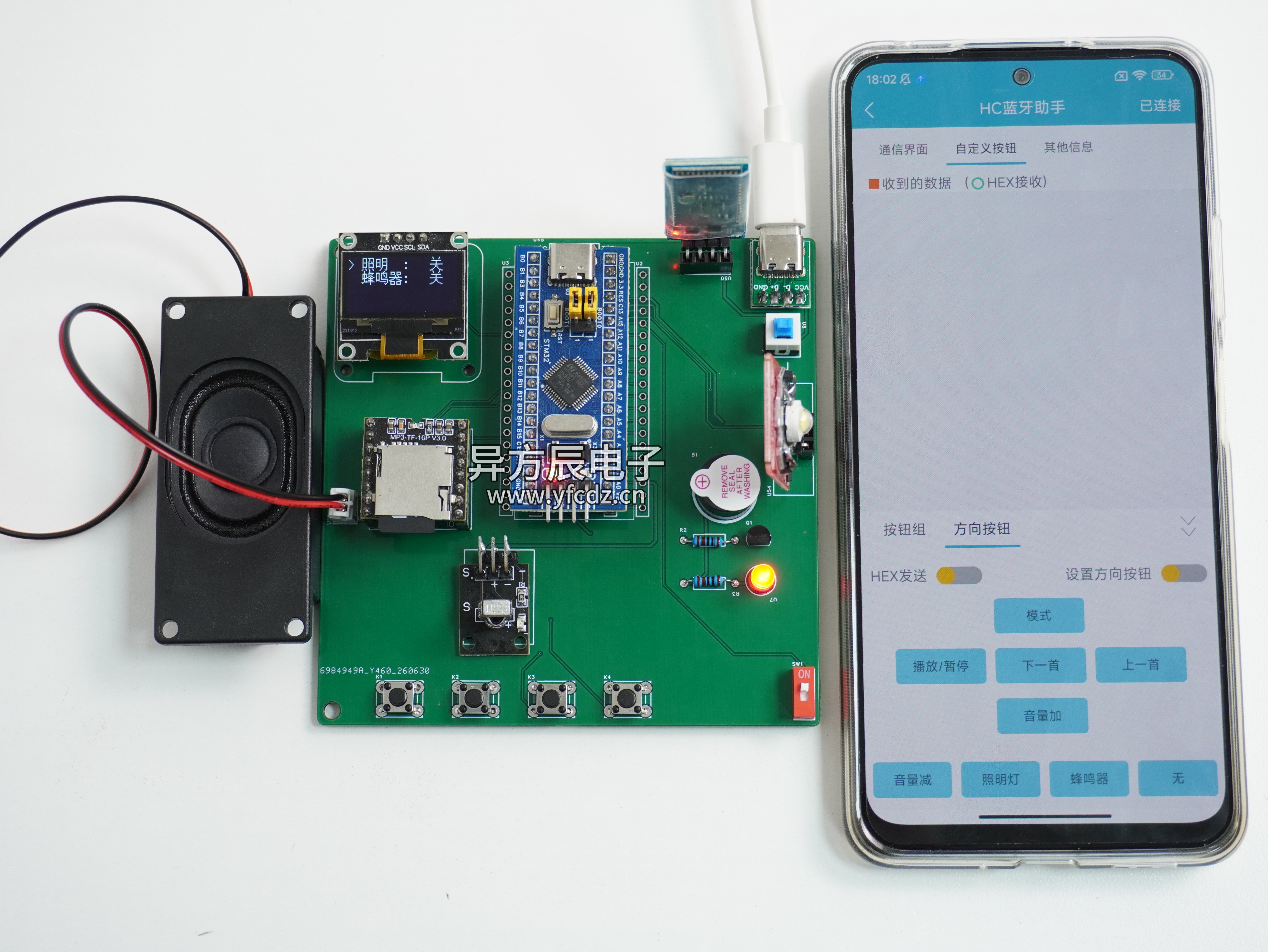
七、包含内容
