这个程序演示Tesseract OCR按行识别字符。
不仅显示识别结果,还找出每行文本的bounding box(边界框/包围盒)。
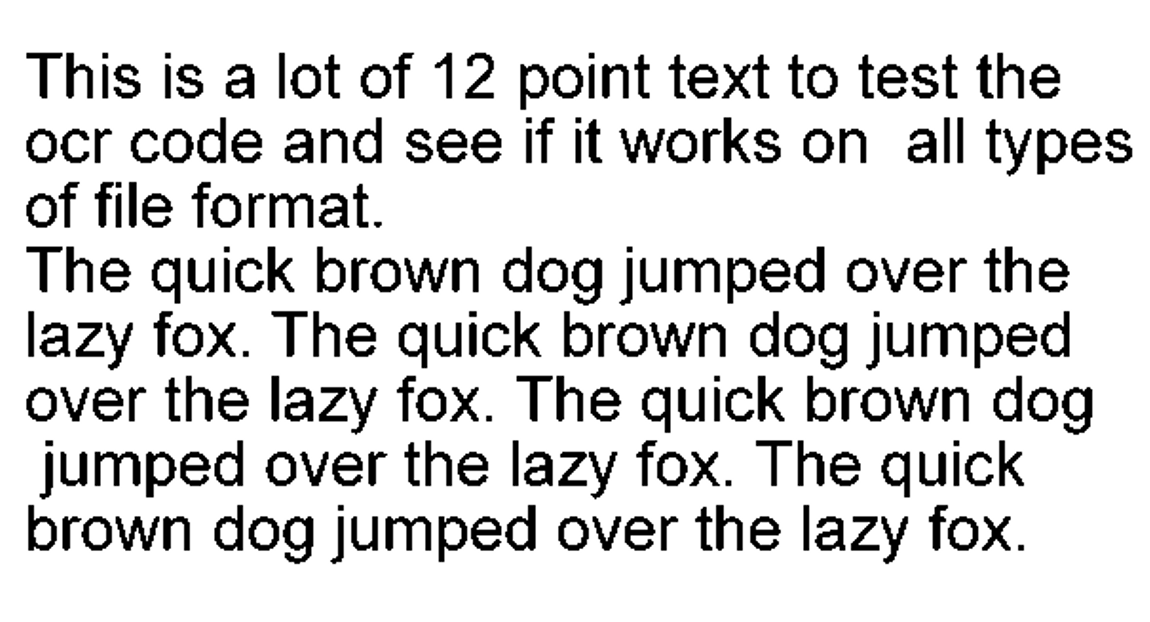
输入图片:
 程序运行后会在CMD里打印识别结果:

解释一下:在图片里找到了8行文本。
矩形边界框0的左上角坐标是(31,87),宽度是554,高度是40,置信度是94.
把矩形框绘制到输入图片里,大概就是这样: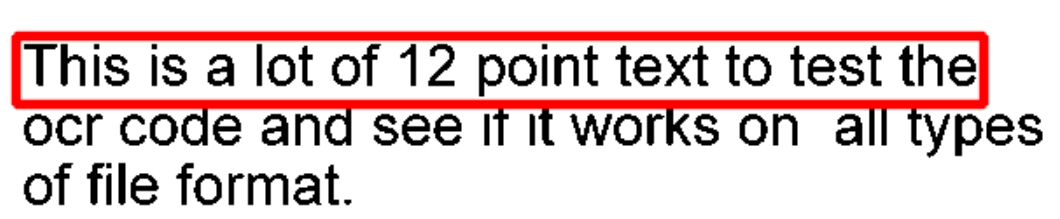
代码:
cpp
#include <tesseract/baseapi.h>
#include <leptonica/allheaders.h>

int main()
{
  char *outText;
  tesseract::TessBaseAPI *api = new tesseract::TessBaseAPI();
  // Initialize tesseract-ocr with English, without specifying tessdata path
  if (api->Init(NULL, "eng")) {
      fprintf(stderr, "Could not initialize tesseract.\n");
      exit(1);
  }
  Pix *image = pixRead("phototest.tif");
  api->SetImage(image);
  Boxa* boxes = api->GetComponentImages(tesseract::RIL_TEXTLINE, true, NULL, NULL);
  printf("Found %d textline image components.\n", boxes->n);
  for (int i = 0; i < boxes->n; i++) {
    BOX* box = boxaGetBox(boxes, i, L_CLONE);
    api->SetRectangle(box->x, box->y, box->w, box->h);
    char* ocrResult = api->GetUTF8Text();
    int conf = api->MeanTextConf();
    fprintf(stdout, "Box[%d]: x=%d, y=%d, w=%d, h=%d, confidence: %d, text: %s",
                    i, box->x, box->y, box->w, box->h, conf, ocrResult);
    boxDestroy(&box);
  }
  // Destroy used object and release memory
  api->End();
  delete api;
  delete [] outText;
  pixDestroy(&image);

  return 0;
}